If you try to access TikTok on the web, you will be left with a blank screen leading nowhere. Not just that, you can’t even install TikTok on your mobile. TikTok was banned back in 2020 in India, and since then users have been missing out on worldwide trends and videos from emerging creators.
Even though TikTok is still banned in India, people have found ways to bypass the ban and access the platform. If you want to know how to use TikTok in India, then this article will guide you. We will be discussing ways to access TikTok on your phone (both Android and iPhone) and also on your PC. So, let’s dive into the guide.
History of TikTok Ban
Before the June 2020 ban, TikTok was one of the most-used social media platforms for short-form video in India. Not only that, but India was also the largest user base for TikTok.
However, the government of India banned TikTok along with 58 other Chinese apps on 29 June 2020. The Ministry of Electronics and Information Technology banned the app under Section 69A of the Information Technology Act over national security concerns and data privacy.
After the ban, the app was removed from both the App Store and the Play Store in India. Not just that, ISPs and telecom operators blocked access to its domain and back-end servers. After the ban, there were many rumors about TikTok making a comeback in India, but nonetheless, the ban remains intact.
How to use TikTok in India?
Even though TikTok was banned in India, many users still browse the app and watch short videos on it. So if you want to use TikTok, there’s a simple way to do it. In this article, I will guide you on how you can use TikTok in India. So, let’s get started.
Method 1: Using TikTok on PC/Mac (Web Browser)
If you have a PC or Mac, you can access TikTok in a web browser. And to be honest, this is one of the easiest ways to unblock TikTok compared to other methods listed in this article.
Step 1: Launch a VPN Software
First, launch a VPN software on your PC. For this guide, I’m using Surfshark VPN connected to a US server. One thing to keep in mind is to choose a VPN that offers servers in countries where TikTok is available, for example, the USA or the UK.
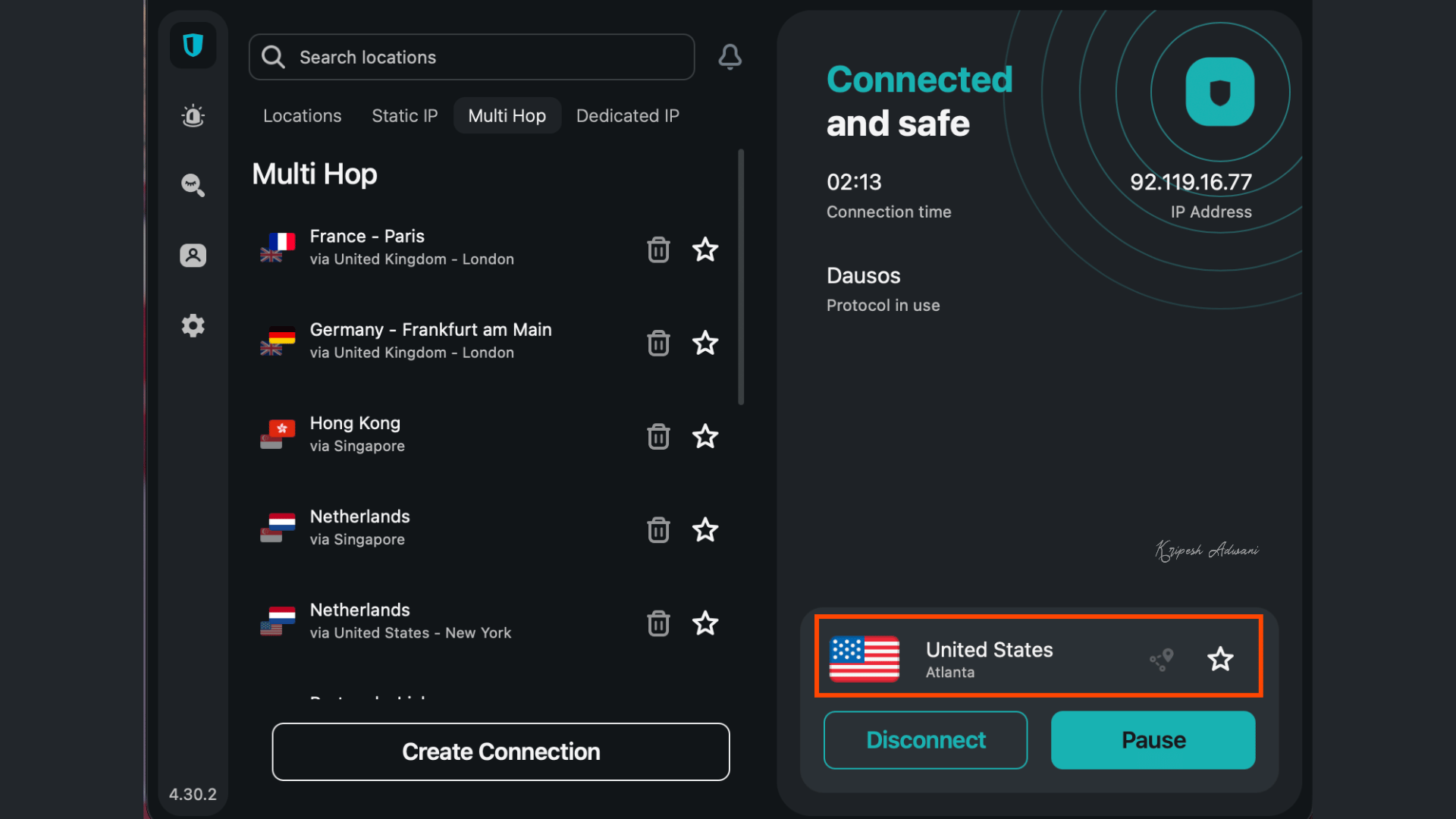
Note: Surfshark VPN is a reliable paid VPN service. However, if you want to use a Free VPN, you can try Proton VPN.
Step 2: Launch Browser
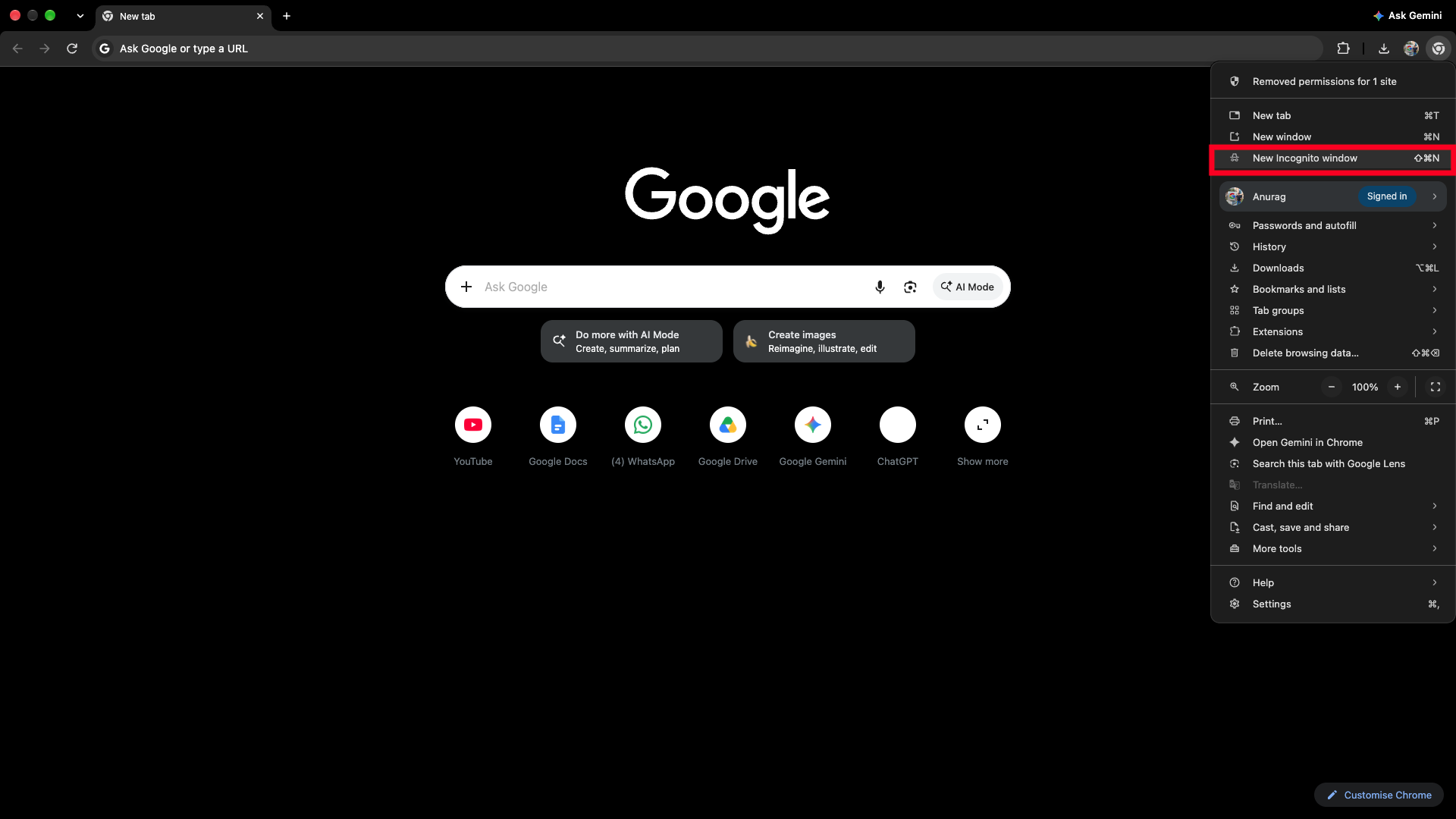
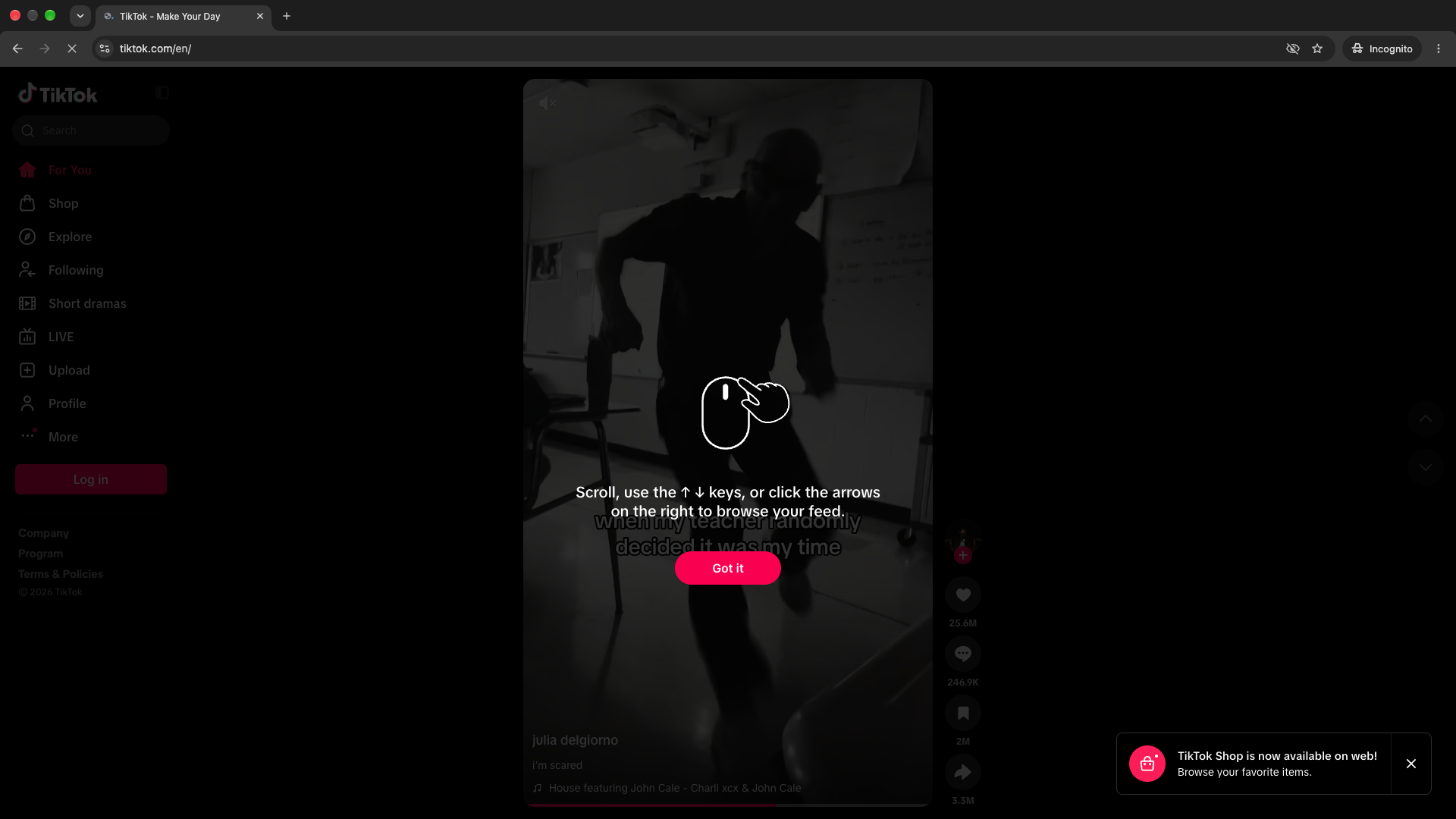
Once done, launch a browser of your preferred choice. Make sure to open it in private/incognito mode.
Step 3: Open TikTok
After launching your browser in private mode, head to TikTok. Once you do this, you will be able to use TikTok and browse videos created by other content creators.
Method 2: Using TikTok on Mobile Phone Browser (Android/iPhone)
If you are using a mobile phone (Android or iPhone) and you want to access TikTok on it, then you can follow these steps. This method will let you use TikTok without having to sideload the app.
Step 1: Install a VPN
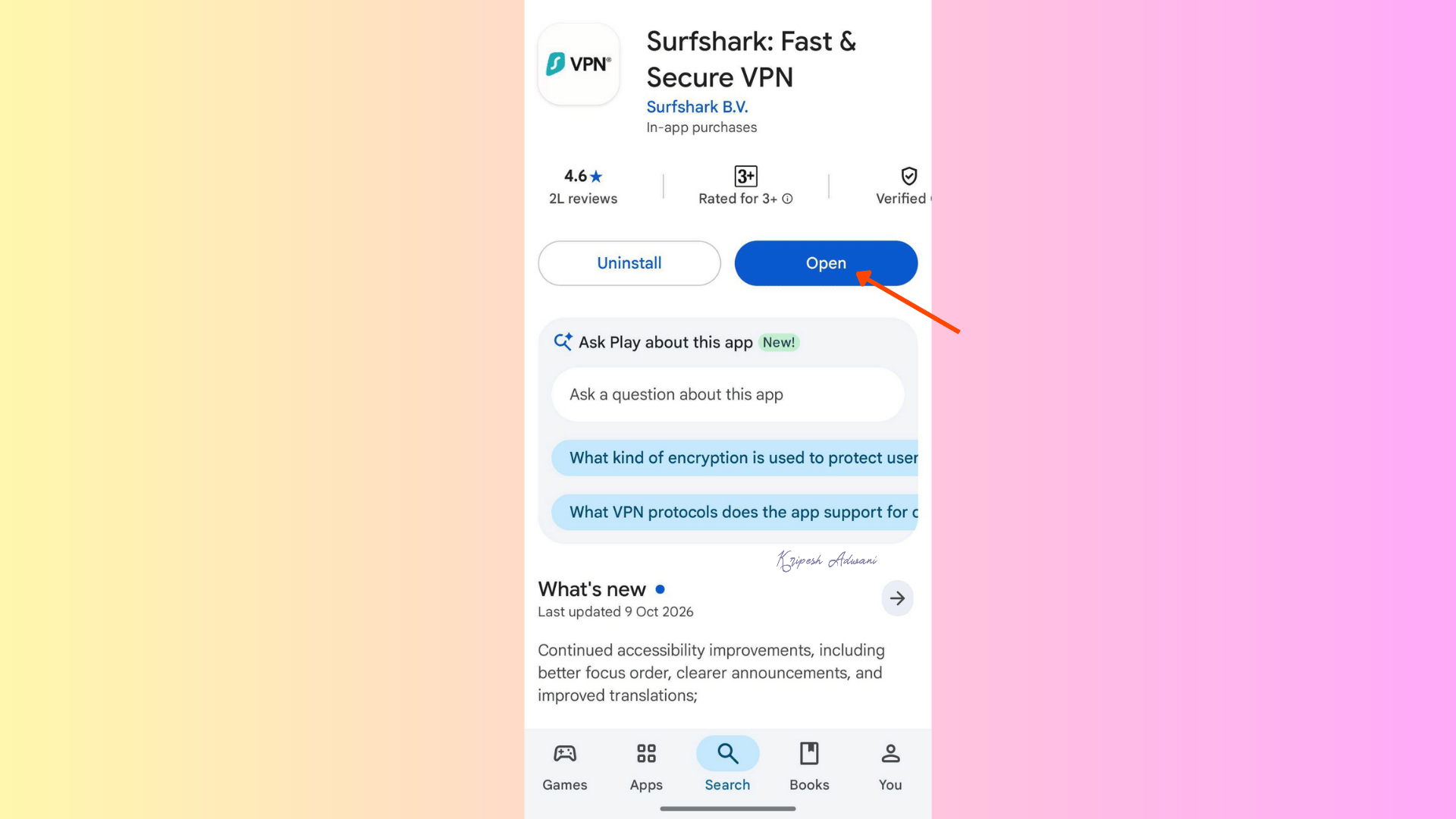
You need to install a VPN on your phone. For this part, I will use Surfshark VPN, a secure paid VPN for Android and iPhone. Proton VPN is another safe option for free.
First, on your iPhone, open the App Store. If you are using an Android phone, then open the Play Store. Search for Surfshark VPN and install it.
Step 2: Launch VPN and Connect
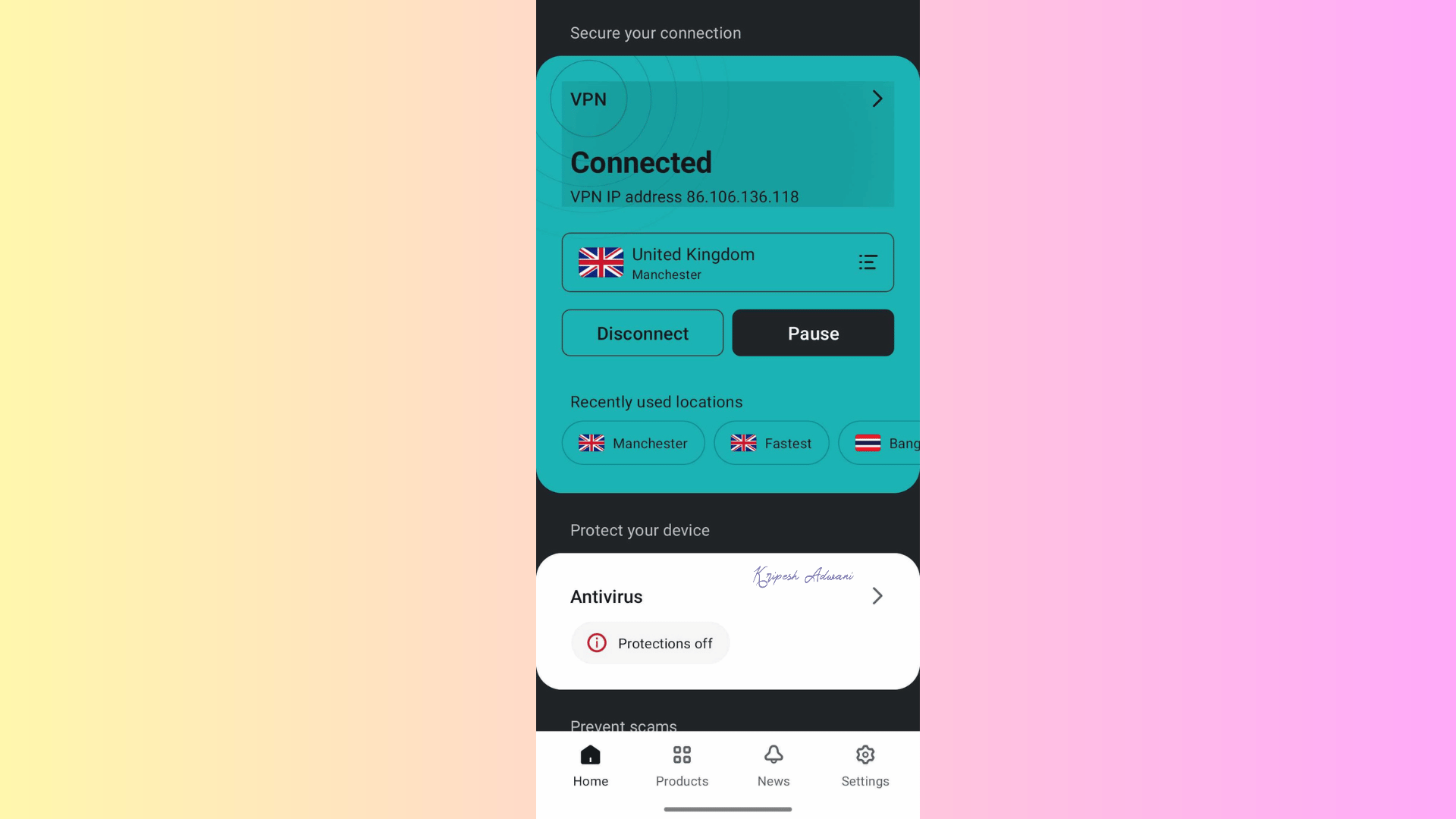
Once it’s installed, launch Surfshark VPN. Now, tap the Connect button on the screen. This will auto-connect to the fastest server (in my case, it connected to a UK server).
Step 3: Launch Private/Incognito Mode
Now, open any browser on your phone and launch private/incognito mode. Then, go to the TikTok website. You will now be able to scroll through the TikTok feed.
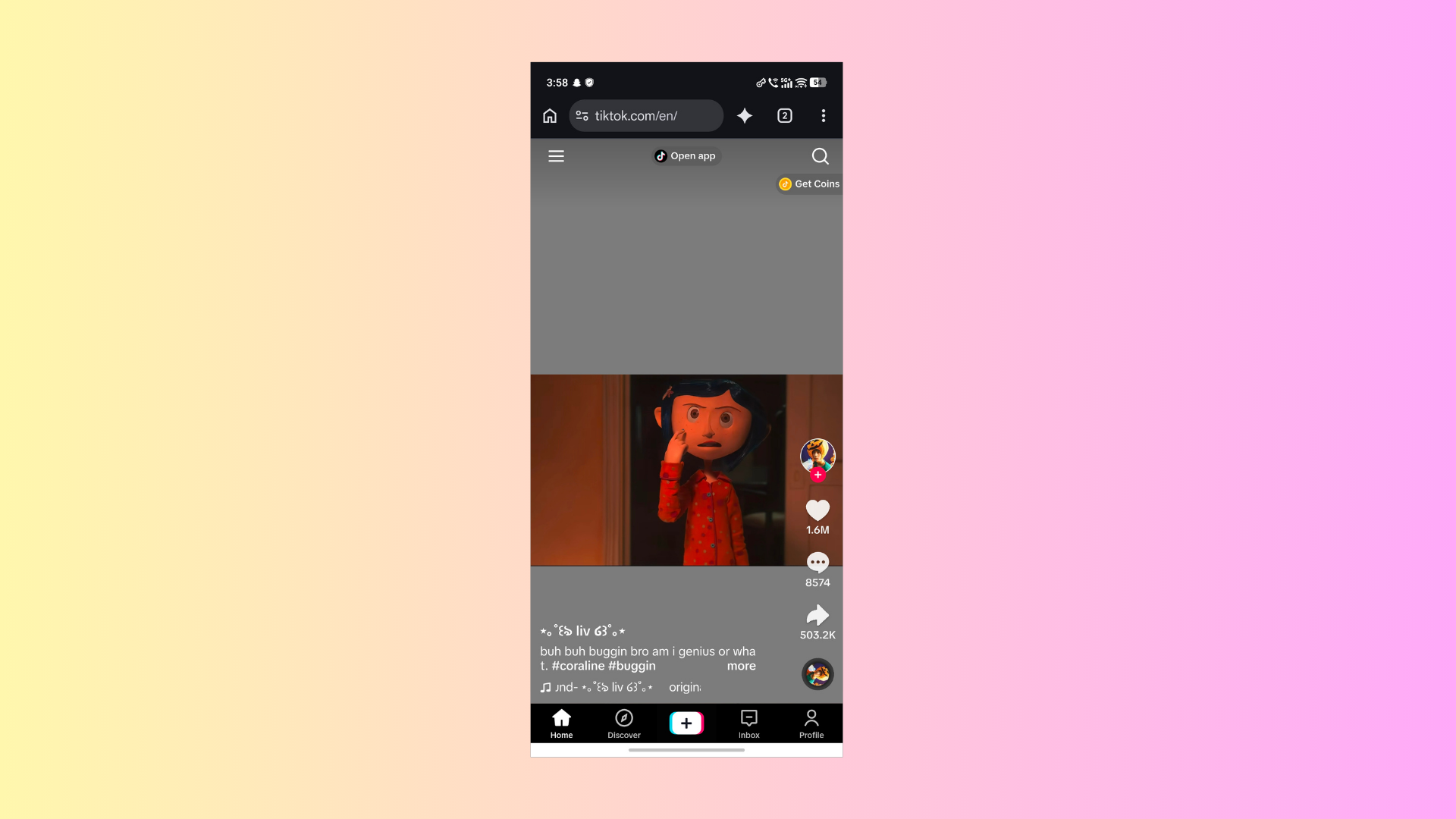
Note: If you are told to open TikTok in the app, then simply decline it.
Method 3: Installing TikTok on Android
If you prefer using native applications rather than their website, then you can follow this method to install the TikTok app on Android. For the iPhone, the steps are different, so we will discuss them in the next method. Here’s how you can install TikTok on Android:
Step 1: Download TikTok APK
First, download the TikTok APK on your phone.
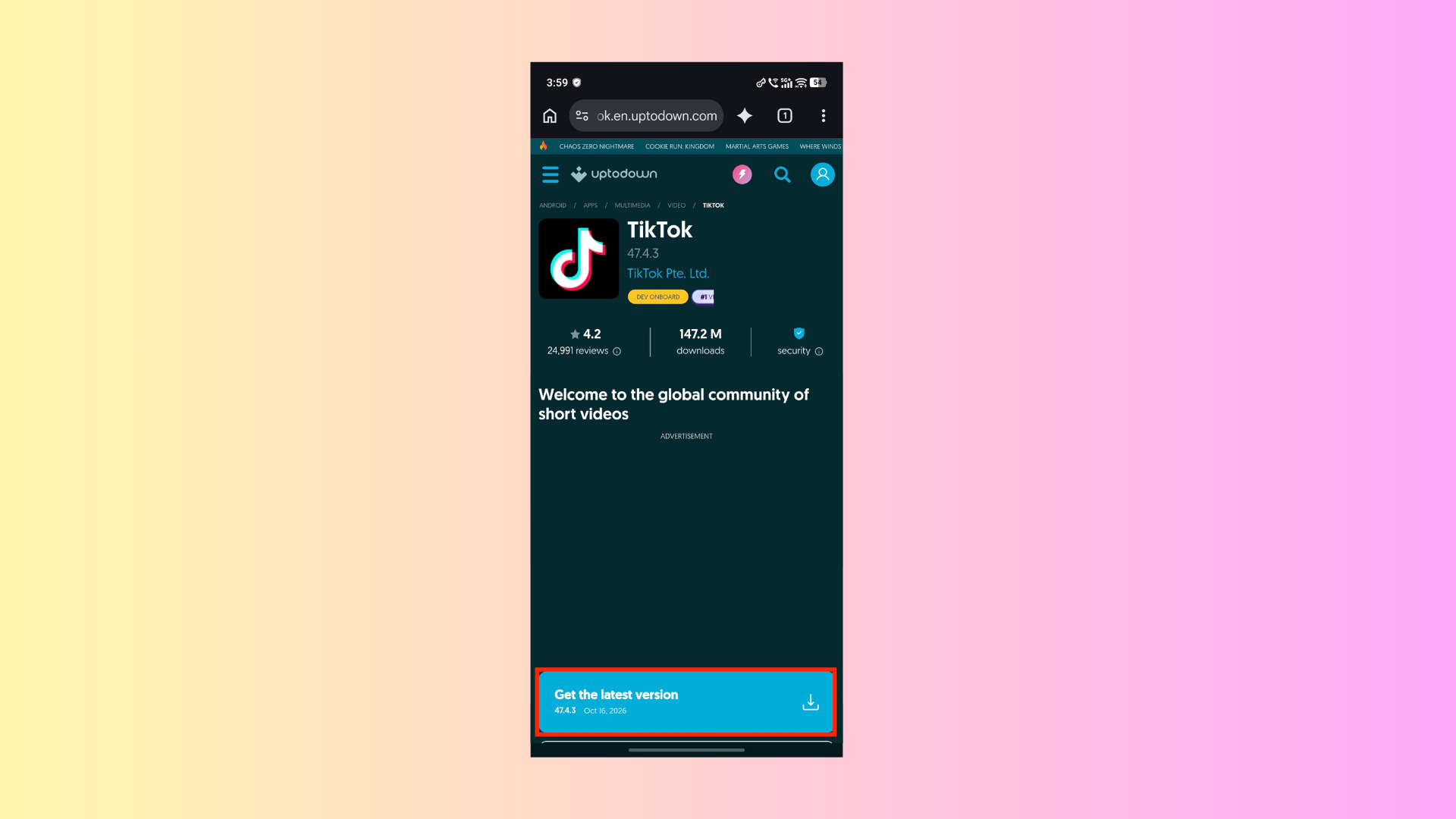
Note: You can search for TikTok APK in your browser and download it from a trusted site like APKPure or APKMirror, or use the link mentioned above.
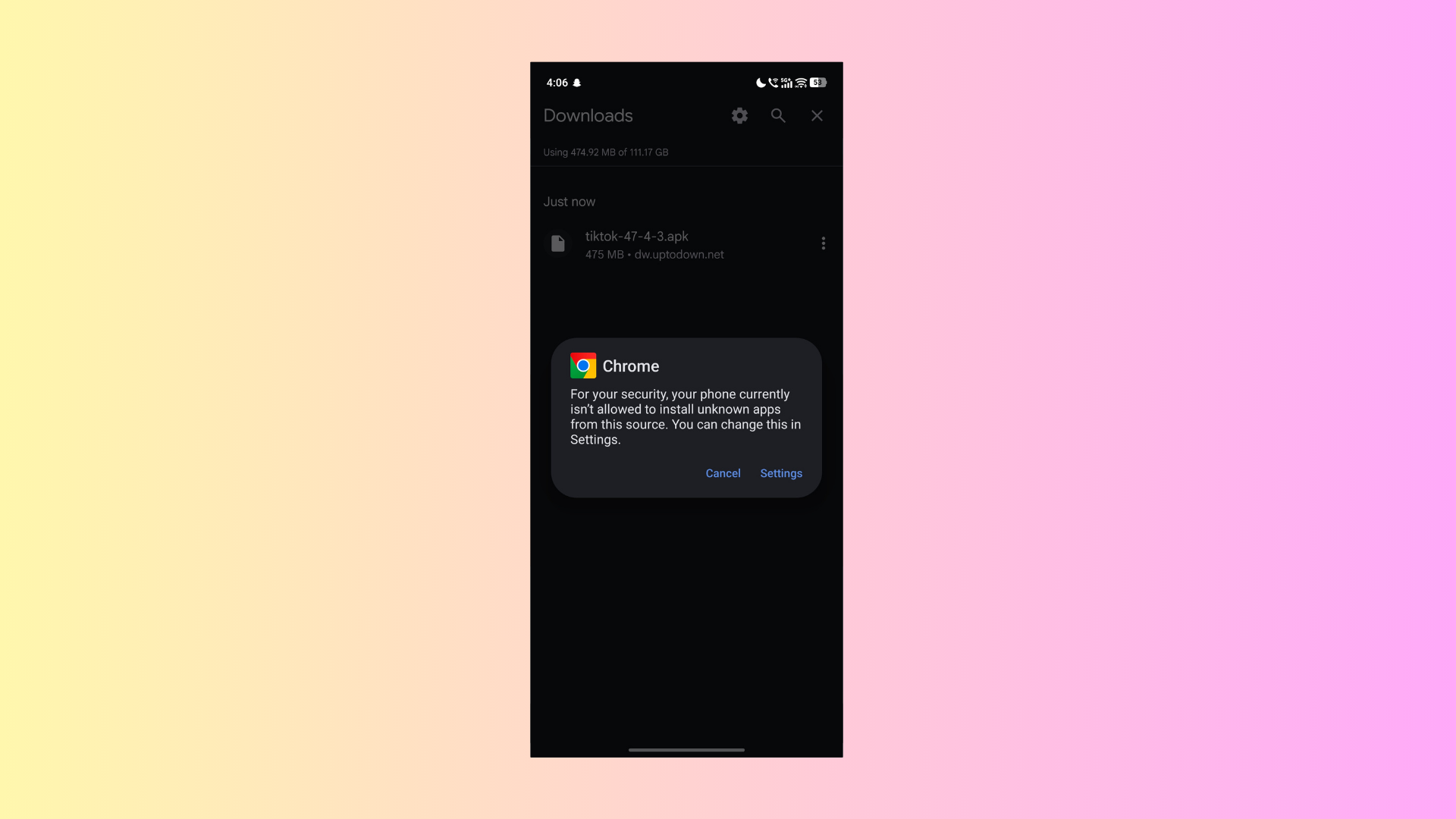
Step 2: Launch APK
Once downloaded, launch the APK to install the app. If prompted to Allow Installing Apps from Unknown Sources, grant the permission.
Step 3: Install Surfshark VPN from the Play Store
Now, launch the Play Store on your phone. Search for Surfshark VPN and install it.
Step 4: Launch Surfshark VPN
After this, launch Surfshark VPN and use the Connect button to auto-connect to the fastest server location.
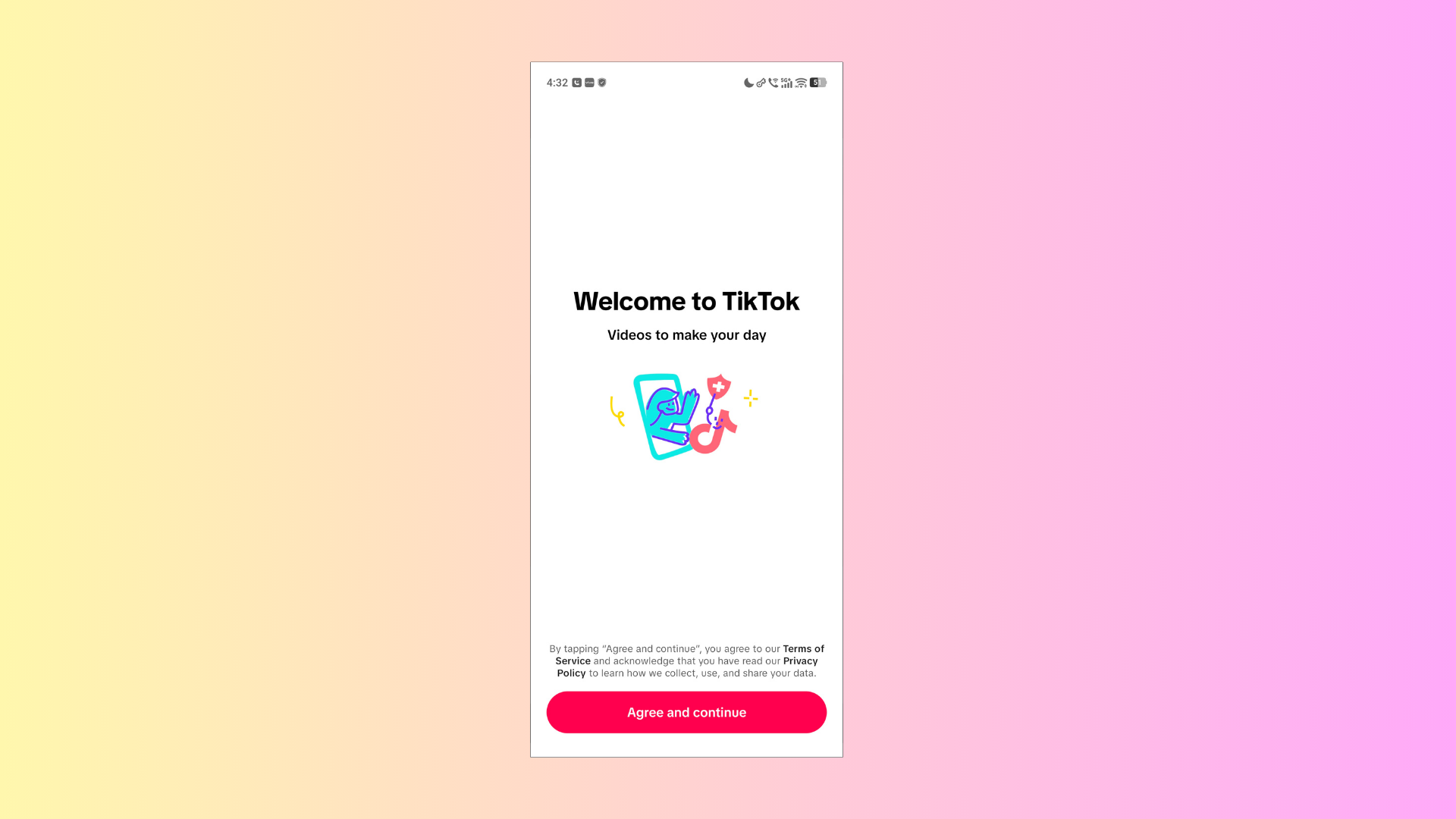
Step 5: Launch TikTok App
Now, launch the TikTok app once you are connected to the VPN. You can now use TikTok on your Android phone seamlessly.
Method 4: Installing TikTok on iPhone/iPad
Unlike Android, you cannot sideload apps on your iPhone/iPad until you jailbreak it. So, to install TikTok on your iPhone or iPad, you will have to change the region of your App Store to the region where TikTok is officially available. Here’s how you can install TikTok on iPhone or iPad:
Step 1: Change App Store Region
First, you need to change the region of your App Store. For this, launch the Settings app on your iOS device.
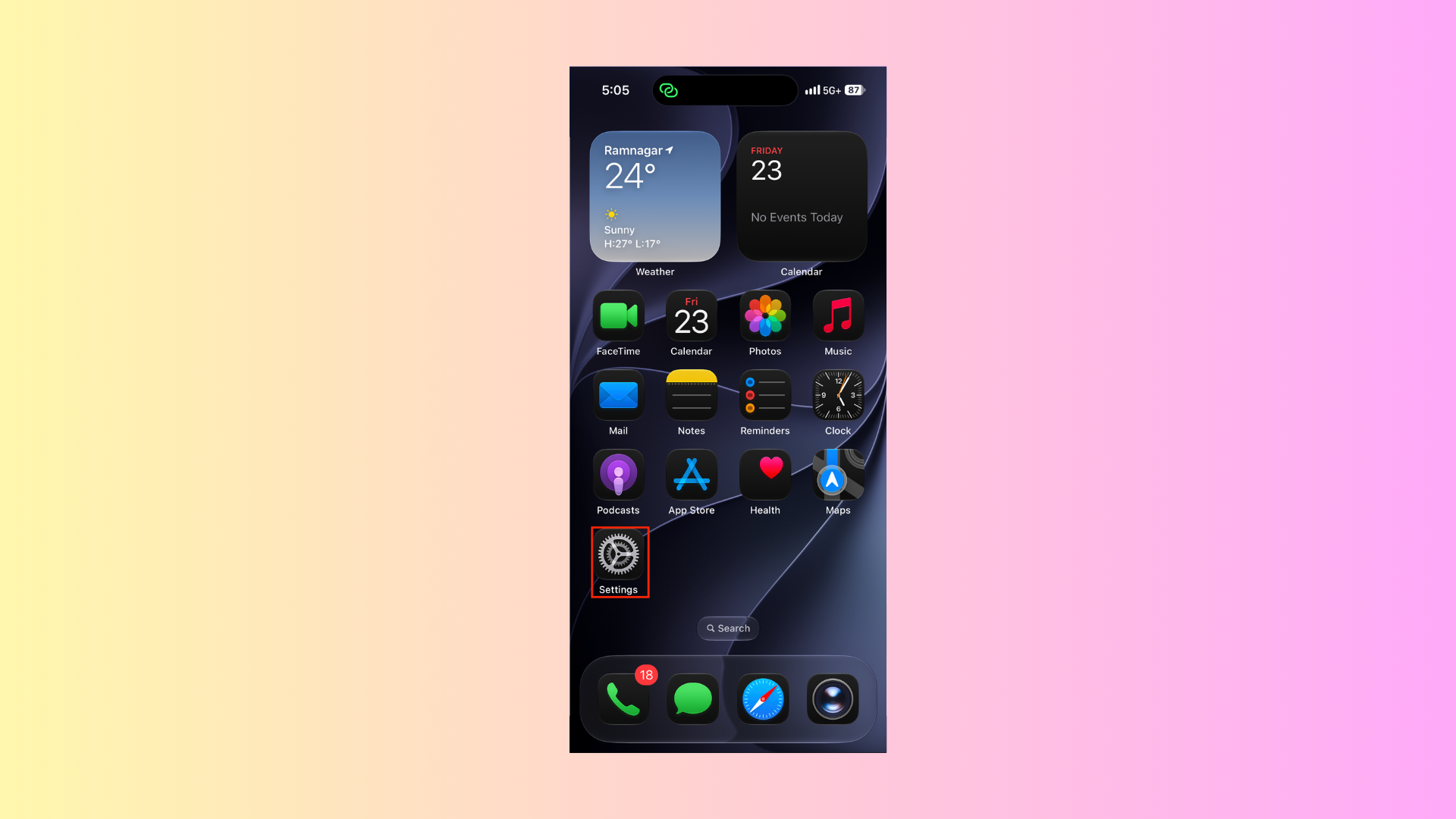
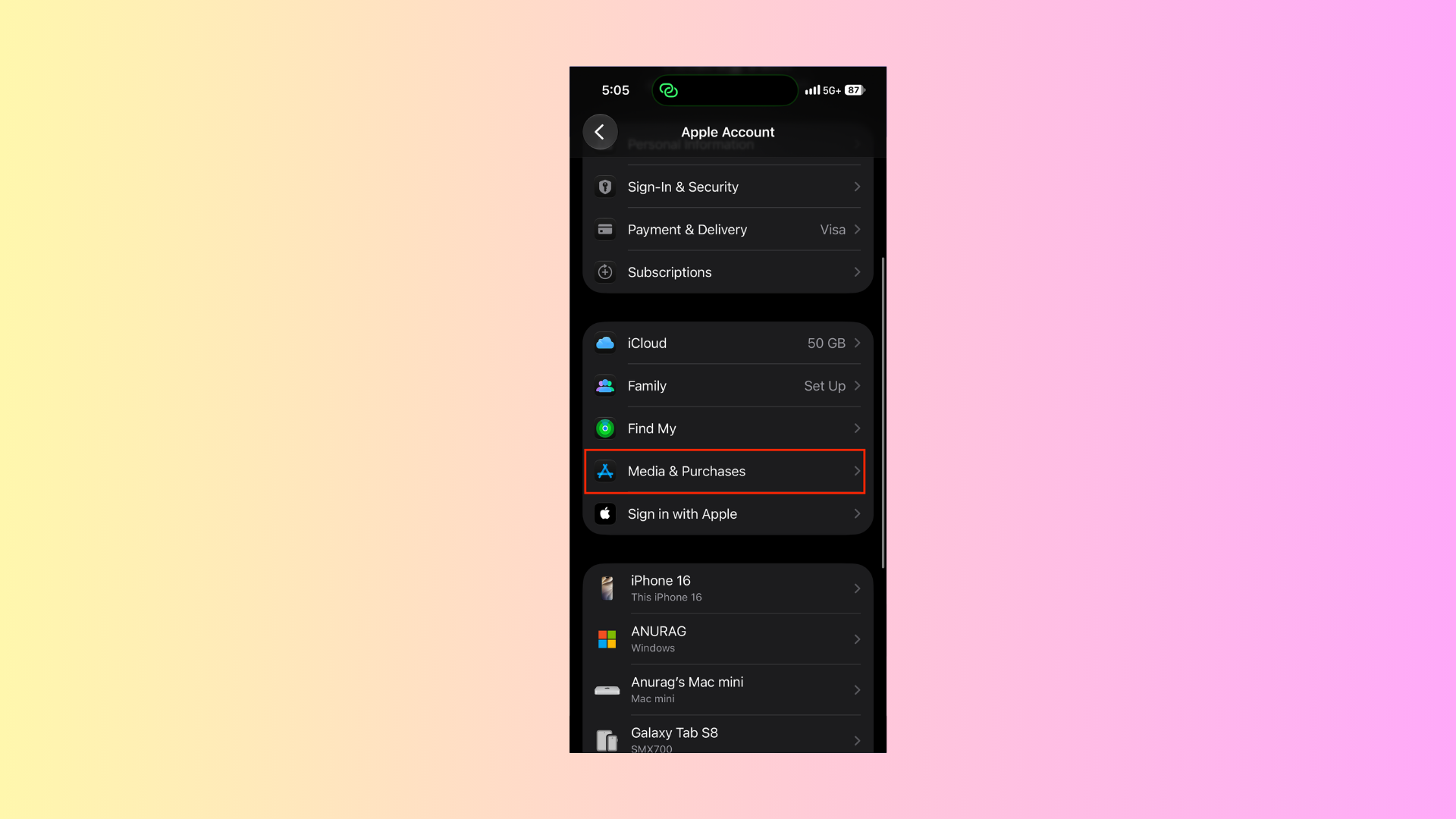
Here, tap on your iCloud account name. Then, tap Media & Purchases.
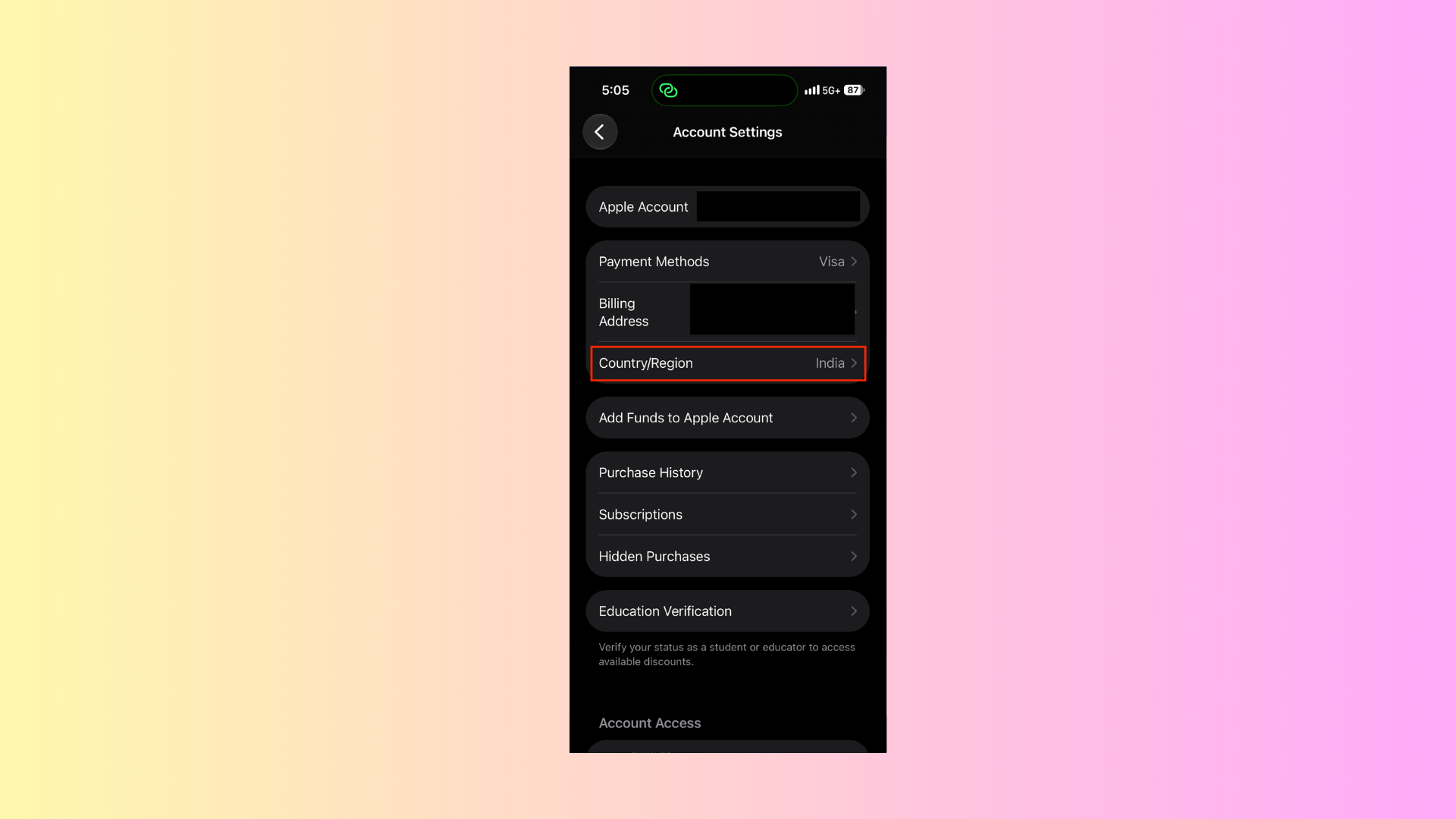
Next, tap on Country/Region.
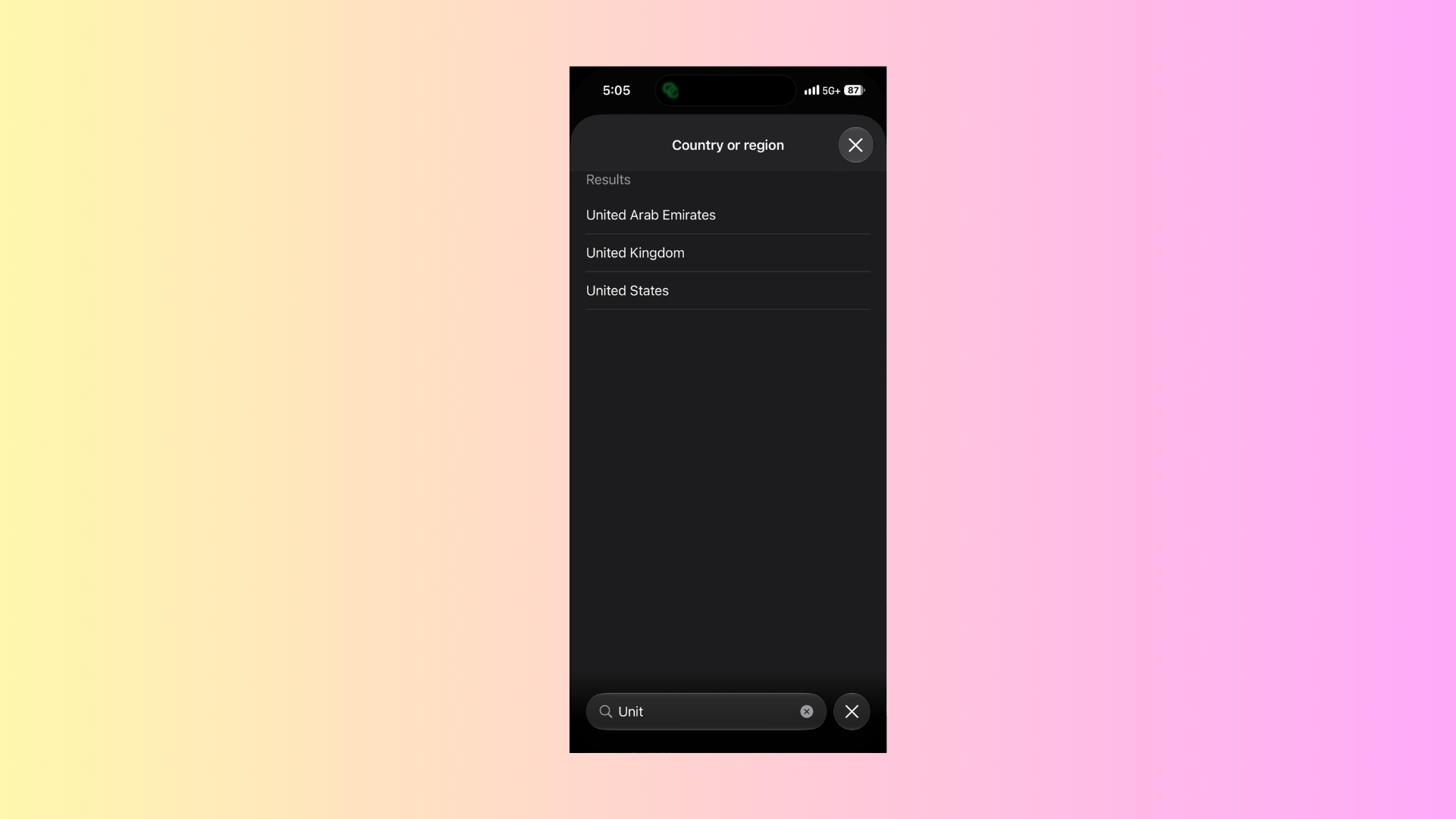
Select US, UK, Singapore, or any other region where TikTok is officially available.
Note: If you have any subscriptions like Apple Music, Apple TV, or any others, then you will have to cancel them and wait until the subscription period ends before you can change the region.
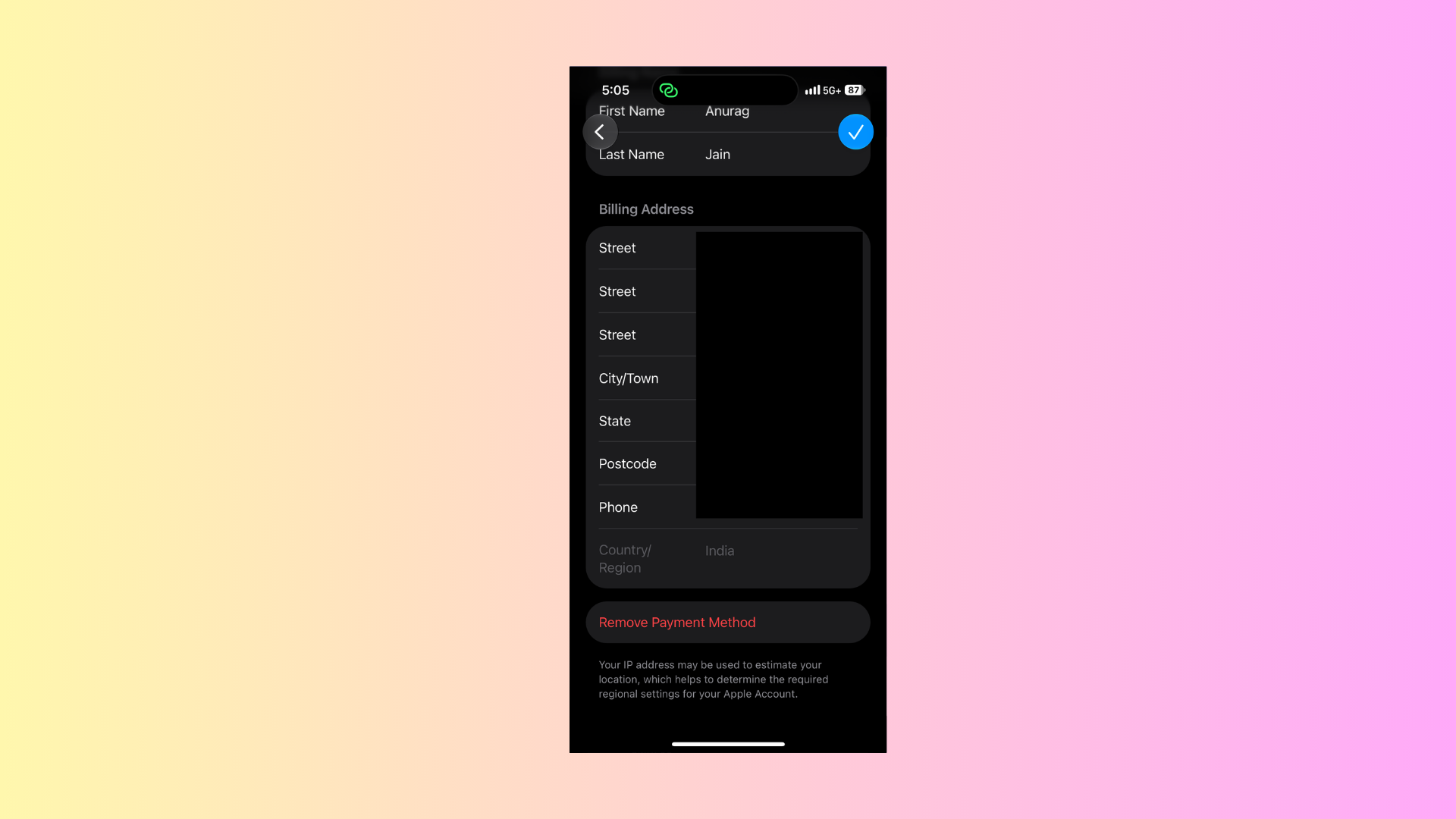
After this, tap on the Billing Address and use a public address (with relevant street, city/town, PIN code, and state) available for the region you selected.
Step 2: Launch App Store
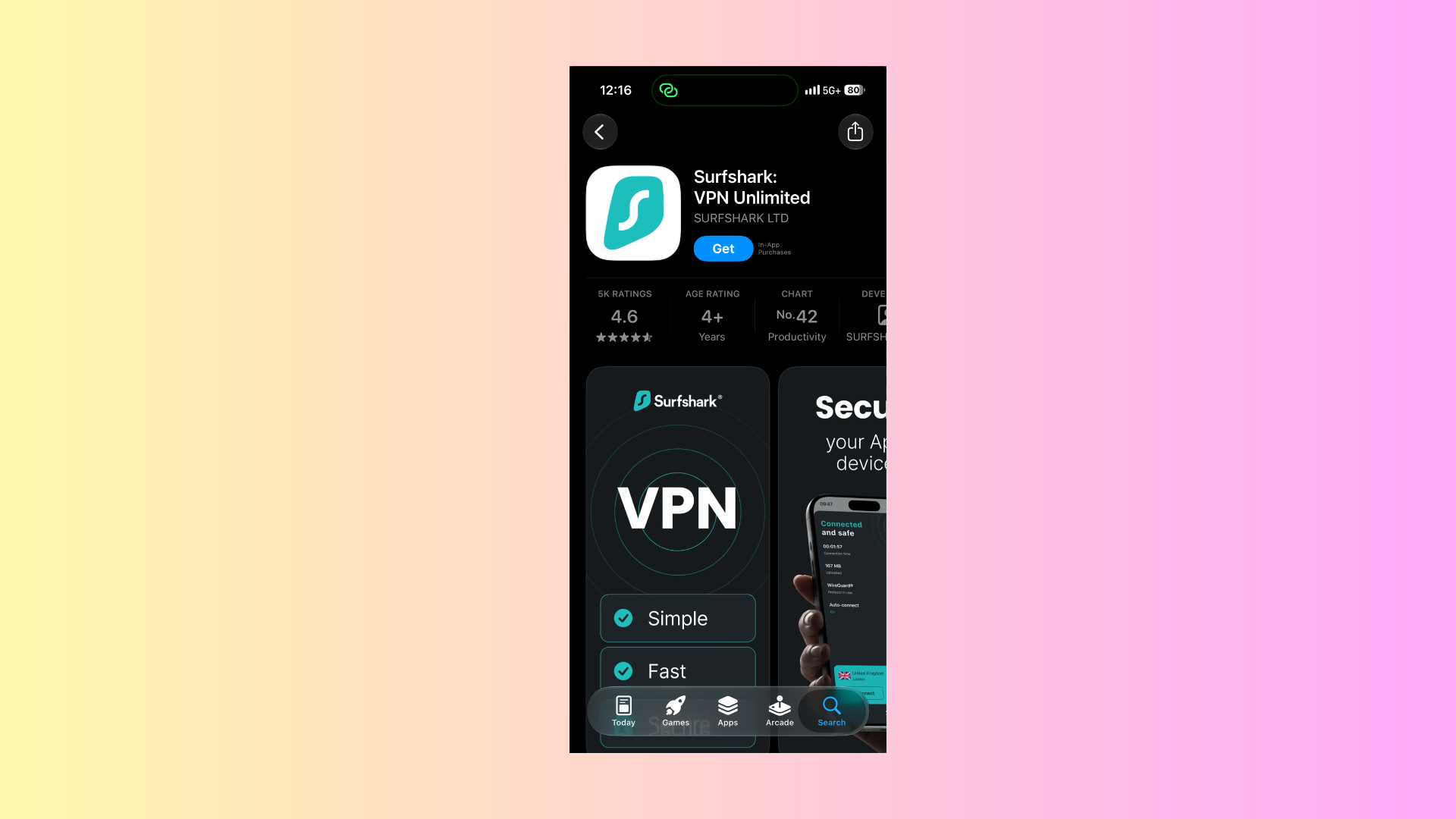
Now, launch the App Store on your iPhone/iPad and search for TikTok. Search for Surfshark VPN and tap the Get button to install it. Also install TikTok in the same way.
Step 3: Launch Surfshark VPN
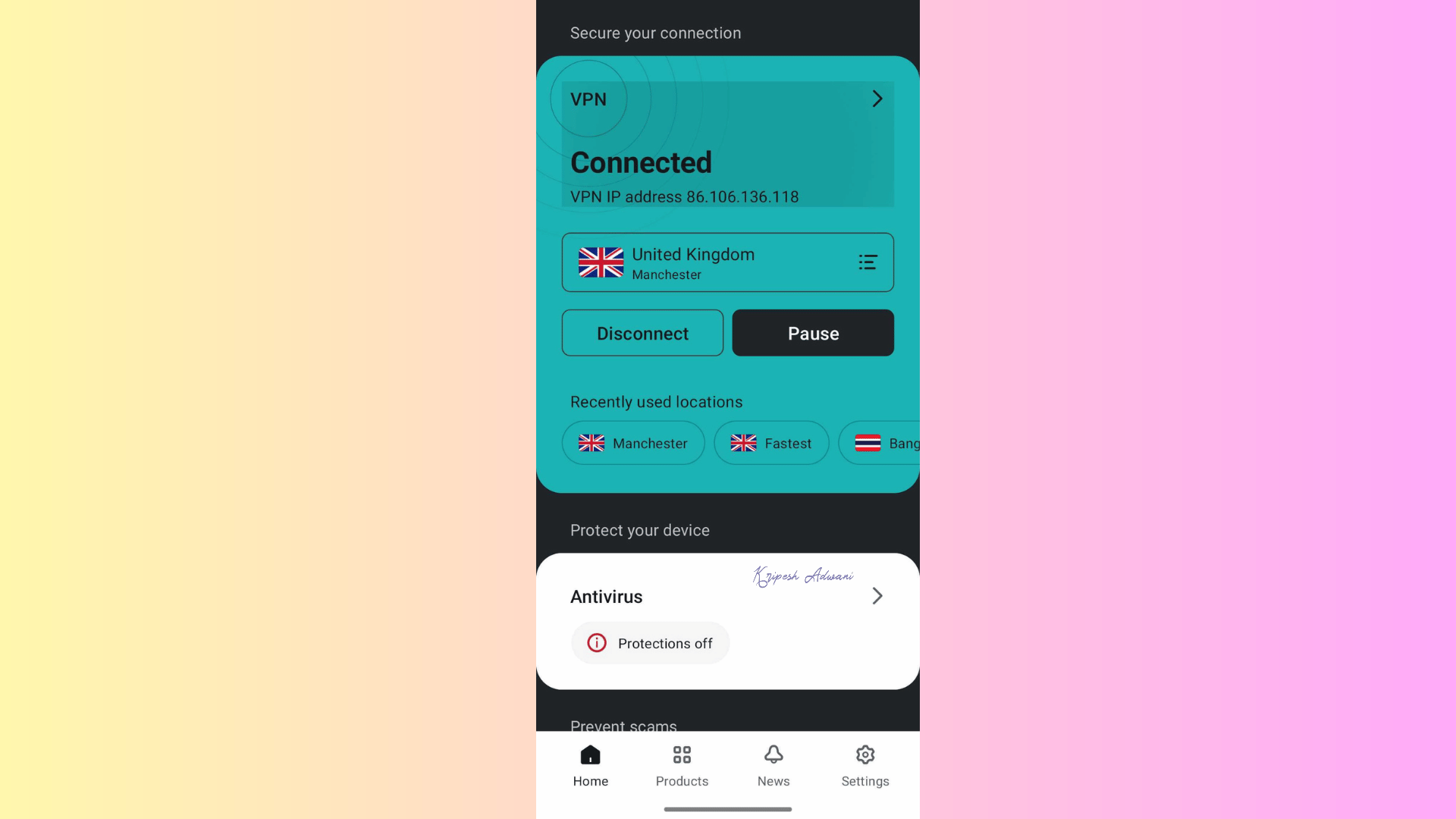
Next, launch Surfshark VPN and connect to a server. Finally, launch TikTok on your phone and start using it.
Important Tips for Safely Using TikTok
There are certain things that you must take care of if you want to use TikTok without being banned permanently. Here are some important tips that you must keep in mind:
1. Do Not Sign Up or Log In with Your Phone Number
TikTok is banned in India, and if you try to sign up with your Indian Phone Number (with +91 country code), then you might be blocked from using TikTok. You won’t get a verification code because Indian Telecom Providers are ordered to block TikTok on the backend.
Instead, if you want to register or sign in, you can use your email address, Google Account, or any other social media account.
2. Use a Reputable APK Site
If you want to download the TikTok APK file for your Android phone, then always use reputable APK sites like APKMirror, APKPure, or Uptodown. Never download the TikTok APK file from any unknown site.
3. Disable In-App Location Permissions
Never allow location permission for TikTok while using it in India. If GPS is turned on for TikTok, then this might cause a location leak, and you might not be able to use TikTok.
4. Don’t Disconnect from VPN
While using TikTok on your phone or PC, always stay connected to the VPN. While using TikTok, don’t disconnect from the VPN, or your device or IP address may get flagged.
Conclusion
Although TikTok has been banned in India, people have found workarounds to still use it despite the ban without any hiccups. One of the most reliable ways to still use TikTok in India is through a VPN.
The above article guides you through different methods to use TikTok on PC and phone. Just make sure you follow the steps correctly and keep in mind the tips discussed above, and you will have no problems.
FAQs
1. Can I Still Use TikTok in India?
Officially, TikTok is banned in India over security and privacy concerns. It was removed from App stores, and the website was also banned in India over user data privacy and national security. But yes, you can still use it through a VPN.
2. Which is the Best VPN for TikTok in India?
You can use any reputable VPN like NordVPN, Surfshark VPN, ExpressVPN, or any other of your choice. For this article, I have used Surfshark VPN to access TikTok in India. These VPNs can help you bypass government restrictions and let you use TikTok.
3. Does TikTok work without a VPN?
No, in India, TikTok will not work without a VPN. You will have to remain connected to a VPN server to use TikTok for short-form video without any hiccups.
4. Do I Need to Use a Premium VPN Service to Unlock TikTok in India?
No, you don’t need a paid VPN to access TikTok in India. Any reliable free VPN, like Proton VPN, can also give you access to TikTok.