Tired of deleting old photos, videos, and files cause you’re short on storage? What if you could get 2 TB of cloud storage, and it didn’t cost you a rupee? Sounds too good to be true? Well, what if I told you that Google is actually making it happen?
Right now, Google is offering its Google One Cloud Storage subscription for free for 1 year. In this article, we’ll look at the step-by-step process of how to get Google One Cloud Storage for free.
But wait, that’s not all. Along with a massive free cloud space, you’ll also get additional perks like a Gemini Pro subscription, access to NotebookLM, Flow, Whisk, and more. Whether you are a student, a professional, or a tech enthusiast, this offer will be highly valuable to everyone!
So, are you excited to claim the free 2 TB cloud storage space? With no more delay, let’s dive right in!
What is Google One?
Google One is Google’s cloud storage subscription service. It extends the free 15 GB cloud storage you get with Google Drive, Photos, and Gmail. With a Google One subscription, you get the following benefits:
- Additional Cloud Storage: You can choose from multiple plans ranging from 30 GB to 30 TB of storage space.
- Automatic Backups: Easily backup and restore your photos, videos, and files on your Google Drive account and access them across multiple platforms.
- Storage Sharing: It lets you share your cloud storage space with up to 5 people, while keeping your storage and data private.
- Gemini in Google Apps: You can access Gemini in Google apps like Gmail and Google Docs to get writing help.
- NotebookLM: AI research assistant with 5x higher limits and more customization options. (Available with Pro plan)
- Google Gemini App: You can access Google’s most advanced AI models to get help with coding, reasoning, and solving complex problems. (Available with Pro and Ultra plans)
Google One Regular Pricing
Google One features 5 different monthly and annual plans. The following table depicts the annual pricing along with cloud storage space in each plan.
| Plan Name | Cloud Storage | Pricing |
| Lite Plan | 30 GB | ₹349/year |
| Basic Plan | 100 GB | ₹699/year |
| Standard Plan | 200 GB | ₹1,149/year |
| Premium Plan | 2 TB | ₹3,899/year |
| Google AI Pro | 2 TB | ₹19,500/year |
Besides the Lite plan, all the other plans allow you to share your cloud storage with up to 5 other devices.
Google One 2 TB Free Cloud Storage Offer for Students
Right now, Google is offering a free subscription to its Google AI Pro plan for 1 year. It comes with 2 TB cloud storage and costs ₹19,500/year.
A 2 TB cloud storage is a huge amount of space for all your personal and professional needs. You can use it to store your mobile backups, HD or 4K videos, photos, documents, apps, projects, and more. Wondering how much data 2 TB storage can hold? Here’s a rough estimate:
- 400k to 600k photos (3 to 5 MB each)
- 2000 hours of HD videos
- 400 hours of 4k videos
- 500k song files (4 MB/song)
- 4 million+ documents (500 KB/doc)
- 100-200 full mobile backups (10-20 GB/phone)
It is ideal for students, professionals, freelancers, content writers, photographers, videographers, video editors, content creators, and podcasters. Keep reading to find out how to avail of the offer!
Prerequisites to Get Google One Cloud Storage for Free
Google One Cloud Storage can be availed with the Google AI Pro subscription. As of now, University students can get it for free of cost. The following are some prerequisites you must meet to avail yourself of the offer.
- A Google account in India.
- Register a Sheer ID with your college email (optional if you go with the third prerequisite).
- Documents to prove you are a student if you don’t have a student ID. You must keep your School/College ID card, Class Schedule, or Tuition receipt with you for verification.
Make sure the documents show your full name and have the full or abbreviated college name. If there’s a logo of the college, but not the name, that will work too.
Your ID card or the class schedule must be within the current academic year. If you upload a tuition receipt, the date must not be over 90 days from the current date.
Steps to Avail Google One 2 TB Cloud Storage for Free
Google, as part of its education program, is offering the Google AI Pro plan for one year with no subscription charges. So, if you are a University student, you can get Google One 2 TB cloud storage for free. You can avail of this offer by following the steps below.
Step 1: Visit the Offer Page
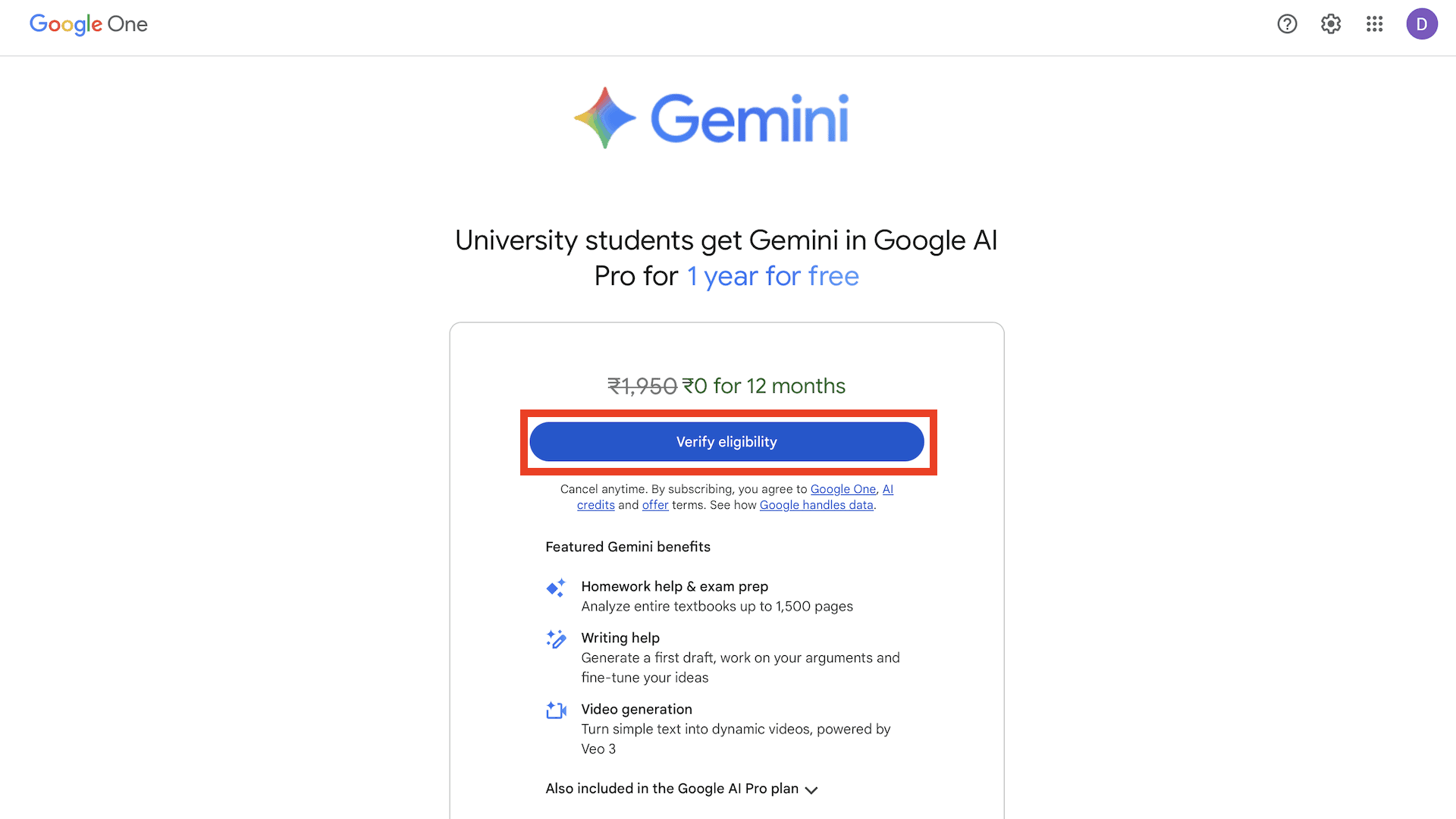
First of all, launch your browser and head over to the Google One offer page. Make sure to log into your Google Account before you continue. On the offer page, click on the Verify Eligibility button.
Step 2: Verify Student Status
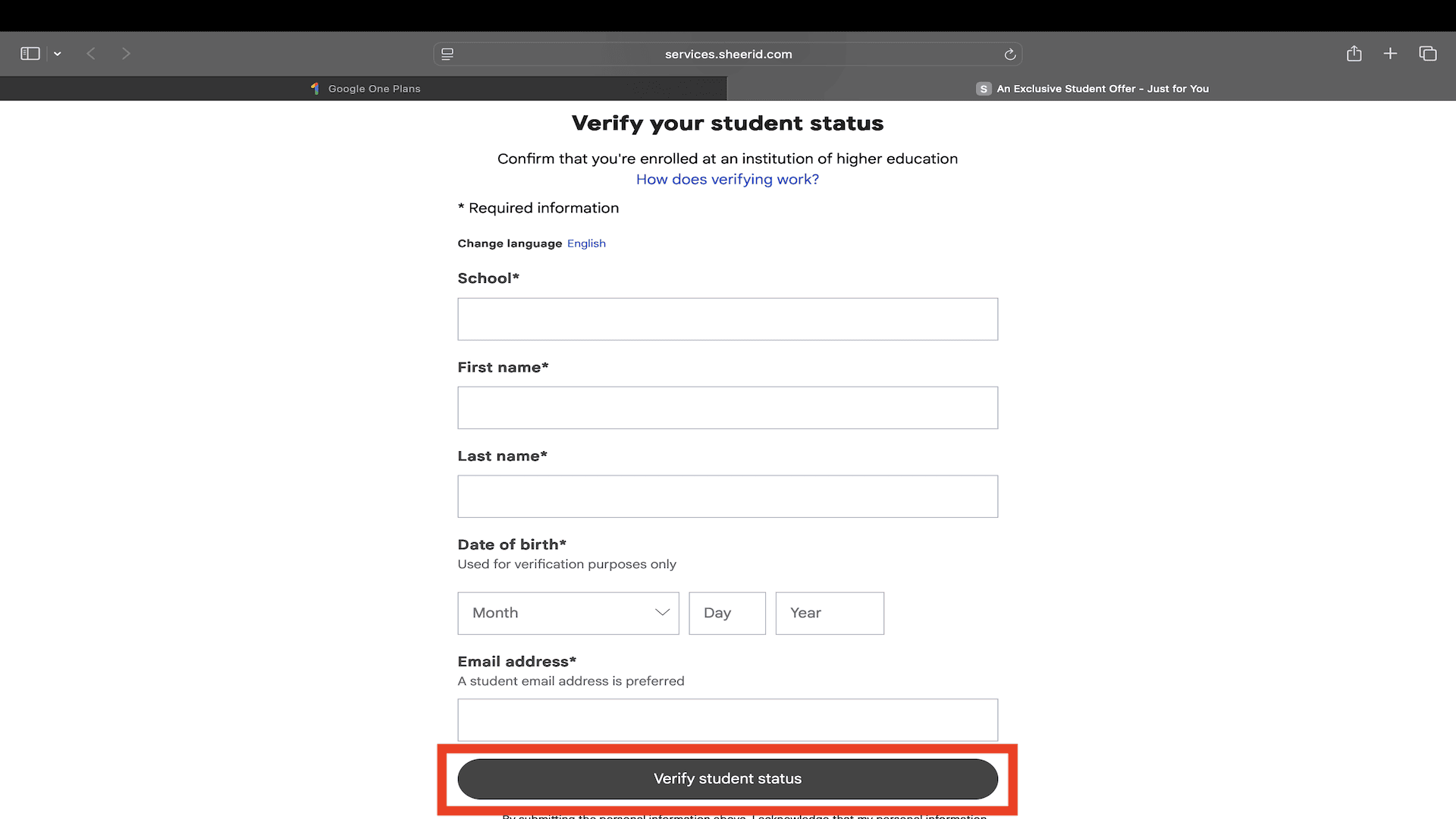
To verify your student status, enter your details, including School Name, First Name, Last Name, Date of Birth, and Email Address. Once you enter all of this information, click on the ‘Verify Student Status’ option.
Step 3: Sign In to School
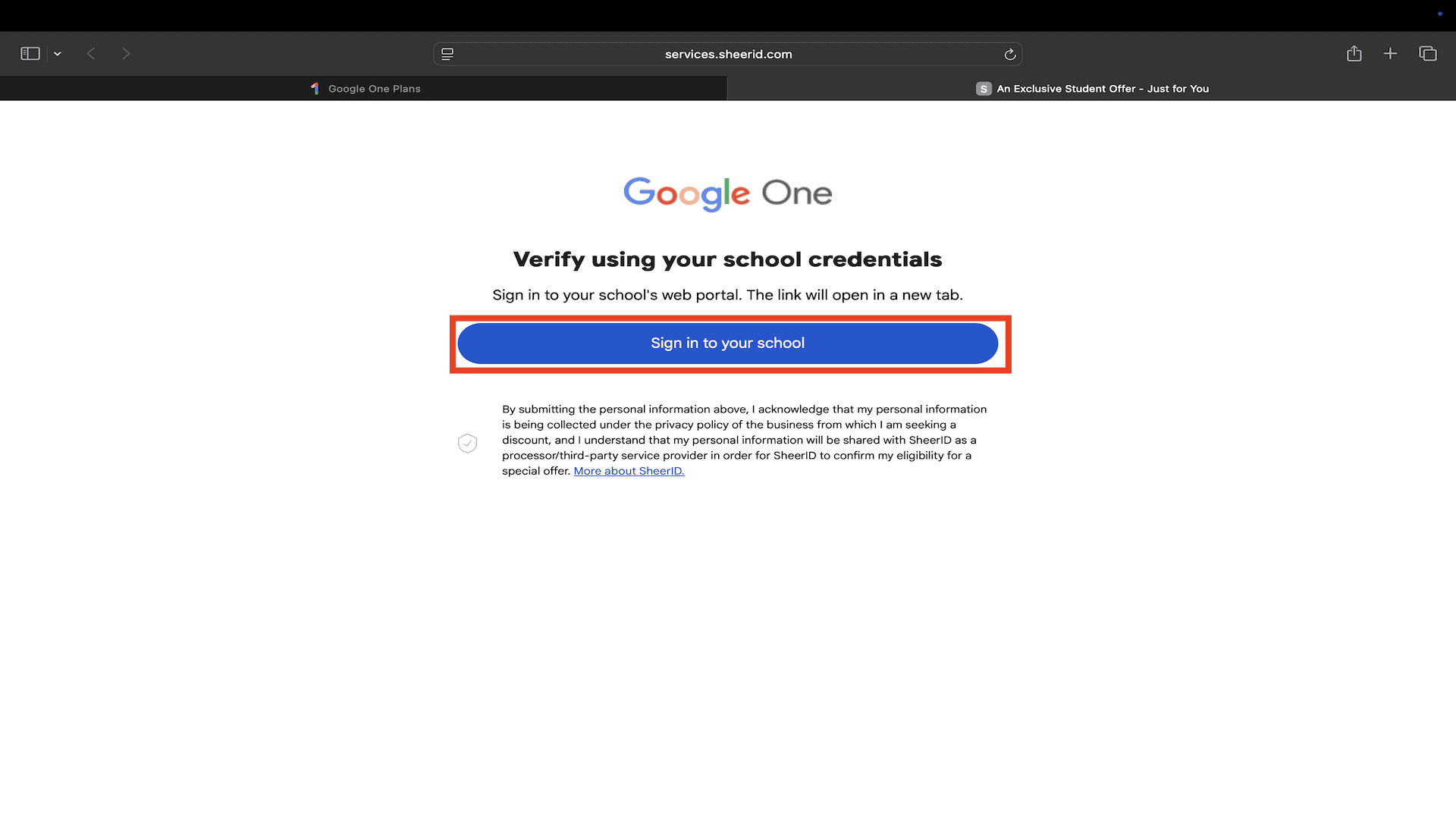
On the next page that opens up, click on the ‘Sign in to your School’ button. This will open up a new tab requesting you to log in with your school email. However, you don’t need to do anything on this page.
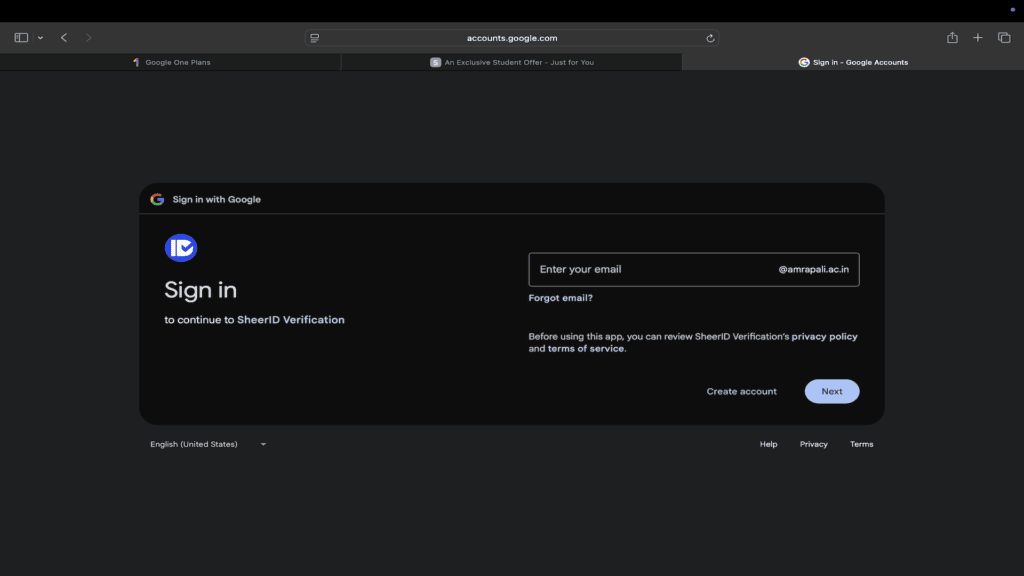
Step 4: Upload Proof of Enrolment
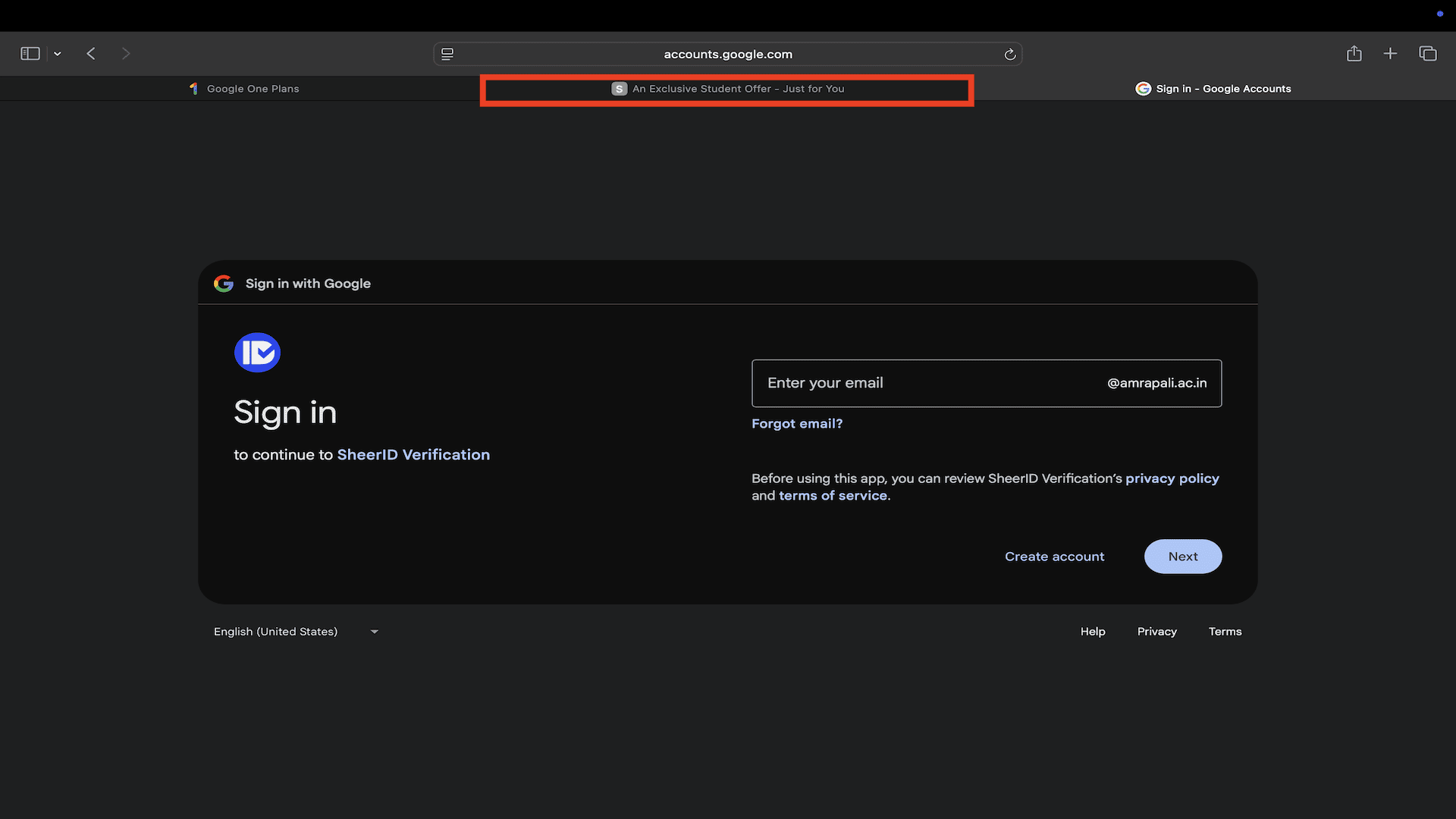
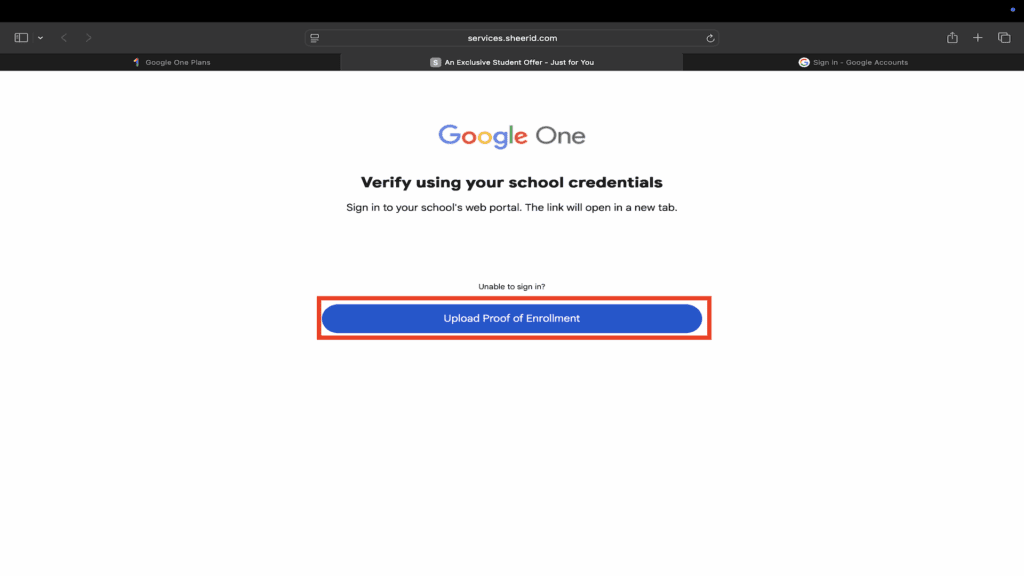
Simply switch back to the previous tab from the top address bar. The previous tab will now display an option requesting you to Upload Proof of Enrollment. Click on it.
Step 5: Upload Your Documents
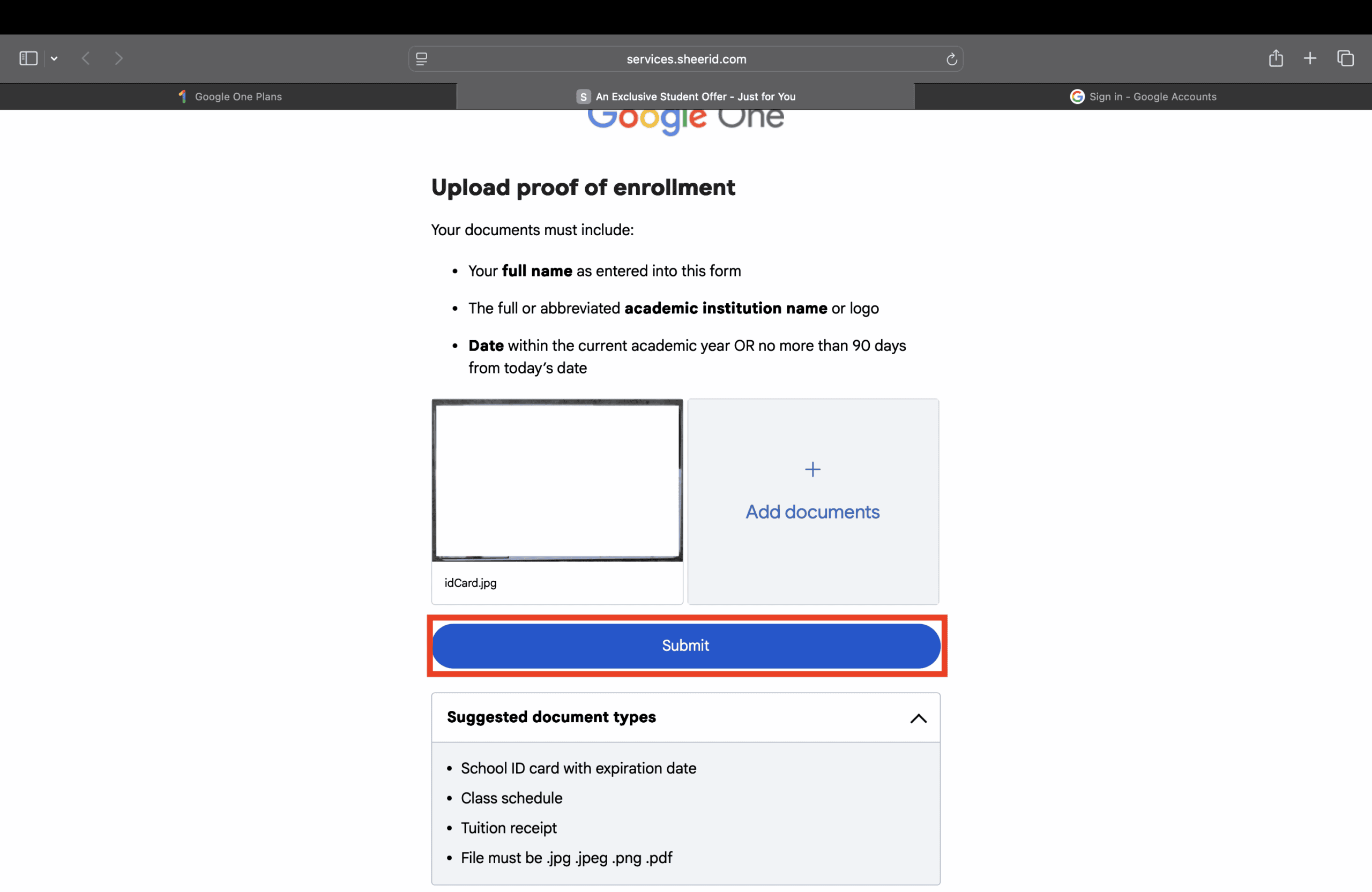
On the next page, click on the Add Documents button.
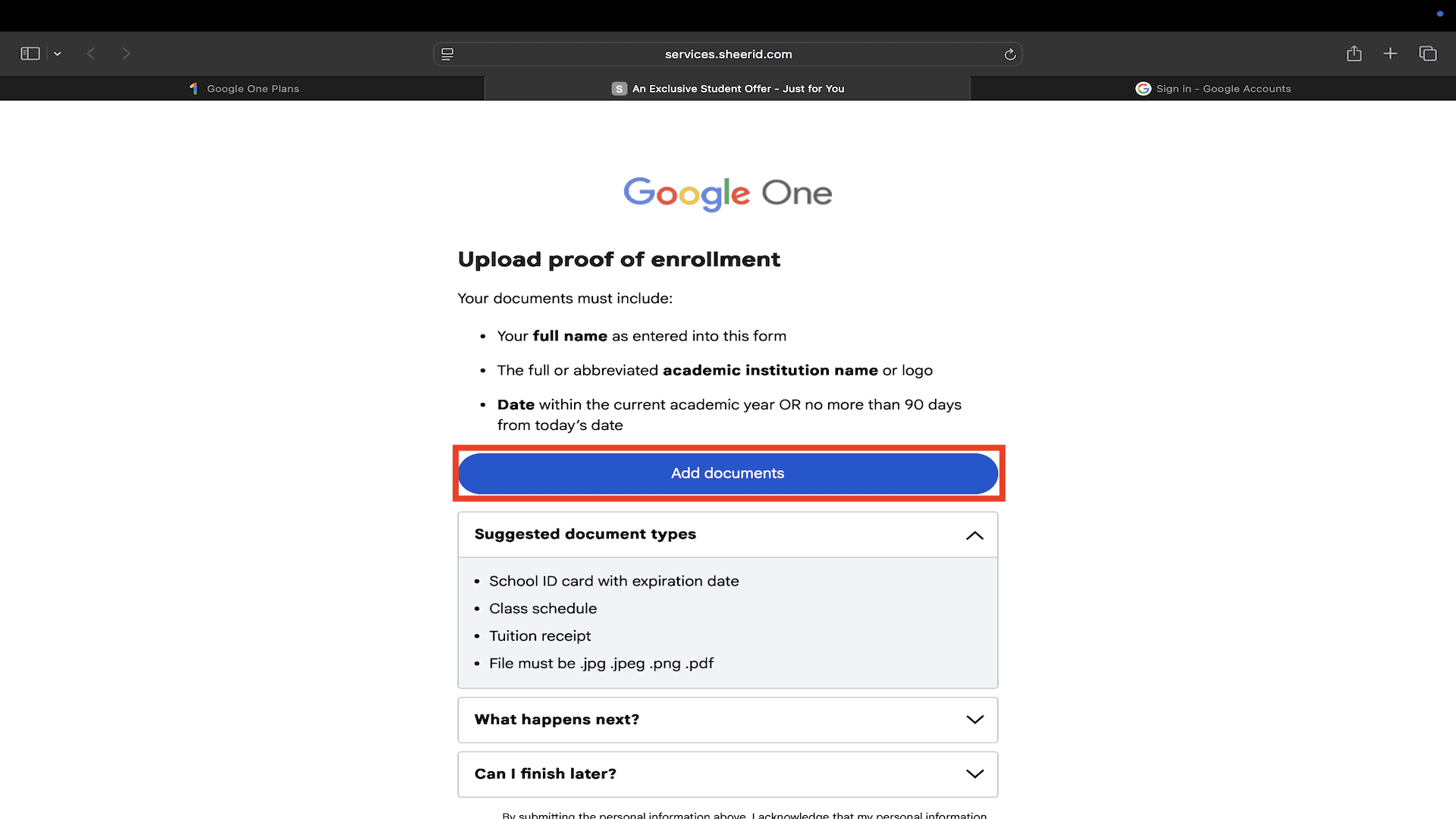
Now you will have to upload the documents to prove you are a student. You can upload any of the following:
- School ID Card (preferred)
- Class Schedule
- Tuition Receipt
Select your preferred document and upload it for verification. Finally, click on the Submit button. It will take about 20 seconds to process the document.
Step 6: Verification of Student Status
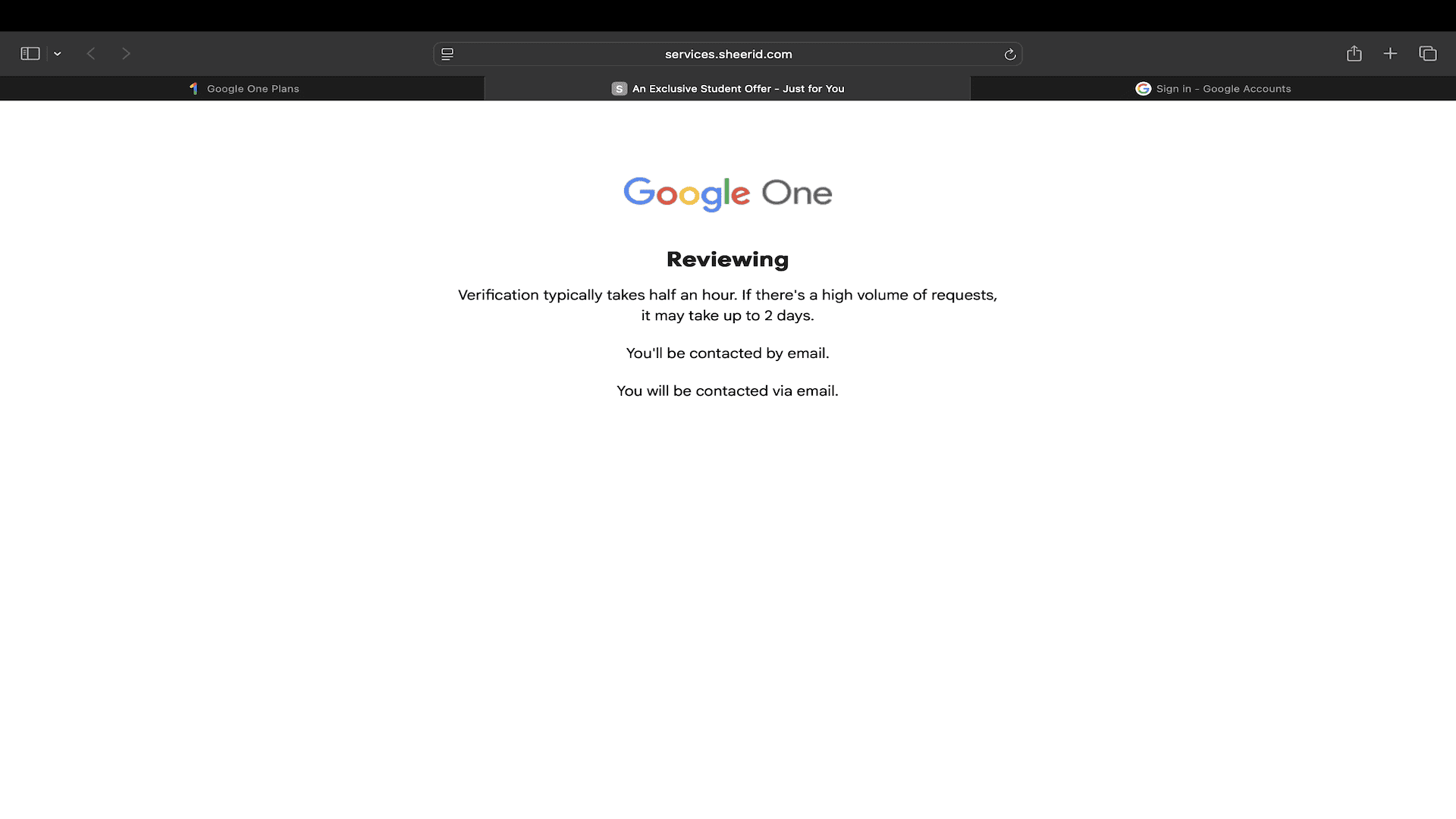
After you upload the document, wait for verification of your student status. It can take a few hours to verify the status, and sometimes even 2 days.
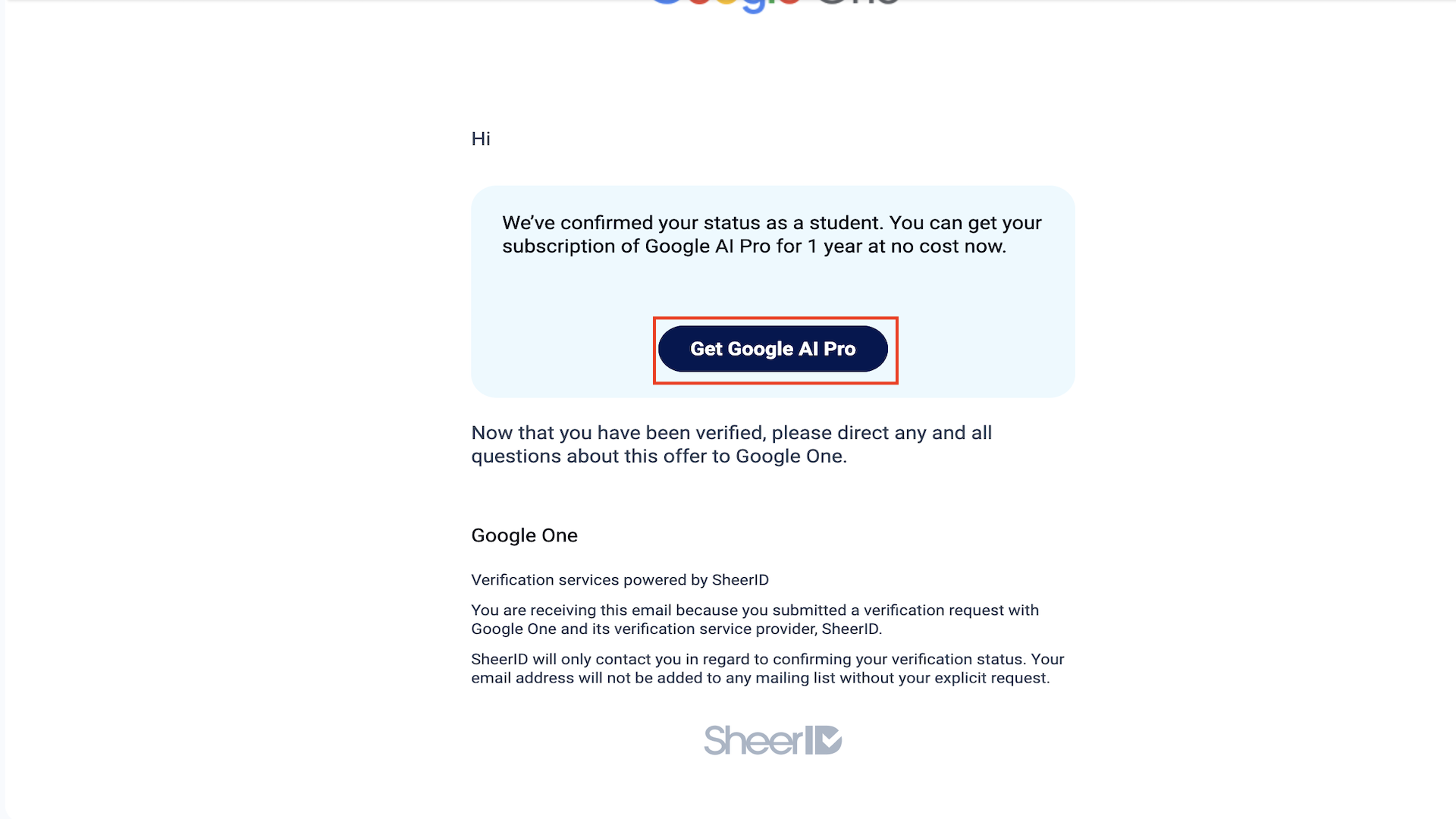
After your verification is done, you will get a confirmation email. Open the confirmation mail and click on the ‘Get Google AI Pro’ button.
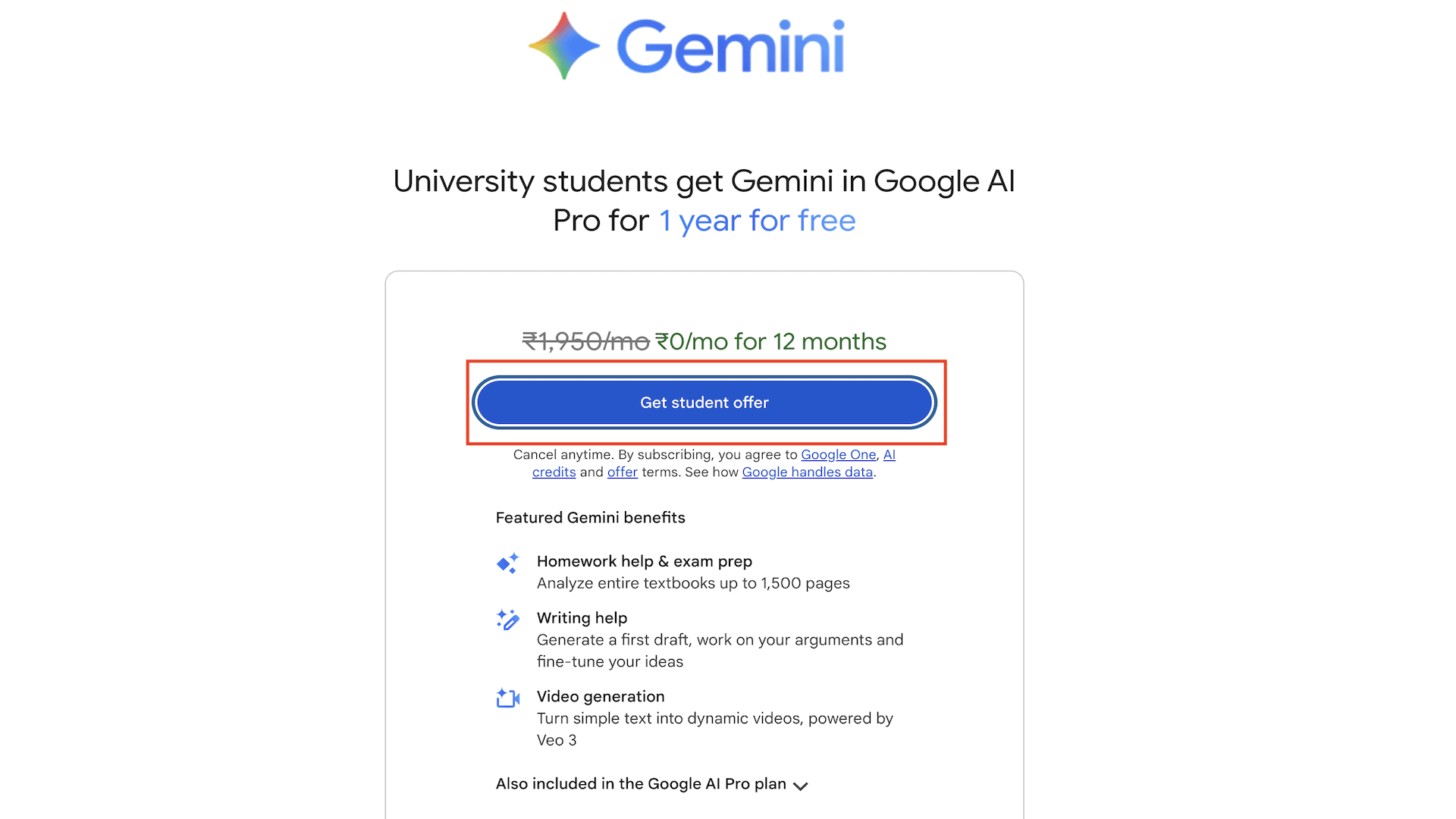
It will forward you to the offer page. Now, hit the ‘Get Student Offer’ button to avail your offer.
Step 7: Add a Payment Method
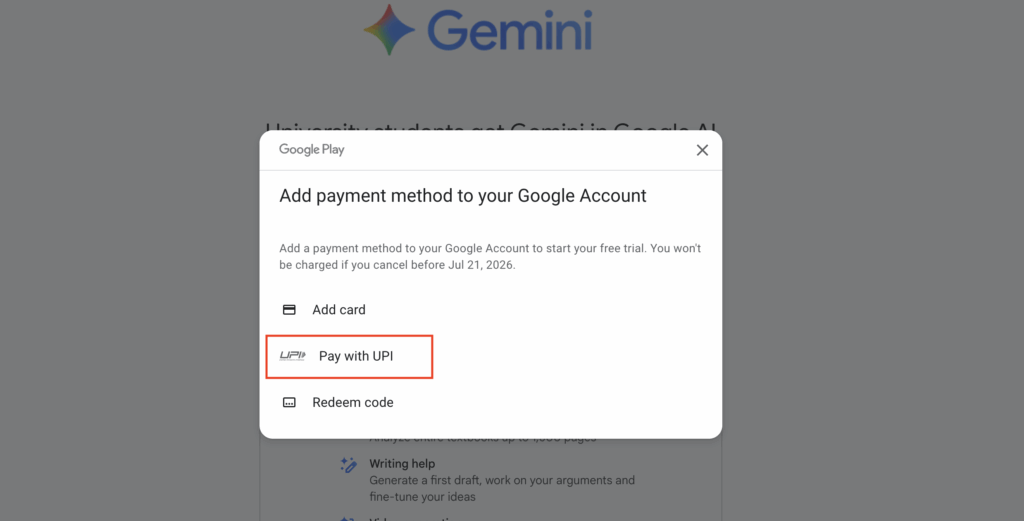
Next, you’ll need to add a payment method to start your free trial. It features 3 options:
- Add Card- You can add a credit card/debit card.
- Pay with UPI- Use UPI as the payment method.
- Redeem Code- If you have a gift card or code, you can use it.
Let’s say you selected the ‘Pay with UPI’ option.
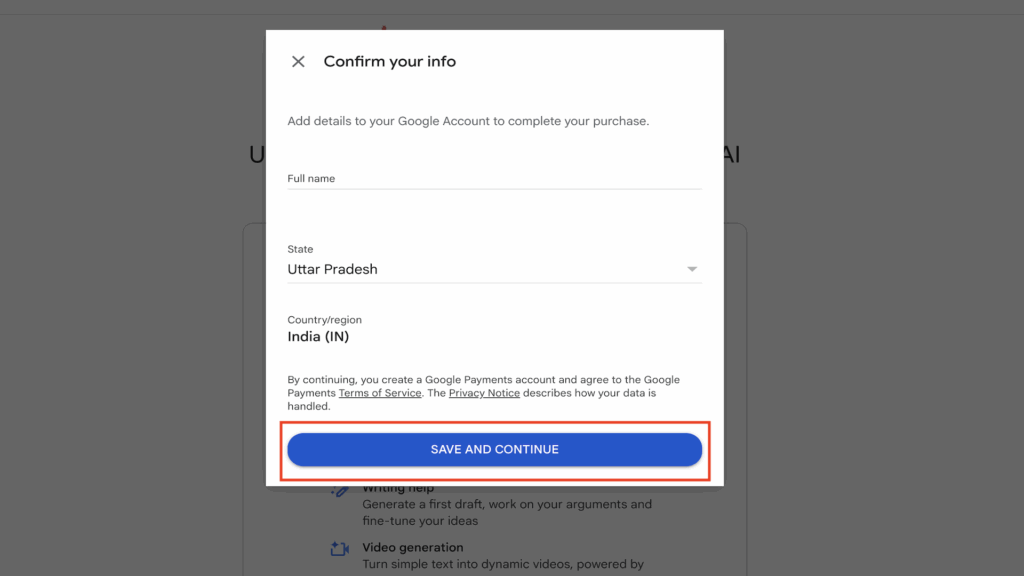
Next, you’ll have to enter your information, including your full name, state, and country/region. Finally, click on ‘Save and Continue’.
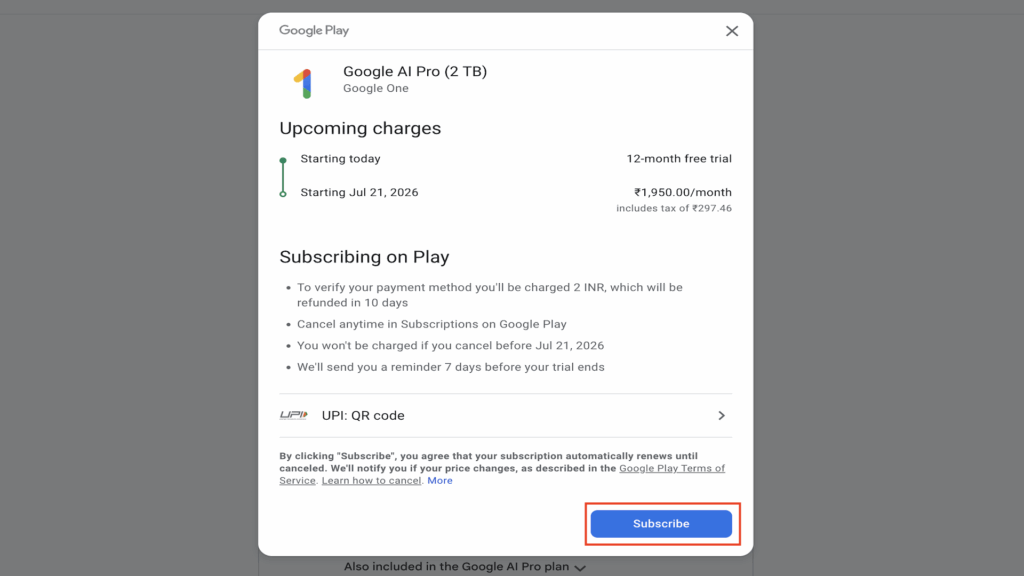
On the next screen, upcoming charges will be displayed, which will be deducted after 1 year from the subscription start date. Finally, click on the Subscribe button.
Note- You will be charged ₹2 to verify the payment method. The amount will be refunded within 10 days. You won’t be charged any subscription fees before the trial ends.
Step 8: Complete Your Payment
You will now see a QR Code on your screen (if you go with the UPI method).
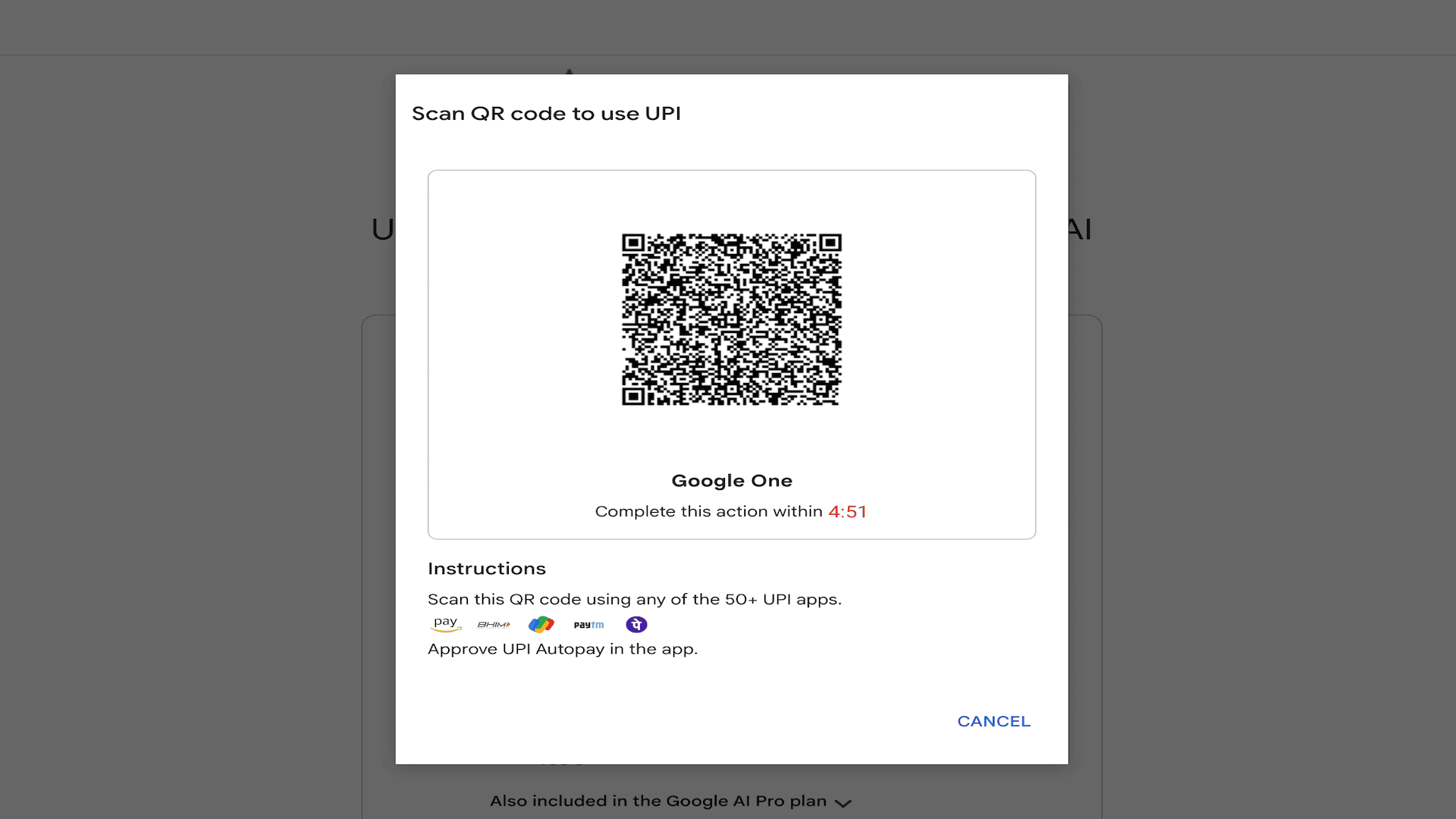
Scan the QR code with any UPI app, and confirm the payment of ₹2. On successful payment, your payment method will be verified.
And this is how you will gain access to Google One 2 TB cloud storage for free! This free offer is valid only till 15th September, 2025. So, make sure you avail your free 2 TB cloud storage before the offer expires!
What’s Included With Google One 2 TB Cloud Storage Plan?
When you avail the Google AI Pro plan (2 TB) by following the above steps, you will unlock these features on your account:
- 2 TB cloud storage for Google Drive, Photos, and Gmail.
- Easy backups and restoration of photos, videos, and files.
- Storage sharing with up to 5 people.
- Gemini Model 2.5 Pro and Deep Research on 2.5 Pro.
- Limited access to Veo 3 Fast.
- Flow (an AI filmmaking tool custom-built with Veo 3). You can use this tool to generate stories and cinematic scenes for videos.
- Veo 2 for image-to-video generation (using Whisk).
- NotebookLM for AI research.
- Gemini in Google apps, including Gmail, Google Docs, Sheets, Slides, and more.
- 1000 AI credits/month across Flow and Whisk.
Conclusion
In this article, we discussed the step-by-step process to get the Google One 2 TB Cloud Storage for free! If you’re a college student, a freelancer, creator, content writer, video editor, or a professional user, you should not miss this exciting offer.
To avail this free cloud storage offer, all you need is your college ID card or any document that verifies you are a student. Once you verify using the above steps, you will get a Google AI Pro subscription for an entire year at no cost!
So, what are you waiting for? Avail the offer today, and access a massive 2 TB cloud space with Gemini Pro features for free. It’s only valid for a limited time till 15th September 2025. So, hurry up!
Anyway, do you have any questions or thoughts about the process? Drop a comment below. We’d love to hear from you and help you out!
FAQ
Is Google One Cloud Storage Free?
No, Google One cloud storage is not free. But if you are a student, you can get 2 TB of free storage in the Google AI Pro bundle for an entire year
Will I Be Charged For Google One Cloud Storage?
If you follow the above steps, then the 2 TB subscription will be free for one year. Your subscription will cost ₹1950/month after 1 year. Make sure you cancel the subscription before the end date if you don’t want to continue it.
Can I Verify My Eligibility With an ID Card?
Yes, you can verify your student status with your College ID Card. You can also upload the tuition fee receipt or class schedule for verification if you don’t have an ID card.
How Long Does It Take for the Verification Process?
It takes a few hours for the verification to complete, but sometimes it takes up to 2 days as well. Once verified, you will get a confirmation email for the same.
Can I Use Google One Cloud Storage on a Phone?
Yes, you can use Google One on your Android or iPhone. Install the Google One App and sign in with your account. It will back up your photos, videos, contacts, SMS, and more.
Can I Use Google One Cloud Storage for Storing Videos?
Yes. Google One’s cloud storage is shared across Google Drive, Google Photos, and Gmail. So, if you upload any video file to your Drive or Photos app, it will be counted in your 2 TB subscription.