Are you too tired of juggling multiple AI tools? One tab for ChatGPT, another for Gemini, and then Claude, only to realize you’re wasting time and money on separate subscriptions.
What if all these powerful AI tools could come together on a single platform? No more endless switching, no more hefty subscriptions. Introducing AI Fiesta! This tool combines popular AI models in one place, letting you chat with them and compare their outputs side by side.
In this AI Fiesta Review, I’ll walk you through what this tool is, its key features, pricing, pros, and cons. I hope this review helps you decide if it’s worth your money. So, let’s dive in and explore whether AI Fiesta truly lives up to the hype!
AI Fiesta Review
Summary
AI Fiesta brings all the top AI models in one place along with model comparison, image/video/PPT generation, prompt enhancement, and convenient UPI payments for Indian users.
However, it has a limited free plan, no customer support, tokens get consumed quickly, and the per-query token usage is unclear. Users who want to compare multiple AI models and access text, image, video, and PPT tools within a single platform can try it out!
Disclaimer : I strongly believe in transparency. If you buy using the links on our site, we may earn a small commission without any extra cost to you. This helps me to keep producing honest reviews. Read More >>
Want the Best AI Tools?
Check My Favourite AI Tools 🖤
ElevenLabs
Elevenlabs and Adam AI Voice are my go-to choices. ElevenLabs is incredibly versatile, and you get 10 mins free every month.
Gamma AI
Gamma App is my top choice for ai ppt generation. You can easily create your ppt for FREE. It’s a must have AI Tool.
HOSTinger AI
I love Hostinger AI Website Builder for how easy and affordable it is. 1 click AI website creation, perfect for websites.
What is AI Fiesta?
AI Fiesta is an AI platform co-founded by popular YouTuber Dhruv Rathee in August 2025 along with Divyanshu Damani and Mohammad Hasan. It gives you access to premium AI models inside a single chat window, making it easier to chat with them without switching tabs.
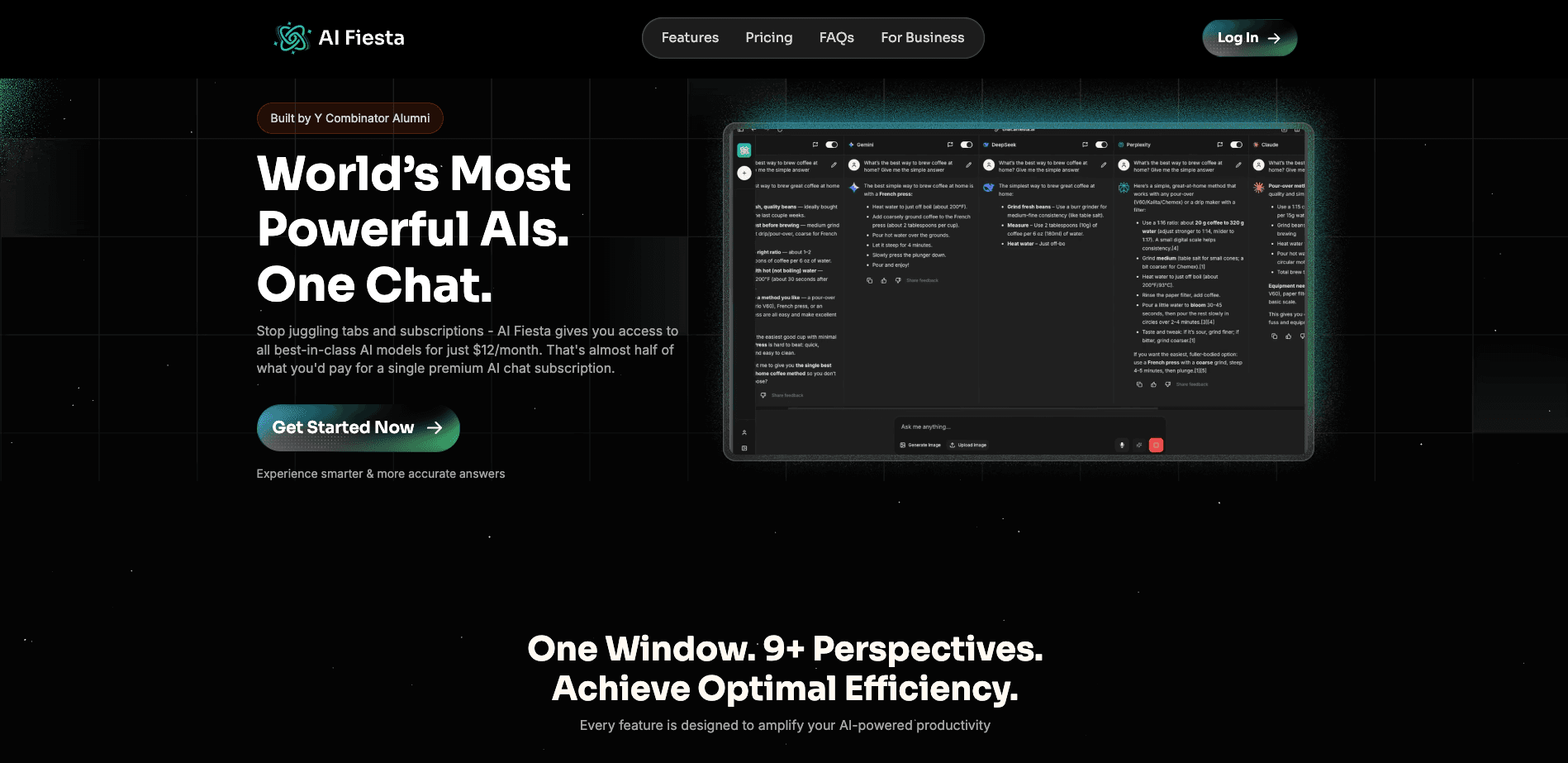
With this tool, Dhruv essentially wanted to solve two problems.
- Expensive subscriptions: Different AI tools are suitable for different use cases. But getting a paid subscription to each AI tool is quite expensive. With AI Fiesta, you get premium versions of all popular AI tools at a fraction of the cost!
- Convenience: While using different AI tools, you had to keep switching tabs and comparing your outputs. With AI Fiesta, you can get your outputs in a single window, making comparison easier.
Continue reading to discover if this tool delivers on its promises!
AI Fiesta User Interface
The interface of AI Fiesta looks friendly and easy to use, with a modern design and pleasing colors. On the left panel, you can find options to start a new chat, access different features, check your plan limits, and switch between light and dark modes to prevent eye strain.
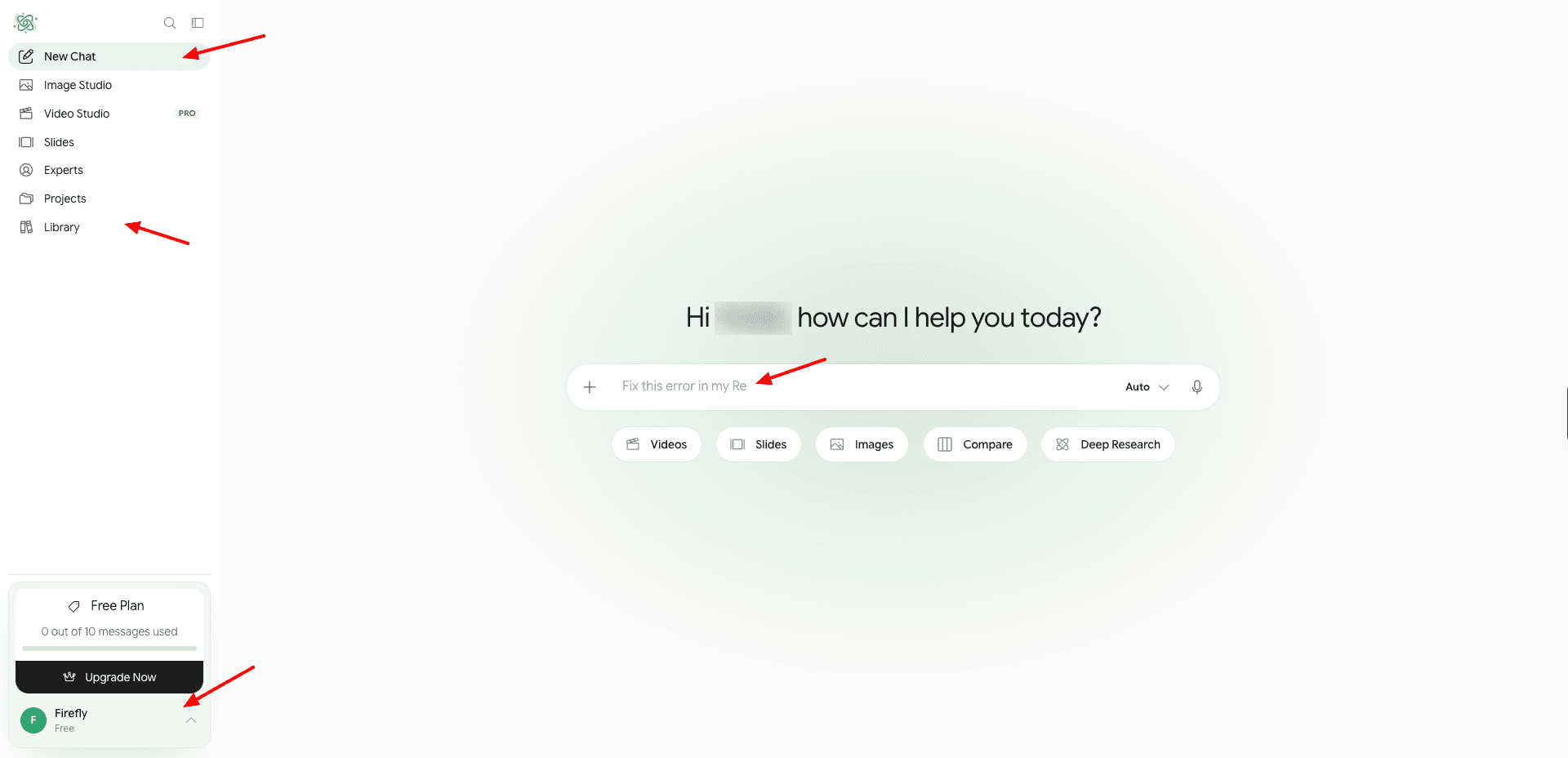
The main screen lets you enable or disable any AI models while providing your input query. Recently, they have also improved the content formatting and readability of AI responses. Overall, the interface is friendly for beginners and professionals alike.
Key Features of AI Fiesta
1) Chat with Multiple AIs
AI Fiesta gives you access to the latest models of powerful AI tools like ChatGPT, Gemini, DeepSeek, Grok, Perplexity, Claude, and more. Recently, they have introduced new AI models, and AI Fiesta now boasts a total of 65+ text models and 14 image models.
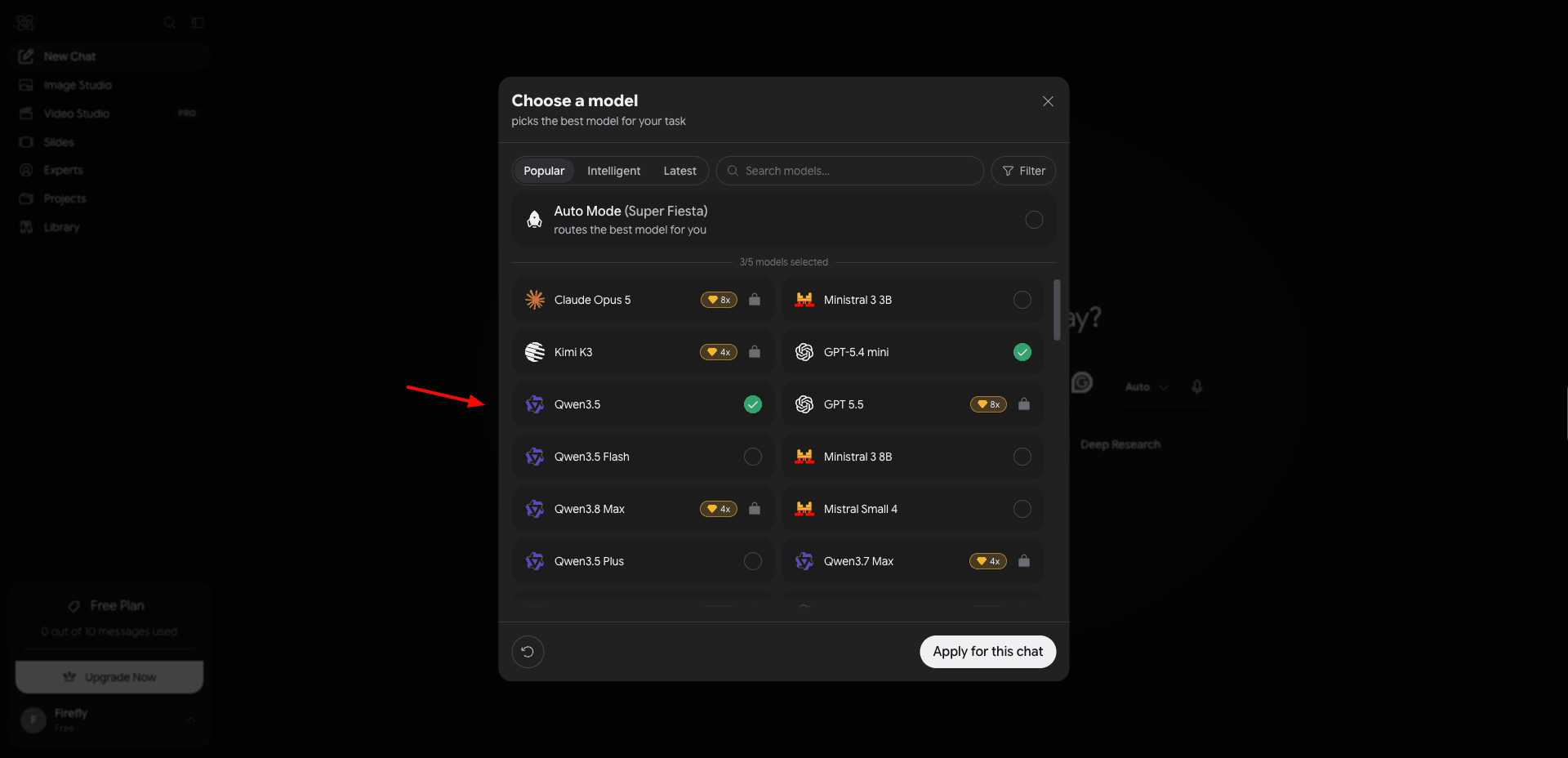
When you enter your query, you can select which models you want to enable for it. Then the specific AI models return the results in a single chat window.
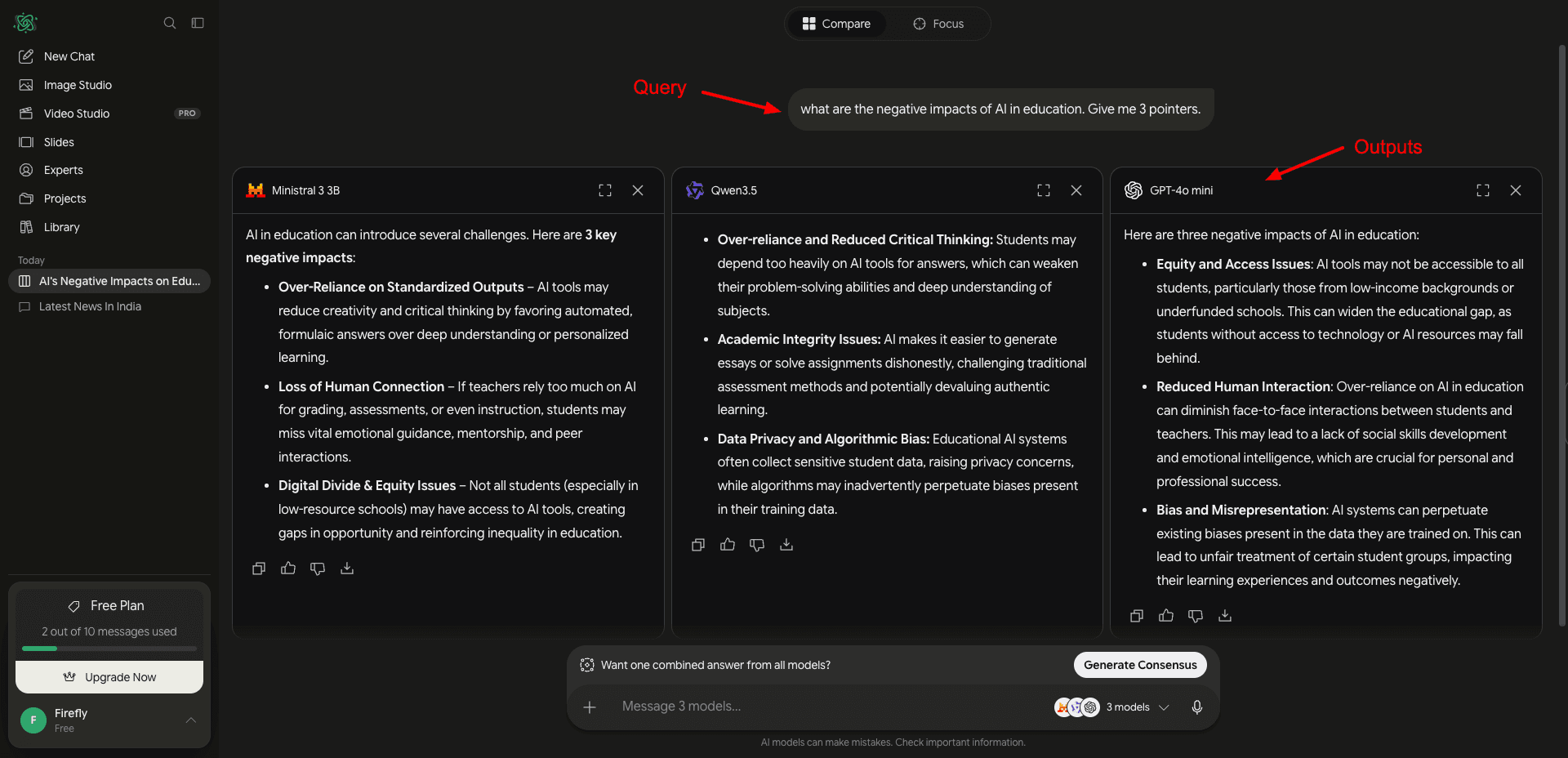
This makes it easy to compare your outputs from multiple AI tools. You can easily disable or enable any of the AI models at any time and ask follow-up questions from specific tools.
2) Improve Prompt
Another interesting feature of AI Fiesta is its prompt enhancement. They built it using their internal AI. It improves your prompts. For example, if you’ve made spelling mistakes or are struggling with framing your prompt, simply hit the magic button beside your prompt.
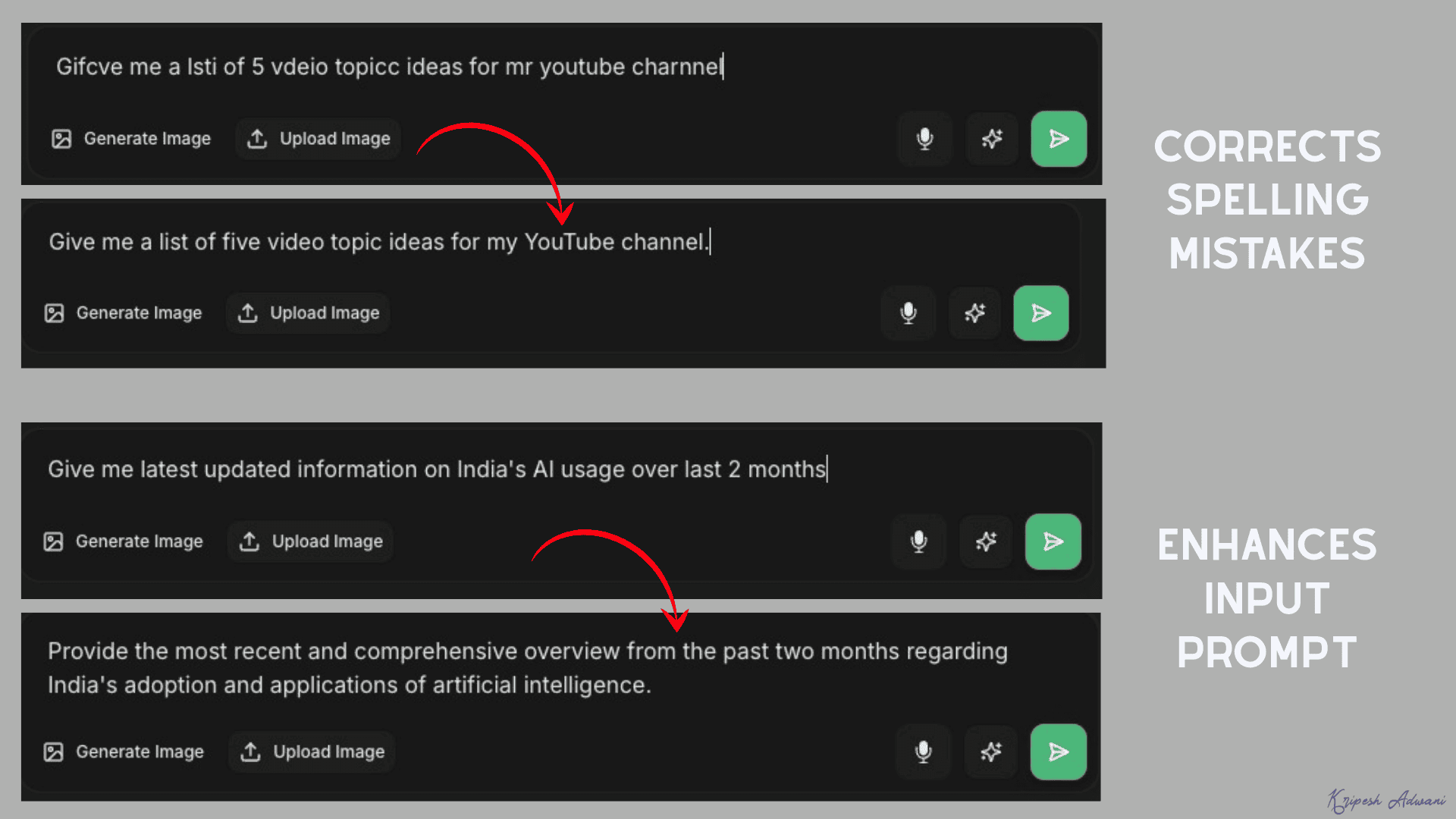
It will instantly correct your spelling or enhance the details in your prompt. This helps in getting better outputs from your input queries.
3) Personal Instructions
If you want to customize the responses of your AI tools, you can use the Personal Instructions feature. Simply create a new project and enter your project name along with a detailed system prompt. The character limit on the prompt has now been removed.
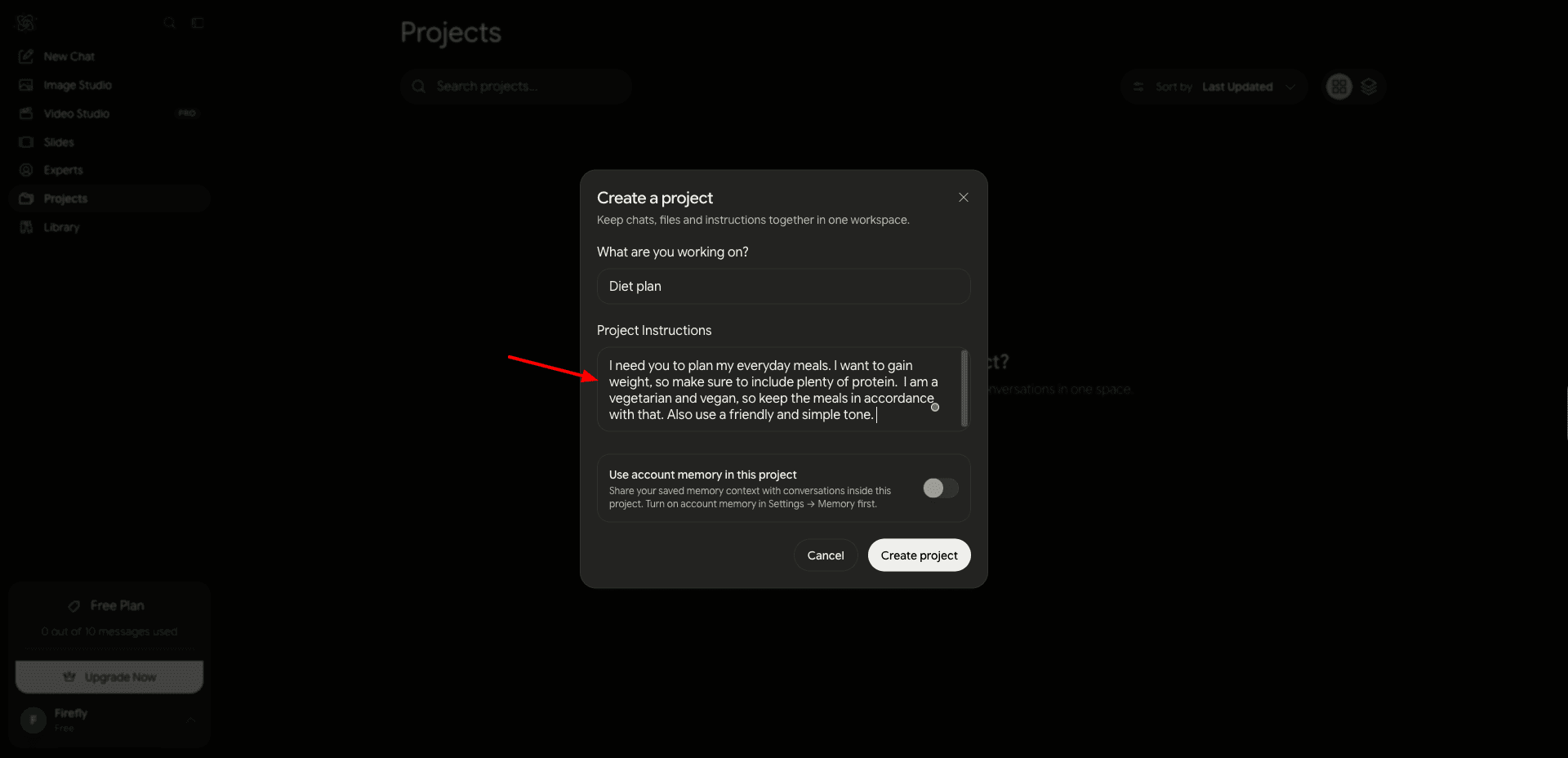
When you pose any query in this project, all the enabled AI tools will follow the system instructions while providing outputs. This is great for creating personalized chatbots for various use cases.
4) Image Generation
AI Fiesta also allows you to create images through its Image Studio. It now supports 14 image models, including different models of GPT, Nano Banana, Kling, Seedream, and Grok.
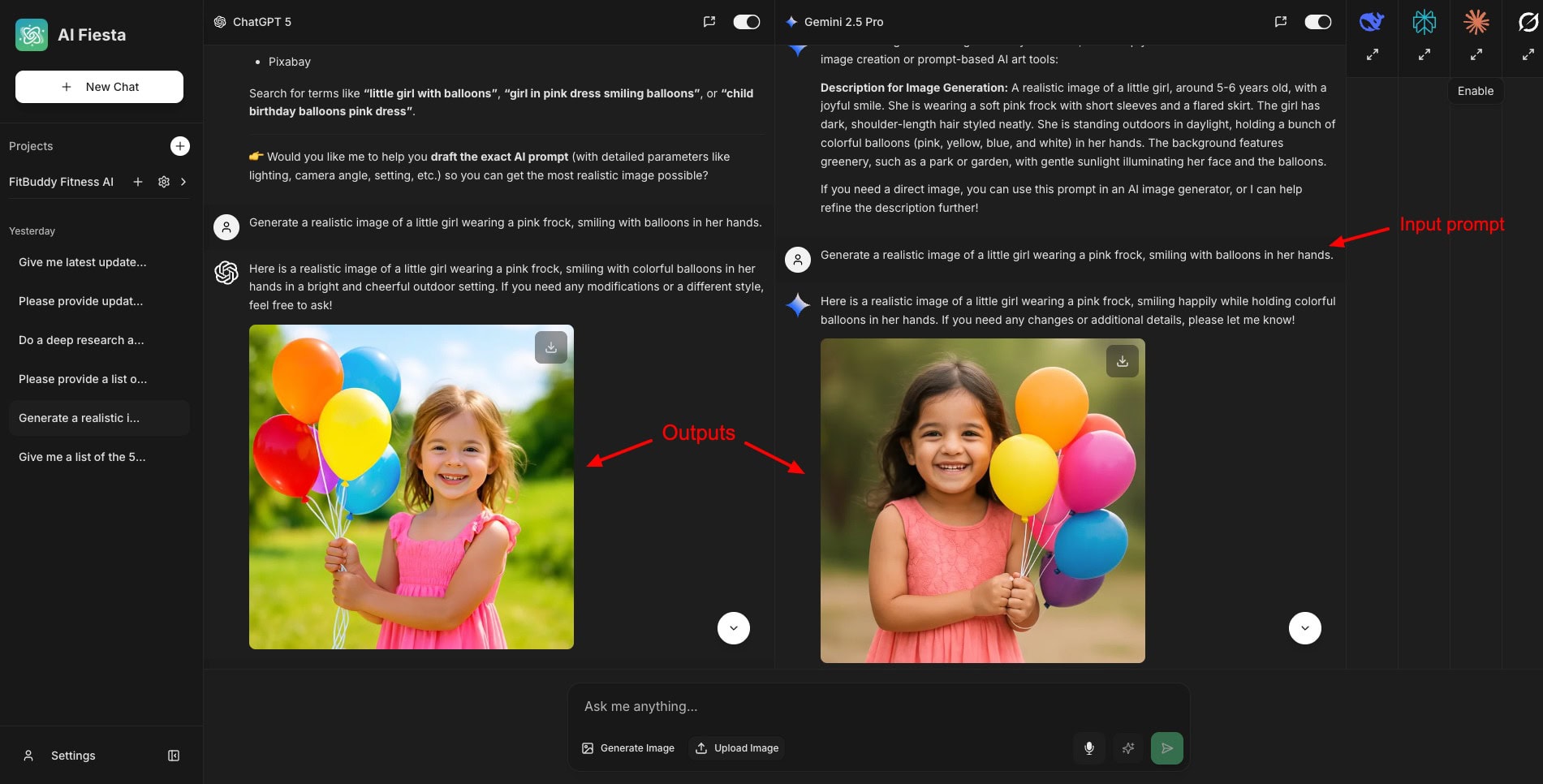
When you click on the ‘Generate Image’ button, it automatically enables the available image generation models and disables the other AI tools. I personally like images generated by ChatGPT the most.
Once the AI image is generated, you also get additional features like background removal, image upscaling, editing with prompts, changing the ratio, editing or removing objects, etc.
5) Video Generation
Now, you can even generate videos through their Video Studio. Simply write your prompt and choose a video model. It features 8 video models, including Wan, Seedance, Minimax, Gemini Omni Flash, etc.
If you are unsure which model to use, just keep it on Auto. However, the video duration will be limited to 10 seconds.
6) Presentation Generation
To create PPTs with AI Fiesta, simply go to the Slides tab. Write your prompt in detail. You can use the ‘Prompt Enhancer’ to sharpen your prompt. Similar to Gamma, an outline is generated first. You can edit and review it. Finally, your complete PPT is generated with relevant content and images.
7) Voice Inputs
Similar to ChatGPT, Gemini, and other AI tools, AI Fiesta also lets you provide voice-based inputs to the AI. They claim you can speak in any language of your choice, and the AI will transcribe it into English.
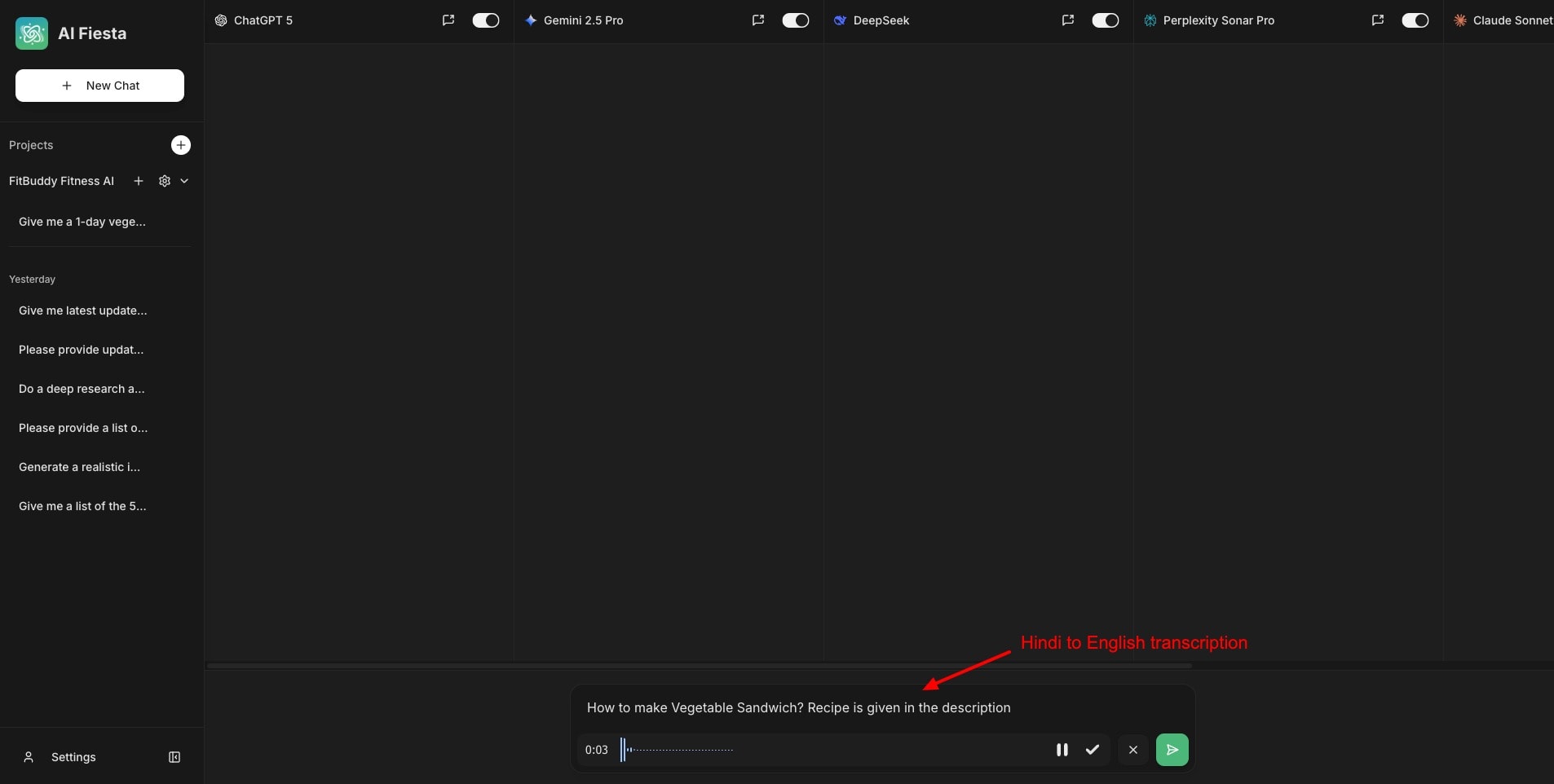
They have really worked on improving their voice tool. The audio transcription was spot on when I spoke the comments in English and Hindi.
8) Apps and Browser Support
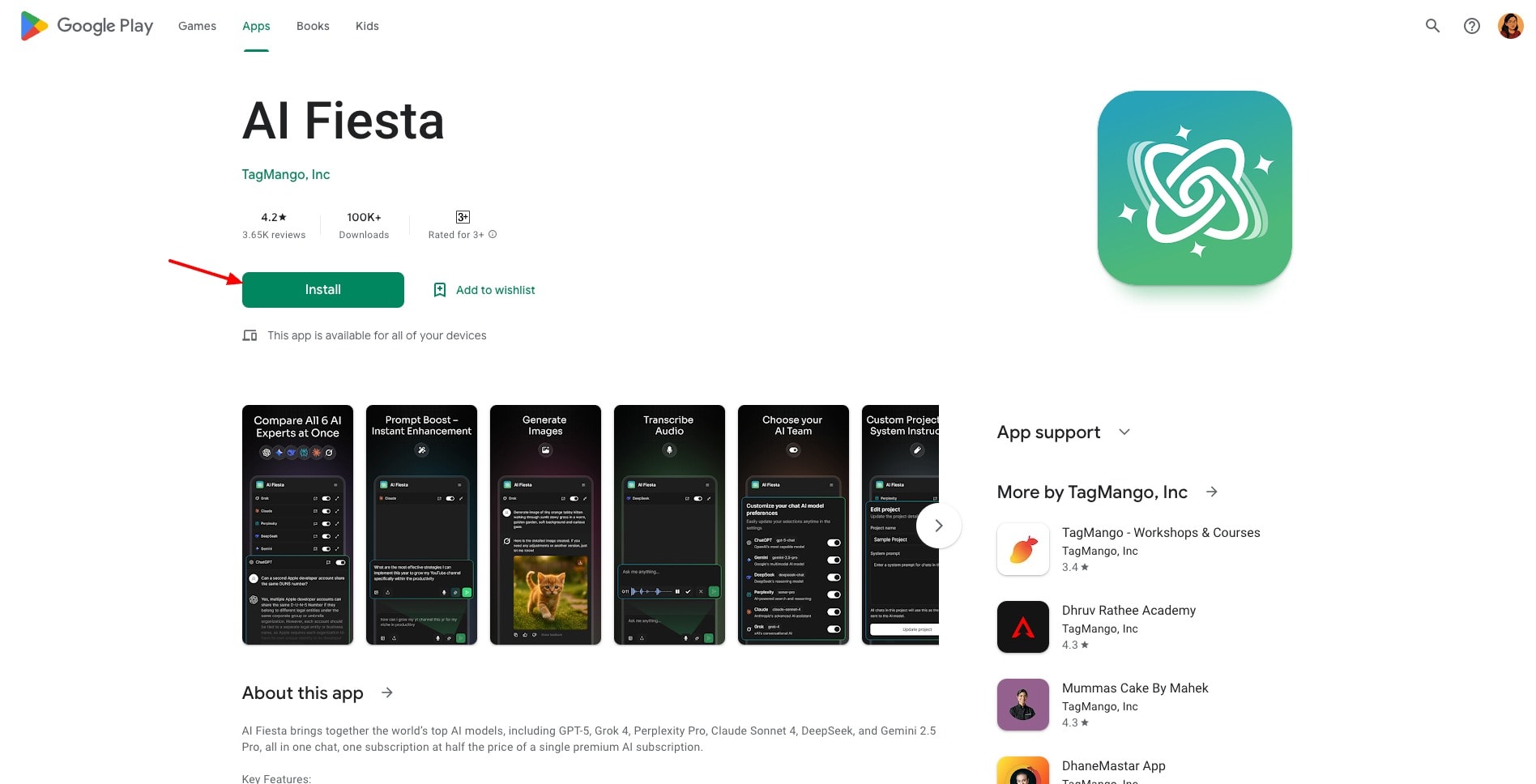
AI Fiesta works on all major browsers like Chrome, Edge, Firefox, Opera, and Safari. It also has Android and iOS apps.
9) Additional Features
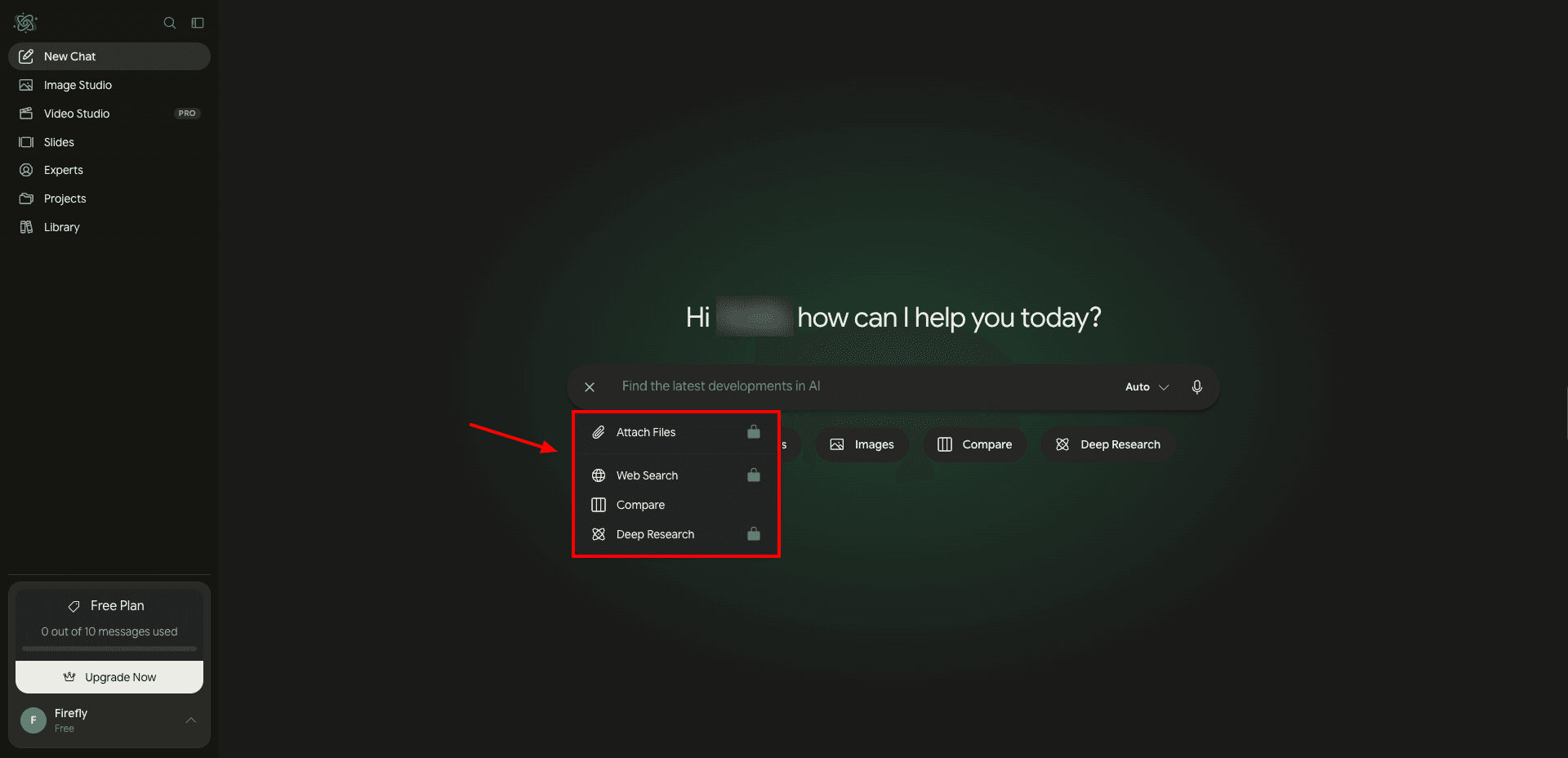
They have now added features like web search, file attachments in multiple formats, deep research, compare, etc., which help you use AI Fiesta for more advanced tasks. When you enable these features, you can select particular AI models to work with.
They have also launched a ‘Super Fiesta’ feature. It basically auto-routes your prompt to the best AI model.
AI Fiesta Pricing
AI Fiesta has now launched a Pro plan along with increasing its token limit. The following table compares the pricing and major features of AI Fiesta’s Basic and Pro plans.
| Basic Plan | Pro Plan | |
| Monthly Pricing | ₹999/mo | ₹2,999/mo |
| Annual Pricing | ₹833/mo | ₹2,333/mo |
| Tokens | 3M | 10M |
| Image Studio | Yes ✅ | Yes ✅ |
| AI Slide Decks | Yes ✅ | Yes ✅ |
| AI Video Generation | No ❌ | Yes ✅ |
| AI Models | All Standard Models | Every Pro Model |
They have also added a tiered consumption system, where premium AI models (like GPT-5, Claude Sonnet 4.0, Gemini 3.8 Flash, Grok 4, etc) consume 4 times more tokens than the smaller models. Additionally, they have also set smaller and more efficient models as defaults to help save your tokens.
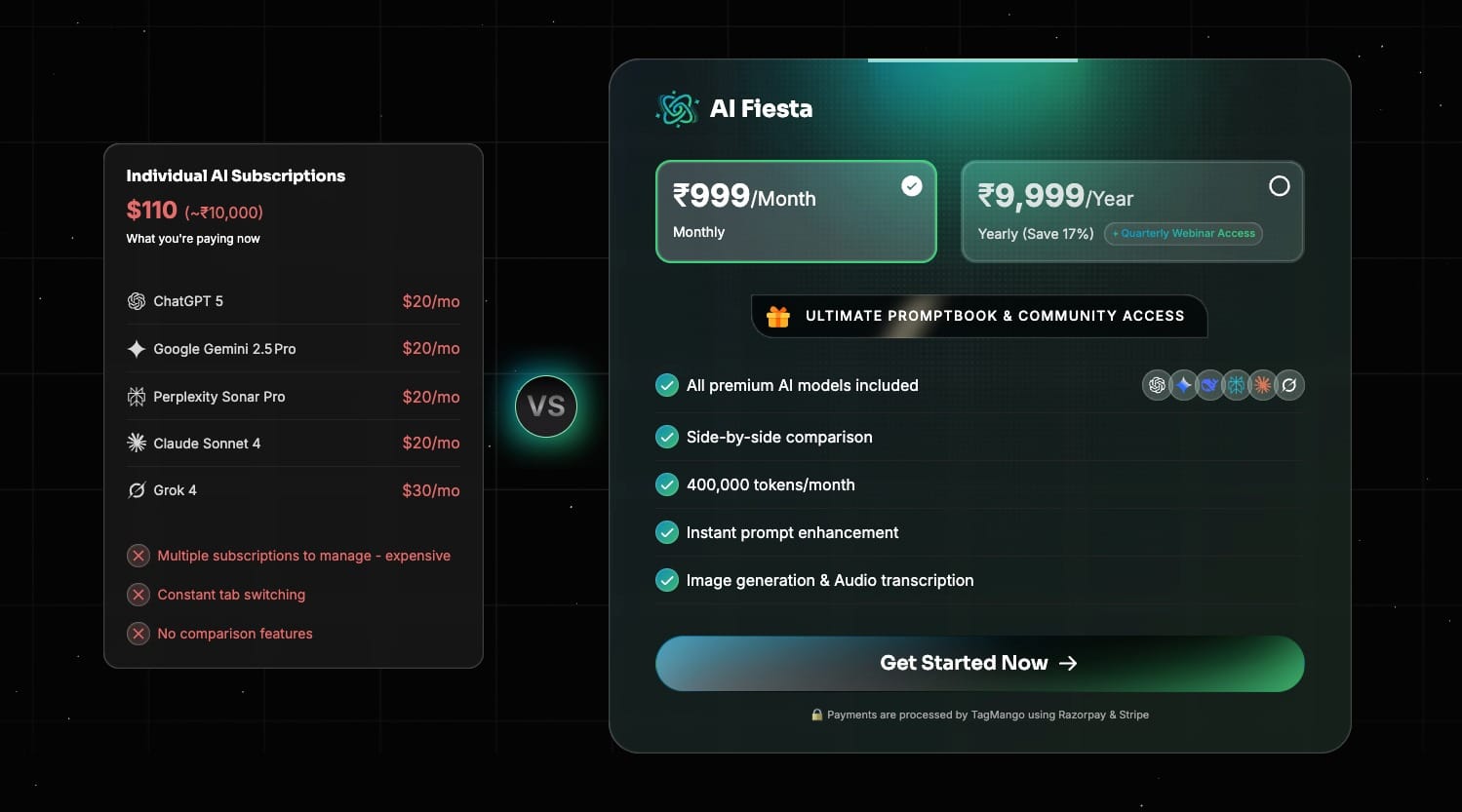
With your subscription, you also get a prompt book of 3000+ prompts worth ₹5000 and access to their community.
They have a range of benefits for annual subscribers. First, the subscription will cost ₹833/month instead of ₹999/month. You will also get access to quarterly webinars with Dhruv Rathee and his team, where you can provide feedback, request features, etc.
Free Plan
To test out how the platform works, it also features a free plan. The free plan has a limit of 10 messages and only supports the AI chat feature with about 25+ free models from various tools like Qwen, GPT, Mistral, Nova, Gemini, Claude, DeepSeek, etc.
Unlike last year, each selected model is not counted as 1 query now. If you select multiple AI models inside 1 query, the platform treats them all as a single message. I wish they also provided limited free access to other tools, so users could test out the usability of the app.
Refund Policy
Unfortunately, it doesn’t have a refund policy. You can test the free plan and then upgrade to its paid plan if you find it valuable. You won’t receive a refund if you decide to cancel your subscription.
Payment Methods
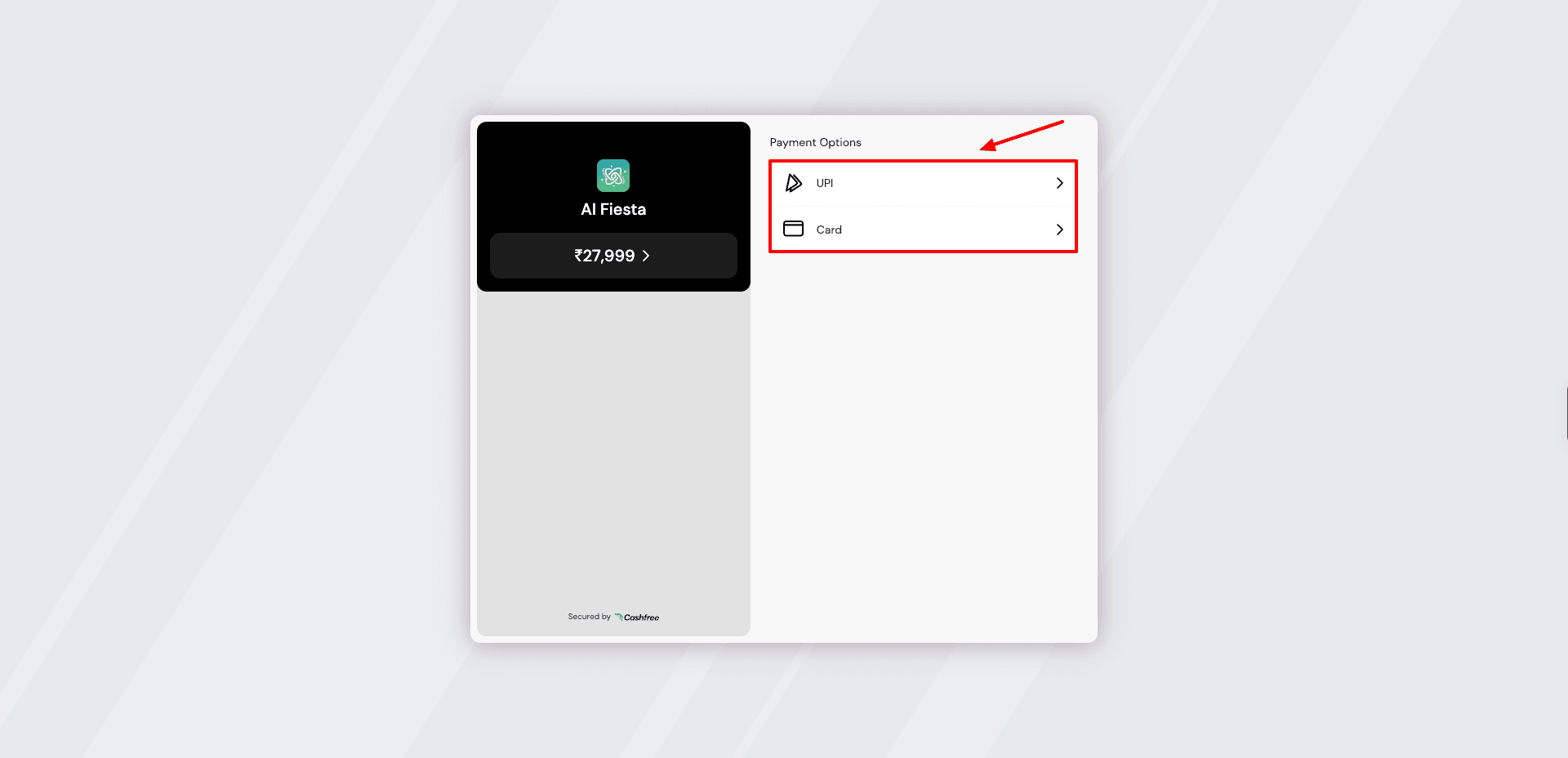
It accepts payments made via cards and UPI. UPI support makes paying easy and convenient for Indian users.
AI Fiesta Customer Support
AI Fiesta doesn’t offer dedicated customer support right now. You won’t get a knowledge base or live chat support to address your queries. They merely have an FAQ page you can check out for basic queries.
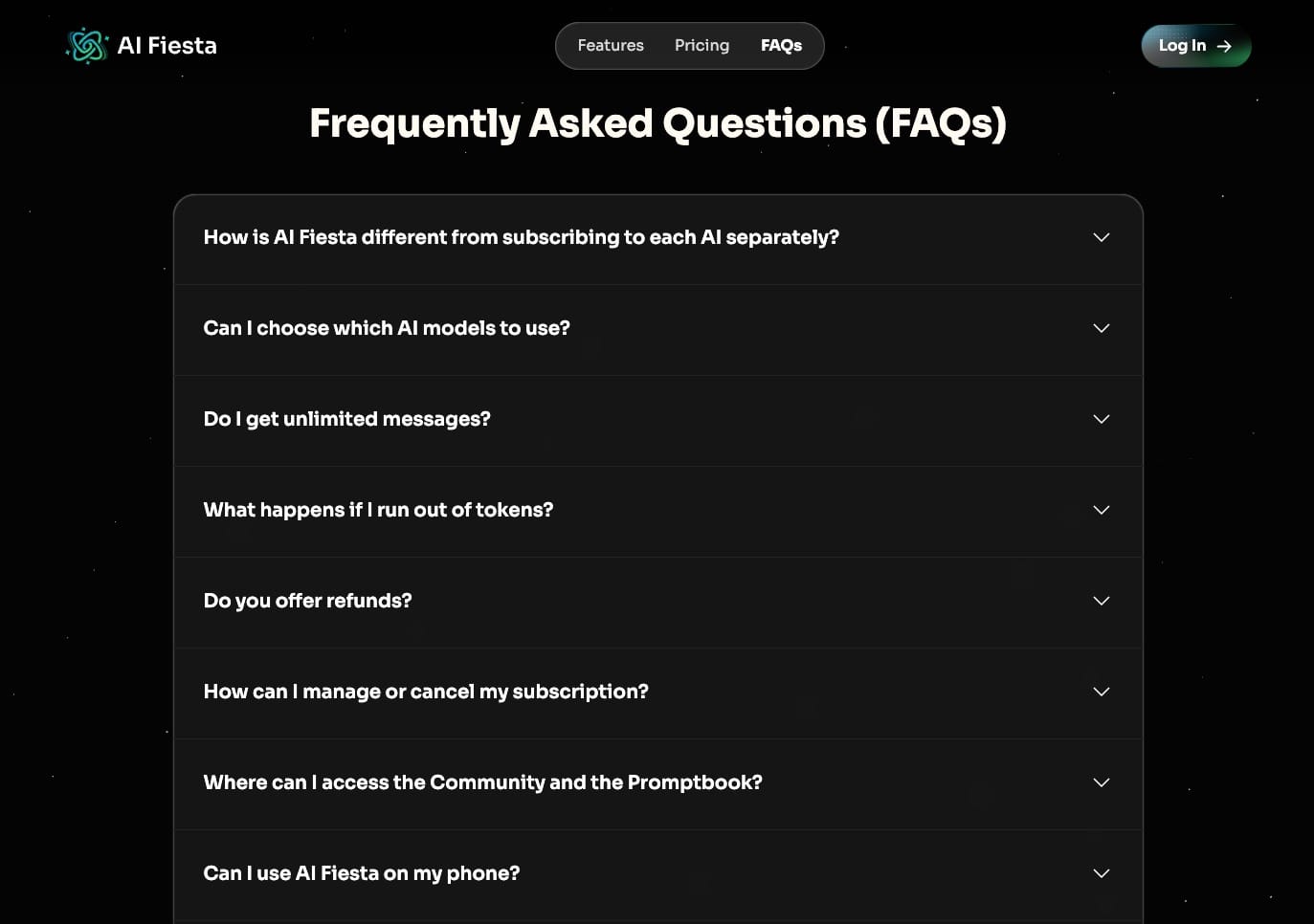
Additionally, you can also connect with their support team via email. Apart from that, you won’t find any other support options on AI Fiesta right now.
AI Fiesta Privacy Policy
Talking about privacy, AI Fiesta shares limited data with payment processors, third-party AI providers to generate responses, and service providers that help maintain the platform. This means your prompts and AI responses may be shared with the underlying AI providers.
AI Fiesta also collects usage and technical data, such as token usage, IP address, browser type, and device information. The company says it does not sell your personal data and retains data only as long as necessary to provide its services or comply with legal obligations.
Overall, the privacy policy is straightforward and provides a reasonable overview of how user data is collected and shared. You can read the full privacy policy and terms and conditions for more details.
AI Fiesta Limitations
1) Unclear Credit Consumption
AI Fiesta shows the total number of tokens consumed on your account. It doesn’t display the number of tokens consumed after each query separately. So, it’s difficult to calculate how many credits you are consuming on each type of query.
2) Token Limit Applies to Inputs And Outputs
The Basic plan of AI Fiesta has a limit of 3M tokens. However, it also takes your input prompts into account. So, if you type in a longer prompt, that would also be counted in your monthly token limit. Ideally, the token limit should only apply to the outputs.
3) Doubtful Model Authenticity
Some users raise doubts about whether the outputs generated always reflect the latest flagship model/settings.
4) Quick Token Burnout
On AI Fiesta, your AI tokens burn out quickly. If you use premium flagship models of AI tools, they consume 4x tokens. So, if the Pro plan offers 10M tokens, you only get 2.5M tokens if you use premium models.
5) Inconsistencies and Glitches
You may notice inconsistent speeds on AI Fiesta. Some models, like DeepSeek or Gemini, may be slow at generating outputs for different queries. Additionally, the voice input tool may be inaccurate at transcribing from languages other than English.
6) Poor Free Plan
The free plan has a limit of 10 messages. It also does not unlock any other features like images, videos, PPTs, file uploads, deep research, etc. This is not enough for decent testing of the platform.
7) Lack of Customer Support
As of now, AI Fiesta doesn’t have reliable customer support, like a knowledge base and live chat. I hope they introduce it in the future.
AI Fiesta Alternatives
Right now, you’ll find many alternatives to AI Fiesta on the internet. However, AI Fiesta offers unique value for your specific needs. Still, the following AI tools are the closest in terms of features.
1) AI Fiesta vs Gemini
Gemini is a super-popular AI chatbot developed by Google. Similar to AI Fiesta, it also offers text generation, file uploads, image creation, and voice-based queries. You can access Gemini AI models inside AI Fiesta, making the experience more flexible for users.
But Gemini differentiates itself with a massive 2M token context window, deeper integration with Google products like Gmail and Drive, and Gemini Omni-powered video generation. Its coding and image generation are also more advanced compared to AI Fiesta.
Although Gemini is free to use, its Pro plan starts at $19.99/month.
2) AI Fiesta vs ChatGPT Go
ChatGPT is one of the first and most used AI chatbots developed by OpenAI. Just like AI Fiesta, it can generate high-quality text, answer logical reasoning queries, summarize content, and even support image generation.
With AI Fiesta’s multi-model setup, you can run prompts on ChatGPT directly, making it easy to compare results side by side. However, ChatGPT stands out with its exceptional reasoning, deep research, accurate voice mode, and live web data fetching.
In August 2025, OpenAI launched an affordable ChatGPT Go plan in India. It’s priced at ₹399/month. With this plan, you get increased limits for messages, image generation, file uploads, voice chats, and better memory and storage.
3) AI Fiesta vs Merlin
Merlin is an AI-powered Chrome extension for productivity. Both tools are built to replace the need to juggle multiple AI subscriptions. However, Merlin includes a wider range of AI models, like Mistral, Llama, Kimi, etc.
But what really makes Merlin stand out is its integrations. It directly integrates with apps like Gmail, YouTube, and LinkedIn, making it more usable for drafting emails, having conversations, summarizing videos, etc. Merlin’s free plan is also generous compared to AI Fiesta’s limited plan.
Overall, Merlin is more feature-rich compared to AI Fiesta. If you want access to a range of AI models and integrations with multiple apps, you can check out Merlin. Its paid plans start from $19/month (billed yearly) or $228 for 1 year.
4) AI Fiesta vs Zemith AI
Zemith is another AI-powered productivity tool that simplifies AI usage by combining multiple AI tools into one platform. Just like AI Fiesta, it also supports chatting with different AI models, image generation, research, prompt enhancement, and more.
However, Zemith sets itself apart by also including Agent Mode. It also features a generous free plan. Its pricing plans start at $14.99/mo (billed yearly) or $179.88 for 1 year, which gives you access to 1 million monthly credits. If you want to try out different AI models, you can check out Zemith AI.
Who Should Use AI Fiesta?
In my experience, AI Fiesta is best suited for a variety of users. It is valuable for casual users who need the convenience of multiple AI models in one place. It is also great for professionals who require multi-model comparison capabilities.
If you prefer INR payment support and the ability to generate images, videos, and PPTs in one platform, AI Fiesta would be a good choice. Social media enthusiasts, marketers, and content creators should check it out.
However, for professionals and heavy users who need advanced functions like deep research or detailed analysis, standalone AI tools would be more effective.
Why Should You Trust Me?
I’ve been working full-time in the digital industry since 2015. In these years, I’ve used and tested hundreds of digital tools and AI tools. In the last few years, I have focused my attention on AI writers, AI Art Generators, AI website builders, AI video generators, and so on!
Detailed reviews of these tools are available on my blog and YouTube channel. Testing out so many AI tools has given me the knowledge and experience to suggest the right one for your needs.
Conclusion
AI Fiesta looks like a convenient platform for accessing all popular AI tools in a single chat window. You can not only generate text content but also images, videos, and PPTs. On top of that, it also supports UPI payments for Indian customers.
However, it has a very limited free plan, no customer support, doubtful model authenticity, and premium model tokens burn out quickly.
Right now, they are offering a better value proposition than the version initially launched. In just 1 year, they have made significant improvements and updates. Overall, AI Fiesta looks like a good investment and is worth trying. I wish they had launched with these features from day one!
Anyway, I’m really excited about the future of this tool. Have you used AI Fiesta yet? Do let me know your views after using it in the comments section.
FAQs
Is AI Fiesta made by Dhruv Rathee?
Yes, AI Fiesta was co-founded by YouTuber Dhruv Rathee along with Divyanshu Damani and Mohammad Hasan (co-founders of the Y Combinator-backed creator platform TagMango).
Is there an AI Fiesta app?
Yes, AI Fiesta offers functional mobile apps for Android and iOS devices.
Is AI Fiesta worth it?
AI Fiesta can be useful if you want to compare multiple AI models and access text, image, video, and presentation tools from one platform. However, do consider its limited free plan, quick token consumption with premium models, and lack of customer support before upgrading.
How much does AI Fiesta cost?
AI Fiesta’s Basic plan costs ₹999/month, while the Pro plan costs ₹2,999/month. Annual plans are available at an effective monthly price of ₹833/month for Basic and ₹2,333/month for Pro.
Does AI Fiesta have a free plan?
Yes. AI Fiesta offers a free plan with 10 messages and access to 25+ free AI models. However, features such as image and video generation, PPT creation, file uploads, and deep research aren’t available on the free plan.
How does the AI Fiesta token system work?
AI Fiesta uses monthly token limits, with 3 million tokens on the Basic plan and 10 million on the Pro plan. Both your input prompts and AI-generated responses count toward your token usage. Premium models can also consume tokens at a higher rate.
Can I use multiple AI models at the same time on AI Fiesta?
Yes. AI Fiesta lets you select multiple AI models for a single query and view their responses in one chat window. This makes it easier to compare answers from models such as ChatGPT, Gemini, Claude, Grok, and DeepSeek.
Who should use AI Fiesta?
AI Fiesta is best suited to users who want to compare multiple AI models and access text, image, video, and presentation generation from one platform. It can also be useful for Indian users who prefer convenient UPI payments.

Pros of AI Fiesta (+)
- Good UI
- Improve Prompt
- Image Generation
Cons of AI Fiesta (-)
- Unclear Credit Consumption
- Token Limit Applies
- Inconsistencies
- Poor Free Plan
- Poor Customer Support

I wants to subscribe for Aifiesta. What I have to do?
Can AI Fiesta create file types like DOCS, GIFT, H5P, QTI XML etc.?
Nope
nice ai