Do you wish your low-quality videos looked crisp and cinematic? Well, blurry footage can ruin even your best moments. But not anymore! Introducing AI Video Enhancers. These tools can help you sharpen blurry videos, enhance colors, and upscale resolution with no editing skills!
In this article, we are going to discover the Best AI Video Enhancers and discuss the key benefits of using them. Whether you’re a video editor, a filmmaker, a content creator, or just want to enhance your video memories, you can use these tools to create polished clips.
So, are you ready to turn your grainy videos into professional ones? Let’s dive right in!
What are AI Video Enhancers?
AI video enhancers are software that use artificial intelligence to improve the quality of your videos.
These tools can upscale your video’s resolution, sharpen blurry videos, remove noise, stabilize shaky videos, improve colors and brightness, and smooth out videos. Popular examples of AI video enhancers include Cutout Pro, Vidnoz, etc.
8 Best AI Video Enhancers (2026)
| Tool Name | Output Quality | Downloads | Pricing |
| Cutout Pro | Excellent | Preview only | 5 free credits. Paid plans start at ₹246.50/mo. |
| Vmake AI | Excellent | Preview only | 5 free AI credits. Paid plans start at $5.83/mo. |
| Topaz AI | Good | Full Video (mp4) | 20 free credits. Paid plans start at $299. |
| TensorPix | Good | Preview with watermarks | Limited free credits. Paid plans start at $5.50/mo. |
| Vidnoz | Decent, only colors corrected | Full videos with watermarks | 15 free video seconds. Paid plans start at $19.99/mo. |
| Fotor | Decent, only colors corrected | Preview only | Limited free credits. Paid plans start at ₹83.25/mo. |
| Remaker AI | Average | Preview only | 30 free credits. Paid plans start at $2.99 for 150 credits. |
1) Cutout Pro
Cutout Pro is an AI-powered visual design software. It helps in editing images and videos, and is primarily used to remove backgrounds and enhance videos. Besides the AI video enhancer, it features a range of tools like retouch tool, face cutout, cartoon selfie, background blur, etc.
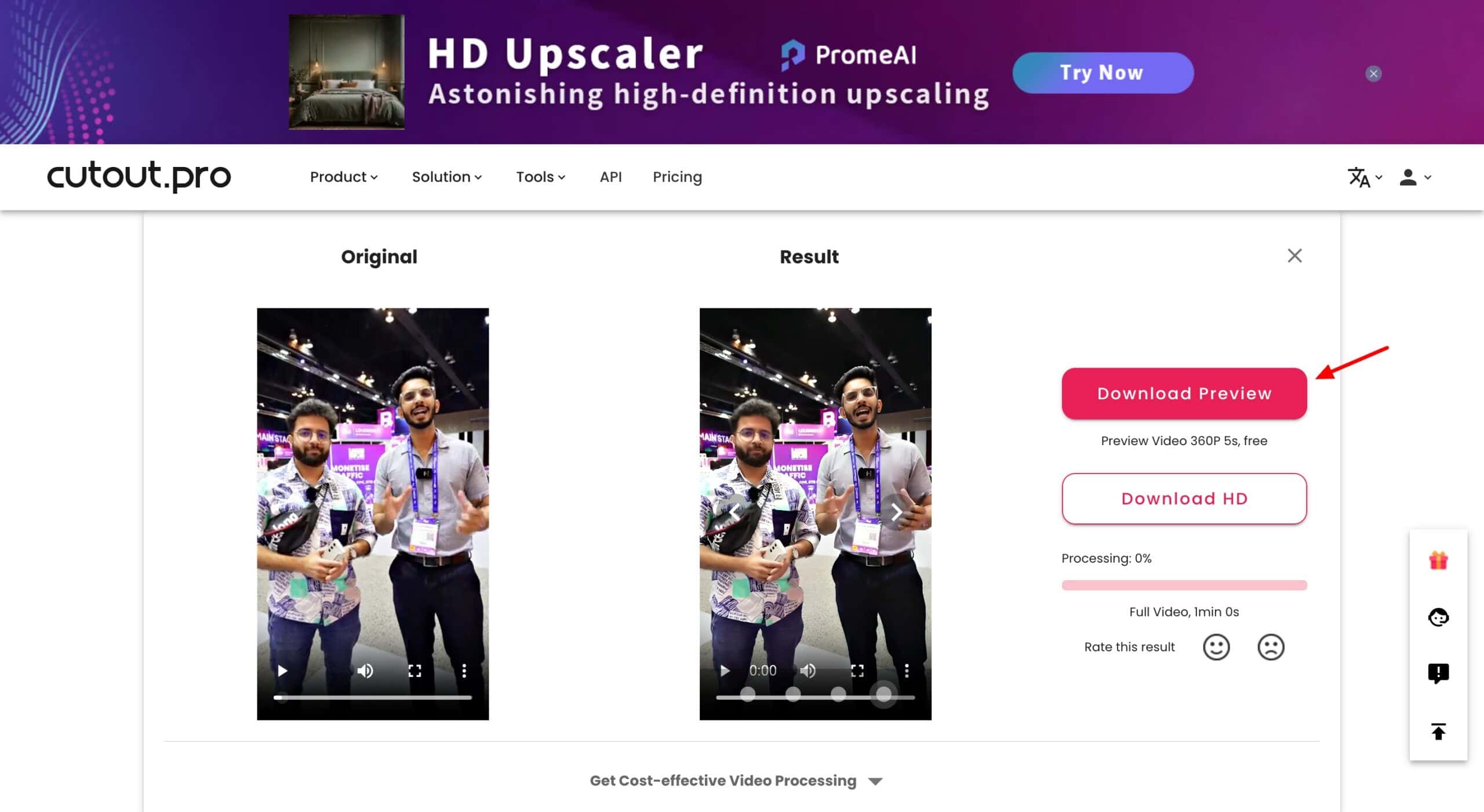
To get started, register for a free account and visit the AI Video Enhancer. Next, you can upload a video from your device. It supports videos up to 2 GB in size and the following formats: .mp4, .webm, .mov, and .gif. The output generated is significantly enhanced in quality and clarity.
However, you can only download a 5-second preview of the video for free! If you need sharper-looking videos, Cutout Pro is the best choice.
Cons
- Full video downloads are not supported on the free plan.
- Frequent lags are seen on the platform.
Pricing
The free plan gives you 5 free credits. For additional credits, you can upgrade to its paid plans. Its subscription plans start from ₹246.50 for 40 credits/month.
2) Vmake AI
Vmake AI is an AI-powered platform that meets all your video requirements. It features lots of creative tools, including video quality enhancer, video background remover, AI promo video, noise reducer, a watermark and subtitle remover, and more.
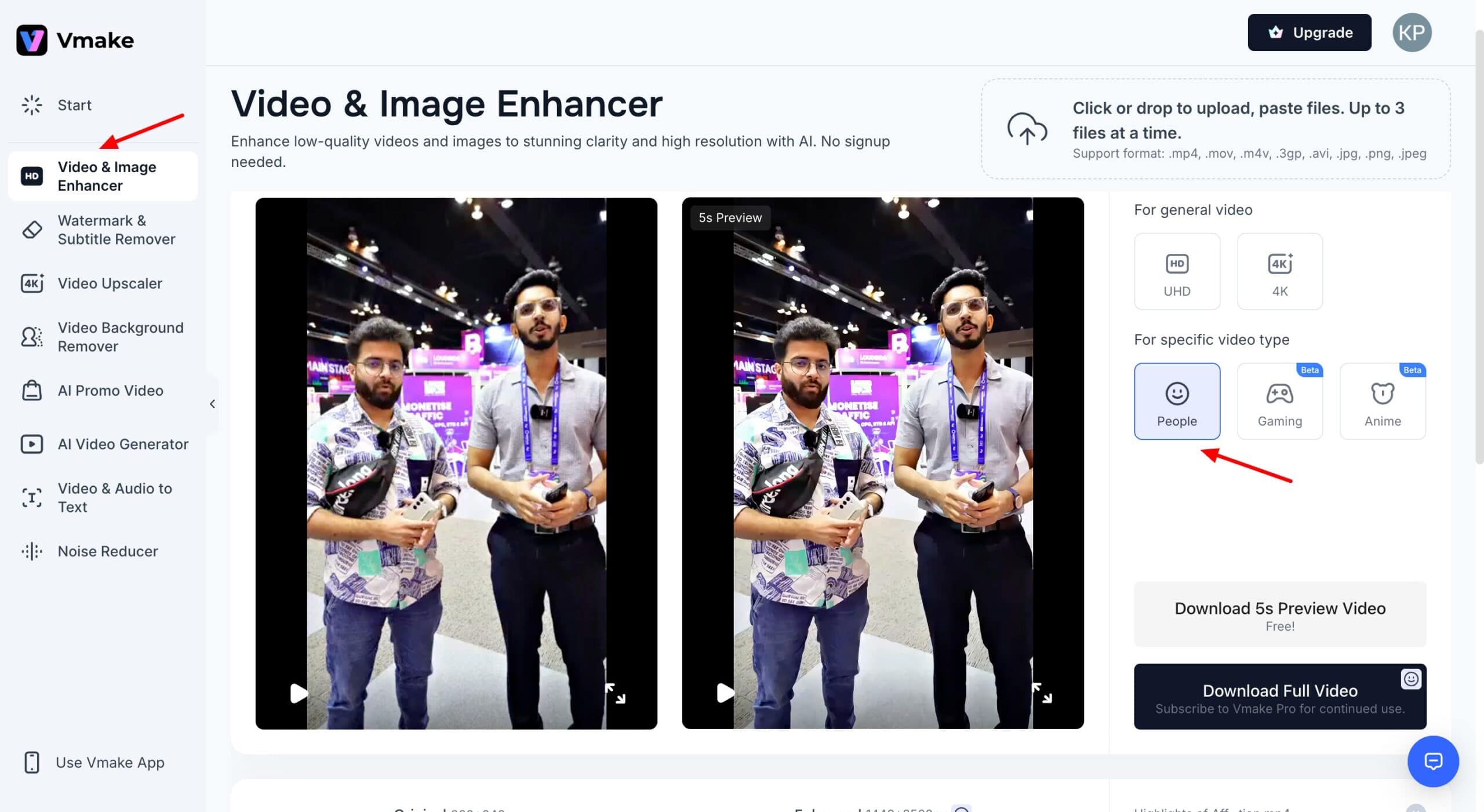
To get started with Vmake, go to the Video and Image Enhancer tool and upload your video. It lets you upload up to 3 videos at a time, and supports the following formats: .mp4, .mov, .m4v, .3gp, .avi, .jpg, .png, and .jpeg.
Within a few seconds, it generates an enhanced version of your video. The video quality looks significantly improved, and the blurry parts are sharper. However, the output can look somewhat filtered or animated. You can only download a 5-sec preview of your video for free.
Cons
- The output can look artificial or filtered.
- Can only download a 5-second preview for free.
Pricing
The free plan offers 5 AI credits and a free trial of the video enhancer tool. Its paid plan starts from $5.83/month.
3) Topaz AI
Topaz Labs is a professional photo and video editing studio powered by AI. In addition to the video enhancer, it features multiple tools for upscaling images, denoising, fixing lighting, and more. To start, visit the Free AI Video Upscaler tool within the Topaz AI dashboard.
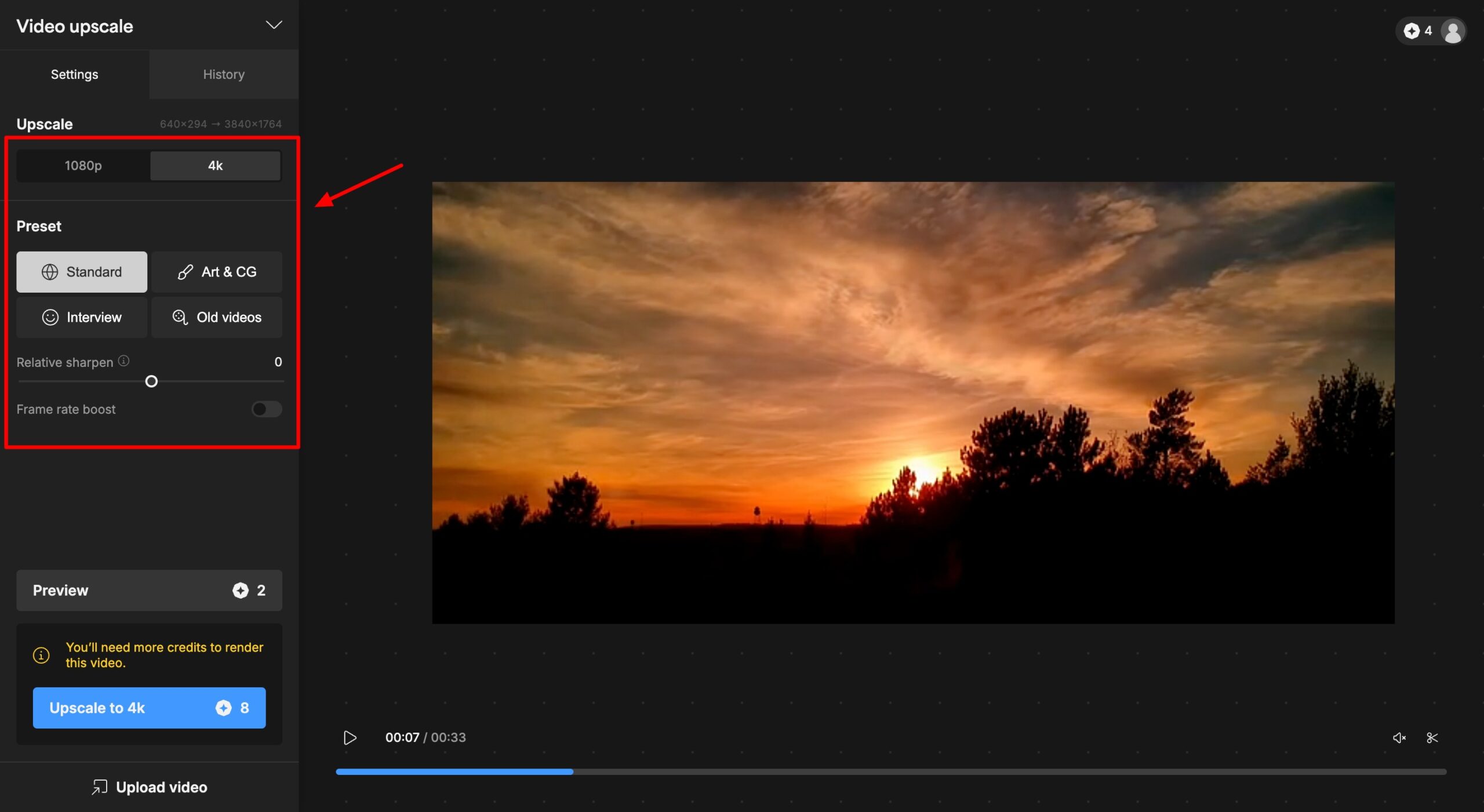
Upload your video to the dashboard. Choose an upscale quality (1080p or 4k). Both consume 8 credits. Then choose a preset (Standard, Art and CG, Interview, or Old Videos) and sharpen strength on a slider bar.
Your upscaled video is ready within a few minutes. Finally, you can download the output in MP4 format. In my experience, the upscaled version is sharper compared to the original video. It enhanced the video clarity. You can check out the before and after versions here.
Overall, if you need 4k video upscaling, Topaz Video AI is the perfect tool for you!
Cons
- UI is a little clunky.
- Download button is not visible on the dashboard.
Pricing
As you sign up for Topaz Labs, you are awarded 20 free credits (no watermarks). The videos are limited to 3 clips per week. Its Video AI subscription is available for $299.
4) TensorPix
TensorPix is an online tool for enhancing the quality of your images and videos. Besides the image and video enhancer, it also features an AI Image Generator and a Video Compressor. To get started, sign up with your business email or Google ID and go to the Video Enhance tab.
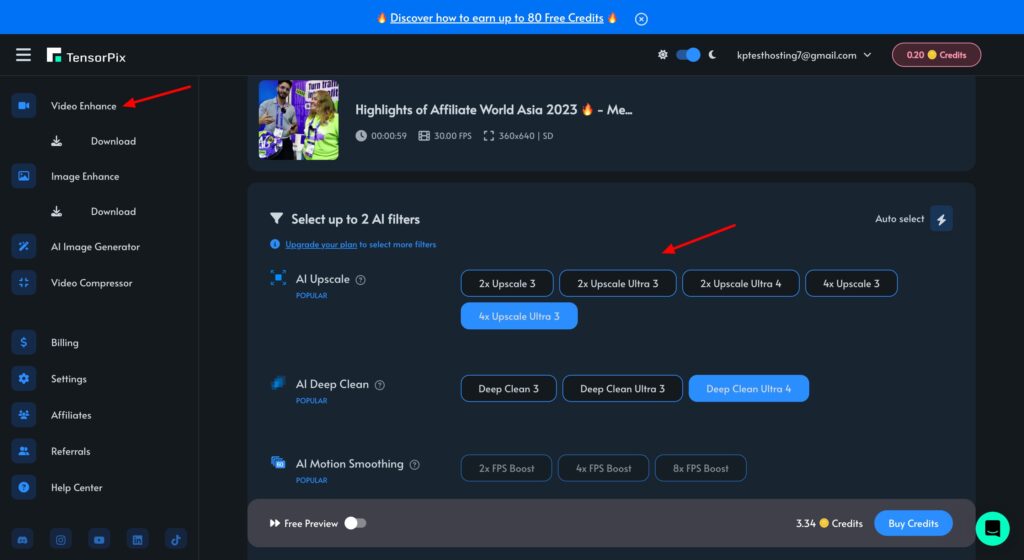
Upload your video footage and select any 2 filters from its options. It features multiple filters for AI Upgrade, AI Deep Clean, AI Motion Smoothing, etc. As you select the options, it will show you the credit consumption at the bottom. You can download 5-sec previews of your videos for free.
The results are pretty random. For some videos, you may note a significant improvement in sharpness. Whereas, for other videos, it may not perform well. The best thing about TensorPix is that the output doesn’t look artificially generated.
Cons
- Doesn’t work for all types of videos.
- Free credits are insufficient.
- Can only download 5-second previews.
Pricing
The free plan of TensorPix offers limited AI credits, 2 AI filters, and Up to 1080p video resolution. Its paid plans start from $5.5/month.
5) Vidnoz AI
Vidnoz is an AI-powered video generation platform. Along with video enhancement, it also offers AI talking photo, AI headshot generator, AI voice cloning, AI ChatPDF, and more. To get started with Vidnoz, go to the AI tools section and choose the Video Enhancer.
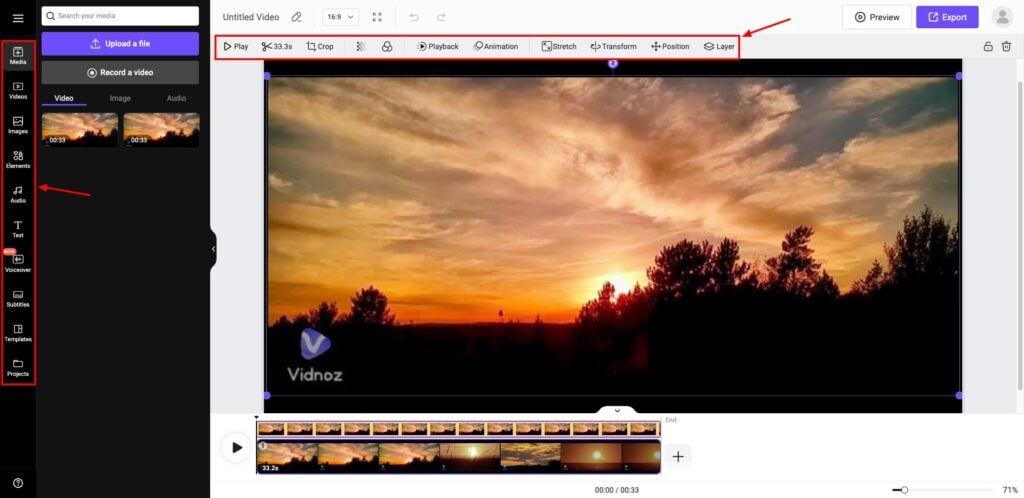
Upload your video to the dashboard. Once it’s generated, you can also edit it using the Vidnoz Video Editor. It offers all the basic video editing options like crop, animations, images, elements, audio, text, etc. You can export it with watermarks on the free plan.
Overall, Vidnoz is great for color correction. But it doesn’t enhance the video’s sharpness or quality. If you need to enhance colors in your videos, check it out!
Cons
- Daily limit is very low.
- Doesn’t enhance video quality.
Pricing
The free plan of 15 seconds of video enhancements every 24 hours. For extended limits, you can upgrade to its paid plan for $19.99/month.
6) Fotor Video Enhancer
Fotor is an online image editing and graphic design platform. It features a range of AI tools, including AI headshot generator, AI background remover, AI face swap, Ghibli art generator, AI video enhancer, video generator, Ghibli video generator, and many more.
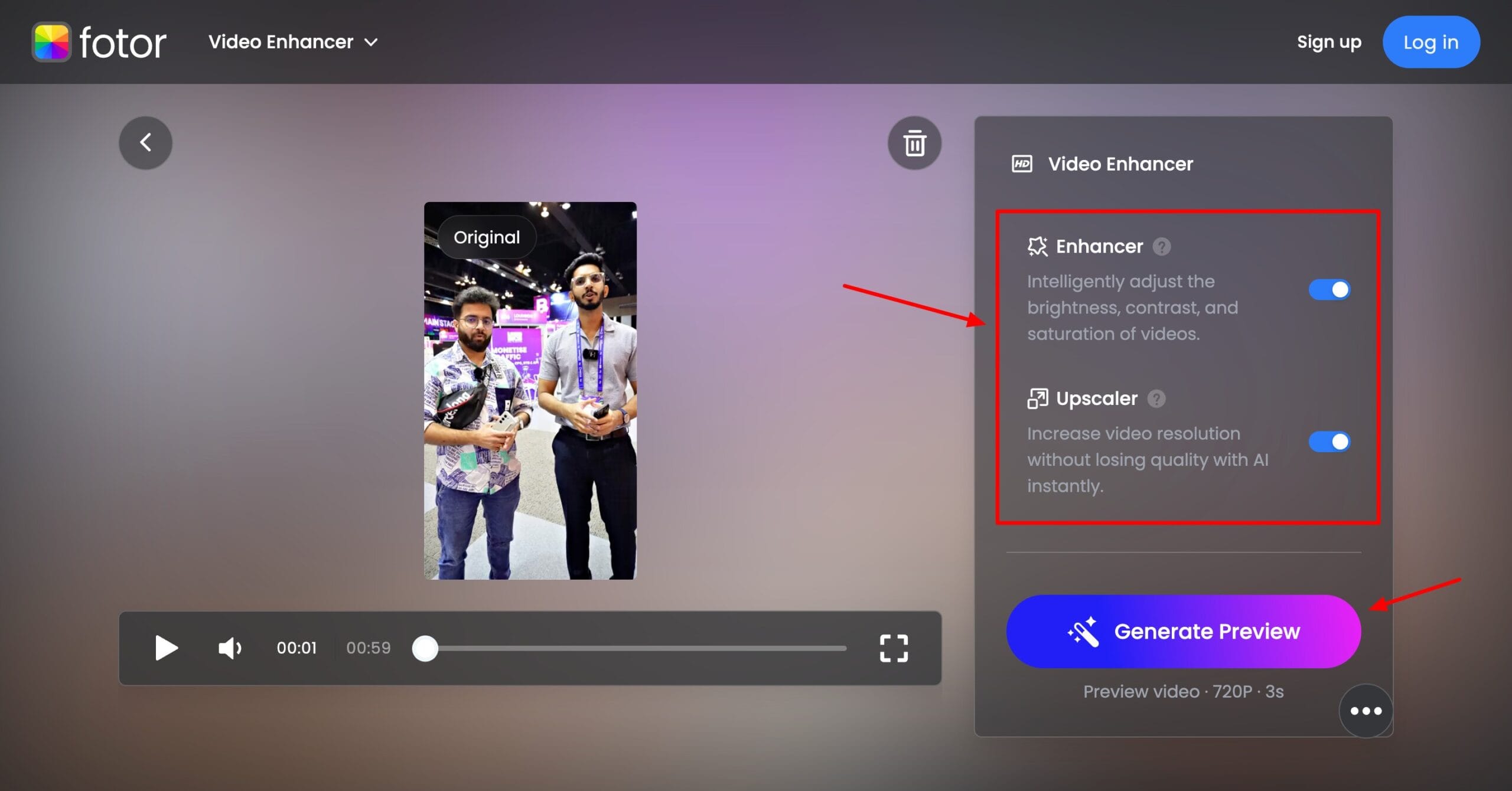
To start with Fotor, simply select the AI video enhancer from its menu and upload your video. It supports up to 5 minutes of video uploads in MP4, MOV, and WEBM formats. It lets you select if you wish to use the Enhancer, Upscaler, or both.
It generates a preview video within a few minutes. You can notice an instant pop and sharpness in the colors. However, there is no major difference seen in the video quality. If you want to color correct your video, you can try Fotor AI.
Cons
- Limited free credits.
- Can only download a 3-second video preview for free.
Pricing
The free plan offers limited AI credits for 20+ generative AI tools and lets you download a 3-second preview. For Full HD downloads, you can upgrade to its paid plans for ₹83.25/month.
7) Remaker AI
Remaker AI is a platform featuring AI photo and video editing tools. To start with, simply head over to the AI tools section on its homepage and select the AI Video Enhancer. Next, upload your video. It supports videos up to 30 minutes and a maximum of 500 MB in size.
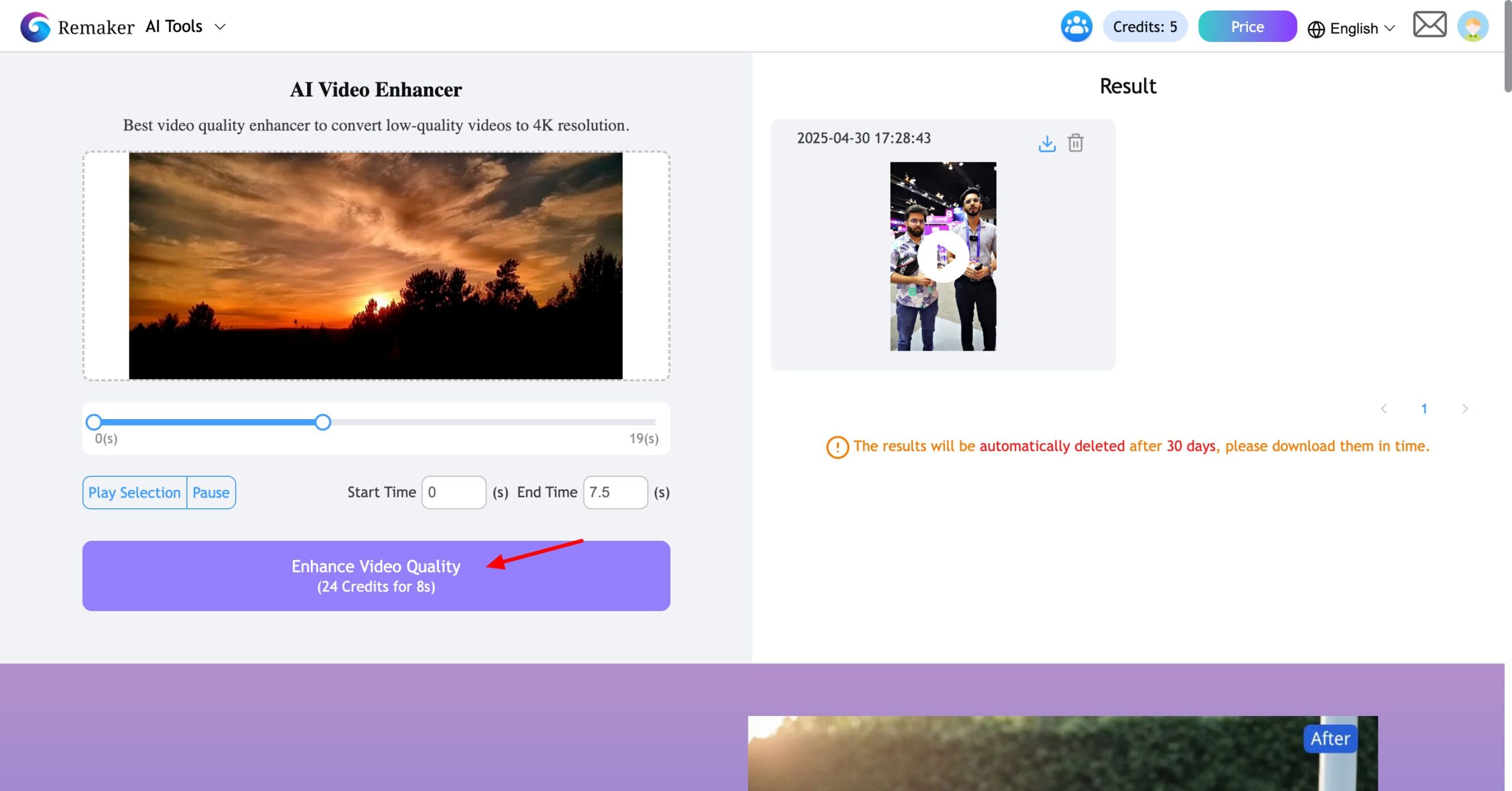
It displays the number of credits to be consumed for your enhancement. The output is quite disappointing, though. It transforms your video into a completely animated form. The facial details look filtered.
If you just want to test out how video enhancers work, go ahead! But for professional videos, I won’t recommend this tool.
Cons
- The output looks animated and heavily filtered.
- Only signing up with a Google account is supported.
- Only exports 5-second video previews.
Pricing
The free plan offers 30 free credits on sign up, where 3 credits are consumed for every 1 second of video enhancement. Its paid plans start from $2.99 for 150 credits.
Benefits of Using AI Video Enhancers
There are a range of benefits of using AI-powered video enhancers. Let’s discuss the major ones below.
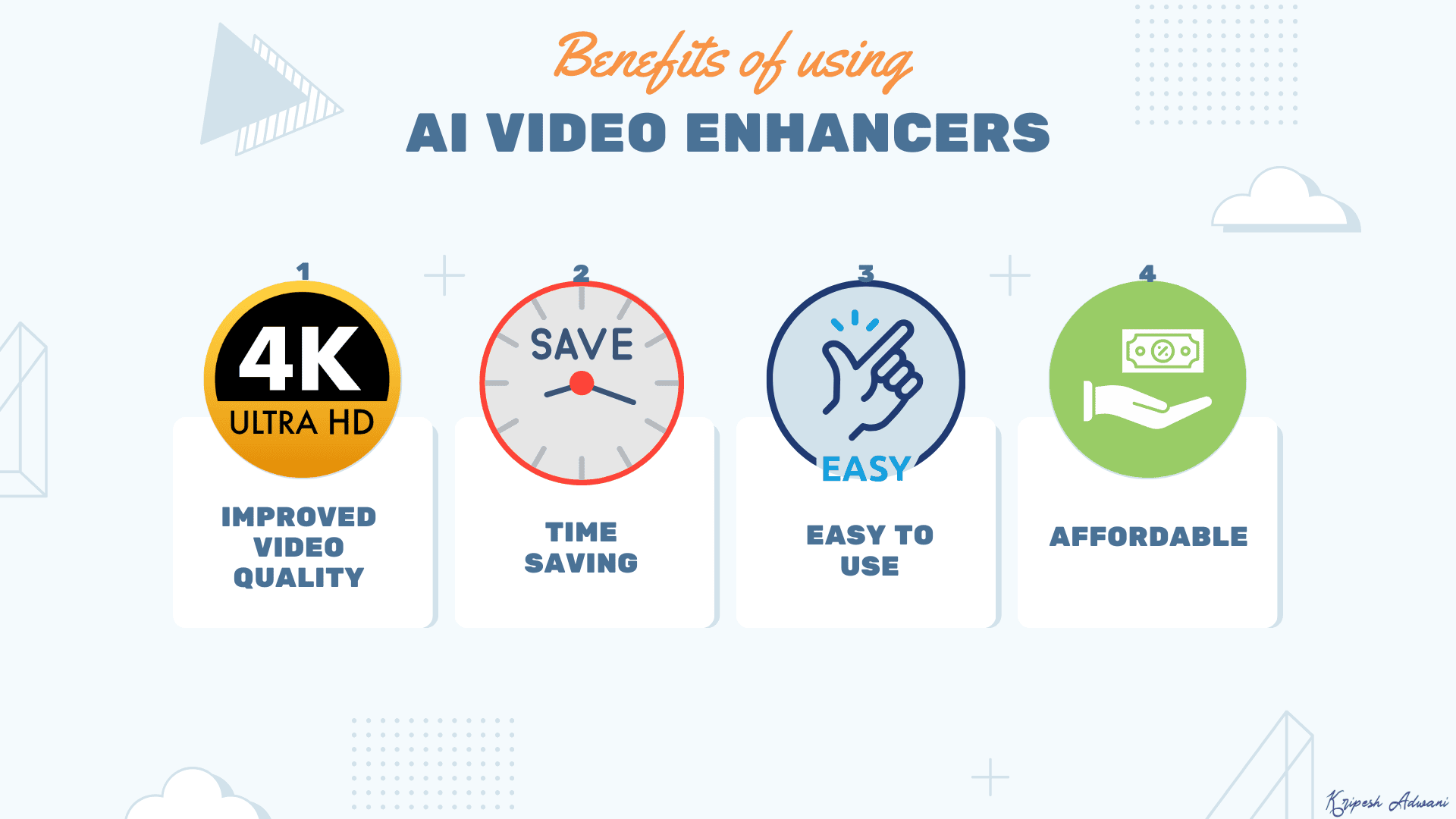
1. Improved Video Quality
Artificial intelligence can help you upscale the resolution of your videos, make blurry footage sharper, lower noise, and improve the colors. Thus, it can help transform blurry, low-resolution videos into sharper, vibrant ones.
2. Time Saving
By using AI video enhancers, you can cut down hours of manual editing work. It only takes a few minutes to enhance your videos with AI.
3. Easy to Use
There’s no learning curve or video editing skills required to work with these tools. Simply upload your video, and the AI takes care of everything else with a few clicks!
4. Affordable Solution
Hiring an editor or buying video editing software can be expensive. With AI video enhancers, you can get professional-quality results at a fraction of the cost.
How We Tested the Best AI Video Enhancers?
To test the best AI video enhancers, we surfed the web and created a list of the best tools available. We tested each tool with multiple videos with grainy footage and analyzed them on the following factors:
- Output quality
- Ease of use
- Speed of enhancing
- Formats supported
- Export options
- Pricing
Based on these factors, we ranked the tools on our list.
Why Should You Trust Me?
I have been working full-time in the digital industry since 2015. In all these years, I’ve used and tested hundreds of AI tools, including AI Video Generators, AI voice generators, AI website builders, AI art generators, AI logo generators, and more.
I’ve spent a few days thoroughly testing the above AI video enhancers. Experimenting with all these tools has given me immense experience and expertise to recommend the best ones for your requirements.
Conclusion
In this article, we looked at the Best AI Video Enhancer for 2026. If you’re after professional-level results, Topaz AI stands out with its sharp 4K upscaling. But for simpler enhancements, tools like Cutout Pro and Vmake AI are great starting points.
Whether you’re polishing videos for social media, marketing, or personal use, AI video enhancers can be a valuable asset for you. Anyway, have you used any AI video enhancer before? Do you have any suggestions for us? Share them in the comments below!
If your work revolves around video content, check out these Best AI Video Generators for some amazing ideas! To stay updated with the ins and outs of the AI world, make sure to subscribe to my AI newsletter.
Anyway, this is Kripesh signing off. I’ll be back with more interesting content soon. Cheers and keep learning. 🙂