Open your phone’s gallery and look—how many photos have you rejected from posting on social media? Blurry pictures, unclear visuals, or images that didn’t meet the size or resolution requirements of the platform? If you’re a content creator or a freelancer, the struggle is even more real.
So, you need high-quality visuals, but often can’t afford expensive tools or editing software. That’s where AI Image Upscalers come in—no more pixelated photos or tedious manual edits. With just one click, these tools can boost image resolution by up to 16X, sharpen details, and even restore old or damaged photos.
However, not all AI upscaling tools are safe, fast, or worth your time. That’s why I’ve tested several and curated this list of the Best AI Image Upscalers in 2026. You’ll find 11 top tools here—8 of them completely free.
Ready to find the perfect match for your needs and budget? Let’s dive in!
What is AI Image Upscaling?
AI Image Upscaling is the process of increasing the resolution of an image using artificial intelligence. For example, you can restore old, blurry family photos, enhance sharpness, and improve overall clarity to breathe new life into your visuals.
Instead of manually adding pixels or adjusting sharpness, we can take the help of AI tools. All you need to do is upload your images on their app or website and receive refined versions within seconds.
Want a step-by-step tutorial? Check out our guide on How to Upscale an Image Using AI.
Testing Parameters
As someone who regularly creates content for blogs, newsletters, and digital platforms, high-definition visuals are essential to my workflow. Recently, AI image upscaling tools caught my attention, and I explored both free and paid alternatives available.
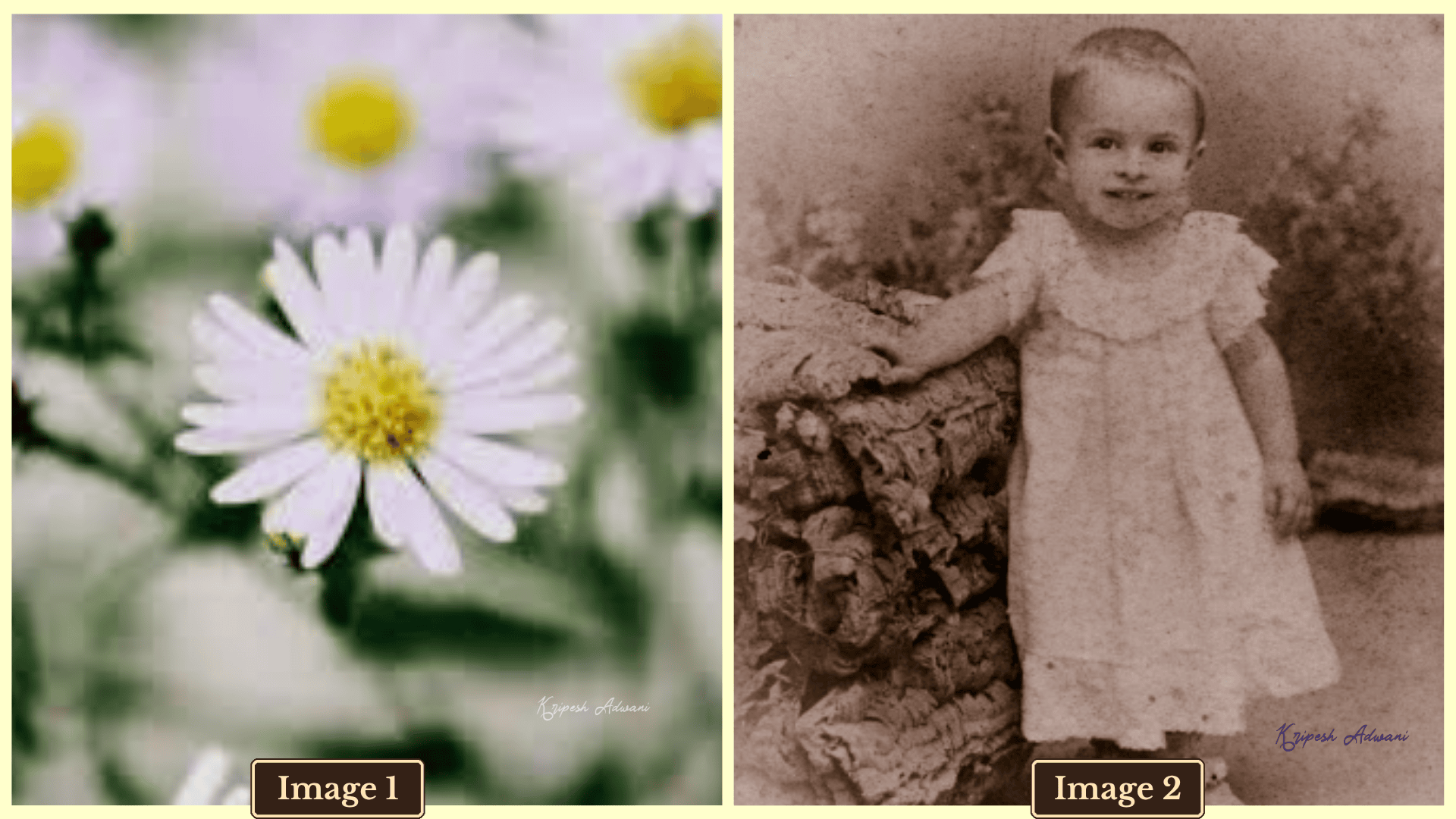
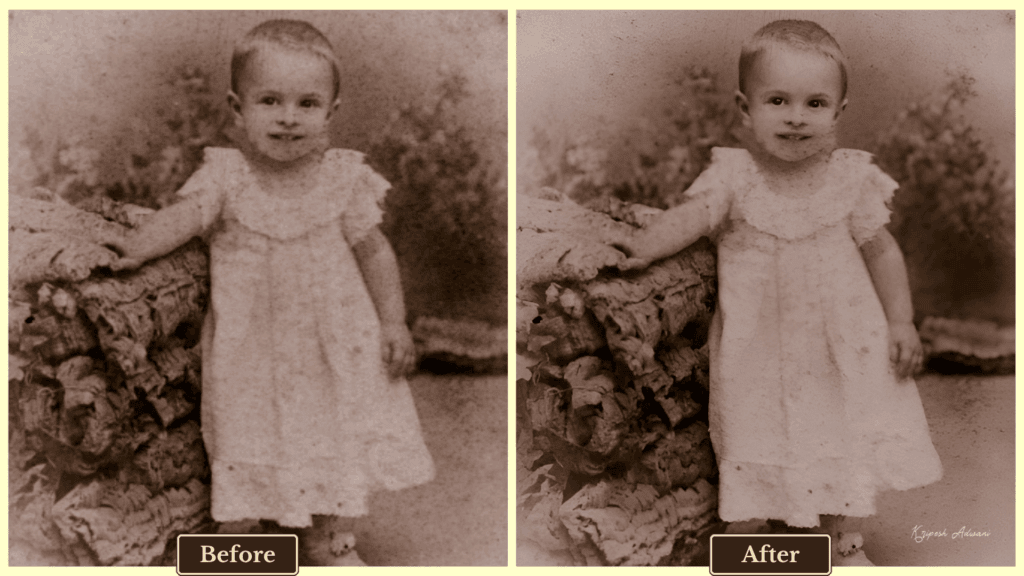
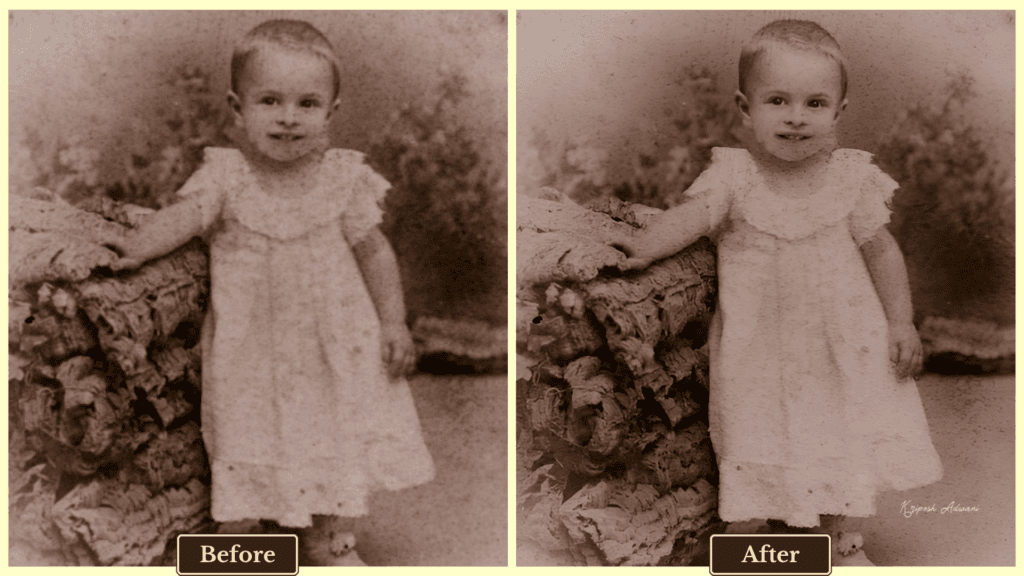
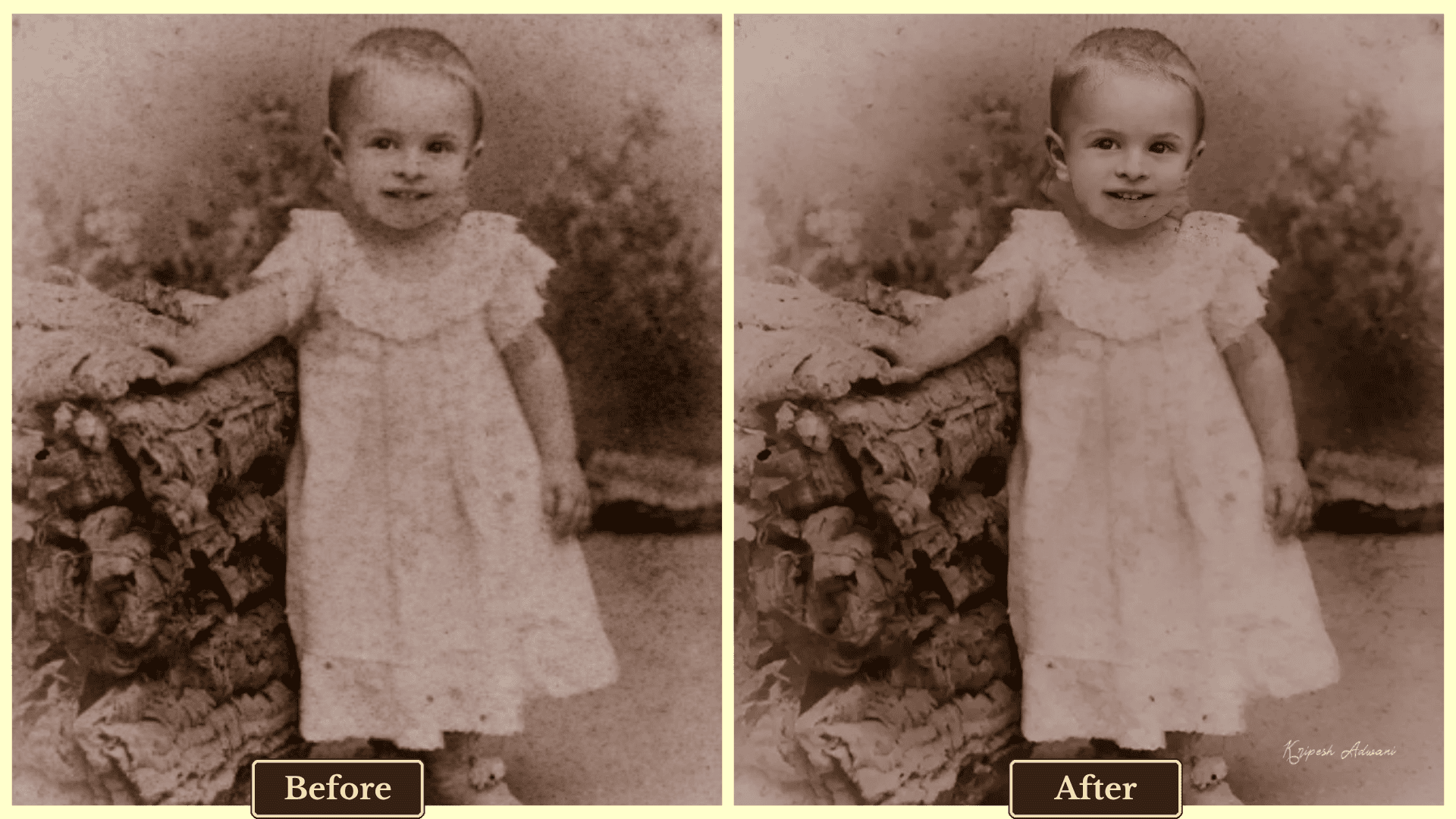
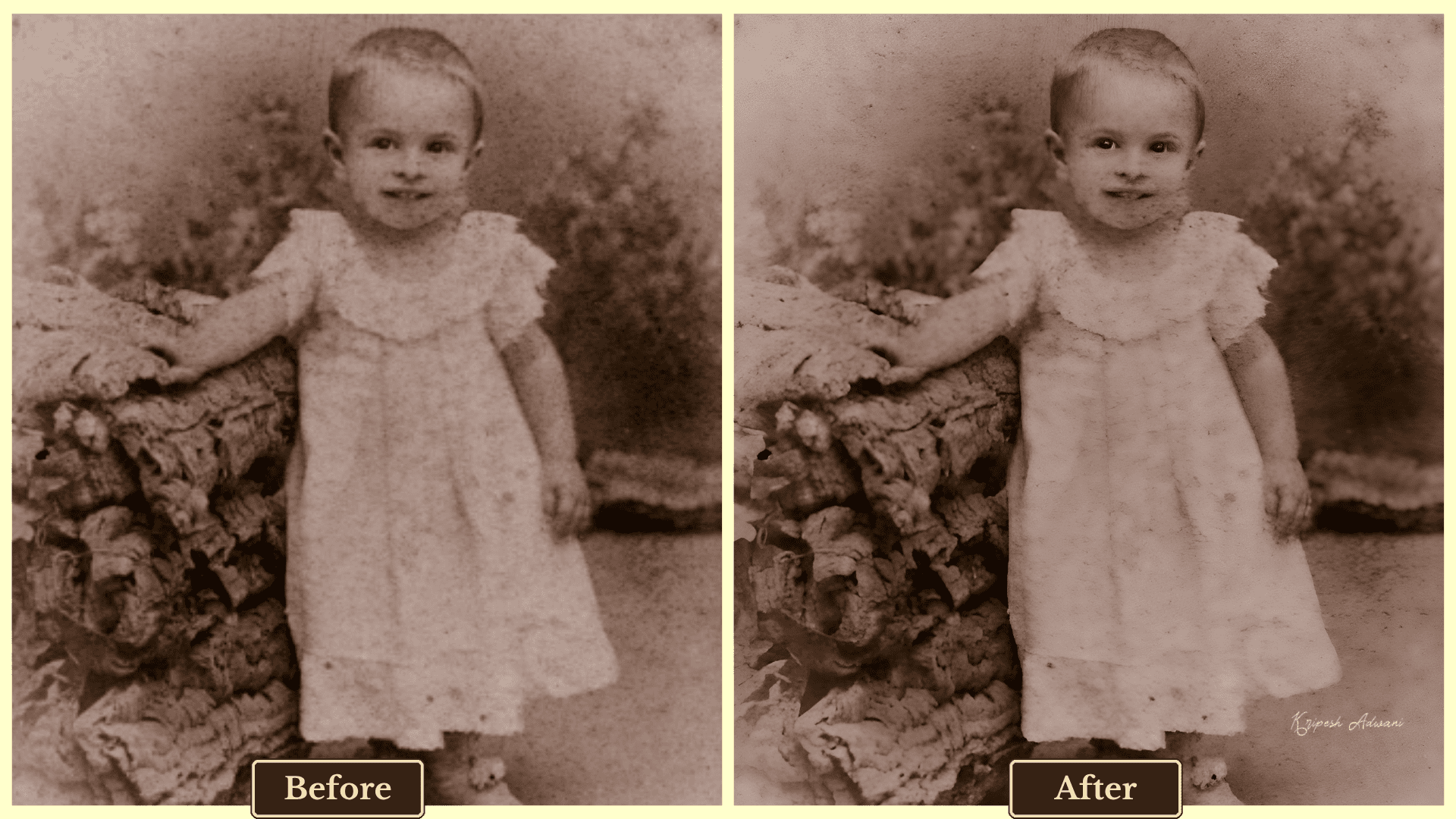
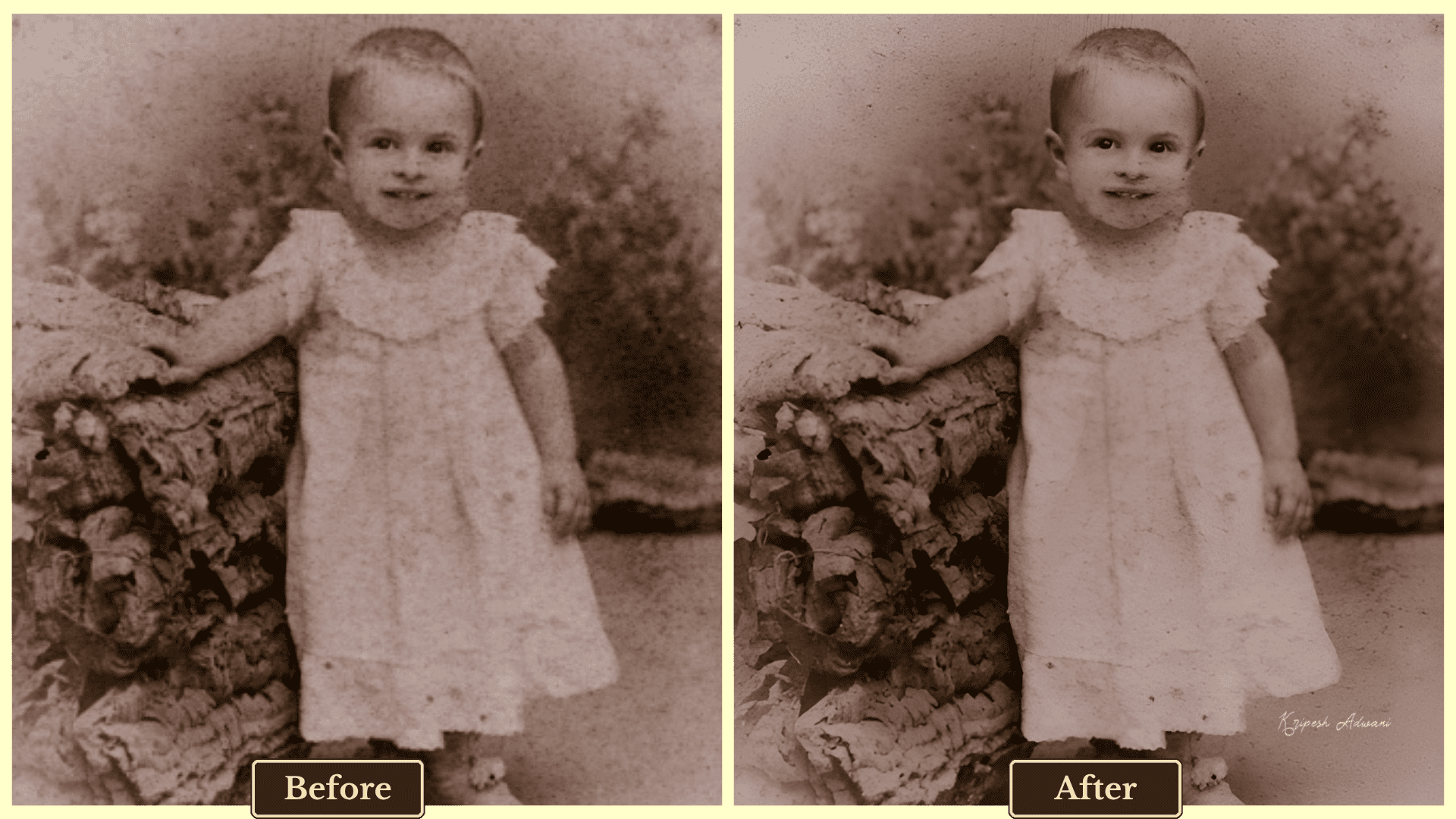
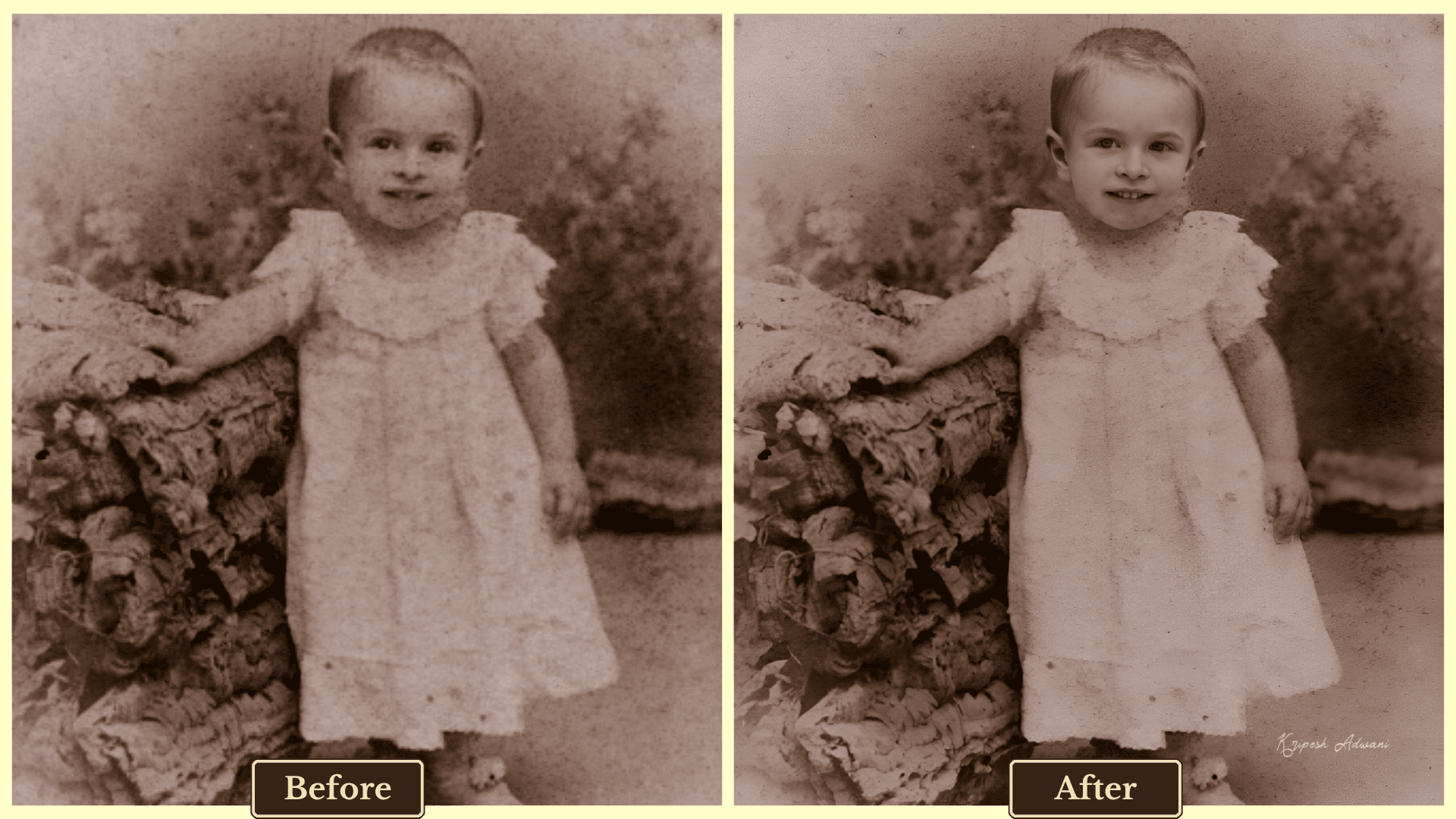
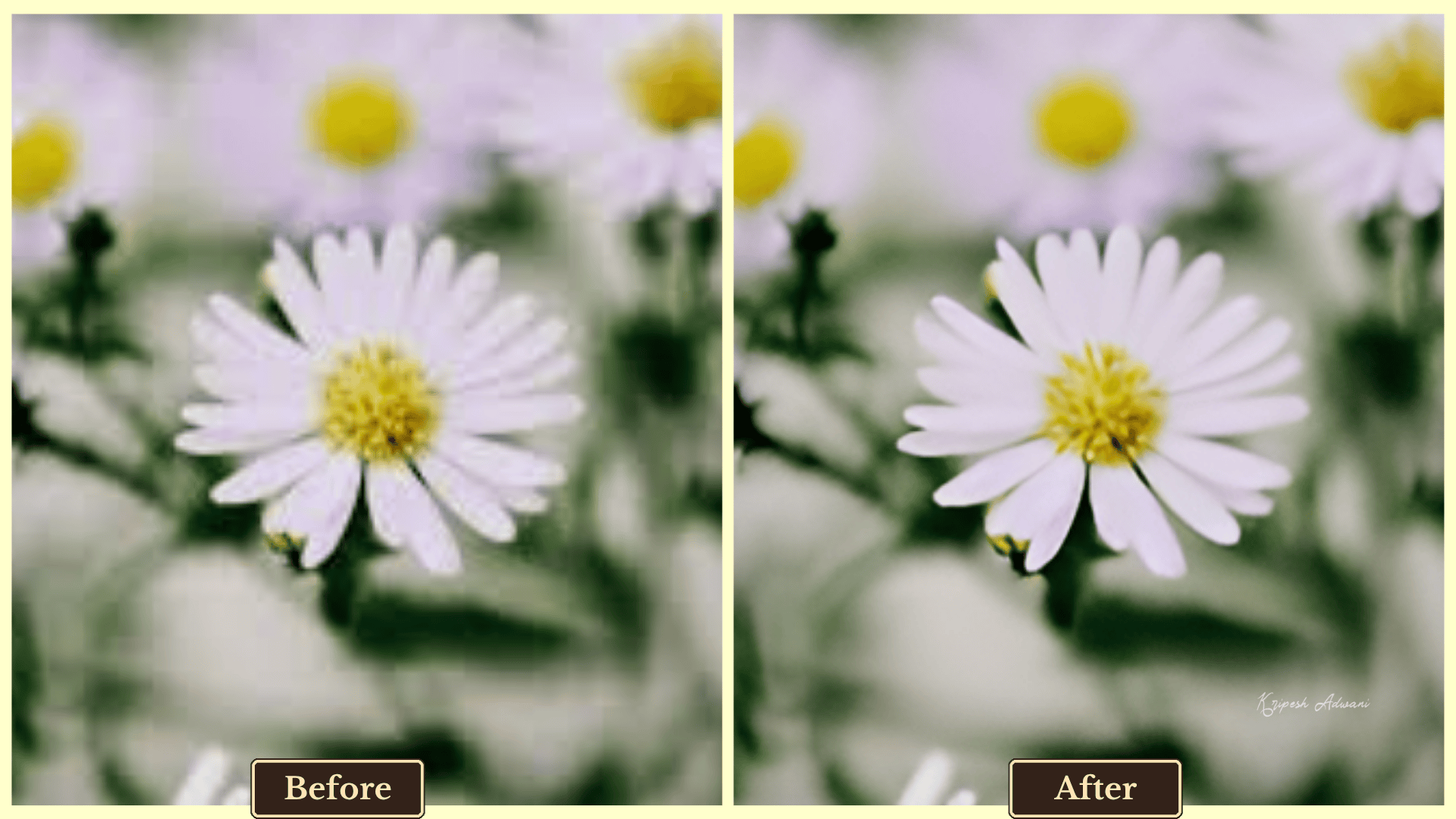
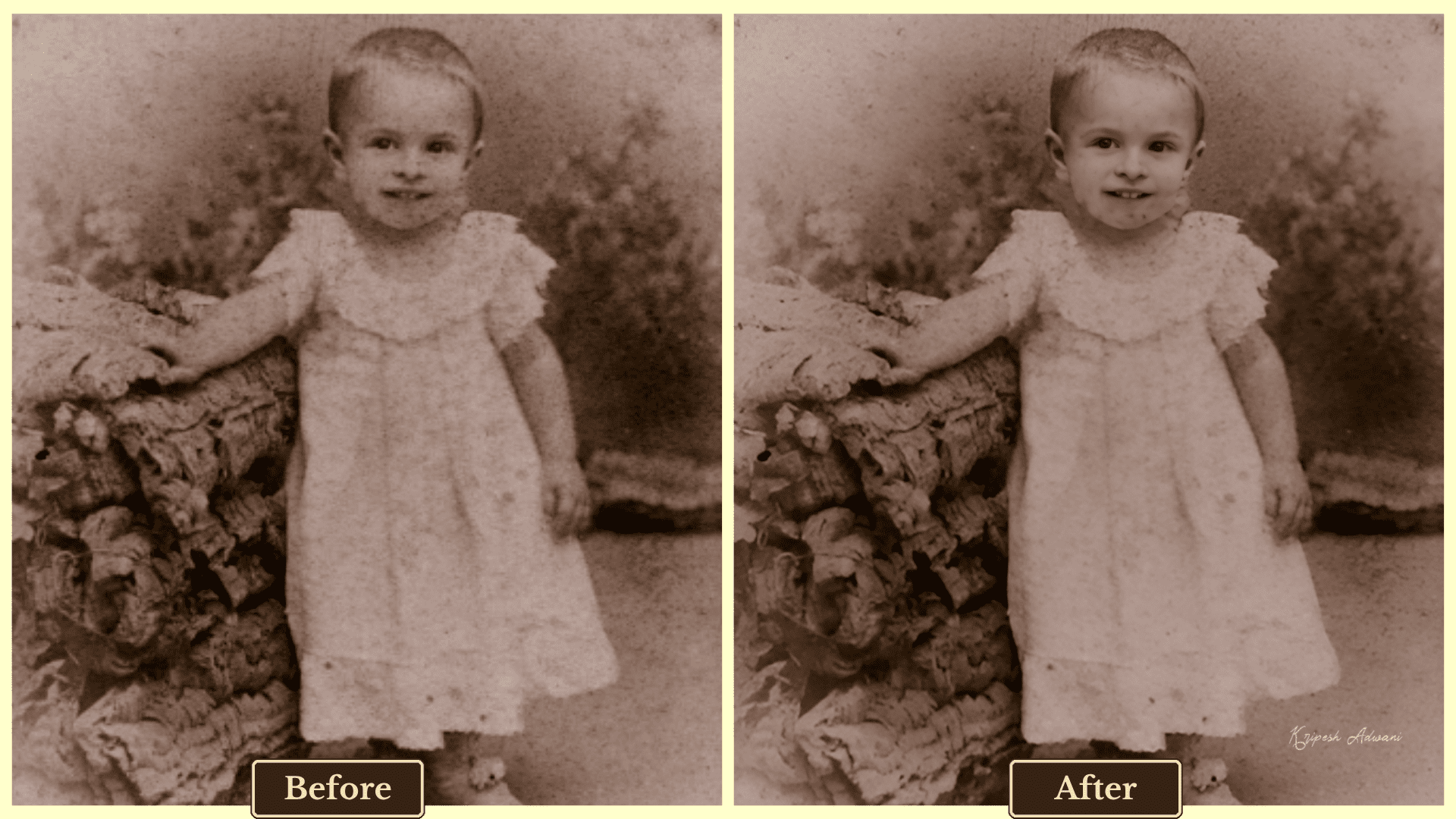
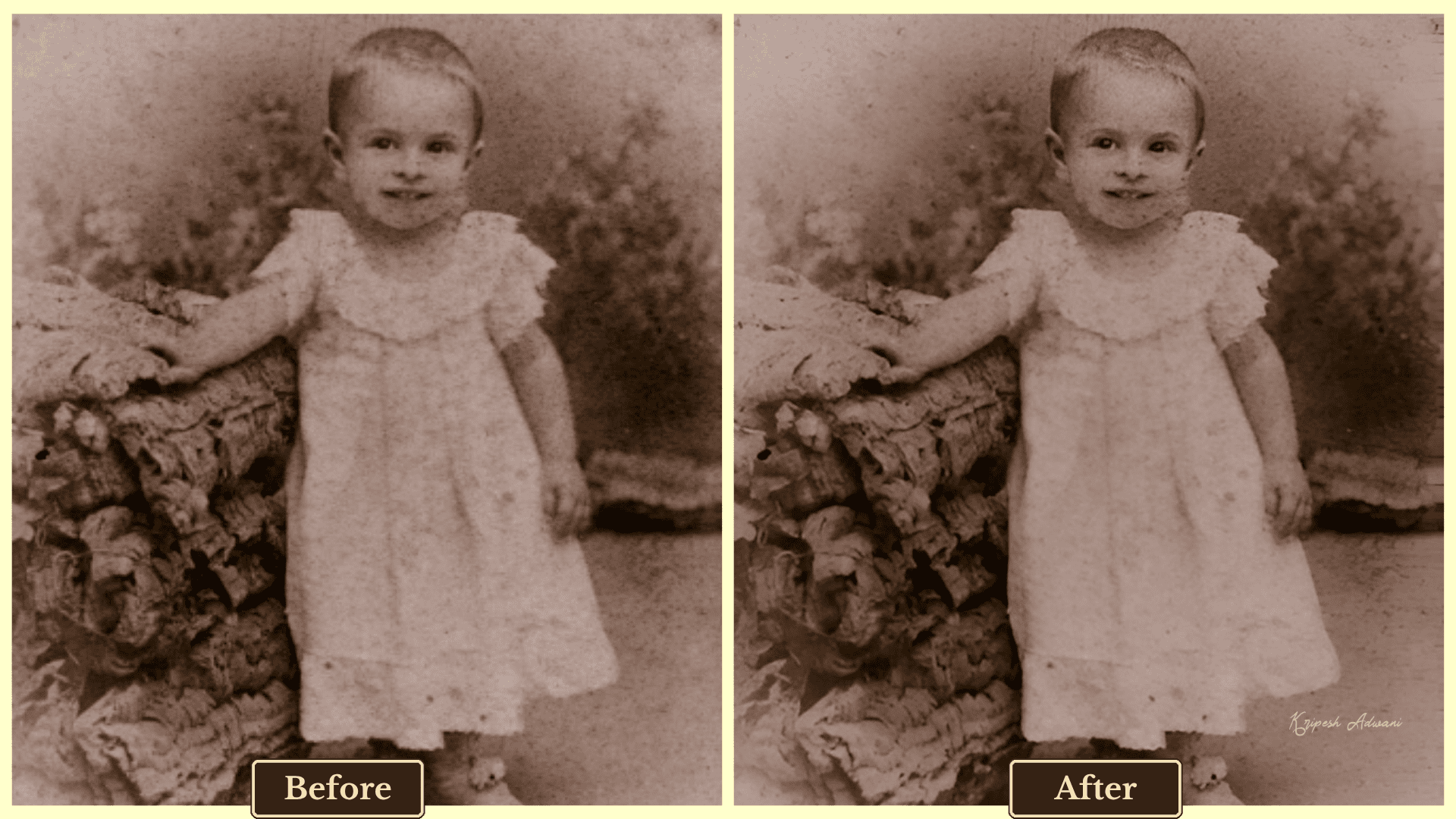
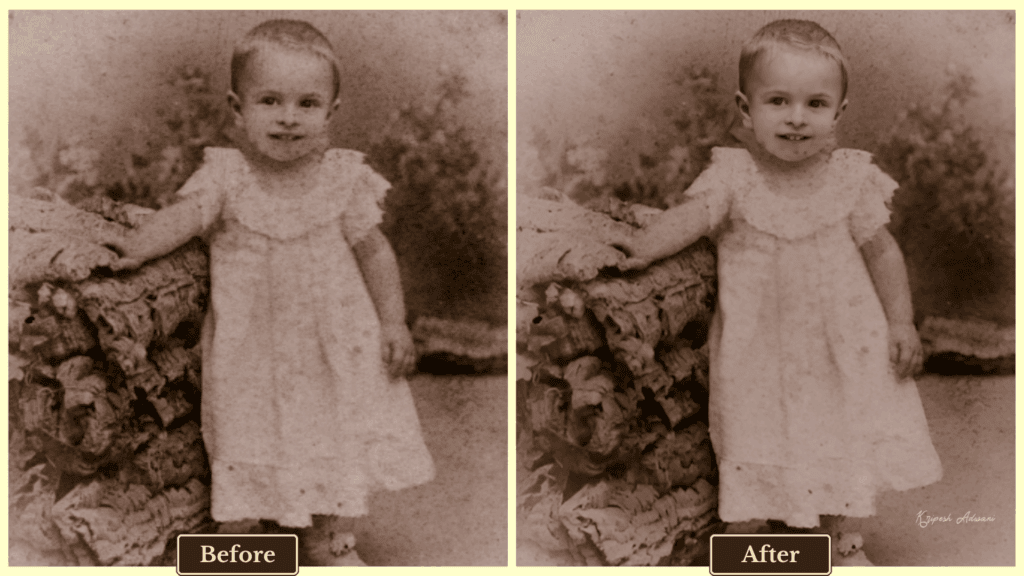
While testing, I discovered that not all tools deliver on their promises. To separate the truly effective tools from the hype, I used the above two reference images. I took the following parameters into consideration:
- Output quality
- Maximum supported resolution
- Free version limitations
- Pricing for premium plans
- Additional editing features (e.g., denoising, sharpening)
- Processing speed
After personally testing each tool with multiple images, I finally shortlisted the following 11 AI image upscaling tools.
Best AI Image Upscalers (Comparison Table)
| Tool | Maximum Upscale | Free Limits | Pricing | Best for |
| Freepik | 16X | 10 exports/day2 image upscale/day at 2K resolution (2048px) | ₹4,796.70/year | Beginners and Professional Marketers |
| iLoveIMG | 4X | Not AI credit-based | ₹2,400/year/user | Students and non-tech-savvy users |
| PixelBin | 8X | 10 AI credits10 image exports | $44.99/year | E-commerce sellers and Marketers |
| Upscale.Media | 8X | 3 AI credits3 image exports | ₹3,847.44/year | Photographers and Content creators |
| Img.Upscaler | 400% | 20 AI credits/month20 image exports | $19/year | Digital artists and Freelancers |
| Imggen.AI | 8K | Not AI credit-based | Free | Freelancer designers and AI Art Creators |
| PicsArt | HD | 5 AI credits/week | ₹2400/year | Mobile content creators and Influencers |
| Pixelcut | 4X | Limited | $96/year | Mobile users and Small business owners |
| Canva | 16X | Paid | ₹4000/year | Non-experienced designers and Digital Marketers |
| HitPaw Photo Enhancer | 8K | Paid | $89.99/year for Windows$99.99/year for Mac | Photographers and Video editors |
| Upscayl | 16X | Paid | $89.99/year | Linux/Mac users and Startup owners |
Best Free AI Image Upscalers
1) Freepik
| Platform | Web and Mobile |
| Input file type | JPG, JPEG, WEBP, and PNG |
| Export file type | PNG, JPG, and SVG |
| Official website | Visit Freepik |
Freepik’s Image Upscaler, launched in 2010, has gained popularity among designers and editors. In my testing, the results surprisingly exceeded expectations, which is why it ranks in the top position on my list.
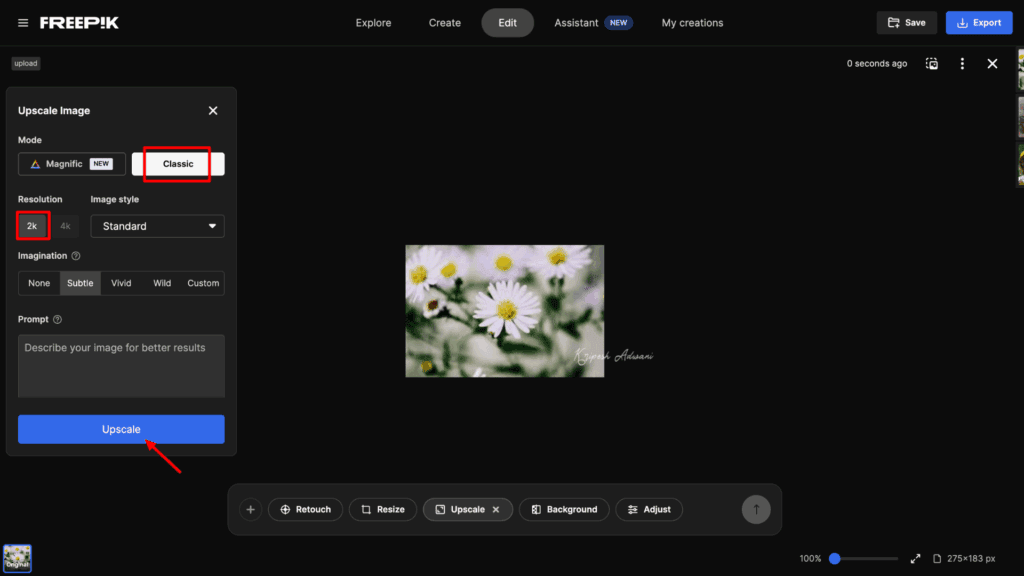
The upscaler offers two modes. Classic Mode (Free) supports 2K and 4K image upscaling with style options like Standard, Portrait, and Digital Art. Magnific Mode (Paid) offers advanced upscaling (2X, 4X, 8X, 16X) along with customization settings like HDR, image optimization, creativity levels, and resemblance adjustments.
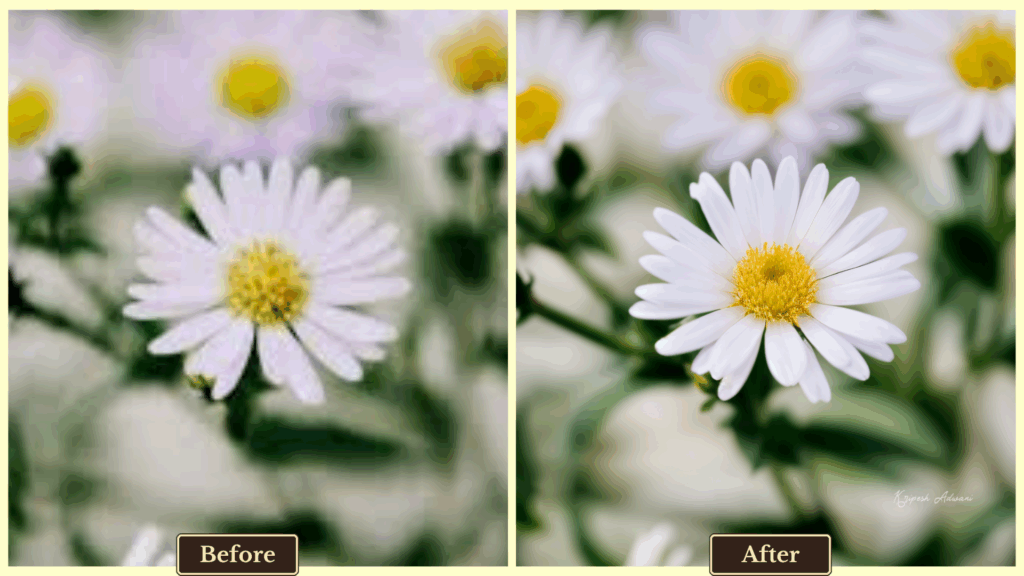
For this review, I tested the Classic Mode at 4K resolution. The image appeared clear and sharp, even when the original photo was slightly blurred or distorted. It also restored old photographs impressively well, despite not having a dedicated face enhancement feature.
There’s no free trial for the Magnific Mode, but if you’re serious about quality upscaling, I highly recommend giving it a try. You’ll hardly find a better alternative available across both web and mobile platforms.
Additional Features
- Retouch: Use text prompts to sharpen images, remove imperfections, and enhance overall quality.
- Resize: Easily change the aspect ratio to fit various platforms and formats.
- Adjust: Fine-tune your image by modifying settings like lighting, tint, color balance, and applying preset effects.
Pricing
Freepik’s free plan only allows 2 image upscales per day at 2K resolution and a total of 10 exports per day. It offers four pricing plans: Essential, Premium, Premium+, and Pro. The Essential plan costs ₹4,796.70 per year and includes 84,000 AI credits, a commercial license, and access to AI editing features. The Premium+ plan offers unlimited downloads, 216,000 credits, and additional benefits for ₹10,266.00 per year.
Limitations
- Magnific mode is only available with a paid plan.
- Free plan limits you to 2 image upscales per day at 2K resolution.
Ideal For
- Beginners who need occasional upscaling.
- Professional marketers and designers are seeking high-resolution image enhancement.
2) iLoveIMG
| Platform | Web, Desktop, Mobile |
| Input file type | JPG and PNG |
| Export file type | JPG |
| Official website | Visit iLoveIMG |
You’ve probably used iLovePDF to convert or compress PDF files. iLoveIMG is the AI-powered online photo editing tool from the same providers, and it’s one of the easiest apps I’ve tested.
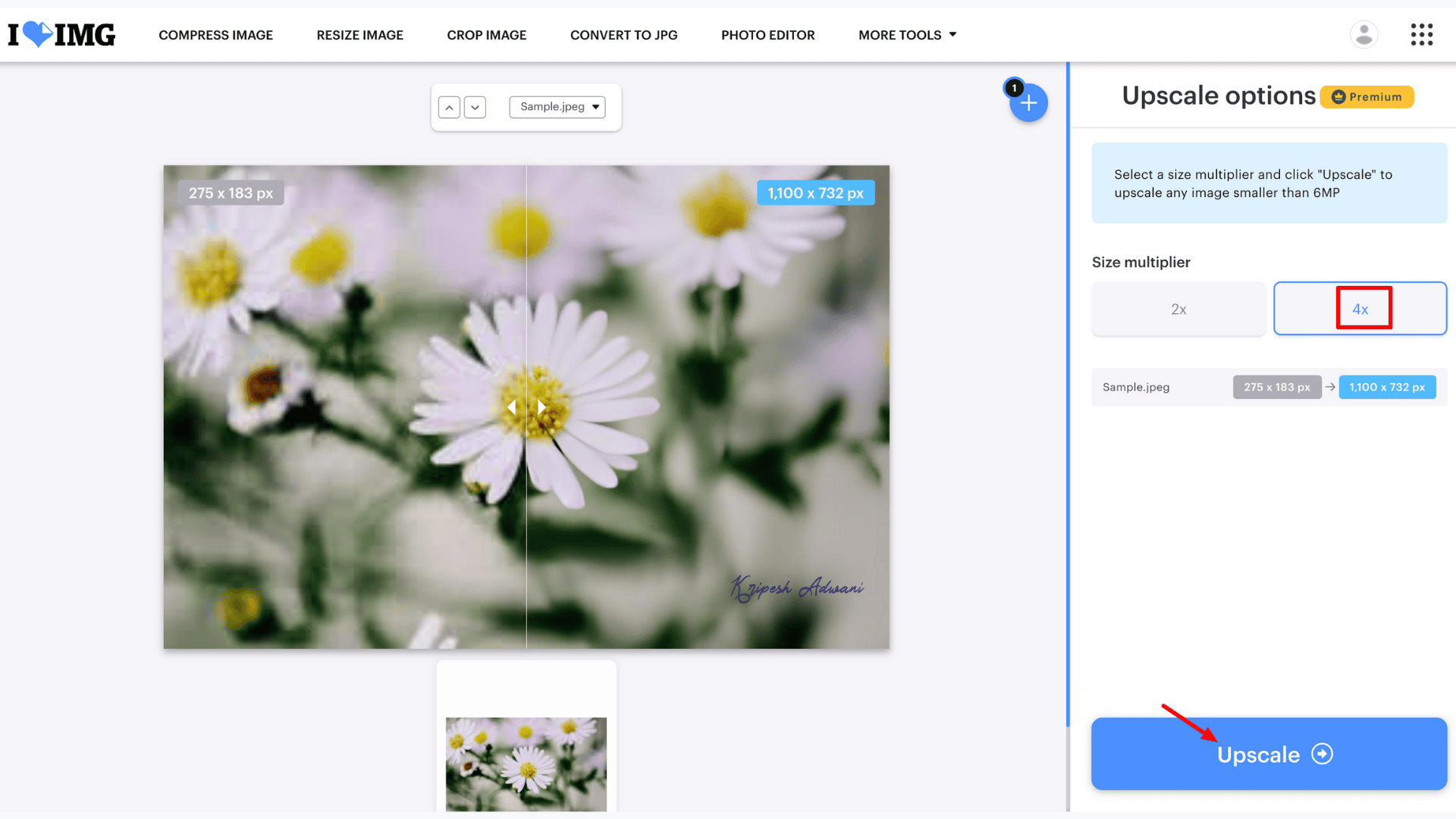
Upon visiting the site, you simply upload an image, choose the upscale size (2X or 4X), and the tool delivers results within seconds. You can upload images up to 6MP resolution.
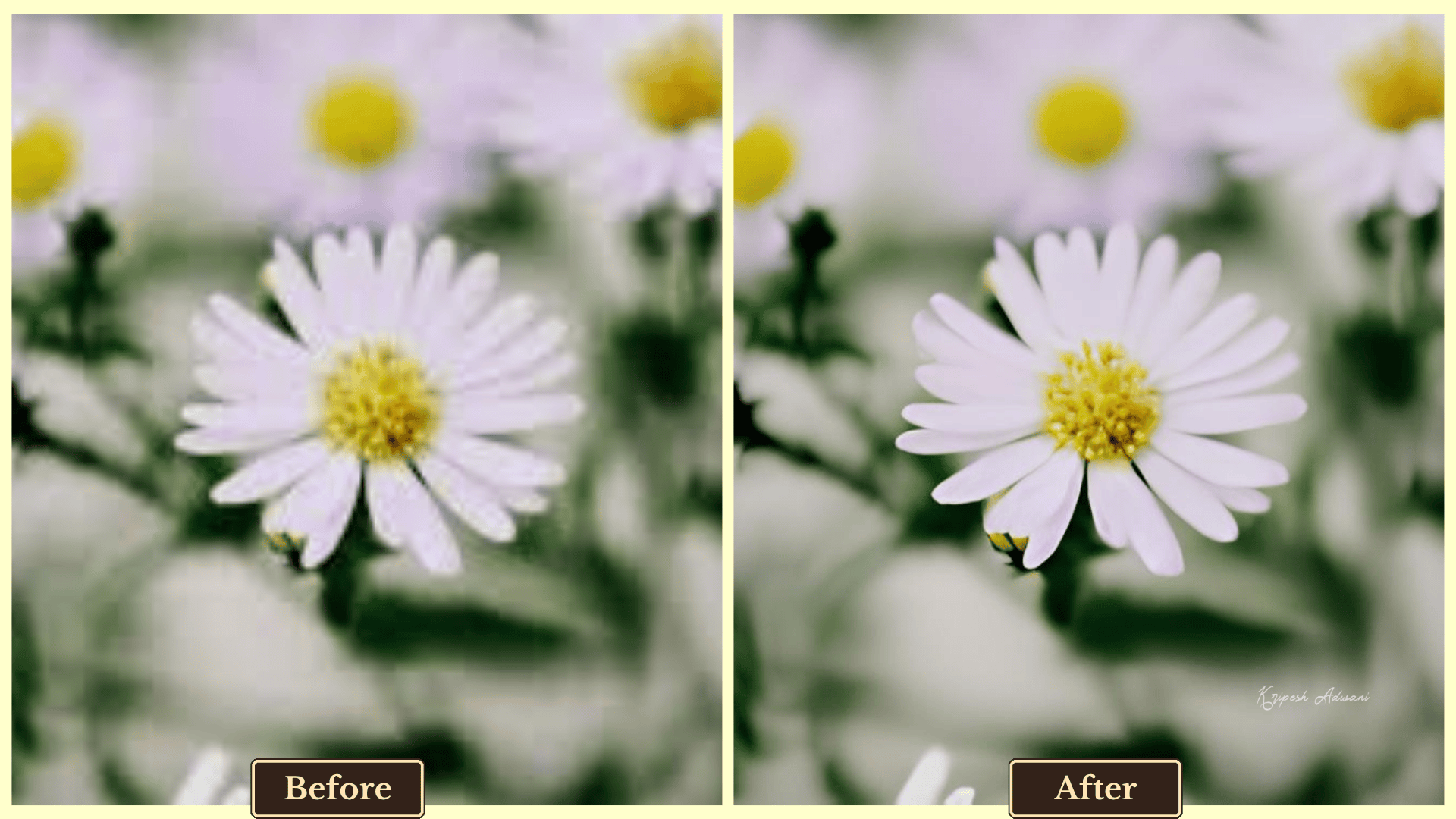
The output is nearly as accurate as Pixelcut. Best of all, since it’s not based on AI credit usage, you can upscale unlimited images.
Additional Features
- Compress Image: Reduce any type of image (JPG, PNG, SVG, or GIF) files without losing quality.
- Converter: Convert between image formats, such as PNG to JPG or JPG to GIF, for use across various platforms.
- Online Editor: Add stickers, text, and effects for quick, professional-looking edits.
Pricing
The free version of iLoveIMG gives you access to basic tools and limited document processing, but it works only on the web. iLoveIMG offers two pricing plans: Premium (for individuals) and Business (for teams). The Premium plan costs ₹2,400 per year for a single user and includes full access to all tools, cross-platform support, and an ad-free experience.
Limitations
- No batch processing in the free plan.
- Free users can’t access the app on multiple devices.
- Ads are shown while editing.
Ideal For
- Students and educators needing quick, lightweight image enhancements.
- Non-tech-savvy users looking for a clean and simple UI.
3) PixelBin
| Platform | Web and Mobile |
| Input file type | JPEG, PNG, and WEBP |
| Export file type | JPEG, PNG, and WEBP |
| Official website | Visit PixelBin |
PixelBin is already a well-known AI-powered photo editor, trusted by over 58 million users for bulk image transformation and generative editing. It also offers a dedicated AI Image Upscaling tool with added smart features.
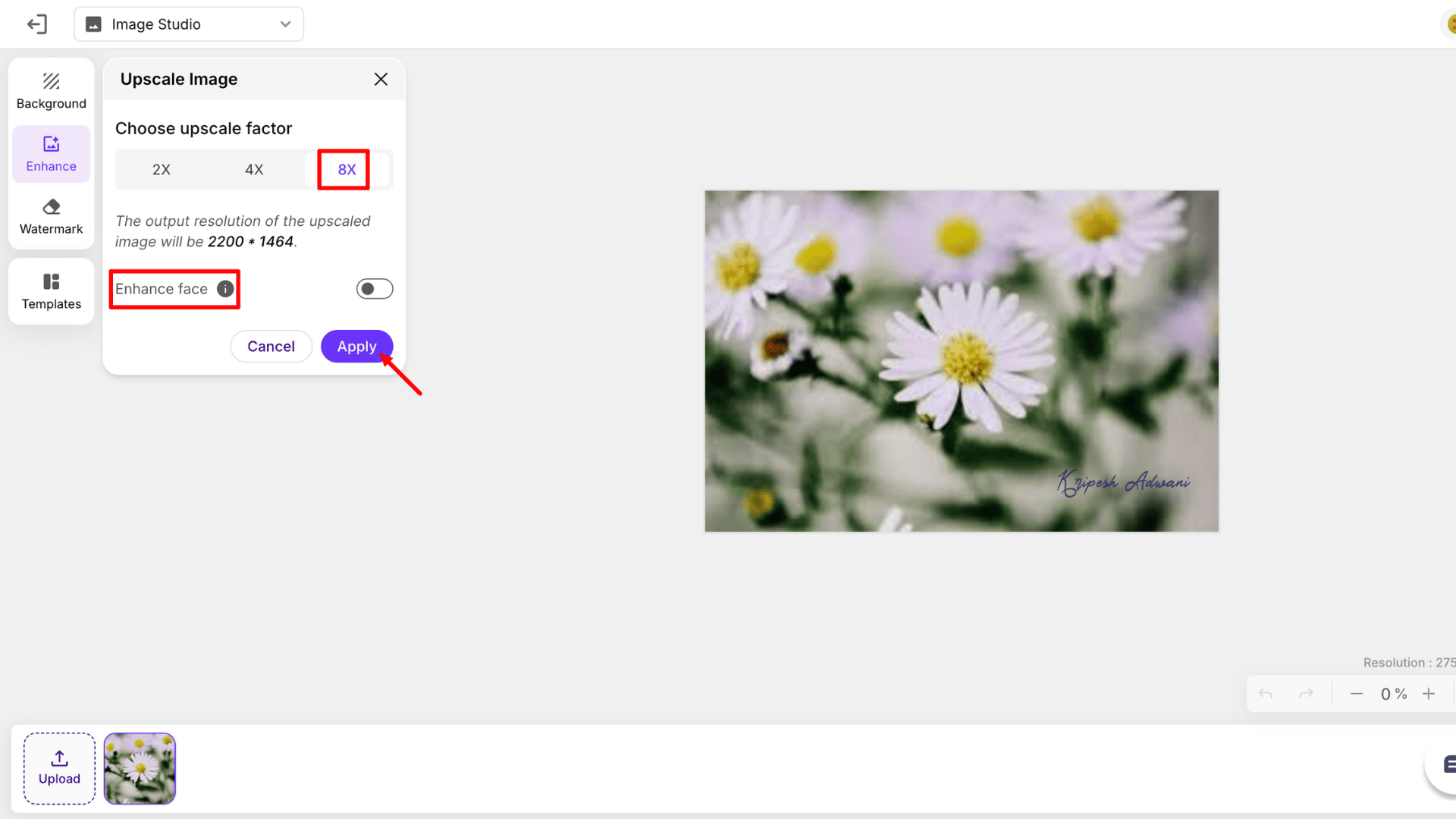
Using the Image Upscaler is simple. All you need to do is just upload your image and select an upscale factor (2X, 4X, or 8X). Within seconds, your enhanced image is ready.
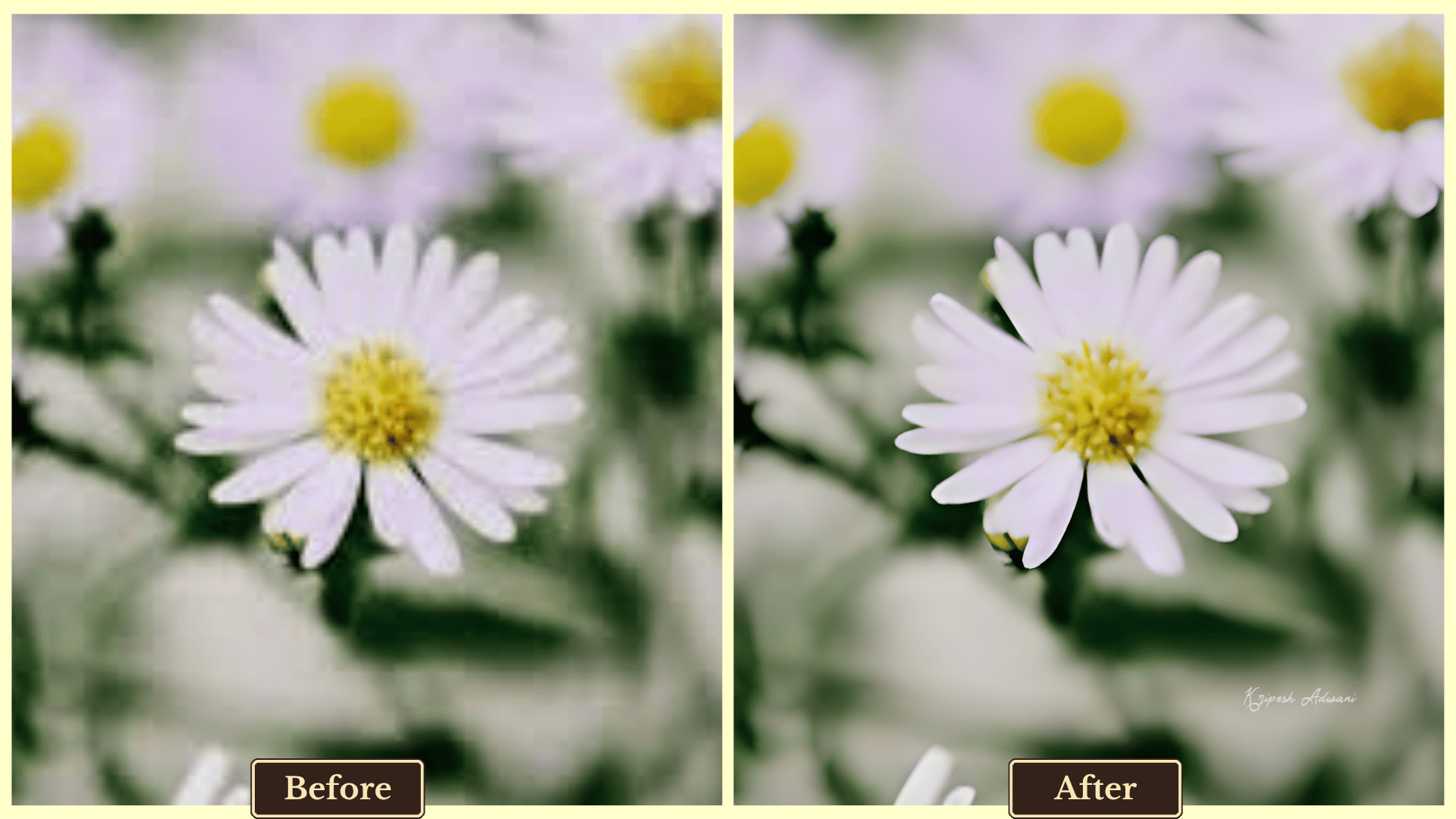
While the output quality is decent, it’s not quite on par with Freepik. For better results, especially in portraits, I suggest activating the “Enhance Face” option.
Additional Features
- Background Editor: Achieve professional-grade results by removing, generating, or customizing backgrounds, including adding shadows.
- Bulk Export: For easy access, you can enhance 10 images one by one and then download them up at once with the convenient “Download All” option.
- Watermark Removal: Remove watermarks either manually or using automatic detection.
Pricing
After signing up, you can upscale and export up to 10 images for free. PixelBin offers three plans: Subscription, One-time Payment, and Enterprise (customized). You’ll get the Subscription plan starting at just $44.99 ($0.04/credit) yearly for 100 credits. For one-time use, you can purchase 50 credits at just $7.99 as well.
Limitations
- Batch enhancement is only available for Pro users.
- Not all images support 8X enhancement.
Ideal For
- E-commerce teams managing large product catalogs.
- Freelancers looking for automated image enhancement solutions.
- Marketers running dynamic ad campaigns.
4) Upscale.Media
| Platform | Web and Mobile |
| Input file type | PNG, JPG, JPEG, WEBP, and HEIC |
| Export file type | JPEG |
| Official website | Visit PixelBin |
Upscale.Media is another popular AI-powered image enhancer developed by PixelBin.io. It delivers impressive results with minimal effort. No lengthy sign-up process is required to start.
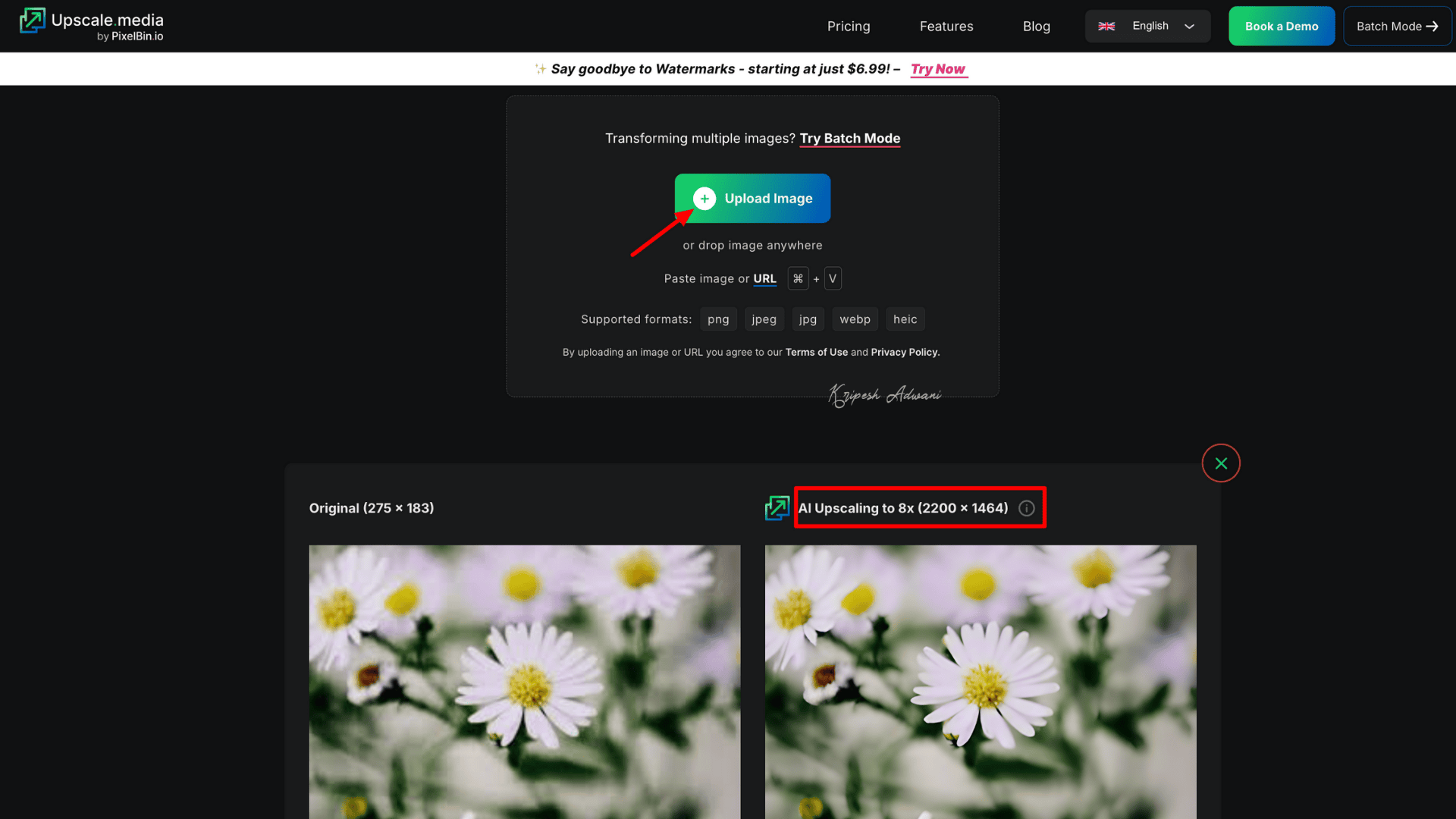
On the homepage, you can simply paste or drag and drop an image. It automatically upscales the image by 2X. You can then choose other upscale levels (1X, 4X, and 8X), and the tool will generate results within seconds.
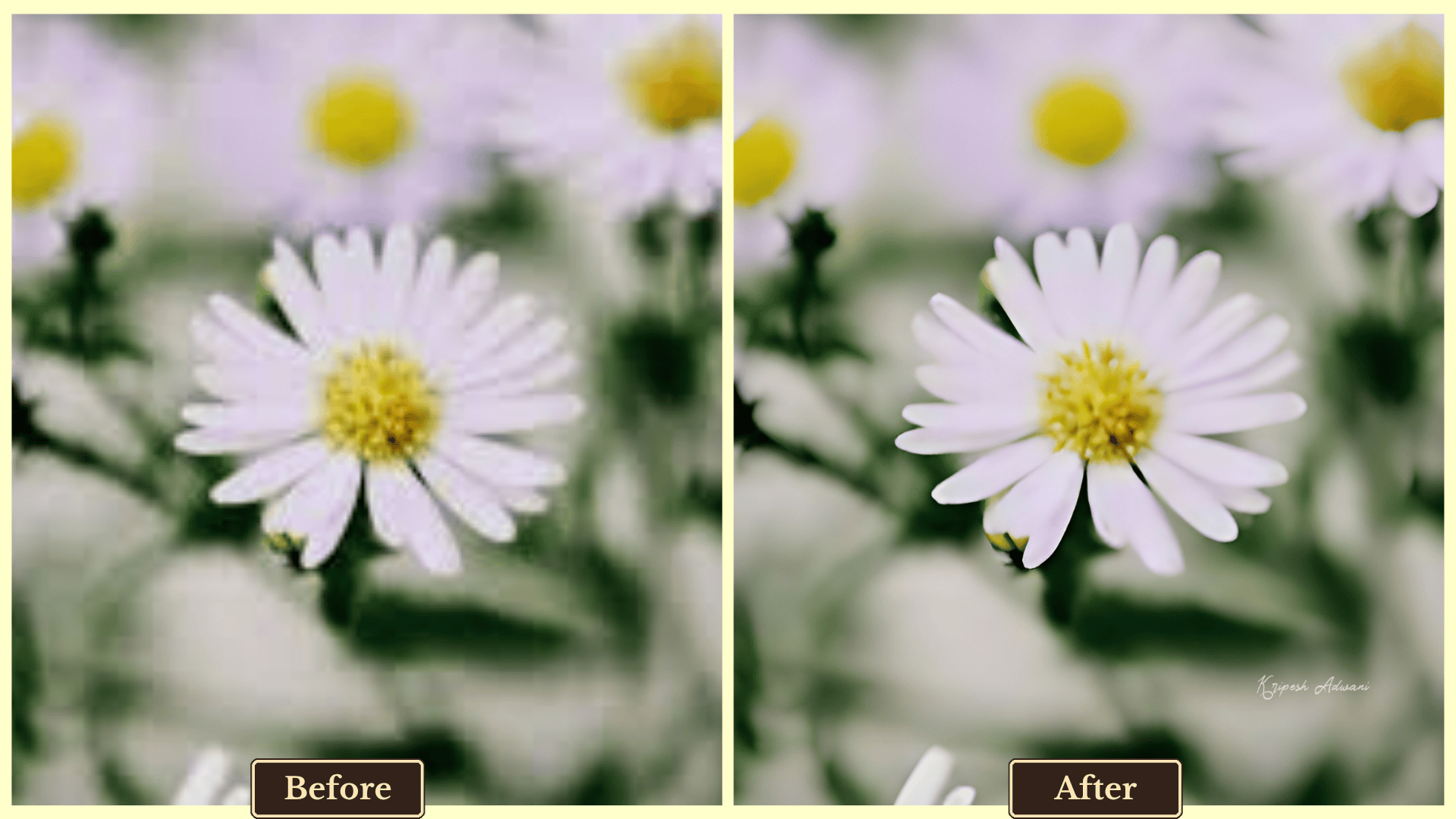
The final output is clear and refined, especially effective for enhancing low-resolution or compressed images. However, in our tests, it didn’t perform as well as PixelBin’s own AI Image Enhancer.
Additional Features
- AI Enhancement: Refine images by removing or adding objects, adjusting sharpness, and preserving natural details.
- No Complex Setup: Upscale.Media works perfectly in the browser for desktop users. You can easily find their mobile app in the App Store.
- Simple UI: The interface is minimal and intuitive. Auto-upscaling begins immediately after uploading an image.
Pricing
Upscale.Media’s free plan includes 3 AI credits and 3 free downloads. It offers three types of paid plans. Their Subscription Plan starts at ₹3,847.44/year (₹3.21 per credit) for 1,200 AI credits. Higher-tier plans reduce the per-credit cost to as low as ₹1. One-time Payment is available from ₹683.29 for 50 credits (valid for 1 year). An Enterprise Plan with custom pricing is also available for professionals and businesses with higher needs.
Limitations
- AI Enhancement features are not available in the free plan.
- Free credits are limited and may not be sufficient for thorough testing.
Ideal For
- Photographers and content creators who need high-quality upscaling and object removal.
- Individuals looking for occasional upscaling without complex tools.
Button: [Get Upscale.Media]
5) Img.Upscaler
| Platform | Web |
| Input file type | JPG, PNG, WEBP |
| Export file type | JPG |
| Official website | Visit Img.Upscaler |
Frustrated with strict AI credit limits on other image enhancers? Img.Upscaler gives you more monthly credits than Upscale.Media. It can enhance image resolution by up to 400%, delivering high-definition results for sure.
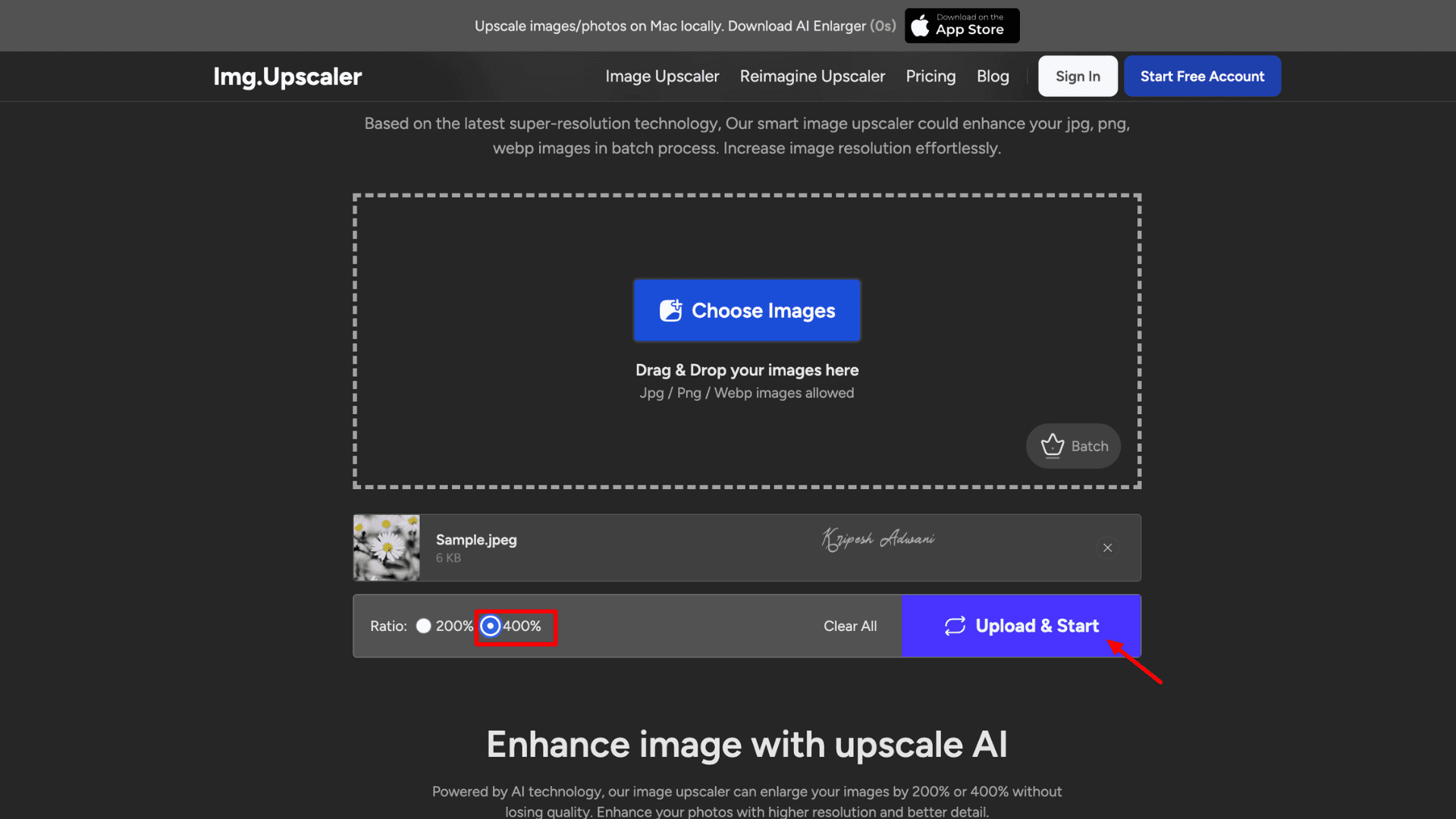
To get started, visit the website and click “+ Choose Image” to upload your file. Then, select the upscale ratio (200% or 400%) and generate the output. While batch processing is available, it’s limited to paid plans.
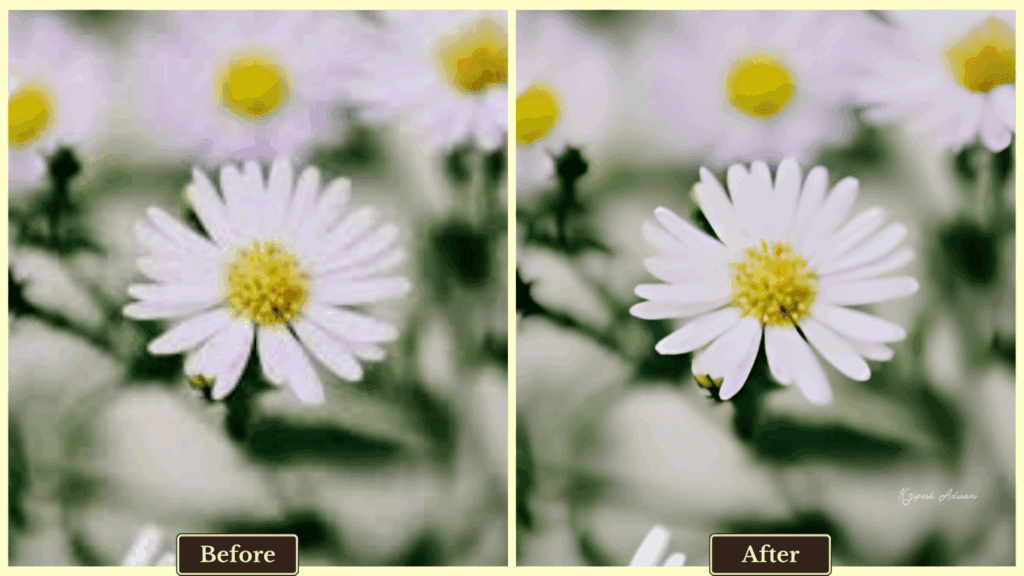
Even with 400% enhancement, the final photo quality doesn’t quite match that of our top-ranking AI image upscaling tools. Plus, the tool takes longer to process images compared to other enhancers.
Additional Features
- Background Eraser: The tool lets you remove backgrounds for free. However, you can only replace them with solid colors, no image-based backgrounds.
- Vheer Image Generator: Vheer AI is a creative tool that allows you to generate images from text or existing images. It also supports creating animated videos, adding text, and more.
Pricing
You get 20 free AI credits per month, meaning you can upscale 20 images monthly without paying. Img.Upscaler offers a Starter and a Premium plan for individuals and a Business plan for teams. The starter plan will cost you $19 yearly for 100 credits/month. Unused credits roll over each month, which is a valuable feature not found in many other tools.
Limitations
- Output generation time is slower compared to competitors.
- Even with high-tier plans, batch enhancement is limited to 8 images at a time.
Ideal For
- Digital artists seeking detailed, high-definition image refinement.
- Freelancers who want a credit-friendly alternative without heavy investment.
7) Imggen.AI
| Platform | Web |
| Input file type | JPG, JPEG, PNG, and WEBP |
| Export file type | JPEG |
| Official website | Visit Imggen.AI |
Imggen.AI is a not-so-popular AI image upscaler. Launched just in 2023, it’s quickly gaining attention due to its useful features. The tool allows you to upscale images up to 4096×4096 px resolution.
It claims to generate 8K resolution images from old, blurry photos. Simply upload an image and click “Upscale Image” to get started—no technical skills required.
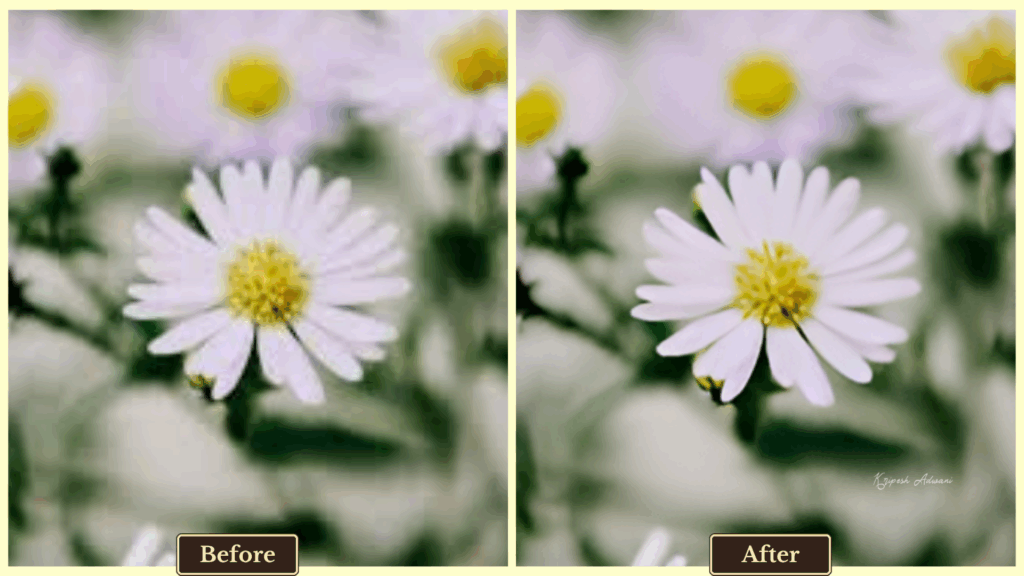
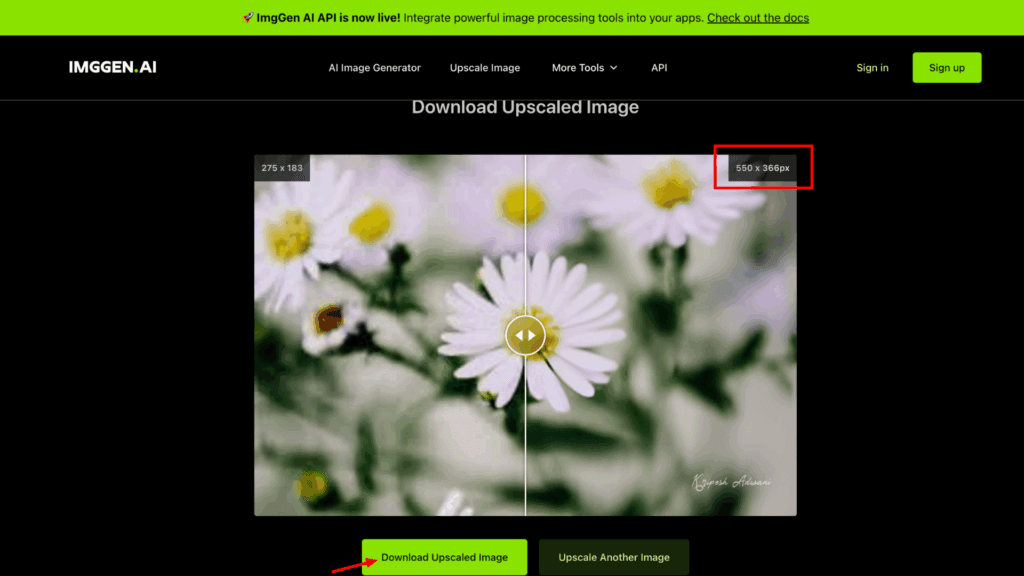
While the tool delivers decent results, it does come with some drawbacks. There’s no option to choose upscale ratios like 2X or 4X, and customization is limited. Plus, I feel the interface is cluttered with ads, which affect the editing experience.
Additional Features
- Image Restore: Use generative AI tools to restore old or damaged photos in seconds.
- Color Correction: Automatically boost color and apply free AI-powered color grading to revive faded images.
- AI Unblur: Sharpen blurry images quickly and enhance overall clarity and detail.
Pricing
The tool is completely free to use, with no AI credit limits mentioned on the official website. So, you can enjoy unlimited image upscaling and enhancement.
Limitations
- Only 2X upscale is available.
- Ads are displayed during the editing process.
- Sometimes upscaling takes longer compared to other tools.
Ideal For
- AI art creators refining auto-generated images.
- Freelance marketers and designers looking for free, unlimited enhancements.
- Small teams needing consistent output without AI credit restrictions.
7) PicsArt
| Platform | Web and Mobile |
| Input file type | JPG and PNG |
| Export file type | JPG and PNG |
| Official website | Visit PicsArt |
Whether you’re a beginner or a professional creator, chances are you’ve used PicsArt at least once to edit your images. I’ve used it too, but now it has evolved with multiple AI-powered features, including an efficient AI Image Upscaler.
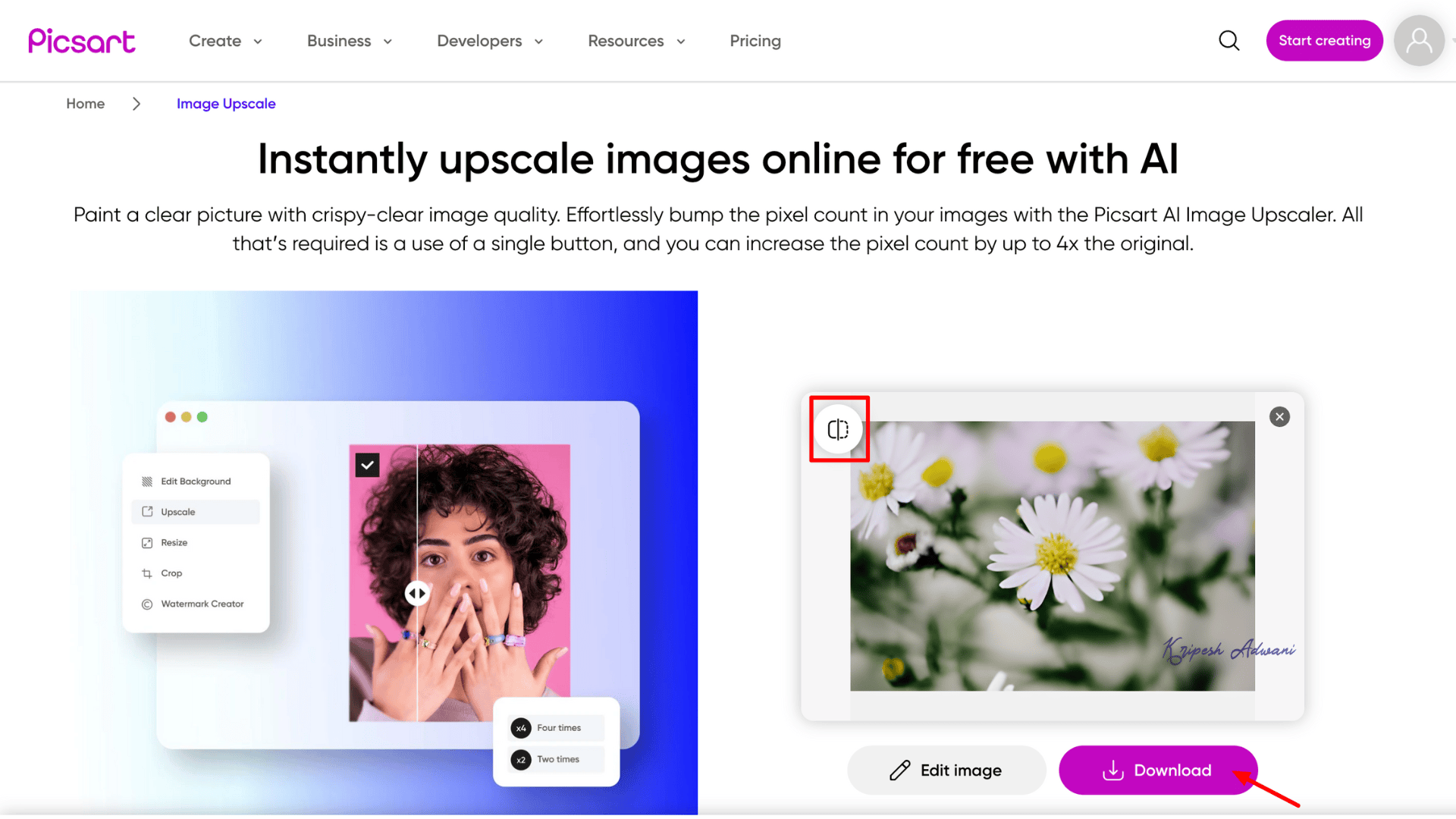
You can access the tool easily on both mobile and desktop. The upscaling process is quick and user-friendly. Just upload your image and click “Upscale”. You’ll receive 5 AI credits per week to make Gen-AI-based enhancements.
PicsArt offers two export resolution options: Low and HD. Unfortunately, free users are restricted to low-resolution exports, and the output quality is quite poor. While the app is widely popular, this time it left me a bit disappointed.
Additional Features
- Editing Tools: After upscaling, you can further enhance your images by adding filters, effects, adjusting brightness, sharpness, and more.
- AI Boost: This feature allows you to auto-enhance images based on type (Portrait, Nature, Graphics, etc.) for improved quality and clarity./image
Pricing
PicsArt has two paid plans: PicsArt Pro and PicsArt Plus. The Pro plan is just perfect for individual creators. It’ll cost ₹2400 yearly with 200 AI credits/month, 5GB cloud storage, HD Image upscale, and more.
Limitations
- Free plan allows only low-resolution exports.
- No option to select custom upscale ratios.
Ideal For
- Mobile content creators looking for fast, high-quality upscaling.
- Influencers and professionals needing HD-ready images for social or marketing use.
8) Pixelcut
| Platform | Web, Desktop, Mobile |
| Input file type | PNG, HEIC, or JPG |
| Export file type | JPG |
| Official website | Visit Pixelcut |
Pixelcut is a popular all-in-one online photo editor. It offers easy-to-use image upscaling tools. You can use the tool without creating an account, but signing up unlocks additional functionalities.
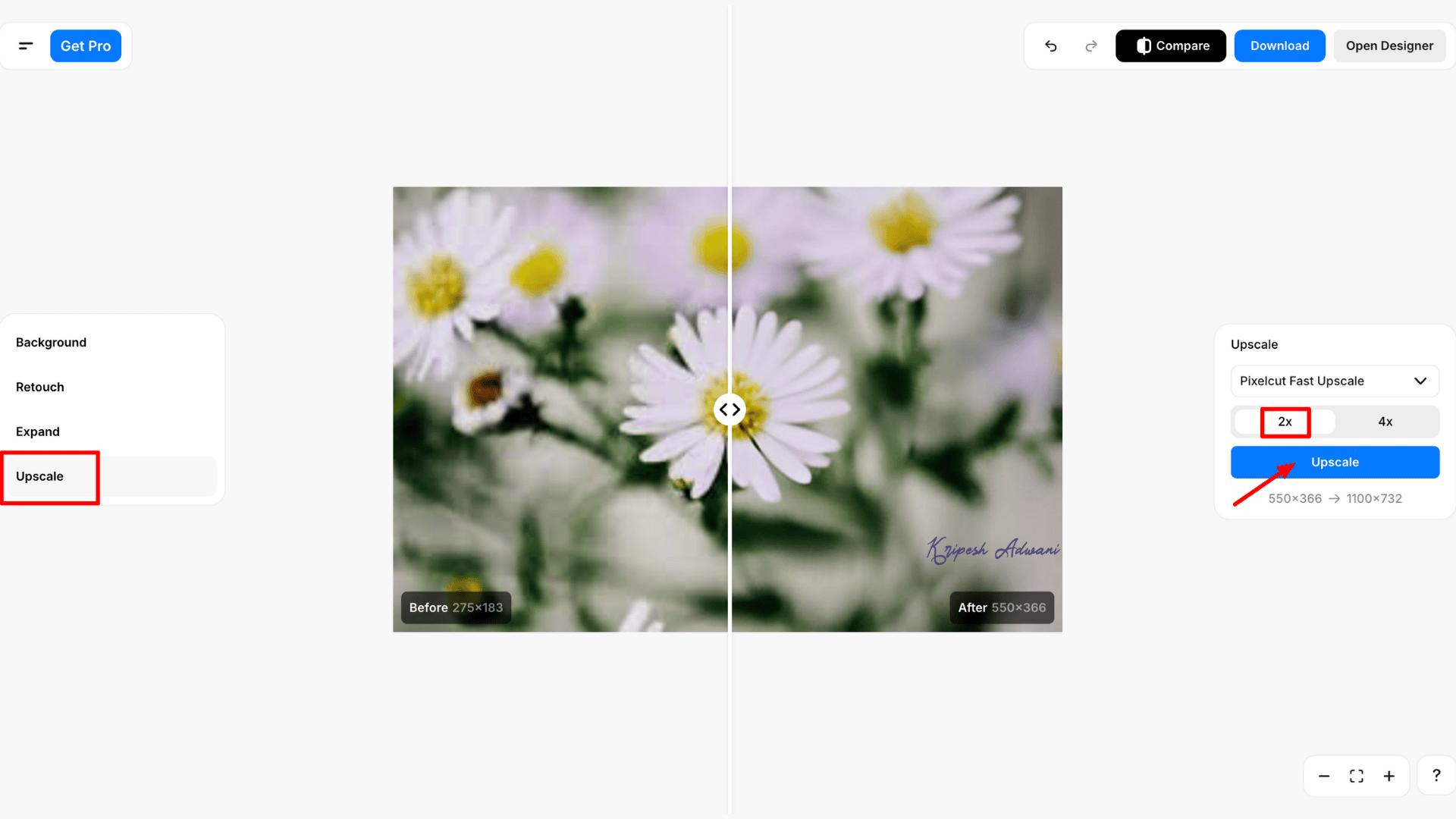
The tool provides two upscale models. One is Pixelcut Fast Upscale, which offers 2X and 4X upscaling for quick results. Another is Pixelcut Creative Upscale, which allows you to adjust creativity and resemblance levels, along with the upscale ratio.
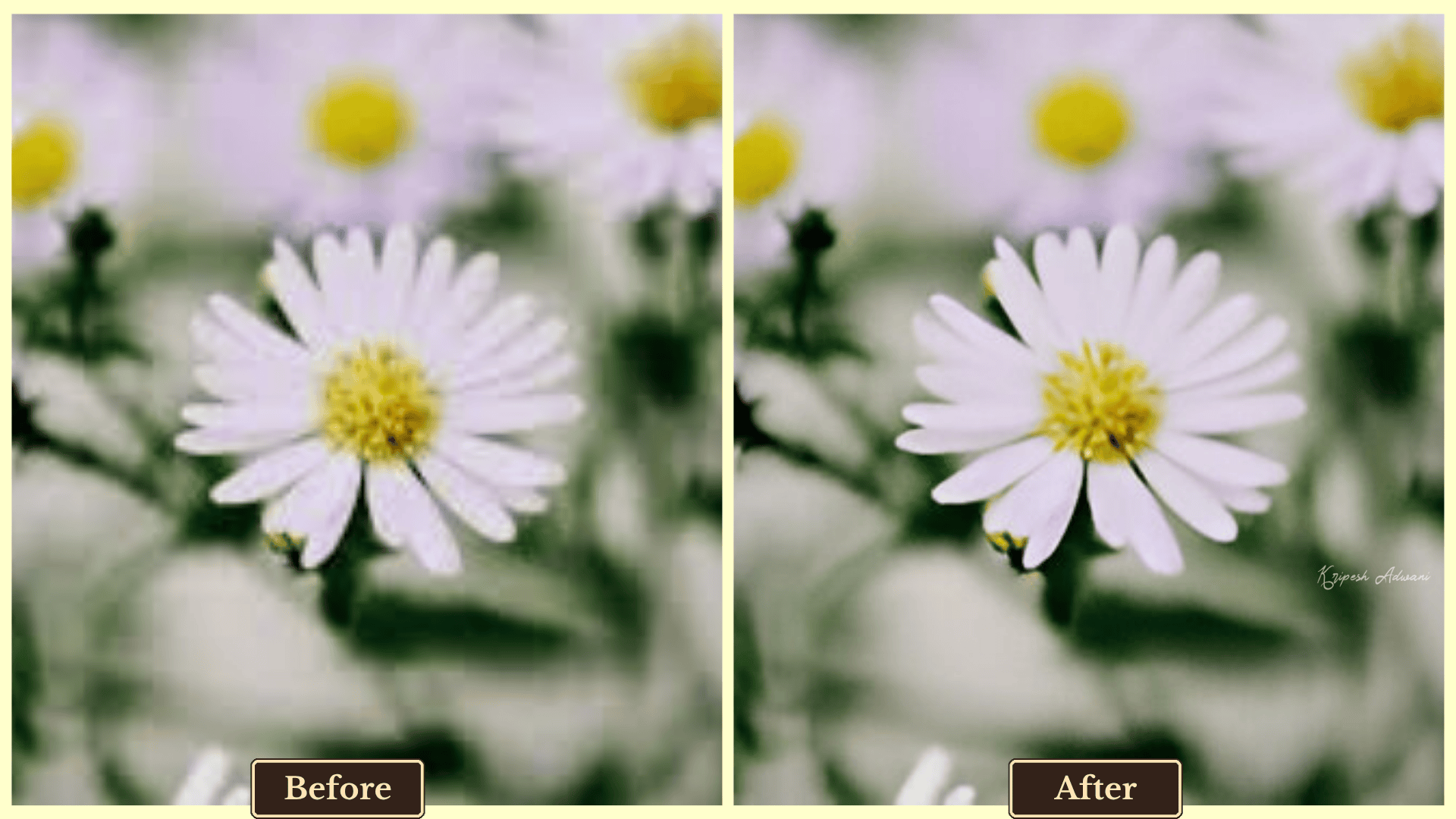
Free users can’t access Creative Upscale at a 2X ratio. While the processing speed is impressive, the output quality falls short. It works well with standard images but performs poorly when restoring old or damaged photos.
Additional features
- Background Remover: Easily removes backgrounds and replaces them with solid colors or suggested matching visuals for a more professional look.
- Erase: Lets you erase unwanted objects and add new elements with a single click.
- Expand: Allows you to adjust the aspect ratio of an image to suit multiple platforms.
Pricing
Pixelcut’s free plan offers access to the Fast Upscale feature at a 2X ratio, along with limited background removal, magic eraser, and Gen-AI features. It offers three paid plans: Pro, Pro+, and Max. The Pro plan starts at $96/year ($8/month) and is ideal for unlimited image upscaling. It includes unlimited AI edits, 300 daily generations, 600 GPU credits per month for AI model selection, and a commercial license.
Limitations
- 4X upscale is not available on the free plan.
- No AI model selection or customization for free users.
Ideal For
- Mobile users seeking quick photo enhancements.
- E-commerce sellers looking to improve product visuals.
- Small business owners without design expertise.
Best Paid AI Image Upscalers
Ready to invest in paid tools? Well, I would suggest three reliable tools that provide highly upscaled images.
7) Canva
| Platform | Web, Desktop, and Mobile |
| Input file type | JPEG, PNG, HEIC/HEIF, WEBP, and SVG |
| Export file type | JPG, PNG, and SVG |
| Official website | Visit Canva |
Canva is one of the most reliable tools for both non-designers and professionals. It offers an easy-to-use platform packed with advanced features that simplify the editing process. The tool continues to evolve, adding more AI-powered features with every update.
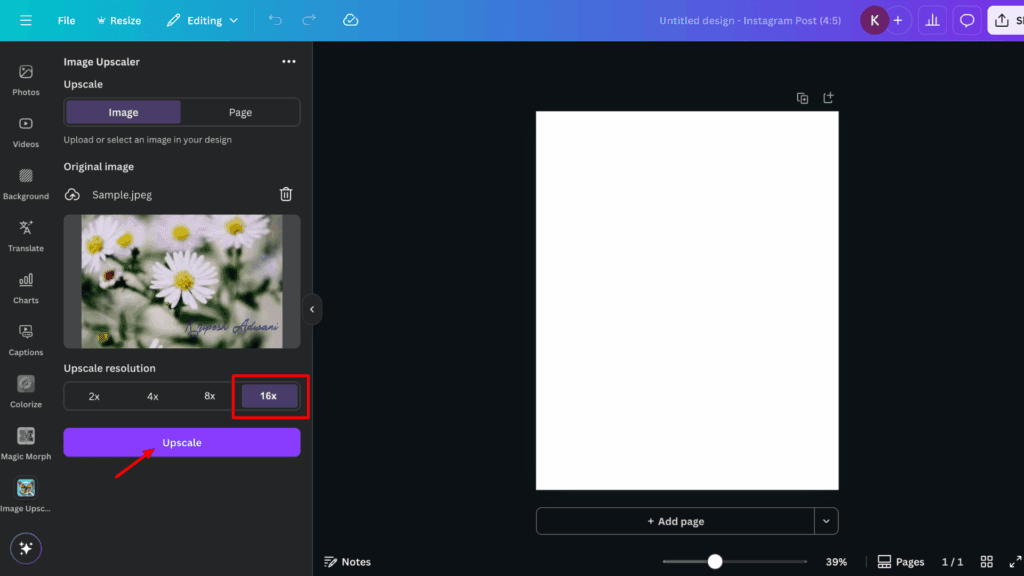
The Image Upscaler feature is powered by A1D AI and allows you to upscale images from 2X up to 16X. Simply visit the image upscaler, upload your photo, choose the desired resolution, and your enhanced image will be ready in seconds. Canva even lets you upscale an entire page—perfect for presentation or design exports.
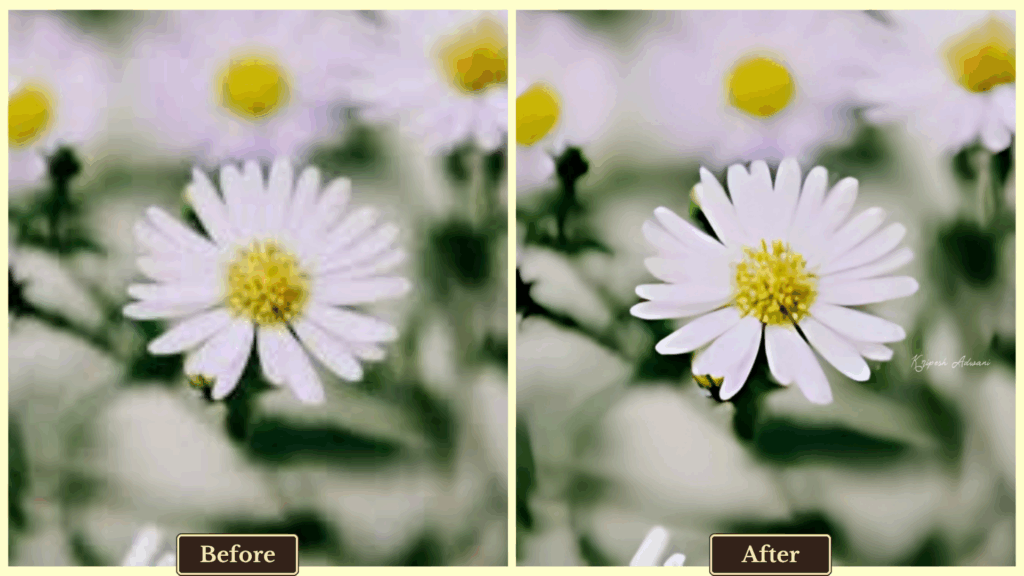
The image upscaling feature is available only to Canva Pro users. I’ve been using Canva for years and can vouch for its highly detailed and professional output. Plus, the pricing is more affordable compared to many alternatives.
Additional Features
- Canva AI: Create presentations and images from scratch using text prompts and reference images.
- Blur Tool: Add visual depth by blurring images, backgrounds, or individual elements for artistic effects.
- Advanced Editing: Access a wide range of manual and AI-powered tools to add/remove elements, enhance clarity, apply filters, effects, and more.
Pricing
Canva has three paid plans: Pro, Team, and Enterprise (customized plan). The Pro will cost ₹4000 yearly. You’ll enjoy premium templates, 1TB cloud storage, access to all AI tools, etc. Canva Teams plan is a flexible, pay-as-you-grow model starting at ₹4,000 per user/year.
Limitations
- No customization options for image upscaling (e.g., creativity level or image style).
Ideal For
- Social media managers and brand strategists designing campaigns.
- Novice designers looking for quick, one-click image upscaling.
8) HitPaw Photo Enhancer
| Platform | Desktop app |
| Input file type | PEG, JPG, PNG and WEBP |
| Export file type | PG, JPEG, PNG, WEBP, and TIFF |
| Official website | Visit HitPaw |
HitPaw FotorPea Photo Enhancer is another solid alternative to Canva’s image upscaler. It allows users to upscale images up to 4K and 8K resolution and includes advanced features designed to restore old or low-quality photos.
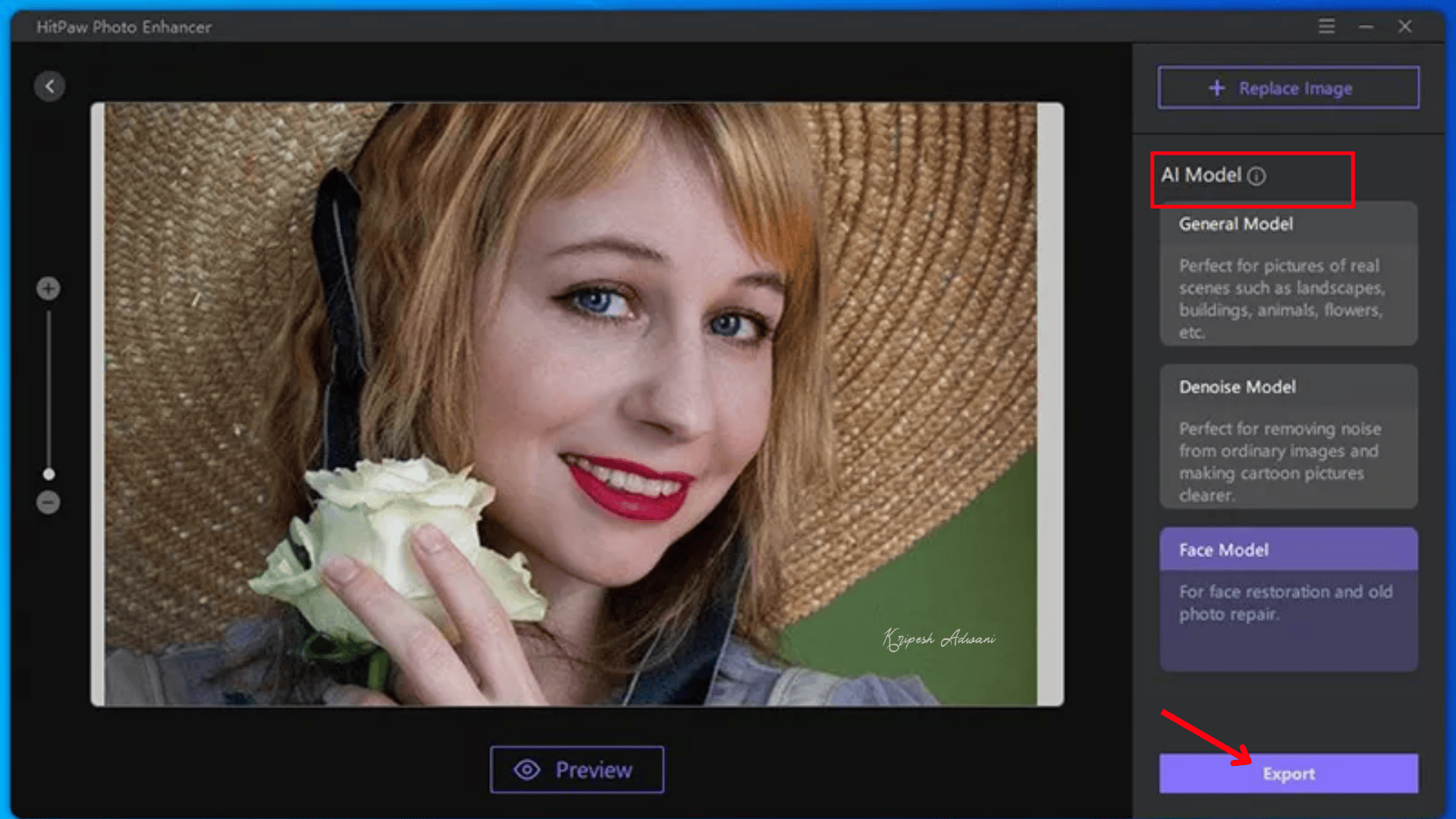
The tool intelligently refines imperfections, making it especially effective for blurry or low-resolution images. It also provides face retouching options for more natural and flawless facial enhancements. To access the full functionality of the photo enhancer, you’ll need to download the application on your Windows or Mac device.
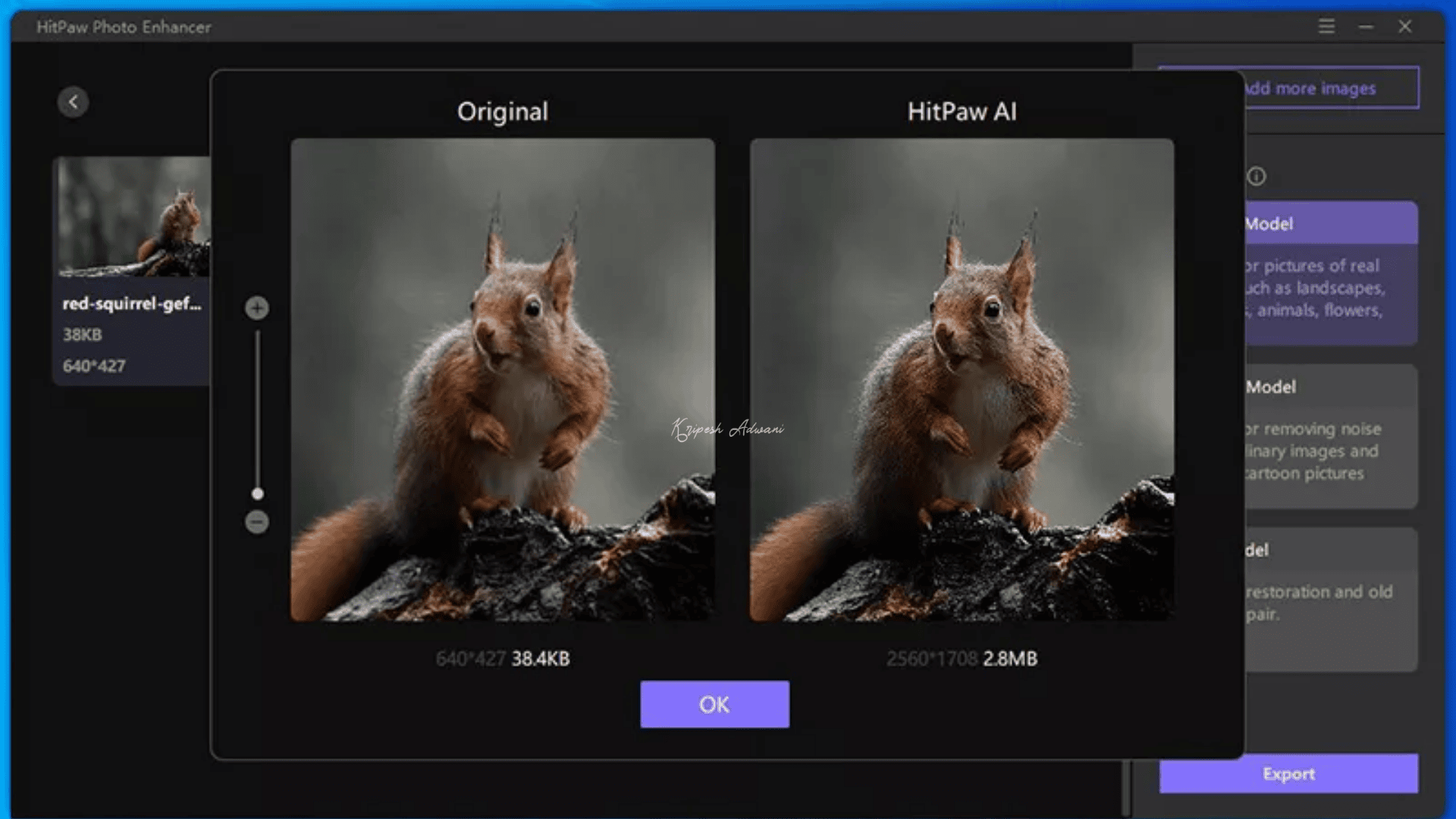
HitPaw also allows users to select different AI models based on their needs. It includes a batch processing mode, making it easy to edit multiple images at once. The tool even claims to enhance images up to 800% of their original quality.
Additional Features
- AI Editing: Offers various AI-powered tools such as denoise, color correction, scratch repair, and low-light enhancement.
- Unblur Tool: Removes grain and blur from images to restore sharpness and detail.
- AI Remover: Allows you to remove unwanted objects or backgrounds with a single click.
Pricing
HitPaw FotorPea has three pricing models: Monthly, Annual, and Perpetual. For 1 year, the subscription will cost $89.99 for Windows and $99.99 for Mac devices. You’ll enjoy 800 AI credits, unlimited photo enhancements, 1 license, etc. A 7-day free trial is there to test its functionalities.
Limitations
- The monthly plan supports only 9 AI image enhancements.
- No mobile app is currently available.
Ideal For
- Photographers and media professionals restoring old or blurred photos.
- Video editors focused on advanced facial or landscape enhancement.
9) Upscayl
| Platform | Web and Desktop |
| Input file type | JPG, PNG, and WEBP |
| Export file type | JPG |
| Official website | Visit Upscayl |
The third paid AI image upscaler worth exploring is Upscayl. While it’s not as popular as other tools like Canva or HitPaw, it still offers reliable performance and solid features for upscaling images.
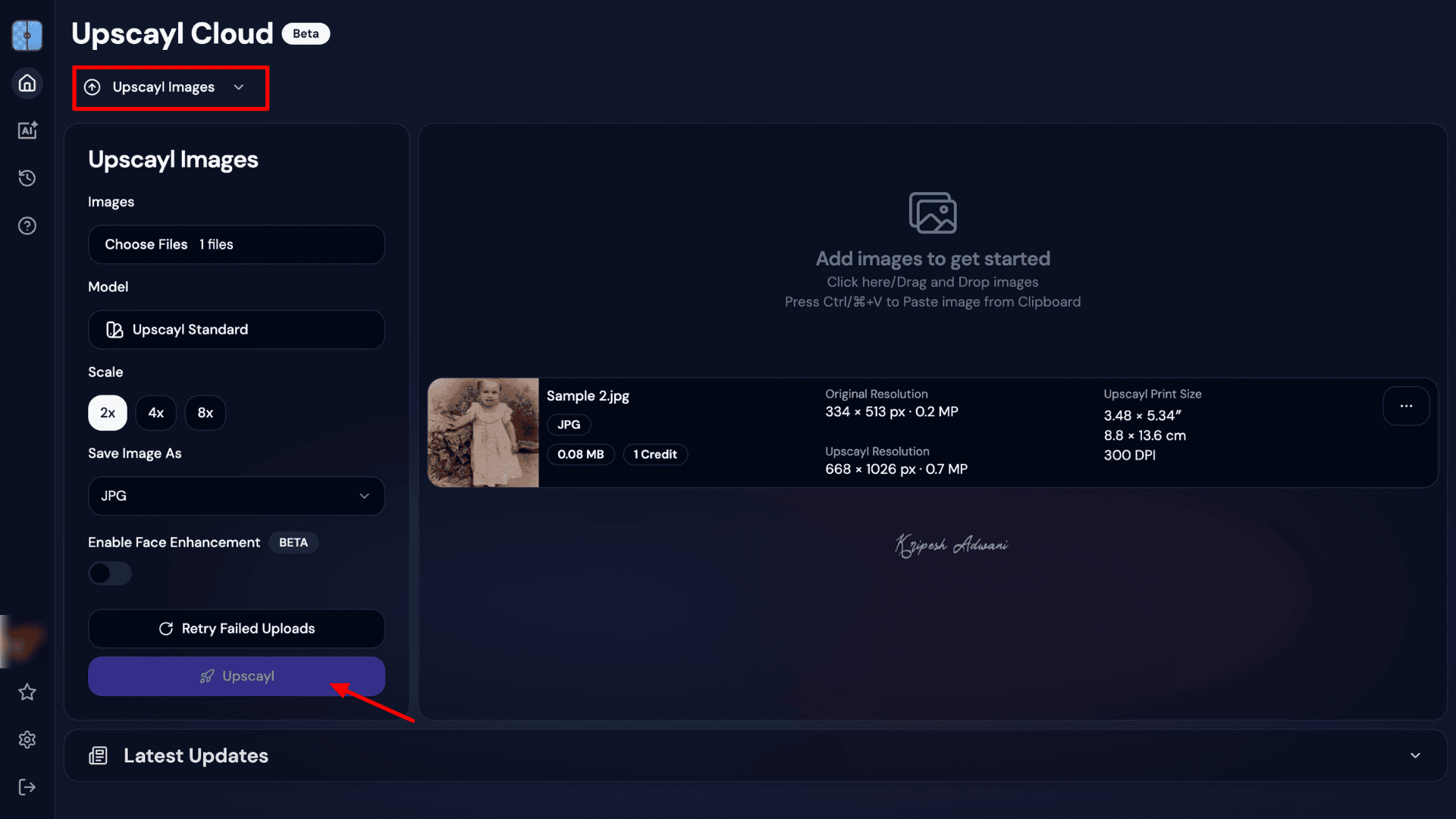
Upscayl specializes in quickly fixing low-resolution images and supports upscaling up to 16X. It also includes multiple AI models and customizable settings, giving users control over the output. Plus, it allows batch uploads, so you can process multiple images simultaneously.
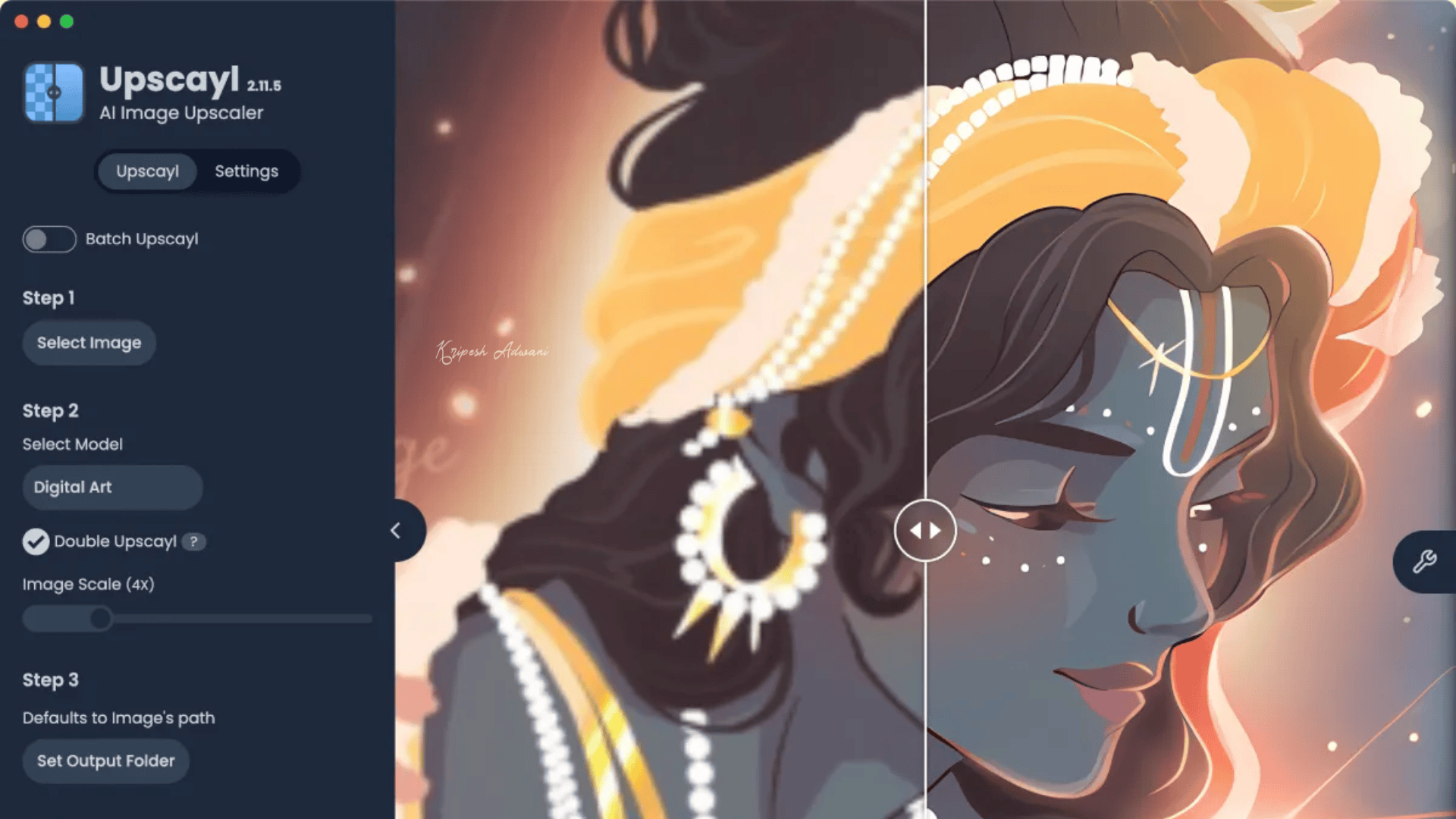
One of Upscayl’s best features is its flexible pricing structure. Even the lower-tier paid plans include 6 months of unlimited cloud storage.
Additional Features
- High-Definition Image Support: Unlike some tools, Upscayl doesn’t restrict upload resolution. It can handle large, high-res files with ease.
- Cross-Platform Access: The app works seamlessly on desktops, mobile devices, and tablets, with cloud storage for easy file management.
Pricing
Upscayl offers multiple plans based on AI credit usage. For 100 credits/month, the plan costs $89.99 per year. For 500 credits/month, you’ll pay $339.99 per year.
Limitations
- No AI editing features like object removal, color correction, or retouching.
- No free trial currently available.
Ideal For
- Tech-savvy users and Linux/Mac developers looking for open-source upscaling.
- Small teams and startup owners require cloud-based storage.
Benefits of Using an AI Image Upscaler
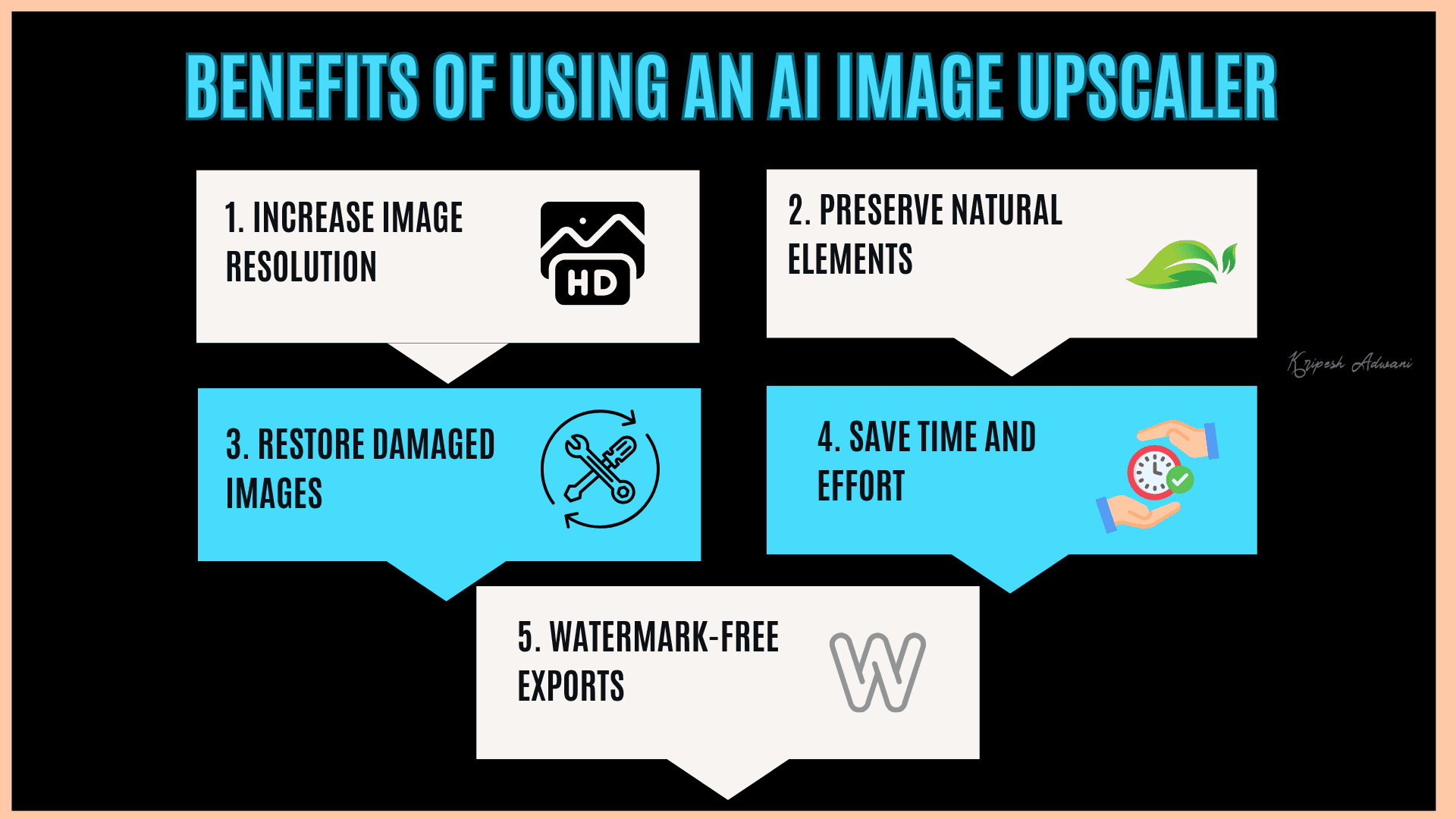
Does an AI Image Upscaler really work? Many of us often wonder whether AI upscaling tools are as effective as manual editing techniques. The answer is yes—AI image upscalers can be incredibly powerful and offer several benefits.
1. Increase Image Resolution
Whether it’s for printing, digital marketing, or media content, high-resolution visuals are a must. Professionals rely on AI image upscalers to increase image size and resolution and improve clarity without compromising the original quality of the image.
2. Preserve Natural Elements
Manual editing often results in artificial-looking results, especially when done by non-experts. AI photo enhancers maintain the natural texture, tone, and details, delivering more authentic and visually pleasing results.
3. Restore Damaged Images
AI Upscaler like Imggen.AI and PixelBin offer dedicated features to restore old photographs. These tools analyze damaged areas, automatically remove scratches, enhance sharpness, and even colorize black-and-white portraits, bringing old memories back to life.
4. Save Time and Effort
Manual photo editing requires both skill and time. AI tools eliminate that learning curve. You can upscale low-resolution images in just seconds, giving you more time to focus on advanced edits or other creative tasks.
5. Watermark-Free Exports
Many of the top-tier AI image upscalers mentioned in this article allow free exports without adding any watermarks. This means you can use the enhanced visuals for commercial use without limitations.
Why Should You Trust Me?
Over the past few years, I’ve consistently tested and used a wide range of AI tools to enhance productivity and streamline creative workflows. On my website, you’ll find in-depth reviews of popular AI solutions, from AI image generators and video enhancers to content creation tools.
Also, platforms like JoggAI, Molypix AI, Zemith AI, and Letterly have all been thoroughly reviewed based on real-world usage. During my research, I came across several AI Image Upscalers. I personally used them to create high-quality visuals for my own content.
So the recommendations in this article aren’t just research-based; they come from my hands-on experience. Hence, you get suggestions that are both reliable and practical.
Conclusion
AI Image Upscalers are incredibly useful—not just for enhancing image resolution, but also for restoring old and damaged photographs. However, not everyone can afford expensive tools. That’s why, in this article, I’ve reviewed 11 AI Image Upscalers—8 of them are completely free, while only 3 are paid options.
If you’re a beginner or a new designer, tools like Freepik, iLoveIMG, or PixelBin can easily get the job done. For old photo restoration, Imggen.AI offers a dedicated and free solution. Meanwhile, Canva’s Image Upscaler stands out as the most reliable paid option for professional designers and small business teams.
That wraps up today’s review!
Have suggestions or want to share your experience? Drop a comment below. And don’t forget to subscribe to our newsletter for handpicked free AI tool recommendations every Friday.
FAQs
Can AI upscalers improve old or damaged photos?
Yes, AI upscalers can effectively restore old or damaged photographs. They add missing pixels, remove scratches, enhance sharpness, and refine overall image quality, while preserving natural elements.
Can AI upscalers handle animated or digital art images?
Absolutely! AI image upscalers work well with various image types, including digital art, animations, portraits, and nature photography. They enhance resolution while maintaining artistic details.
Is the AI Image Upscaling Tool Safe?
In general, AI image upscalers are safe to use. All the tools recommended in this article are from reputable providers, so you can trust them for both personal and professional use.