It’s 2026, and a “wait-and-see” approach is a silent business killer. If potential clients have to wait until Monday morning just to book a 30-minute consultation, chances are they’ll choose a competitor offering instant online booking instead.
Modern appointment scheduling apps eliminate this friction by acting as a 24/7 assistant. Clients can book anytime, anywhere, receive instant confirmations, and get timely reminders. And you enjoy an organized dashboard that manages everything from intake forms to secure deposits.
Choosing the right platform can differentiate between a clunky checkout and a premium brand impression. To help you make the best choice, I’ve tested and shortlisted the Best appointment scheduling apps of 2026.
So stop wasting time on manual scheduling, and find the tool that helps you book more clients on autopilot.
- What is Appointment Scheduling Software?
- 7 Best Appointment Scheduling Apps [Quick Comparison Table]
- 7 Best Appointment Scheduling Apps
- 1) Acuity Scheduling– Best for Advanced Customization and Payments
- 2) Square Appointments– Best for POS (Point of Sale) and In-Person Services
- 3) Trafft -Best for Free Plan and Unlimited Scalability
- 4) SimplyBook.me–Best for Beginner-friendly Booking Website
- 5) Setmore– Best for Small Teams on a Budget
- 6) Zoho Bookings– Best for CRM Integrations
- 7) Appointy– Best for Built-in Marketing & Lead Generation
- Benefits of Appointment Booking Apps
- How Did I Choose the Best Appointment App?
- Why Should You Trust Me?
- Conclusion
- FAQs
What is Appointment Scheduling Software?
Appointment scheduler software combines a digital calendar with an online booking assistant. It allows businesses to take bookings, manage clients/customers, and track appointments through a single digital interface. As a result, business owners save time by avoiding back-and-forth messages or phone calls.
When an appointment is booked, the app sends automatic email and SMS notifications. This helps prevent double bookings, reduces no-shows, and acts as a 24/7 assistant. Many of these tools also integrate with payment gateways to track revenue, pending payments, and overdue invoices.
7 Best Appointment Scheduling Apps [Quick Comparison Table]
| Appointment Scheduling Software | Ease of Use | Email Notifications to Client | SMS Reminders | Payment Integration | Free Limits | Best For |
| Acuity Scheduling | Intuitive & advanced | Yes | Yes | Stripe, Square, and PayPal | 7-day free trial of all features | Advanced Customization and Payments |
| Square Appointments | Beginner-friendly | Yes | Yes (Paid users) | Square (cards, wallets, POS) | Unlimited scheduling, POS app | POS and In-Person Services |
| Trafft | Simple & modern | Yes | Yes | Stripe, Square, PayPal, Mollie, Authorize.Net | 5 user access, Unlimited appointments, Booking website | Free Plan and Unlimited Scalability |
| SimplyBook.me | Guided | Yes | Yes (Paid users) | Stripe, Square, PayPal, Mollie,Authorize.Net, 2Checkout, HitPay, and more | 1 user, 50 bookings, 1 custom feature, Booking website | Beginner-friendly Booking Website |
| Setmore | Ultra-simple | Yes | Yes (Paid users) | Stripe, Square, PayPal, LawPay | 4 user access, 200 appointments, Branded Booking Page | Small Teams on a Budget |
| Zoho Bookings | Zoho-native clean | Yes | Yes (Paid users) | Stripe, PayPal, Razorpay, Authorize.Net, etc. | One-to-one booking, Basic customization, Email notifications & reminders | Best for CRM Integrations |
| Appointy | Straightforward | Yes | Yes (Paid users) | Stripe, PayPal, POS, Authorize.Net | 5 service listings, Website integration, 100 appointments/month | Built-in Marketing and Lead Generation |
7 Best Appointment Scheduling Apps
1) Acuity Scheduling– Best for Advanced Customization and Payments
Acuity Scheduling is one of the strongest AI-enabled appointment booking tools available for both mobile and desktop. Despite its advanced features, I found it very easy to set up. The interface is clean on both the client and admin sites. The dashboards make it easy to find the setup wizards for calendar, payment settings, appointment types, scheduling page, etc.
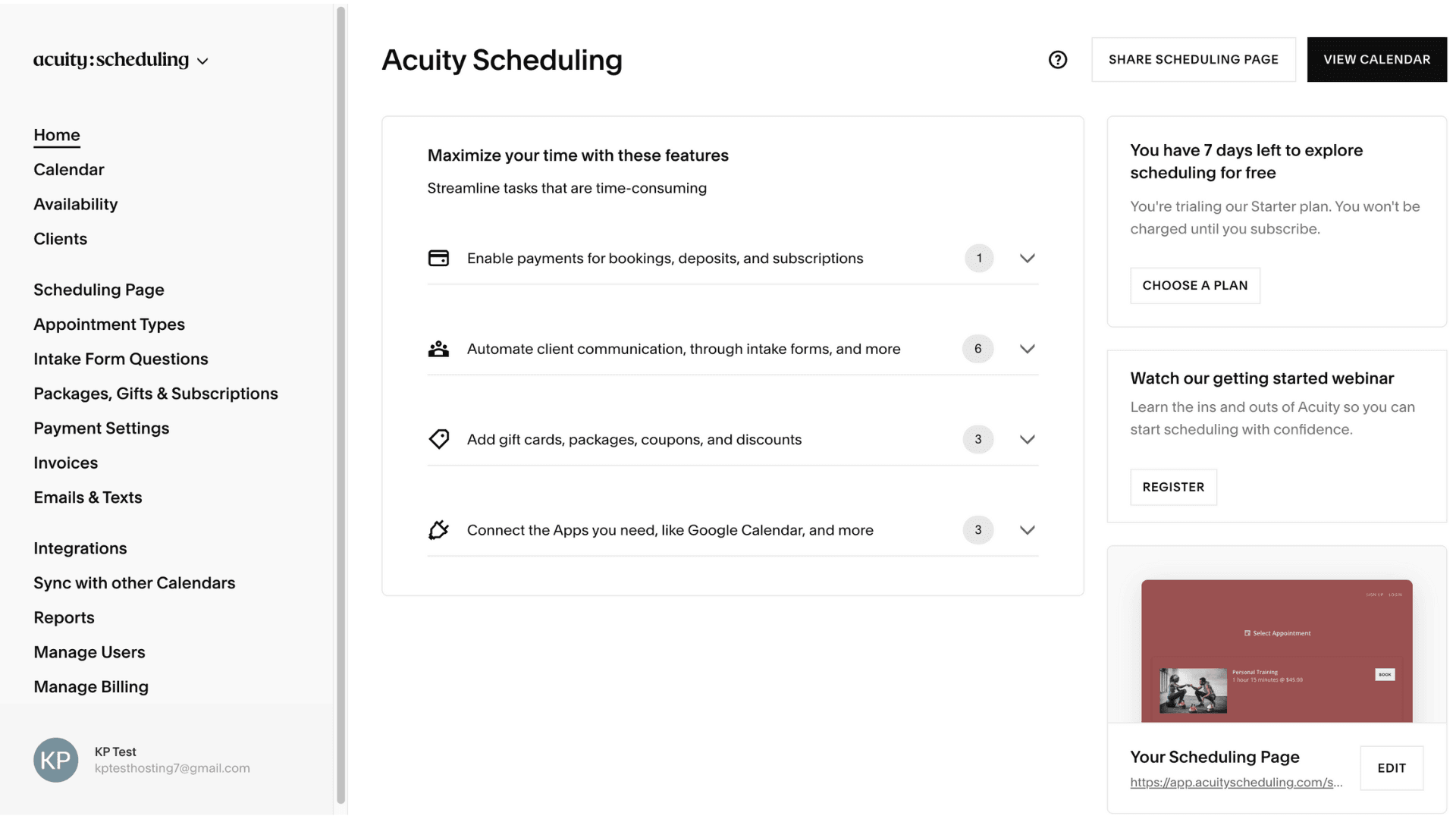
I really appreciate that it can detect time zones for both parties to avoid mis-bookings while working with people in different parts of the world. The app works with Google, Outlook, and iCloud calendars with a multi-location view from one central dashboard. I loved the drag-and-drop management and color-coded appointments for easy visibility. I can easily switch between 1:1 appointments, group classes, workshops, and events while taking bookings. The app really stands out for advanced customization in time slots and availability management.
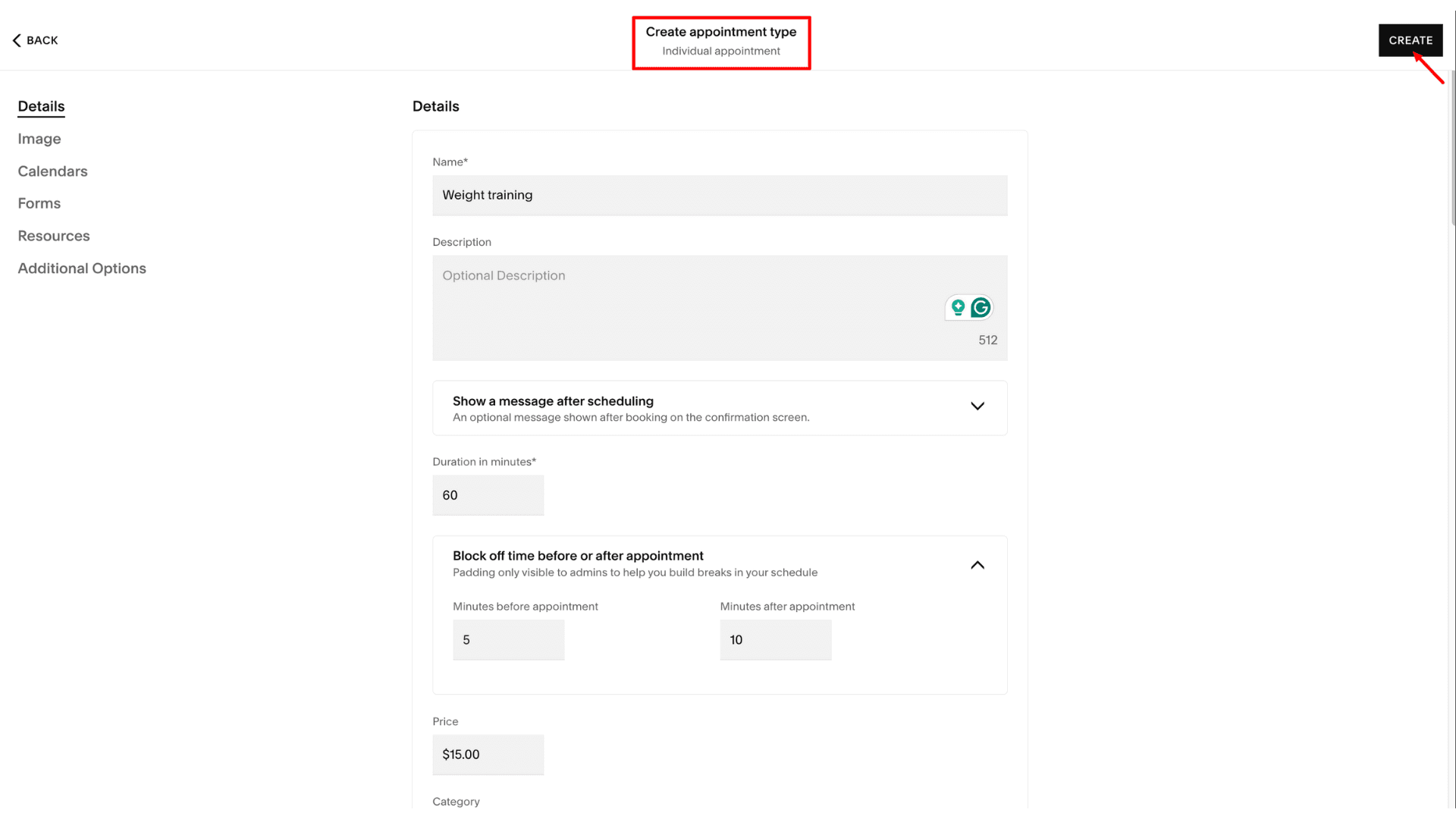
For example, users can set limits for per-service hours, maximum appointments in a day, room/resource limits, buffer time, and blocked time to keep their workload realistic. There is also a clever “Look Busy” feature that lets admins hide some open slots if they don’t want the calendar to look empty.
Once an appointment is booked, the app auto-handles confirmation emails, rescheduling links, and reminders. I also set SMS reminders and auto follow-ups after sessions for feedback. For those working with teams, Acuity sends notifications to staff for every new or canceled appointment so everyone stays aligned.
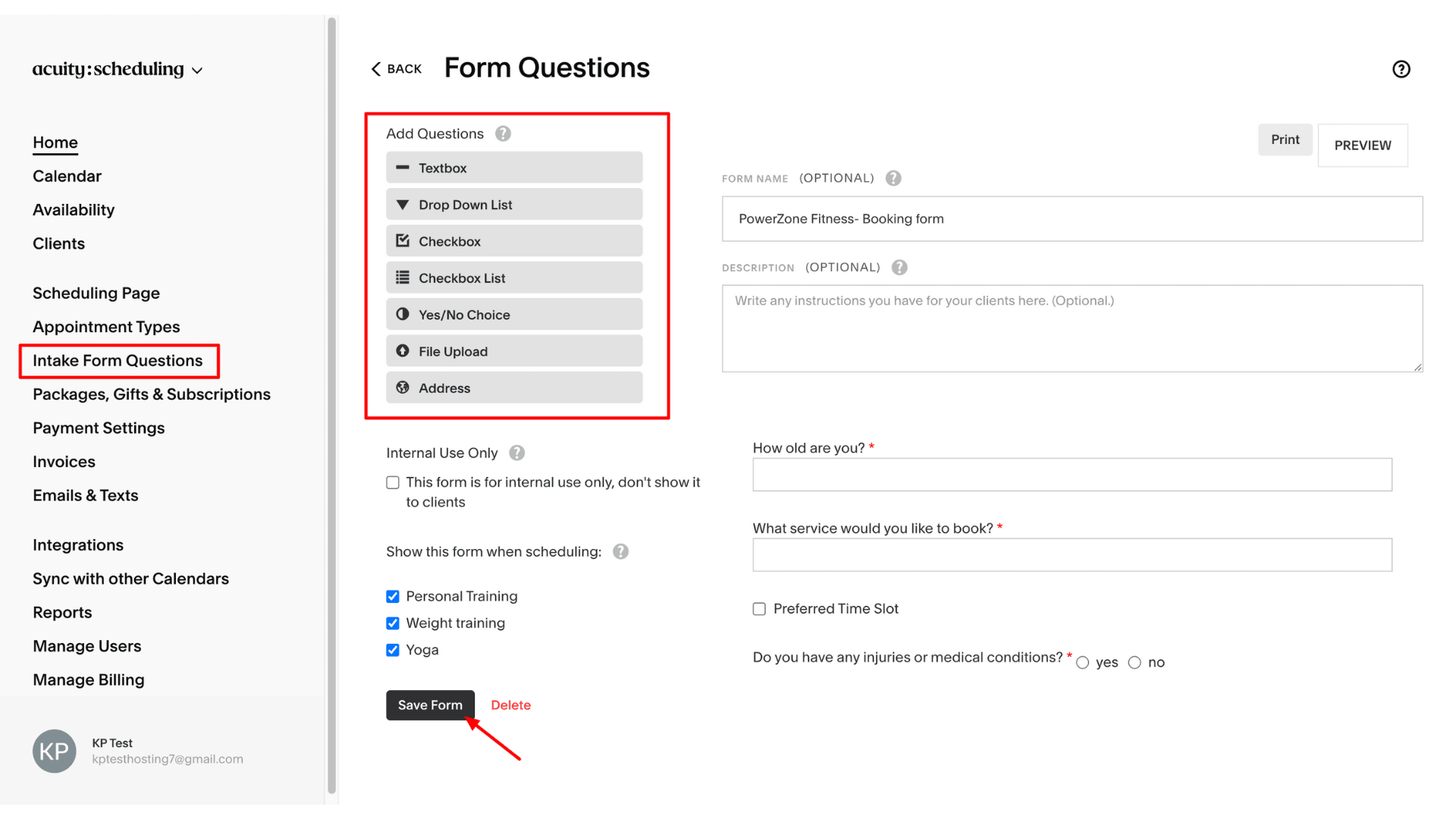
The payment side of things was just as smooth, as I was able to directly integrate the app with Stripe, Square, and PayPal. It allowed users to track both online and offline transactions and set up prepayments and cancellations/no-show policies. POS-style features, auto-sending invoices over email with auto-populated client details, are also available.
Pricing
Acuity Scheduling offers four paid plans: Starter, Standard, Premium, and Enterprise. The Starter plan costs $16/month when billed annually. It includes one calendar, unlimited services and appointments, client self-scheduling, and payment processing with deposits via Stripe, Square, or PayPal.
You can try all features free for a 7-day trial before committing to a paid plan.
Who Should Use
Solopreneurs, small teams, multi-location or multi-staff organizations, businesses that prioritize self-service booking, and non-tech-savvy service providers who want a powerful yet easy-to-use scheduling solution will find it ideal.
2) Square Appointments– Best for POS (Point of Sale) and In-Person Services
Square Appointments is another free-to-start appointment scheduling software. The app is perfect for service businesses requiring Square’s integrated marketing, booking system, and payment tools all in one place. The user interface is very easy to configure. I had to list my services, add staff, and set hours. The app gave me a booking-ready website plus checkout system almost immediately.
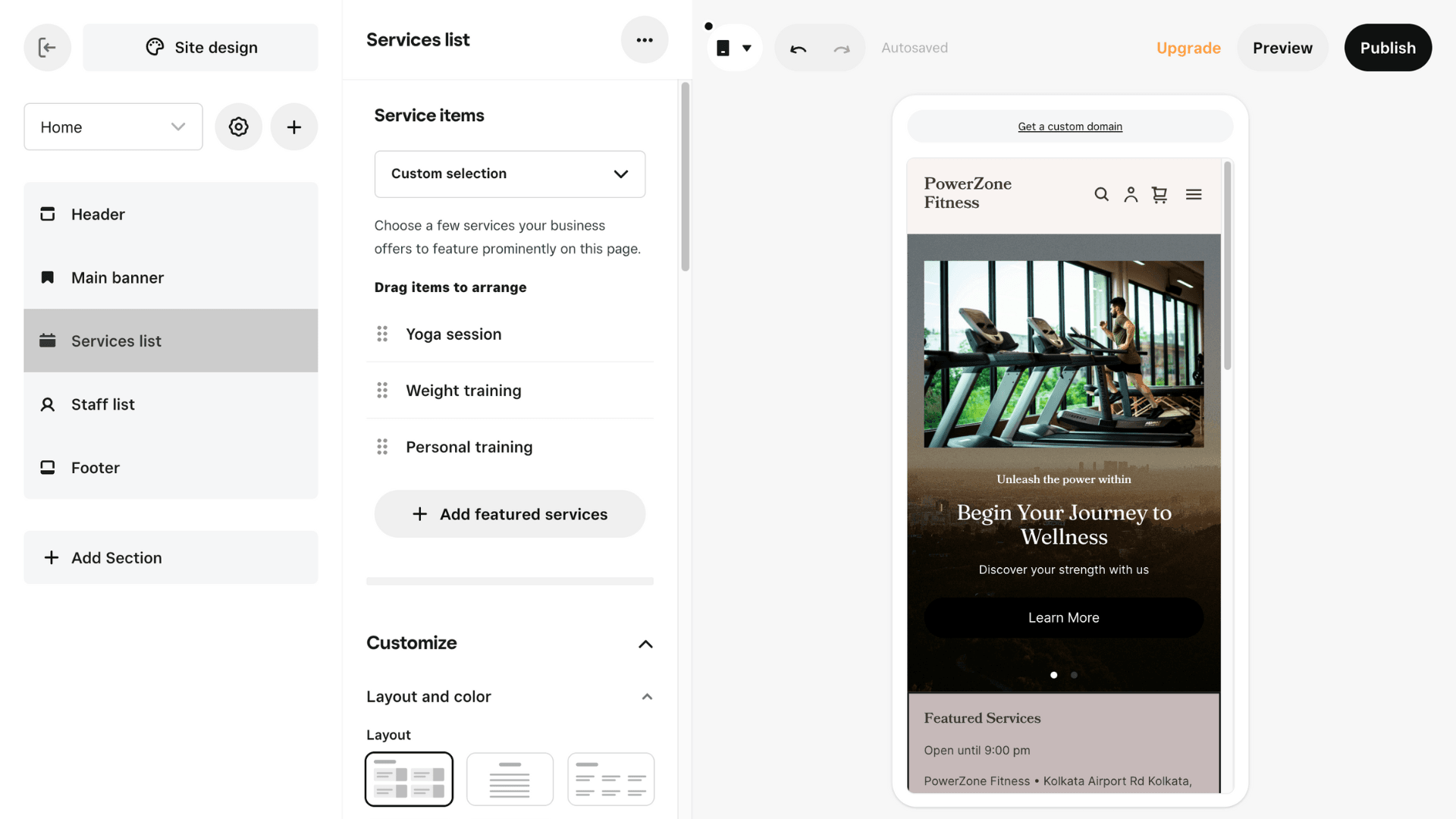
The customization options are one of the best things about this app. You can customize anything and everything from the banner, background image, service page features, staff bios, payment page, and more. The app even provides premium stock images if you don’t have your own. I could easily add the booking link to my Instagram or Facebook pages, or just embed it right onto my current website.
The app handles team members across different time zones really well and lets clients pick their favorite staff members. You can even track “resources” like chairs or stations to make sure they are kept reserved while booking. Plus, clients can schedule single or recurring appointments, which is helpful for fitness classes and workshops. Then, it sends automated email/SMS confirmations and reminders to reduce no-shows. In fact, Square Assistant uses AI to draft messages on your behalf.
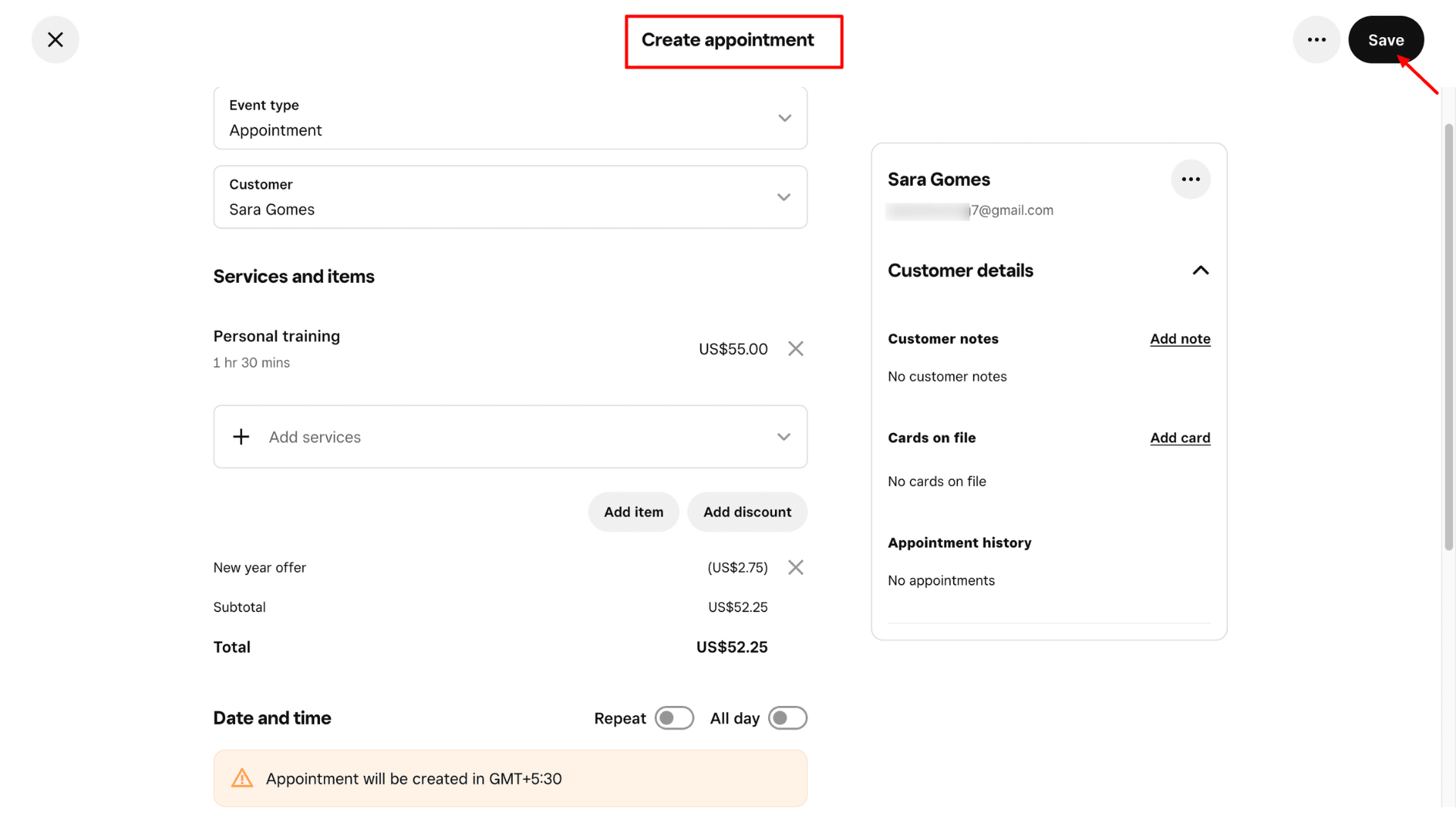
For providing the best customer service, the Square Appointments app lets businesses set detailed customer profiles. They can save store preferences, birthdays, documents, images, transaction history, etc. It is also very flexible with payments, allowing users to sell prepaid packages and accept payments through cards, digital wallets, CVS app pay, and gift cards. If you need physical hardware, they offer a choice from Square Register, Square POS, Square Stand, or a compact Square Reader that tracks your inventory and sales in one spot.
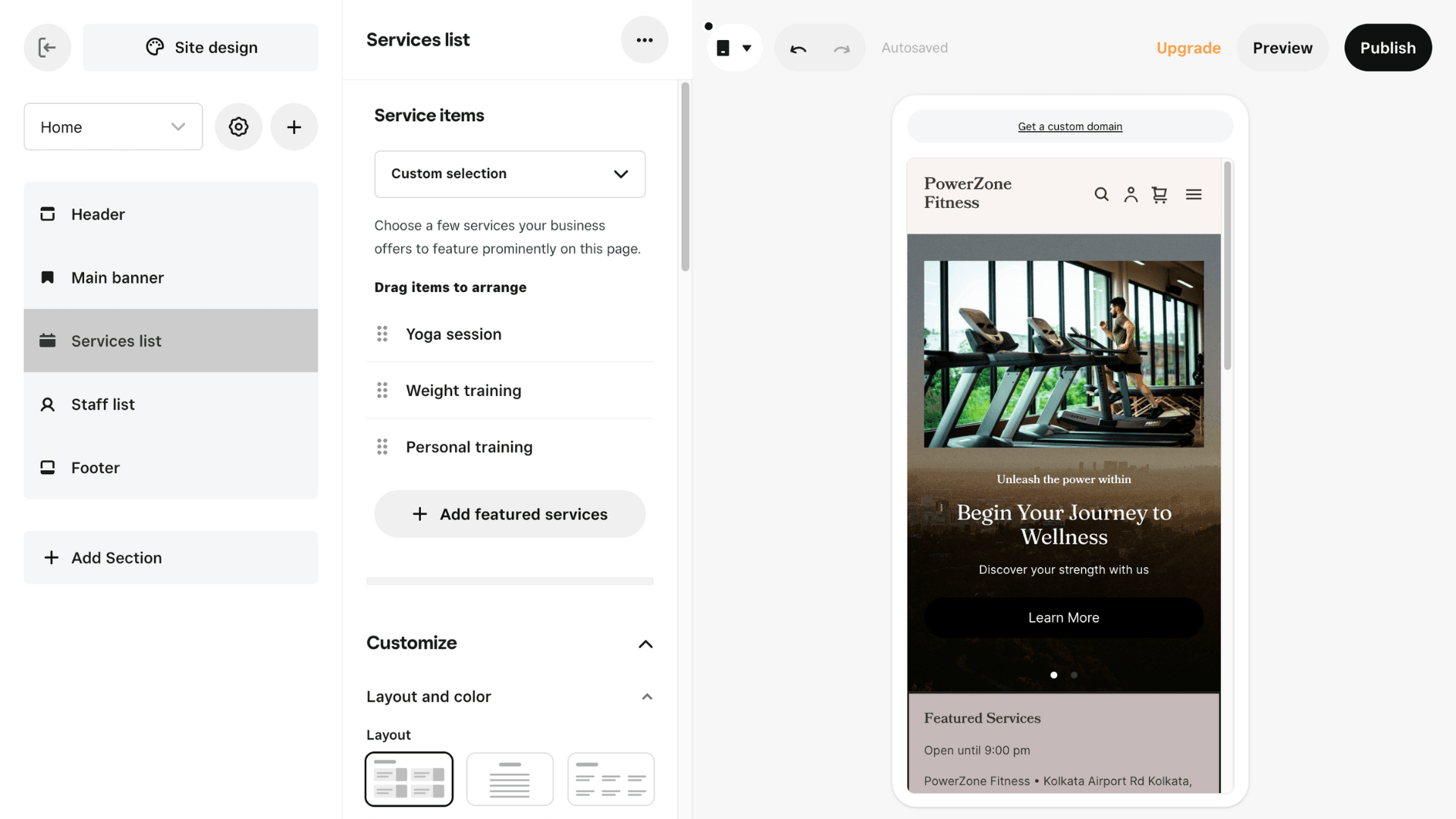
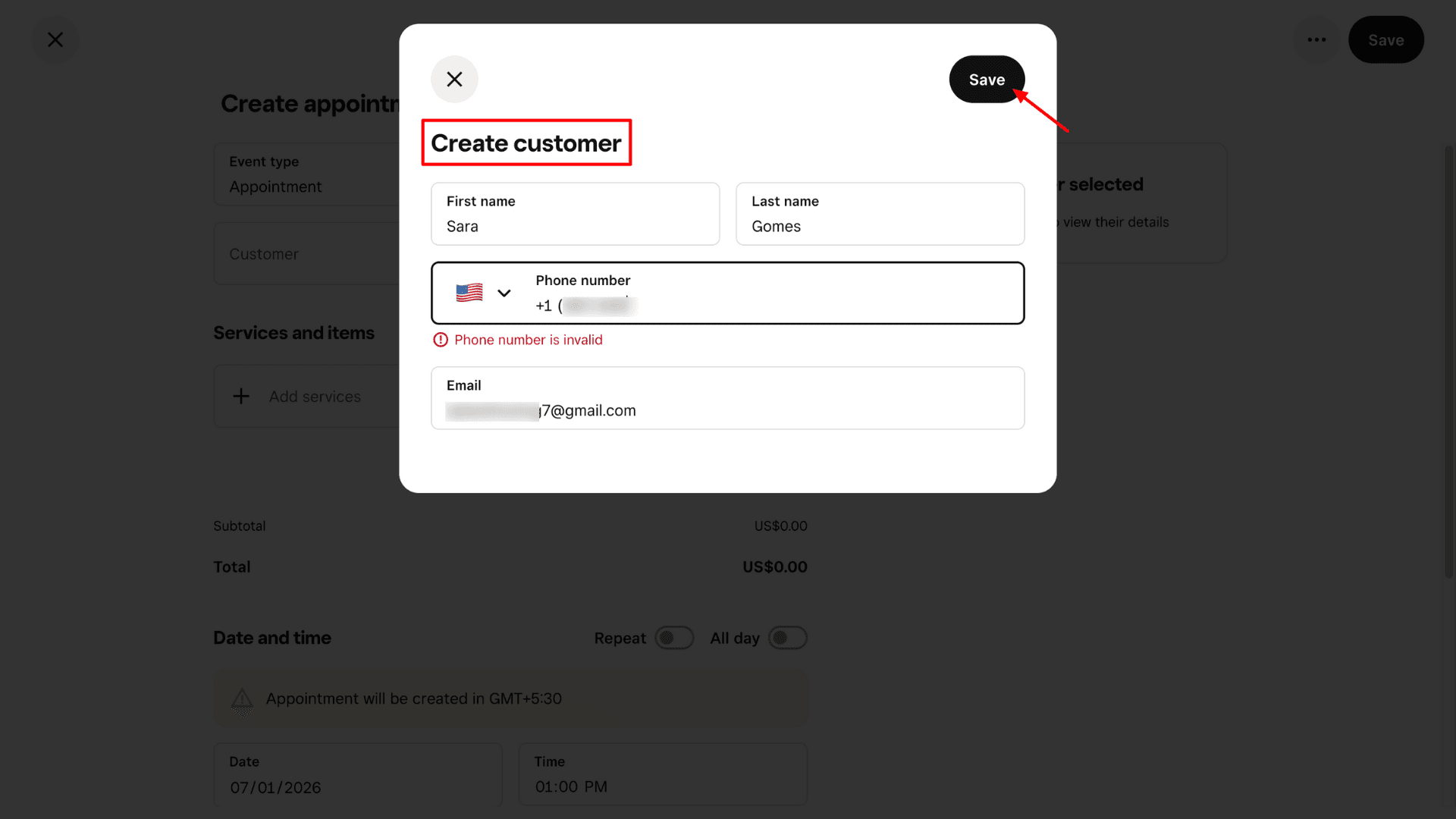
Unfortunately, Square is mostly designed for businesses in countries like the US, Canada, the UK, Australia, and Japan. If you’re running a business in India, you might face issues with setting the time zone, adding business locations, validating phone number or processing payments.
Pricing
Square’s free plan offers access for one user and includes unlimited scheduling, an online booking website with booking integrations, support for all payment methods, social media integrations, and digital wallets within the booking flow.
They also offer two paid plans: Square Plus and Square Premium. The Square Plus plan costs $49 per month and includes everything in the free tier, along with multi-staff appointment booking, class bookings and packages, Google Calendar sync, and more. A 30-day free trial is available, and no credit card is required.
Who Should Use
Salons, wellness centers, mobile service providers, and multi-location businesses that require on-the-go, tap-and-pay payment facilities alongside booking functionality will find Square helpful.
3) Trafft -Best for Free Plan and Unlimited Scalability
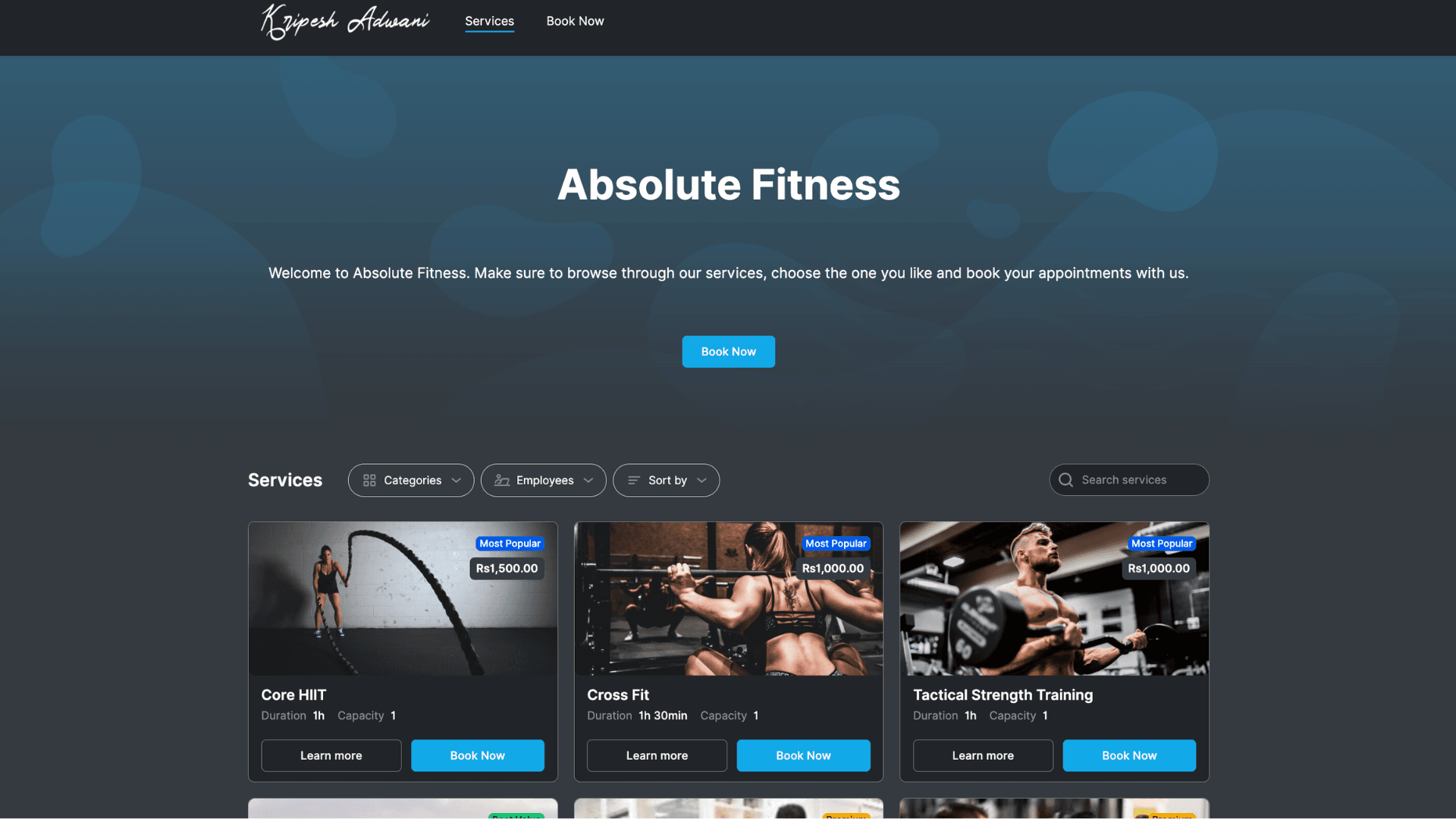
Another great appointment scheduling software with a generous free plan is Trafft. The first thing I noticed is its intuitive and modern interface compared to the above two apps. I found the navigation very simple for both self-bookings and the client side. Setting up my service listings and booking page was completely hassle-free because of the guided onboarding. Beginners can even handle basic booking setup without tutorials.
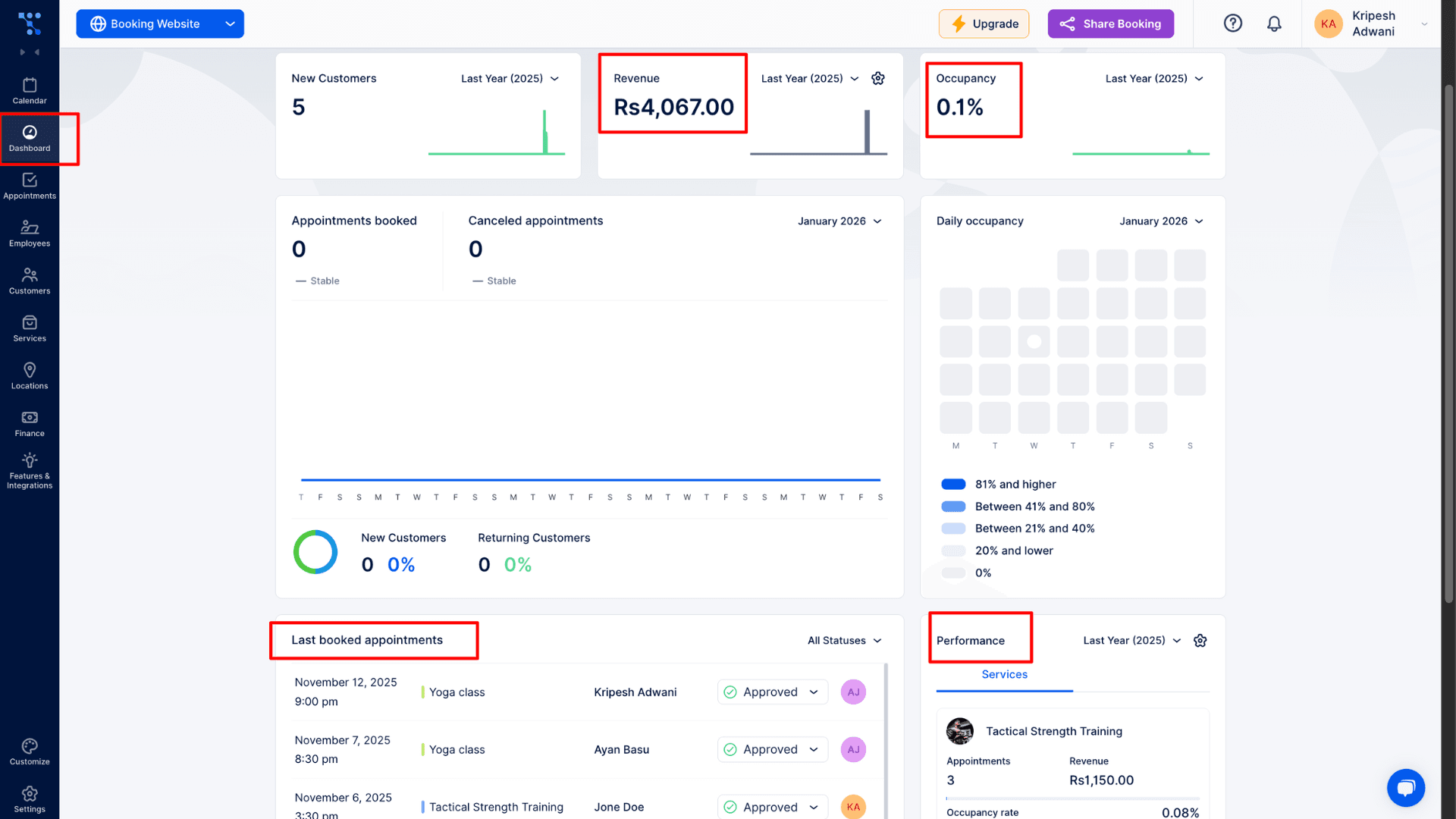
The software automatically builds a professional booking website for you. I was able to add my own logo, set the time zone, and even customize the favicon, header, footer, and domain name. Managing the schedule is easy through a central dashboard where I can block off company holidays or manage shared resources like rooms and equipment. It also handles things like customer profiles and custom forms effortlessly.
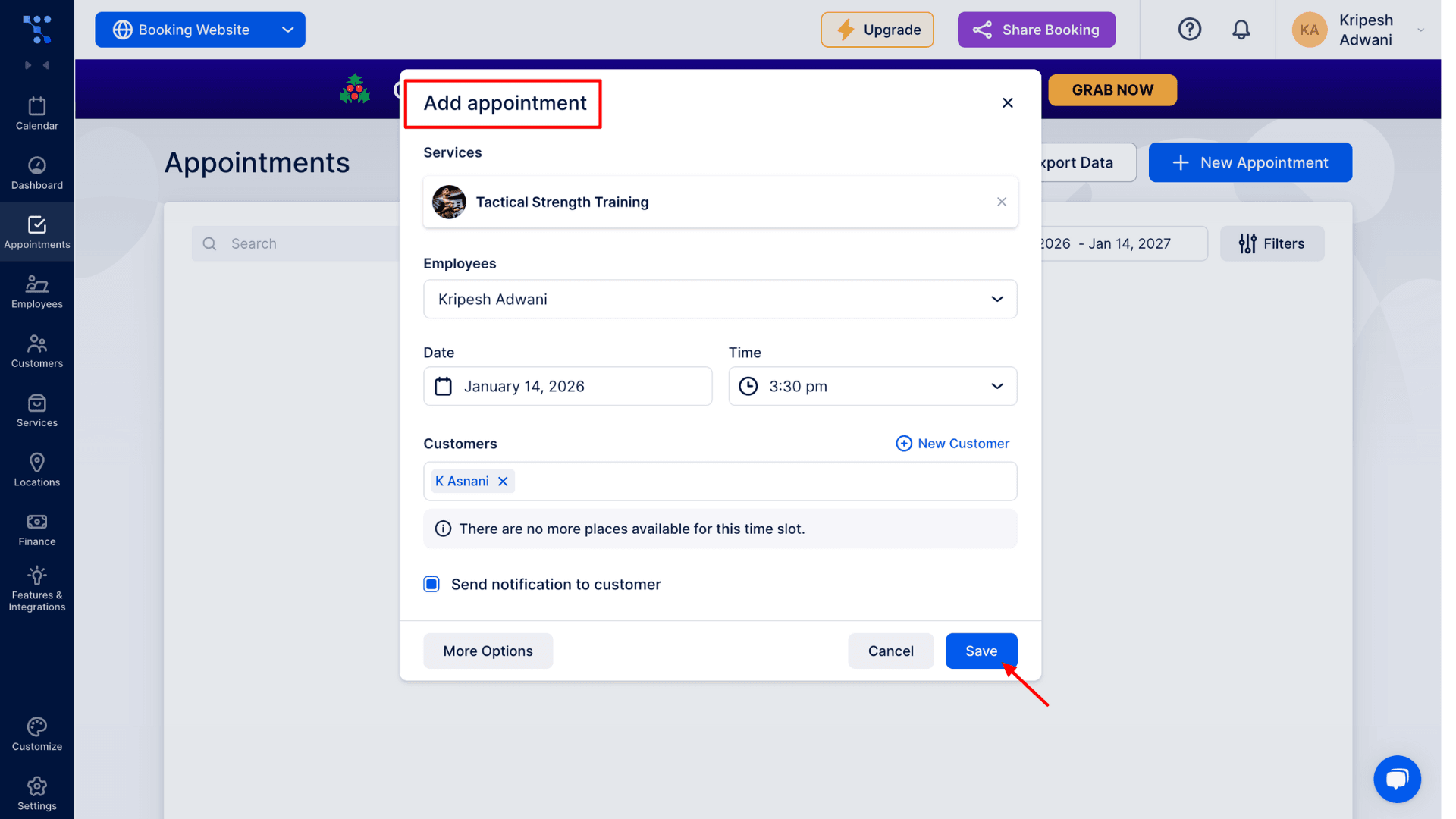
Businesses can share their booking link through social media, QR codes, or even Google Maps to find new clients. For team management, the app supports group appointments, upsells, role-based access, and service bundles. Trafft Analytics dashboard is also great for tracking which services are the most popular, occupancy, commissions per employee, repeat customers, and how the staff is performing
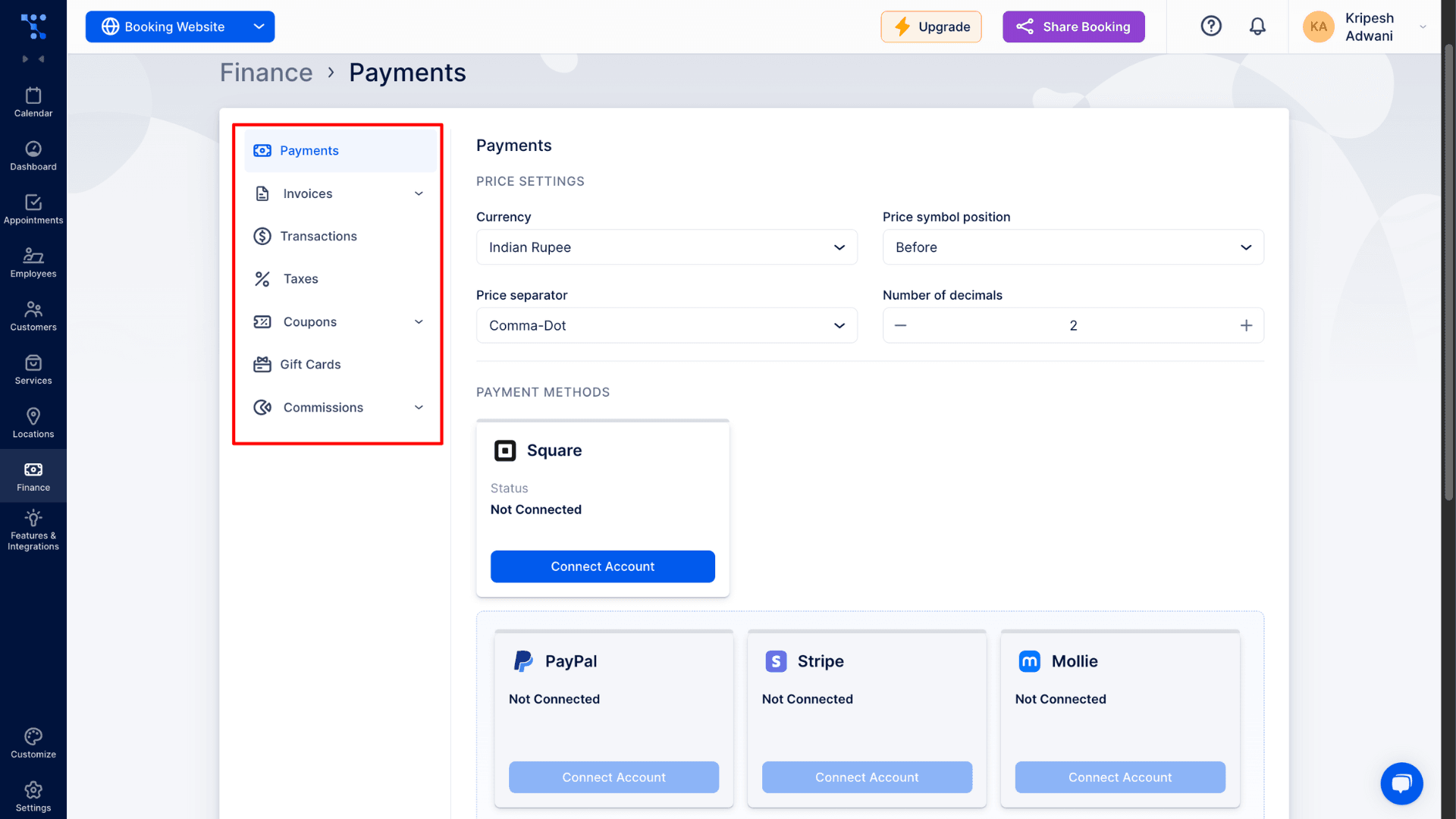
Under the Finance tab, I found that all the payment settings are neatly organized and easy to find. It was very simple to connect my account to tools like Stripe, PayPal, and Square to take payments. The system automatically sends out invoices for me, which saves a lot of time. I can also quickly check my billing history, see my total earnings, or handle refunds. It even has built-in options to add taxes and create coupons or gift cards for my customers.
Pricing
Trafft’s free tier offers some of the strongest features among all the apps I reviewed. On the free plan, you get access for up to 5 users, unlimited appointments, 5 custom features, a booking website, up to 200 email notifications per month, a WordPress plugin, cross-platform access, and more.
Trafft offers three paid plans: Starter, Scaling, and Enterprise. The Starter plan starts at ₹1461.90 per month when billed annually. It includes access for up to 10 users, 10 custom features, 5 SMS credits per month, unlimited locations, intake forms, payment integrations, Google Analytics, and more.
Who Should Use
Coaches, consultants, salons, health clinics, and fitness centers can use Trafft effectively. It’s also a great fit for independent professionals who want to avoid manual scheduling, as well as teams that manage multiple staff members, calendars, and service locations.
4) SimplyBook.me–Best for Beginner-friendly Booking Website
SimplyBook.me is a perfect fit if you are just starting out or don’t have a huge number of appointments yet. The app is flexible and feature-rich. After signing up, it walks you through a step-by-step guided onboarding process. The setup process is too detailed and covers everything from your service listings to adding business details. Even if you aren’t great with technology, this guided process makes it very easy to get started.
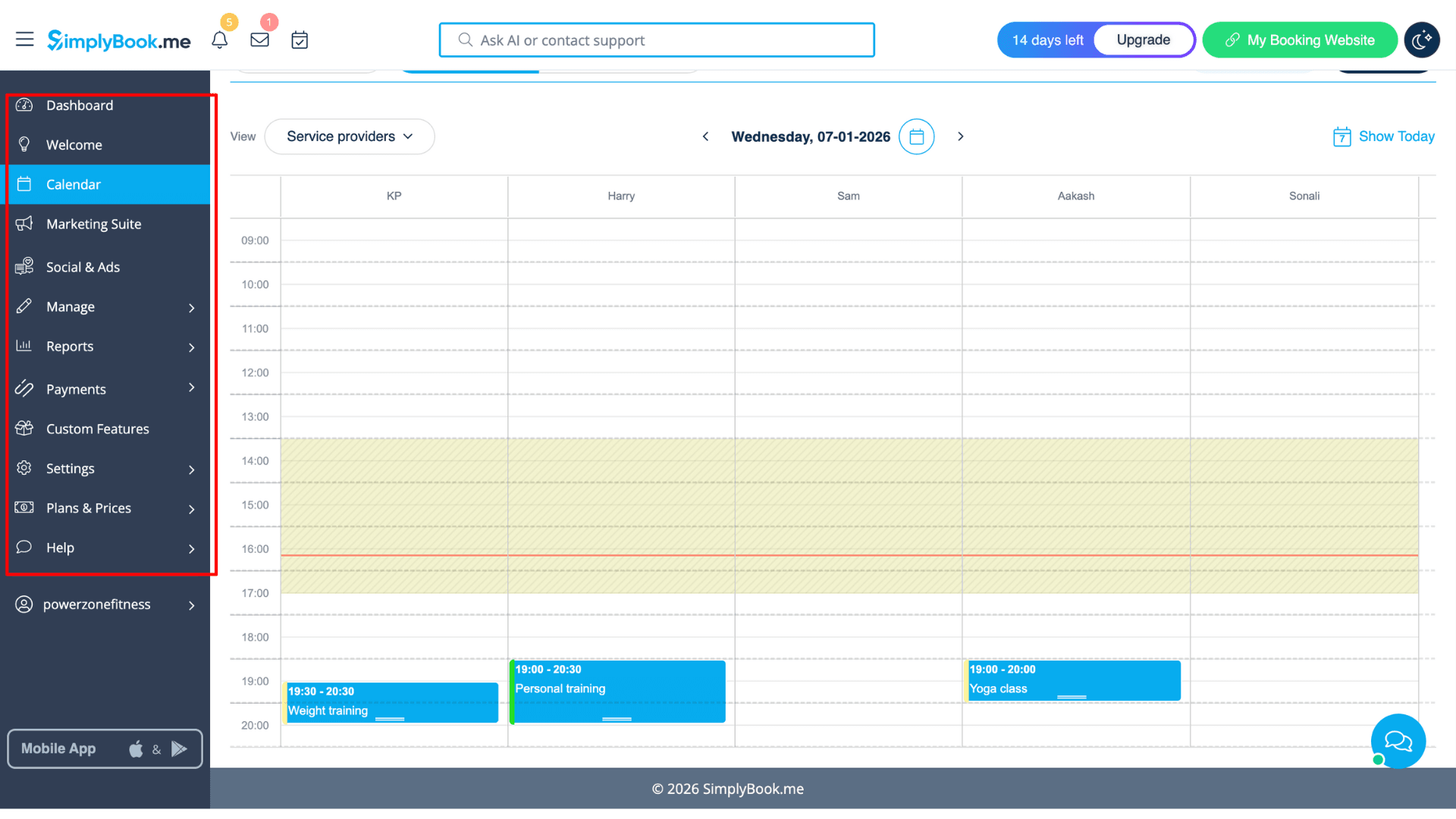
The dashboard gives you a very clear view of yourdaily, weekly, or monthly calendar. You can simply move appointments to reschedule them with the drag-and-drop feature. Booking appointments manually is very easy. Click on any date, fill in details like the client’s name, service provider, duration, date, etc., and save.
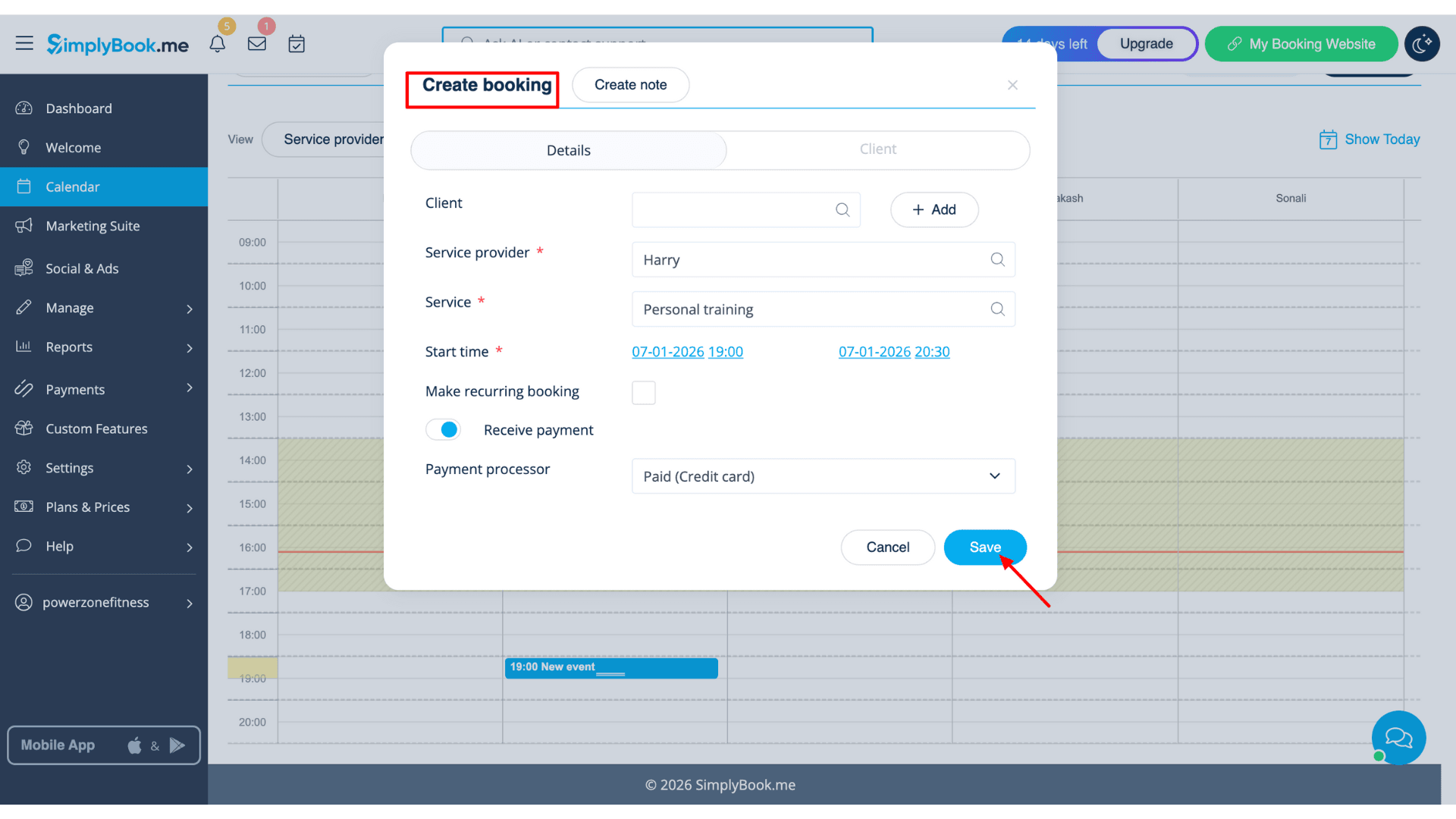
One small downside I noticed is that you can only set durations in 30-minute or 1-hour blocks; there wasn’t an option for a 45-minute slot. Like the other apps, it automatically creates a professional booking website for you that looks great on mobile phones once you add your own branding.
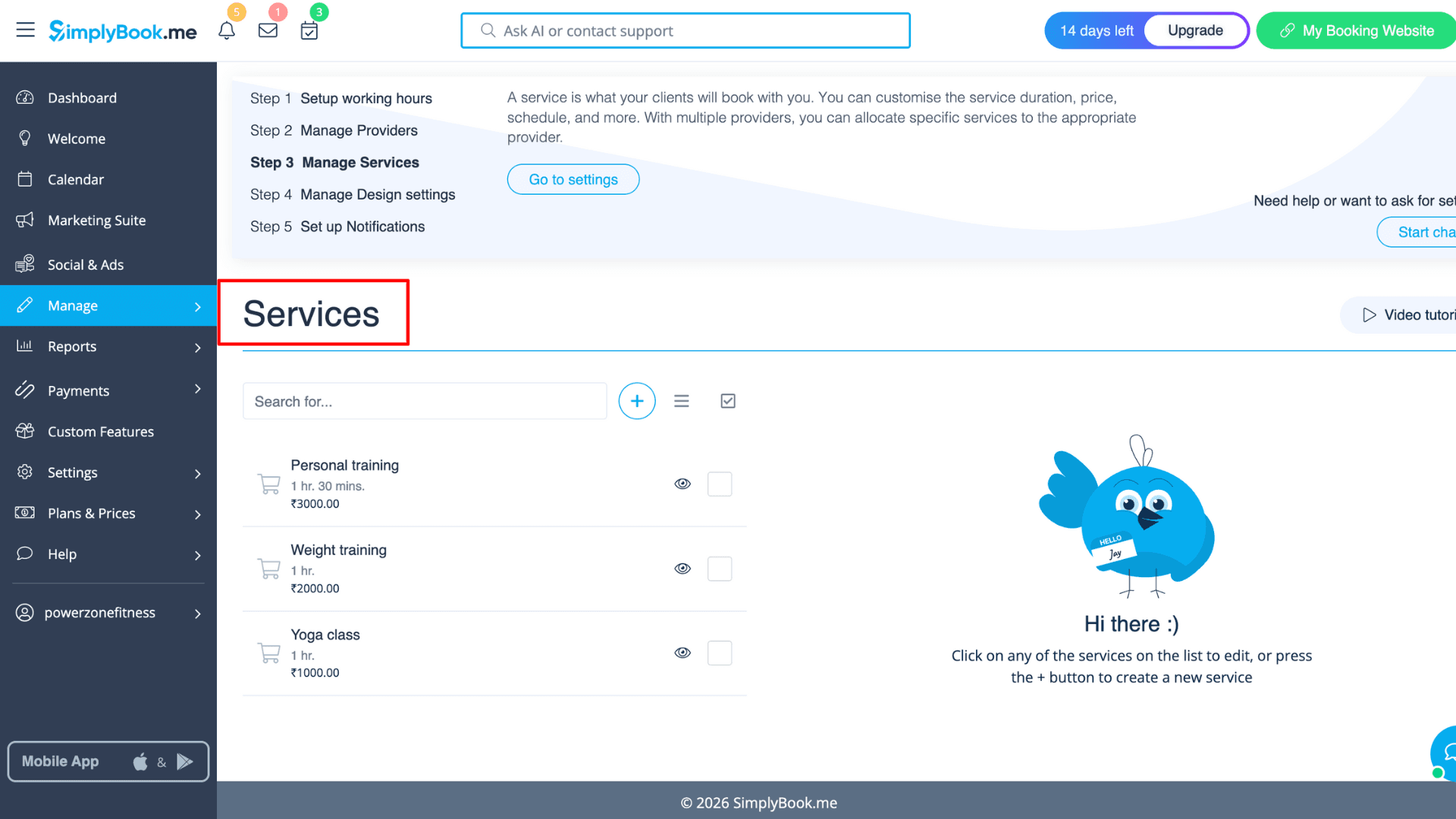
Your clients can also book themselves at any time using the website and embeddable widget. They can check staff’s real-time availability and fill out intake forms before they arrive. To make payments, they can use any major platforms like Stripe, PayPal, Apple/Google Pay, QR codes, Tap & Pay, and stored cards. I could send payment links directly to a client’s email for prepaid services.
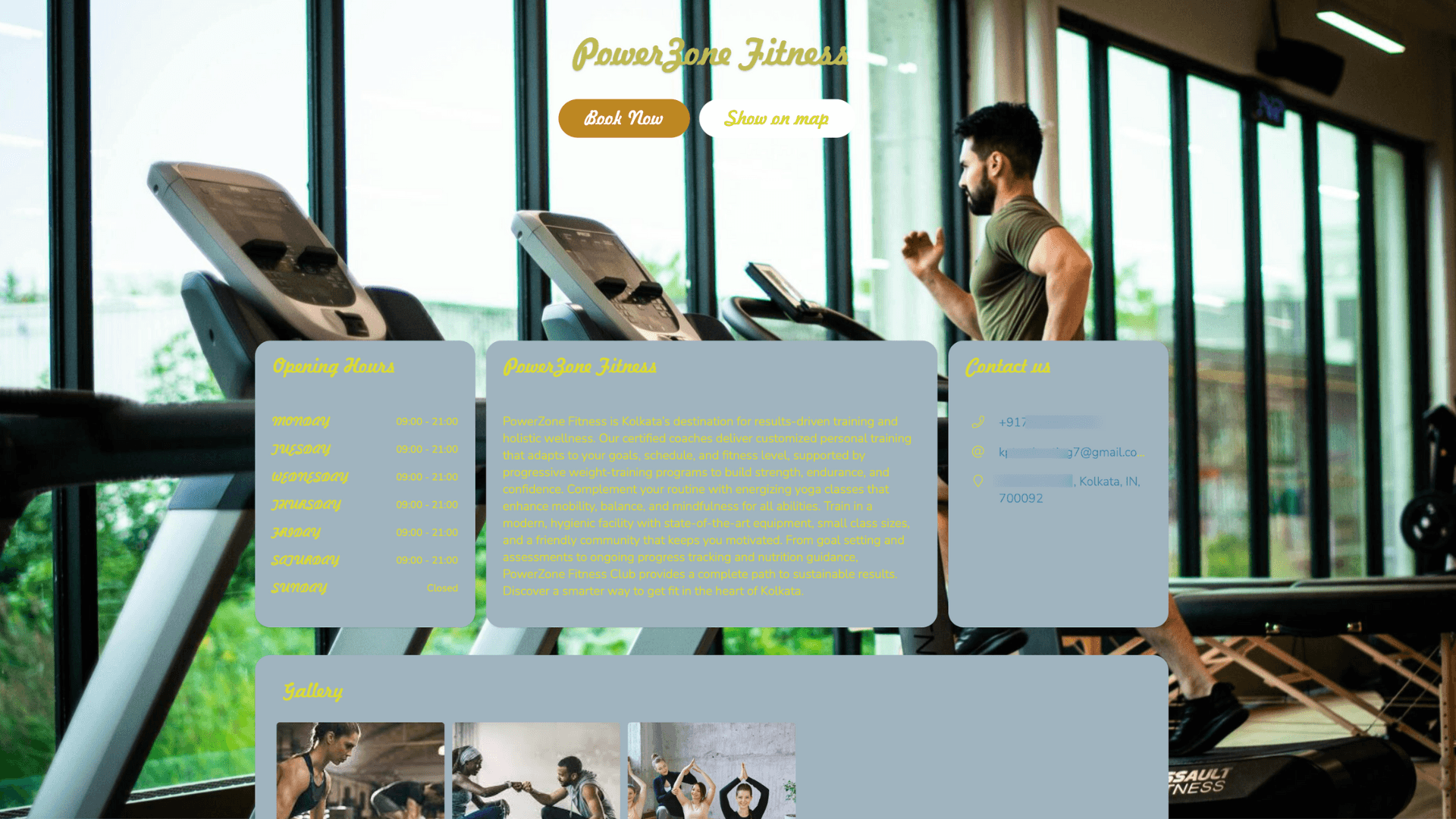
If you’re running your business alone, SimplyBook.me helps in marketing as well. You can promote websites with QR codes, send “Book soon” reminders to people who haven’t visited in a while, and even set up a Loyalty System with coupons. The app even offers social media and ad management features, by which I can schedule and run ad posts.
Pricing
On its free tier, SimplyBook.me allows one provider and includes one custom feature, up to 50 bookings, a booking website, booking widgets, an admin app, a WordPress widget, and more.
SimplyBook.me offers four paid plans: Basic, Standard, Premium, and Enterprise (customized). The Basic plan costs $9.60 per user per month and includes access for up to five providers, 100 bookings, three custom features, a client app, payment support, deposits, tipping, and point-of-sale (POS) features.
5) Setmore– Best for Small Teams on a Budget
If you have a small team and a tight budget, Setmore is a great, lightweight choice. The setup is very easy because the app guides you step-by-step through setting up your time zone, business hours, and staff details. Users can go from signing up to having a live booking page in just a few minutes.
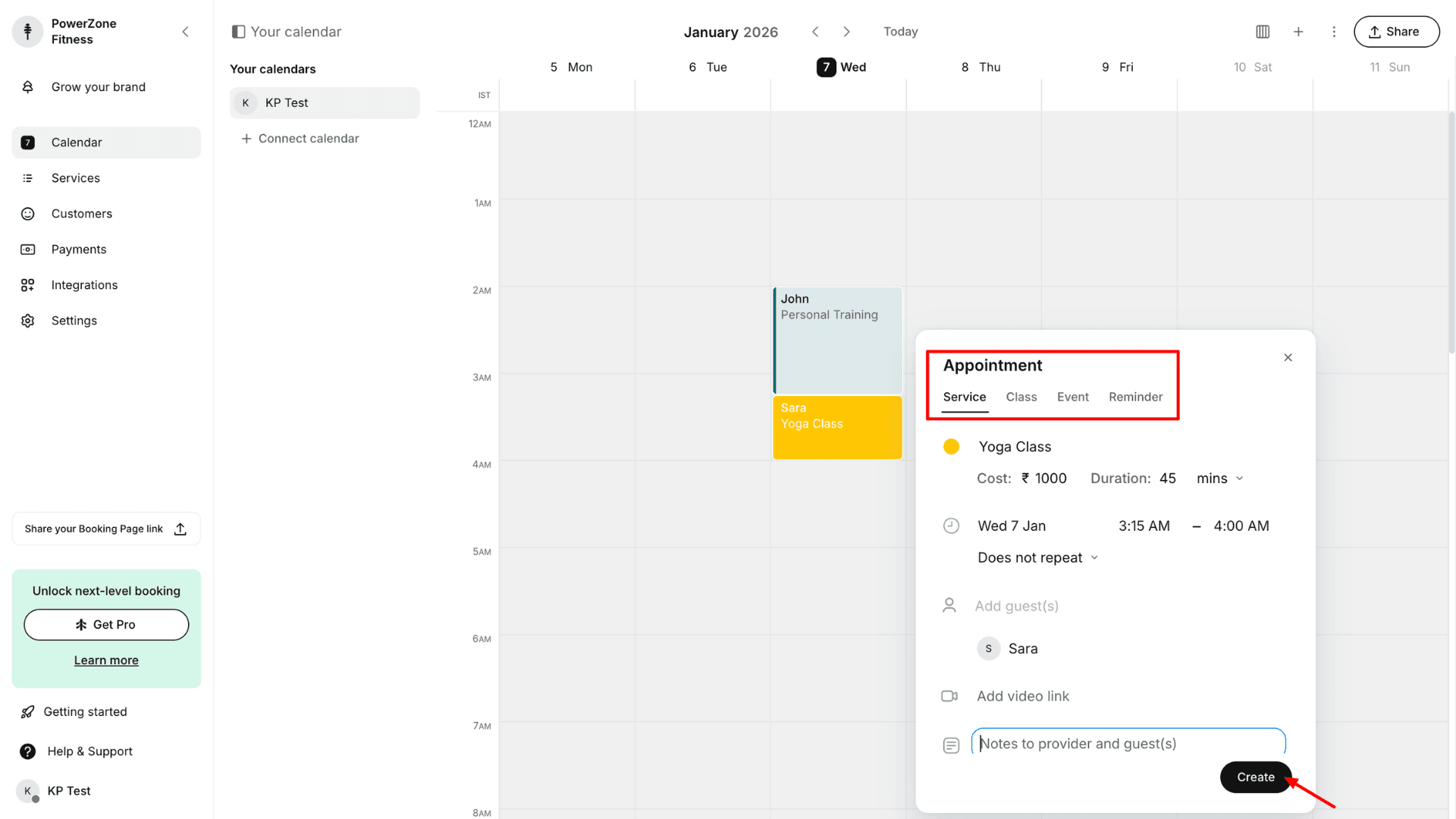
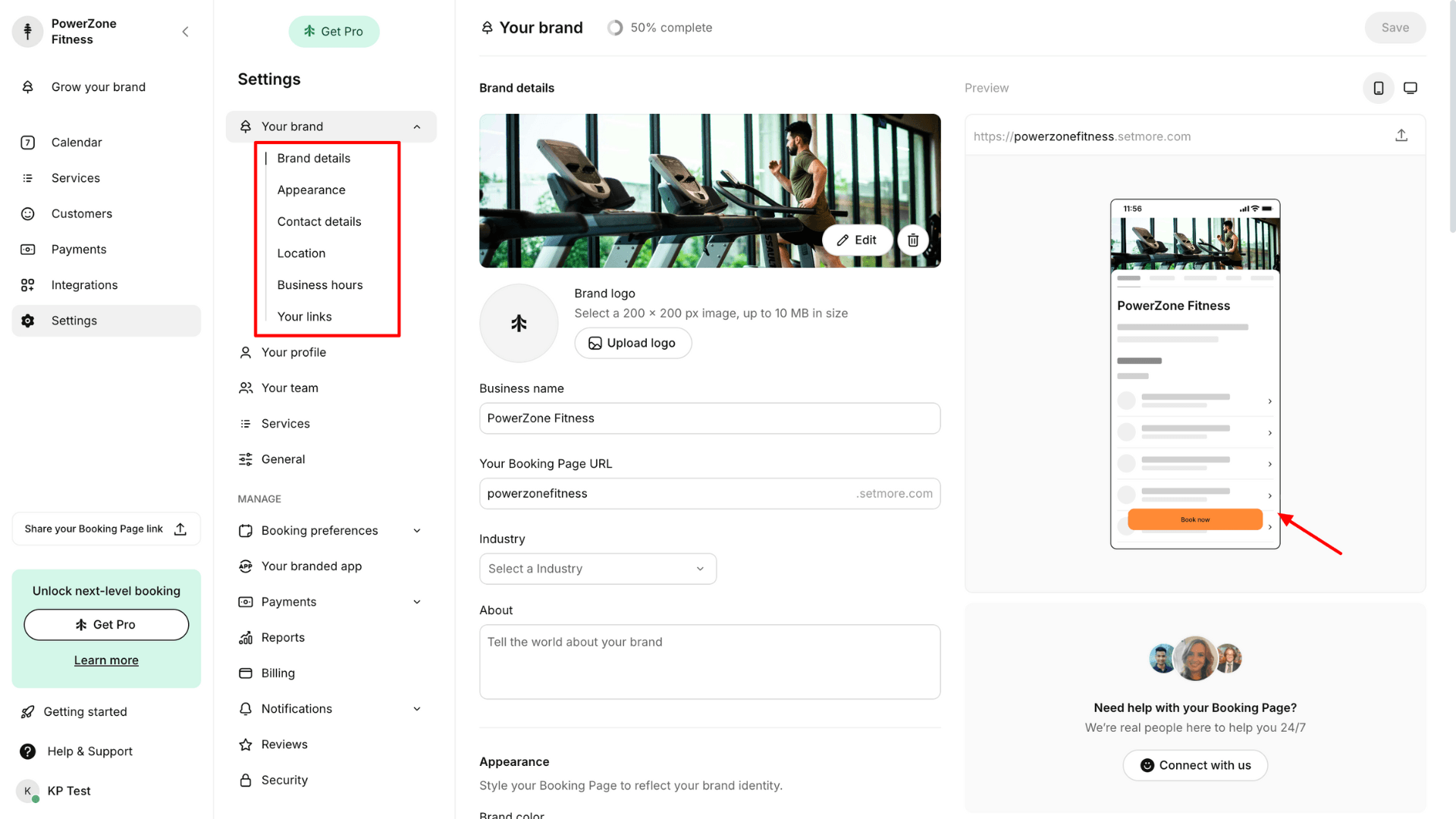
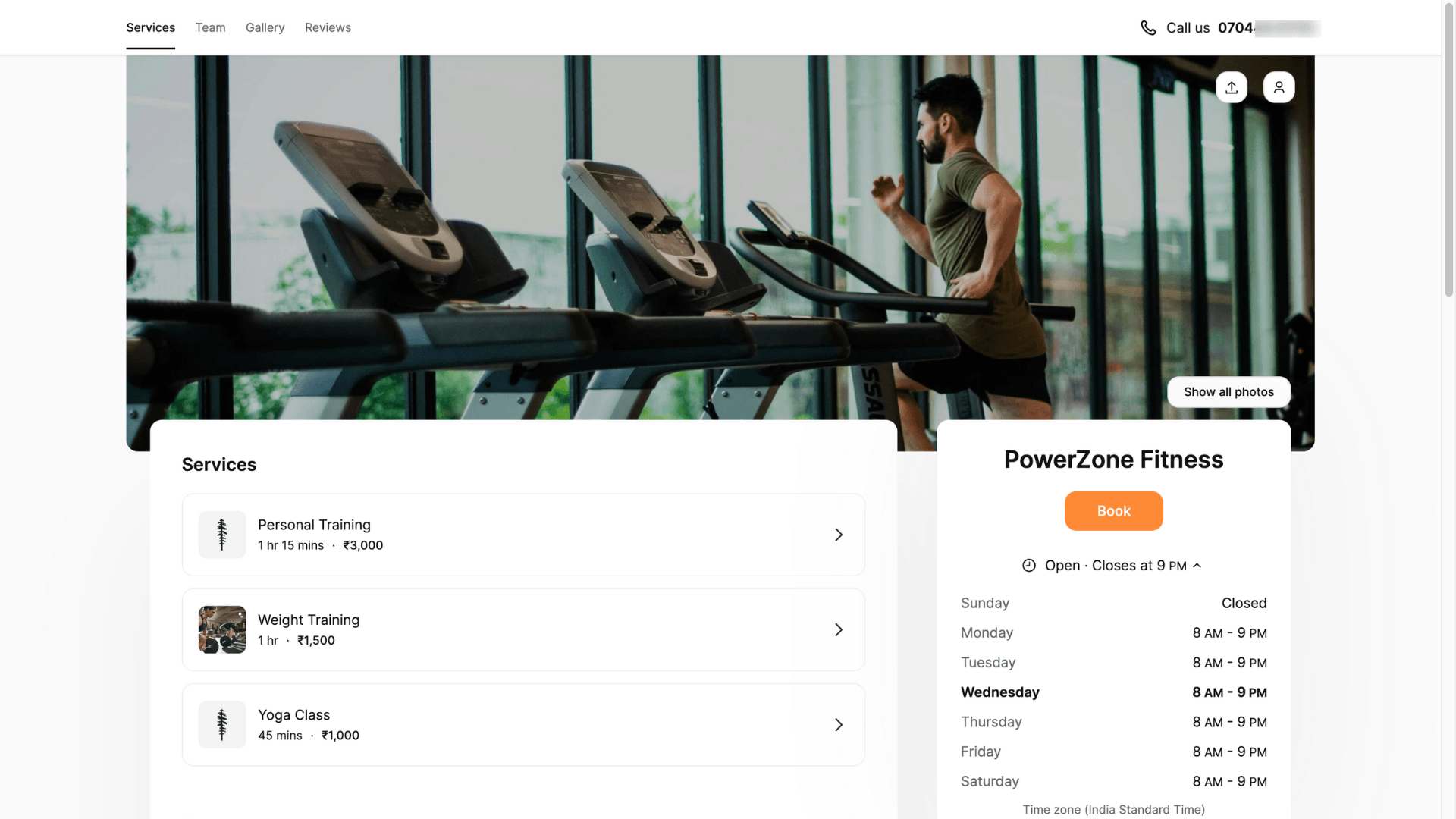
The booking page offers decent customization. I was able to add a logo, themes, branding, social media links, and customer reviews. It supports 24/7 self-bookings and connects with major payment platforms like Stripe, Square, PayPal, and even Cash. It integrates with social media, CRM tools like Salesforce, Zoho CRM, Zendesk, Slack, Mailchimp, QuickBooks, plus Google/Office 365 calendar sync.
One of the best things about Setmore isthe control it gives you over the staff and customer site. For example, you can set staff-specific hours, breaks, and time-off for each person so that clients only see valid slots while booking. It also lets clients choose custom appointment lengths and book recurring sessions. We can even set buffer time between meetings or limit the number of appointments for a day.
The app sends automated email reminders and confirmations to keep everyone on track. But the SMS reminders are also available if you purchase a paid plan. It allows up to 4 staff members to use the system, which is much better than most other free tools I’ve tried.
Pricing
Setmore’s free tier includes up to 4 users, 200 appointments per month, a custom URL link, a customizable booking page, cross-platform access, analytics and reports, and Google Reviews integration.
Setmore offers a single paid plan. The Setmore Pro plan is priced at $5 per user per month when billed annually. It includes unlimited users, unlimited appointments, SMS reminders, two-way calendar sync, removal of Setmore branding, and custom notifications and reminders.
Who Should Use
Setmore is ideal for solo providers and micro-teams such as tutors, coaches, wellness practitioners, salons, and small clinics that need online booking, reminders, and basic payments without the complexity of a heavy system.
6) Zoho Bookings– Best for CRM Integrations
If you want to try out appointment scheduling software on a forever-free plan, Zoho Bookings is a great option. Since the app is cloud-based software, it feels smooth if you’re already using the Zoho ecosystem.
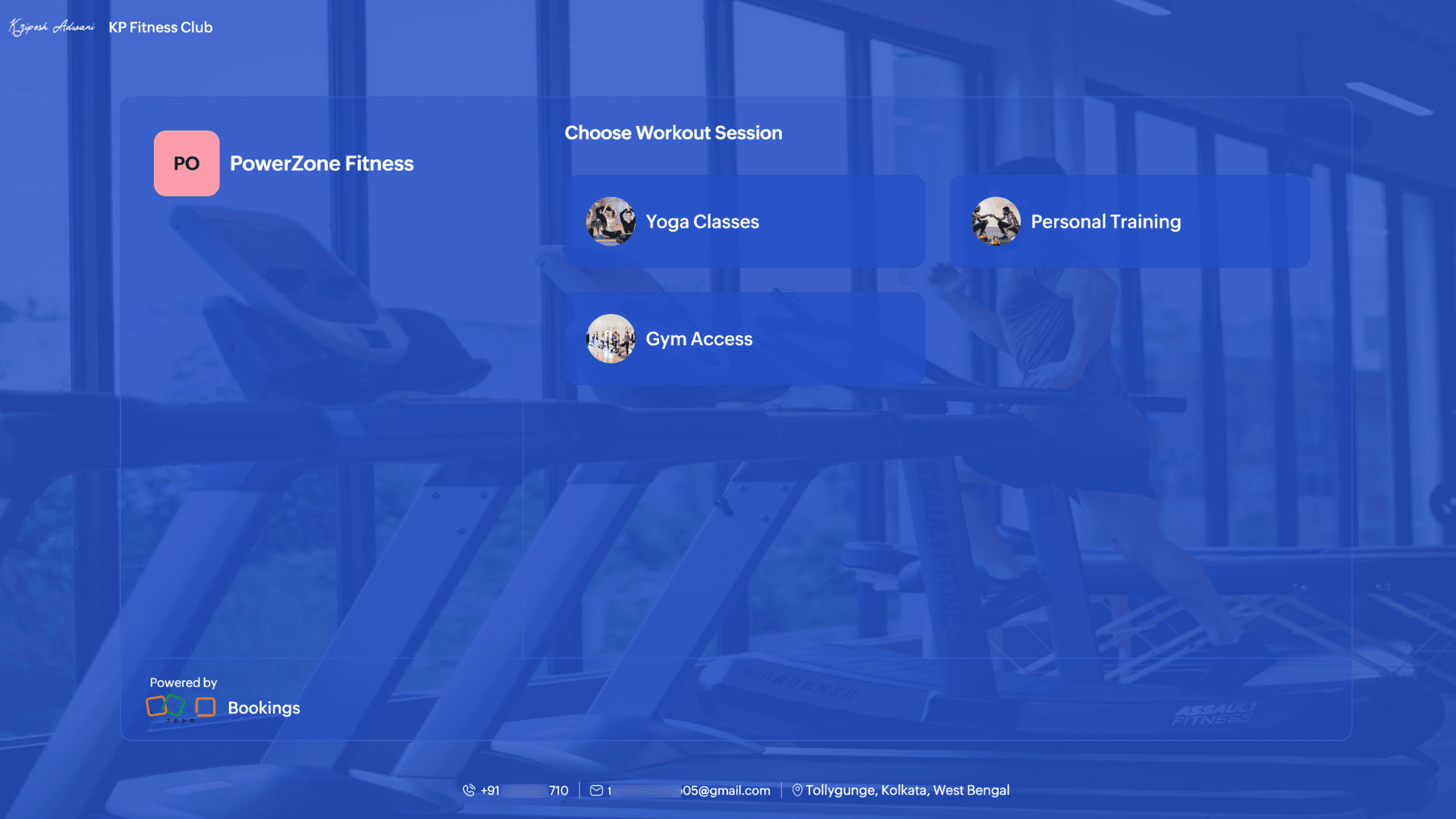
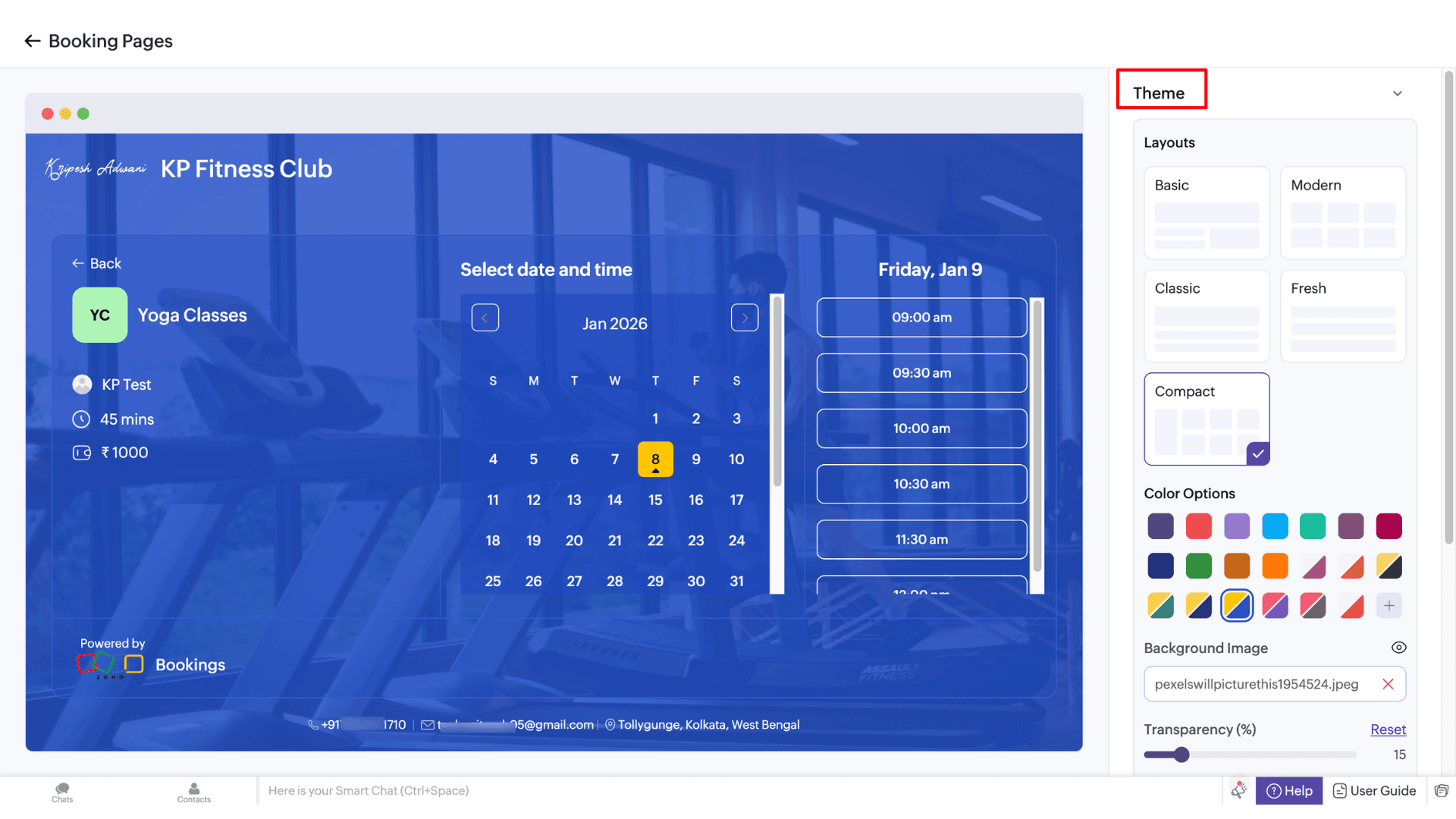
Users can set up branded booking pages with logos, colors, custom text, and even embed them within their existing websites. This app uses the Zoho AI assistant, called Zia, to automate everything like staff labels, understand meeting types, manage time slots, and avoid conflicts.
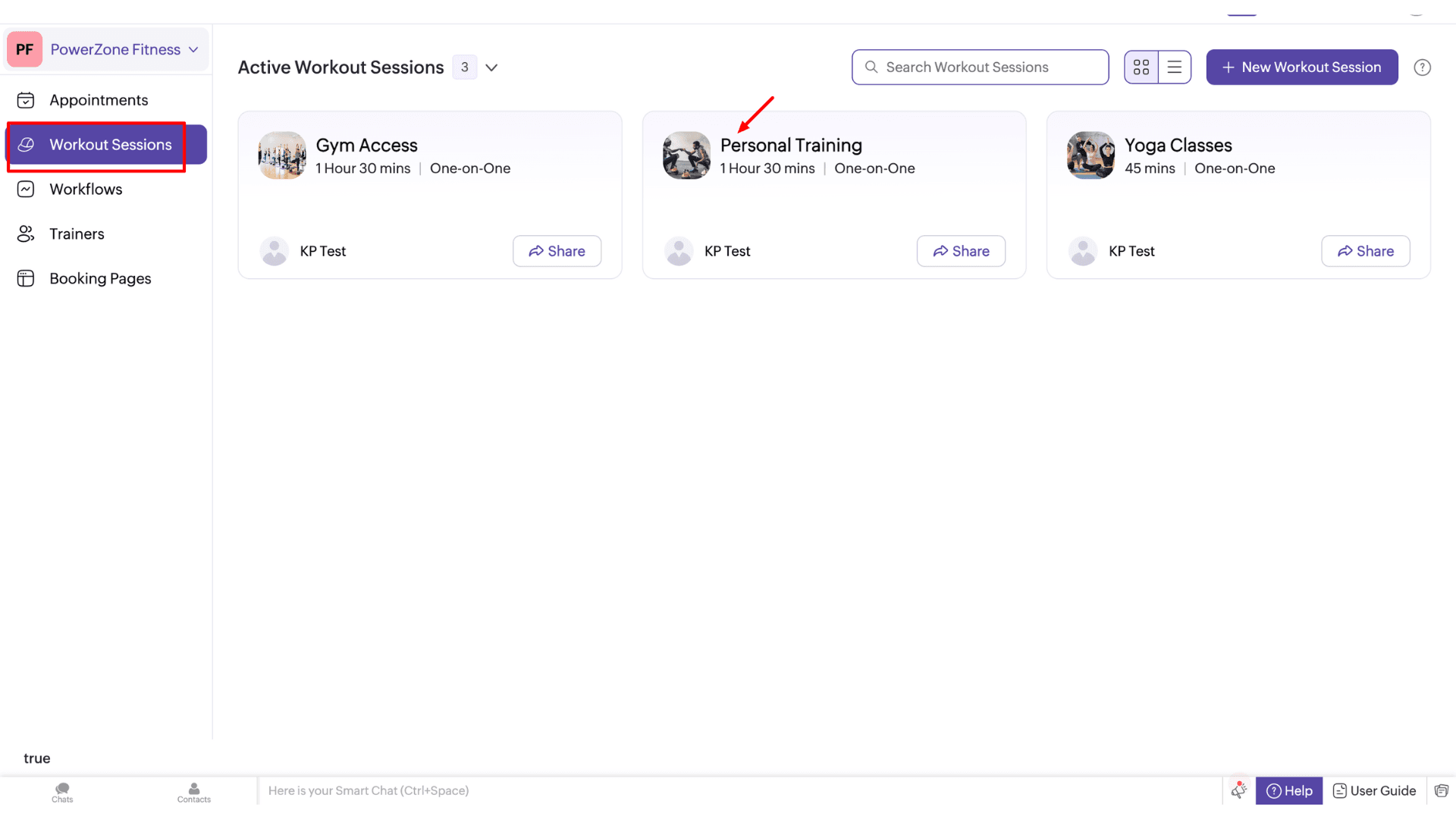
The interface itself is basic. I could see all my upcoming, finished, and canceled appointments at a glance. Mobile apps are even simpler to manage while I’m away from my desk. But there is a bit of a learning curve at first for non-technical users. On free tiers, the options for customizing your booking page are a bit limited.
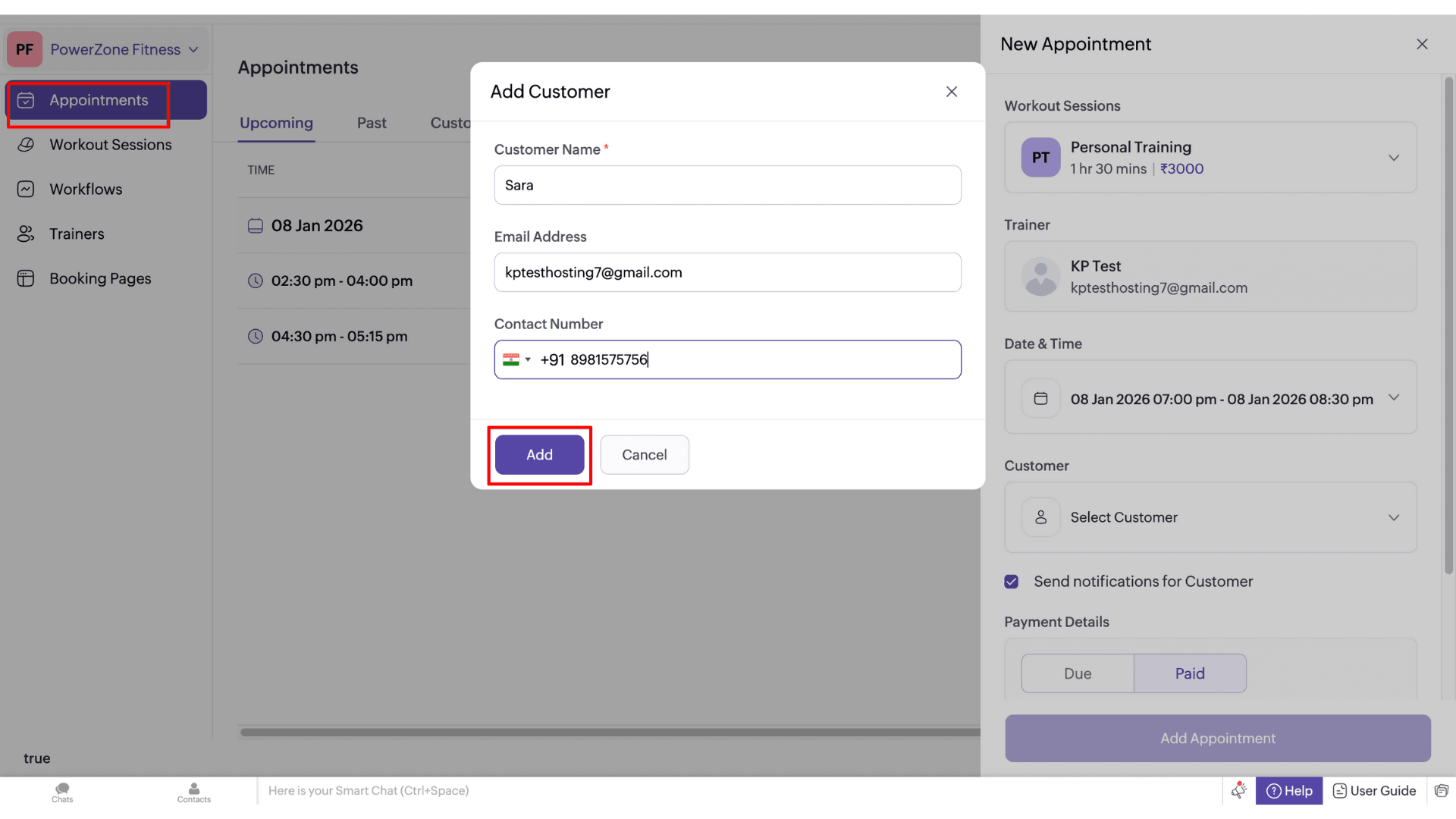
Zoho Bookings integrates Google, Outlook, and Zoho Calendar. It gave users a lot of control over their schedule, like setting a minimum notice time for booking, adding buffer time between meetings, adding cancellation windows, managing multi-location clients, and workspace-based calendars. The automated email and SMS reminders are a huge plus for making sure clients actually show up.
There’s an opinion for team scheduling, and the app allows clients to pick available team members or auto-sign staff. Workspace features help manage separate departments with role-based permissions through a single interface.
Integration is a great plus here because you can connect Zoho Bookings with video conferencing tools like Zoom, Meet, Zoho Meetings, plus CRMs like Salesforce, HubSpot, Pipedrive, Zoho CRM, Streak, and more. The app even comes with WhatsApp and Google Analytics integrations for tracking business growth. For transaction management, you can connect major payment gateways like Stripe, PayPal, Razorpay, etc.
Pricing
Zoho Bookings offers a forever-free plan with limited access for a single user. On the free plan, you get online meetings, notification emails and reminders, two-way calendar sync with Zoho, Google, and Microsoft 365/Outlook.com, and a basic booking page setup.
Zoho Bookings also provides two paid plans: Basic and Premium. The Basic plan starts at ₹360 per user per month when billed annually. It includes one-on-one and collective bookings, branding and customization options, and basic integrations.
Who Should Use
Zoho Bookings suits well for consultants and coaches, personal trainers offering one-on-one sessions, marketing agencies, and other service-oriented businesses.
7) Appointy– Best for Built-in Marketing & Lead Generation
The last appointment scheduling app I’d recommend, only if you have very limited requirements, is Appointy. It is very simple to use and offers a free plan with strong automation. The app syncs with Google Calendar.
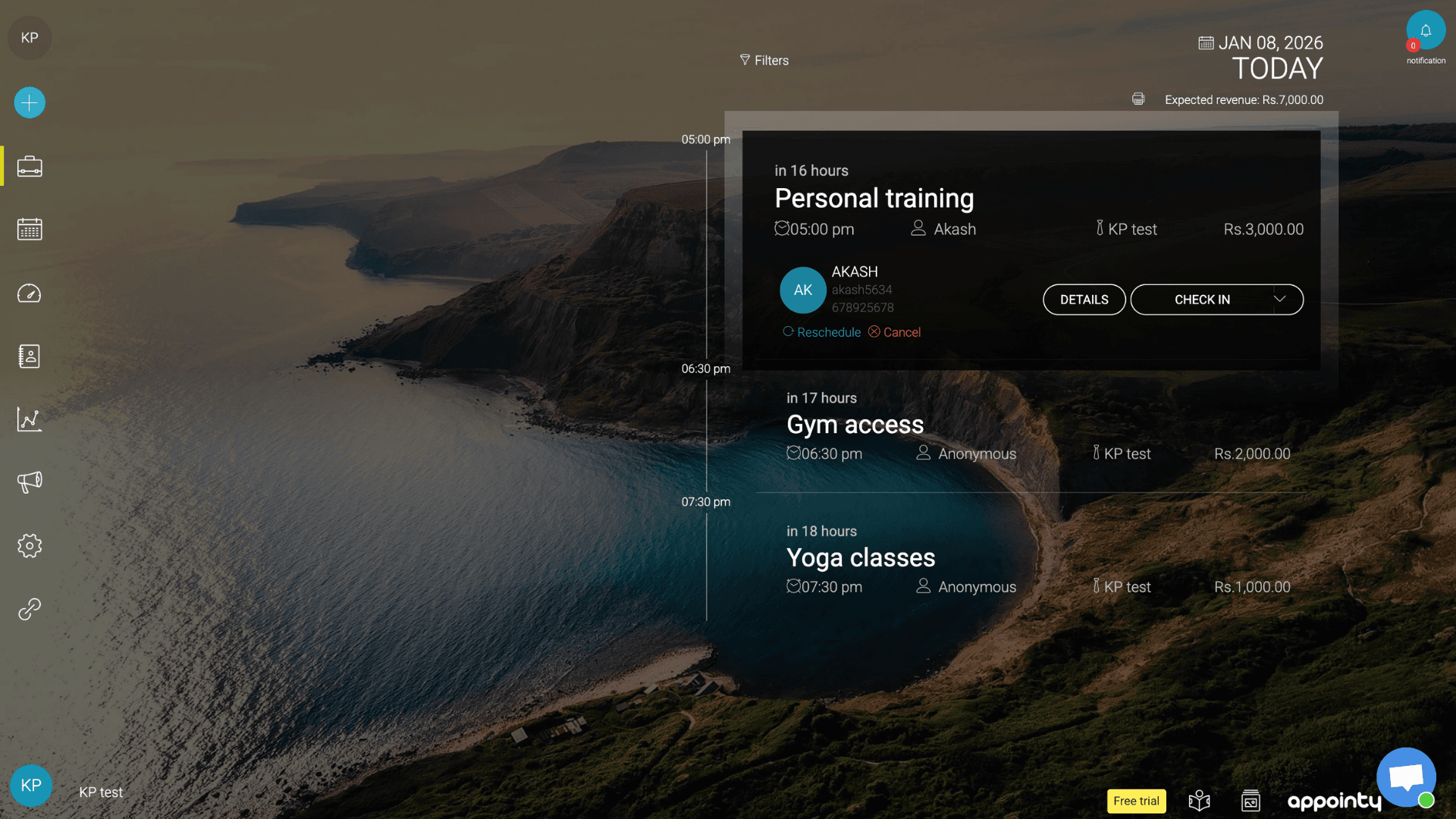
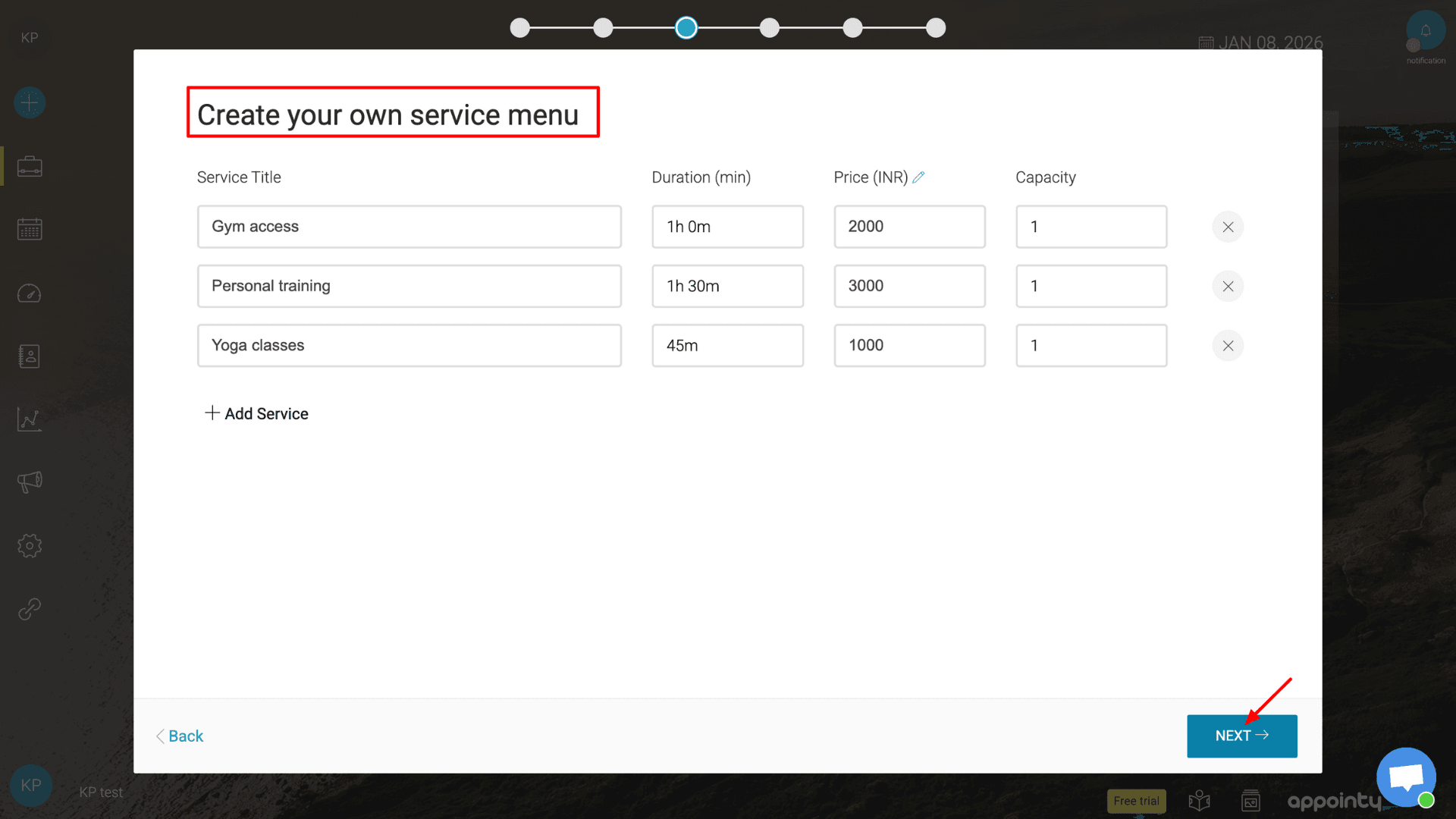
When I signed up, it offered a quick Onboarding process. You just enter all details, business name, services, etc. I liked that you can pick from a list of business categories, which saves you typing every little detail yourself. Once you add staff and services, the booking website will be ready in minutes.
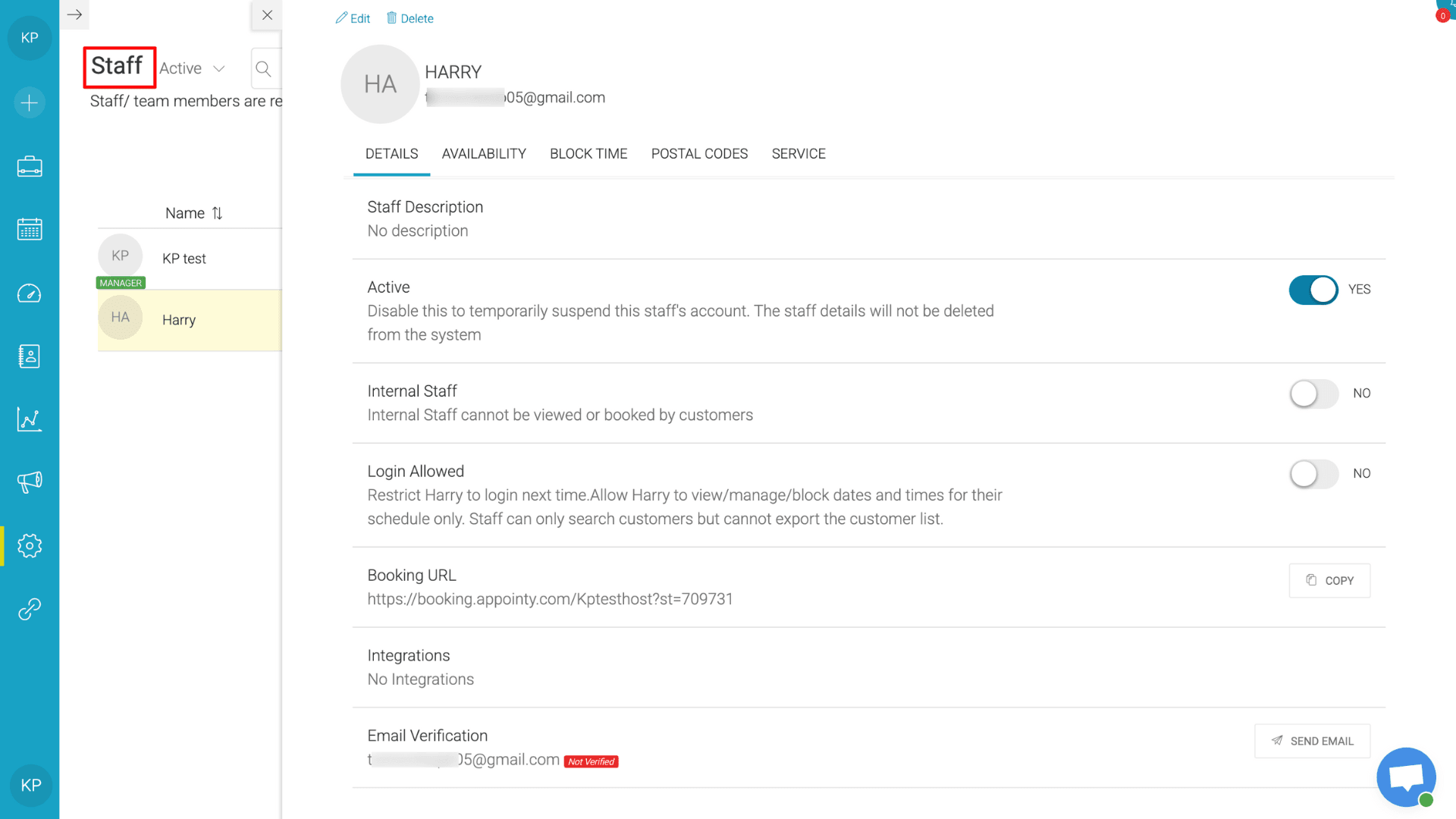
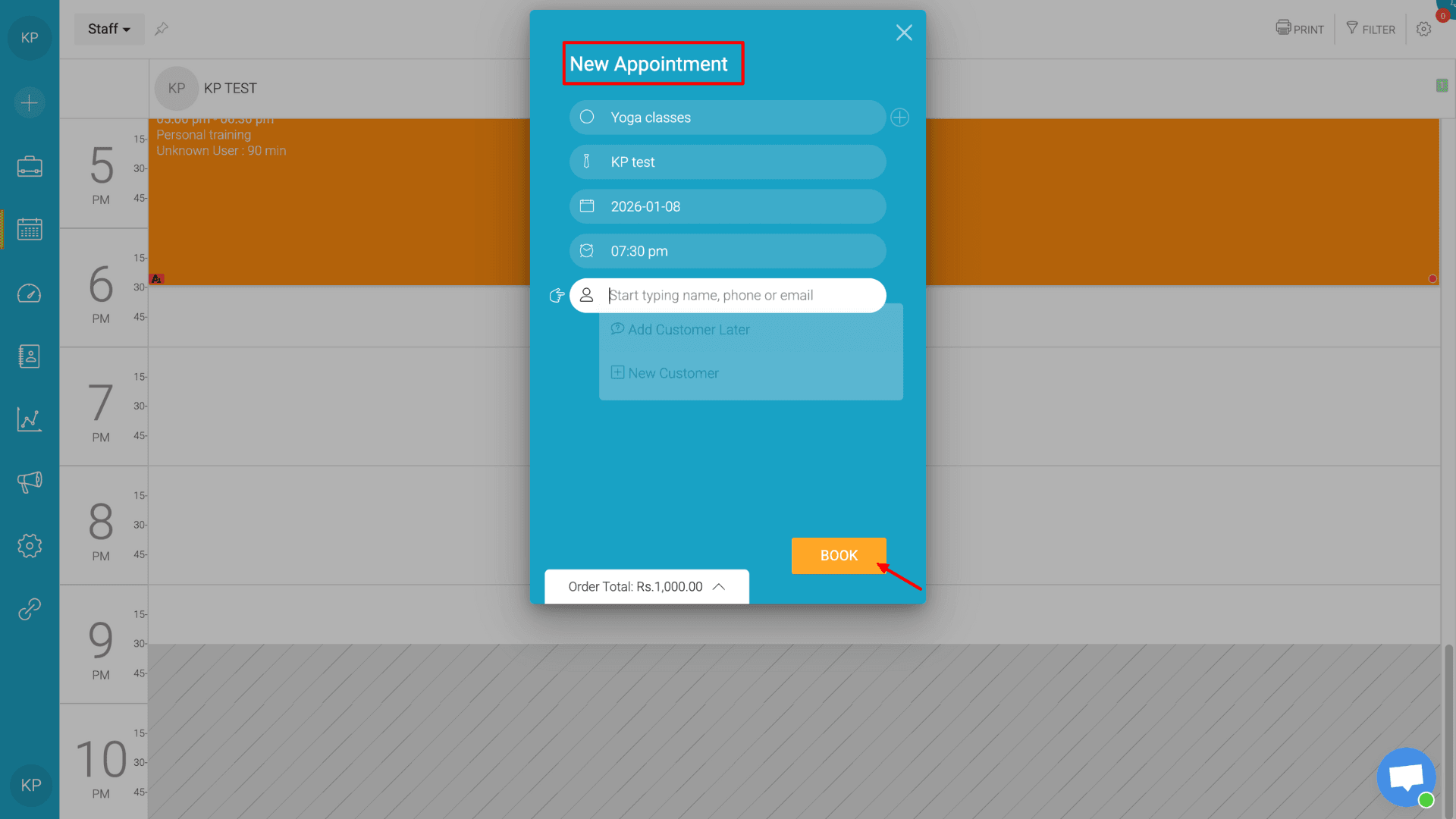
The interface is pretty basic, but the settings menu lets you customize everything. You can manage resources like specific equipment or rooms and set your own business area codes. Under “Customer booking flow” and “Customer booking rules”, the app lets you set booking confirmations, booking rules, payment rules, advanced booking options, restrictions, and more. It also handles different time zones and lets clients book multiple future appointments or recurring slots all at once.
I’m really impressed with its built-in marketing and lead generation features. With the Google Booking option, customers can directly book from Google Search or Maps. I can add “Book Now” buttons to social media profiles. The app sends its own reminders, follow-ups, and review requests, which is great for keeping clients engaged.
You can even send special deals and gift cards to your regulars. This automated engagement and retention helps customers turn into regular visitors without any third-party CRM integrations.
Pricing
Appointy’s free plan allows access for one user and includes up to five services, website integration, Square payments with point-of-sale (POS) support, automatic reminders, a mobile app, and up to 100 appointments per month.
Appointy offers three paid plans: Growth, Professional, and Enterprise. The Growth plan starts at $19.99 per month for one user when billed annually. It includes New Google Bookings, unlimited services, live chat and email support, customization options, Google Calendar sync with iCal feed, payment acceptance via Stripe, PayPal, and Authorize.Net, advanced booking features, and more.
Who Should Use
Appointy is ideal for local and online service businesses such as salons, healthcare clinics, and tutors. It’s particularly well-suited for owners who want a solution that combines lead generation with scheduling and payments while building long-term customer loyalty.
Benefits of Appointment Booking Apps
Appointment scheduling software does more than just fill up your calendar. Based on my experience, these tools act like a real-time assistant for your business. Here are the bigger benefits I’ve noticed:
1) 24/7 Availability
Business owners might not be available all the time to reply to DMs, receive calls, or take bookings. A booking website lets clients check your availability and grab a slot anytime, whenever they want, even in the middle of the night.
2) Reduce No Shows
For prior appointment booking, it’s very important to send reminders in a timely manner. Missed appointments are a huge waste of money. Hence, this software sends automated reminders through email or text. It gives them an easy way to cancel or reschedule ahead of time.
3) Prevent Work Overload
Manually checking calendars while providing services is a headache. Here, scheduling software does the math for you in real time. It checks your calendar and shows clients only available slots. Plus, it blocks off time once a booking is made, so you don’t overlap appointments.
4) Track Payments
Most of these tools connect directly to things like Stripe or PayPal. You can take deposits upfront or have clients pay in full when they book. It’s also great for tracking cash payments, pending invoices, and your total monthly earnings.
5) Manage Team
If you have more than one staff member, these apps are a lifesaver. You can set individual hours, break times, and days off for every person. Everyone stays on the same page, and the schedule updates instantly if something changes.
6) Smart Marketing & Analytics
You can easily add your booking link to your Instagram, Facebook, or Google Maps profile. Plus, the built-in analytics help you see which services are your best sellers and which days are your busiest, so you can make better decisions for your business.
How Did I Choose the Best Appointment App?
To choose the best appointment apps for this list, I signed up for every single one. I created an account for myself and a mock team, using “fitness services” as my test business to see how they handled real-world scheduling.
Then, I used and tested each app thoroughly for weeks. To keep things fair, I graded every tool based on the same parameters:
- Ease of use
- Calendar sync
- Website Customization
- Integrations
- Payment portals
- Automated reminders
- Time Zone Support
- Group Booking
- Cross-platform access
- Free tier limits
- Share booking options
- Analytics
I rejected the app that didn’t offer a truly free plan or a trial that required a credit card upfront. My goal was to help small business owners and solo creators find a tool they can actually test and use before spending any of their hard-earned money.
Why Should You Trust Me?
Started back in 2015, I’ve gathered over a decade of full-time experience in the digital industry. I have been testing tools that promise to make online work easier, but don’t always deliver. As a tech content creator, my goal is simple: help freelancers, small business owners, and professionals make smarter decisions online.
That’s why I personally purchase, test, and review every tool I recommend. From meeting assistants and VPNs toinvoice generators, AI courses for beginners, video editing tools, and note-taking apps, I focus on what actually matters in day-to-day use: ease of use, security, and real value. I also regularly update my reviews, so you can trust the insights you’re reading today.
Conclusion
An appointment management app is essential for small to medium-sized businesses. It saves you hours by automating tasks like booking appointments, checking availability, back-and-forth emails, managing staff schedules, and more. Most tools also integrate with payment systems and let you keep an eye on your revenue.
In this guide, I reviewed the 7 best appointment scheduling tools that I’ve personally tested and found reliable. If you’re looking for a powerful, feature-rich solution, Acuity Scheduling is a great choice. If you run an overseas business, Square Appointments is a solid option. On the other hand, Trafft is a great alternative for Indian businesses that want advanced automation without paying premium prices.
That’s it for now. Don’t forget to subscribe to my newsletter to stay updated on the latest AI and productivity tools!
FAQs
Do my customers need to download an app?
No, most appointment scheduling software are cloud-based, so neither you nor your customers need to install anything. You can access the booking page directly through a web browser on mobile or desktop. Some platforms offer mobile apps for easier access and on-the-go management.
Can appointment schedulers send reminders?
Yes. All the apps mentioned in this article send email booking confirmations and appointment reminders to clients. With paid plans, many also offer SMS or text message reminders for added convenience.
Which tools are easiest for beginners or non-technical users?
If you’re new to appointment scheduling apps, I recommend Trafft, Setmore, and SimplyBook.me. Most tools on this list are also intuitive and include guided onboarding and tutorials.
Can I customize booking pages?
Absolutely. You can customize your booking pages to match your brand. Most apps allow you to add your logo, service details, images, descriptions, and brand colors to create a professional-looking booking experience.