Finding the right image to go with your creative projects can be a struggle! Most people usually download them from stock image platforms or create them on their own. In both scenarios, the images are either repetitive, irrelevant, or unprofessional.
What if you could simply describe the image you want, and it came to life? Sounds unreal? Well, it’s not! Introducing AI Art Generators! These tools are capable of generating all kinds of AI art and images through text prompts. Midjourney, Dall-E 3, etc, are some popular examples.
In this article, I’m going to introduce you to the Best Free AI Art Generators. We will begin by discussing what AI Art Generators are and the factors you should consider before selecting one. Then, we will move on to uncover the 11 Best Free AI Art Generators for 2026.
So, are you ready to create high-quality and professional AI images? Let’s jump in and check out the best tools on our list!
- What is an AI Art Generator?
- 11 Best Free AI Art Generators (2026)
- 1) Nano Banana Pro- Best for Realistic Images with Text Rendering
- 2) Krea- Best for Ultra High-Resolution images
- 3) Leonardo AI- Best for Gaming Assets & Character Design
- 4) Ideogram- Best for Text Rendering
- 5) Freepik- Best for Product Mockups and Illustrations
- 6) Adobe Firefly- Best For Commercial Designs
- 7) Microsoft Copilot Designer- Best for Social Media Posts
- 8) ChatGPT- Best for Ghibli Art & Realistic Images
- 9) Decohere- Best For Realistic Images
- 10) SeaArt AI- Best For Cartoons & Anime Art
- 11) Recraft- Best for Icons & Illustrations
- Factors to Consider Before Choosing an AI Art Generator
- Conclusion
- FAQs
What is an AI Art Generator?
AI Art refers to the images, paintings, graphics, digital art pieces, and creative assets generated by employing AI algorithms. In order to generate art, an AI model is trained on massive amounts of image data available on the Internet.
The digital tools that employ these training models in order to generate AI images are known as AI art generators. With an AI Art Generator tool, you simply need to enter your text prompt. The tool will analyze the input and bring your imagination to life with AI images.
11 Best Free AI Art Generators (2026)
| Tool Name | AI Model | Best For | Free Limits |
| Nano Banana Pro | Gemini 3 Pro | Realistic Images, Text Rendering | Rate limits within a time frame. |
| Krea AI | Krea 1 | Realistic Images | Not specified |
| Leonardo AI | Multiple AI models | Gaming Assets, Character Design | 150 daily fast tokens |
| Ideogram | Proprietary Ideogram model | Text Rendering | 10 AI credits/week |
| Freepik | Multiple AI models | Product Mockups, Illustrations, Invitations | 20 AI images/day |
| Adobe Firefly | Firefly Image 3 & 4 | Commercial Designs | 10 monthly AI generations |
| Microsoft Copilot Designer | DALL-E 3 | Social Media Posts | 10 monthly image generations |
| ChatGPT | GPT-4o | Ghibli Art, Realistic Images | Usage cap of 2 to 4 images per session. |
| Decohere | LoRA model | Realistic Images | 2 queries per day |
| SeaArt AI | LoRA model | Cartoons and Anime Art | 130 AI credits per day. |
| Recraft AI | Recraft V3 custom model | Icons and Illustrations | 50 free credits per day |
1) Nano Banana Pro– Best for Realistic Images with Text Rendering
Nano Banana Pro is an AI-powered text-to-image generation model offered by Google. It works through the Gemini or Whisk apps. To start generating images, I used it through the Gemini app.
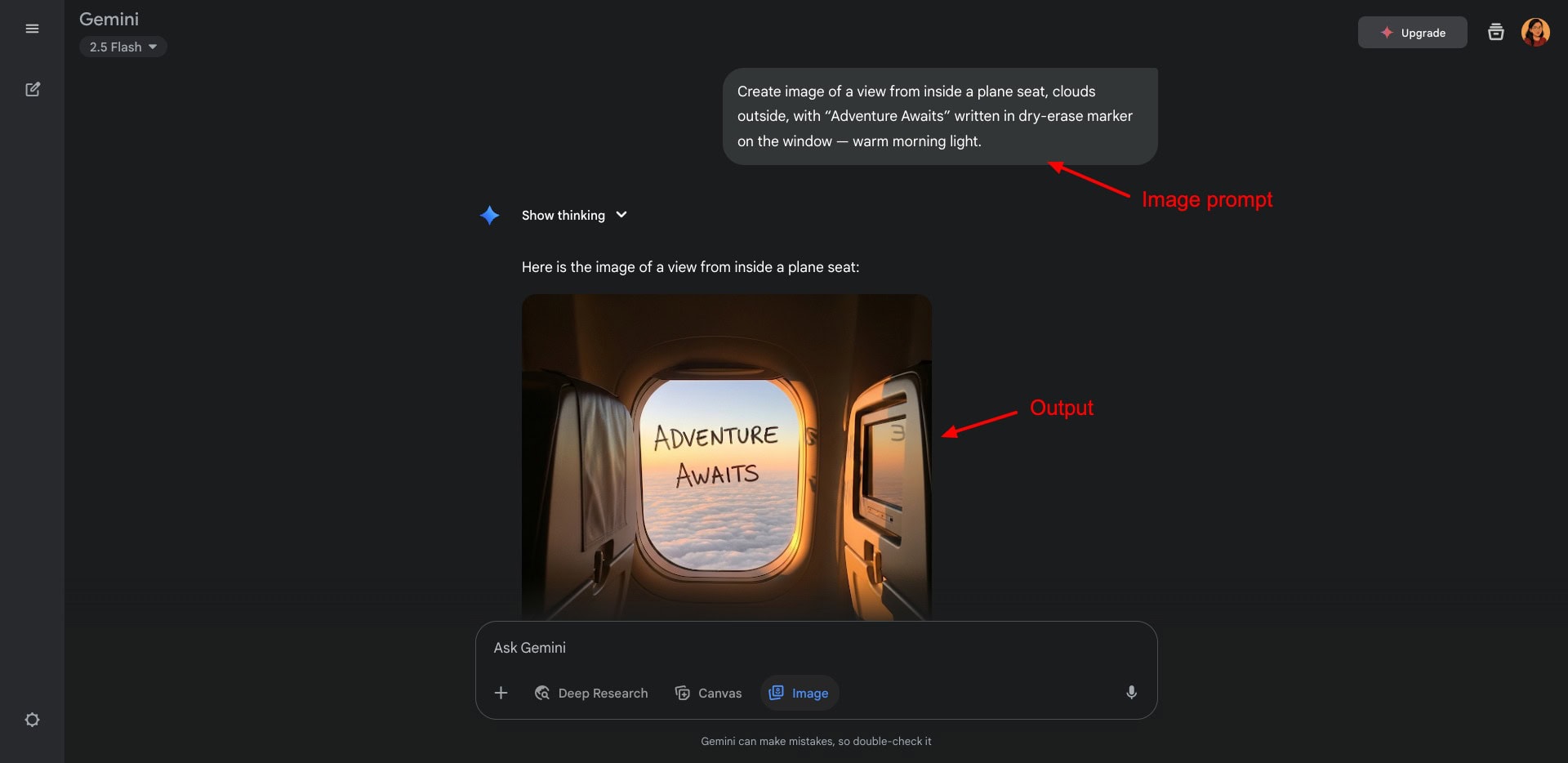
All you need to do is enter your prompt in the chat box and enable the Images tool. It’ll generate crisp image outputs in seconds. You can ask for further customizations via the chat UI or download your image in PNG format. However, there is an AI watermark added to all your exports.
I loved the swift image generation speeds of Imagen. It performs especially well for generating high-quality images and images with text rendering. So, if you are looking to generate realistic visuals, posters, hand lettering designs, logos, invitations, blog banners, thumbnails with text, etc, Imagen will outperform all other tools!
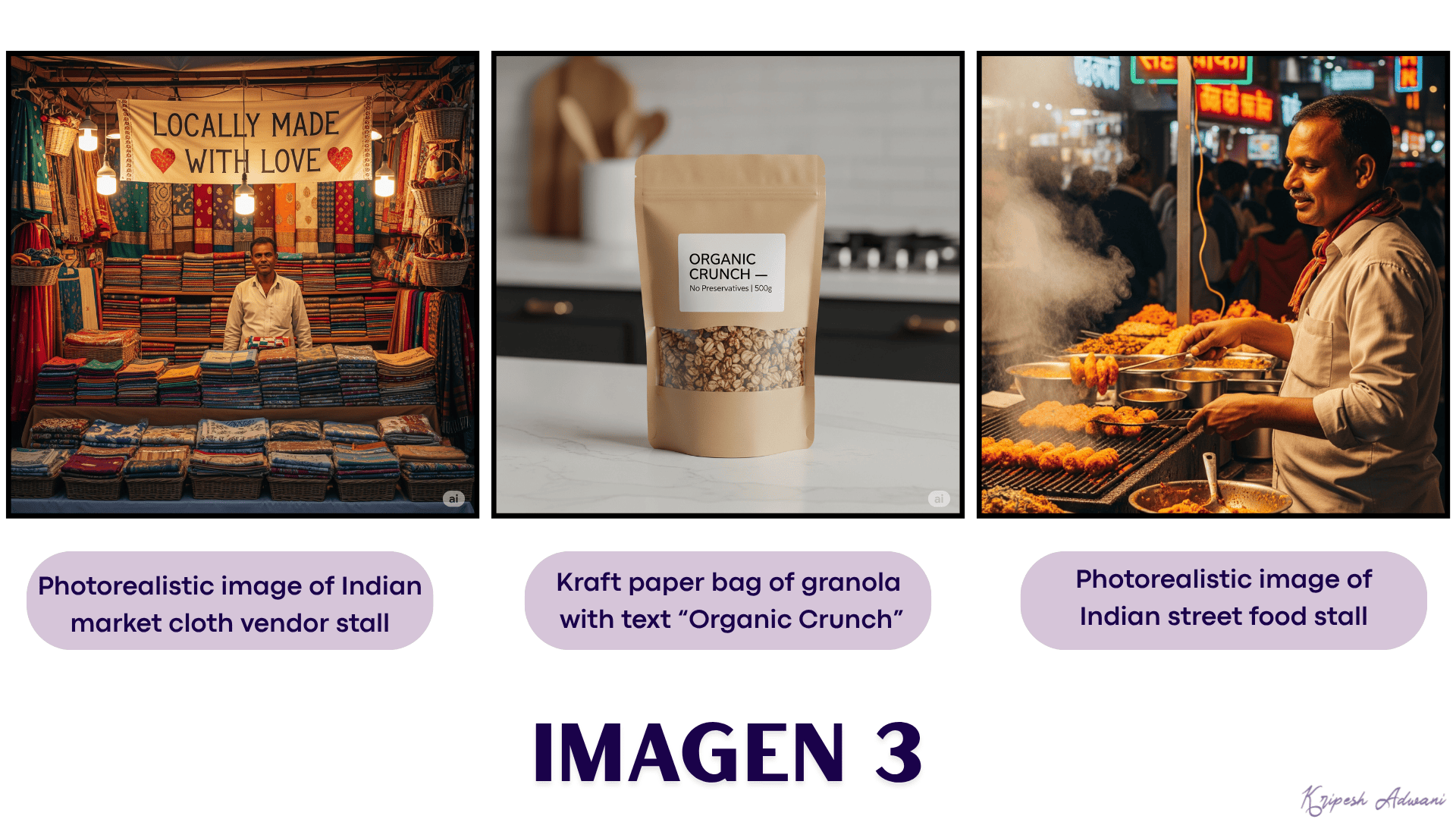
Pricing: The free plan of Nano Banana doesn’t impose any daily limits. However, there may be rate limits. So, you can only generate a specific number of images in an hour. To upgrade to its paid subscription, you can purchase Google One plans (starting from ₹1,950/month).
2) Krea– Best for Ultra High-Resolution images
Krea1 is the first image generation model launched by Krea AI in June 2025. It focuses on generating highly realistic images with vibrant colors, photoreal skin, and dynamic angles. To start, log in to your Krea AI account and hit the ‘Generate Images’ button under the Krea 1 model.
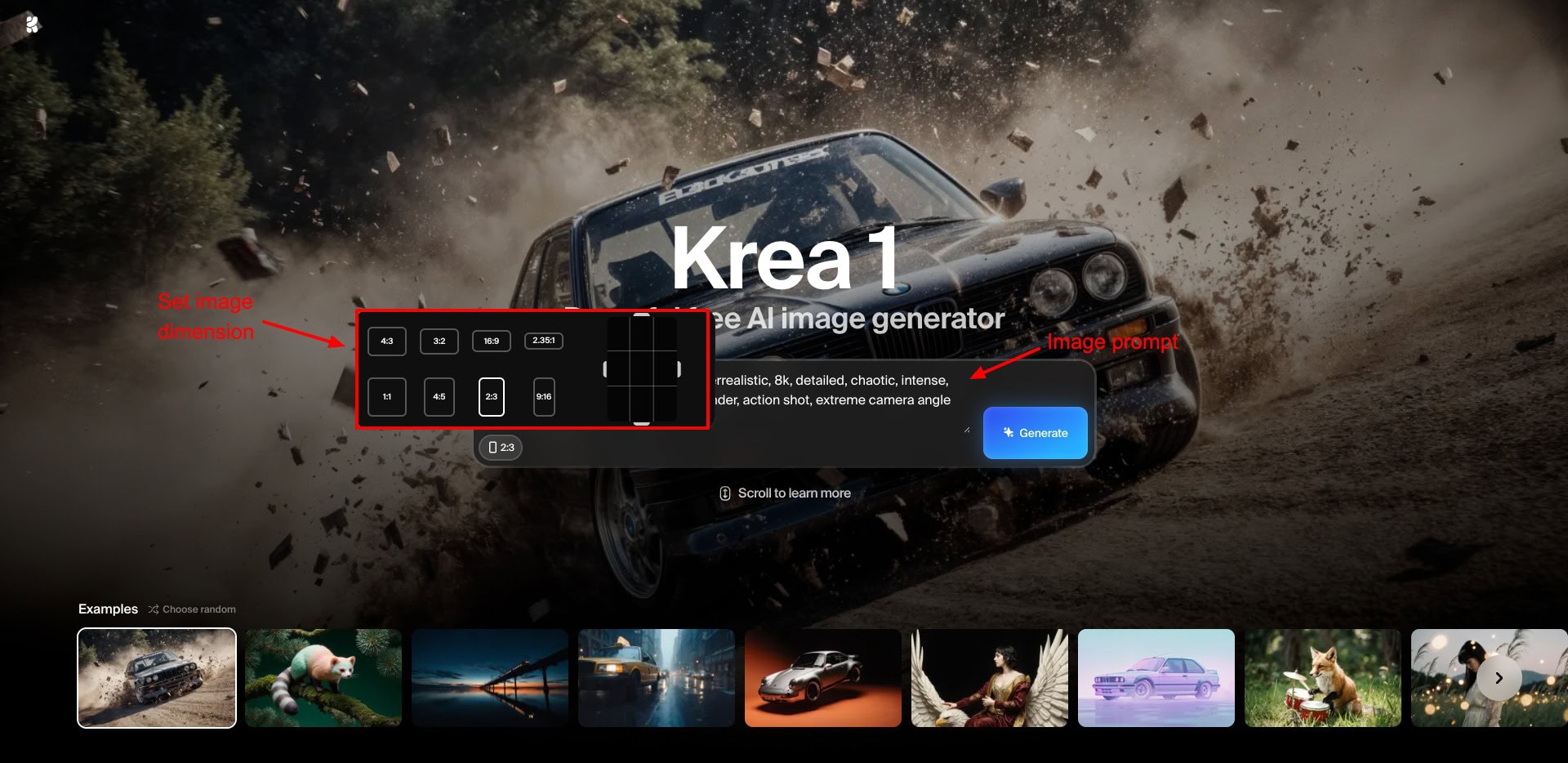
Besides supplying your image prompt, it also lets you select an image dimension. Once your image is generated, you can edit it, upscale it, turn it into a video, or recreate it. Finally, if you’re satisfied with the changes, you can download your image in PNG format.
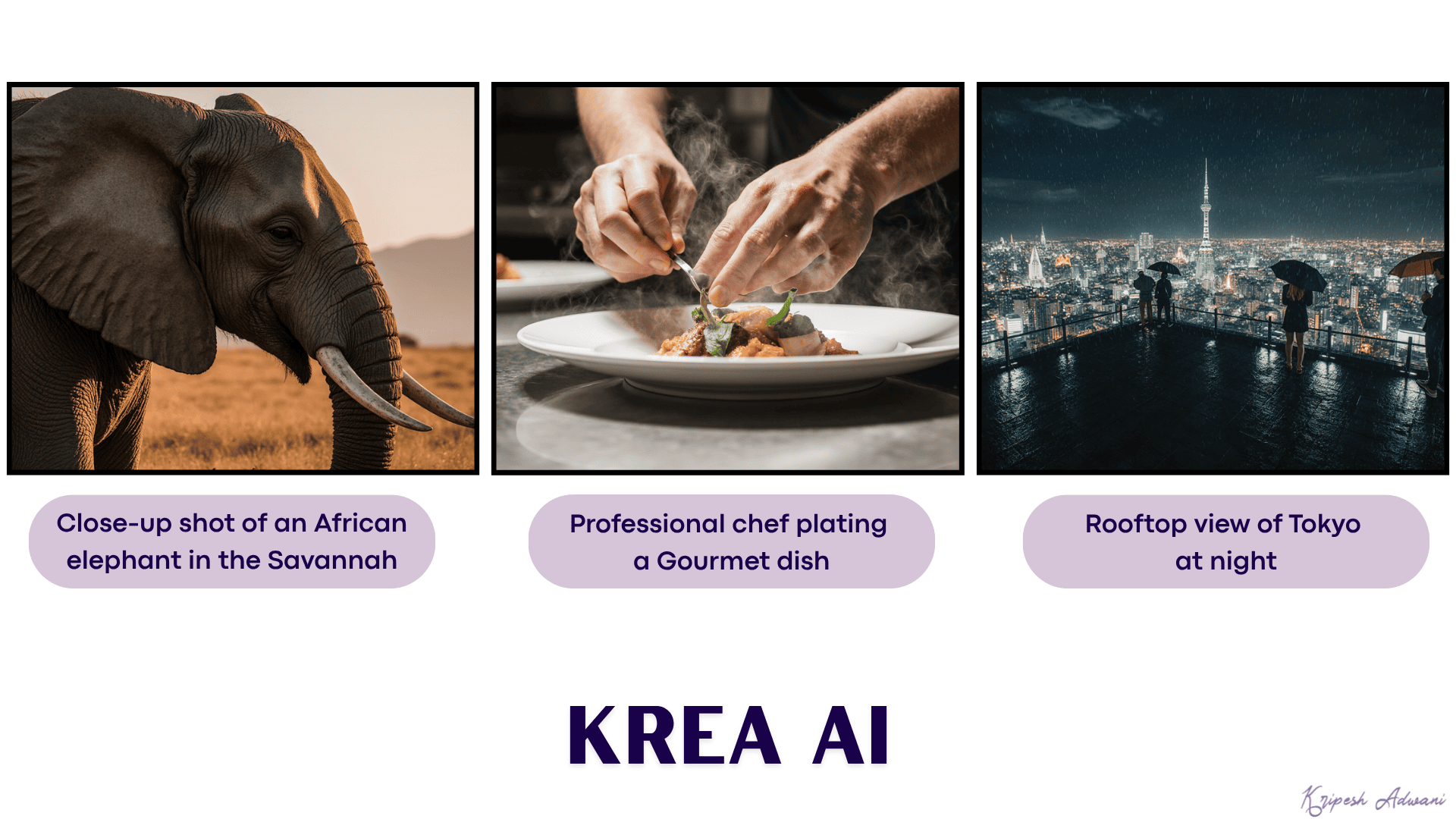
I personally loved the prompt adherence and attention to detail in the images. The elephant’s eyelashes, steam emerging from the gourmet dish, and the glowing city lights have been captured so perfectly! No watermarks on the images are the cherry on the cake!
Pricing: The free plan limits have not been specified. But you get limited daily generations and limited access to Krea AI tools for free. Its paid plans start at $8/month.
3) Leonardo AI– Best for Gaming Assets & Character Design
Leonardo is a renowned AI generation platform for art, images, and videos. It is particularly useful for generating gaming assets, characters, and concept art. It works on various custom models, including Leonardo Diffusion, Stable Diffusion, Phoenix, Flux, Alchemy, etc.
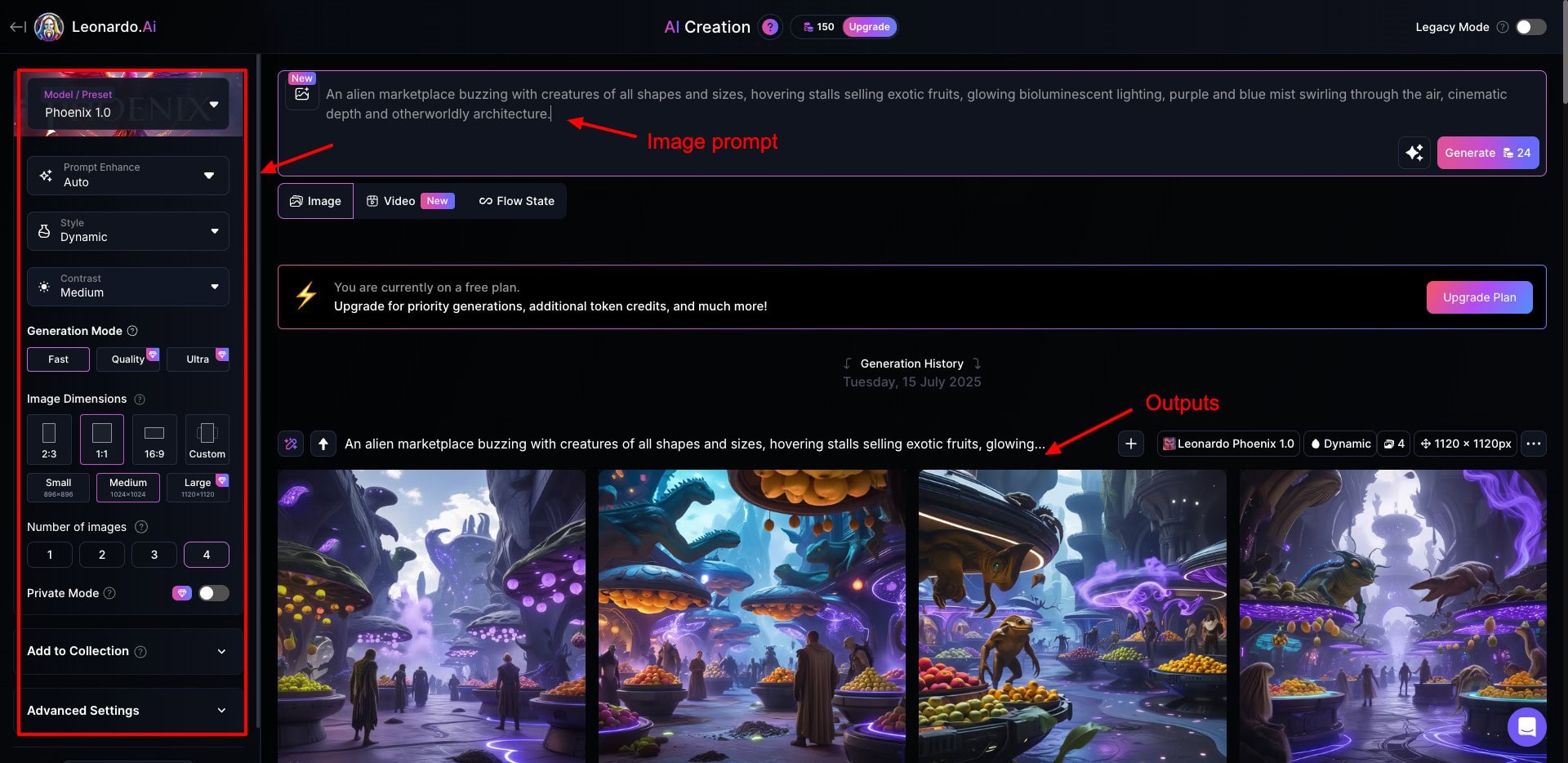
To start with Leonardo, click on the Image tab on the dashboard. Then, type in your image prompt and customize the following settings:
- Image Model: Concept Art, Graphic Design, Phoenix, Anime, Lucid Realism, etc.
- Style: Dynamic, Cinematic, 3D Render, Fashion, Macro, Illustration, Portrait, etc.
- Generation Mode: Fast, Quality, or Ultra (Only Fast Mode on free plan.)
- Image Dimensions: Small, Medium, Large, etc.
- Output images: 1 to 4
Under Advanced settings, you can also enable negative prompt, transparency, tiling, fixed seed, etc. If you’re not aware of the technical aspects, it’s best to skip these settings. Once the output is generated, you can download it in the JPG format.
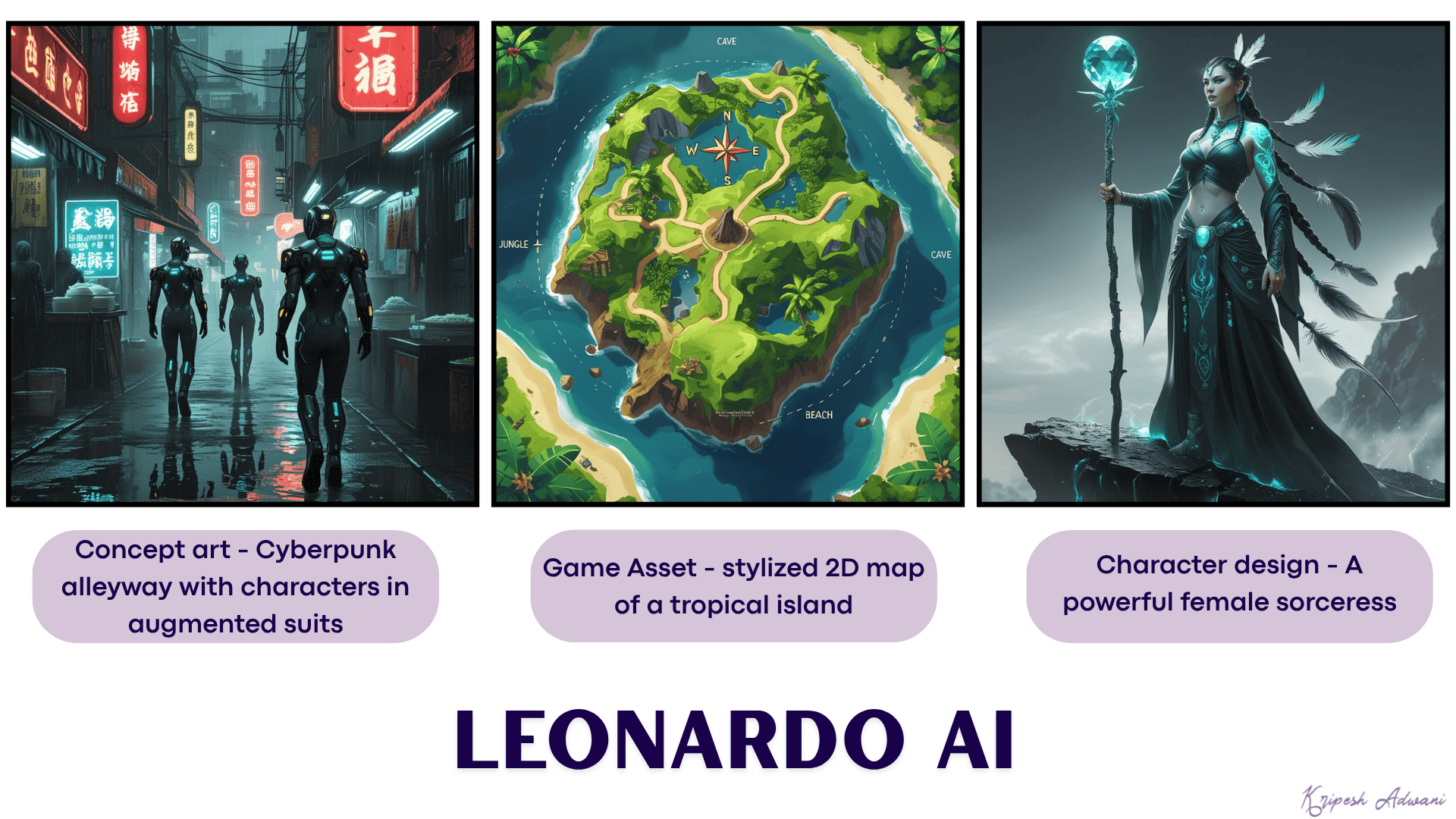
I found the best results when generating gaming assets and characters. Leonardo performs exceptionally well for concept art as well. So, if you are into game design, character design, illustrations, story blocks, etc, you should give Leonardo a try.
Pricing: The free plan offers 150 daily fast tokens. This is sufficient for general users. For more, you can upgrade to its paid plans starting from $10/month (8500 fast tokens/month).
4) Ideogram– Best for Text Rendering
Ideogram is an AI-powered text-to-image tool developed in 2023. It uses the proprietary Ideogram model to generate images.
To get started with it, you can sign up using your Google or Apple account. Then, simply write your prompt in the text field, choose an orientation, number of output images, image model, and render speed. You can also choose an image style and color palette.
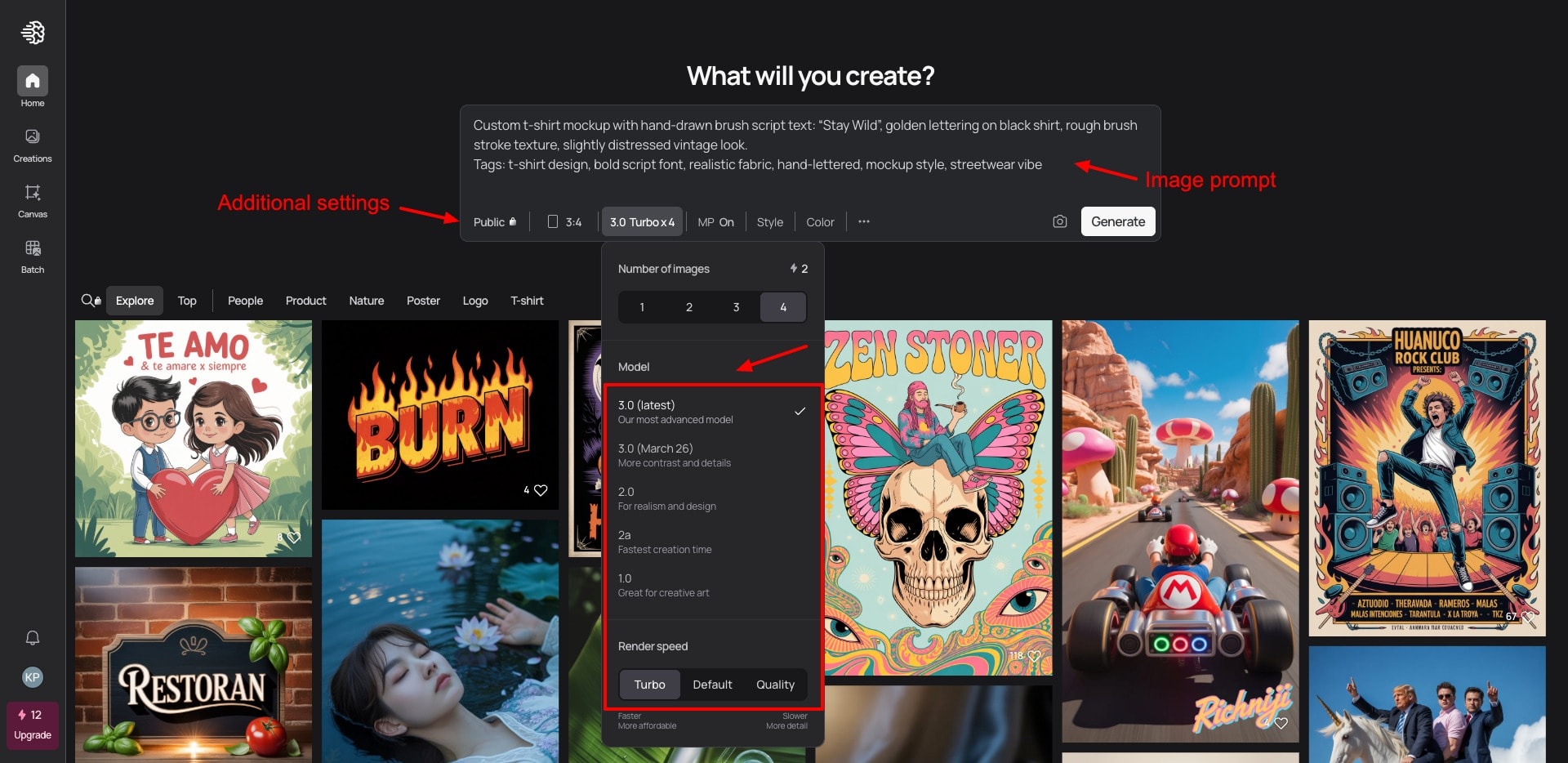
Once your image is generated, you can hit ‘Describe’ to get a description of your image. You can also remix it with another prompt, or use it as a ‘Style reference’ to generate more images. You can export your images in JPEG format for free. For PNG exports, an upgrade is required.
I loved using Ideogram for designs involving text content, like tshirt mockups. Whether it was typography, logos, banners, posters, graffiti art, quotes, or mockups, it rendered all the text perfectly. However, the image styles were pretty limited.
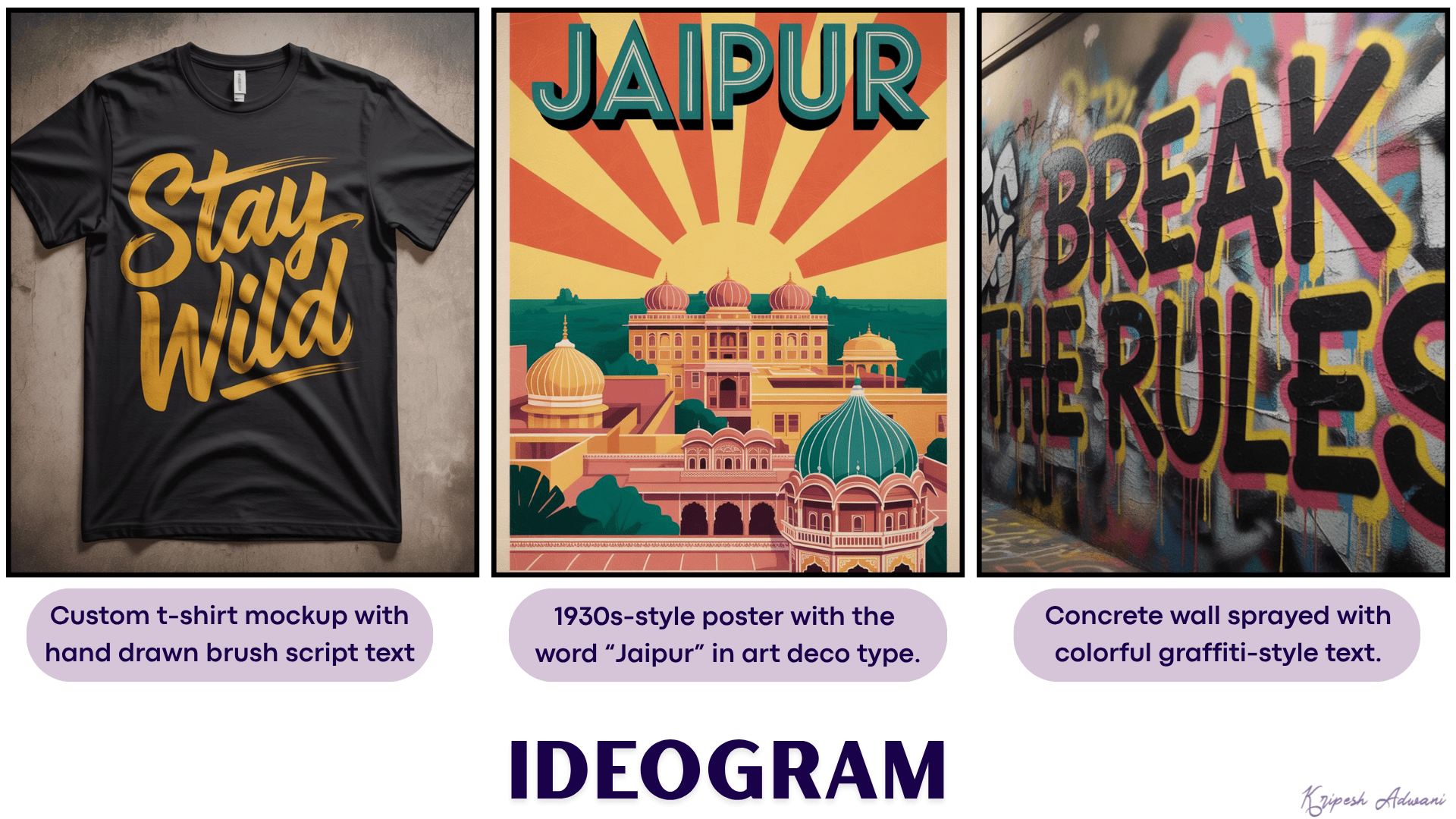
Pricing: The free plan offers 10 weekly AI credits, allowing you to generate up to 40 images/week. Its paid plans start from $7/month, where you get 400 monthly priority credits and 100 daily slow credits.
5) Freepik– Best for Product Mockups and Illustrations
Freepik is an online platform where you can find free and premium graphic design resources like images, vectors, mockups, PSD files, and more. It also lets you generate images, videos, and voiceovers.
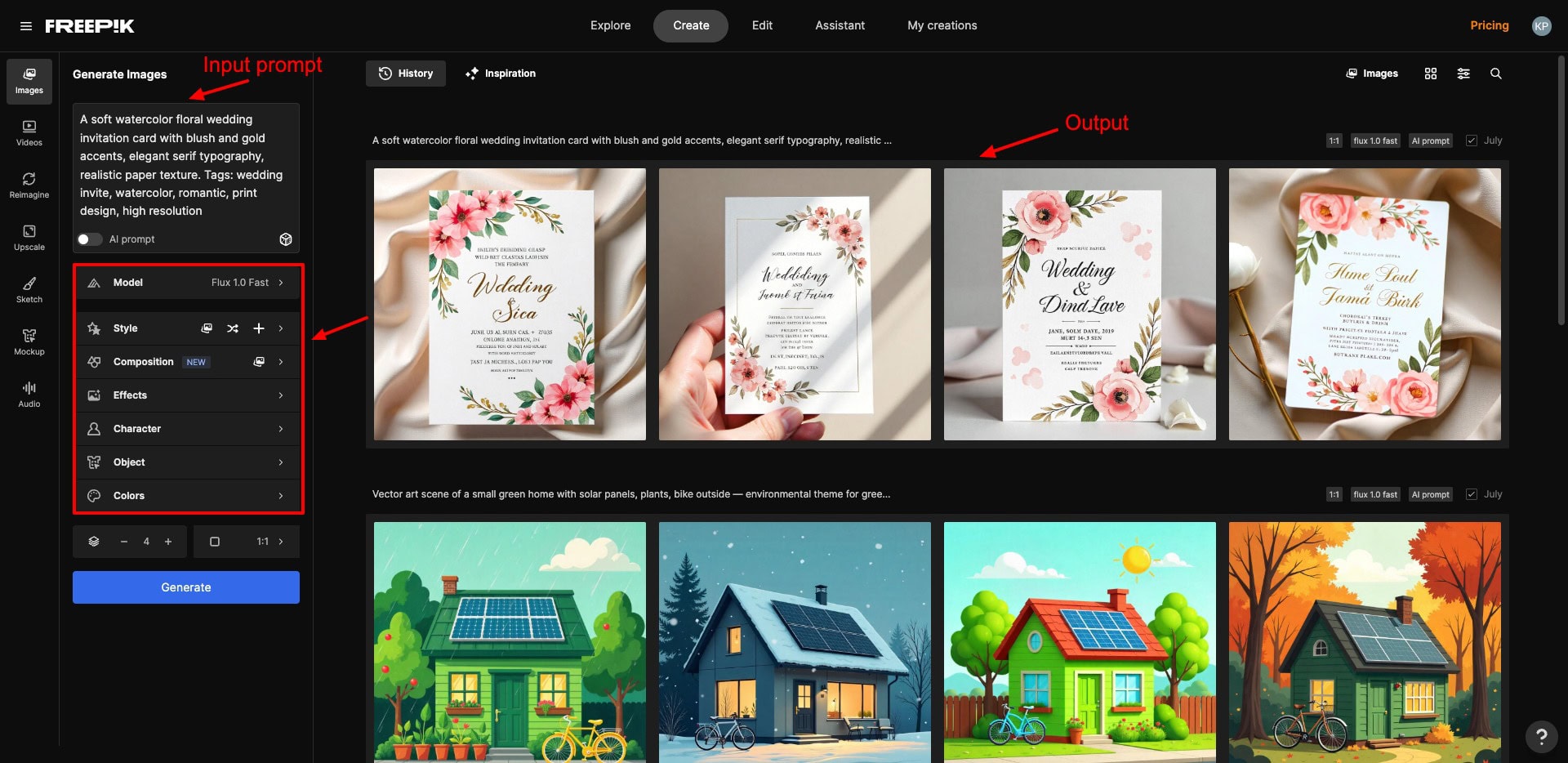
To get started, simply hit the ‘Generate Image’ button on the dashboard. Freepik offers multiple models, including Imagen, GPT, Mystic, Flux, etc. After entering your prompt, you can choose image style, composition, effects, output images, and dimensions. You can finally download your image in PNG or JPG formats.
Overall, I was quite impressed with Freepik’s results. The graphics and product mockups created with Freepik were top-notch! It is perfect for creating professional images for blogs or website graphics, mockups, and e-commerce images, illustrations, invitations, etc.
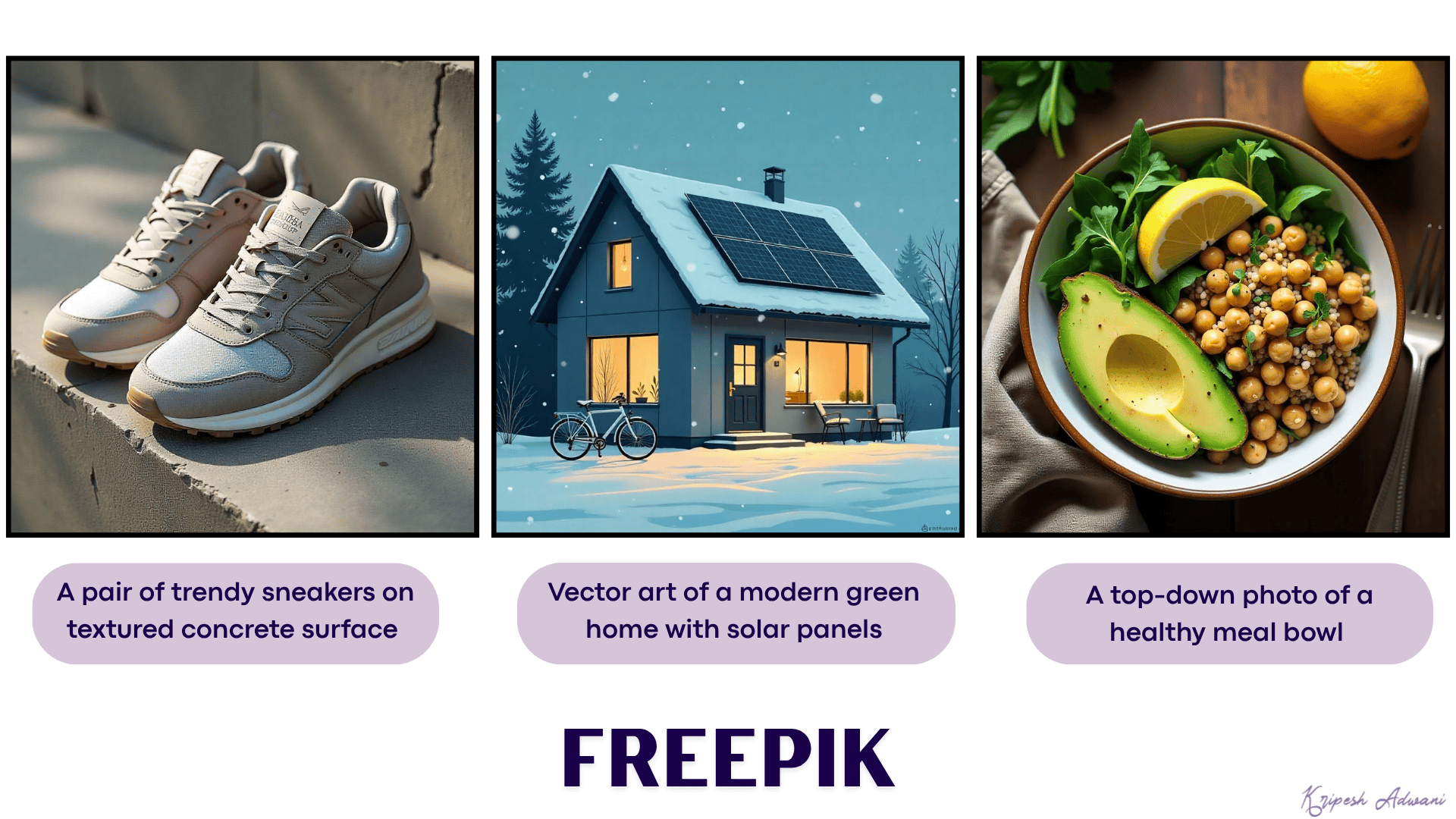
However, the text rendering is disappointing. Also, most of the image styles and compositions were available with a paid subscription. I wish they included more of them for free. Additionally, image generation on Freepik takes more time compared to other platforms.
Pricing: The free plan allows you to create 20 images a day using its Classic Fast and Flux 1.0 Fast models. Its paid plans start from ₹338.75/month, where you get 84k AI credits per year.
6) Adobe Firefly– Best For Commercial Designs
Adobe Firefly is a popular platform for generating AI images and videos. It uses the proprietary Adobe Firefly image models for creating visuals. To get started, simply choose the ‘Image’ option and write your prompt. It offers Firefly Image 3 and Firefly Image 4 models for free.
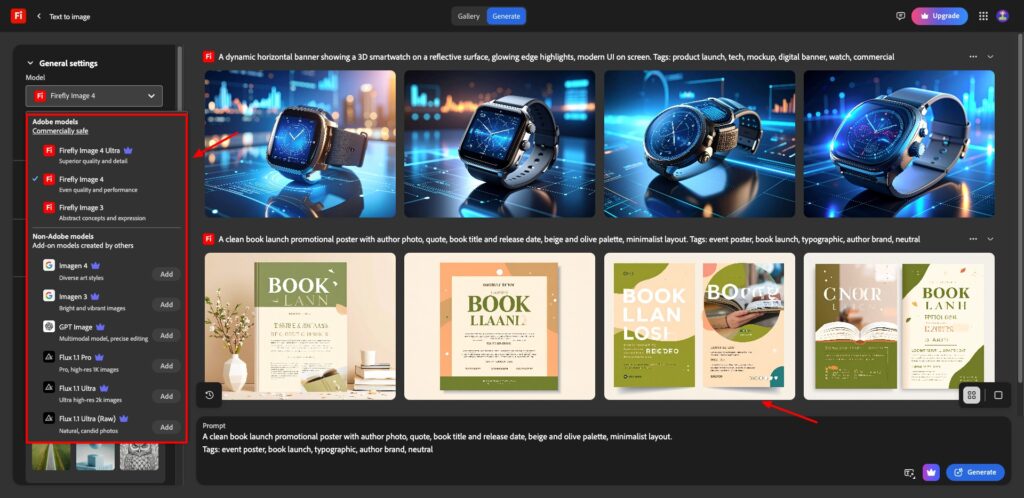
You can also specify an aspect ratio, visual intensity, and choose composition, styles, effects, colors, lighting, and camera angle to implement in your image. The image will be downloaded as a JPG file. You can also open it in Photoshop Web and make additional edits.
In my experience, Adobe Firefly is best for generating images for commercial use, like marketing materials, ads, product displays, concept art, storyboards, and more. However, the text content is jumbled up. I hope it gets fixed soon.
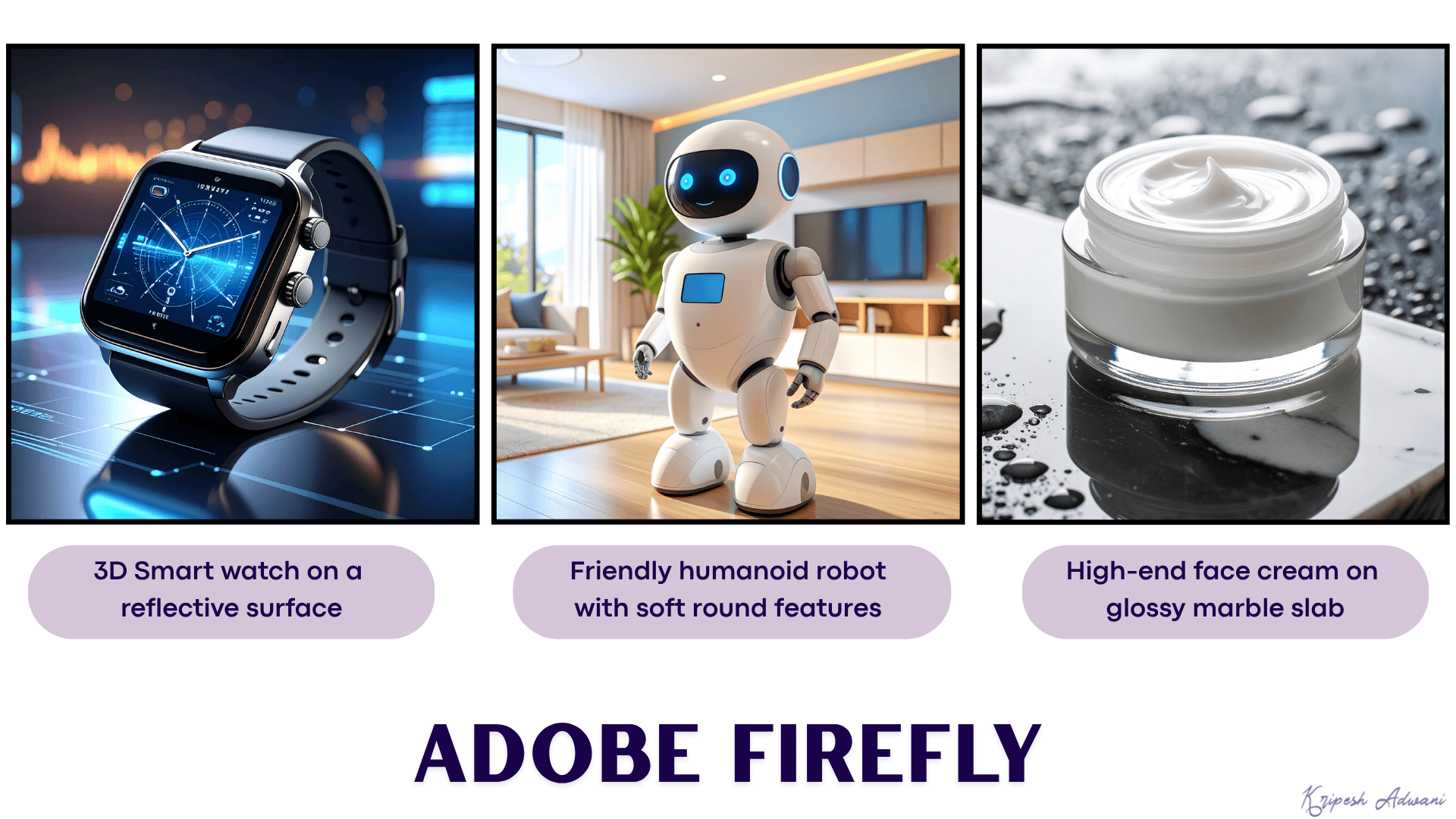
Pricing: On the free plan, you get 10 monthly AI generations. Each run generates 4 images by default. Its paid plans start from ₹797.68/month, where you get 2000 generative AI credits.
7) Microsoft Copilot Designer– Best for Social Media Posts
Copilot Designer is an AI image generation platform from Microsoft. It uses the DALL-E 3 image model designed by OpenAI to produce images. To get started, simply log in to your account and type in your prompt. Then, select a size from square, portrait, and landscape.
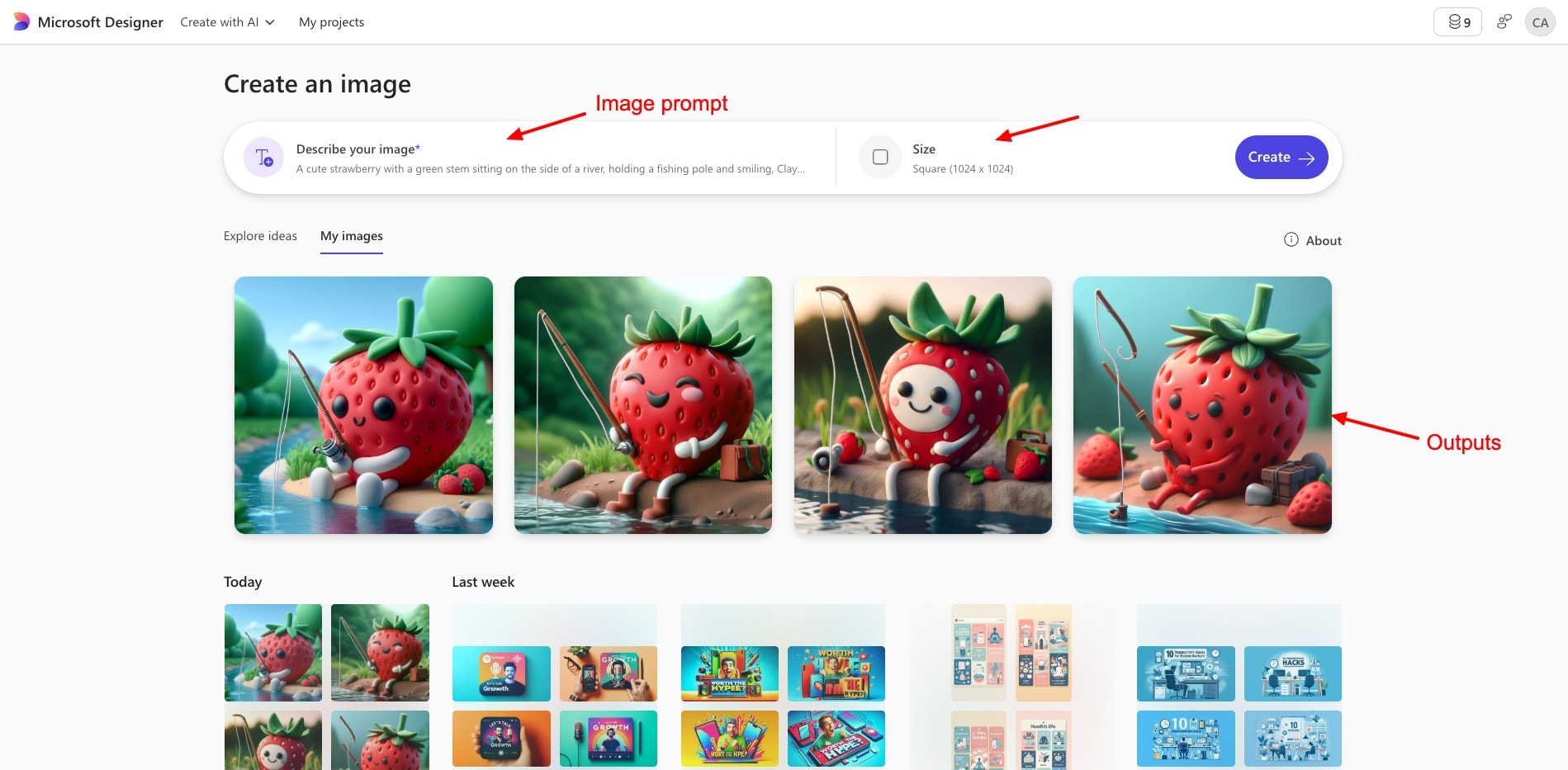
For each query, 4 outputs are produced by default. You can download them in the JPEG format. The best thing is that it doesn’t add any watermarks on the exports either!
Overall, the social media designs and realistic visuals were remarkable. You can use them on your podcasts, YouTube videos, blogs, etc. However, it’s a basic tool lacking options to select style, output images, negative prompts, etc. Also, the text content is jumbled up in some of the creations.
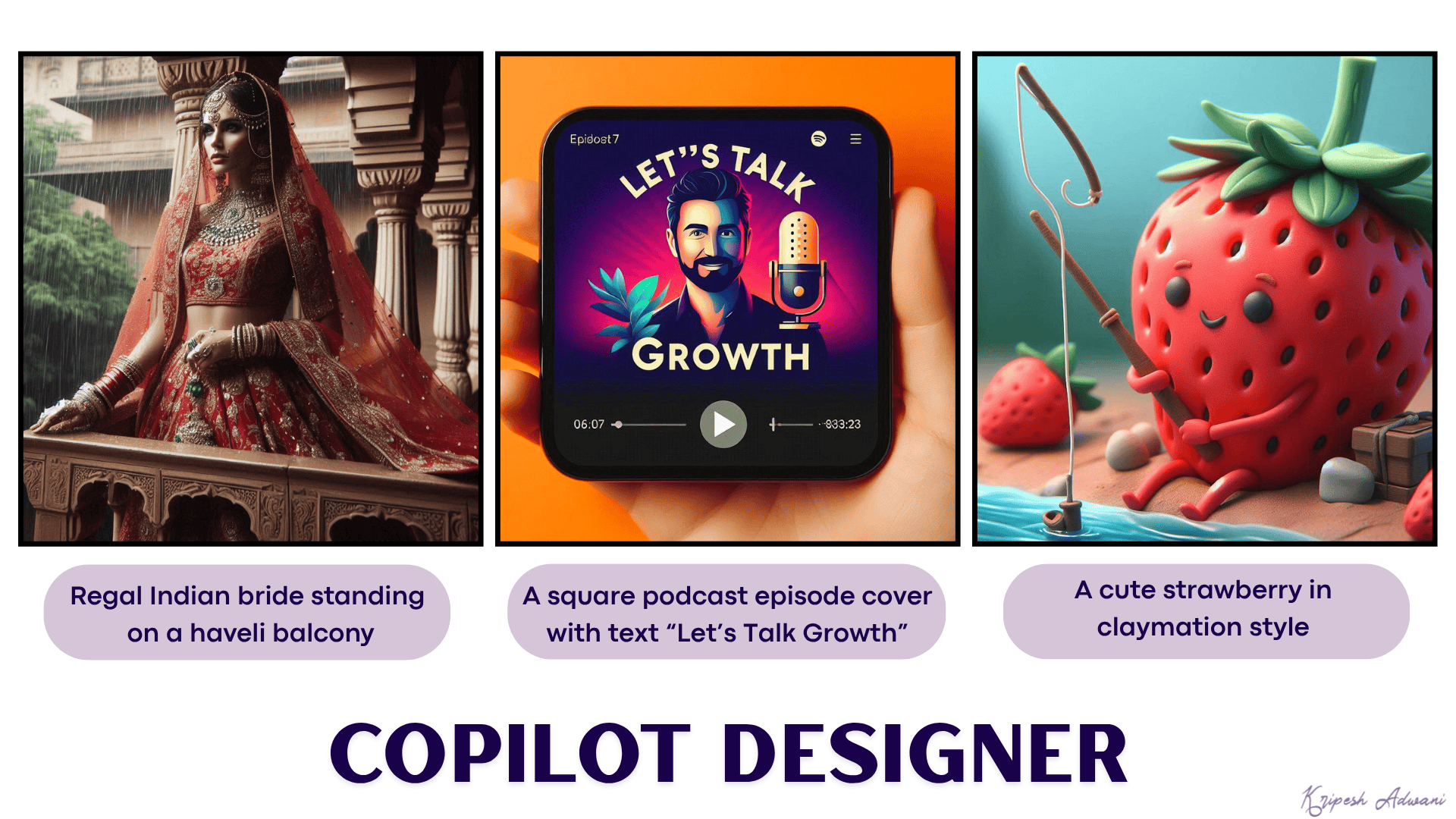
Pricing: The free plan of Microsoft Copilot Designer offers 10 image generations every month. For extended credits, you can purchase a Microsoft 365 subscription starting at ₹689/month.
8) ChatGPT– Best for Ghibli Art & Realistic Images
Recently, ChatGPT has also integrated image generation capabilities into its platform. It utilizes the GPT-4o model to generate images and is available to all ChatGPT users by default.
To start creating images, simply log in to ChatGPT and start a new chat. Select the “Create an Image” option under the Tools section. Then, type your prompt in the chat box. It also offers image styles like Cyberpunk, Anime, Photoshoot, Coloring Book, Synthwave, Retro Cartoon, etc.
Select any style of your choice, and hit the Generate button. It will create 1 image for you within a few seconds. You can further customize your image by supplying additional prompts in the chat.
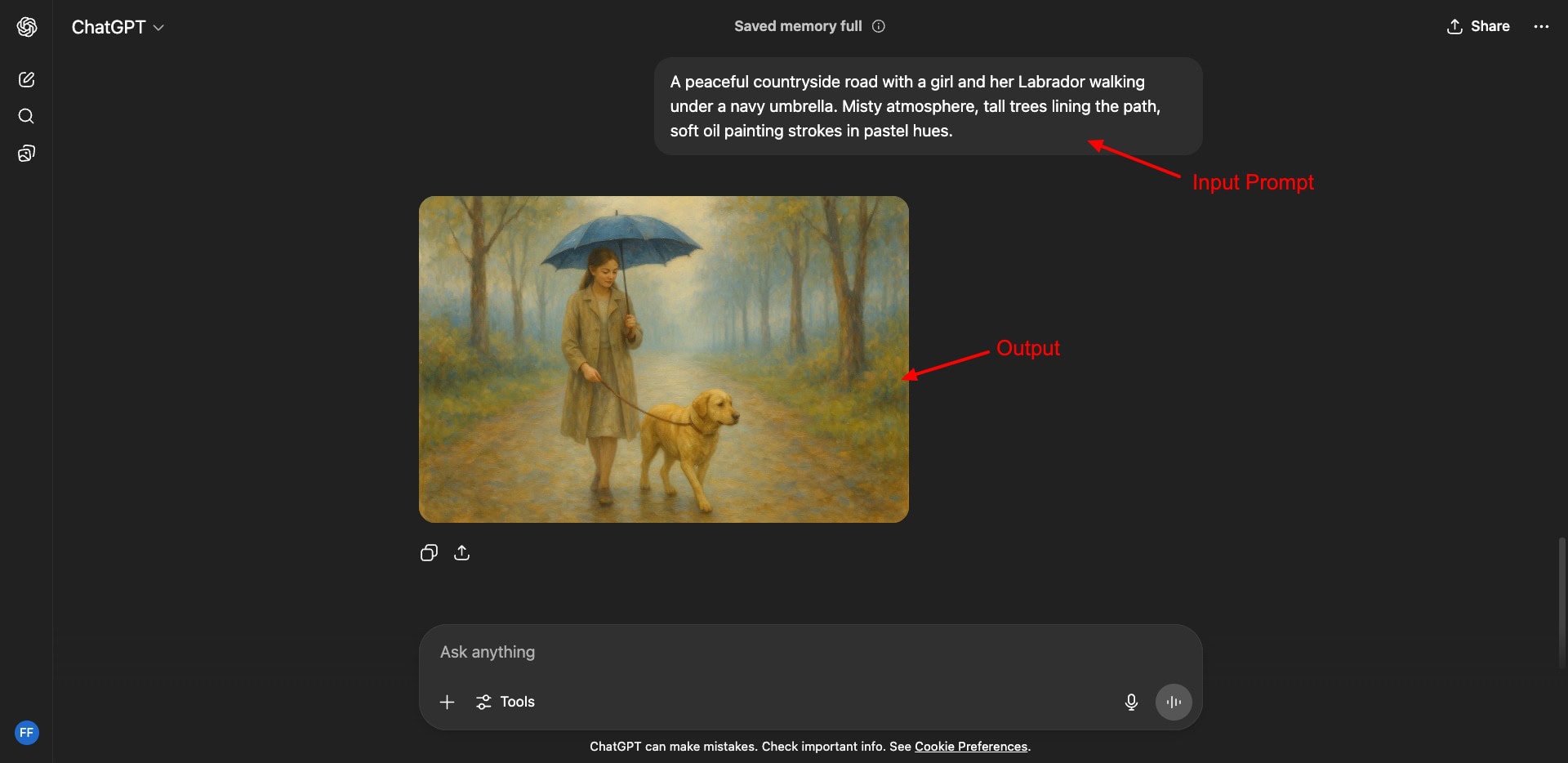
Once the initial image is generated, you can open it and select any area you wish to remove, add, or replace. Then type in a prompt, and your edit will be done. Finally, you can share the image on social platforms or download it in PNG format.
Overall, I really liked the image generation capabilities of ChatGPT. Because it’s powered by one of the most powerful GPT-4o models, you’ll get great results for all image styles. If you’re a content creator, video editor, or social media enthusiast, this is a great tool for you!
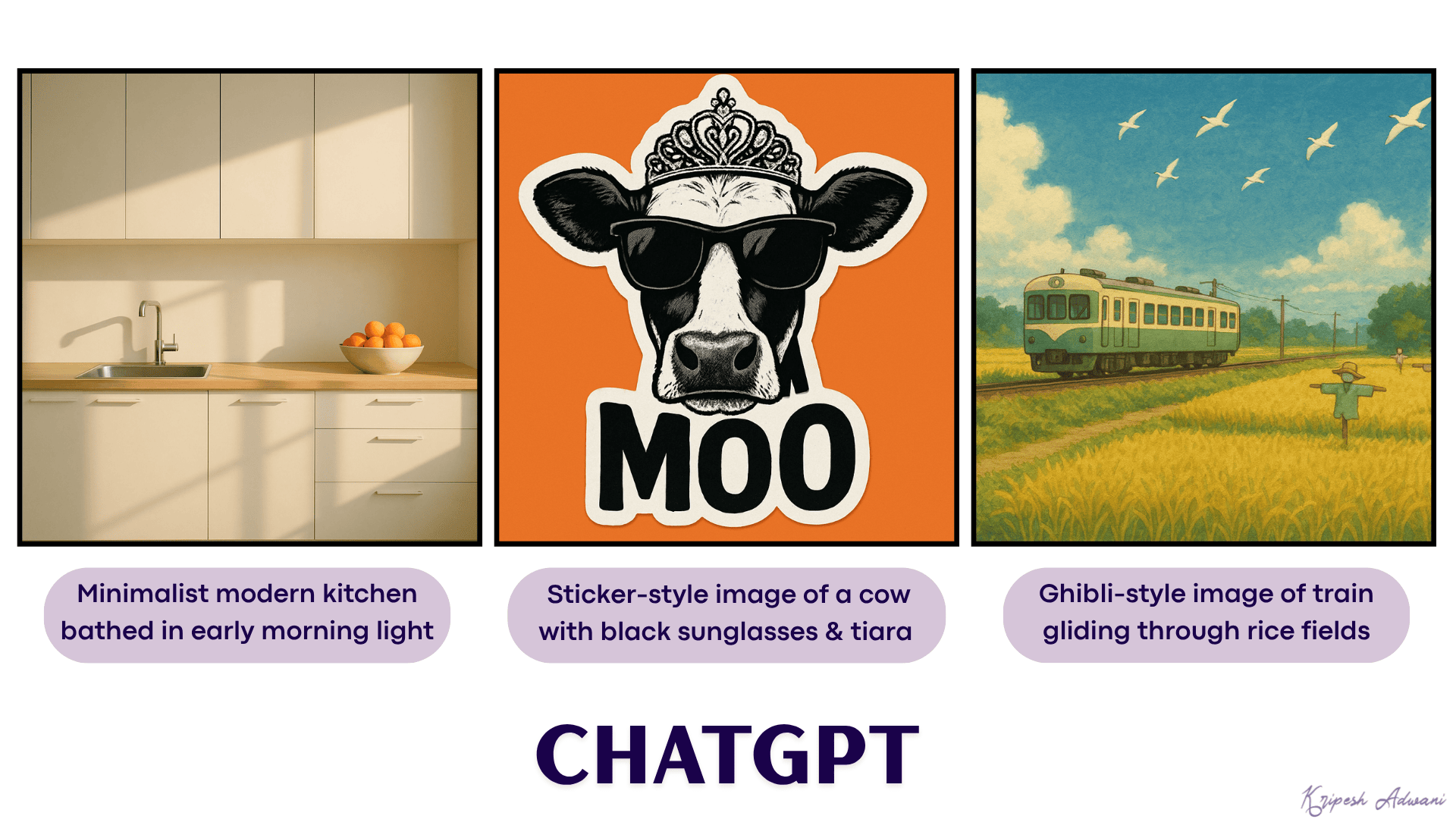
Pricing: The free plan of ChatGPT offers limited AI image generation with a usage cap of 2 to 4 images per session. However, the exact image generation limits are not specified. Its paid plans start at $20/month.
9) Decohere– Best For Realistic Images
Decohere is an image and video generation platform powered by AI. To start, simply go to the ‘Generate Image’ tab and enter your prompt. You can also specify image dimensions and enable or disable the magic prompt.
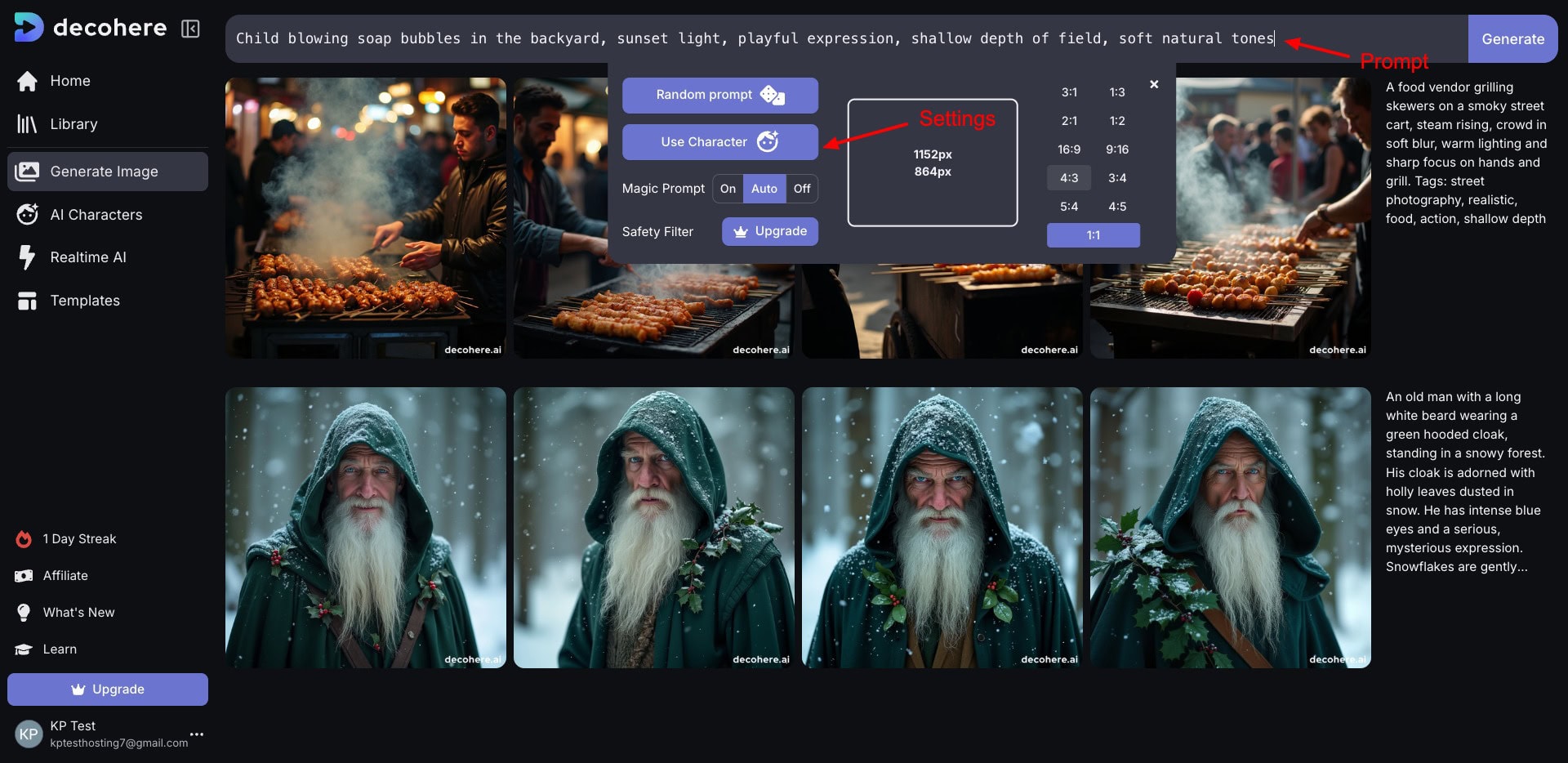
The final images can be downloaded in PNG format. But on the free version, you’ll get watermarked images. I was surprised at its exceptional image quality. It generates highly realistic and natural images in no time.
If you want to use photorealistic images in your projects, I recommend Decohere.
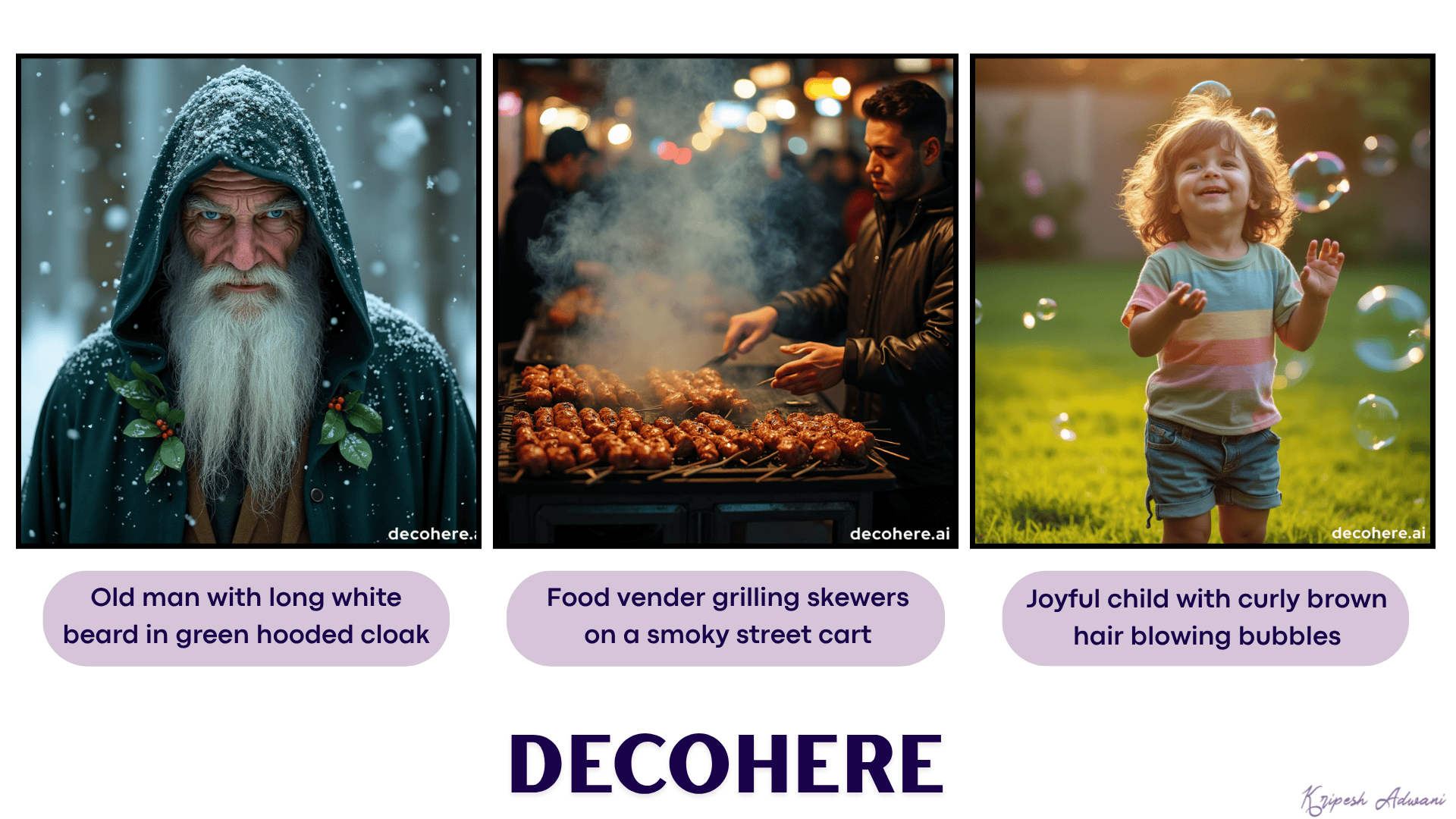
Pricing: The free plan lets you run 2 queries per day (4 image outputs for each query). Its paid plans start at $7.99/month.
10) SeaArt AI– Best For Cartoons & Anime Art
SeaArt is an all-in-one AI community for creating images, videos, audios, and AI chats. To get started, simply visit the image generation tab and enter your prompt. It features dozens of different versions of the LoRA AI model for generating images.
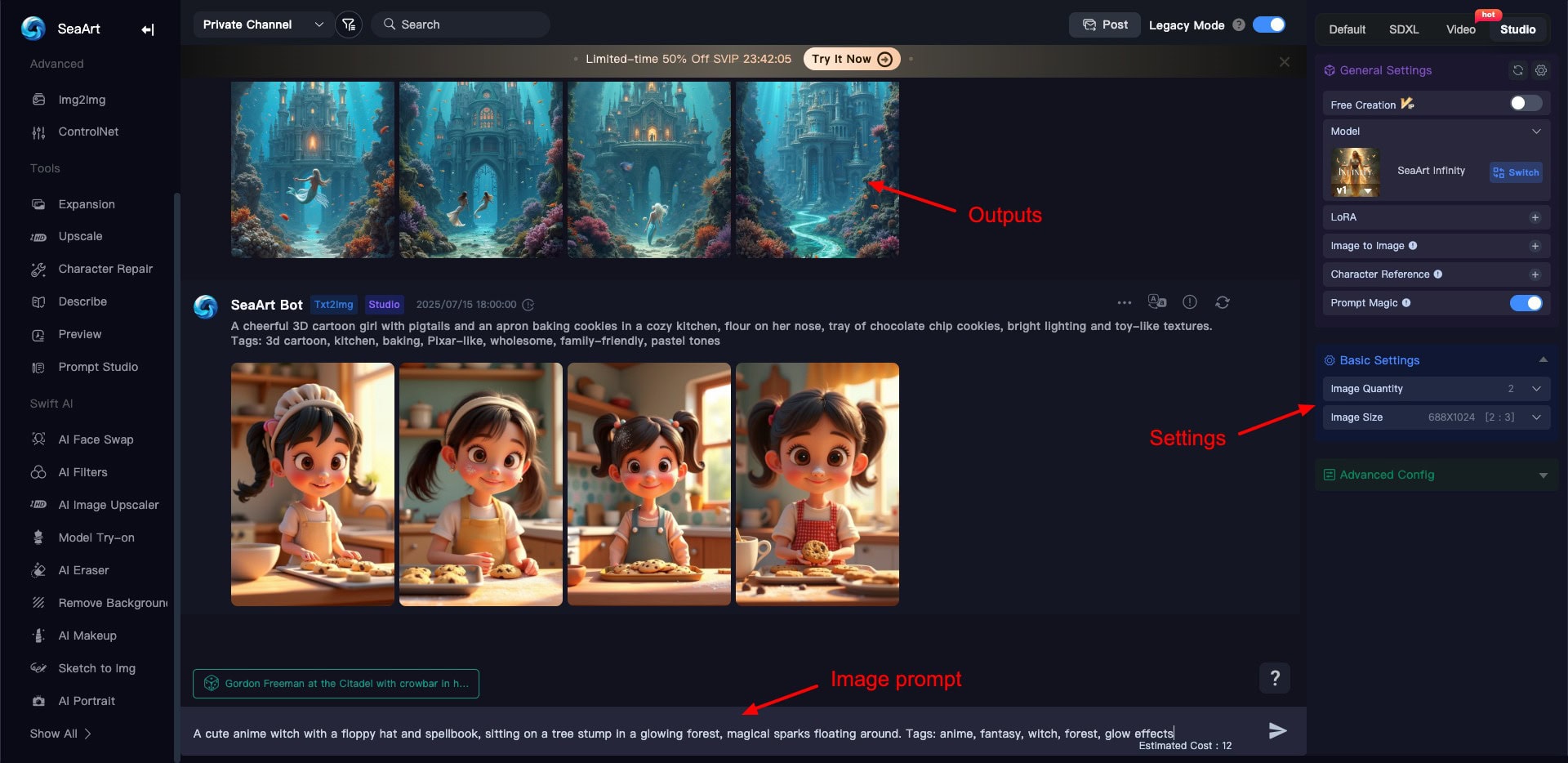
You can also select the number of output images and the image dimensions for your final output. Images are downloaded in the PNG format and are free of watermarks.
I found it ideal for creating cartoons, anime art, fantasy art, and fictional characters. If your work revolves around creating comic books, illustrated storybooks, children’s movies, anime videos, etc, SeaArt would be valuable to you.
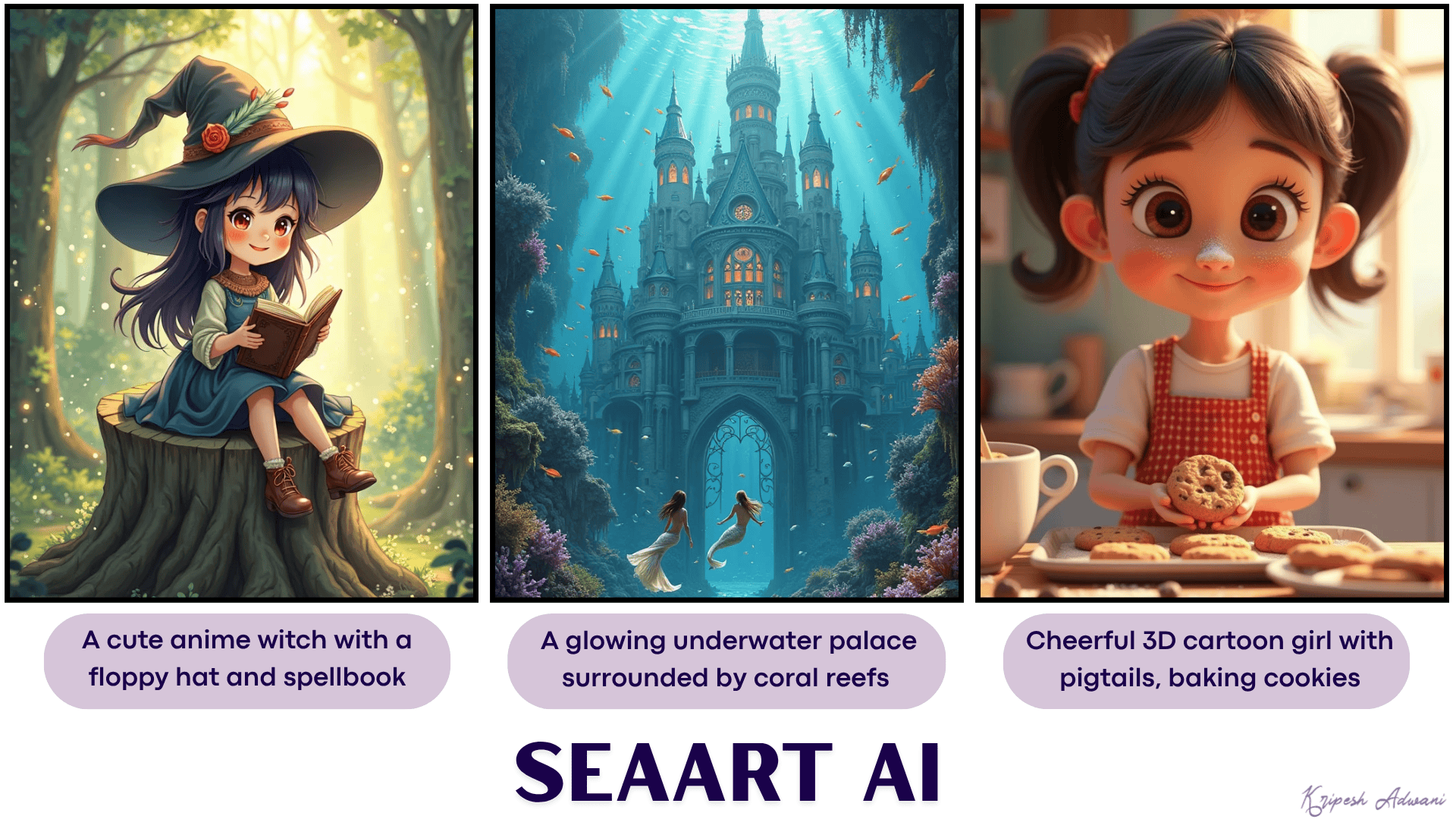
Pricing: The free plan of SeaArt AI offers you 130 stamina (or AI credits) per day. For every query, you use up around 12 AI credits. Its paid plans start from ₹240/month, where you get 300 stamina per day.
11) Recraft– Best for Icons & Illustrations
Recraft is an AI-powered platform that lets you generate images, illustrations, and 3D graphics via text prompts. It uses the Recraft V3 custom model for image generation. To start with, create a new project and select the Image option.
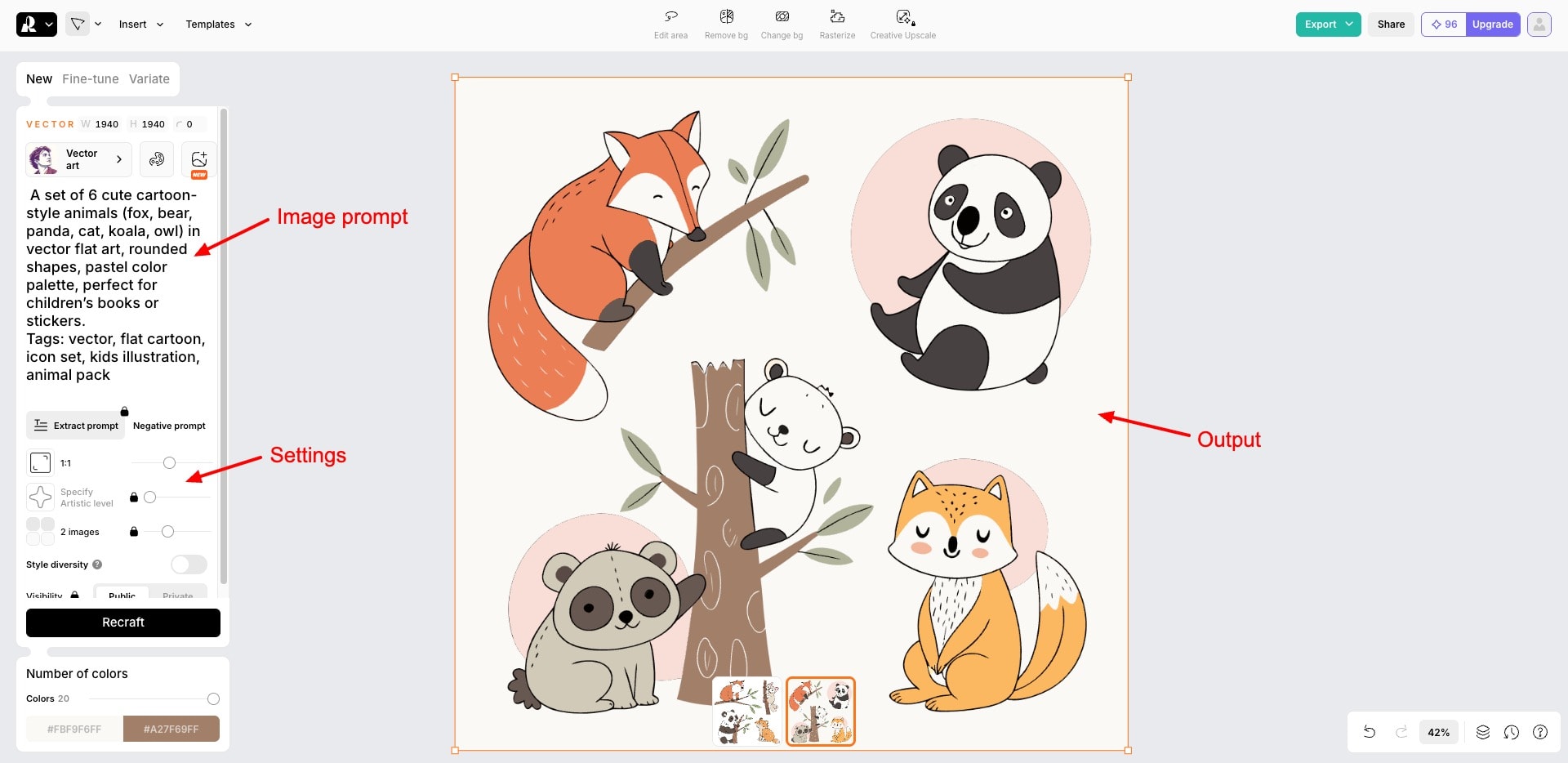
Then, insert your prompt, image dimension, image colors, and style. It features a massive library of styles like photorealism, vector art, motion blur, pencil sketch, line art, doodle, etc. Choose your preferred style and hit the Generate button. Finally, download the image in PNG format.
I found Recraft AI apt for generating vector art, illustrations, brand styling elements, logos, icons, graphic design elements, and more. It is great for designers and content creators.
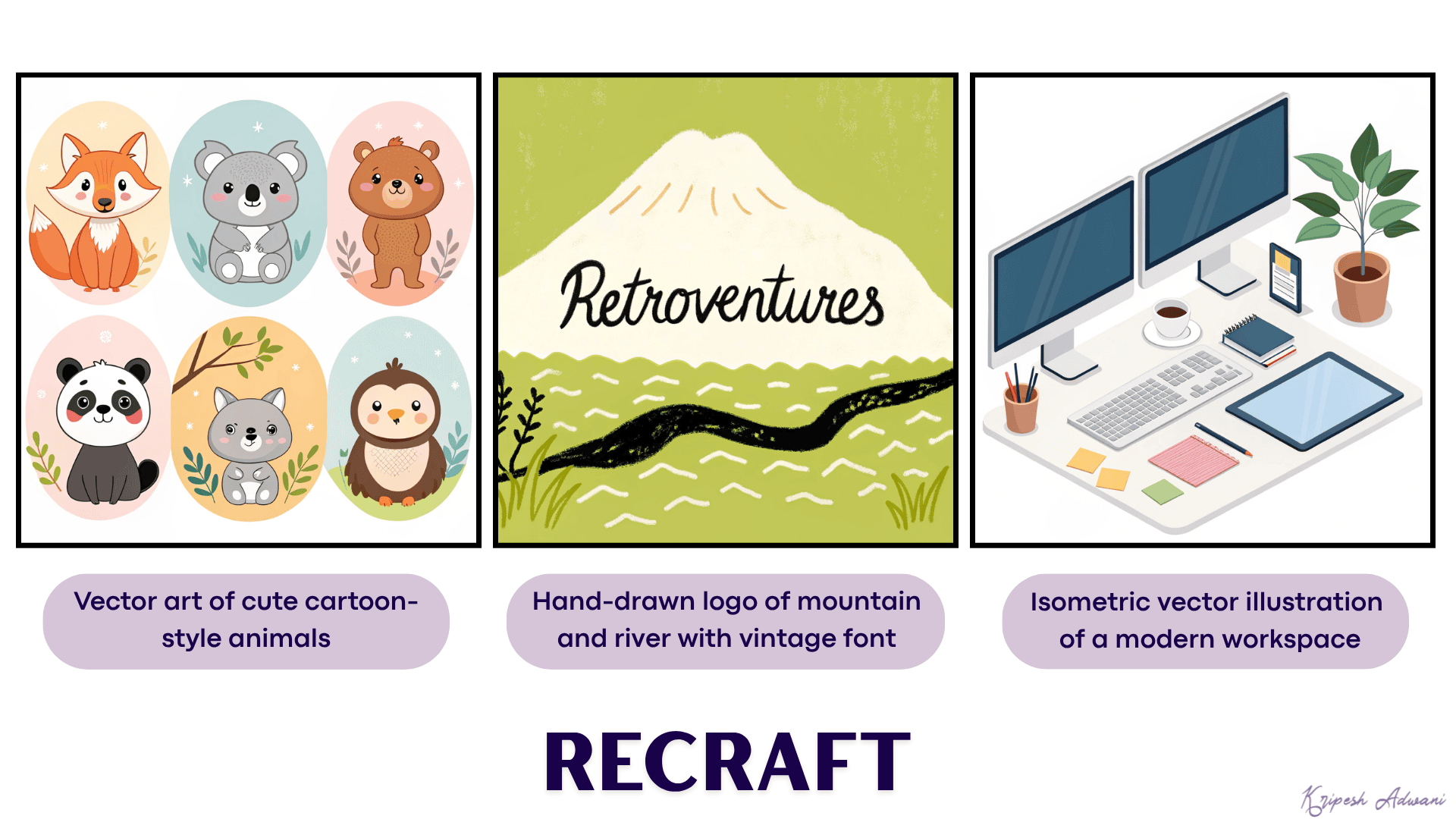
Pricing: The free plan offers 50 free credits per day. Each image generation consumes 1 credit. Its paid plans start from $10/month, where you get 1000 monthly credits.
Factors to Consider Before Choosing an AI Art Generator
The Internet is overflowing with AI-generated art. All these AI art generators look promising, but which one should you pick? Well, here are some factors that you may consider before selecting an AI art generator.
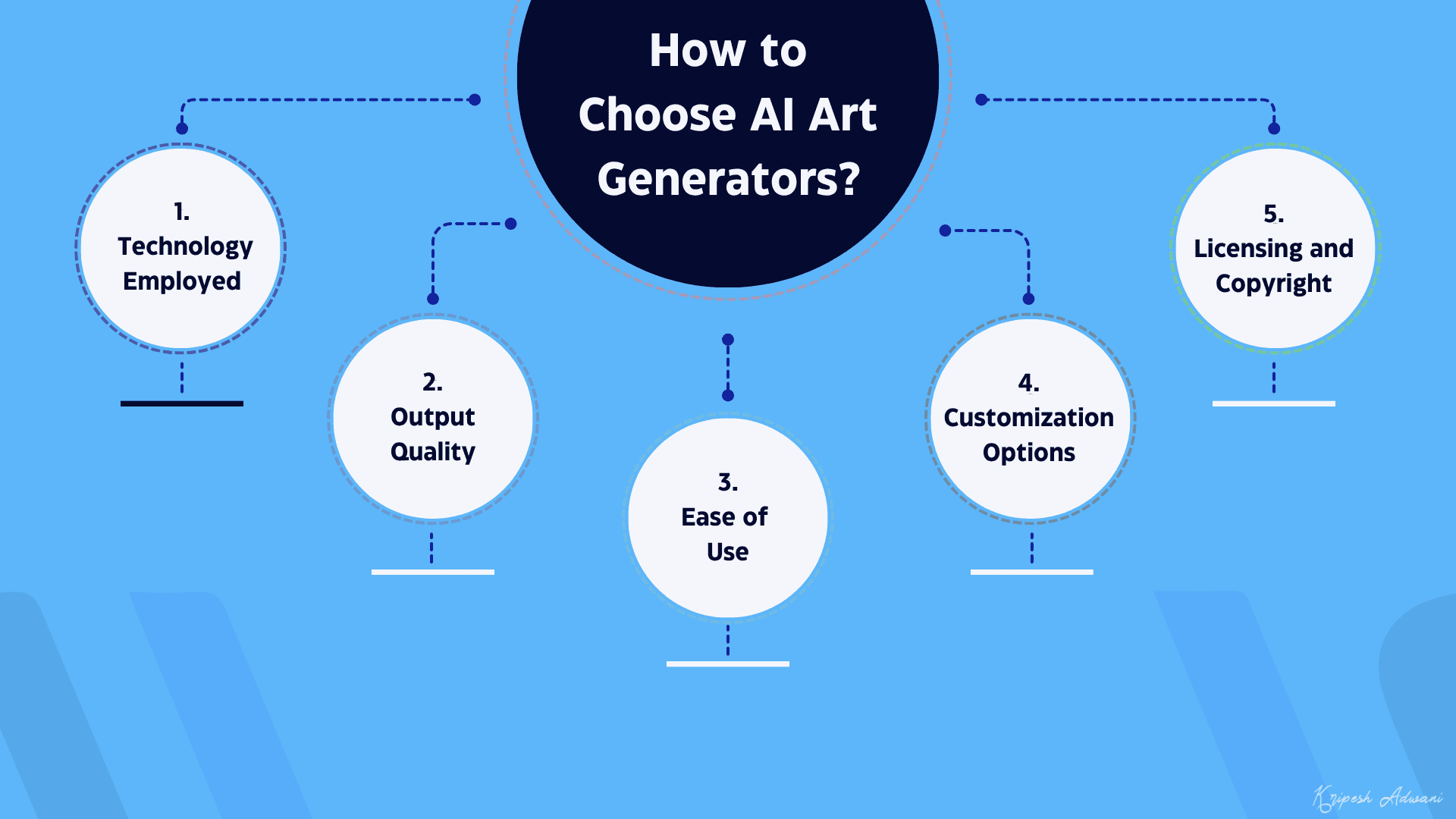
1. Technology Employed
The first thing that you need to check before picking an AI art generator is the technology it works on. AI art generators make use of machine learning algorithms and deep neural networks for generating artwork and images.
Stable Diffusion, Midjourney, Dall-E 3, Leonardo, Firefly, GPT-4o, etc are the most popular AI image generation models right now.
2. Output Quality
Next, we should test the quality of outputs produced by an AI art generator. To choose among multiple tools, you can simply provide the same prompt to each AI tool and evaluate which one produces the most attractive images that are closest to your requirements.
3. Ease of Use
Analyze the effort you need to put into AI image generation. Is the sign-up process simple? Is the user interface clean and easy to understand? How long does it take you to generate an image with the tool? Take all these points into consideration.
4. Customization Options
Does the AI Generator let you tailor the output according to your requirements? Does it allow you to upscale the output or produce more variations of it? Does it offer different styles of art for you to choose from? Make your decision after checking all these options.
5. Licensing and Copyright
Another important aspect to consider is whether the tool is licensed to produce and distribute the images that it generates. Also, make sure that you are allowed to use the generated images on your personal and commercial projects.
Conclusion
So, these were some of my favorite and the best-performing AI image generators for different use cases. Krea AI is my current favorite as it generates highly realistic and stunning AI art. I have been using it a lot for my projects.
AI image generators could be a solid resource for anyone in the creative industry. This includes blogging, social media marketing, advertising, publishing, animation, graphic design, photography, content creation, etc.
Have you used any AI art generators before? How was your experience working with them? Would you be trying any of the ones featured in this article? Or do you already use a different one? Let me know all about it in the comments section below.
And if you’re into content creation, do check out these AI voice generators and AI video generators to ease your workflow. This is Kripesh signing off. I’ll be back with more such interesting posts. Until then, take care and keep learning! 🙂
FAQs
Which AI art generator offers the most realistic results for free?
Decohere, Krea, and ChatGPT offer the most realistic results for free.
Which free AI art generator is best for commercial designs?
Yes, you can use Adobe Firefly for commercial designs like ad graphics, marketing materials, banners, product displays, etc.
What are the best AI tools for creating anime-style or cartoon-style art?
SeaArt is the best AI tool for creating cartoon and anime-style art. For Ghibli-art, you can check out ChatGPT.
Which free AI art tools allow you to generate images with transparent backgrounds?
Leonardo AI lets you enable the transparency option and generate stunning visuals with a transparent background.
What’s the best AI image generator for social media content creation?
For social media posts like blog graphics, podcast covers, YouTube covers, Instagram posts, etc, you can use Microsoft Copilot Designer.
Do any free AI tools support photorealistic image generation?
Imagen 3 and Krea offer photorealistic image generation.
Are there free AI generators that offer text rendering within images?
Yes, Imagen 3 and Ideogram perform exceptionally well for rendering text content within images.
What AI art generator is best for logo creation without paying?
For creating logos, you can use Recraft, ChatGPT, Copilot Designer, and Ideogram.
Can you use free AI art generators on mobile devices?
Adobe Firefly and Leonardo are popular AI art generators that offer functional mobile apps to generate images on the go!
What limitations come with the free plans of popular AI art tools?
Free plans usually offer limited AI models, restrictions on daily or monthly credits, watermarked images, and limited download formats.
Are there any free AI art tools that don’t watermark images?
Yes, various AI image generators like Krea, Copilot Designer, SeaArt, etc don’t watermark your images.


Hi Kripesh Adwani,
This is a very good and valuable article to me because I am a newcomer to this.
I need to know whether we can use these pictures as our own and sell them to another one.
Let me know a few tips, Sir.
Thank you so much.
Hi Kripesh Adwani Ji,
I am new to AI Art Generator, your article is very valuable to me and others who are new to AI Art Generator. I want to learn more about Leonardo AI, BlueWillow, and Bing Image Creator.
Thank you Sir.
I’m happy you liked the article. 🙂
This is really great helping for newbies like us. I was struggling for a year to find a free generator and yet your article found 10 instead of one. Thank you very much.
Glad it helped.
jay shree ram🙏🕉️🚩🚩🚩💯🥀🇮🇳🇮🇳🇮🇳
Thank you for sharing valuable information about AI art generators.
stablediffusionweb.com is not 100% free. Every image generative, need 1 credit.
We’ve updated the list with new AI art generators.
NightCafe is not free, credit request for Ai image generative
Yes, it is true that NightCafe is not free. update your content accordingly
Hi Kripesh Adwani,
Thank you for the excellent information. You summarize everything well. Some AI generators respond variably to the same prompts.
For me, Ideogram is the best, as it not only delivers results based on your prompts but also offers a “Magic Prompt” option for improvement. Additionally, you can browse a vast array of artwork created by other users and adapt it to your specifications.
Wombo is underrated; I’ve been using it for a while and consider it a hidden gem. With unlimited access and numerous free styles, it’s great for creating artwork.
Thank You
Good wishes, your website is more usefull and informative about AI.
soon give me additional information and latest development in AI.
Nandhakumar – Chennai (India)
Glad you liked it.
For latest ai updates you can subscribe to our newsletter or follow our new venture https://upskillai.io
can u tell me about “magichour.ai” it is giving me great result with Image to Video generation above all it is somewhat appropriate Pricing i.e. Rs5000/- per month. is it reliable?
Haven’t used this one.
They have a free tool. Could you do a comparison with other image to video tools?
Surprised you didn’t include Flux, it’s honestly been running circles around most of these lately. Ideogram is solid for text though.
Honestly surprised Ideogram didn’t get more credit for the text rendering, it’s easily the best one on this list. Leonardo is solid for assets but the free tier feels pretty restrictive lately.
Thanks for your feedback.
I agree that Ideogram is good for text rendering and it’s one of the OG when it comes to text rendering.