Do you know that Email Marketing has an ROI of 4200%? That means for every dollar a marketer spends, they make $42 in return. Crazy, right?
Well, the power of email marketing is indeed magical. But with hundreds of tools flooding the internet, which one should you go with? That’s exactly what we are going to cover today.
After testing dozens of free email marketing tools, I am finally here with the 13 Best Free Email Marketing Tools for you! We will begin by understanding what email marketing tools are and their benefits. Then we’ll discuss the features of the 8 Best Free Email Marketing tools.
So, are you excited to discover which platform best suits your needs? With no more ado, let’s dive right in.
- What are Email Marketing Tools?
- 13 Best Free Email Marketing Tools (Overview)
- 13 Best Free Email Marketing Tools (2026)
- 1) MailerLite – Easy to Use and Feature-Rich
- 2) Brevo – Best for Businesses
- 3) GetResponse
- 4) Kit – Best for Unlimited Landing Pages
- 5) Zoho Campaigns
- 6) Mailchimp – Best for Integrations and Support
- 7) HubSpot Email
- 8) Omnisend – Best for eCommerce Marketers
- 9) Sender
- 10) EmailOctopus
- 11) Mailmodo
- 12) Benchmark Email
- 13) Moosend
- Tips and Best Practices for Email Marketing
- Why Should You Trust Me?
- Conclusion
- FAQs
What are Email Marketing Tools?
Email marketing tools help marketers and businesses design and send professional email campaigns to their audiences. You can also get email analytics and generate reports using email marketing tools.
The primary benefits of using email marketing tools are improved brand awareness and lead generation, along with the ability to measure performance and customize outreach. Some popular email marketing platforms include Mailchimp, Constant Contact, Kit, etc.
13 Best Free Email Marketing Tools (Overview)
| Tool Name | Free Plan | Unique Features | Best For |
| MailerLite | 12k emails/month, 1k subscribers | Multiple campaigns and form types, easy-to-use editor, lots of integrations. | Marketers, designers, bloggers, and eCommerce owners. |
| Brevo | 300 emails/day or 9k/month, 100k subscribers | Booking pages, CRM, Integrated Inbox, Marketing Automations | Small businesses, marketing agencies, tech-savvy users, & SaaS startups. |
| GetResponse | 2,500 emails/month, 500 contacts | Webinars, AI email generator, automation | Marketers, creators |
| Kit | Unlimited monthly emails, 10k subscribers | Unlimited landing pages, creator profile | Beginners, bloggers, influencers, coaches, authors, and content creators. |
| Zoho Campaigns | 6,000 emails/month, 2k contacts | Advanced campaign types, automation workflows | Businesses, Zoho users |
| Mailchimp | 1k emails/month, 500 subscribers | Creative assistant, integrations, website building | Beginners, small and medium businesses, bloggers, and marketers. |
| Hubspot Email | 2k emails/month | Chatflows, Integrations | Beginners, small businesses, marketers, bloggers. |
| Omnisend | 500 emails/month, 250 subscribers | Email templates, app integrations | eCommerce store owners, marketers, and small businesses. |
| Sender | 15k emails/month, 2.5k subscribers | Workflows, forms | Startups, small businesses, eCommerce store owners, and solopreneurs. |
| EmailOctopus | 10k emails/month, 2.5k subscribers | Simple automation, landing pages, clean UI | Startups, solopreneurs |
| Mailmodo | 2,000 emails, 500 contacts | Interactive emails, AI generator, widgets | Marketers, creators |
| Benchmark Email | 2,500 emails/month, 500 contacts | AI image generator, email audit tool | Beginners, small businesses |
| Moosend | Free trial (30 days) | AI writer, campaign types, checklist | Intermediate users |
Wanna Grow a Blog? ❤️
Check My Favourite Blogging Tools
Hostinger
Hostinger is a fantastic choice for beginners looking for affordable, user-friendly shared hosting. Get exclusive discount with my link.
Semrush
Semrush is the perfect SEO toolkit. Get keyword research, competitive analysis, and more. Get 14 day free trial.
SEO Surfer
Surfer SEO offers optimization tools to rank higher on search engines and unique AI article generator.
13 Best Free Email Marketing Tools (2026)
1) MailerLite – Easy to Use and Feature-Rich
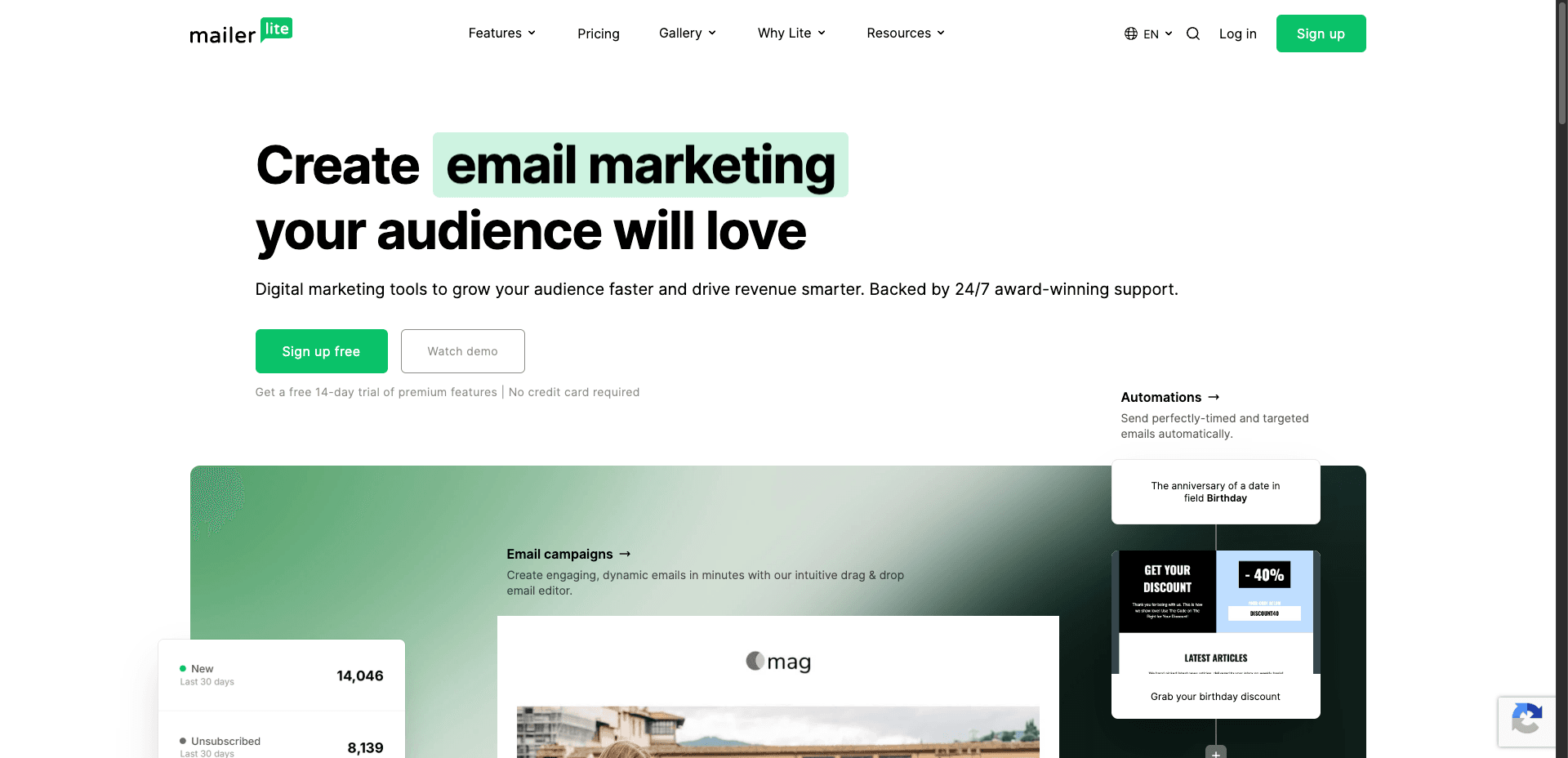
MailerLite is an easy-to-use and budget-friendly email marketing software founded by Ignas Rubezius and Eimantas Norkunas back in 2010. It began as a web design and development agency, but later transformed into an email marketing platform!
Free Plan Features
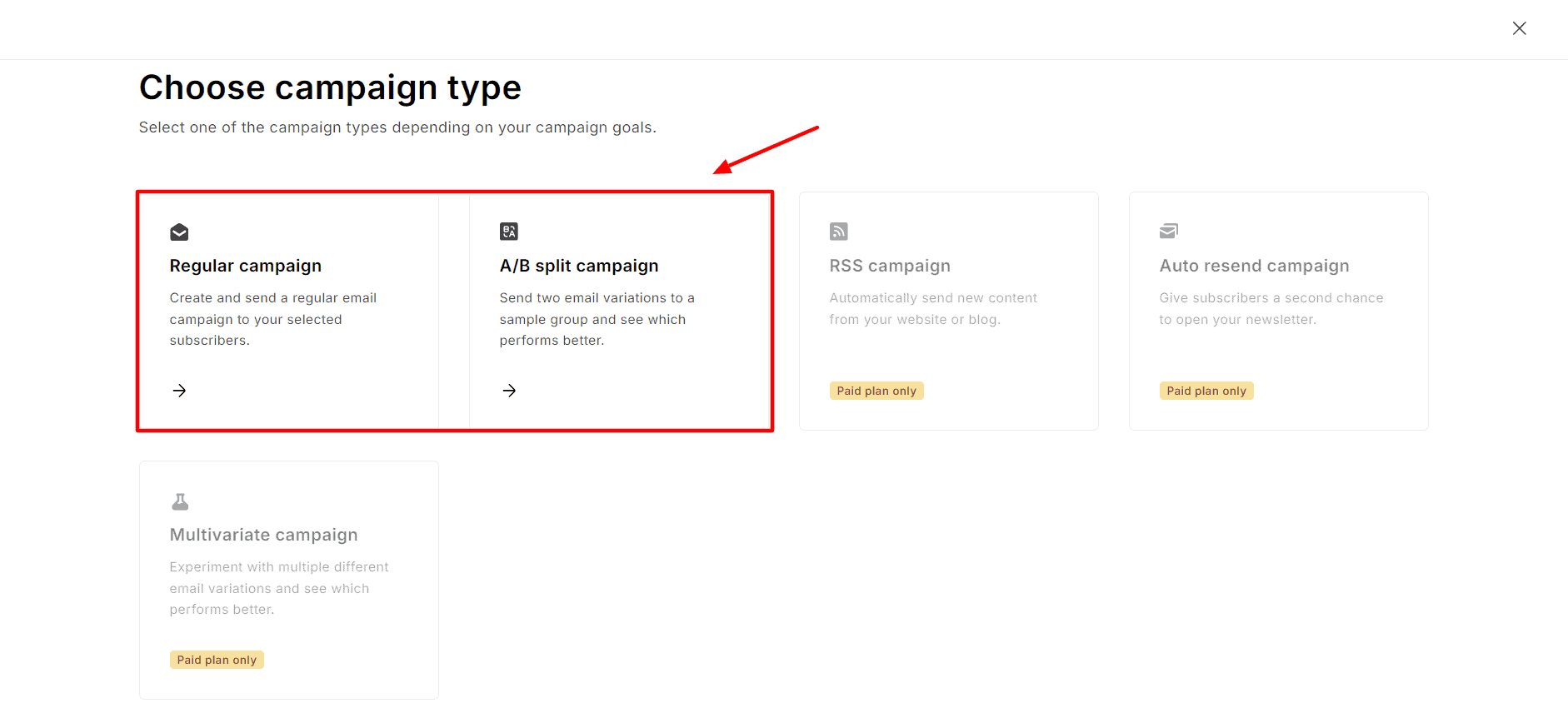
1) Multiple Campaign Types
On MailerLite, you can create multiple types of campaigns like regular campaigns, A/B split campaigns, multivariate campaigns, RSS campaigns, and auto-resend campaigns. However, the free plan only supports regular and A/B split campaigns.
2) Excellent Editor
With MailerLite, you can create your email marketing campaign with a drag-and-drop editor, rich text editor, or an HTML email editor as per your requirements. The drag-and-drop email editor is feature-rich. It lets you insert multiple element types like title, image, video, text, quote, audio, table, links, etc.
To add new sections to your email, you can choose from multiple templates available for the navigation menu, hero section, content, eCommerce, gallery, Blog, RSS, Social sharing, footer, etc.
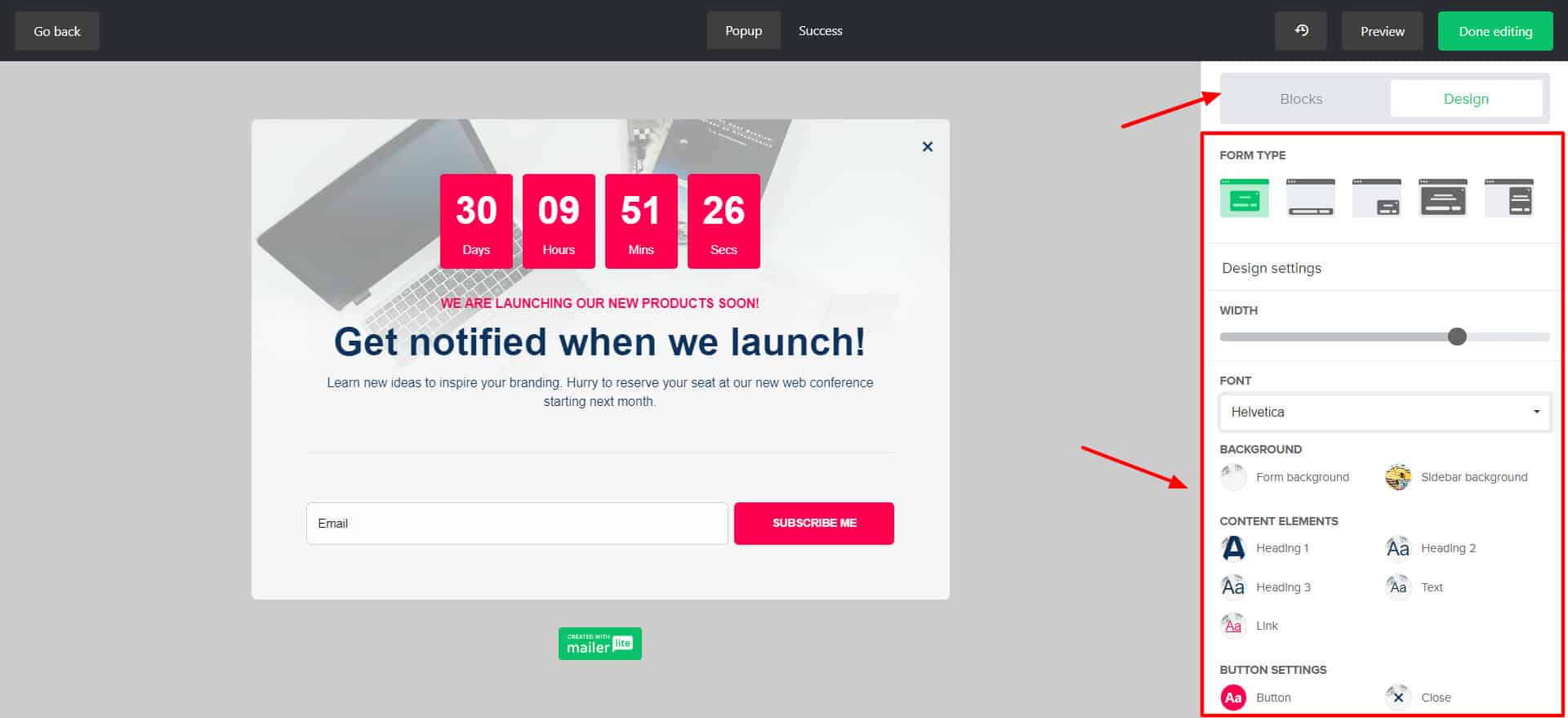
You will also find additional elements like a survey, a quiz, a signature, a countdown, and a highlight to improve your email engagement. Finally, layouts, fonts, backgrounds, buttons, and brand settings can be customized to your liking.
3) Professional Landing Pages and Forms
You can create landing pages manually from scratch, use AI, or pick one from their 19 beautifully designed templates. I loved the AI-designed landing pages the most.
You simply need to enter your company’s name, industry, site goals, writing style, website style, and theme. It will generate 3 professional landing page versions. You can choose your favorite one and edit it using their drag-and-drop editor.
It even allows you to create multiple types of forms, including pop-up forms, embedded forms, and promotion forms, to boost engagement.
4) Lots of Integrations
MailerLite offers 140+ integrations with popular apps like Stripe, WordPress, Canva, Zapier, Shopify, etc. You also get the MailerLite API, eCommerce API, and webhooks to expand the platform’s functionality.
5) Variety of Automation Templates
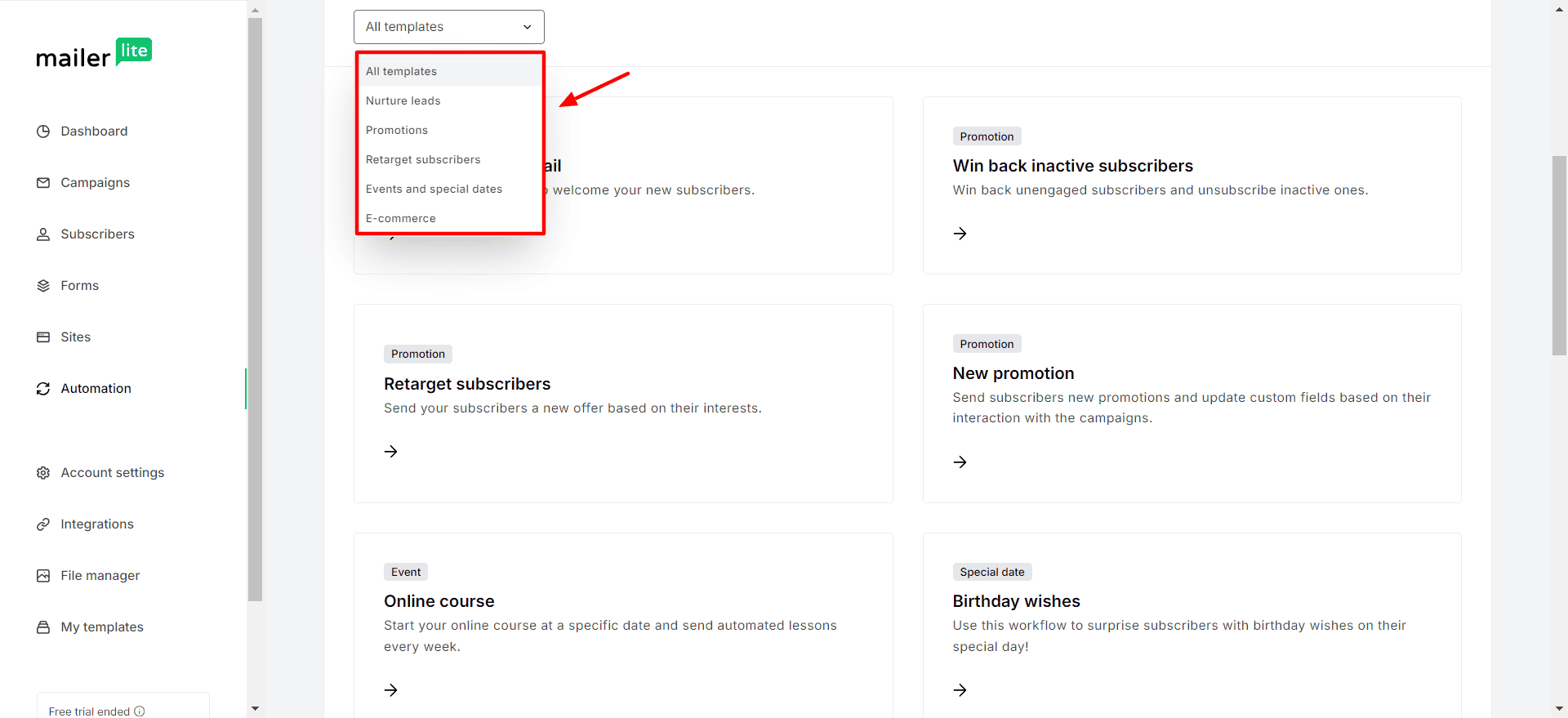
You will find dozens of pre-designed templates available for automation like simple welcome emails, birthday wishes, online courses, webinar invitations, etc. All you need to tweak them as per your requirements and add them to a workflow. They will be initiated when the specified trigger event occurs.
6) Add Products
MailerLite now lets you sell your products and manage your bookings from within its interface. It features two types of products. Under Digital Products, you can sell ebooks, downloadable templates, etc. Under bookings, you can book webinars, consultations, etc.
For both of the products, payments are supported through Stripe.
Cons
- MailerLite branding on emails.
- No free templates for creating email campaigns.
- No MailerLite sub-domains are offered.
- No custom domains on the free plan.
- The domain authentication process is a little troublesome.
- No free templates for creating landing pages and websites.
Pricing: Free plan offers 12k emails/month with a 500-subscriber limit. Paid plans start from $9/month, where you get 500 subscribers and unlimited emails.
Best For: Marketers and designers (campaigns and landing pages), bloggers (RSS campaigns and automation), and eCommerce businesses (integrations and eCommerce templates).
2) Brevo – Best for Businesses
Brevo (formerly Sendinblue) is an all-in-one email marketing solution that takes care of all your email needs. It was founded by Armand Thiberge in 2012 and has over 600k customers worldwide.
Brevo offers email, SMS, and WhatsApp campaigns, forms, landing pages, Facebook ads, marketing automation, integrated inbox, and more. It is more suitable if you plan to send out trigger-based email campaigns.
Free Plan Features
1) Lots of Free Subscribers
Usually, free email marketing tools allow a few email subscribers. But on Brevo, you get to add an unbelievable 100k subscribers to your free account!
2) Good Email Editing
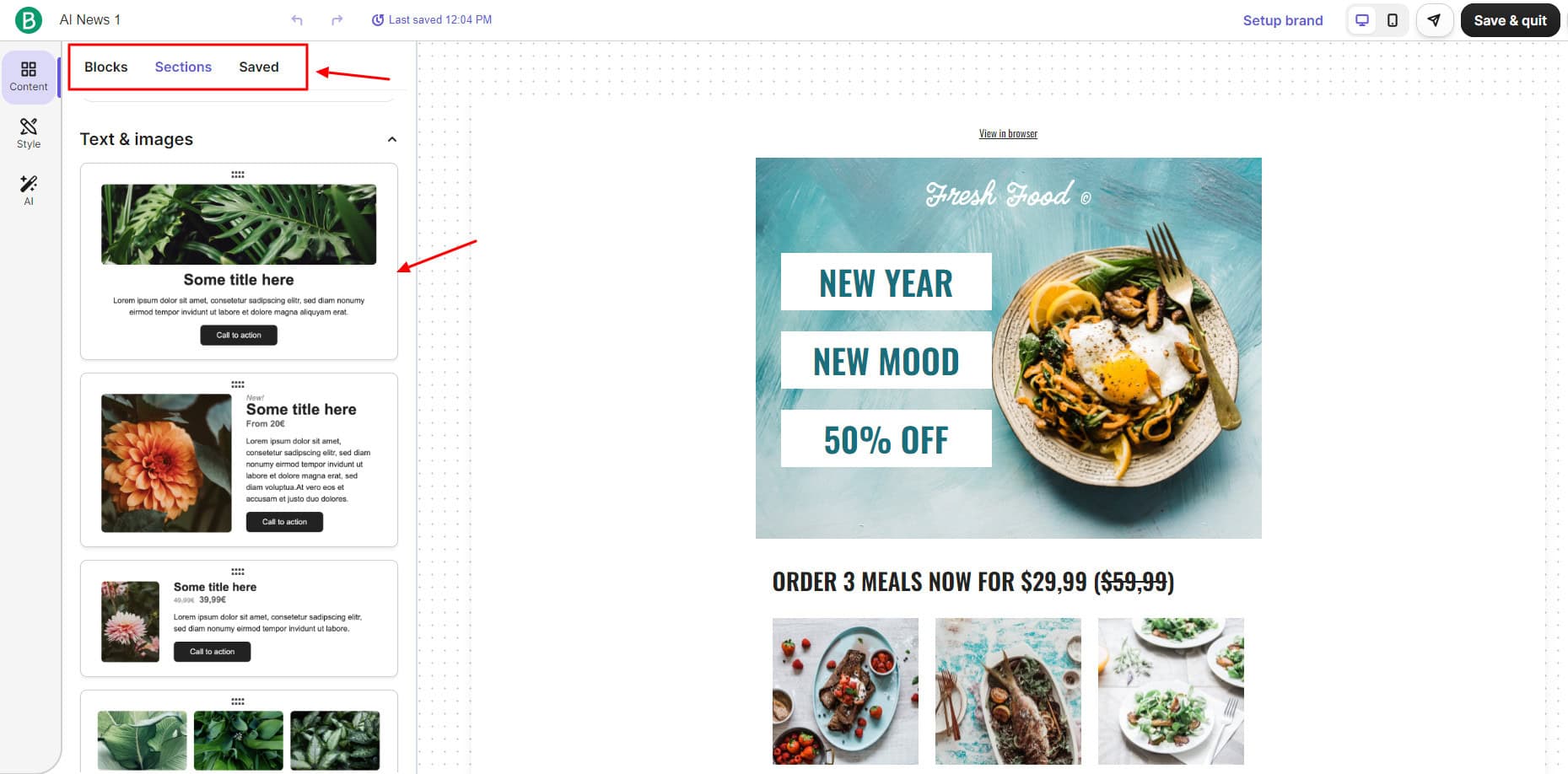
Brevo lets you design your email using layouts and 45+ beautiful email templates. If you have technical knowledge, you can also code your design using HTML or a Rich Text Editor. You get a drag-and-drop editor, which is very convenient.
Besides basic element blocks and settings, it also features sections with attractive templates for headers, footers, text, images, etc. You can even use its AI assistant to generate a paragraph, title, or button text.
An interesting feature of Brevo is Brand Assets. You simply need to enter your brand website. It automatically detects your brand colors, logo, font, and links and saves them in the library.
3) Enable User Tracking
If you want to track user activity on your campaigns, you can activate Google Analytics tracking for your campaigns and enable UTM ID as an extra parameter. Additionally, they also offer an option to set email expiry dates to reduce carbon footprint.
4) Create Booking Pages
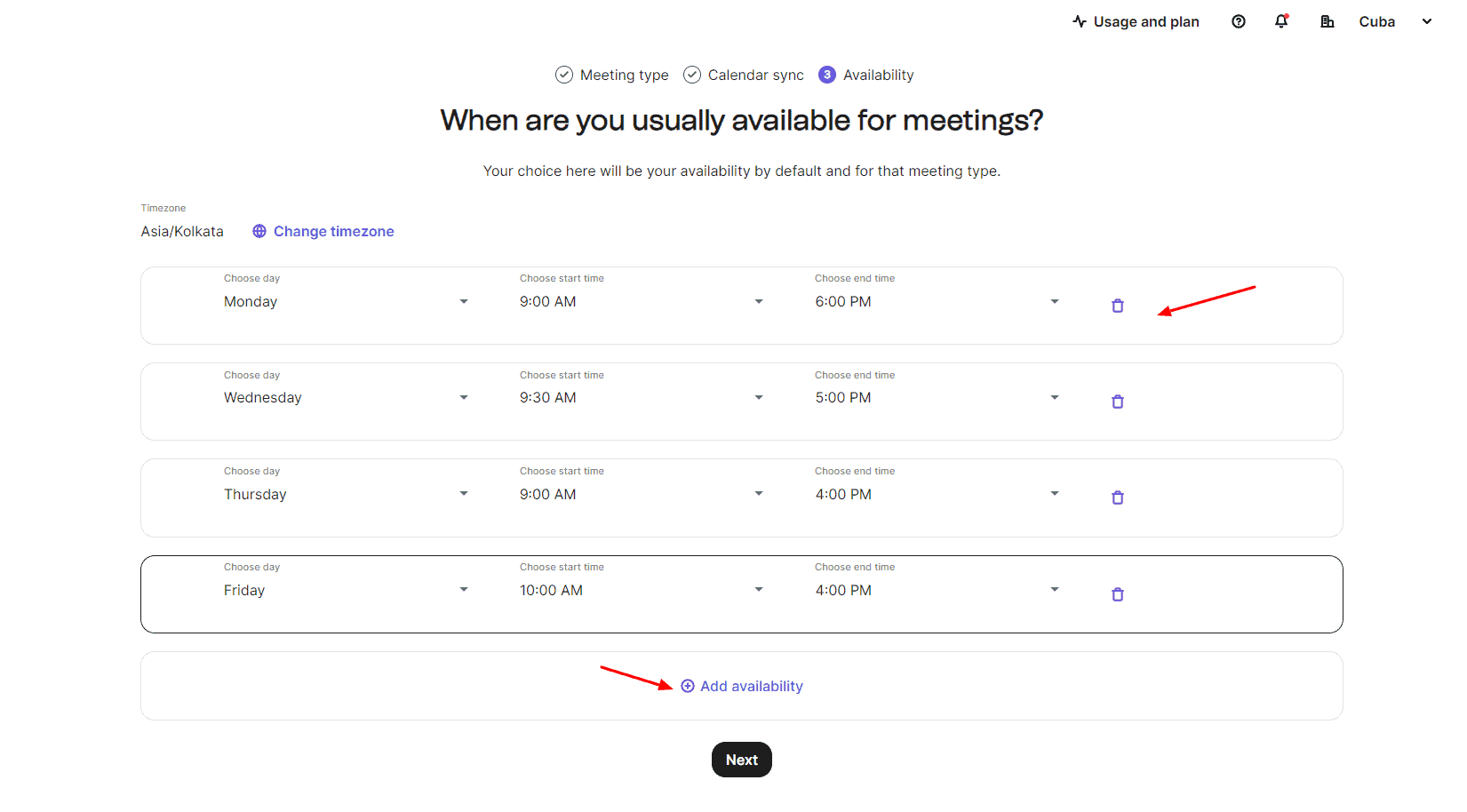
Consultants, small business owners, and freelancers can also create booking pages from within Brevo’s dashboard. To create a meeting, set a video call type and duration, sync your Google or Outlook calendar, and mark your availability during the week.
Once it’s created, you can share the booking page with your customers. Payments can be made by credit cards via Stripe integration. You can choose a currency and select what happens on booking cancellation.
5) Chatbot and Integrated Inbox
Under the Conversations tab, you can create custom chatbots to answer general queries and interact with your readers. Brevo also lets you connect your email and social media accounts to reply to all your messages and emails from an integrated inbox.
6) Multiple Campaign Types
Besides email campaigns, Brevo also lets you create SMS, WhatsApp, and Web push campaigns. However, SMS and WhatsApp campaigns require you to purchase credits for sending messages.
7) Variety of Integrations and Automations
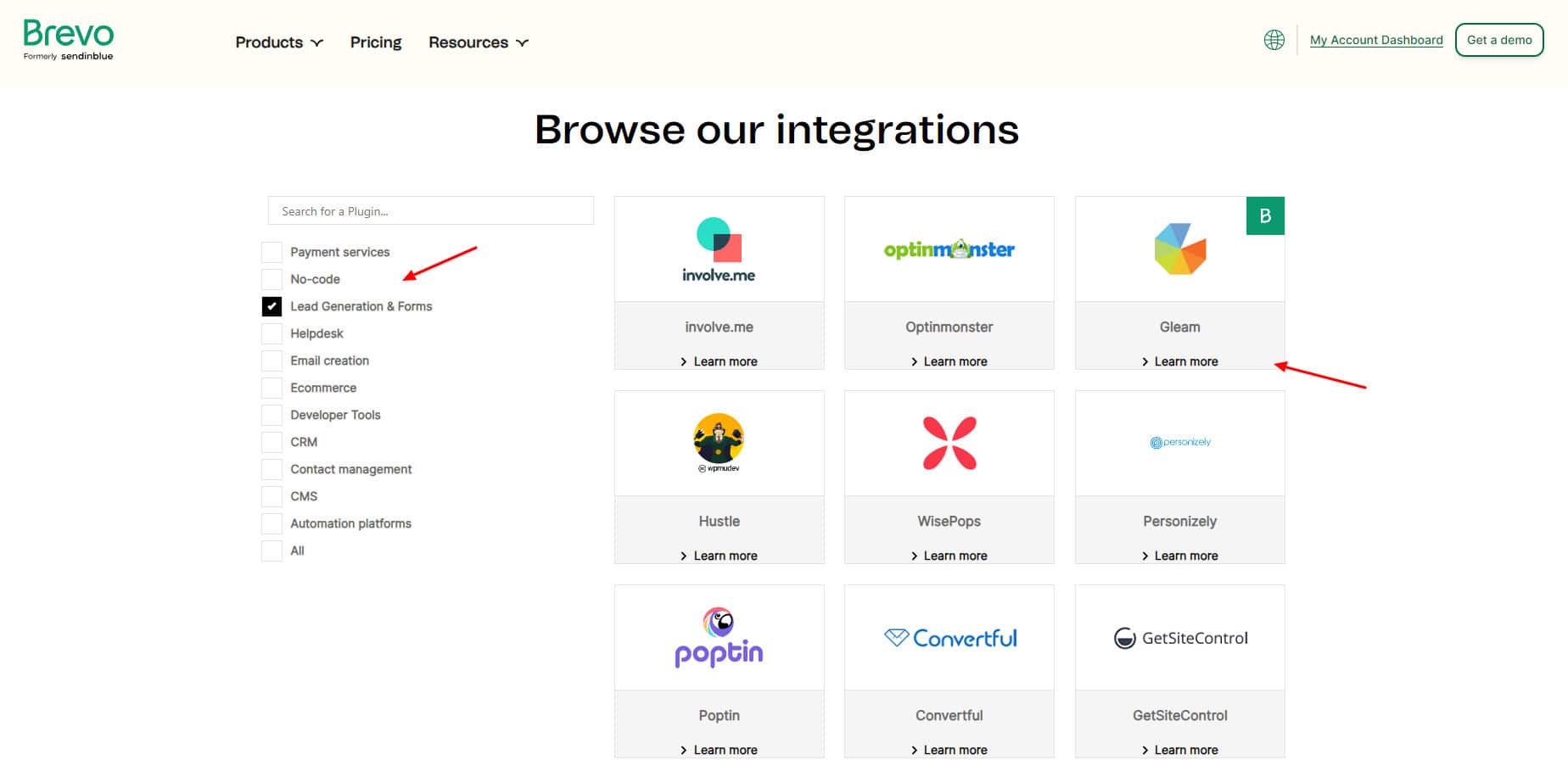
Brevo comes with a library of 60+ integrations to extend the functionality of your email marketing platform. You get popular app integrations for payments, email, eCommerce, CRM, CMS, etc.
It also offers 8 pre-built marketing automation (for instance, welcome message, product purchase, marketing activity, etc) to simplify common tasks. If you want to automate a specific task for your business, you can create an automation manually as well.
Cons
- Brevo branding on the email footer.
- Landing pages, FB campaigns, and A/B test campaigns are paid features.
- The editing dashboard is slightly buggy.
- Analytics can be presented more visually.
Pricing: The free plan lets you send 300 emails/day or 9k emails/month with a 100k subscriber limit. Its paid plans start from $8.08/month, where you get up to 100k monthly email sends and 2000 contacts.
Best For: Small businesses and marketing agencies (Lots of subscribers and templates, booking pages, integrated inbox), tech-savvy users, and SaaS startups (integrations and automation).
3) GetResponse
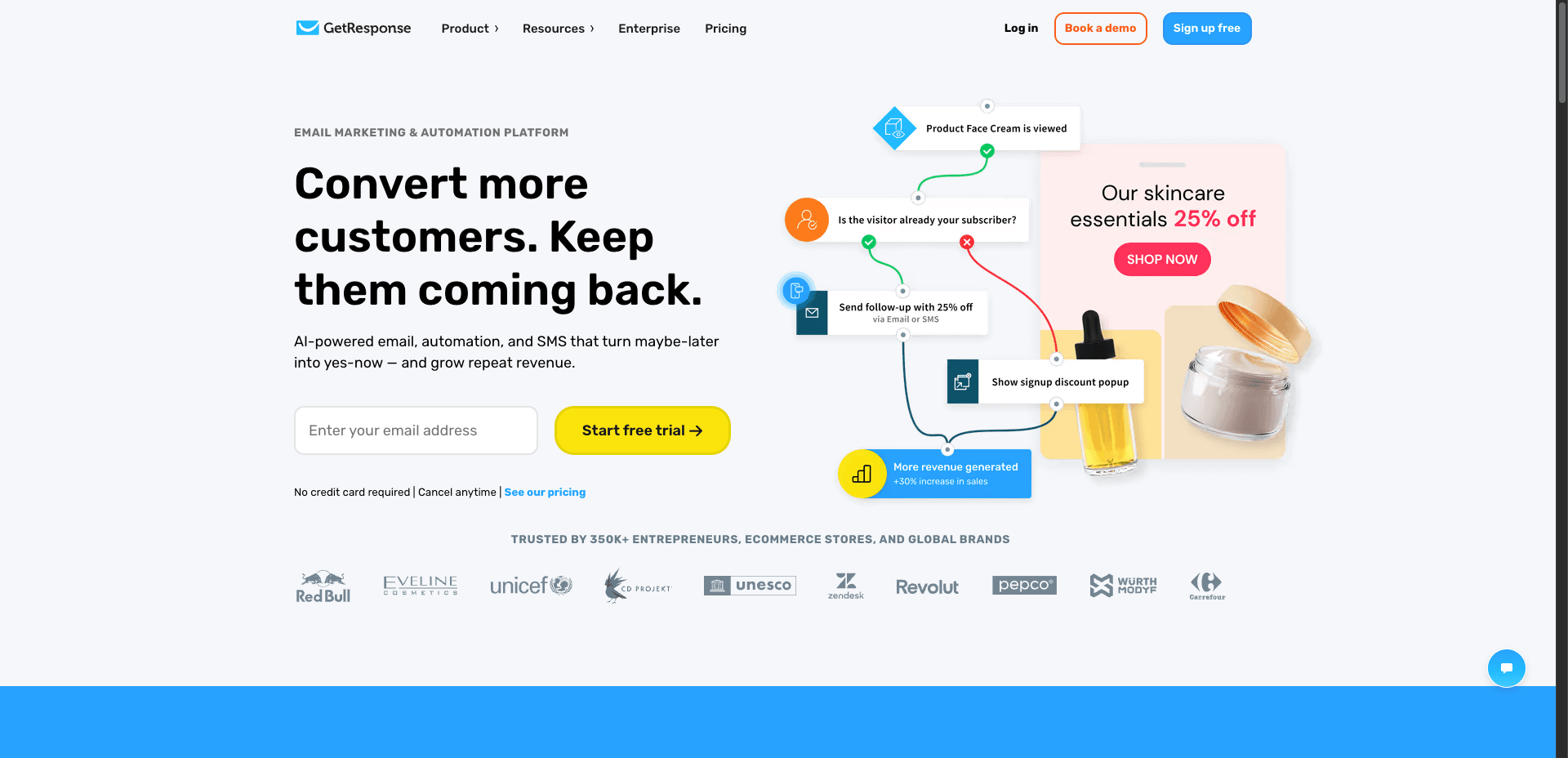
GetResponse is an AI-powered online marketing platform that combines email campaigns, landing pages, webinars, and automation in one place. Founded back in 1997 by Simon Grabowski, GetResponse is used by 350k+ customers across the globe today.
Free Plan Features
1) AI Email Generator
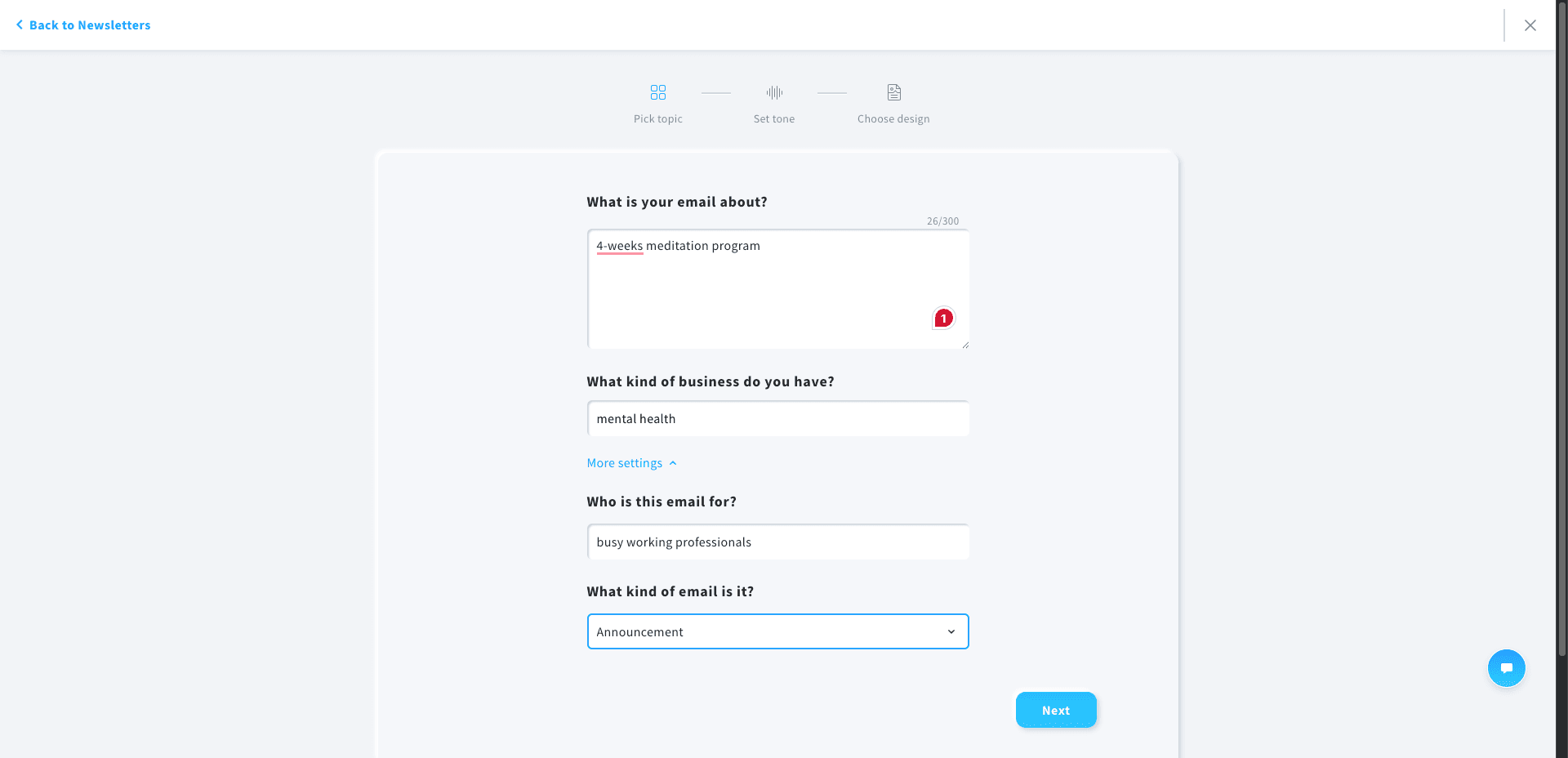
It offers two methods of designing an email campaign. You can either do it manually from scratch. Alternatively, you can use their AI email generator and answer a few questions. Your newsletter will be generated instantly.
2) Large Template Library
You get access to 250+ email templates on GetResponse. The templates span categories like promotions, webinars, newsletters, and more.
3) Flexible Email Editor
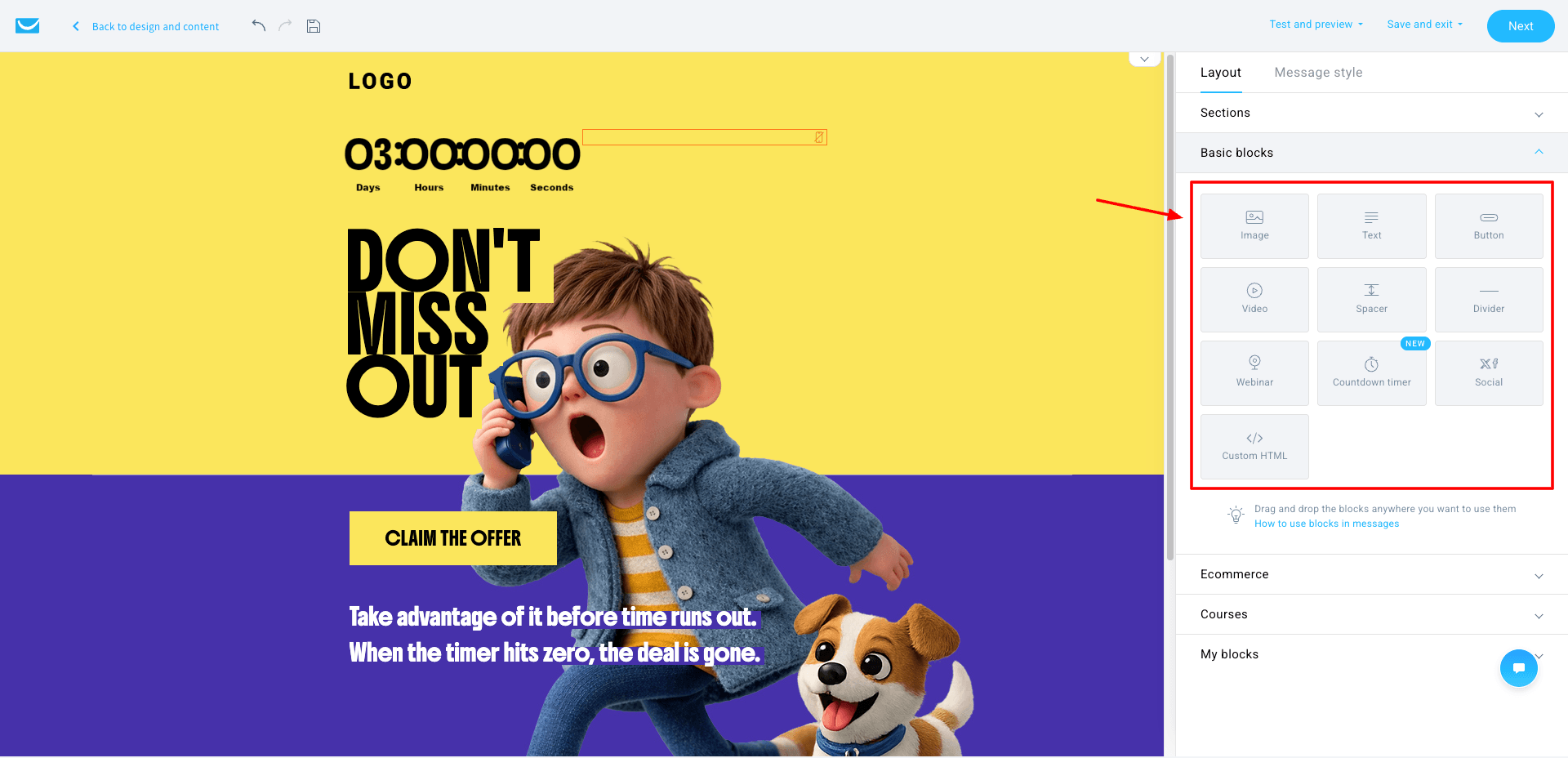
It offers a drag-and-drop builder with multiple layouts (up to 6 columns) and elements like text, images, videos, buttons, countdown timers, etc. This is really helpful for designing attractive emails.
4) Smart Email Checklist
Before sending your email campaign, it shows a checklist (subject line, sender, content, etc.) with green ticks to ensure everything is optimized.
5) Forms & Popups with Targeting
You get 80+ pop-up templates to choose from. It also features advanced targeting options like audience rules, triggers, and timing.
6) Autoresponders with AI
Want to create automated email sequences? GetResponse lets you create them manually or using AI. All you have to do is answer a few questions. However, on the free plan, AI usage is pretty limited.
7) Webinars & Website Builder
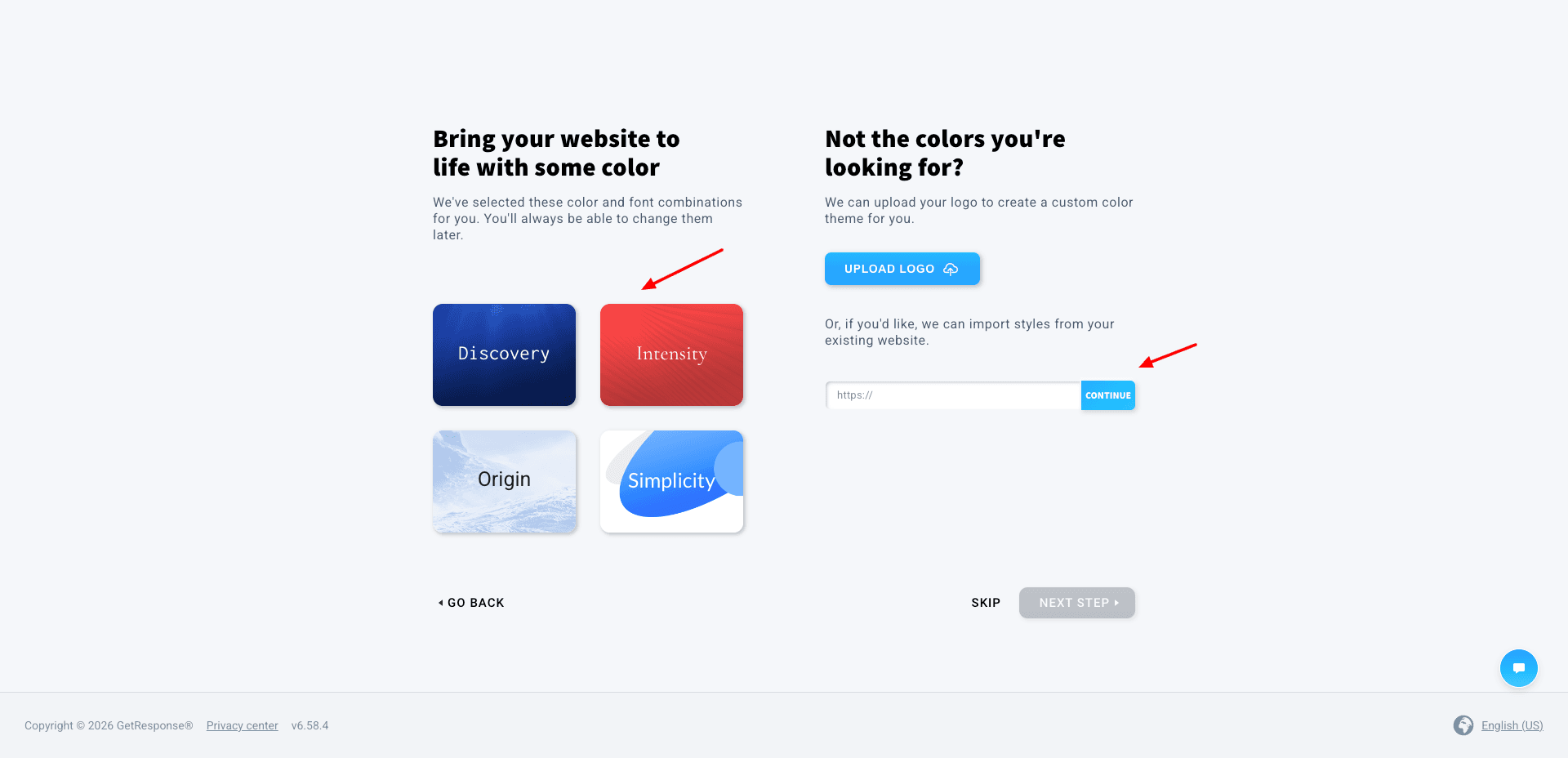
Free plan includes webinar hosting (limited attendees) and one website publishing option. You can design your website manually or using AI. So, if you want to have a website, you can try it out as well.
Cons
- Slightly complex user interface.
- Limited AI usage.
- GetResponse branding on emails and pages.
Pricing: Free plan supports 500 contacts and 2,500 emails/mo. It also offers a 14-day free trial without requiring any credit card details. Its paid plans start from ₹1450/month.
Best For: Marketers and creators (automation, webinars, and landing pages in one tool).
4) Kit – Best for Unlimited Landing Pages
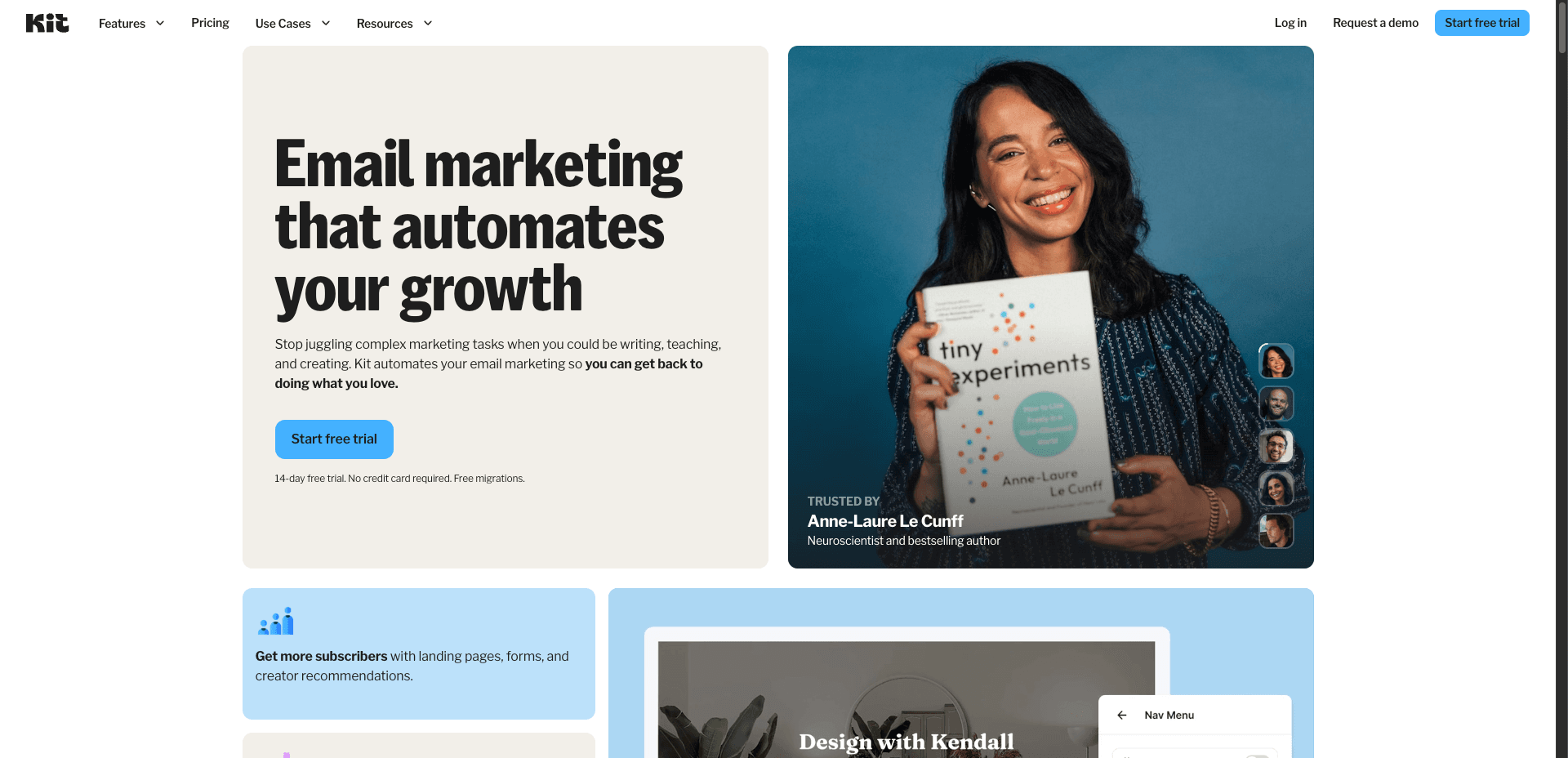
Kit (formerly ConvertKit) is an email marketing tool founded by Nathan Barry in 2013. It is used by 600k+ creators today. Their primary aim is to simplify emails for professional creators and help them grow their business.
Free Plan Features
1) Limited Email Templates
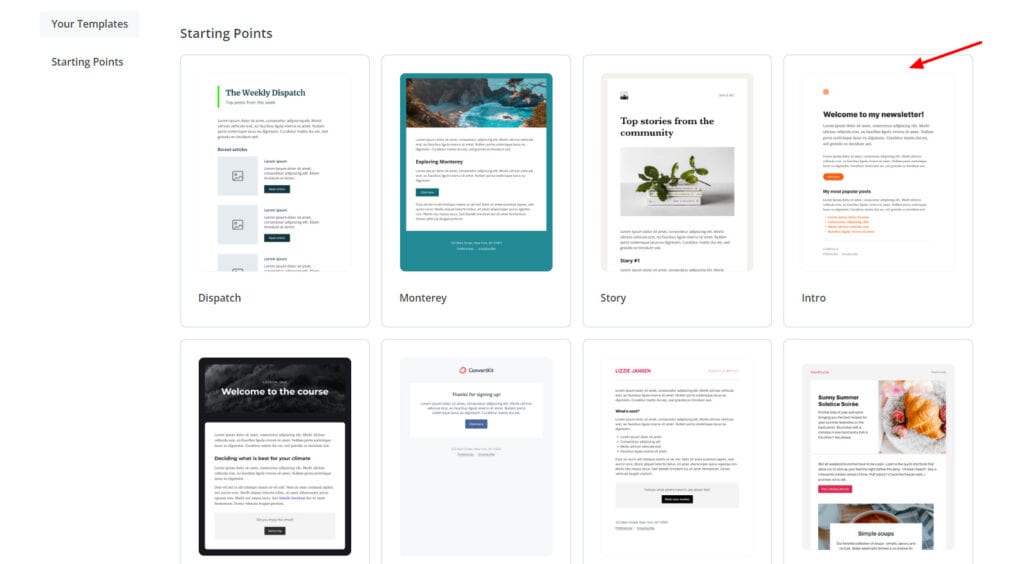
You can choose from 15 pre-made templates to design your email marketing campaign. You can also create your custom email template using their classic templates or template library as a starting point. Most of the templates are text-based. So, they are not ideal for image-heavy emails.
2) Subscriber Imports
Kit presents multiple ways to import your subscribers. You can manually add subscribers, import them through a CSV file, or import them through other email platforms. Subscribers can be added to custom tags and segments to keep your lists organized.
3) Basic Email Editor
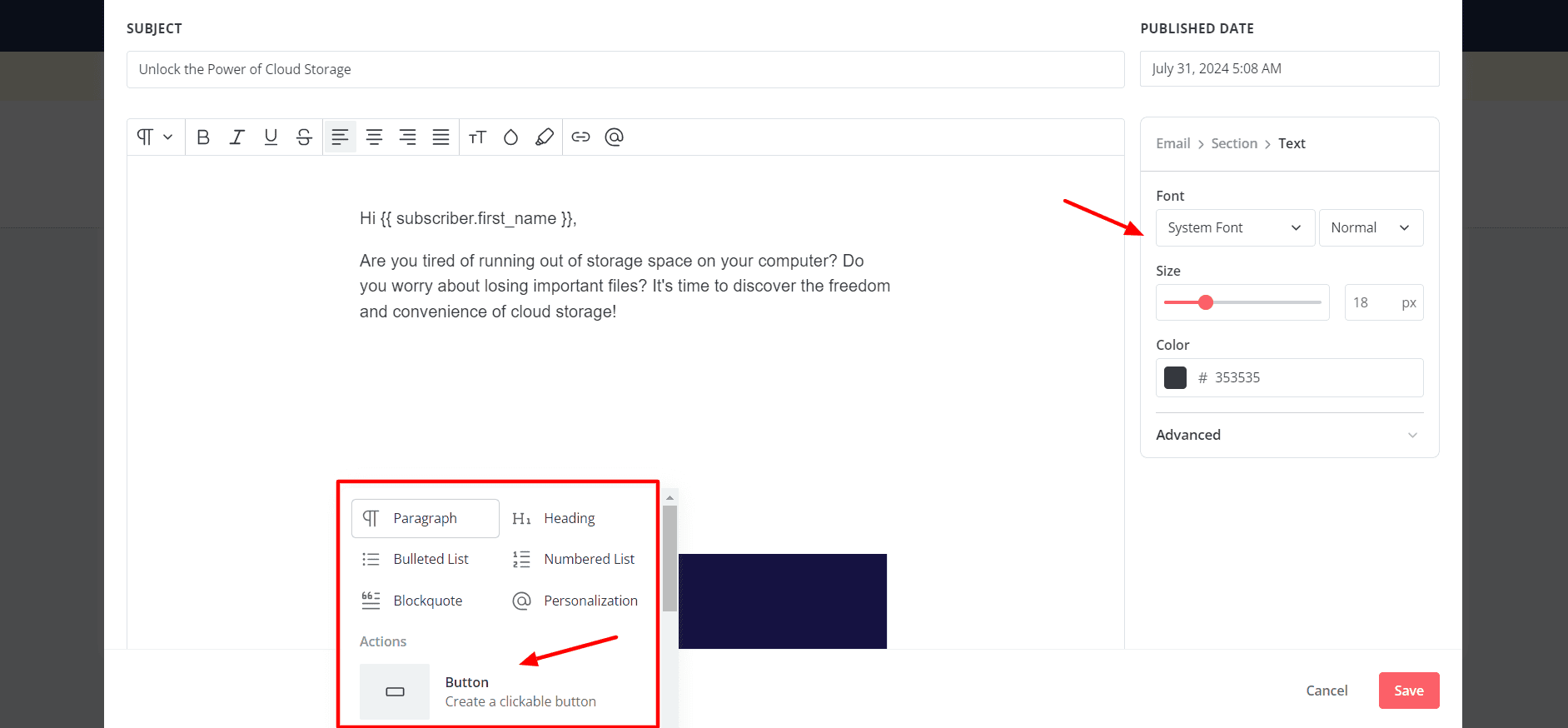
The email editor is a simple text editor with basic formatting options. You get an A/B testing functionality for your email subject line, which is interesting!
You can experiment with 20+ elements like lists, paragraphs, images, videos, buttons, countdown timers, layouts, etc. Additionally, you can also edit font type, size, color, link color, background, etc to keep your design consistent with your brand.
4) Unlimited Landing Pages & Forms
Kit lets you design and publish unlimited landing pages and forms. It offers 50+ landing page templates in categories like events, newsletters, podcasts, videos, webinars, ebooks, etc. You can customize the design and content on the page as per your requirements.
It lets you create 4 types of forms, including Inline forms, Modal forms, Slide-in forms, and Sticky bar forms, with some basic templates. Additionally, you can also sell digital products and subscriptions, which is rarely seen on free email marketing platforms.
5) Creator Profile
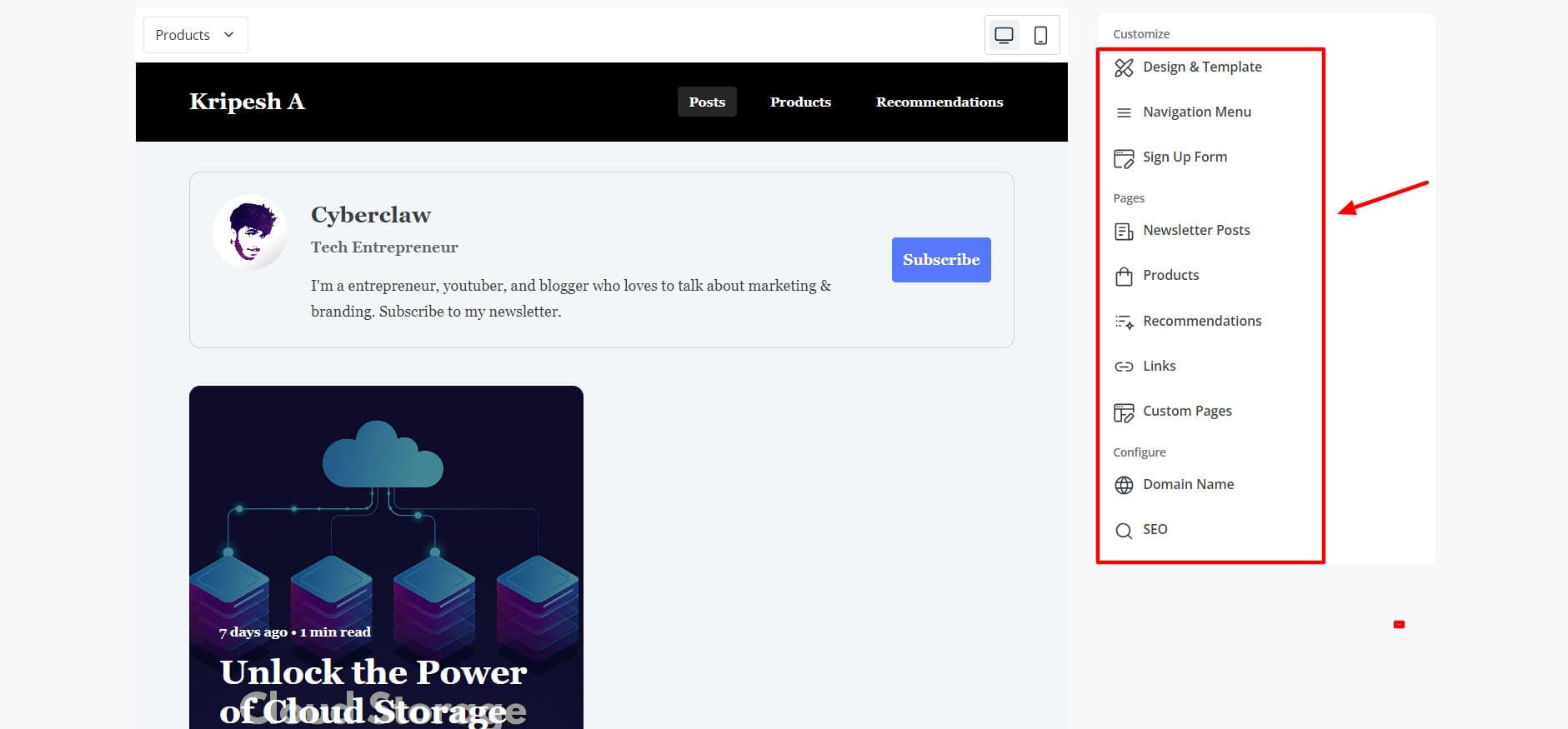
A unique feature of Kit is its Creator Profile, which looks similar to a website or portfolio. You can choose from 8 elegant templates and add new pages to the navigation menu, like products, recommendations, newsletter posts, and sign-up forms for your profile.
6) Decent Analytics
For every email broadcast you send out, you can check email recipients, open rate, click rate, visits, and conversions. You can also view reports with total subscribers, visitors, subscribers, and conversion rates in the last 90 days.
7) Modern Interface
The user interface of Kit is modern and responsive. All the features are arranged in a neat and well-organized fashion, making it friendly for beginners and professionals alike.
Cons
- Limited support
- Limited templates
- No integrations on the free plan.
- Email publishing requires approval from their team.
- Only 1 visual automation & 1email sequence on the free plan.
- Kit branding on emails, forms, landing pages, and product pages.
- 1 free newsletter recommendation is required on the free plan. (Kit may earn a commission if your readers subscribe to any of the free or paid recommendations).
Pricing: The free plan lets you send unlimited emails to 10k subscribers with unlimited landing pages, forms, and email broadcasts, and 1 basic visual automation. Paid plans start from $39/month, where you get 1000 subscribers and unlimited emails.
Best For: Beginners and bloggers (basic email tool), influencers and online coaches (building landing pages and creator profiles for personal branding), authors and content creators (promoting their work via email).
5) Zoho Campaigns
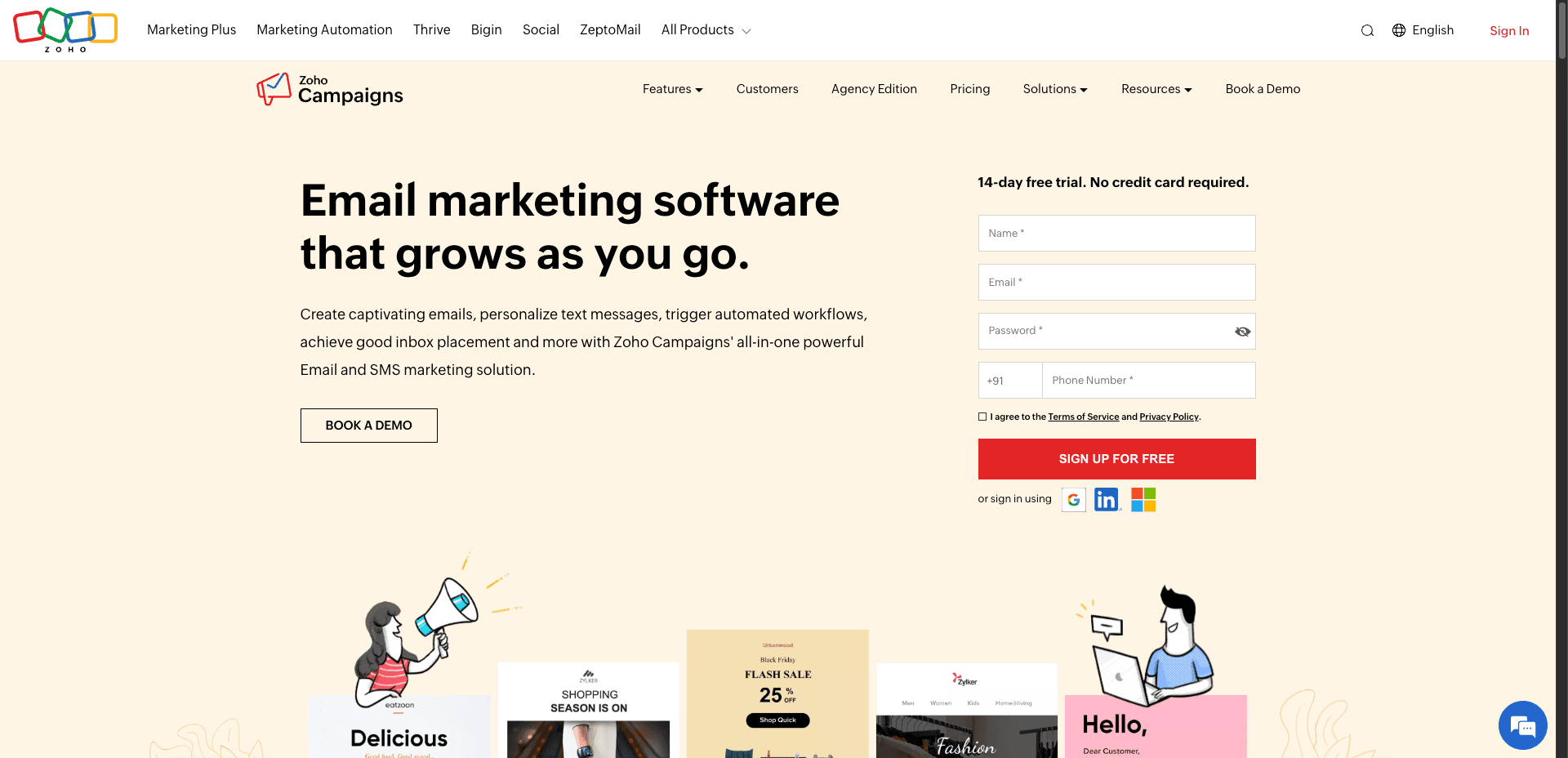
Zoho Campaigns is an email and SMS marketing platform that’s part of the Zoho ecosystem. It was founded in 2012 and is currently used by 150 million users across 150+ countries.
Free Plan Features
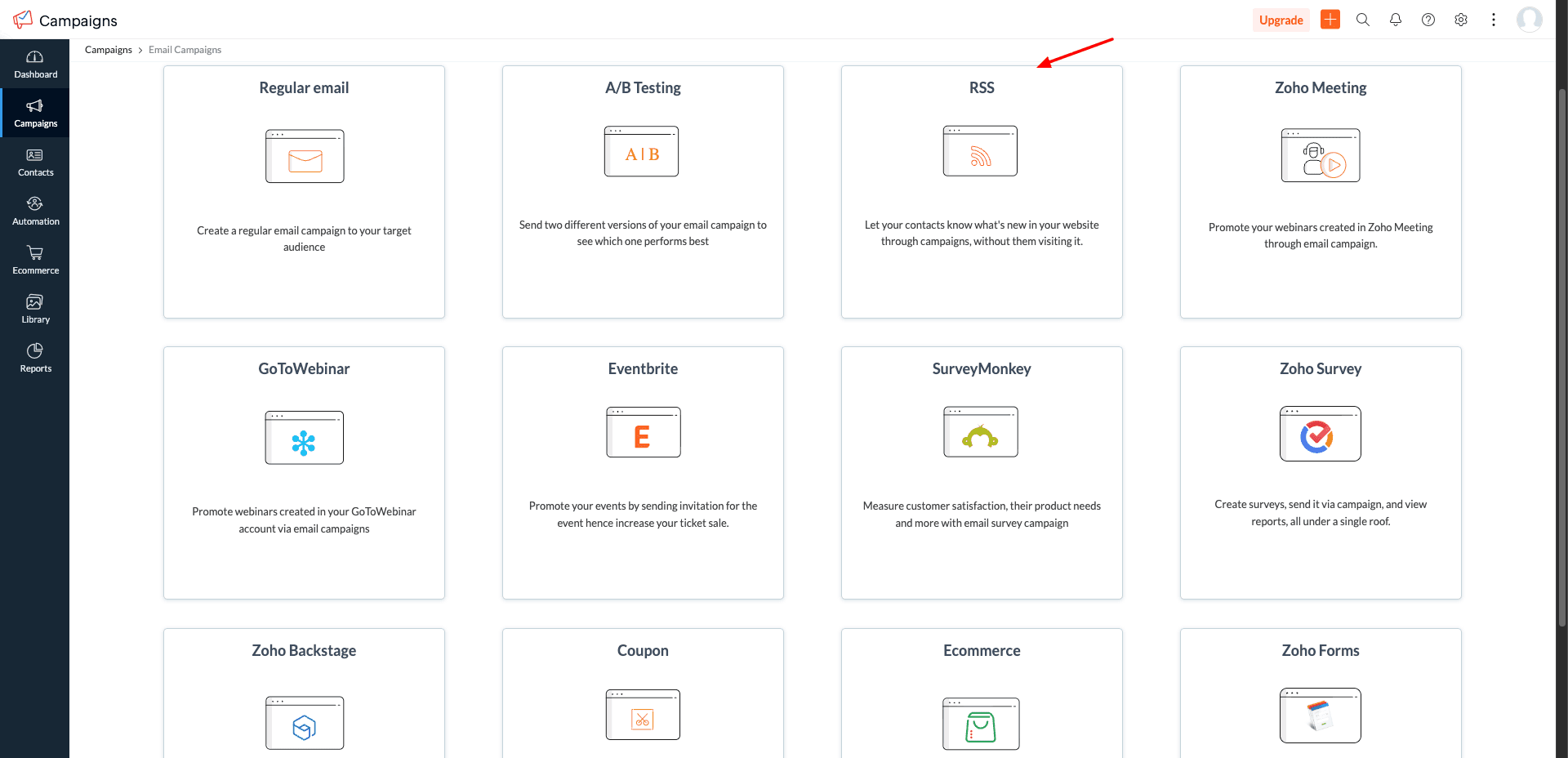
1) Multiple Campaign Types
It allows you to create 12 different types of campaigns, including regular emails, A/B testing, RSS campaigns, and more.
2) Hundreds of Templates
Zoho Campaigns offers a wide range of attractive templates across categories like newsletters, deals, surveys, and events.
3) Drag-and-Drop Editor
It includes a drag-and-drop editor where you get elements like text, images, buttons, tables, HTML, and videos with layout customization.
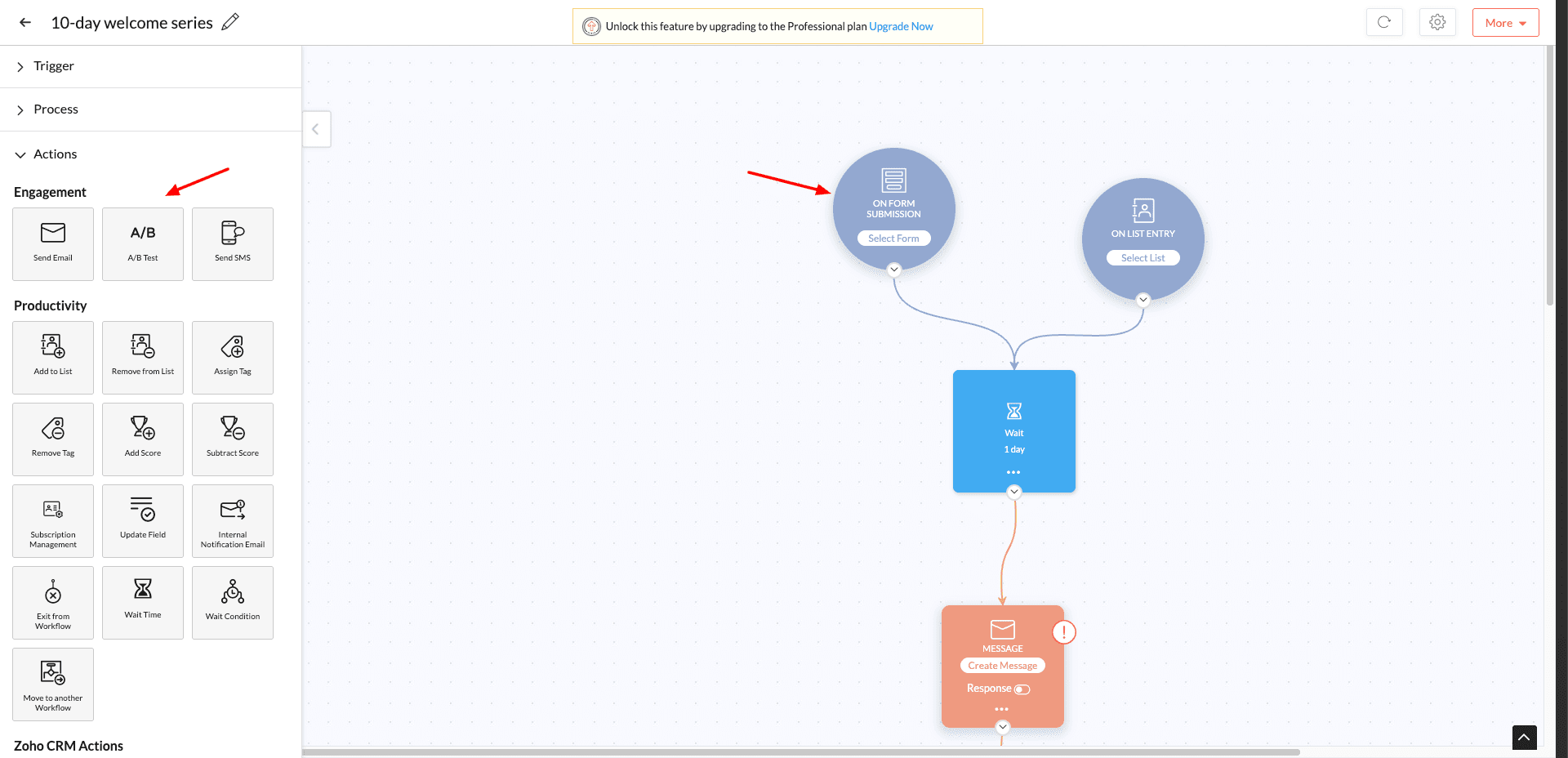
4) Automation Workflows
If you want to introduce automation in your campaigns, Zoho Campaigns makes it possible too. You can create advanced automation sequences for onboarding, retention, and re-engagement with a few clicks.
5) Form Builder
It also features a nifty form builder to create quick forms. You get multiple form types like compact, banner, and long forms with good customization options.
6) App Integrations
Finally, it also supports more than 50+ app integrations across CRM, analytics, and marketing tools to help you enhance the functionality of your platform.
Cons
- Limited templates on the free plan.
- Slight learning curve.
- Advanced features are mostly paid.
Pricing: It offers a free plan that supports up to 2,000 contacts and 6,000 emails/month. Its paid plans start from ₹180/mo, where you get unlimited emails.
Best For: Businesses and marketers (advanced campaigns and Zoho ecosystem users).
6) Mailchimp – Best for Integrations and Support
Mailchimp is an email marketing and marketing automation platform founded by Ben Chestnut and Dan Kurzius in 2001. In 2021, Mailchimp was officially acquired by Intuit for a whopping $12 billion. As of now, they have a massive user base of 11 million users!
Free Plan Features
1) Multiple Import Options
You can add your email list contacts manually, import through a CSV file, or via other email marketing services. This is great if you are trying to migrate from a different email marketing tool to Mailchimp.
2) Good Email Design
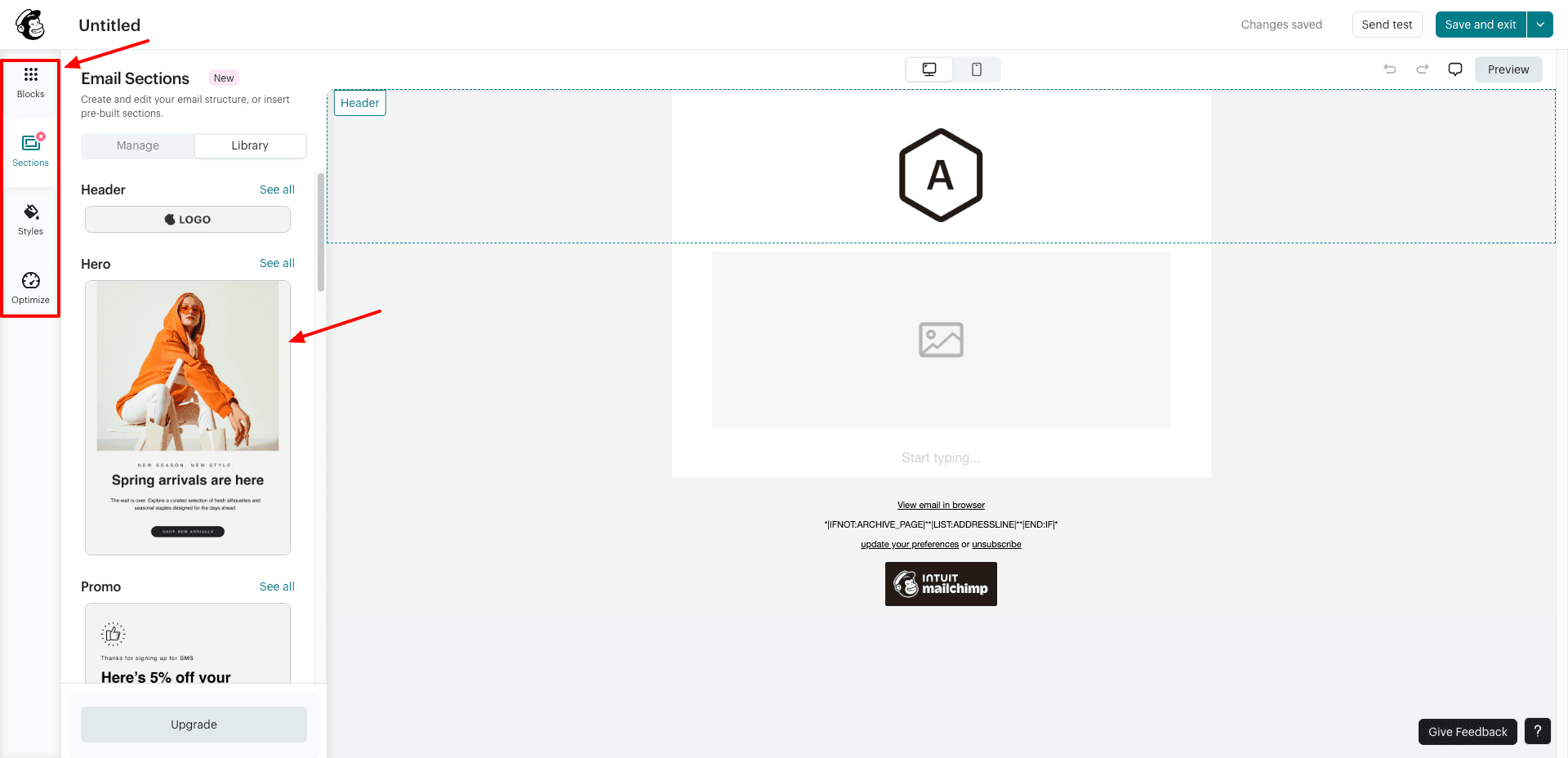
Mailchimp features a drag-and-drop editor for designing your email campaigns. There are multiple layouts and 14 basic content blocks available, like heading, image, video, button, social, survey, apps, etc. You can customize the styles of email, text, link, button, divider, etc.
Interestingly, it also offers integration with Canva. So, if you want a graphic, you can design it on Canva from within the Mailchimp app and insert it into the email.
3) Hundreds of Integrations
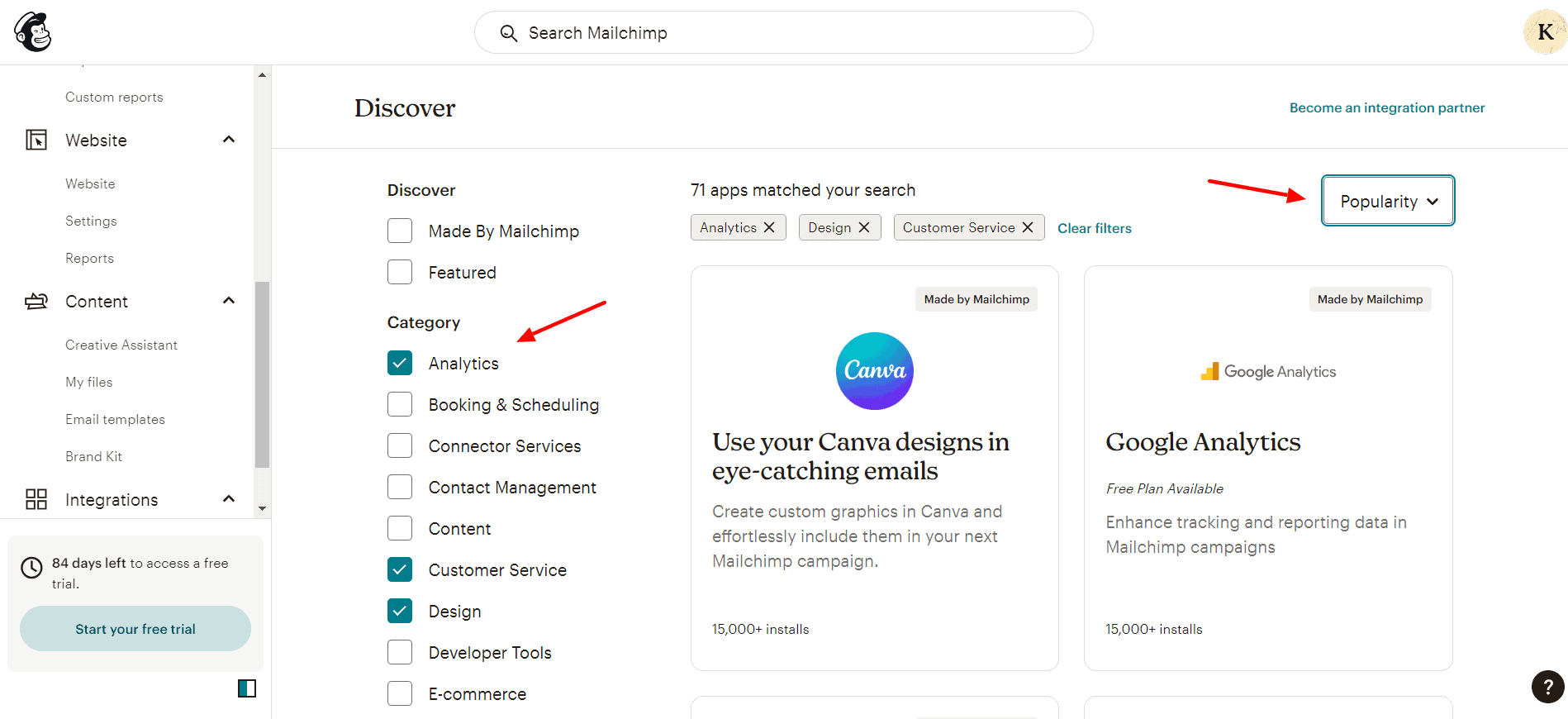
It features an extensive library of 330+ integrations to connect Mailchimp with your online store or other apps. Popular integrations include Zapier, Shopify, Canva, Stripe, LinkedIn, etc.
4) Can Create Websites
Mailchimp integrates with Wix to help you create beautiful sites. You can also create a brand new website with Mailchimp as well. Websites created with Mailchimp are published under the sub-domain mailchimpsites.com.
5) Powerful Support
Mailchimp offers support in multiple ways. They have an AI-powered Mailchimp Assistant that handles most of the queries. Apart from that, they also provide a live chat and knowledge base support. Most email marketing tools don’t offer live chat support.
6) AI-Powered Creative Assistant
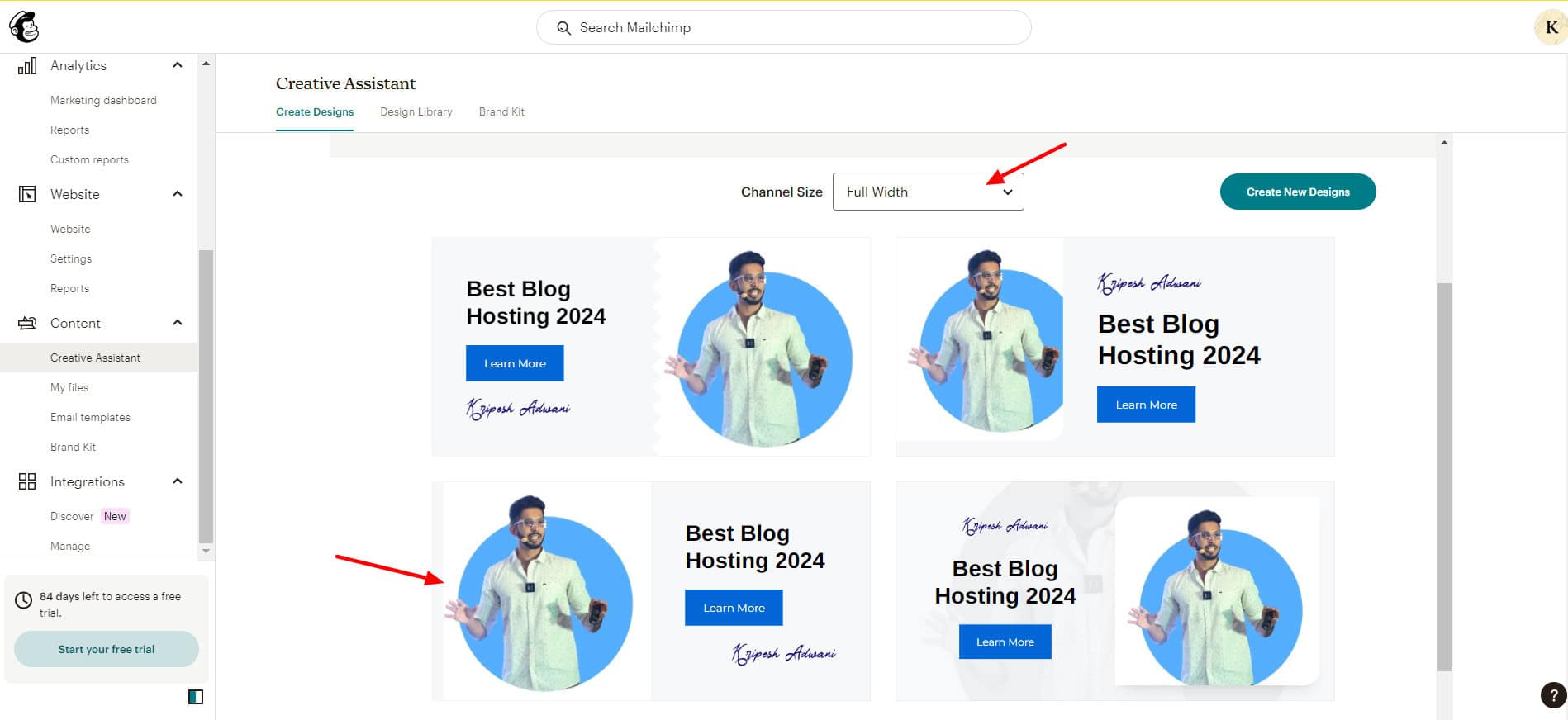
Mailchimp features a creative assistant that creates unique designs with AI. All you need to do is enter your website URL, and it instantly creates blocks of designs relevant to your brand. You can choose the size of your design from the dozens of generated designs.
7) Create and Embed Forms
Mailchimp allows you to create a variety of forms like embedded forms, contact forms, pop-up forms, and more. You can choose from multiple layouts and customize your form’s design and content before embedding it on your website.
Cons
- Limited free emails (500/month)
- Limited number of free templates (only 7) that look outdated.
- No email scheduling, automation, or custom reports.
- Low email subscribers limit.
- Analytics are only available on paid plans now.
- Now custom domains can be added on the paid plan only.
Pricing: Free plan offers 500 monthly email sends (or 250/day) and 250 contacts. Its paid plans start from $6.86/month, where you get 500 contacts.
Best For: Beginners (basic editing, live chat), small businesses (integrations), bloggers, and marketers (analytics).
7) HubSpot Email
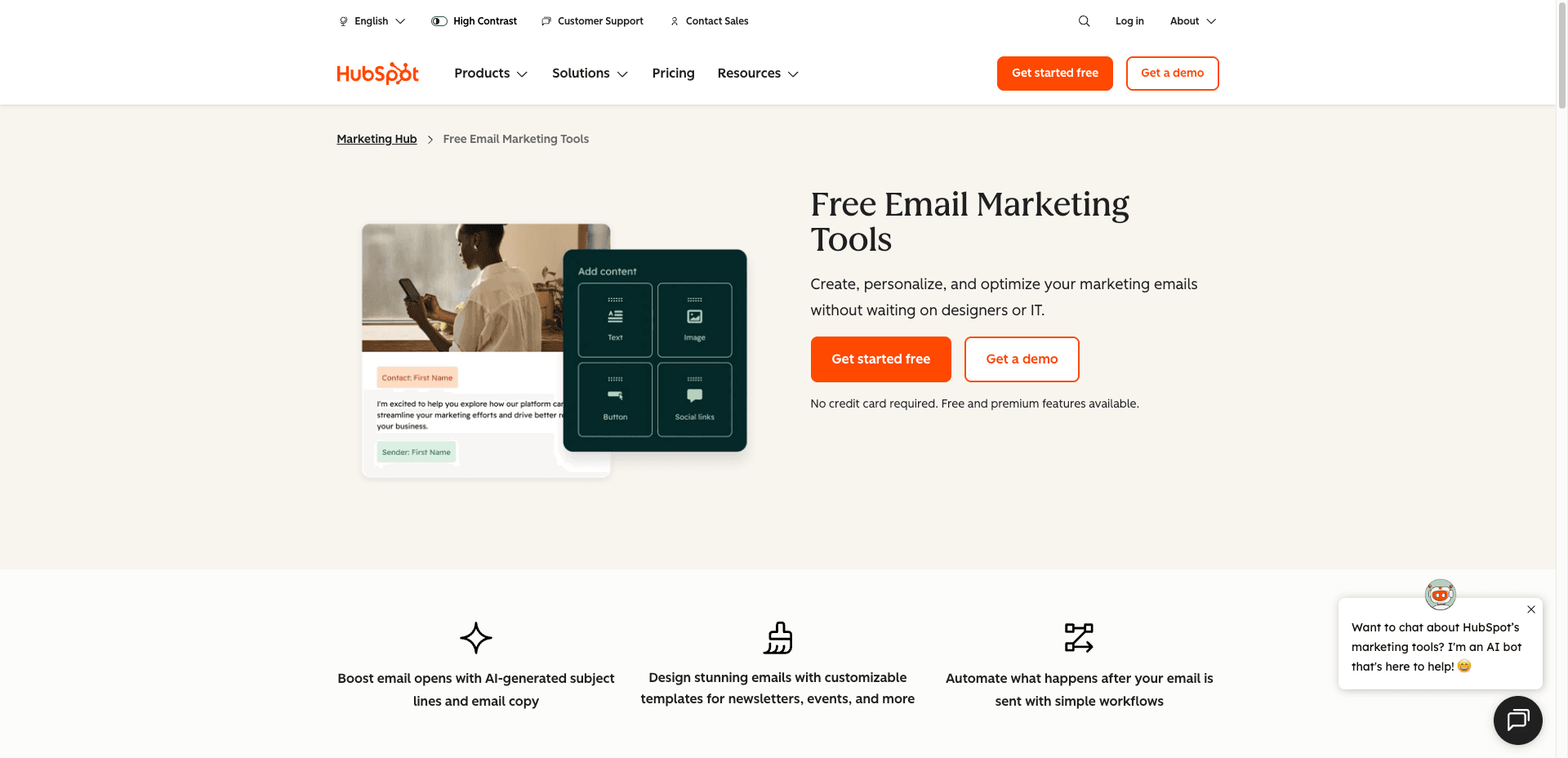
HubSpot is an all-in-one platform that offers tools for marketing, sales, SEO, content creation, CRM, emails, and more. It was founded by Brian Halligan and Dharmesh Shah in 2006. HubSpot Email offers tools to help you design, publish, and analyze email campaigns.
Free Plan Features
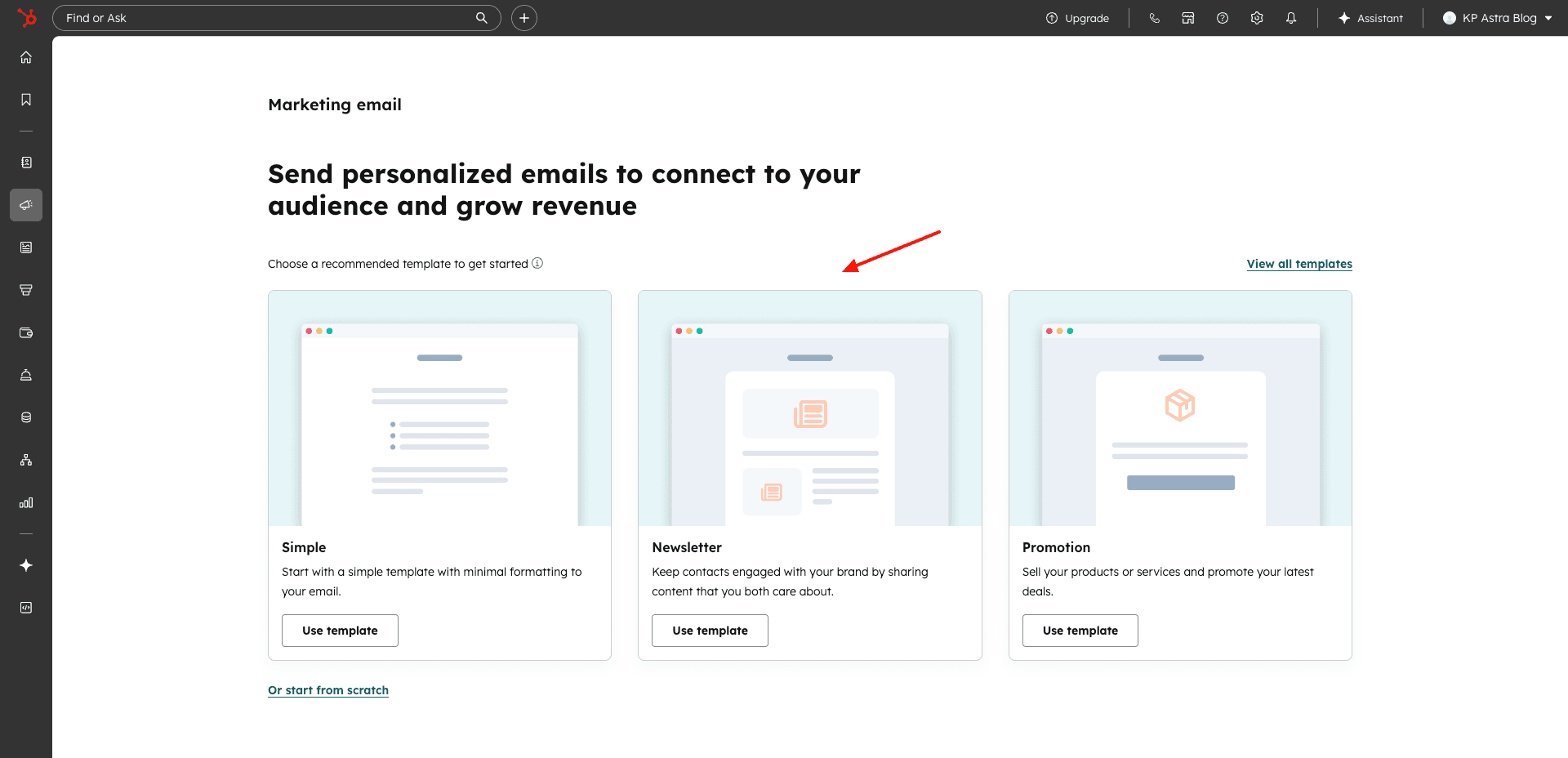
1) Multiple Email Types
With HubSpot Email, you can create multiple types of emails, including simple emails, newsletters, and promotions. You get 15+ templates to start designing your email campaign.
2) Can Create Landing Pages
You get 1 free theme with multiple page templates for the landing page. The landing page builder lets you drag and drop modules, sections, and layouts, and customize them. I was quite impressed with the variety of modules and section templates available.
3) Good Email Design
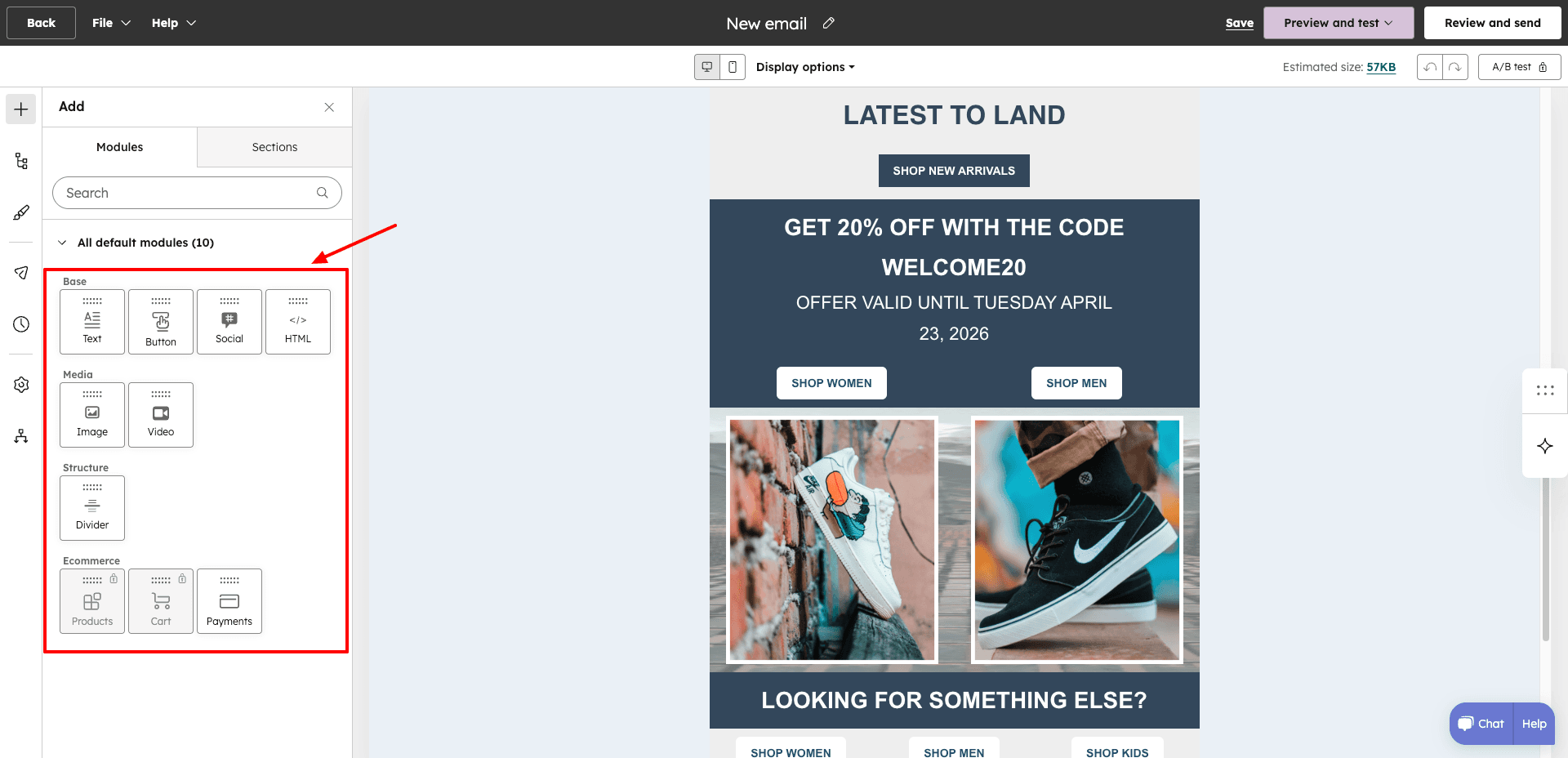
HubSpot features a drag-and-drop editor to design your email. You can change the layout of your design and insert elements like images, text, buttons, dividers, videos, and social icons. Additionally, you can also edit the background color, font style, size, color, button color, etc.
4) Basic Analytics
For each email campaign, you can check the number of delivered emails, open rate, and click rate. However, if you wish to build custom reports, you must upgrade to the paid plan.
5) Can Create Forms
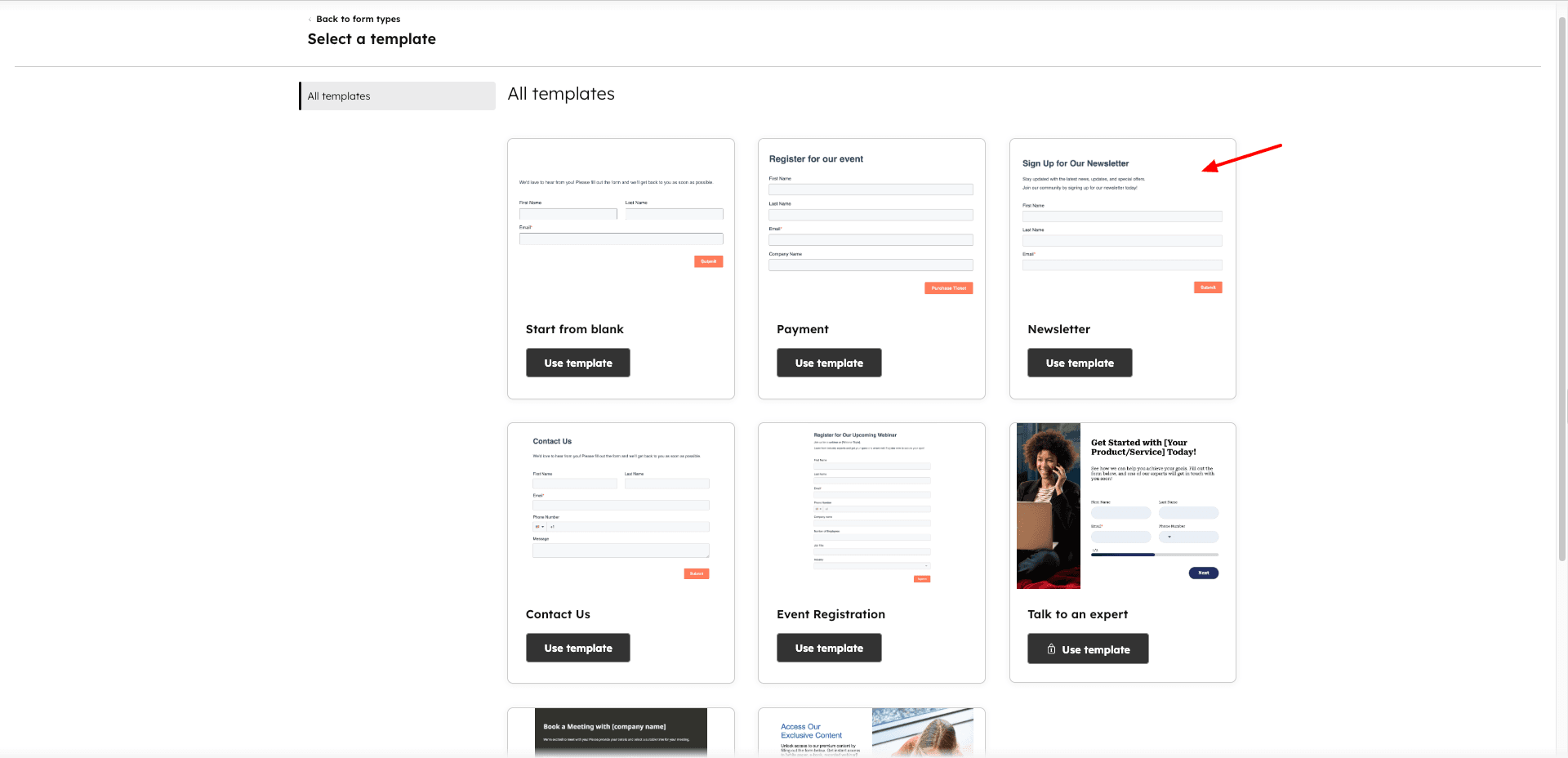
You get a few templates for designing forms with HubSpot Email, like newsletter sign-up forms, payment forms, event registration forms, contact us forms, meeting booking forms, etc.
6) Chatflow Creation
With HubSpot Email, you can create chatflows for your website or Facebook. To implement this feature, you need to set up your chat window design and connect your HubSpot account to your WordPress site. However, all other automations are available on the paid plans.
7) Good Support
On HubSpot Email, you will find a comprehensive knowledge base of articles, responsive live chat support, and a helpful community of users. You won’t find live chat support on most free email marketing software.
8) Thousands of Integrations
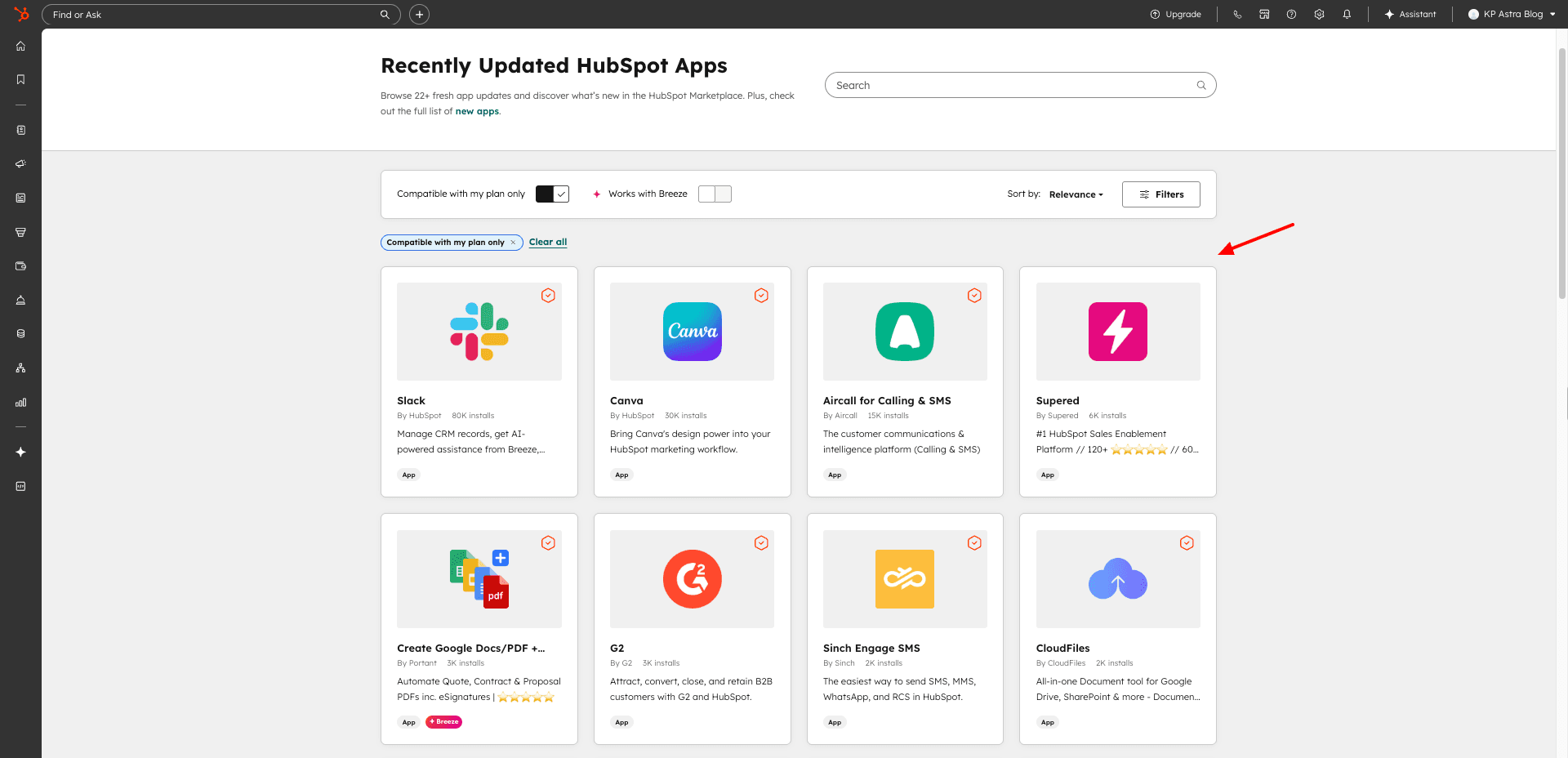
To expand the functionality of your email campaigns, you can access 1600+ apps from the HubSpot App Marketplace. They span several key categories like sales, customer support, marketing, finance, productivity, etc, These apps will help you expand your business quickly.
Cons
- Cannot add subscribers
- No reports available
- Hubspot branding on emails.
- Limited marketing automation
- Limited email templates (only 8) with basic designs.
- The interface can be slightly overwhelming.
- Domain authentication issues on free plan.
Pricing: The free plan lets you send 2k emails every month with a HubSpot branding. Its paid plans start from ₹752/month.
Best For: Beginners and small businesses (email design, live chat support), marketers (automation, integrations), bloggers, and content creators (chatflows, landing pages).
8) Omnisend – Best for eCommerce Marketers
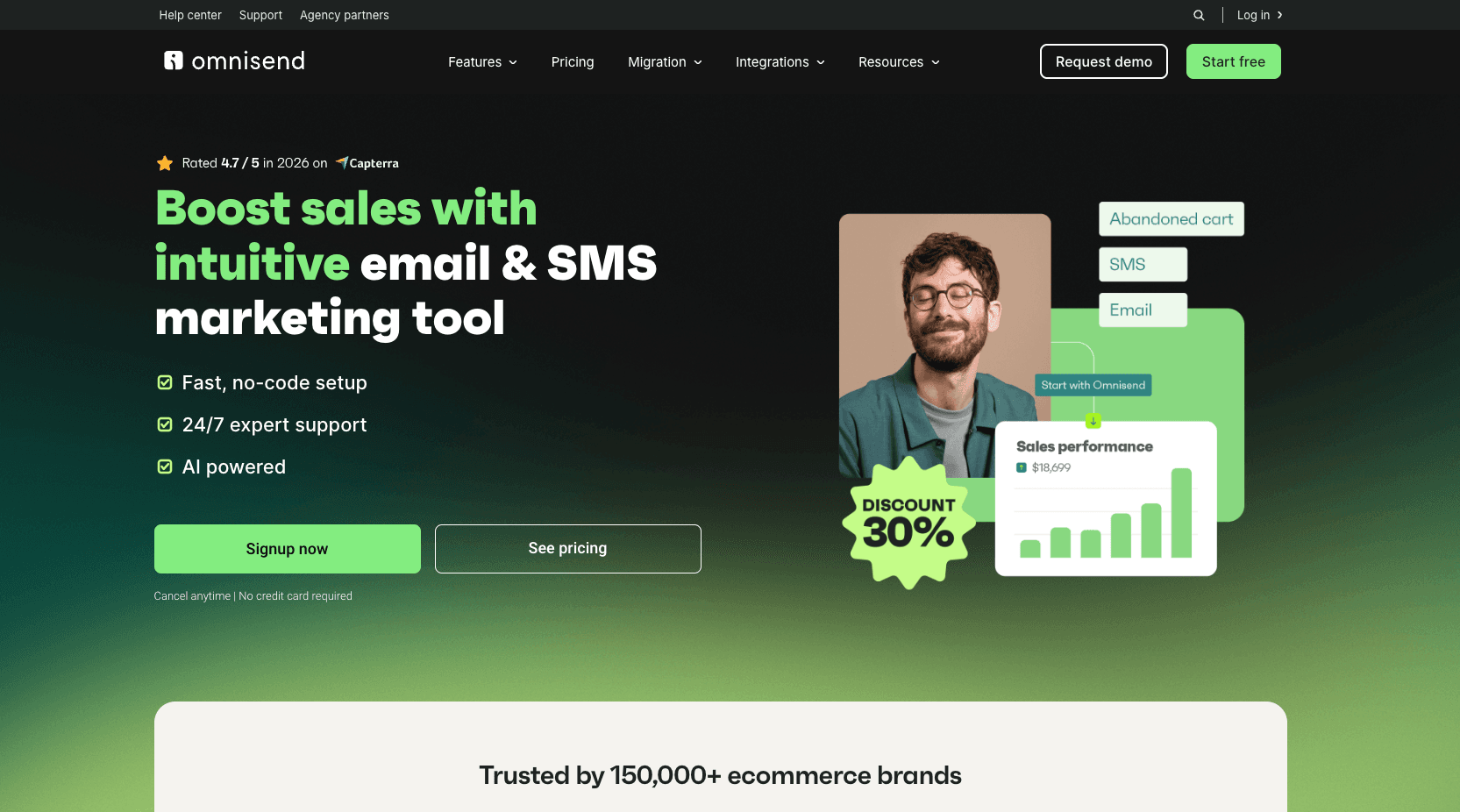
Omnisend is a marketing automation platform designed for e-commerce marketers. Founded by Rytis Lauris and Justas Kriukas in 2014, Omnisend is currently used by 150k+ eCommerce brands across the globe!
Free Plan Features
1) Multiple Importing Options
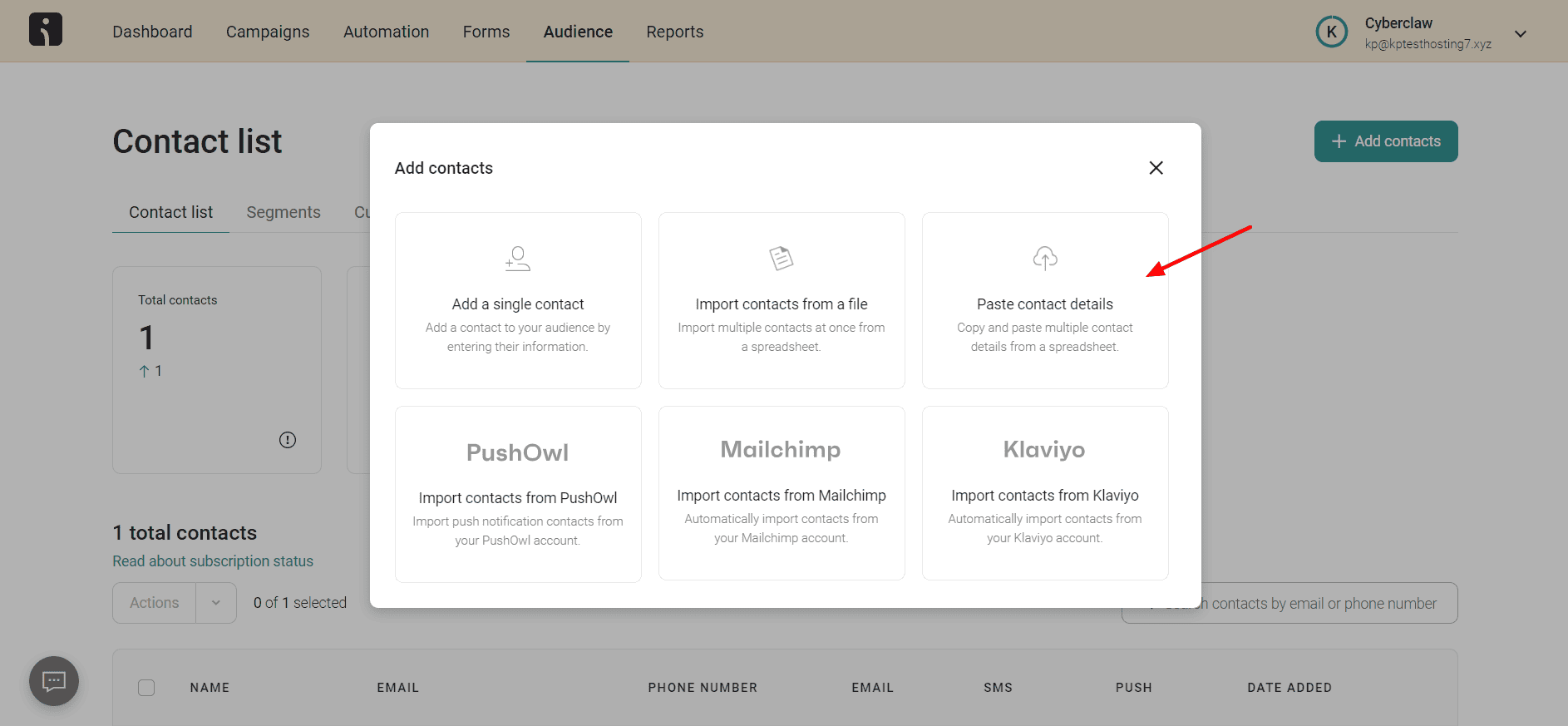
There are many ways to add contacts to your Omnisend account. You can manually add a single contact, import contacts from a file, copy-paste data from a spreadsheet, or import from email marketing services like Mailchimp, PushOwl, and Klaviyo.
2) Hundreds of Email Templates
With Omnisend, you get 250+ beautifully designed email templates spanning a range of categories like automation, fashion and lifestyle, skincare, pets, clothing, sales, etc.
3) Good Email Design
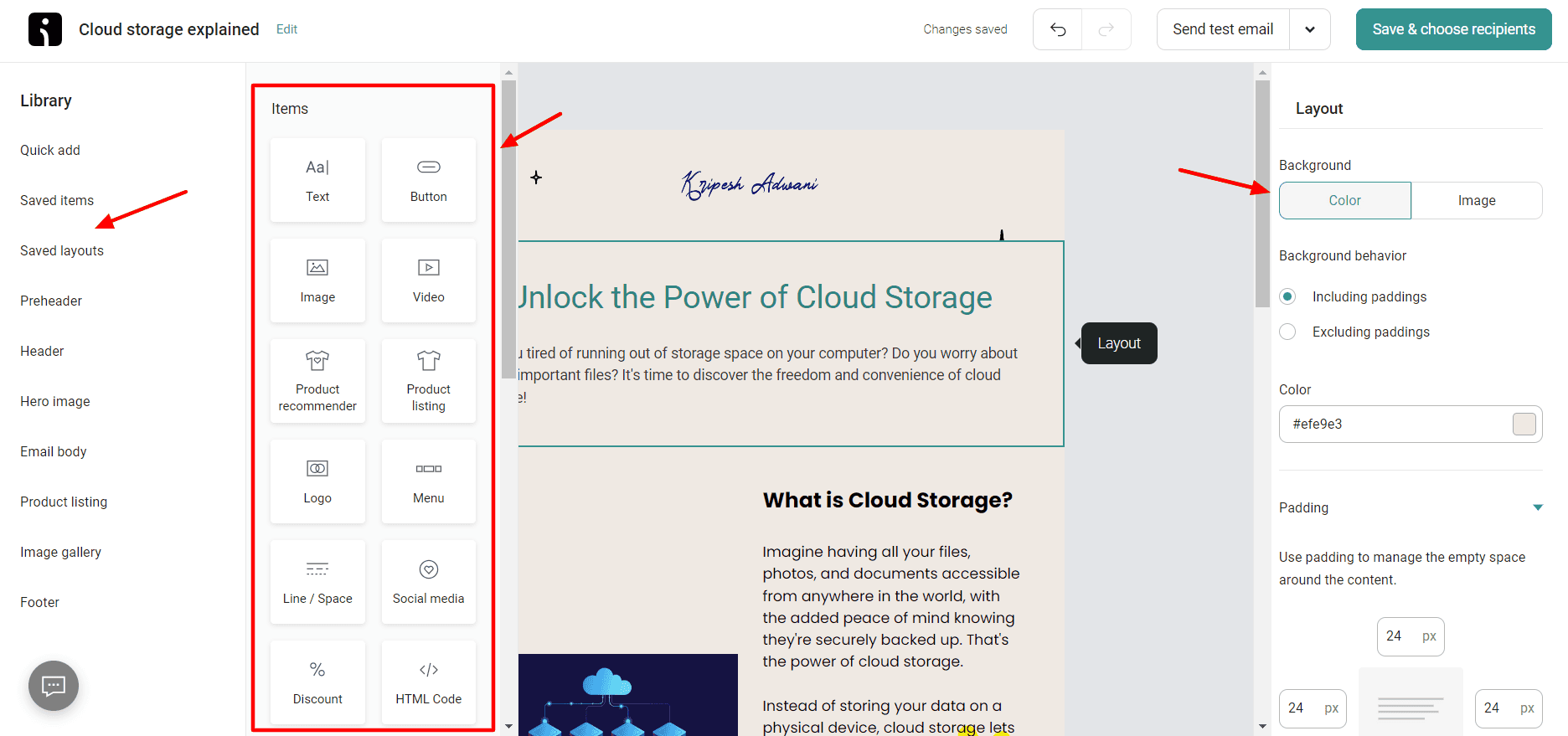
Omnisend features a drag-and-drop editor that’s pretty intuitive. You get multiple layouts and elements to design your email, like text, buttons, images, videos, logos, product listings, etc.
There are a variety of templates in their library for preheaders, headers, footers, hero images, email body, image gallery, product listings, etc. You can test them out to see which one works best.
They have also integrated AI into the design process. You get an email subject line generator that generates 4-5 relevant subject lines for any topic you want. Their AI assistant helps in generating content with commands like continue writing, regenerate text, improve grammar, etc.
4) Product Recommendations
Under elements, now you get an eCommerce element called Products. Inside it, there is a Personalized Product Recommender and a Standard Product Recommender. It also features Static Product Layouts.
5) eCommerce Integrations
Because Omnisend is designed keeping eCommerce owners in mind, you get 130+ app integrations for their use cases. These include integrations for categories like eCommerce platforms, social media apps, advertising, shipping, email capture, etc.
Online stores built on website builders like Shopify, Wix, WooCommerce, WordPress, etc., can be easily connected with Omnisend.
6) Can Create Forms
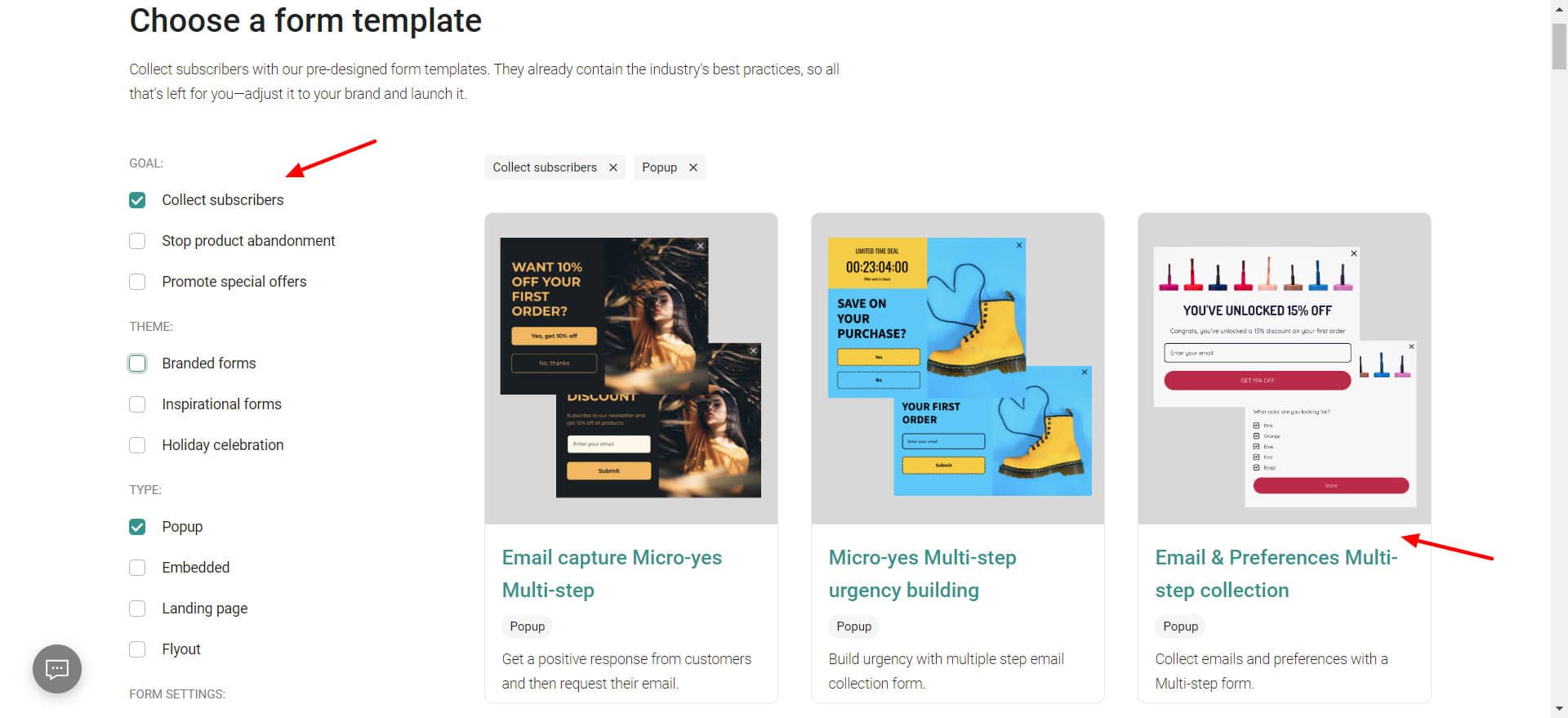
Besides email campaigns, you can also create forms and a spin-to-win game (wheel of fortune) for enhancing engagement. You get 100+ beautiful form templates. You can filter them by goal, theme, type, and form settings.
The editor has elements like email, phone number, date, radio button, text, image, countdown timer, etc. This feature is great for e-commerce store owners.
7) Good Analytics
To check the performance of your campaigns, you get multiple analytics features. You can check link activity, contact activity, delivery and engagement, first 24 hours performance, device report, email client report, and more.
8) Improved Support
Besides offering email support, Omnisend now also offers live chat support through its AI chatbot service called ‘Omnibot’. It offers quick replies to basic queries.
Cons
- No landing pages.
- Omnisend branding present.
- Limited free plan with a low subscriber limit.
- Need to connect an eCommerce store to create automations.
Pricing: The free plan offers 500 monthly email sends and 250 contacts. Paid plans start from $11.20/mo and offer 18,000 emails/mo for 3 months with 500 contacts/month.
Best For: eCommerce store owners, marketers, and small businesses.
9) Sender
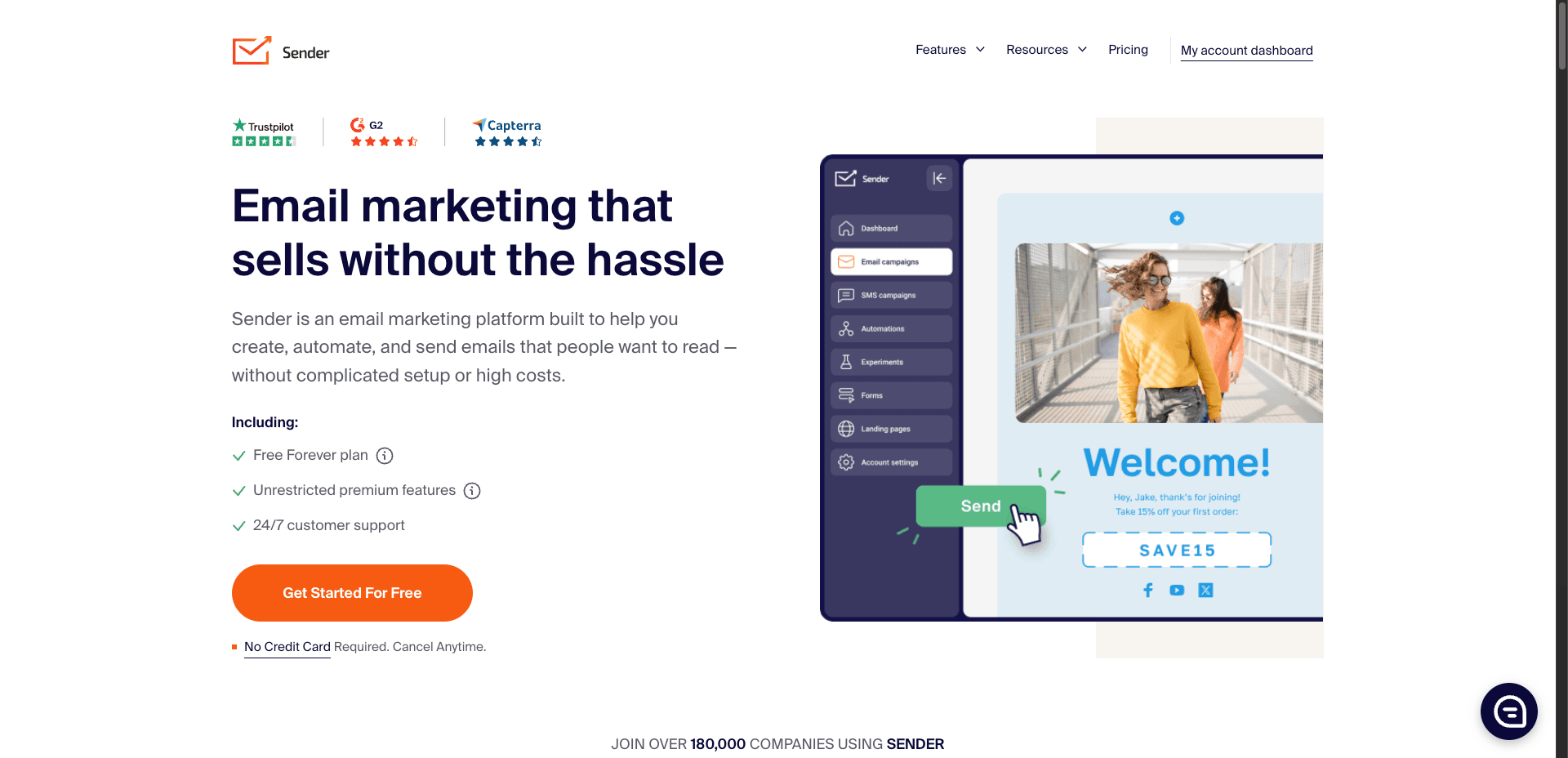
Sender is a popular SMS and email marketing platform designed for small businesses and e-commerce owners. Founded by Edgaras Vaitkevičius in 2012, Sender is used by 180k customers all over the world.
Free Plan Features
1) Good Email Design
Sender lets you design an email campaign in 3 ways: drag-and-drop builder, plain text, and custom HTML. You can add different blocks to your emails, like headlines, paragraphs, images, buttons, etc along with section layouts, background colors, images, button colors, fonts, etc.
The user interface has significantly improved since last year.
2) Library of Templates
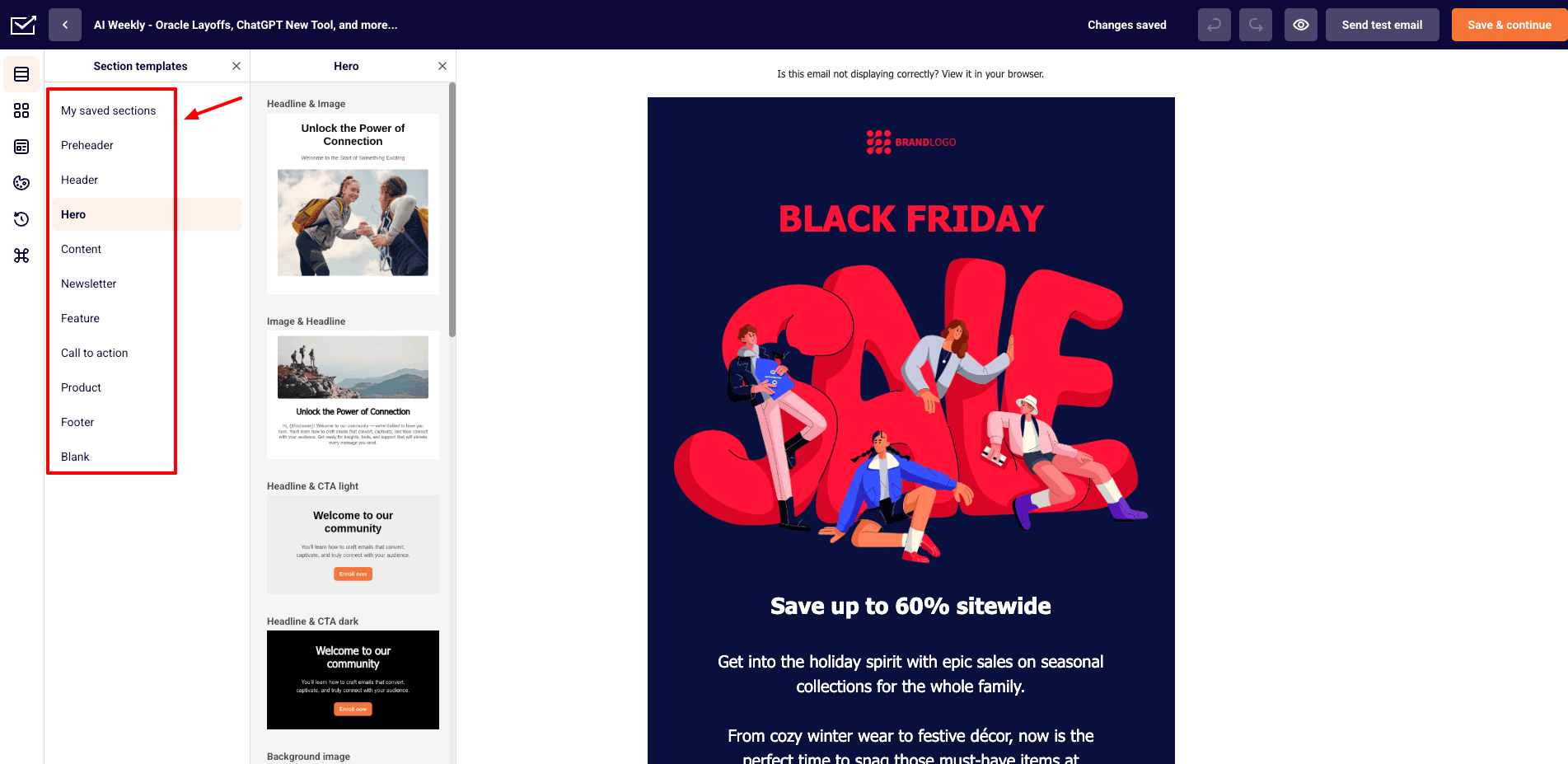
To create your emails, you can pick one from their library of 90+ beautifully designed templates. In my experience, the templates were fairly well-designed.
3) Pre-Defined Workflows
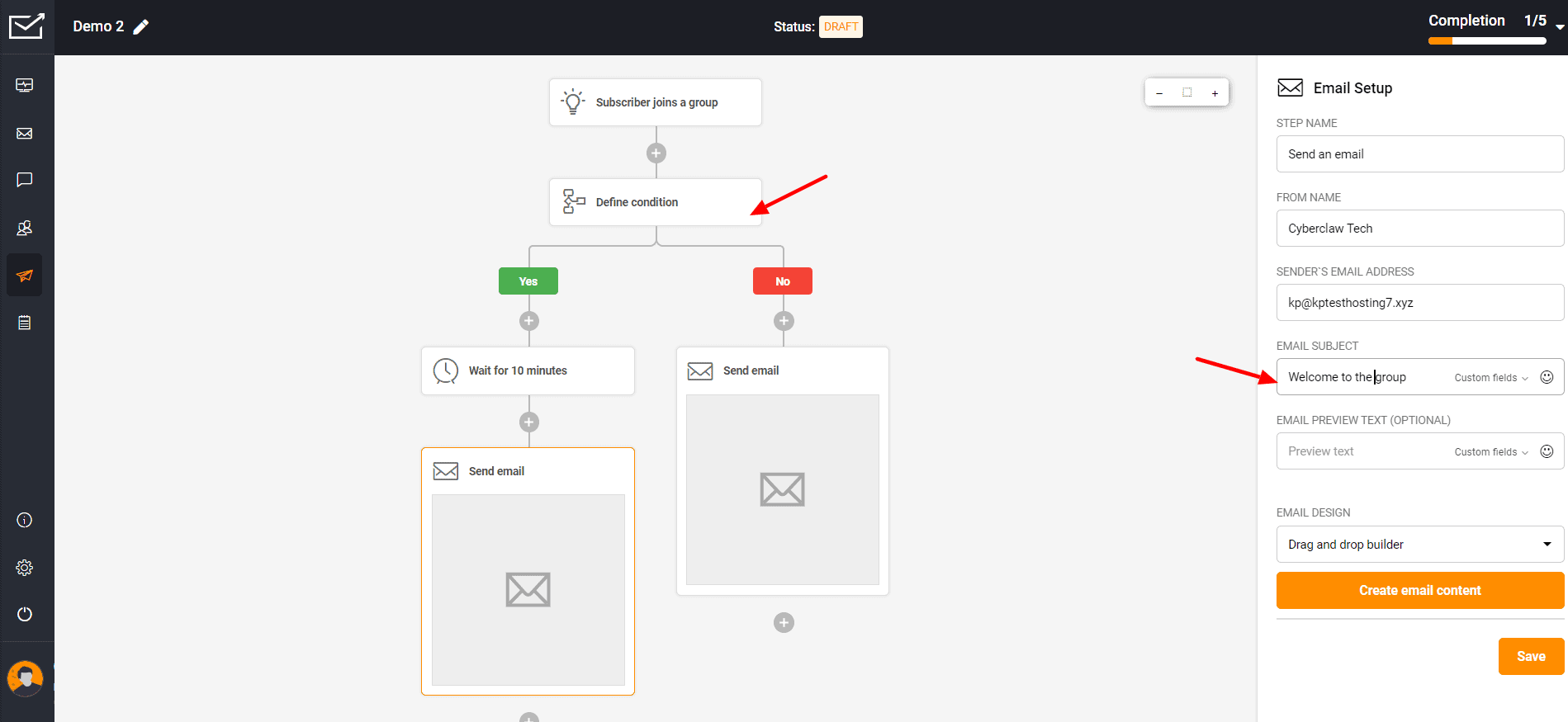
If you want a specific action to be performed automatically when triggered, you can use pre-defined workflows. Sender offers 9 pre-defined workflows for creating automation. You can also define a time delay between the trigger event and the action.
4) Can Create Forms
With Sender, you can create 3 types of forms, namely embedded form, pop-up form, and spin-to-win wheel. For pop-up forms, you get 21 beautifully designed templates as well.
5) Multiple Subscriber Import Options
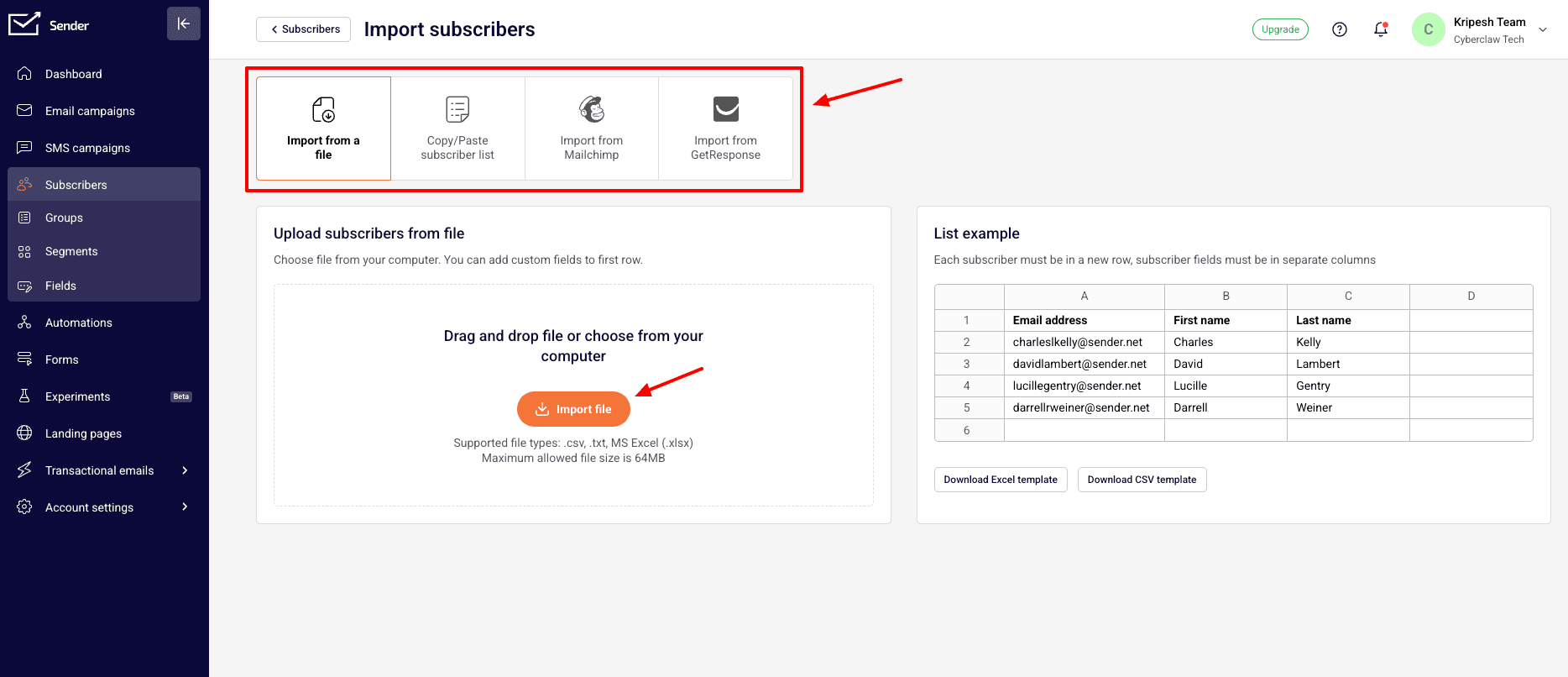
You can either import your contacts by uploading a file, copying/pasting your subscriber list, or importing from other email marketing tools like Mailchimp and GetResponse.
6) Can Add Brand Assets
Sender also lets you set your brand colors, choose fonts, and upload your brand logo to personalize your email campaigns.
Cons
- No analytics
- Limited support and integrations
- Sender branding on emails
- No Sender sub-domain
Pricing: Free plan offers 15k emails per month and up to 2500 subscribers with Sender branding. Paid plans start from $7/mo and offer 12k emails/month and up to 1k subscribers.
Best For: Startups and small businesses (email templates), eCommerce store owners and solopreneurs (forms, automation).
10) EmailOctopus
EmailOctopus is a beginner-friendly and lightweight email marketing tool focused on simplicity, automation, and affordability. Founded in 2015 by Thomas Evans and Jonathan Bull, it is currently used by over 100k+ users.
Free Plan Features
1) Simple Campaign Setup
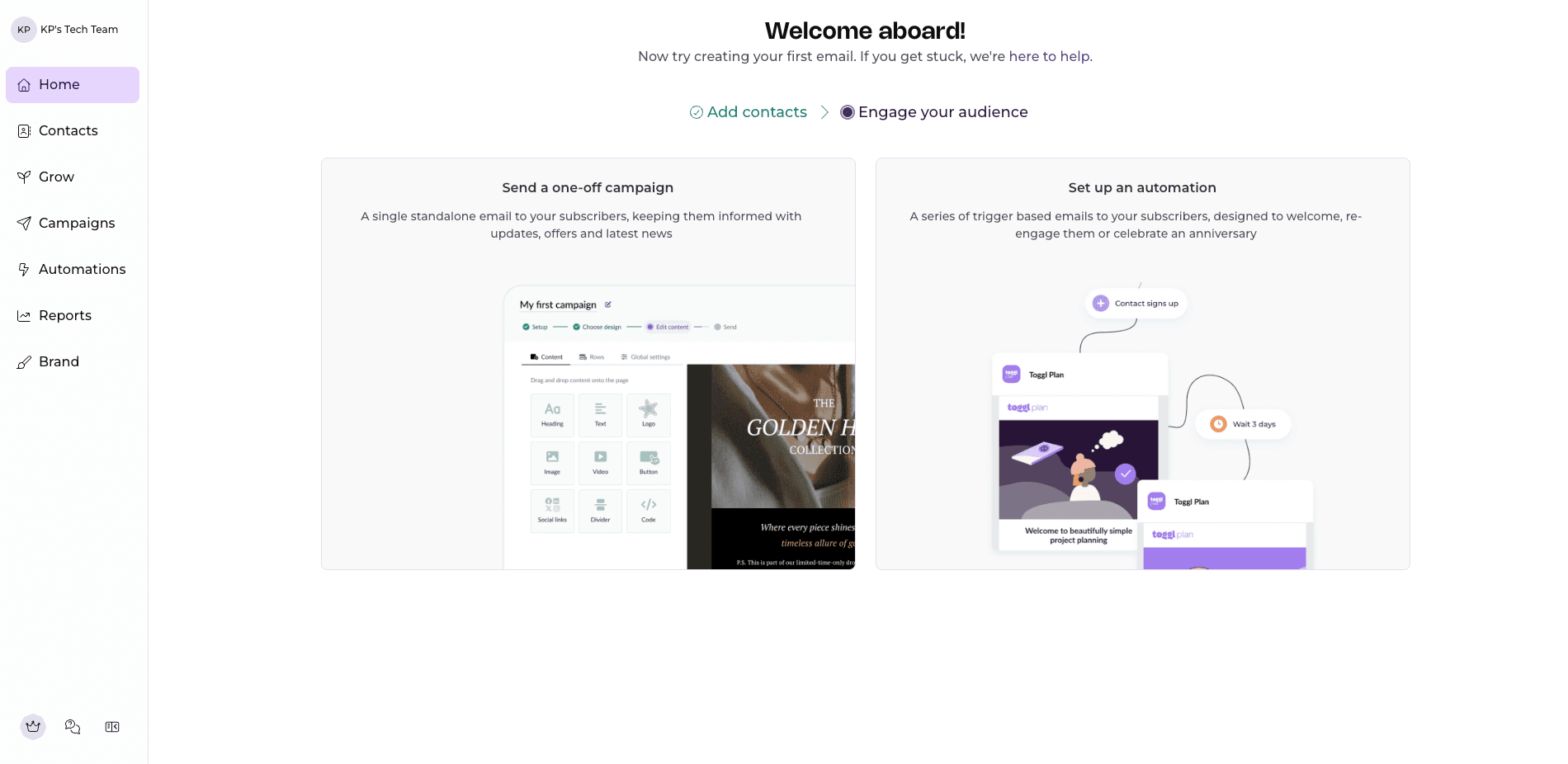
Setting up your email campaign on emailOctopus is pretty easy. It involves 4 steps, namely – setup, design, content, and send. Overall, I found it very beginner-friendly.
2) 100+ Templates
It has a decent library of 100+ pre-designed email templates. You can browse through them to get inspiration. It also has a search feature to quickly find relevant designs.
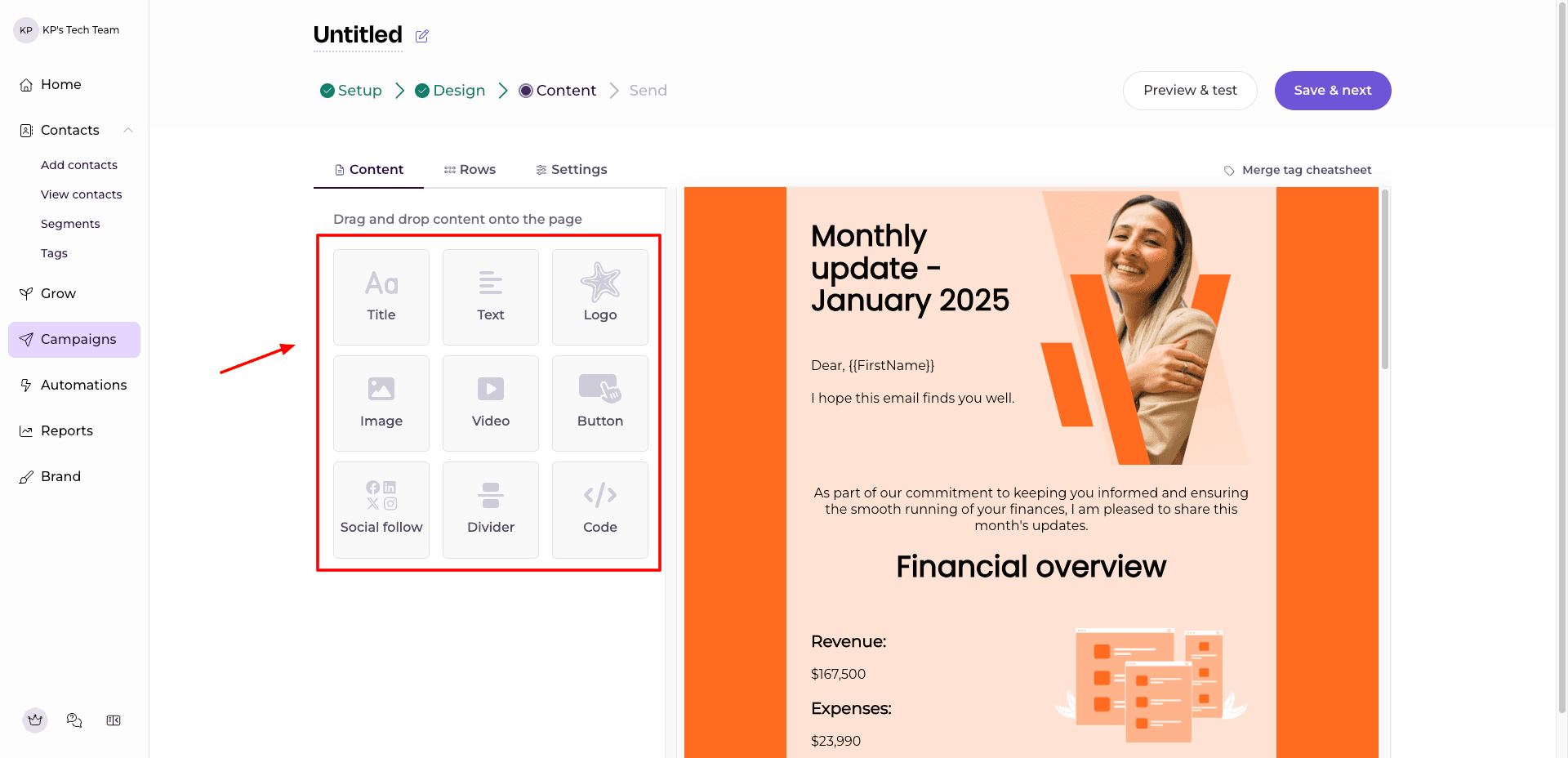
3) Clean Email Editor
To design your email, you get 9 basic elements like text, image, video, button, and social icons, with layout customization options.
4) Automation Templates
You can create workflows using 6 automation templates, like welcome emails, check-ins, and birthday campaigns.
5) Landing Pages & Forms
It also includes a landing page builder with 5 templates and multiple form types like pop-ups, hello bars, and slide-ins.
6) Brand Customization
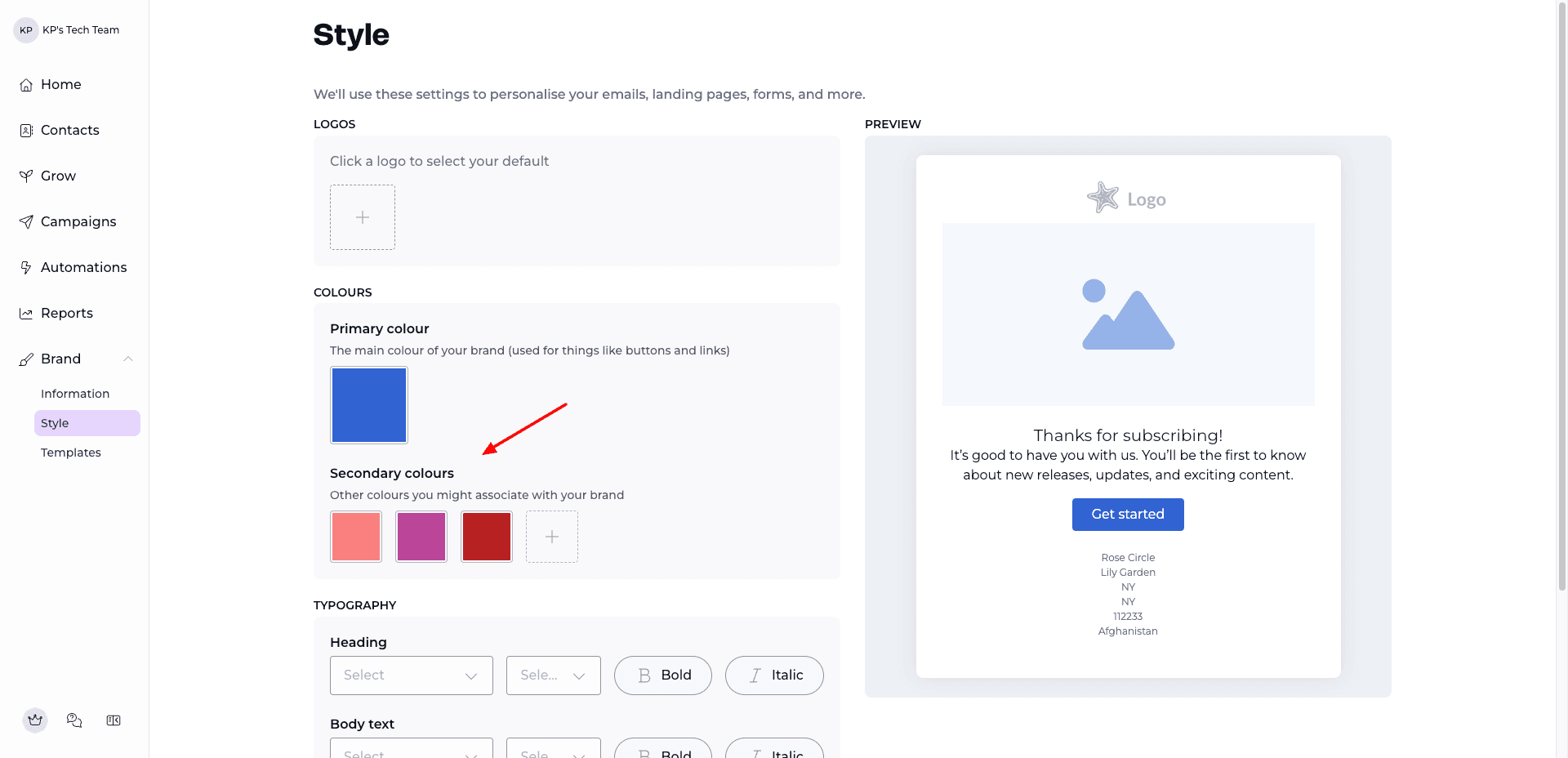
If you already have a brand, you can define your brand colors, typography, logos, and social links for consistency in emails.
Cons
- Limited design flexibility.
- Basic analytics.
- Branding on emails.
Pricing: Free plan supports 2,500 subscribers and 10,000 emails/month. Its paid plans start from $9/month, where you get 500 subscribers.
Best For: Startups and solopreneurs (simple automation and clean interface).
11) Mailmodo
Mailmodo is an AI-powered email marketing tool that is focused on helping users design, send, and automate email campaigns. It is trusted by over 5k companies in 20 countries.
Free Plan Features
1) Interactive Email Templates
MailModo comes with a decent library of 40+ pre-made templates with interactive elements like forms, surveys, and widgets.
2) AI Email Generator
Its AI-powered email generator helps you generate complete email content and images using AI by simply giving prompts. This is great for quick email creation.
3) Advanced Editor with Widgets
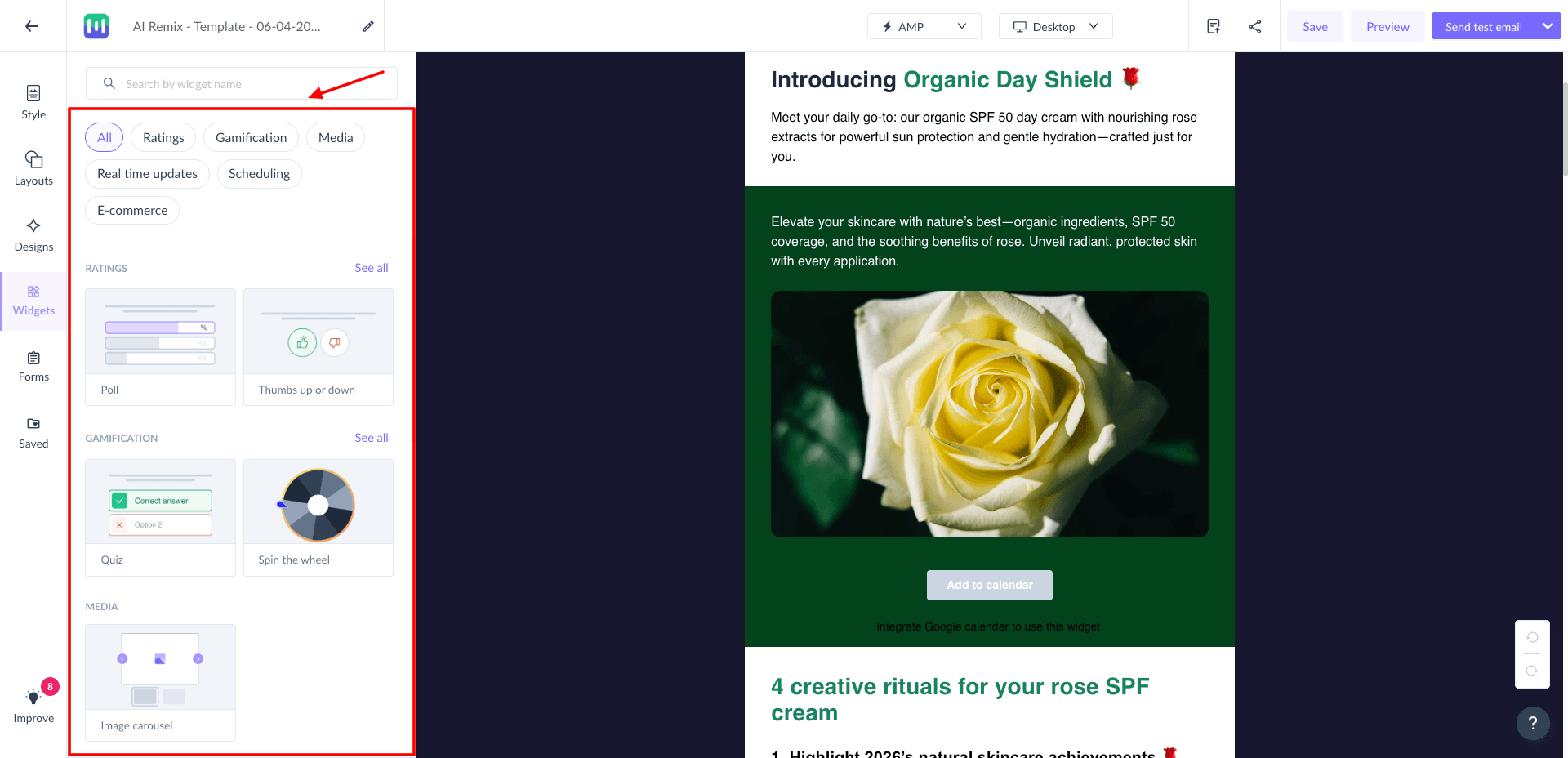
The editing interface includes elements like headers, buttons, tables, and widgets for gamification, ratings, scheduling, etc.
4) Brand Kit Customization
If you have an established website, brand, or business, MailModo also lets you define colors, fonts, logos, and social links for consistent branding.
5) AI Assistant
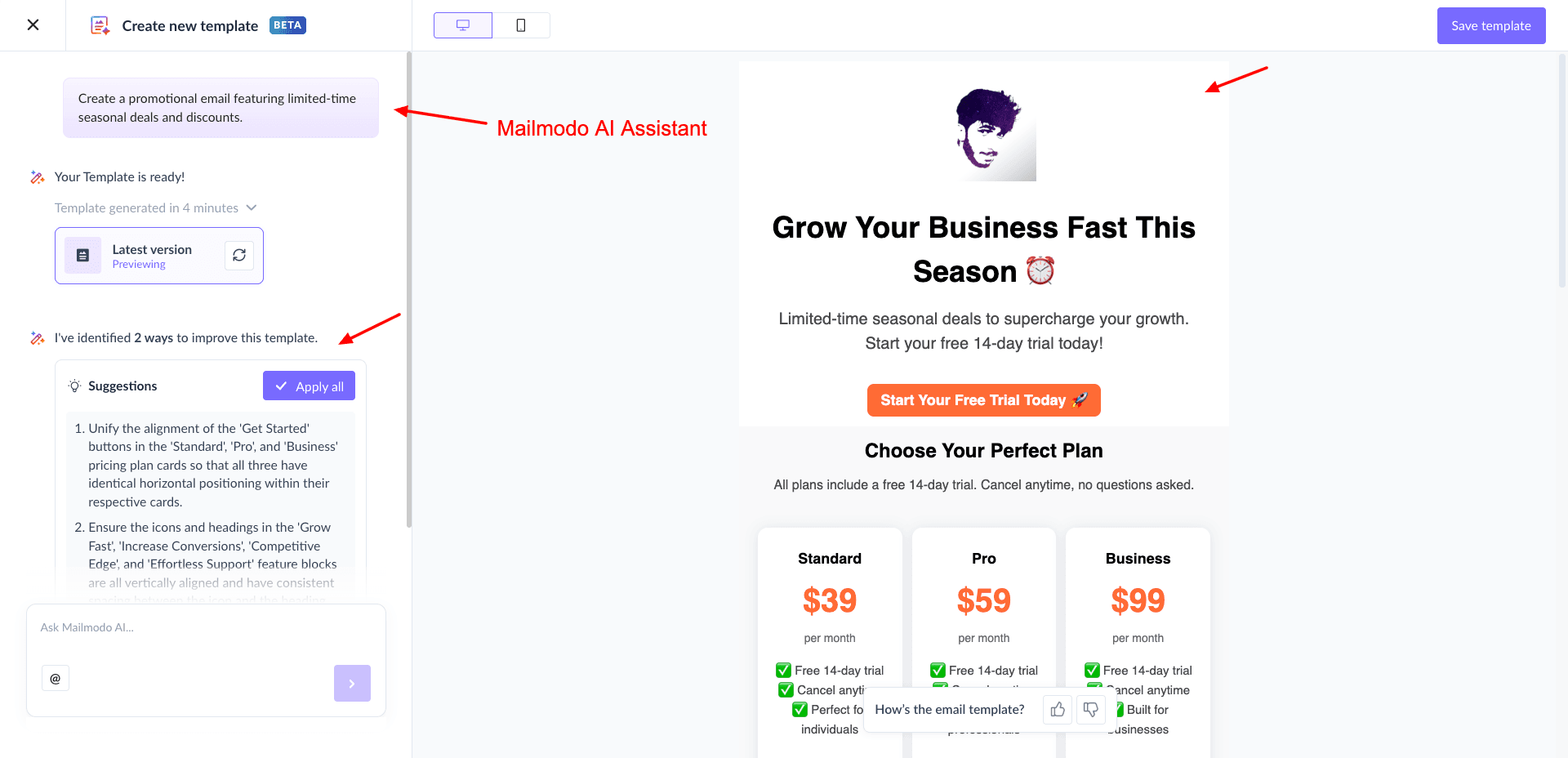
MailModo features its in-house AI assistant called MailModo AI. It basically helps with campaign planning, analysis, and content generation.
Cons
- Limited contacts and credits.
- Smaller integration library.
- Learning curve for advanced features.
Pricing: Free plan supports 500 contacts and 2,000 email credits. Its paid plans start from ₹1999/year, where you get 2,000 email sending credits and 500 active contacts.
Best For: Marketers and creators (interactive emails and AI-driven campaigns).
12) Benchmark Email
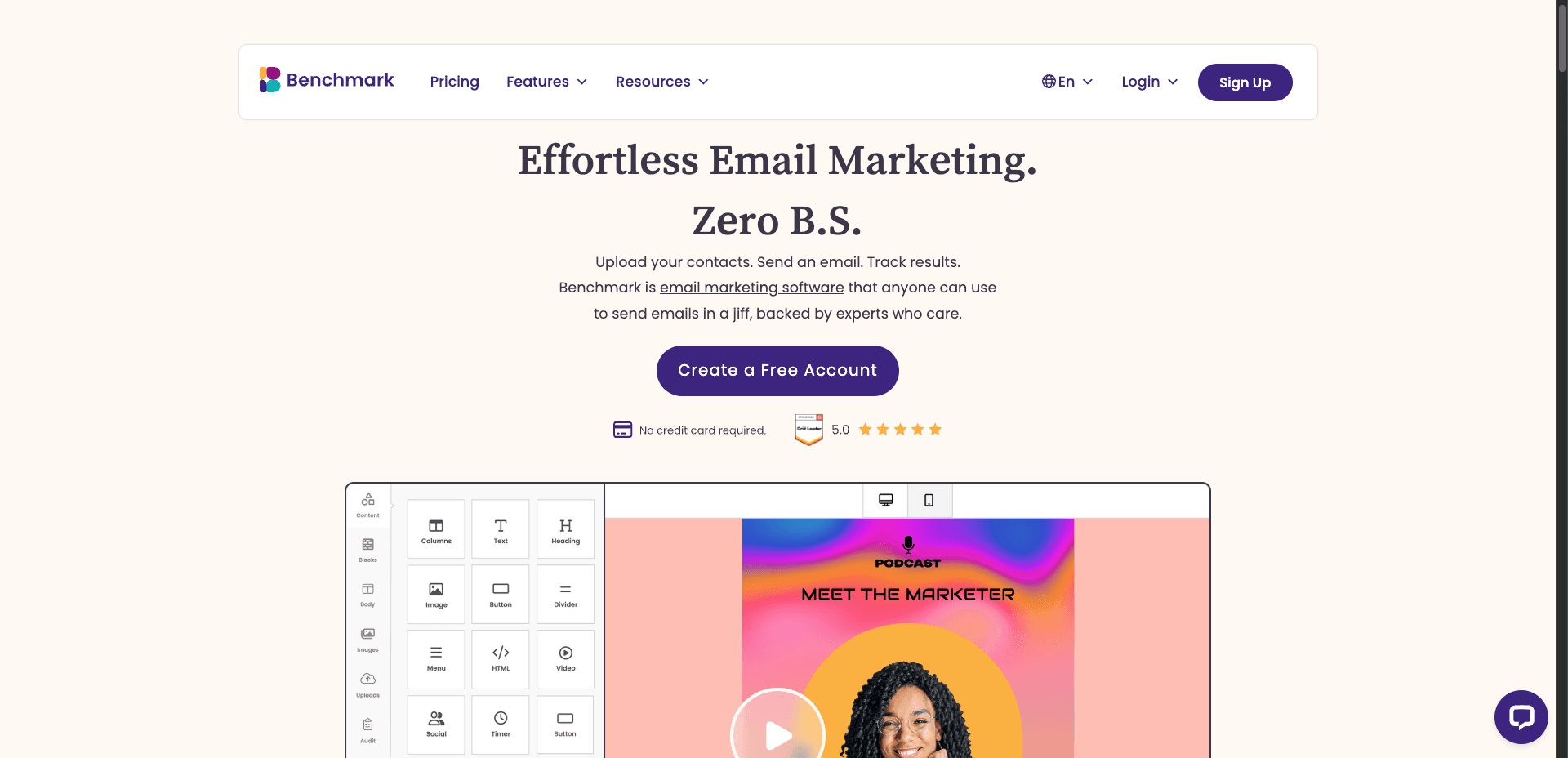
Benchmark Email is a cloud-based email marketing platform with a focus on ease of use. Founded by a husband and wife team, Curt and Denise Keller, in 2004, Benchmark Email is used by over 100k+ marketers around the world.
Free Plan Features
1) Decent Email Templates
With Benchmark Email, you get 50 pre-designed templates to create your campaigns. They are simple but cover the most common use cases.
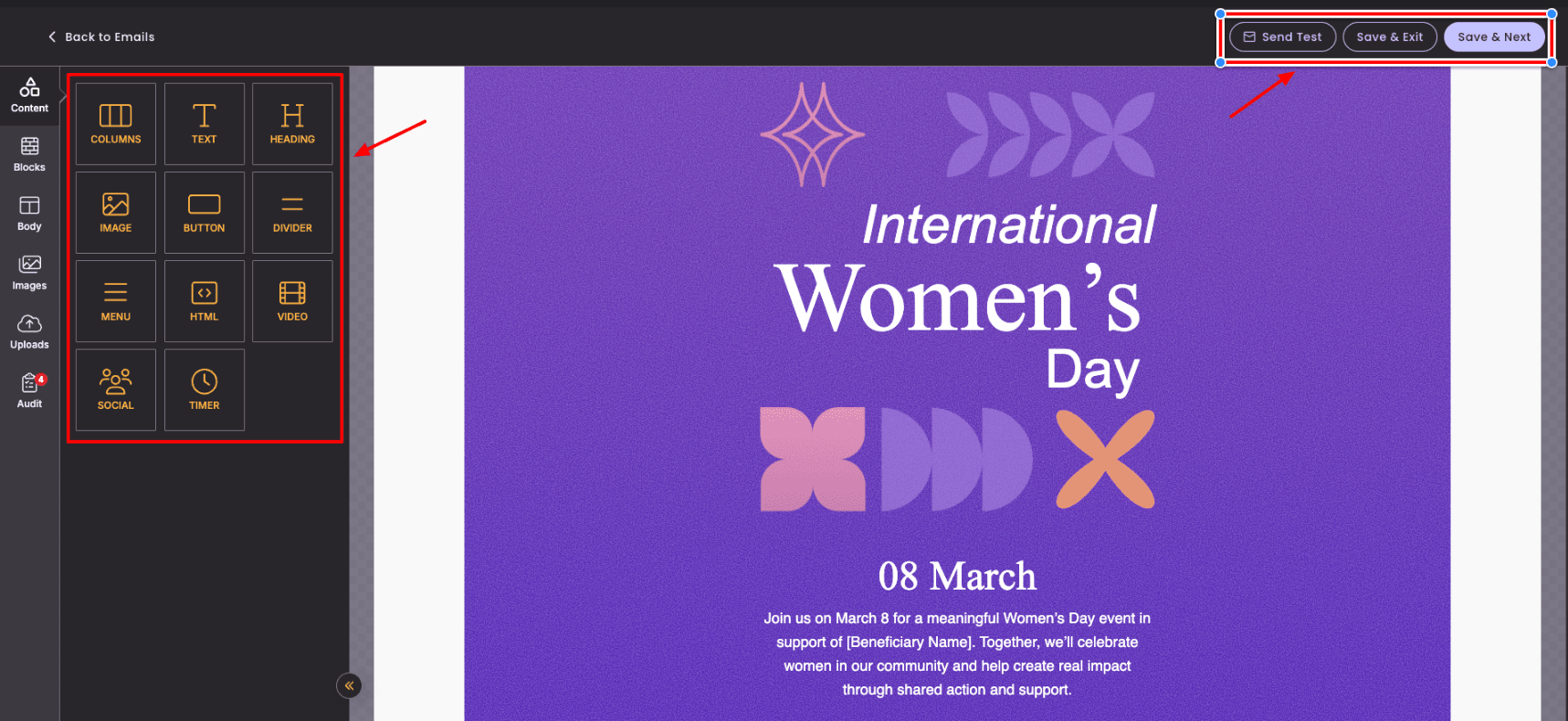
2) Simple Drag-and-Drop Editor
You get a basic email editor to design your email campaign. It features elements like text, buttons, videos, social icons, menus, timers, and HTML blocks. You can also customize typography, colors, spacing, alignment, and more.
3) AI Image Generator
You can upload your own images or pick from copyright-free image libraries like Unsplash, Pexels, and Pixabay. It even lets you generate images using AI, which is a nice bonus.
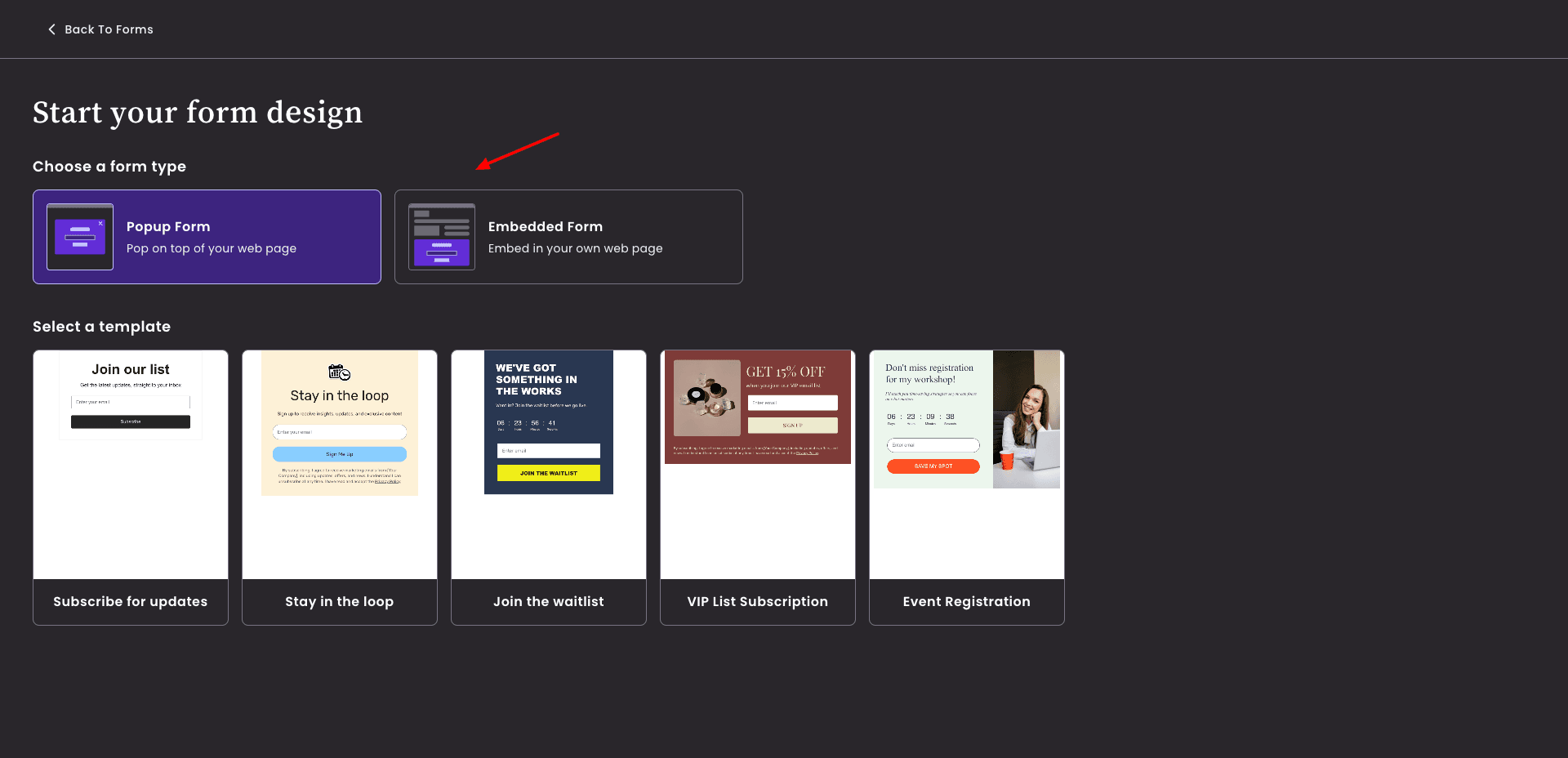
4) Forms Creation
You can create pop-up and embedded forms using 5 pre-designed templates. The editor is similar to the email builder.
5) Basic Reports
Benchmark Email platform provides simple analytics like email sends, opens, and clicks to track performance.
6) Built-in Email Audit Tool
A unique feature of Benchmark Email is its audit checker, which highlights errors or missing elements in your email before sending.
Cons
- Limited advanced features.
- Basic templates and customization options.
- Low subscribers on the free plan.
- Only 1 user and 1 domain allowed.
Pricing: The free plan supports 2,500 emails/month and 500 contacts. Its paid plans start from $19/month.
Best For: Beginners and small businesses (simple campaigns, basic analytics, and ease of use).
13) Moosend
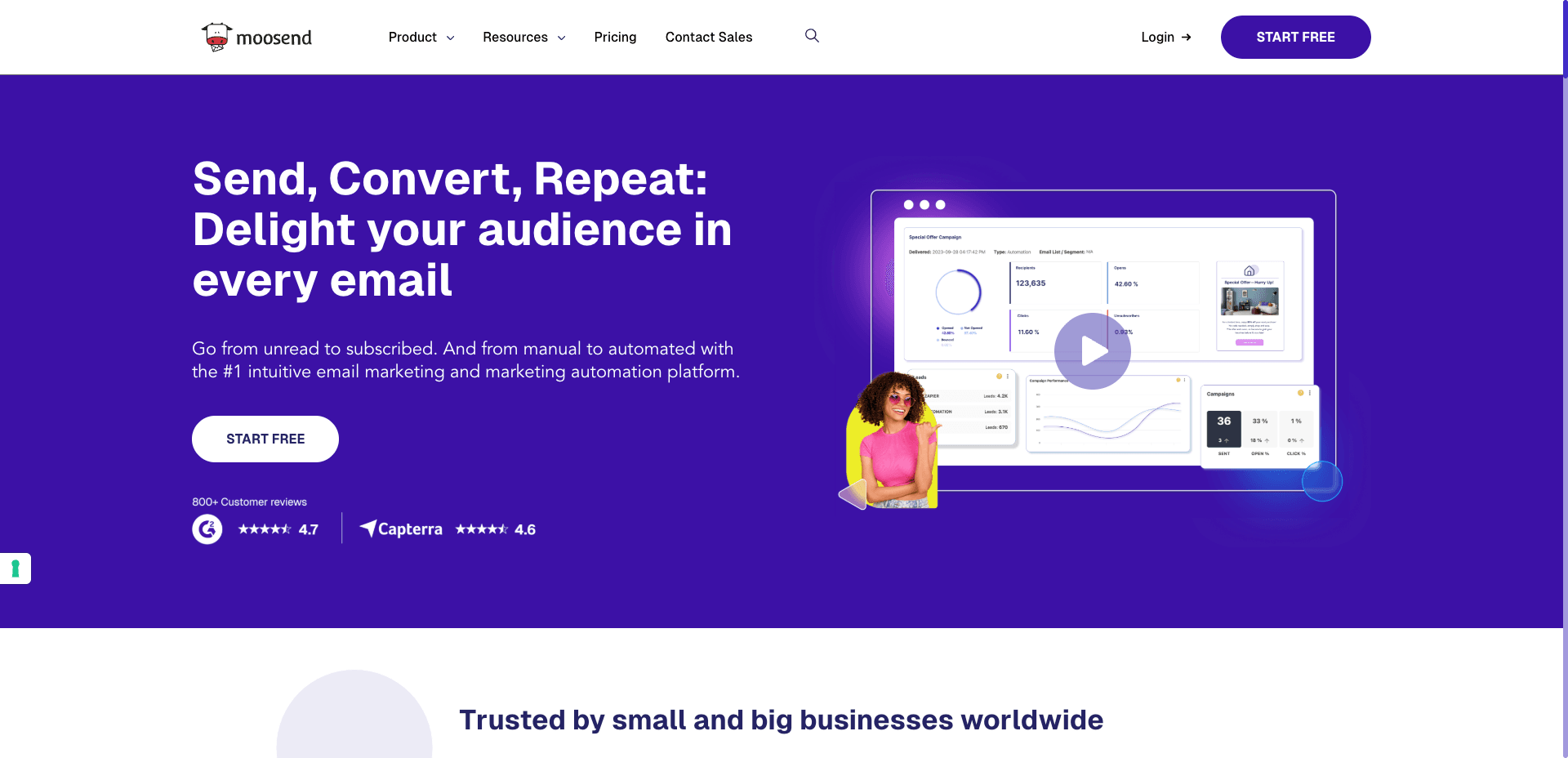
Moosend is an AI-powered email marketing and marketing automation tool. It lets users create and send email campaigns, landing pages, subscription forms, and more.
Free Plan Features
1) Multiple Campaign Types
It supports multiple types of campaigns, including regular campaigns, A/B testing, and repeatable campaigns. So, you can select one as per your requirements.
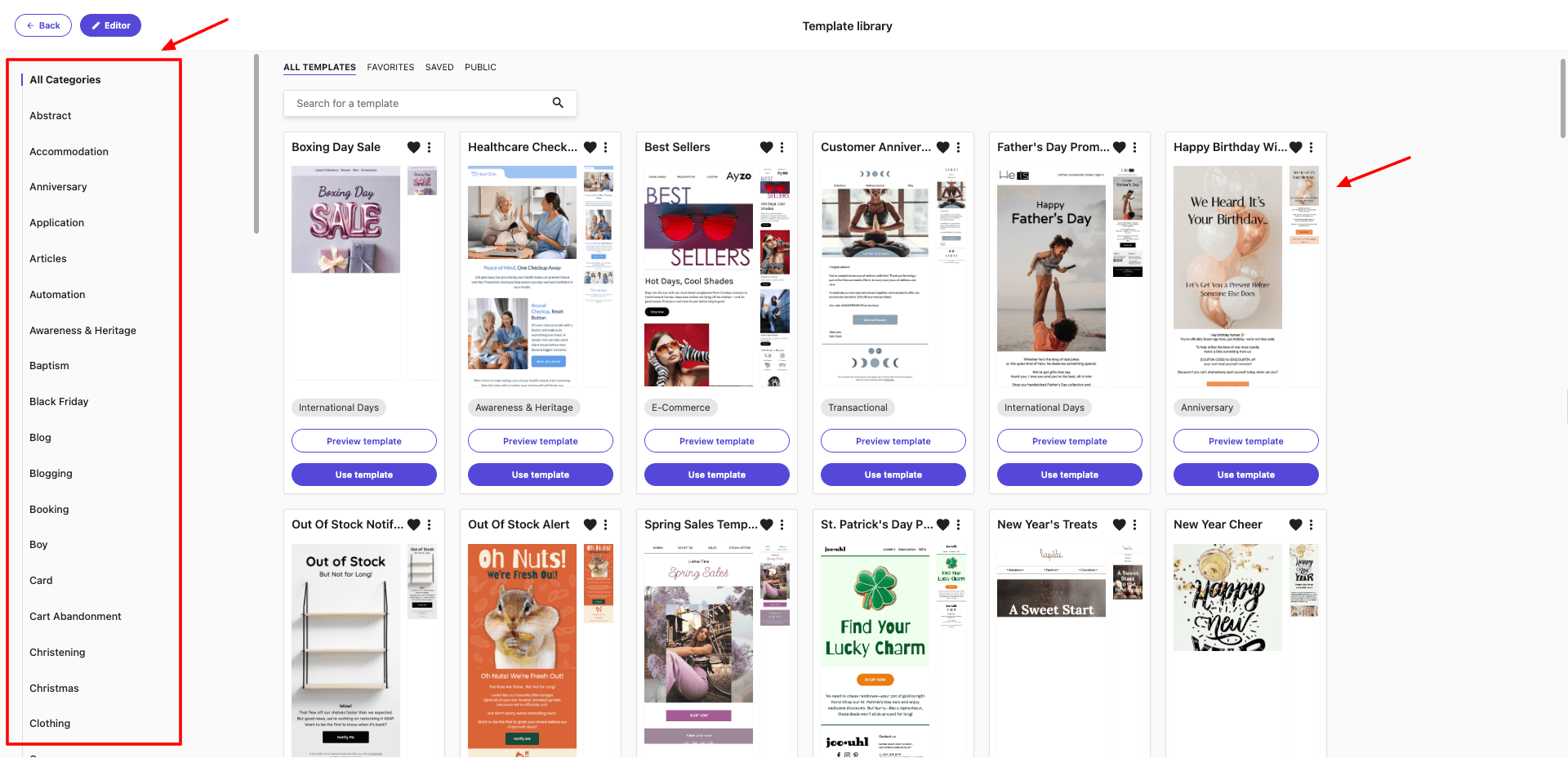
2) Hundreds of Templates
You get a sizable collection of 140+ ready-made email templates to design your email campaign.
3) Basic Email Editor
The editing UI includes multiple layouts and essential elements for designing emails. Though the interface feels pretty basic.
4) Includes AI Writer
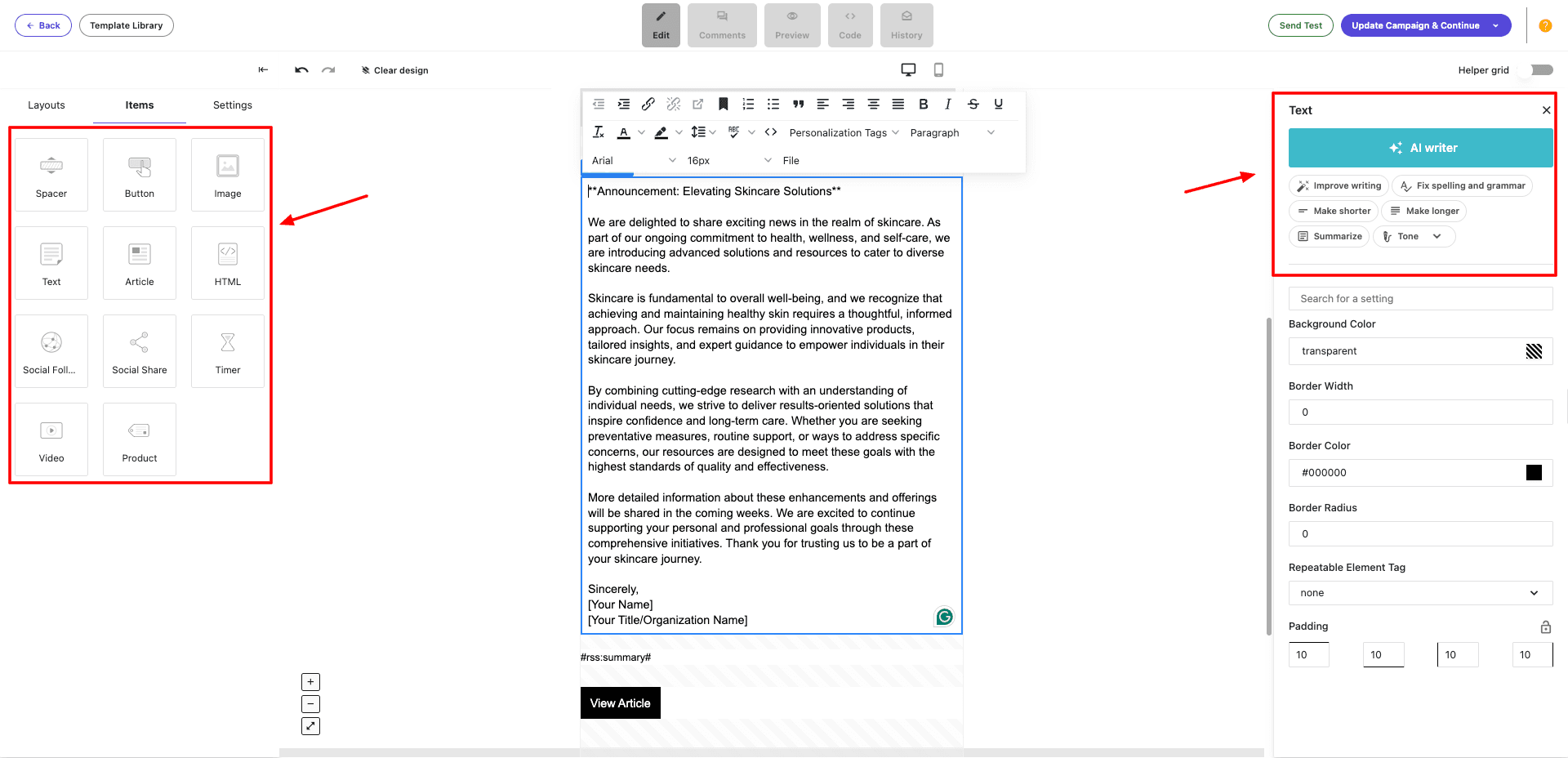
You also get an AI writer that generates custom text quickly based on your input. You can choose to improve writing, fix spelling and grammar, make text shorter or longer, change tone, summarize, and more.
5) Check Pre-Send Checklist
An interesting and useful feature of Moosend is its checklist. Before sending out your campaign, it provides you with a checklist to ensure design, delivery, and formatting are done properly.
Cons
- Confusing User interface.
- Basic editor experience.
- Limited free features.
Pricing: It offers a 30-day free trial with limited features. Its paid plans start from $7/month, where you get unlimited email campaigns.
Best For: Intermediate users (AI writing and campaign flexibility).
Tips and Best Practices for Email Marketing
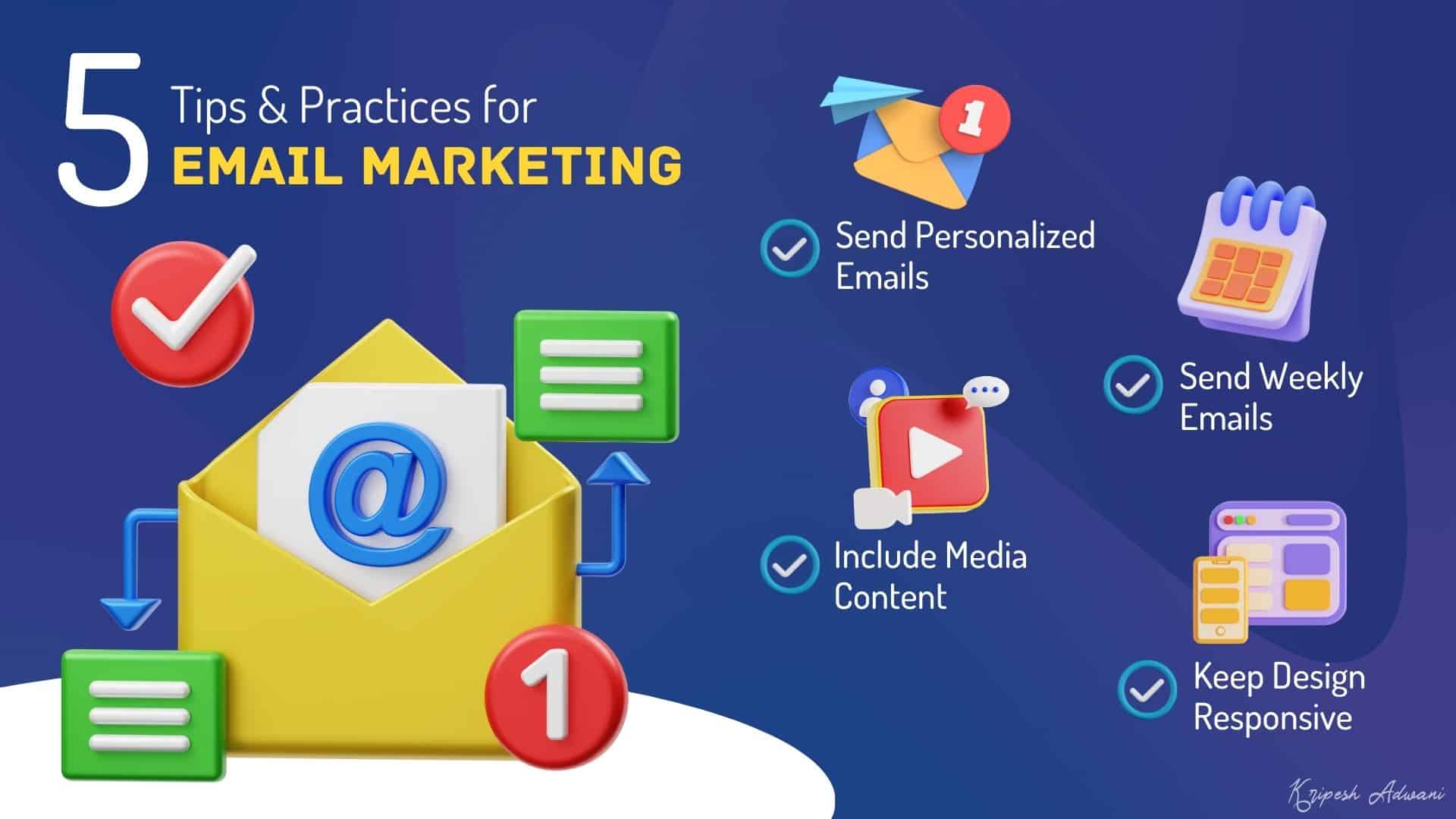
If you are a beginner just starting with email marketing, here are a few tips and practices to consider.
1) Send Personalized Emails
As per a recent research report by Mailjet, 30% of recipients see personalized content based on interests as very important when deciding to open an email.
Thus, whenever shipping emails to your audience, make sure to personalize them as per their interests and preferences. For this, you can segregate them into different groups based on shared interests and send them content they value the most.
2) Include Media Content
Video content is booming across all social media platforms, and email is no exception. According to a report by Forrester, including videos in your emails can boost your click rates by up to 300%!
Whenever sending out an email, check if you can include a video along with it. Some examples might be product release videos, product features videos, sales and promo videos, informative videos, and more.
You can check out these cool AI video generators to quickly create professional videos on the go!
3) Send Out Weekly Emails
When starting with email marketing, it is important to decide on an email frequency. Statista states that 51% of consumers like to receive weekly branded emails.
So, instead of spamming and overwhelming your audience with multiple emails, share comprehensive information in one single email.
4) Include Buzz Words in Your Content
As per Mailjet’s Report 2024, 45.7% of consumers click an email to claim a deal or use a coupon code. Thus, to receive maximum clicks and readability on your email, try to use catchy terms like coupon code, offer, discount, deals, etc in your email subject line and body!
5) Keep the Email Design Responsive
The world is moving towards smartphones. Most people use mobile phones for the majority of their work today. Mailchimp states that responsive email design may increase mobile click rates by up to 15%. So, make sure your email design is functional on all devices and screen sizes.
Why Should You Trust Me?
I’ve been working in the digital industry for the last 10+ years. In all these years, I’ve used and tested dozens of email marketing tools. Recently, I’ve also started shipping weekly newsletters for which I am using MailerLite.
I’ve spent a few weeks thoroughly testing out the free email marketing tool mentioned in this article. To test them, I signed up for their free plans and created multiple email campaigns using all the available features.
I took note of key features like emails and subscriber limit, email design, templates, custom domain, analytics, interface, support, integrations, and more. Based on all these factors, I shortlisted the above 13 tools and arranged them in the order of their free features.
Conclusion
In this article, we discovered the Best Free Email Marketing Tools for 2026. I hope this article helped you pick the right email marketing tool for your personal or client projects.
If you are a beginner who needs an easy-to-use and feature-rich tool, you can check out MailerLite. If you need a tool specifically for landing page creation, Kit is the best.
If you are an e-commerce marketer, you will find lots of relevant tools on Omnisend. Whereas, if you want to work with app integrations, Mailchimp and HubSpot Email would be good options.
Anyway, have you used any email marketing tools before? Which one was it, and how was your experience with it? Do share in the comments section below. This is Kripesh signing off. Cheers, and keep learning. 🙂
FAQs
1) What are the main limitations of free email marketing services?
The key limitations of free email marketing solutions are the limited number of monthly emails and subscribers.
2) What email marketing tool offers support to its free plan users?
Most free email marketing tools offer support through a knowledge base and email tickets. Occasionally, some tools also offer live chat support, like Mailchimp, HubSpot Email, and Loops.
3) Which is the best email marketing software with higher inbox deliverability?
Out of all, HubSpot Email ensures higher email deliverability to your inbox.
4) What are the free email marketing tools that can send unlimited emails?
You can send unlimited emails using the free plan of Kit.
5) Which email marketing tool is best for beginners?
MailerLite and Benchmark Email are great for beginners. They offer simple interfaces, easy editors, and all the essential features without overwhelming you.
6) Which tool is best for e-commerce email marketing?
Omnisend is the best choice for eCommerce businesses. You get product recommendations, eCommerce integrations, and automation workflows tailored for online stores.
7) Which free email marketing tool offers the highest subscriber limit?
Brevo allows up to 100k subscribers on its free plan, which is significantly higher than most other tools.
8) Which email marketing tools support automation on the free plan?
Automations are supported on the free plans of MailerLite, Brevo, GetResponse, Zoho Campaigns, and Sender.
9) Which tool is best for creators and personal brands?
Kit is perfect for creators as it offers unlimited emails, landing pages, and a creator profile to build a personal brand.
10) Are there any free email marketing tools with AI features?
Yes, you get AI features for content generation, design assistance, or image creation on tools like Mailchimp, GetResponse, Mailmodo, Brevo, and Benchmark Email.


ok