Do you spend hours filming videos, speaking into the camera, and still feel like there’s never enough time for planning or scripting? Imagine having a digital twin that handles the camera work while you focus on creative strategy and growth.
Sounds futuristic? Well, it’s all possible. AI video generation has evolved immensely. Now, you can create a lifelike clone of yourself that can speak your script, appear in multiple videos, and work around the clock, without you being on camera.
After testing dozens of tools, I’ve shortlisted the 5 Best AI Avatar Generators that can help you create your digital clone in minutes. Ready to meet your AI version? Let’s dive in!
What are Custom AI Avatar Generators?
Custom AI Avatar Generators are tools that use artificial intelligence to create personalized video avatars as per input data, like photos, videos, etc. With these tools, you can create unique personal avatars and customize their outfits, backgrounds, facial expressions, etc.
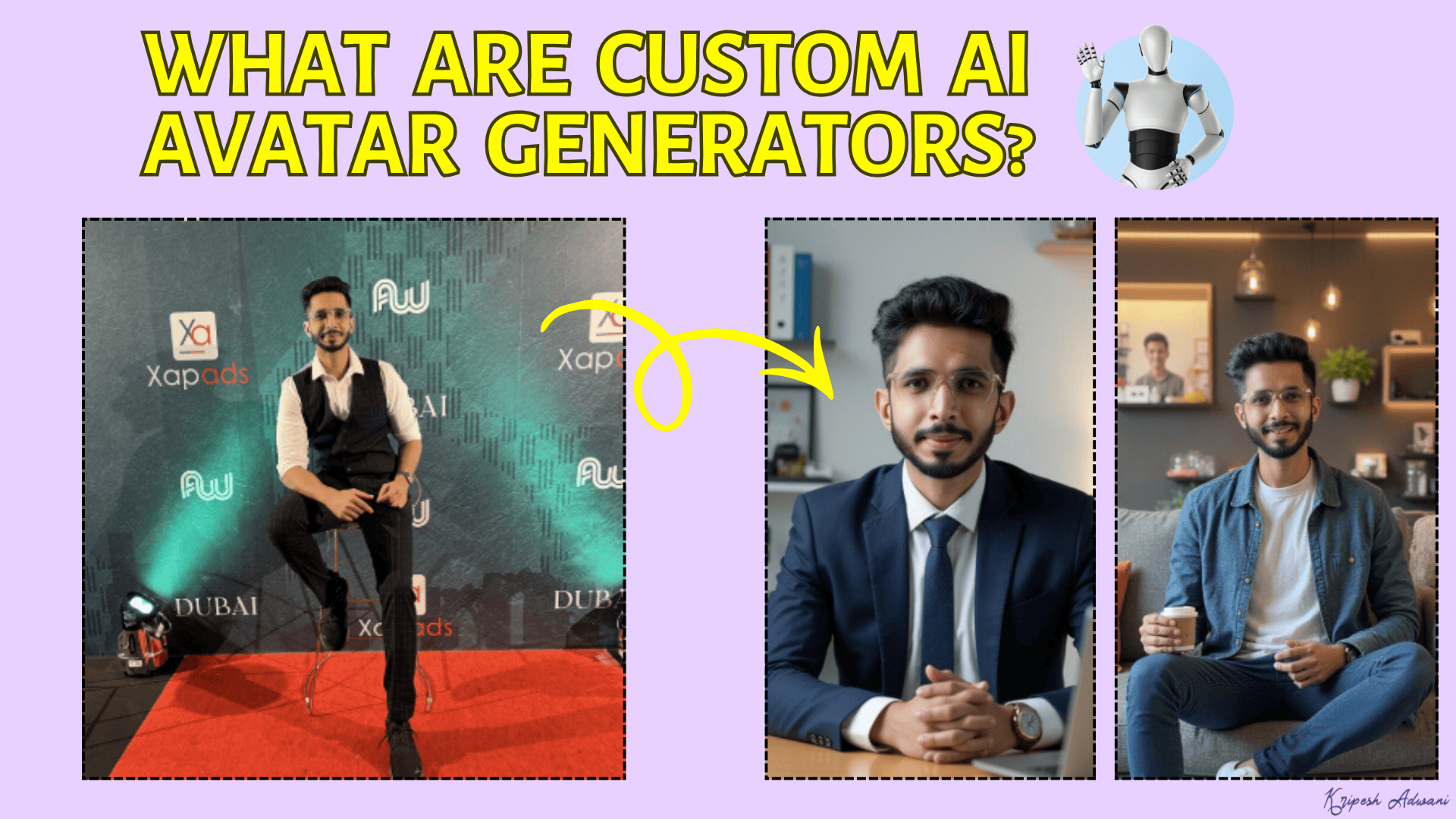
Content creators, brands, and professionals can use them for their videos, social media, marketing, or virtual assistants. Popular examples of custom AI avatar generators include HeyGen, Synthesia, etc.
5 Best Custom AI Avatar Generators (2026)
| Tool Name | Custom Avatar Quality | Lip Sync | USP | Pricing |
| HeyGen | Best | Best | Multilingual avatars with accurate lip sync | 3 videos/mo for free. Paid plans from $24/mo. |
| Synthesia | Good | Good | Custom avatar with AI voices | 360 free credits/mo. Paid plans from ₹1499/mo. |
| JoggAI | Good | Poor | Ads & product shoots with AI avatars | 3 free credits. Paid plans from $24/mo. |
| D-ID | Average | Poor | Expressive AI avatars with gestures and facial movements | 3 mins free on 14-day free trial. Paid plans from $5.90/mo. |
| Colossyan | Average | Poor | PDFs, PPTs, & scripts to training videos with AI avatars | 1 instant avatar & 3 free video mins. Paid plans from $19/mo |
1. HeyGen – Best For Multilingual Custom Avatars
HeyGen is an AI-powered video generation platform featuring 1000+ AI avatars and supports 175+ languages. To start, visit the Avatars tab and create a new avatar. You can create your avatar via photo or video. I personally prefer creating through video for more realistic avatars.
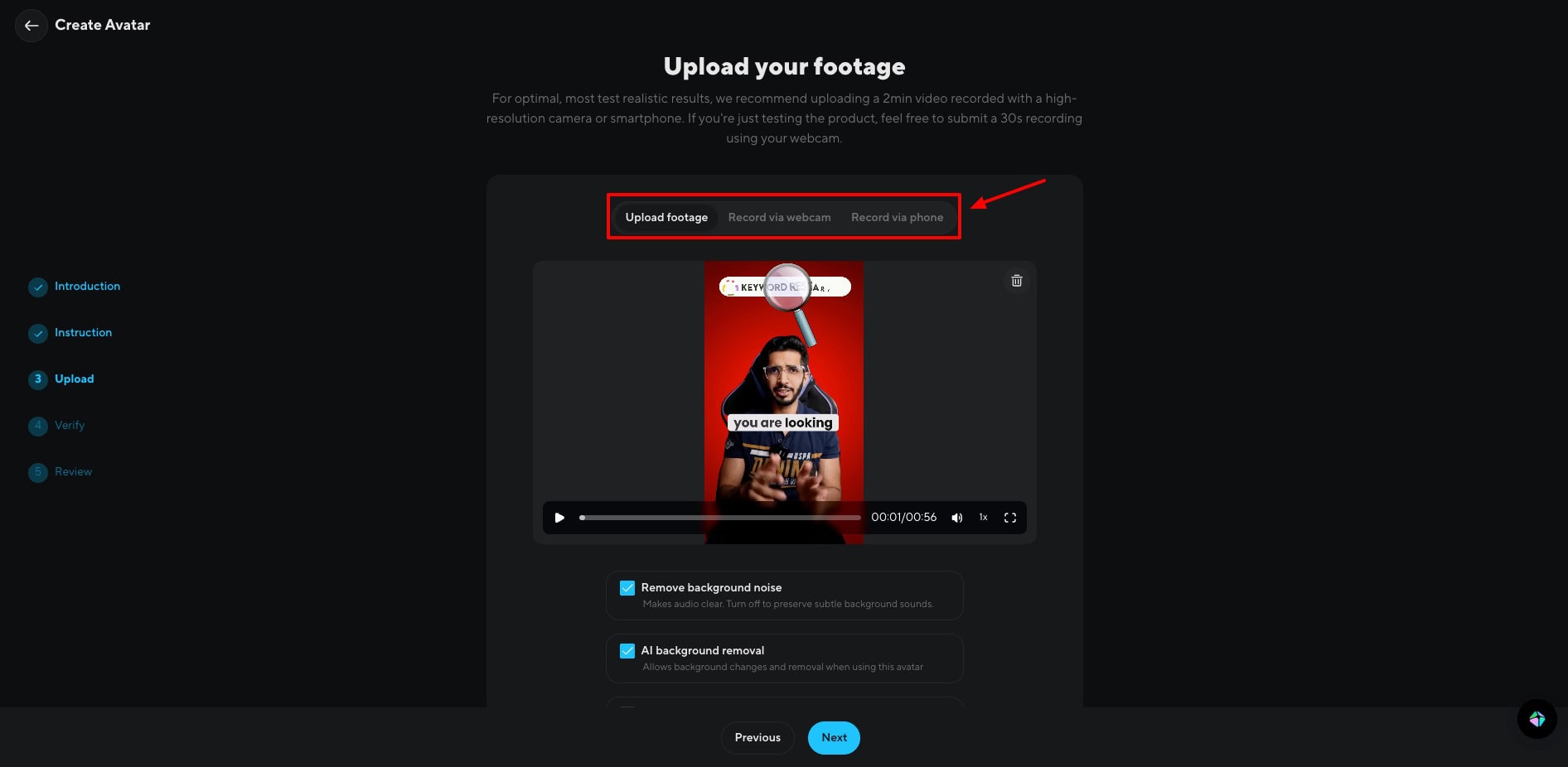
Next, you will need to upload a video of yourself that’s 2 to 10 minutes long, keeping gesture detection enabled. You can choose from their library of voices or create a custom voice clone. They have integrated ElevenLabs’ voice library for highly realistic and expressive voices.
Your custom avatar is generated within a few minutes. If you’re creating Hindi videos, I would personally recommend that you upload your own audio. Its AI audio doesn’t work that well in languages other than English.
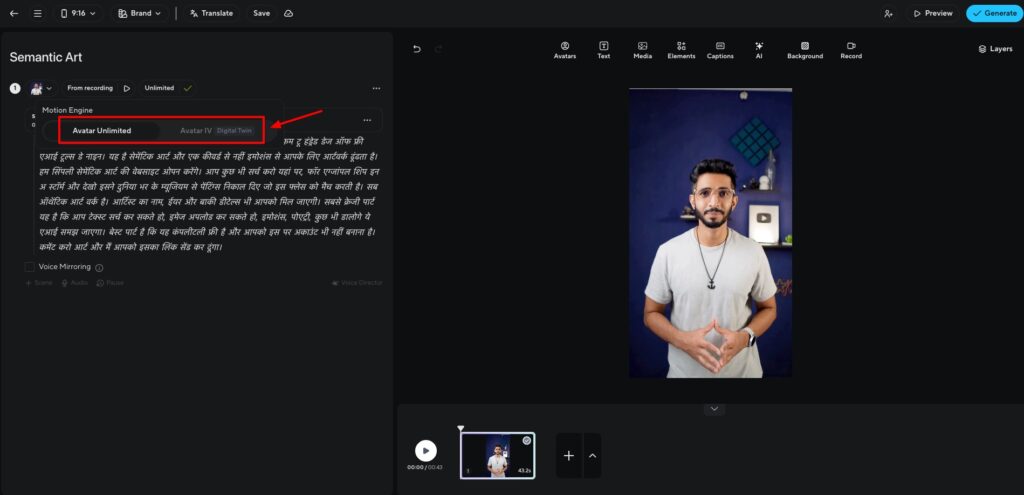
Now, to make your avatar more lifelike, you get two options under the motion engine.
- Avatar IV: For realistic body movements and facial expressions.
- Avatar Unlimited: For enhanced lip sync and unlimited usage.
I love the swift generation speeds and the lifelike avatars. Finally, your videos can be downloaded in the MP4 format. Check out this custom avatar video I generated using HeyGen. I bet you won’t be able to tell if it’s real or AI!
The best thing about HeyGen is that it offers 1 custom avatar on its free plan as well. So, you don’t need to upgrade to its paid plan to experiment with its custom avatar generation. Overall, if you need to create custom AI video avatars in Hindi, HeyGen is an excellent choice.
Pricing: On the free plan, you get 3 videos/month up to 3 mins and 720p exports. You also get 1 custom video avatar and 500 stock video avatars. Its paid plans start from $24/month.
Example Video:
2. Synthesia – Best for Corporate & Educational Videos
Synthesia is a leading AI-powered tool for video creation trusted by over a million users around the world. It features 230+ lifelike avatars and supports 140+ languages. Its free plan is quite restrictive. You won’t be able to access any AI features for free as of now.
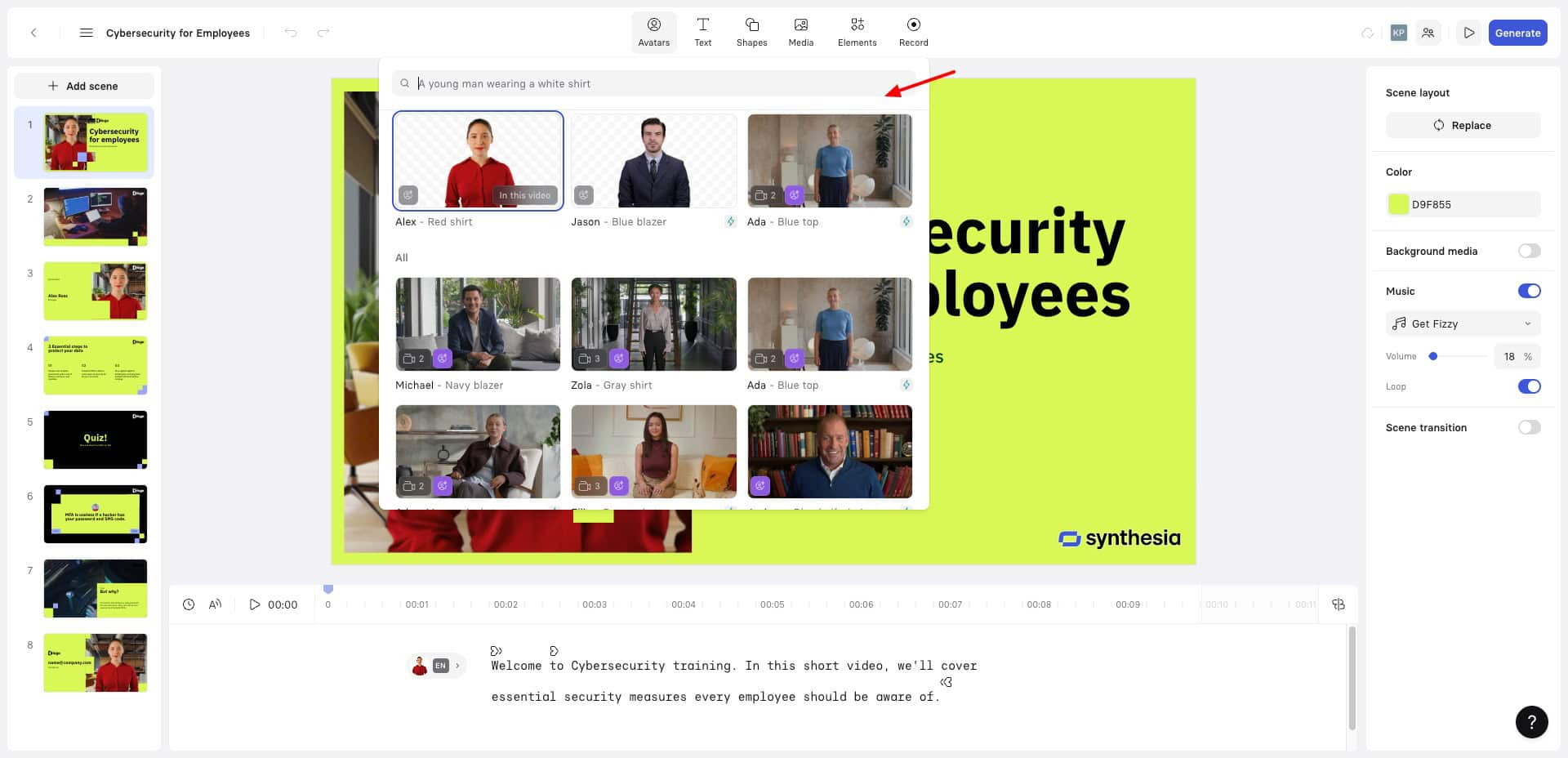
Custom avatars can be created on its paid plans. I loved the video quality and lip sync of Synthesia. It generates quite realistic AI avatars. However, it disappoints in terms of uploading custom audio, which is only allowed on the Enterprise plan. Thus, I couldn’t create videos in Hindi here.
Overall, Synthesia is suitable for creating a custom AI avatar and using an AI voice with it, or translating it into different languages. However, it’s slightly expensive. You can use it for corporate training and educational videos. It’s not good for uploading custom audio.
Pricing: The free plan offers 360 credits/month, with which you can create 9 AI avatars and 3 mins of video/month. Its paid plans start from ₹1499/month. However, personal avatars are only available on the Creator plan priced at ₹4,649/month.
3. JoggAI – Best for Product Ads & Photoshoots
JoggAI is an AI-powered video creation platform where you get 300+ AI avatars, 55+ languages, and 100+ AI voices. Custom AI avatars are not supported on the free plan. To get started, visit the Avatars tab and create a custom avatar.
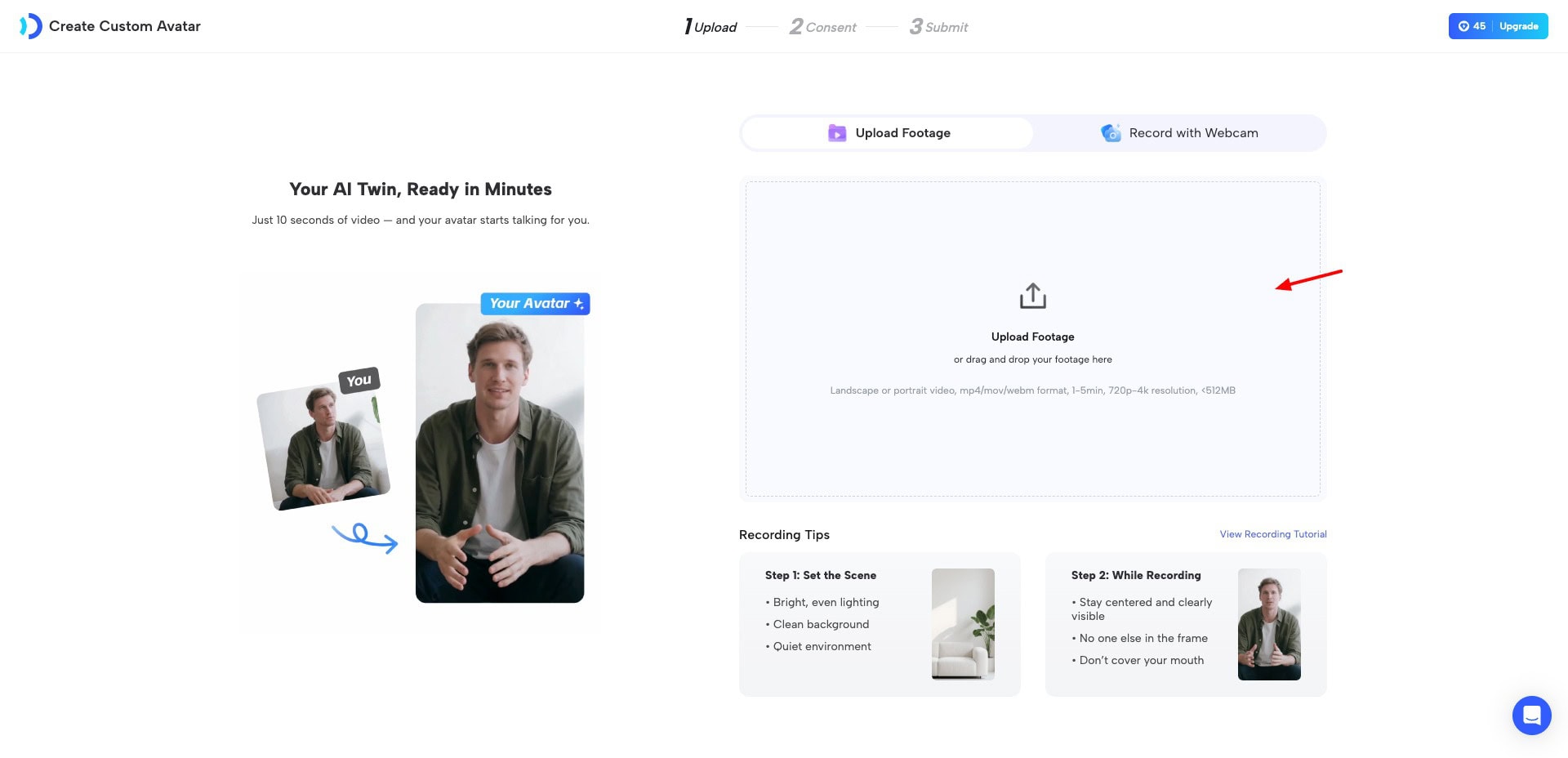
You just need to upload up to 5 minutes of your video or record live through your webcam. It will create your custom avatar within a few minutes. I was really disappointed with its lip-syncing ability. Even though the avatar quality is good, the improper lip sync spoils the overall video.
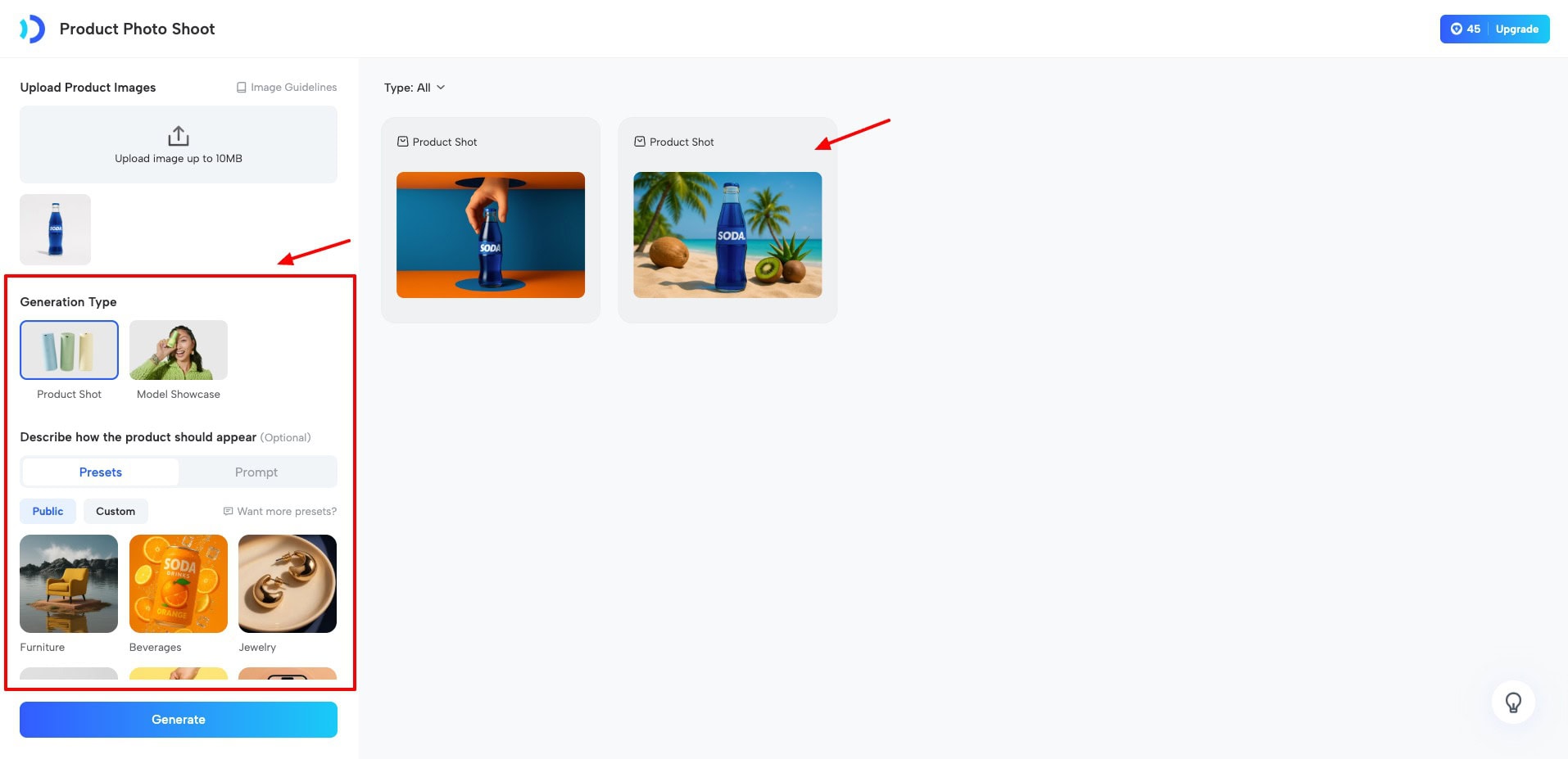
However, the USP of JoggAI is in creating ads using AI avatars from their library. You can create product photo shoots, product video shoots, create product videos from URLs, and more. But I personally won’t recommend it for custom avatars.
Pricing: Its free plan offers 3 credits to create 3 avatar videos up to 1 minute, and 1 custom avatar. Its paid plans start from $24/month.
4. D-ID
D-ID is an AI-powered tool for creating personalized avatars. To get started, visit the Avatar tab and select if you want to create your custom avatar through photo or video. Then, upload a video of yourself talking into the camera.
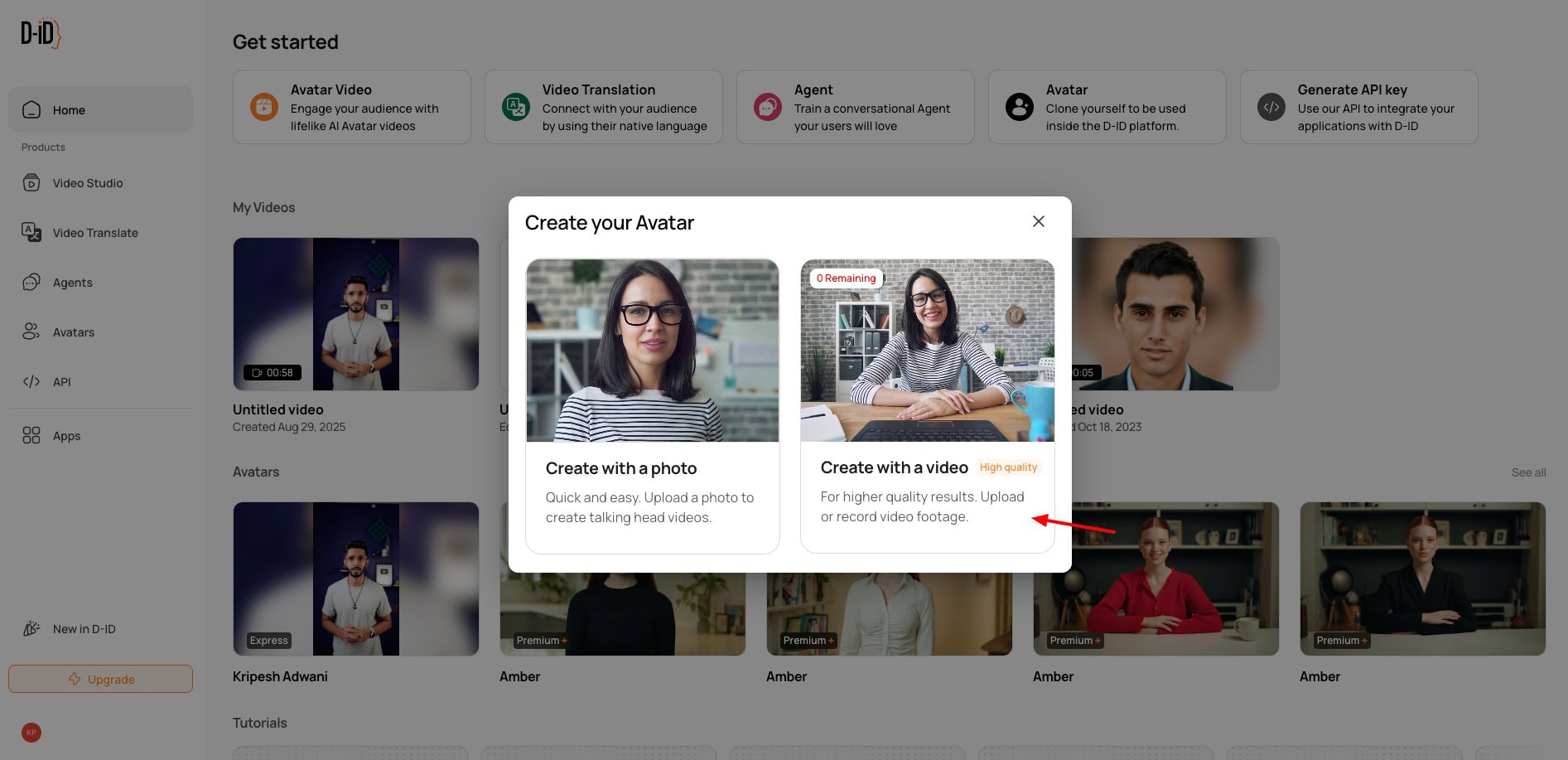
It creates your custom avatar within a few minutes. Check out this custom avatar video I created using D-ID. It captured the expressions, hand movements, and gestures well. But I didn’t like its unnatural lip syncing.
Once the avatar is generated, you can also edit its background, add text, shapes, media, audio, and more. Overall, I won’t recommend this tool for generating custom avatars. You can use it for creating AI avatars in general. However, its avatar library is also quite small.
Pricing: The 14-day free trial offers 3 minutes of video generation. Its paid plans start from $5.90/month, where you get 40 credits.
5. Colossyan
Colossyan is an AI-powered video generator that can turn PDFs, PPTs, and scripts into training videos featuring AI avatars. You can also create custom AI avatars with it. To get started, simply use the ‘Instant Avatar’ option. Upload a photo or video and enter your name and gender.
Next, you can also select an AI voice you wish to use with your avatar. If you want to use a custom voice, it lets you record your voice or upload your audio as well. Once your avatar is generated, it automatically opens up in a new editing window, where you can enter your script.
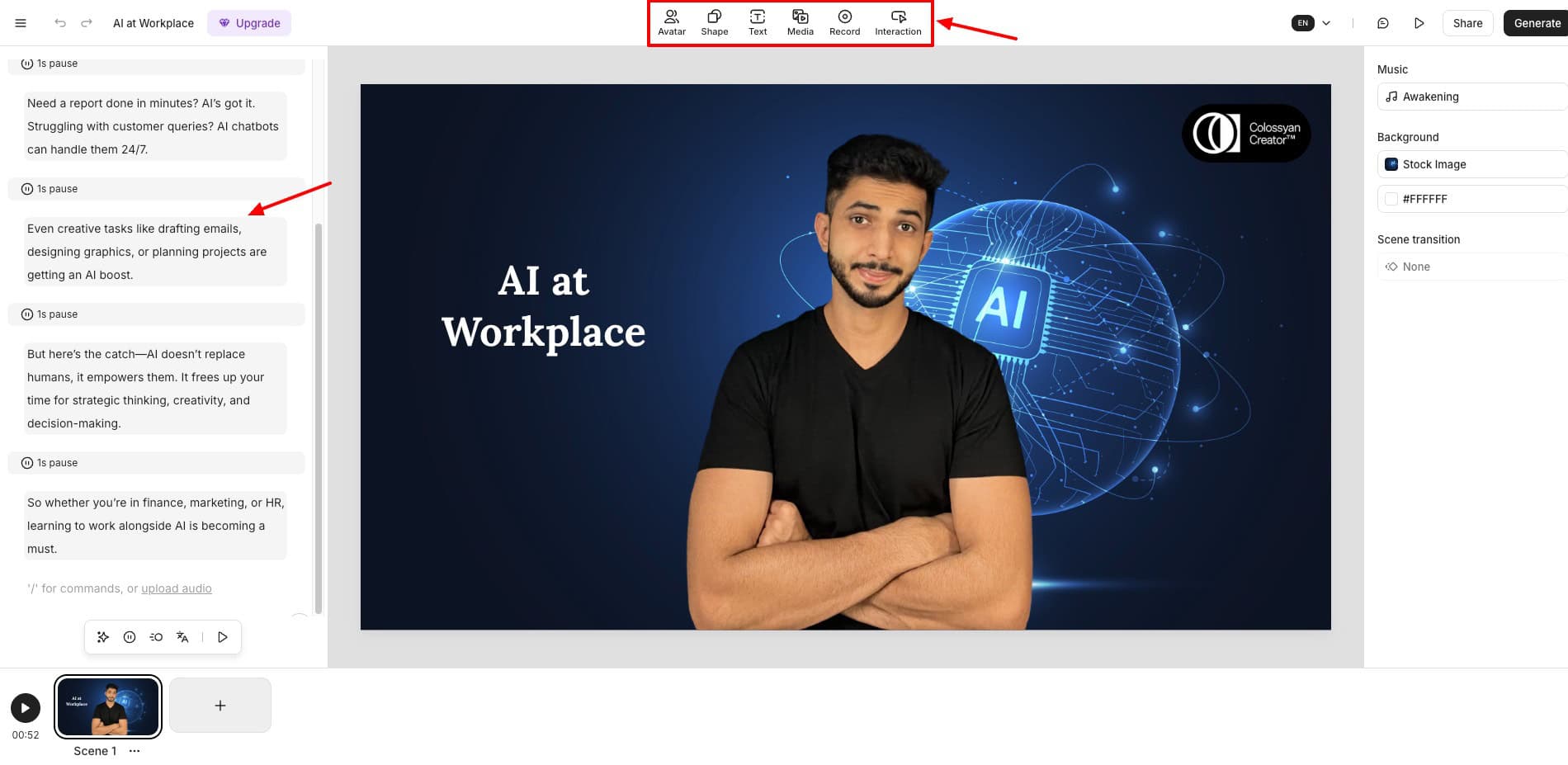
You can also add pauses wherever you want. It also lets you add a background image, text, shape, etc, to your video. The video generation takes quite some time. You get 1080p exports on the free version, and subtitles can be burned into the video or displayed optionally.
Check out this avatar video I created using Colossyan. Overall, I didn’t really like the custom avatar’s lip sync and the video quality. It made my avatar look stiff and unnatural. I won’t recommend it for custom avatar generation.
Pricing: Its free plan offers 1 instant avatar with a limit of 3 video minutes. Its paid plans start from $19/month for 15 mins of video/month.
How to Choose a Custom AI Avatar Generator?
You won’t find all the features in a single tool. Every custom AI avatar generator specializes in different features. Here are the factors you should consider before choosing a custom AI avatar generator.
1. Quality of Avatars
Always test out the quality of custom avatars created by any tool. Does the avatar resemble you in facial features and gestures? Go with the tool that creates lifelike AI avatars that look most like you.
2. Lip Sync Accuracy
Most custom AI avatars mess up when they try to lip sync. Some make your face look unnatural, while others ruin the expressions. So, always try lip syncing multiple times before selecting a tool.
3. Customization Options
Check if it offers customization options to edit your face, clothes, background, style, and more. This will allow you to place your avatar in multiple settings for different videos.
4. Pricing and Free Plans
Most AI tools don’t offer custom avatar generation on their free plans. So always visit their pricing page and check what is included in the free plan and paid plans.
5. Export Options and Ease of Use
Besides video generation options, also check which download types and formats are available. Last, also analyze if the platform is easy to use and has a friendly design.
Testing Parameters
For this article, I went through an array of custom AI avatar generators available on the web and thoroughly tested each one. To evaluate their performance and usability, I used a range of factors.
These include quality of AI avatar, facial features and gestures, lip sync accuracy, video quality, voice quality, pricing, generation speed, preview and export options, export quality, ease of use, etc. Finally, I ranked them in the order of their features and performance.
Why Should You Trust Me?
I have been working full-time in the digital industry since 2015. In all these years, I’ve used and tested hundreds of AI tools, including AI voice generators, AI website builders, AI art generators, AI logo generators, and more.
I’ve spent a few weeks thoroughly testing and researching the above custom AI avatar generators. Experimenting with all these tools has given me immense experience and expertise to recommend the best ones for your requirements.
Conclusion
In this article, we listed the best custom AI avatar generators. These tools can help you create your digitized versions and boost productivity to the next level. My personal favorite is HeyGen. I use it on my social media channels for creating shorts and reels with my AI-generated avatars.
Have you used any custom AI avatar generator tool? How was your experience with it? Do you have any other tool recommendations? Do share with us in the comments section below. This is Kripesh signing off. Cheers, and keep learning!