The average Instagram post takes around 30 minutes to publish. Why?
Because we sit blank for 10 minutes just to think what to write in the caption box. We type something generic, delete it, search for the right emojis, and spend more time finding trending hashtags.
In 2026, AI has quietly solved this problem. AI image caption generators can look at your photo and create captions for different platforms in just seconds. No more copy-pasting hashtags. No more wasting time.
To make your job even easier, I tested the 7 best AI image caption generators in 2026. I evaluated each one based on caption quality, creativity, platform compatibility, speed, and what you actually get for free.
Let’s see what I found!
7 Best AI Image Caption Generators [Quick Comparison]
| Tool | Platforms | Tone control | Caption Variants | Standout Features | Best for |
| Ahrefs Free Caption Generator | 16 styles + custom | 5 | AI Edits, Translation, Grammar fix | SEO & discoverability | |
| ClickCaption: AI Photo Caption | Instagram, LinkedIn, X | 5 styles | 3 | Auto image and keyword analysis, Fine-tune control, Direct share | Mobile-first creators |
| Captionation | Instagram, TikTok, Facebook, LinkedIn, X, YouTube | 8 styles | 6 | Dual AI models, 20+ languages | Multi-platform |
| Consumable AI | 5 styles | 10 | 30 hashtags, Keyword input | Customization | |
| QuillBot AI Instagram Caption Generator | No | 3 to 5 | AI chat, Edits | Writing quality | |
| Pallyy Image Caption Generator | Any (generic) | 11 styles | 1 | Auto hashtags & emojis | Alt text + scheduling |
| Writingmate AI Caption Generator | 8 styles + custom | 1 | Nothing unique | Beginners |
Best AI Image Caption Generators for 2026
1) Ahrefs Free AI Instagram Caption Generator
Ahrefs is already a premier SEO platform and offers two types of free AI caption generators. I selected the AI Instagram Caption Generator, which automatically writes captions from images. Another option is the Free AI Social Media Caption Generator, which doesn’t support images and generates captions only from text descriptions.
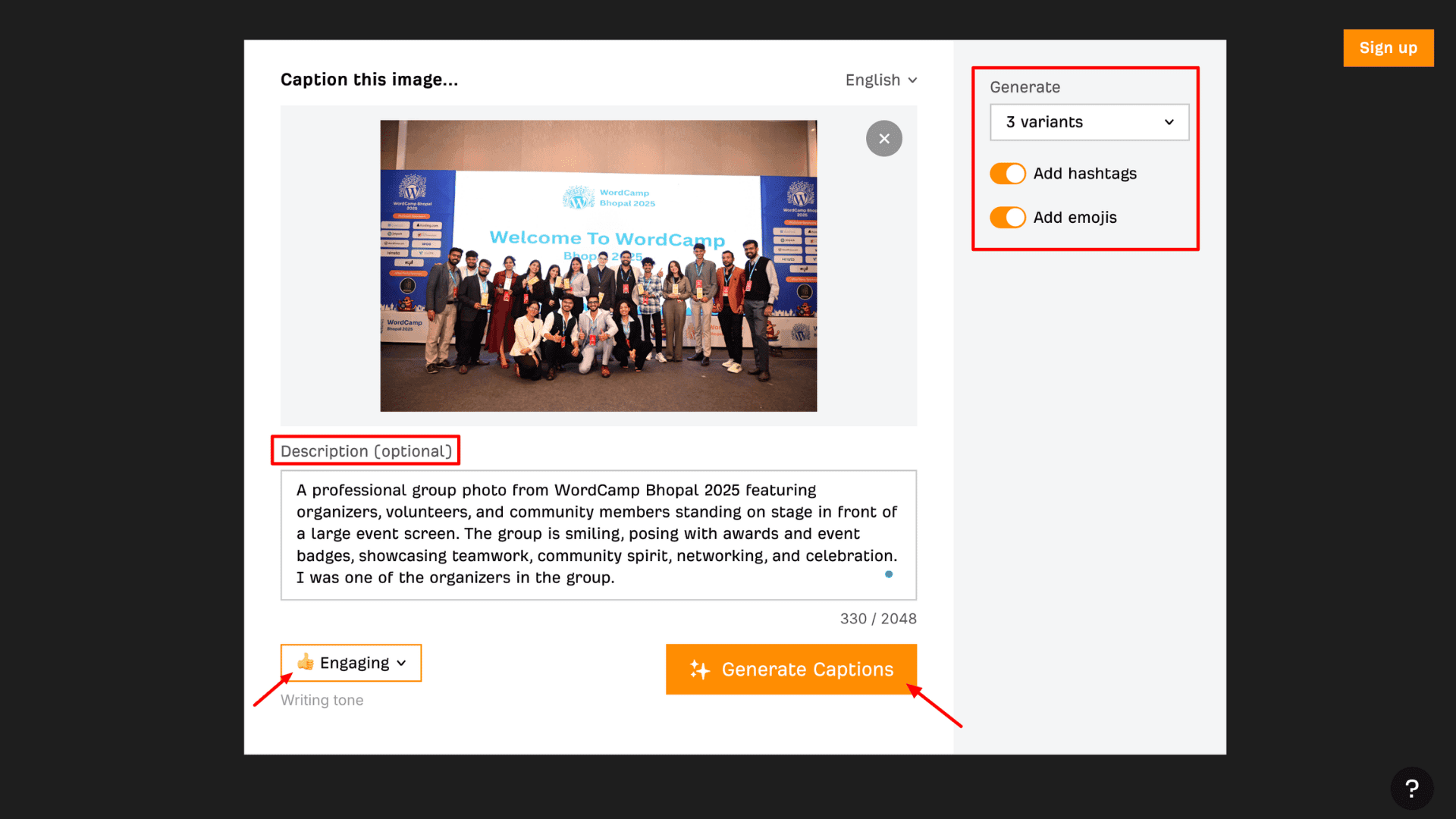
The AI Instagram Caption Generator doesn’t require a sign-up. All you need to do is upload a photo and write a brief description of it. Then, you can toggle the emoji and hashtag options on or off based on your preference. After that, select the number of caption variants and the tone you want. Ahrefs takes only a few seconds to generate the captions.
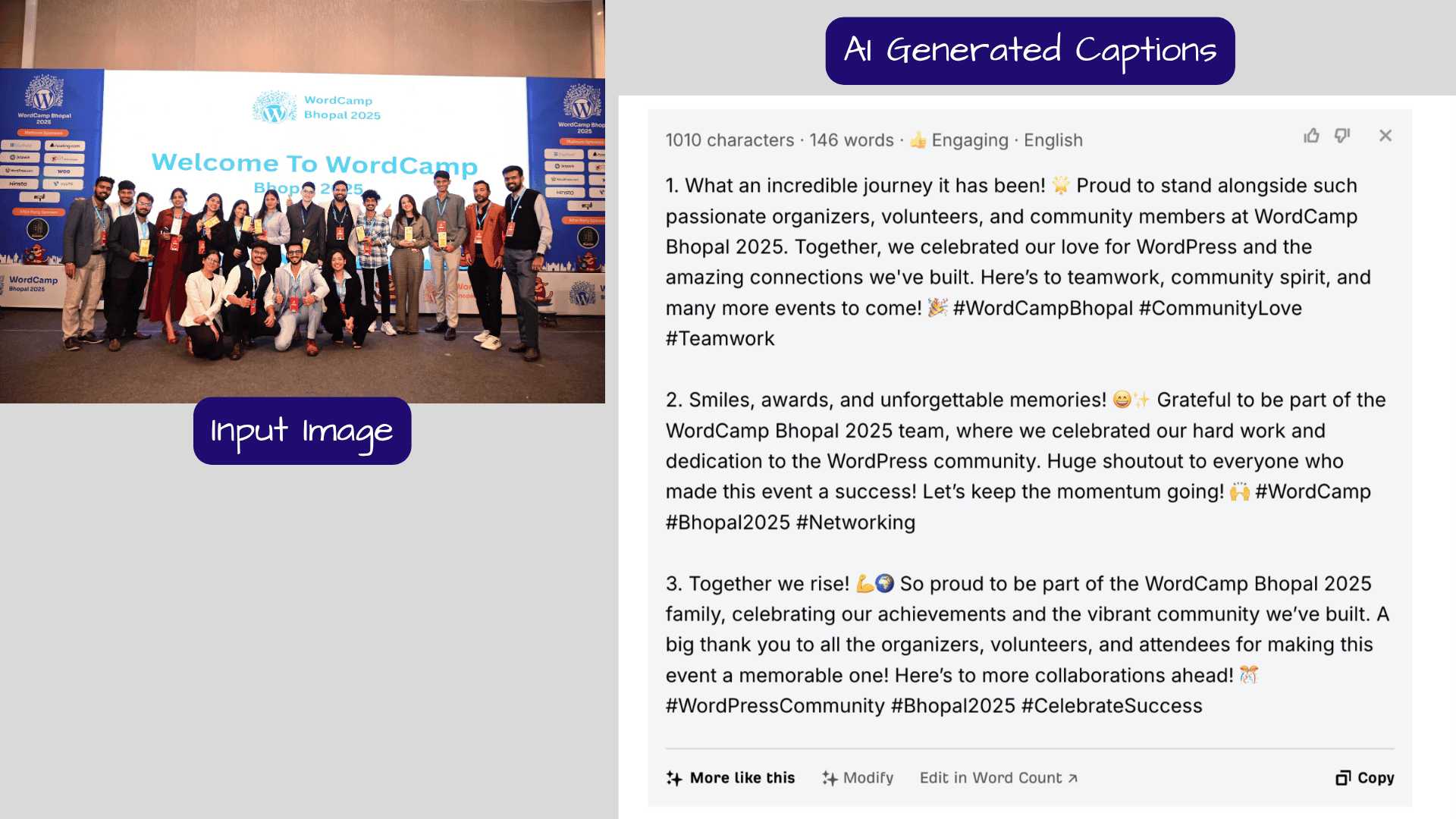
Unlike many other apps, Ahrefs also lets you modify the generated captions further. Just click on “Modify,” and you can shorten, rephrase, edit sentences, or even translate the caption into Hindi, Bengali, and other languages. Once done, simply copy and paste the caption into your Instagram post.
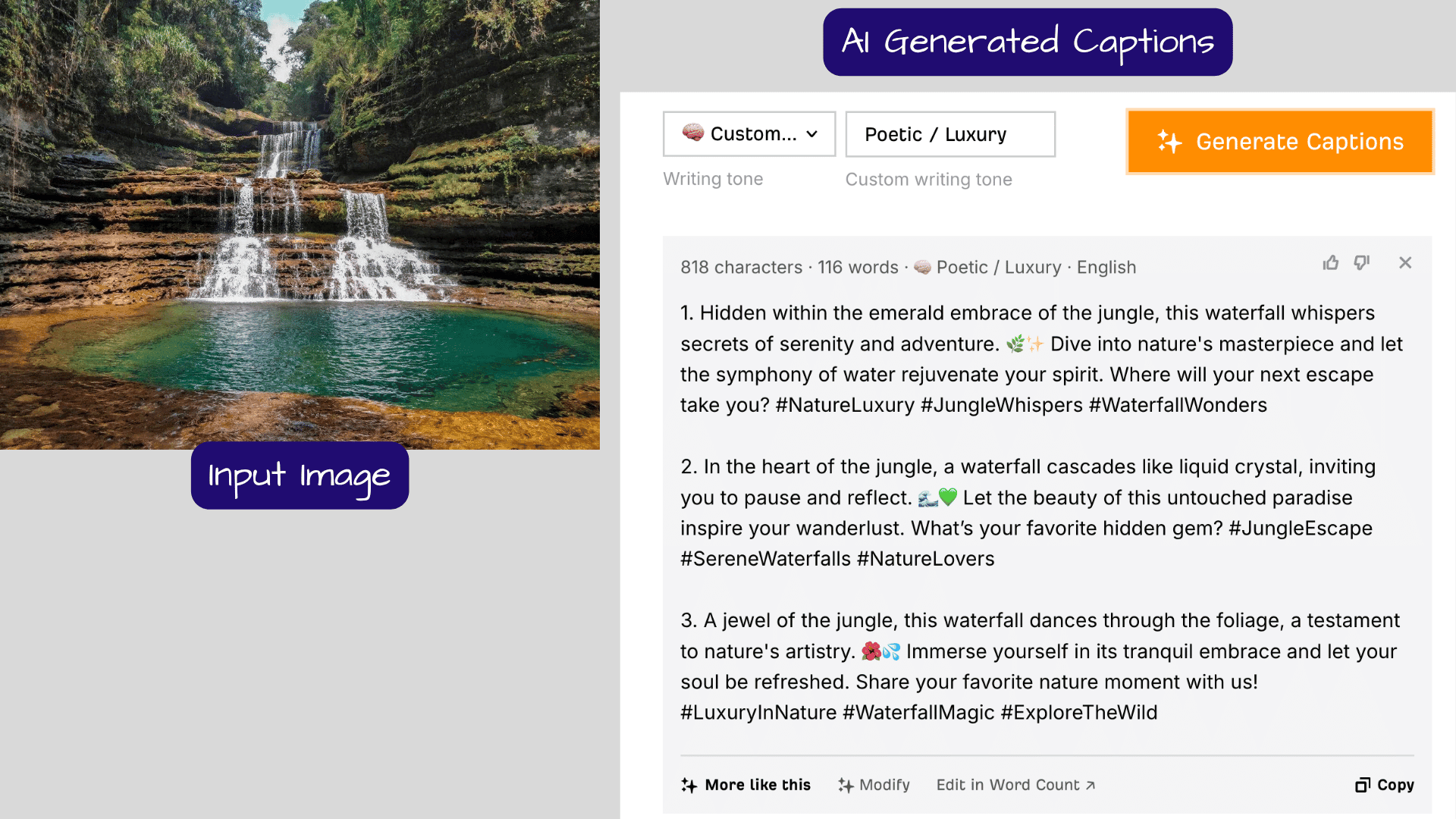
I really liked the caption quality. The captions are neither too short nor too long. The emojis feel relevant, the hashtags match trending keywords, and the tone sounds natural. Most importantly, every caption ends with a strong call-to-action.
Pros
- Generates 5 caption options within seconds
- 16 tone presets, including custom tones
- Built-in AI caption editing tools
- Captions include strong call-to-action phrases
- Supports JPEG, PNG, and GIF image formats (up to 10MB)
- Unlimited caption generation
- Built-in word count and grammar correction tool
- Backed by a trusted SEO brand
Cons
- No option to control caption length
- Mainly focused on Instagram
Who Should Use
Bloggers, SEO content creators, and Regional content creators who need translation support.
2) ClickCaption: AI Photo Caption
If you’re looking for mobile-friendly AI image caption generators, unfortunately, there are very few good options available. Some apps take too much time, while others are filled with ads. That’s why I developed and launched the ClickCaption AI Caption Generator to solve all these issues.
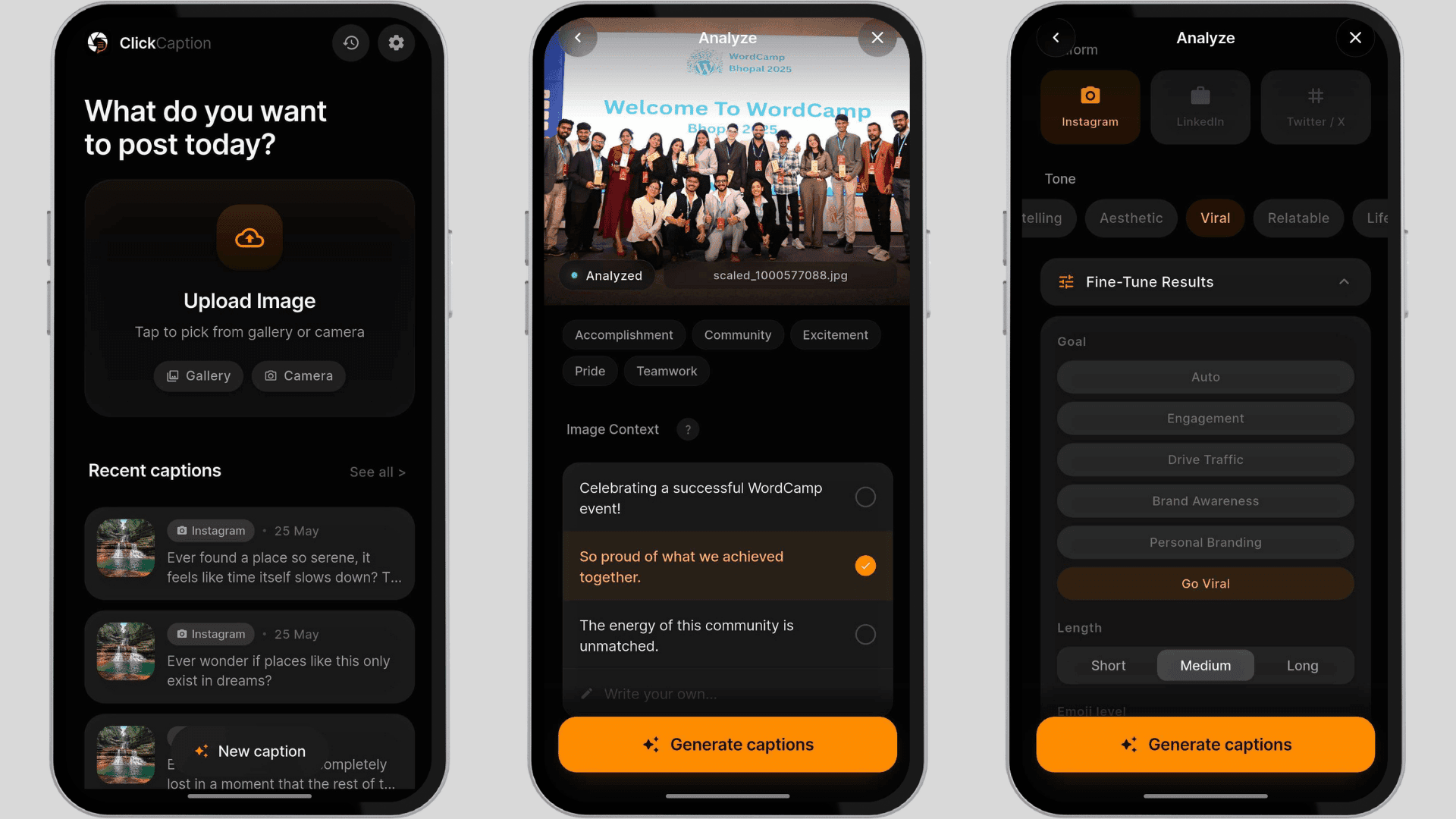
It’s a dedicated mobile app that doesn’t require account creation. The app generates captions for Instagram, LinkedIn, and X (Twitter). It’s completely free to use. Upload an image, and the powerful artificial intelligence automatically analyzes the image context and keywords. You can either select from the suggested contexts or write your own.
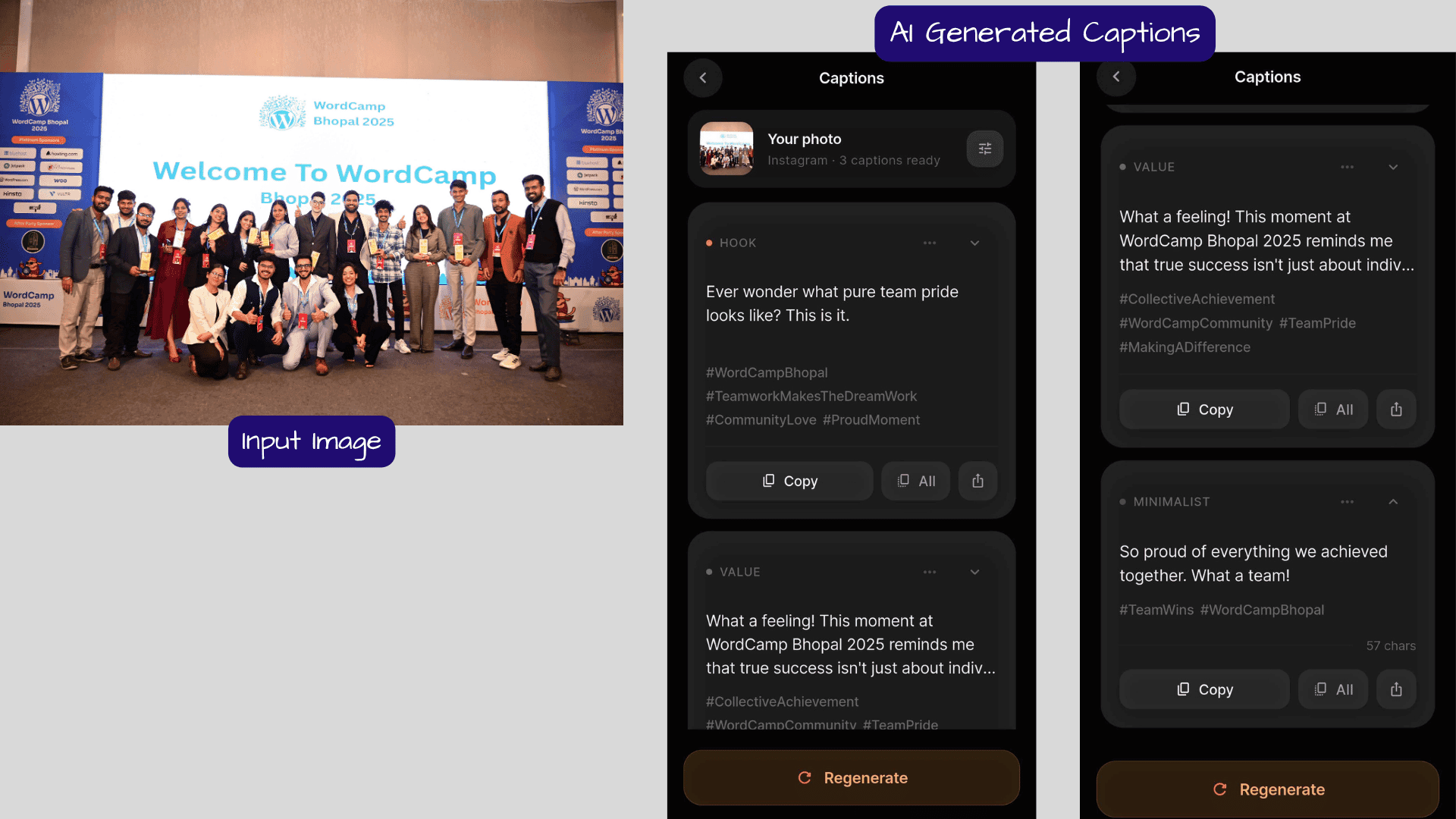
Next, choose the platform and tone. For more advanced control, I’ve also included options for goals, emoji level, hashtags, and creativity level selection. When you click “Generate,” the app creates three caption styles: Hook, Story, and Minimal.
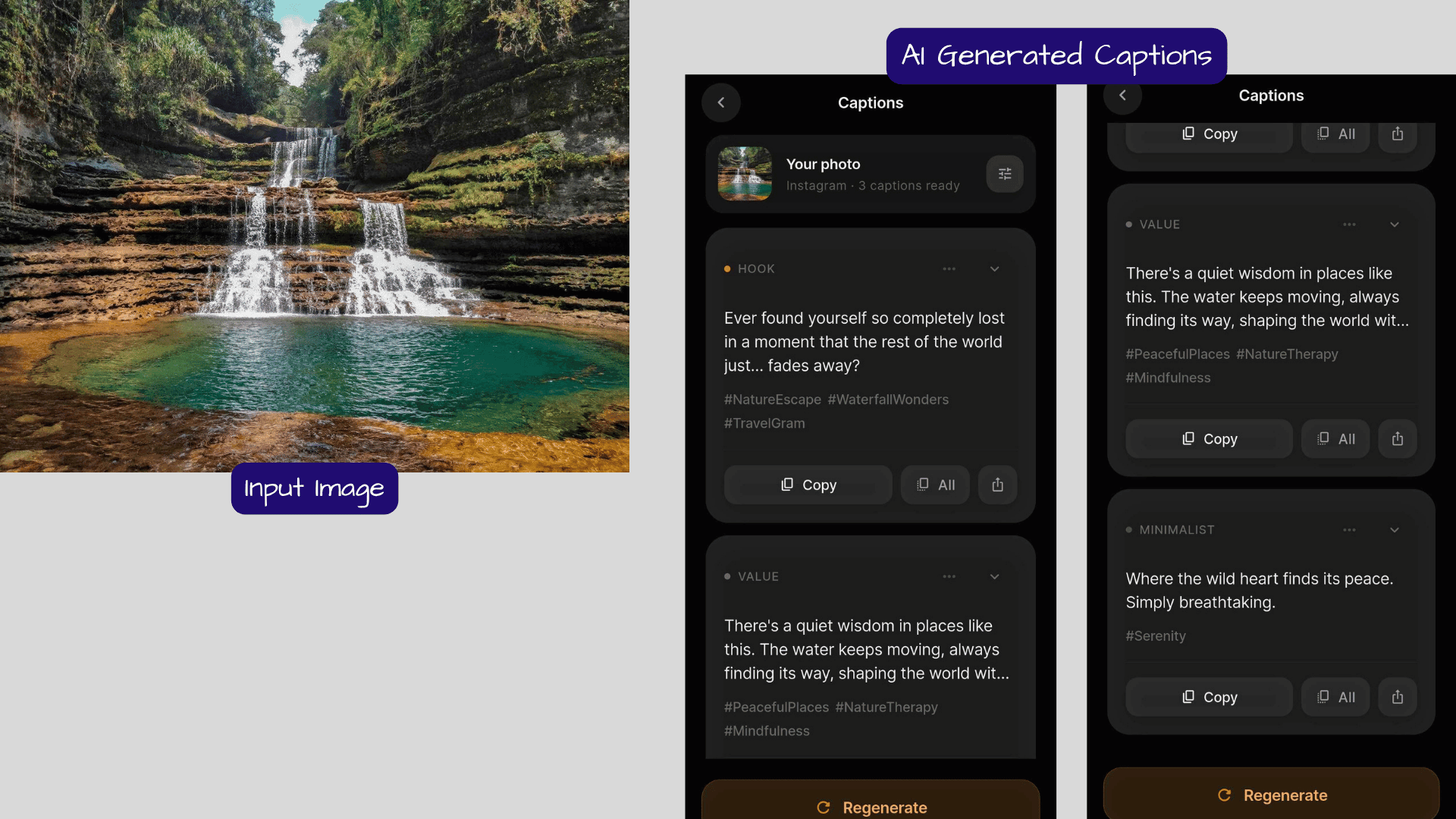
ClickCaption provides natural-sounding captions instead of robotic AI-generated text. You can increase the creativity level to generate more unique captions. The app also lets you directly share captions to any platform or simply copy and paste them.
Pros
- AI auto-analyzes image context and keywords
- Generates captions for multiple platforms in one app
- Three caption formats: Hook, Story, and Minimal
- Fine-tune controls for more personalized captions
- Direct sharing from the app
- No browser needed
Cons
- Newer app with a smaller user base
Who Should Use
Mobile-first content creators and personal brand builders who are active on LinkedIn, Instagram, and X simultaneously.
3) Captionation
Captionation is another premium AI caption generation tool if you want captions for more platforms. Apart from Instagram, X (Twitter), and LinkedIn, this tool can also generate captions for YouTube, TikTok, and Facebook. Plus, it offers 8 different tone presets.
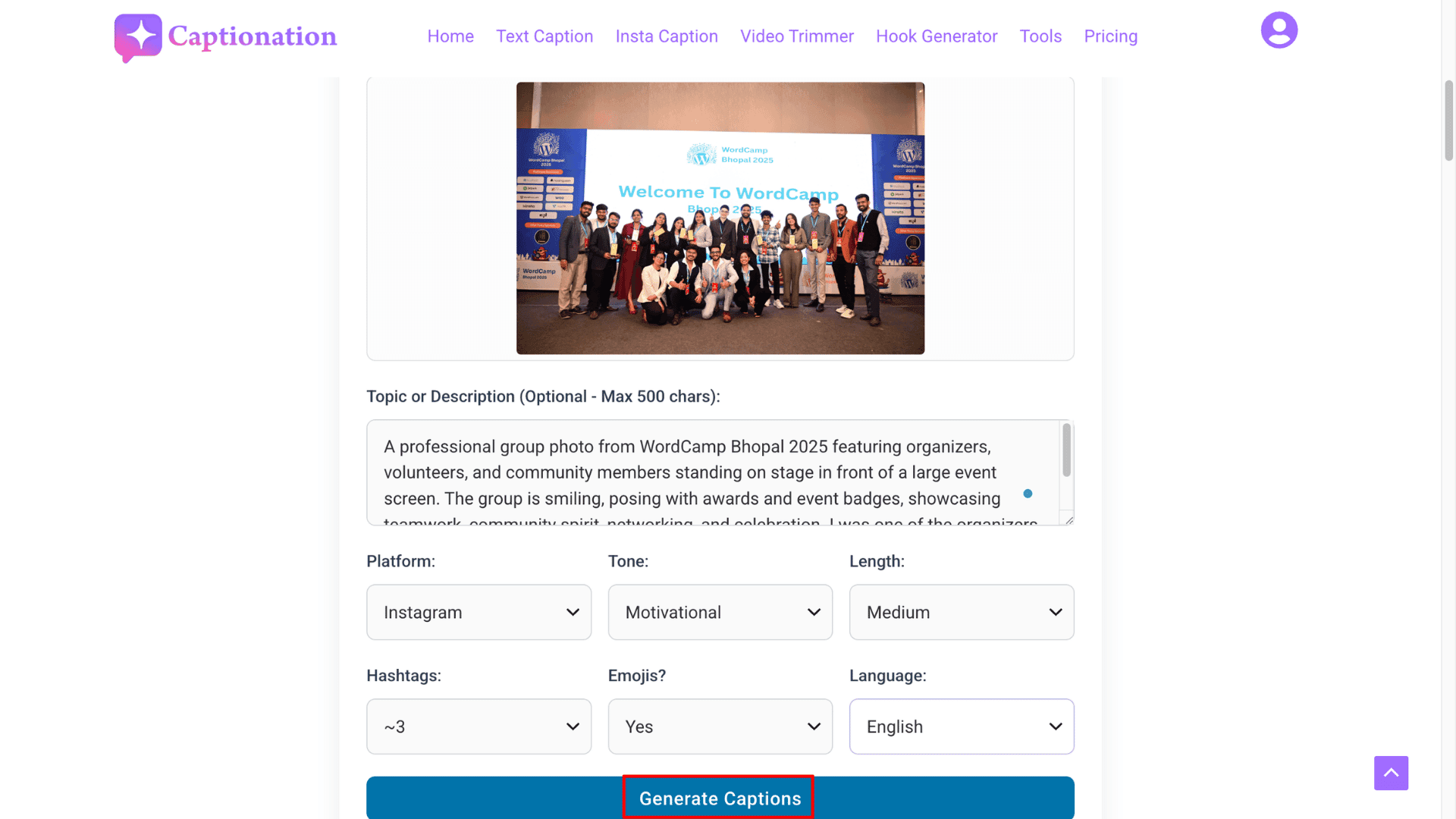
The tool is very easy to use. Upload your photo, write a description within 500 characters, and choose the platform, tone, and caption length. Captionation also provides three extra customization options: number of hashtags, emoji level, and language selection.
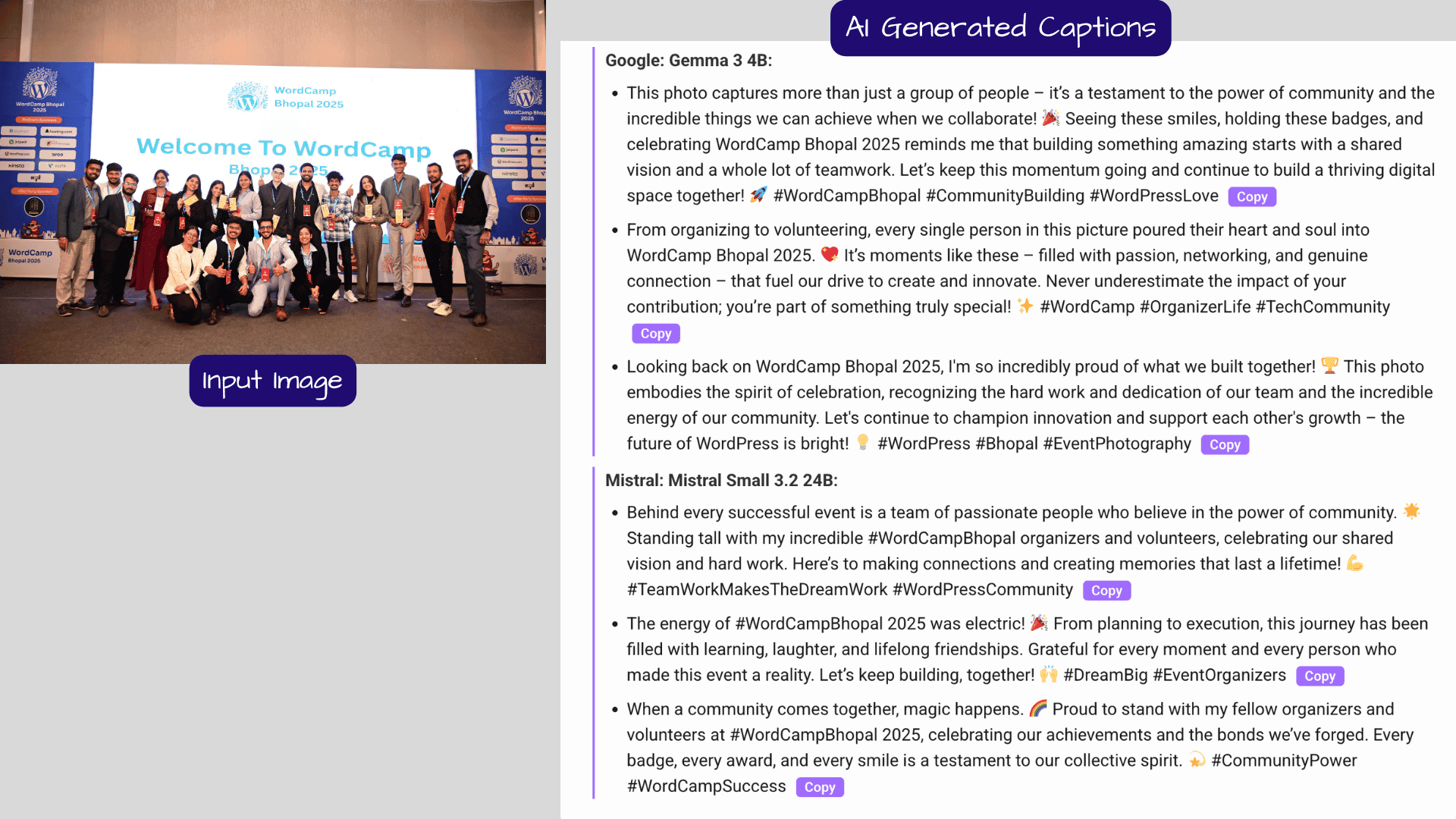
The tool is very easy to use. Upload your photo, write a description within 500 characters, and choose the platform, tone, and caption length. Captionation also provides three extra customization options: number of hashtags, emoji level, and language selection.
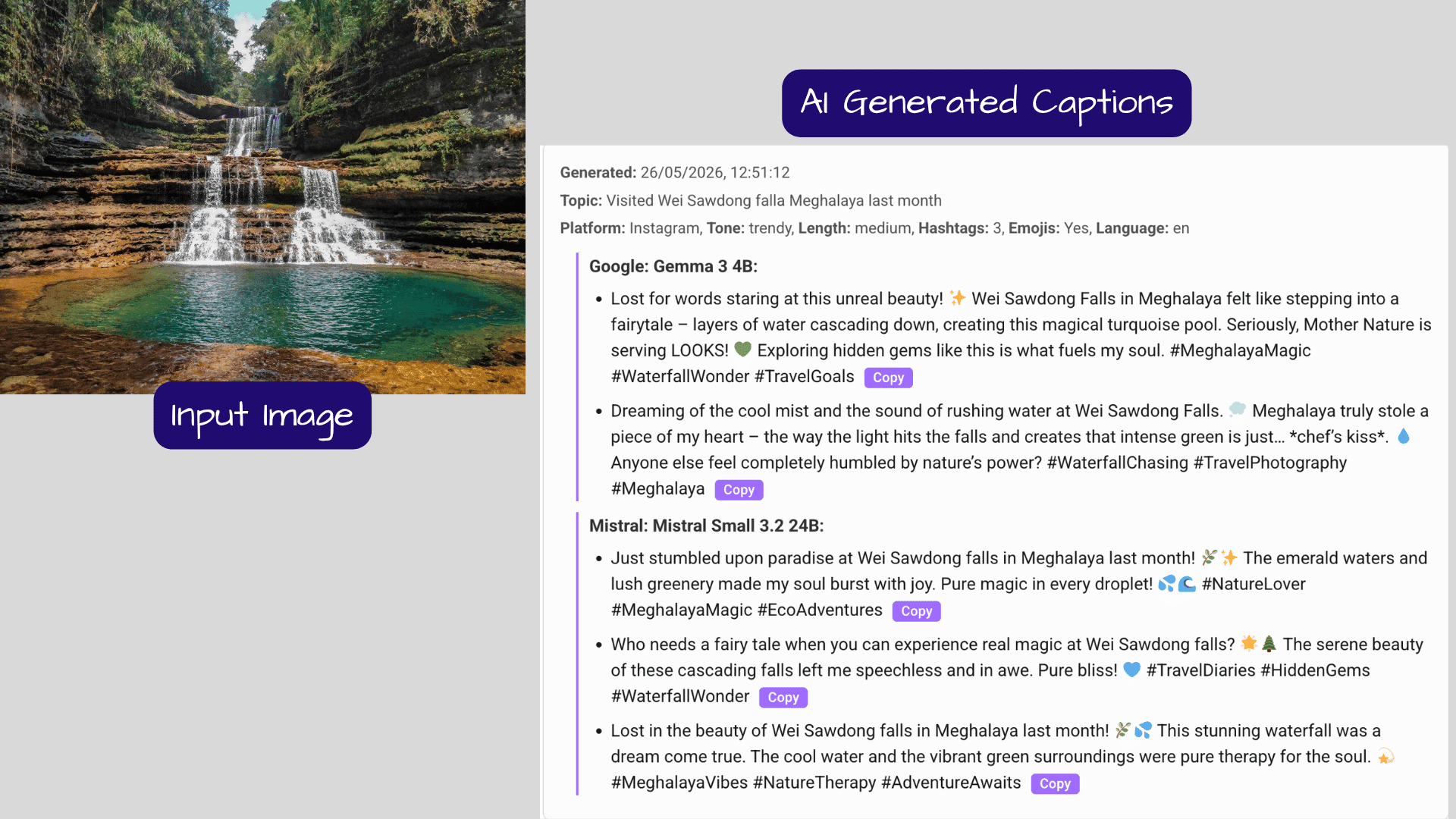
Pros
- Supports JPEG, PNG, GIF, or WEBP images (up to 5 MB)
- Covers 6 social media platforms
- Generates captions using dual AI models
- Supports 20+ languages, including Hindi, Bengali, Gujarati, Kannada, and Punjabi
- Generates 6 captions at a time
- Privacy-focused tool; uploaded images are deleted after use
Cons
- Only 2 free image credits per day
- No option to provide custom tones
- Captions cannot be edited after generation
Who Should Use
Multilingual marketers, Indian content creators with non-English audiences, and social media managers who need to post on every platform will find Captionation useful.
4) Consumable AI
Consumable AI is another platform offering AI research and automation tools. Among its many writing assistants, it also provides a free AI Instagram caption generator. Similar to the tools mentioned above, you can access the caption generator directly without signing up.
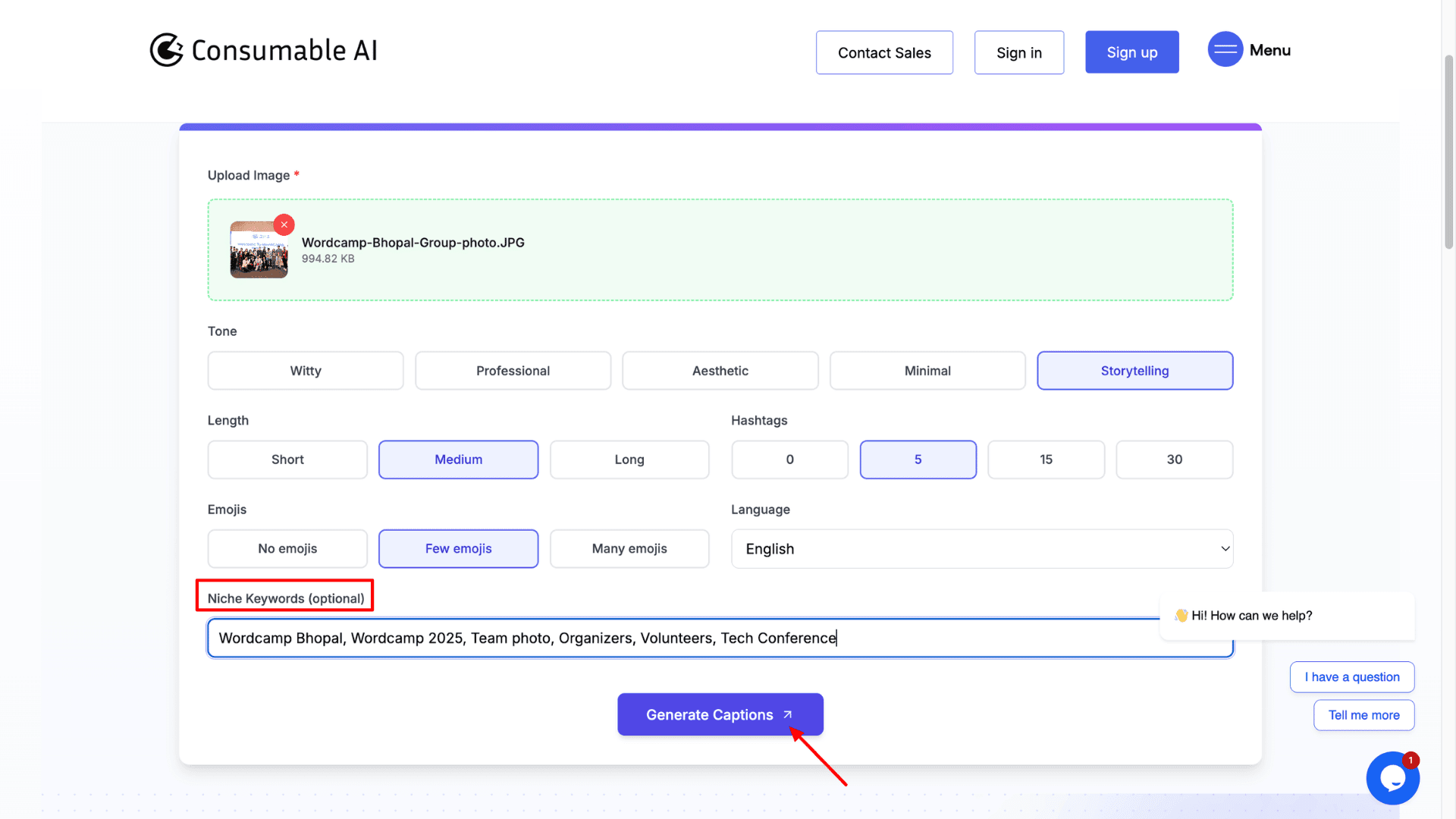
After uploading an image, choose the tone, caption length, and emoji level. The platform can generate up to 30 hashtags for a single caption. But instead of a detailed description, we can only provide niche-related keywords for the image.
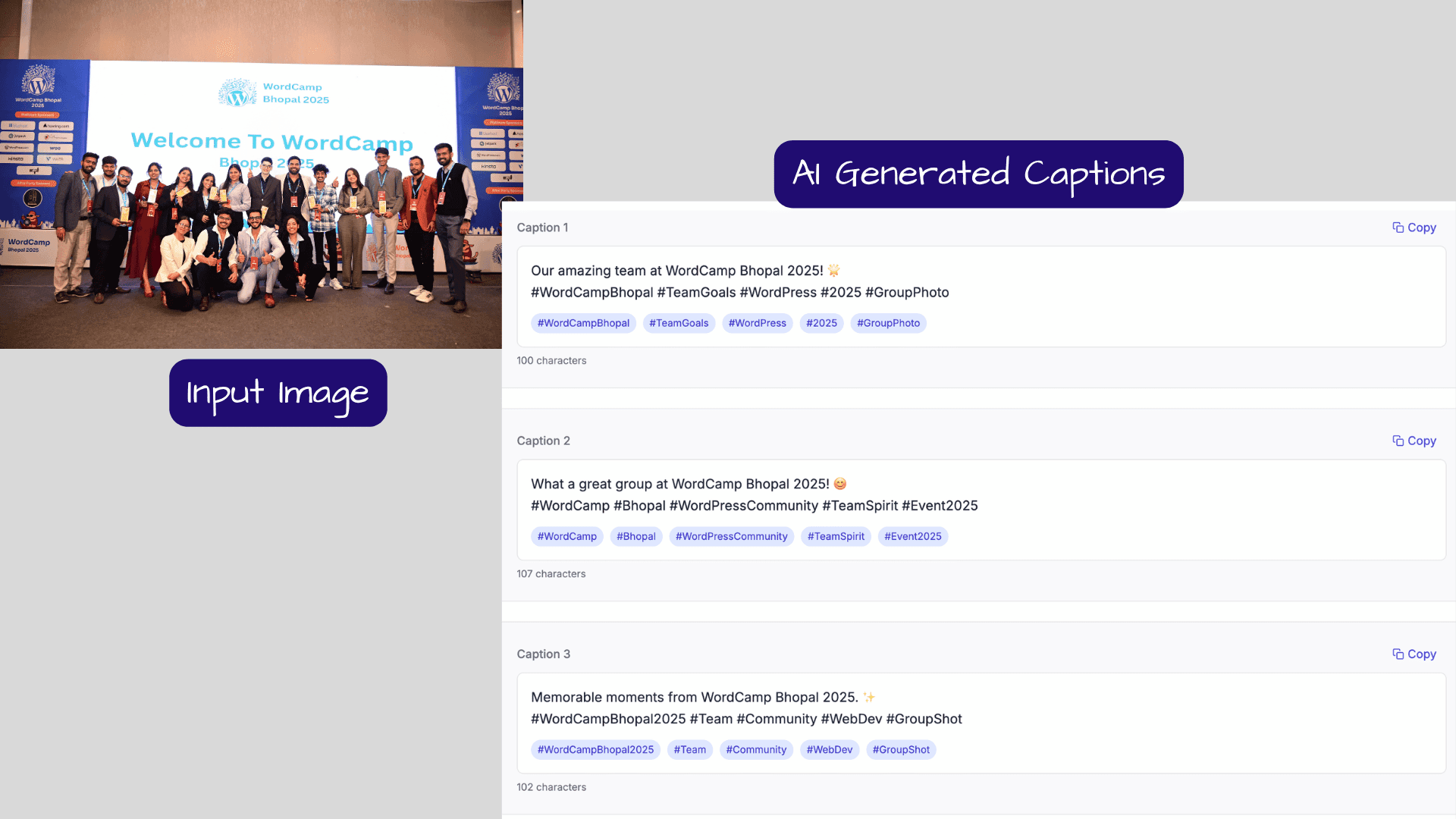
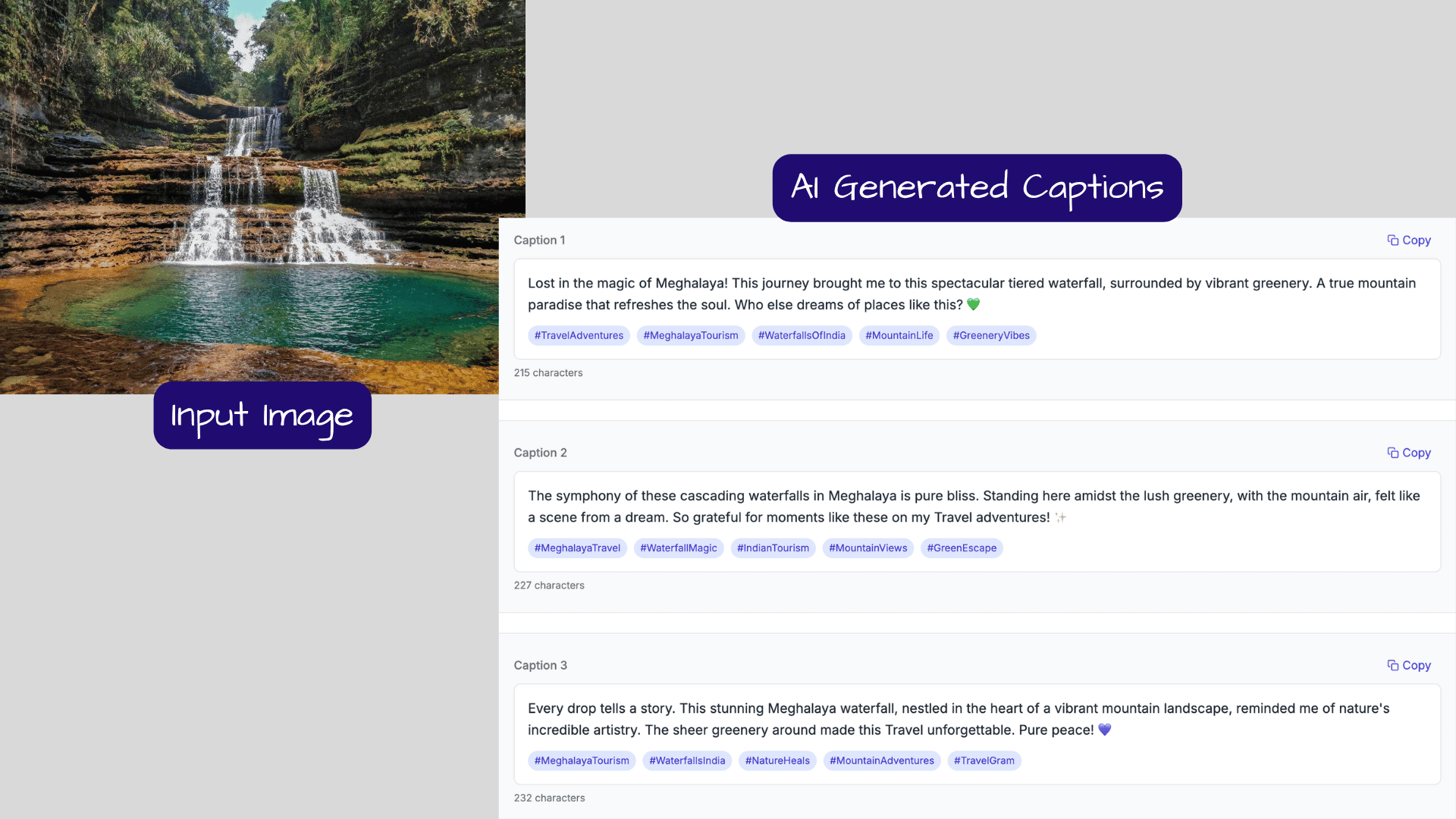
It generated 10 captions quickly, the highest output in this category. There’s also an option to generate captions in 9 other languages, including Hindi. The caption quality is decent, although you may need to make small edits to give the text a more human-like touch. After that, you can simply copy and use the captions on Instagram.
Pros
- Generate up to 10 captions and 30 hashtags at once
- Keyword-based input for niche targeting
- Caption length control
- Completely free and unlimited caption generator
- Supports both English and Hindi
Cons
- Works only for Instagram captions
- Limited to 5 tone presets with no custom tone option
- No post-generation editing feature
- Doesn’t allow detailed image descriptions
Who Should Use
Bulk content creators and social media agencies need multiple caption and hashtag options for every image. It’s also useful for product and e-commerce creators who want to generate captions using product-specific keywords.
5) QuillBot AI Instagram Caption Generator
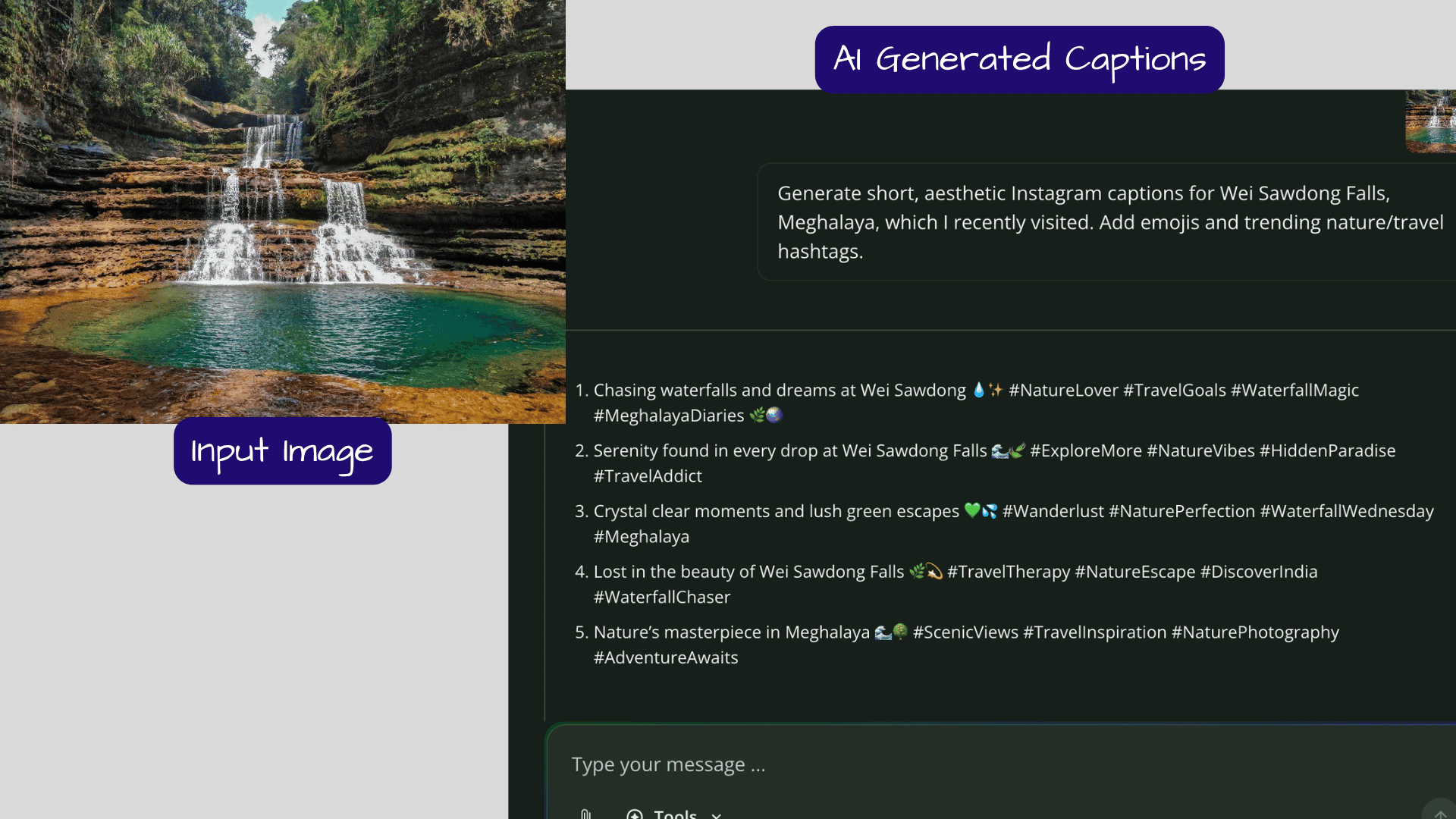
QuillBot is mainly known among writers for its paraphrasing tool, but it also offers a free AI Instagram caption generator. The tool works more like an AI chatbot, similar to ChatGPT or Gemini. Unlike the tools discussed above, QuillBot does not provide preset options for tone control, caption length, hashtags, or emoji settings.
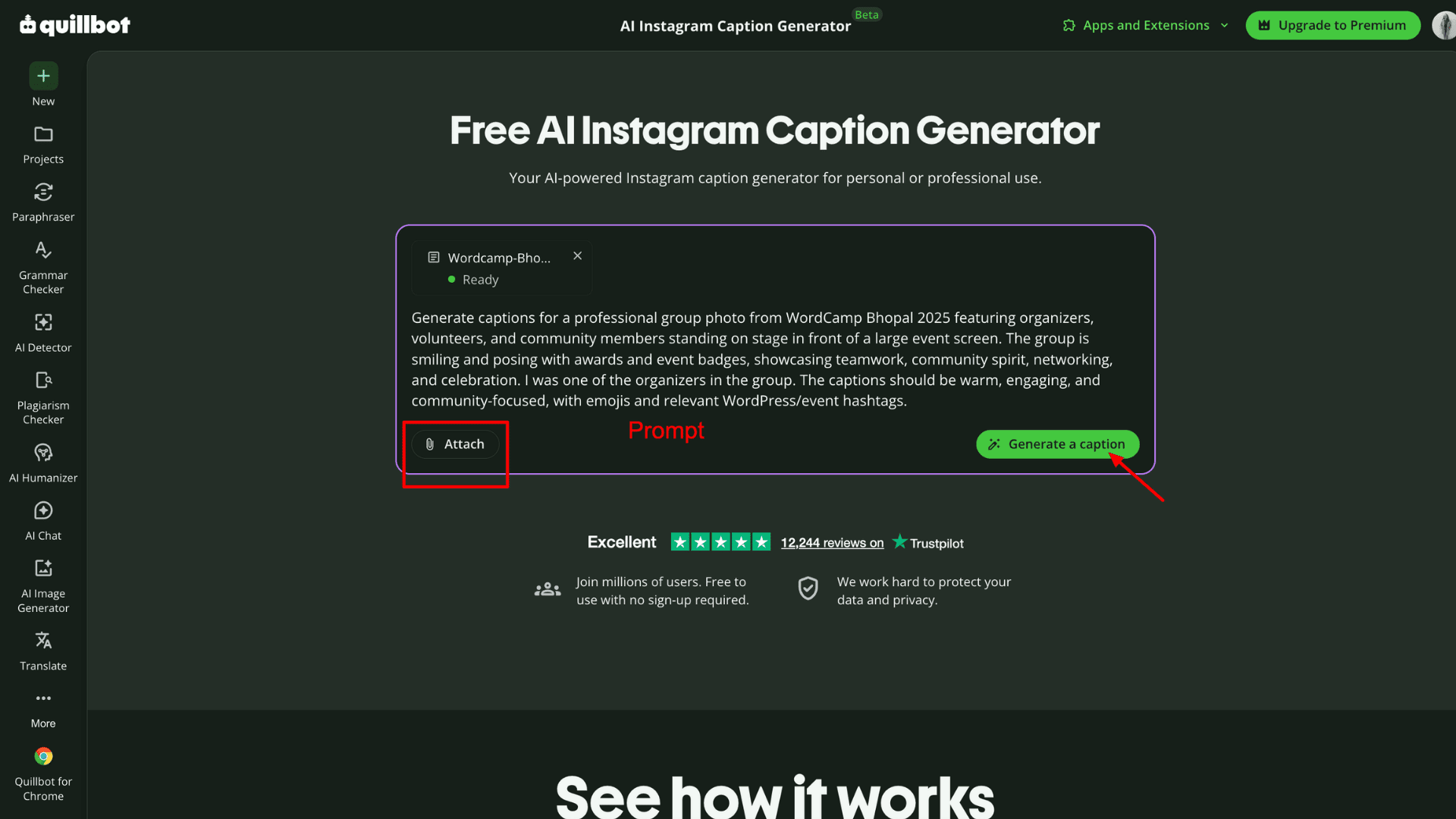
Upload your image and write a detailed prompt describing the caption you want. If you need niche-specific hashtags, emojis, or a particular caption style, you can mention those in the prompt as well. QuillBot takes a few seconds to process the request and then generates the captions.
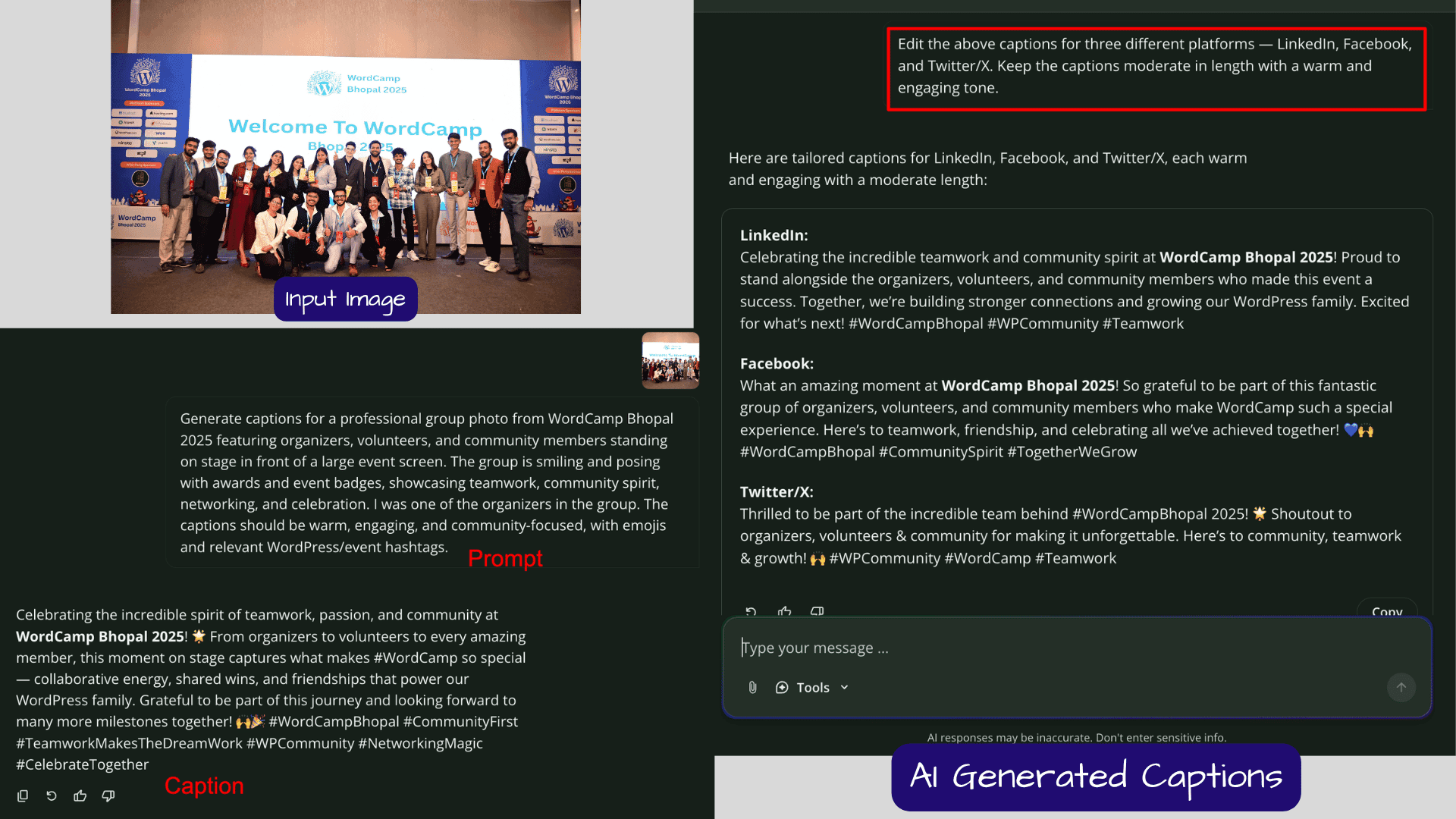
We can continue refining the captions with follow-up prompts. I could even generate multiple variations of the same caption for different social media platforms. QuillBot created platform-appropriate captions well. For example, the LinkedIn and Twitter/X captions were more straightforward and professional, while the Instagram captions felt more creative.
Pros
- ChatGPT-style AI chat interface for caption generation
- Allows editing, refining, and translating captions through text prompts
- Strong writing quality powered by QuillBot’s NLP engine
- Supports both image and text-based prompts
Cons
- No upfront tone selection options
- Usually generates only one caption at a time
- Requires detailed prompts to achieve the best results
Who Should Use
If you already use QuillBot, the caption generator will be ideal without switching tabs. It’s best suited for users who are comfortable writing detailed instructions to get better results.
6) Pallyy Image Caption Generator
If you’re looking for reliable yet simple AI-powered tools, Pally is worth trying. It uses AI to analyze the uploaded image and then generates automatic captions based on that analysis. Apart from caption generation, it can also create alt text and image descriptions.
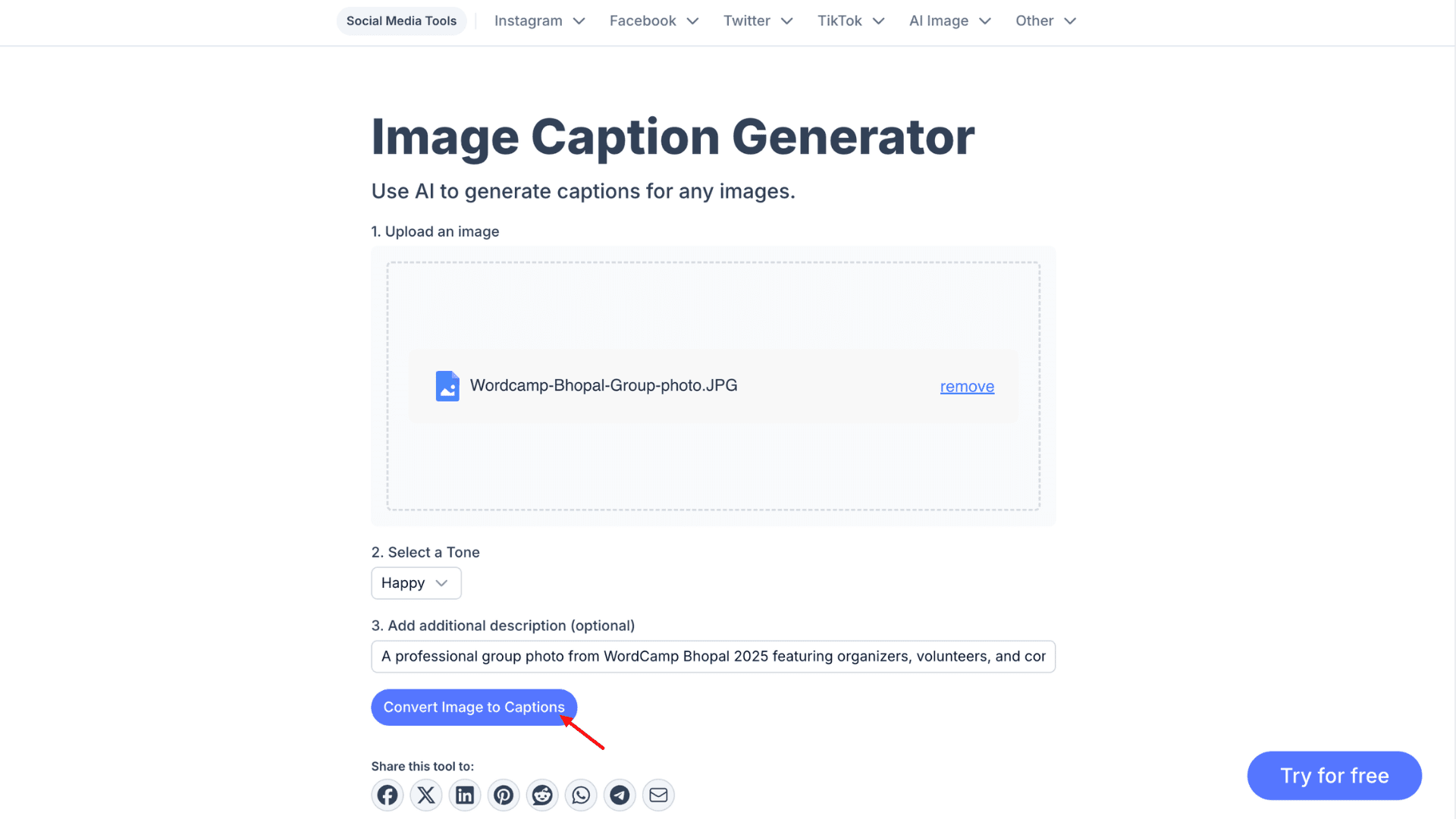
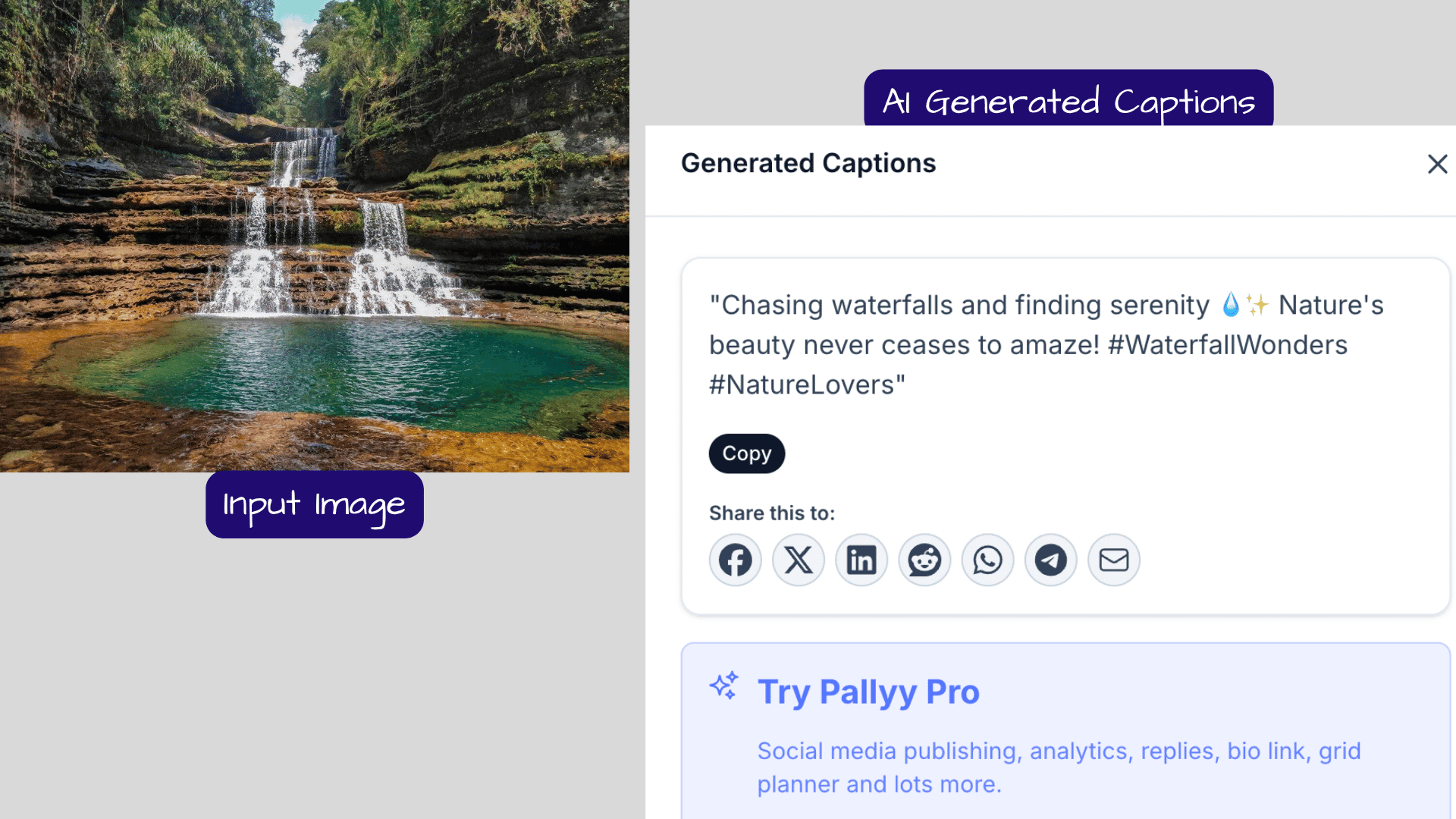
Pally offers limited customization and controls compared to the top-ranking apps. You simply upload the image, choose from preset tones, add a short description, and that’s it. The tool generates only one caption at a time. Even if you don’t specifically ask for them, the final caption includes both hashtags and emojis.
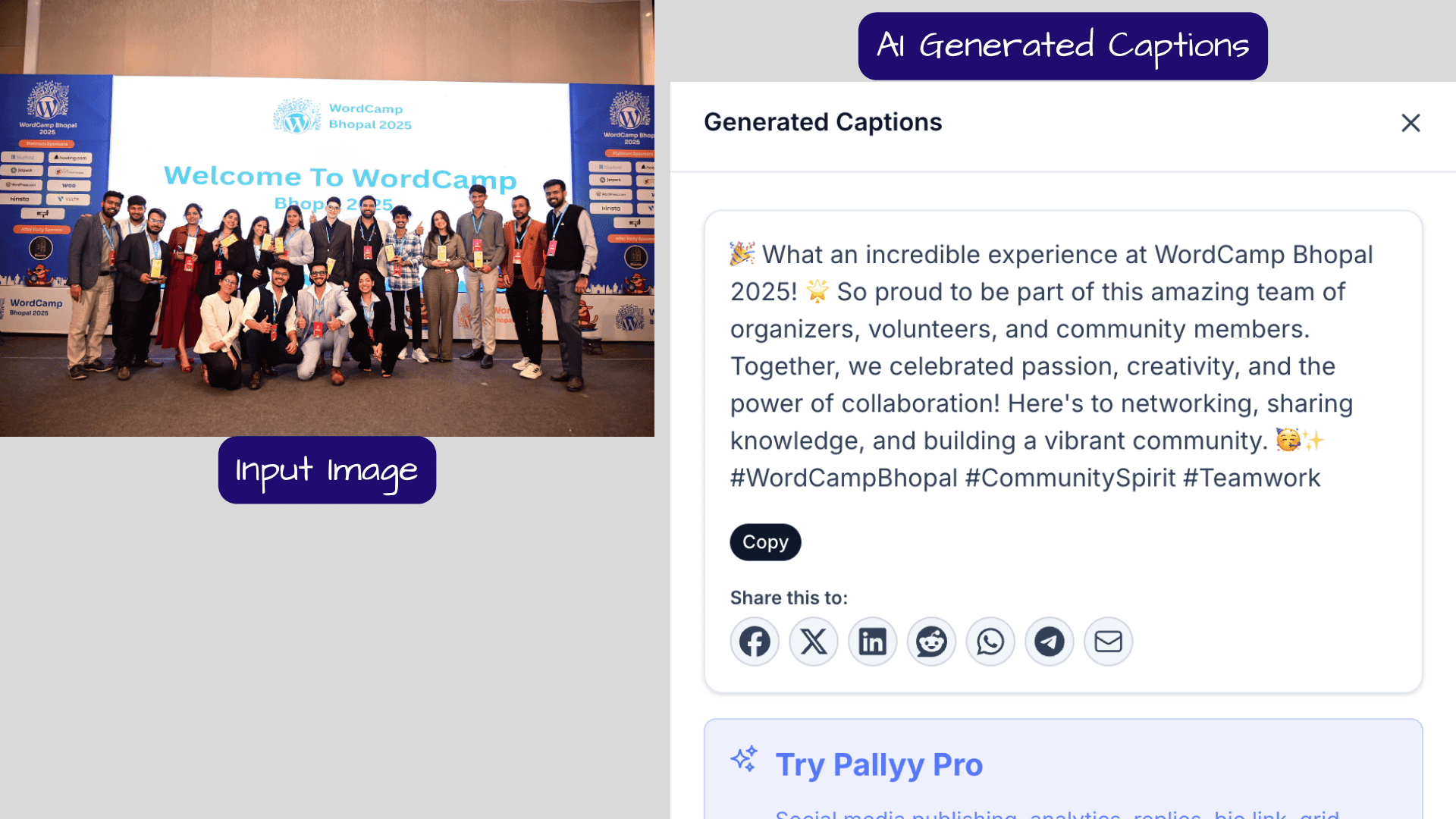
Overall, it handles the basics well. The captions are generic, so you shouldn’t expect highly creative or fancy outputs. Still, it’s worth using because the caption generator integrates naturally with the Pally scheduling platform.
Overall, it handles the basics well. The captions are generic, so you shouldn’t expect highly creative or fancy outputs. Still, it’s worth using because the caption generator integrates naturally with the Pally scheduling platform.
7) Writingmate AI Caption Generator
The last tool I would recommend for generating captions using AI is Writingmate. It’s a simple tool with fewer customization options. Writingmate offers access to advanced AI models like Claude Sonnet, GPT-4o, Gemini Pro, and Perplexity Sonar Pro for various AI workflows. For social media users, it provides an AI Instagram Caption Generator, along with hashtag and bio generators.
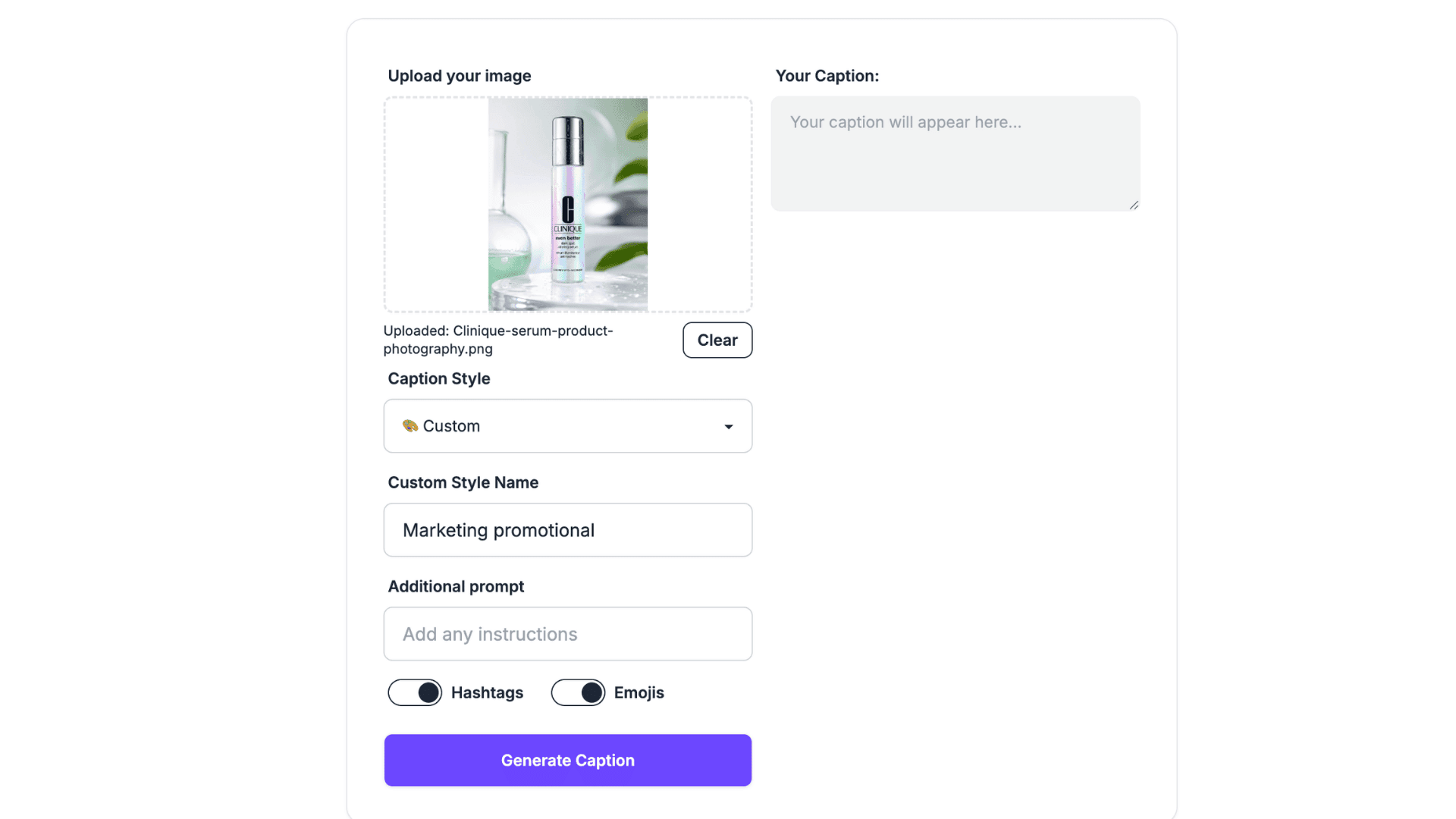
To use the tool, upload your image, choose from the preset tone styles, or enter your own custom tone. Add any extra details if needed. You can also toggle hashtags and emojis on or off. Writingmate then generates a caption within a few seconds.
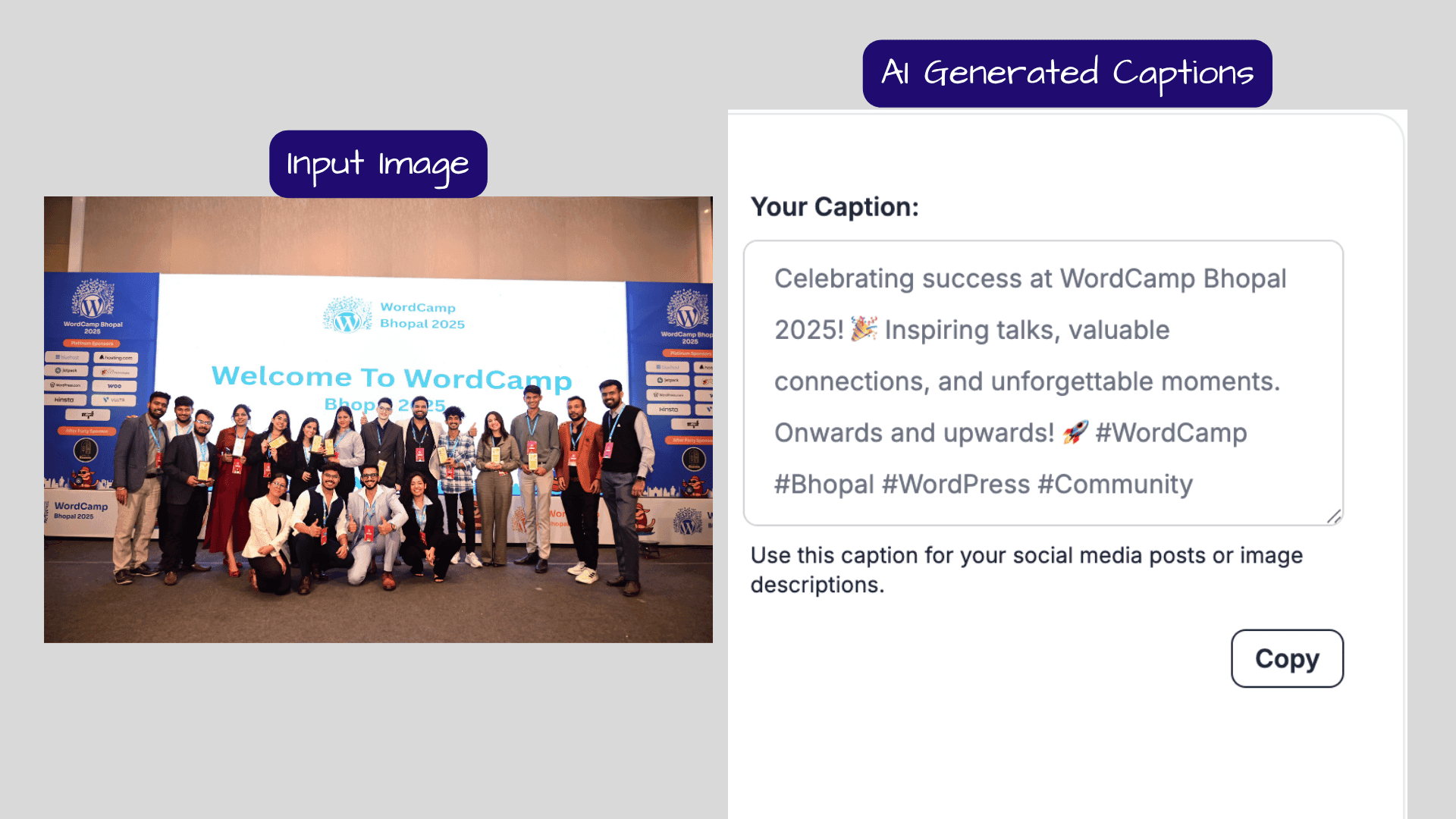
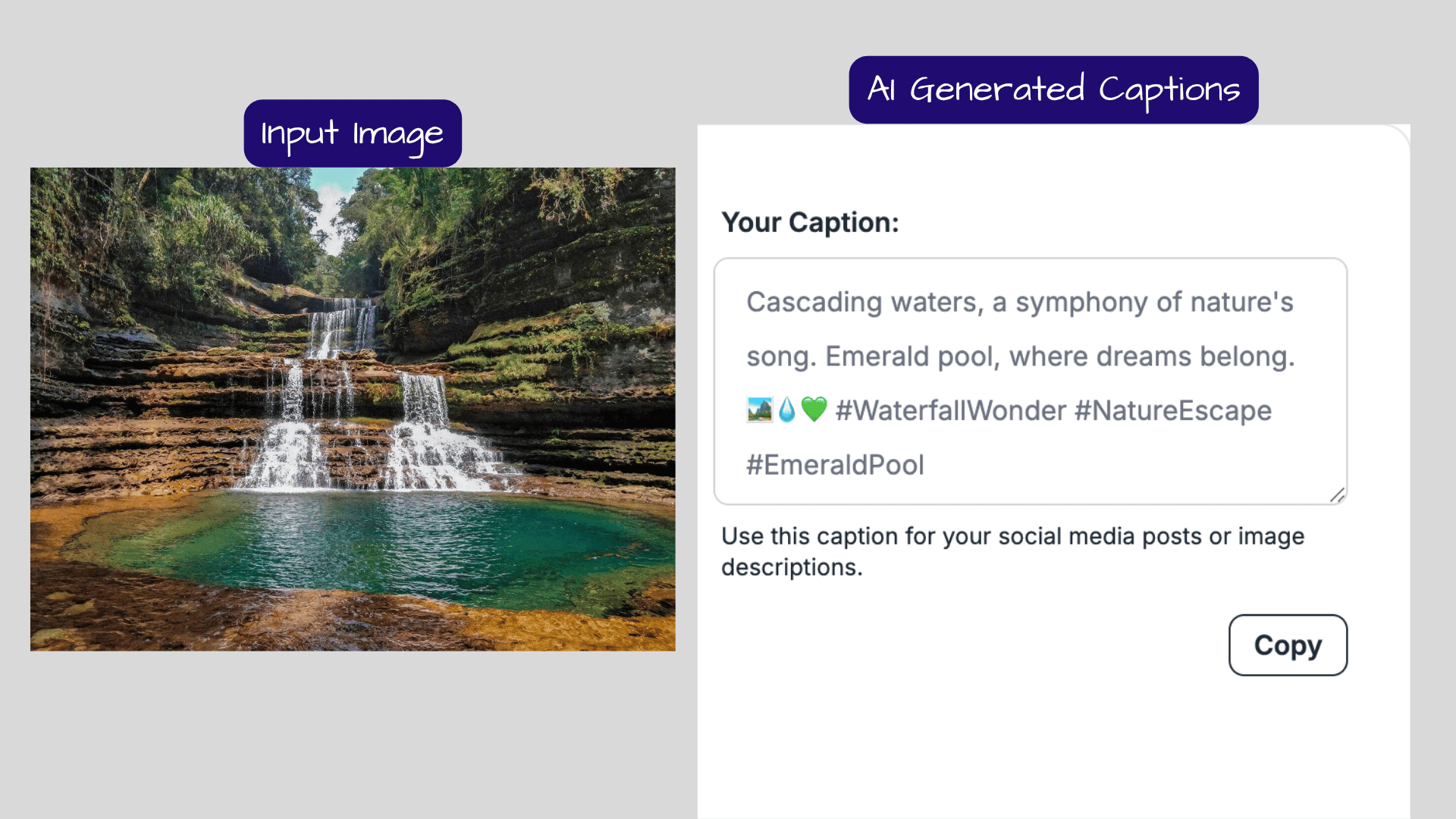
In my testing, it generated one caption for each image. The SEO-friendly captions were short and engaging, though not creative. It also included relevant hashtags and emojis.
The only issue I faced was that the Writingmate platform often glitches. After generating a caption, the tool sometimes stopped responding, and I had to reload the page multiple times before it started working again.
Pros
- Provides 8 preset tone styles along with a custom tone option
- Let you include or exclude hashtags and emojis
- Supports additional prompts for better caption customization
- Simple and easy-to-use interface
Cons
- Often stops working during use
- Caption quality is generic
- Generates only one caption at a time
- No option to edit captions after generation
- Supports Instagram captions only; no options for other social media platforms
Who Should Use
Writingmate is best for casual users who want to experiment with Romantic, Poetic, or Sarcastic style captions. But it’s not ideal for creators who rely on a caption generator for regular publishing.
How I Tested AI Image Caption Generators
I started by searching for AI image caption generators available online. From the many options I found, I selected a mix of mobile and web-based applications for testing.
To narrow down the list, I first eliminated tools that weren’t available for free. I then evaluated each app based on the following criteria:
- Accuracy: Does the caption accurately describe what’s in the image file?
- Tone & Creativity: Does the caption feel engaging and natural, or generic?
- Platform Support: Can the tool generate captions for Instagram, LinkedIn, Facebook, and X?
- Speed: How quickly does the tool generate captions?
- Free Usage Limits: How many captions can you generate without paying?
I also filtered out many mobile apps because they were overloaded with ads. After testing and comparing the available options, these seven tools stood out as the best AI image caption generators on my list.
Why Should You Trust Me
I’ve been working in the digital space for over 10 years. During this time, I’ve personally tried, tested, and reviewed thousands of AI applications. You’ll find in-depth guides on AI To-Do List Apps, AI Browsers, AI Scheduling Assistants, AI Avatar Generators, and AI Tools for Remote Work.
As a content creator myself, I regularly manage social media accounts and publish posts, reels, videos, and images to keep my audience engaged. So, for years, I’ve been searching for caption-generation tools that can save time without compromising quality.
Based on years of hands-on testing, I’m confident that the recommendations in this guide provide genuine value for creators, marketers, and businesses alike.
Conclusion
AI image caption generators have become a saviour day by day with the launch of advanced AI models. Today, these tools can analyze your uploaded image, understand the keywords you provide, and adapt to the tone you select. Within a few seconds, they can generate multiple caption variations with hashtags and emojis.
Some tools can even modify captions for different social media platforms, while others support regional Indian languages. Overall, they make content creation much faster and easier for social media managers and busy content creators.
That said, not every caption generator is worth your time. The seven AI image caption generators featured in this article are the ones that genuinely stood out during testing. Ahrefs is the best overall image caption generator if you’re looking for the most control and customization options.
If you mostly create content on your phone, ClickCaption is a strong choice for both Android and iOS users. And Captionation can be especially helpful for multilingual content creators. The best part is that most of these tools are free to use and don’t require an account.
One last note: ClickCaption was built by my team. I included it in this list because I genuinely believe it deserves a place among the best options available. I encourage you to try the tools. If you end up using ClickCaption and find it useful, I’d appreciate it if you left a review on the Play Store.
Thanks for reading! 👋
FAQs
Are AI image caption generators useful for SEO?
Yes, AI image caption generators can be useful for SEO. They can create keyword-rich captions, generate descriptive alt text, and include relevant hashtags to help improve content discoverability.
Do AI image caption generators replace human editing?
No, AI image caption generators cannot fully replace human creativity. I recommend editing the generated captions in your own voice to make the content feel more authentic.
Can AI image caption generators create alt text?
Yes, many AI image caption generators also offer alt text generation. For example, Pally includes a dedicated alt text generator that can create descriptive text for images.
Which is the best AI caption generator for LinkedIn?
ClickCaption is a good option for generating AI captions from images for LinkedIn. Captionation is another sound choice, as it supports LinkedIn along with several other social media platforms.