Ever wondered why some designs instantly catch your eye while others just don’t? Well, the secret lies in ‘color’ – one of the most powerful elements in design. But finding the perfect color match isn’t always easy, even for professionals.
That’s where Color Picker Tools come in. They help you discover, test, and create stunning palettes that make your projects pop. In this article, I’ve rounded up the 15 Best Color Picker Tools for 2026. after personally tested and used them for my apps, blogs, and client work.
So, are you ready to bring your designs to life? Let’s dive in!
15 Best Color Picker Tools for 2026
| Tool Name | Key Features | Palette Export |
| ColorZilla | CSS Gradient Generator, Webpage Color Analyzer, Palette Browser | N.A. |
| CSS Gradient | Gradient generator, pre-made gradient swatches, gradient backgrounds, color shades | Cody CSS Code |
| Image Color Picker | Color picker, color picker from image | Yes |
| ColorSpace | 20+ color palettes | N.A. |
| Coolors | 10+ color codes, color picker, gradient maker, contrast checker | Yes, in PNG, SVG, and CSS formats. |
| Color Hunt | Search palettes by theme | Yes, as PNG or link. |
| Huesnap | Variety of combinations, 5 color codes, 100+ curated palettes | N.A. |
| uiGradients | 100s of gradient options | Yes, in JPG format |
| Canva Color Wheel | Multiple Color Schemes | Yes, in PDF format |
| Colormind | Explore palettes, extra colors from image | N.A. |
| Canva Color Palette Generator | Creates a palette of 4 colors from an image, explore themed palettes | N.A. |
| Paletton | Multiple color schemes, view demo web pages, artworks, animations, etc. | Yes, in HTML, CSS, PNG, and Photoshop file formats. |
| Adobe Color | 9 color schemes, color wheel, extract theme, extract gradient, accessibility tools | Yes, in ASE, JPEG, LESS, CSS, SASS, and XML formats. |
| Khroma | Contrast checker, color palette generator, color gradients. | N.A. |
| Color Designer | Multiple Color Schemes, Gradient Generator, Image Color Picker, Random Color Generator | N.A. |
Want the Best AI Tools?
Check My Favourite AI Tools 🖤
ElevenLabs
Elevenlabs and Adam AI Voice are my go-to choices. ElevenLabs is incredibly versatile, and you get 10 mins free every month.
Gamma AI
Gamma App is my top choice for ai ppt generation. You can easily create your ppt for FREE. It’s a must have AI Tool.
HOSTinger AI
I love Hostinger AI Website Builder for how easy and affordable it is. 1 click AI website creation, perfect for websites.
1) ColorZilla
ColorZilla is a comprehensive platform that combines multiple color tools into one. It is available as an extension for Chrome and Firefox browsers. To get started, you can install its extension and use its eyedropper tool to pick colors from within a web page and even outside the browser.
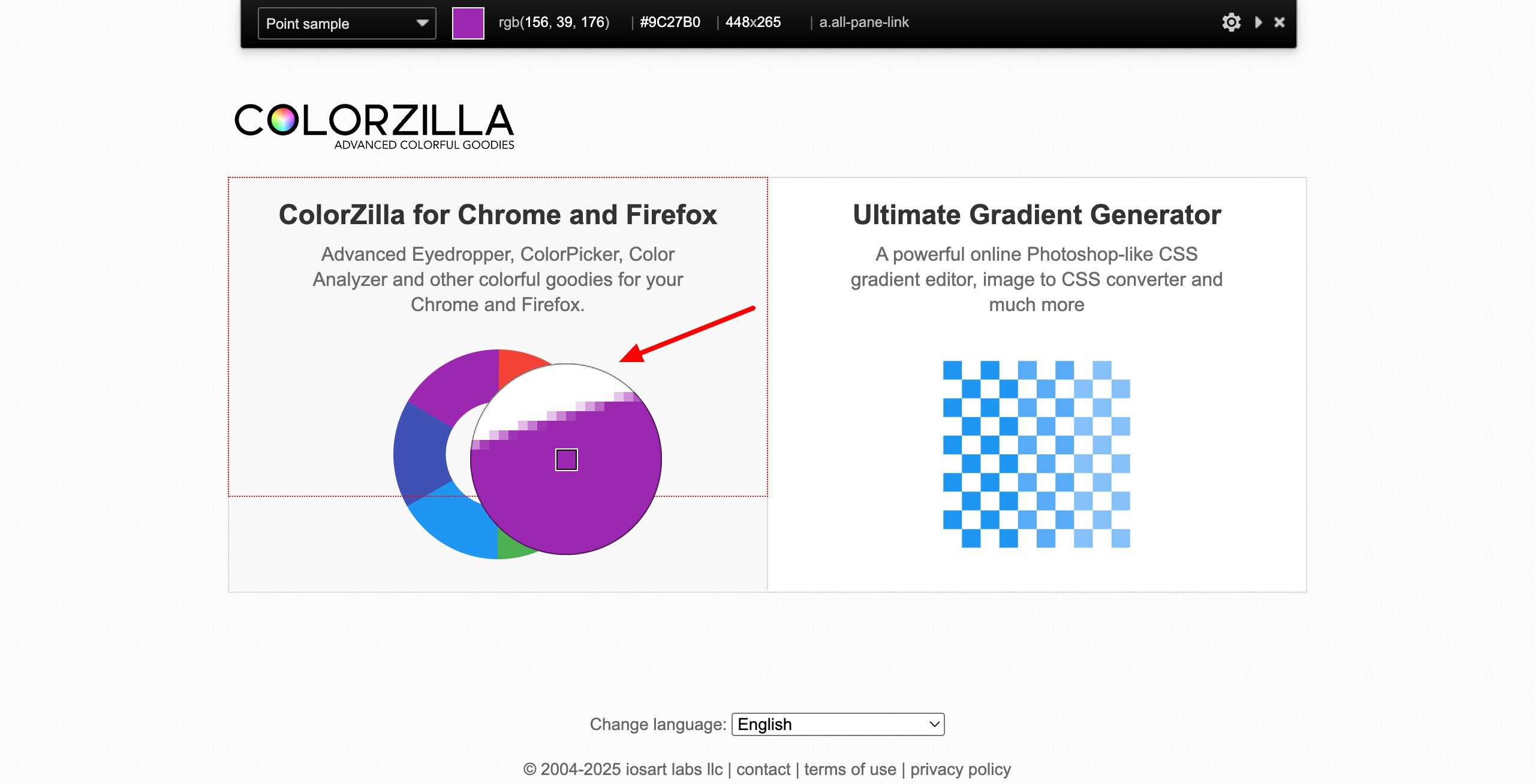
The color picks are accurate, and you can even save those colors in history. Apart from picking colors, ColorZilla also features tools like:
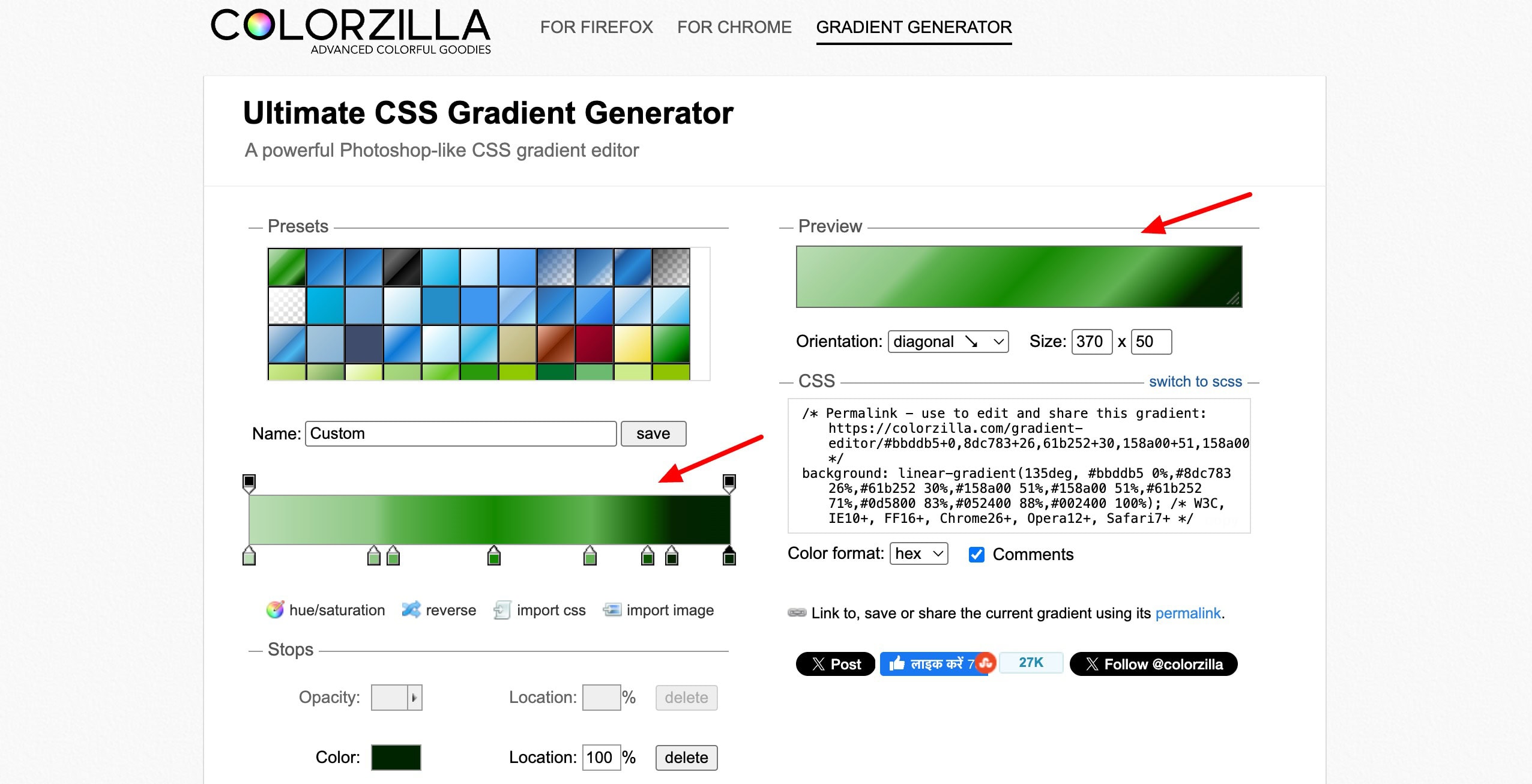
- CSS Gradient Generator: It lets you select colors and create gradients in different styles.
- Webpage Color Analyzer: It checks the entire web page to give you a list of colors found on the page.
- Palette Browser: It features 7 pre-designed color palettes to choose from.
Overall, ColorZilla is a very useful tool for web designers, front-end developers, and digital creators who frequently work with website colors.
2) CSS Gradient
CSS Gradient is a tool that lets users create and generate CSS code for different color gradients. To get started, simply pick up to 3 colors, and it will generate a natural gradient for you. To customize the spread of the colors, you can move the center tab towards left or right.
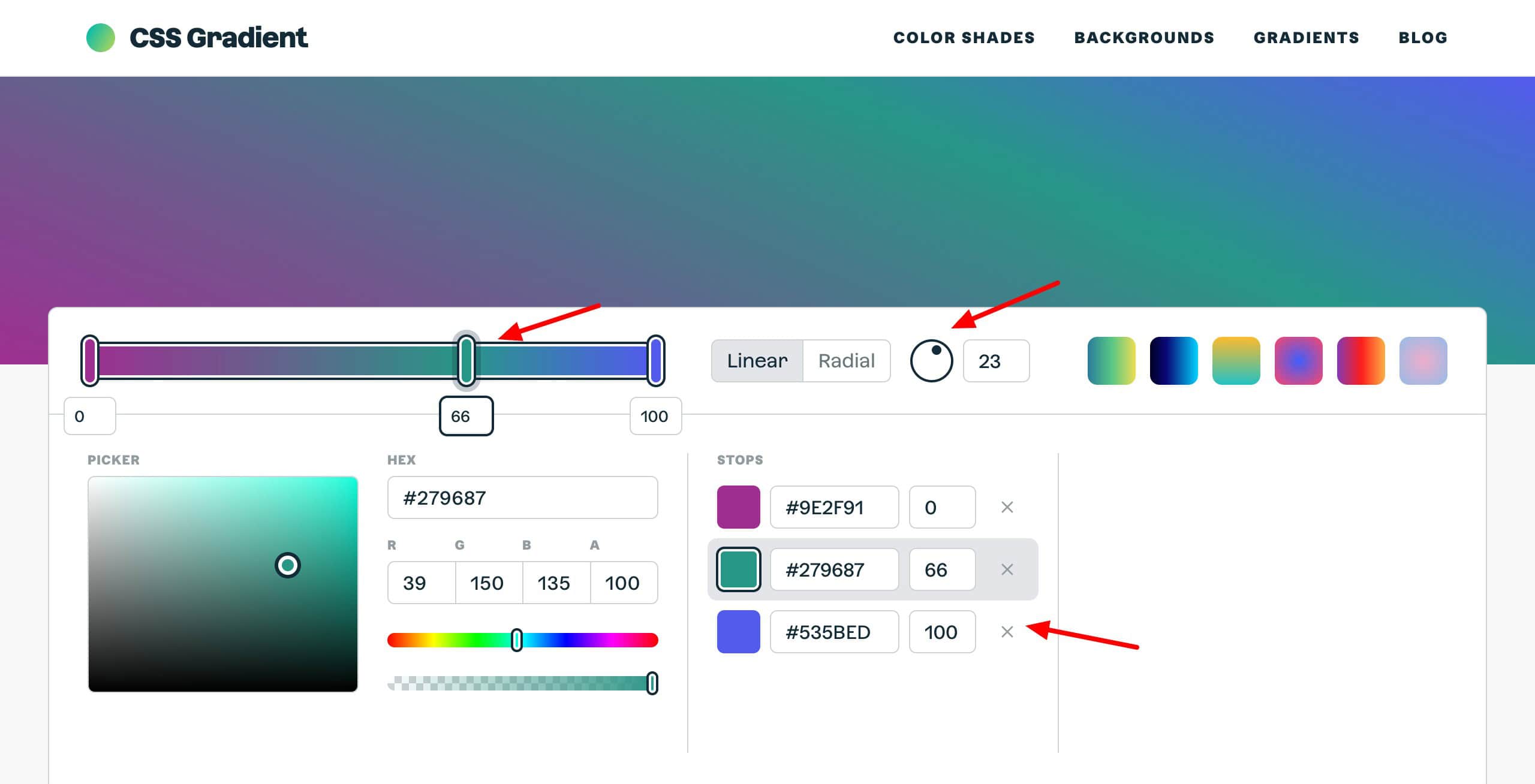
You can also select if you want a linear or a radial gradient. For a linear gradient, you can choose an angle as well. For your final gradient, a CSS code is generated. You can copy and paste it into your website or app to apply it.
Besides these, the platform also features other tools like pre-made gradient swatches, gradient backgrounds, color shades, etc. Overall, CSS Gradient is ideal for web designers, developers, and UI/UX creators who want to add smooth, visually appealing gradients to their projects.
3) Image Color Picker
Image Color Picker, as the name suggests, helps you pick colors from any image or an RGB color picker instantly. It features two different tools.
- Color Picker
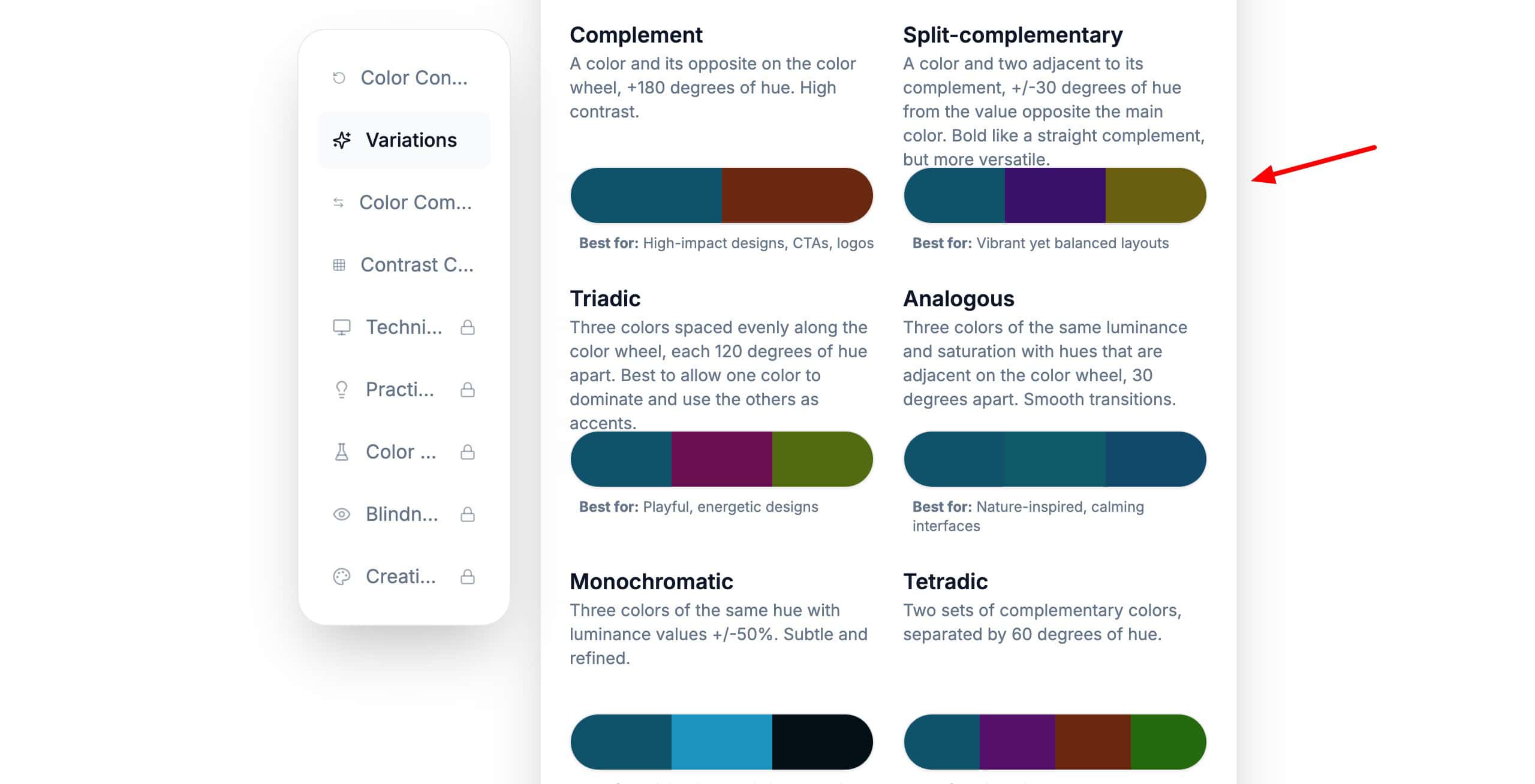
Start by choosing any color from the RGB color picker. It gives you 8 different conversions of the color in different systems, like HEX, RGB, etc. Other than that, it also offers color combinations, color variations, and a color contrast checker.
- Color Picker from Image
It lets you upload an image from your local device, or pick a color from the screen, provide a website URL, image URL, paste from the clipboard, or search for an image from the Pexels library.
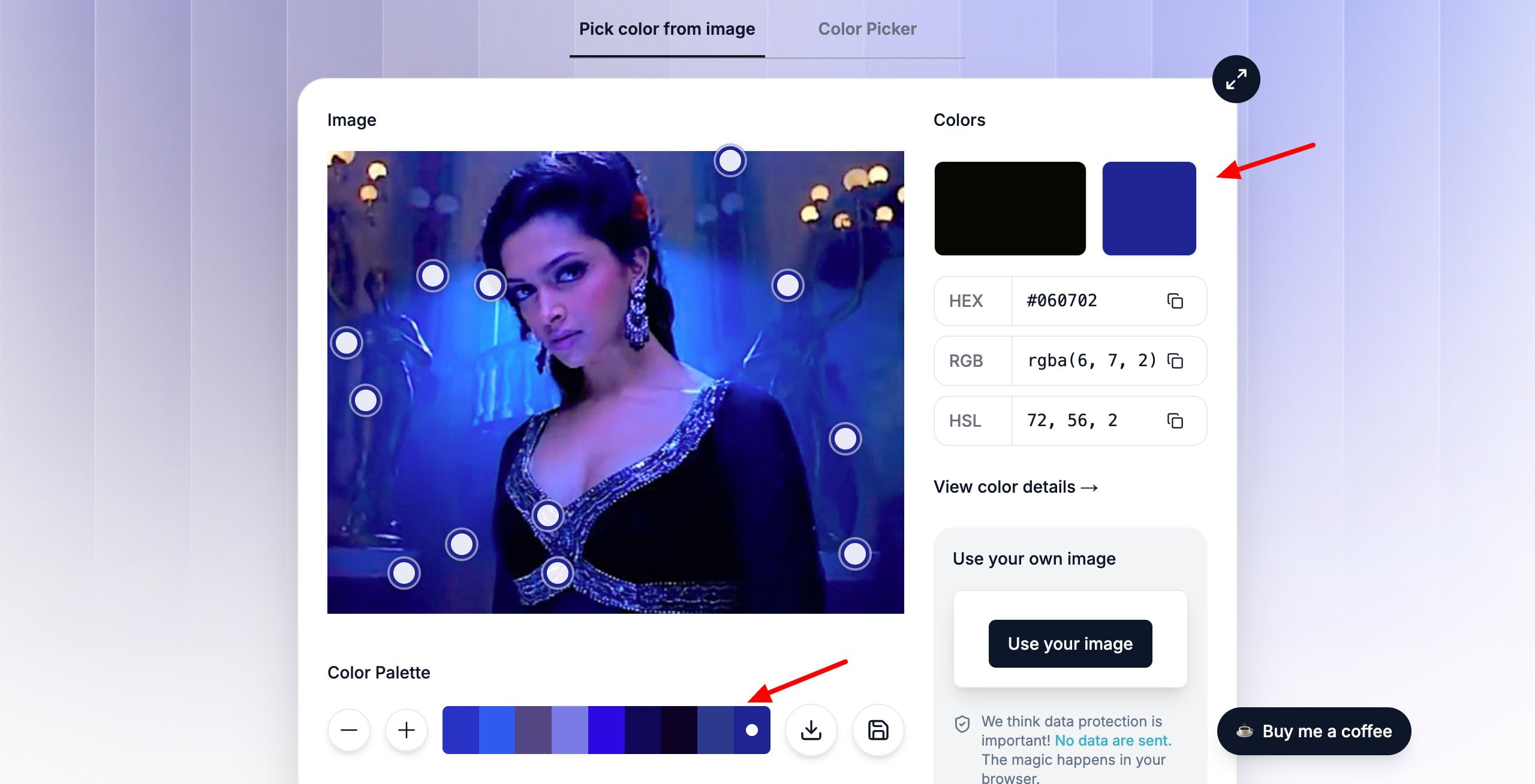
Once you upload an image, it generates a color palette out of it. Click on any color in the palette, and it highlights the areas on the image where it is used. Finally, you can download or save the palette as per your choice.
Overall, Image Color Picker is perfect for graphic designers, photographers, digital artists, and brand creators who work with images and need to extract or match colors precisely.
4) ColorSpace
ColorSpace is a simplistic tool for generating color palettes. Simply select a color on the RGB color picker and hit the generate button. It will give you a whole variety of 20+ palettes like generic gradient, matching gradient, spot palette, twisted spot palette, and more.
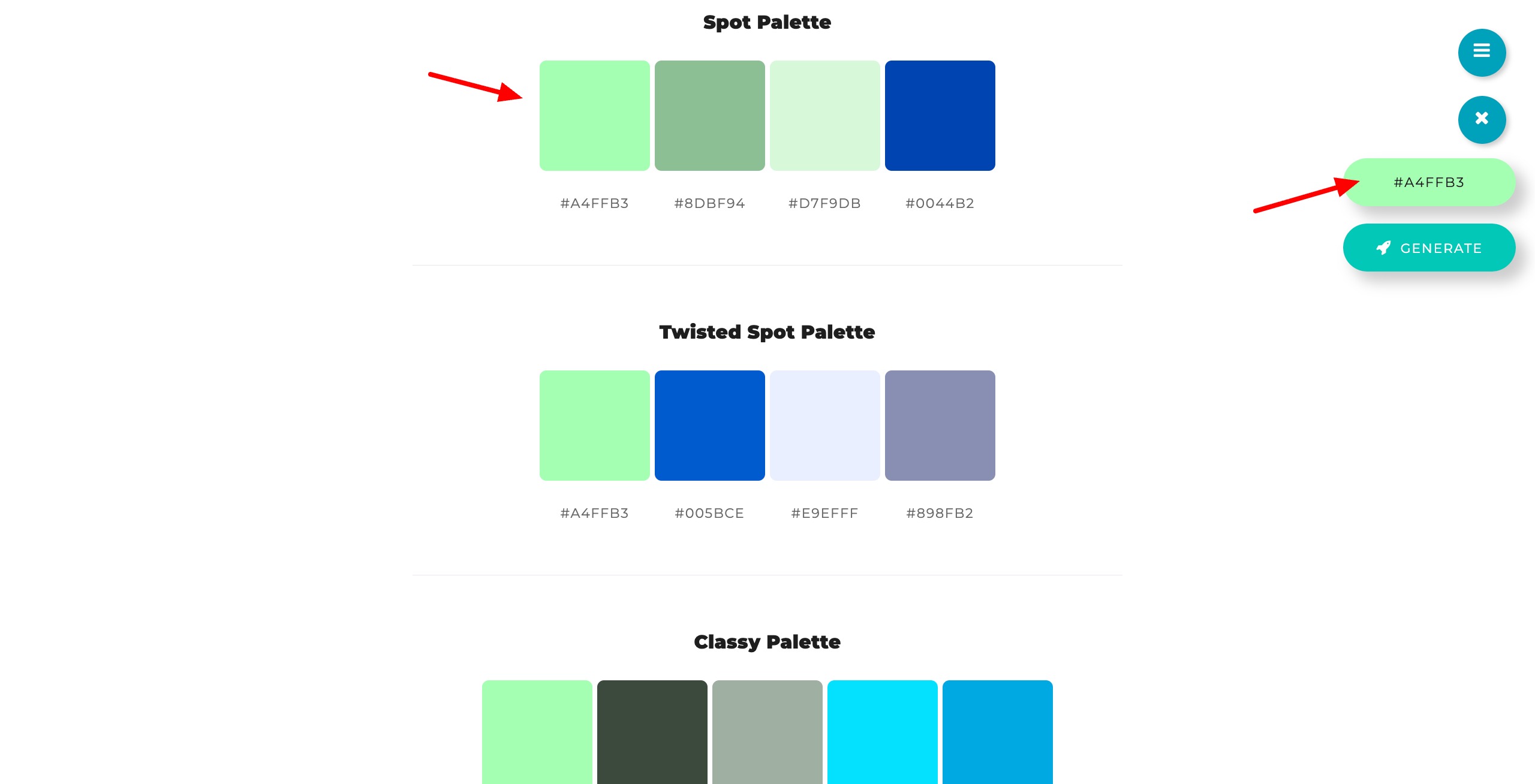
The HEX codes of each color are displayed below it and can be copied with one click. Overall, ColorSpace is ideal for designers, illustrators, and content creators who want to quickly generate creative color palettes from a single base color.
5) Coolors
Coolors is one of the most popular and easy-to-use tools for creating beautiful color palettes. To get started, just hit the “Start the Generator” button and keep pressing the spacebar to browse through endless color combinations.
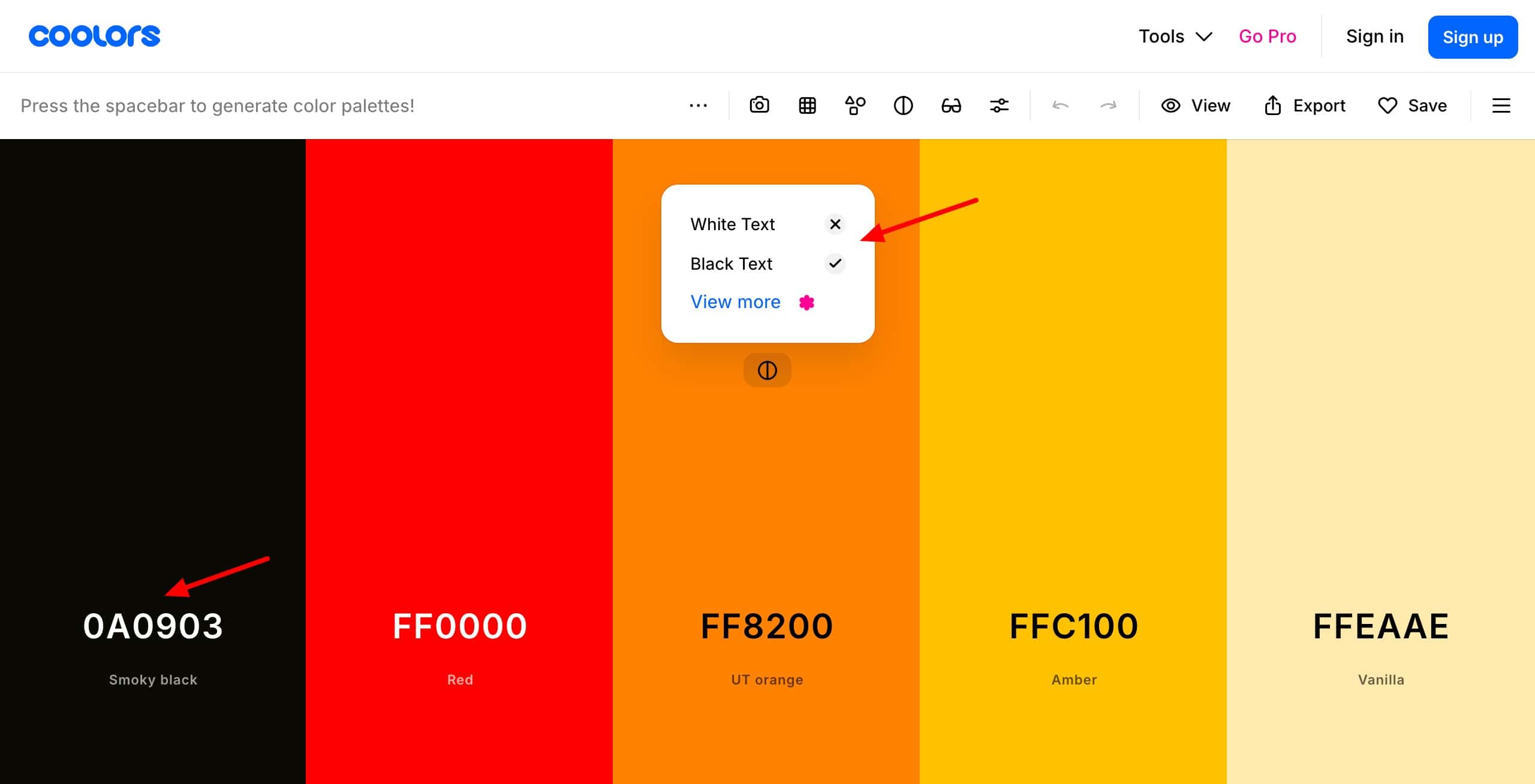
It lets you explore trending palettes or generate a palette of your own. For trending palettes, it also shows you 10+ color codes like HEX code, RGB code, etc. It also offers over a million pre-designed palettes and tools like a color picker, gradient maker, and contrast checker.
You can lock your favorite colors, check color shade, and view color contrast with black and white text. Finally, you can export your palette in multiple formats like PNG, SVG, or CSS. Interestingly, it also features handy apps and extensions for iOS, Android, Chrome, Adobe, and Figma.
Coolors is ideal for designers, artists, content creators, and developers who want to quickly generate or explore color palettes for their projects.
6) Colorhunt
ColorHunt is a free collection of beautiful color palettes curated by their team. Each palette on the platform features 4 colors that you can search by theme, like Pastel, Neon, Wedding, or Kids. You can also browse through sections like New, Popular, and Random.
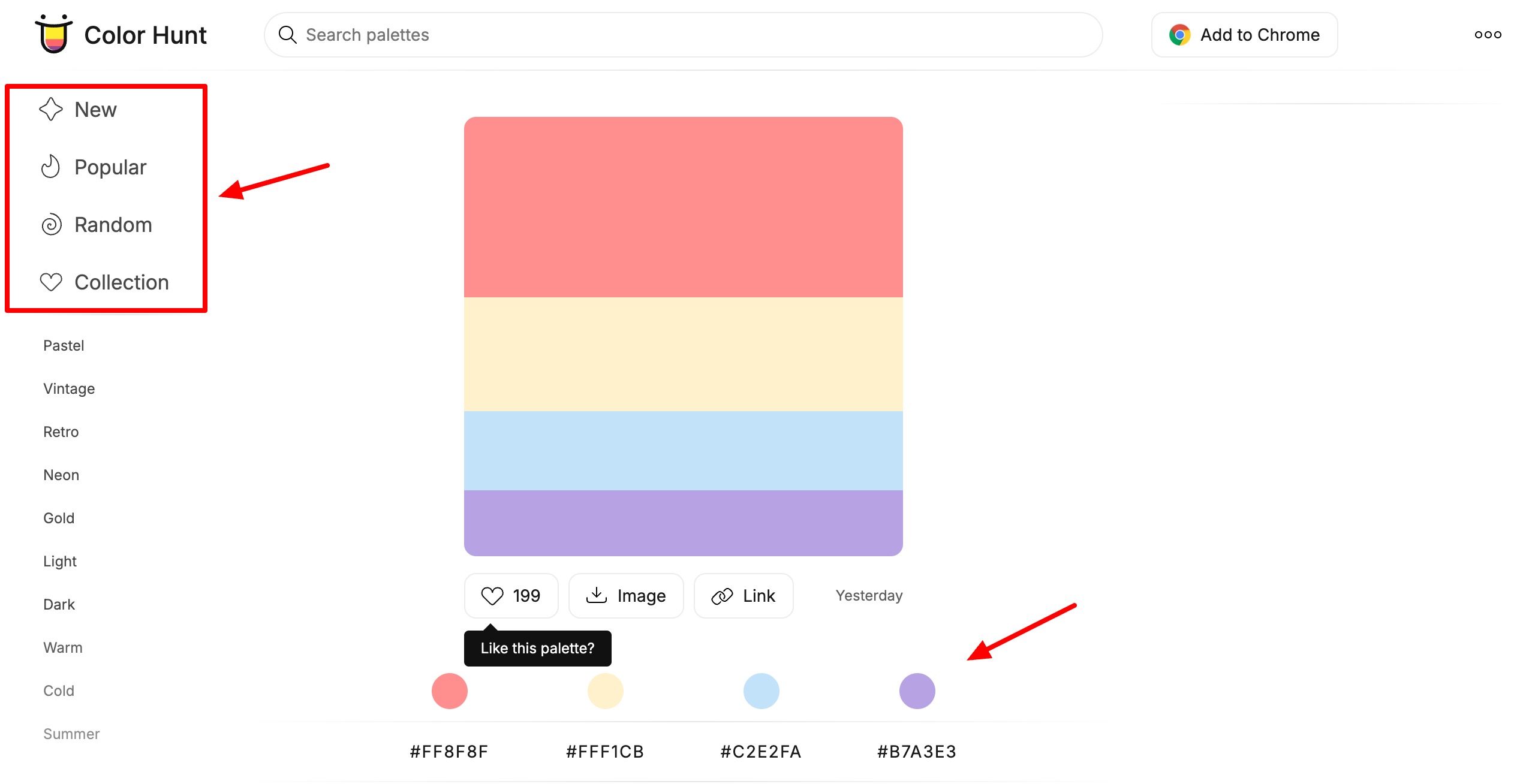
For each color, the HEX and RGB codes can be copied with 1 click. You can also download your favorite palette as a PNG or a link. Overall, ColorHunt is perfect for anyone looking for ready-to-use color inspiration.
7) Huesnap
Huesnap lets you explore, create, and share color palettes. You can browse through their library for inspiration, create palettes of up to 6 colors from the color wheel, or extract colors from images. Their color picker tool gives you a variety of combinations (like monochromatic, analogous, etc).
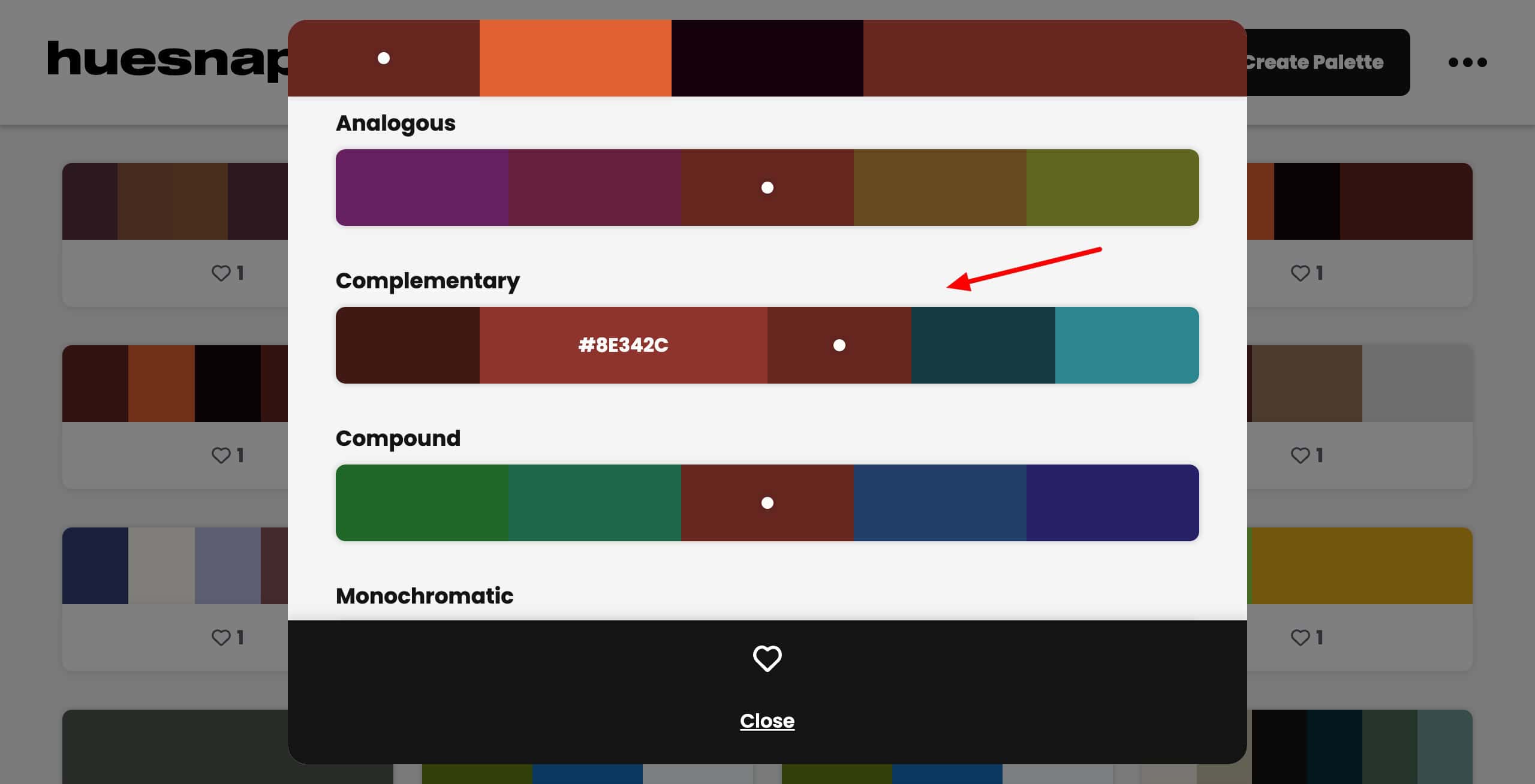
Huesnap offers multiple color schemes, 5 types of color codes (HEX, RGB, HSV, HSL, CMYK), and hundreds of curated palettes. Additionally, you also get mobile apps for Android and iOS. The only limitation of Huesnap is that palettes can’t be exported.
Overall, if you are a designer, illustrator, or content creator who wants to explore, create, and experiment with color palettes, you should check out Huesnap.
8. uiGradients
uiGradients is a simple tool for finding beautiful color gradients. To get started, just pick a color from the 10 basic options or scroll through their library to discover interesting combinations. You also get hundreds of gradient options with their HEX and CSS codes.
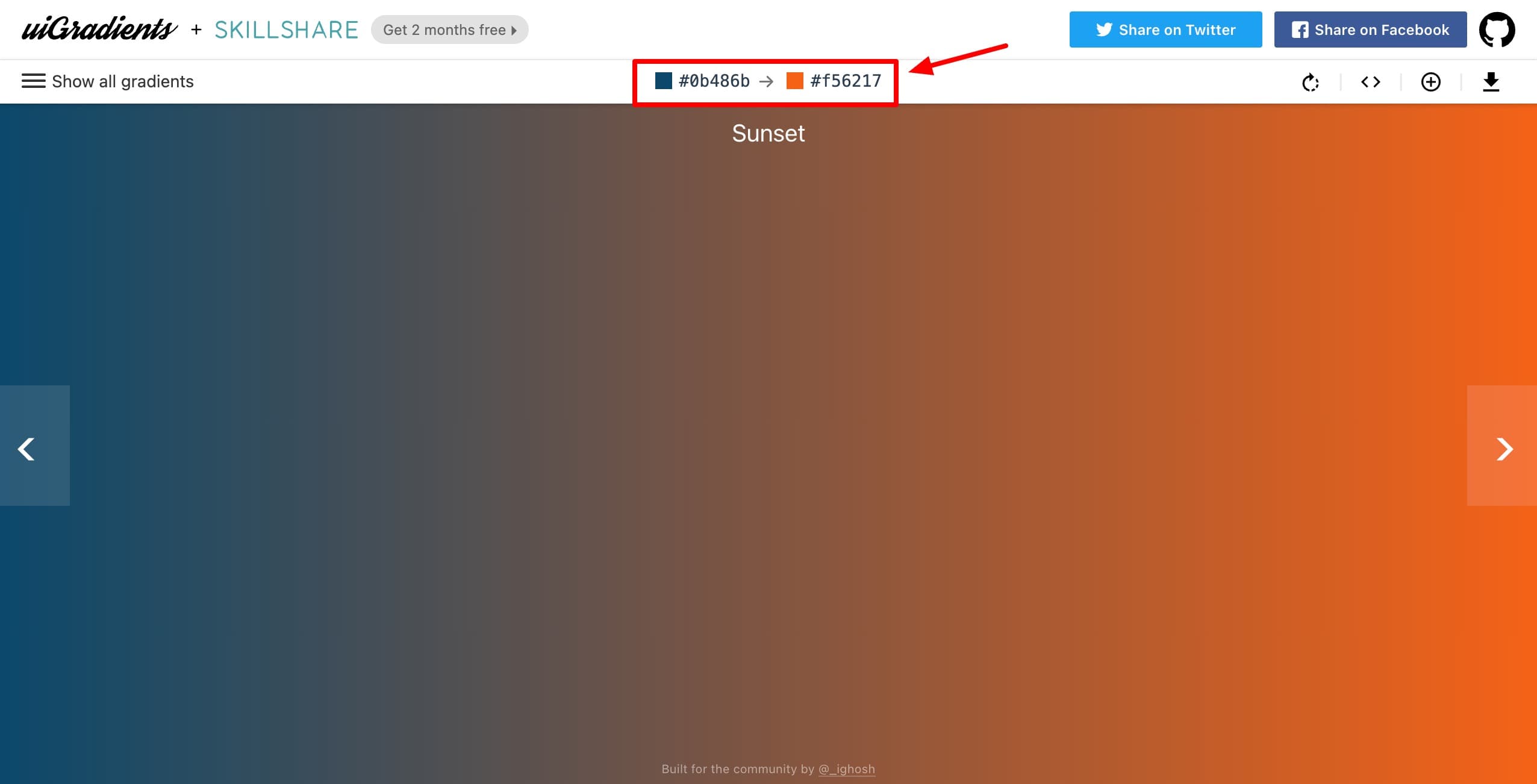
The gradients can be downloaded as JPG files. However, the only drawback is that you can also view pre-generated gradients. It doesn’t allow you to pick your own colors for creating gradients.
Overall, uiGradients is perfect for web designers, app creators, and video editors who need ready-to-use gradient backdrops.
9) Canva Color Wheel
Canva Color Wheel is a simple and beginner-friendly tool for creating color combinations. It features color schemes like monochromatic, complementary, analogous, triadic, and tetradic to help you create attractive and bold color palettes.
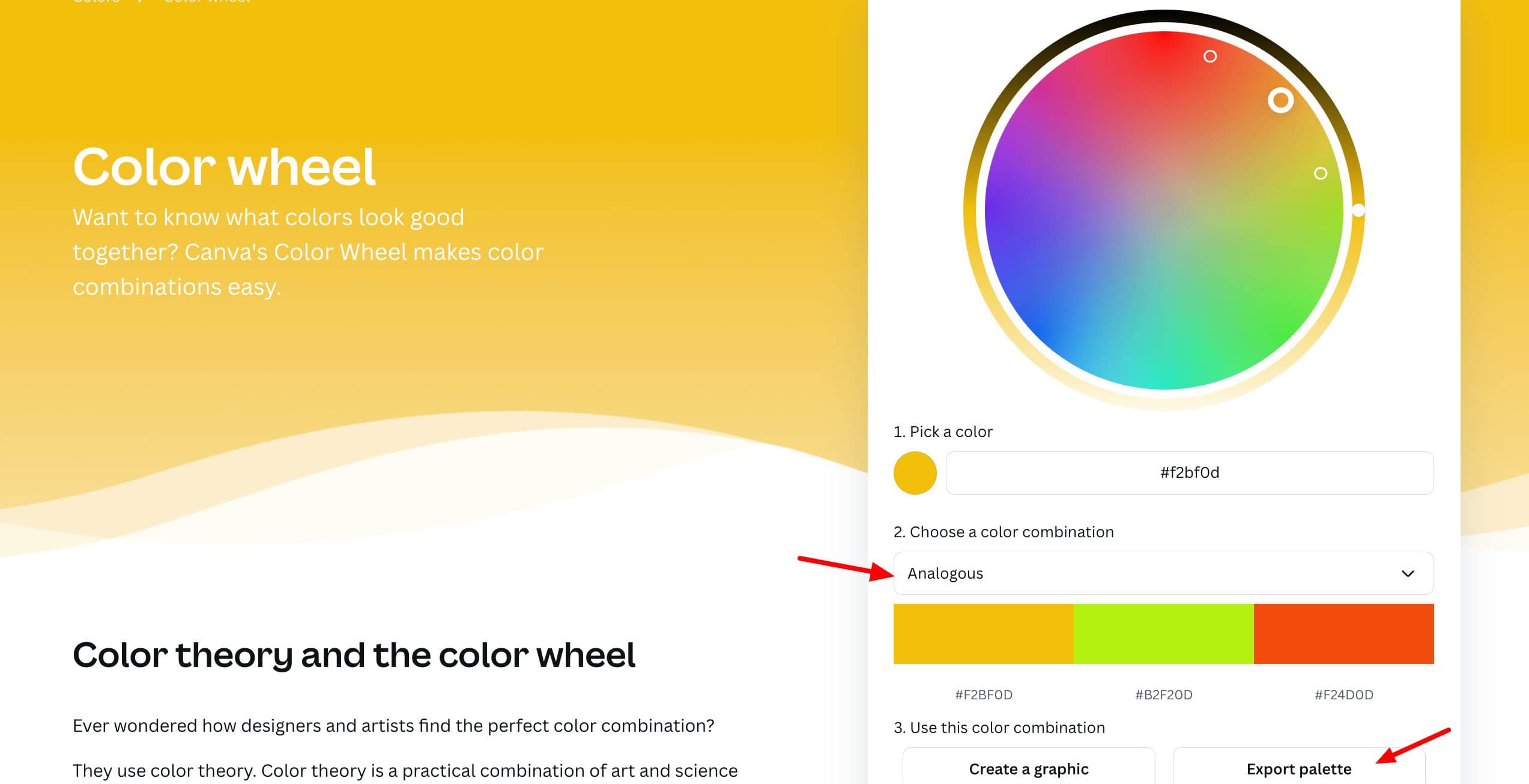
Color options like hue, saturation, etc can be adjusted from the color wheel itself. Once you are satisfied with your palette. It can be exported as a PDF or used directly in a Canva design. Overall, Canva Color Wheel is useful if you are creating visuals for social media, posters, or PPTs.
10) Colormind
Colormind is an AI-powered color palette generator that uses deep learning to create combinations inspired by images, movies, and art styles. To start with, you just need to click “Generate” to explore palettes or extract colors from uploaded images. It also lets you lock or adjust colors that you like.
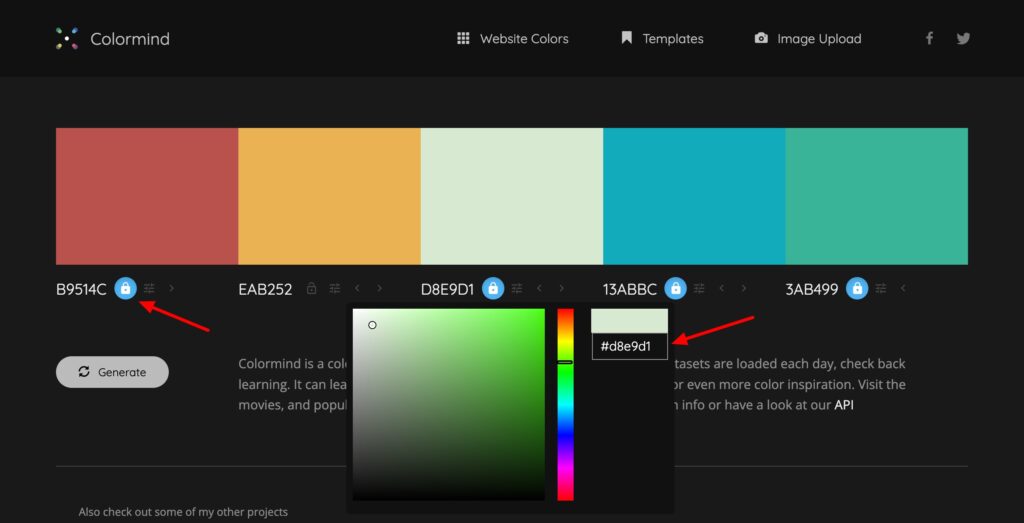
However, now they have discontinued the option to preview your color palette on a web page. Even though Colormind lacks export options, it is valuable for designers who want AI-driven color inspiration.
11) Canva Color Palette Generator
Canva Color Palette Generator is a tool for instantly creating color palettes from any image. All you need to do is upload a photo, and it extracts 4 matching colors along with their HEX codes from the photo. The HEX codes can be copied in one click.
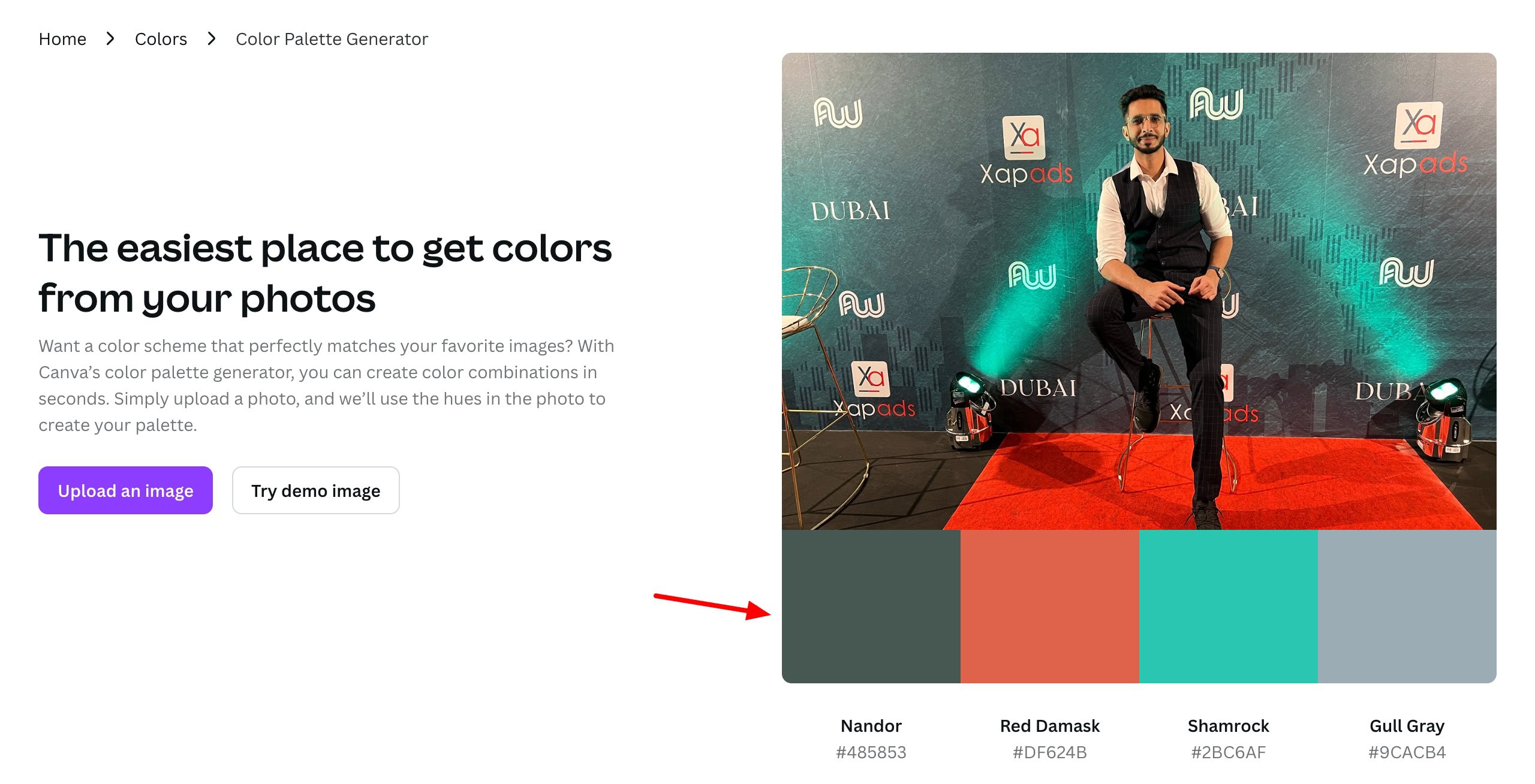
If you are looking for some inspiration, you can explore Canva’s library of themed color palettes. You can search through it using keywords like “Halloween”, “Wedding”, “Summer”, etc. However, it doesn’t offer export options for your palette.
Overall, if you need image-based color inspiration for your projects, check out Canva Color Palette Generator.
12) Paletton
Paletton is a color scheme generator tool. It helps you create and fine-tune palettes for your projects. You can pick a base color or choose from their presets and explore schemes like monochromatic, triad, or tetrad.
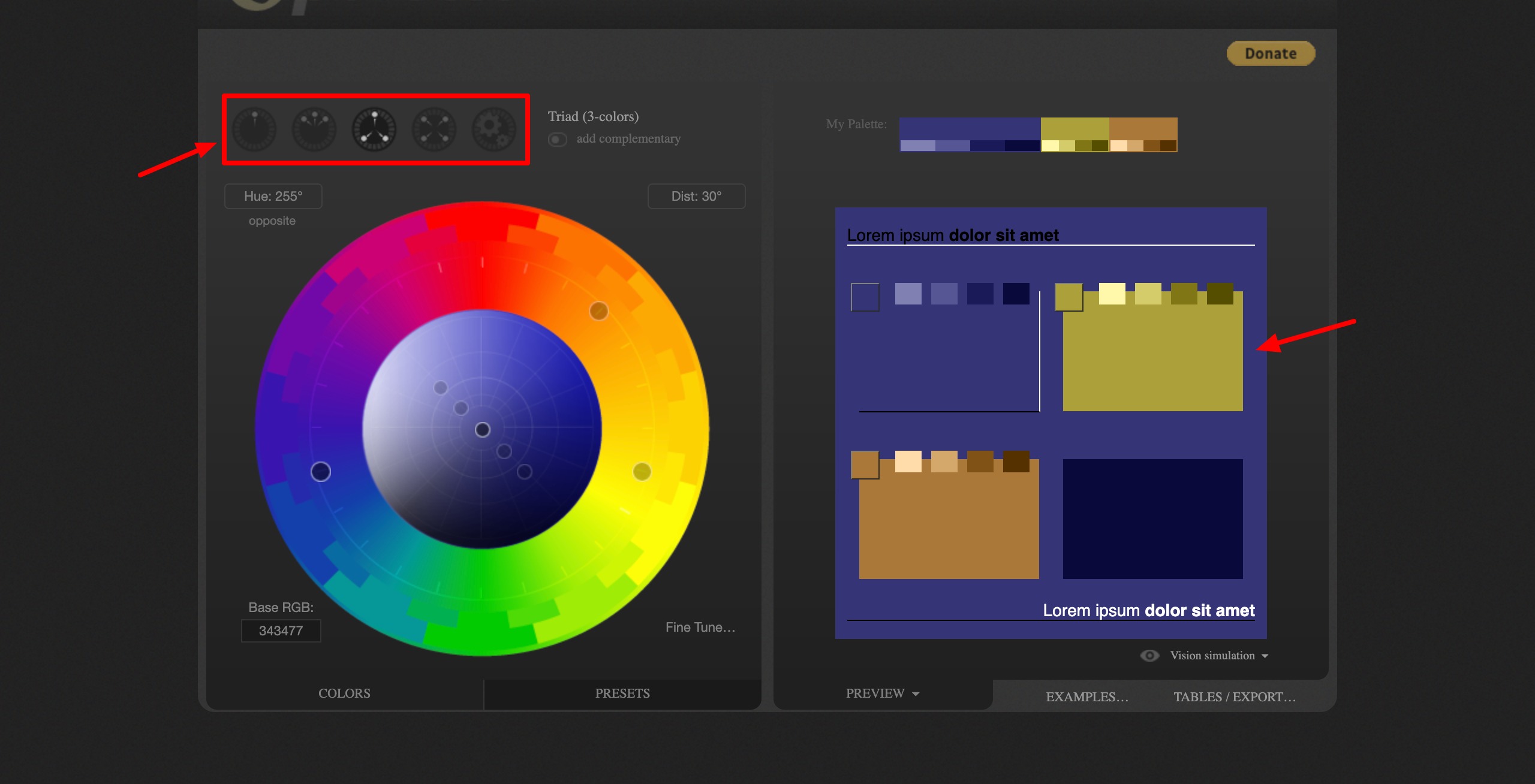
Along with that, it also features lines of black and white text for checking readability and contrast. You can adjust hue, saturation, and brightness, and preview colors in various layouts. Under examples, you can view your color palette applied to web pages, art works, animations, etc.
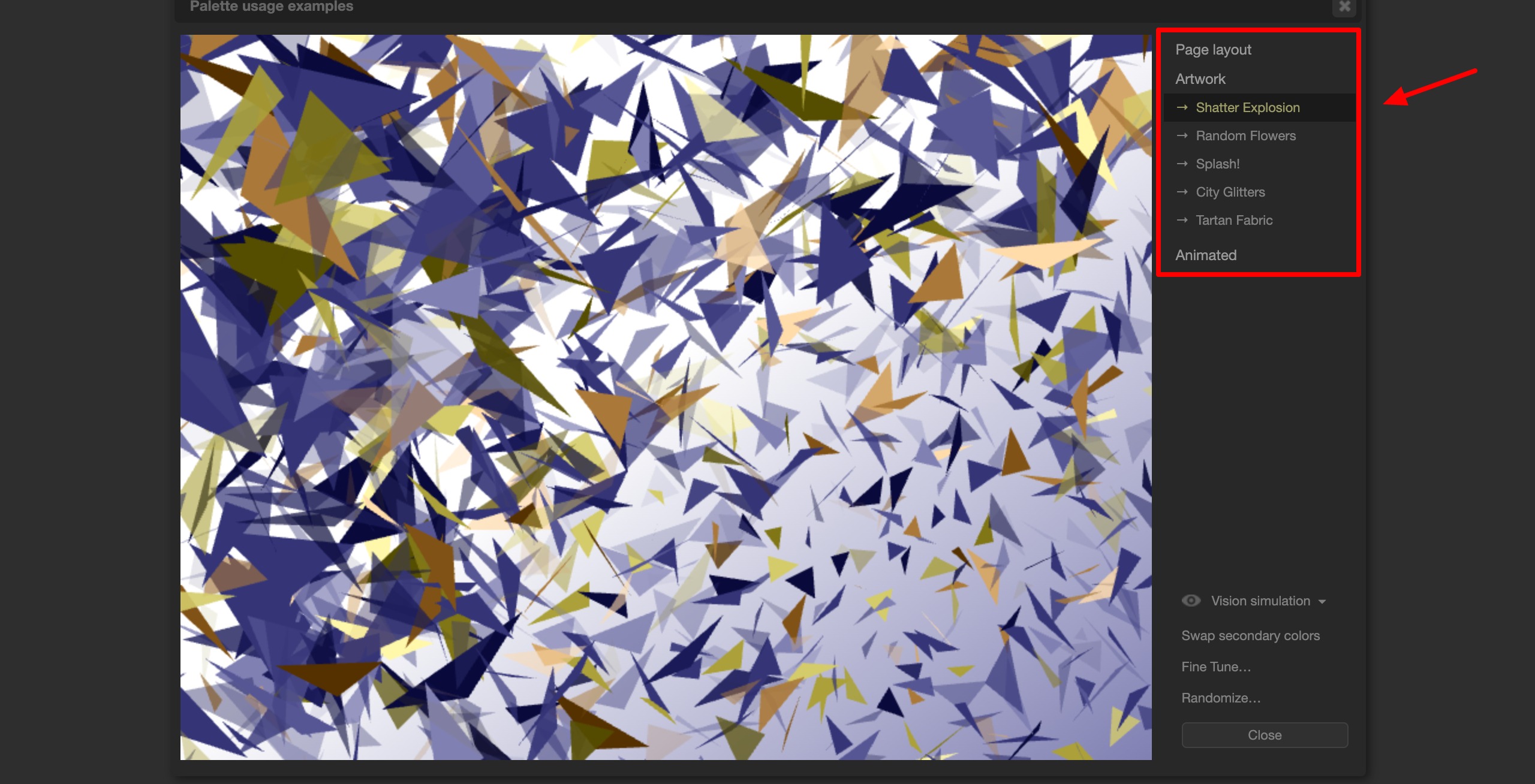
Finally, your palette can be exported in multiple formats including HTML, CSS, PNG, and Photoshop files. Though its interface feels dated, Paletton remains a powerful tool for detailed color experimentation.
13) Adobe Color
Adobe Color is an online tool designed by Adobe that offers a color wheel and a color palette. You can simply choose a color on the wheel and get over 9 different color schemes for a perfect color combination. It gives you access to four powerful tools:
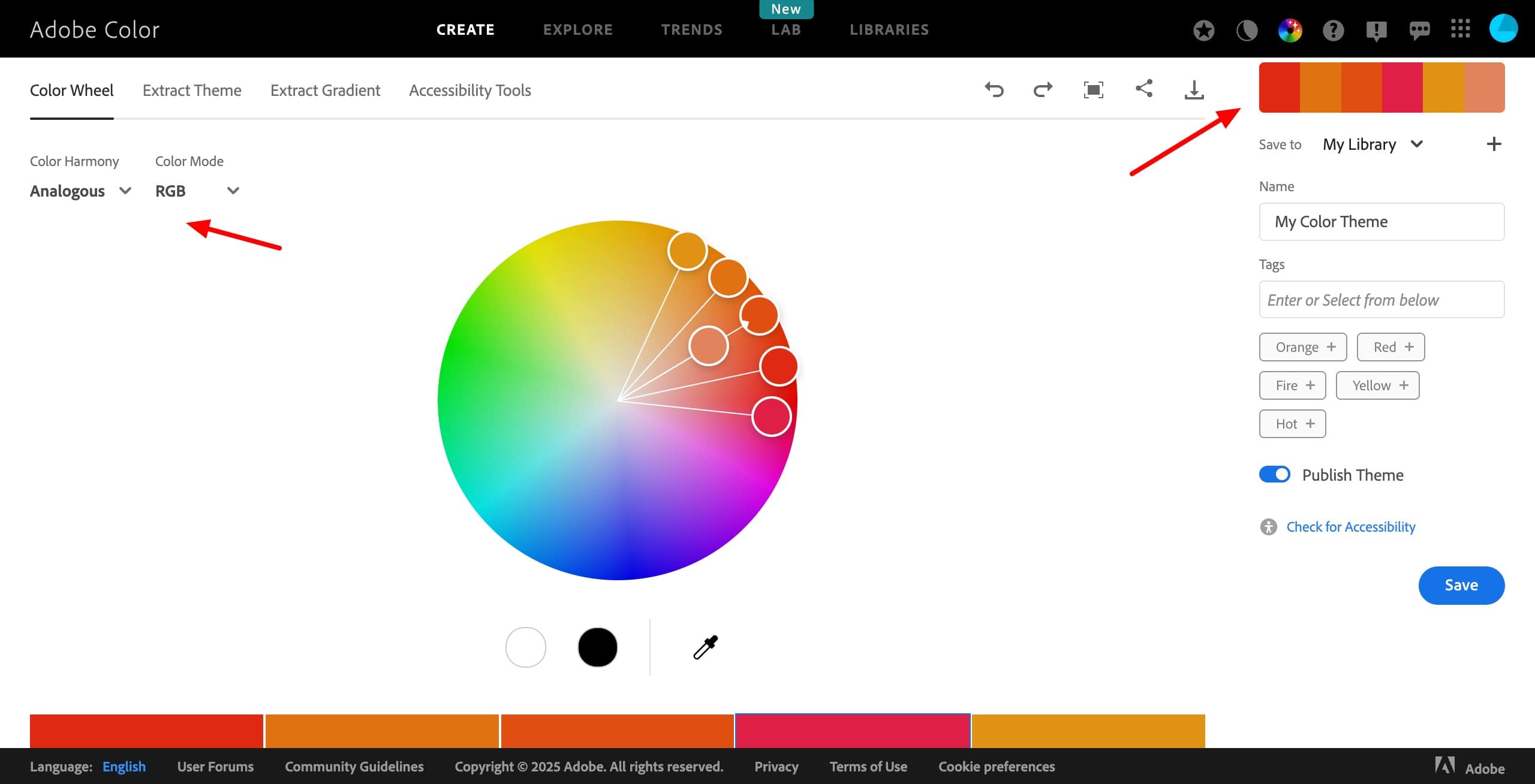
- Color Wheel: It helps you design your palette as per 9+ color combinations.
- Extract Theme: It helps strip an image into 5 different colors that can be adjusted according to Color Mood(Colorful, Muted, Dark, Deep, Muted, etc).
- Extract Gradient: It helps create a gradient out of the colors in the palette.
- Accessibility Tools: It checks and grades your chosen colors for contrast and for color blindness.
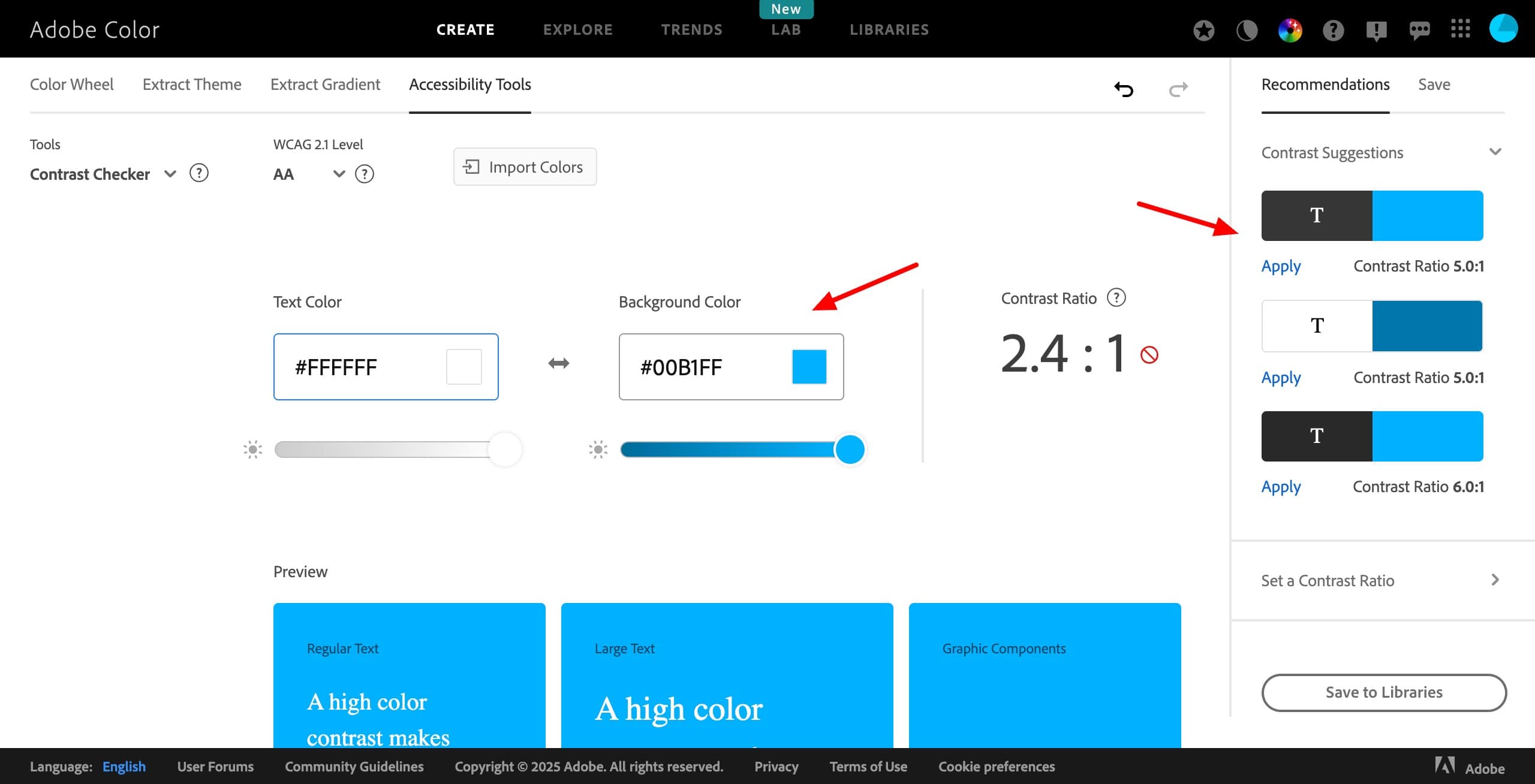
You can download your palette in multiple formats, including ASE, JPEG, LESS, CSS, SASS, and XML. They also offer an Explore tab where you can find an enormous collection of beautifully designed color palettes. You can even sort them by color themes, creative projects, stock photos, etc.
If you sign in, you can save your color palettes in the Creative Cloud and use them on Adobe software like Photoshop, Illustrator, Fresco, etc. Overall, Adobe Color is ideal for professional designers, illustrators, photographers, and UI/UX creators who want precise color control.
14) Khroma
Khroma is an AI-based color tool that generates personalized color combinations based on your preferences. You start by selecting 50 colors, and its AI learns your taste to create unique color palettes.
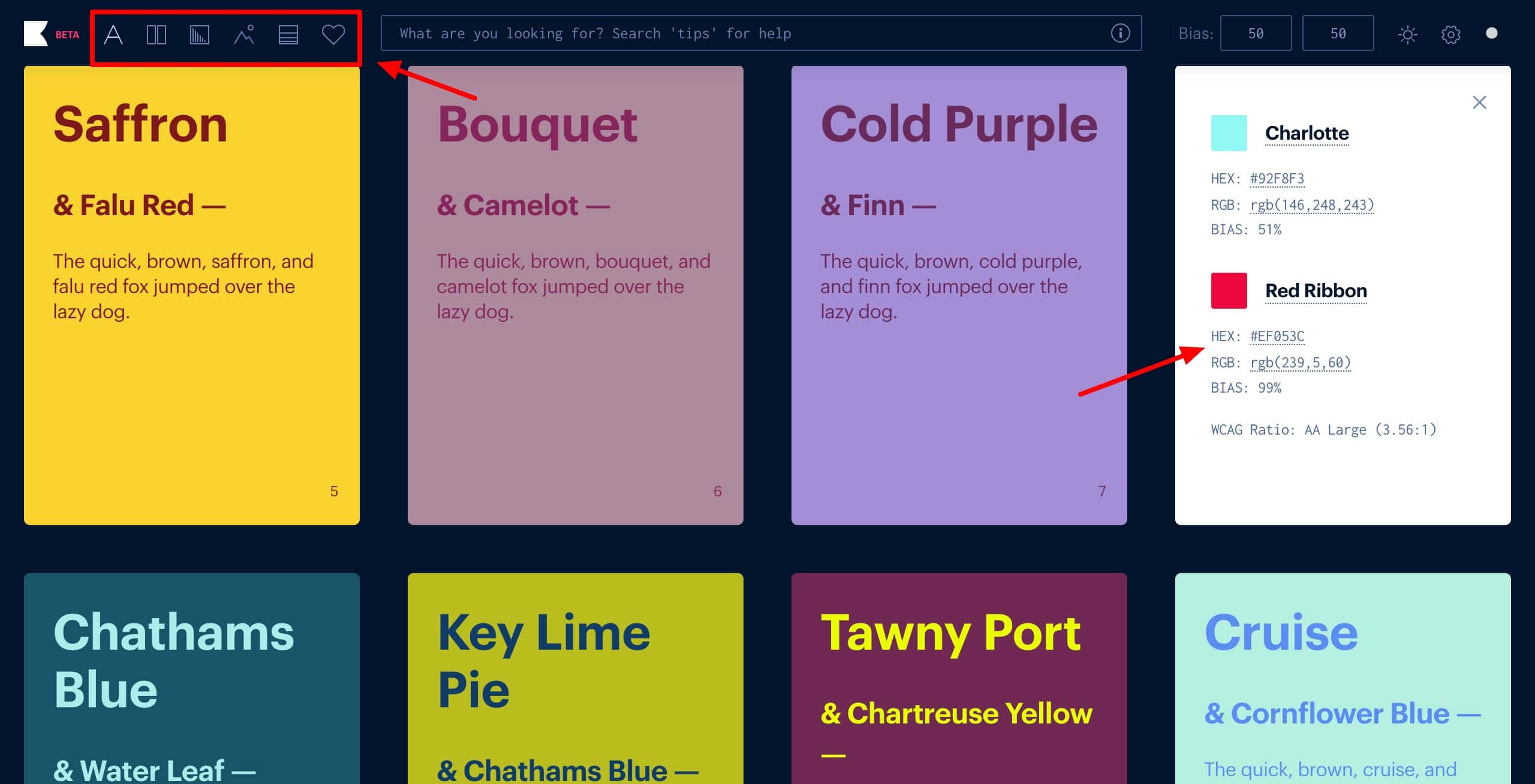
It offers the following five tools to help you choose the best color combinations.
- Type Tool: Displays text over colors so you can choose the right color contrast for designing your website, blog, social media posts, etc.
- Poster Tool: Shows two colors side by side
- Gradient tool: Shows different color gradients and you can even search by keywords
- Image tool: It shows two contrasting colors applied to an image
- Palette tool: It generates color palettes of 4 colors.
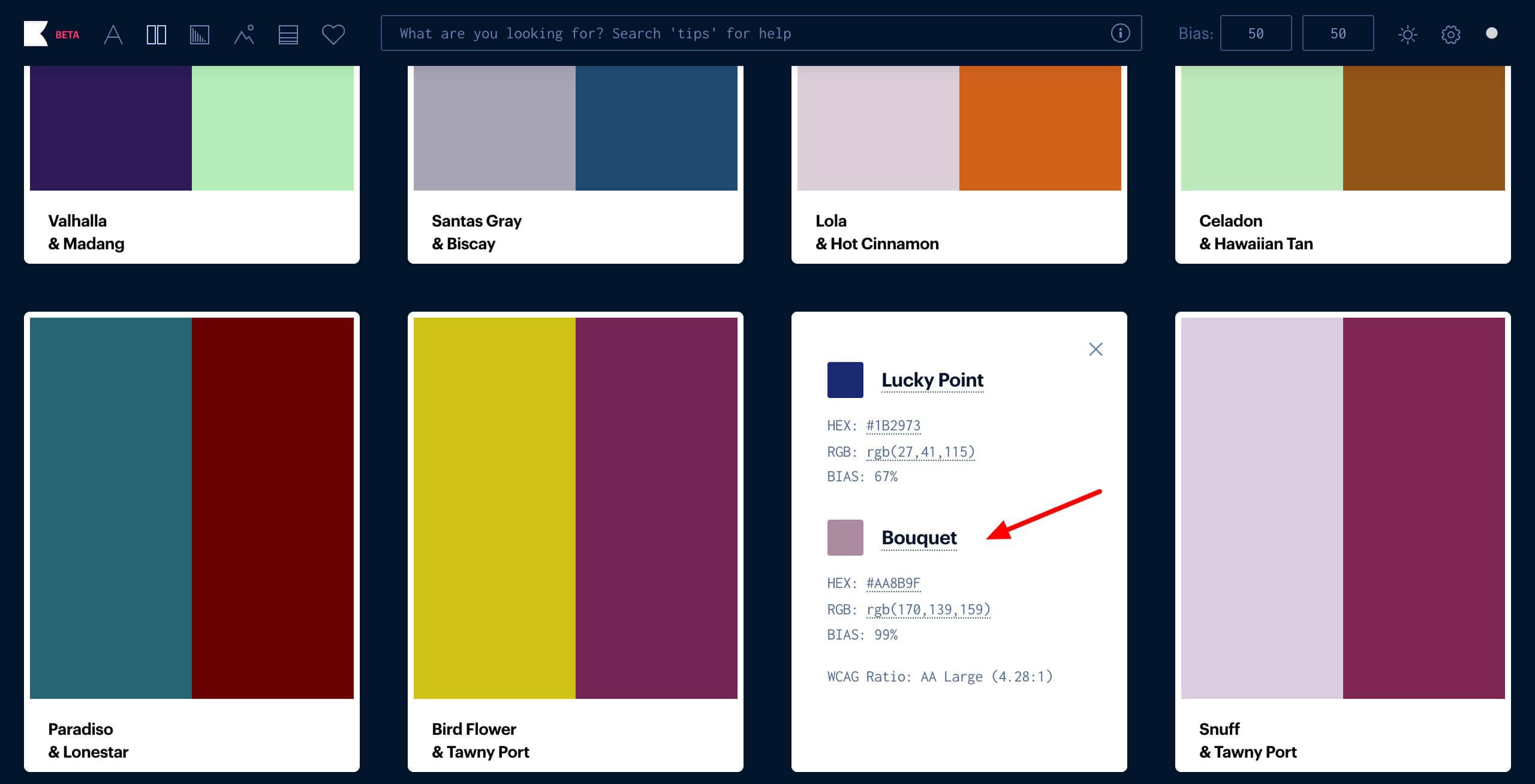
You can copy HEX or RGB codes for your colors instantly, and export your trained data to other devices. If you are a designer, artist, content creator, or marketer who needs AI-powered, personalized color inspiration, you should check out Khroma!
15) Color Designer
Color Designer is a free online tool for creating color palettes, gradients, and mixing colors. It lets you build your palette from scratch or pick one from its library. Next, you can adjust the colors from the color swatches, color picker, or type in the HEX code.
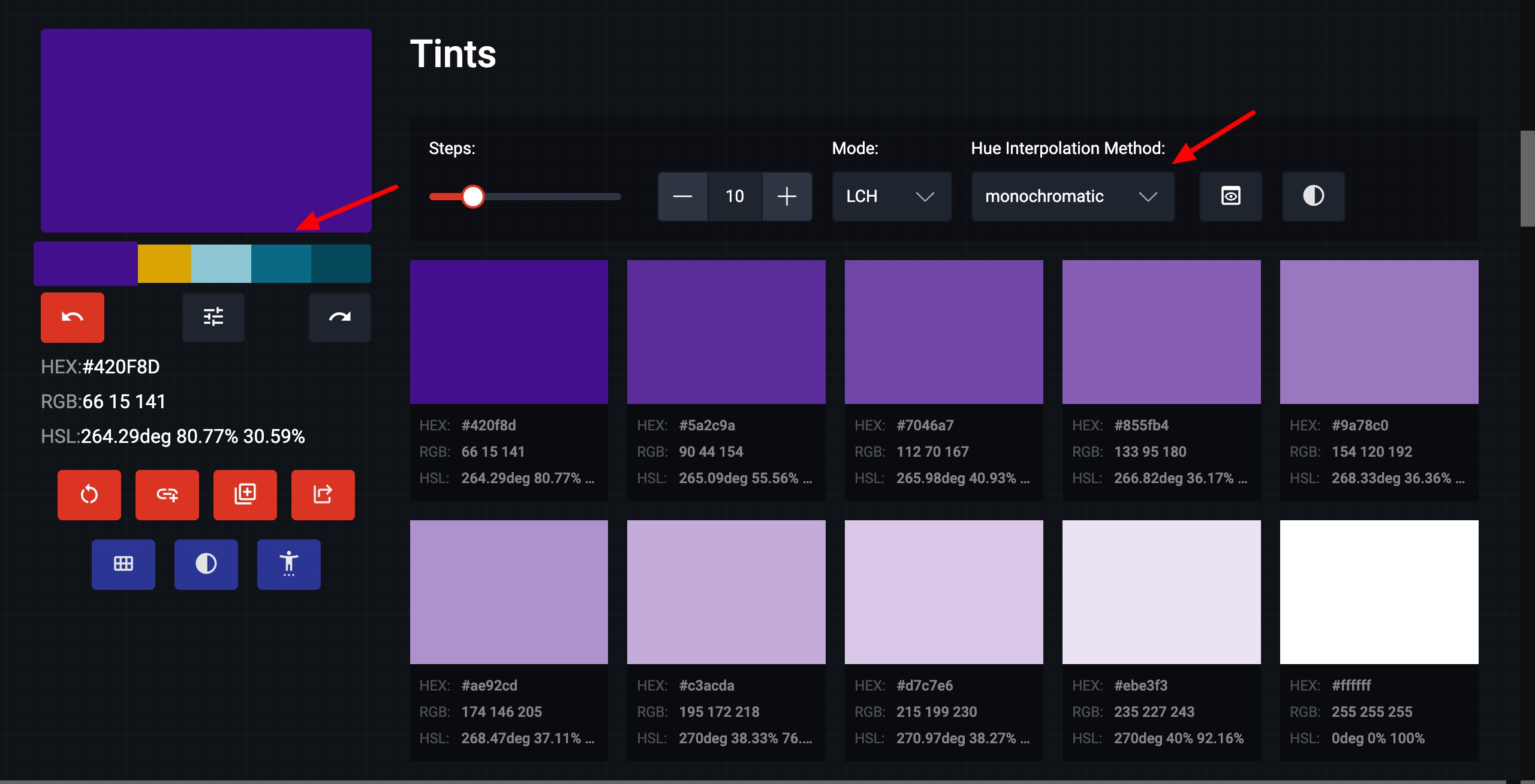
For every color you choose for your palette, it offers up to 40 tints and shades. It also shows you suitable combinations according to color schemes, like Complementary, Analogous, Split complementary, Triad, Square, etc.
It also comes with additional tools like Gradient Generator, Image Color Picker, and Random Color Generator. However, it doesn’t allow palette downloads. You need to manually copy HEX codes. Overall, Color Designer is ideal for users who want to create custom color palettes and gradients.
Tips for Using Color Picker Tools
1) Start with Base Color
You should start with one color that represents your theme or brand. Then, use the above tools to create matching or contrasting color palettes around it.
2) Understand Color Psychology
Different colors evoke different emotions. (For instance, blue represents trust, red represents energy, etc.) So, it would help to understand color psychology and pick shades that align with your audience.
3) Stick to 3–5 Colors
Whether you are creating your website or designing your app, keep your palette limited for visual harmony. Try to limit using accent colors for emphasis.
4) Use Contrast Checkers
While you choose colors for your color palette, make sure you test the color combinations for readability and accessibility. If you have text-based content, it is recommended to pick color combinations with high contrast. You can use contrast checker tools for this.
5) Test Across Devices
Colors can look different on different screens. So, before finalizing your palette, make sure to preview it on different monitors or devices.
Conclusion
So, these were some free and easy to use online tools for creating perfect color combinations. If you are a graphic, interior, or web designer, you will definitely find them beneficial for your work!
Anyway, I hope you enjoyed reading this article and found something of value. For more such insightful content, subscribe to my weekly newsletter. This is Kripesh signing off! Take care and keep learning. Cheers!





Great bhai really
Glad you liked it 🙂