Struggling to build your professional website due to a lack of design skills? Or does hiring a developer feel too complicated and expensive? Well, not anymore with Hostinger Website Builder. It comes with ready-made templates, drag-and-drop editors, and AI tools to build your website.
I’ve been testing Hostinger Website Builder for the past several years, along with other website builders like Wix, Squarespace, Dukaan, Carrd, etc. Recently, Hostinger Website Builder has introduced a range of new AI features. We’ll explore them in this Hostinger AI Website Builder Review.
In this review, I’ll break down its interface, features, editor, AI tools, pricing, and whether Hostinger Website Builder is actually worth your money, especially if you want to build a stunning website in minutes without coding. So, with no more delay, let’s dive in!
Hostinger Website Builder Review
Summary
Hostinger AI Website Builder is a fast, beginner-friendly platform with strong AI tools, sleek templates, and great value for money. It’s ideal for beginners, freelancers, and small businesses.
While blogging features are basic and some AI tools require higher plans, it’s a solid choice if you want to build a professional site quickly without coding.
- About Hostinger Website Builder
- Hostinger Website Builder Tutorial Video
- Hostinger Website Builder User Interface
- Hostinger Website Builder Editor
- Hostinger AI Website Builder
- Hostinger Website Builder Templates
- Hostinger Website Builder Speeds
- Hostinger Website Builder Customer Support
- Hostinger Website Builder AI Features
- Hostinger Review Video
- Hostinger Website Builder Pricing
- Hostinger Website Builder Discount Coupon Code
- Free Perks with Hostinger Website Builder
- Hostinger Website Builder Pros
- Hostinger Website Builder Cons
- Hostinger Website Builder Alternatives
- How Did We Test Hostinger Website Builder?
- Who Should Use Hostinger Website Builder?
- Why Should You Trust Me?
- Conclusion
- FAQ
Disclaimer : I strongly believe in transparency. If you buy using the links on our site, we may earn a small commission without any extra cost to you. This helps me to keep producing honest reviews. Read More >>
About Hostinger Website Builder
Hostinger website builder is a popular website builder powered by Hostinger web hosting service. It was established in 2019 and has its headquarters in Vilnius, Lithuania.
As of now, Hostinger has 4 million clients in 150+ countries. Over 10 million websites have been created with it to date.
The best part about using the Hostinger website builder is that you don’t need any coding knowledge or design skills in order to get started with it. It lets you choose from a variety of pre-designed templates, use AI, or build your own website from scratch.
You can create professional business websites, attractive portfolio sites, personal blogs, and responsive online stores with it. You can use it along with your Hostinger plan or purchase it as a separate service.
Hostinger Website Builder Tutorial Video
Do you want to create a website for your blog, store, or business? Then follow this beginner-friendly tutorial comprising simple steps. It’s in the Hindi language. Hope you enjoy watching!
Hostinger Website Builder User Interface
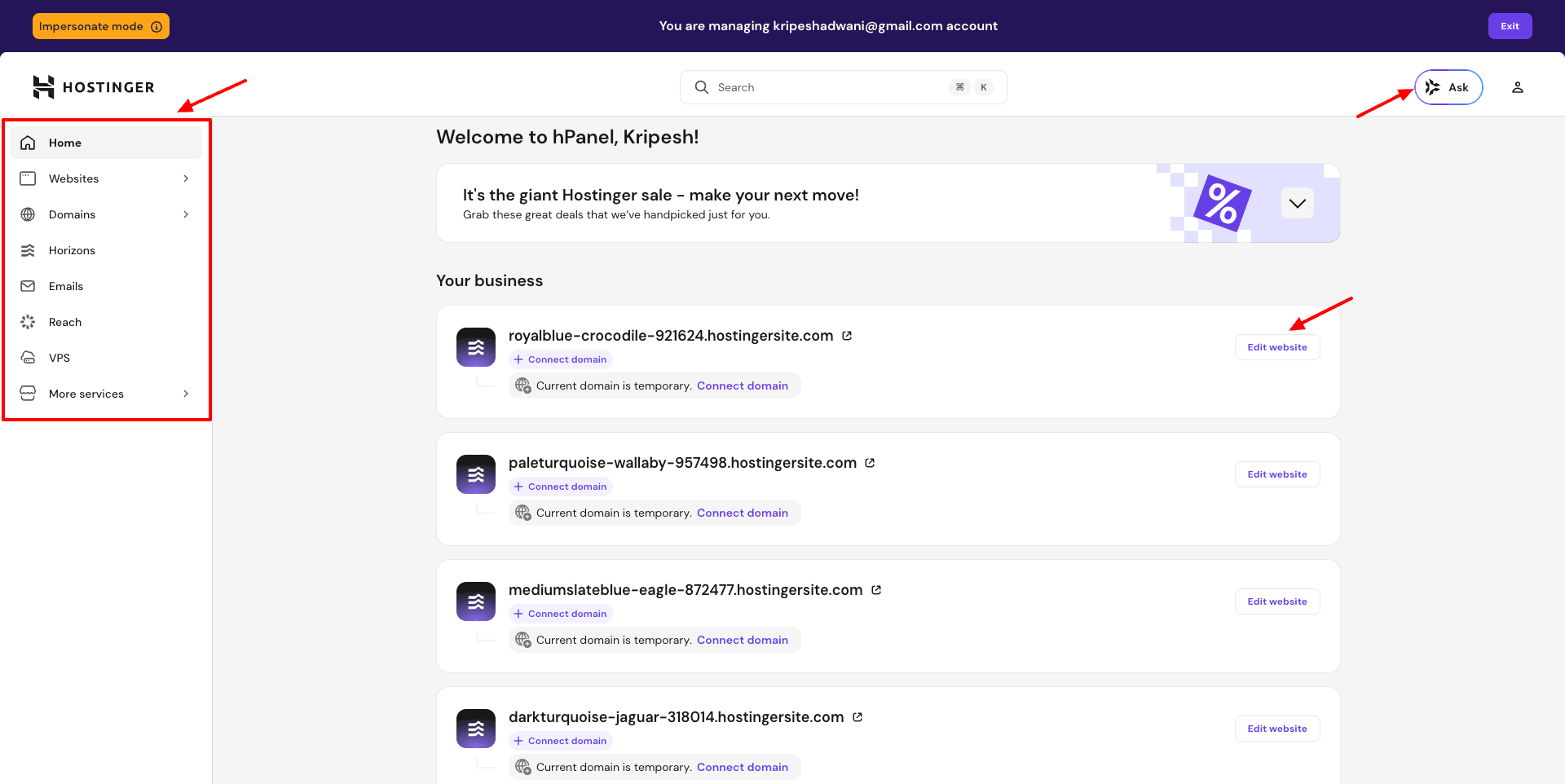
The user interface of Hostinger Website Builder looks quite modern, attractive, and easy to use. When you log in, the home page features a list of your created websites. On the left sidebar, you get all the features available on Hostinger, like Domains, Websites, Emails, VPS, etc.
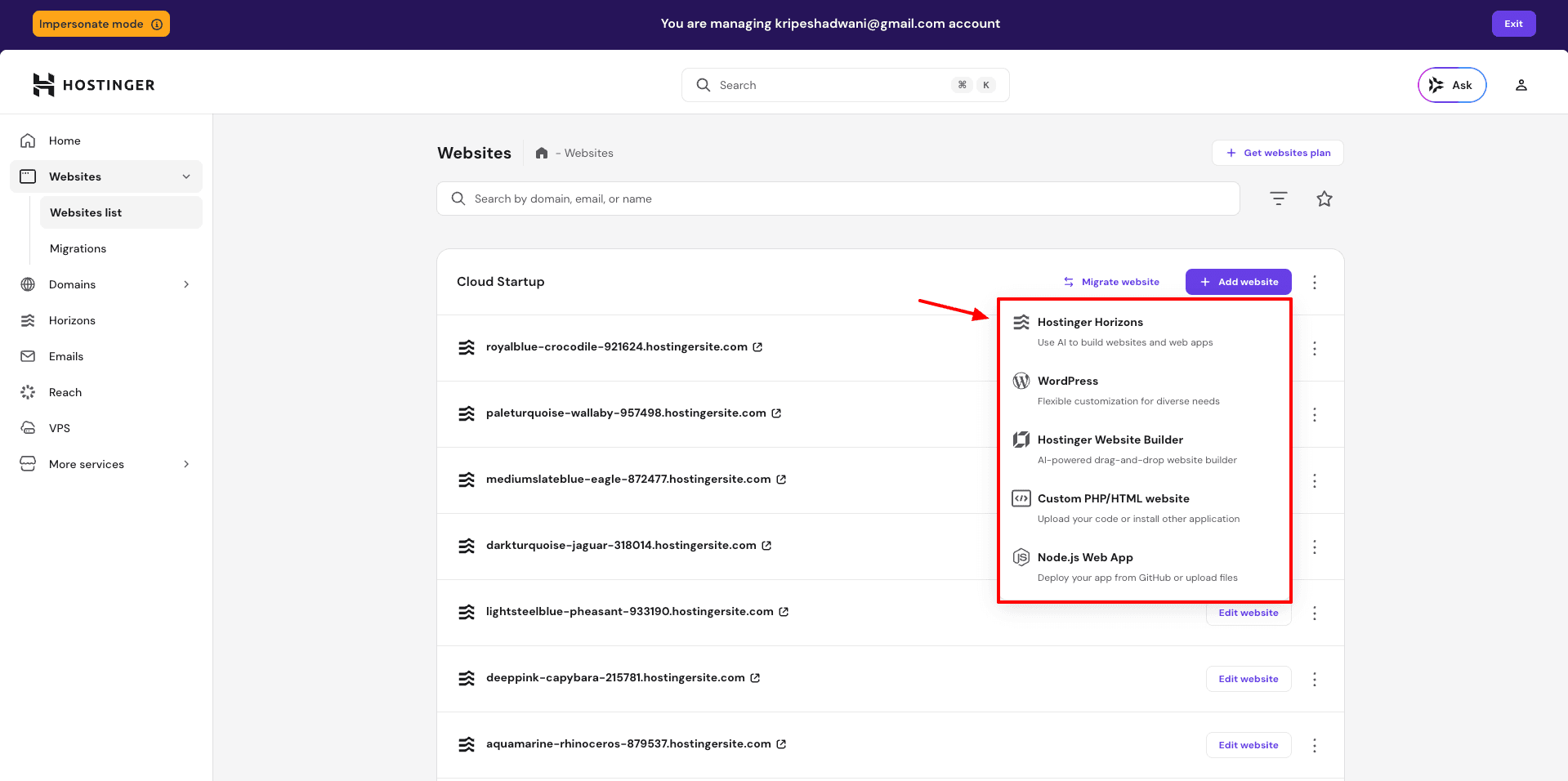
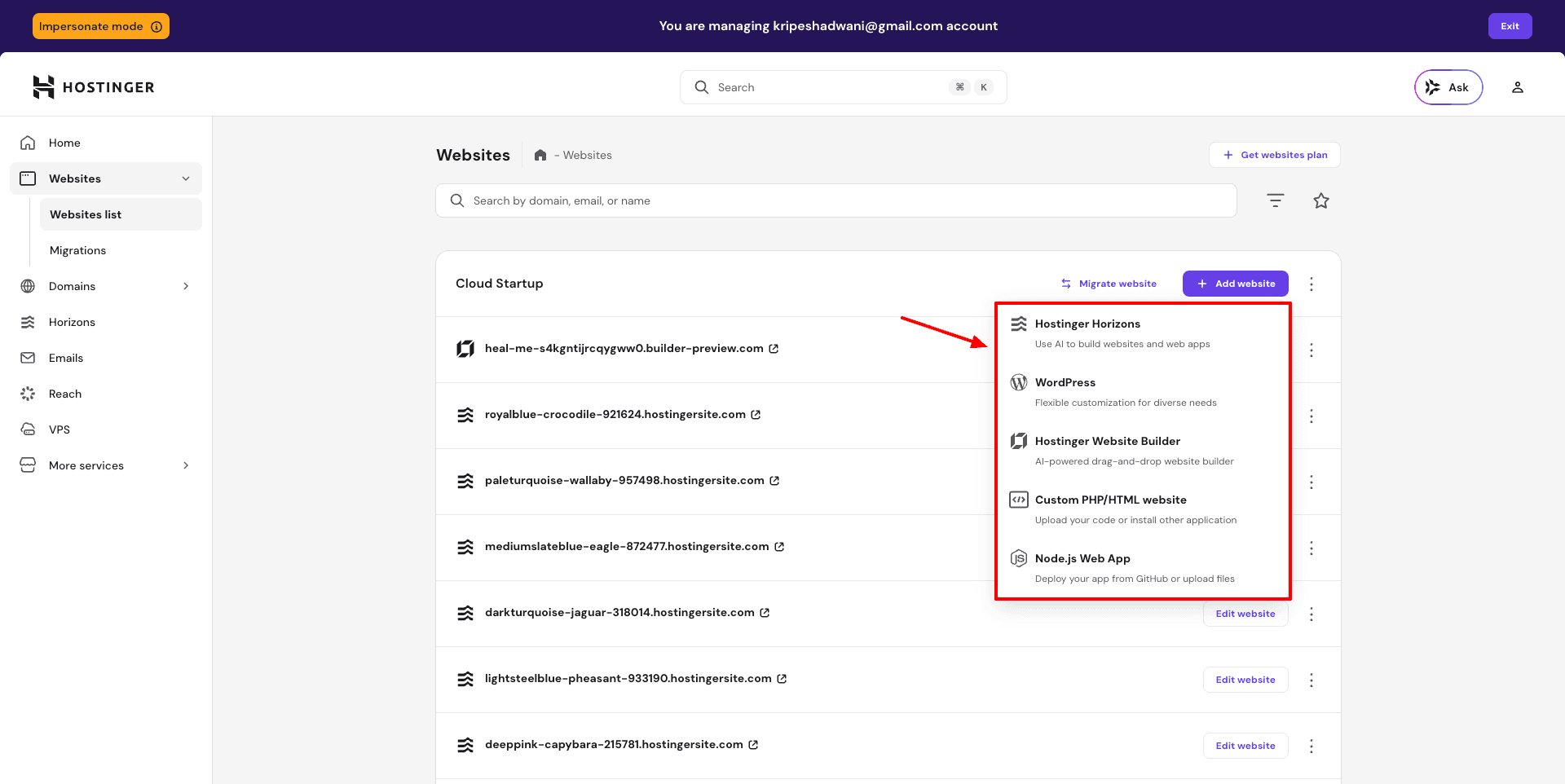
Clicking on the ‘Websites’ tab will give you a list of your created sites. Hit the ‘Add website’ option, and you’ll get 5 options to build a website:
- Hostinger Horizons
- WordPress
- Hostinger Website Builder
- Custom PHP/HTML website
- Node.js web app
In the top-right corner, you’ll find the ‘Ask’ button to chat with Kodee AI Assistant, along with options to change the language or log out. Overall, the UI looks easy and friendly for beginners and professionals alike. You won’t experience a learning curve when starting with it.
Hostinger Website Builder Editor
The editor of Hostinger Website Builder is pretty clean and easy to use. On the left column, you’ll find all the editable options like elements, styles, pages, AI tools, blog, store, SEO, etc. Let’s look at the key elements of the editor.
Drag & Drop Editor
Hostinger Website Builder features the WYSIWYG (What you see is what you get) editor. This means the changes you make in the editor are reflected the same way on the final website.
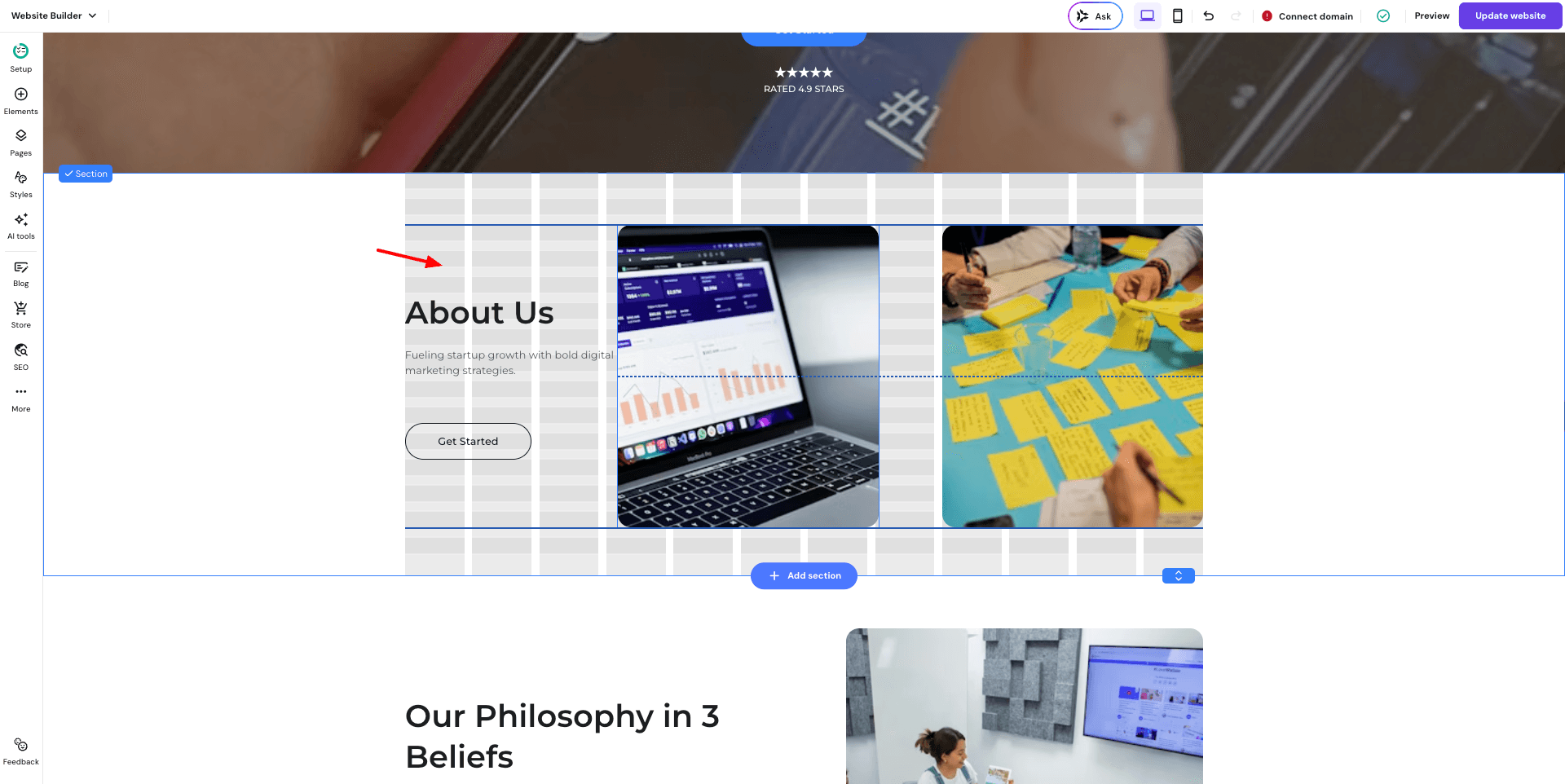
The editor supports drag-and-drop functionality and a unique grid system that offers greater design freedom. Thus, you can quickly arrange all the elements without messing up the appearance of your website.
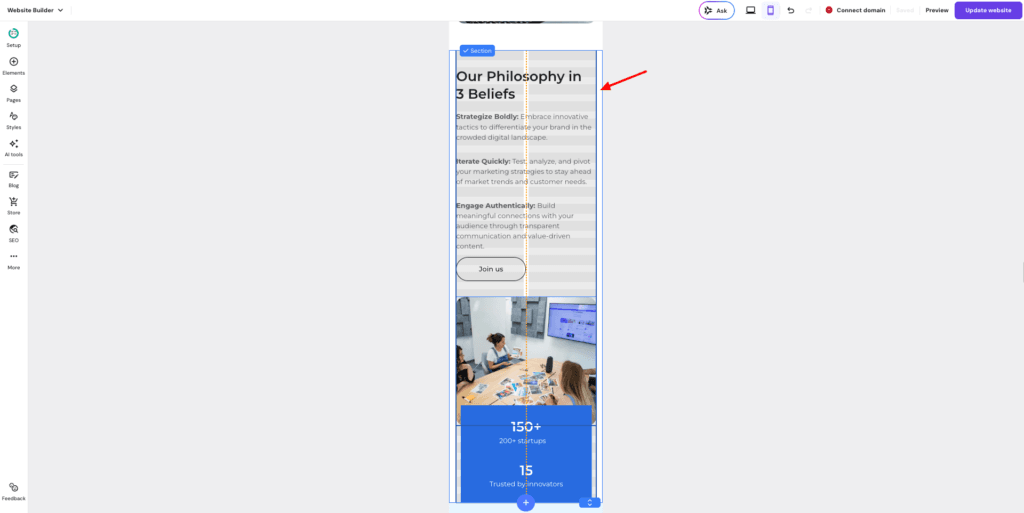
The editor is also responsive on both desktop and mobile devices. You can not only preview your site in the mobile view, but it also supports mobile editing! The best part is that the desktop modifications do not apply to the mobile site.
So, you have the freedom to design your desktop and mobile views in separate ways without disturbing each other. Overall, the editor is intuitive, flexible, and easy to use for beginners.
Pages
Once you are in the editor window, you can find a list of pages on your website from the left panel. You can edit these pages separately by clicking on them.
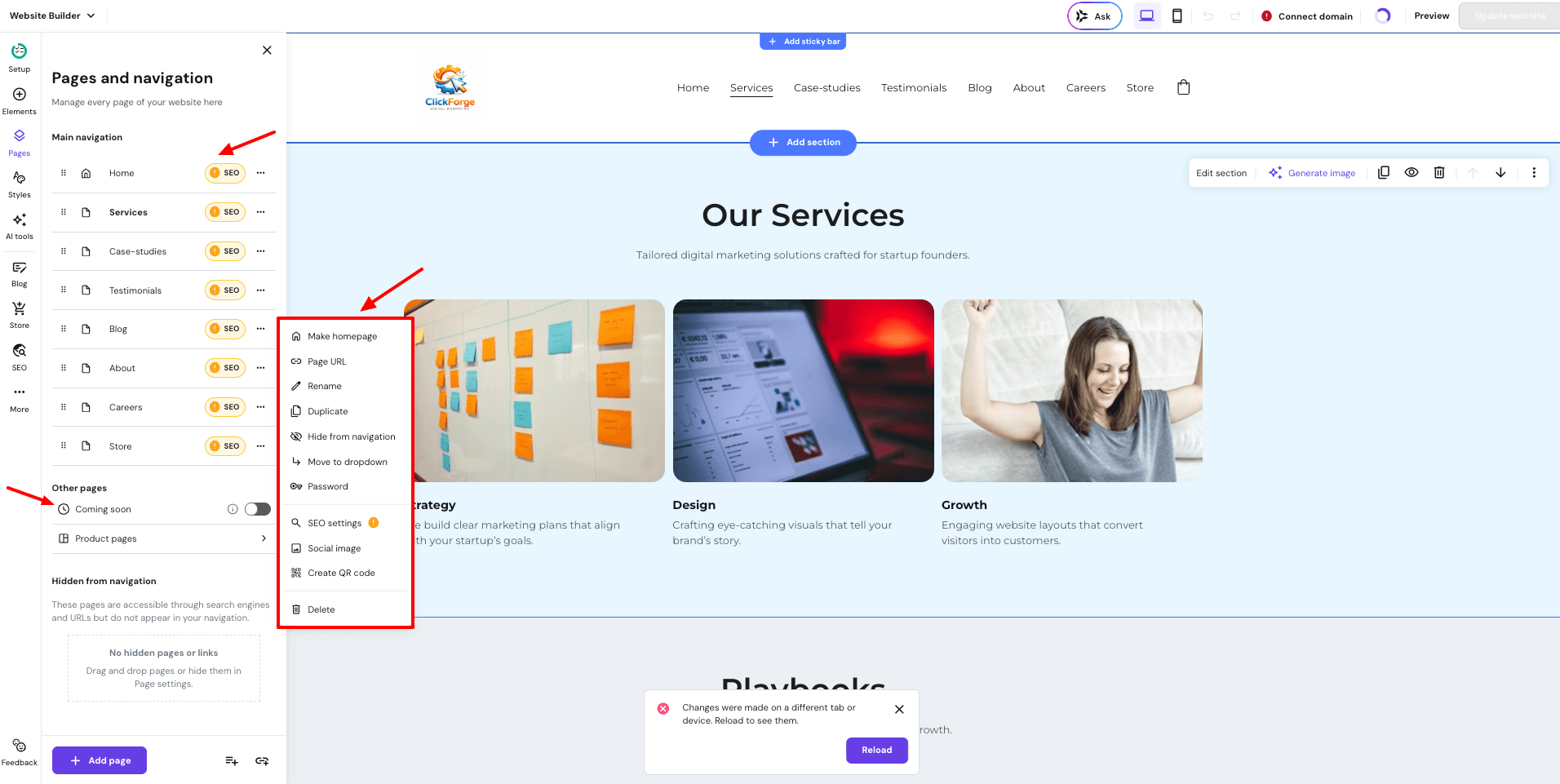
New pages can be added with a single click by selecting a template from pre-designed layouts or designing one from scratch. It lets you add a coming soon page, product page, etc. You can edit page settings, customize the page URL, hide specific pages from the navigation menu, etc.
After the recent updates, you can also password-protect your page, create a QR code for it, add a social image, make it your homepage, etc.
Sections
Sections are pre-made blocks of content that you can directly use on your website. You can click on the + button below any section on your page to add a new section template or a blank section.
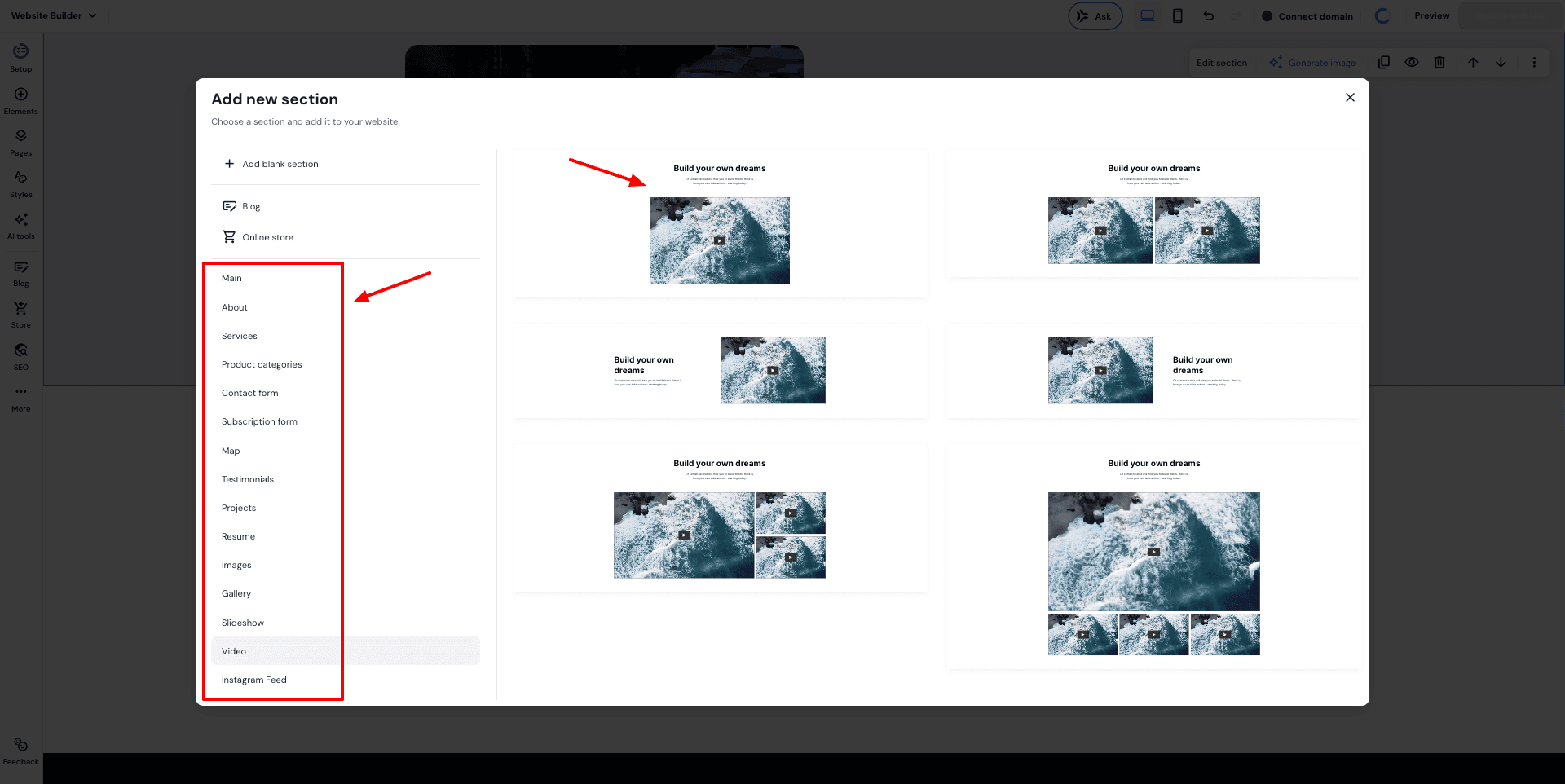
These comprise the About section, Contact Form, Headlines, Images, Map, Slide Show, Social Icons, Subscribe Form, Follow Us section, and more. For every section, you can infinitely edit the images, fonts, colors, content, etc.
Recently, they have also added pre-made templates for privacy policy, terms and conditions, refund policy, etc. You can simply add them to your page and then make any changes as per your requirements.
Recently, they have also added the feature to generate custom sections with AI. Keep reading. It’s discussed below within AI tools.
Elements
Elements are the most important aspect of a website builder. Hostinger website builder supports 15 elements, including Text, Buttons, Videos, Images, Social Icons, Shape, Map, Insta Feed, Embed code, etc. Recently, they’ve added new elements like Product Search and Affiliate Links.
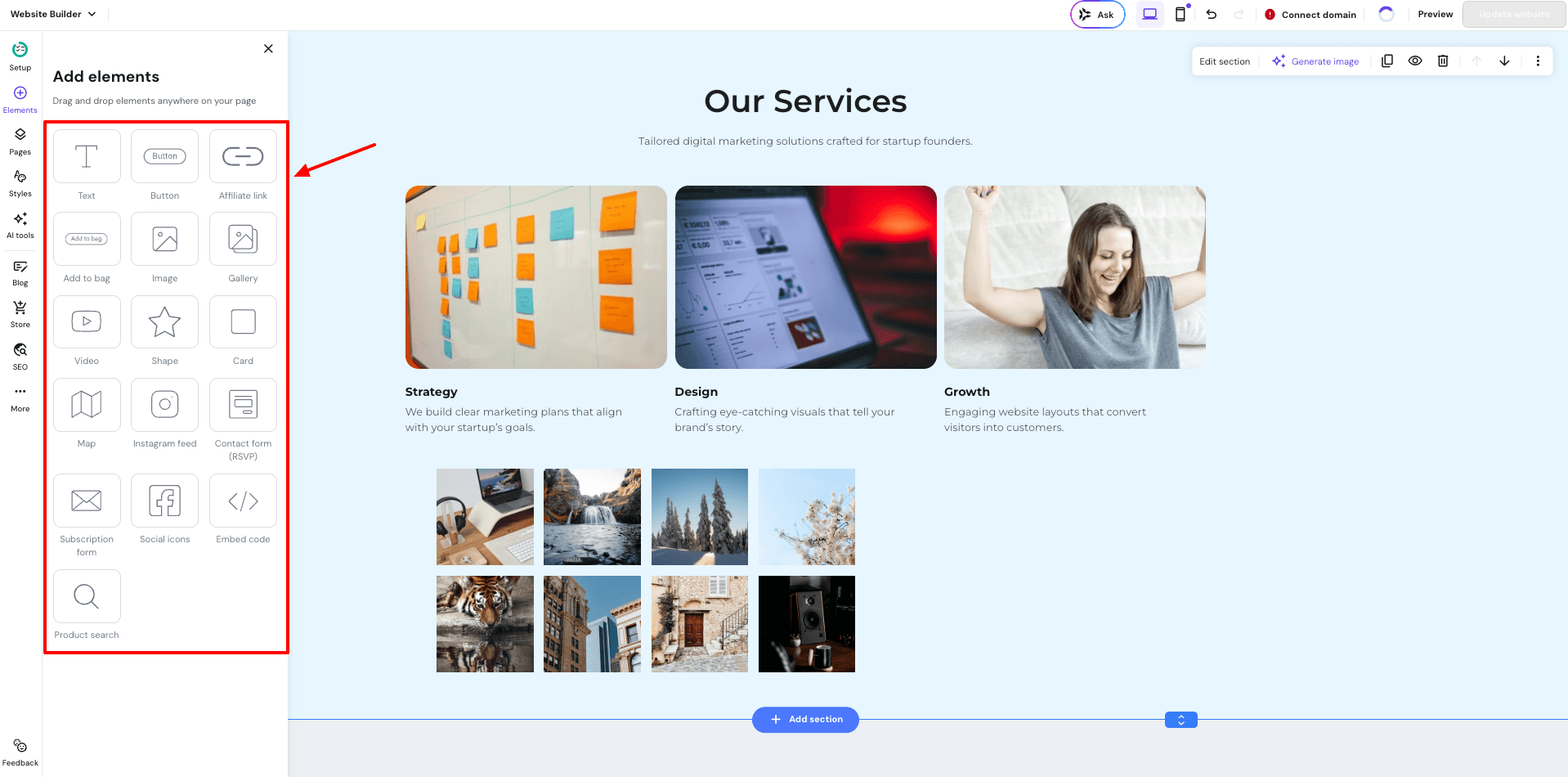
In my opinion, these elements are sufficient for beginners, but experienced users like me would find them to be quite limited. They can definitely work on adding more advanced elements to their editor.
Styles
The Editor also lets you experiment with the appearance of your website. You can modify colors, fonts, buttons, and animations from their list.
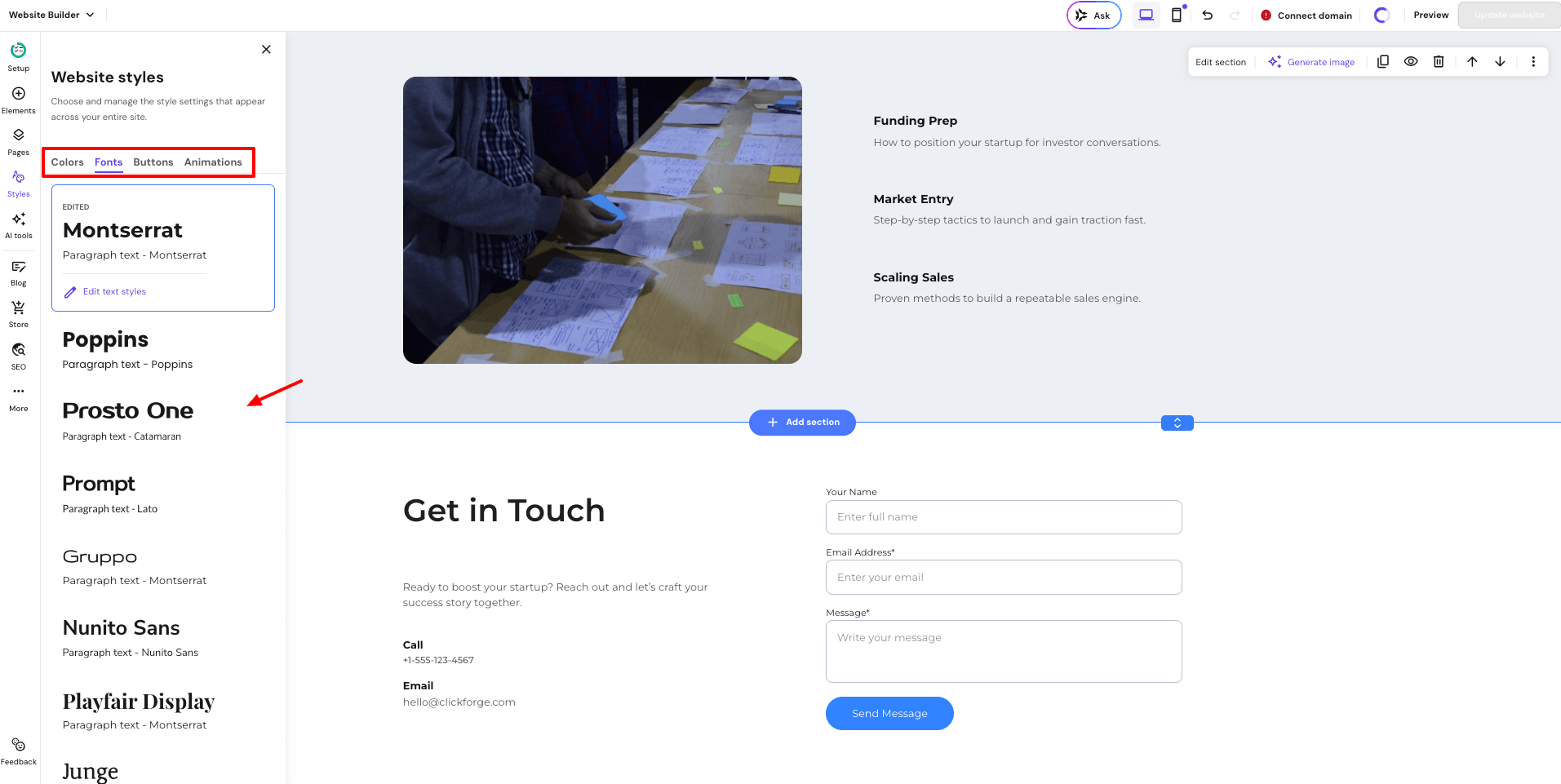
You can check the usage frequency of each color, choose font combinations that work well together, and select a button shape and an animation for your section.
Blogs
You also get fully functional blogging features with the Hostinger website builder. It lets you create and manage your blogs right from your website builder dashboard. However, the functions are quite basic.
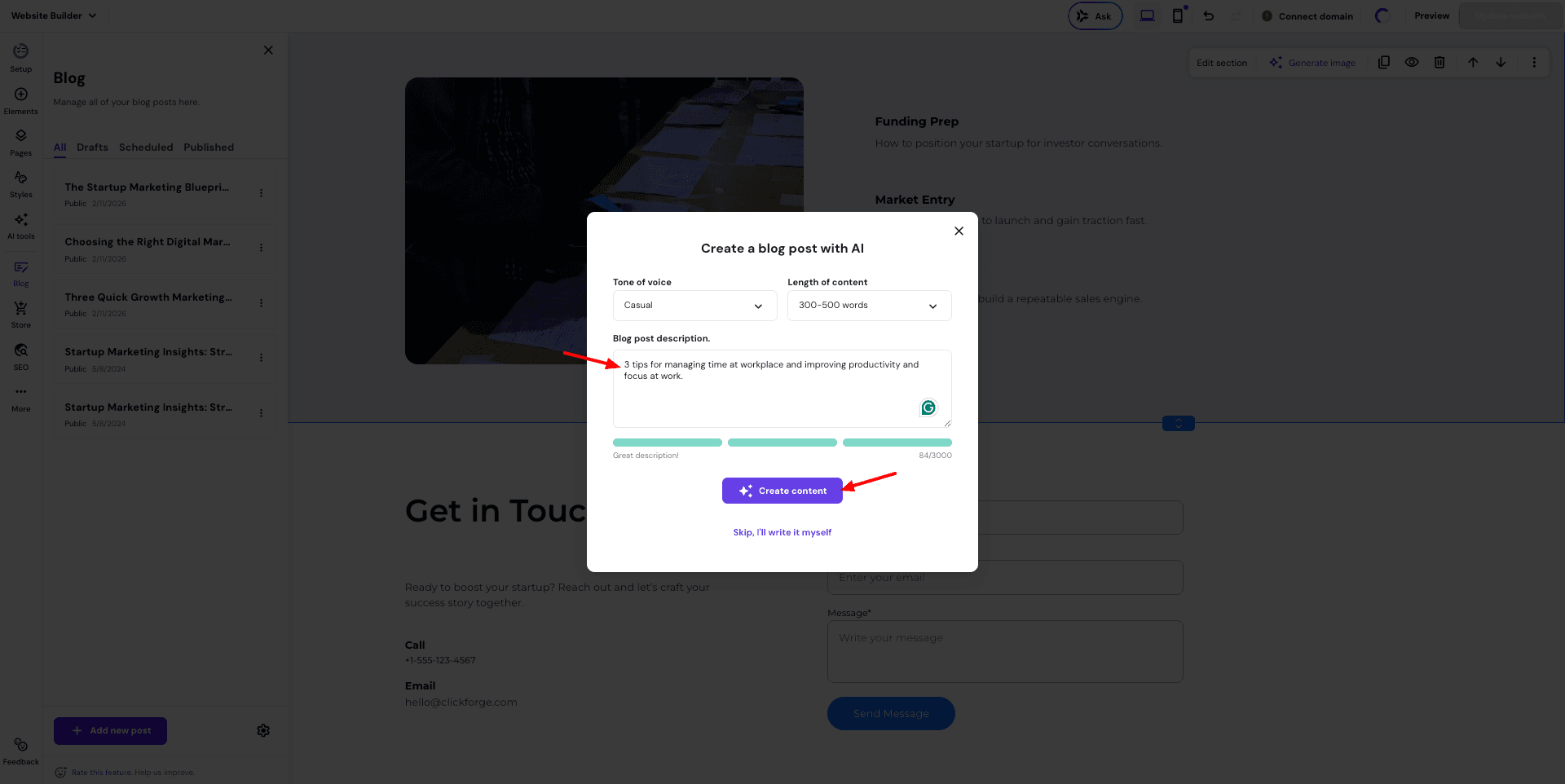
One interesting feature they’ve recently integrated is the AI Blog Generator. All you need to do is enter a description of your post (under 3000 characters), select a tone of voice, and content length. It will automatically generate a blog post for you.
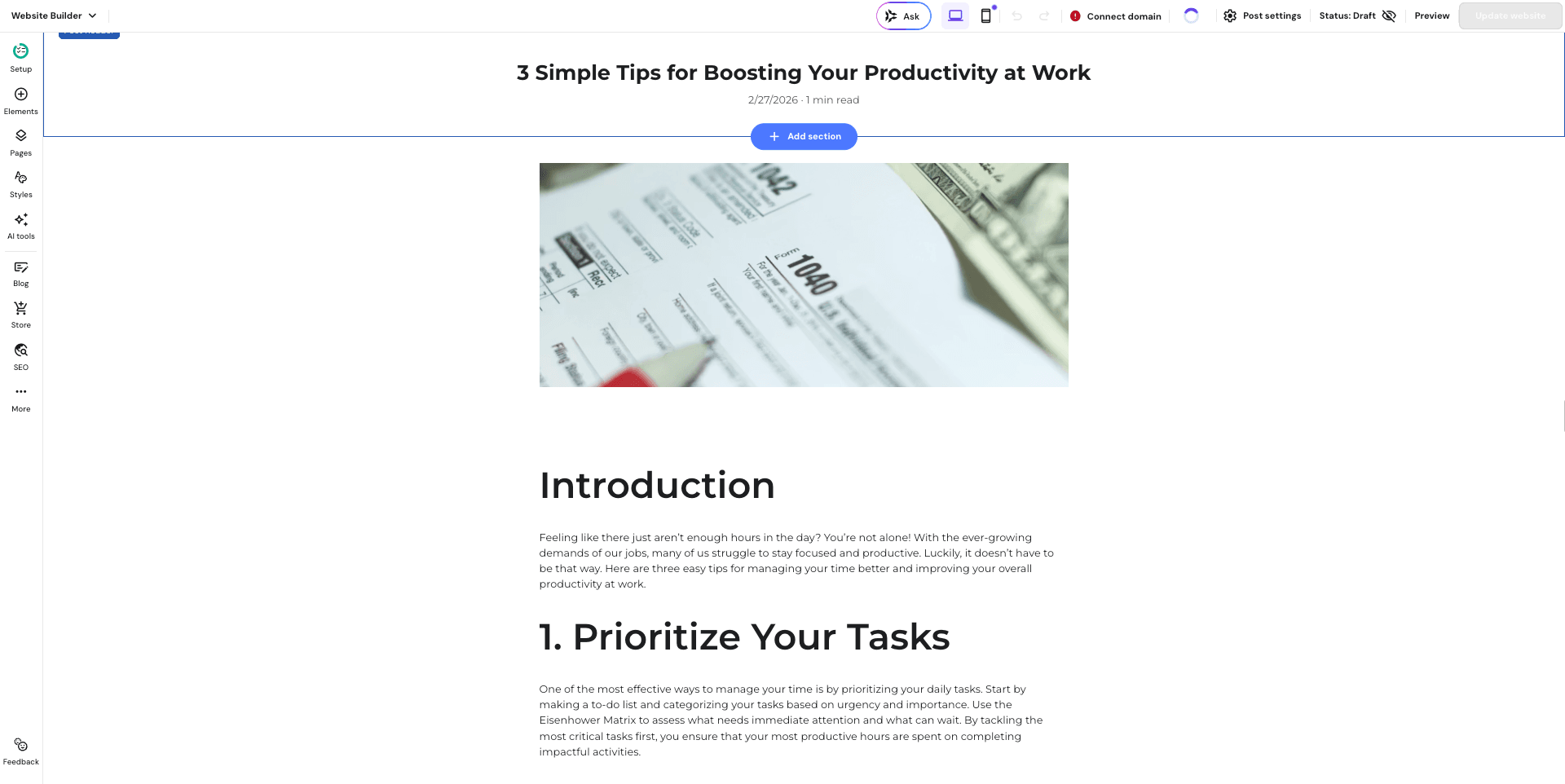
If you wish to start professional blogging, go with WordPress. But if you’re just creating blogs for sharing information and don’t need to blog frequently, Hostinger’s AI blogging tools will do the job for you.
E-Commerce Store
Hostinger Website Builder also supports creating e-commerce stores. They offer a separate interface to access this functionality. It lets you offer multiple types of products like physical products, digital products, services, donations, and appointments.
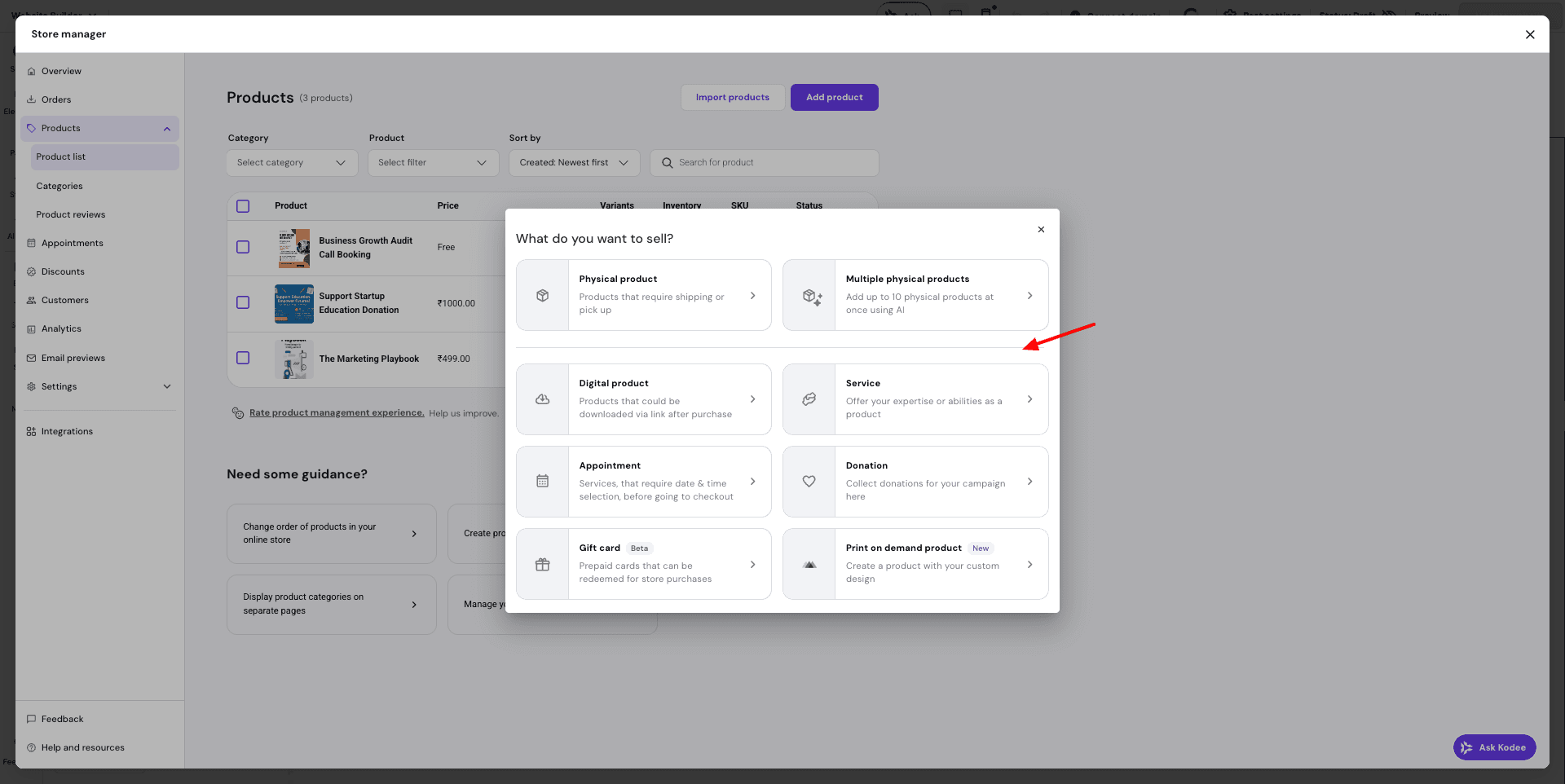
Now, they have added more options like multiple physical products, gift cards, and print-on-demand products. You can also add payment methods as per your selected currency. If I choose INR currency, I can connect Razorpay, COD, & other payment methods manually. PayPal is not supported with INR, so you can also switch your currency to support other payment methods. Within your eCommerce store, you also get multiple integrations like WhatsApp, Meta Pixel, Google Ads App, Google Analytics, Google AdSense, Hotjar, etc.
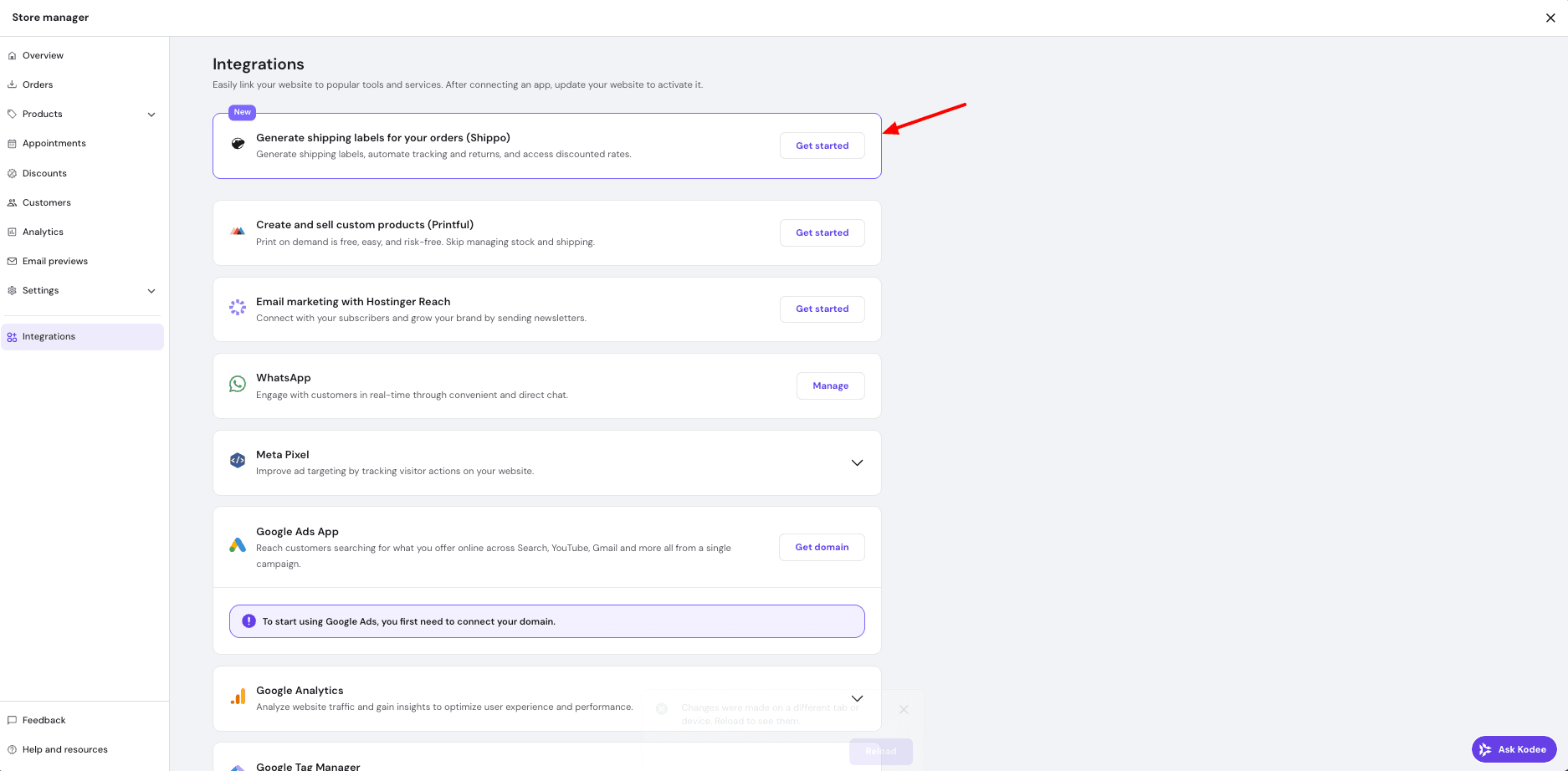
Additionally, you can manage your orders, products, appointments, create discounts, add customers, and more through the eCommerce dashboard. It also features an AI Product Description Generator.
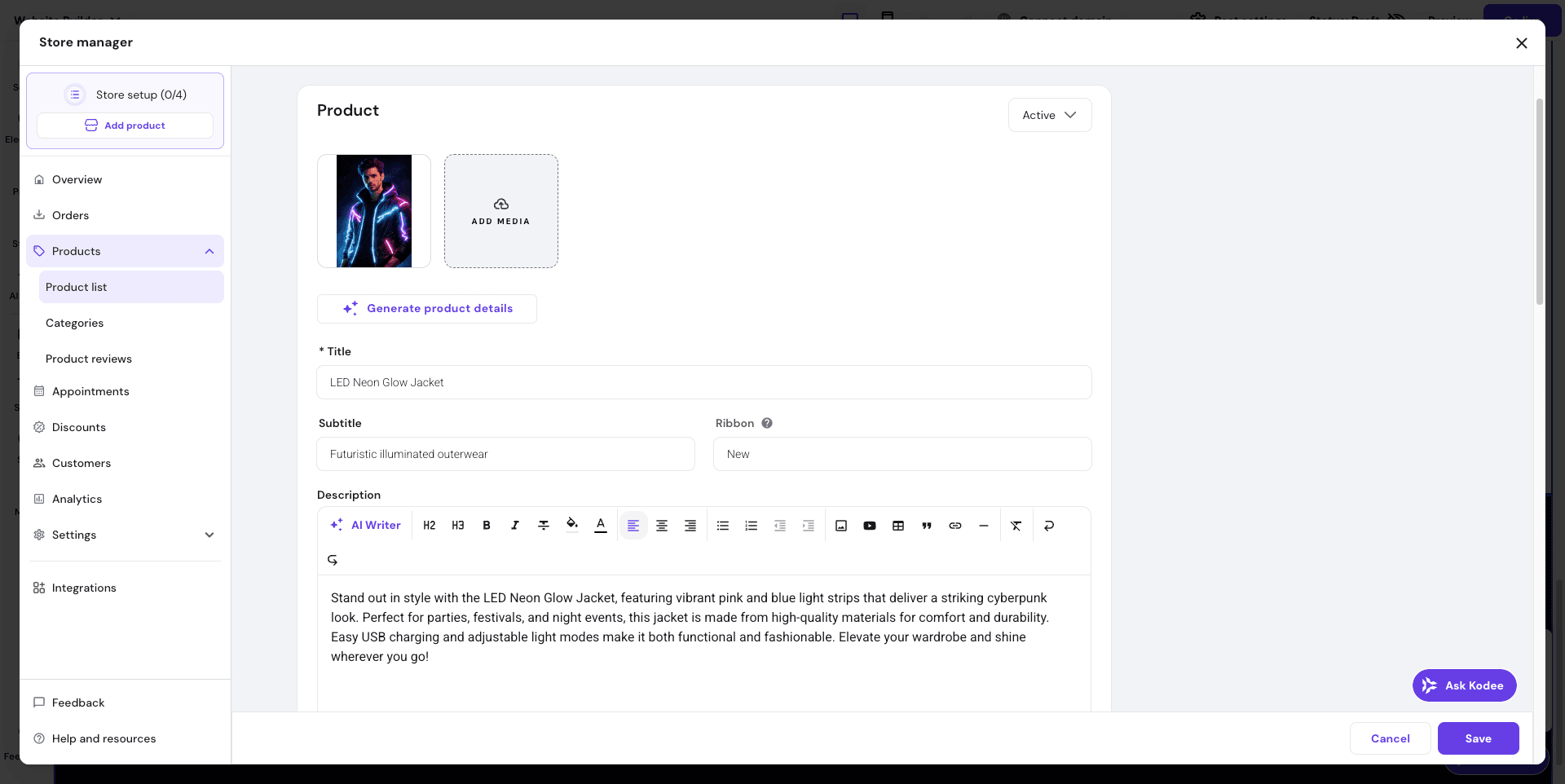
All you need to do is choose a product type and upload an image of your product. The AI will automatically generate the product title, subtitle, and description. Overall, the eCommerce store functionality looks easy and convenient if you’re planning to set up an eCommerce store.
Hostinger AI Website Builder
Hostinger features one of the most powerful AI website builders as of now. To get started, simply go to the Websites section and add a new website. Choose Hostinger Website Builder as the method for building your site.
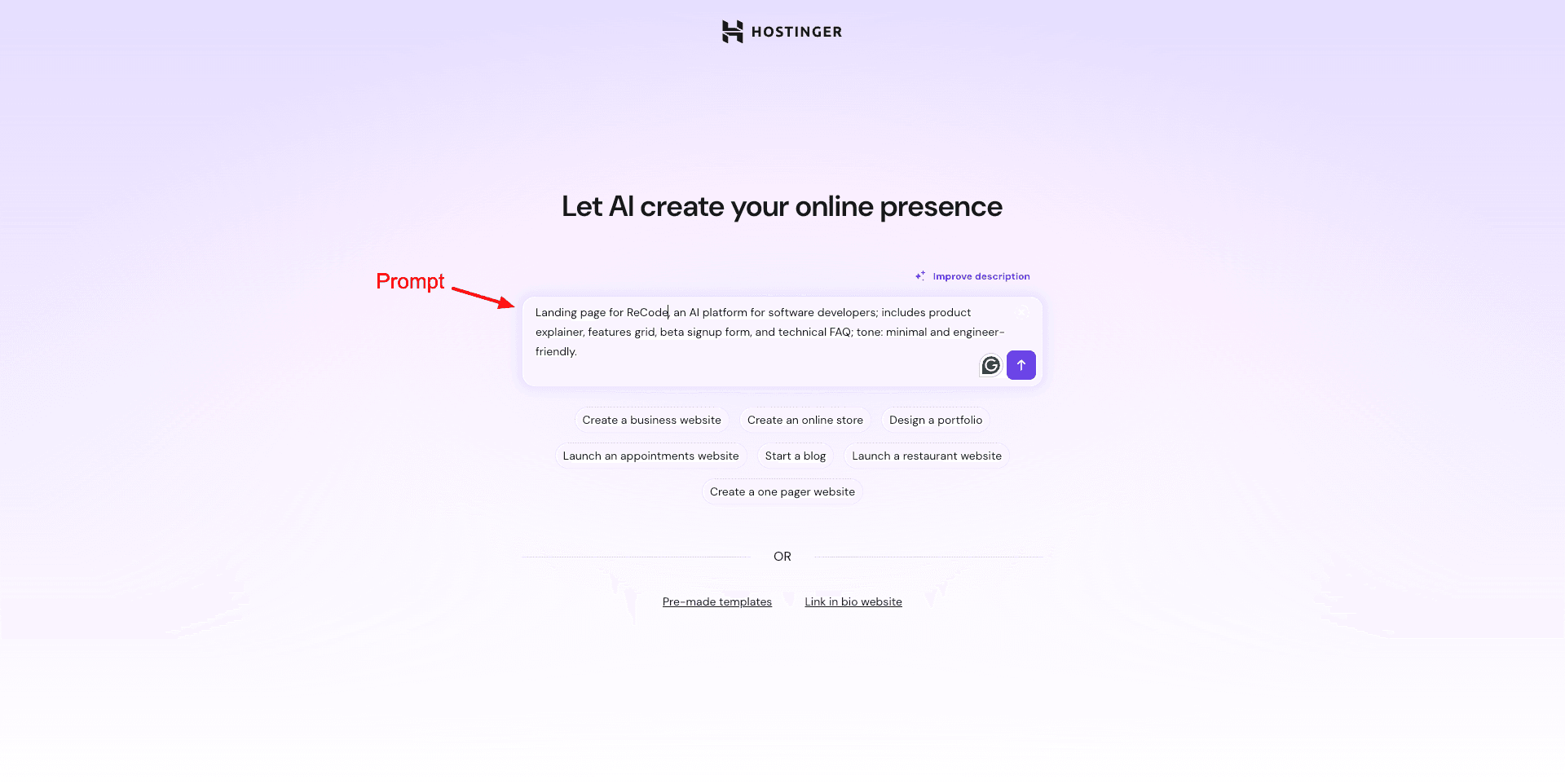
Next, you can write a prompt to describe your website or business. Then, watch the AI create a full-fledged website with multiple pages for you. I liked the fact that it inserts an AI-generated video in the header.
Once the website is generated, you can customize it as per your preference. You can add new elements, section, pages, and more. It also features multiple AI tools to edit the website content, media, and more. We’ll look at them in detail below.
Hostinger Website Builder Templates
If you don’t want to use AI in your website-building process, Hostinger also features a range of pre-designed templates. It features 275+ beautiful website templates in categories like eCommerce, portfolio, business, blog, creative, community, events, education, etc.
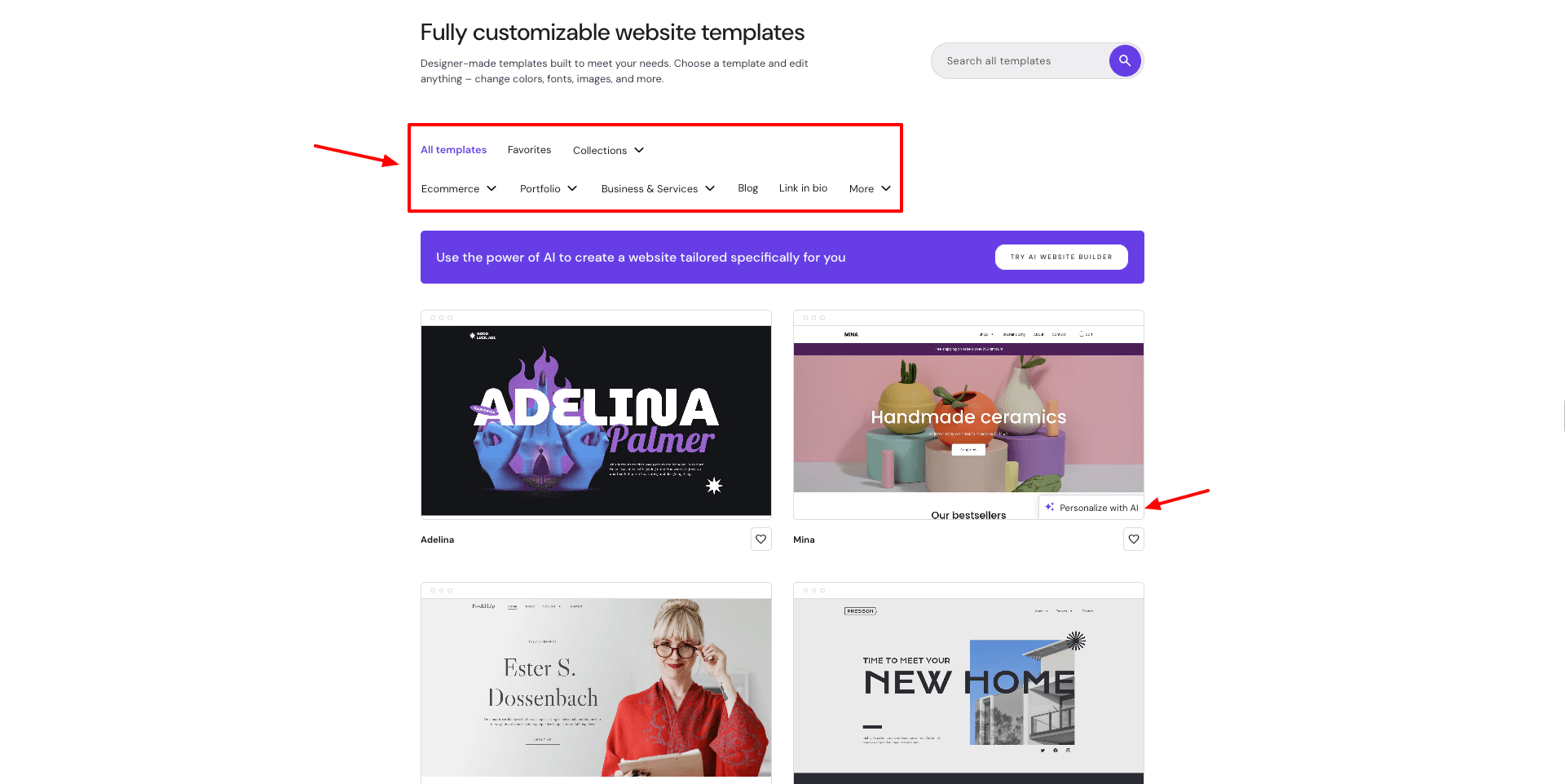
It also features a ‘Collections’ section under which you can find popular templates, coming soon templates, landing page templates, simple and modern templates, etc. For creating your website from scratch, you can choose the blank template and manually add sections to it.
Recently, they have also introduced the ability to edit with AI in some of the templates. So, if you like a template, you can choose it and write your prompt. The AI will customize the template as per your preferences. This is great for better control over your website’s look and feel.
Hostinger Website Builder Speeds
Speeds are not a key factor when choosing a website builder. For a website builder, mainly ease of use and design experience are considered essential. But still, we don’t want a slow-loading website that makes us lose visitors and SEO points, right?
Keeping this in mind, I tested my website speeds through Pingdom on the US and Asia locations. For this, I used an AI-generated website that was loaded with multiple pages, an eCommerce store, a blog, and lots of media elements. Let’s look at the results.
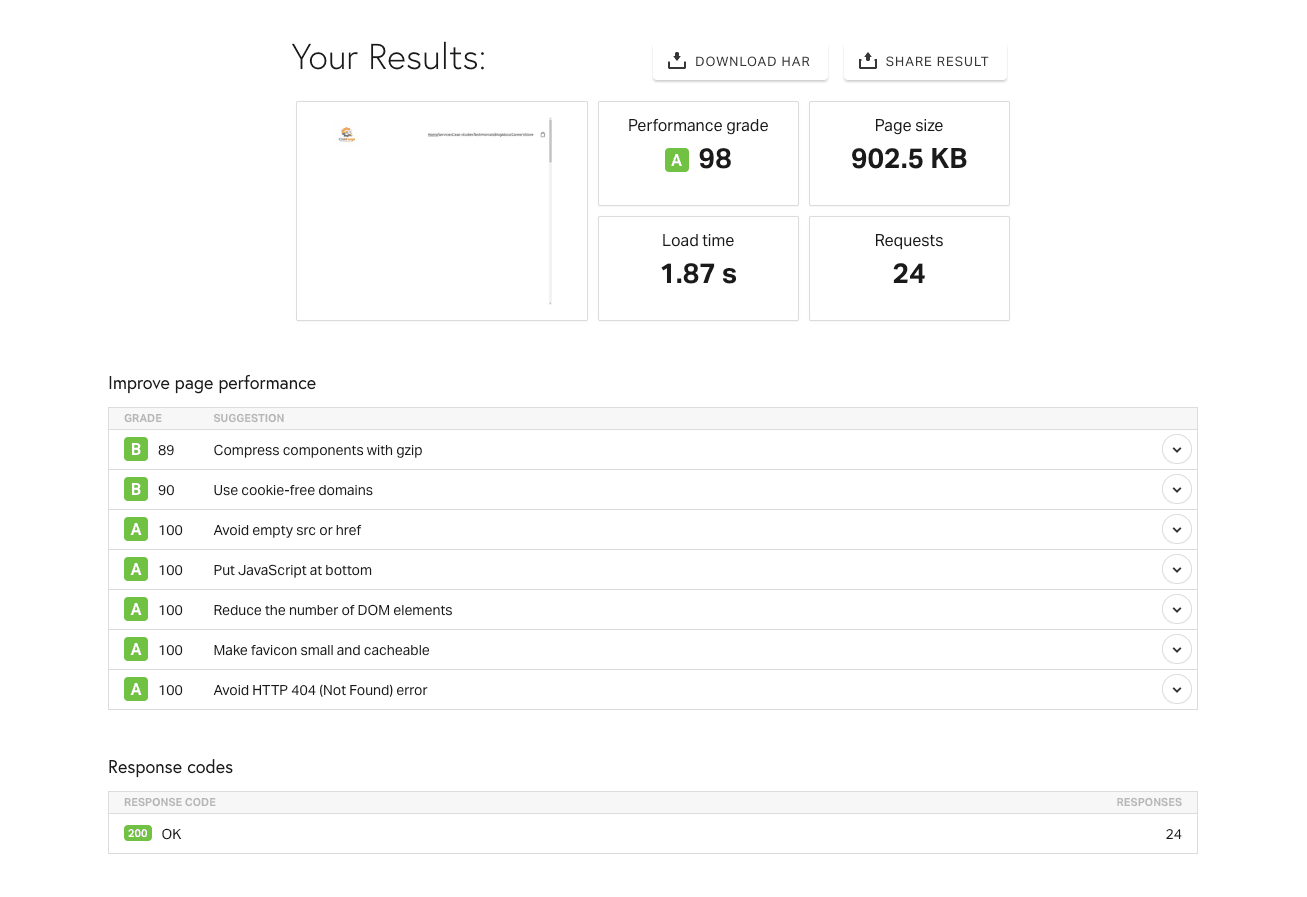
First, I checked the page load speeds from the US (San Francisco). I noticed a load time of 1.87 seconds with a performance score of 98 (Grade A). Next, I noticed a slightly slower page load speed of 2.66 seconds from Asia (Japan) with a similar performance score of 98 (Grade A).
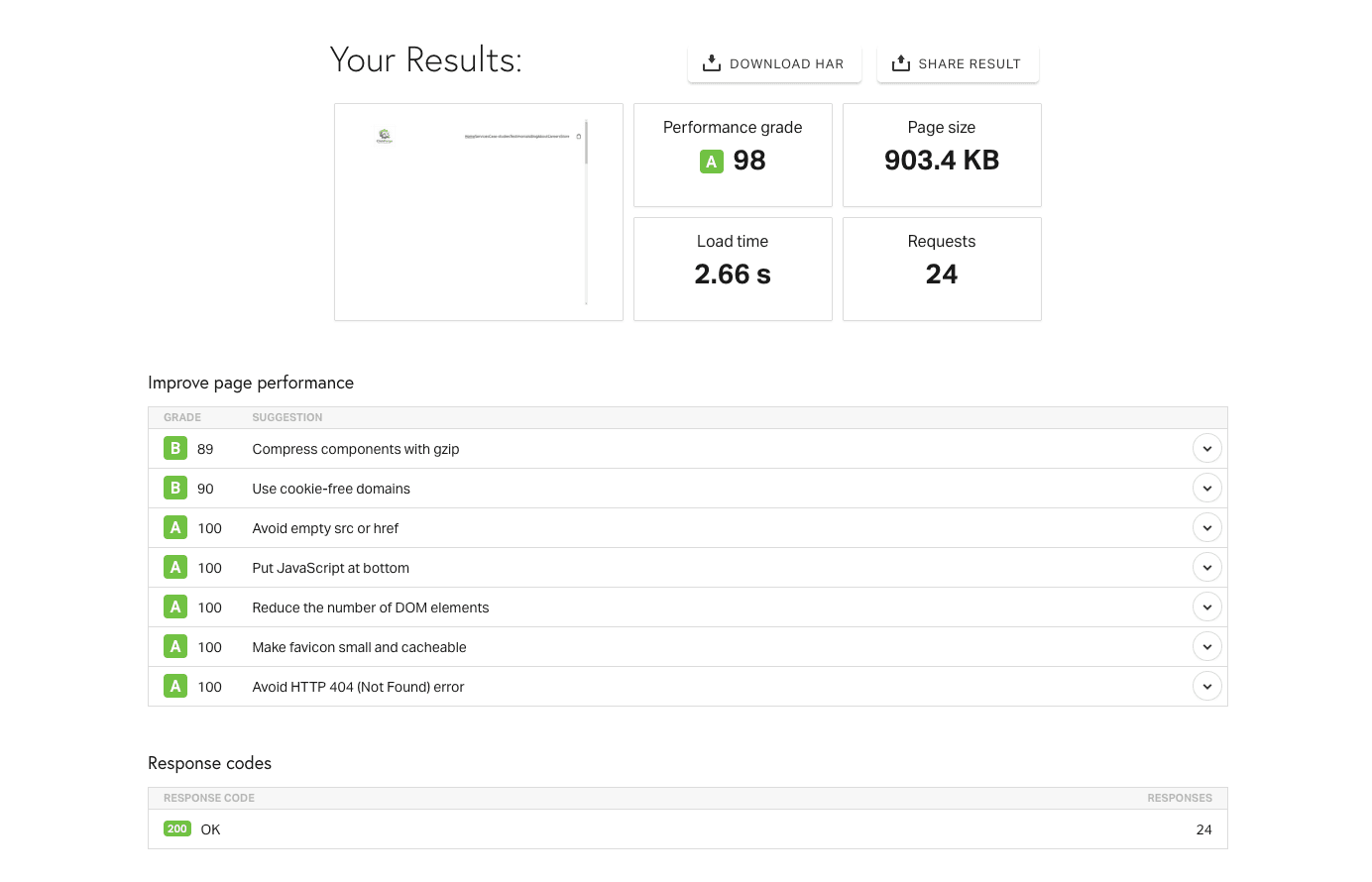
Overall, load speeds at all locations are under 3 seconds. For a website builder, these are pretty impressive speeds.
Hostinger Website Builder Customer Support
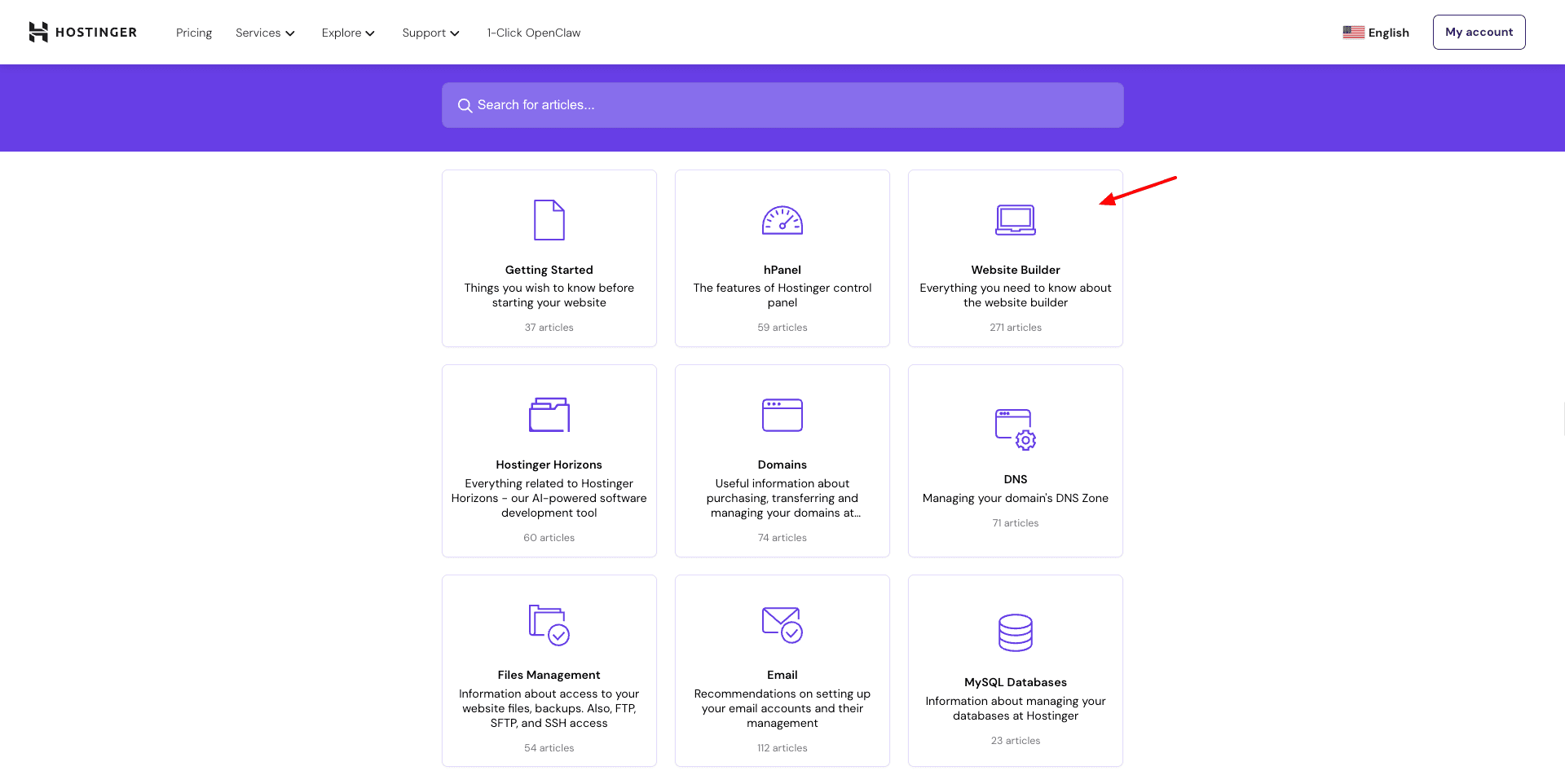
Hostinger offers customer support in multiple ways: Email, Knowledge Base, Live Chat, and Contact Form. Their knowledge base has hundreds of articles that help you get started with Hostinger Website Builder.
Recently, they have added an AI-powered live chat assistant called Kodee. It can solve simple queries and answer your doubts from its knowledge base. For advanced queries and troubleshooting, you can request human support, and it will connect you to a human agent.
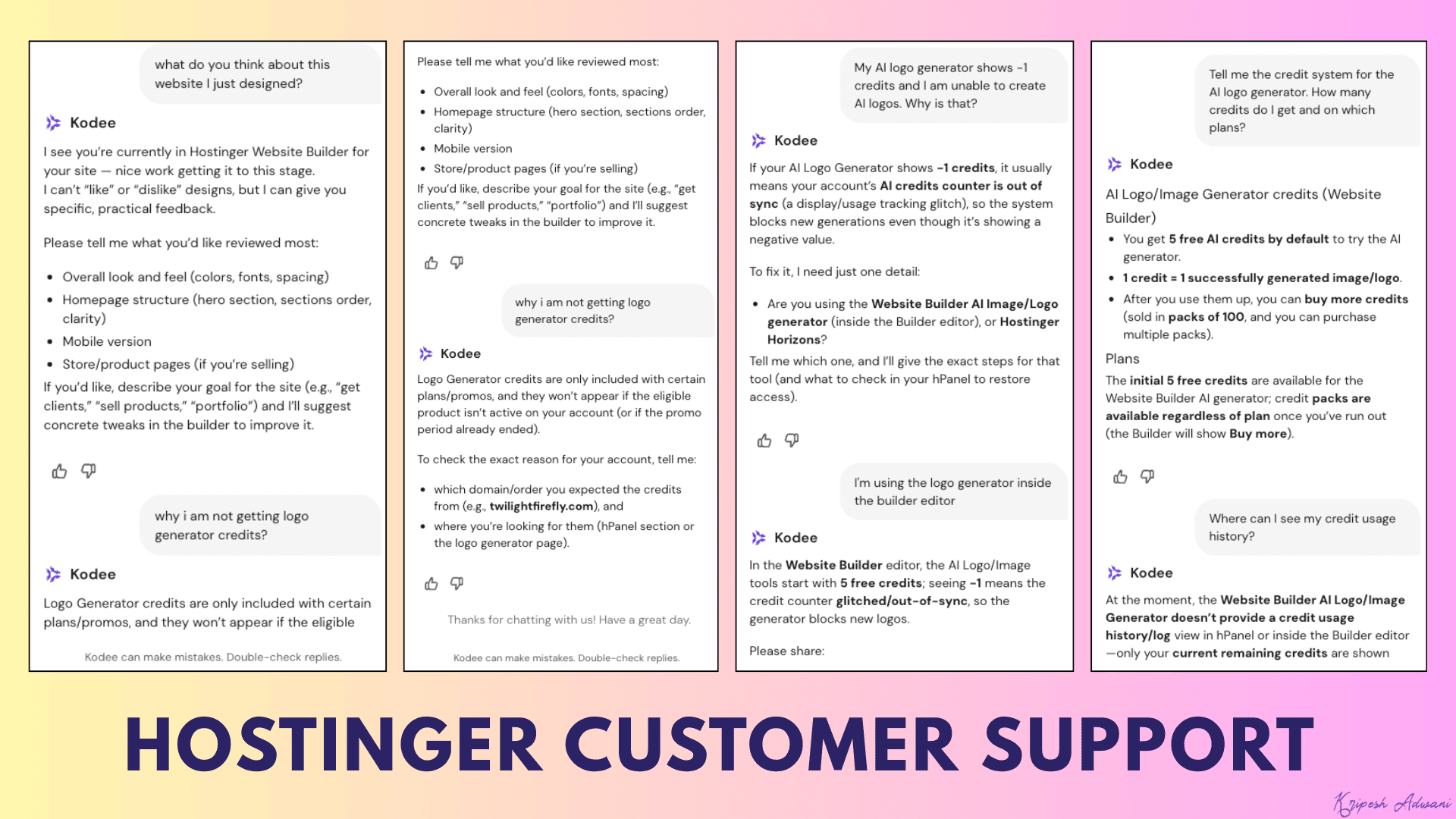
Overall, I found Kodee and their customer support team to be quite good at solving technical queries. Even though the support lagged at times, I found them polite, helpful, and technically well-versed.
Hostinger Website Builder AI Features
Within the Hostinger AI Website Builder, you will find multiple AI features. Let’s look at the main features below.
1) AI Writer
The AI Writer can help you customize your website content with ease. You can use it to shorten or expand content, fix grammar, change tone, etc. To use the AI Writer, simply click on any text you wish to edit and hit the ‘AI Writer’ button.
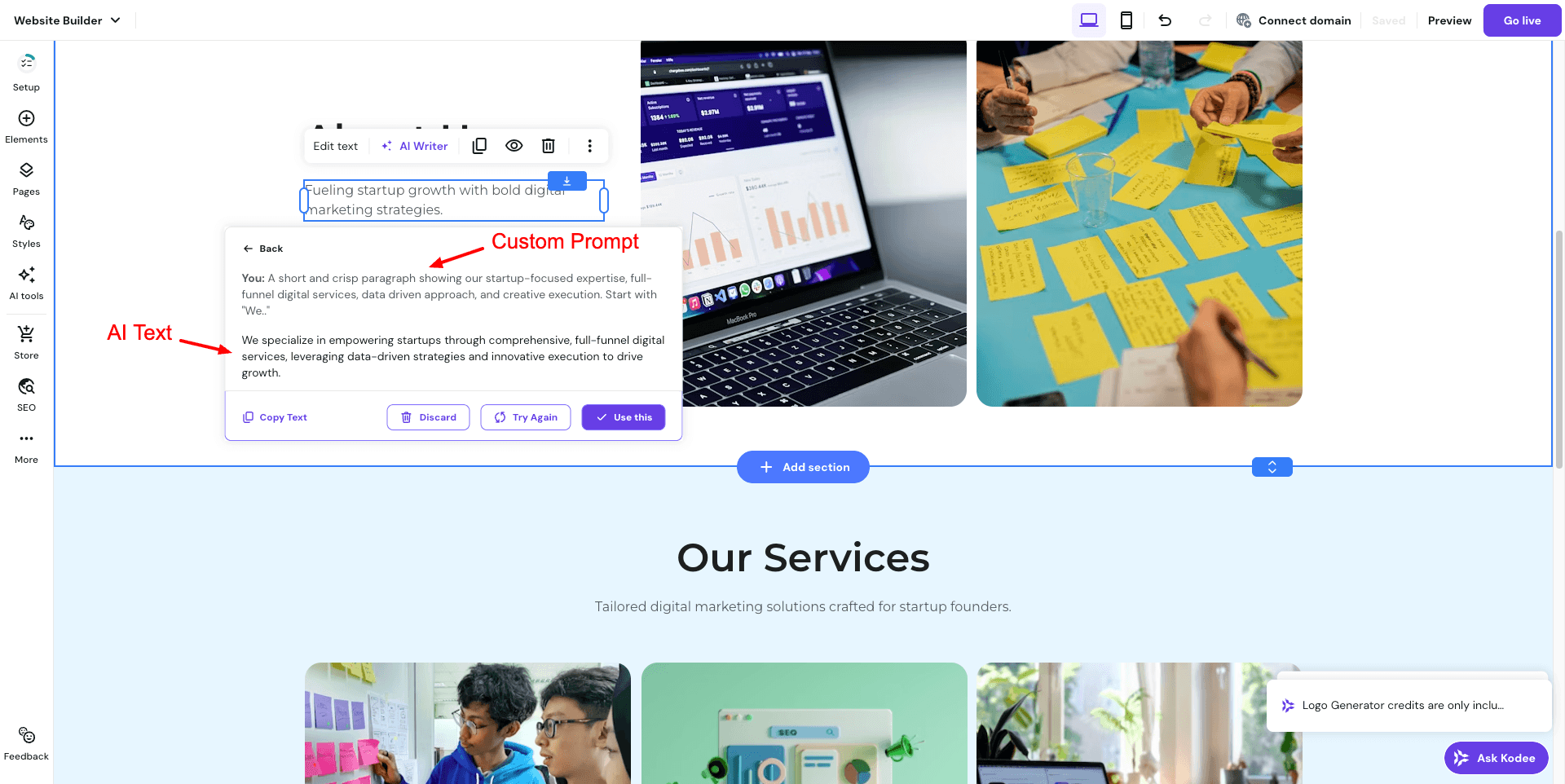
You can also use custom prompts to make additional edits to your content. The AI Writer works really well for personalizing your content.
2) AI Image Generator
Now, Hostinger also has an AI image generator for creating beautiful website images. If you don’t like an image on your website, simply click on it and hit the ‘Generate Image’ button. You’ll be asked to write a prompt describing your website, and 2 outputs will be generated.
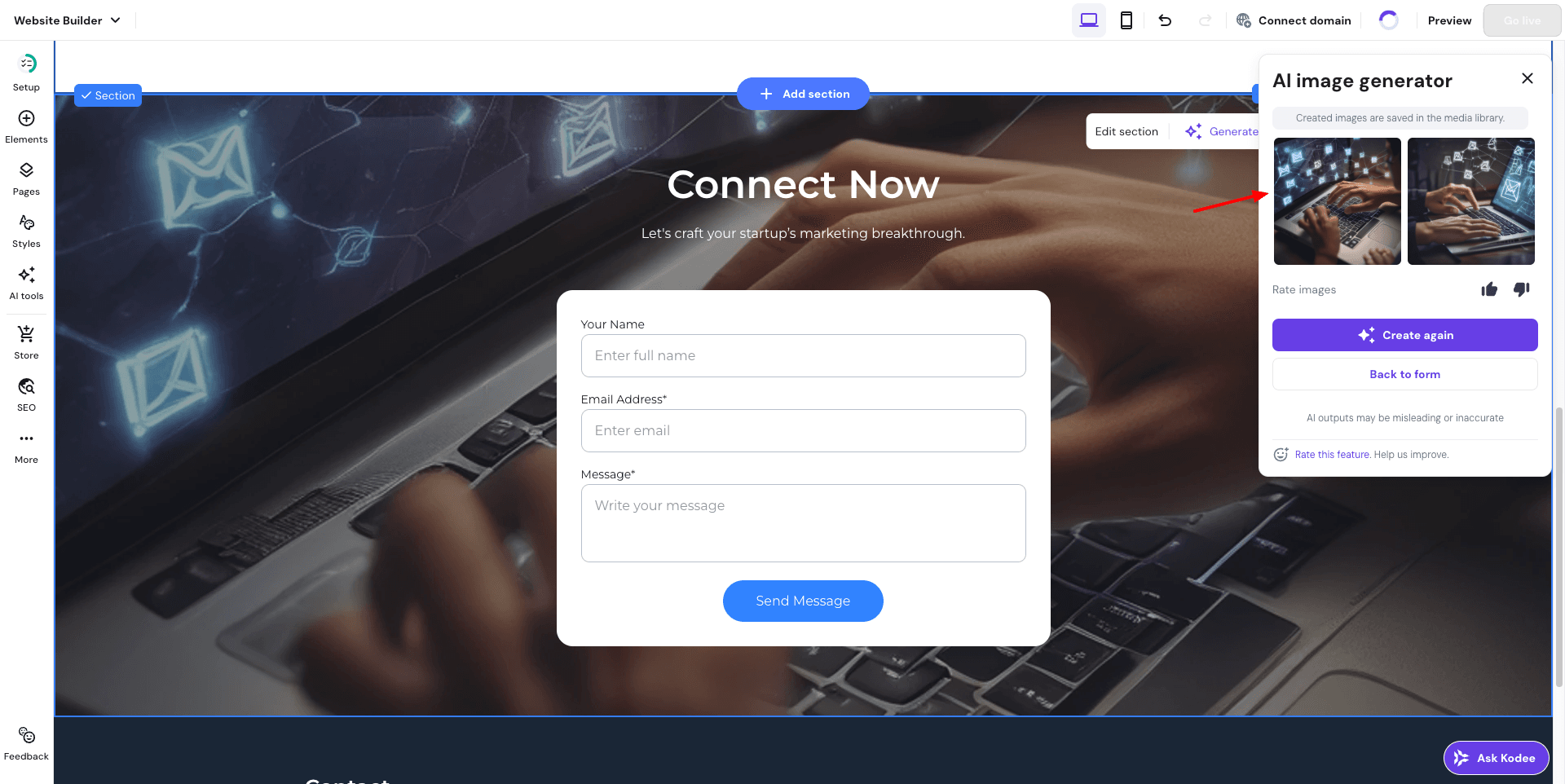
Once the images are generated, you can click on each of them to preview how they look on your site. In my experience, the AI image generator has improved significantly now. It generates contextually relevant images in one go now!
3) AI Section Generator
If you wish to add a new section to your page, Hostinger features an AI section generator as well. When scrolling between two sections on a page, you will find the ‘Add Section’ button. Click on the ‘Generate Section’ option for a custom section.
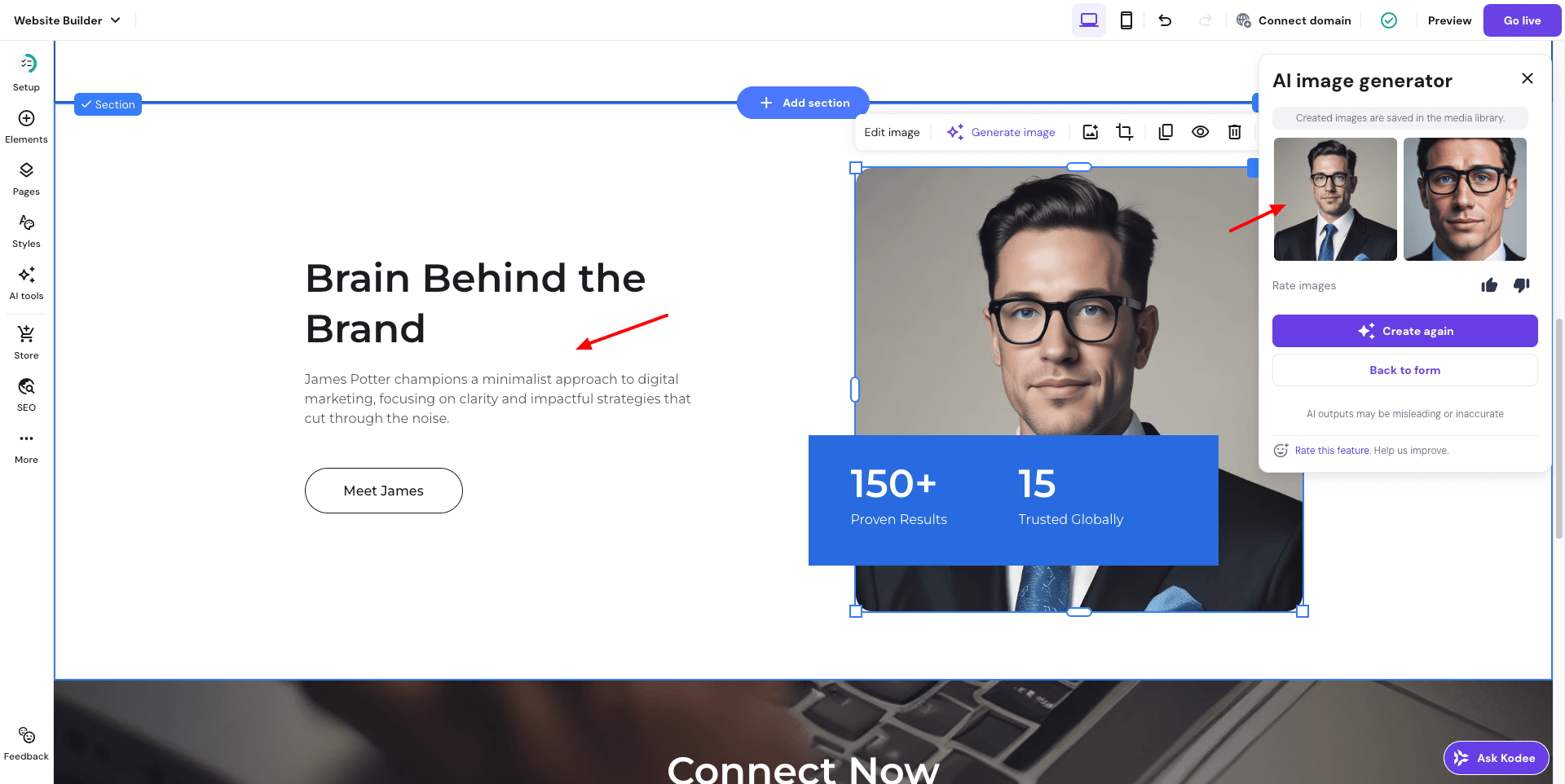
Here, you will be asked to write a section description prompt, and it will be created within seconds. The above image features a ‘Founder Bio’ section I created for my website. But the image may need to be tweaked as per your requirements.
4) AI Page Generator
To add a new page to your website, you can use the AI Page Generator of Hostinger. All you need to do is visit the AI Tools section and hit the AI Page Generator option. Then write a short prompt describing the page you want.
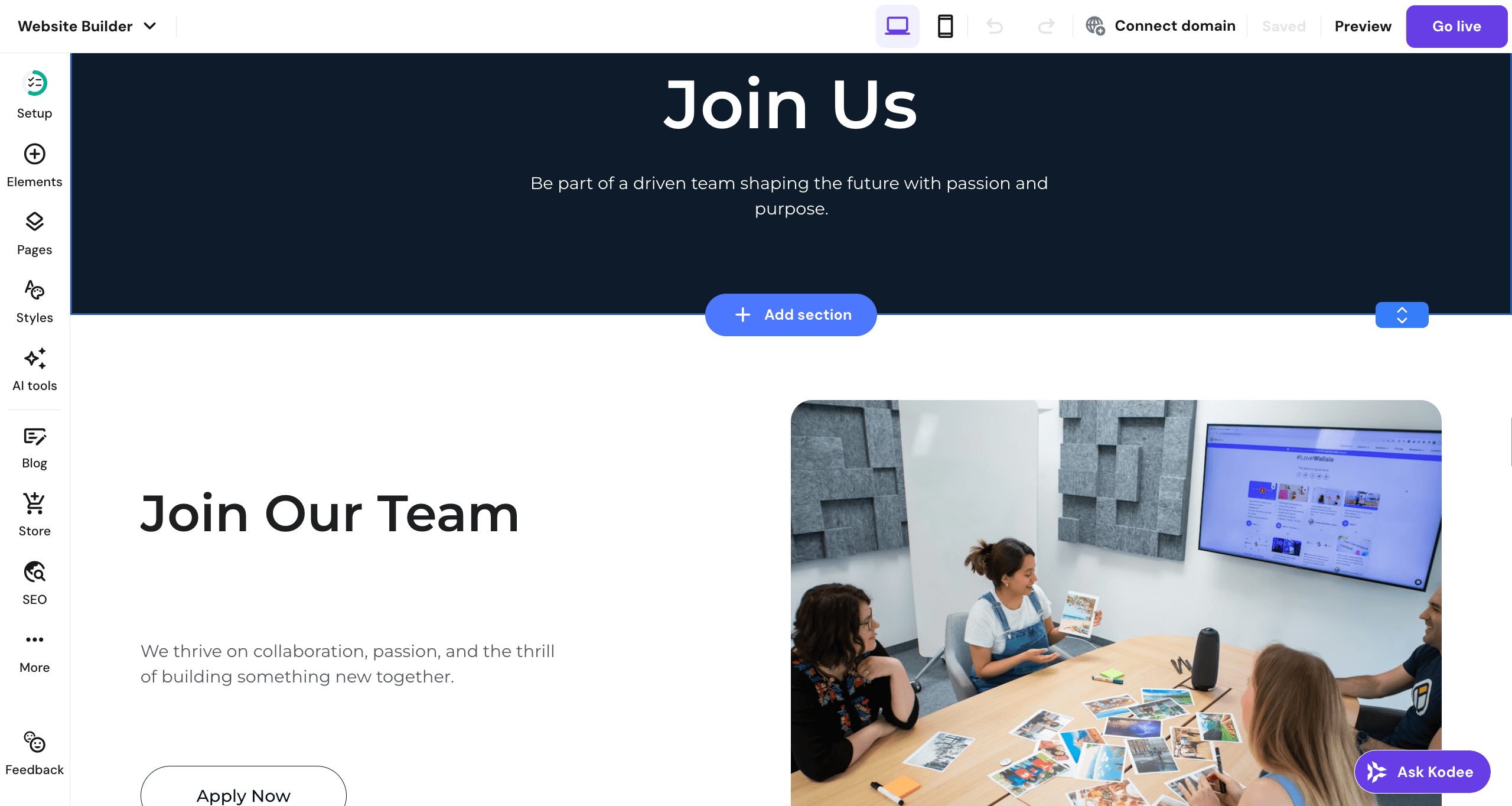
For instance, here is a Careers page I generated for my website. I liked how perfectly it follows the prompt and generates relevant text content and images.
5) AI SEO Assistant
Finally, once your pages are generated, you need to optimize them for SEO. Hostinger AI Website Builder can help here. It offers an AI SEO Assistant that auto-generates the keywords, meta title, and description for your pages.
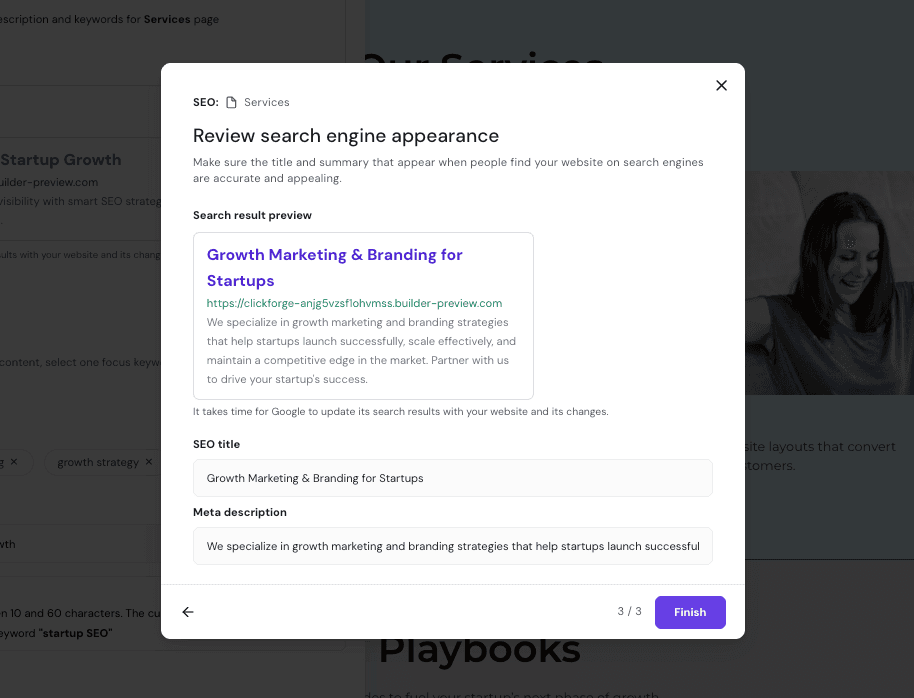
To start with, go to the AI Tools section and click on the AI SEO Assistant. Here, you can select the page for which you wish to edit the SEO information. Then describe the page in 1 line. It automatically generates a list of keywords, where you need to select the 3 most relevant ones.
Based on that, it generates an SEO title and meta description for your page. Overall, Hostinger’s AI Assistant performs really well.
Hostinger Review Video
If you are also interested in getting a hosting service from Hostinger, check out this insightful Hostinger Review video that I’ve created based on years of testing and usage.
It’s in the Hindi language with English subtitles. Hope you enjoy watching!
Hostinger Website Builder Pricing
Hostinger website builder offers 3 different plans. The following table compares their pricing and other key features.
| Single | Premium | Business | |
| No. of Websites | 1 | 1 | 50 |
| Storage | 1 GB | 2 GB | 50 GB |
| Mailboxes | 1 | 1 | 5 |
| AI Email Campaigns | Yes | Yes | Yes |
| AI Website Builder | No | Yes | Yes |
| Free Domain (1 Year) | No | Yes | Yes |
| eCommerce Store | No | No | Yes |
| AI Text Editor | No | No | Yes |
| AI Image Generator | No | No | Yes |
| AI Product Generator | No | No | Yes |
| AI Logo Maker | No | No | Yes |
| AI SEO Assistant | No | No | Yes |
Payment Methods
Hostinger offers an array of payment methods. Globally, it supports payment methods, including Credit/Debit/Prepaid cards, eWallets, and Crypto payments. Interestingly, if you wish to make a payment in Indian Rupees, it also supports UPI payments.
Refund Policy
You get a standard 30-day money-back guarantee with Hostinger Website Builder. This means that if you are not satisfied with your purchase, you can return it within 30 days of purchase and get a 100% refund.
Hostinger Website Builder Discount Coupon Code
If you really wish to get the Hostinger website builder for yourself, I have a special discount coupon code for you.
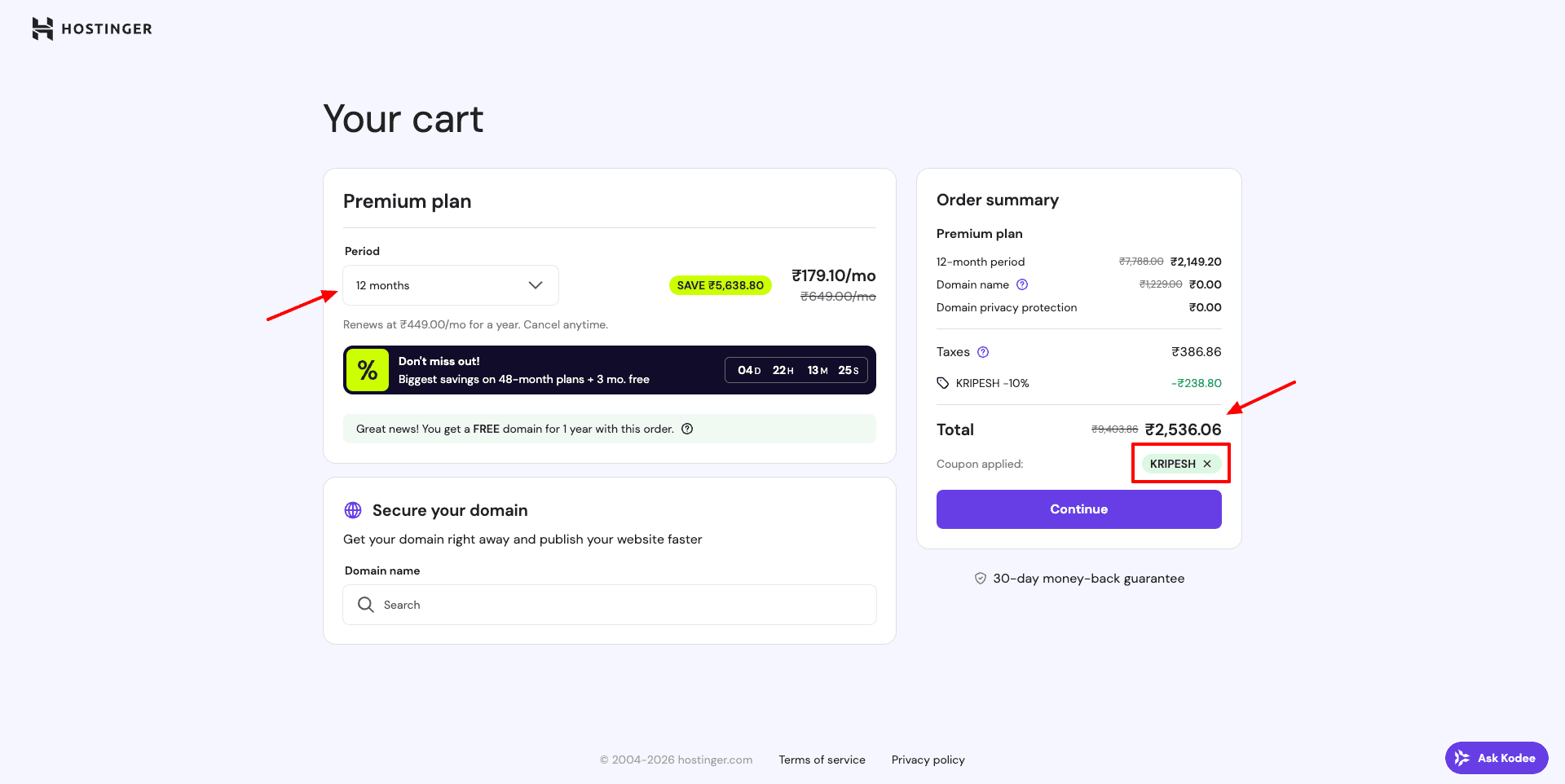
If you purchase any plan of Hostinger website builder using my link and enter the coupon code KRIPESH, you will get 10% off on your purchase! Thus, if you’re planning to get the Hostinger website builder Premium plan for 1 year, it’d cost you around ₹2,536 with my coupon code!
Free Perks with Hostinger Website Builder
If you buy the Hostinger website builder using my link, you can get access to the following exciting and insightful resources worth $350 for free!
- Hostinger Training Program: This training program is designed to help beginners get equipped with Hostinger’s hPanel and manage their websites effectively.
- Lightning Blogs Blogging Course: This training course will help you create a modern WordPress blog with a 90+ page speed score using free themes and plugins.
- Premium Themes and Plugins: You will get a premium theme, premium blocks plugin, premium SEO plugin, and premium cache plugin with 1 year of free updates.
Want to know how to avail these free gifts? Purchase a Hostinger website builder plan and mail the receipt to [email protected] with the subject line “Hostinger Website Builder 2026“.
Hostinger Website Builder Pros
1) Website Builder and Web Hosting
With your plan, you get both a website builder and web hosting. You can build your website using the website builder or WordPress as per your requirements.
2) Powerful AI Tools
Hostinger website builder gives you access to powerful AI tools like the AI Website Builder, AI Writer, AI Product Description Generator, AI Image Generator, AI Page Generator, AI SEO Assistant, and more.
3) Swift Speeds
I conducted speed tests on the Hostinger Website Builder from different locations around the globe. My website loaded in under 3 sec across all regions, which is remarkable for a website builder!
4) Impressive Template Collection
You can choose from a list of 270+ website templates belonging to various categories. All of their templates look captivating and highly professional. It also features pre-made legal templates for privacy policy, terms, refunds, etc.
5) UPI Payments
Hostinger Website Builder supports payments made through modern payment modes like UPI. This is highly convenient for Indian customers.
6) Variety of eCommerce Product Types
You can add a broad range of products on your store, including physical products, digital products, services, donations, gift cards, appointments, and print-on-demand products.
7) Useful Integrations
Hostinger website builder includes integrations like WhatsApp, Meta Pixel, Google Ads/Analytics, Hotjar, AdSense, and more. These rare for an entry-level website builder.
8) Value for Money Tool
Hostinger Website Builder offers a range of functionality at pocket-friendly rates! You get free hosting, unlimited bandwidth, a free domain name, and AI tools. All these features make the Hostinger website builder a value-for-money tool!
9) Easy to Use
Getting started with the Hostinger website builder does not require you to be equipped with any web design or technical skills. It features a clean and friendly interface that is simple to understand for beginners!
Hostinger Website Builder Cons
1) Basic Blogging Features
On Hostinger AI Website Builder, you get limited blogging features. They are not suitable for serious blogging use cases compared to WordPress.
2) Limited Elements
Compared to other website builders like Wix and Squarespace, Hostinger’s website builder has limited elements. This might’ve been done to reduce complexity for beginners.
3) No Free Plan
Unfortunately, Hostinger’s website builder does not come with a free plan like Wix or Weebly. All its paid plans offer a 30-day money-back guarantee, though.
4) Many AI Tools Only on Higher Plans
Many of the AI features, like the AI Image or Product Generator, are only available in the Business plan.
Hostinger Website Builder Alternatives
1) Hostinger Website Builder vs Carrd
Just like Hostinger, Carrd is an attractive and easy-to-use website builder. It features an intuitive interface, a variety of elements, 110+ beautifully designed templates, and lots of integrations. However, it stands out by offering a decent free plan. It is specifically designed for creating 1-page websites, unlike Hostinger. The pricing plans of Carrd start from $9/year!
2) Hostinger Website Builder vs Wix
Similar to Hostinger, Wix is a popular website builder that offers a large template gallery, a user-friendly editor, competitive pricing, good customer support, and hundreds of integrations. All plans of Wix give you access to a free domain and 24/7 customer support.
However, unlike Hostinger, it offers slow loading speeds and a separate mobile layout design. On the higher plans, you can enjoy unlimited bandwidth and 35 GB of storage space. Its pricing plans start from ₹250/month.
3) Hostinger Website Builder vs Squarespace
Similar to Hostinger, Squarespace is another popular website builder that you can use to build all kinds of websites, including portfolio sites, e-commerce sites, business sites, etc. Like Hostinger, it offers a sizeable template collection, good customer service, & lots of Integrations.
However, you can make limited customizations, its plans are expensive, and the variety of tools slows down your website. All its plans give you access to unlimited bandwidth and storage, a custom domain, templates, and more. Its pricing plans start from ₹630/month.
How Did We Test Hostinger Website Builder?
For testing Hostinger Website Builder, I purchased a Hostinger Business hosting plan that includes all the AI features. Then, I created multiple normal websites and AI websites on it. While creating the websites, I explored many features, including the editor, UI, AI tools, etc.
I also conducted speed tests from different locations to review its performance. After testing out Hostinger’s AI Website Builder thoroughly for a few weeks, I wrote this review.
Who Should Use Hostinger Website Builder?
Hostinger AI Website Builder is a great choice for anyone who wants to create a professional-looking website quickly, affordably, and without any coding skills. It’s ideal for:
- New users who want a simple and stress-free website setup.
- Startups and small businesses that need a budget-friendly online presence.
- Freelancers or creatives looking to build a personal portfolio.
- Bloggers and content creators who don’t need advanced blogging features.
- E-commerce beginners starting with small online stores.
With its drag-and-drop editor, mobile editing support, and built-in AI tools, Hostinger stands out as a fast and beginner-friendly alternative to platforms like Wix, Squarespace, Carrd, etc.
Why Should You Trust Me?
I’ve been working full-time in the digital industry since 2015. In all these years, I have tested and reviewed dozens of website builders, hosting platforms, and digital tools. From Wix and Squarespace to Carrd, WordPress, and Hostinger, I’ve thoroughly tested them all.
My reviews are based on real, hands-on experience, not just specs or marketing claims. I also make it a point to test new updates and features as they roll out—like Hostinger’s latest AI tools, speed improvements, and e-commerce capabilities.
Every insight shared here comes from actual usage, not guesswork. My goal is to help you make smart, practical decisions without the tech overwhelm. If it’s easy, reliable, and worth your money, I’ll tell you. If it’s not, I’ll say that too.
Conclusion
Hostinger AI Website Builder offers excellent value with its powerful AI tools, fast performance, beginner-friendly editor, affordable pricing & a rich library of modern templates. It’s packed with thoughtful features like UPI support, diverse eCommerce product types, and useful integrations.
But it does have limitations, like basic blogging tools, fewer design elements, no permanent free plan, and some AI features locked behind higher-tier plans. If you’re a beginner, freelancer, or small business owner looking to build a clean, professional website, Hostinger is an affordable option worth considering.
If you use my link and apply my code KRIPESH at checkout, you’ll also get a 10% off on your purchase. Along with that, you’ll also get access to my Hostinger Training Program and Lightning Blogs Course for free.
Anyway, what other website builders have you tried before? Do you think Hostinger Website Builder is a good option? Let me know your views in the comments section. This is Kripesh signing off. I’ll be back with more informative stuff soon. Till then, take care and keep learning!
FAQ
What kind of websites can you build with Hostinger Website Builder?
Hostinger Website Builder can be used for building all types of websites. This includes portfolio websites, business websites, blogs, and even bulky websites with lots of web pages.
Does Hostinger Website Builder offer website hosting?
Yes, you get free hosting along with unlimited bandwidth and unmetered traffic on the Hostinger Website Builder.
Are the AI-powered tools available in all plans?
No, most AI tools, like the AI Writer, Image Generator, and SEO Assistant, are only available in the Business website builder plan.
How Is Hostinger Website Builder Different From Other Website Builders?
Hostinger Website Builder differs from other site builders in terms of its ease of use, affordable pricing, UPI payments option, and powerful AI tools.
Does Hostinger Website Builder offer a money-back guarantee?
Yes, you get a 30-day money-back guarantee with Hostinger Website Builder. However, it doesn’t provide a free trial.
Will I be able to build a shop with Hostinger Website Builder?
Yes, you can easily build your e-commerce store on the Hostinger Website Builder. It offers a separate dashboard for accessing the online store and an AI Product Description Generator as well.
What marketing features and integrations does Hostinger Website Builder offer?
It integrates with a lot of third-party marketing, analytics, and live chat services like Google Analytics, Google Adsense, Hotjar, Facebook Pixel, Google Tag Manager, WhatsApp, Messenger Live Chat, etc.
Can you connect your own domain with Hostinger Website Builder?
Yes, it is possible to connect your own domain with Hostinger Website Builder. All you need to do is edit the A records and CNAME records at your domain registrar account.
Is it possible to move your current website to Hostinger Website Builder?
As of now, it is not possible to move your whole website from a different platform to Hostinger Website Builder.
Can I switch templates after building my website?
No, once you start editing a site with a template, you cannot switch to a different one without starting over.

Pros (+)
- Powerful AI Tools
- Swift Speeds
- Impressive Template Collection
- UPI Payments
Cons (-)
- Basic Blogging Features
- Limited Elements
- No Free Plan
- Many AI Tools Only on Higher Plans



Thank Kripesh for this Zyro Detailed Review. This Review is very Informational for Beginner’s.
Regards
Dinesh Gehlot
Fantastic review Kripesh
Can you direc me to where I can find some freelancer to develop a Zyro website / logo / landing pages to capture only hundred lead of email addresses for me to close? I have many other things to do and would like someone else to help with the trch
Glad you liked the review Larry.
As of now I don’t have a good recommendation.
Maybe fiverr is a good place to find some developers.
We have terrible experience with Zyro. The editor is very buggy, especially the text boxes. Sometimes, changes are not saved and you only notice it, when opening your site. Sometimes, the page is all over the place after publishing. One day, Zyro had to load a backup of an old version of our site and we lost hours of work. We had so many issues and chats with support. It is almost impossible to work with.
Thanks for sharing your experience.
Have you tried using any other website builder?
Can Zyro website be made ADA compliant?
I’m not sure if they supports that.
Also, Zyro is now integrated with Hostinger Website Builder.
HAT ABOUT EMBEDDING VIDEO ON THE HOMEPAGE OR MANY LANDING PAGES?
I DO NOT WANT TO PAY TO DO THIS – WHERE SHOULD THE VIDEOS BE HOSTED??
You should host your videos on a different platform.
For free YouTube is the best option.
In budget Bunny Video is good.
Check best video hosting options here – https://kripeshadwani.com/best-video-hosting-platforms/
Thanks for this detailed review of Hostinger’s website builder! It’s great to see a breakdown of the features and pricing. I’m especially interested in the ease of use for beginners, as I’m just starting my journey in web development. Have you encountered any limitations with the builder? Your insights would be really helpful!
It’s extremely easy to use. Instead of Wix I’ll recommend this. But it’s not as powerful as squarespace.
For beginners – Hostinger Website Builder is really good.