Do you struggle to memorize your script while recording YouTube videos? Does your mind go blank when the camera rolls? Well, you’re not alone! Thankfully, innovative tools like BigVu are here to help!
BigVu is an AI platform designed to streamline video creation. It lets you ditch the pain of remembering scripts and express yourself with confidence. After thoroughly testing and using it for a while, I’m here with the BigVu Review.
In this comprehensive BigVu Review, we’ll delve into its key features, explore pricing options (including AppSumo deals), customer support, and some additional features. We’ll also talk about its major pros and cons. I loved its AI script generation and teleprompter for mobile!
So, are you ready to elevate your video creation game? With no further delay, let’s dive right in.
BigVU Review 2026
Summary
BigVU helps video makers write scripts, record with a teleprompter, and add subtitles – all in a user-friendly app! While there are a few bugs and missing features, BigVU’s AppSumo Deal is a great fit for content creators who need script ideas, captions, or teleprompting features.
Disclaimer : I strongly believe in transparency. If you buy using the links on our site, we may earn a small commission without any extra cost to you. This helps me to keep producing honest reviews. Read More >>
About BigVu
BigVu is a video creation and editing tool powered by AI. It was developed by David Amselem in 2016. With over 10 million users worldwide, BigVu takes care of all processes, from scripting to shooting and sharing your video clips with ease.
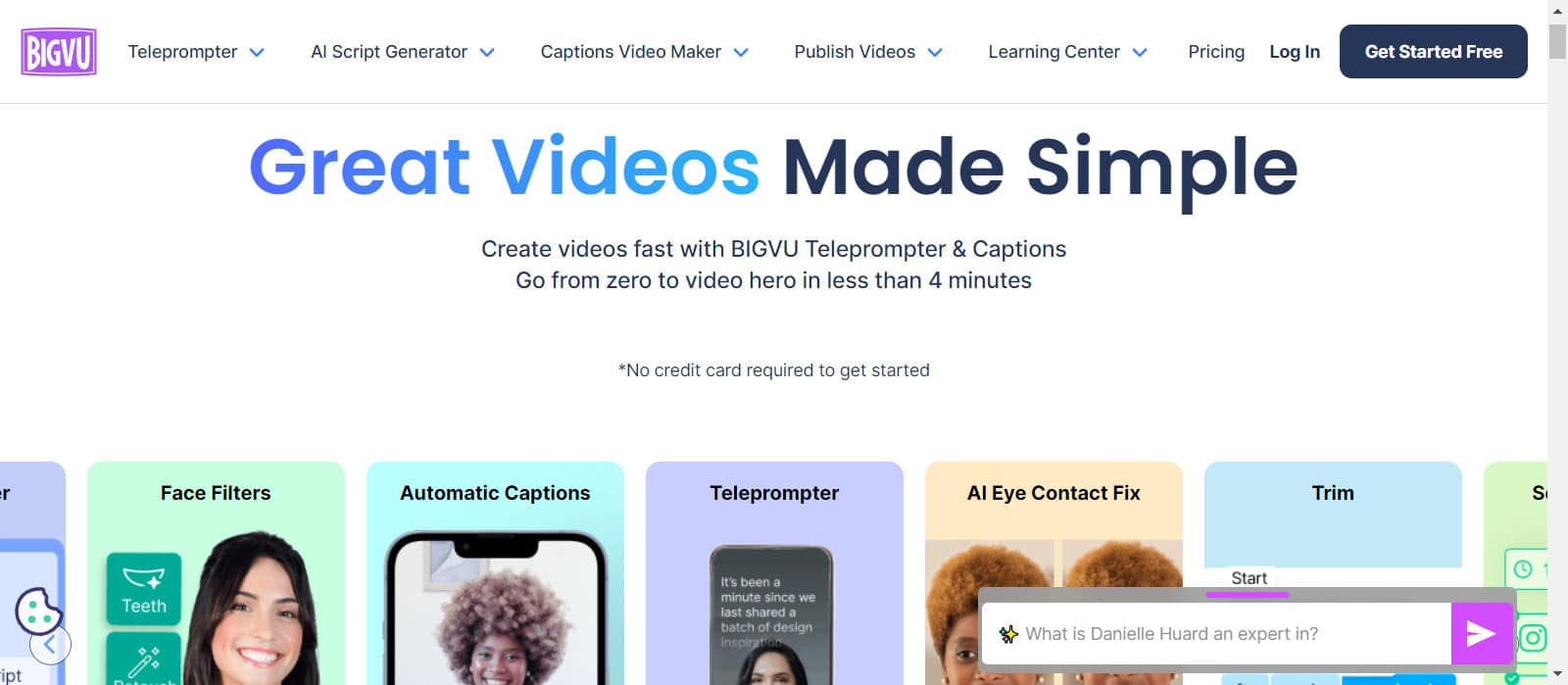
It uses OpenAI GPT and multiple AI algorithms to generate natural-sounding scripts. You can find powerful tools like AI script generators, teleprompters, caption generators, video editors, and more on BigVu.
Key Features of BigVu
1) AI Script Generation
If you’re struggling with content for your next video script, the AI Script Generator tool is for you. To begin, it lets you specify the following:
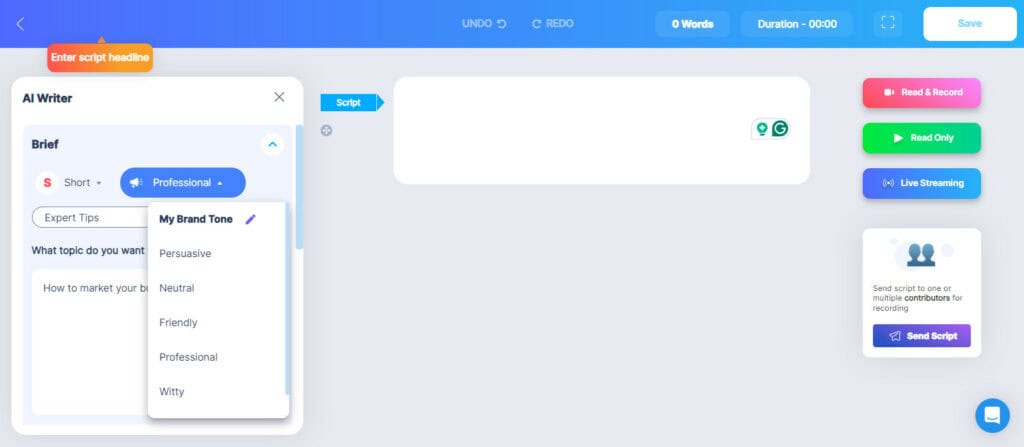
- Length of content (Short, Medium, Long)
- Tone of content (Professional, Persuasive, Neutral, Friendly, Witty, or Marketing)
- Type of content (Business Profile, Expert Tips, Video for my Blog, News Flash, etc.)
Finally, you can specify your video topic. It’ll come up with 5 topics around your entered subject. You can select one to generate a video script in no time!
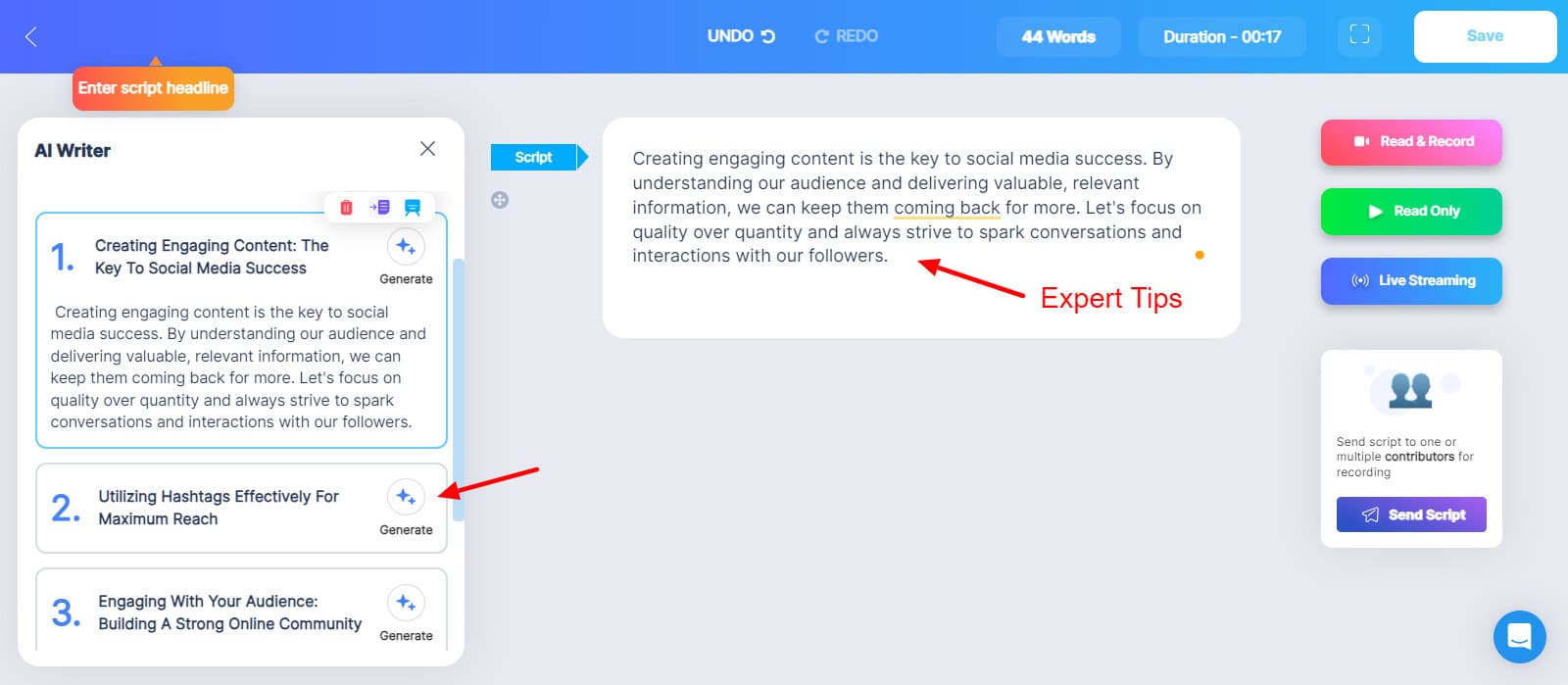
Example 1: Expert Tips
Here is a short-form ‘Expert tips’ script on the topic ‘How to market your business on social media’. I’ve used a professional tone for it.
Example 2: Video for my Blog
If you wish to repurpose your blog post into a video or an ad, you can try the ‘Video for my Blog’ tool. All you need to do is enter the blog URL and specify if you need a video script or an ad.
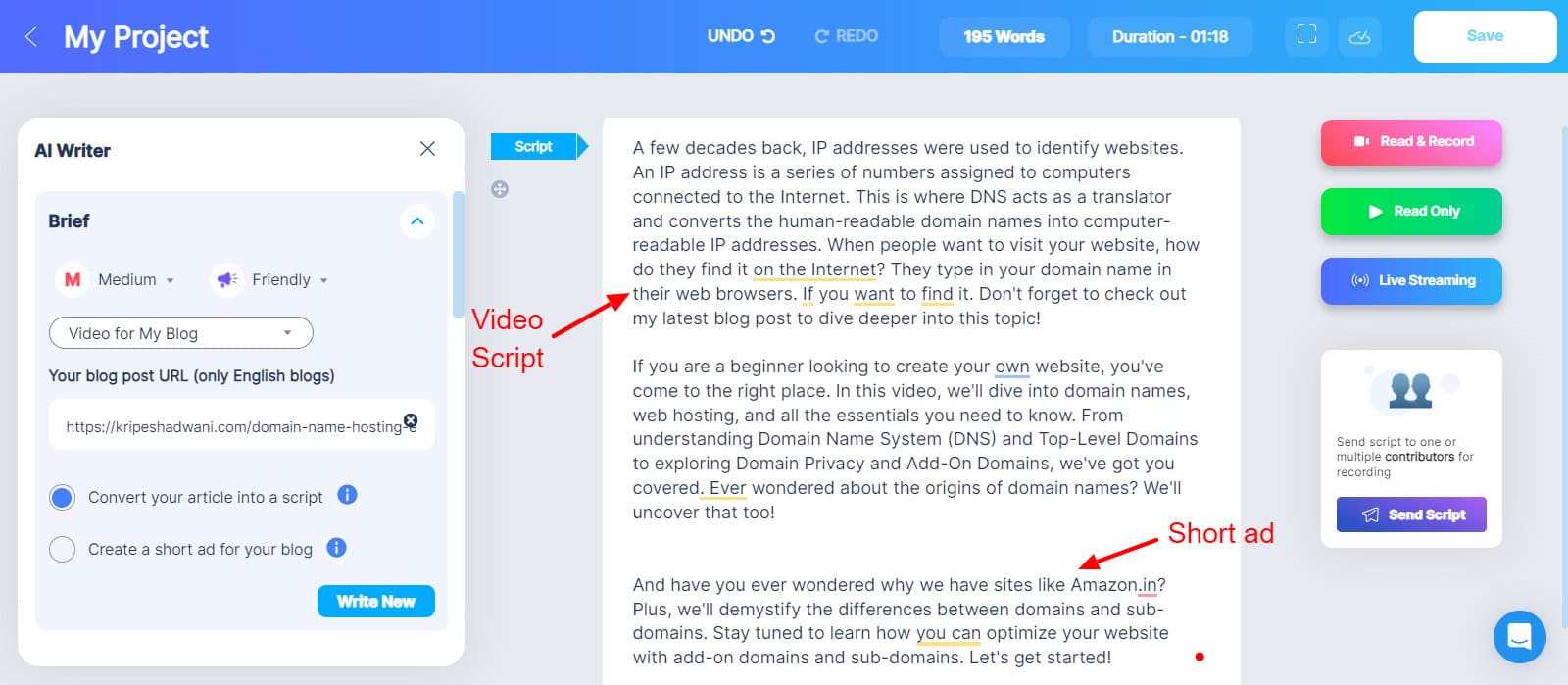
The ad was pretty decent, but I was disappointed with its Video Script. It looked like a blog intro and didn’t actually reveal any information like a video script. You can instead check out these AI Writers for a more polished script!
If you already have your script and want to analyze its structure, you can use the AI Script Checker. It carefully segregates your script into different sections like Hook, Topic Intro, Speaker Intro, Value Proposition, CTA, Outro, etc to get a clearer idea.
Finally, if you have a specific teammate for recording your scripts, you can share it with them by simply selecting their name from the list.
2) Teleprompting
Do you memorize your scripts only to go completely blank when facing the camera? Well, not anymore! BigVu doubles up as a teleprompter, so you never need to memorize any scripts. Once you have your script ready, you’ll find 3 options beside it.
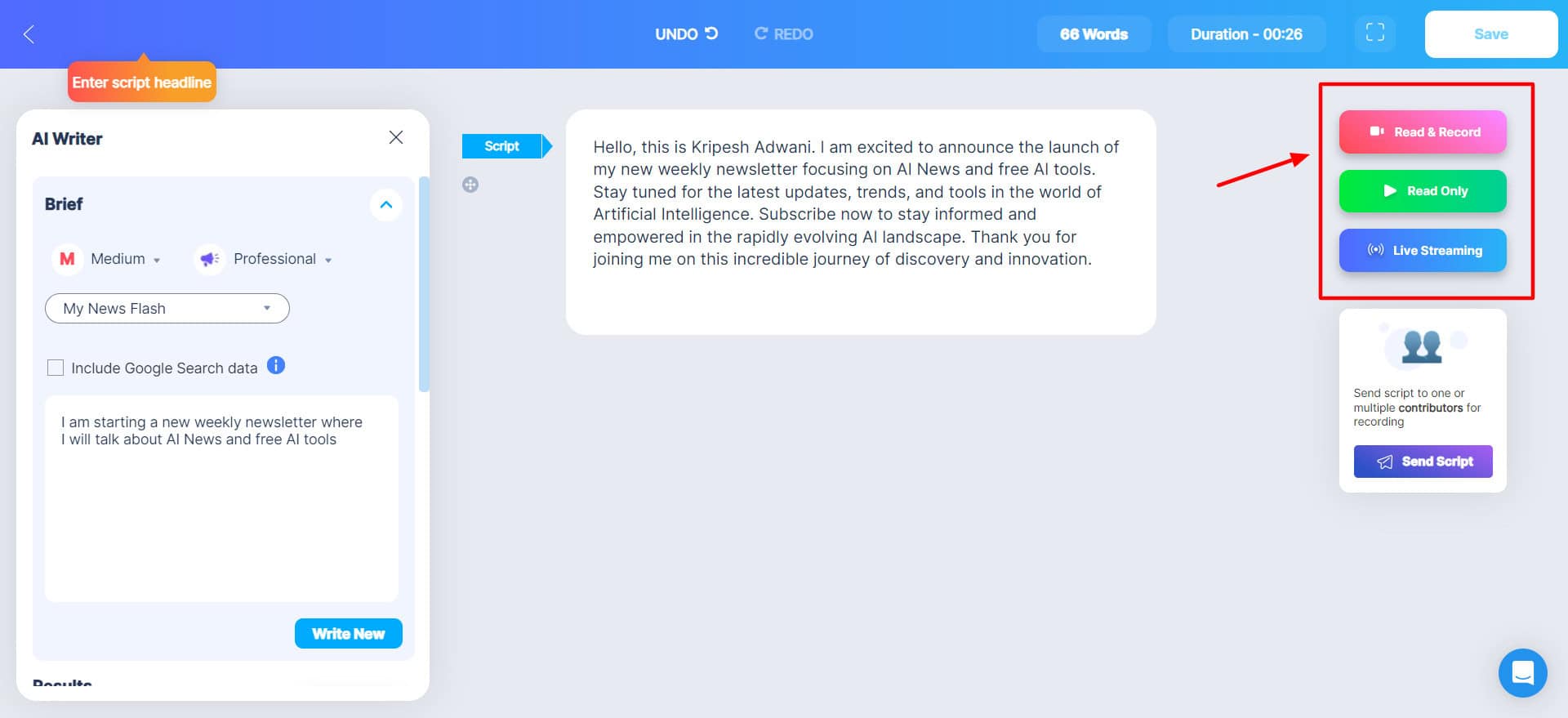
The Read Only option simply displays the script on the screen. You can record your voice while the script scrolls. Whereas, the Read and Record feature also takes camera input along with your voice. You can adjust the mic and camera before you record.
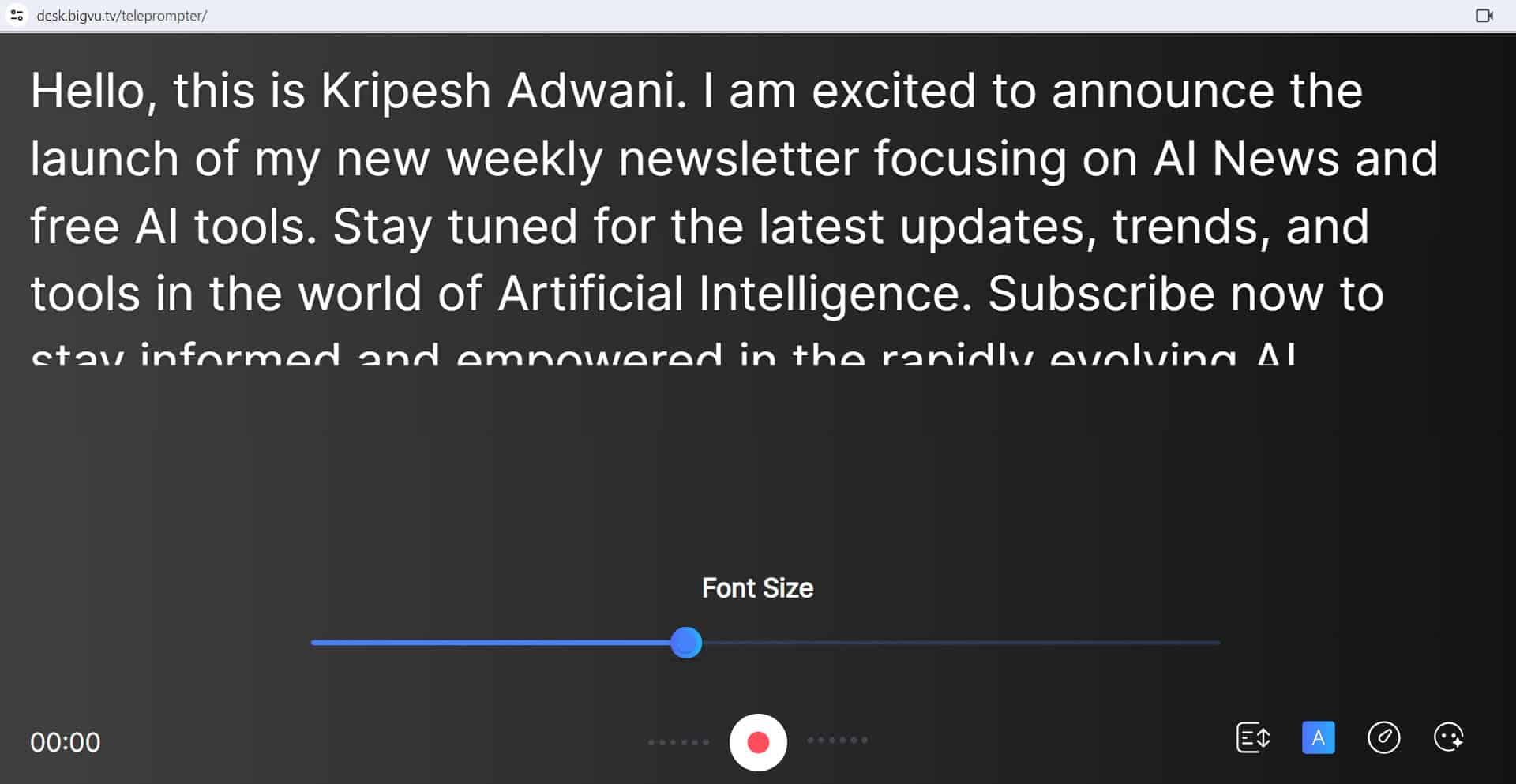
Besides this, you can also adjust the font size of your script, set a scrolling speed in words per minute, and try out beauty filters. Overall, the BigVu teleprompter is decent. But for the complete experience, you should use it on your mobile app. (Discussed below!)
3) AI Captioning
Once you create your script and narrate your video using the teleprompter, it’s time to add captions! For this, you only need to specify a language. The AI will generate automatic subtitles within a few seconds!
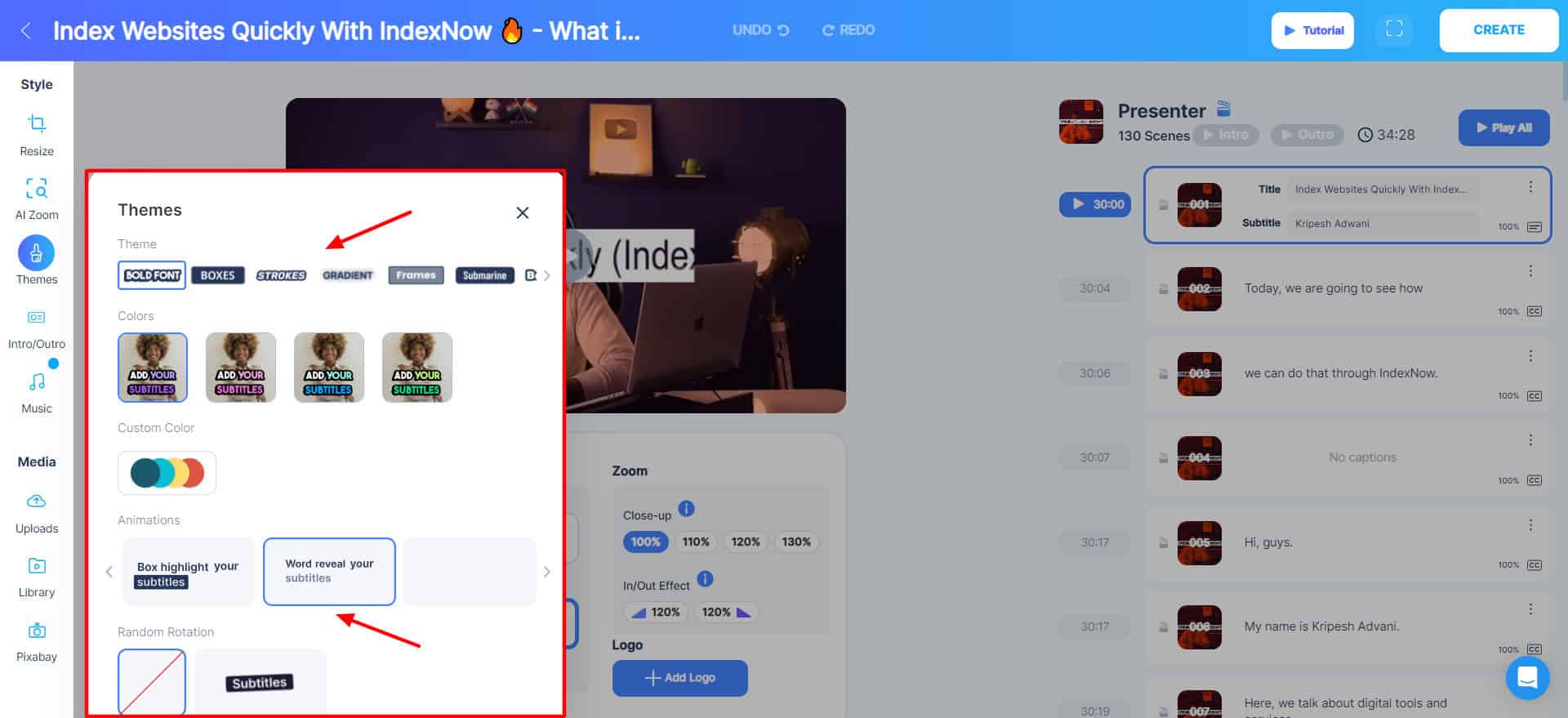
Next, you can tinker with multiple subtitle settings within the video editor dashboard, like:
- Themes: Choose from 7 caption themes, like bold font, boxes, strokes, gradients, frames, etc.
- Colors: Pick from pre-designed color schemes or create a custom color scheme.
- Animations: Choose from 4 cool caption animations, like highlights, box highlights, word reveal, and single-word subtitles.
- Additional: Enable or disable random rotation and adjust the caption layout position on the screen.
Later on, if you wish to change the language of your subtitles, you can also translate them into 70+ languages using the ‘Translate Subtitles’ tool. Overall, the AI captioning of BigVu looks powerful and accurate.
4) Video Editing Tools
After we are done creating our video and inserting captions, we can move to the editing process. For this, BigVu features an array of editing tools. You get access to following tools:
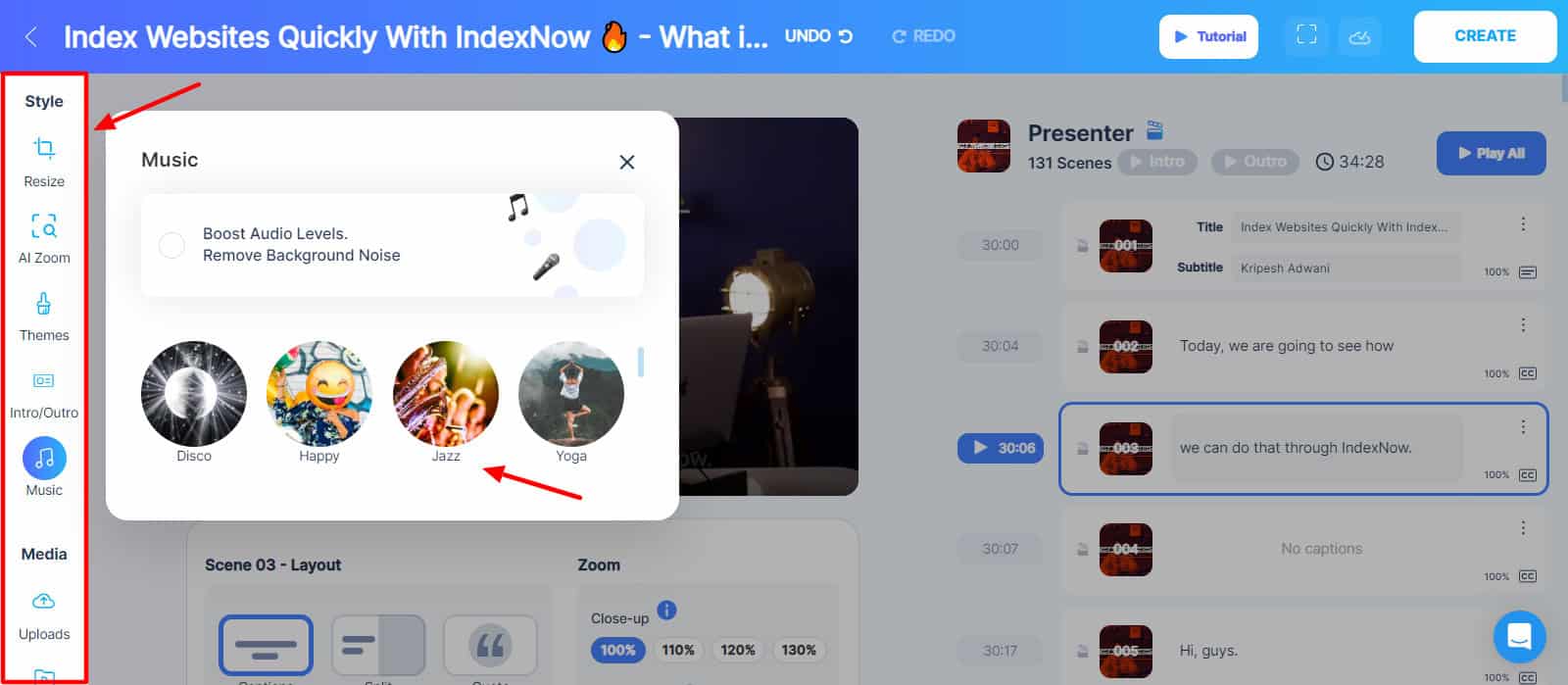
- Resize Tool: Adjust the video orientation to vertical, horizontal, square format, or custom orientation.
- AI Auto Zoom: AI analyzes your video and inserts dynamic zoom-ins and outs wherever appropriate.
- Themes: It lets you tweak the style, color, animations, and rotation settings for your captions.
- Intro and Outro: Slides for the intro and outro can be designed. You can also upload a video or business card, insert animation, and business information, and connect your social profile.
- Background Music: It offers a library of 20+ background tracks. Music and vocals can be adjusted and balanced on a slider bar.
- Media Library: It comprises images and short video footage that can be inserted between your videos.
- Pixabay Library: Integration with Pixabay Library to search and insert videos and images.
The video editing functionality of BigVu can in no way compare to professional software. It only offers limited tools to make some basic edits and fixes. For advanced edits, consider checking out these professional video editing software for PC.
5) Video Landing Page Generator
Landing pages with videos can boost your conversions significantly. With BigVu’s Video Landing Page Generator, you can publish your videos as full-fledged landing pages. It offers templates for different types of landing pages like CTA, Video Profile, Headline/No Text, and Vlog.
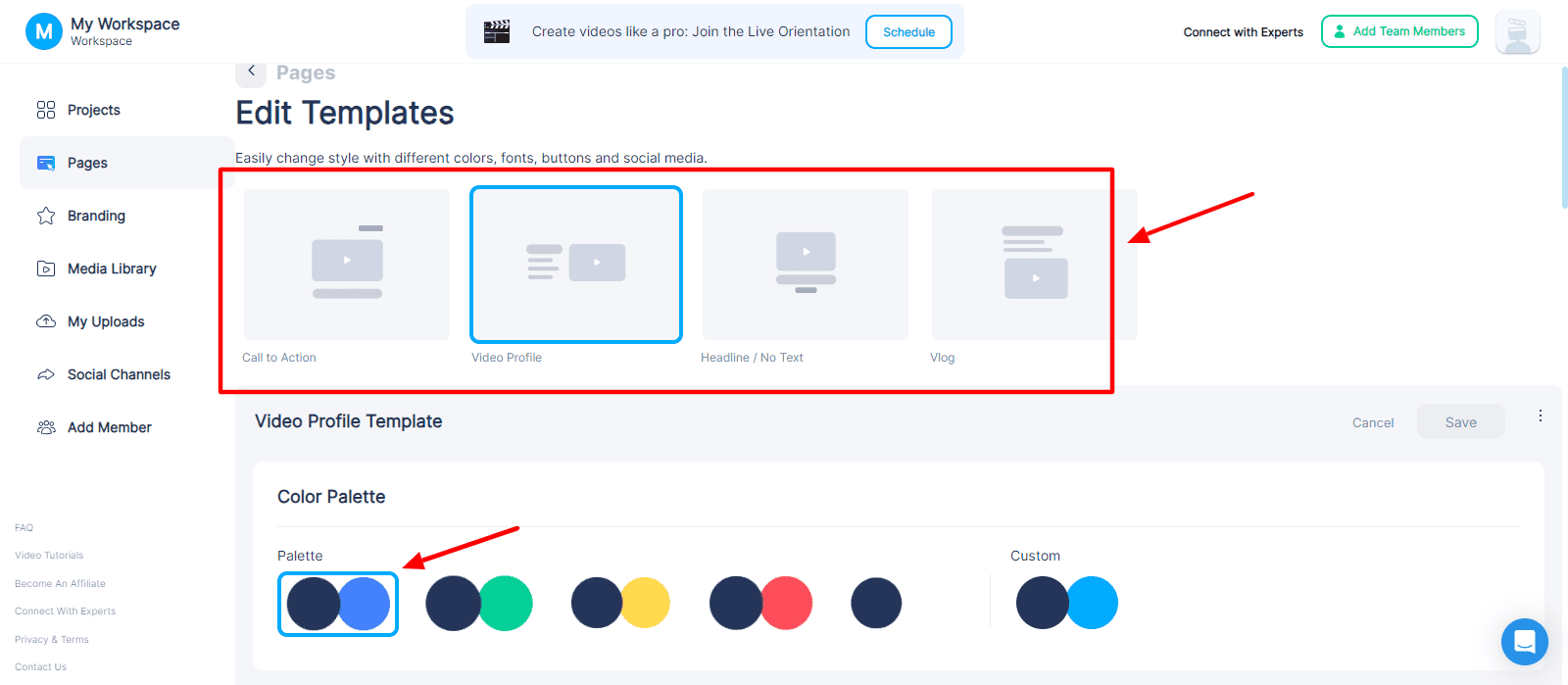
Each of these templates can be customized to a great extent. You can edit the color palette, logo, background, text and fonts, footer details, and insert social profiles, buttons, SEO titles, descriptions, etc.
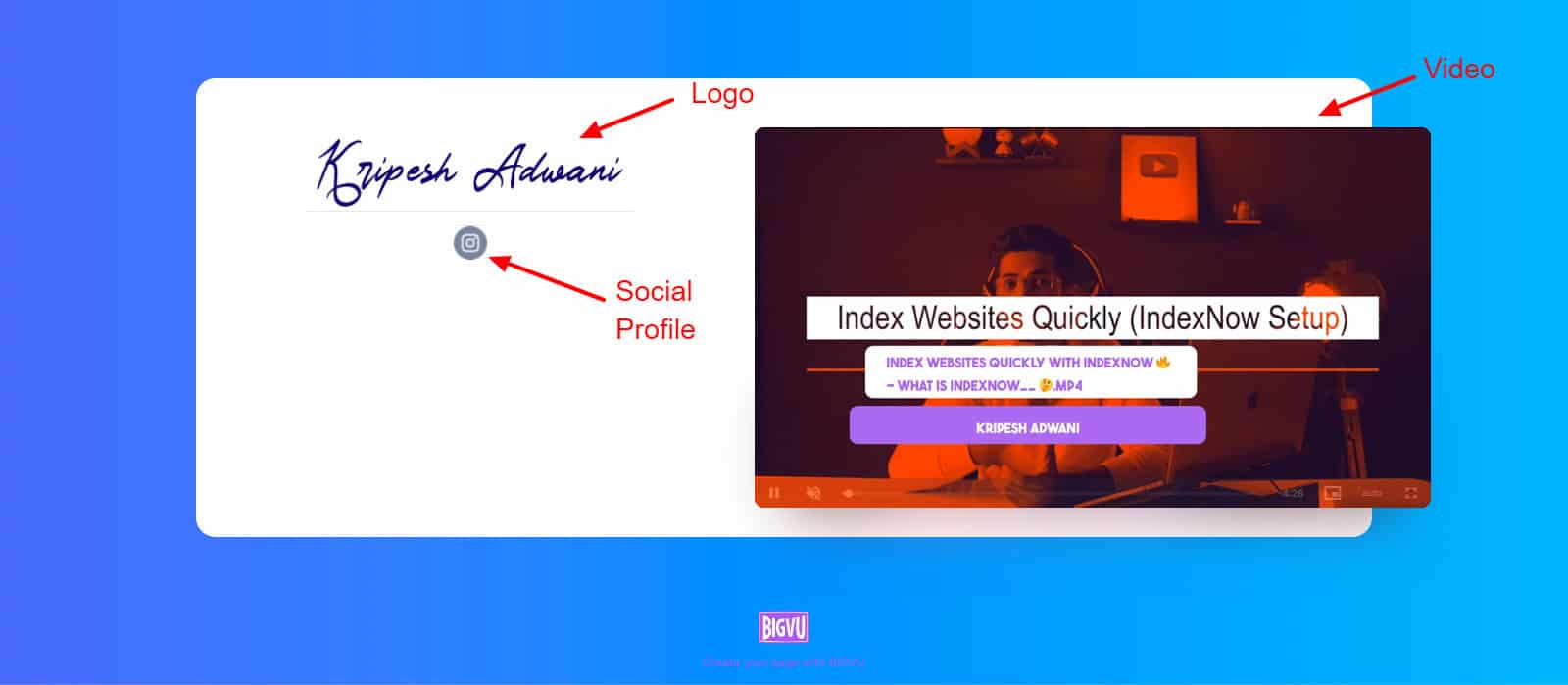
Overall, it’s a great way to build trust and authenticity among your audiences, leading to better sales.
Additional Features
Custom Branding
If you wish to customize your videos as per your brand requirements, you can use BigVu’s Branding tab.
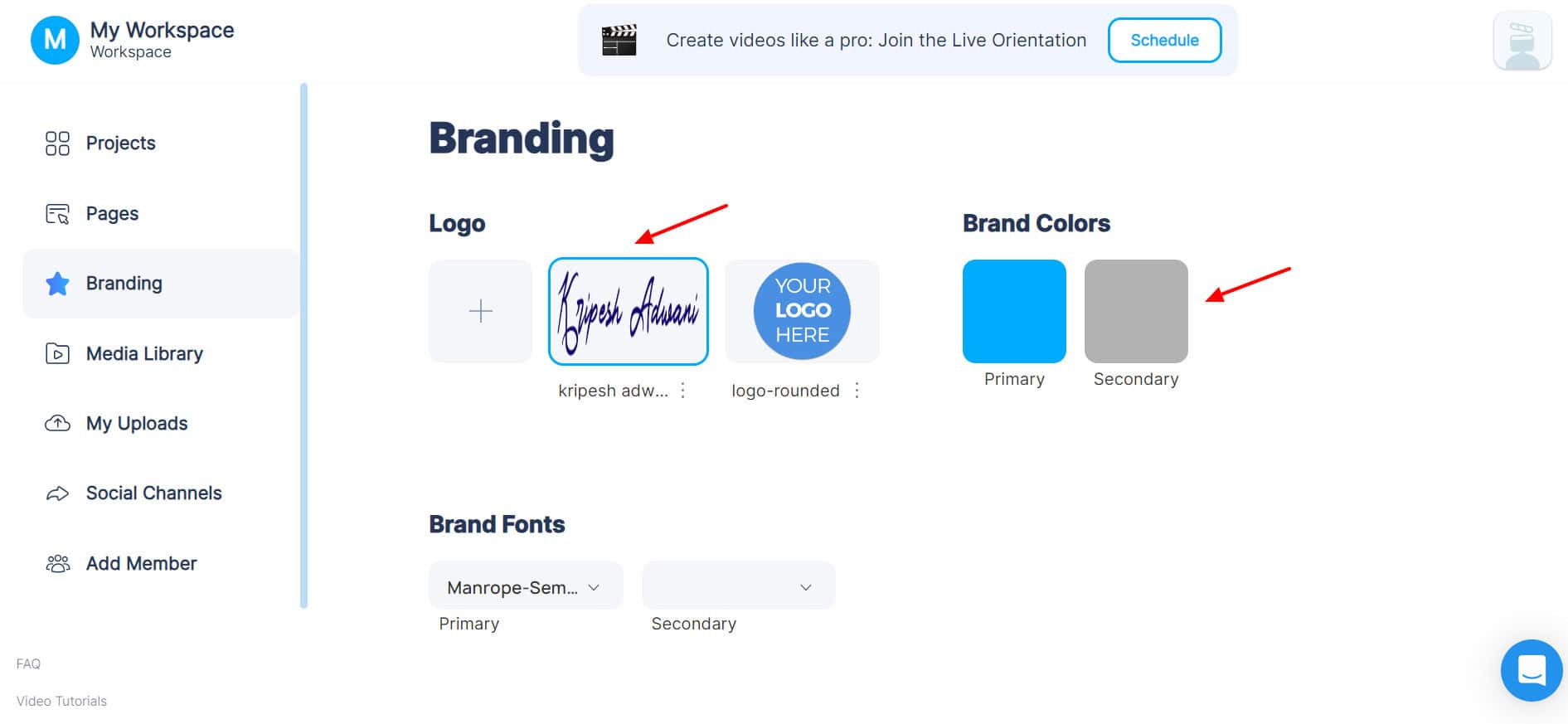
It allows you to upload your brand logos and select brand colors and brand fonts. However, you cannot add custom fonts. I hope they introduce this function soon.
Social Media Publishing
Once your video is created and edited, BigVu lets you publish it on multiple social platforms with 1 click! It supports the following social media platforms: Facebook, Instagram, YouTube, LinkedIn, Twitter, and TikTok.
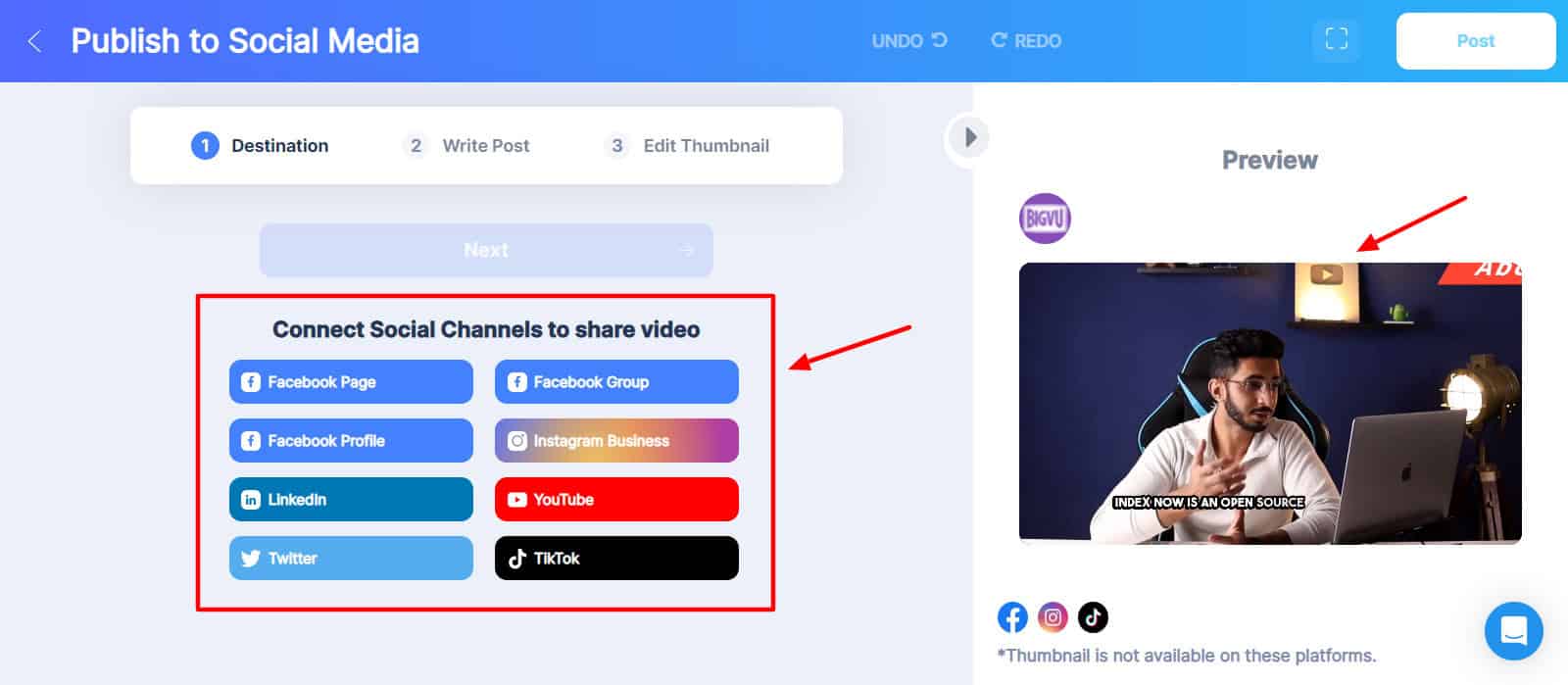
All you need to do is connect your social channel, write your post, edit your thumbnail, and hit the publish button!
BigVu Mobile App
The mobile app of BigVu is pretty modern and friendly. It features pleasing colors and a responsive design.
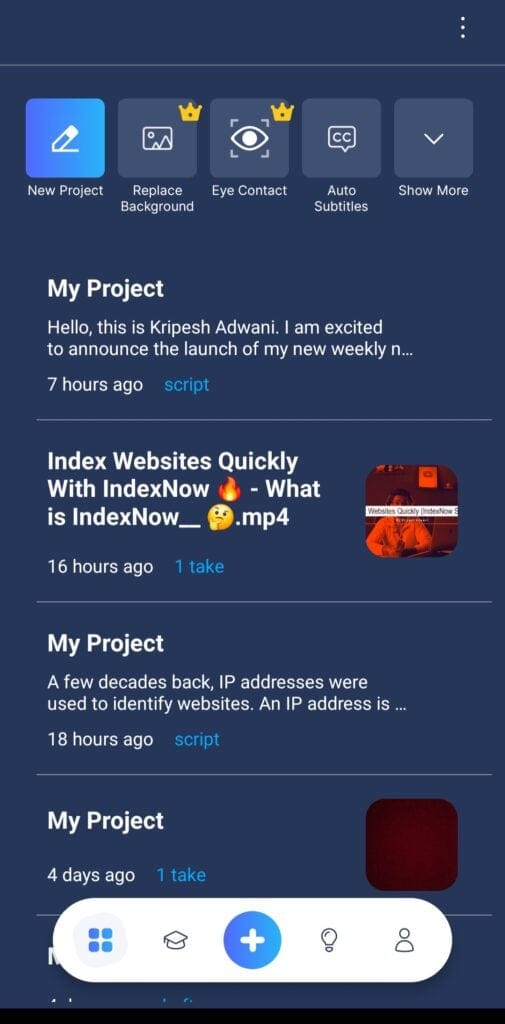
Primarily, the mobile app is used as a teleprompter while recording videos. It features additional tools to simplify your video creation experience.
It allows you to customize the script position on your screen for teleprompting. Its multiple effects and filters help in beautifying your looks, skin, face, nose, eyes, lips, eyebrows, and more. You can even apply lipstick, correct eye contact, and whiten teeth with these filters!
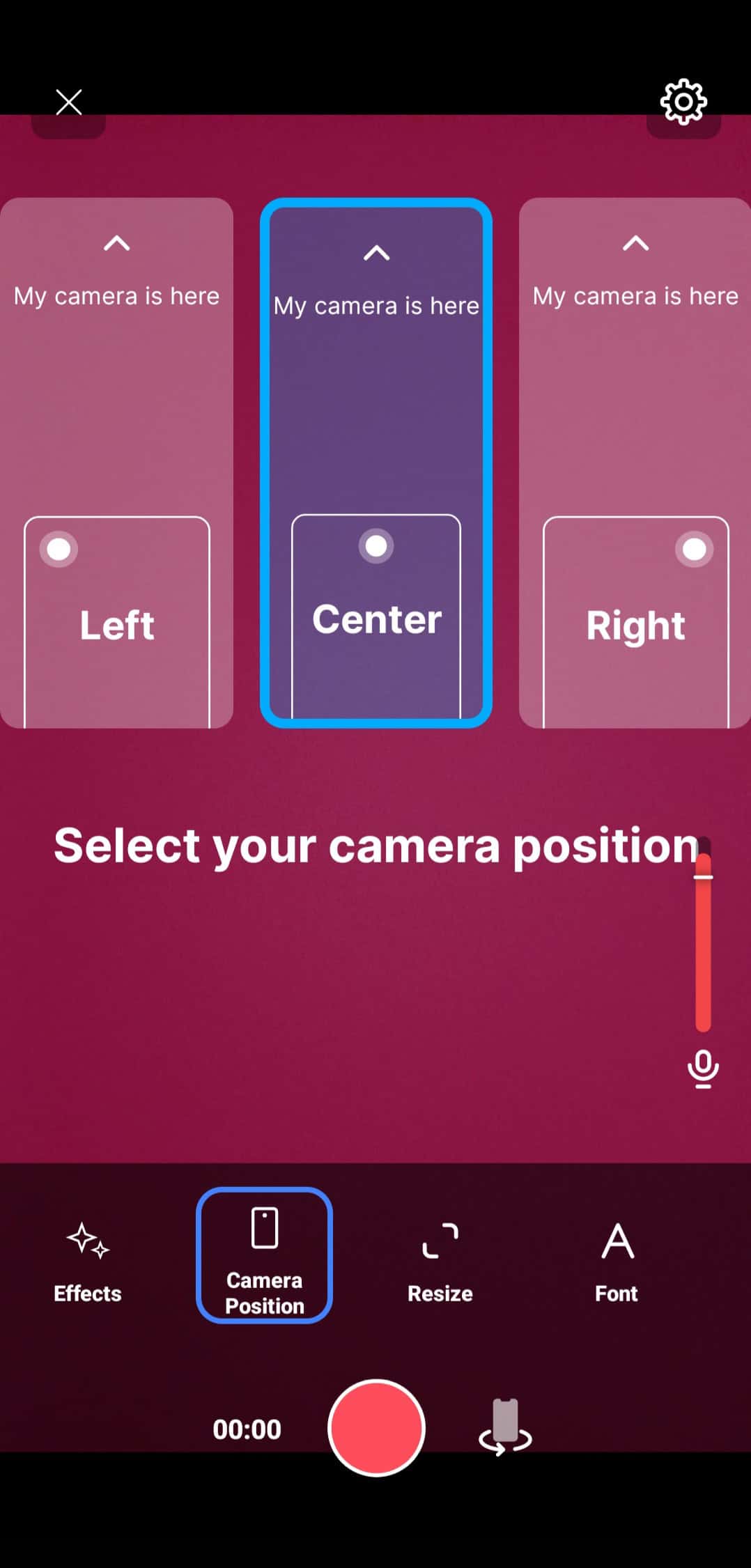
I personally use both the web app and the mobile app in sync for creating short videos.
I use its web interface to create my script. It is synced with my mobile app through the cloud. Next, I use the mobile teleprompter and record my video, which I finally edit on the web app!
The mobile app works exceptionally well for teleprompting. However, if you make an error midway while recording, you can’t scroll back and re-record that specific part. You’ll need to start recording from scratch.
Additionally, the scroll speed can’t be adjusted before you record a video on the mobile app. The scroll speed option is only visible as you start recording. So, even though the mobile app functions really well, they can work on making these minor improvements.
BigVu Pricing
BigVu features 3 different paid plans along with a free version. The following table compares their major features.
| Free | Starter | AI Pro | Teams | |
| Monthly Pricing | ₹0 | ₹124 | ₹242 | ₹233/user |
| BigVu Watermark | Yes | No | No | No |
| Video Quality | HD | HD | 4k | 4k |
| Video Recording Length | 9 mins | 9 mins | 59 mins | 59 mins |
| Scripts/month | 3 | 10 | Unlimited | Unlimited |
| Additional Features | Social video analytics | Video Subtitles, Logo, Music, Business Card Outros, Green Screen | Unlimited Subtitle Translation, Live Streaming | Collaboration, Unlimited Shared workspaces & permissions,Unlimited Brand kits |
To test out how BigVu works, you can sign up for its free plan. It will let you generate 3 video scripts every month and record videos up to 9 minutes.
If you find it worth purchasing, the AI Pro plan looks like a good option with all the key features, including unlimited scripts, and high-quality videos in 4k quality.
BigVu AppSumo Deal
Are you looking for discounts on BigVu? Then you should check out its AppSumo deal. As of now, you can get a lifetime deal on BigVu for merely $69. This includes 1 shared workspace along with 5 users and 10 devices (2 per user).
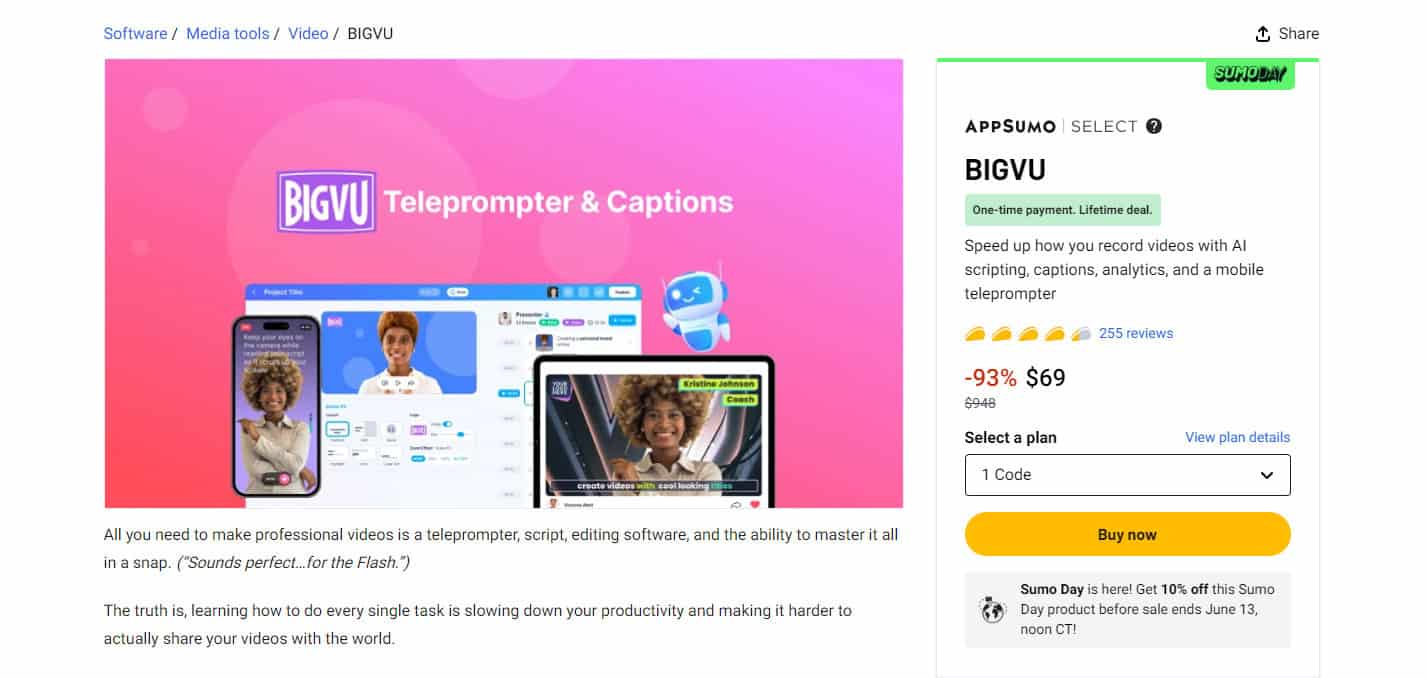
If you’re a short-form or long-form content creator looking for a teleprompter or scriptwriter, this would be a steal deal for you! It’s only available for a limited time. So hurry and grab it soon!
BigVu Customer Support
BigVu offers customer support via their live chat and help center. The help center addresses all the key FAQs regarding its features, along with plans and billing. It also has a YouTube channel where you’ll find video tutorials on using the BigVu platform.
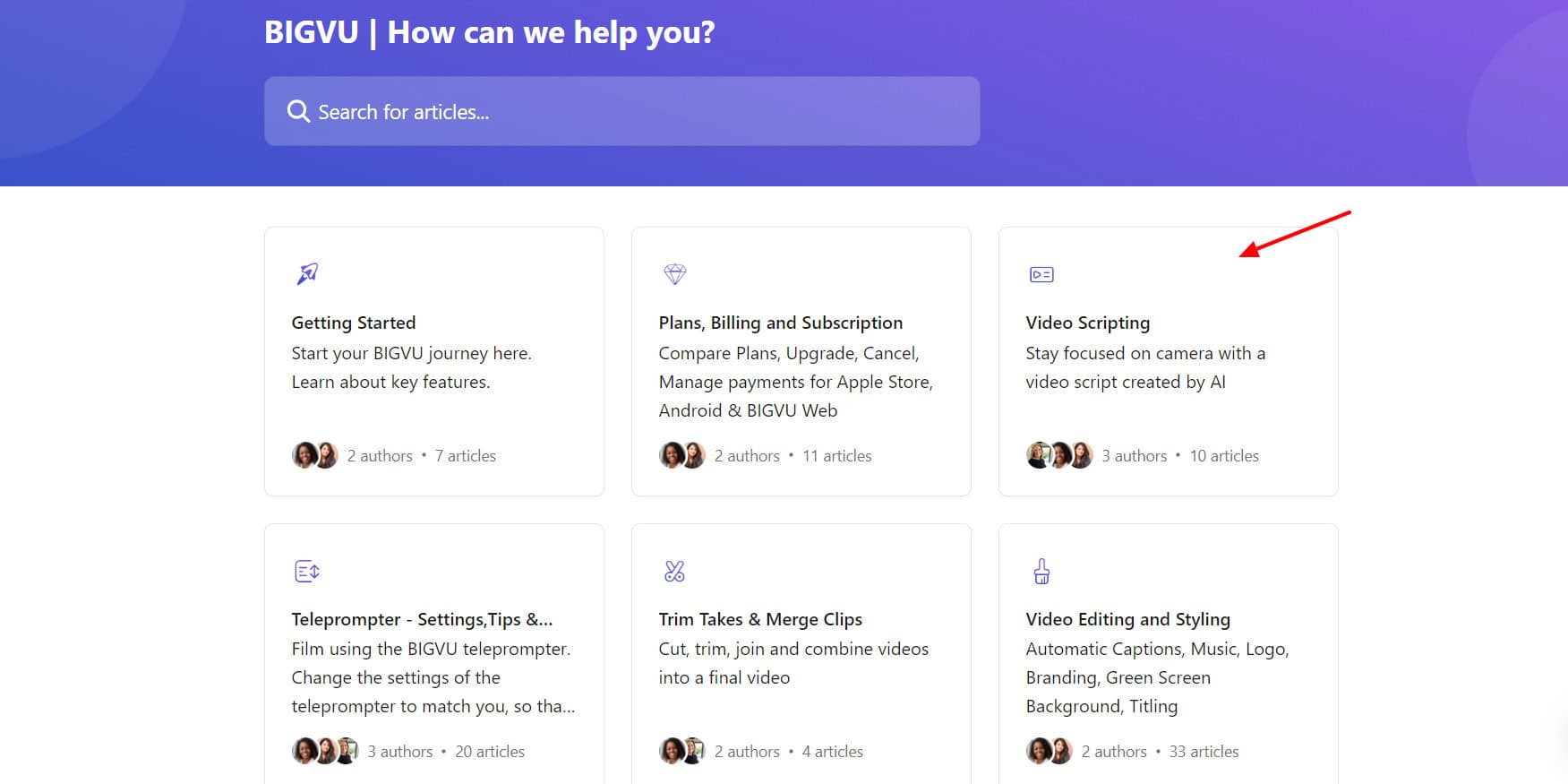
I interacted with BigVu’s chat support and found it to be pretty slow. Though they offer polite and knowledgeable replies, they can work on improving the pace of their replies.
BigVu Pros
1) All-in-One Platform
BigVu is not just a teleprompter, but it also lets you generate scripts and captions, and also edit videos with ease.
2) Easy to Use
Both the web app and mobile app of BigVu are easy to use and have no learning curve. Even beginners won’t have any problem learning how to use it.
3) Powerful Teleprompter
BigVu offers a super convenient teleprompting functionality. You can adjust the font size, scroll speed, and even the script layout and position for recording the perfect video.
4) AI Captions in Multiple Styles
You can get accurate AI captions for all languages within seconds. It also supports multiple display styles, animations, and layouts for your subtitles.
5) One-Click Publish
BigVu offers integrations with all popular social media platforms, including Facebook, LinkedIn, Twitter, YouTube, etc. It lets you publish your posts on all the platforms with a single click!
6) Functional Mobile Apps
BigVu’s mobile apps offer a modern and responsive interface. They are best used for generating scripts and teleprompting. Some features like Eye Contact Fix are exclusively available on the mobile apps.
BigVu Cons
1) Missing Functionality on Teleprompter
In case you missed or mispronounced something, the teleprompter doesn’t replay the script or let you scroll up to re-record it. You need to record it again from scratch.
2) Scroll Speed Limitations on Mobile App
On the BigVu mobile app, you cannot adjust the script scrolling speed before recording your video. Speed controls are only visible once you start recording.
3) Missing Features
They can introduce additional features to the BigVu platform like AI voiceovers, more caption layouts, custom fonts, and more video editing tools.
4) Buggy Web App
The web app of BigVu is slightly buggy. It doesn’t register clicks at times. I hope they work on improving it.
5) Poor Blog to Video Script
The Blog to Video Script tool was pretty disappointing. It didn’t actually generate a script. It looked more like a blog introduction than a script.
Who Should Use BigVu?
Although BigVu is a must-try for anyone whose work revolves around videos, the following users will benefit most from using it.
- Content creators, YouTubers, and vloggers can use BigVu for its teleprompting and AI caption generation.
- Startups and small business owners can use it to produce engaging video scripts to promote their brands and services.
- Online coaches, consultants, and trainers can use its teleprompting service to deliver well-scripted content and add a professional touch to their brand.
- E-commerce sites and marketing agencies can use it to promote their products, run promotions, deals, etc with video ads.
Why Should You Trust Me?
I’ve been working full-time in the digital industry since 2015. In all these years, I’ve used and tested hundreds of digital tools and AI tools. Since last year, I have focused my attention on AI writers, AI Art Generators, AI website builders, AI video generators, and so on!
I’ve also used and experimented with various teleprompting and video editing tools. Testing out so many AI tools has given me the knowledge and experience to suggest the right one for your needs.
Conclusion
BigVU is an all-in-one solution for video creators, including AI scriptwriting, teleprompter, and multilingual AI captions. Its friendly UI and powerful teleprompter make it tempting. However, occasional bugs and mobile app limitations exist.
BigVU shines for long and short-form content creators. If you are looking to generate AI scripts and use a teleprompter, the BigVu AppSumo deal could be valuable for you.
I hope this BigVu Review helped you understand if BigVu is the right tool for your workflow. If you are a content creator or a marketer, this tool is sure to help you at every step of video creation and sharing.
Anyway, have you used any other AI tools for teleprompting, script generation, or AI captions? How was your experience with them and what are your opinions about BigVu? Do share with me in the comments section below.
This is Kripesh signing off. I’ll be back with more informative content soon. Cheers! 🙂
FAQs
1) Can I use BigVu without showing my face on camera?
Yes, you can use the teleprompter feature of BigVu with the ‘Read Only’ tool to hide your face while narrating the script.
2) Can I monetize videos made with BigVu?
Yes, you are the owner of the videos you create on BigVu. It allows you to upload your generated videos on monetized platforms like YouTube.
3) What is BigVu used for?
BigVu is primarily used as a teleprompter application. However, you can also use it to generate AI scripts, generate AI captions, edit videos, etc.
4) Is there a free version of BigVu?
Yes, the free version of BigVu lets you create 3 AI scripts every month and record HD videos up to 9 minutes. However, your videos are exported with a BigVu watermark. To remove it, you need to upgrade to its paid plans.
5) Does BigVu have filters?
Yes, the mobile app of BigVu has a variety of beauty filters to enhance your overall appearance. You can retouch your face, enhance your nose, fix eye contact, and even whiten your teeth with their filters.
6) Is BigVu compatible with mobile devices?
Yes, BigVu offers functional mobile apps for Android and iOS devices. The mobile apps are primarily used as teleprompters for creating videos.
7) Does BigVu have a lifetime deal?
Yes, you can get the lifetime deal of BigVu on AppSumo for $69. With this deal, you get to create 1 shared workspace and add 5 users. You can connect up to 10 devices with 2 devices per user.

BigVU Pros (+)
- All-in-One Platform
- Easy to Use
- Powerful Teleprompter
- AI Captions in Multiple Styles
- One-Click Publish
- Functional Mobile Apps
BigVU Cons (-)
- Missing Functionality on Teleprompter
- Scroll Speed Limitations on Mobile App
- Missing Features
- Buggy Web App
- Poor Blog to Video Script