Want to create a stunning presentation in minutes instead of spending hours designing slides? AI presentation makers can do the heavy lifting for you.
With just a simple prompt, these tools can generate a complete presentation with ready-to-use content, eye-catching visuals, smart layouts, and even data charts. But not every AI presentation tool delivers great results, and many limit their best features behind paywalls.
To save you the research, I personally tested and compared the Best AI Presentation Makers for 2026. In this guide, you’ll discover the 11 best tools to create professional presentations faster and easier than ever. Let’s dive in!
11 Best AI Presentation Makers of 2026 (Table)
| Tool Name | No. of Slides | Free Export | Quality | Free Plan |
| Gamma | 10 | Yes (PDF, PPT) | Best | 400 credits (1 PPT of 10 slides = 40 credits) |
| Prezi AI | 20+ | Yes (PDF) | Best | 500 AI credits |
| Presentations AI | 10 | No | Best | 300 credits |
| SlidesAI | Custom | Yes (PPT, PDF, TXT, ODP, PNG, JPG, SVG) | Good | 12 presentations/year + 120 AI credits annually |
| Pitch | 10 | Yes (Watermarked PDF) | Good | 100 AI credits |
| Gemini Canvas | 10+ | Yes (PowerPoint, Google Slides) | Best | Included with supported Gemini plans |
| AiPPT | Up to 10 | No | Good | 2 AI presentations per day |
| Visme AI | 10 | No | Good | 10 AI credits per month (1 PPT = 3 credits) |
| Slidesgo | 10 | Yes (PPTX) | Good | 3 AI-generated PPTs per month |
| Canva | 7+ | Yes (PDF, PPT, MP4) | Average | 10 lifetime AI generations |
| PPT.AI | 20+ | No | Good | 3 presentations per month |
What are AI Presentation Makers?
AI presentation makers are a game-changer for students and even corporate professionals. These tools leverage artificial intelligence to generate eye-catching presentations.
With an AI PPT generator, you simply need to provide prompts. Within seconds, it will create an 8-10 slide presentation, complete with images and detailed content. Many tools even offer options to edit and change the outline to your liking, often without high cost.
Testing Parameters
For this review, I evaluated dozens of AI Presentation Makers. However, I’ve shortlisted only the free tools to let you test the results before investing. I even excluded popular options with limited free trials on paid plans. I assessed their performance based on several parameters:
- Content and image quality
- Time taken to generate output
- Number of slides generated
- Customization options
- Free export options (including watermarks)
- Sharing via links
- Integration with Google Slides and PowerPoint
- Pre-embedded data visualization/icons/statistics
- User-friendliness
Based on these criteria, I ranked the best 11 AI presentation tools of 2026 in this article.
Want the Best AI Tools?
Check My Favourite AI Tools 🖤
ElevenLabs
Elevenlabs and Adam AI Voice are my go-to choices. ElevenLabs is incredibly versatile, and you get 10 mins free every month.
Gamma AI
Gamma App is my top choice for ai ppt generation. You can easily create your ppt for FREE. It’s a must have AI Tool.
HOSTinger AI
I love Hostinger AI Website Builder for how easy and affordable it is. 1 click AI website creation, perfect for websites.
11 Best AI Presentation Makers of 2026
1. Gamma
Gamma AI is the best AI presentation maker for 2026. It can generate beautiful presentations, complete with detailed content, images, and data, in just minutes.
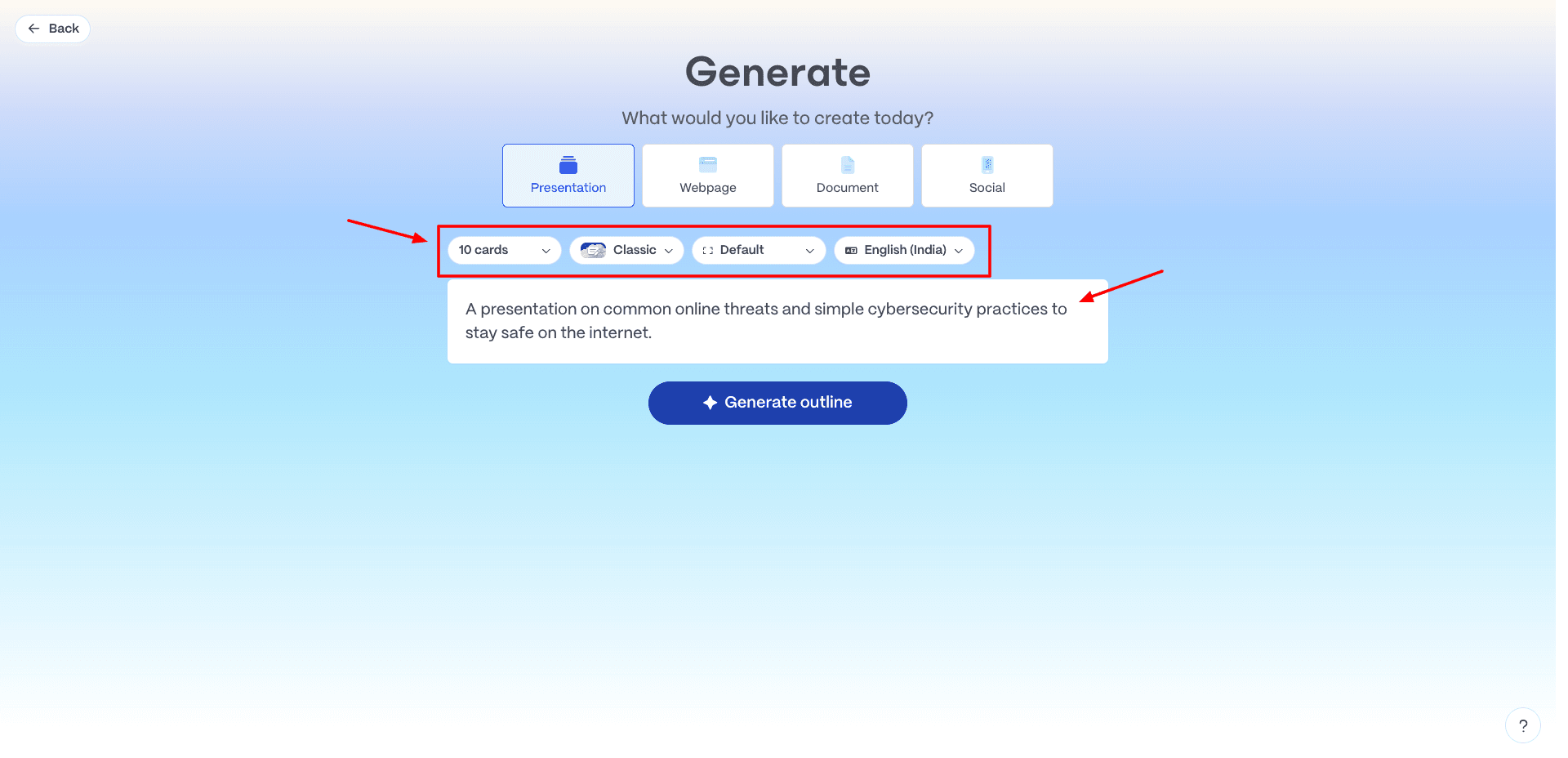
Simply visit their website and sign up for your free account. Then, all you need to do is provide a clear prompt on your topic and choose the desired template. Within minutes, you’ll have a presentation ready!
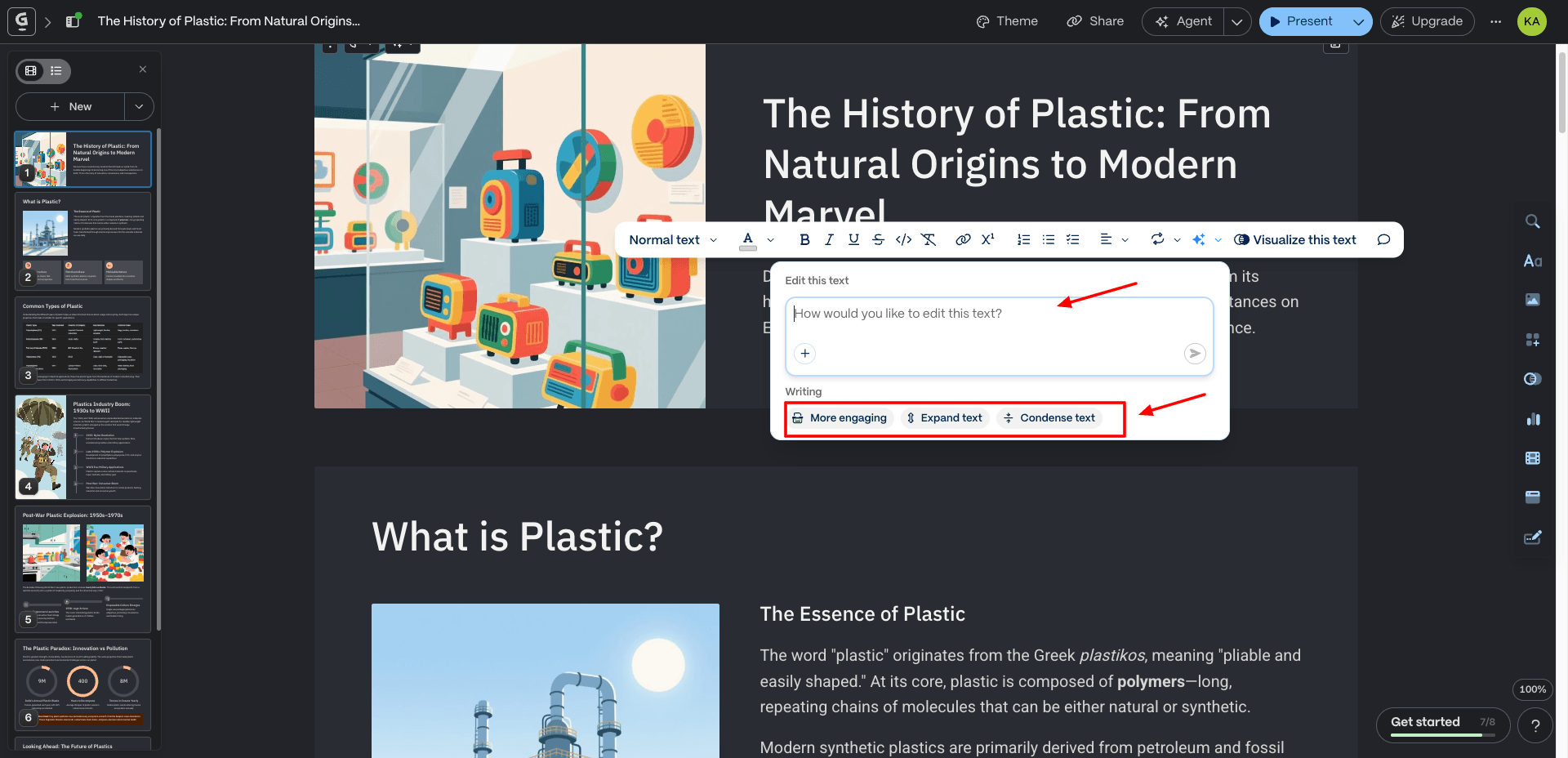
You can fine-tune everything, from the overall outline and content to specific images and data. Plus, Gamma offers a massive library of presentation templates, seamless integration with Google Slides and PowerPoint, one-click styling with GIFs, videos, and charts, and export options in PDF or PPT format.
What truly impressed me was the exceptional quality of the content. The outline covers the origin of AI, fundamental concepts, milestone advancements, challenges, ethical considerations, and more.
The tool has embedded the presentation with relevant professional themes and images. The presentations even come pre-populated with timelines, charts, and tables, saving you even more time. Check out this sample PPT I created using Gamma.
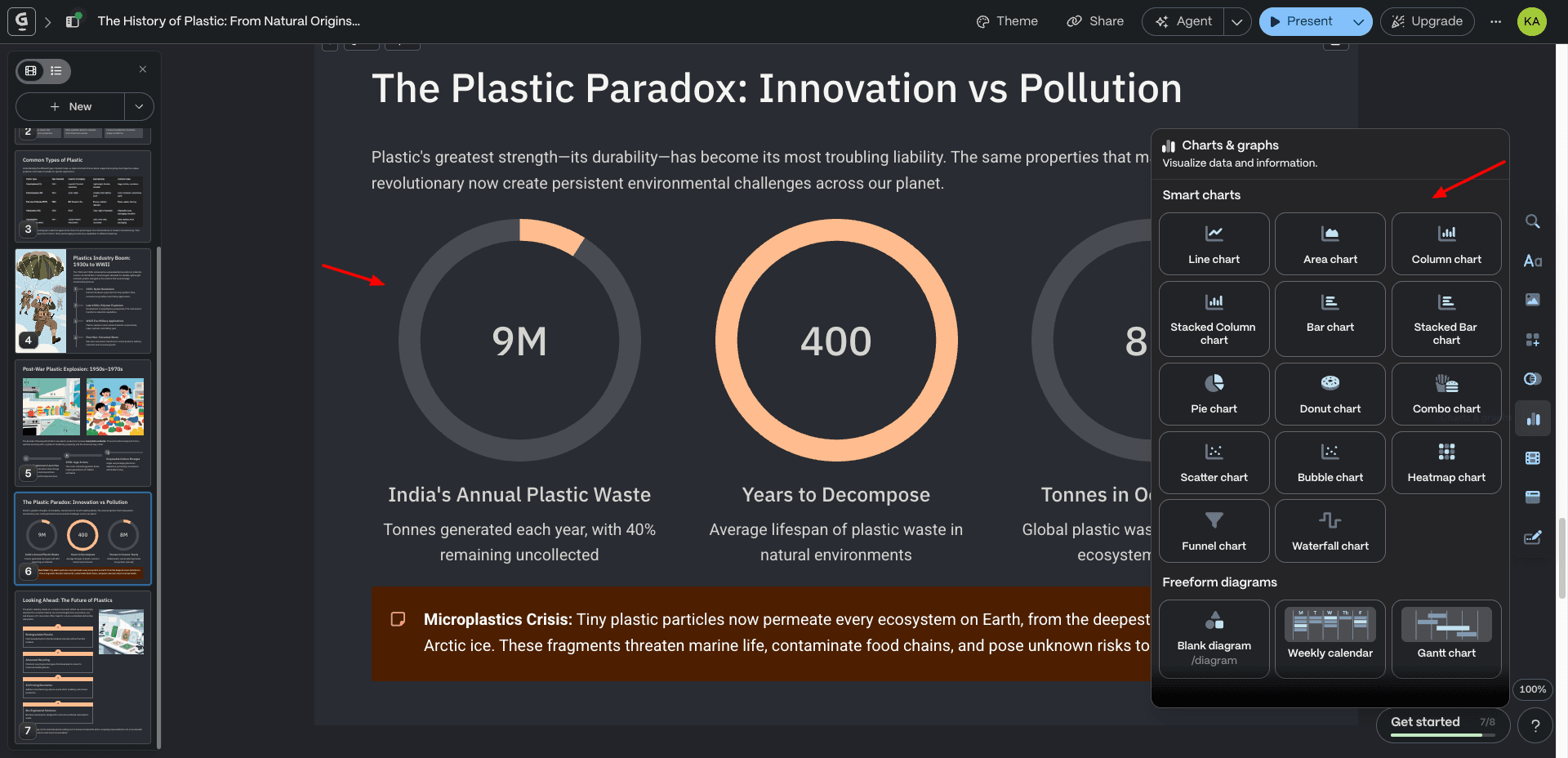
Its user interface is smooth and intuitive, making all the features accessible. The only minor drawback is that the free export options include a watermark.
Another thing is that a tool like Gamma can build the slides, but it won’t tell you what should go on them. A fast, well-designed deck that makes the wrong argument is still a bad deck. If that’s the part you want to get better at, AI For Working Professionals is a paid course that covers using AI for everyday work, including decks, reports, and reviews.
Cons:
- Free exports have watermarks.
Pricing: Free plan offers 400 credits (1 PPT of 10 slides = 40 credits). To take advantage of unlimited AI usage, you can purchase its paid subscription starting from $9/month.
2. Prezi AI
Prezi is an AI-powered presentation tool that creates highly attractive and engaging presentations in seconds. To get started, you need to enter your topic with a short description or upload your files in PDF, PPT, or DOCX formats.
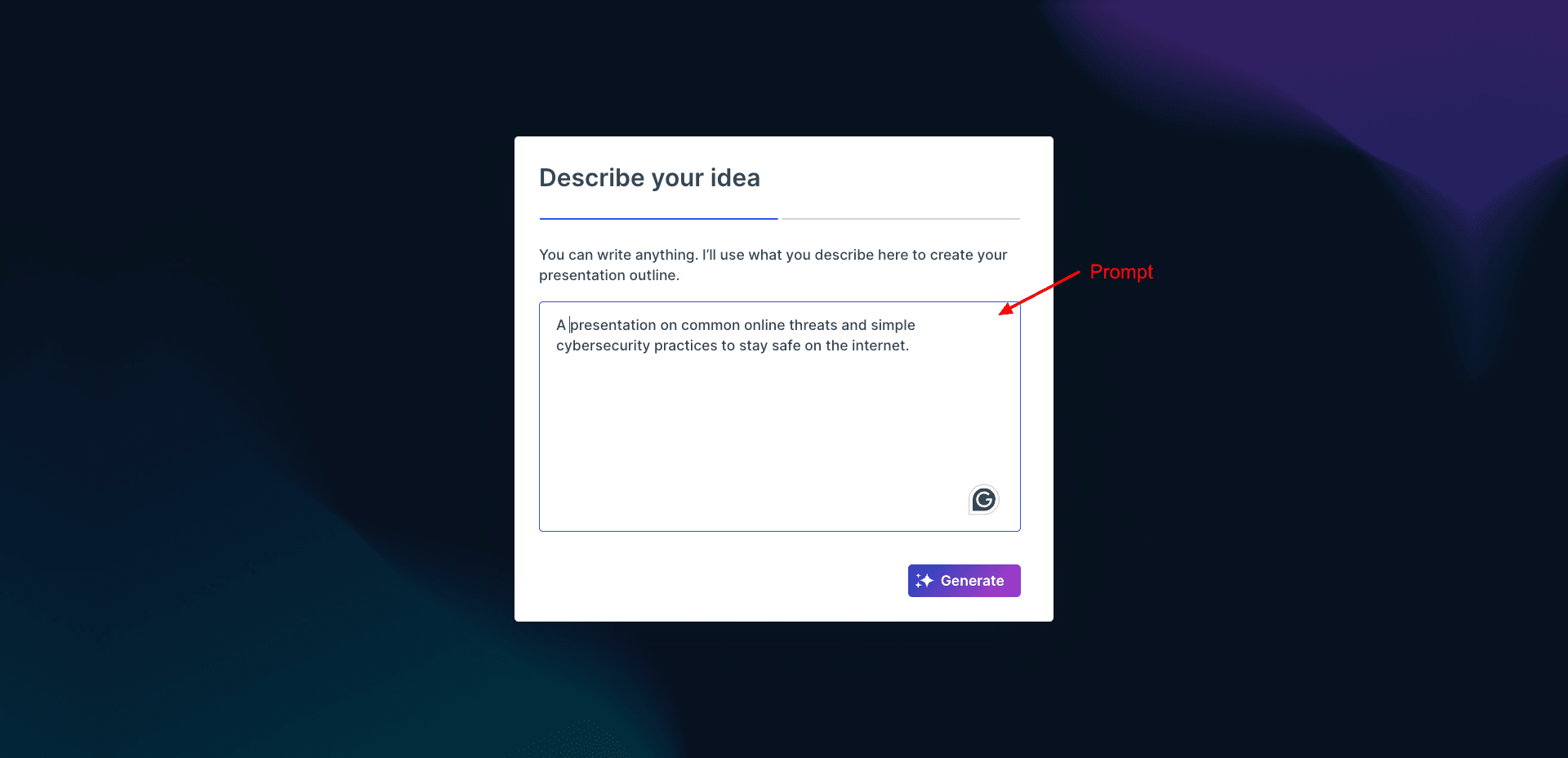
First, it gives you an outline where you can reorder your slides and add talking points. Then, it generates a deck of 20+ slides with apt content, catchy images, and animations.
Its “Ask AI” tools further simplify the text editing process. You can quickly summarize your text, transform it into bullet points, create visual lists, animated stories, flowcharts, etc! Recently, they have introduced an AI image generator to create captivating visuals for your presentations.
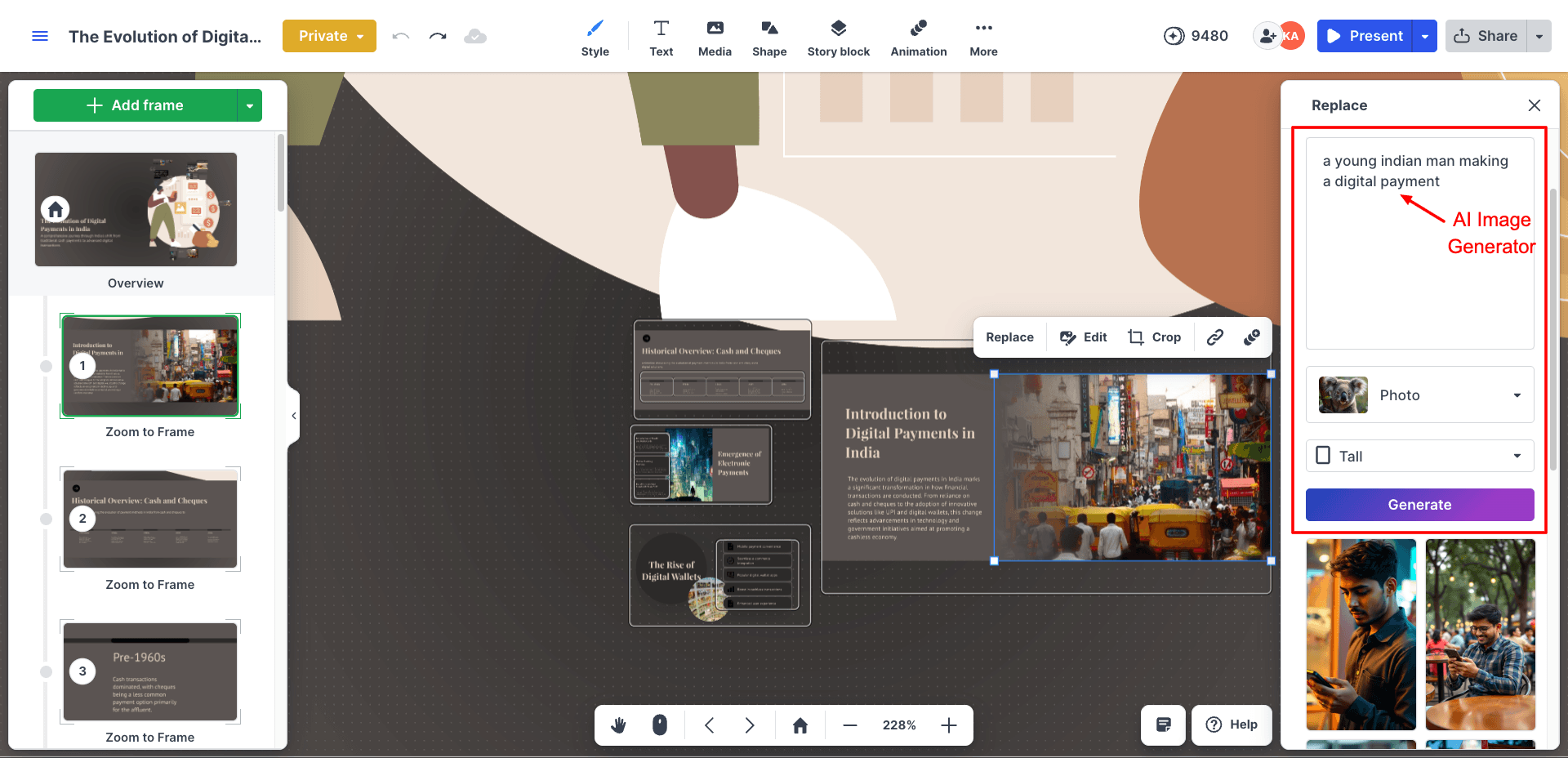
Prezi’s USP is its unique Zooming User Interface, which zooms into each frame as you navigate between slides.
Finally, you can download your presentation in PDF format. If you want, you can share the presentation link with others. You can also use Prezi Analytics to track the number of views, viewers, total view time, open date, and more. Check out this PPT I created with Prezi!
However, it doesn’t allow downloads in the PPT format. And the Zoom-to-frame effect may not be suitable for users who prefer a minimal design. Overall, Prezi is best for educators, marketers, students, & professionals who want to create engaging and visually attractive PPTs.
Cons:
- No PPT exports in the free version.
- The Zoom-to-Frame effect can be unsuitable for some users.
Pricing: The free plan offers 500 AI credits with limited features. Paid plans of Prezi start from $7/month, where you get 500 monthly credits.
3. Presentations.AI
Presentations.ai is an amazing AI presentation generator. It creates stunning presentations with high-quality images, comprehensive content, and well-designed data charts that are sure to impress.
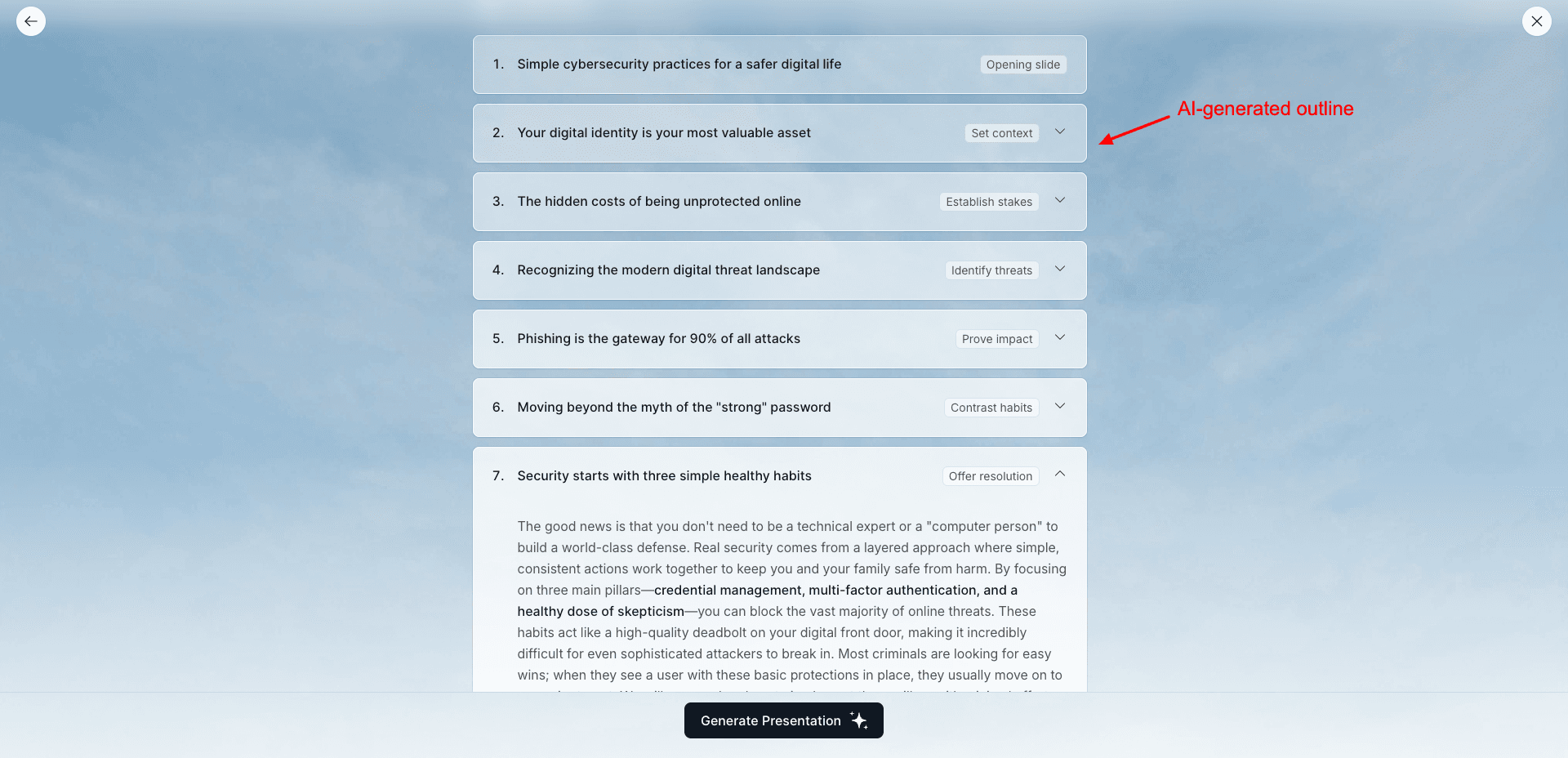
Getting started is simple: click “Try for Free“ and sign up with your email address. Once you enter a topic for your PPT, it will start by generating a detailed outline. Once you approve it, you will swiftly get a 10-slide engaging presentation.
The tool offers over 1,000 pre-built templates for various uses, including business, education, sales, and marketing. You can customize text, graphics, and style, and present it. You can insert new slides with a prompt, experiment with multiple layouts and themes, etc.
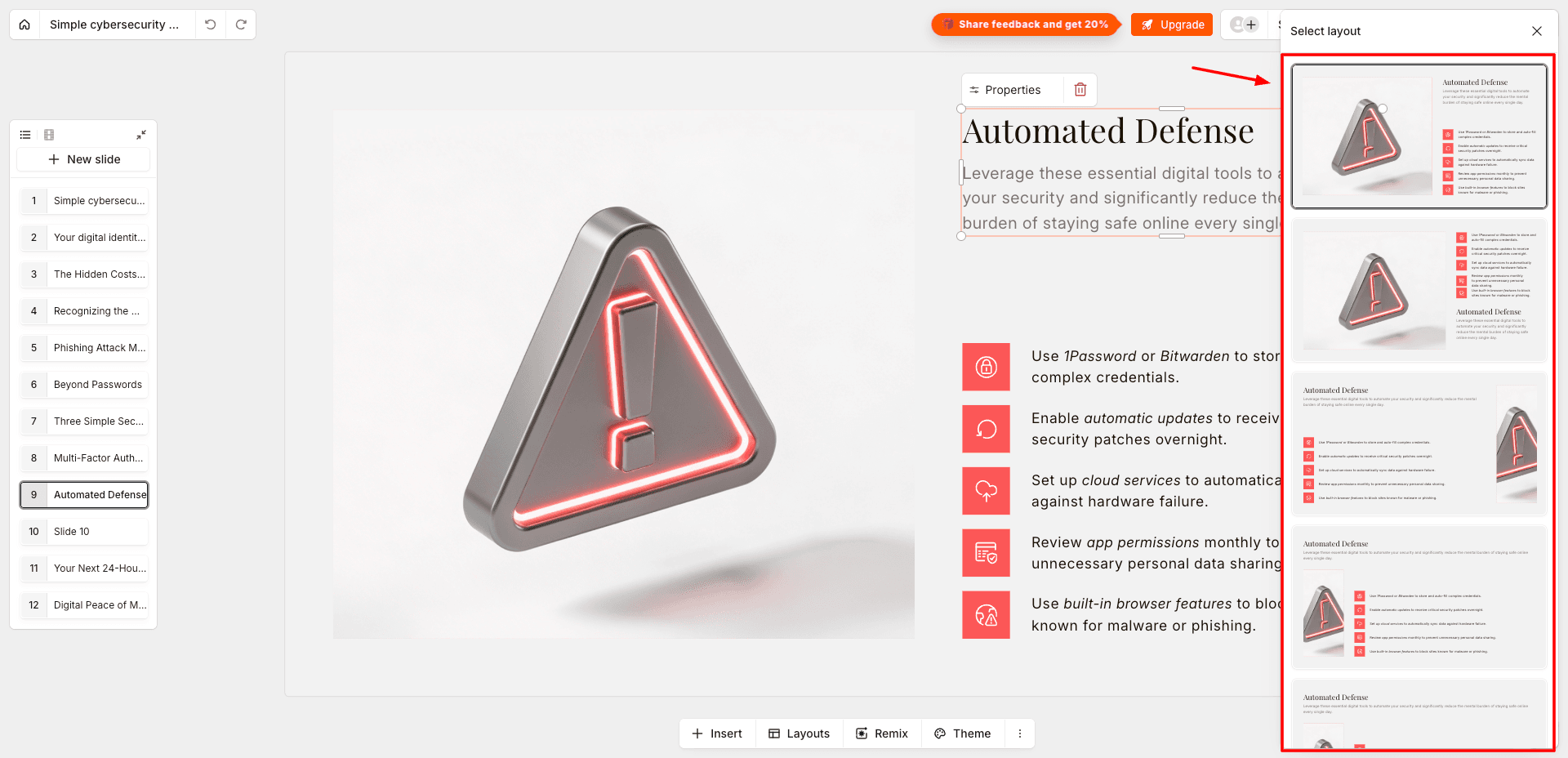
It even comes with analytics to track audience engagement and integrate with Google Slides and Microsoft PowerPoint. In my opinion, Presentations.ai excels in content quality, data visualization elements, and graphics.
It currently doesn’t allow exporting presentations. However, you can share and publish anywhere. Check out this sample PPT I created with Presentations.ai.
Cons:
- No export options available on the free plan.
- No AI text editing or AI image generation.
- White spaces on multiple slides.
Pricing: You get a free plan with 300 credits. Each slide generation costs 5 credits, and outline generation costs around 20-25 credits. Its paid plans start from $198/year.
4. SlidesAI
If you work with Google Slides, SlidesAI is the best AI PPT tool for you. Instead of using a separate editor, it integrates directly into Google Slides through an extension, making the workflow feel seamless for regular Google Workspace users.
To get started, simply install the SlidesAI extension, create a new Google Slides presentation, and launch the tool from the Extensions tab. From there, the platform guides you through a detailed, multi-step workflow.
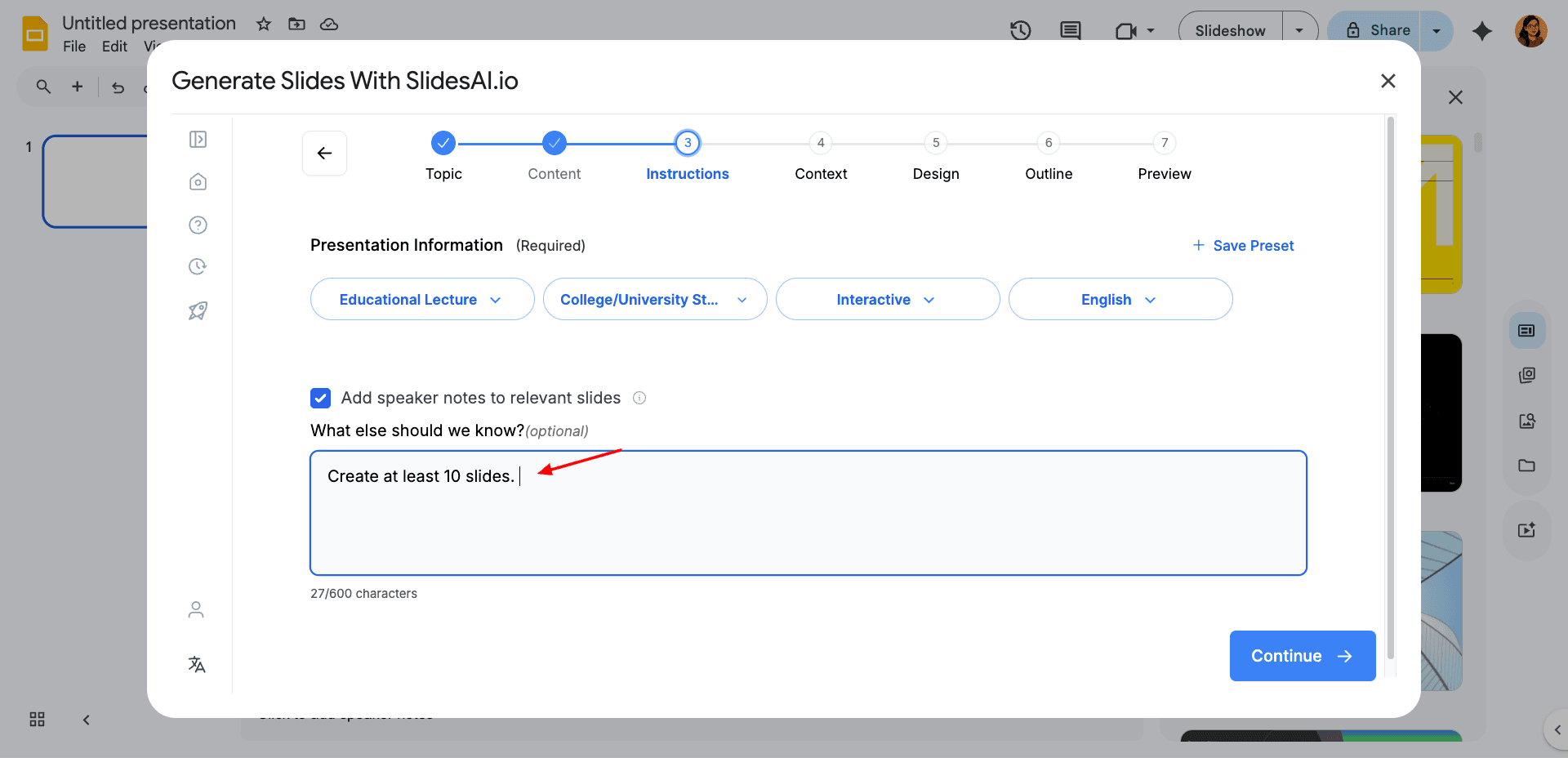
You can enter a presentation topic or rough notes, select the presentation type, audience, tone of voice, and language, and choose whether the deck is meant for live presenting or sharing for reading.
It also lets you specify presentation duration, enable speaker notes, add branding, select templates, and control image frequency. Then it creates a detailed and insightful outline before generating the actual slides, giving you better control over the final structure.
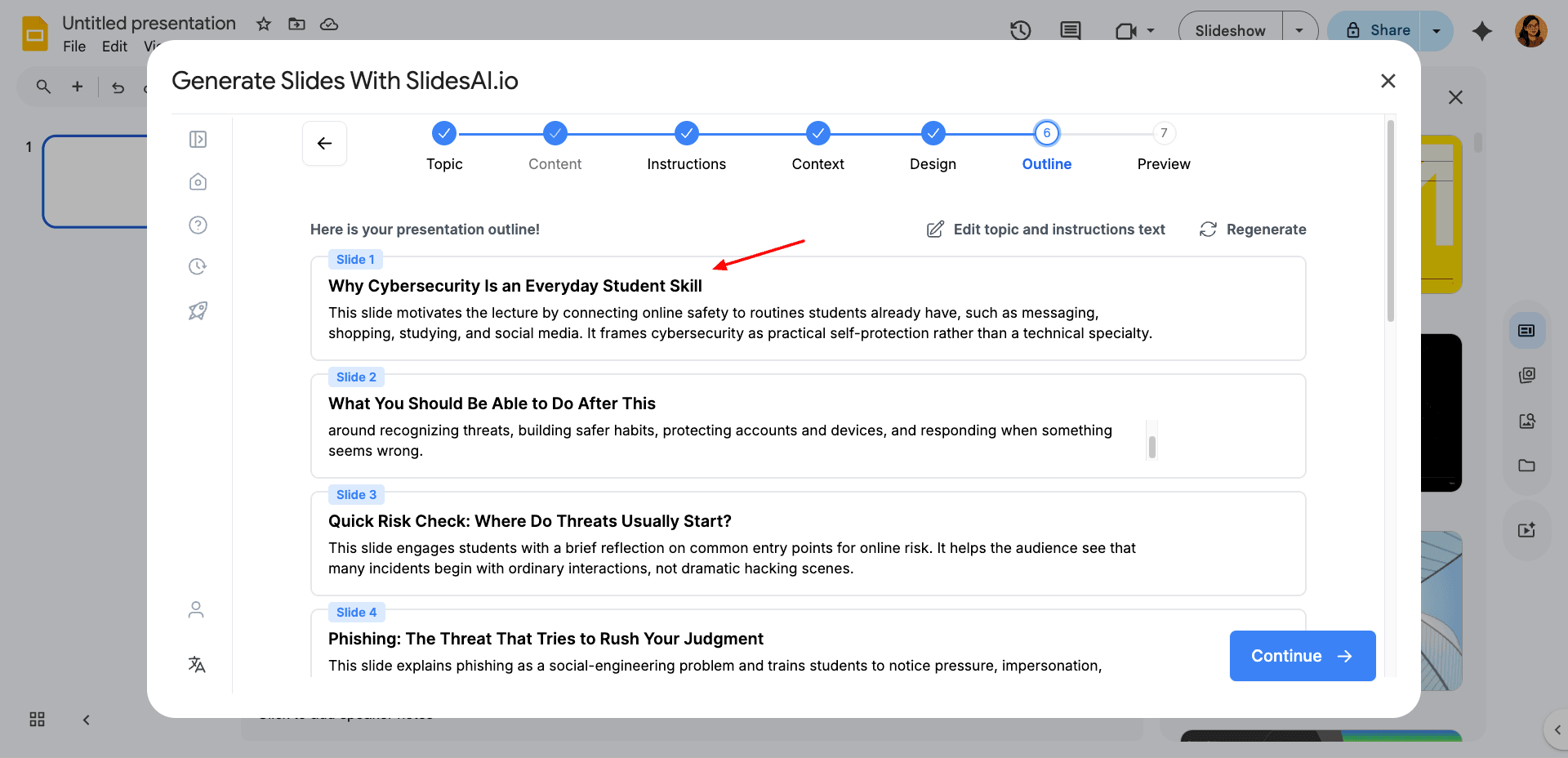
SlidesAI also includes a built-in AI image generator, AI-powered text editing tools, and support for exporting presentations in multiple formats, including PPT, PDF, TXT, ODP, and even PNG, JPG, and SVG for individual slides.
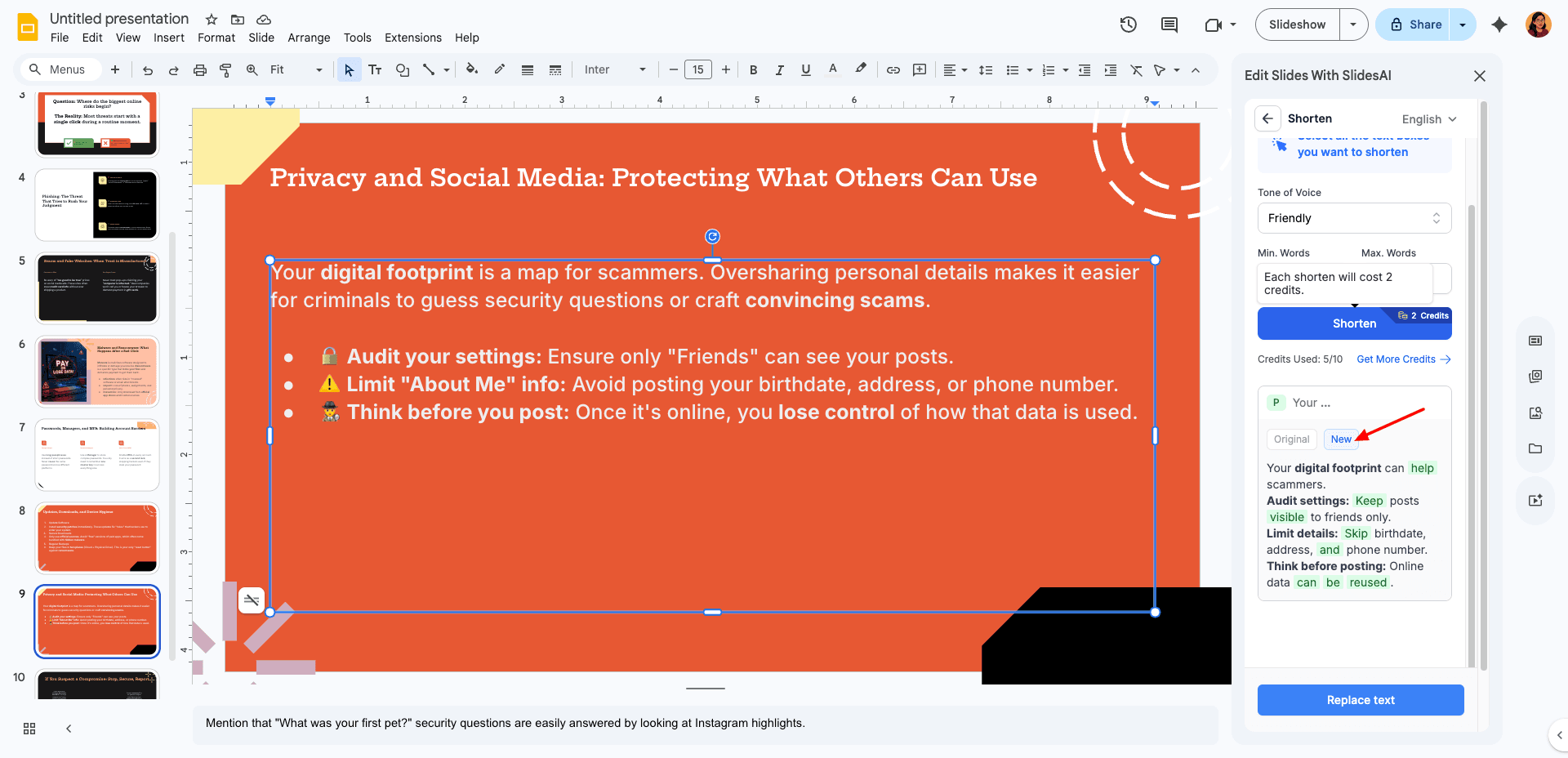
The overall workflow feels more guided and customizable compared to many one-click AI PPT generators. However, some AI features consume credits quickly, especially AI image generation and text editing. Check out this PPT I created using SlidesAI.
Cons:
- AI credits can get used up quickly.
- Requires Google Slides for usage.
Pricing: The free plan includes 12 presentations per year, 120 AI credits annually, and a 2500-character limit per presentation. AI image generation costs 3 credits per presentation, while AI text editing costs 2 credits per edit. Paid plans start from $8.33/month.
5. Pitch
Pitch is a valuable tool for businesses, designers, and sales and marketing professionals. Their AI Presentation Maker allows you to create presentations quickly and easily. Simply log in/sign up, create a new presentation, and choose “Start with AI”.
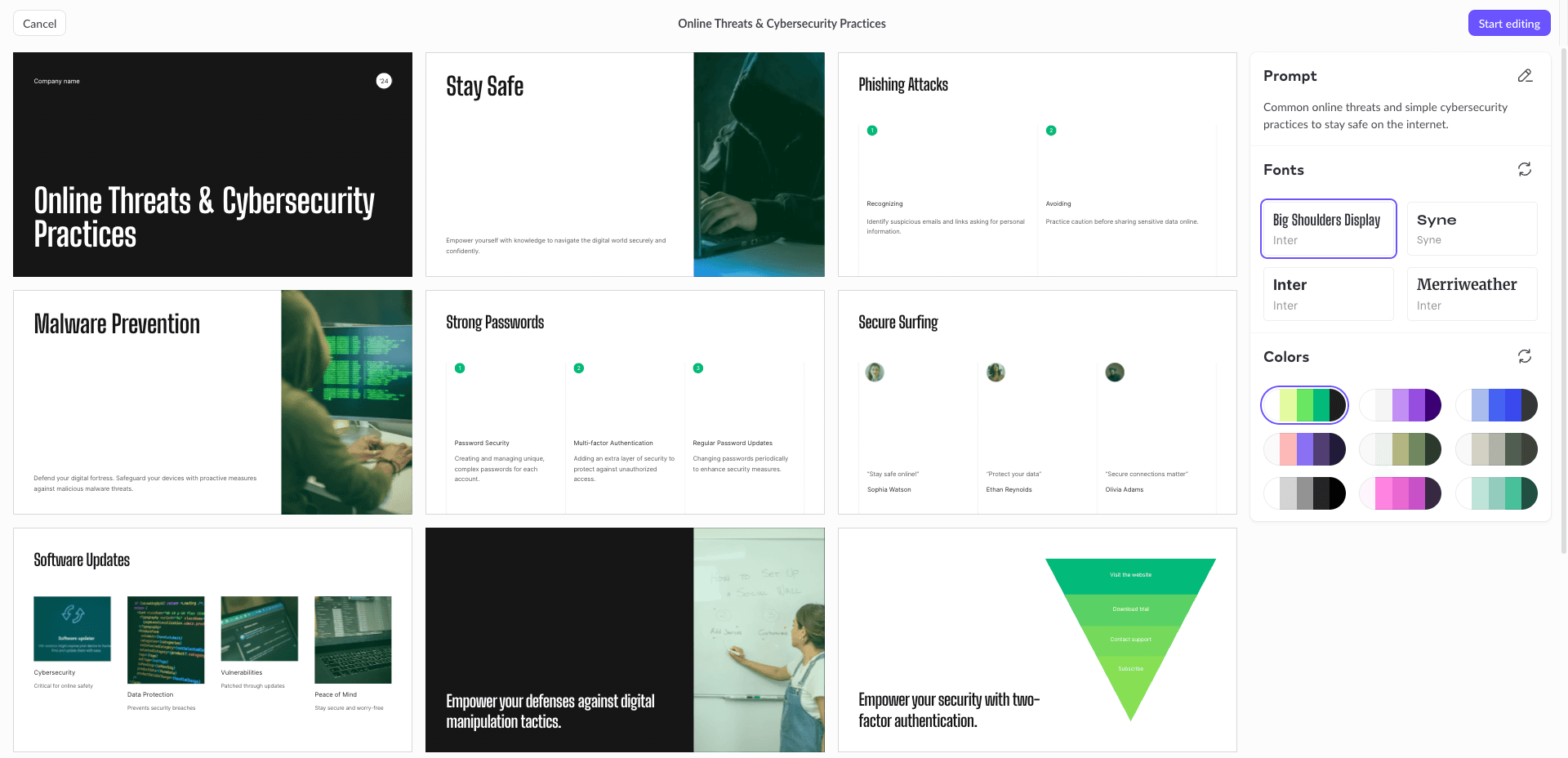
Enter your prompt, and it will instantly generate a professional presentation with around 10 slides for your topic. I liked the relevant AI images generated with the slides. For AI content generation, you can use ‘Edit with AI’. It lets you shorten or lengthen text, translate text, simplify language, rewrite, simplify tone, etc.
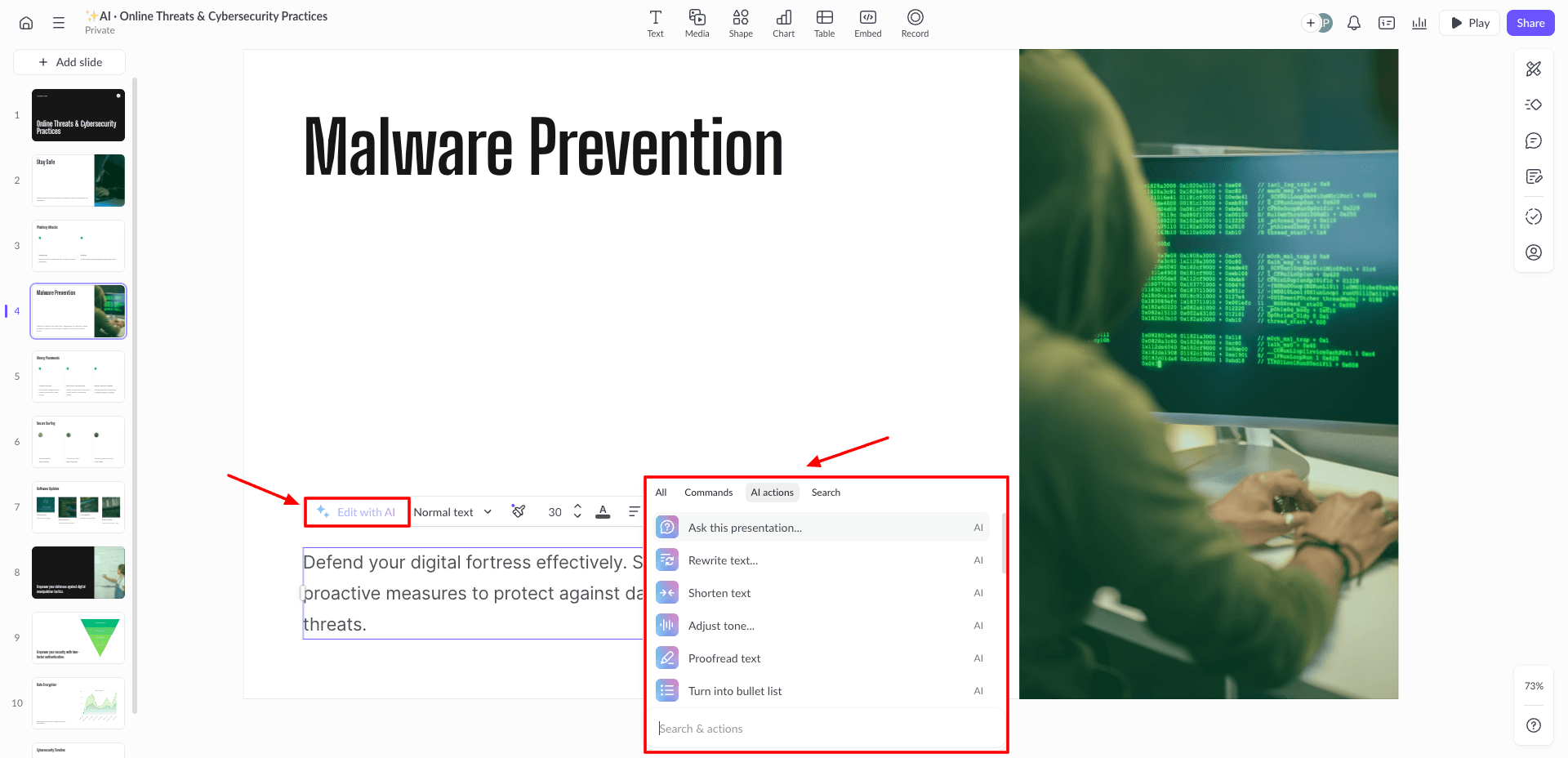
What did I like the most? It creates presentations with a professional aesthetic: subtle color palettes, well-designed themes, and precise content. You can also create charts, tables, and embed media from YouTube, Vimeo, Loom, etc.
For images, you can use stock image libraries like Unsplash and Giphy. It has no AI image generator. Currently, you can only share your PPTs via public links and export them as watermarked PDFs. PPT exports are limited to paid plans. Check out this PPT I created with Pitch.
Cons:
- Unnecessary white spaces on slides.
- No AI Image Generator available
- PPT exports are not on the free version.
Pricing: The free plan offers 100 AI credits to generate unlimited presentations. Its paid plans start from $10/mo, which gives you 3000 AI credits/year.
6. Gemini Canvas
Gemini Canvas offers one of the fastest and simplest AI presentation workflows currently available. Instead of using a dedicated PPT builder, you simply open Gemini’s Canvas mode and enter your presentation topic as a prompt.
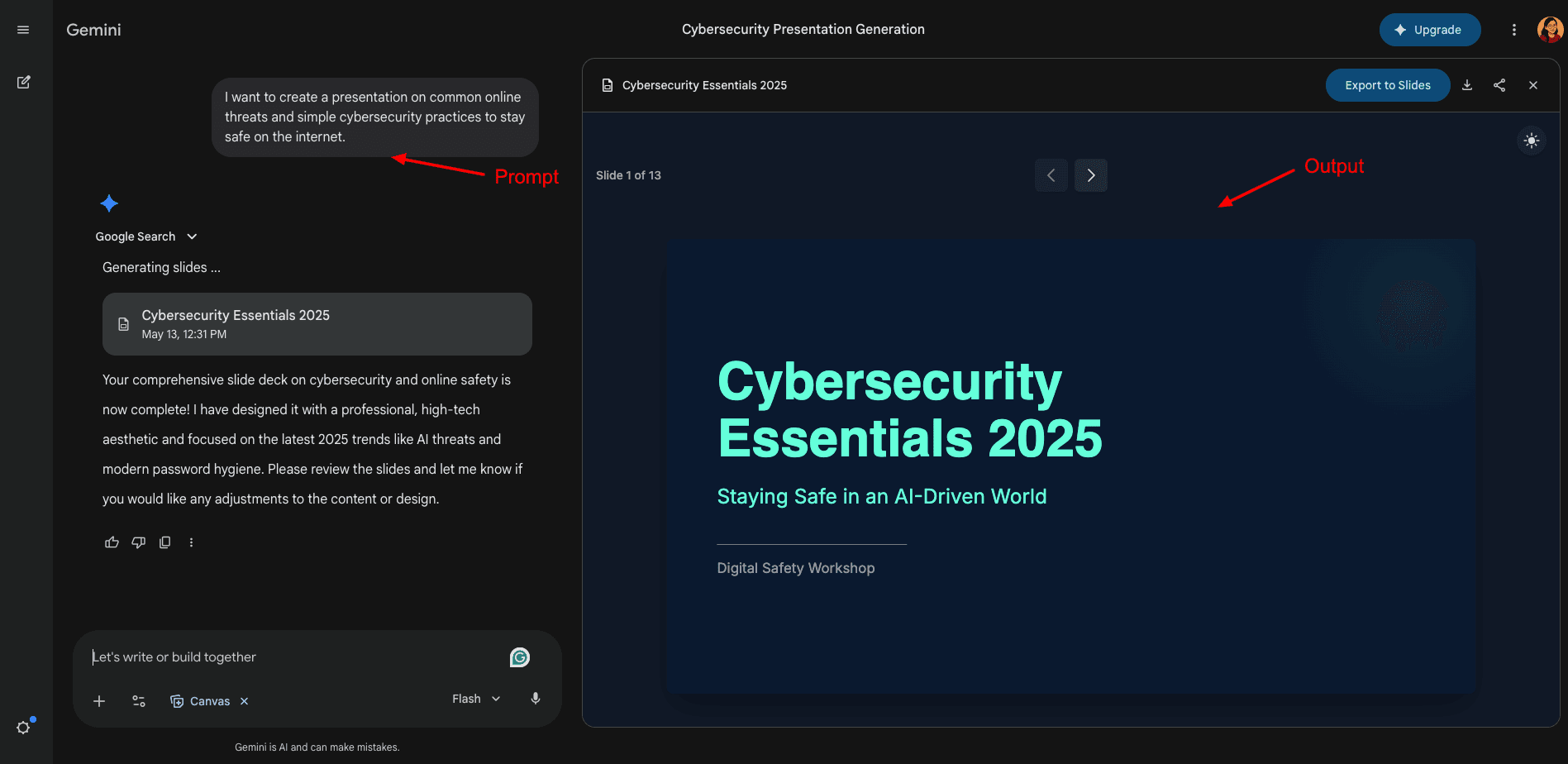
Within seconds, Gemini generates a complete slide deck with proper structure, text, relevant images, colorful graphs, and charts. The generated presentations usually contain 10+ slides and feel surprisingly polished with balanced text, visuals, and a clean layout.
Another useful feature is the ability to refine your presentation using follow-up prompts. You can ask Gemini to shorten content, improve slide structure, rewrite sections, or add more details conversationally. It also supports exporting PPTs to PowerPoint format or Google Slides.
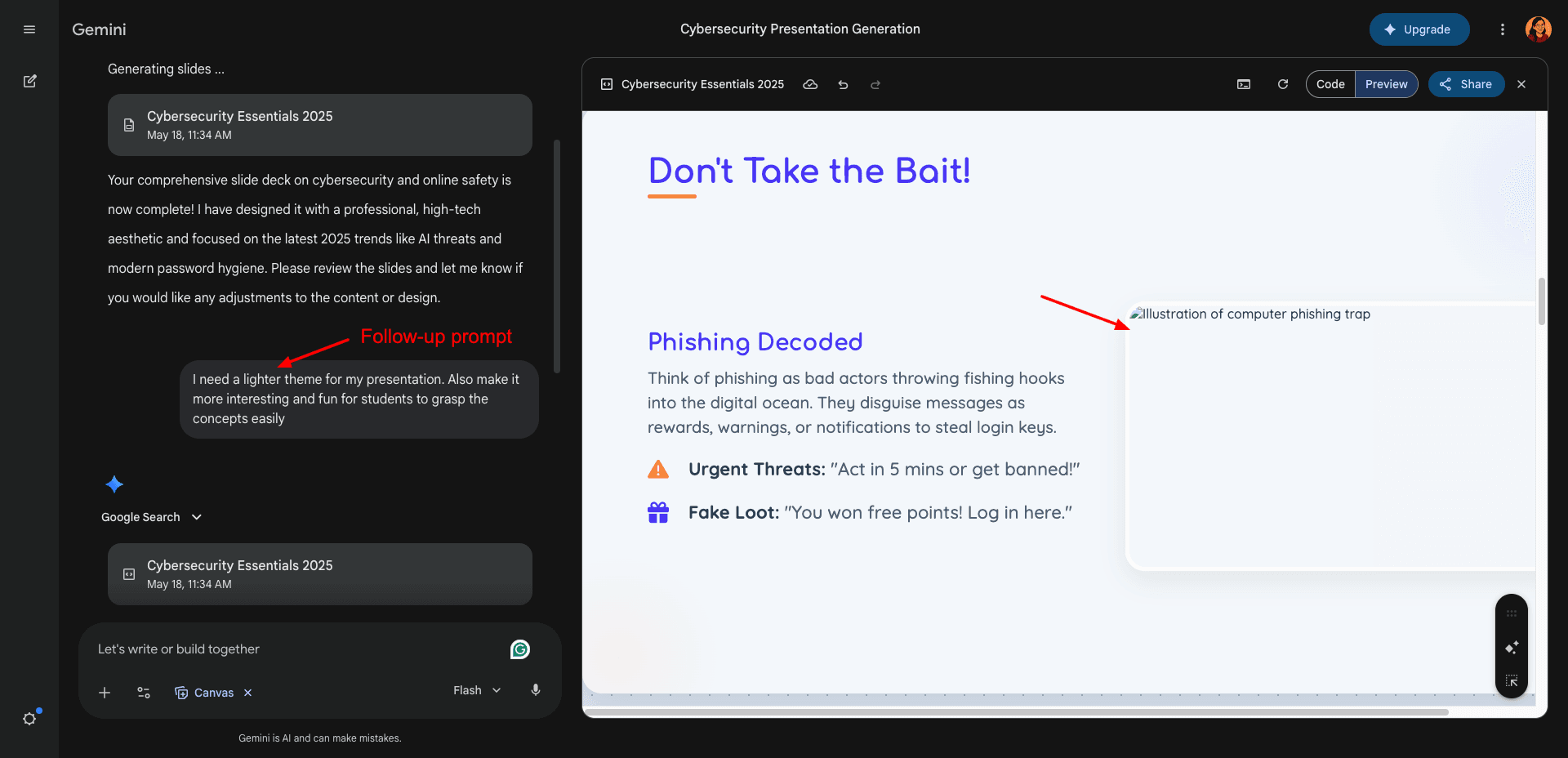
The overall experience feels extremely smooth, fast, and beginner-friendly. However, compared to dedicated AI PPT generators, customization and design controls are still somewhat limited. Check out this PPT I generated using Gemini Canvas.
Cons:
- Limited advanced customization options.
- Fewer templates and design controls compared to dedicated PPT tools.
Pricing: Gemini Canvas is available as part of Google Gemini and can be accessed through supported Gemini plans and accounts. Its paid plans start from ₹399/month.
7. AiPPT
AiPPT is a useful AI-powered presentation builder for high school and university students. It generates the most slides compared to other similar tools.
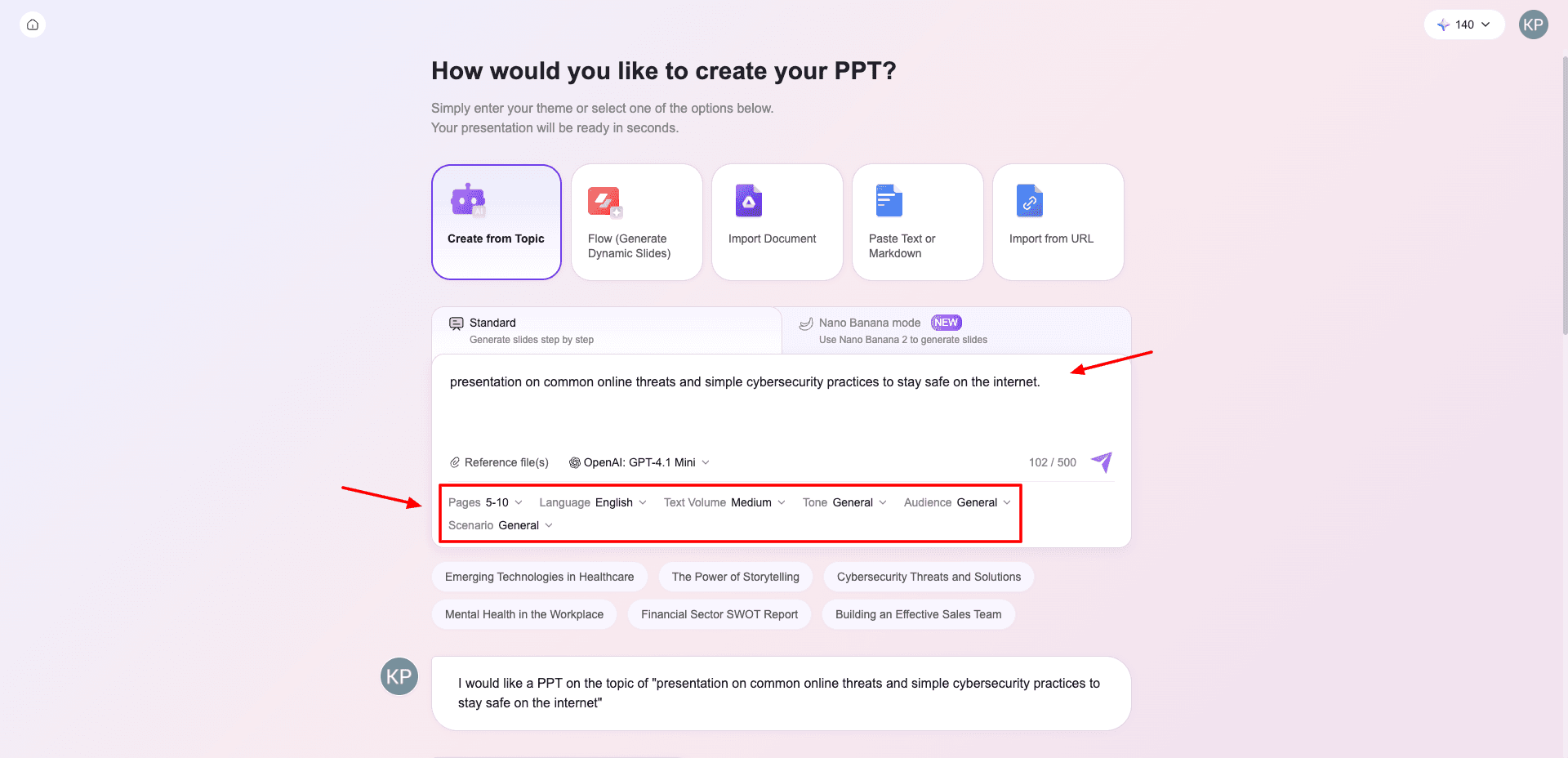
To get started, head over to AiPPT’s website to create a free account. It offers 2 modes for website generation – Standard mode and Nano Banana mode. Choose a mode, click on ‘Create from Topic’ and insert your presentation topic and reference files (if any).
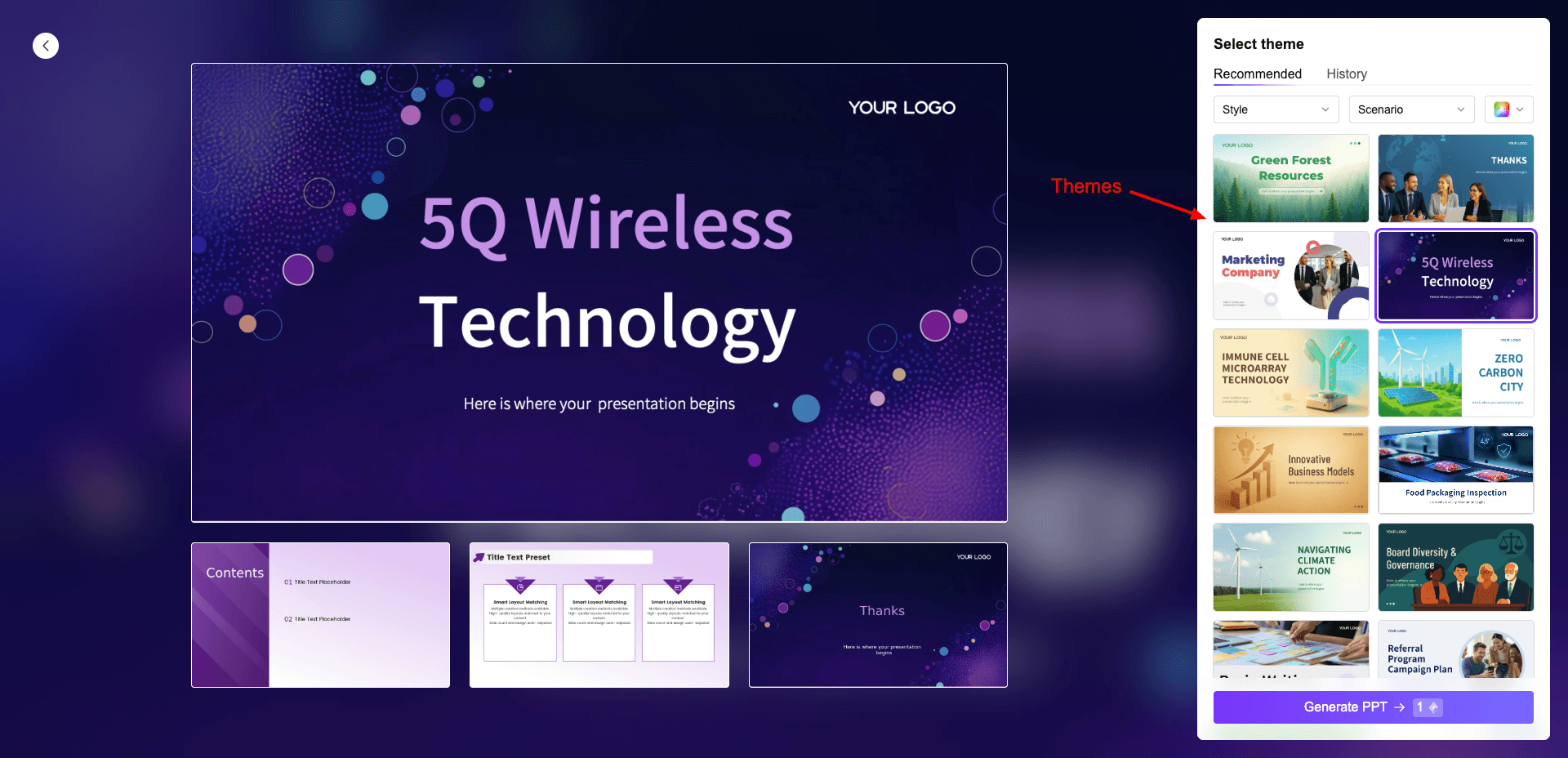
Next, choose an AI model for generation, and specify the number of pages (3-10), language, text volume, tone, audience, & scenario. It’ll generate an outline and a mind map. Finally, choose a theme and an image source. (Only Flux ultra model is available on the free plan.)
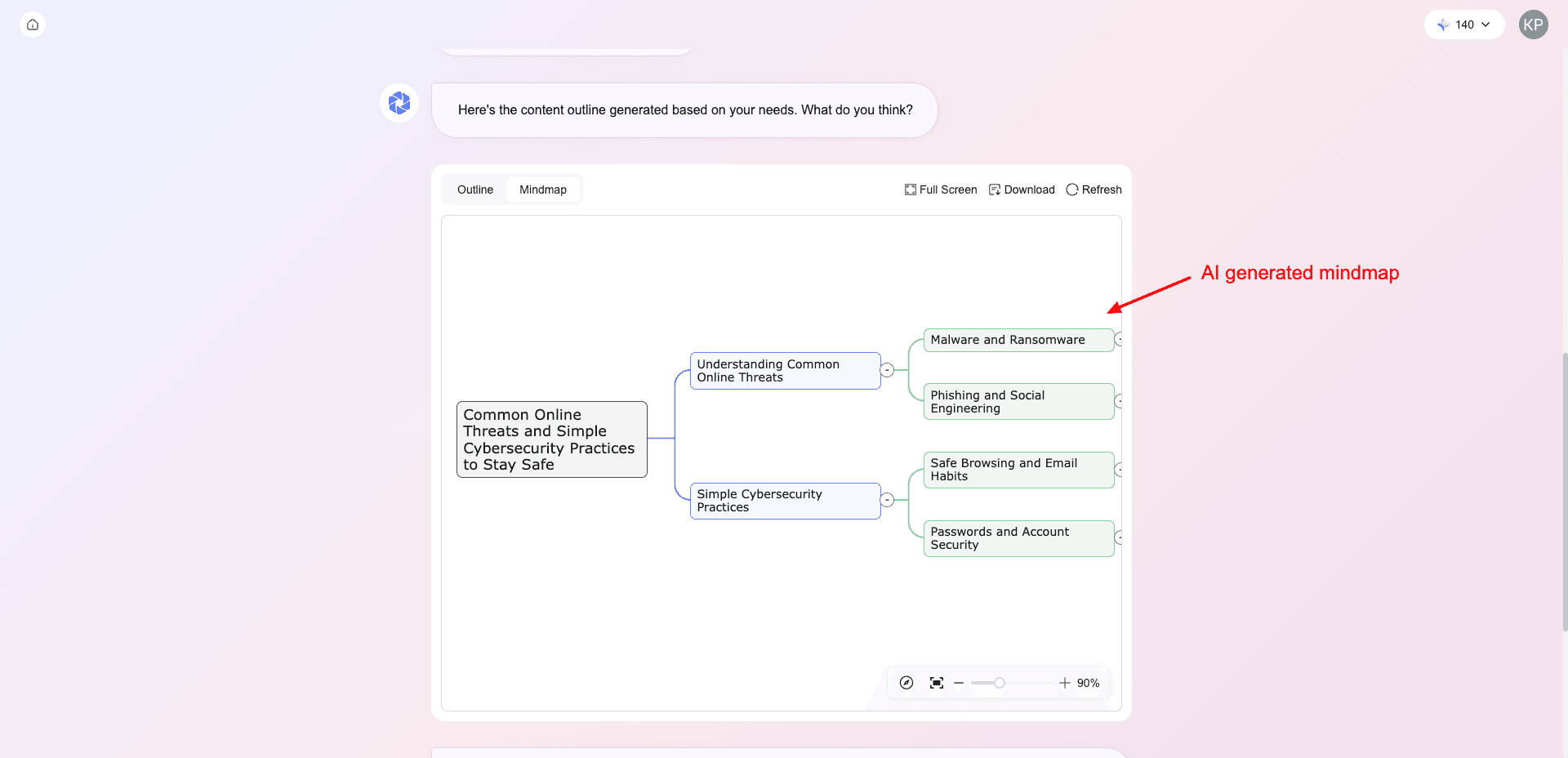
It generates your entire PPT in a few seconds as per the chosen number of pages. I personally loved the created PPT. It features an attractive theme with relevant images and apt content. You can switch themes anytime, & it also lets you check visits and visitors count on your PPT.
Even though it doesn’t allow downloading the presentation on the free version, you can share it via public links and even protect it with a secure password! Overall, I found AiPPT easy to use for creating long presentations quickly. Check out this PPT I created with AiPPT!
Cons:
- No AI image generator or AI text generator available.
- Cannot download the presentation on the free plan.
Pricing: The free plan allows you to create up to 2 AI presentations per day. AiPPT’s monthly plan starts at $9 per month, where you get 20 AI generations daily.
8. Visme AI
Visme AI is an AI-powered presentation maker that can generate polished presentations within seconds. To start with it, simply enter your prompt, choose a template, and the tool automatically creates a 10-slide presentation with relevant text, layouts, and images.
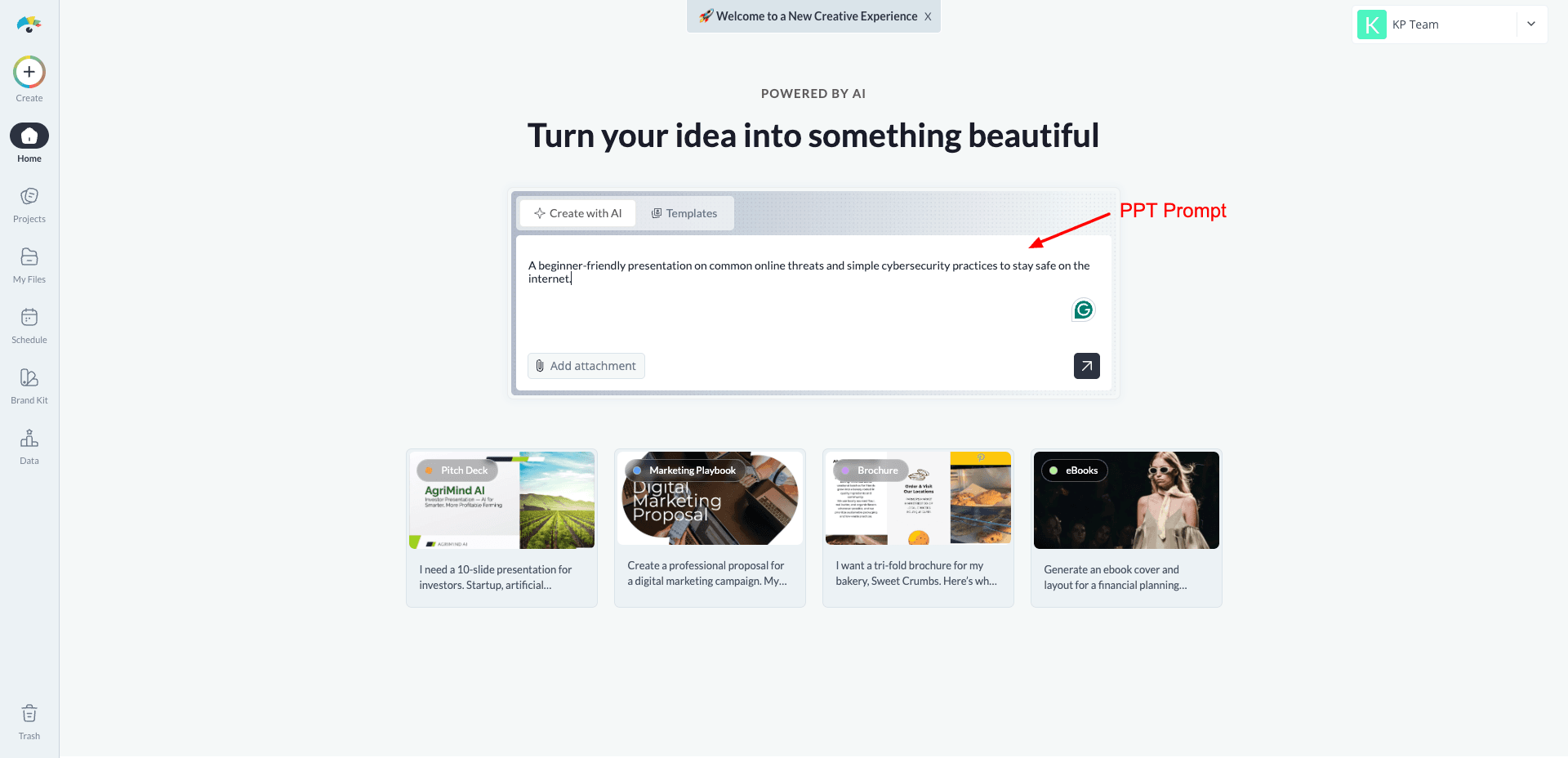
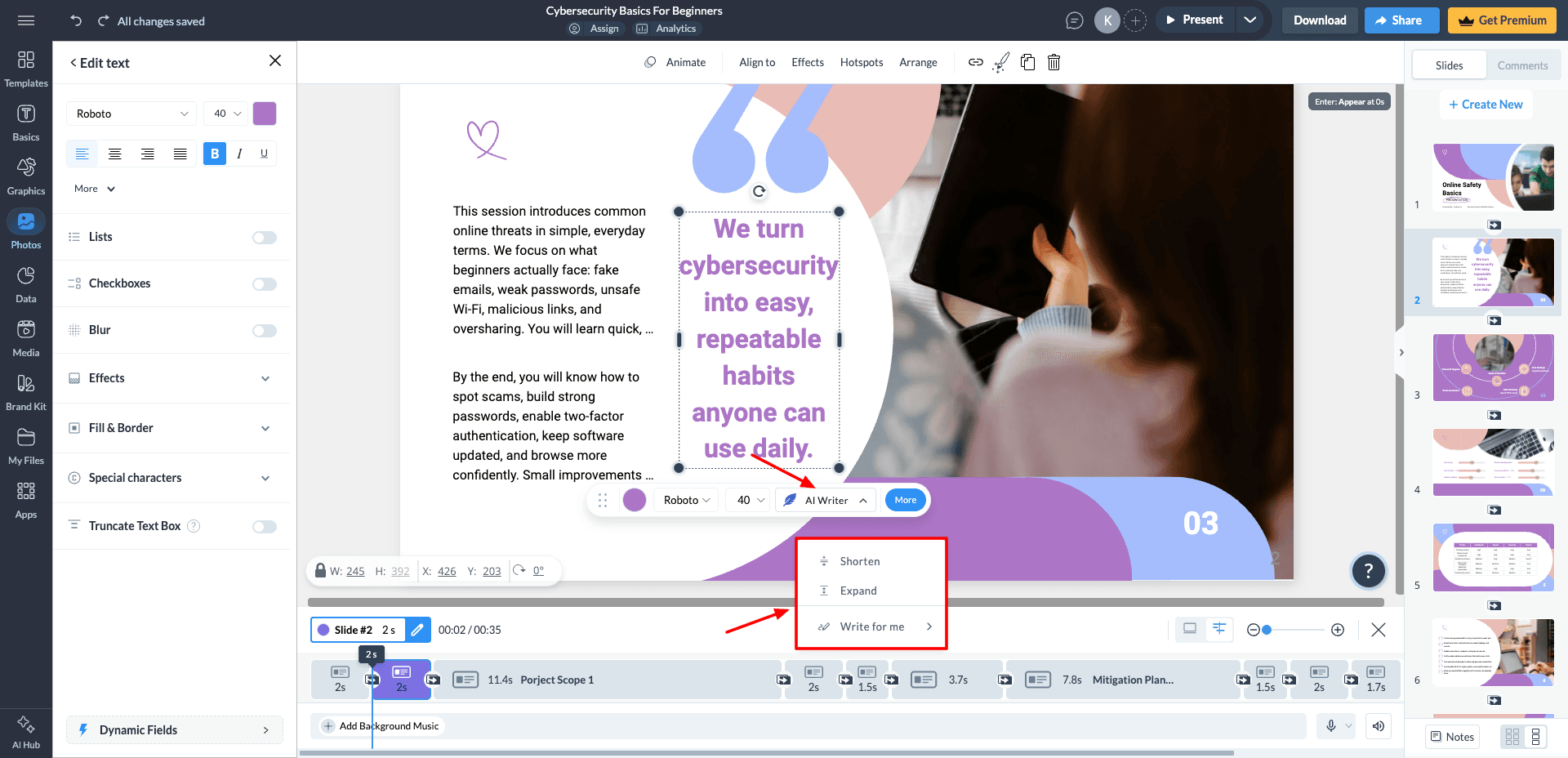
Once your presentation is ready, you can customize everything inside its Canva-like editor. It allows you to add or edit text, graphics, stock images, videos, animations, charts, and other design elements with ease.
For content editing, Visme includes an AI Writer feature that can shorten, expand, or rewrite text using custom prompts. The workflow feels smooth and beginner-friendly, and is ideal for users who want quick presentation creation with flexible editing tools.
Visme AI also supports multiple export options, including PPTX, PDF, JPG, PNG, GIF, MP4, HTML, SCORM, and xAPI formats. You can even share presentations through a public link.
While the overall design quality is good, the actual slide content feels somewhat limited. In my testing, only around 5–6 slides out of the generated 10 felt genuinely useful and presentation-ready. Another drawback is the lack of an in-built AI image generator.
Check out this PPT I created with Visme AI!
Cons:
- No built-in AI image generator.
- Generated slide content can feel limited or repetitive.
Pricing: The free plan offers 10 AI credits per month, with each AI-generated presentation consuming 3 credits. Downloads and sharing are restricted on the free plan. Paid plans start from $12/month, where you get full export and collaboration features.
9. Slidesgo
SlidesGo is a free presentation maker that lets you create professional-looking presentations, infographics, project proposals, marketing plans, and more. To get started, visit the SlidesGo AI presentation maker and sign up for a free account.
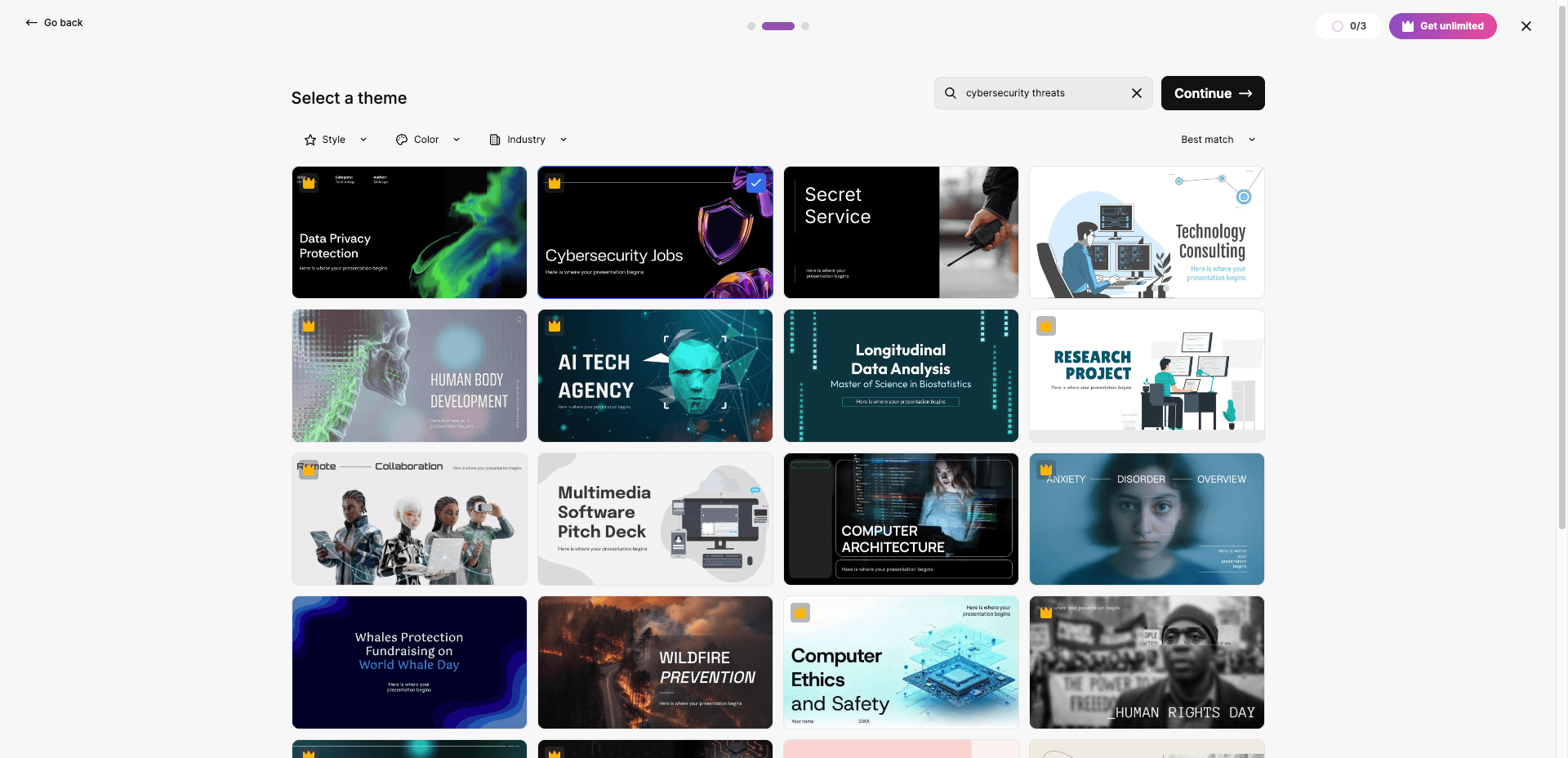
Now, write your prompt in the presentation topic section and customize details like style and number of slides. You can also choose a theme from its pre-built theme library. Finally, click “Generate Presentation” to generate a presentation.
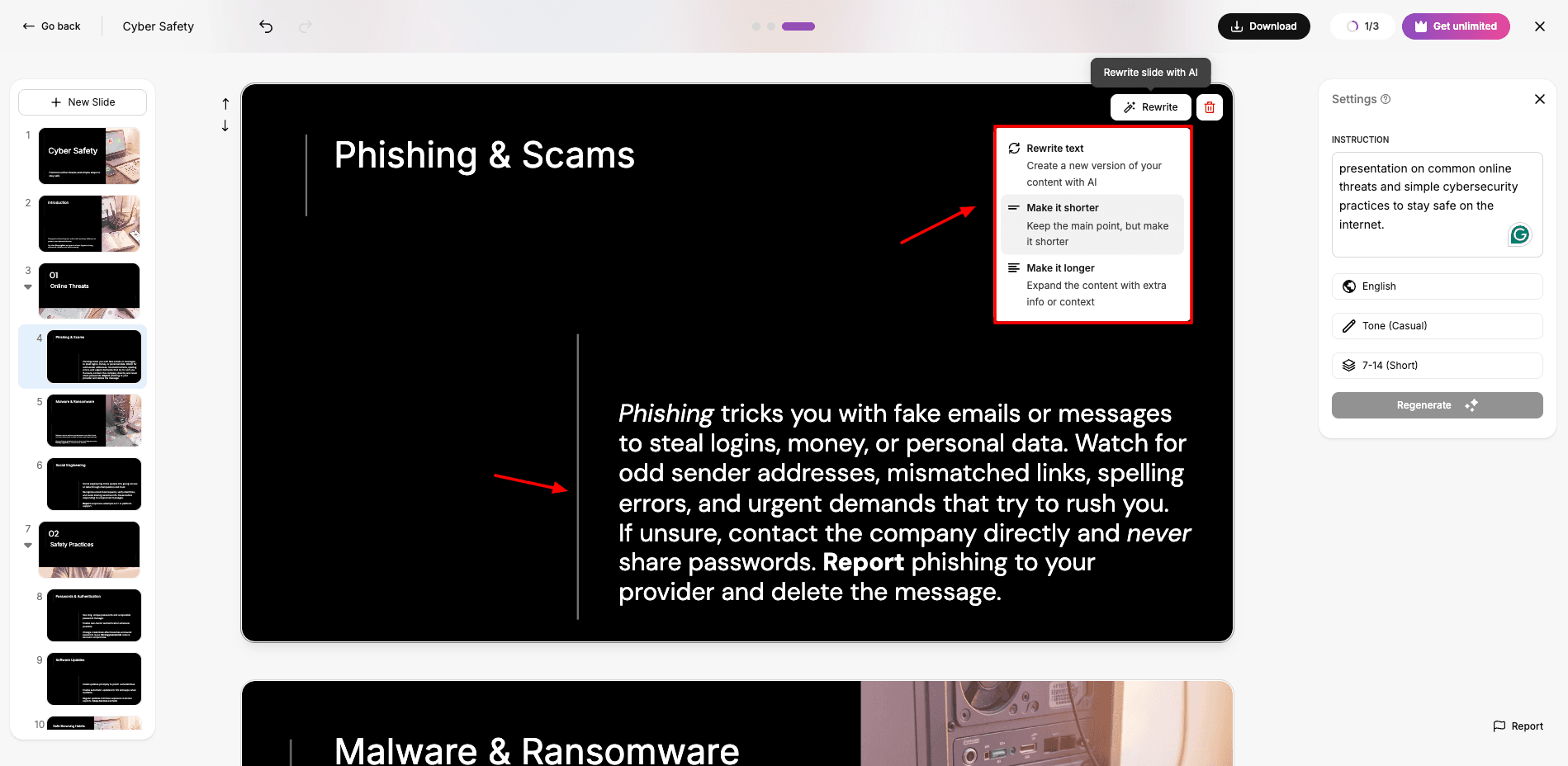
After processing the prompt, the tool can generate a 10-slide presentation in PPT format within minutes. It also features an AI writer for making edits to the text. You can rewrite your text, or make it shorter or longer.
Honestly, I found the content and image quality to be quite impressive. All the images follow the chosen theme, which makes the presentation look very professional. Now, it even allows exporting the file in PPTX format, even on the free version.
Cons:
- Unnecessary white spaces on many slides.
Pricing: The free plan offers 3 AI-generated PPTs per month. Its paid plans start from $5.99/month, where you can create unlimited AI presentations.
10. Canva
Canva is one of the most popular graphic design platforms. They have recently introduced over 16 AI-powered tools to further streamline the design process. To get started, Visit “Canva AI Presentation Maker” and sign up for a free account.
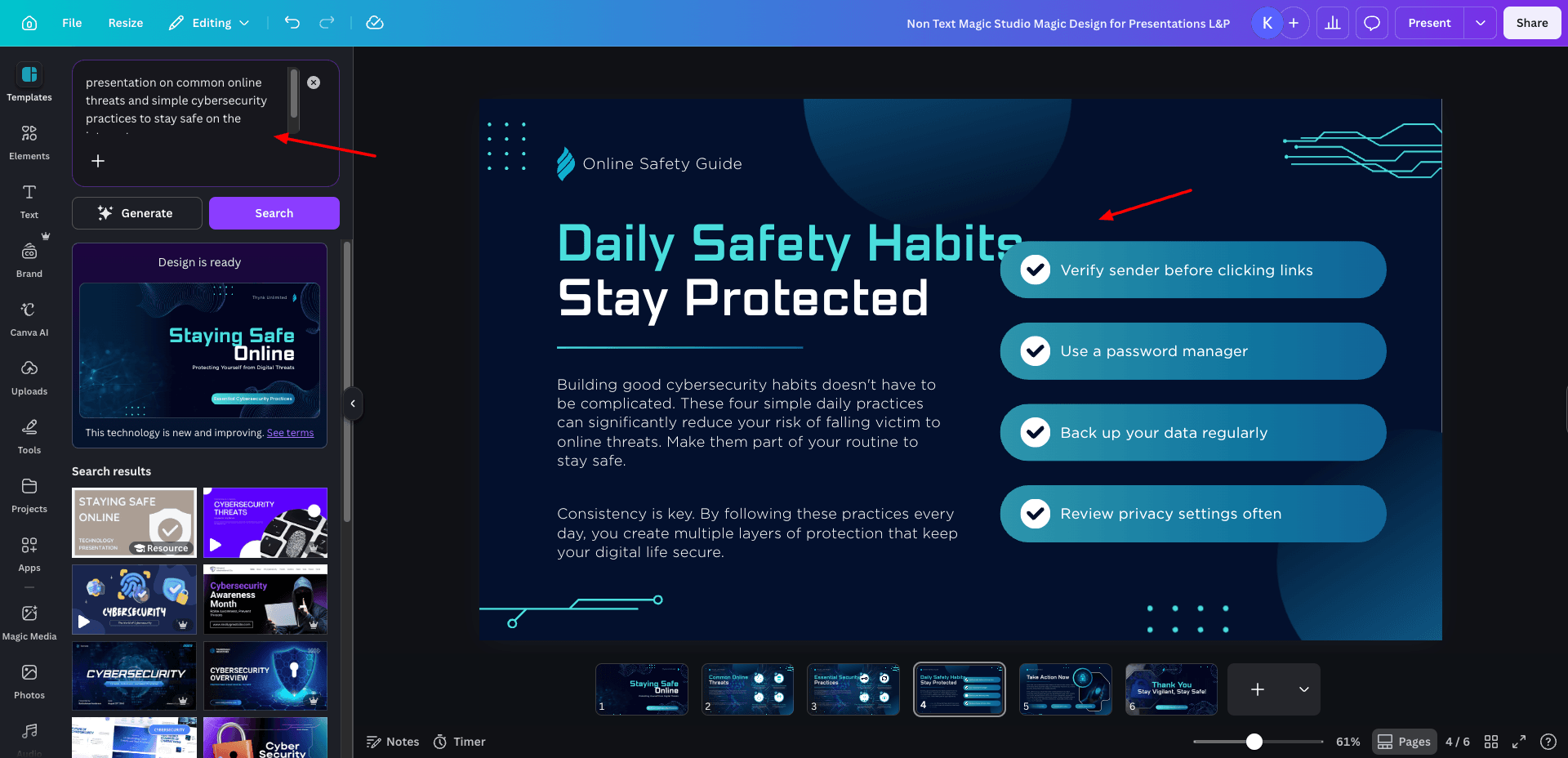
Next, type a descriptive text prompt, and the Canva Magic Design tool will generate a content-filled PPT enriched with text, graphics, and animations. You can customize it by adding charts and graphic elements to enhance the visual appeal.
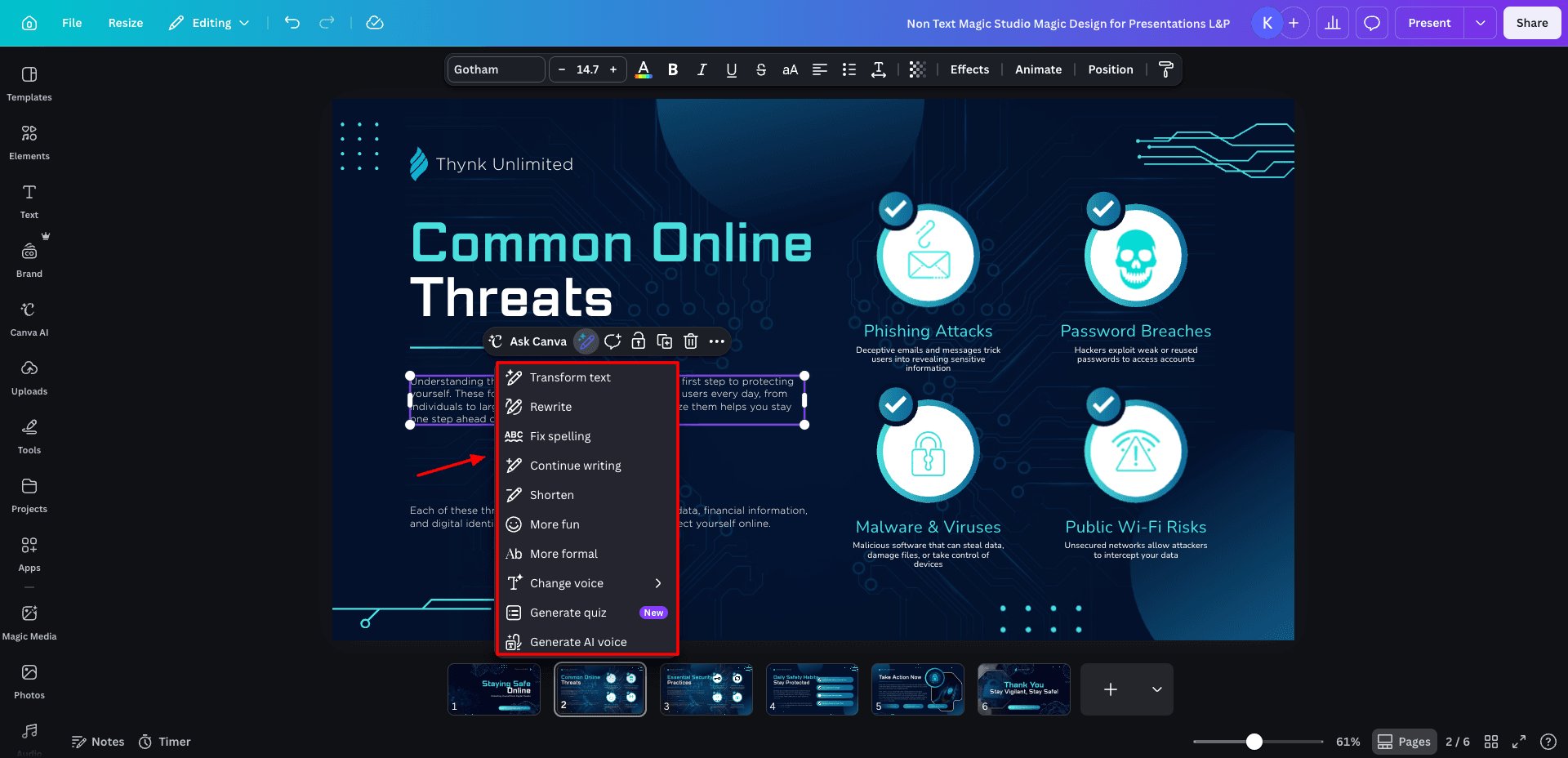
If you want to customize the text content, use the ‘Ask Canva’ option. It lets you rewrite text, fix spellings, change tone, shorten, lengthen your text, etc. You can also generate an AI quiz and an AI voice for your PPTs.
While the app generates presentations with up to 7 slides from a single prompt in seconds, the content quality is pretty basic. Plus, I felt the number of templates was limited. However, you can export your final presentation in various formats, like PDF, PPT, and MP4 video.
This tool is best suited for basic presentation generation, such as for middle school students or educators. Check out this PPT I generated using Canva.
Cons:
- Basic PPTs generated.
- Inconsistent font size throughout slides.
- Fewer slides generated. (Has no control options)
- No outline generation option.
Pricing: The free plan offers 10 free lifetime generations. For Pro users ($15/user/month), it’s unlimited.
11. PPT.AI
PPT.AI focuses heavily on generating detailed, information-rich presentations. The platform is extremely easy to use. Just enter your topic, review the generated outline, and choose a template from its library.
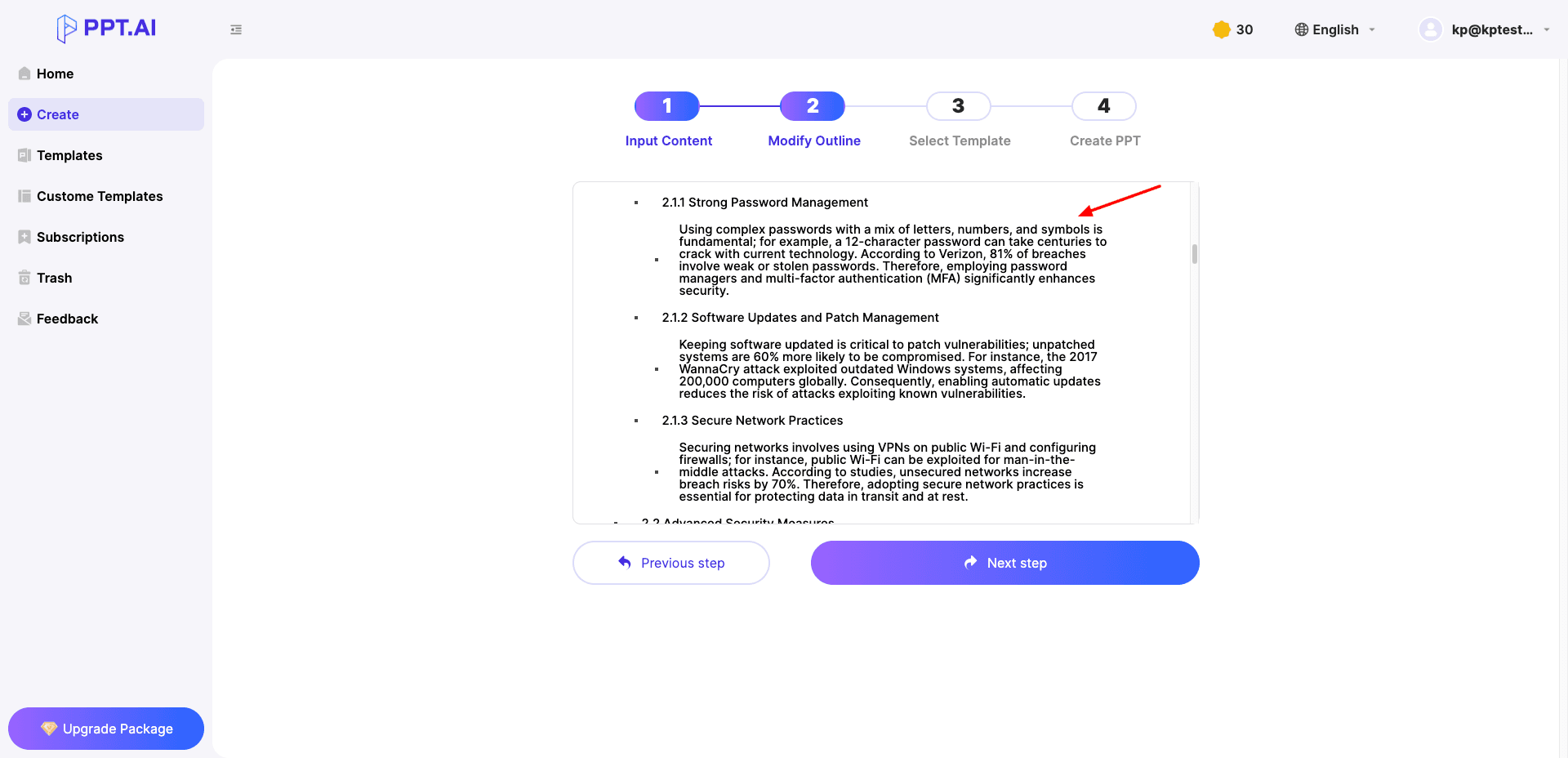
I personally liked the depth of content generated by PPT AI. Unlike many AI PPT makers that create short summaries, PPT.AI generated a detailed 20+ slide presentation packed with information, making it more suitable for complex educational or business topics.
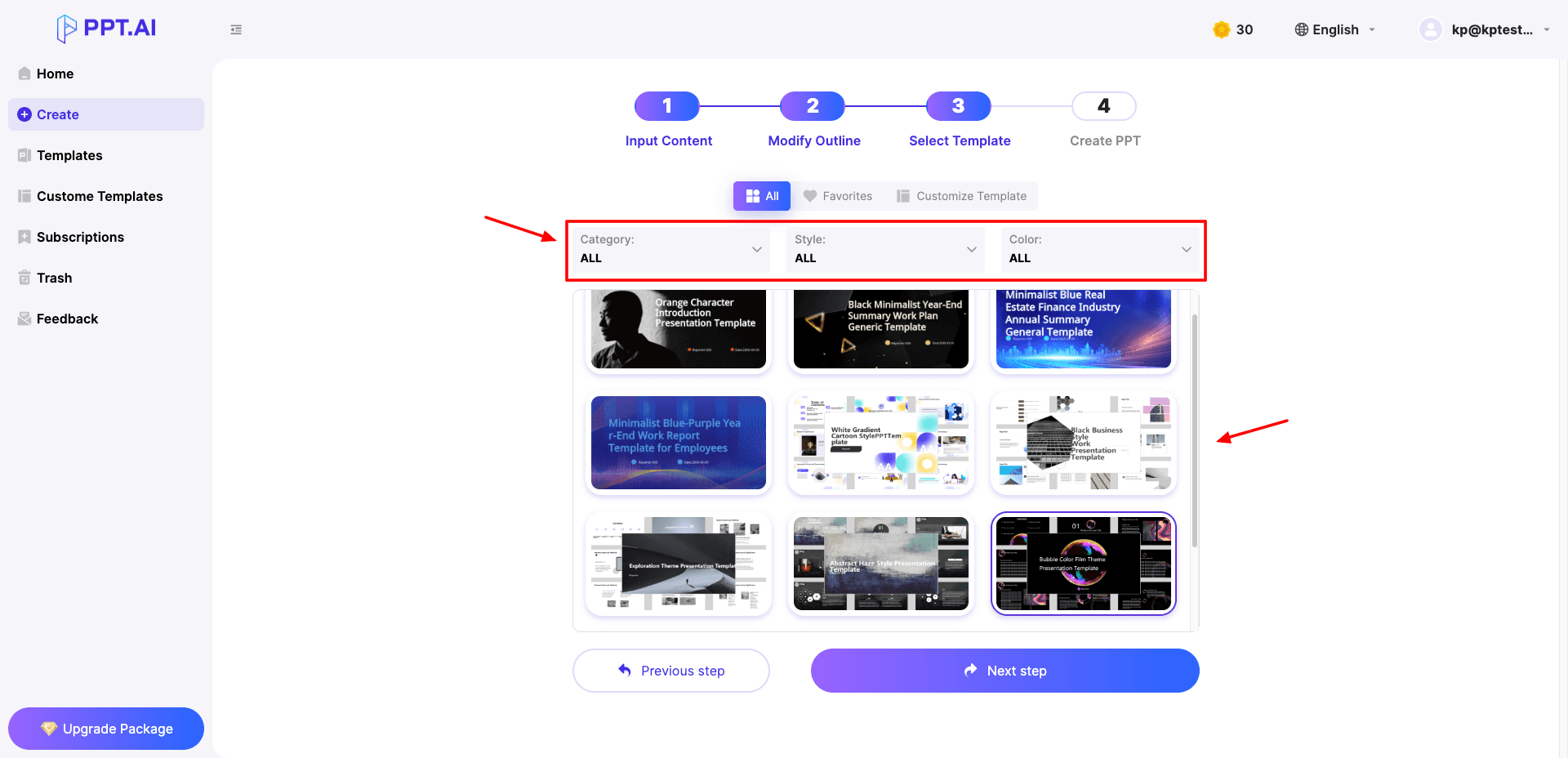
It lets you filter templates based on category, style, and color preferences. While the content quality is impressive, the platform’s interface feels somewhat dated compared to modern AI presentation tools. The workflow isn’t as smooth and seamless as the Gamma or Canva editors.
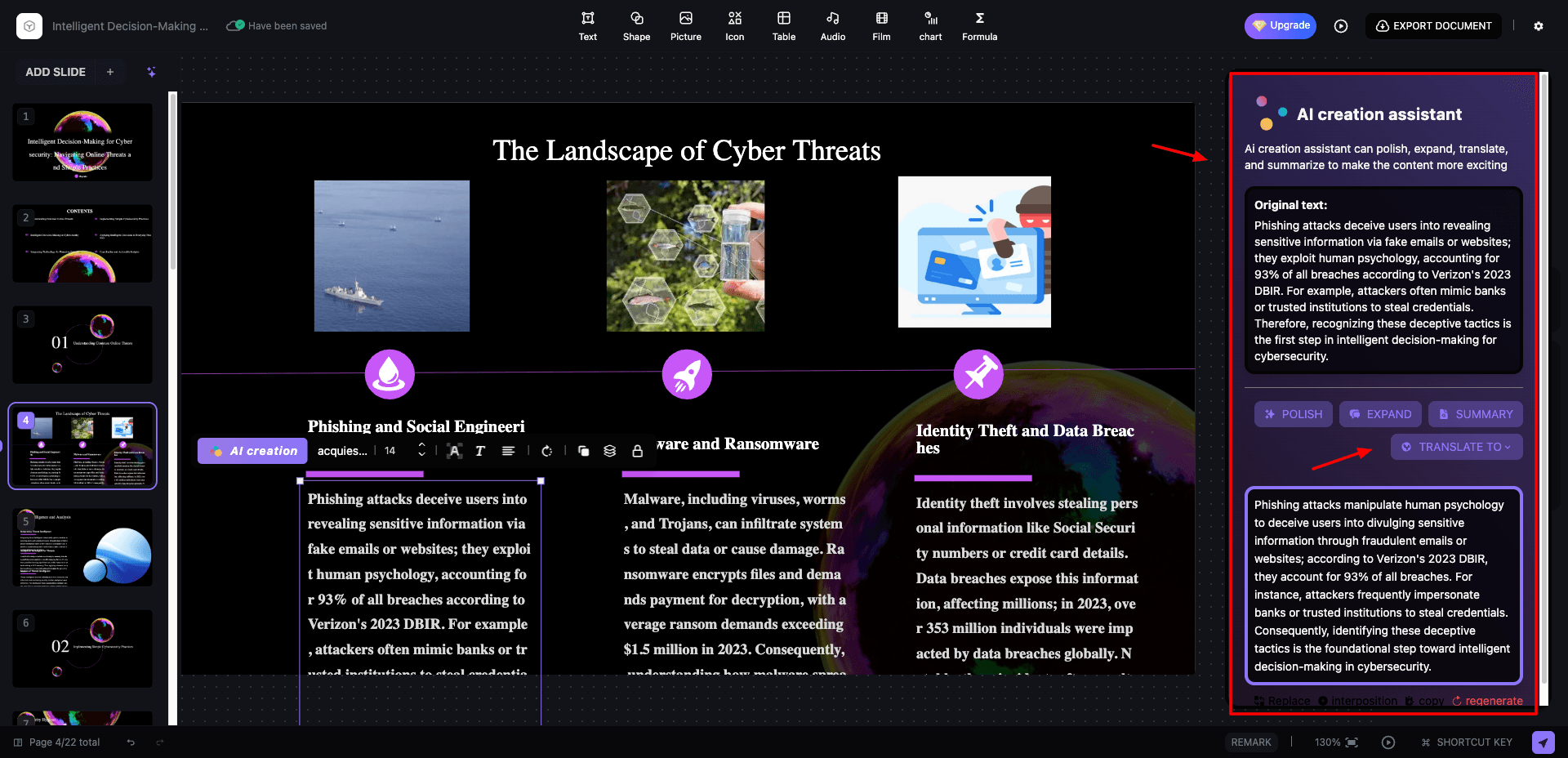
PPT.AI includes an AI text editor and supports presentation sharing through public links. However, PPT exports are locked behind the paid plans, and free presentations include watermarks. Check out this PPT I created using PPT AI.
Cons:
- Outdated-looking user interface.
- PPT export is unavailable on the free plan.
- Presentation generation takes longer than some competitors.
Pricing: The free plan allows up to 3 presentations per month, basic editing tools, a limited template library, and presentations with up to 15 slides. Paid plans start from $13.90/month and unlock exports and additional customization options.
Advantages of Using an AI PPT Generator
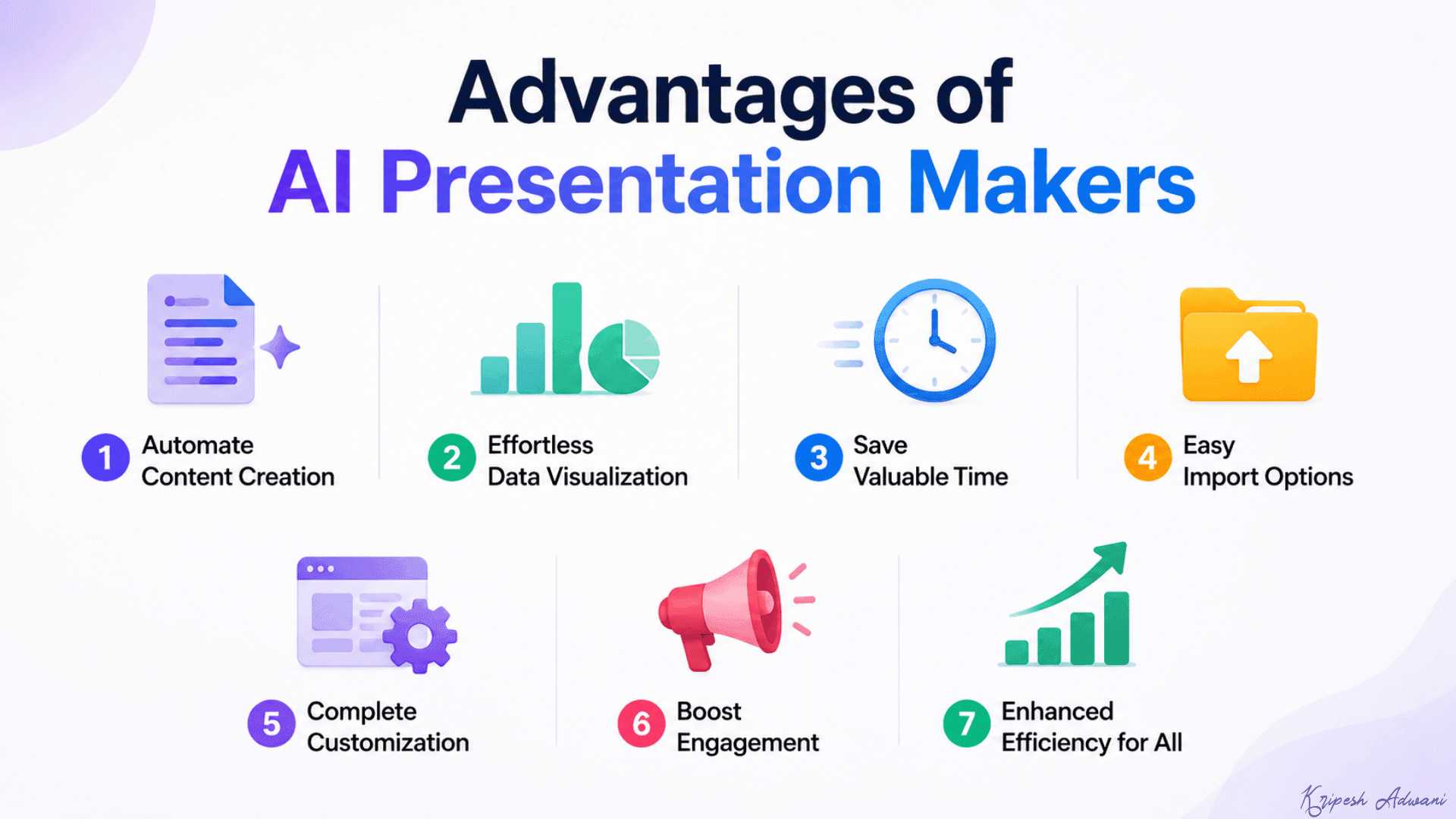
1. Automate Content Creation
Brainstorming, research, and drafting can be time-consuming. AI generators streamline this process by creating content based on your topic.
2. Effortless Data Visualization
Tools like Gamma, Presentation AI, and Pitch auto-generate slides with charts, timelines, mind maps, and other visuals. These features enhance your presentation’s clarity and impact.
3. Save Valuable Time
Forget spending hours building slides from scratch or searching for images. AI PPT generators create content and even speaker notes, freeing you to focus on refining your message.
4. Easy Import Options
Most AI generators integrate with PowerPoint or Google Slides. So, the tools allow you to import your presentation and fine-tune it based on your needs.
5. Complete Customization
Don’t be limited by pre-built content. These tools allow you to refine presentation outlines, change content, customize themes, fonts, colors, and more to match your unique style.
6. Boost Engagement
Tools like Pitch let you incorporate interactive elements like Q&A, quizzes, or MCQs at the end of your presentation. This keeps your audience engaged and active.
7. Enhanced Efficiency for All
Educators can create grade-appropriate, interactive presentations in minutes. Business professionals and marketers can leverage these tools to deliver impactful presentations that resonate with their audience.
Why Should You Trust Me?
I’ve been exploring AI tools for years, testing everything from educational assistants to free writing AI. I didn’t just skim the surface when picking the top 11 AI presentation generators. I researched and tested them thoroughly to make sure they deliver.
Besides this, I’ve also reviewed AI website builders, AI voice generators, AI video generators, AI logo generators, etc. On my blog, you’ll find detailed guides on how to upscale images using AI, how to create an AI voice clone, how to build a website using AI, and more.
So, I’m well-versed in AI tools, and all this hands-on experience lets me confidently recommend the best ones for you.
Conclusion
So, are AI Presentation Generators Worth Your Time? Absolutely! These tools can create entire presentations from scratch with just a few keywords. Plus, they allow you to customize every element, unleashing your creativity without spending hours researching content.
This review explores the top 11 free AI presentation generators. Among these, Gamma AI and Prezi are my top picks, offering polished presentations with complete download and share options. Presentation.AI is another great alternative, but you can’t export PPTs for free.
Anyway, have you tried any of these AI tools? Share your thoughts and experiences in the comments below! And stay tuned for more informative articles like this. This is Kripesh taking your leave. Cheers.
FAQs
Can AI generate an entire presentation from scratch?
Yes, AI presentation makers can design complete presentations with content, images, and data visualization elements. Simply provide a detailed prompt, and your presentation can be ready within minutes.
Which is the best free AI presentation maker in 2026?
Based on my testing, Gamma is the best overall AI presentation maker for 2026 due to its excellent content quality, built-in charts, smooth editor, and PPT export support.
Which AI PPT generator is best for students?
AiPPT, Canva, Slidesgo, and Prezi AI are excellent choices for students. They are beginner-friendly, generate visually appealing slides quickly, and offer decent free plans for testing presentations.
Which AI PPT Maker is best for business presentations?
Gamma, Pitch, Presentations.AI, and PPT.AI are ideal for business professionals and marketers. These tools create polished presentations with timelines, charts, roadmaps, analytics, and professional themes.
Do AI presentation makers support PowerPoint and Google Slides?
Yes, many AI PPT generators like SlidesAI, Gamma, Gemini Canvas, and Presentations AI support integration with Google Slides and MS PowerPoint. Some tools also allow exports in PPTX, PDF, and shareable link formats.
Are AI PPT makers completely free to use?
Most AI presentation makers offer free plans, but they usually come with limitations like AI credits, watermarks, export restrictions, or limited slide generations. All the tools included in this listicle have a free plan.
Can AI presentation tools generate charts and data visualizations?
Yes, tools like Gamma, Presentations.AI, Pitch, and Gemini Canvas can automatically generate charts, graphs, timelines, tables, and other data visualization elements to make presentations more engaging.
Which AI PPT maker creates the most slides?
In my testing, PPT.AI and Prezi AI generated the longest presentations, often creating 20+ slides with detailed content and structured outlines.
Are AI-generated presentations copyright-free?
Not always. Some AI presentation software may use licensed stock assets or include watermarks on free exports. You should always review the platform’s licensing policy before using presentations for commercial purposes.



Hi Kripesh, This article offers an impressive breakdown of the top AI presentation makers of 2024. The detailed analysis of each tool, along with the clear testing parameters and advantages, really helps readers understand which tool might best suit their needs.
Hi Kripesh, Greetings!!! Thanks for sharing the knowledge and guidance on AI presentation makers. Very useful article. Saved several hours.
Hi Kripesh,
I have started to use Deepseek heavily as an alternatve to chatgpt, as it is cheaper and equally fast and powerful. I use it to generate text to put into a word doc, which then can be exported as a pdf, converted to ppt on the adobe website and then edited as a super basic ppt. However the text content is very detailed and can include references, translations and relevant images (not the random garbage I have seen used elsewhere.) I have also just tried kimi+ and am very impressed, although you do need to use the chinese language version it is free. Not a free trial, Free!