As per a report by Statista, 27% of people store their passwords and login data in cloud storage services. But have you ever wondered how safe cloud storage services really are? Well, if security and privacy matter to you, Filen instantly stands out.
After testing it extensively over the past few days, I’m ready to share how it actually performs. In this Filen Review, I’ll walk you through its UI, speeds, core features, privacy policy, support, pricing, and the real pros and cons.
By the end, you’ll know exactly what Filen does well and where it falls short. So, is Filen the secure cloud storage you’ve been looking for? Let’s find out.
Filen Review
Summary
Filen offers strong zero-knowledge encryption, smooth syncing, unlimited file sizes, and affordable pricing. However, it falls short with slow downloads, sluggish apps, limited free-plan sharing, weak support, and no security audits.
Overall, it’s best suited for privacy-focused users who want secure storage and syncing over collaboration or speed.
- About Filen
- Filen Review Overview
- Filen User Interface
- Filen Speeds
- Filen File Preview and Playback
- Filen File Editing
- Filen File Trash
- Filen File Sharing
- Filen File Syncing
- Filen Devices and Apps
- Filen Mobile App
- Filen Security
- Filen Privacy Policy
- Filen Support
- Filen Pricing
- Filen Pros
- Filen Cons
- Who Should Use Filen?
- Conclusion
- FAQs
Disclaimer : I strongly believe in transparency. If you buy using the links on our site, we may earn a small commission without any extra cost to you. This helps me to keep producing honest reviews. Read More >>
About Filen
Filen is a cloud storage service founded by cybersecurity enthusiasts Jan Kulartz and Jan Lenczyk in 2021. Headquartered in Recklinghausen, Germany, Filen is currently used by over a million users worldwide.
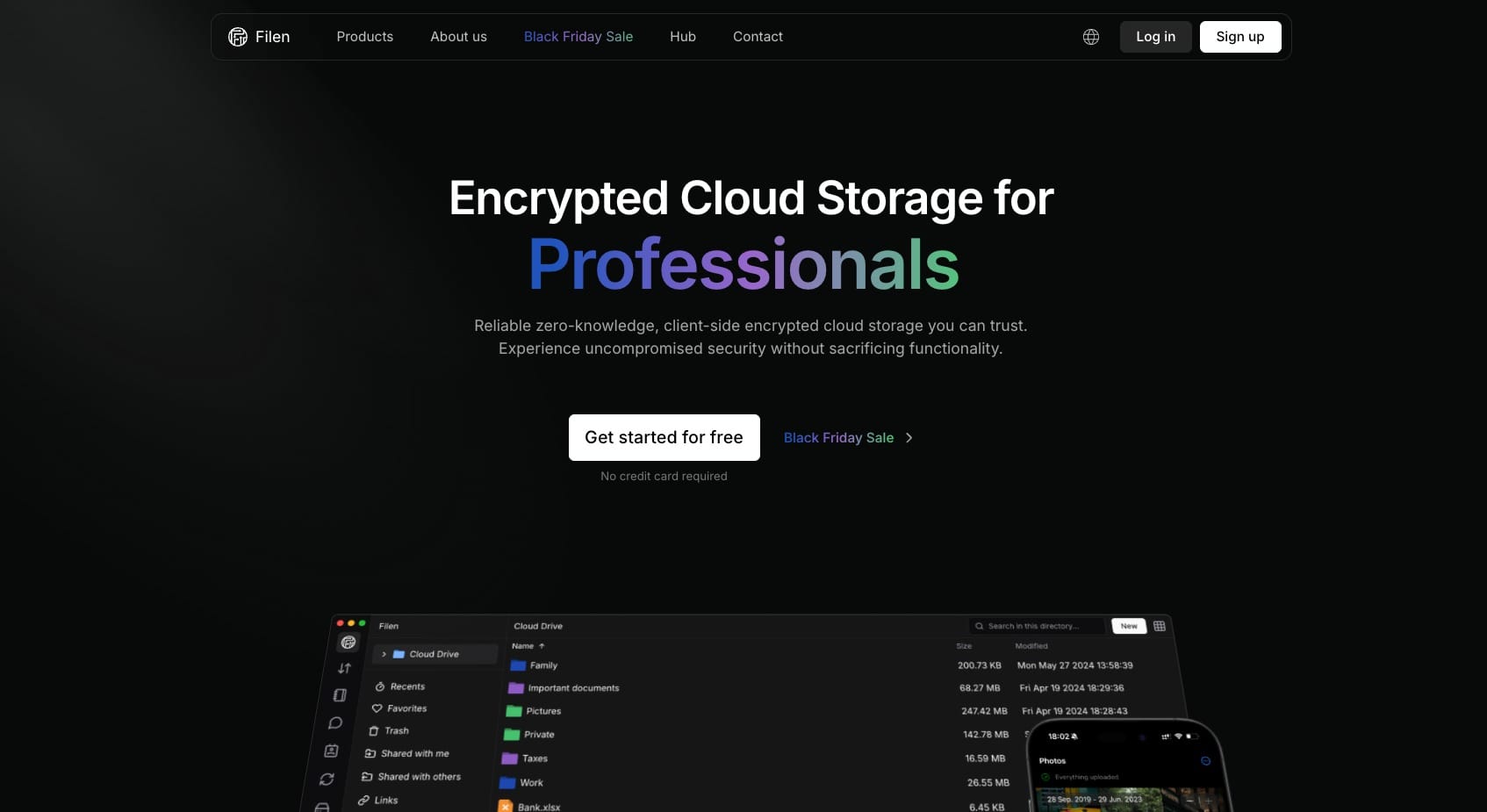
Filen is an open-source platform that’s primarily focused on privacy and data security. It employs advanced encryption algorithms to safeguard users’ data.
Filen Review Overview
| 💰 Pricing | €13.99/year (200 GB plan) |
| 📍Headquarters | Recklinghausen, Germany |
| 🆓 Free Storage | 10 GB |
| ⚡Speeds | Fast uploads, slow downloads |
| 🔐 Encryption | Zero-knowledge, AES-256 bit |
| 🔑 2FA | Yes ✅ |
| 🔄 Sync | Selective Sync only |
| 💻 Virtual Drive | Yes ✅ |
| 🔗 File Sharing | No public links on free plan |
| ✏️ File Editing & Collaboration | No ❌ |
| 🗑️ Trash Retention | 30 days |
| 📱Apps Supported | Windows, Mac, Linux, Android, iOS |
| 🛠 Support Channels | Email, FAQ knowledge base, Discord & Reddit communities |
| 💵 Refund Policy | 14 days |
| 💳 Payment Methods | PayPal, Stripe, & cryptocurrencies |
Filen User Interface
The user interface of Filen looks modern and easy to use with minimal features. As you log in to your cloud vault, the main screen features a list of all your files and folders. The left panel lets you access your cloud drive, transfers, notes, chats, and contacts.
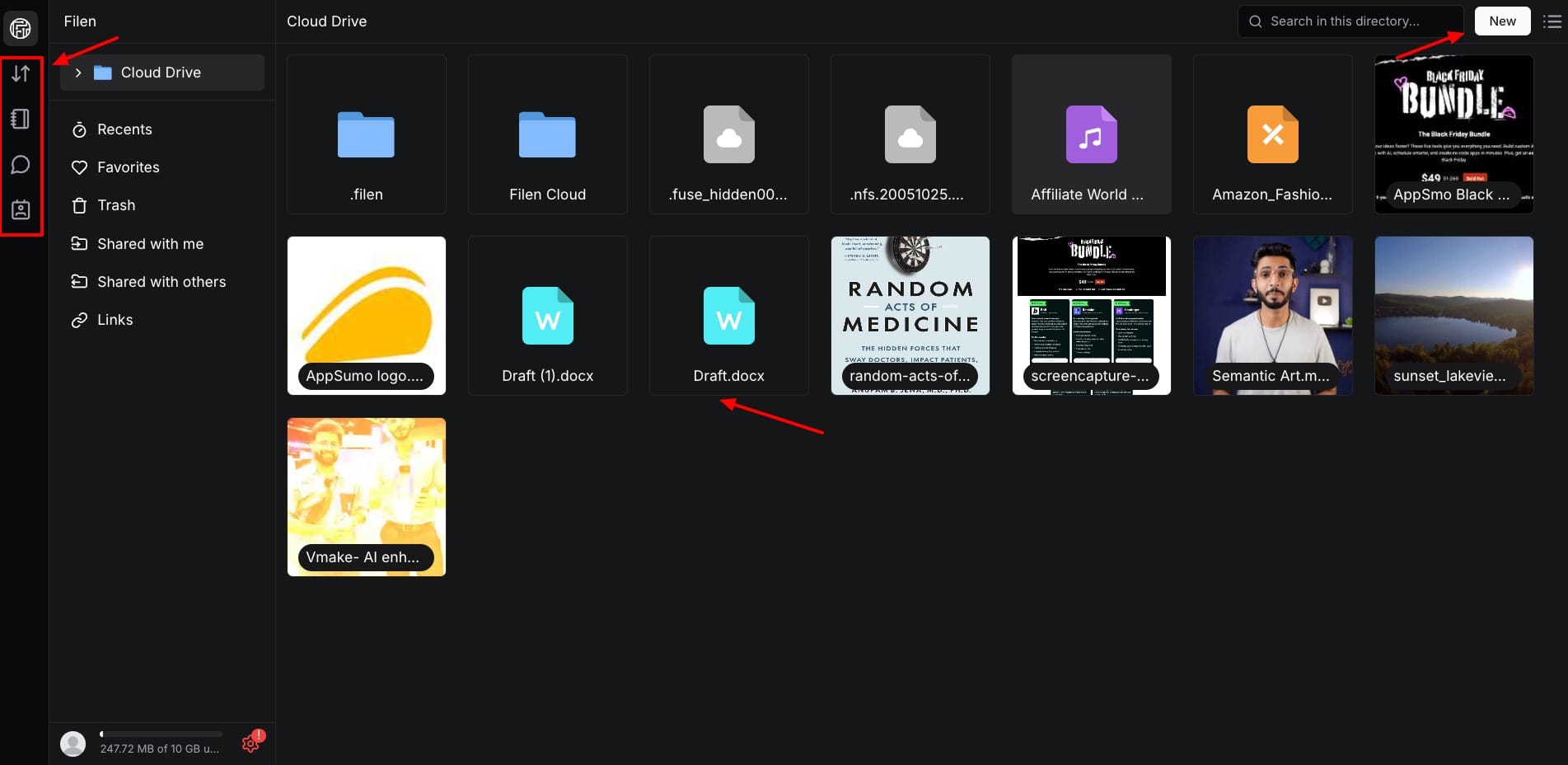
From the bottom left, you can access your account settings. Whereas, from the top right corner, you can create a new directory. It also lets you enable dark mode to prevent eye strain. Overall, the user interface of Filen is friendly and minimal.
Filen Speeds
To test the speed of Filen cloud storage, I uploaded and downloaded a 200 MB video on it. My network speed is 30 Mbps. Let’s look at the results.

- Upload Time: 1 min 43 sec
- Download Time: 5 min 5 sec
The upload speeds of Filen are pretty swift. However, its download speeds are super slow. This may be due to the advanced encryption applied, along with its server location being in a highly secure German facility.
Filen File Preview and Playback
You get built-in viewers for previewing PDF files, images, HTML files, and documents. However, there are no options for viewing Excel files. You will need to download and open them separately on native apps.
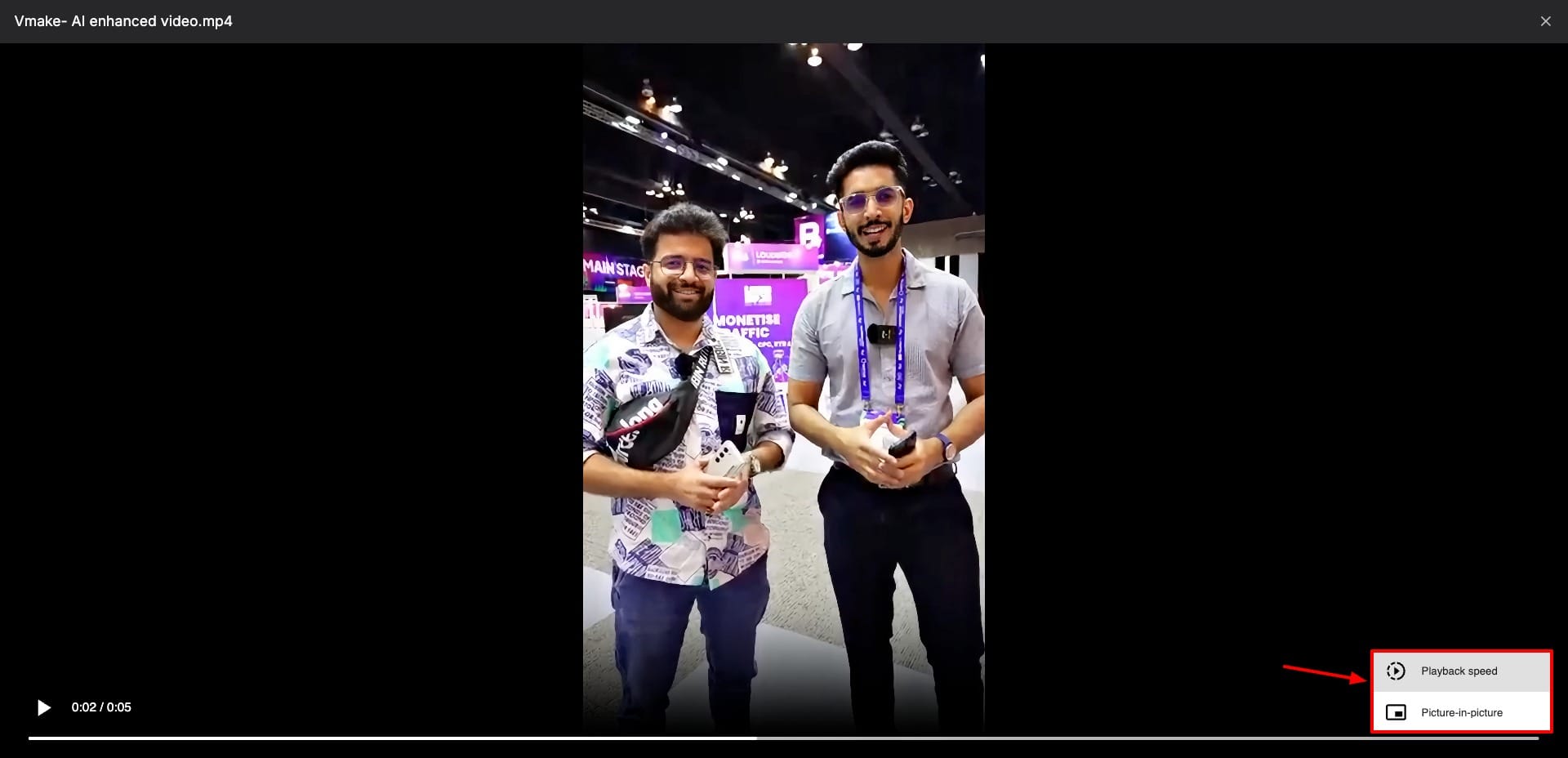
Talking about playback, you can play audio and video files on Filen. You also get video control options to adjust speed, volume, viewing in picture-in-picture mode, etc. However, previews of all files are super slow to load. I would love to see options for image editing and commenting.
Filen File Editing
Unfortunately, file editing is not supported on Filen. You can preview doc files, but for editing them, you need to download them and open them in native apps.
Filen File Trash
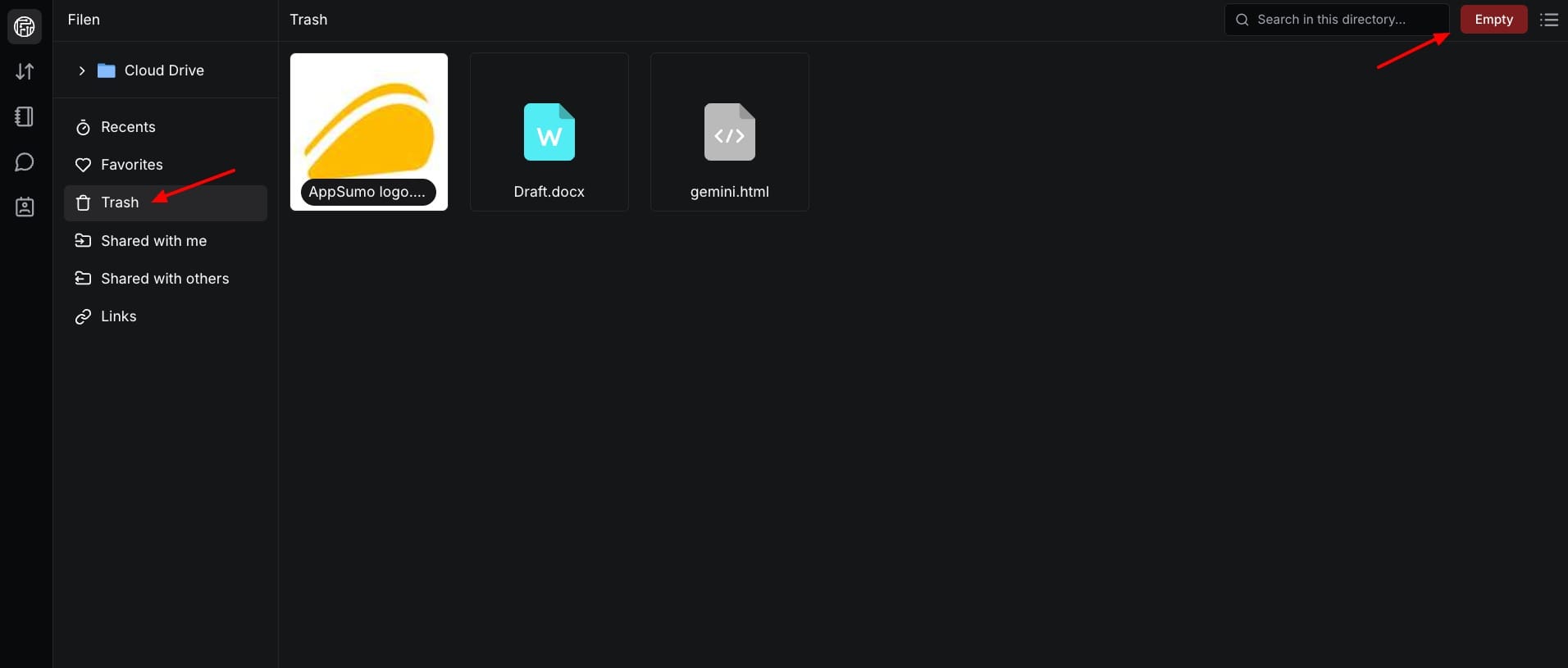
Filen stores deleted files in its trash folder for 30 days. After this, they are permanently deleted. It is important to note that files in the trash occupy your cloud storage space. So, if your cloud storage is full, try clearing up the trash folder to free up space.
Filen File Sharing
Unfortunately, Filen doesn’t allow file sharing through public links on the free plan. This is a big disadvantage because most cloud storage providers let you share your files for free and also offer link password protection, expiry dates, file requests, etc.
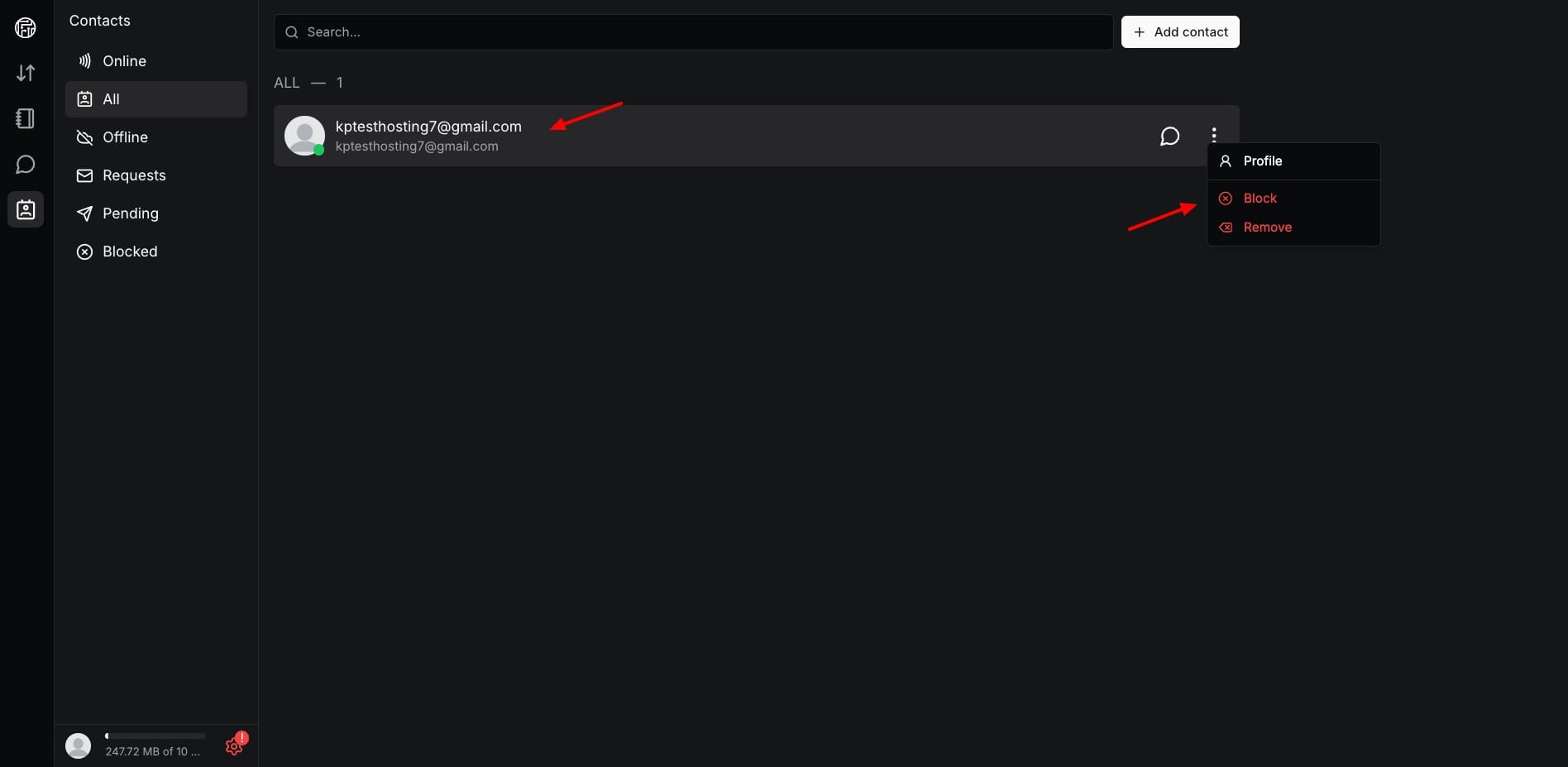
If you want to share your files with others, you can add them as a contact and then send them as a chat. This approach is like Telegram cloud storage, which offers cloud storage clubbed with instant messaging. But I wish they also introduced file sharing via links on the free plan.
Filen File Syncing
Talking about syncing, Filen supports selective sync on its desktop app. This means you can select which local folder you wish to sync with the cloud. Interestingly, it offers 5 types of sync modes on desktop.
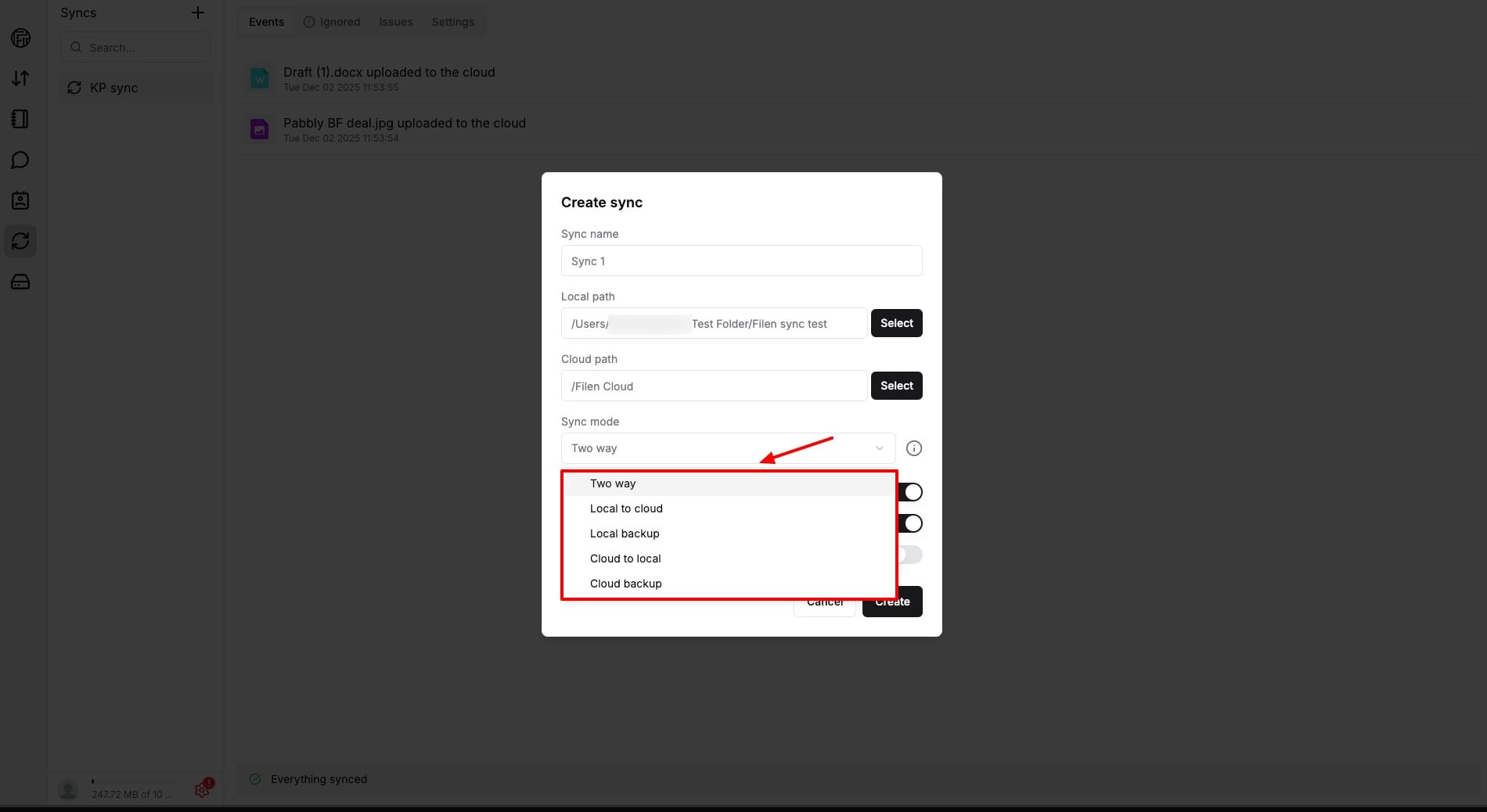
- Two-way: If any changes are made on the cloud or local device, they are reflected in both folders.
- Local to Cloud: Local changes are synced to the cloud, but cloud changes are not synced with the device folder.
- Cloud to Local: Cloud changes are synced with the device folder, but changes made on the local device are not synced with the cloud.
- Local Backup: You can only upload data to the cloud and not make any other changes.
- Cloud Backup: You can only download data from the cloud and not make other changes.
You can choose a backup mode as per your preferences. I personally use the two-way mode, so all my data remains synced across my devices and the cloud. Changes are synced almost instantly.
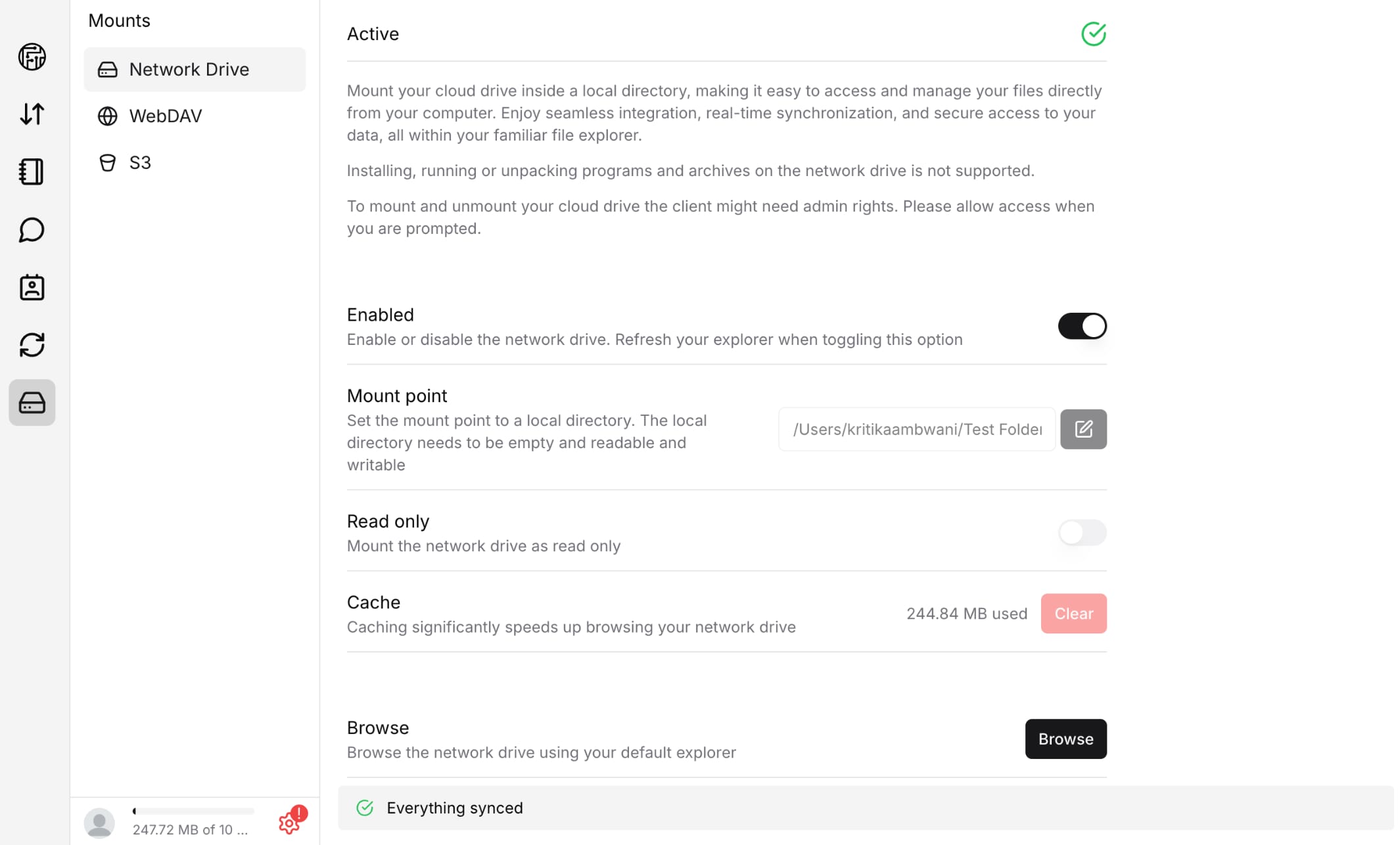
To make the sync possible, you need to mount Filen as a virtual drive on your system. Once you enable mounting, your cloud vault will function as a virtual drive. All your cloud data will be visible and accessible to you locally. Any changes you make will reflect on the cloud as well.
Overall, I like the syncing capabilities of Filen. But I wish it also had block-level sync like pCloud.
Filen Devices and Apps
Filen has built functional apps for all popular devices. So, you get a web interface and desktop apps for Windows, Mac, and Linux devices.
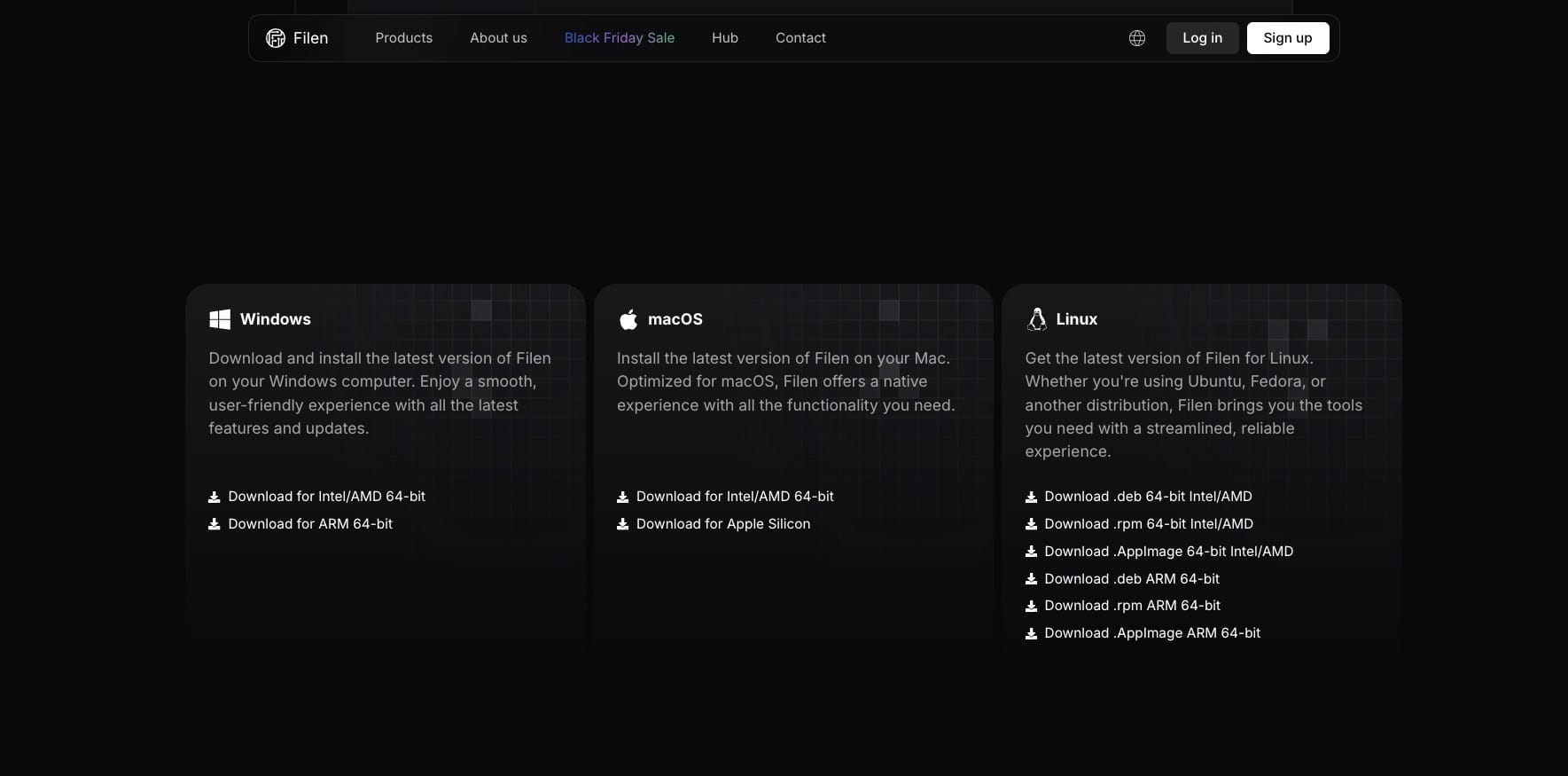
Additionally, it features mobile apps for Android and iOS, and a fully featured command-line interface (CLI) for professionals. So, no matter which device you’re on, you can easily use Filen cloud storage.
Filen Mobile App
Filen has handy and fully functional mobile apps for Android and iPhone devices. You can upload and delete files, preview all types of files (except spreadsheets), and even enable 2FA, biometric lock, and login alerts.
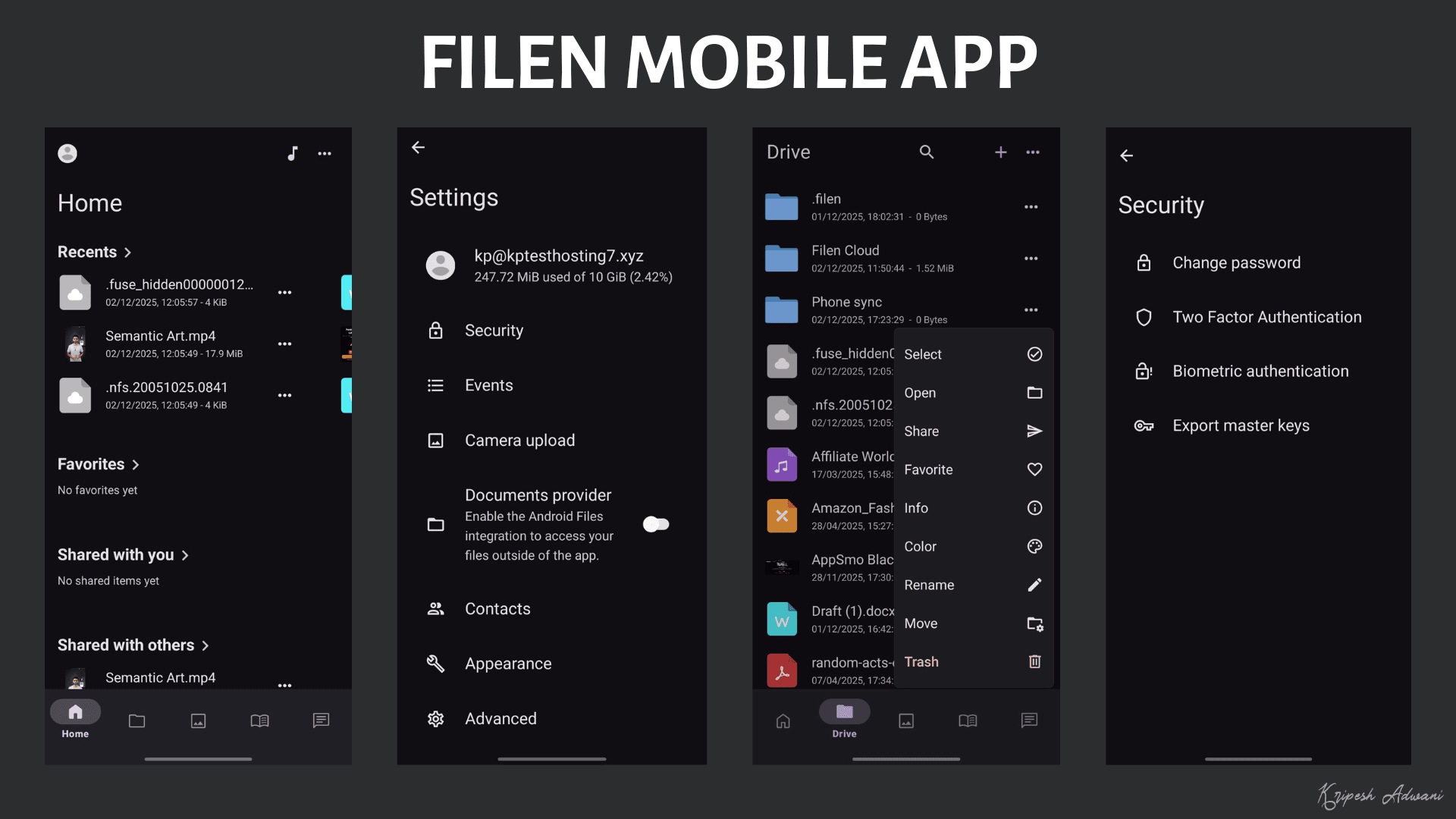
Interestingly, you can enable the ‘After Activation’ button to only upload photos and videos taken after enabling the setting. However, I found the login process to be super slow. You need to wait for a long time after entering your credentials. Overall, the mobile experience of Filen is decent.
Filen Security
Filen is equipped with the following security features to safeguard you and your online data from any threats.
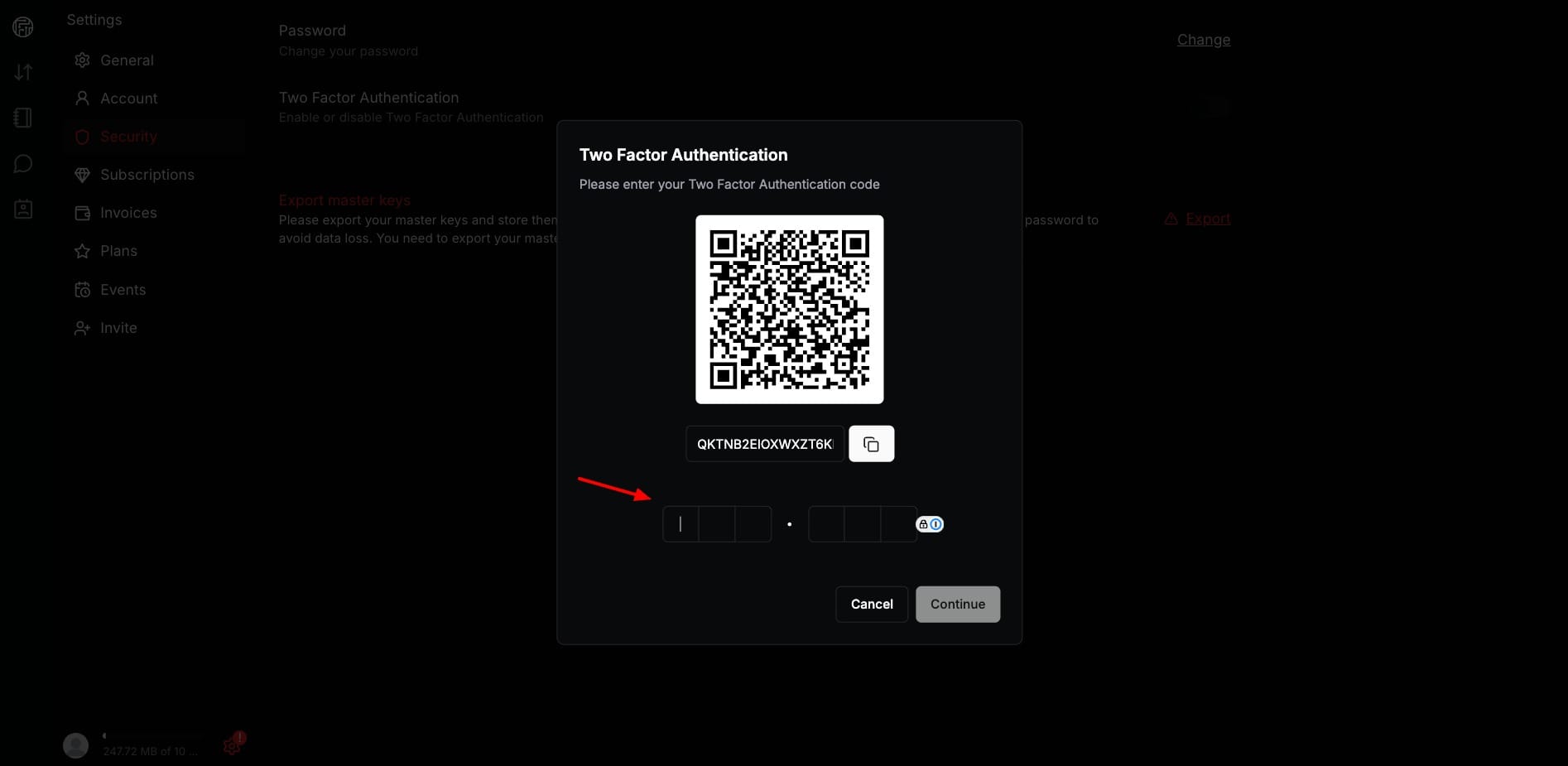
- Zero Knowledge Encryption: All your files on Filen are secured with zero-knowledge end-to-end encryption. They use AES-256-bit encryption, which is the industry standard.
- 2FA: You can secure your cloud vault with two-factor authentication to add an extra level of security.
- Open Source: All the apps of Filen are open-source, and their source code is publicly available. This enhances transparency.
- GDPR Compliant: Headquartered in the EU, Filen complies with the GDPR. So, you can access and request the deletion of your personal data stored with them.
- Master Keys: When you create an account, Filen creates a secret master key that’s used to encrypt and decrypt all your files. When you change your password, you need to enter your master key to prevent loss of data.
Filen has been functional for the last 4 years. But it hasn’t been audited by any firm yet. Its roadmap mentions an audit after the release of its API 4.0 (scheduled around Q1-Q2 of 2026). However, the exact date of the audit has not been revealed.
Filen Privacy Policy
The privacy policy of Filen is pretty strong and clean. They collect the following data from the users:
- Account Data (email, name, billing details, etc.)
- File Data (encrypted files and thumbnails, file type, etc.)
- Usage Data (Date & time of visit, Page URLs visited, Country, etc.)
- Cookies & Device Data
- Payment Data (only if you buy a subscription)
They do not collect file contents (files stay encrypted), personal data, or any usage data that directly identifies you. Besides this, they also follow GDPR. So, you can request a copy of your personal data stored with them and also ask them to delete it.
Overall, their privacy policy is highly transparent.
Filen Support
Talking about customer support, Filen offers support through two channels: Email and knowledge base. Their knowledge base is only made up of FAQs. Besides this, they also have Discord and Reddit communities you can join to have discussions with other Filen users.
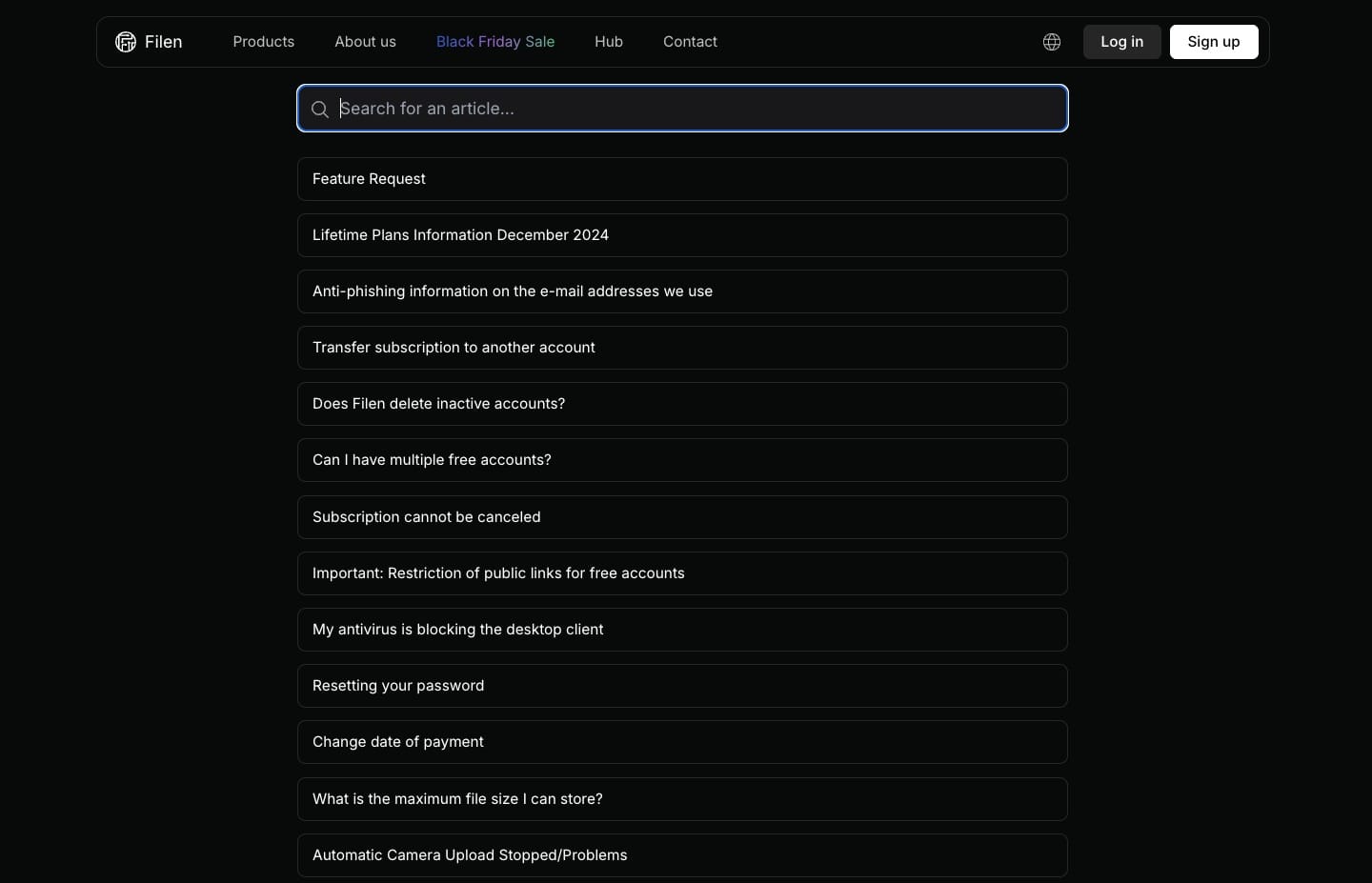
Right now, the support is pretty limited. I wish they would expand their knowledge base with annotated articles and also extend support via live chat soon.
Filen Pricing
Filen features 4 different pricing plans along with a free plan. The following table compares their pricing and features to help you identify which one’s right for you.
| Pro I | Pro II | Pro III | Pro X | |
| Storage | 200 GB | 500 GB | 2 TB | 10 TB |
| Monthly Price | €1.39 | €2.99 | €7.29 | €33.99 |
| Annual Price | €13.99 | €29.99 | €72.99 | €339.99 |
| Lifetime Price | €49.99 | €119.99 | €278.99 | – |
All the Filen plans have the same level of features with variable storage capacity and pricing. Each plan comes with unlimited bandwidth, file uploads, notes, chats, zero-knowledge encryption, file syncing, a network drive, and file sharing.
Free Plan
The free plan of Filen offers 10 GB of cloud storage space along with zero-knowledge encryption and a 30-day trash window. There are no restrictions on file upload size, bandwidth, and versioning.
Refund Policy
Filen comes with a 14-day refund policy. If you’re not satisfied with your purchase, you can return it within 14 days and receive a complete refund.
Payment Methods
It supports the following payment methods: PayPal, Stripe, and Cryptocurrencies (for lifetime payments). I wish they also included options like UPI for the added convenience of Indians.
Filen Pros
1) Clean Interface
The user interface of Filen is clean, easy to use, and friendly, with minimal features. You won’t experience a learning curve with it.
2) Zero-Knowledge Encryption
Files stored on Filen are secured using zero-knowledge encryption. This ensures that nobody other than you can access your data ever.
3) Unlimited File Size
On Filen, you get unlimited file versioning, file size, and bandwidth. There are no restrictions imposed on these.
4) Impressive File Sync
The sync feature of Filen works really well. It offers selective sync along with 5 different modes to sync files as per your preference.
5) Virtual Drive
The Filen desktop app can be made to function as a virtual drive on your system. So, you can view all the contents of your cloud vault on your device, and any changes you make will be synced to the cloud.
6) Good Upload Speeds
You will get to experience fast upload speeds on Filen. So, if you want cloud storage primarily for storing your large files, then Filen is a good option.
7) Affordable Pricing
The pricing plans of Filen are pretty affordable compared to other cloud storage providers. It also offers lifetime options, just like pCloud and Icedrive.
Filen Cons
1) No File Editing
Filen doesn’t support in-app file editing. You need to download the file and edit it separately in native apps.
2) No File Sharing
On the free plan, you cannot share your files via public links. This is a major drawback compared to other reputed cloud storage providers.
3) Slow Download Speeds
File downloads from Filen take a long time to process. This is because of the heavy encryption algorithms they implement.
4) Sluggish Apps
You will get to experience slow loading speeds on Filen apps in general. Whether you are logging in to the mobile app, starting the desktop app, or mounting the drive, etc, the overall experience is slow.
5) Poor Support
As of now, they only offer email support along with a limited knowledge base with FAQs. I hope they expand to live chat support in the future.
6) No Security Audits
Filen has not been audited for its security by any firm yet. Thus, it’s difficult to trust their claims on privacy and security.
Who Should Use Filen?
Filen is a good choice for users who need a simple and privacy-focused cloud storage with zero-knowledge encryption, unlimited file sizes, fast upload speeds, flexible sync options, and affordable pricing.
However, if your primary use case is file downloads, in-app editing, file sharing, and collaboration, you won’t find Filen preferable for your needs. Google Drive is a better option for all these use cases.
Conclusion
Filen is a solid pick if your priority is a clean and minimal cloud storage service with strong zero-knowledge encryption, smooth syncing, unlimited file sizes, and affordable pricing.
However, its slow download speeds, sluggish apps, lack of in-app editing, and limited sharing hold it back. Overall, Filen is best suited for privacy-focused users who value secure storage and reliable syncing over collaboration features, fast downloads, and polished app performance.
Anyway, have you used Filen yet? How was your experience with it? Do share with me in the comments section below. This is Kripesh taking your leave. Cheers, and keep learning! 🙂
FAQs
Can I preview and edit files directly inside Filen?
Yes, you can preview and playback all types of files within Filen. However, it doesn’t support in-app editing.
How secure is Filen?
Filen is highly secure as it offers client-side end-to-end encryption using the AES-256-bit encryption algorithm. It also offers zero-knowledge encryption even on the free plan. However, its apps have not been audited yet.
Which devices and platforms does Filen support?
Filen offers functional apps for Windows, Mac, Linux, Android, iOS, a web interface, and a CLI interface as well.
Which payment methods are supported on Filen?
Filen accepts the following payment methods: PayPal, Stripe, and Cryptocurrencies. However, cryptocurrencies can only be used for purchasing lifetime plans.
What is Filen’s refund policy?
Filen offers a 14-day refund policy on all its plans. If you’re not satisfied with their service, you can cancel your plan and receive a complete refund.
Does Filen have a lifetime option?
Yes, Filen offers lifetime subscriptions on 3 of its plans. Below are the prices:
200 GB – €49.99
500 GB – €119.99
2 TB – €278.99
Does Filen have a free plan?
Filen offers 10 GB of free storage with unlimited file upload size and bandwidth. It’s interesting to note that all your files are protected with zero-knowledge encryption even on the free plan.

Filen Pros (+)
- Clean Interface
- Virtual Drive
- Impressive File Sync
- Good Upload Speeds
Filen Cons (-)
- No File Editing
- No File Sharing
- Sluggish Apps
- Poor Support