Think your online activity is private just because you’re using a password and antivirus? Think again. With hacking attempts and data leaks becoming increasingly common, protecting your online privacy and security is more important than ever.
You may already use password managers, antivirus software, secure browsers, or 2FA, but a VPN can add another layer of protection. After testing and reviewing numerous secure VPNs, I’m here with the VPN Explained Guide.
In this guide, I’m breaking down what a VPN is, how it works, its uses, limitations, and different types of VPNs. We’ll also cover important security questions and VPN alternatives. Let’s get started!
- What is a VPN?
- How Does a VPN Work?
- History of VPNs
- Advantages of Using a VPN
- Disadvantages of Using a VPN
- Types of VPN
- SSL VPN vs IPsec VPN
- When Should I Use a VPN?
- How to Use a VPN?
- Is a VPN Necessary?
- Characteristics of a Good VPN
- Is a VPN 100% Safe?
- What is the 5-Eyes Alliance?
- Is a VPN legal in India?
- Does a VPN Log my Data or Store my Data?
- Firewall vs VPN – What is the difference?
- Can a VPN make my Internet connection faster?
- Alternatives to VPN
- Conclusion
- Frequently Asked Questions
What is a VPN?
Virtual Private Network (VPN) is a service that keeps your online activity protected by establishing a secure connection over a separate network.
It also adds an extra layer of protection to your online activities by encrypting your data and hiding your actual IP address from being revealed on the web. Thus, you can enjoy using the Internet anonymously without any interruptions.
When you are browsing the internet, your ISP (Internet Service Provider, like Jio or Airtel) has access to your browsing history. It can identify which websites you are accessing and for how long!
This might be a point of concern for users who prioritize online security. This is where a VPN comes into play and prevents others from getting access to your online activities. Examples of popular VPNs include NordVPN, Surfshark, ExpressVPN, etc.
How Does a VPN Work?
A VPN encrypts your internet traffic and routes it through a VPN server, masking your IP address and making it appear as though you’re accessing the internet from the server’s location.
Here’s an example to help you understand the concept better. Suppose you wish to access a Netflix TV show unavailable in your country using a VPN service.
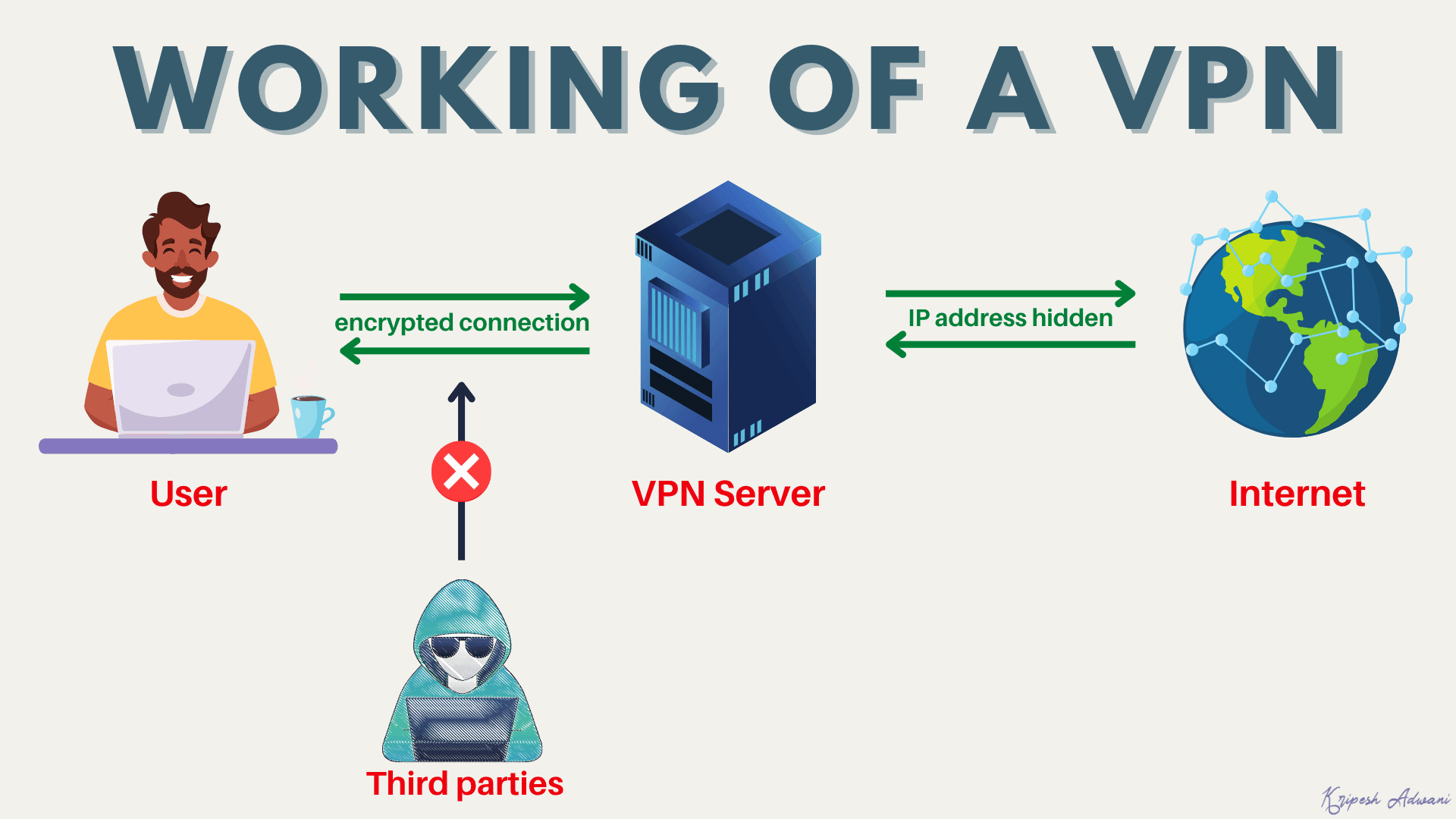
Here’s how a VPN functions in this case.
1) First, we establish a connection with the VPN server. Your request travels from your network to a VPN server in the USA via a secret tunnel.
2) To maximize security through this tunnel, the data being transferred is encrypted using strong encryption methods. Thus, anyone snooping on your data won’t be able to make sense of it!
3) Now, once your request reaches the VPN server, the VPN server acts like a client server and forwards the request to the destination Netflix server. Thus, it masks your actual IP address and helps you protect your identity online.
4) The Netflix server receives the request and thinks it is actually made from within the US, and grants you access to its library of movies and TV shows. Thus, you can also bypass geographical boundaries with a VPN!
History of VPNs
The VPN technology started back in 1996, when a Microsoft engineer by the name of Gurdeep Singh Pall developed PPTP (Point-to-Point Tunneling Protocol). It was the first widely used protocol for creating a VPN connection.
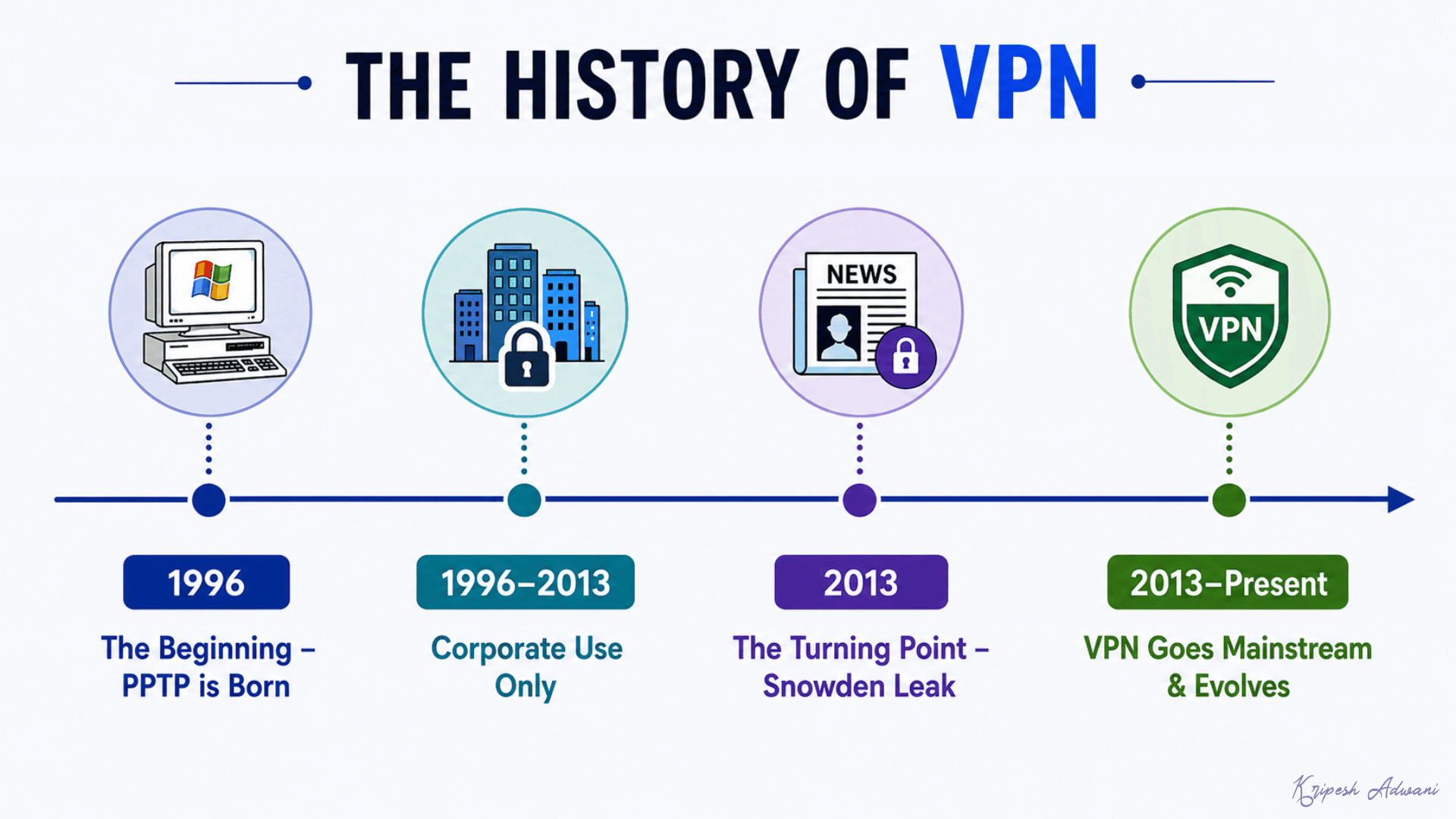
PPTP created an encrypted tunnel between two specific points (like an employee device and the company’s private network), allowing them to connect securely. For many years, VPNs stayed limited to the corporate world and were used by businesses and remote employees.
But this changed in 2013, when Edward Snowden leaked classified documents exposing the global mass surveillance programs run by the government. Suddenly, general internet users became more conscious and aware of their online activities.
This was the turning point when VPNs made their way from the corporate world into the lives of regular people wanting more privacy. Since then, VPN technology has been evolving. PPTP was soon replaced by newer and more secure protocols like OpenVPN and WireGuard.
Advantages of Using a VPN
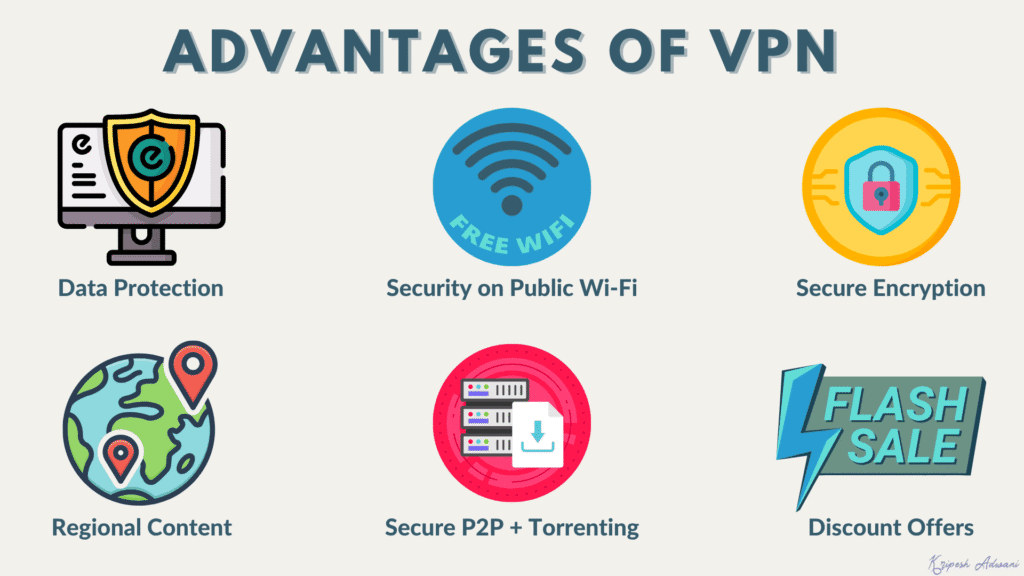
1) Secure Connection
A VPN establishes a secure connection and transfers your data in an encrypted format through a separate tunnel. This ensures your data is not accessible to anyone outside that tunnel, hence maximizing privacy.
2) Streaming Regional Content
You can access content that is geographically blocked in your country by using a VPN. This might include TV shows, movies, games, etc.
3) Security on Public Wi-Fi
While using the Internet through public Wi-Fi or accessing unsecured websites that can hack your personal details, a VPN can help you surf the web without leaving any traces of your activity.
4) Data Protection for Companies
Large-scale businesses and corporate companies can use their own private VPNs to track their employees’ online activities and identify the culprit if some data is leaked in the future.
5) Secure P2P and Torrenting
If you frequently use P2P networks or torrent files, then VPN software would help you stay secure and prevent any third parties from snooping on your activities.
6) Avoid Price Discrimination
Be it plane tickets, hotel bookings, online shopping, or digital tools, you can take advantage of the best discounts available in different countries via a VPN service.
Disadvantages of Using a VPN
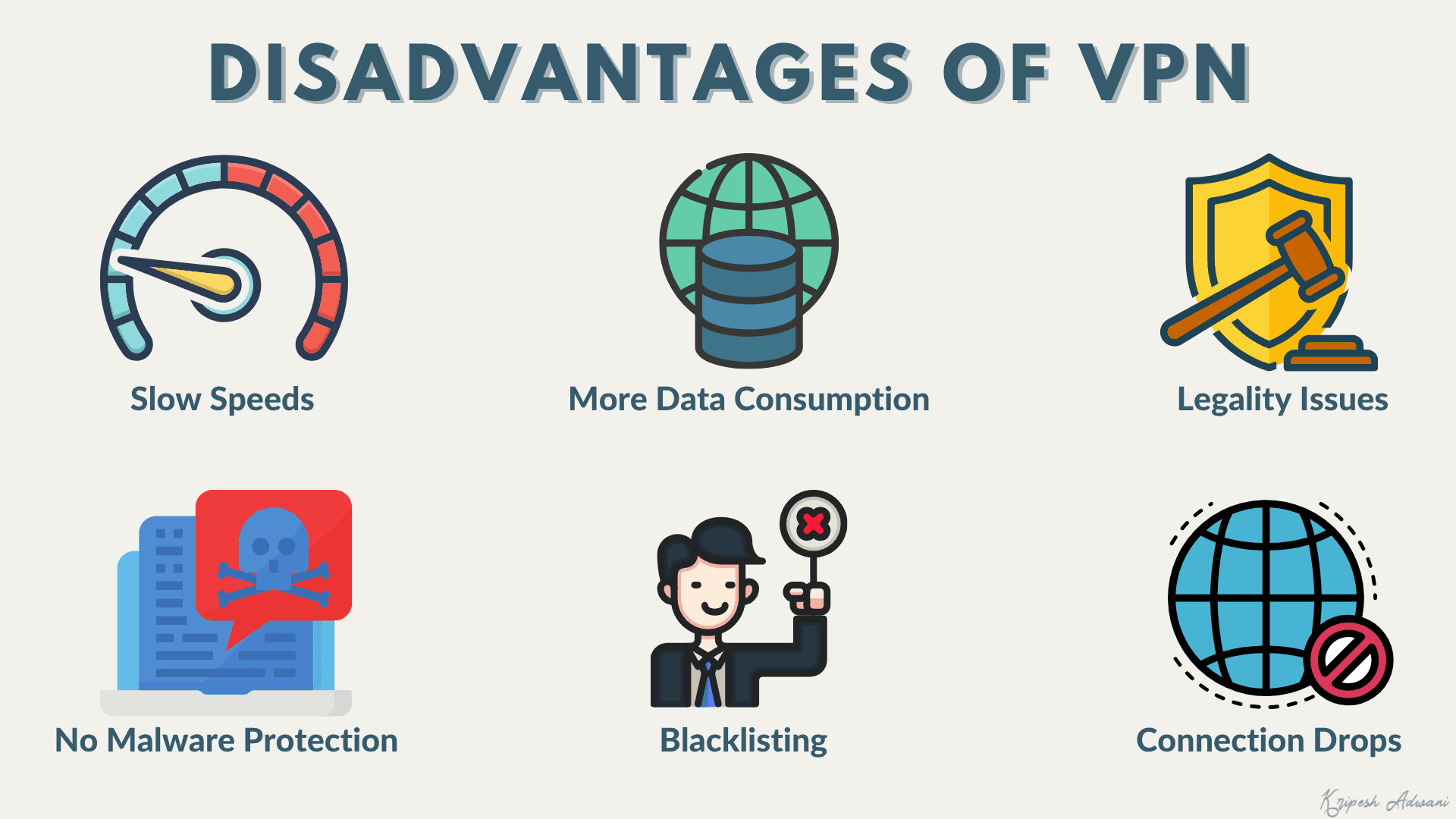
1) Slow Speeds
Because it establishes an encrypted connection from one server to another, the speeds are mostly hampered. This depends on your VPN provider and the server location. Check out this guide to learn ways to reduce VPN latency.
But mostly, you would experience slower speeds while using a VPN. They could increase sometimes. (Keep reading to know how!)
2) Increased Data Consumption
The VPN service encrypts your data before sending it to the VPN server, which leads to an increase in the overall bandwidth you consume. Thus, it increases your data consumption to some extent.
3) Legality Issues
A VPN service is not legal in all countries across the globe. For example, VPN is totally banned in countries like Belarus, Turkmenistan, North Korea, Iraq, Oman, etc. So, if you belong to these countries, your online activity is at risk!
4) Doesn’t Prevent Phishing and Malware
A VPN can only protect your encrypted connection. It does not safeguard your computer from malicious software. It won’t alert you while accessing fraudulent websites either. So, avoid clicking on unsolicited links.
5) Connection Drops
In the case of non-reputable or free VPNs, we see a lot of connection drops. This is risky because it might expose your DNS details to the outside world and hence compromise your privacy.
6) Some Services Blacklist VPN Users
The usage of a VPN can be detected with ease, which is why a lot of online streaming services and e-commerce websites often block VPN servers. Thus, unblocking is not guaranteed. Some popular examples of services include Netflix, BBC, Hulu, Amazon, and many more.
Types of VPN
There are primarily three types of VPNs you can observe around you. Let’s look at them.
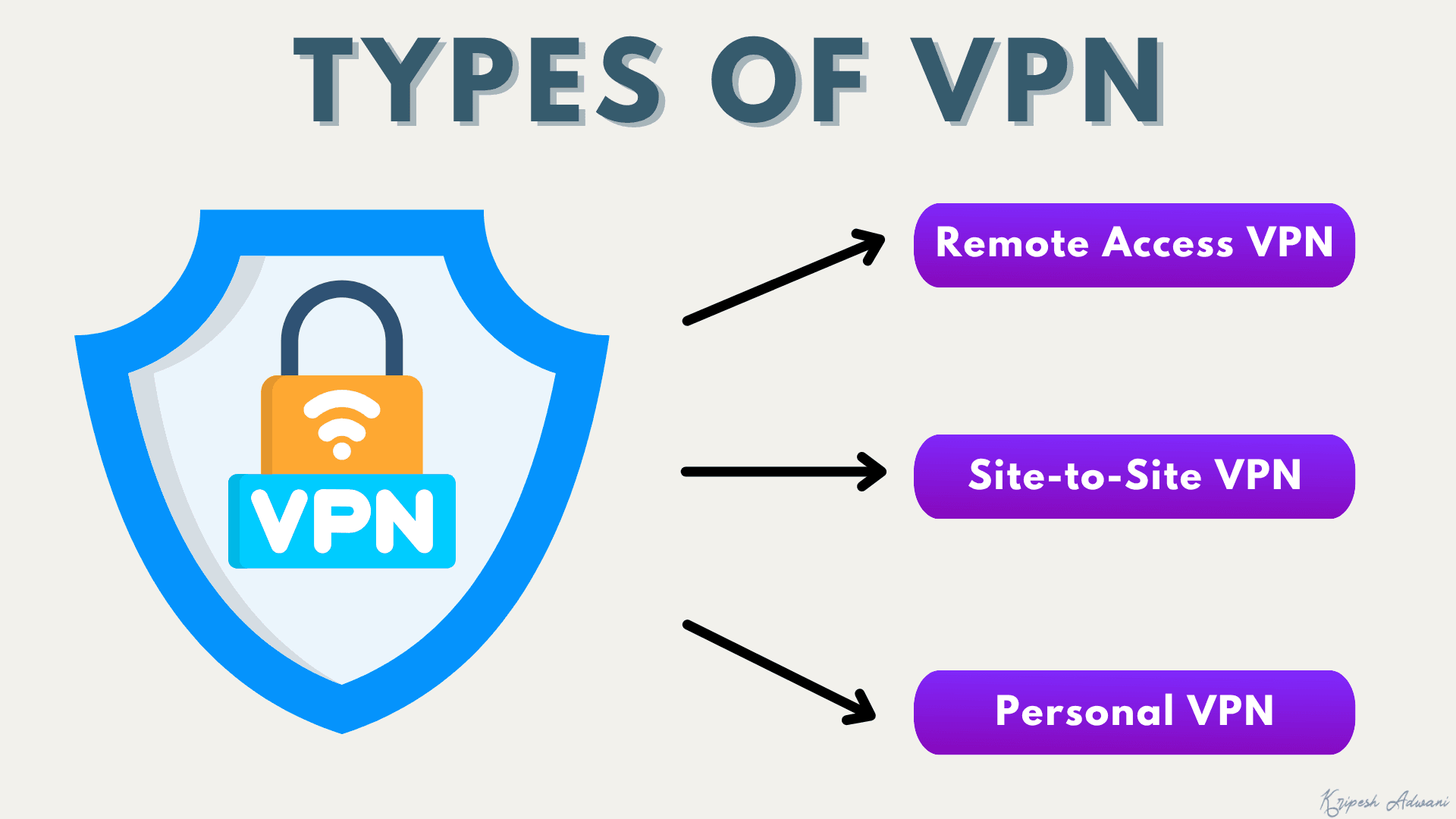
1) Remote Access VPN
A Remote Access VPN lets us connect to a secure remote server and use the Internet through a private network. It creates a secure tunnel between the user’s device and the company’s network to allow encrypted data to travel securely.
The biggest benefit of this type of VPN is that we can access all the data and resources from anywhere. It is also easy to set up and use. All you need to do is install its software on your device. Corporate offices, small-scale companies, and businesses mostly use it.
2) Site-to-Site VPN
A site-to-site VPN is used to connect multiple networks together. For example, a site-to-site VPN can be used to connect multiple offices and departments of the same company with each other.
This would allow them to share all the data and resources with each other while working on a secure network. We use this type of VPN in large-scale companies and businesses.
3) Personal VPN
A personal VPN is designed for use by an individual rather than for a business. It is designed for the average user of the Internet and helps secure personal or home networks, including all the devices connected to the home network.
It requires you to install an application on your device to encrypt your connection and safely browse the Internet. Every individual can opt for a personal VPN to stay safe online.
SSL VPN vs IPsec VPN
| SSL VPN | IPsec VPN | |
| App/Browser | Browser-based | Needs a dedicated app |
| Setup Effort | Easy | Difficult |
| Protection Level | Limited to browser | Whole Device |
| Best For | Quick occasional remote use | Complete secure connections |
A virtual private network that uses the SSL (Secure Sockets Layer) Protocol is called an SSL VPN. It works through your regular browser, and you don’t need to install separate software. It’s lightweight and easier to set up.
Whereas Internet Protocol Security (IPsec) works at a deeper level than your browser. Thus, you need a dedicated app on your device to access it. It usually takes more effort to set up. But once you set it up, it secures all your device traffic, not just inside a browser.
When Should I Use a VPN?
Now that you’ve understood the working of a VPN and its various types, let us look at the instances where a VPN would be beneficial for you.
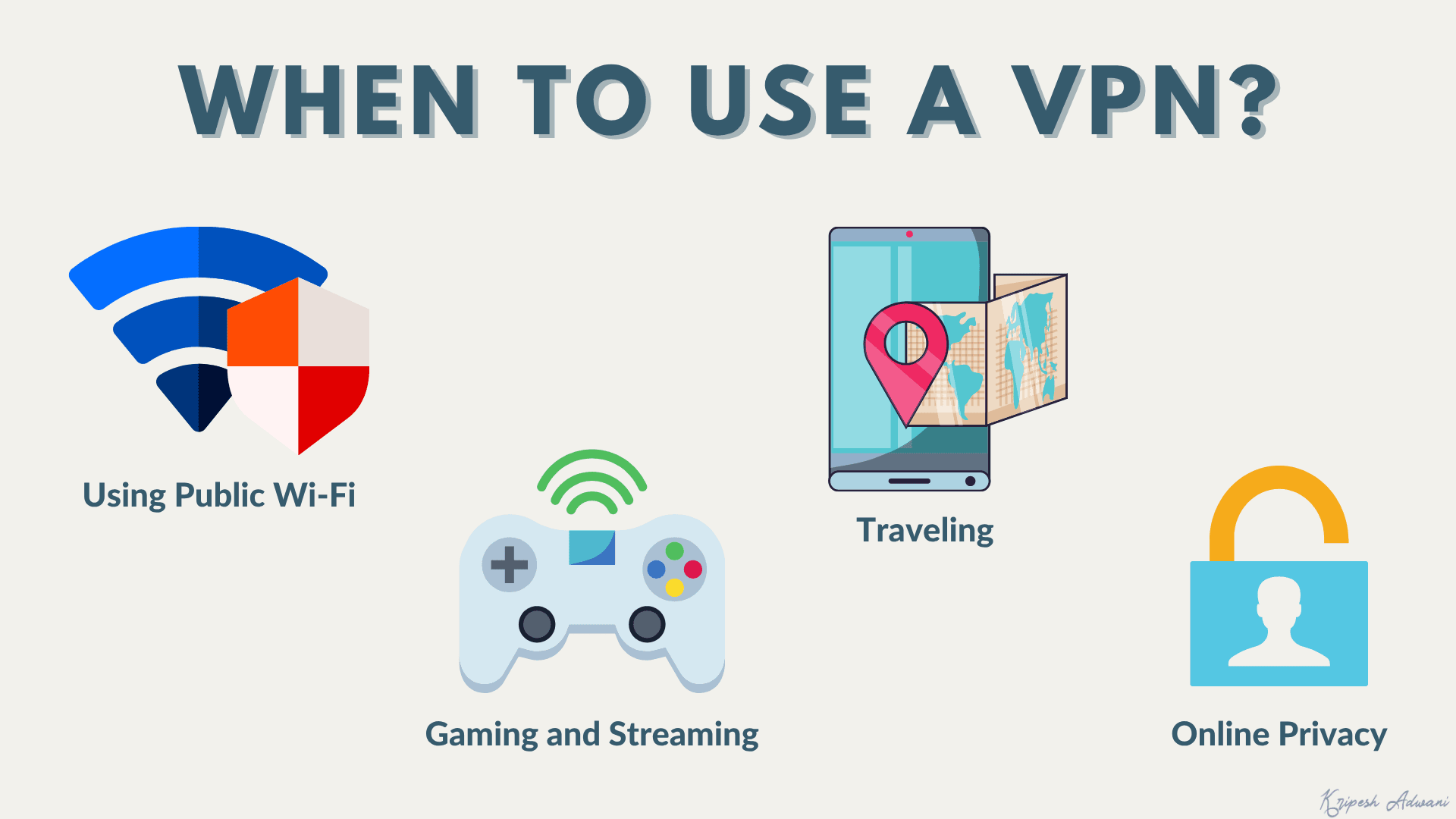
1) Using Public Wi-Fi
When performing any sensitive tasks, like banking through public Wi-Fi, hackers can see your internet traffic in an unencrypted format. This makes it easy for them to steal your personal information, like passwords, credentials, etc. To minimize this risk, it’s best to use a VPN.
It transfers all your data through an encrypted tunnel, which makes it invisible to anyone outside of the tunnel. And even if someone gets hold of your data, they won’t be able to make any sense of it, as it’s in an encrypted format.
2) Traveling
A VPN is a must for frequent travelers. It will not only help you protect your sensitive information like credit card details, passwords, browsing history, etc, but also let you access blocked sites and avail cheaper travel offers and deals!
3) Online Privacy
If you do not want to share your personal data, browsing history, etc, with third parties, ad agencies, or the government, a VPN service provider can help you bypass that and browse the web anonymously.
4) Gaming and Streaming
A lot of times, online gamers have to deal with DDoS attacks and bandwidth throttling. This problem can be easily solved by using a secure VPN service.
How to Use a VPN?
Let’s take the example of ExpressVPN and understand how to operate it on your mobile device.
Step 1: Download the VPN App
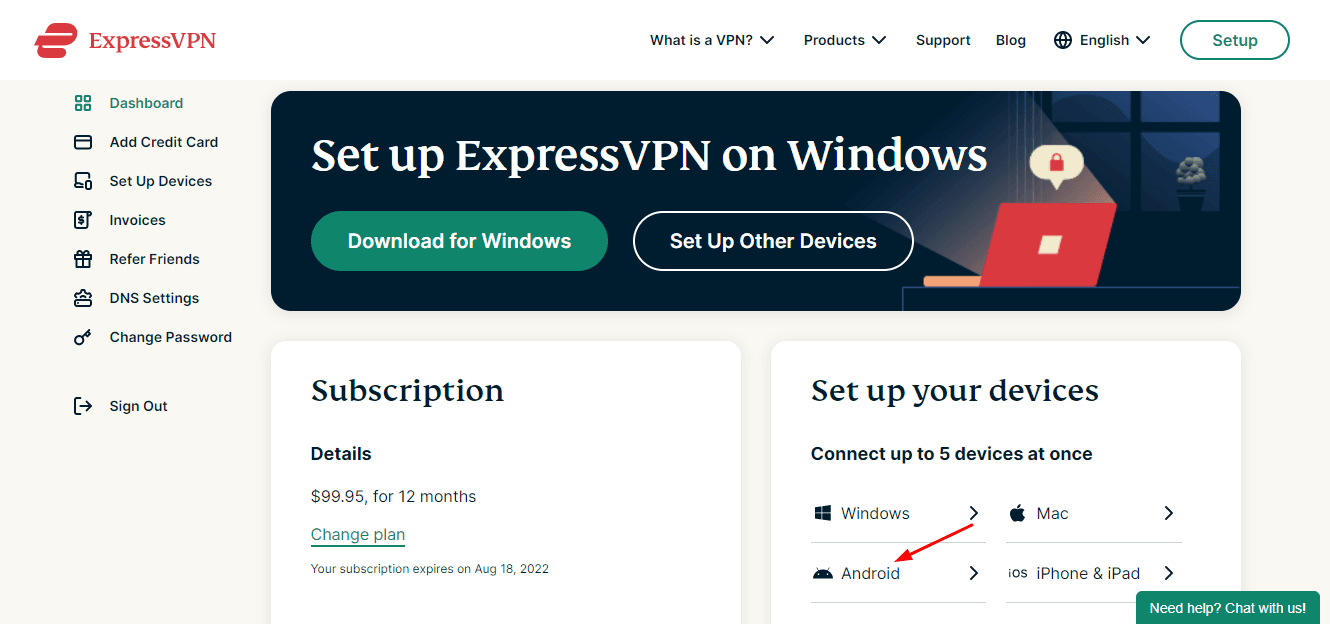
You can download the ExpressVPN app from the Play Store or the App Store. Alternatively, we can log in to its website, download the APK file, and install it on our device.
Step 2: Turn on the VPN
Next, we will log in to its app using our credentials and turn on the VPN.
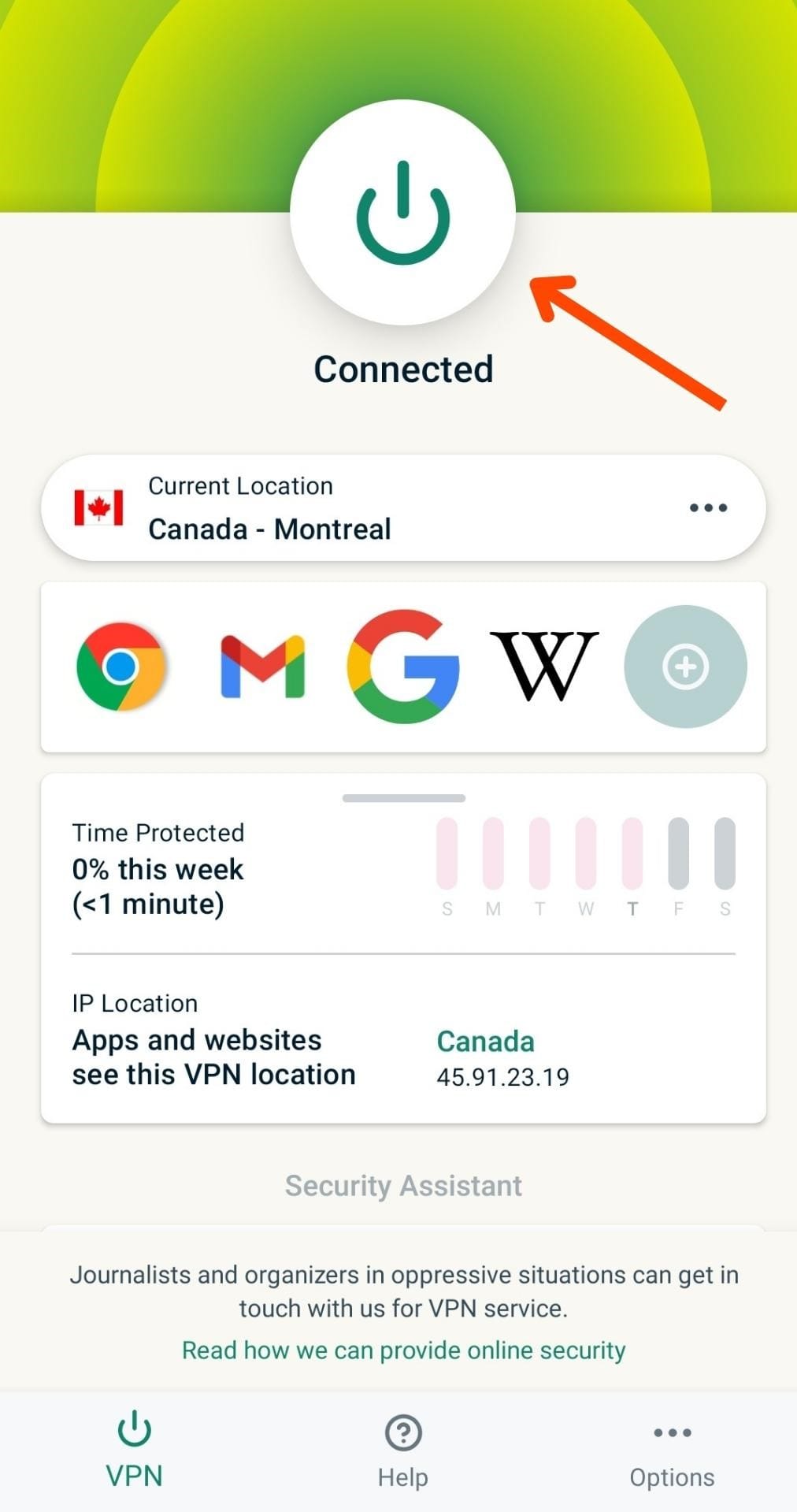
Step 3: Select a Server
Then, we will select a server location. For example, if you wish to stream TV shows from Netflix USA, select a US-based server. Finally, start surfing the Internet.
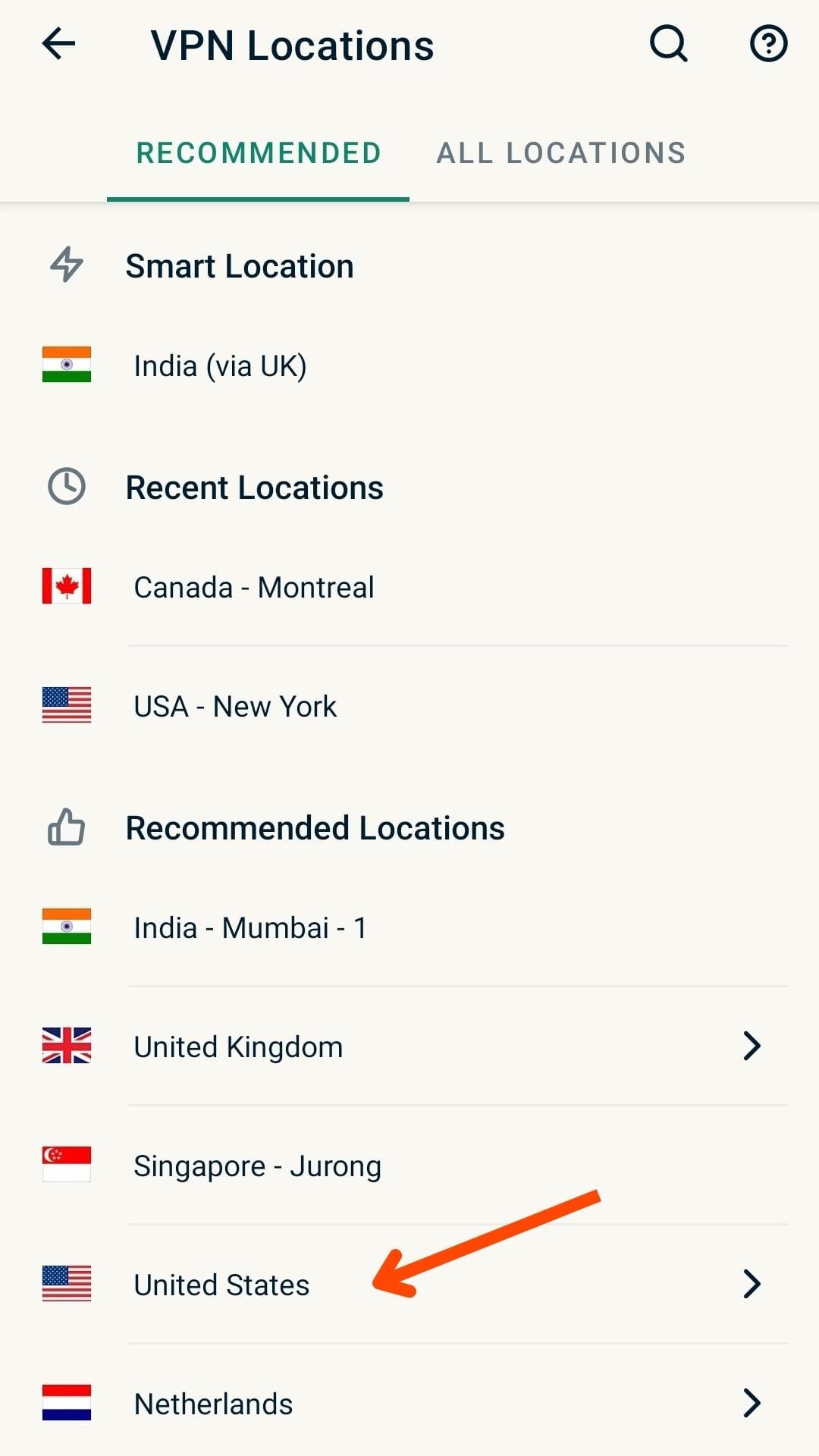
The VPN will build a secure tunnel to transfer your data to the VPN server. Your entire device, including all apps and browsers, will use the VPN tunnel.
Is a VPN Necessary?
With the ever-increasing cases of hacking attempts and data leaks, it is only wise to adopt a secure method of browsing the Internet. We all generally use the Internet via our ISP provider, like Airtel, Jio, etc.
They route your Internet traffic through their own servers, which means they keep a log of all your data: the websites you visit, the content you consume, and for how long.
Now, the problem is that they can share this sensitive data with advertising agencies, which in turn will show you targeted ads and earn money from it! A VPN would be especially rewarding for users who:
- Travel frequently
- Often use public Wi-Fi
- Need privacy while surfing online
- Wish to access geo-blocked content
Thus, if you wish to keep the details of your online activity and history to yourself, it would be a wise decision to opt for a good VPN.
Characteristics of a Good VPN
What exactly is a ‘Good VPN’? What features or characteristics should you look for in a good VPN? Let’s find out!
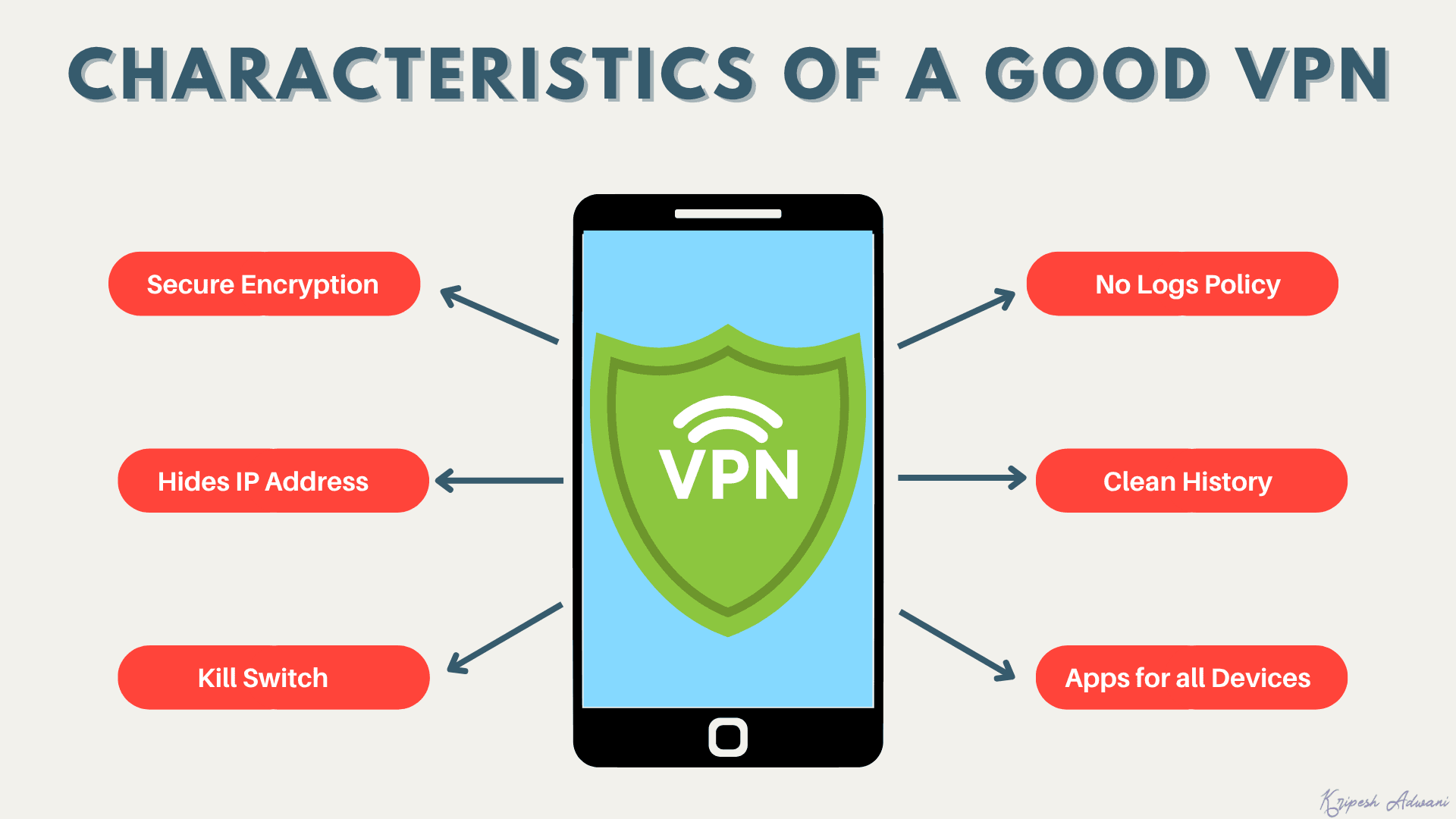
1) Secure Encryption
It should keep your data encrypted with reliable encryption algorithms to avoid any snooping or hacking attempts. AES-256 is the most trusted and widely used encryption standard for business VPNs.
2) Disguise IP Address
It should connect to a remote VPN server and hide your IP (Internet Protocol) address from third parties like companies or the government.
3) Kill Switch
In case the connection from the VPN server is lost, it should have a safety mechanism called a Kill Switch that cuts your Internet connection to avoid DNS leaks.
4) Split Tunneling
Split Tunneling lets you decide which apps on your device should use the VPN connection. Apps that don’t require the security of your VPN, like food delivery apps, Maps, etc can be removed, and the others can be whitelisted.
5) Jurisdiction
Before getting a VPN, always ensure that the country it belongs to does not fall under the 5 Eyes Alliance. (More on this below.)
6) No Logs Policy
A good VPN client software does not store any data of its users. Including browsing history, cookies, and other data. This guarantees better security.
7) History and Background
You should always research the background of any VPN before opting for it. It should have a clean history with no data leaks or a poor reputation.
8) Multi-Platform Availability
It should have well-designed and functional apps for desktop and mobile devices, and powerful browser extensions or web apps.
For a more detailed explanation of the factors to consider while buying a VPN, check out my video on VPN Buying Guide!
Is a VPN 100% Safe?
Honestly, nothing is 100% safe when talking about the Internet. Nobody can guarantee complete online security when every other day, sensitive data of big companies like Apple, Facebook, etc is leaked!
But using a VPN is undoubtedly safer than browsing the Internet unprotected. To ensure more security, always use a reputable VPN with a clean background history. It should have a no-logs policy, and its jurisdiction should not fall under the 5 Eyes Alliance.
An additional security tip that you should follow is to use different, secure passwords for all your websites. In case one of your online accounts is hacked, the hacker won’t be able to access your other accounts using the same password!
You can even use a good password manager for this. My favorite password managers are Bitwarden (free) and 1Password (paid).
What is the 5-Eyes Alliance?
The 5 Eyes alliance is a partnership between 5 countries that share their intelligence data with each other. These countries include the USA, the UK, New Zealand, Australia, and Canada.
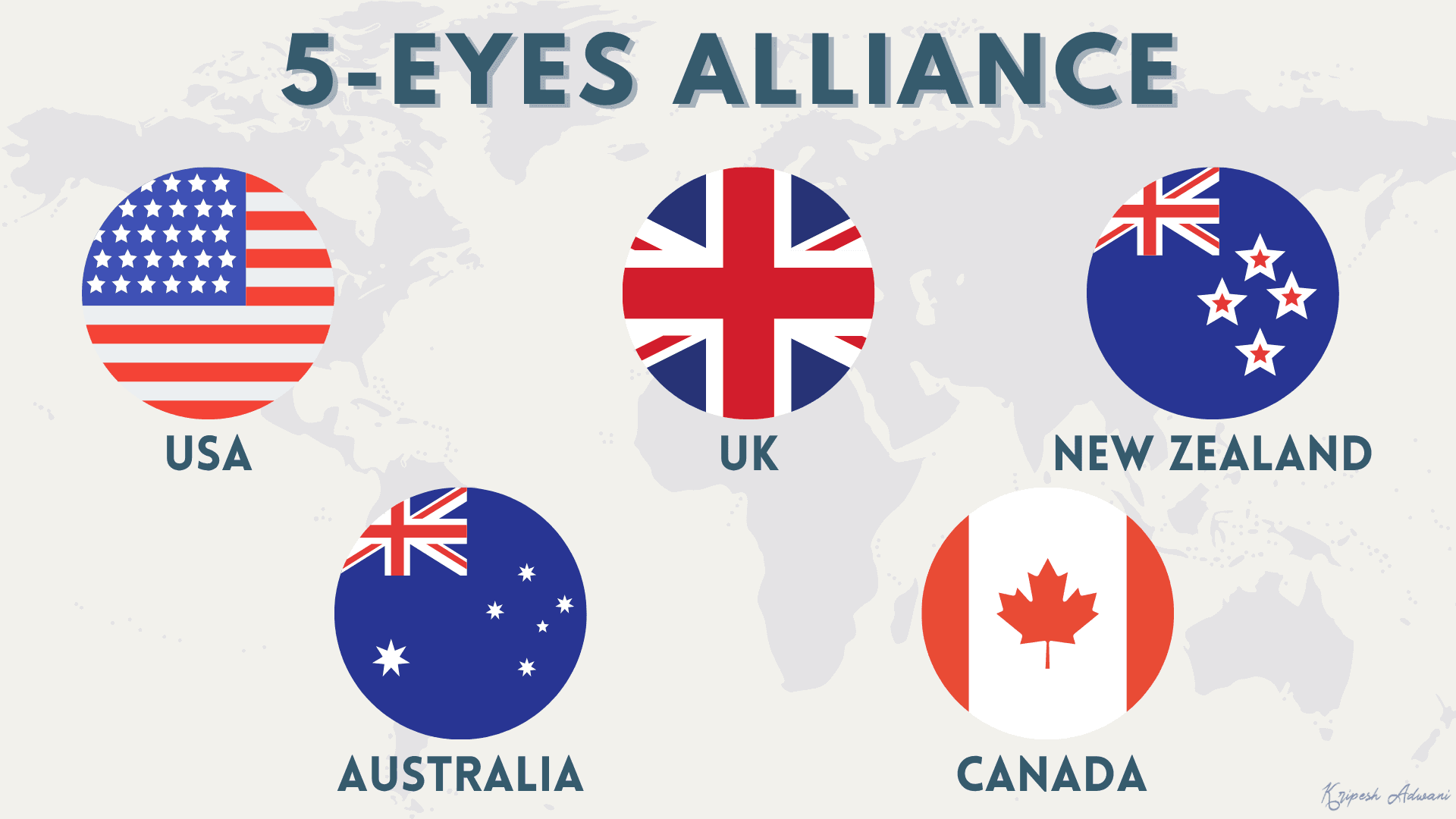
They basically collect the personal information of their citizens and share it with other countries in this alliance whenever required. This practice is definitely not safe for the user’s security.
Similarly, we have the 9 Eyes Alliance that comprises the above countries along with Denmark, Norway, the Netherlands, and France. We also have the 14 Eyes Alliance with all the above countries, along with Spain, Italy, Belgium, Germany, and Sweden.
While selecting a VPN, always check the jurisdiction to which your VPN service belongs. For maximum security, avoid going with VPNs from 5/9/14 alliance countries.
Is a VPN legal in India?
Countries like China, Uganda, and the UAE enforce tight regulations on the use of VPNs. Whereas the use of VPN is completely banned in Oman, Turkey, Iraq, North Korea, Belarus, Turkmenistan, and Russia.
However, using a VPN for personal and business purposes is 100% legal in India. This means you can openly use it to access region-restricted websites, movies, TV series, or discounts on digital tools, and you won’t be sued for that! Millions of people use VPNs these days to browse the Internet safely.
On 28th April 2022, the Computer Emergency Response Team (CERT), a team responsible for implementing cybersecurity measures in India, launched a new notice. According to the press release, VPN providers with servers in India are required to log user data.
However, this rule applies to providers, not to users themselves. Thus, many VPN companies responded by removing their physical servers from India rather than complying. They continue to offer virtual/foreign servers that Indian users can still legally connect to.
Does a VPN Log my Data or Store my Data?
It depends on the VPN you use. Paid VPNs usually have a ‘No Log’ policy. This means that they do not store any of your browsing or personal data with them. However, when it comes to free VPNs, many of them store and sell your data to third parties in order to make money.
Indian users should know that due to India’s 2022 data retention rules, most major no-log VPNs no longer have their physical servers in India. Their no-log policy will still apply if you’re connecting via foreign servers. However, confirm that a provider has no physical presence in India before trusting their claims.
Firewall vs VPN – What is the difference?
Many people get confused between VPNs and Firewalls and mistake them for being the same thing. However, these are two completely different services.
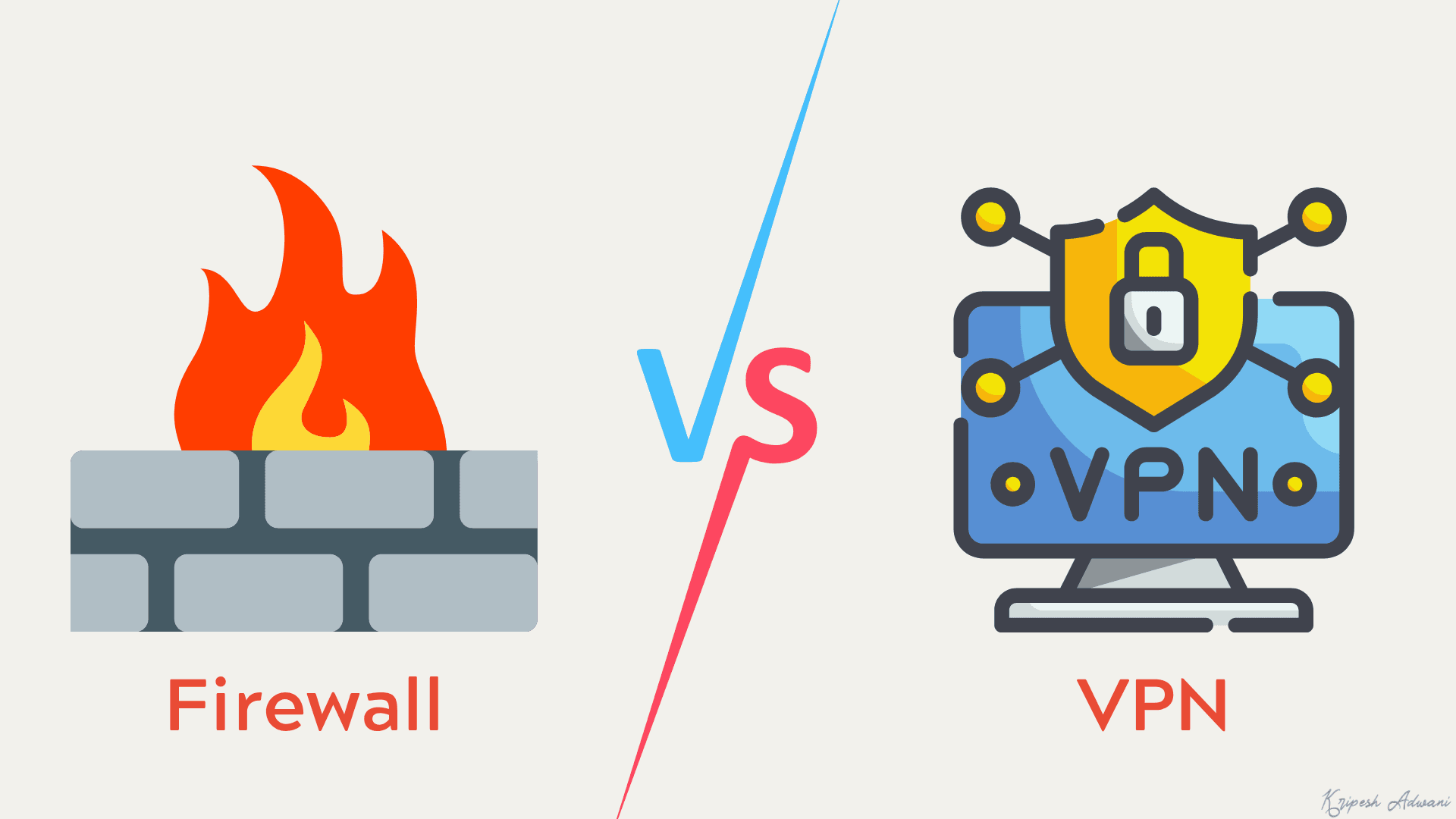
A Firewall keeps your hardware and software secure by blocking malicious software and unauthorized users from entering your system. It checks both the incoming and outgoing traffic, and its main purpose is to protect your apps and software.
Some examples of firewalls might be Comodo, Tinywall, ZoneAlarm, PeerBlock, etc.
Whereas a VPN protects online data traveling through its secure tunnel. It doesn’t protect anything on your computer, be it hardware or software. The primary motive of a VPN is to simply conceal the IP address and online activity of a user.
Some examples of reliable VPNs are ExpressVPN, NordVPN, Proton VPN, etc.
Can a VPN make my Internet connection faster?
Yes, sometimes, it is possible. If you are an avid internet user, you might have noticed that you receive surprisingly low speeds when downloading large files. This happens due to bandwidth throttling.
Bandwidth Throttling is when your Internet Service Provider (ISP) intentionally slows down your internet speed to manage network traffic. For instance, when streaming high-quality videos or online games, your ISP might throttle your speed to evenly distribute bandwidth and allow all users to access equal resources.
But when you are downloading the same files via a VPN service, your ISP cannot suspect your activities and cannot limit your speeds. Thus, you can experience faster speeds at times while using a VPN.
Alternatives to VPN
You must be wondering if there are any other services similar to VPNs that protect your online privacy. Well, yes. Let’s talk about some alternatives to VPNs. Though these services cannot replace VPNs, they have proved pretty good at protecting your online activity.
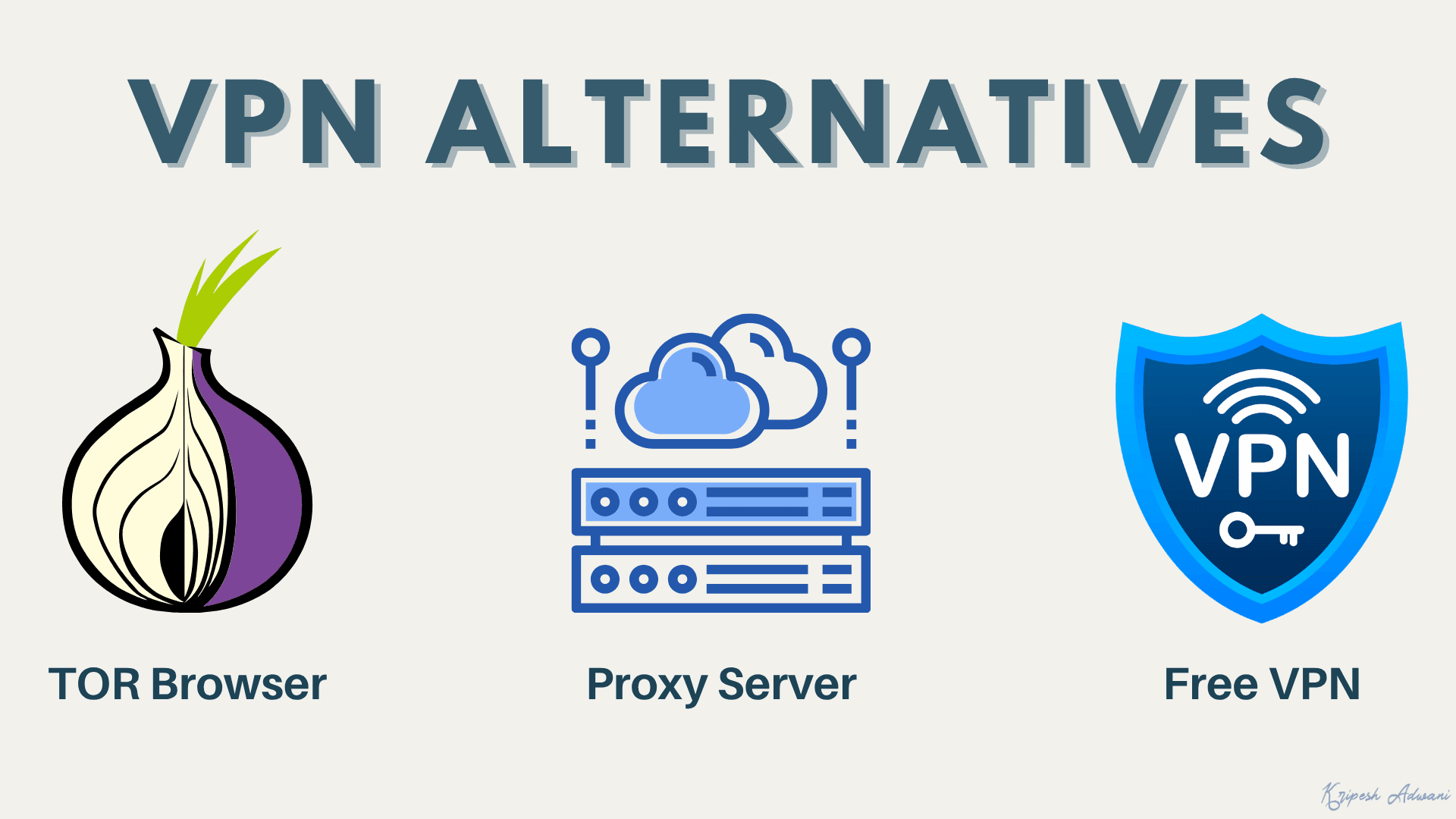
1) TOR Browser
TOR is an acronym for The Onion Router. It is a free and open-source software that ensures the privacy of your online communications.
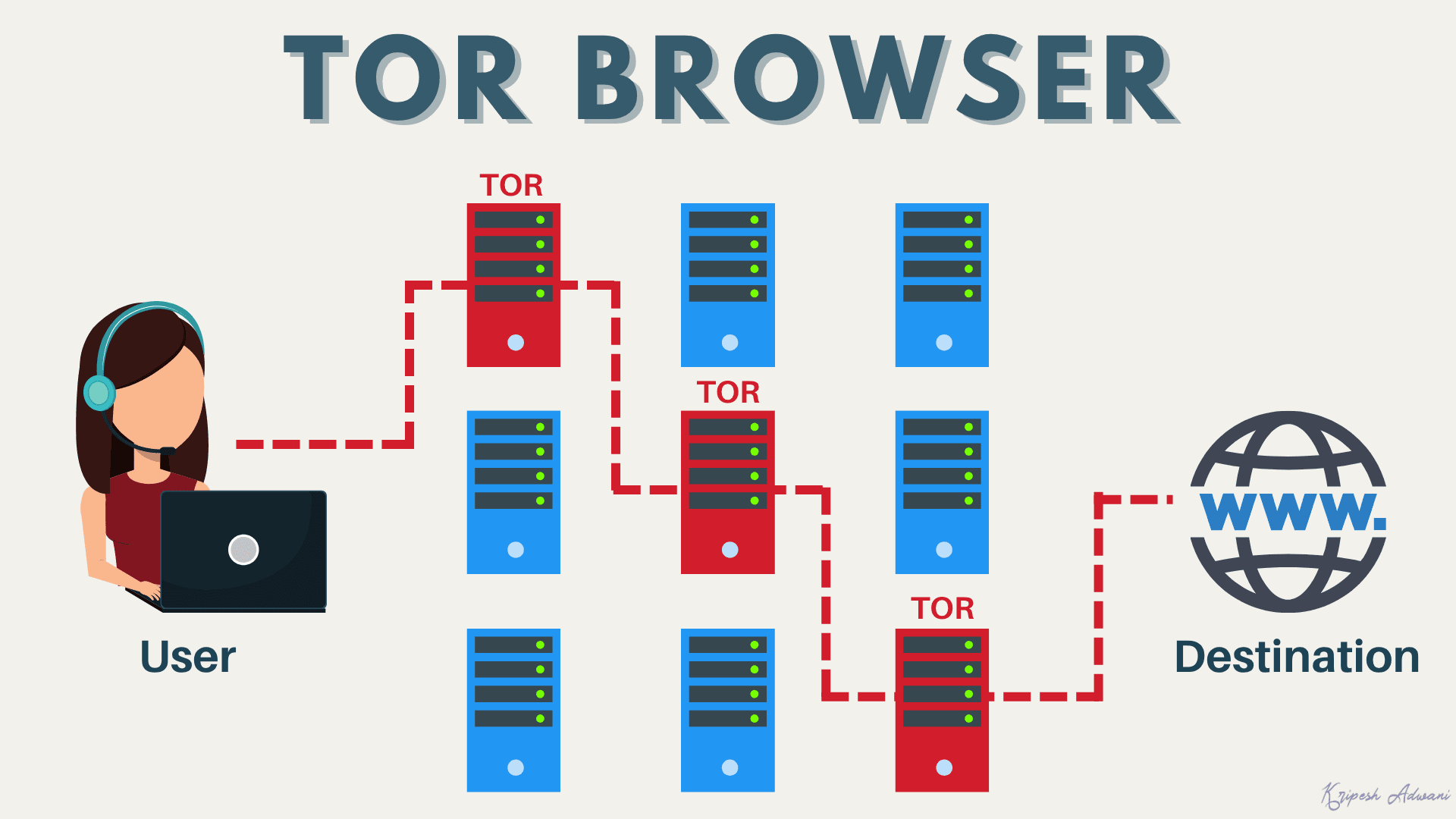
The working of the TOR browser is simple. When you connect to the TOR network, your request is sent through three randomly chosen servers (or relays) before actually connecting to the destination server.
So, if you wish to connect from Server A to Server B, your request will bounce from Server A to Server X, Y, and Z, and will then be forwarded to Server B. The destination server would not know your IP address. It would only know that the request had emerged from Server Z.
This enhances security because it’s extremely difficult and inconvenient to trace back your IP address through three servers that can be in any part of the globe!
TOR is very secure, but it is not as secure as a VPN. This is because even if it wraps traffic in several layers of encryption between relays, it does not provide encryption from the exit relay to the destination site.
2) Proxy Server
A Proxy server works as an intermediary between the client’s server and the destination server. The user essentially establishes a connection with the Proxy server that forwards the request to the destination server and fetches data from the final destination on their behalf.
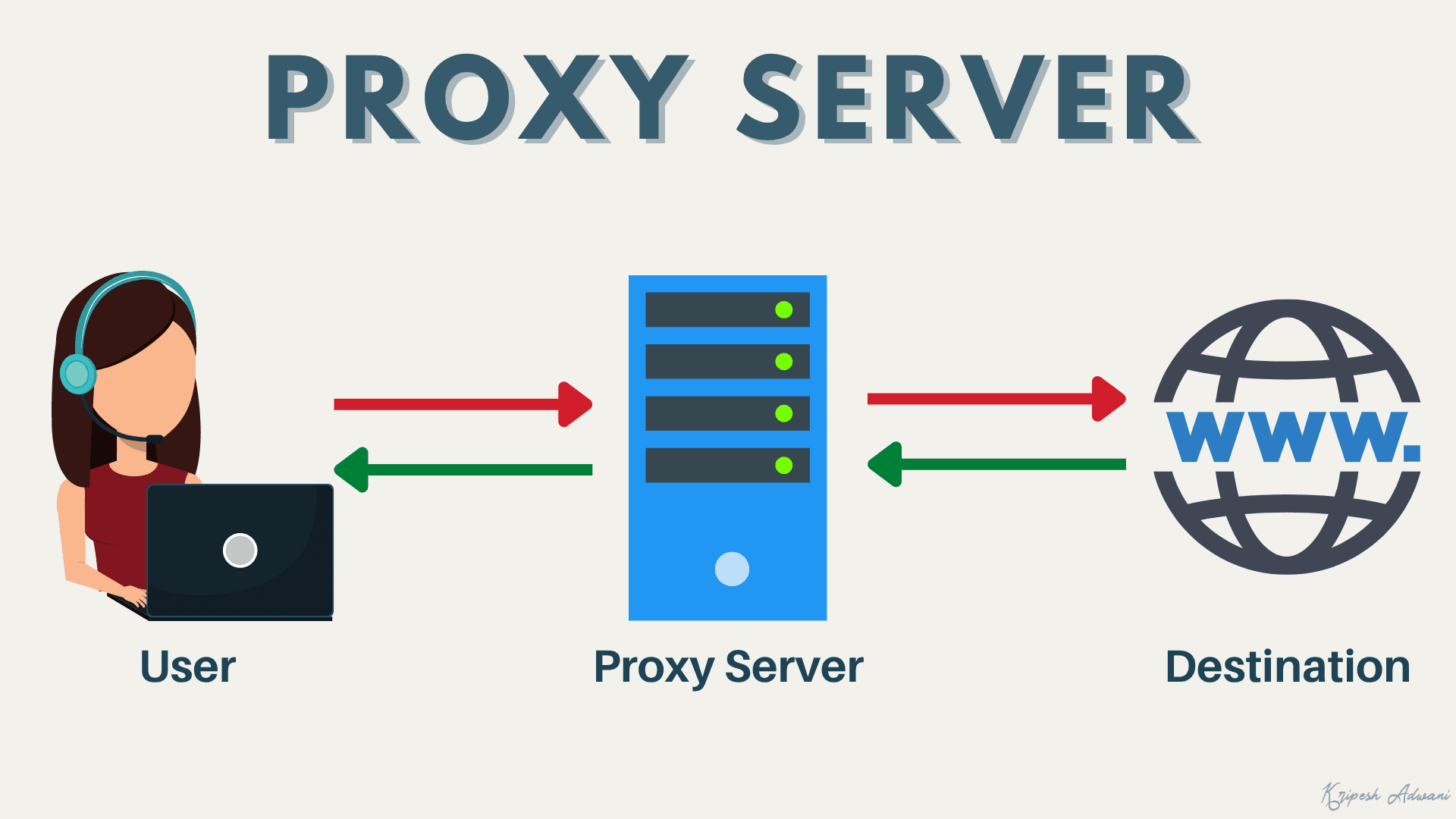
Thus, it simply acts as a proxy for the client’s server. Again, it’s not as secure as a VPN because it doesn’t encrypt your connection to prevent third parties from snooping on your data.
3) Free VPN Service
Free VPN services are quite secure because they always send your data through an encrypted tunnel. However, many times, free VPNs keep logs of your data and sell them to third parties in order to make money off of it! So, make sure you only use reputable free VPNs.
Conclusion
In this article, we saw what a VPN is and how it can help you stay protected online. If you regularly surf the Internet, getting a secure VPN would be a really wise decision. I hope this article has equipped you with the basics and improved your understanding of VPNs.
Are you going to use a VPN service? Have you used one before, or are you currently using one? Let me know in the comments box below. You can also leave your doubts and queries regarding the topic, and I will try my best to resolve them as soon as possible.
Frequently Asked Questions
Do you need a VPN at home?
We highly recommend a VPN while using public Wi-Fi. However, you can use it at home as well to stream geo-blocked websites or to securely browse the Internet.
Are there free VPN versions?
Yes, there are free VPNs available on the market. However, they might log your data and sell it to advertisers. So, always choose a reputable VPN service that does not store any data. Opting for a paid VPN would be the best choice.
Is a VPN Illegal in India?
No, VPNs are not illegal in India. There are no laws that ban the use of VPN software, so individual users and businesses are free to use it.
Do VPNs Hide Your Torrenting and Online Activity?
Yes, a VPN hides your IP address and your internet activity from your ISP. So it is highly unlikely that one would get caught while torrenting through a VPN. However, torrenting copyrighted content is illegal, and a VPN does not make it safe.
How many devices can connect to the VPN at once?
It depends on your VPN provider and the subscription plan. For example, Surfshark allows unlimited simultaneous device connections. Whereas, ExpressVPN offers 10 to 14 simultaneous connections.
Does the VPN block ads?
No, VPNs are not designed to block ads. However, some VPNs might come with built-in ad blockers as well.
Can VPNs be hacked?
Yes, but it is very difficult to hack a VPN. The chances of a VPN getting hacked are extremely low as compared to accessing the internet via unencrypted connections.
Does a VPN help with illegal activities?
No. VPN won’t help with illegal activities. Besides, the government has advanced tools that can easily catch anyone performing illegal activities online. So, it’s better to not depend on VPNs and simply avoid getting into any illegal stuff.
Is using a VPN safe?
A virtual private network is a secure way of browsing the internet. It masks your IP address and online activity, which is how you can prevent attempts at snooping by third parties and government agencies on your personal data.
What is Always-On VPN?
Always-On VPN is introduced by Microsoft as a replacement for its previous VPN solution called DirectAccess. It comes built into Windows 10 and Windows 11 and establishes a secure connection as soon as an authorized client connects to an active internet connection.
Does your VPN drain battery?
Yes, when a VPN is enabled on your mobile, it consumes more battery. This is why some VPNs have a power-saver feature that automatically turns the VPN off when your mobile screen is turned off.
Do VPNs Protect Against Malware?
No, a VPN client does not protect you against viruses, trojans, malware, etc. For that, you need to use antivirus software. We recommend using a VPN along with antivirus software for maximum online security.
Is using a VPN safe for banking?
Yes, using a VPN while accessing any banking-related apps and activities is a safe practice, especially when on public Wi-Fi networks.
Is VPN Traffic Encrypted?
Yes. When connecting to a VPN, an encrypted connection is formed between the user and the VPN server. This ensures that your data travels securely without being accessible to snoopers.



Awesome article. which vpn do you use ? I am also from India looking for subscribing to a vpn service but clueless on best service and where to start with ! Can you share steps. Thanks !
I’m using ExpressVPN, Surfshark & Nord.
In this video I’ve explained in detail – https://www.youtube.com/watch?v=PQf8P9XQH8k