Do you feel stuck with scattered ideas? Do you have a ton of concepts and plans, but organizing them feels harder than it should? That’s where mind mapping tools come in. They turn your thoughts and notes into clear and structured visuals.
After extensively testing dozens of them, I’m finally here with the 9 Best Mind Mapping Tools of 2026. In this guide, we will also look at what mind-mapping tools are and why they are useful. Curious to know which tools actually save you time and structure your thoughts perfectly?
Let’s dive right in and find out!
- What is Mind Mapping Software?
- 9 Best Mind Mapping Software 2026
- 1) Mapify – Best for Professionals
- 2) Mindmap AI- Best For Chat-Based Edits
- 3) Xmind- For a Variety of Structures
- 4) Miro- Best For Early-Stage Businesses
- 5) Lucidchart- Best for a Variety of Visual Diagrams
- 6) Excalidraw- Best For Hand-Drawn Mind Maps
- 7) MindMiester- Best For Ease of Use
- 8) Coggle- Best For Multiple Export Formats
- 9) FigJam – Best For Collaborative Drawing
- Key Benefits of Mind Map Tools
- How Did We Test These Mind Mapping Tools?
- Why Should You Trust Me?
- Conclusion
- FAQs
What is Mind Mapping Software?
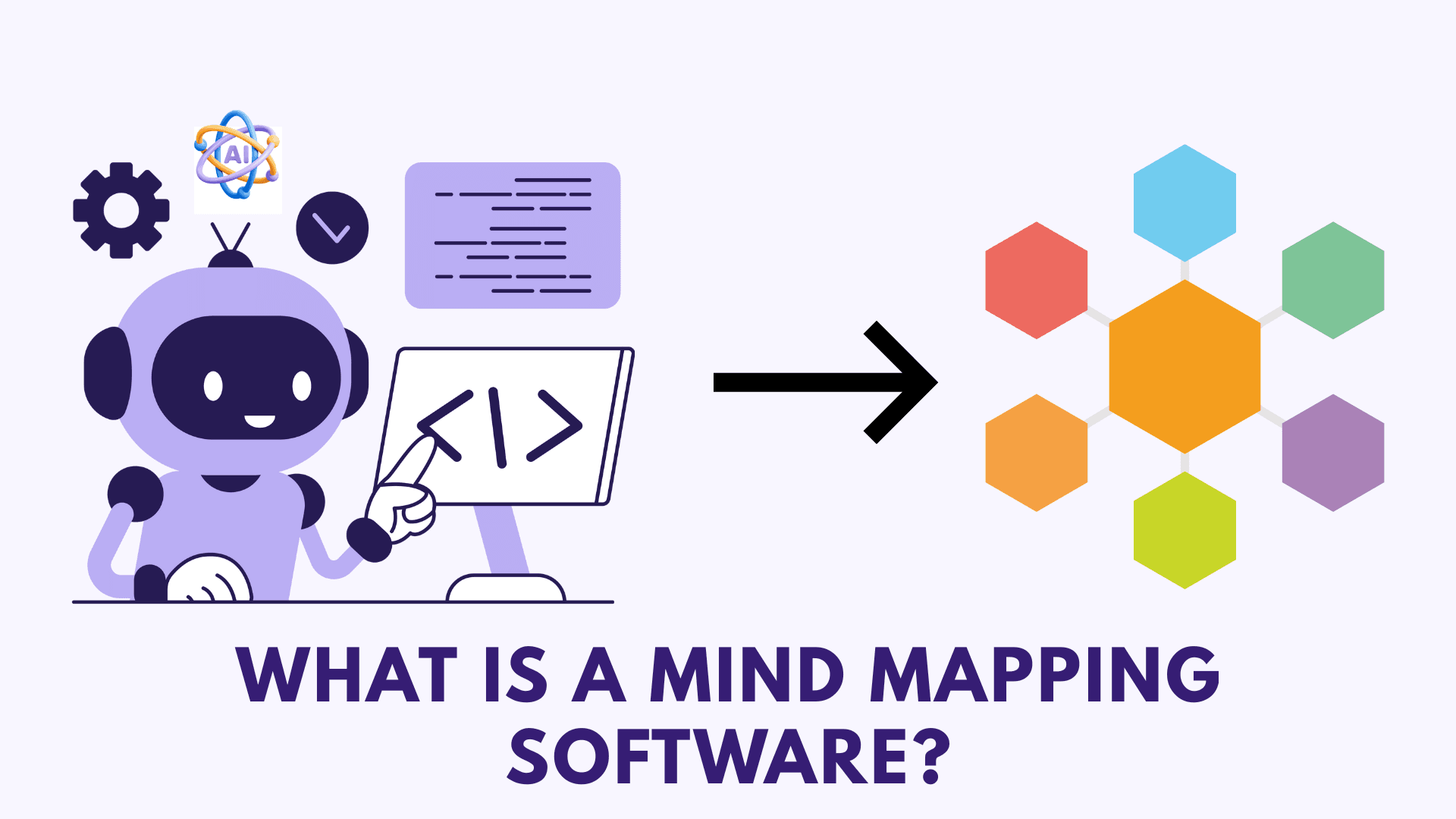
Common use cases of mind maps include planning, note-taking, brainstorming, problem-solving, memorizing, and more. Traditionally, most of the mind maps were created using pen and paper.
But now, there is mind-mapping software through which you can create digital mind maps and even generate them using AI. Some popular examples of mind mapping software include Xmind AI, FigJam, Miro, etc.
9 Best Mind Mapping Software 2026
| Tool Name | Key Features | AI-Powered | Best For | Free Plan |
| Mapify | AI Prompt to Mindmap, Multi-Structure Layouts | Yes | Professionals, educators, content creators, and students. | 30 one-time AI credits, 5 PDFs/Docs to Mind maps, and 5 YouTube videos to Mind maps. |
| Mindmap AI | AI Copilot edits, Smooth canvas controls | Yes | Chat-based AI edits and refinements. | 50 monthly AI credits and 10 projects. |
| Xmind | Multiple structures, Keyboard shortcuts | Yes | Variety in structures and a balance of manual control. | Create up to 10 maps. |
| Miro | Prompt-based generation. Team collaboration | Yes | Early-stage businesses and remote teams. | 3 editable boards and 10 monthly AI credits/team. |
| Lucidchart | Visual diagram library, Screen recording integrations | No | Teams that need structured visual diagrams. | 3 editable documents, 100 templates, & access to Lucid AI. |
| Excalidraw | Hand-drawn maps, Encrypted collaboration | No | Secure, hand-drawn, whiteboard-style mind maps. | 1 infinite scene with unlimited collaborators. |
| MindMiester | Simple branching, Media attachments | No | Beginners and teams looking for easy, no-friction mind mapping. | 3 mind maps and unlimited collaborators. |
| Coggle | Real-time collaboration, Multiple export formats | No | Users who want basic mind maps with flexible export options. | 3 private diagrams, unlimited public diagrams. |
| FigJam | Collaborative whiteboard, Feedback stamps | No | Small teams, educators, and creatives who need collaborative discussions. | 3 editable documents, 150 AI credits/day, and up to 500 AI credits/mo. |
1) Mapify – Best for Professionals
Mapify is an AI-powered tool that converts information into mind maps using artificial intelligence. To start with, simply write your text prompt or upload your PDFs, YouTube video URL, audio file, or webpage into Mapify. It will extract the relevant information and convert it into a mind map.
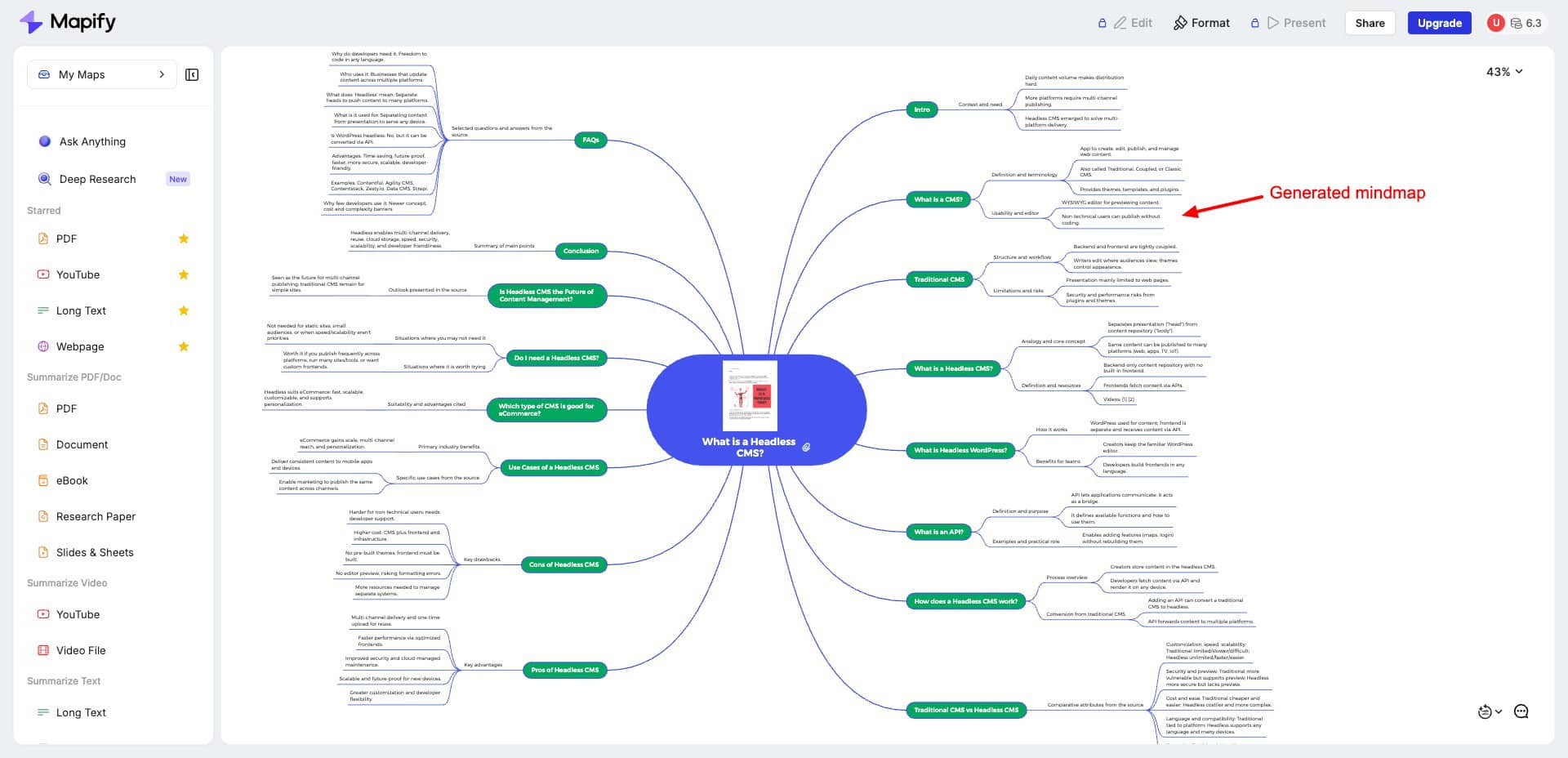
Once generated, the mind map can be refined with pre-written instructions for making it concise, adding details, or translating it into another language. It supports over 30 languages, including Hindi.
You can also customize the appearance of your mind map. Under the Format option, you’ll get options to choose your mind map structure (like timeline, logic chart, grid, etc.). You can also pick the branches you need and a color palette from its list.
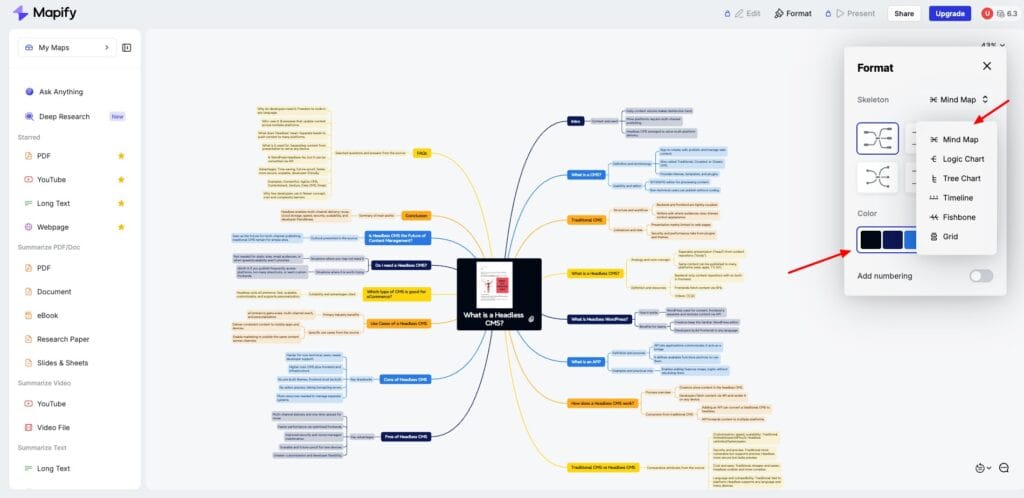
Finally, your mind map can be shared with others as a PNG image, a PDF print, or a .Xmind file. It even has a Chrome extension you can use to summarize and create mind maps of webpages on the go. Here’s a sample mind map I generated using Mapify!
Mapify performs exceptionally well for creating complex mind maps and structures quickly. However, its only downside is the lack of a panning tool to easily move around the canvas. I hope they include it soon. It is ideal for educators, content creators, and students who need professional and sleek mind maps quickly.
Pricing: The free plan offers 30 one-time AI credits, 5 PDFs/Docs to Mind maps, and 5 YouTube videos to Mind maps. Its paid plans start from $5.99/mo, where you get 1000 monthly AI credits.
2) Mindmap AI– Best For Chat-Based Edits
Mindmap AI is a tool for generating mind maps using artificial intelligence. To start, simply upload your PDF or enter a prompt manually. Within seconds, it will transform your data into a clean and structured mind map.
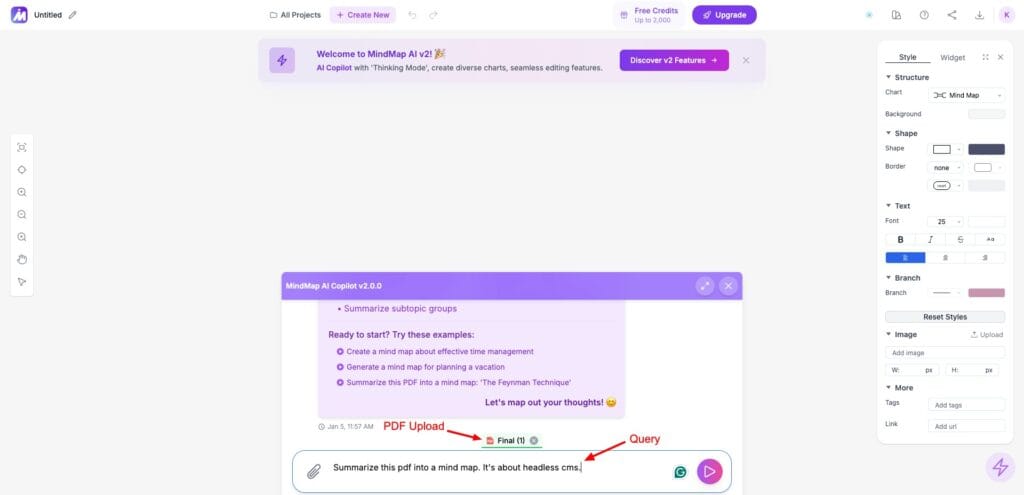
For further edits, you can use the Mindmap AI Copilot chat integrated into the platform. Simply specify your requirements, and it will automatically make the suggested edits. You can also customize the structure to mind map, logic chart, or org chart, and edit the background color to your liking.
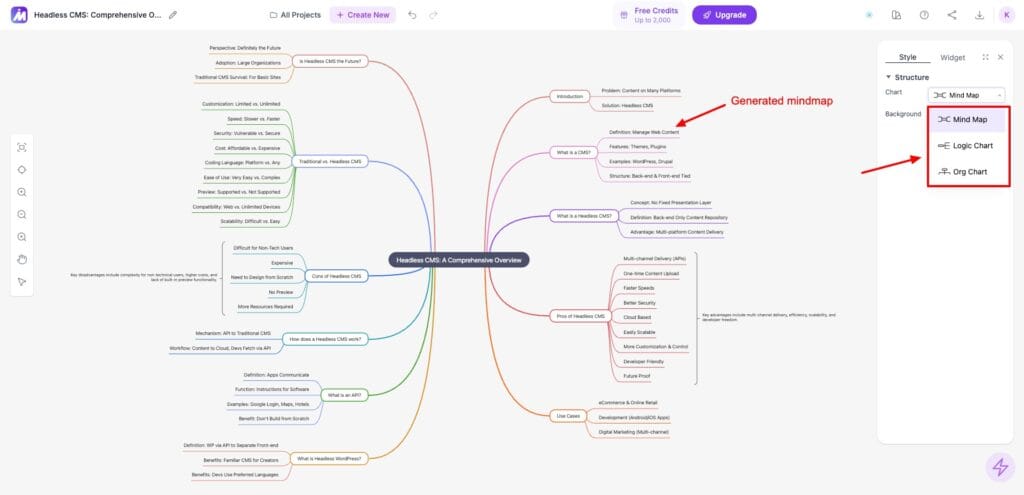
Finally, you can export your mind map in PNG or PDF formats and share it as an image, private link, or public link. I personally liked the tools available for zooming in or out and panning. These are really helpful when viewing the final mind map structure.
Pricing: The free plan offers 50 monthly AI credits and the ability to create up to 10 projects. Its paid plans start from$7.99/month, where you get 5000 AI credits per month.
3) Xmind– For a Variety of Structures
Xmind is a popular mind-mapping and brainstorming tool that’s super easy to use. Just enter your prompt or upload a file, and you’ll get a clean and organized mind map created with AI. It lets you create mind maps, matrices, grids, fishbone structures, and more.
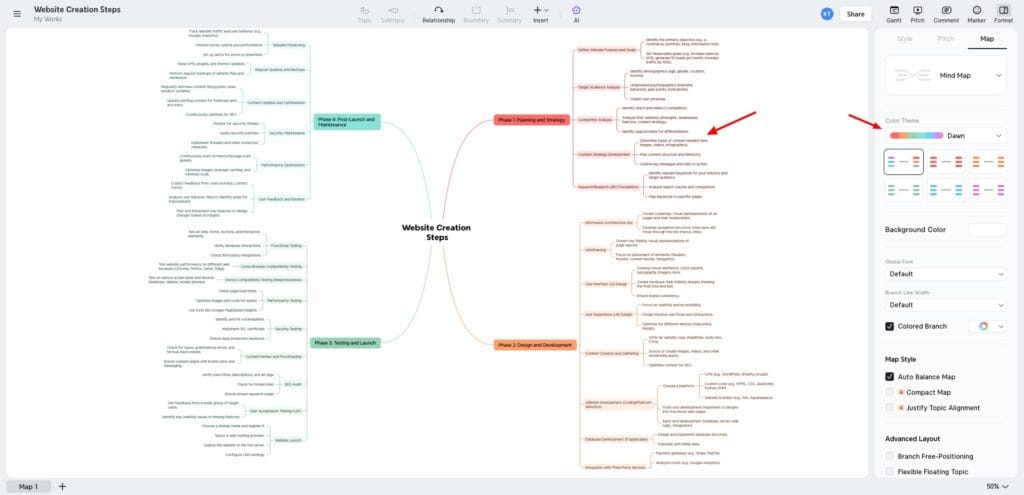
For quick additions, it also accepts keyboard shortcuts like
- Enter: for adding a sibling topic.
- Tab: for adding a subtopic.
- Delete: for removing a topic.
To explore new ideas, just click on any topic and hit the AI Copilot button. Next, Xmind also lets you customize its layout, color theme, font style, etc. For refinements, you can use AI and either auto-refine or provide a prompt. But sadly, the AI doesn’t really do much! I hardly noticed any difference after AI refinement.
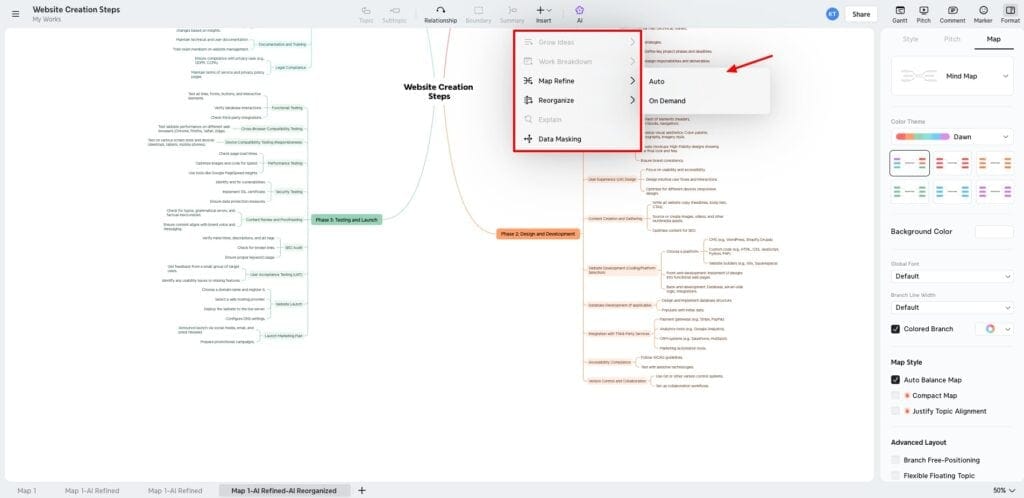
For sharing, you can invite collaborators, publish your mind map to the web, share the embed code, or share on social media platforms. You can also export your mind map in PDF, PNG, and Xmind formats.
Overall, I think they can work on enhancing their AI features. Xmind is good for those users who need multiple types of structures to visualize their concepts.
Pricing: The free plan of Xmind lets you create up to 10 maps. Its paid plans start from $4.92/month, where you can create 50 maps.
4) Miro– Best For Early-Stage Businesses
Miro is a platform for ideation, brainstorming, and mind mapping. To start, simply write your prompt in Miro’s Sidekick AI assistant. It features multiple visual structures for generation, like diagrams, mind maps, documents, images, slides, sticky notes, etc.
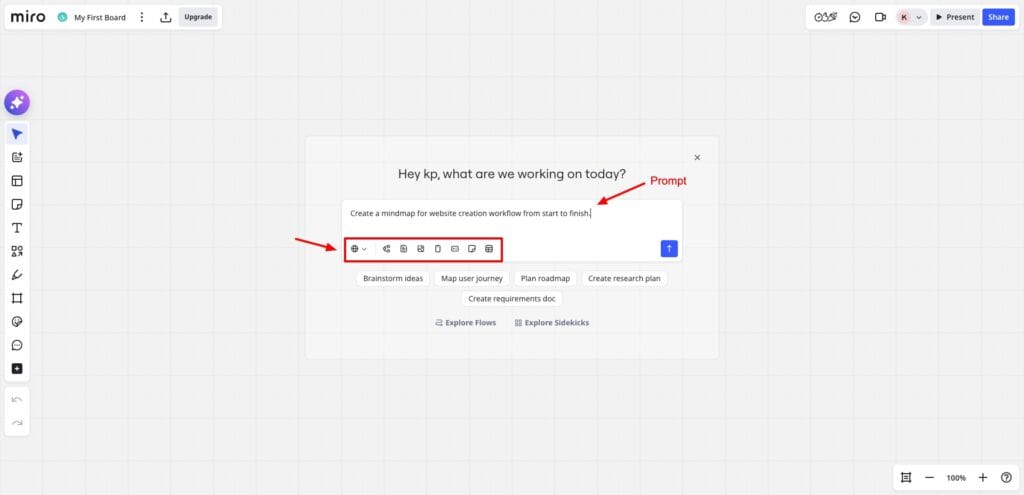
If you want to edit the generated mind map, just write a prompt, and it will be executed instantly. Additionally, click on the topic and hit the Miro AI button to generate something else. You can add sticky notes, text, freehand drawing, shapes, stickers, and comments on your generation.
Check out this structured mind map I generated using Miro!
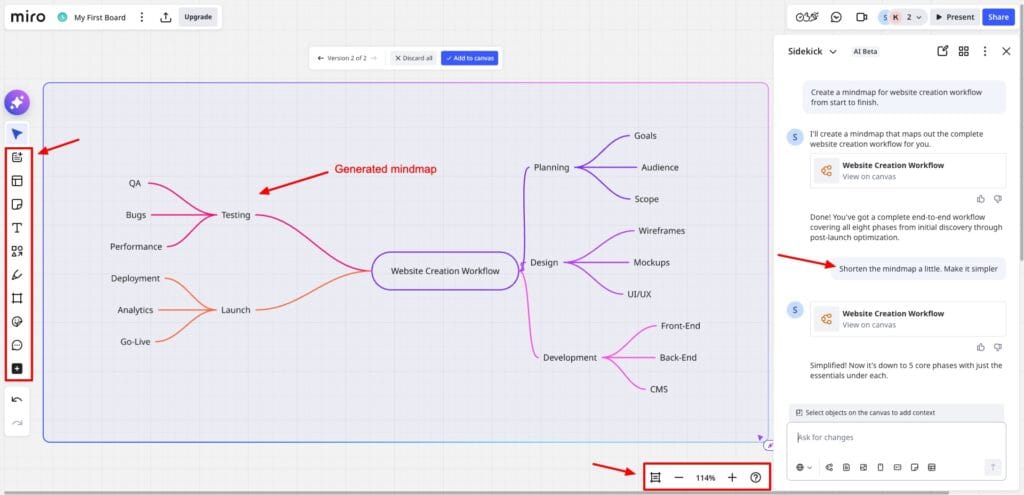
You can also record your generated mind map or use the presentation mode to present it live to your remote team. I liked the fact that it supports unlimited team members for collaboration, even on the free plan. To share your mind map, you can invite users with view, edit, or comment access, get the embed code, or publish it to the community.
Overall, I feel Miro can be slightly complex for beginners. It has a steep learning curve. It is perfect for early-stage businesses that need to discuss ideas, brainstorm concepts, create plans, and mind maps, etc.
Pricing: The free plan offers 3 editable boards and 10 monthly AI credits/team. Its paid plans start from $8/month, where you get unlimited boards with 25 monthly AI credits/member.
5) Lucidchart– Best for a Variety of Visual Diagrams
Lucidchart is an online visual collaboration tool. It offers a range of visual diagrams arranged in categories like processes, systems, planning, brainstorming, etc. After choosing a structure, it lets you manually create mind maps. It features basic tools and generates decent mind maps.
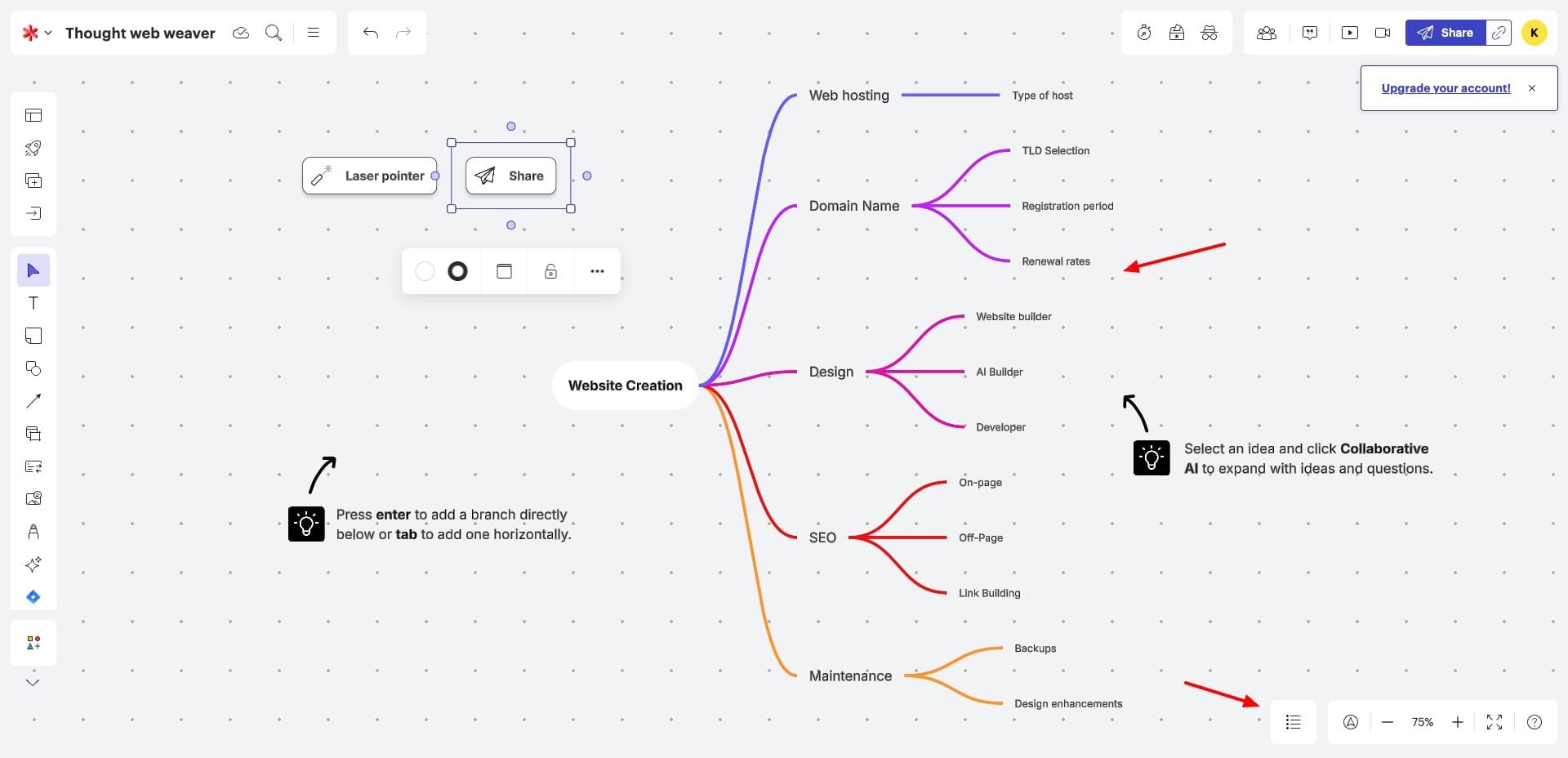
For sharing your creation, you can enable links with view, edit, comment, or edit and share access. Email invites can be sent too. Finally, if you want to create screen recordings or explainer videos with your mind map, Lucidchart also lets you integrate Loom and Zight apps.
If you need a simple mindmap creation software with screen recording integrations, Lucidchart is your best bet!
Pricing: For free, you can create 3 editable Lucidchart documents, insert 60 shapes per Lucidchart document, get 100 templates, and access to Lucid AI. Its paid plans start from $9/month, where you get unlimited editable documents.
6) Excalidraw– Best For Hand-Drawn Mind Maps
Excalidraw is a free and open-source online whiteboard and diagramming tool. To get started, you can use its Pen tool and start drawing. It features shapes and arrows to draw basic diagrams, and supports text, images, web embeds, and AI tools like text to diagram, wireframe to code, etc.
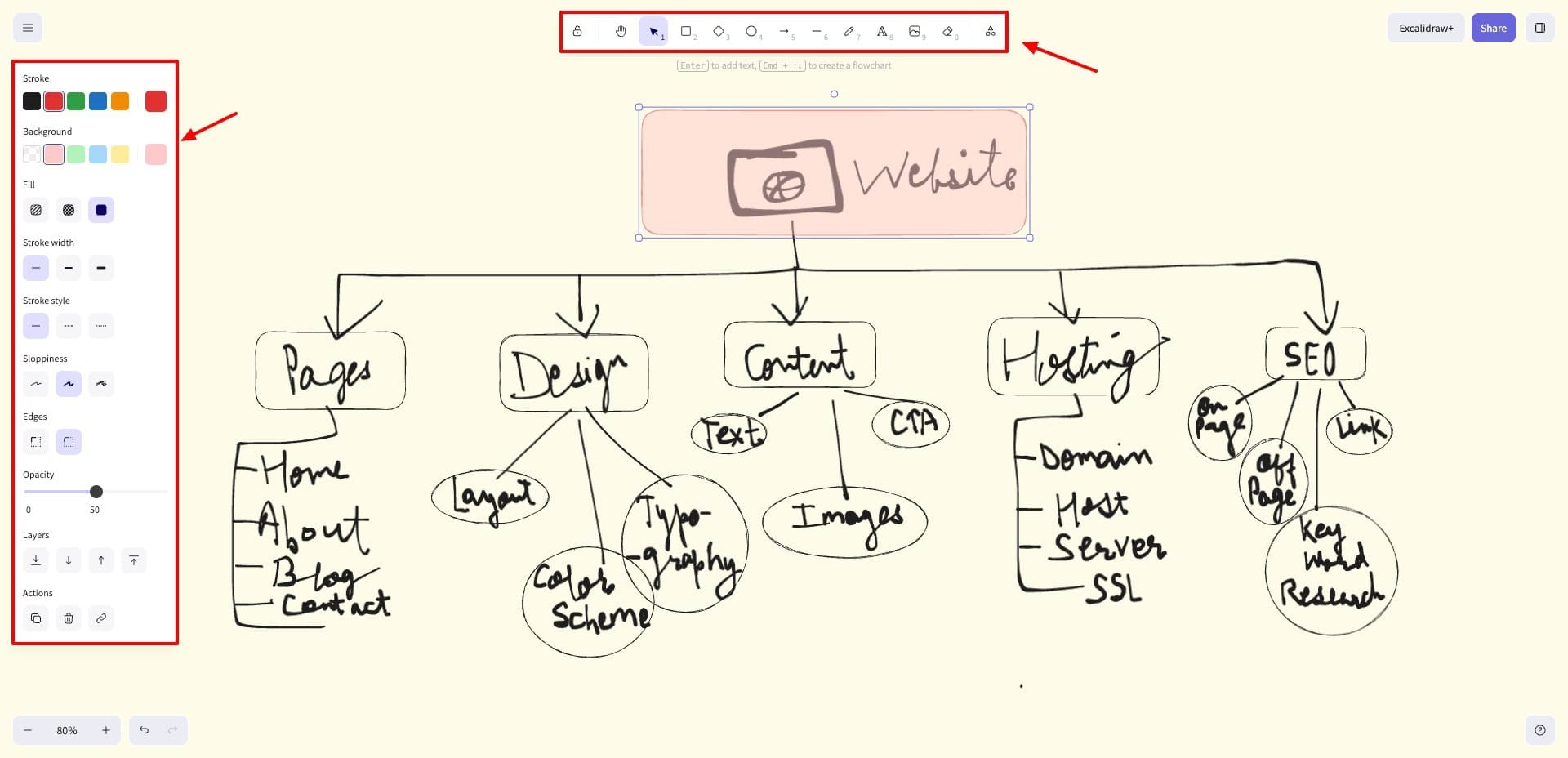
Your mind map can be shared as a link, or you can enable a live session andinvite collaborators to your drawing. The whole session is end-to-end encrypted, so the drawing or anything else shared while collaborating remains secure.
Check out this mind map created using Excalidraw! Overall, if you want to create secure hand-drawn mind maps, Excalidraw is the best option. Pricing: The free plan offers 1 infinite scene with unlimited collaborators. Its paid plans start from $6/user/month.
7) MindMiester– Best For Ease of Use
MindMiester is a popular online collaborative mind mapping tool. You start by choosing a type of structure from mind maps, org charts, lists, knowledge maps, business plans, etc.
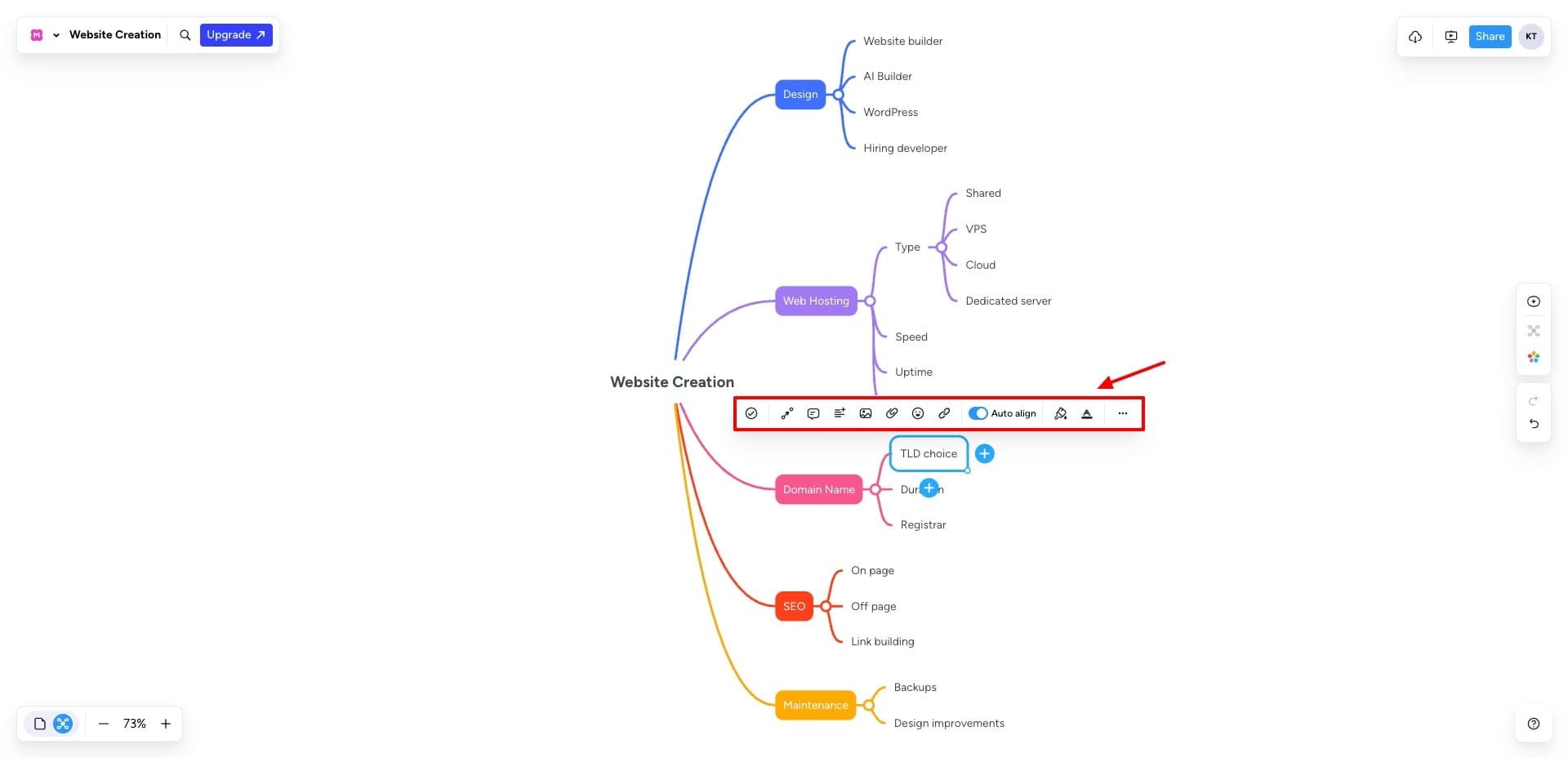
Once you choose a structure, type in your central idea and keep tapping the + icon to add branches and sub-branches. It also lets you insert comments, media, notes, attachments, icons, etc to your structure.
For sharing, you just need to publish the final creation, and you’ll get a public copy link along with an embed code. Overall, Mindmiester is great for those who prefer an easy-to-use tool for creating quick and effortless mind maps and diagrams.
Pricing: The free plan lets you create 3 mind maps and add unlimited collaborators. Its paid plans start from $3.50/month, where you can create unlimited mind maps.
8) Coggle– Best For Multiple Export Formats
Coggle is another collaborative mind-mapping tool. To start with it, just add your central idea in a box. Then, keep on adding branches as you move forward. You can also add emoji icons if you want. However, there are no other formatting options available with it.
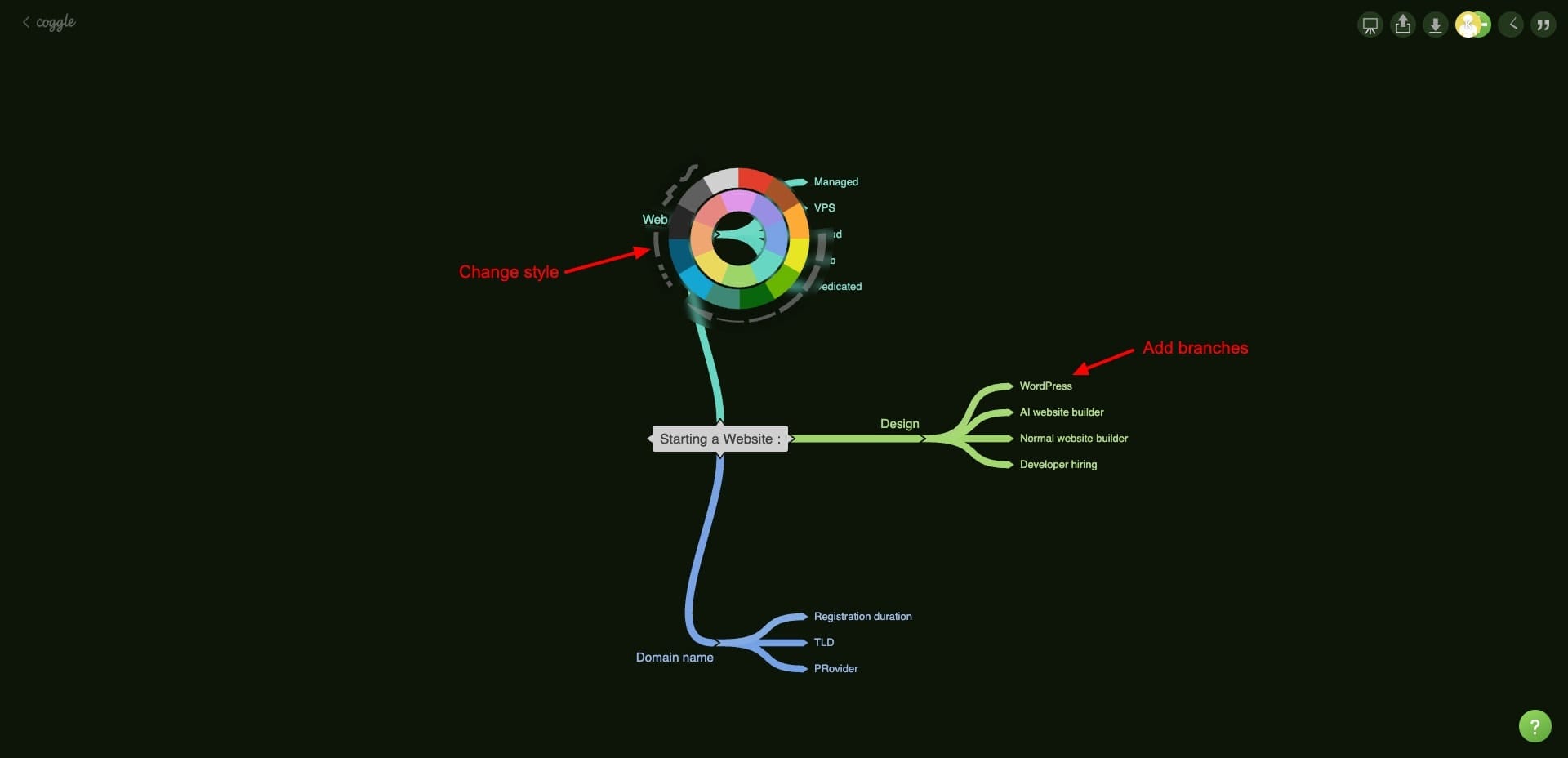
For making further customizations, you can right-click any of its branches and change their color. To collaborate, you can invite users via email, create private links with view access, QR codes, or get HTML code.
Your mind maps can be exported in multiple formats like PDF, PNG, Visio Flowchart (vsdx), .mm file, or plain text. Overall, if you need a basic mind map tool with multiple download formats, try Coggle.
Pricing: The free plan lets you create 3 private diagrams, unlimited public diagrams, real-time collaboration, and share via link or QR code. Its paid plans start from $5/month, where you get unlimited private diagrams.
9) FigJam – Best For Collaborative Drawing
FigJam is a web-based collaborative whiteboard tool designed by Figma. To start, you get a blank canvas. You can use its marker tool to draw structures and note concepts. It also features shapes, text elements, tables, comments, stamps, sticky notes, etc.
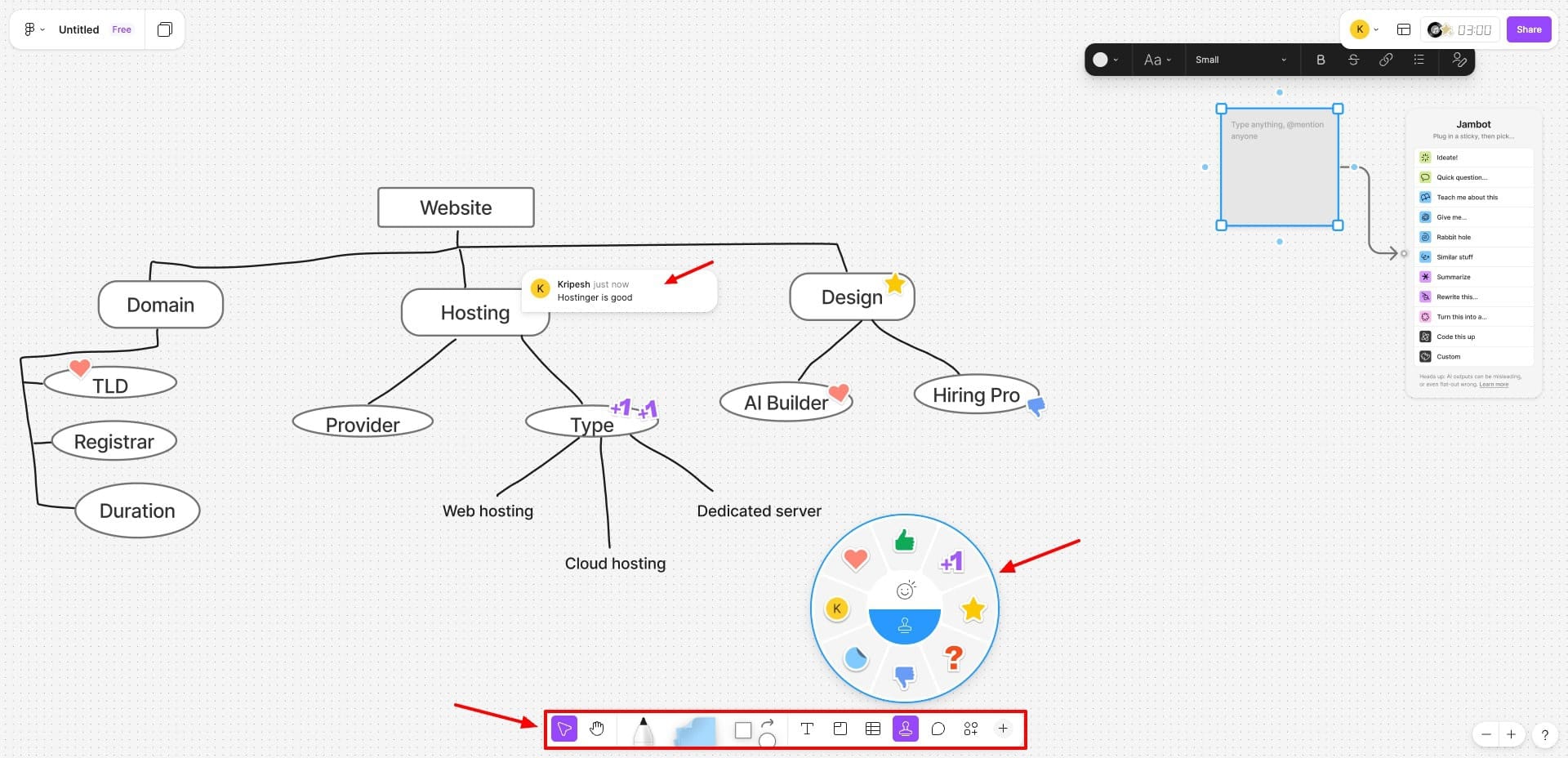
I liked the stamp feature. It is really useful for leaving feedback on ideas while collaborating. Next, it offers Jambot AI that can generate random questions, summaries, and facts for you. It’s best for interactive collaboration, but it cannot summarize your generated structures with AI.
Once you are done, you can copy the link and share it with view or edit access. Link password protection is available on the paid plan. You can also get embed codes or share email invites to specific users.
Overall, FigJam is ideal for small teams, educators, and creatives who prefer collaborative discussions and brainstorming sessions. But I wish it also had AI for refining our rough drawings and structures.
Pricing: The free plan offers 3 editable documents, 150 AI credits/day, and up to 500 AI credits/month. Its paid plans start from $9/month, where you get unlimited editable documents.
Key Benefits of Mind Map Tools
1) Unlimited Canvas
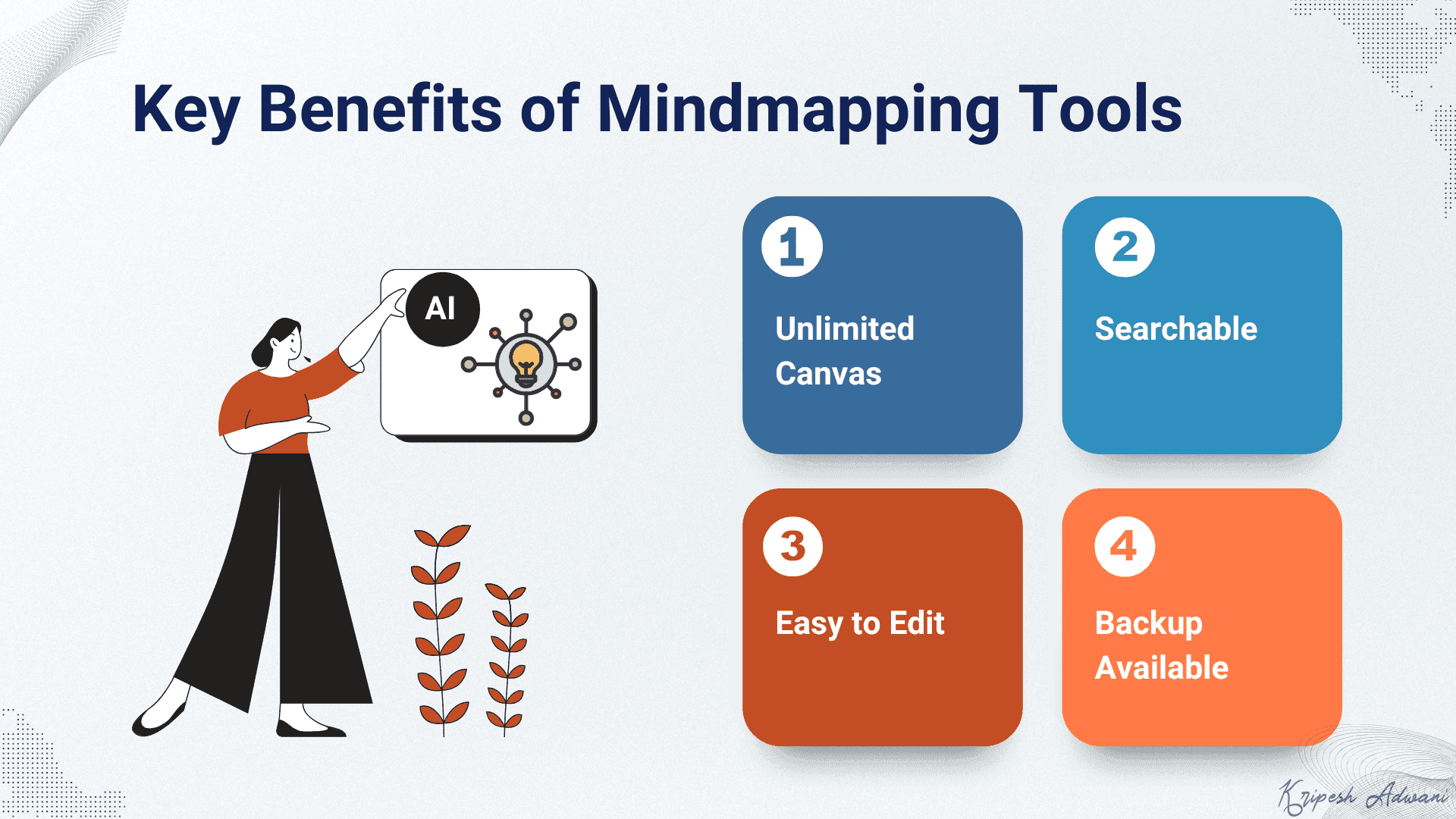
The traditional pen and paper method was quite convenient. But its major disadvantage was limited space. It was quite difficult to draw complex mind maps and structures on paper. But with mind map tools, you get an unlimited canvas to draw whatever you want.
2) Searchable
Mind maps designed on paper cannot be searched. You need to keep your mind maps stacked together and carry them everywhere. But mind map softwares store a list of all your mind maps. They can easily be searched via URLs or names and occupy minimal digital space.
3) Easy to Edit
With the pen and paper method, undoing your visuals or editing them is a mess. But with digital mind mapping software, making edits is super easy. Just hit the undo button or erase parts of your drawing and redesign something else within seconds.
4) Backup Available
If your mind map drawn on paper gets lost, you need to draw it again. But with mind map tools, your mind maps are stored on the cloud. You can keep backups of your important mind maps to access a copy if the original one gets deleted accidentally.
How Did We Test These Mind Mapping Tools?
To test the above mind-mapping software, I evaluated them on the following factors:
- AI capabilities: Prompt to mind map generation, AI refinements, AI chat features
- Input options: Text prompts, PDFs, YouTube videos, webpages, or URLs
- Mind map quality & structure
- Editing experience: Ease of manual edits, shortcuts, drag-and-drop, zoom & pan
- Customization Options: layouts, structures, colors, themes, and fonts
- Collaboration Features: real-time editing, comments, access controls, sharing options
- Export Options: Public/private links, embed codes, PNG, PDF, native file formats
- Free plan: AI credits, project limits, export access, collaboration limits
- Ease of use: Learning curve, beginner-friendliness, UI clarity
Based on these factors, I ranked the tools on my list.
Why Should You Trust Me?
I’ve been working remotely in the digital space since 2015. Over the years, I’ve taken part in multiple remote brainstorming sessions with my team, using various mind-mapping and visual thinking tools to turn discussions into clear, actionable plans.
Beyond team use, I rely on mind-mapping tools to illustrate complex ideas and concepts for my YouTube content and written guides. Recently, I’ve also tested AI-powered mind-mapping tools, comparing how well they generate, refine, and structure ideas in real-world scenarios.
This hands-on experience helps me separate genuinely useful tools from hype. So, every recommendation in this article is based on practical testing, not marketing claims.
Conclusion
In this article, we looked at the Best Mind Mapping Software for 2026. These tools help you organize your thoughts and stay focused. My personal favorites are Mapify for its AI capabilities and Excalidraw for its pen-and-paper feel.
Have you used any mind-mapping software? How was your experience with them? And do you have any recommendations? Do share with me in the comments below. Also, if you’re into mind mapping, you’ll also love these AI Note Taking Apps to enhance your productivity!
Anyway, this is Kripesh signing off. Cheers, and keep learning!
FAQs
How are AI-powered mind-mapping tools different from traditional mind maps?
Traditional mind map software provided you a blank canvas along with tools like markers, shapes, etc to manually create mind maps. But AI mind mapping tools accept prompts or files as inputs and automatically generate mind maps from them.
Can AI mind-mapping tools create maps from PDFs, YouTube videos, or webpages?
Yes, AI mind-mapping tools can create detailed and well-structured mind maps from your PDFs, videos, and webpage URLs within seconds.
Do mind-mapping tools allow AI-based editing or refinement after the map is created?
Yes, some tools like Mapify and Mindmap AI let you further refine mind maps using AI after the initial structure is generated.
Which mind-mapping tools are best for real-time collaboration and team brainstorming?
FigJam is a great mind map tool for collaborative brainstorming sessions with your teammates in real time.