Ever felt like your to-do list keeps growing, but your productivity doesn’t? You write tasks down, rearrange them endlessly, and still end the day wondering what actually got done.
That’s where AI-powered to-do list apps step in. These tools analyze your workload, understand priorities, and help you decide what to work on next, without constant manual planning.
In this article, I’ll walk you through the Best AI To do List Apps for 2026, highlight the features that truly matter, and explain how they differ from traditional task managers. This guide will help you choose an AI to-do list app that genuinely makes your day easier and more productive.
So, with no more delay, let’s get started!
- What is an AI To-Do List App?
- Best AI To do List Apps 2025
- 1) Todoist – Best For Smart Task Creation With Voice
- 2) SkedPal – Best For Intelligent Task Scheduling
- 3) Saner.ai – Best For List Generation and AI Assistance
- 4) Asana – Best For Project Tracking
- 5) Notion AI – Best for AI Productivity
- Benefits of Using AI To-do List Apps
- Why Should You Trust Me?
- Conclusion
- FAQs
What is an AI To-Do List App?
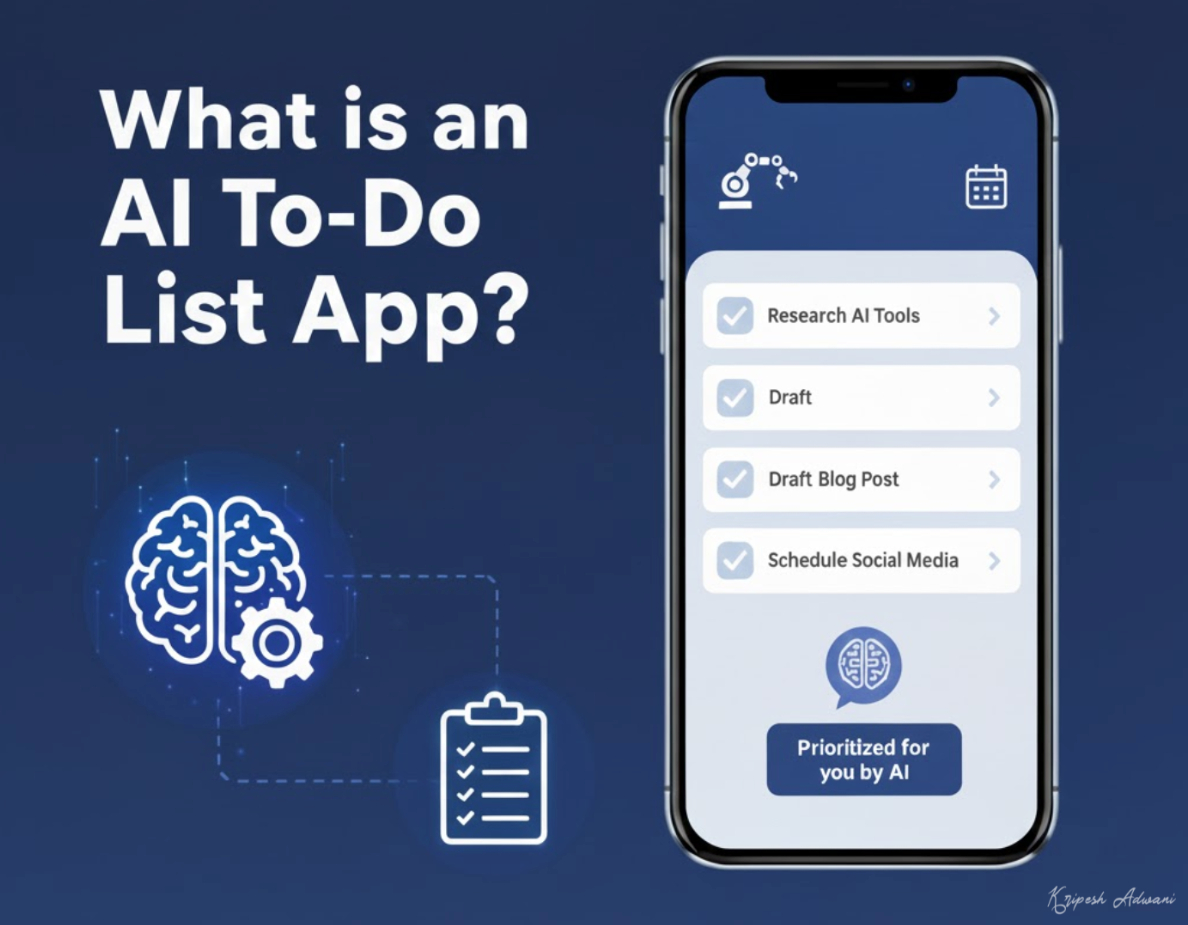
An AI-powered to-do app uses artificial intelligence to understand, organize, and suggest tasks automatically, instead of relying on manual inputs. Unlike traditional to-do apps, where you create & manage everything yourself, AI to-do list apps actively assist you in planning tasks.
This shift is already happening. As per Google’s Report, 9 out of 10 tech workers are now using AI tools at work. AI to-do list apps are part of this change, helping professionals reduce manual planning and decision fatigue, stay focused on high-impact work, and avoid forgotten tasks.
Best AI To do List Apps 2025
| Tool Name | AI Features | Best For | Pricing |
| Todoist | Ramble Tool | Simple AI task creation | 5 projects & 1 week activity history for free. Paid plans start from $5/mo. |
| SkedPal | Time Maps, AI Scheduling Engine | AI time-based scheduling | Fully featured 14-day free trial. Paid plans start from $9.95/mo. |
| Saner AI | Smart Add, Skai AI Assistant | AI-assisted task + knowledge | 30 AI messages & 30 AI requests/mo. Paid plans start from $16/mo. |
| Asana | Asana AI | Team project management | Fully featured 14-day free trial. Paid plans start from $10.99/mo. |
| Notion | Notion AI Suite | Flexible all-in-one workspace | Unlimited pages and blocks & 20 AI responses for free. Paid plans start from $10/mo. |
1) Todoist – Best For Smart Task Creation With Voice
Todoist is one of the most popular to-do list apps used by 50 million professionals globally. To start with, you can add your tasks along with a description, due date, priority, reminder, and label. It offers a list and board view for your tasks on the free plan.
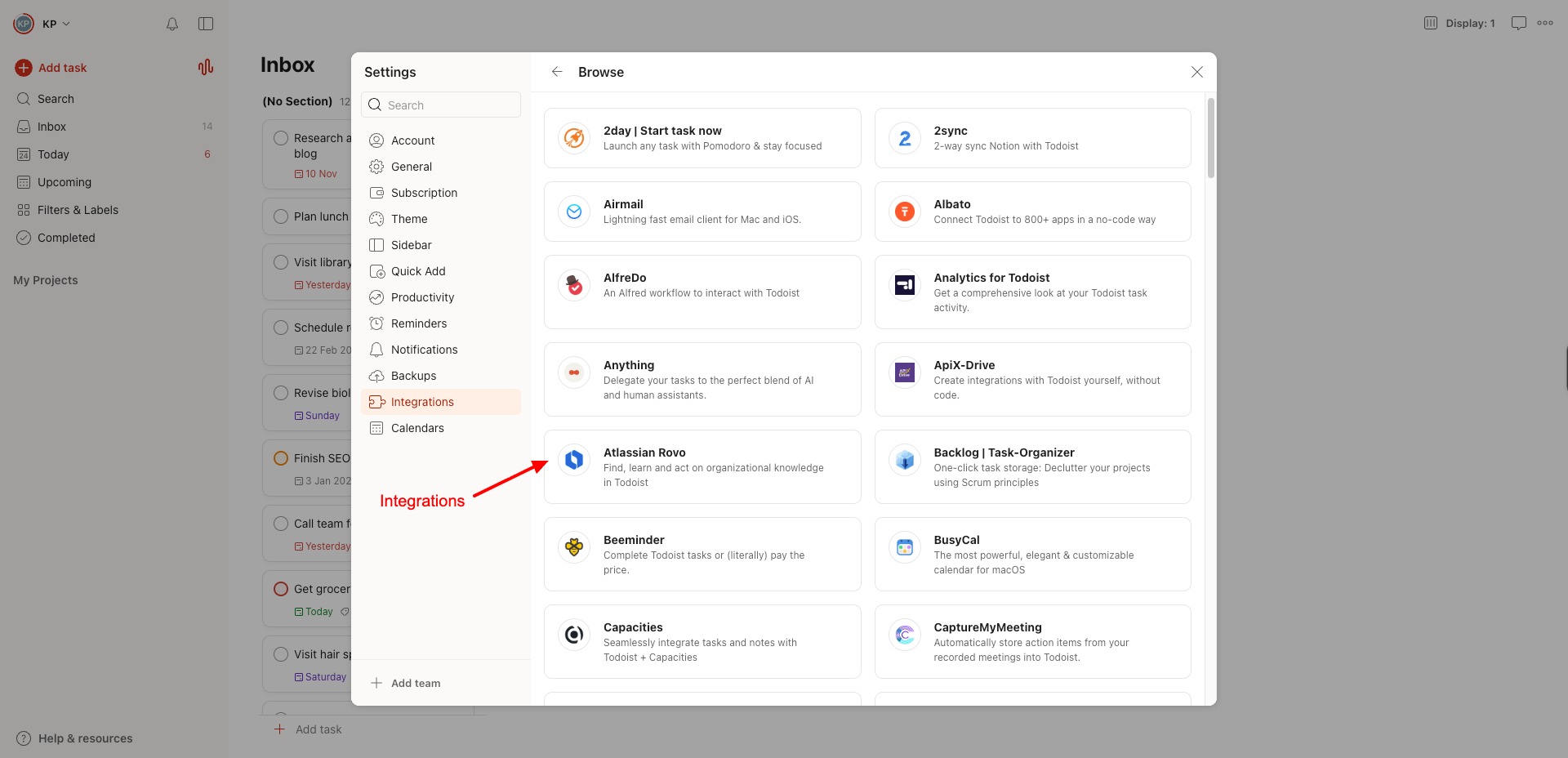
You can connect your Google or Outlook calendar to view your meetings, deadlines, and important events on Todoist. Additionally, it also offers integrations with 100+ apps, including Chrome, Evernote, Fireflies, Gmail, Slack, Zapier, Outlook, and more.
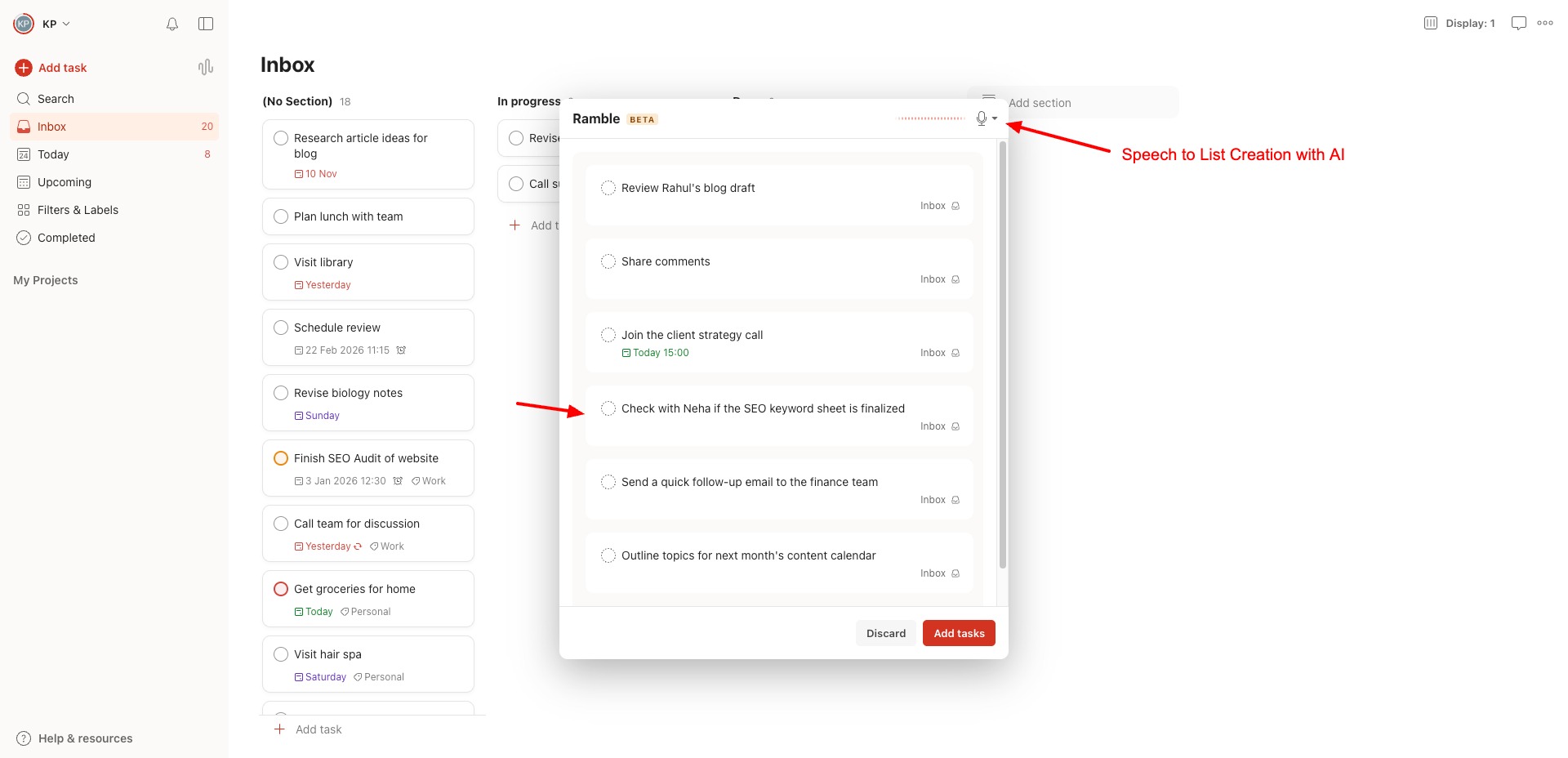
Talking about AI features, Todoist offers a Ramble tool that lets you speak in natural language and automatically creates actionable to-do lists out of it. The home page offers categories like Today, Upcoming, and Completed tasks to stay updated with your progress.
You can also create new projects and labels to organize your daily tasks. They have a list of project templates in categories like work, education, management, sales, etc. Projects can be shared with other users via links or by entering specific email addresses.
Overall, if you need an easy-to-use to-do list app with the convenience of generating lists by talking to the AI, Todoist is the best app to try!
Pricing: On the free plan, you can create 5 personal projects and access list and board layouts, task reminders, 3 filter views, and 1 week’s activity history. Its paid plans start from $5/user/month.
2) SkedPal – Best For Intelligent Task Scheduling
SkedPal is an AI-powered to-do list and smart calendar app trusted by over 4k+ organizations, including Google, Microsoft, Uber, and more. It turns your to-do lists into a dynamic schedule you can edit and reorganize.
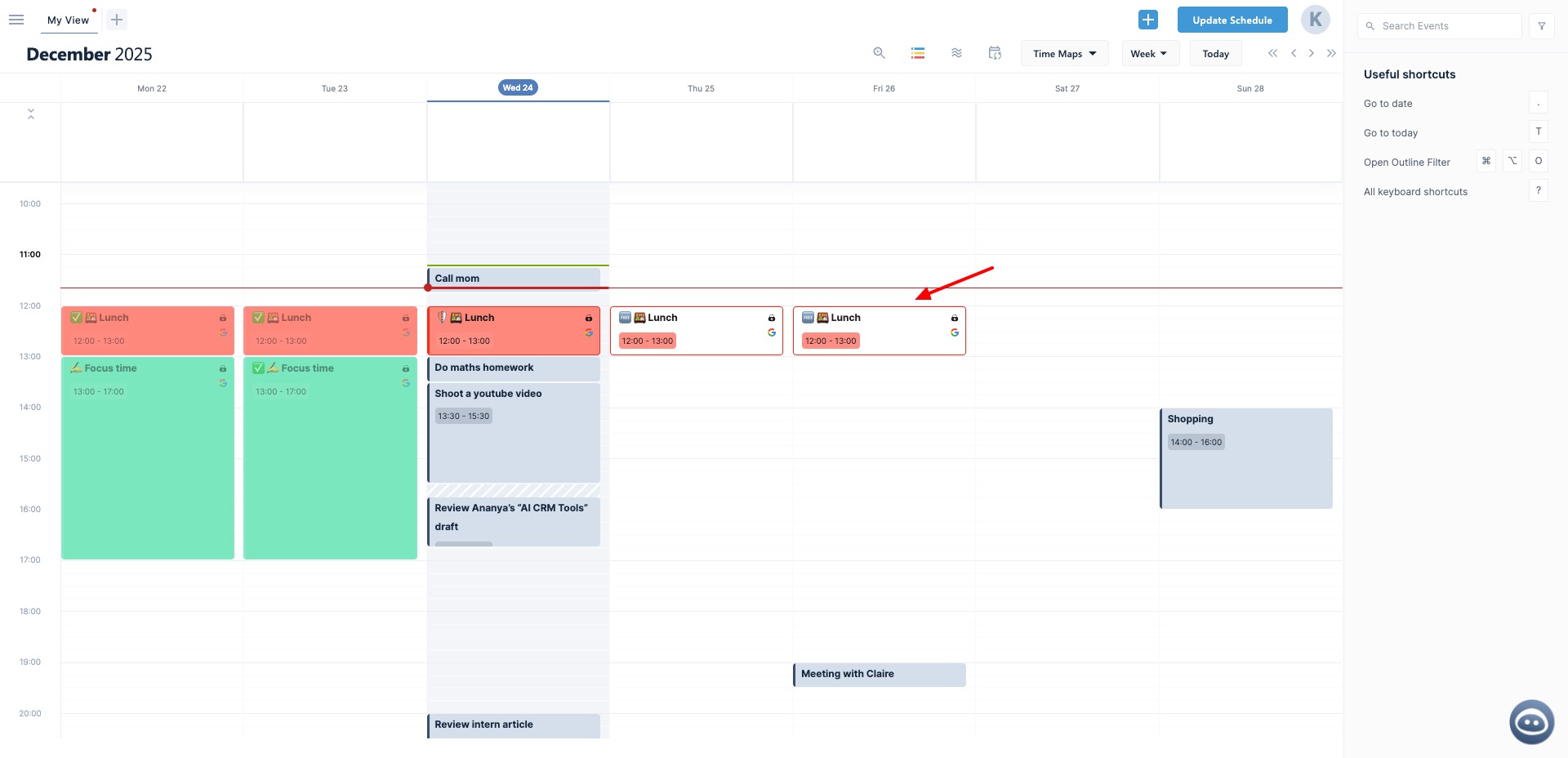
To start, you need to enter your tasks with a due date and the time required to complete them. It’ll automatically schedule them on your calendar. You can also connect your Google, Microsoft 365, or iCloud calendars to keep your tasks synced with SkedPal, & integrate with Asana and Zapier.
Next, it lets you design a time map with different colors representing your priorities. For instance:
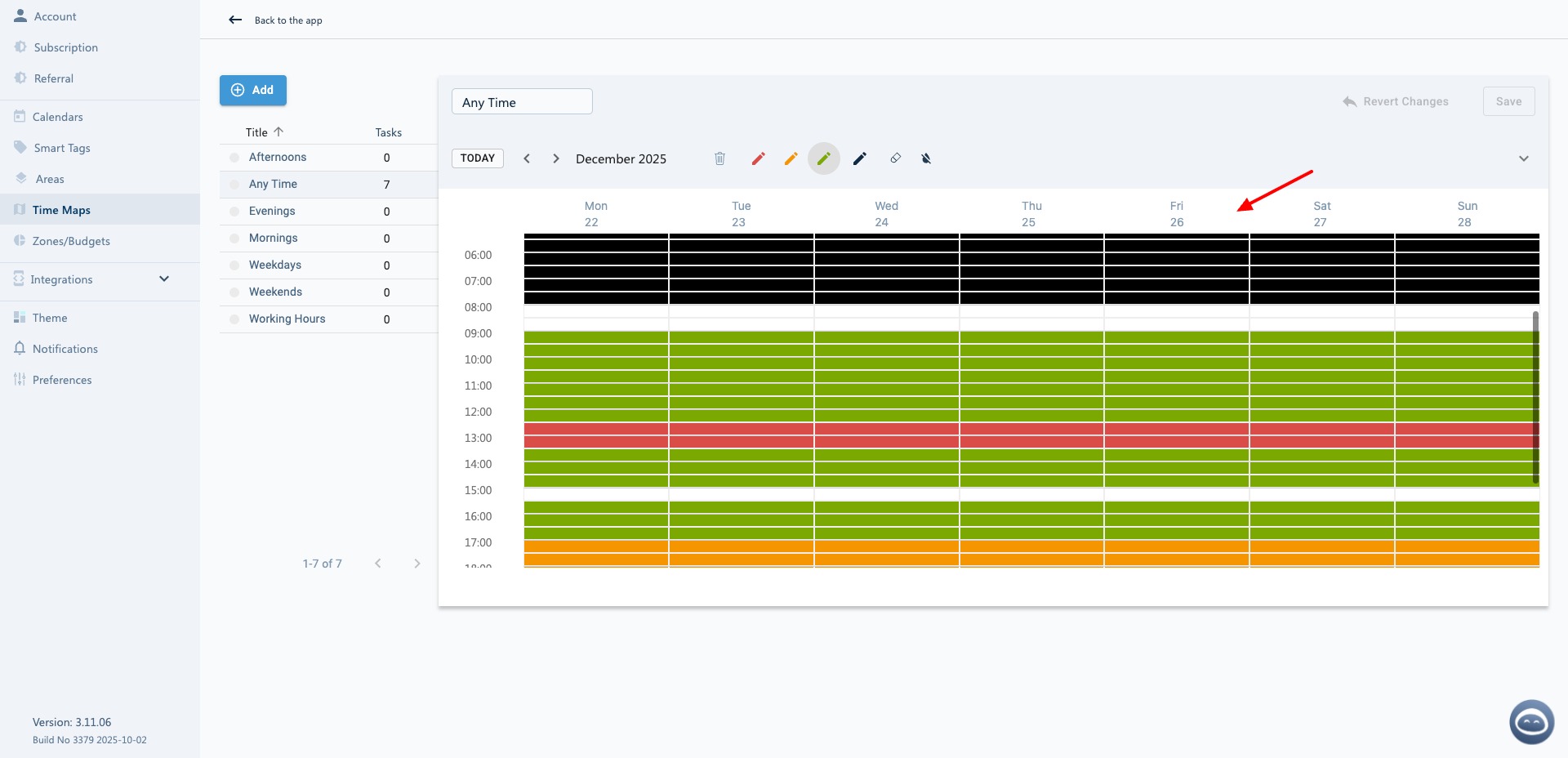
- Green Hours: Represents your most preferred working durations. The AI will always start scheduling your tasks in these hours.
- Yellow Hours: If there isn’t enough time on the green slots, your tasks are scheduled in the yellow hours.
- Red Hours: If there isn’t sufficient time on the green and yellow hours, SkedPal will resort to scheduling your tasks on the red hours.
- Blank Hours: If no other options are available, the AI will use the unused hours available on your daily plan.
- Black Hours: These are exclusive time blocks not assigned to any task unless manually allowed.
Now, if you have tasks with overlapping time durations, SkedPal will use its AI scheduling engine to make the right choices as per your priorities. I really liked how it transforms my boring to-do lists into visually appealing calendar events. It helps me stay productive and engaged.
Overall, if your schedule is regularly packed with dozens of tasks and overlapping meetings, SkedPal is a great app to try! It frees your mental space by intelligently scheduling your tasks as per your set priorities.
Pricing: It offers a 14-day free trial, where you get all the features of SkedPal. Availing the free trial doesn’t require your credit card details. Its paid plans start from $9.95/month.
3) Saner.ai – Best For List Generation and AI Assistance
Saner AI is an AI-powered productivity assistant specially designed for users with ADHD. Besides creating to-do lists, Saner works as a second brain, bringing your notes, documents, emails, and tasks into a single database.
To create a to-do list, simply enable your mic and start dictating your tasks in natural language. It will automatically create a to-do list for you, which can be viewed in the Calendar view. It uses AI to automatically suggest under which category or project you should add your list of tasks.
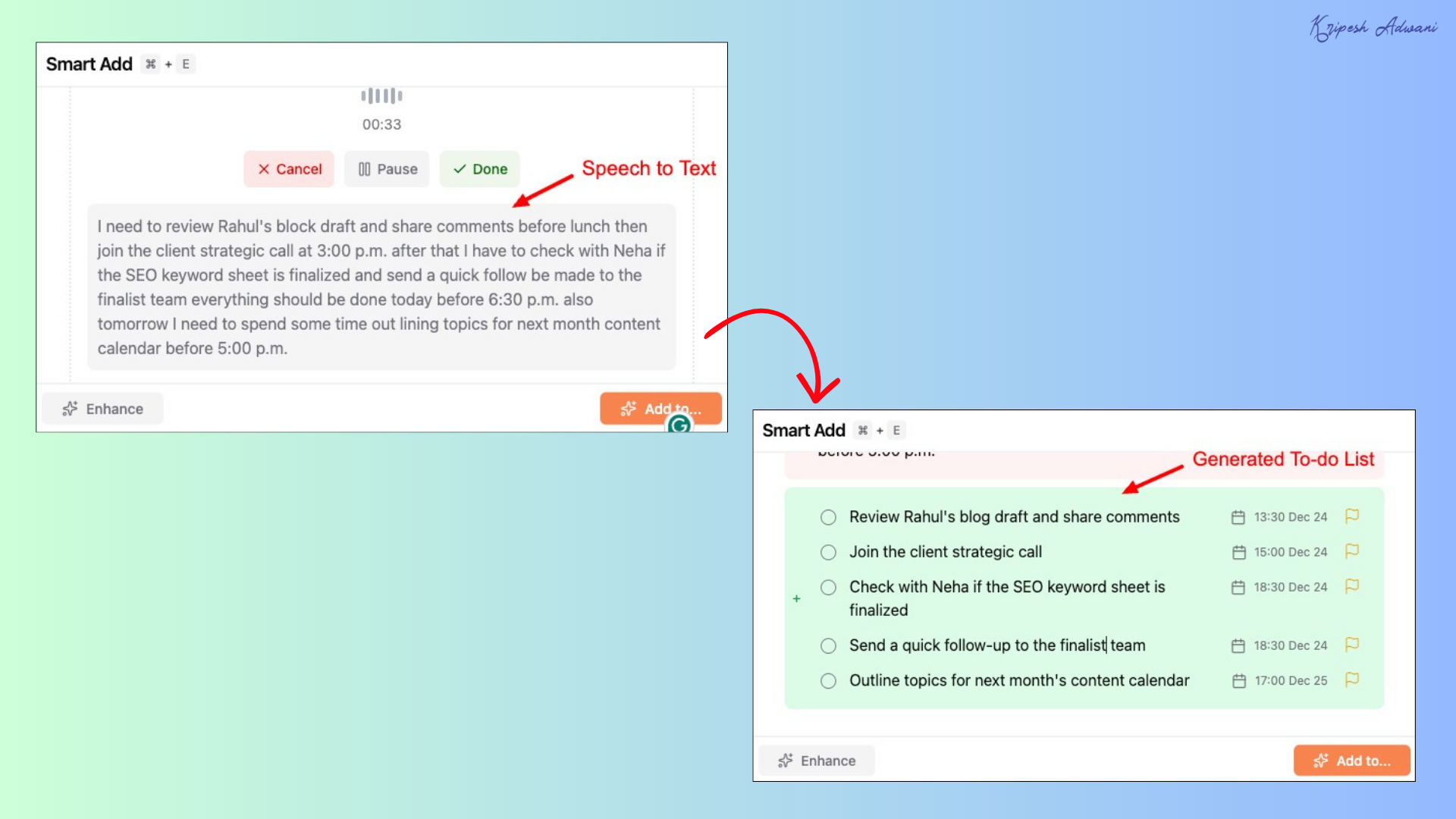
You can also connect your Gmail, Google Calendar, Drive, and Slack accounts to keep your data synced. Saner’s another impressive AI feature is Skai. It’s their in-house productivity assistant that works on the latest GPT-5 model. You can also select from multiple other models.
It has 3 different modes you can use for different purposes.
- Skai: AI personal knowledge assistant
- Online: Chat with real-time internet access
- Search: AI-powered search engine
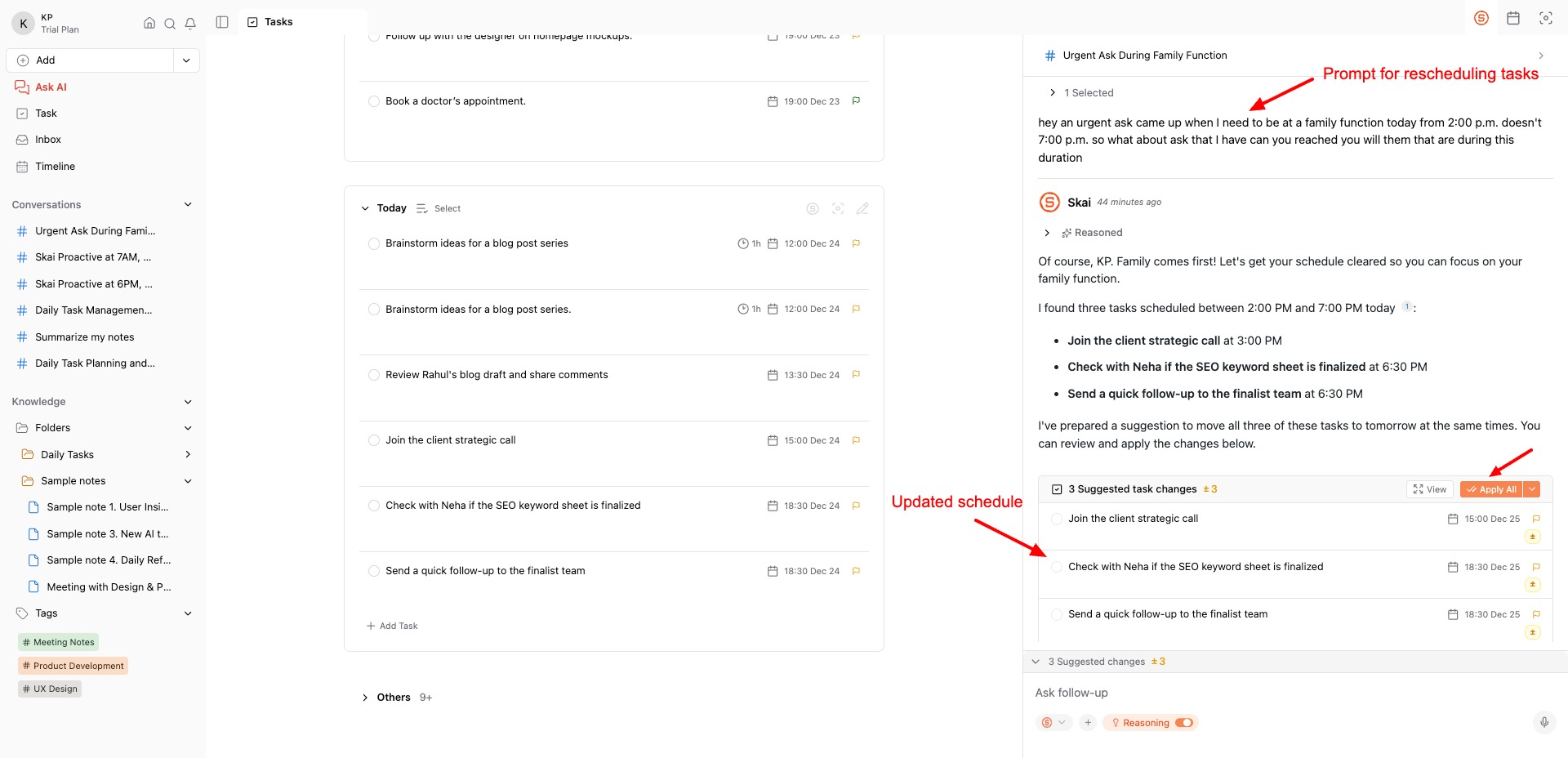
The AI assistant can help you with different tasks. For instance, rescheduling or canceling a specific task, or researching something online. For use cases requiring logical precision, you can enable the ‘Reasoning’ feature.
Overall, if you want a smart AI assistant for creating lists, updating and scheduling your tasks, and using AI assistance with multiple AI models, use Saner AI. However, its AI speech-to-text model can be improved. It doesn’t transcribe speech accurately at the moment.
Pricing: The free plan offers 30 monthly AI messages, 100 notes, 100 MB storage, and 30 monthly AI requests. Its paid plans start from $16/month, where you get unlimited AI messages and 100 daily AI requests.
4) Asana – Best For Project Tracking
Asana is a renowned work management and project tracking app used by professionals. 85% of Fortune 100 companies, including Salesforce, Slack, Amazon, Accenture, and Dell, use Asana.
To start with Asana, you simply need to create a new project by choosing a template from its list. Then, you can enter your tasks into it along with a due date, collaborator, etc, and track its progress. It offers multiple views, like board view, list view, and calendar view, for better visualization.
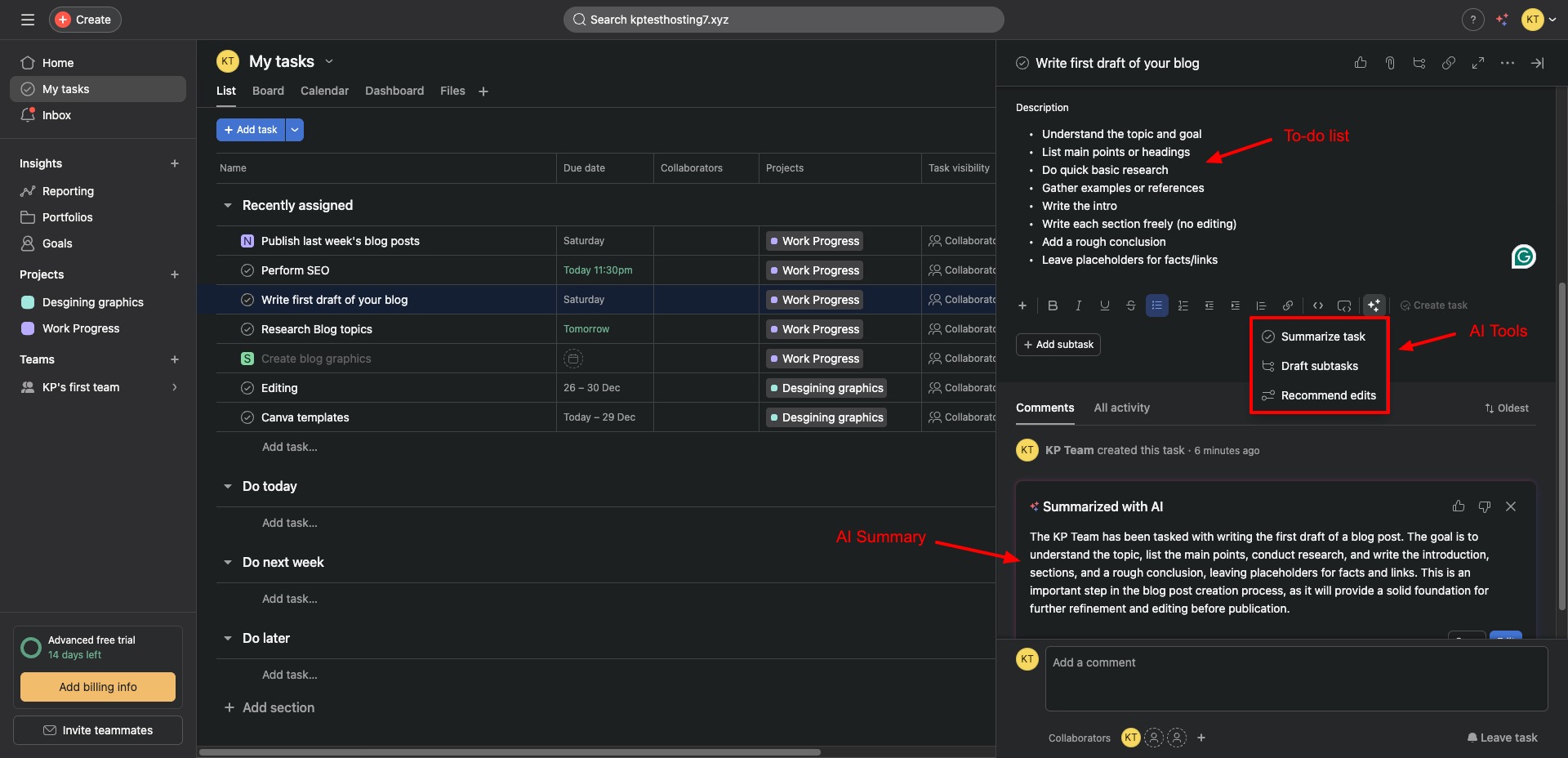
But the most striking feature of Asana is Asana AI. It is basically a suite of AI tools that eliminate manual work and speed up your workflow. While creating a task, you can use it to summarize tasks, draft subtasks, and recommend edits.
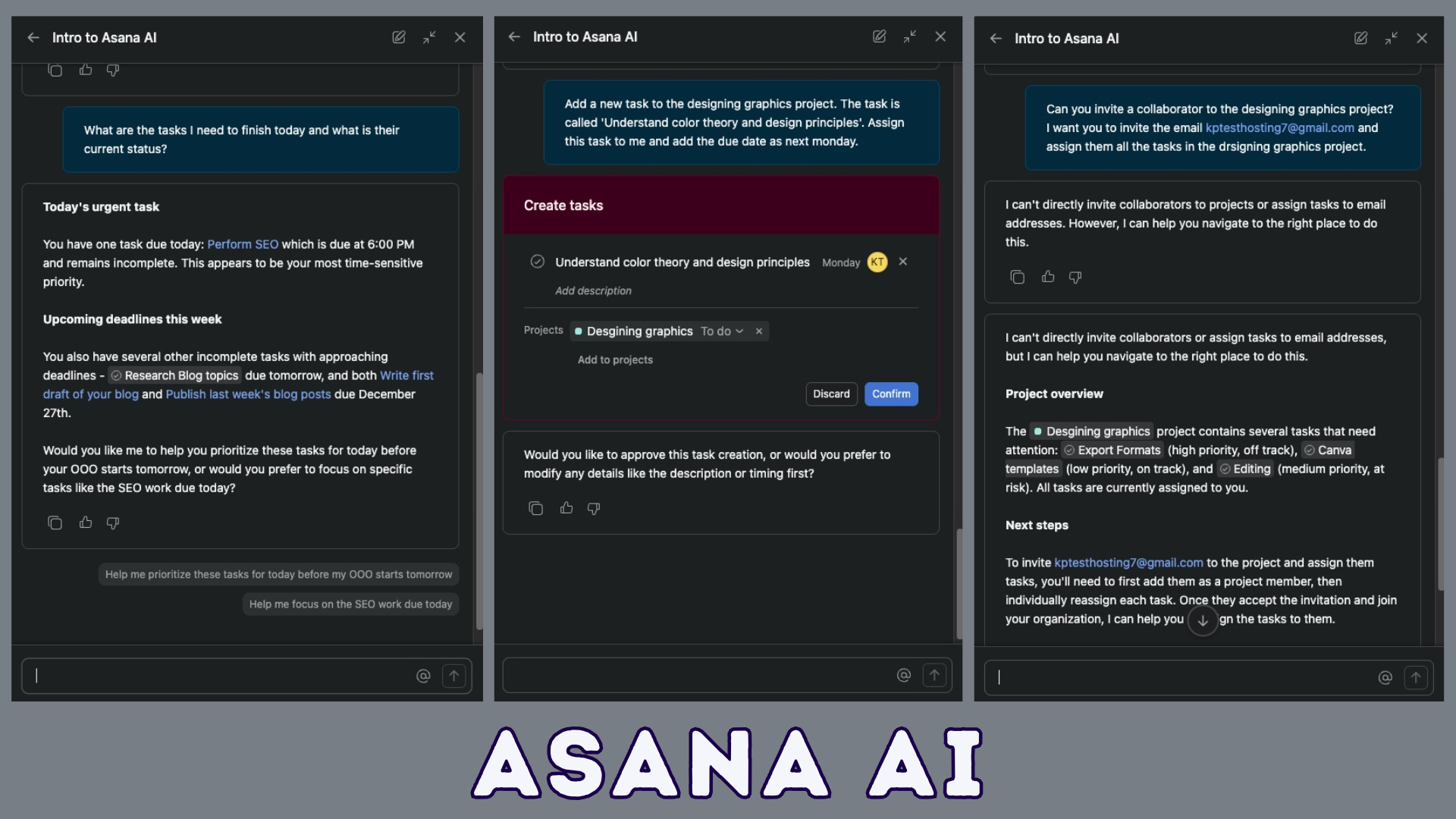
They also have a dedicated Asana AI chatbot that helps you create, update, and monitor your goals, create and assign tasks, assist with project rules, and more by just typing your requests in natural language.
It also offers integrations with 300+ apps, like Slack, Gmail, Microsoft Teams, Google Drive, Stripe, Canva, Tableau, Jira, Zendesk, Zapier, and more. Overall, Asana is great for professionals who need to speed up or automate tasks to enhance productivity.
Pricing: You get a 14-day free trial of the Advanced plan with all the features, including Asana AI. Its paid plans start from $10.99/month.
5) Notion AI – Best for AI Productivity
Notion is an all-in-one digital workspace and productivity app. You can use it for note-taking, project management, knowledge base creation, and a lot more. To start, you just need to create a new page on Notion and use the forward slash (/) command to select the to-do list.
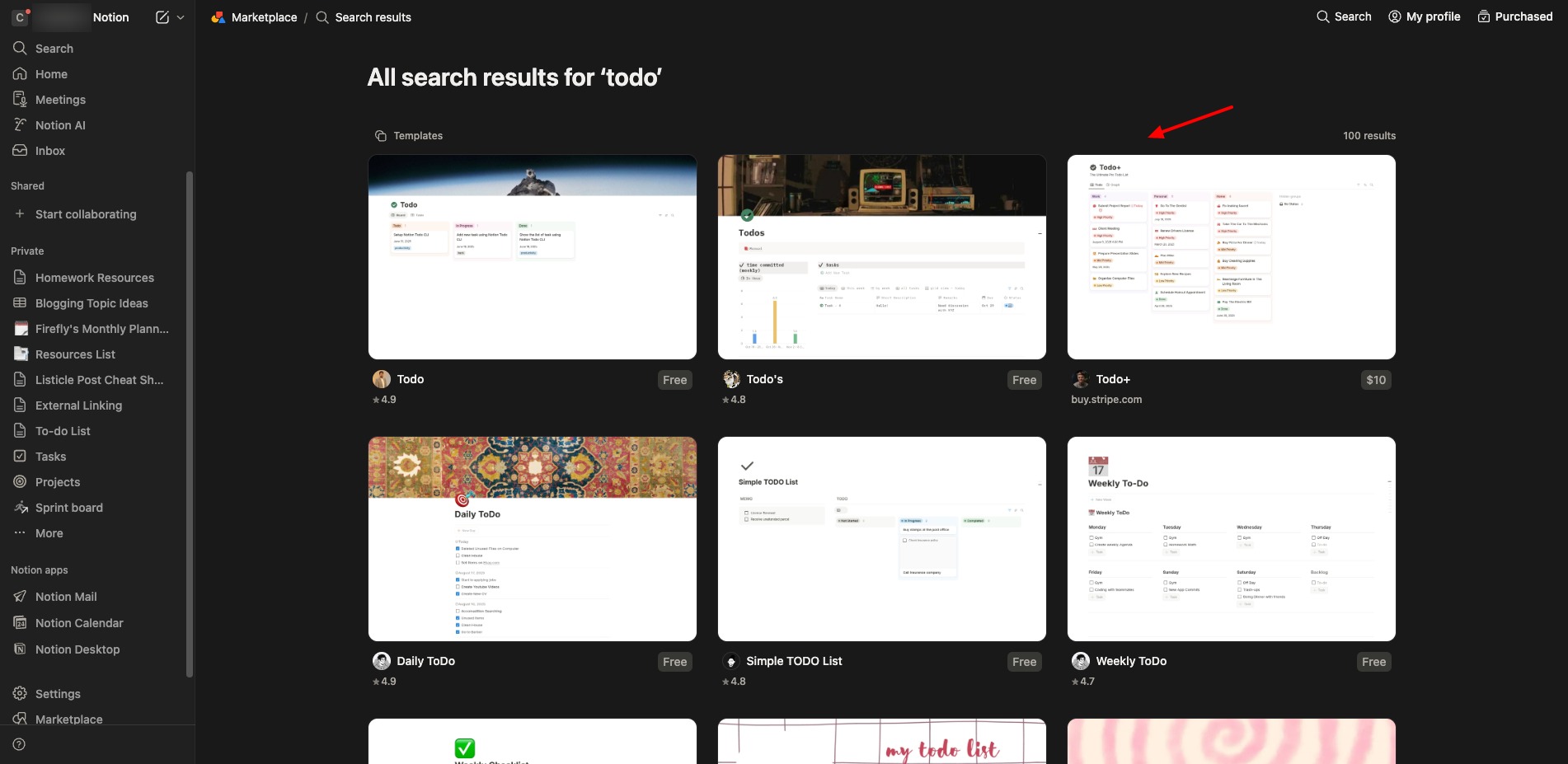
Alternatively, you can go to the Templates section and select your preferred to-do list template from its library. There are lists in Kanban view style, bulleted list style, checklist style, and more. For each entry, you can set a deadline, collaborators, status, priority, and add other metrics, too.
Though it doesn’t offer AI features directly for creating to-do lists, you get the Notion AI suite on the free plan. You can chat with it to make edits and updates to any page, or use it to summarize your lists, ask questions, shorten, elongate, or improve writing, and more.
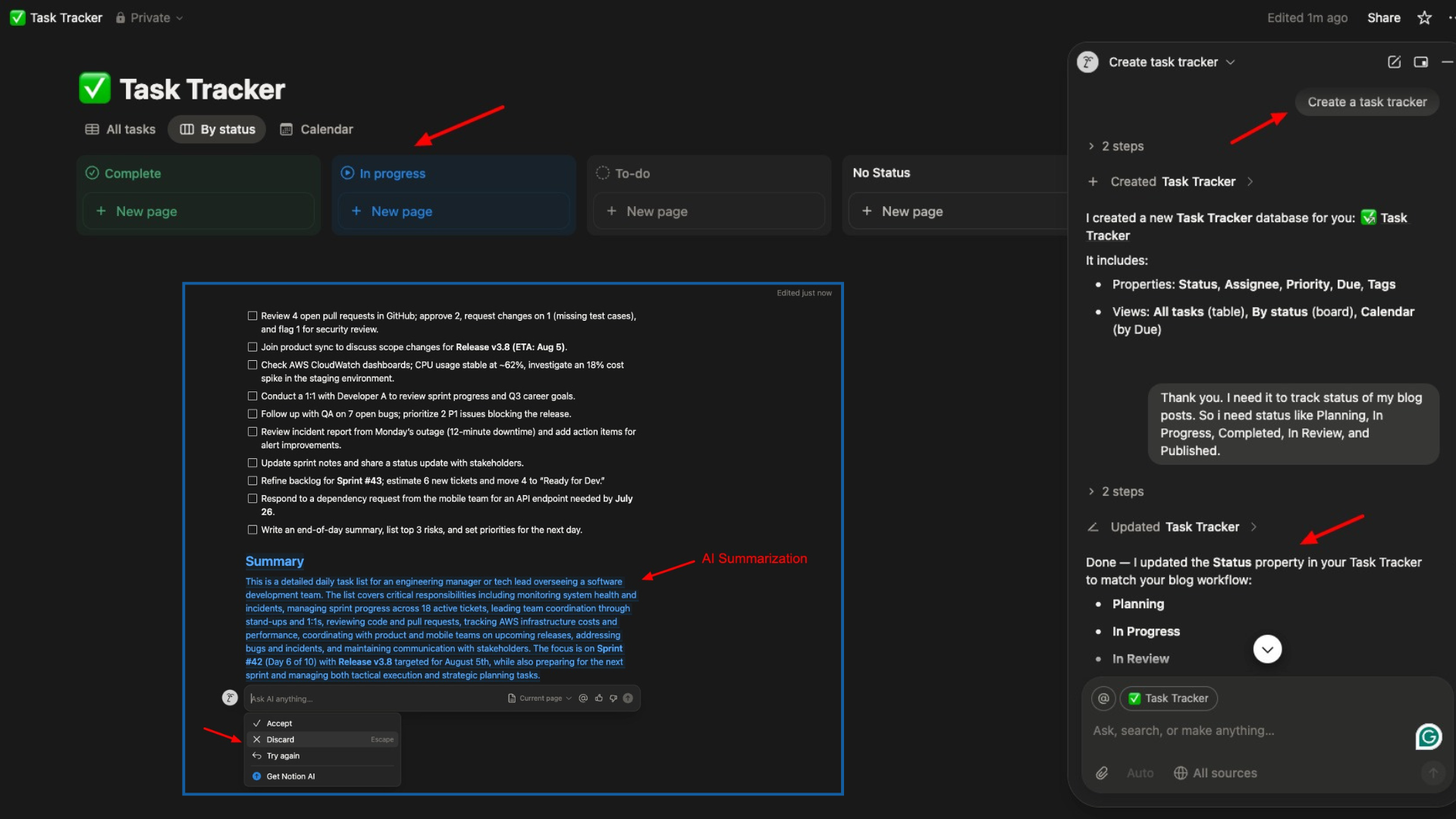
Overall, Notion is a power-packed productivity tool for small teams and individual users. It’s great if you want to manage multiple projects, collaborate with teammates, and use AI to summarize and enhance your lists.
Pricing: The free plan lets you create unlimited pages and blocks, upload files up to 5 MB, get a 7-day version history, invite 10 guests for collaboration, and get 20 AI responses as a free trial. Its paid plans start from $10/month.
Benefits of Using AI To-do List Apps
There are multiple benefits of using AI-powered to-do list apps. Let’s look at the major advantages below.
1) Quick Task Capturing
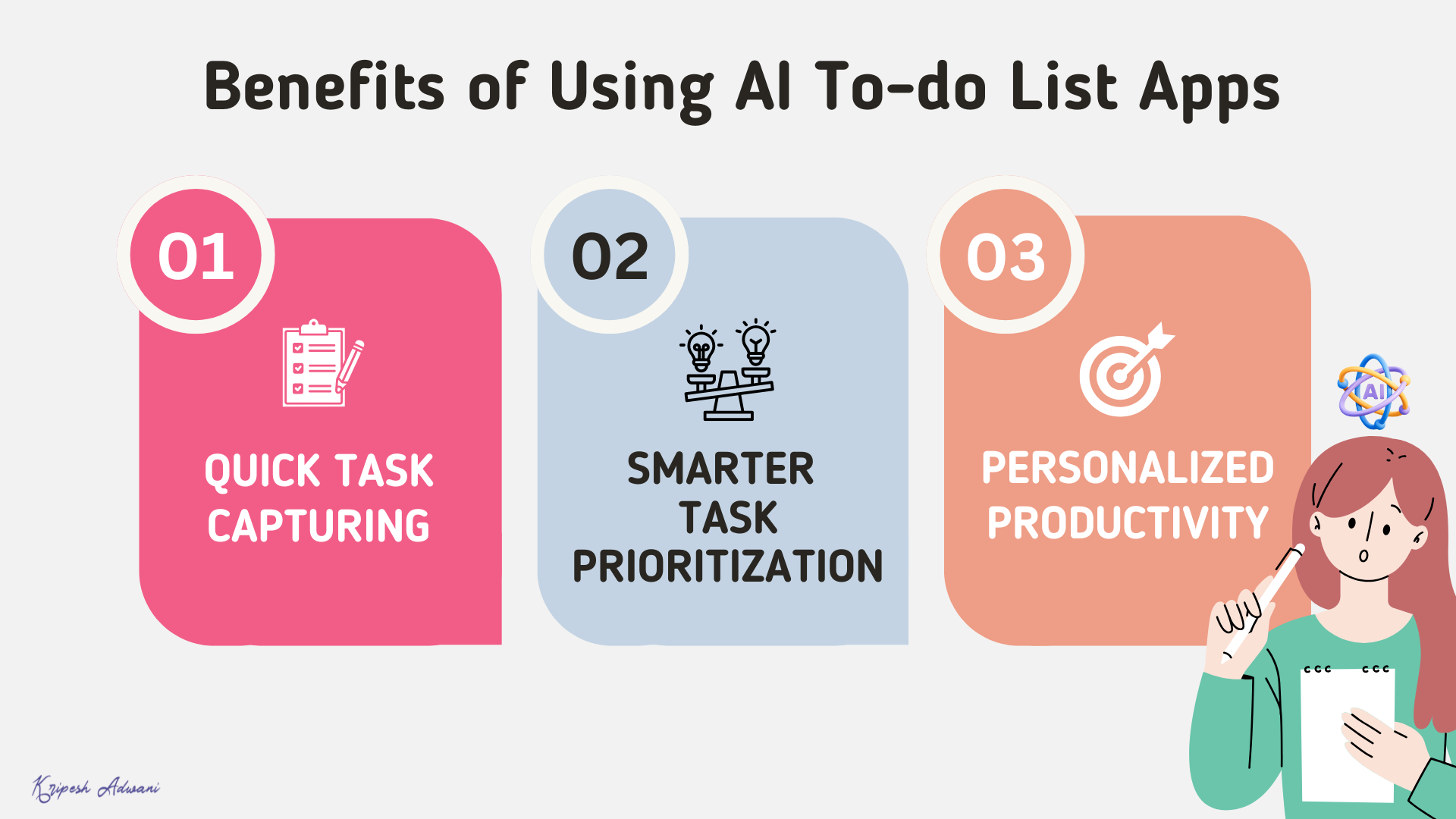
Instead of manually typing your tasks and setting deadlines, you can just narrate your tasks in natural language. The AI analyzes your speech to identify the task, date, priority, and context, speeding up task entries.
2) Smarter Task Prioritization
AI-powered to-do list apps can automatically analyze your deadlines, workload, and urgency to prioritize tasks that need your attention. This helps you focus on tasks that truly matter.
3) Personalized Productivity
The AI keeps improving its task suggestions, reminder timing, and priorities as it learns your work patterns. This helps in boosting your productivity over time.
Why Should You Trust Me?
I’ve been working full-time in the digital space since 2015, with remote work at the core of my career for nearly a decade. Collaborative task management and to-do list apps play a critical role in how I plan my day, manage deadlines, and stay productive while working remotely.
Over the years, I’ve tested and used a wide range of productivity tools, including AI-powered to-do list apps and more. I’ve reviewed Mac productivity apps, Firefox Extensions for Productivity, Chrome Extensions for Productivity, AI tools for remote work, and dedicated productivity software like Voila and Merlin.
This hands-on experience helps me separate genuinely useful AI features from hype, so the recommendations in this article are based on practical, real-world use.
Conclusion
AI to-do list apps can save you a significant amount of time while helping you stay focused and organized. They don’t just store tasks; they think with you and help you perform tasks with less effort and better clarity.
My personal favorites are Skedpal and Saner AI, especially for their ease of use, intelligent task creation, and planning. I’ve been using Notion for remote collaboration with my team for several years now. It works well as both a project management tool and a to-do list app.
Have you tried any AI-powered to-do list apps yet? How was your experience? Let me know in the comments section. And if you’re into productivity, check out my curated list of the Best AI Meeting Assistants for 2026.
Anyway, this is Kripesh, signing off. I’ll be back with more interesting articles soon. Cheers, and keep learning. 🙂
FAQs
Is Todoist good for AI-powered task creation?
Yes, you can easily create actionable to-do lists using natural voice input with Todoist’s Ramble tool.
Which tool is best for AI task scheduling on calendars?
SkedPal is best for intelligently scheduling tasks on your calendar based on priorities and available time.
Which tool is best for AI-assisted list creation and ADHD-friendly workflows?
Saner AI is best for AI-powered list generation, task updates, and second-brain style productivity support.
Which tool is best for team collaboration and managing multiple projects?
Notion AI is best for managing shared to-do lists and projects, and using AI to summarize and improve tasks.
Which tool is best for automating AI tasks and managing team projects?
You can use Asana AI to automate your task creation, summarization, and tracking across team projects.