Building a visually appealing website is not easy, especially if you’re not a developer or a designer. For many small businesses, the lack of technical skills often leads to websites that look outdated, feel clunky, or simply fail to drive results.
This is where Brizy Cloud takes the lead. It’s an AI-powered website builder that makes it incredibly easy to design and launch a website with no coding or design skills. Just enter your website’s name, describe it, and watch your dream website come to life in minutes!
When I came across this promising deal on AppSumo, I had to give it a shot! After testing it for a few weeks, I’m finally here with my in-depth Brizy Cloud Review.
In this review, we’ll explore the key features of Brizy Cloud, its pricing plans, team collaboration tools, customer support, and more. We’ll also break down the major pros and cons and help you decide if it’s the right fit for your business.
Ready to see if Brizy Cloud does what it claims? Let’s dive in.
Brizy Cloud Review
Summary
Brizy Cloud offers a sleek UI, fast AI website creation, built-in hosting, and a rich template library. It lacks advanced AI editing, integrations, and live chat support, and content editing feels a bit manual.
Its AppSumo deal is ideal for creators, freelancers, and small businesses who want an easy, AI-powered website builder on a budget.
Disclaimer : I strongly believe in transparency. If you buy using the links on our site, we may earn a small commission without any extra cost to you. This helps me to keep producing honest reviews. Read More >>
About Brizy Cloud
Brizy Cloud is an AI-powered, no-code website builder founded by Dimi Baitanciuc in 2018. This drag-and-drop tool helps you create beautiful landing pages, multi-page websites, pop-ups and alerts, and translates your site into multiple languages.
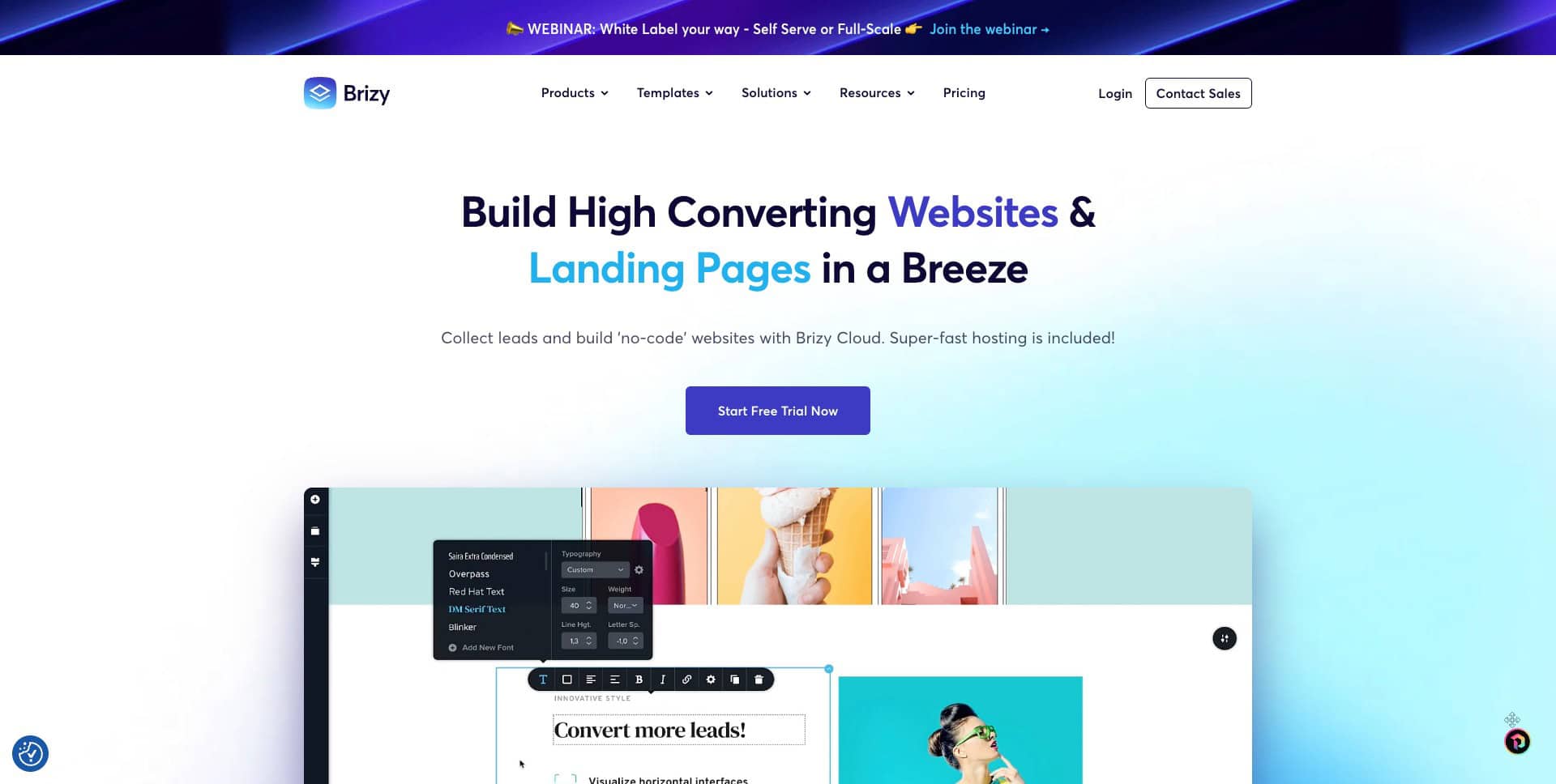
It is best suited for freelancers, small businesses, marketing agencies, and web design agencies.
Brizy Cloud User Interface
The user interface of Brizy Cloud looks pretty minimal with limited features. It features a drag-and-drop editor like other website-building platforms. The main screen features a list of all the websites you’ve designed to date. You can also create a new project from the dashboard.
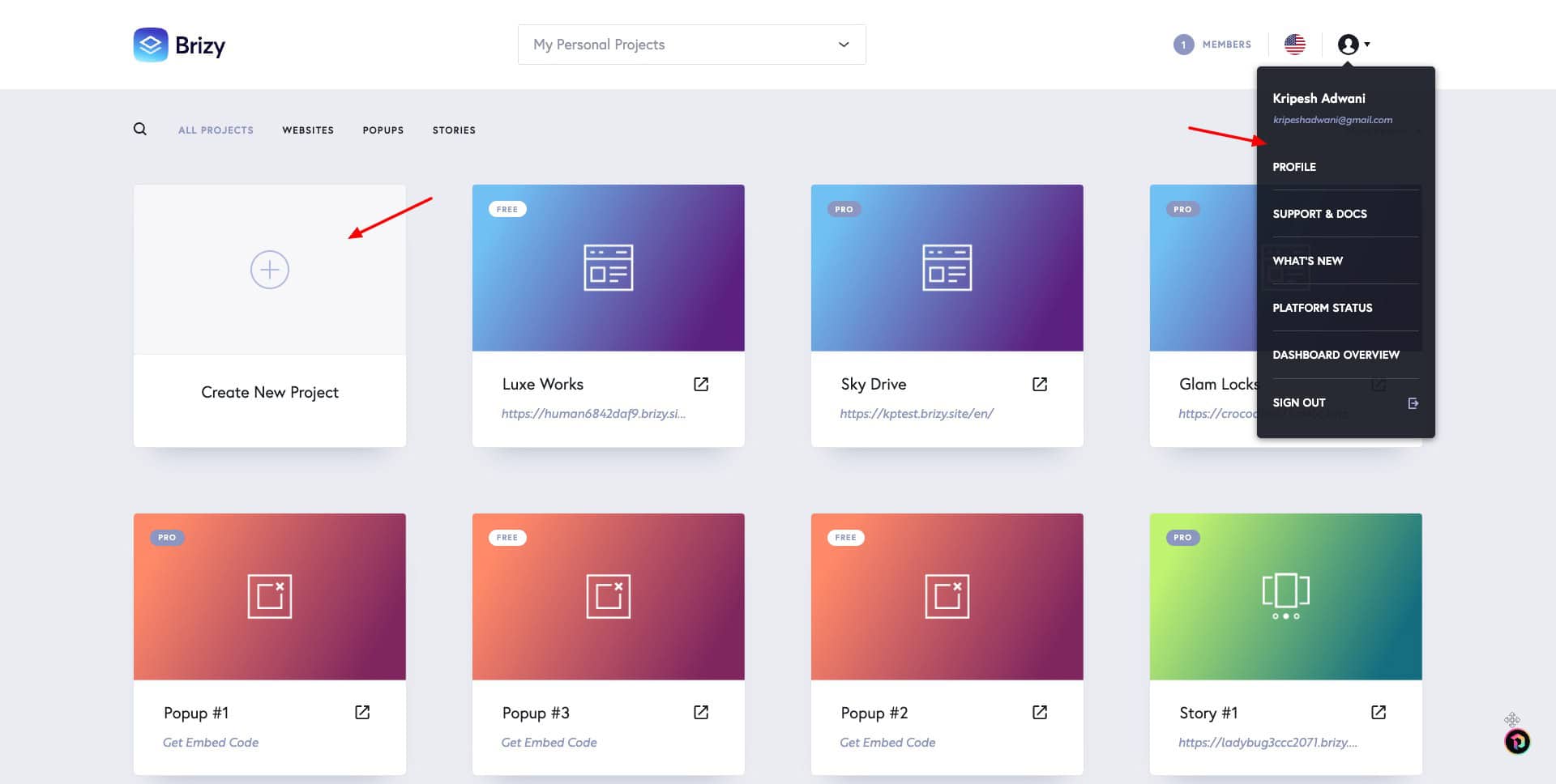
You can create 3 types of content – landing page, pop-up & alert, or story. From the top-right corner, you can select a language and access account settings, support docs, etc. Overall, it’s friendly and easy to use for beginners and professionals alike.
Key Features of Brizy Cloud
1) AI Website Builder
Its AI website builder lets you create stunning AI websites within seconds without a single line of code! All you need to do is enter your desired website name, industry, and provide a short business description. Alternately, you can enter your Google business profile.
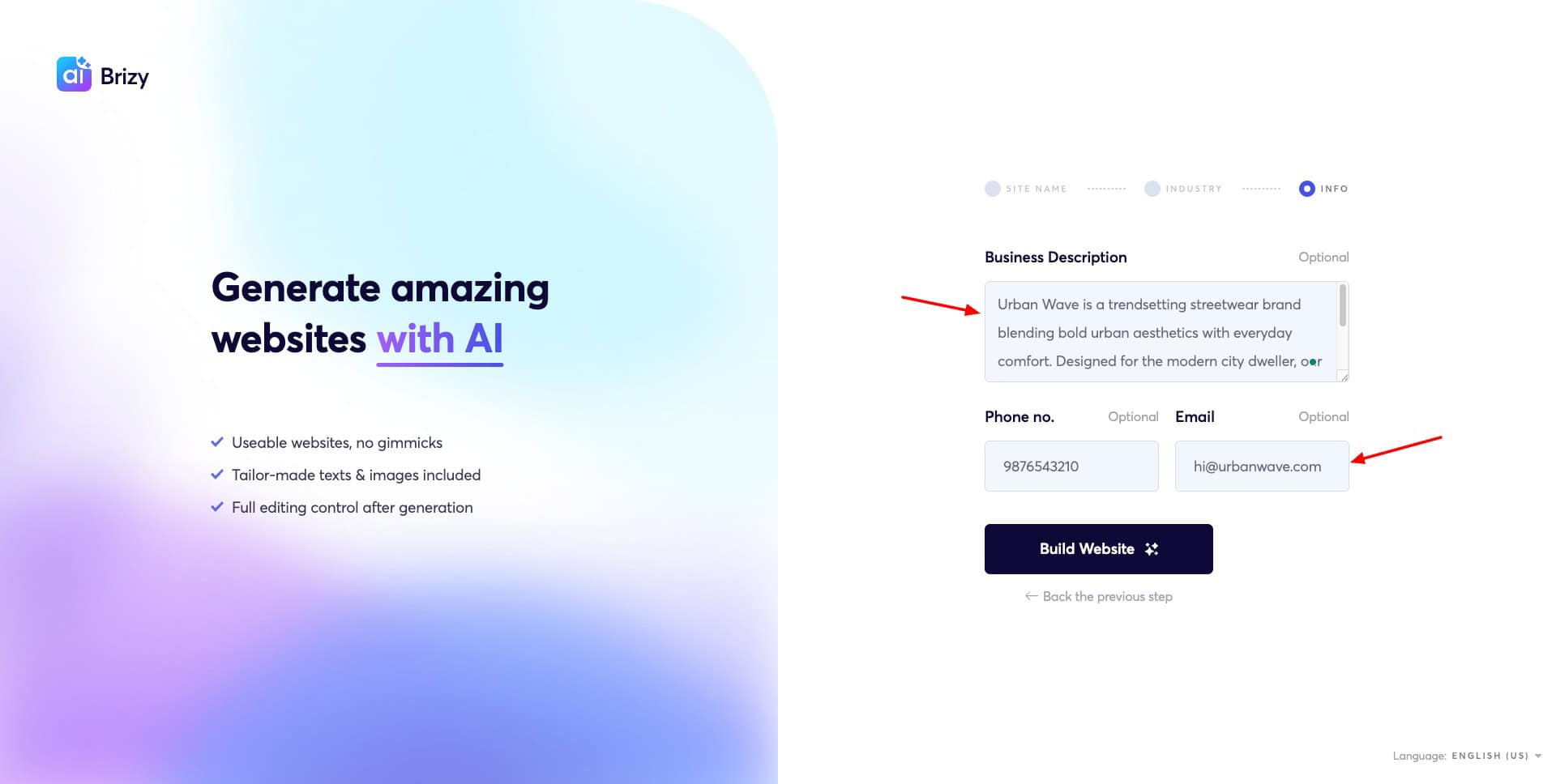
Within seconds, it generates a stunning website for you. The pages on the top menu are not created by default. When you click on a page, it builds the page with AI. Overall, I loved the apt headings and paragraph content.
However, it repeatedly mentioned certain phrases like “bold urban aesthetics”, didn’t exactly mention the details provided in the input, and chose inappropriate color combinations. Also, the AI editing is limited to text content. You cannot edit the website layout, colors, etc, with AI.
2) Good Template Library
Brizy Builder features a range of beautiful and attractive templates to design your landing pages, pop-up alerts, and stories.
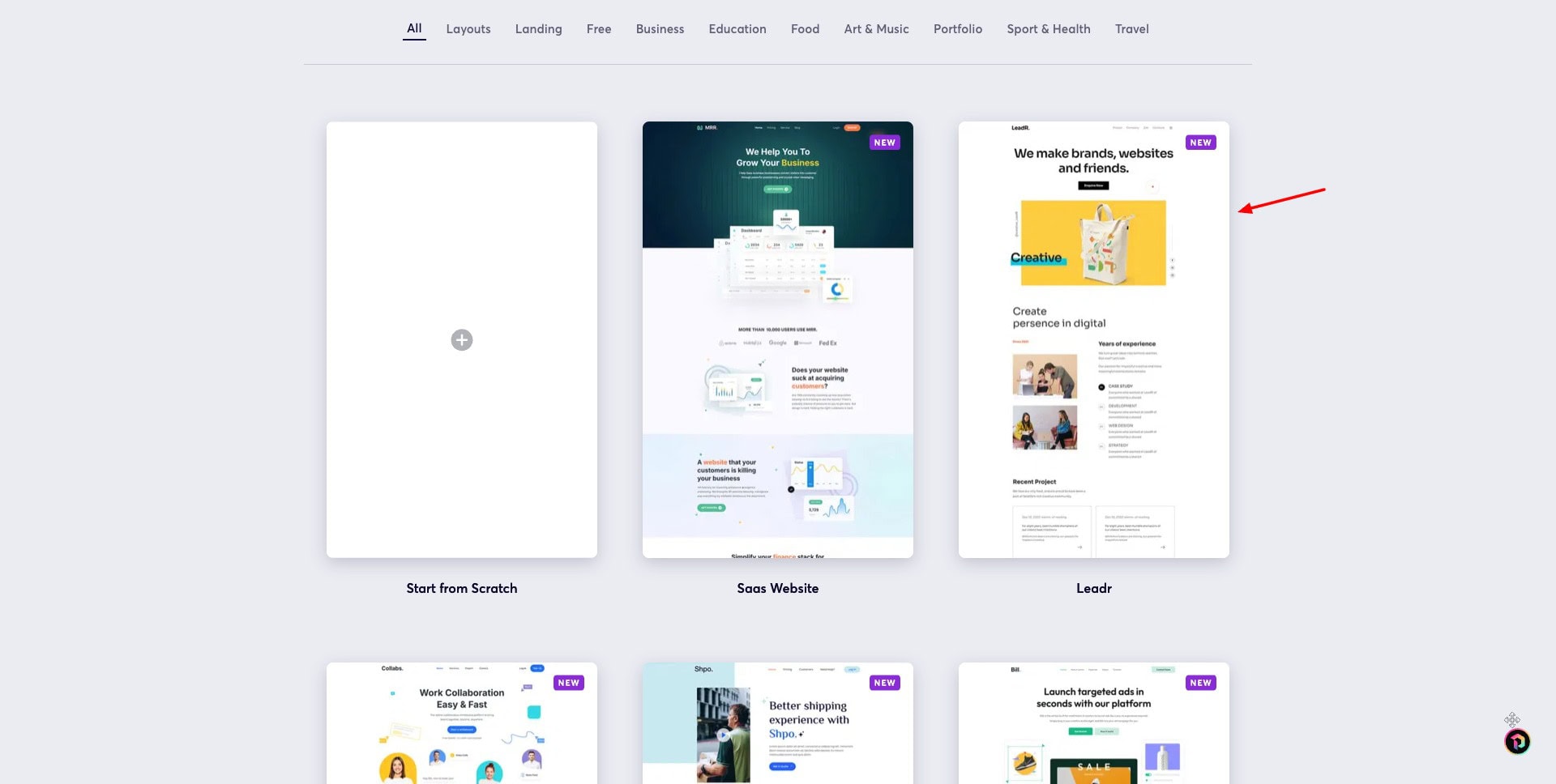
If you want to create a website from scratch, it comes with 200+ beautiful templates, spanning categories like education, business, food, portfolio, etc. The templates look unique and fresh.
3) Website Design and Customization
You get a variety of features to edit your website. It comes with a drag-and-drop editor, making it easy to insert elements wherever you want. You can add the following assets to customize your website.
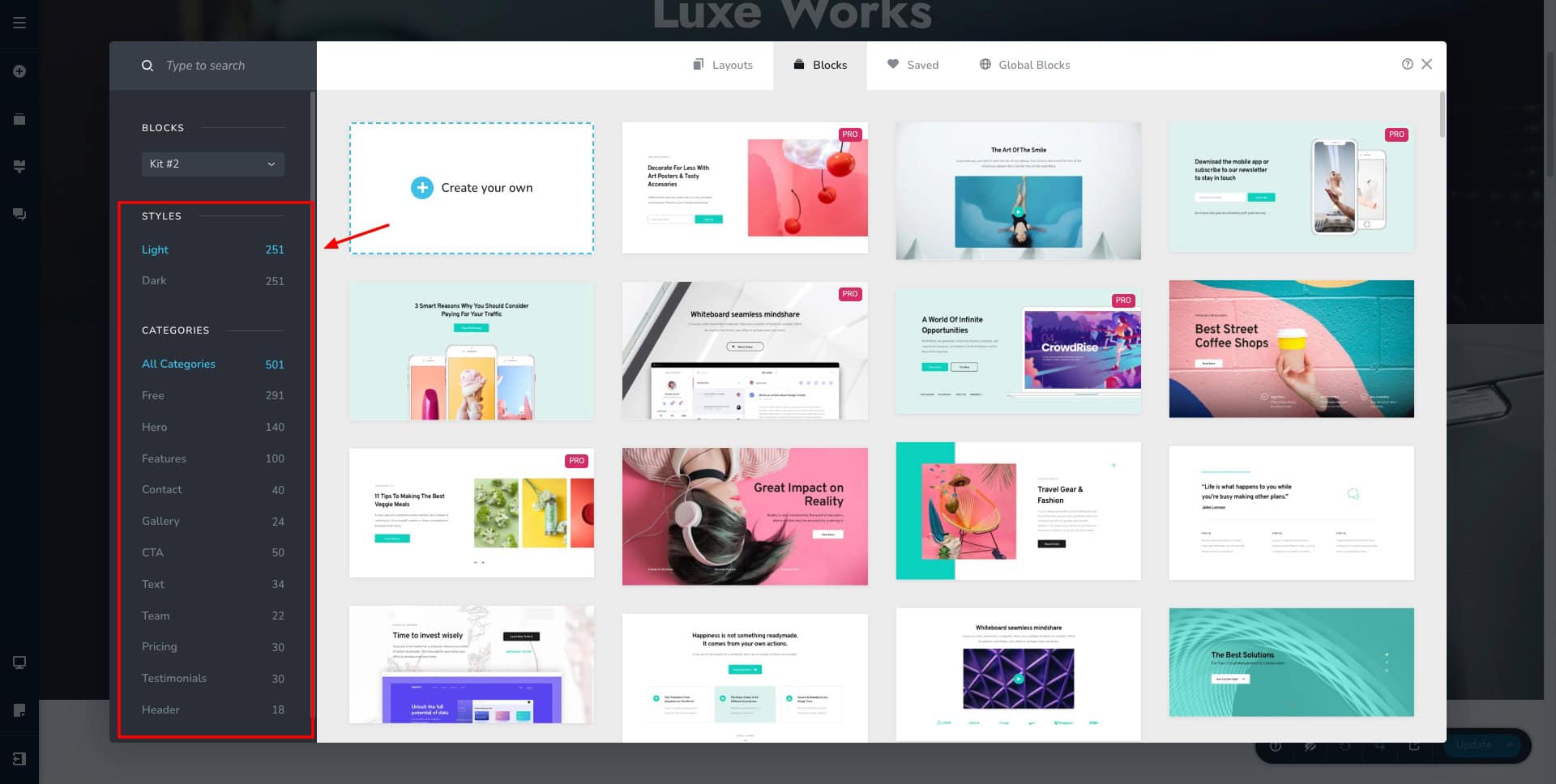
- Elements: Insert text, image, button, image gallery, audio, video, countdown, counter, rating, tab switcher, timeline, etc.
- Blocks and Styling: Change the order of pre-made blocks on your site or customize the global colors and font combinations.
- Blog Post: Create a new post and add a post title, slug, featured image, category, and content. Basic formatting tools are available.
- Custom Asset: Create custom post types and choose custom fields to add, like text, email, link, image, number, etc.
- Feedback: Collect feedback from your team members via comments.
- Add Translation: Select a language for translation and add the translation element to your website.
- AI Editing: Edit the text content or apply global color and font combinations with AI.
Overall, website creation and customization options are pretty smooth. You get lots of templates for websites and blocks to create a unique website. However, the AI integration is minimal as of now.
4) Website Publishing
Brizy Cloud features multiple publishing options. By default, it publishes your AI-generated website on their sub-domain- brizy.site. You can also connect a custom domain if you have one.
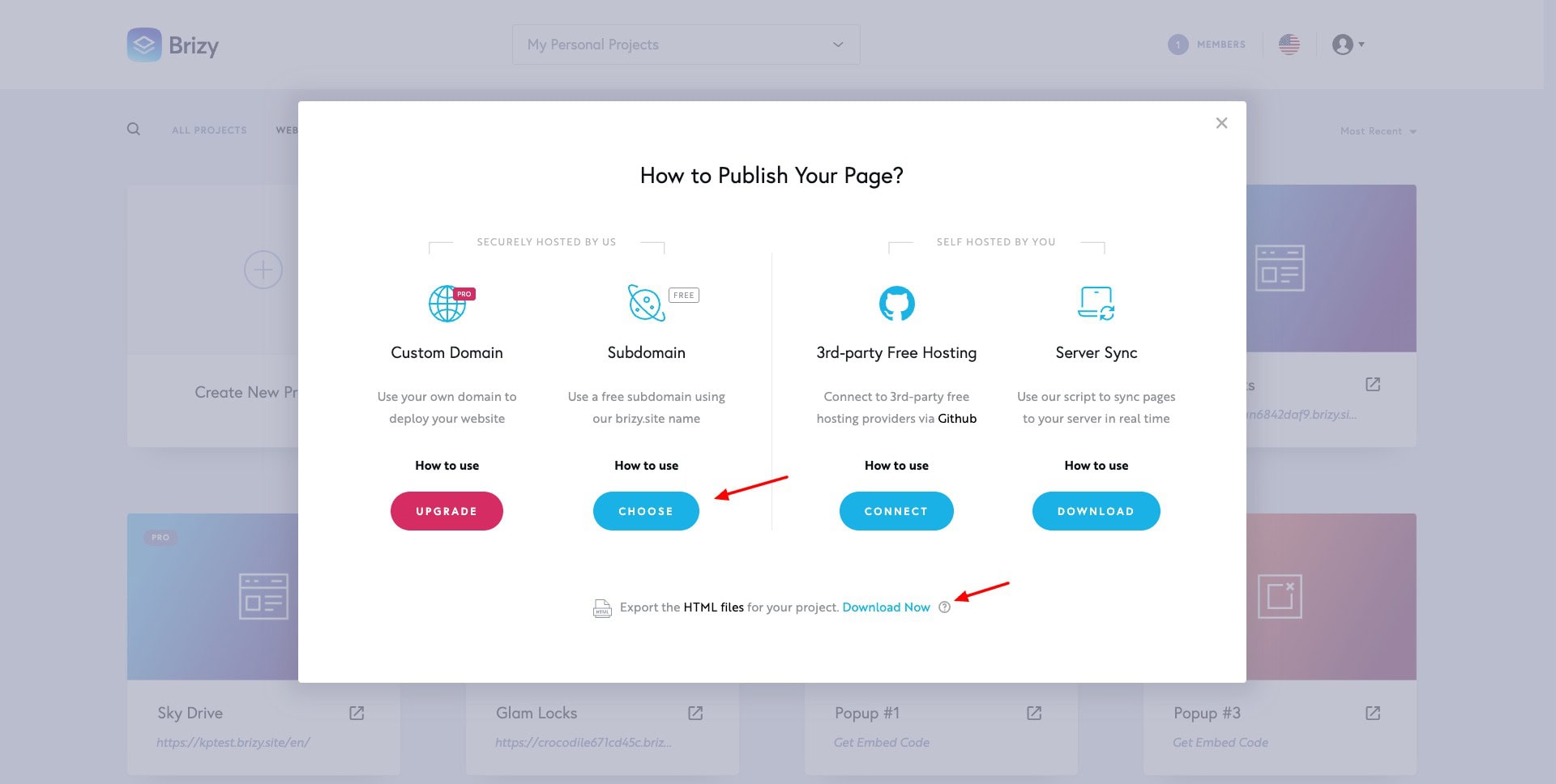
Additionally, it also offers self-hosted solutions, and the ability to download HTML files for your website.
5) Story Creation
Brizy Cloud platform features over 55 story templates divided into various categories, like business, travel, entertainment, food, and more. It also supports drag-and-drop upload. The best part is there are no fixed positions to drag elements. You can freely drag them anywhere.
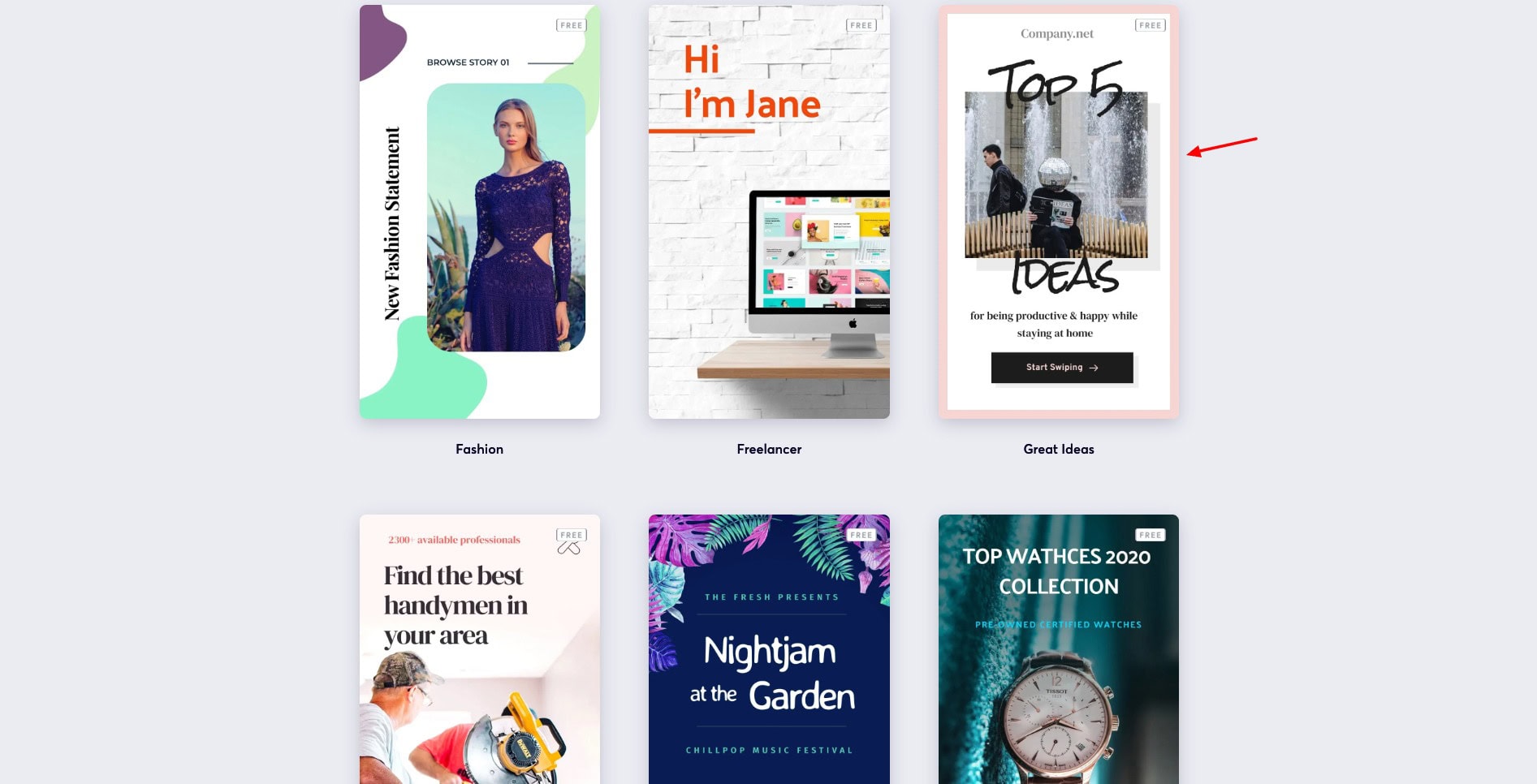
Once you pick a story template, you can add elements like image, video, button, icon, countdown, rating, form, etc from the Elements tab. The Styling tab lets you preview your stories with various color themes. You can also edit typography options for headings & subheadings.
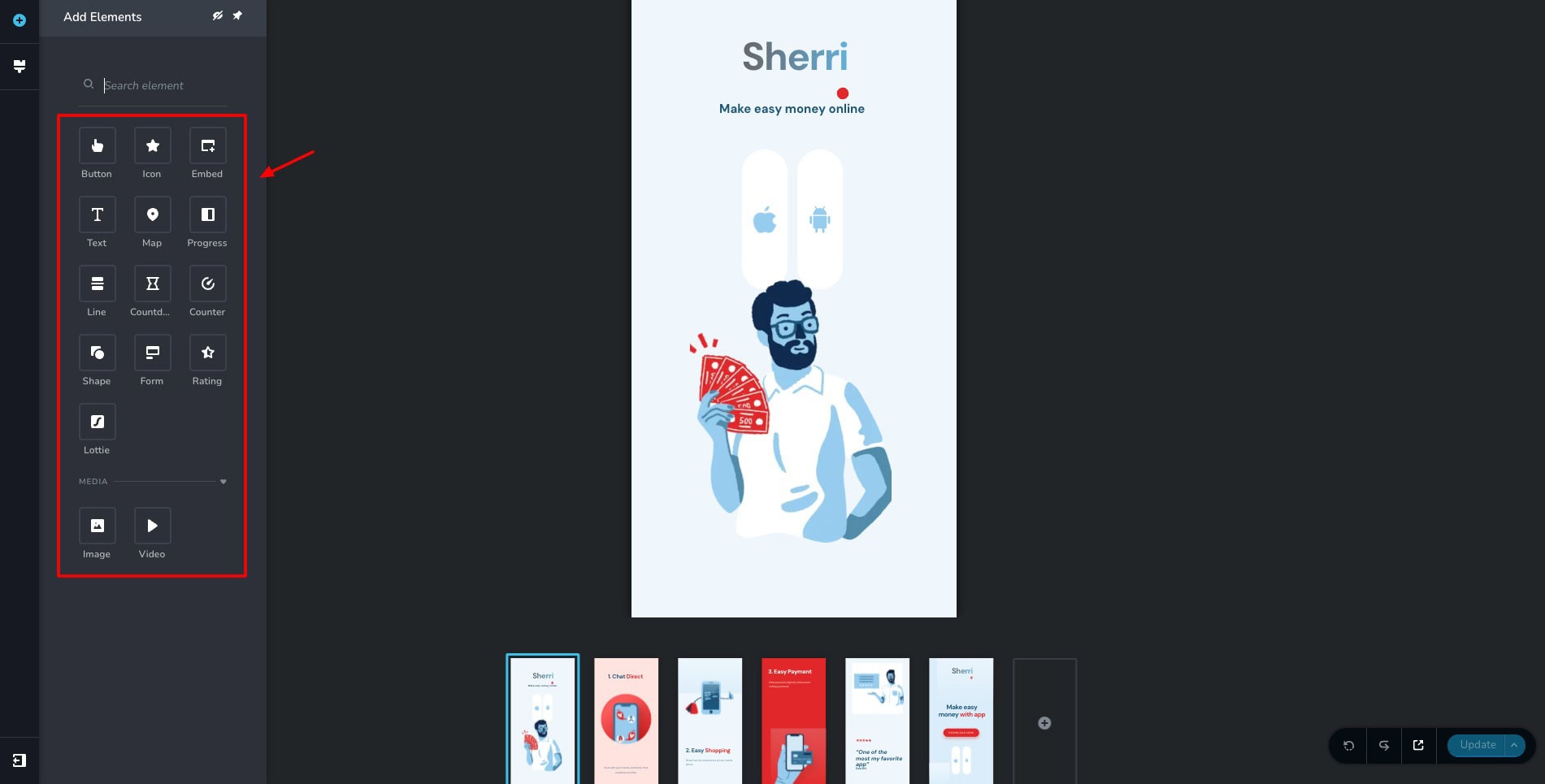
The top right corner features options to edit colors, and background color, enter custom CSS, and enable auto play. Finally, you can specify your site title, description, and favicon from under the Settings tab.
Overall, this is a functional tool. However, it doesn’t have any AI integration. I hope they could integrate AI image generation or slide redesigning options in the future.
6) Popup Builder
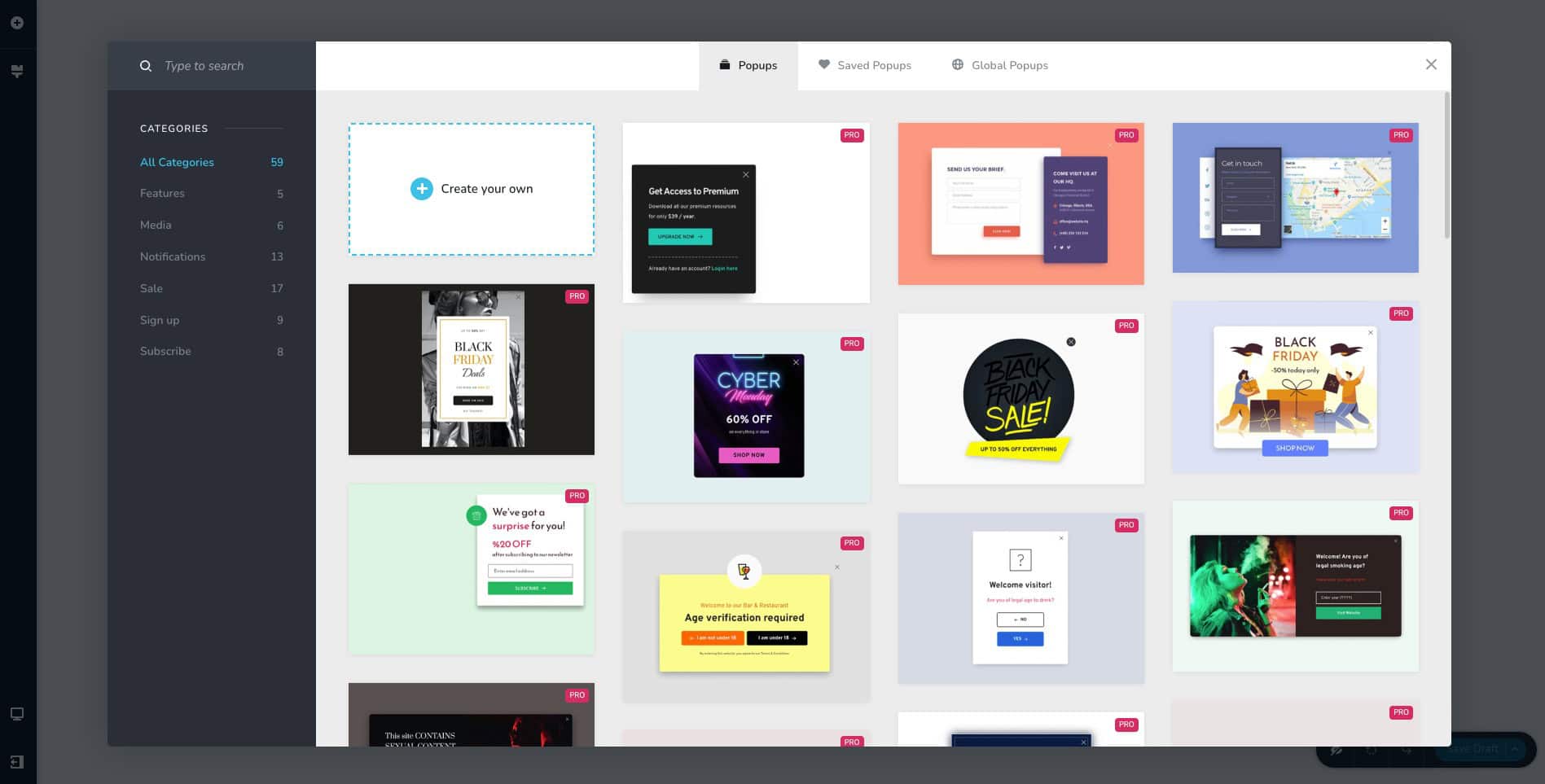
Pop-ups can improve the engagement and conversions on your website. Brizy Cloud features a library of 60+ pop-up templates. These belong to categories like media, notifications, sales, signup, etc. You can find a variety of Black Friday templates as well.
Once you choose a template, you can edit the pop-up content with AI. It gives you convenient options like extend, shorten, and simplify. Once you are satisfied with your pop-up design and content, you can copy the embed code to use it on a website.
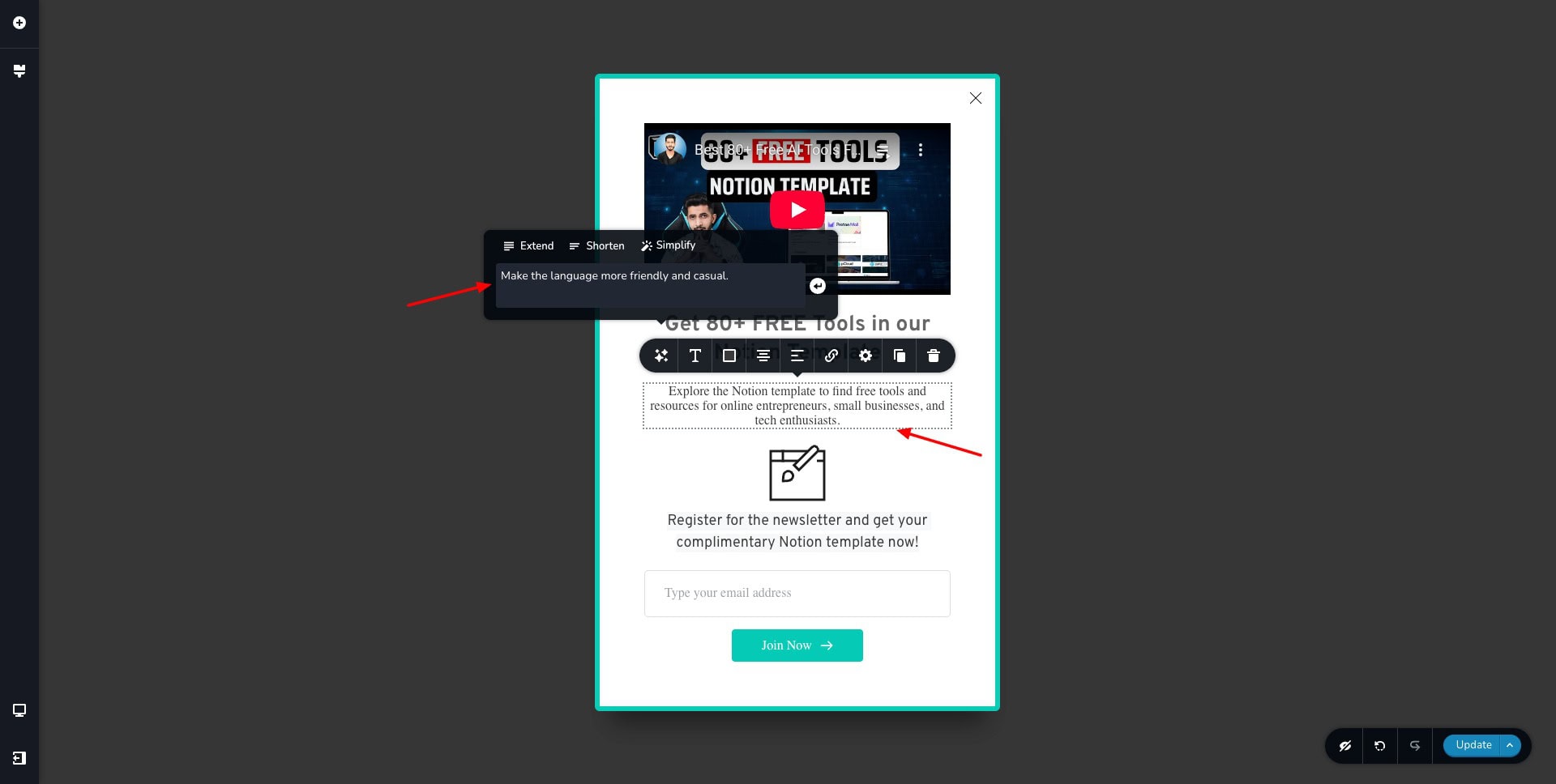
In my experience, the AI-generated content within the pop-ups was pretty average. It didn’t understand the context correctly and generated unreliable content.
Brizy Cloud Pricing
Brizy features 3 standard paid plans on its website, along with an Enterprise plan. The following table compares its key features.
| Personal Plan | Agency Plan | White Label Plan | |
| Annual Pricing | $190/yr | $690/yr | $1590/yr |
| Websites | 1 | 10 | 10 |
| Cost for Additional Website | $17/mo | $12/mo | $8/mo |
| AI Website Builder | Yes | Yes | White Labelled |
| AWS Premium Hosting | Yes | Yes | Yes |
| Workspaces | 1 | 10 | 10 |
| Team members | Unlimited | Unlimited | Unlimited |
| White Label Platform | No | No | Yes |
AppSumo Deal
Right now, Brizy Cloud is running a lifetime deal on AppSumo’s Sumo Day Sale. In this sale, you can get Brizy Cloud for a lifetime for just $69. It lets you connect 5 websites and 5 workspaces. For more limits, you can upgrade to its higher tiers.
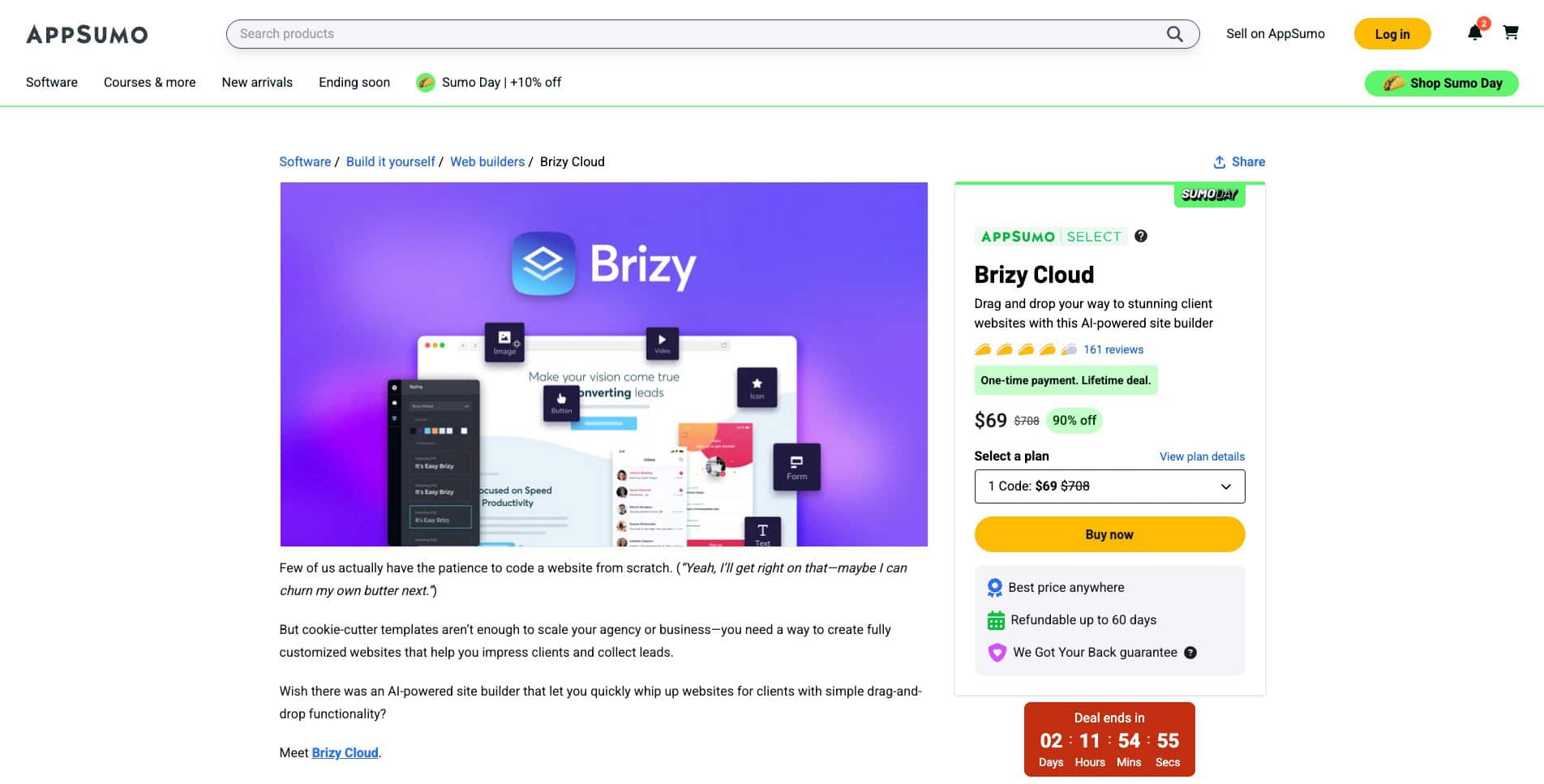
And if you’re unsure about Brizy Cloud, you also get a 60-day refund policy on AppSumo. So, you can test out all the features of this platform without any worries.
Brizy Cloud Support
Brizy Cloud offers support through its help center, which has a decent number of articles. These help beginners troubleshoot common issues and understand how to use the different elements of the platform.
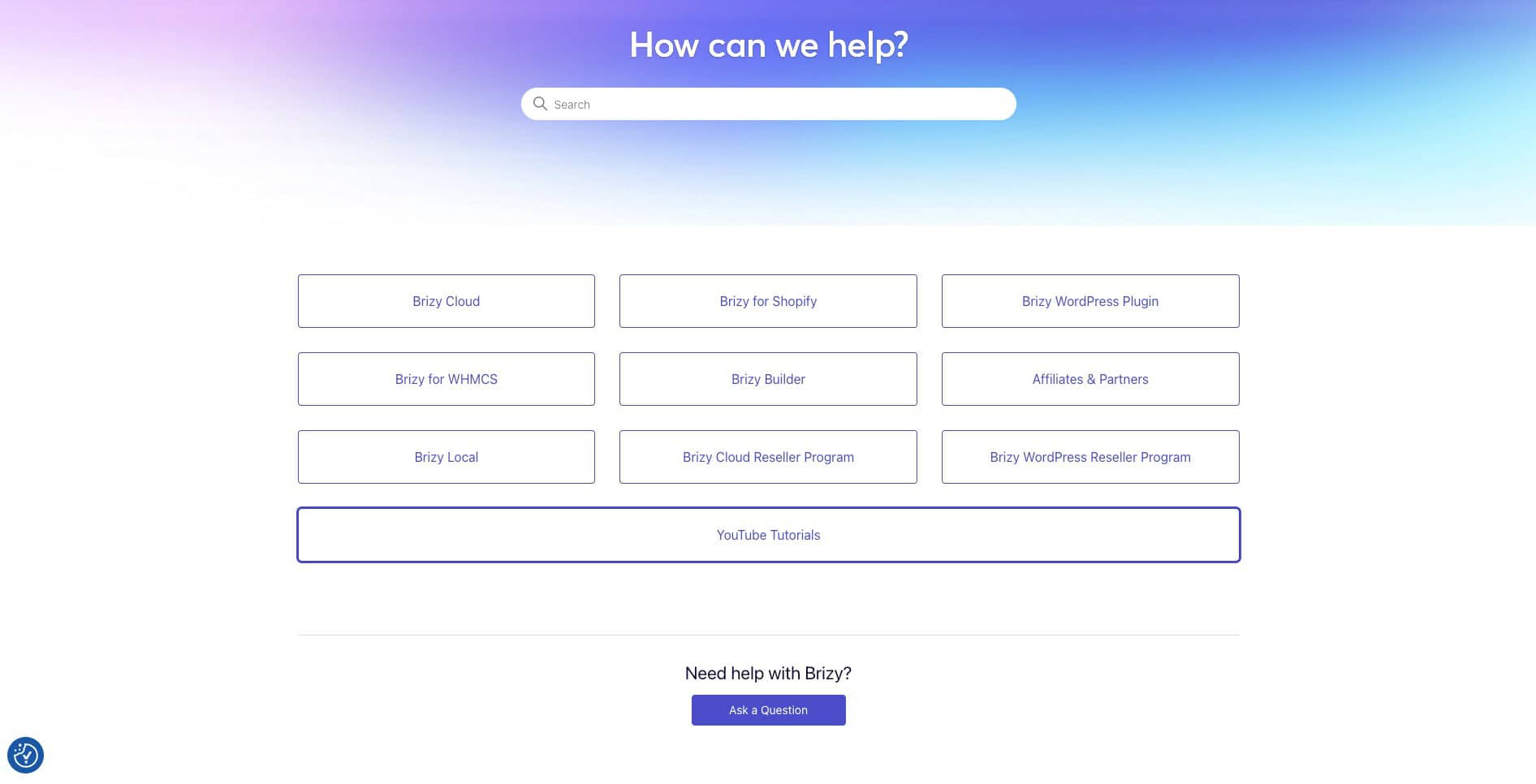
They also feature a YouTube channel with lots of video tutorials on making the most out of Brizy Cloud. Unfortunately, it doesn’t have a live chat support option right now. You can join their community and get your queries resolved or share your experiences.
Brizy Cloud Changelog
Brizy Cloud keeps a log of all the updates and changes made to their platform. Their team actively adds new features and keeps updating and fixing the existing ones.
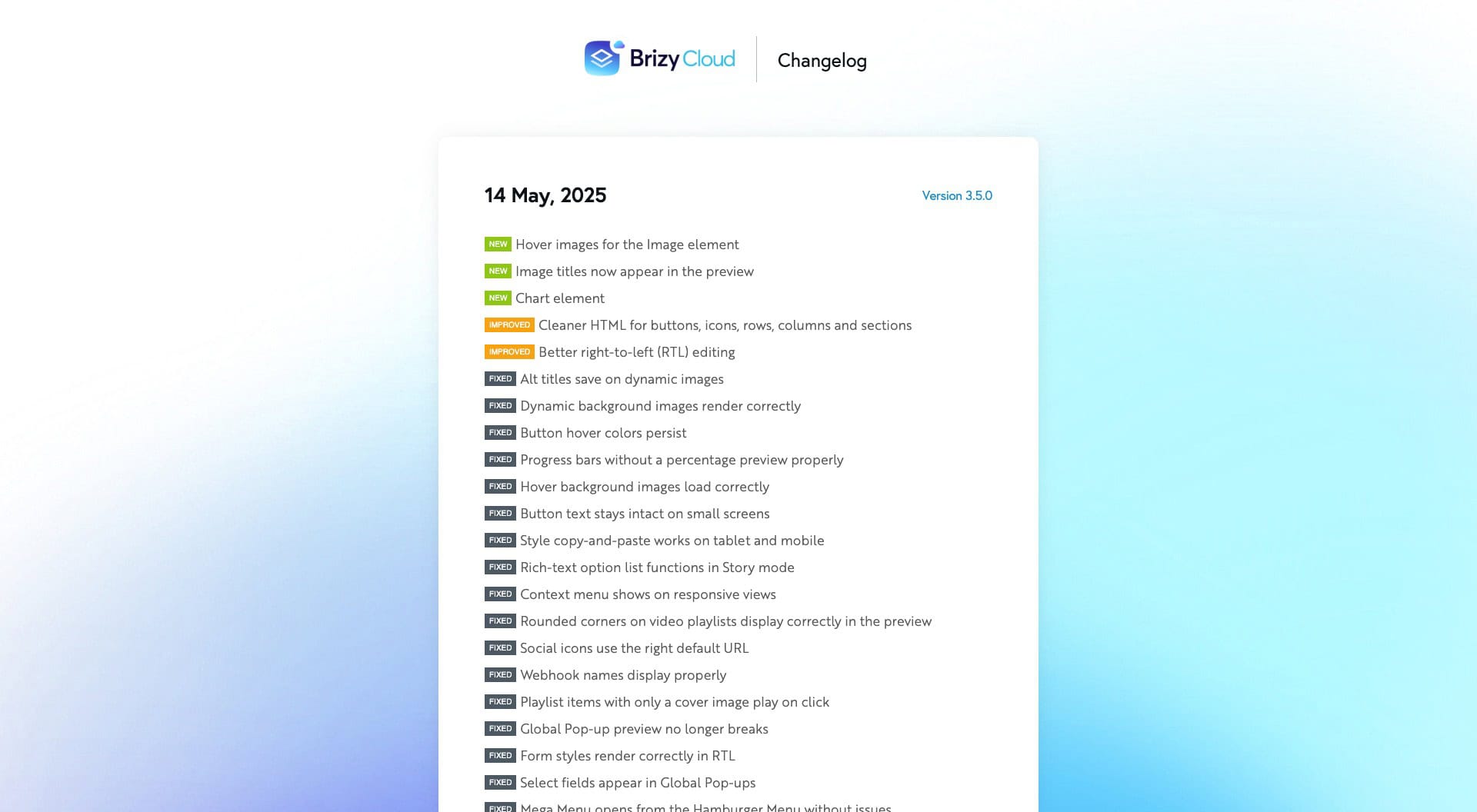
Last month, they introduced chart element, image title previews, and hover images, with other updates and fixes. For more details, check out Brizy Cloud’s Changelog.
Brizy Cloud Team Collaboration
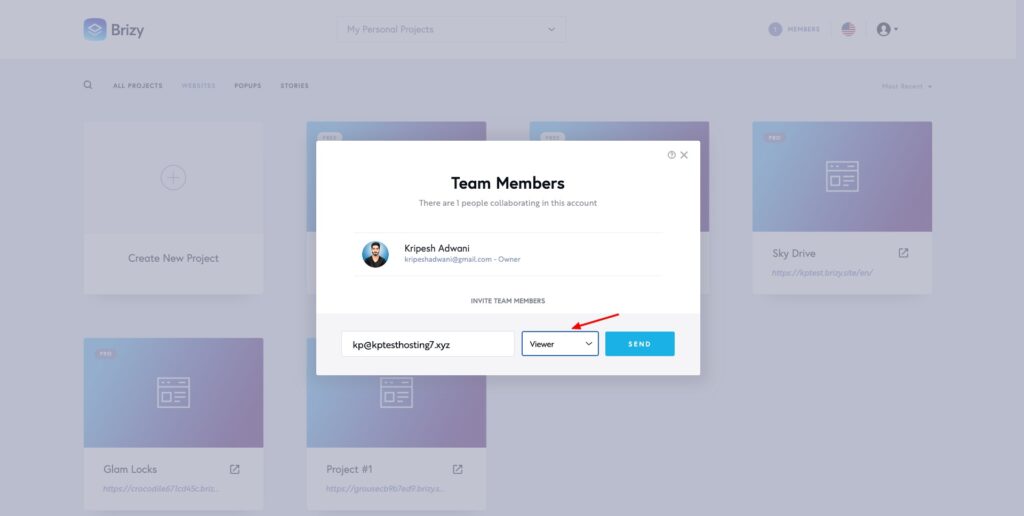
If you work with a team of users, you can invite them to your Brizy Cloud workspace via email. It lets you assign the following roles to your teammates – Viewer, Editor, Designer, and Manager.
Brizy Cloud Pros
1) Friendly UI
The user interface of Brizy Cloud is pretty modern and pleasing in design. It is equipped with minimal features and is easy to use for beginners.
2) Powerful AI Website Builder
The AI website builder of Brizy Cloud is impressive. It swiftly generates full-fledged professional websites in under 2 minutes, with apt content, images, layout, and design.
3) Extensive Template Library
Brizy Cloud features a substantial library of templates to design your website, pop-ups, and content blocks. You can use them to create fresh and unique assets.
4) Free Hosting
You don’t have to separately purchase a web hosting service for your website. It is included with the Brizy Cloud website builder.
5) Affordable AppSumo Deal
The AppSumo Sumo Day Sale is currently on! On this sale, Brizy Cloud is available for just $69 for a lifetime. This makes is a super affordable and value for money deal.
6) Lots of Interactive Elements
When customizing your websites, you can use a range of interactive elements, like counter, countdown, tab switcher, timeline, etc. This makes your website more engaging for the viewers.
7) Frequent Updates
Brizy Cloud is quite receptive to its customers’ requirements. It actively adds new features to its platform and updates the existing ones frequently.
Brizy Cloud Cons
1) Minimal AI Integration
Once your website is generated, you can only use AI to edit text content. I wish they also offered AI for generating images, visualizing content blocks in different layouts, etc. Currently, AI is limited to websites only. You cannot generate pop-ups or stories with AI right now.
2) No App Integrations
Except for the PayPal block within elements, you don’t get any integration options on Brizy Cloud. I wish they offered integration with media libraries like Pexels or Pixabay for quick image search, and with CMS platforms for website publishing.
3) Manual Content Editing
To edit your text with AI, you need to manually copy and paste the content. Simply selecting the text and writing a prompt doesn’t work.
4) No Live Chat Support
The support options of Brizy Cloud are pretty limited. You don’t get a live chat support option to get your queries resolved quickly.
Who Should Use Brizy Cloud?
In my opinion, Brizy Cloud is ideal for the following users:
- Influencers and content creators who wish to create catchy stories for their profiles.
- Web developers and businesses who need to design websites and landing pages with AI.
- Beginners and freelancers who need to build websites quickly and need AI to rephrase their copy.
- Bloggers who find WordPress CMS too complex to work with.
Conclusion
Brizy Cloud stands out with its modern UI, swift AI website generation, built-in hosting, and a solid library of templates and elements. However, it falls short with AI feature limitations, lack of live chat support, and non-existent integrations. The content editing process could also be smoother.
If you’re a content creator, freelancer, blogger, or small business owner looking for a quick, simple, and affordable way to build websites with AI, Brizy Cloud is definitely worth a try. In my experience, it’s even better than Wix website builder!
Right now, it’s also available on the AppSumo Sumo Day Sale for just $69. You can take advantage of this sale and get it at pocket-friendly rates. Anyway, this is Kripesh taking your leave. I’ll be back with more interesting content soon. Cheers, and keep learning. 🙂

Pros of Brizy Cloud (+)
- Friendly UI
- AI Website Builder
- Extensive Template Library
- Lots of Interactive Elements
- Frequent Updates
Cons of Brizy Cloud (-)
- Minimal AI Integration
- No App Integrations
- Manual Content Editing
- No Live Chat Support