Tired of spending hours crafting the perfect resume? Imagine effortlessly creating a professional resume in minutes! Well, it’s possible with AI Resume Builders!
These powerful tools leverage AI to create stunning ATS-friendly resumes tailored to your experiences and career goals. After testing over a dozen free AI resume builders, I’ve finally shortlisted the 8 Best Free AI Resume Builders for 2026.
So, are you ready to land your dream job with a stunning resume? Let’s dive right in.
- 8 Best Free AI Resume Builders (Overview Table)
- What is an ATS-Friendly Resume?
- Features of an ATS-Friendly Resume
- Best Free AI Resume Builders (2026)
- 1) Teal – Best for Organized Job Seekers
- 2) AI ATS Resume Builder – CV – Best For Freshers in India
- 3) Rezi AI – Best for ATS Optimization
- 4) Wobo – Best for AI-Powered Job Applications
- 5) Kickresume – Best for Students and Templates
- 6) Enhancv – Best for Visually Appealing Resumes
- 7) Resume.io – Best for Beginners
- 8) My Perfect Resume – Best for Guided Resume Building
- Factors to Consider While Choosing an AI Resume Builder
- How Did We Test Free AI Resume Builders?
- Why Should You Trust Me?
- Conclusion
- FAQs
8 Best Free AI Resume Builders (Overview Table)
| Tool Name | ATS Friendly | Free Exports | Key Features | Free Plan Details |
| Teal | Yes | AI resume builder, job matching, job tracker | Unlimited resume creation, editing, and exports; basic features are free forever. | |
| AI ATS Resume Builder – CV | Yes | PDF, DOCX, TXT | ATS score, job tailoring, AI interview prep | Completely free; unlimited resumes, cover letters, downloads, tailoring, and interview preparation |
| Rezi | Yes | ATS optimization, AI resume writer, keyword targeting | 1 resume, 3 PDF downloads, AI writer, limited ATS tools; no card required. | |
| Wobo | Yes | AI resume builder, job matching, AI cover letters | Free forever; 5 job applications/day, 2 AI cover letters, and basic matching. | |
| Kickresume | Yes | PDF, TXT | AI writing, resume templates, resume examples | 4 resume templates, 4 cover-letter templates, 1,500+ examples, unlimited downloads. |
| Enhancv | Yes | PDF, TXT | ATS check, AI cover letter, interview prep | 7-day free trial with access to templates and design tools; free exports include branding |
| Resume.io | Yes | TXT | AI writing, ATS checker, job tailoring | 1 resume and cover letter with limited sharing/analytics; free download options are restricted |
| MyPerfectResume | Yes | TXT | AI content suggestions, resume builder, cover-letter builder | Free resume and cover-letter builder with unlimited TXT downloads |
Want the Best AI Tools?
Check My Favourite AI Tools 🖤
ElevenLabs
Elevenlabs and Adam AI Voice are my go-to choices. ElevenLabs is incredibly versatile, and you get 10 mins free every month.
Gamma AI
Gamma App is my top choice for ai ppt generation. You can easily create your ppt for FREE. It’s a must have AI Tool.
HOSTinger AI
I love Hostinger AI Website Builder for how easy and affordable it is. 1 click AI website creation, perfect for websites.
What is an ATS-Friendly Resume?
ATS (Applicant Tracking System) is software used by companies to scan, sort, and rank the job applications they receive.
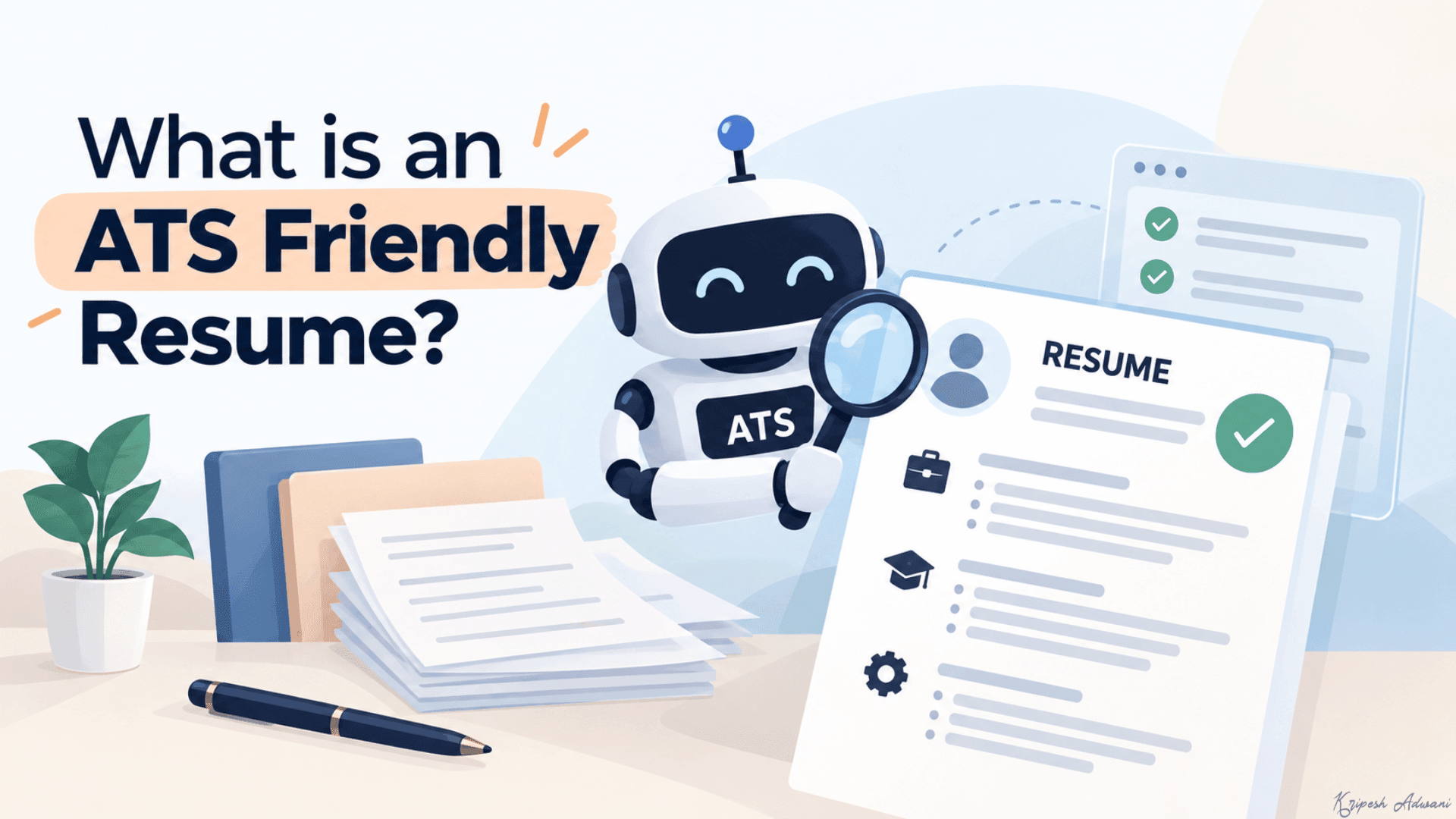
An ATS-friendly resume is a document designed in a way that Applicant Tracking Systems can read and understand. Popular examples of ATS-friendly resume builders include Resume.io, Rezi, Novoresume, etc.
Features of an ATS-Friendly Resume
Wondering how an ATS-friendly resume is different from a regular resume? Here are the key features of an ATS-Friendly Resume.
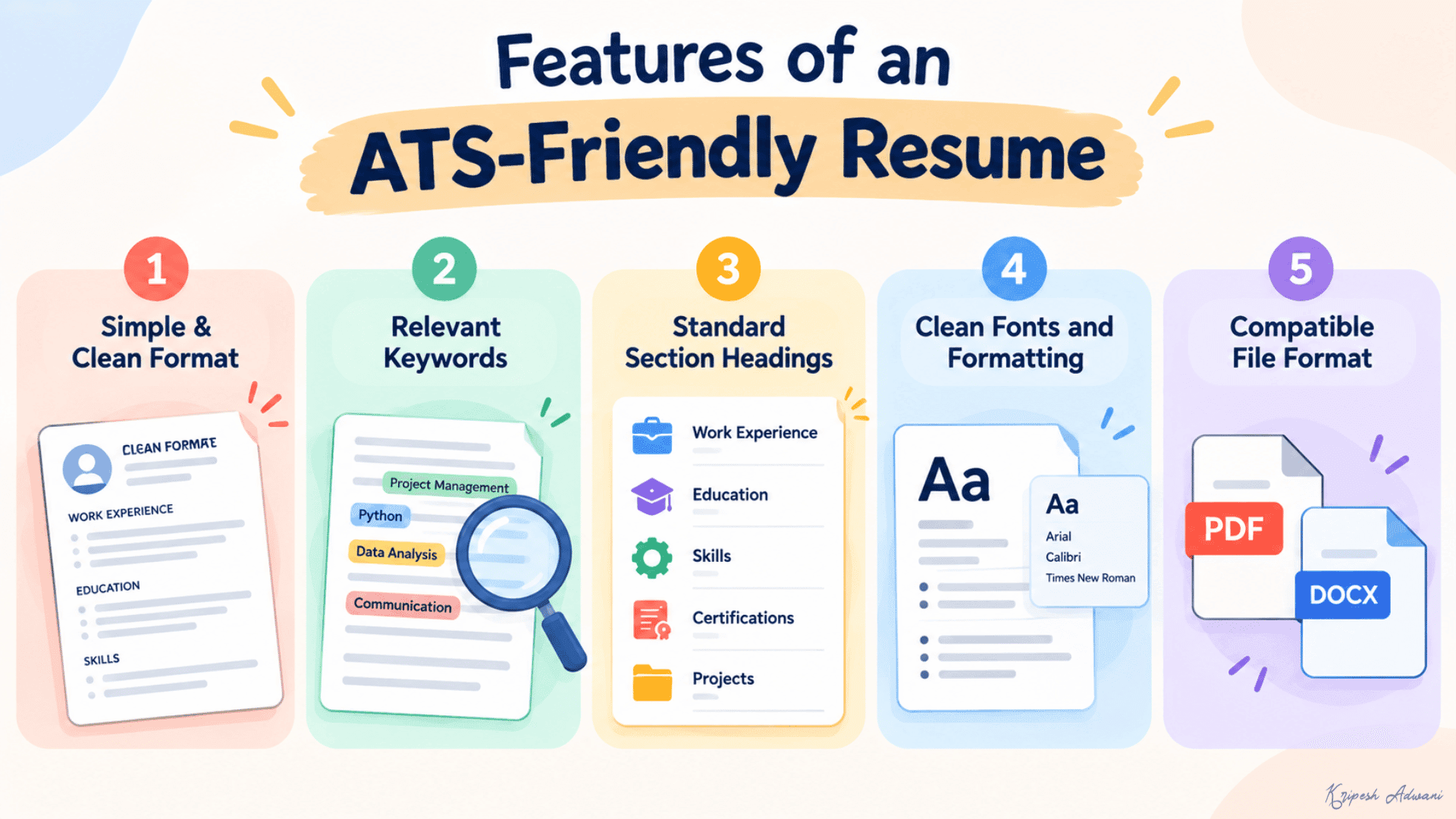
1) Simple & Clean Format
It avoids complex designs with multiple columns, text boxes, and tables and uses a clean layout with clear headings and minimal graphics.
2) Relevant Keywords
It comprises specific terms from the job description, including skills, certifications, tools, job titles, etc.
3) Standard Section Headings
It includes standard headings like Work Experience, Skills, Education, Certifications, Projects, etc instead of modern and creative resume headings.
4) Clean Fonts and Formatting
It avoids decorative elements, icons, text boxes, images, etc and uses standard fonts like Arial, Times New Roman, Calibri, etc with a font size of around 10-12 points. It features concise bullet points and bullets wherever possible.
5) Compatible File Format
It is saved as a clean PDF or DOCX file and does not include images, graphic icons, charts, etc.
Best Free AI Resume Builders (2026)
1) Teal – Best for Organized Job Seekers
Teal is an AI-powered resume-building and job search platform used by over 3.2 million users. You can start building a new resume from scratch or from a job description. The Analyzer tab gives you a resume quality score. However, you need to upgrade to access its suggestions.
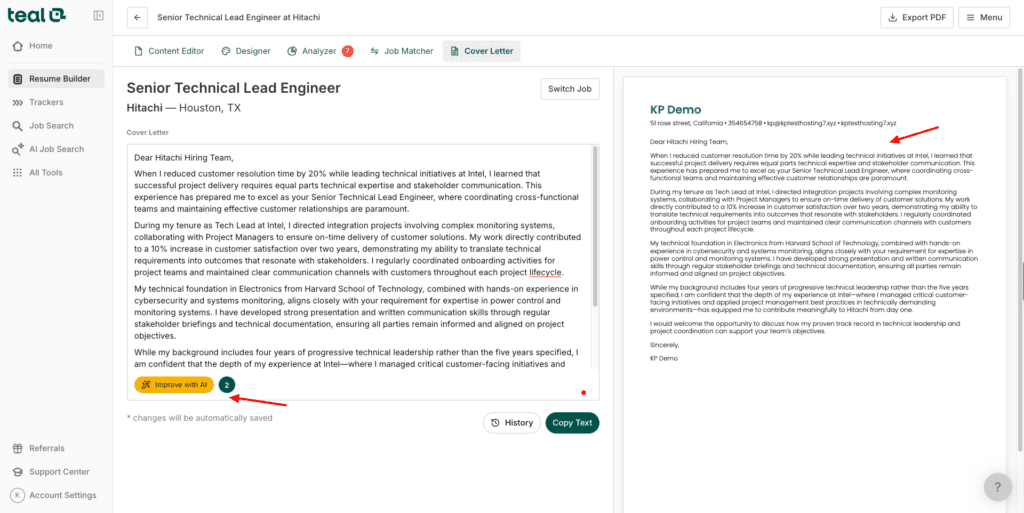
The Cover Letter feature generates a crisp AI cover letter for your chosen job post. Just select the length, tone, job post, and AI model. You can also give a custom prompt if you want. It generates a professional cover letter.
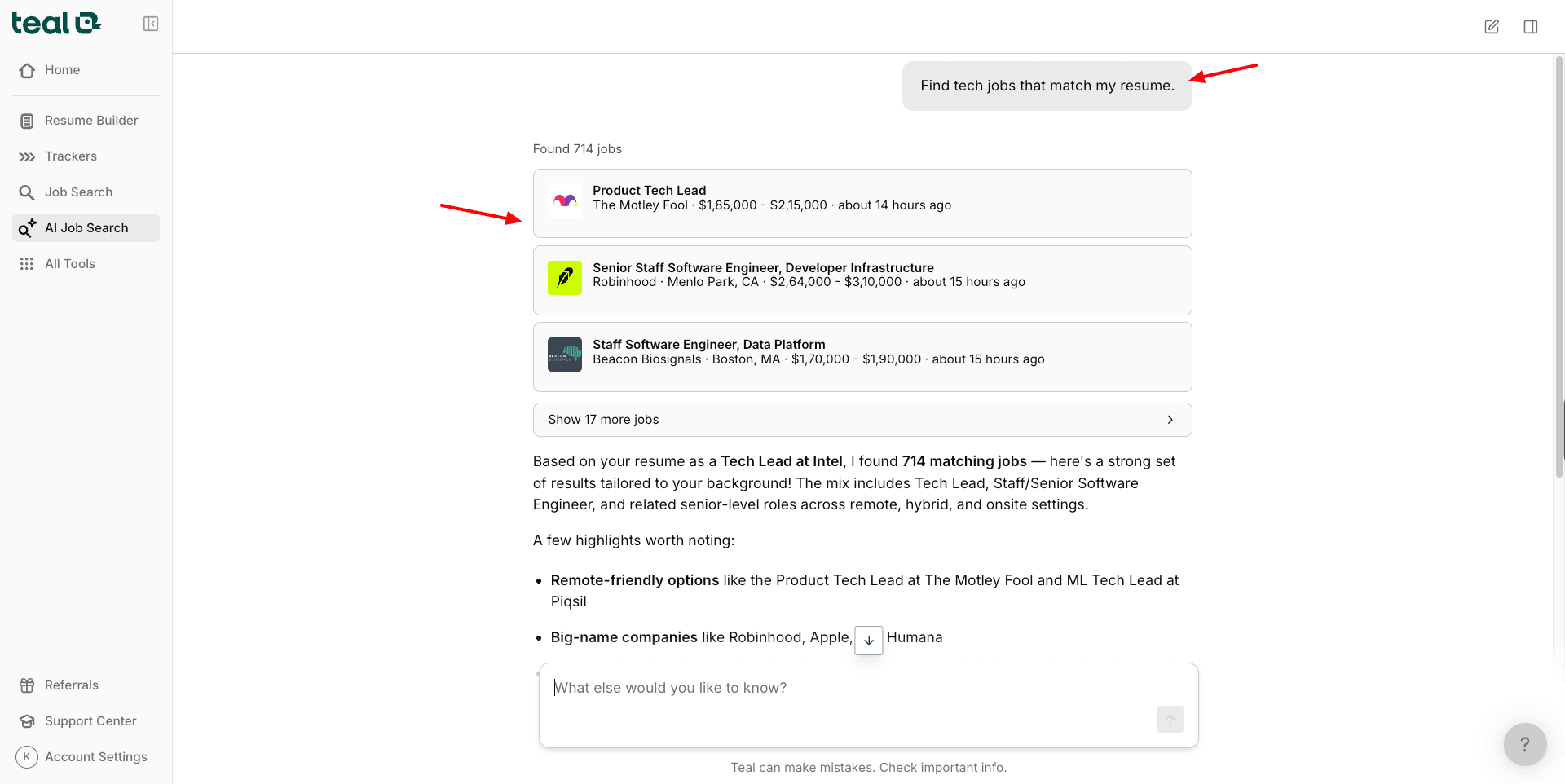
Teal functions as a job search portal, letting you search and apply for jobs from within the platform. It even displays a match score for every job. Its AI job-searching capability asks you to share what you need from your ideal job. The AI then finds job posts that match your requirements.
Cons:
- Advanced AI features require Teal+
- Some advanced job-matching features are paid
- Less focused on detailed ATS scoring
Pricing: The free plan lets you create unlimited resumes with basic AI resume analysis. Its paid plans start from $13/week.
2) AI ATS Resume Builder – CV – Best For Freshers in India
AI ATS Resume Builder is a mobile app that employs AI for creating, scoring, and tailoring your resume and cover letter to different job descriptions. It is available for Android and iOS devices. To get started, you need to log in through your Google account.
Next, the home page offers options to build a new resume, tailor it for a job, check the ATS score, and view interview questions. To get started, click on the New Resume option and choose from its library of 27 templates. You can browse through categories like ATS-safe, Modern, Professional, etc.
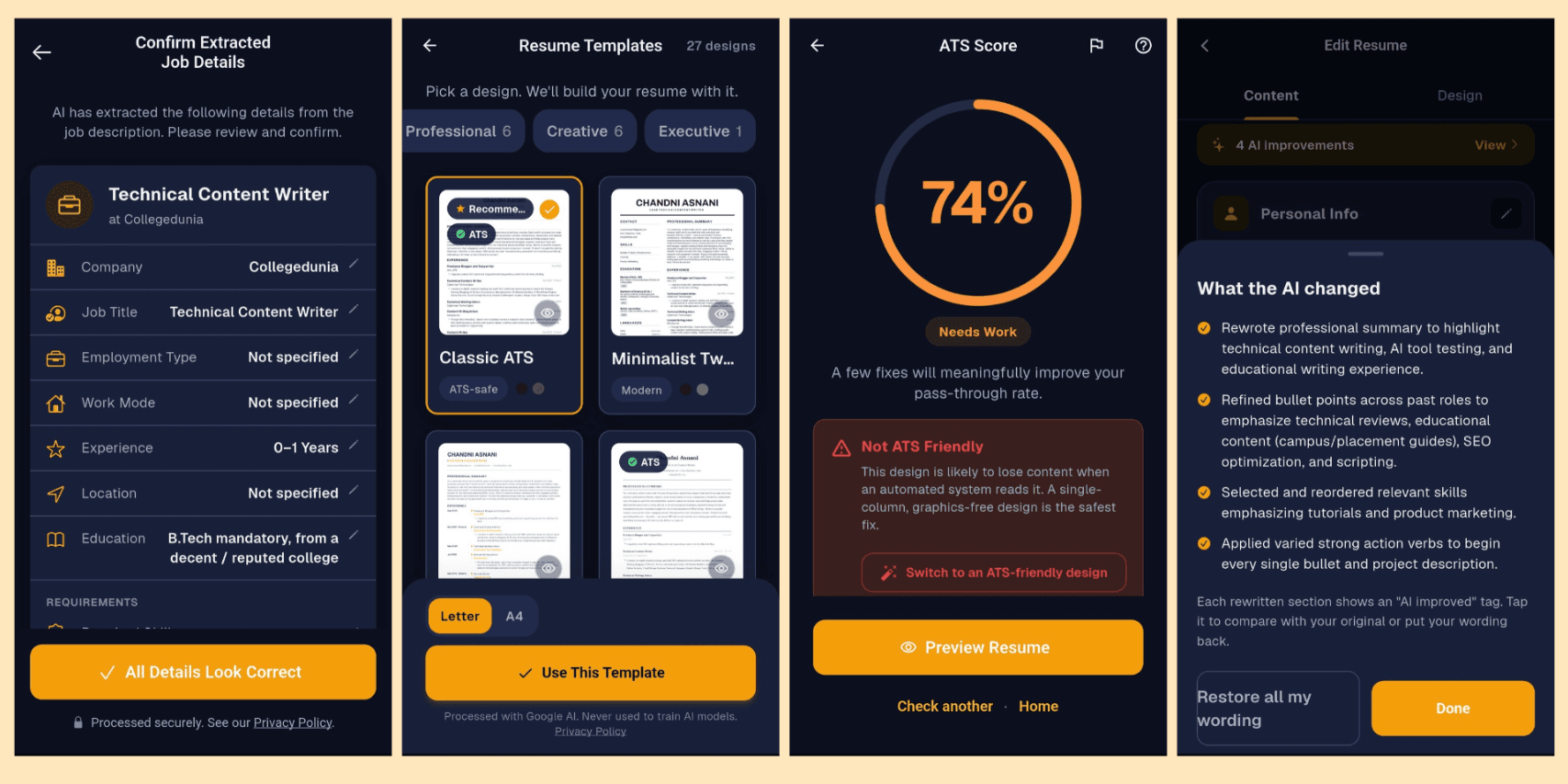
Once the resume is designed in your chosen template, you can check its ATS Score. It shows you the improvements in your resume along with the good parts. The resume can be downloaded in PDF, DOCX, and TXT formats without any watermarks.
The next feature is ‘Tailor Your Resume’. Here, you can either paste your job description or upload it as a file. It will extract details like company, job title, experience, personal information, education, etc and tailor your resume accordingly. You can compare your original version with the AI-improved version side by side.
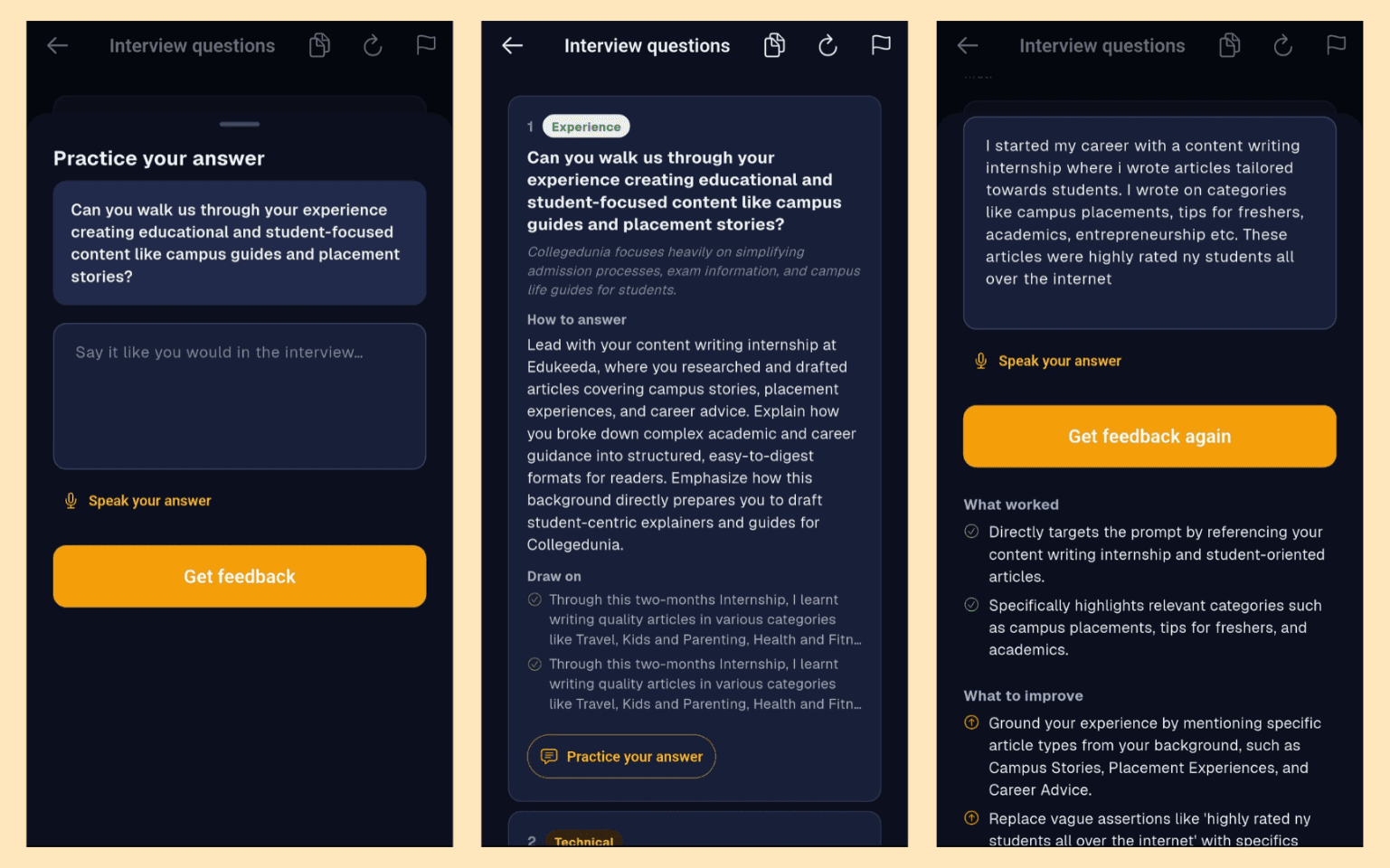
Finally, it also features the ‘Interview Questions’ tab, where you can select a job description from the previously uploaded ones. Based on that, it will generate interview questions. You can either type or speak your answer like you normally would in an interview.
The AI will analyze your answer and provide feedback. It will share the points that worked, where you need to improve, along with a stronger version of your answer.
Overall, if you need unlimited resume creation, cover letters, job prep questions, and resume tailoring, do check out AI ATS Resume Builder! It is one of the best free AI resume builders for freshers in India.
Cons:
- Not available on the web.
- Fewer templates than some established web-based builders.
- Less suitable if you want extensive visual customization.
Free Plan: Currently, this app is completely free to use. You can create as many resumes and cover letters, and prepare for job interviews free of cost!
3) Rezi AI – Best for ATS Optimization
Rezi AI is an AI-powered resume builder founded in 2019 and currently used by 4.5 million+ job seekers. To begin with Rezi, you can create a new resume by entering your experience level and uploading your existing resume.
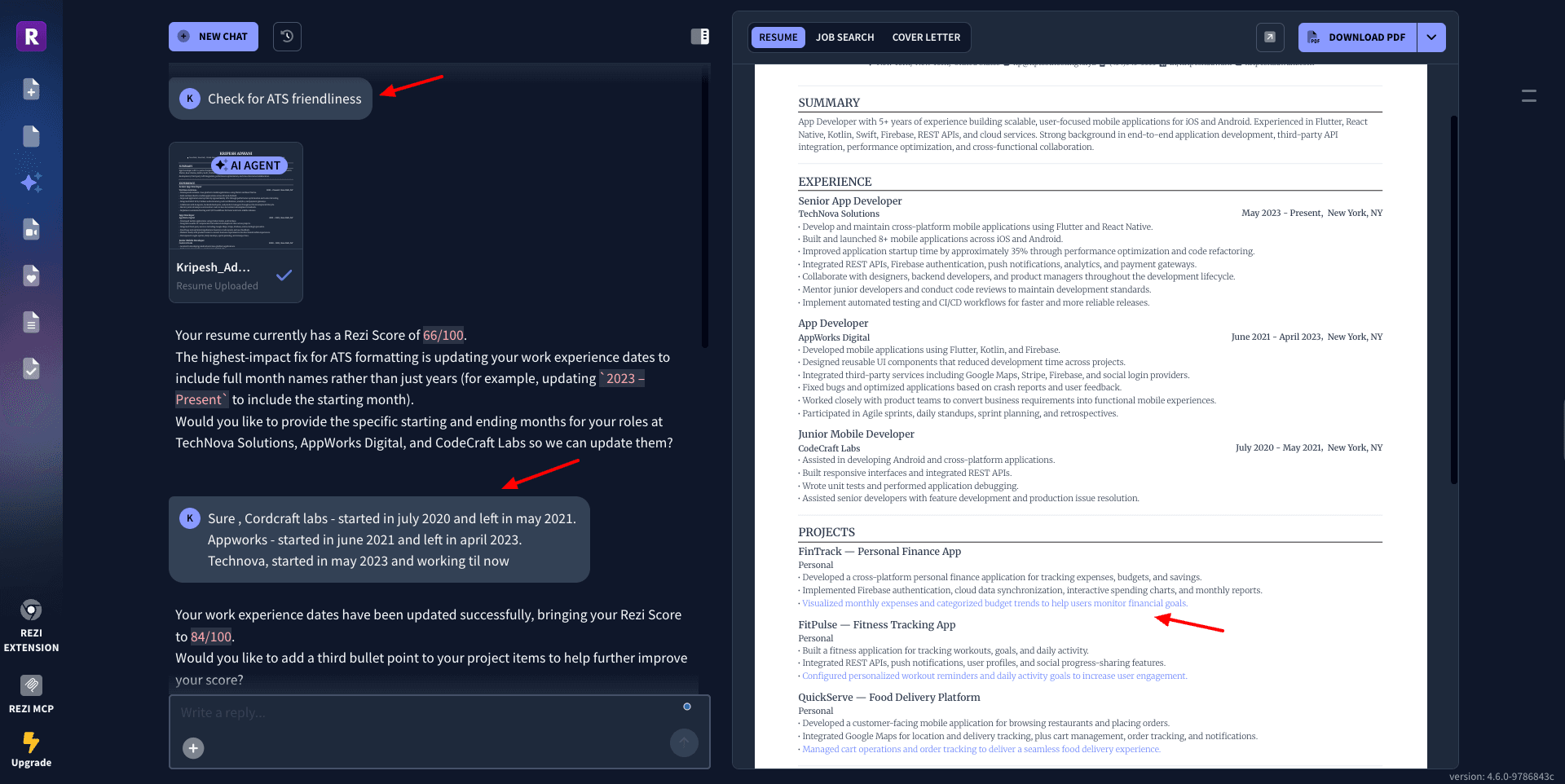
Next, you can use the AI Resume Agent to make edits to your resume. For instance, I asked the AI to analyze my resume for ATS Friendliness. It gave me a score along with improvements. I used the chat agent to apply the improvements, after which it gave me the updated ATS Scores!
The next feature is AI interviews. You simply need to upload your resume, enter your job title, description, and the language you want to interview in. It will launch a live video interview conducted by an AI interviewer.
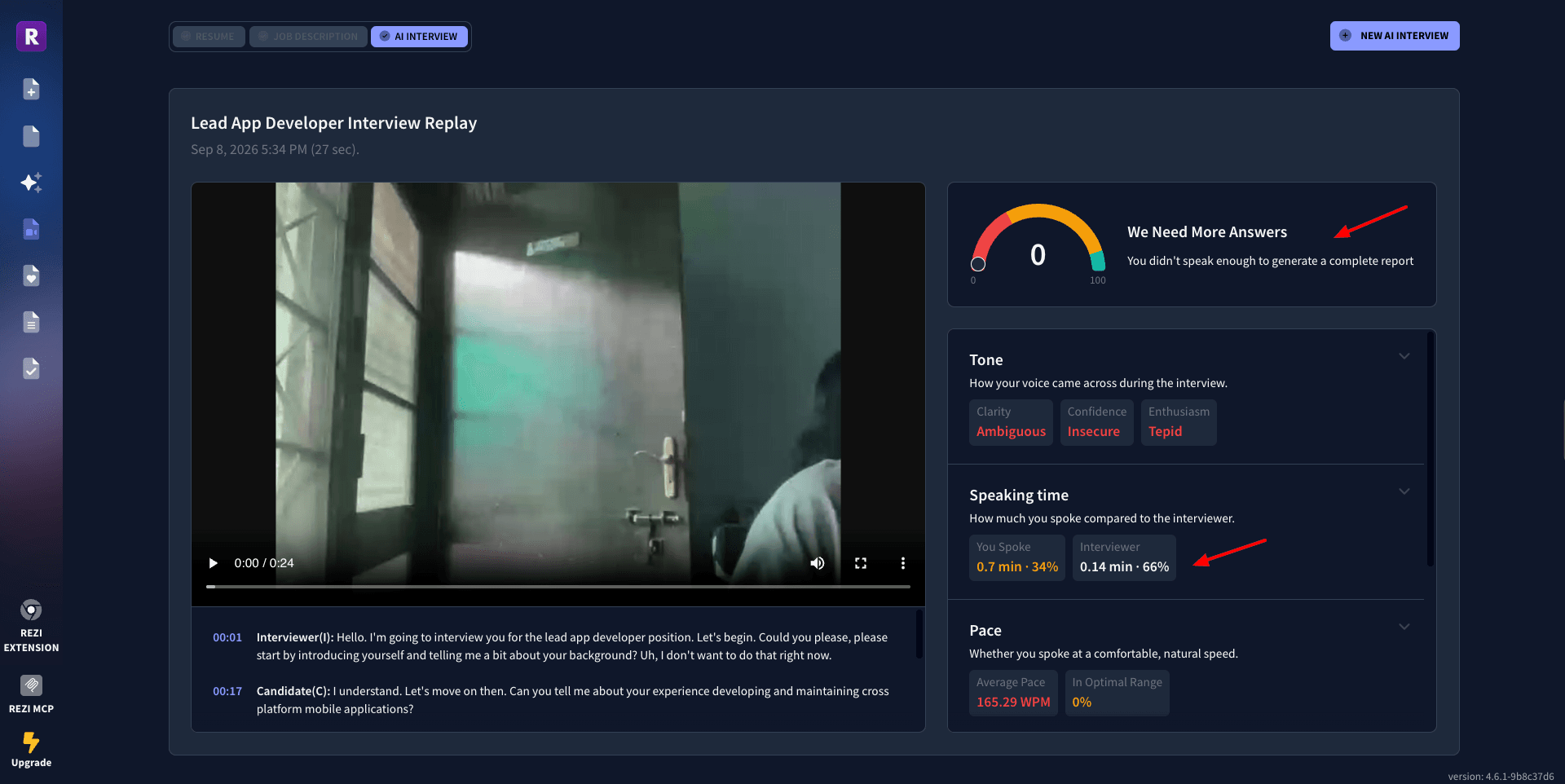
After the interview, you get a report with a score along with a comment on your tone, speaking time, pace, etc. Finally, your resume can be downloaded in PDF format. Overall, if you want to quickly create or update your resume and practice mock interviews, you should try Rezi.
Cons:
- Cover letter not on the free version.
- Free plan limited to one resume.
- Only three PDF downloads on the free plan.
- Advanced ATS features are limited.
- Premium plans are relatively expensive.
Free plan: The free plan features 1 resume, 1 AI interview, 3 PDF downloads, AI resume writer, editor, and summary writer. Its paid plans start from $29/month.
4) Wobo – Best for AI-Powered Job Applications
Wobo is an AI-powered job search and application platform that has scanned over 3 million jobs to date. To start with it, simply upload your existing resume. It imports all your information and gets a basic profile ready.
The first feature to explore is the ‘AI-powered resume’. Here, you need to enter your target job title, experience level, and resume source. The AI will regenerate your resume to include specific keywords and terms.
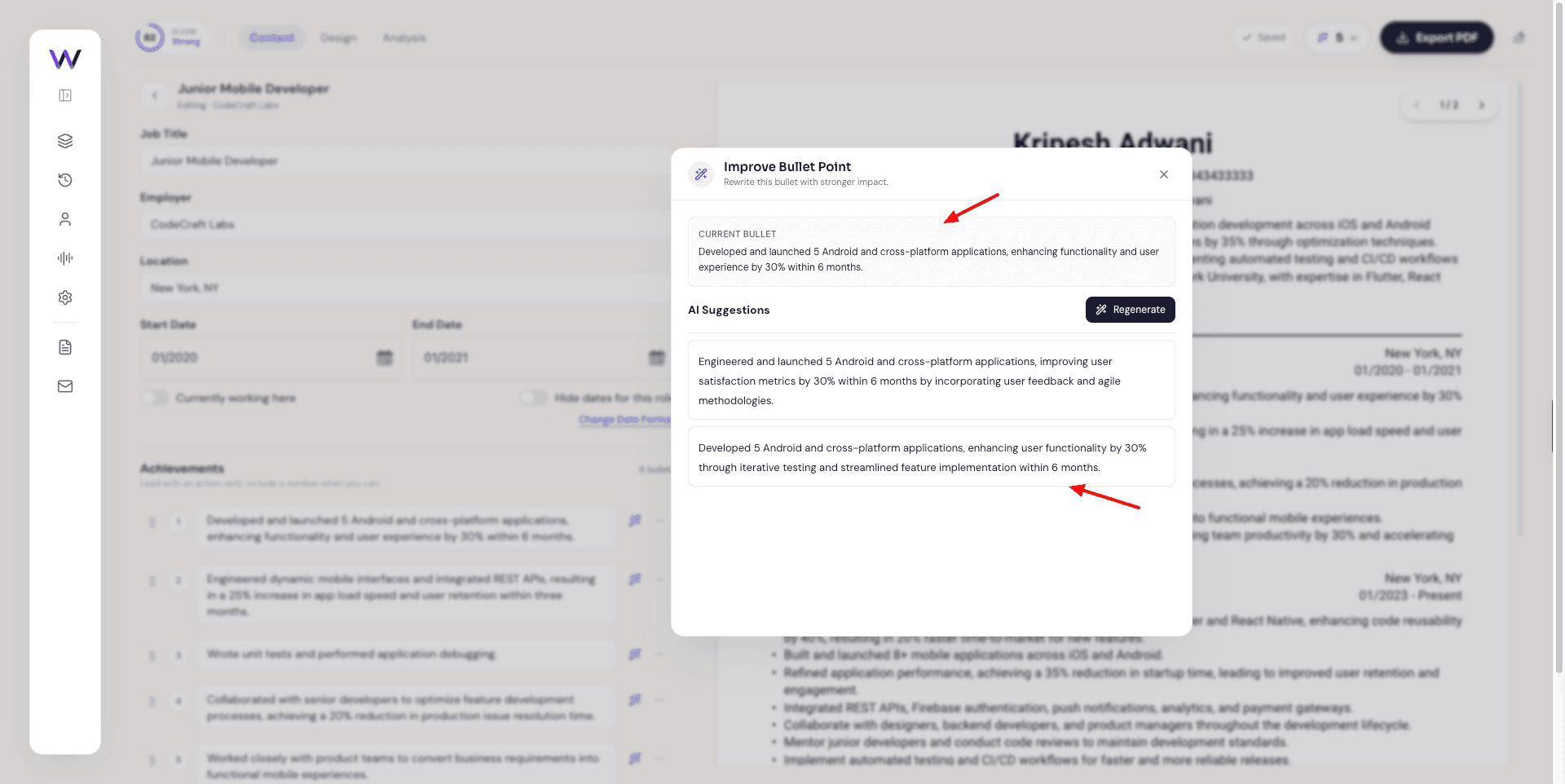
This helps to improve your match score. There is an AI button beside each section and bullet point in your resume. Clicking on it gives you different variations of your content. But AI resume tailoring is a paid feature. You can export your resume in PDF format.
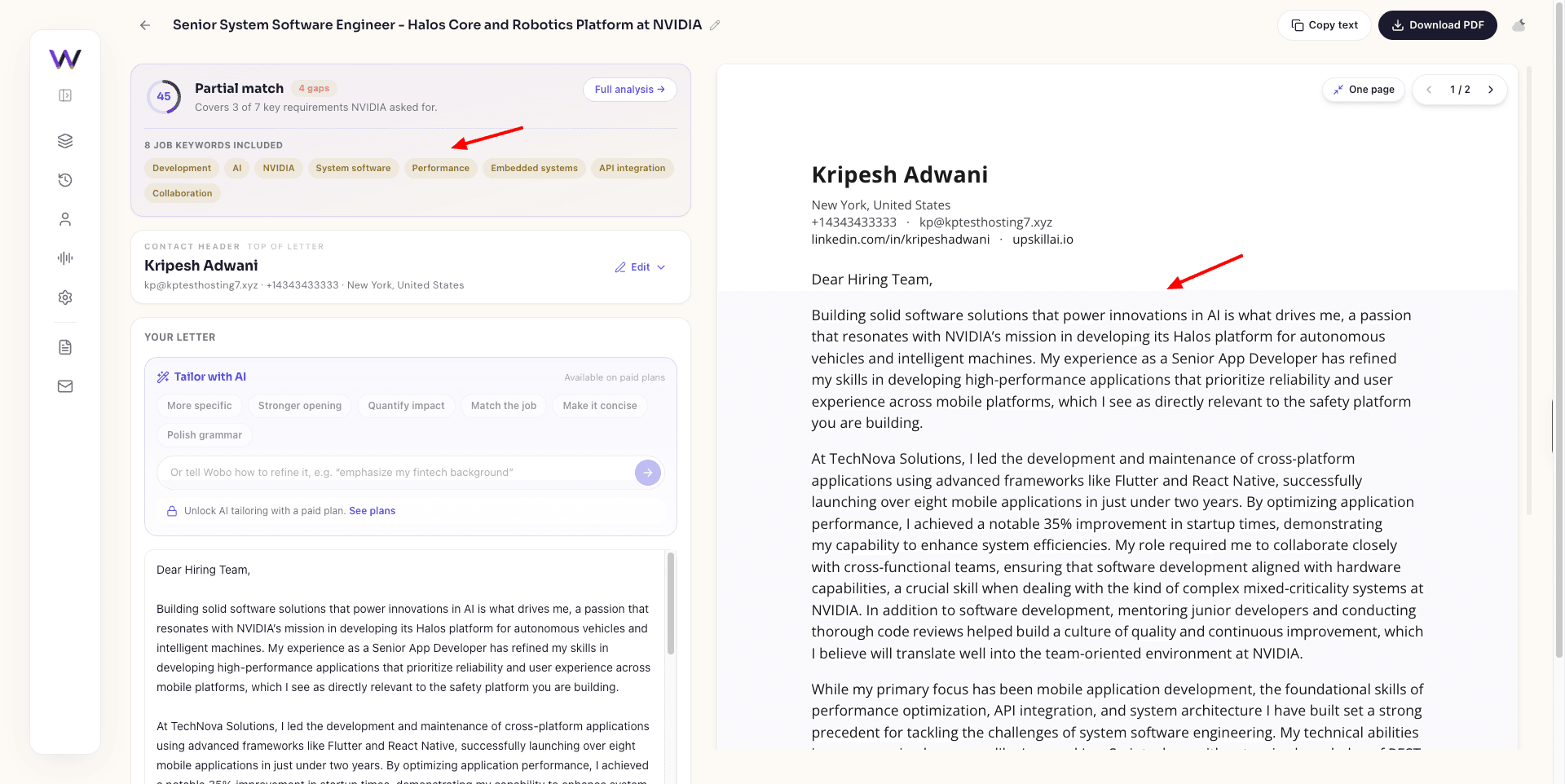
Next, you can also generate AI cover letters with Wobo. Simply paste your target company name, job title, and the job description. You get an AI-generated cover letter that you can copy. However, editing and AI tailoring options are only available on paid plans.
Wobo also has a Persona feature. It’s basically a chat-based AI that asks you questions about your last job, why you want to switch, your strengths, real work stories, etc. You just need to answer in conversational language.
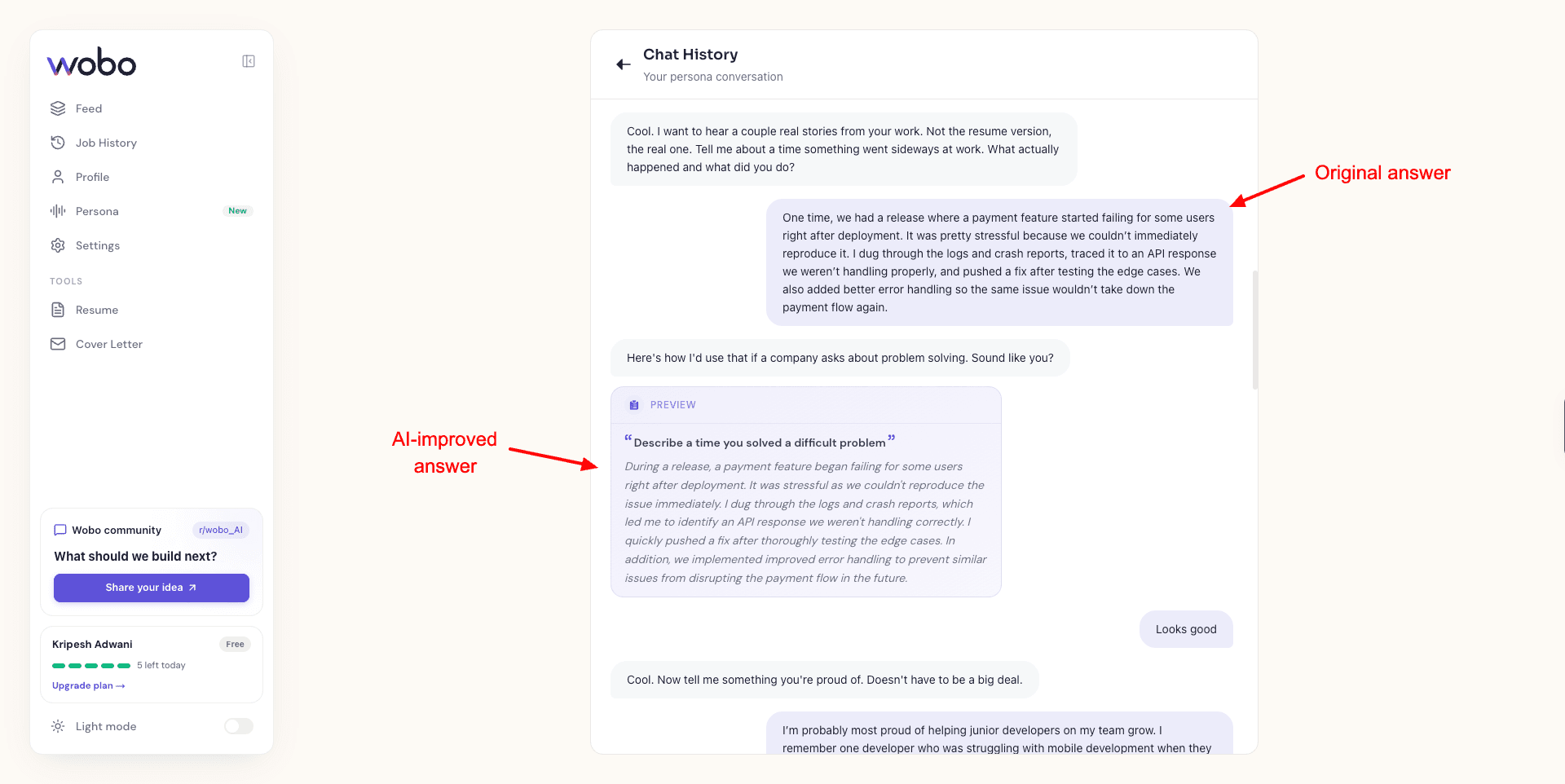
Based on that, it builds a persona for you with personalized content. Again, voice tuning, answer improvements, or adding a new story requires a paid plan. It also functions as a job portal, showing you relevant job profiles and a match score.
Click on ‘Apply with AI,’ and your application is sent with 1 click! Wobo is great for anyone who is looking for quick resume and cover letter generation and job applications! It is best for job search.
Cons:
- Advanced application automation is paid.
- Free applications are limited to 5 per day.
- Some advanced AI personalization features require an upgrade.
Pricing: The free plan offers 5 applications per day along with 2 AI cover letters, an AI resume builder, and basic matching quality.
5) Kickresume – Best for Students and Templates
Kickresume is one of the most popular apps for building resumes and cover letters using AI. It is used by 8 million+ job seekers, and 7.5 million+ resumes have been created with it as of now. It also offers 180 days of free access to its premium plan to students and teachers!
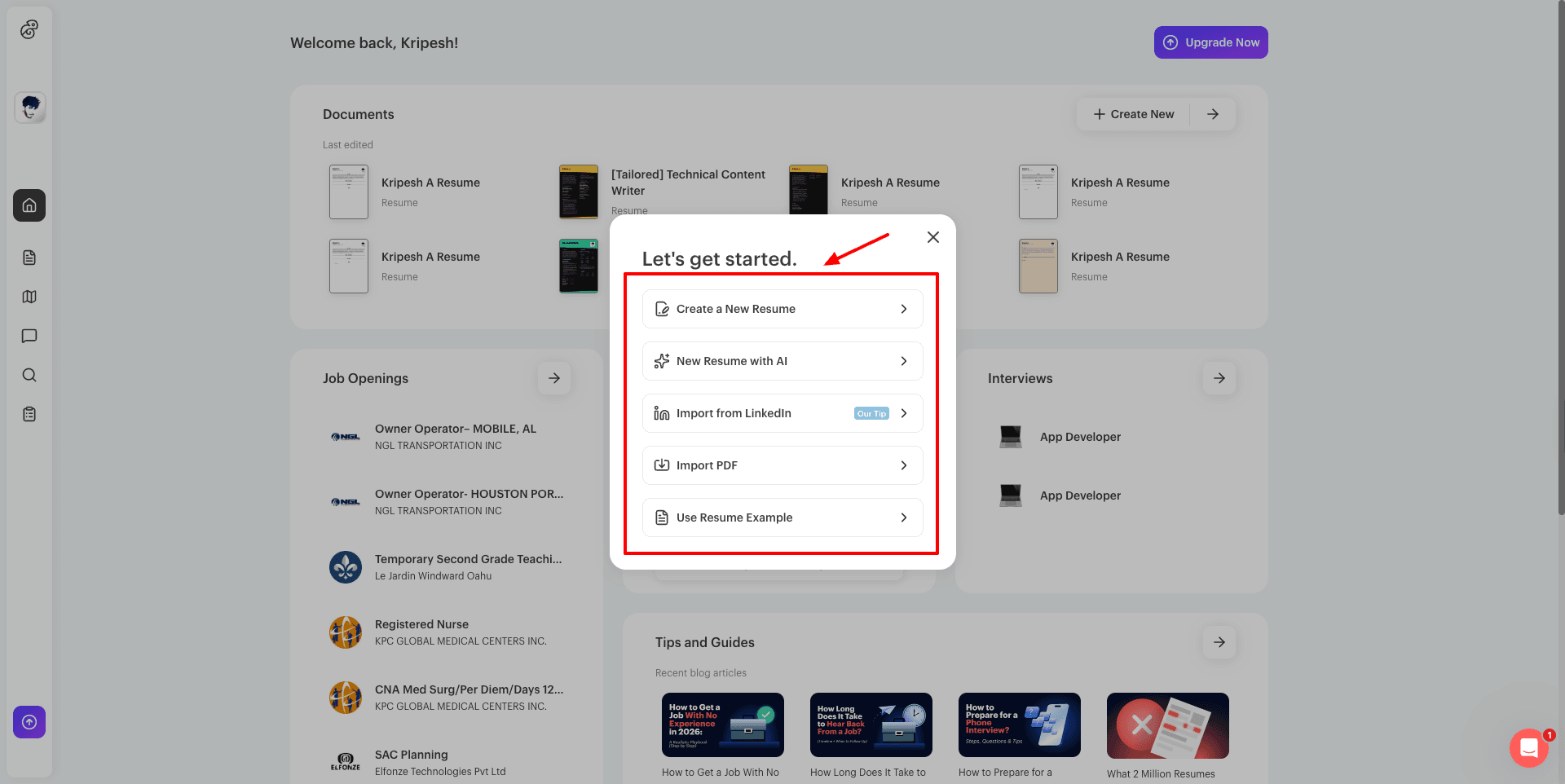
Now Kickresume offers multiple options to start. You can create a new resume from templates, generate with AI, import from LinkedIn, import a PDF, and use a resume example. If you want to generate a resume with AI, simply provide your name and job title.
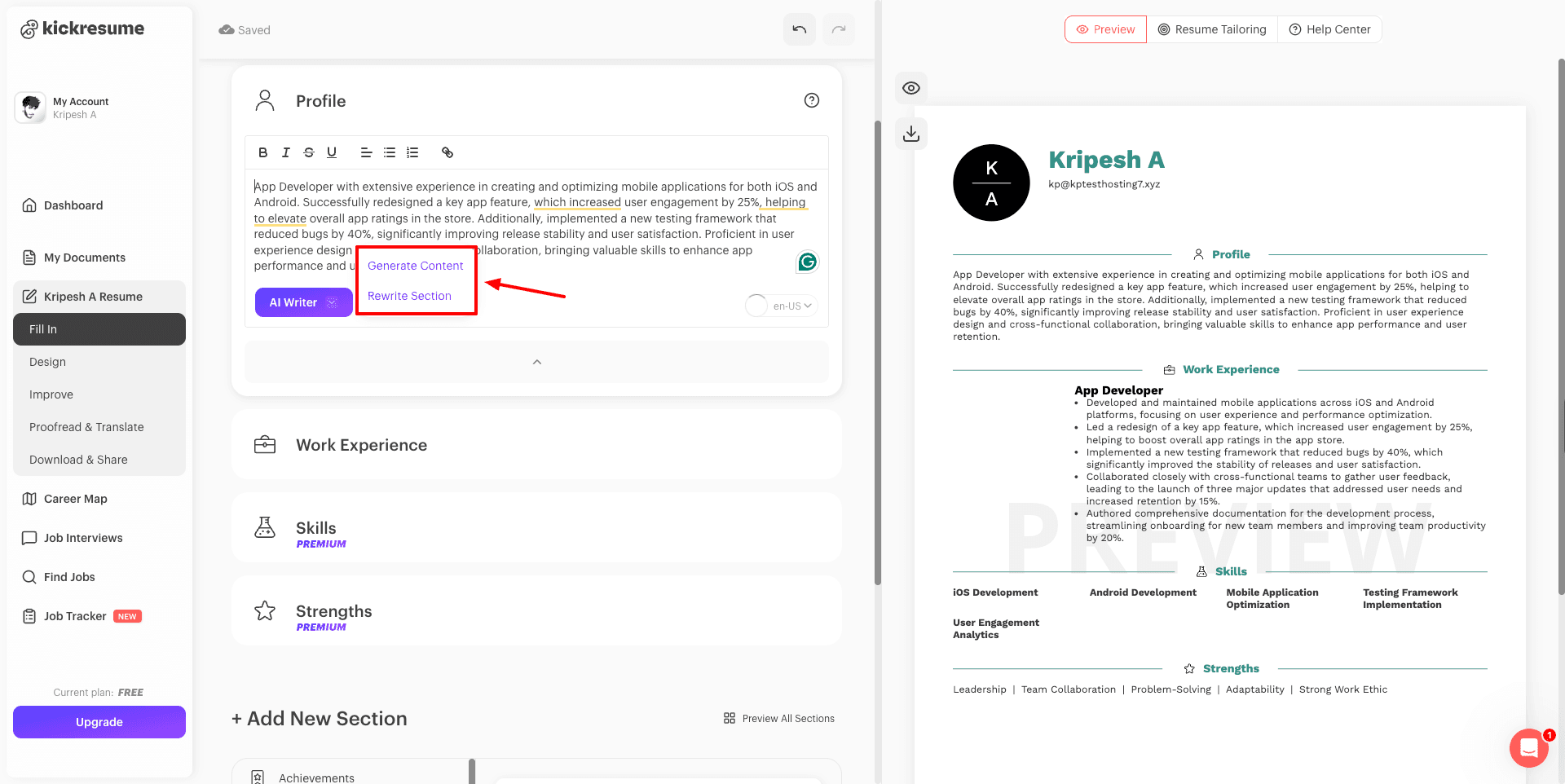
Then select a template. It features a separate category of ATS-friendly resumes as well. Once the template is selected, it arranges your information in it. Beside each content, you get the AI writer option, which you can use to generate new content or rewrite a section.
You can also generate skills, achievements, etc., with AI. The final resume can be downloaded in PDF and text format, sent to email, saved to cloud storage like Dropbox or Google Drive, and shared via a public link. However, resumes with premium elements don’t have free downloads.
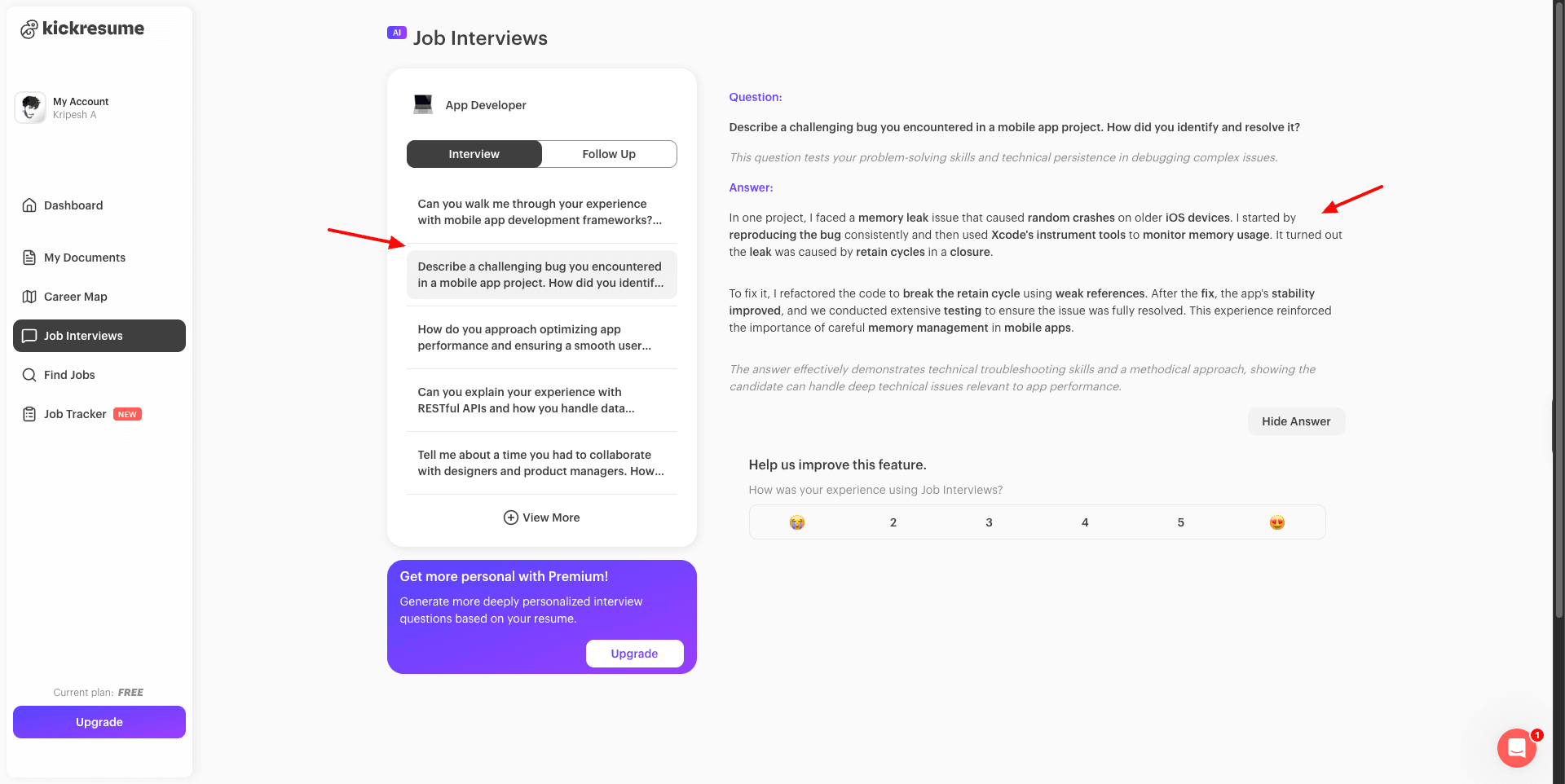
The next feature is job interview preparation. Just select your job title and seniority level. It automatically generates interview and follow-up questions using a tuned 4o-mini model. You can also check the ideal answers and practice them. I wish they also had a voice narration feature for interview practice.
Overall, if you need a resume builder with advanced AI capabilities, you can check out Kickresume.
Cons:
- AI Writer is limited on the free plan.
- Premium templates require an upgrade.
- Some resume elements are locked behind paid plans.
- Advanced ATS checking is a paid feature.
Free plan: The free plan offers 4 basic resume templates & matching cover letter templates, 1500+ resume examples, and unlimited downloads. Its paid plans start from $7.20/mo or $3.20/mo (annually).
6) Enhancv – Best for Visually Appealing Resumes
Enhancv helps you build modern resumes with AI. Founded in 2014, it is used by 10 million+ users globally and is trusted by Tesla, Google, Facebook, Spotify, Intercom, and more.
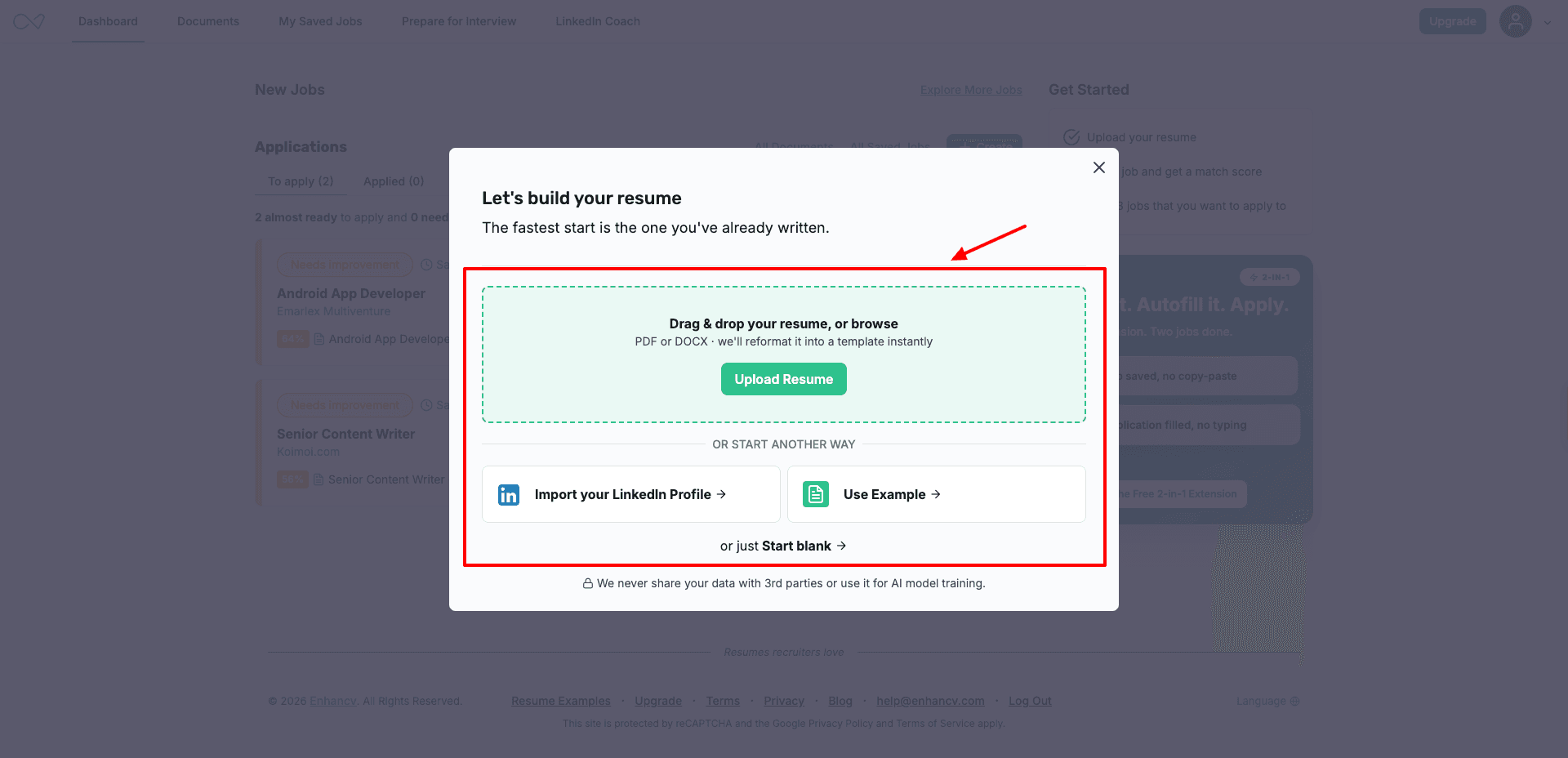
You can either start from scratch, upload your existing resume, import your LinkedIn profile, or create from example resumes from different categories. When you upload your resume, it detects issues, and you can click on ‘Improve with AI’ to fix them.
On the free plan, you can use the ‘Check and Tailor’ option, where you can paste a job description. The AI will analyze and provide your resume with an ATS check score. However, to get AI suggestions for improving your score, you need to upgrade to the paid plan.
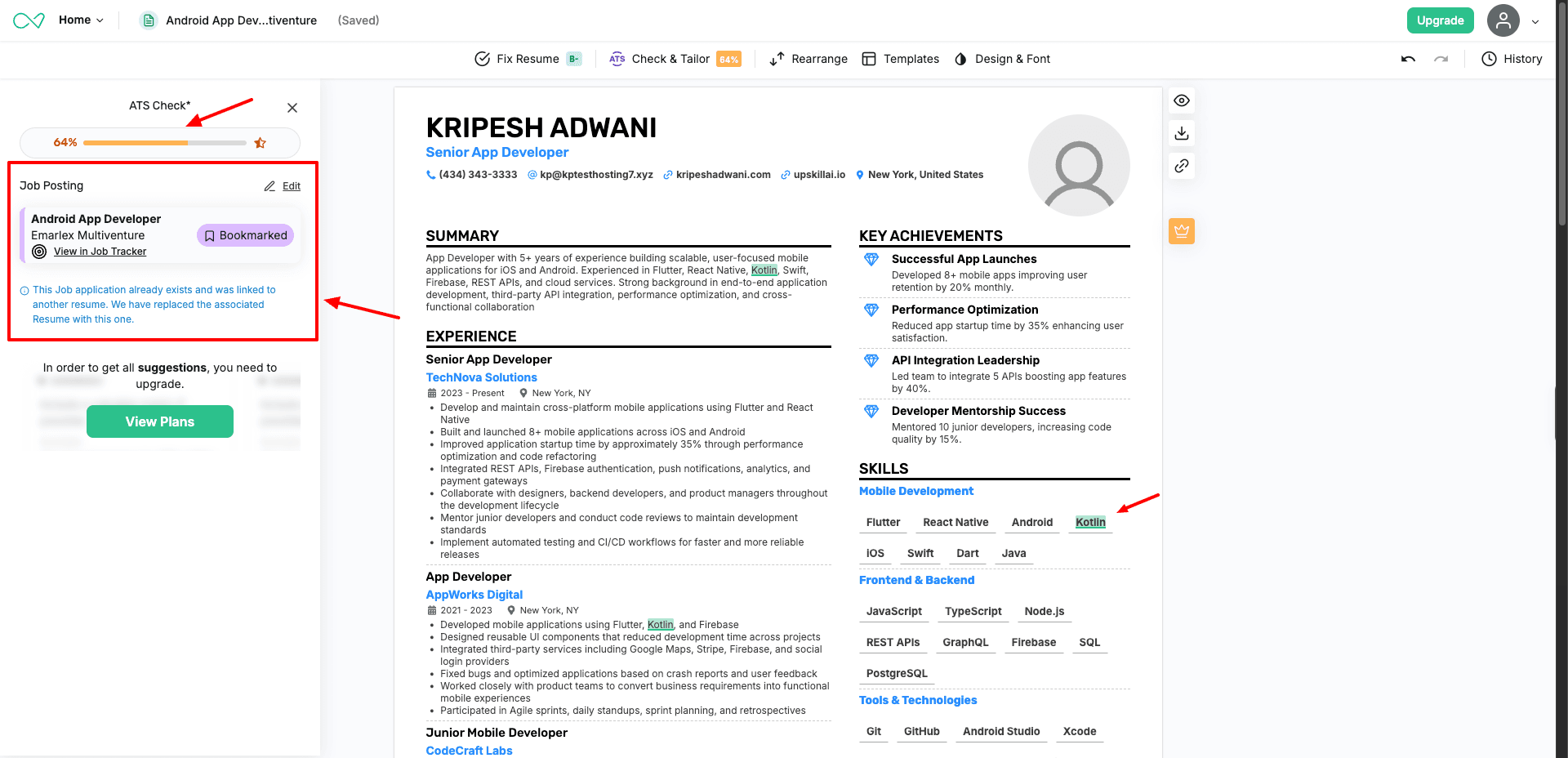
Similarly, it also lets you generate an AI cover letter for the position you wish to apply for. You can’t view or fix any mistakes in your cover letter for free, though. Finally, you can download your resume and cover letter in PDF and TXT formats.
You can also share your resume via public links and get comments from your friends. Additionally, you can also prepare for interviews with the help of AI. Just provide the job posting details, and it will generate sample questions along with answers for you.
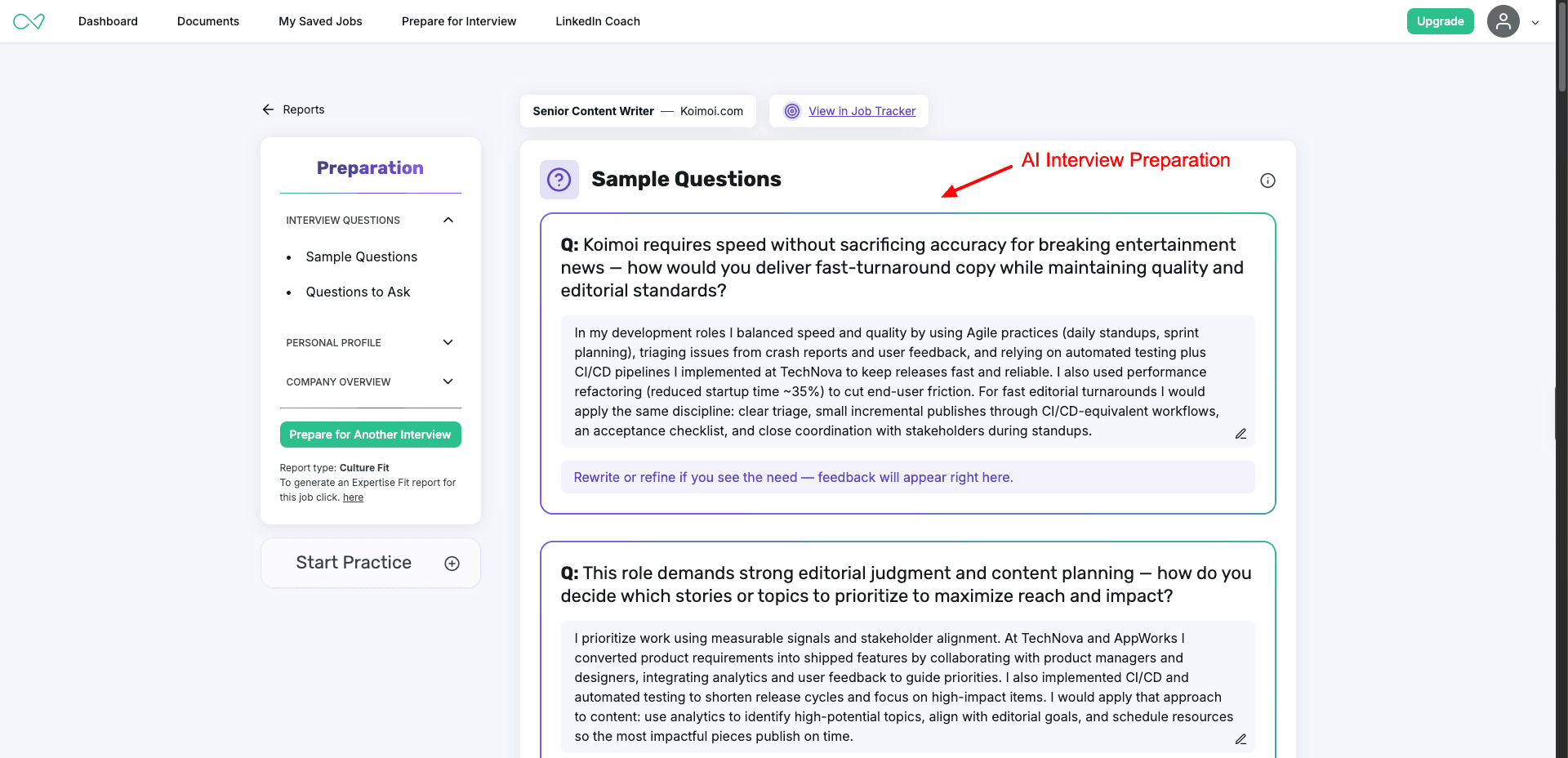
Overall, if you need a versatile platform for resume and cover letter generation, AI job tailoring, and AI interview preparation, you should check out Enhancv!
Cons:
- Free access is limited to 7 days.
- Free exports include Enhancv branding.
- AI suggestions to improve your ATS score require a paid plan.
- Advanced sections and features are locked behind Pro.
Free Plan: You get a 7-day free trial, where you can access all resume templates and design tools, get basic resume sections, and get Enhancv branding on exports. Its paid plans start from ₹663/mo, where you get 300 resumes and cover letters with no Enhancv branding.
7) Resume.io – Best for Beginners
Resume.io is an AI-powered resume builder with over 338k users. It features multiple ways to create a new resume. You can upload your existing resume, create one from a LinkedIn profile or from an example, or create one with an AI assistant.
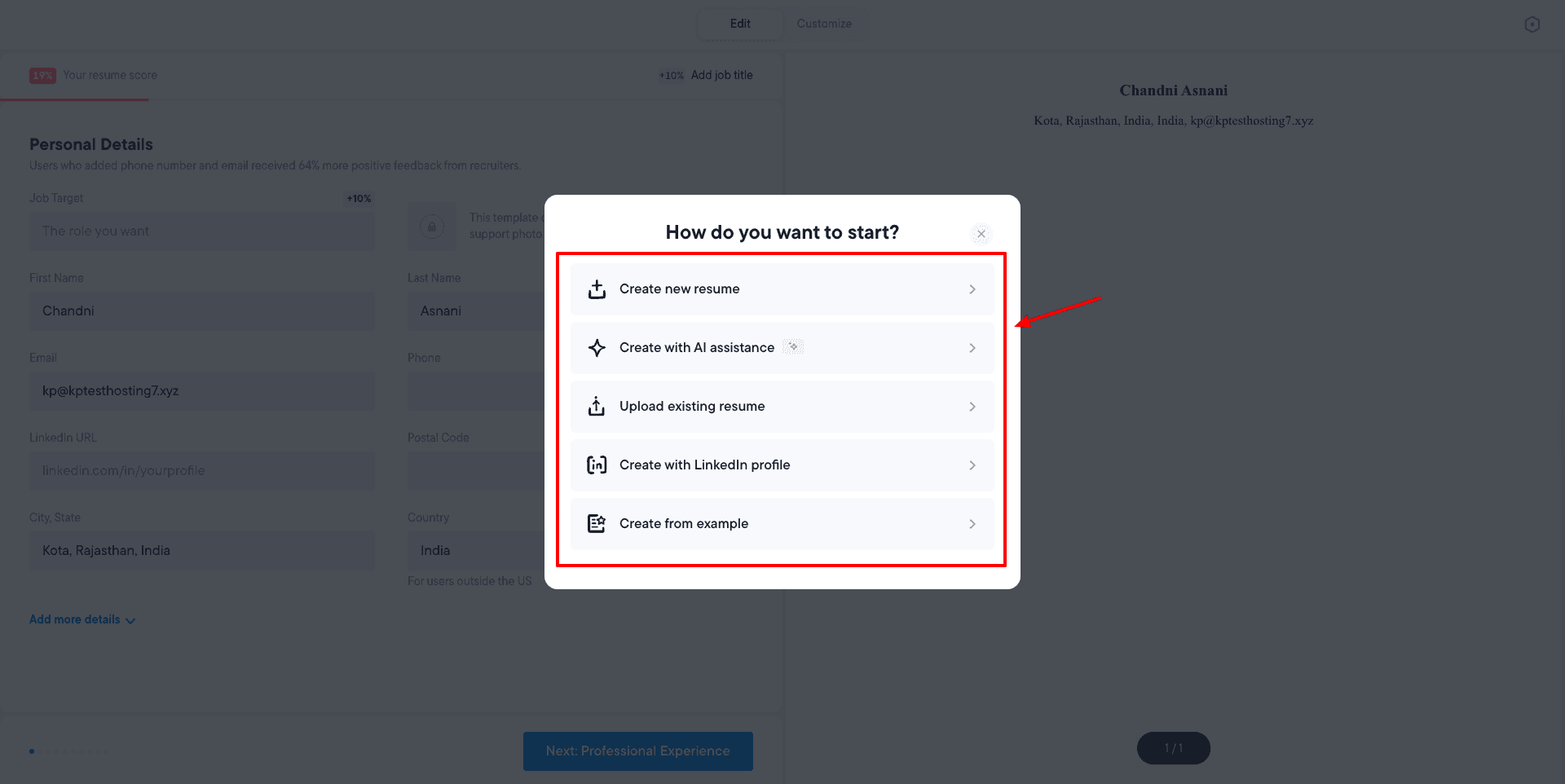
If you choose the AI Assistance option, you need to paste your LinkedIn profile URL, and it fetches all your details from it. Next, you can use the AI Profile Summary option to generate or edit your profile summary paragraph.
Next, you can also use the ‘Ask AI Writer’ option to edit your resume, add new sections, analyze your ATS friendliness, etc. It can also generate AI cover letters for you and tailor your resume to a job description. All you need to do is paste the link to your desired job description.
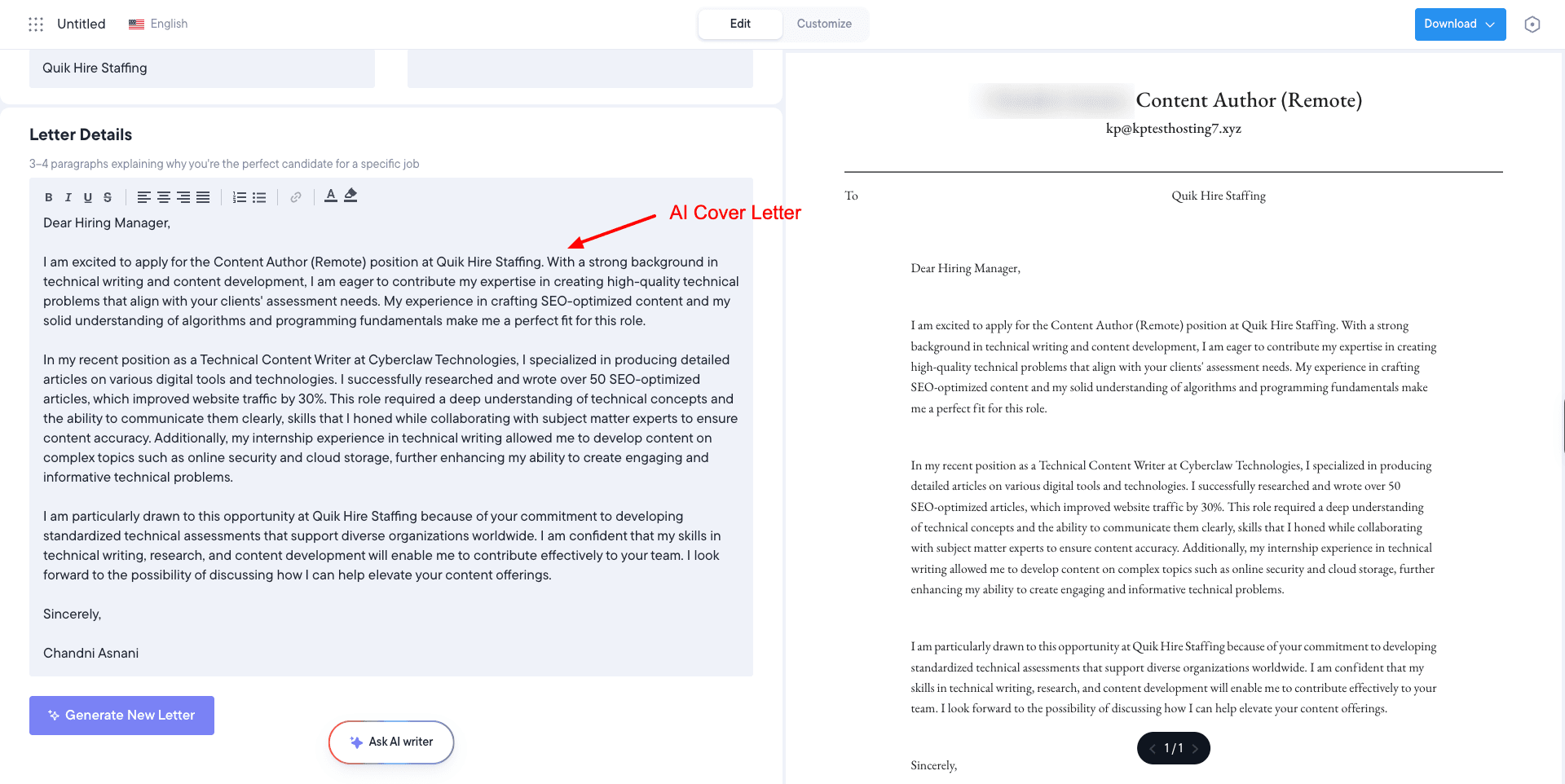
Finally, you can download your resume as a TXT file. So, if you need an all-in-one tool for building and customizing your resume with AI, generating cover letters, and tailoring your resume to different job descriptions, try Resume.io.
Cons:
- Free plan limited to one resume.
- Free downloads are limited to TXT format.
- PDF and Word downloads require a paid plan.
- Multiple resumes require an upgrade.
Free Plan: The free plan lets you create 1 resume and cover letter with TXT downloads and limited sharing and analytics. Its paid plans start from ₹249/week or ₹1,999/yr, where you get unlimited downloads.
8) My Perfect Resume – Best for Guided Resume Building
My Perfect Resume is a simple and easy-to-use AI resume builder. To get started, upload your existing resume, and it will fetch your details. Then you can review the details in all the sections. You can use the ‘Enhance with AI’ option to generate new content or improve existing content.
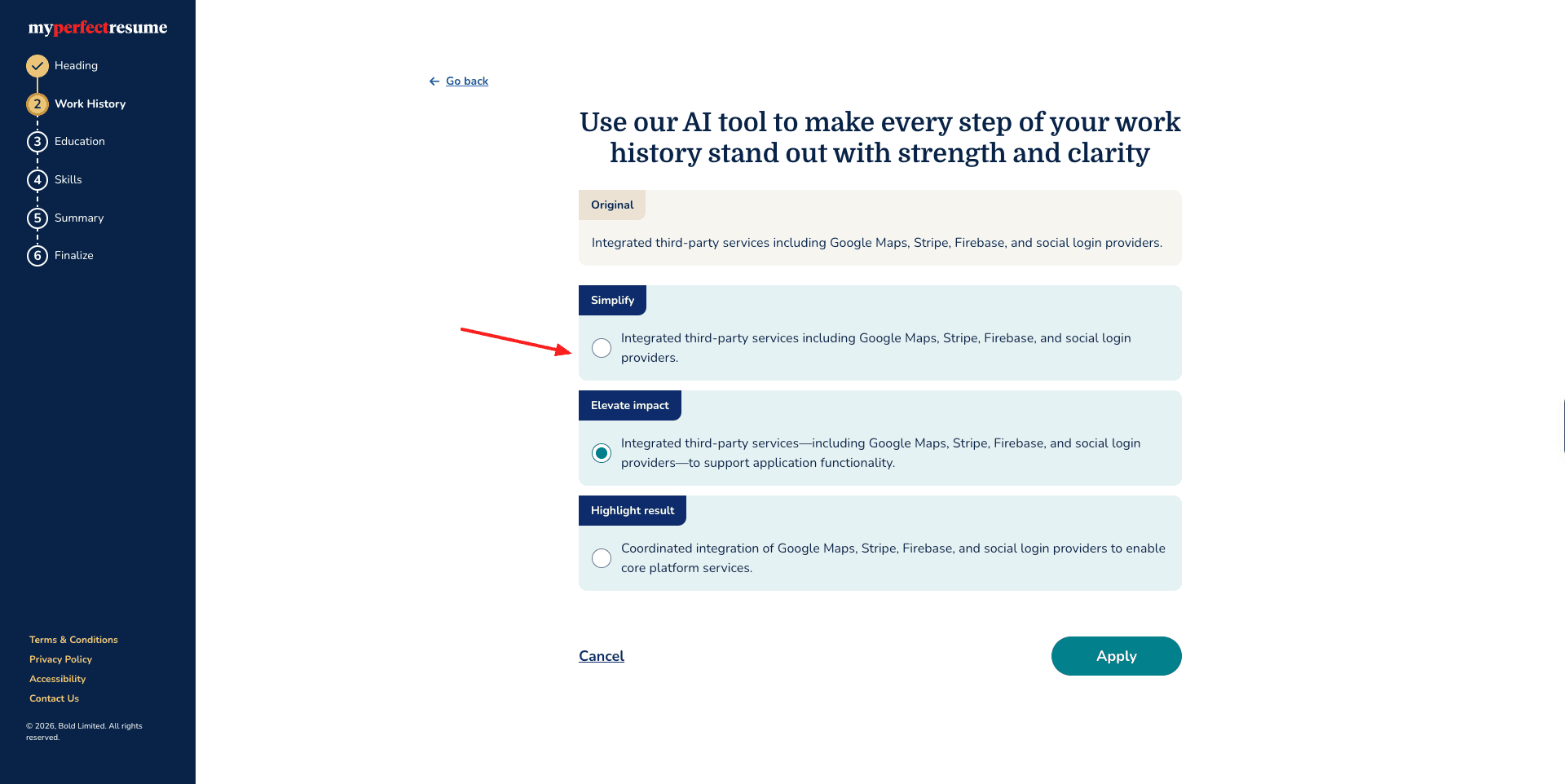
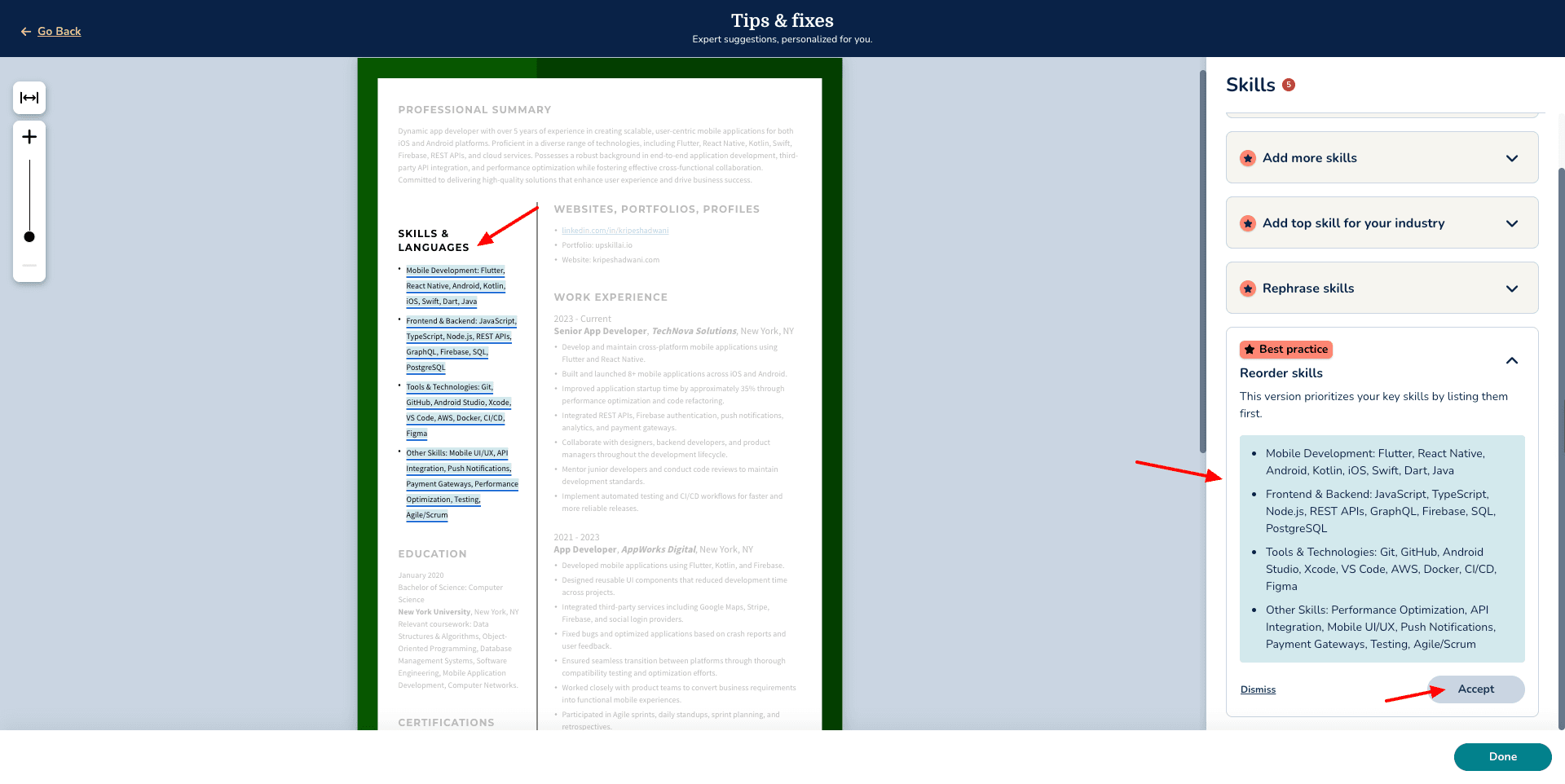
Similarly, under each section, you will find the ‘Tips and Fixes’ tab. It comprises the improvements suggested by AI. You can either accept or dismiss them. Finally, after all your edits are done, you can choose a resume template, color, font, font style, spacing, etc.
However, PDF exports are not supported on the free basic plan. You can only download your resumes in TXT format. If you need an AI tool to review your resume, you can use My Perfect Resume!
Cons:
- Free downloads are TXT only.
- Resume feedback is a premium feature.
- Advanced templates require an upgrade.
Free Plan: The free plan features a resume & cover letter builder, expert-written content suggestions, and unlimited downloads in TXT format.
Factors to Consider While Choosing an AI Resume Builder
There are dozens of AI resume builders available online. But how do you choose the right one to create your resume? Below, I have highlighted a list of factors for you to consider. Let’s look at them!
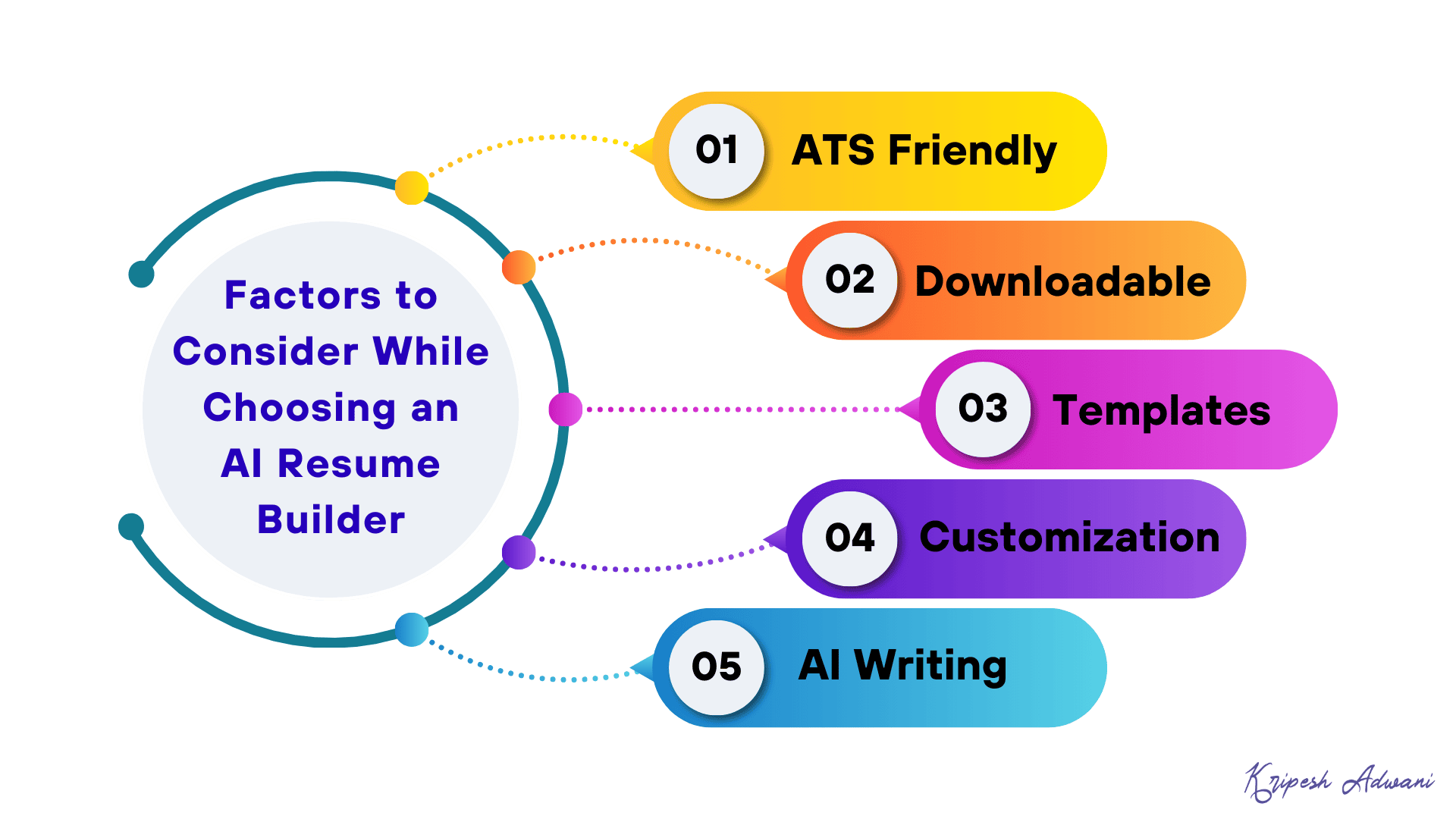
1) ATS-Friendly Resume
A good resume builder is ATS-friendly, meaning it optimizes your resume to ensure maximum visibility and scannability.
2) Downloadable
The ability to download your resume is crucial. A good resume builder should allow you to export your resume in various formats like PDF, DOC, TXT, etc.
3) Templates and Formats
It should offer a library of modern templates to help you create professional resumes. Different job roles may require different resume formats.
For instance, the CV of a corporate lawyer will differ greatly from the CV of a fashion designer. A good resume builder offers sufficient templates covering all job roles.
4) Customization Options
A good AI resume generator offers lots of customization options. You can edit the structure, layout, color scheme, font style, content, and more to fine-tune your resume.
5) AI Writing
With AI writing assistance, you can get phrase suggestions and tips on improving sentence structure, and it can also generate entire sections of your resume for you. To ensure that the resume content remains authentic, review and edit it before downloading.
How Did We Test Free AI Resume Builders?
In order to test the best free AI resume builders, we first conducted manual and AI research. After shortlisting over a dozen AI tools, we tested them using a free test account.
We focused on factors like ease of use, templates, AI resume generation quality, free plan limits, resume exports, additional AI features, etc. The tools that didn’t meet our criteria were removed. Finally, based on all these features, we ranked the tools on our list.
Why Should You Trust Me?
I’ve been working full-time in the digital industry since 2015. Over the last 11 years, I have used, tested, and reviewed hundreds of digital tools. Since the AI boom, I have explored vast categories of AI tools and reviewed them on my blog and YouTube channel.
These include AI writers, AI image generators, AI video generators, AI voice generators, AI website builders, AI Chrome extensions for students, AI music generators, AI note takers, and more. Working with all these apps has given me the expertise to recommend the right tools for your needs.
Conclusion
I hope these AI resume generators help you improve your chances of landing interviews. My personal favorite is Teal. It’s one of the best AI resume builders for its AI features and intuitive UI.
Which one did you like the most? Have you used any other AI resume builders? Do share with me in the comments section. And if you’re interested in exploring more AI tools, check out these Best Free AI Tools to boost productivity and simplify your life.
Anyway, this is Kripesh signing off. I’ll be back with more interesting articles soon. Till then, keep learning. Cheers. 🙂
FAQs
Is there a genuinely free AI resume builder?
Yes, AI ATS Resume Builder is completely free to use. You get all the features for free and unlimited use, along with watermark-free PDF exports.
Which AI resume builder is best for freshers in India?
For freshers in India, the AI ATS Resume Builder is the ideal choice. It includes features that are useful for freshers, including ATS scoring, job-specific resume tailoring, multiple download formats, and AI interview preparation. It’s also completely free to use.
Do AI resume builders produce ATS-friendly resumes?
Rezi is an excellent choice for ATS compatibility. It focuses heavily on ATS-friendly formatting, keyword targeting, resume scoring, and AI-assisted resume improvement.
Can I download an AI-generated resume for free without a watermark?
Yes, but it depends on the tool you are using. AI ATS Resume Builder – CV provides PDF, DOCX, and TXT downloads without watermarks. Kickresume also allows free, watermark-free downloads when you use its free features.
Which is the best AI resume builder for job seekers?
Teal is useful for active job seekers. It combines resume building with job matching and application tracking. Its free tier also lets you create and export unlimited resumes.
Which is the best AI resume builder for students?
Kickresume is a useful option for students. You get free resume templates, a large library of professional resume examples, and special free Premium access for eligible students and teachers.
Which AI resume builder is best for creating a resume quickly?
Wobo is a good choice when speed is your priority. You can provide your existing resume or experience, select a template, and use AI to create your resume quickly (AI tailoring needs a paid plan).
Which AI resume builder is best for resume templates?
Enhancv is a strong option if you care more about visual customization and resume design. It offers a wide range of templates and extensive design controls, although some advanced features require a paid plan.
Is it safe to use AI to write your resume?
Yes, AI can be useful for improving your resume, but you should treat its output as a draft. Check every claim, job title, achievement, number, and skill before submitting the resume. Make sure to remove any experiences or qualifications that the AI invents on its own.