Choosing a cloud storage service feels like a long-term commitment—what if you pick the wrong one? With lifetime plans and promises of top-tier security, pCloud stands out. But does it truly deliver?
I’ve been using pCloud for a few years now, having invested in its lifetime 2 TB plan. Over time, I’ve tested its speed, explored its interface, and examined features like file history, sharing, file syncing, media playback, and multi-device support.
In this in-depth pCloud Review, I’ll reveal pCloud’s performance, key strengths, and areas where it falls short. Plus, I’ll compare it with alternatives so you can decide if it’s the right cloud storage solution for you.
Ready to see how pCloud stacks up? Let’s dive in!
pCloud Review
Summary
pCloud offers fast speeds, flexible file sharing, affordable lifetime plans, and strong security, along with a redesigned interface and a dedicated Photos gallery. However, it still lacks built-in document editing and advanced collaboration tools.
It’s ideal for users who need reliable cloud storage for backups, secure file sharing, and media storage, but teams needing real-time collaboration may prefer alternatives like Sync or Google Drive.
Disclaimer : I strongly believe in transparency. If you buy using the links on our site, we may earn a small commission without any extra cost to you. This helps me to keep producing honest reviews. Read More >>
- About pCloud
- pCloud Overview
- pCloud User Interface
- pCloud Data Centers & Jurisdiction
- pCloud Speeds
- pCloud File History and Recovery
- pCloud Security
- pCloud File Syncing
- pCloud File Sharing
- pCloud Documents Preview and Editing
- pCloud Playback Features
- pCloud Photos Gallery
- pCloud Additional Features
- pCloud Add-Ons
- pCloud Devices and Apps
- pCloud Privacy Policy
- pCloud Pricing
- pCloud Support
- pCloud Pros
- pCloud Cons
- pCloud Alternatives
- Why Should You Trust Me?
- Conclusion
- FAQs
About pCloud
pCloud is a security-first cloud storage service founded by Tunio Zafer and Anton Titov in 2013. Based in Switzerland, pCloud currently has over 20 million users around the globe.
It stands out by offering excellent security tools, good playback features, and affordable lifetime plans. pCloud is not a part of any intelligence-sharing agencies like the 5/9/14 Eyes Alliances, which reinforce it as a secure platform.
pCloud Overview
| 💰 Pricing | $4.99/mo (500 GB) Lifetime plans from $199 (500 GB) |
| 📍Headquarters | Switzerland |
| 🆓 Free Storage | 10 GB |
| ⚡Speeds | Fast uploads and downloads |
| 🔐 Encryption | AES-256 bit encryption, pCloud Crypto (paid add-on) |
| 🔑 2FA | Yes ✅ |
| 🔄 Sync | Selective Sync + Block-Level Sync |
| 💻 Virtual Drive | Yes ✅ |
| 🔗 File Sharing | Public links, email invitations, password protection, link expiry, link statistics, & custom branding |
| ✏️ File Editing & Collaboration | No ❌ |
| 🗑️ Trash Retention | 15 days (free plan), 30 days (paid plans) |
| 📱Apps Supported | Windows, Mac, Linux, Android, iOS, |
| 🛠 Support Channels | Knowledge Base, Email Support, AI Chatbot Assistant |
| 💵 Refund Policy | 14-day money-back guarantee |
| 💳 Payment Methods | Credit Cards and PayPal |
pCloud User Interface
The user interface of pCloud is pretty simple and intuitive. It is easy to use for beginners. As you log in to your pCloud account, you’ll find a list of your files and folders on the main screen.
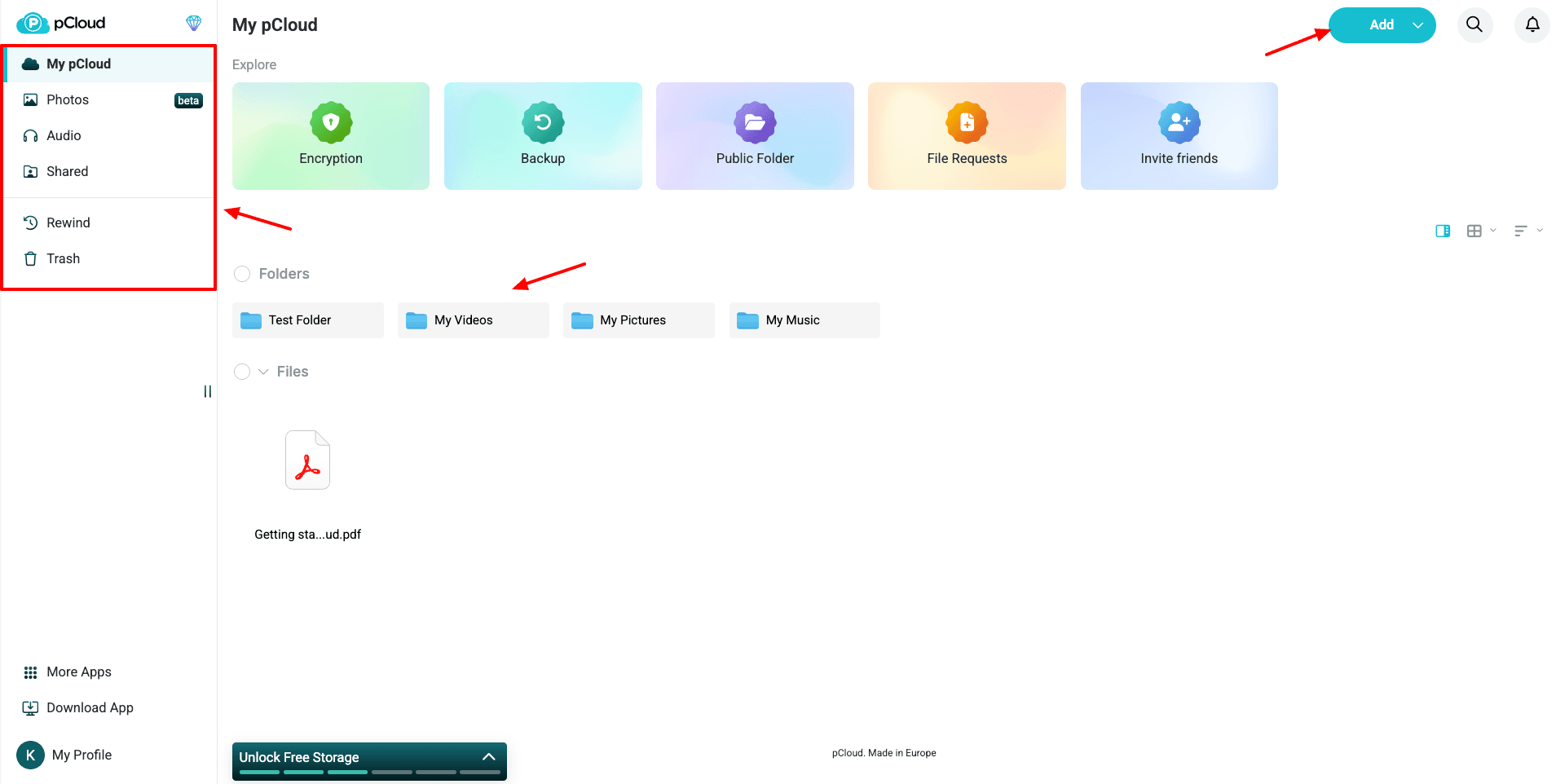
On the left panel, you will find all the major features like photos, audio, shared files, rewind, trash folder, etc. From the bottom left corner, you can access the account settings. Whereas, from the top right corner, you can add new files and folders and check notifications.
Recently, pCloud has undergone a major UI redesign across mobile, desktop, and web apps. It features a cleaner design and dark theme support. You also get a completely refreshed Linux client with better desktop integration.
Additionally, pCloud’s Android app now features new icons, improved gallery layout, and better memory browsing interface. Overall, pCloud’s new upgraded interface is seamless across all devices and offers smoother performance.
pCloud Data Centers & Jurisdiction
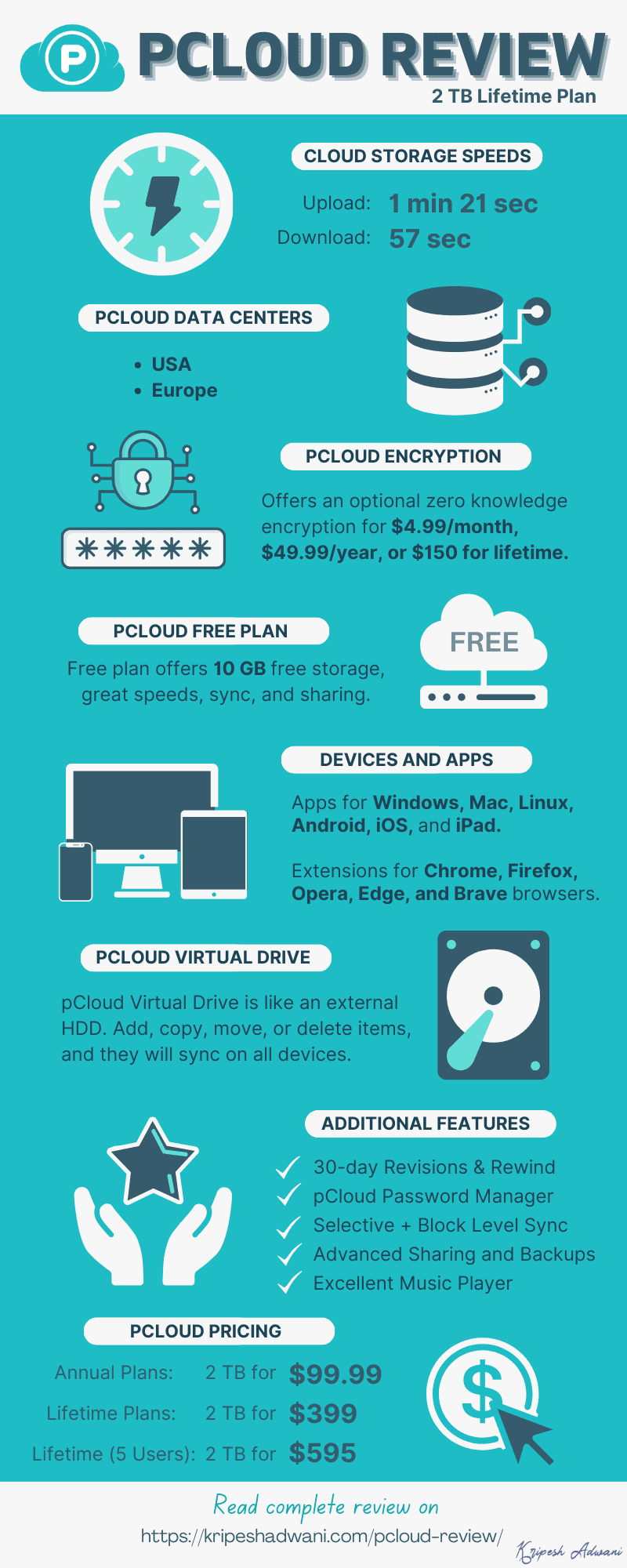
pCloud is headquartered in Switzerland, a country with the strictest data protection regulations. It has 2 data centers – in the USA and Europe. While signing up on pCloud, users can choose the region in which they want to store their data.
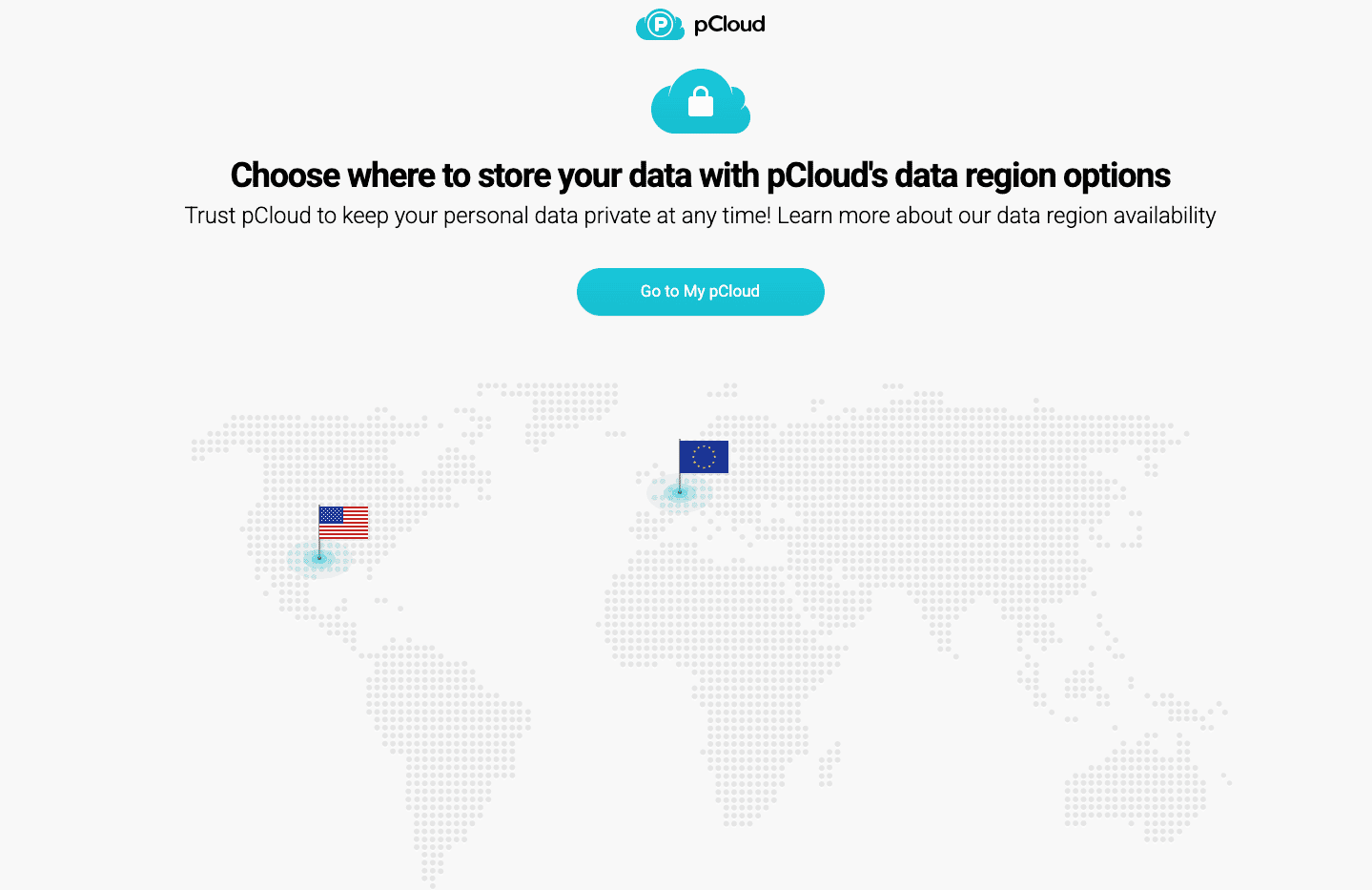
However, if you wish to switch your data storage region later on, it would cost you a one-time fee of $19.99. So, I’d recommend opting for the European servers as they’re not part of the 5-Eyes Alliance, and hence more secure.
pCloud Speeds
To test the speeds of pCloud, I uploaded and downloaded a 200 MB video file with a network speed of 30 Mbps. Let’s look at the results.
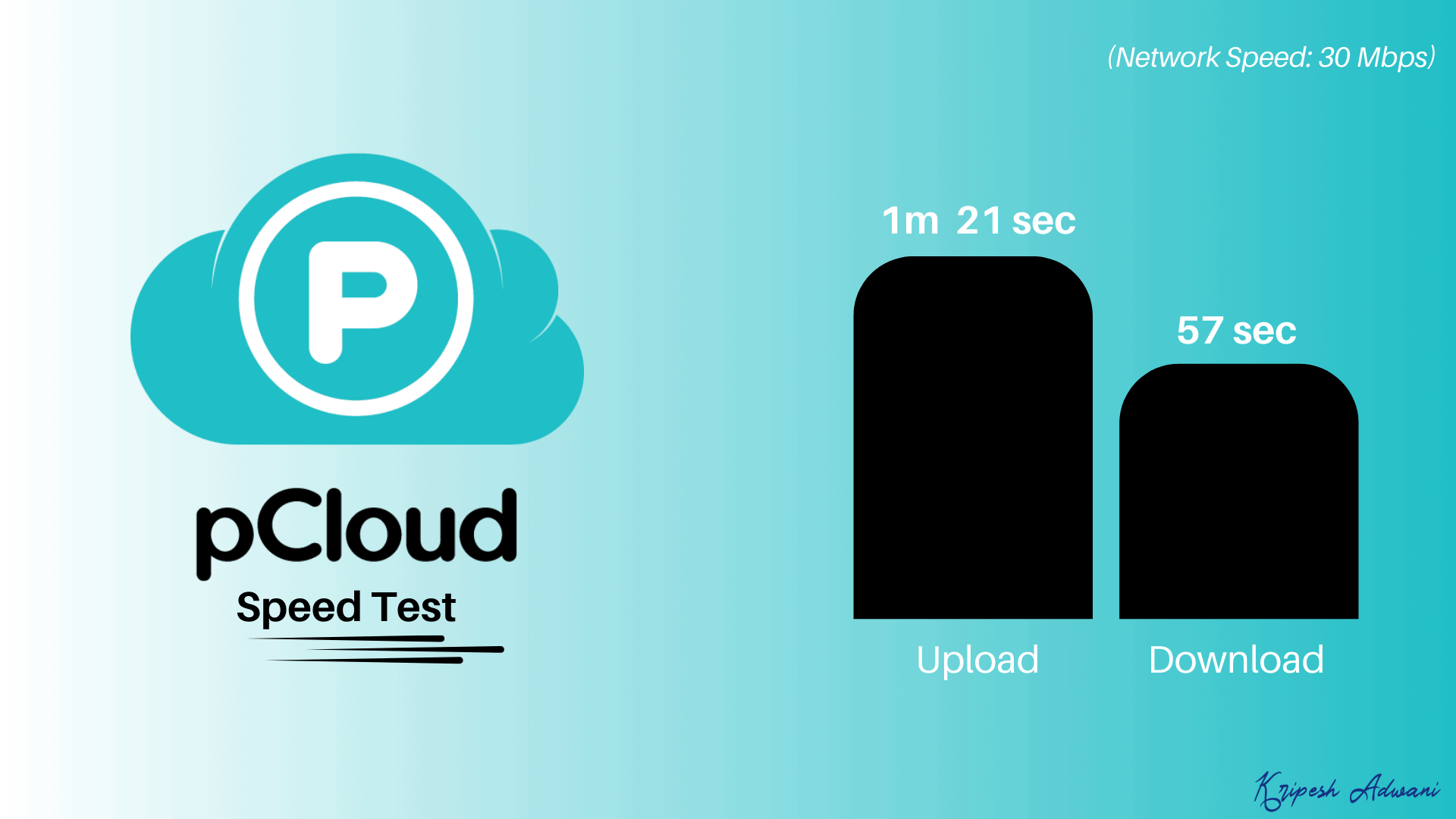
- Upload time: 1 min 21 sec
- Download time: 57 sec
Overall, both the upload and download speeds of pCloud are pretty swift. If you want cloud storage primarily for uploading your data, pCloud is a great option.
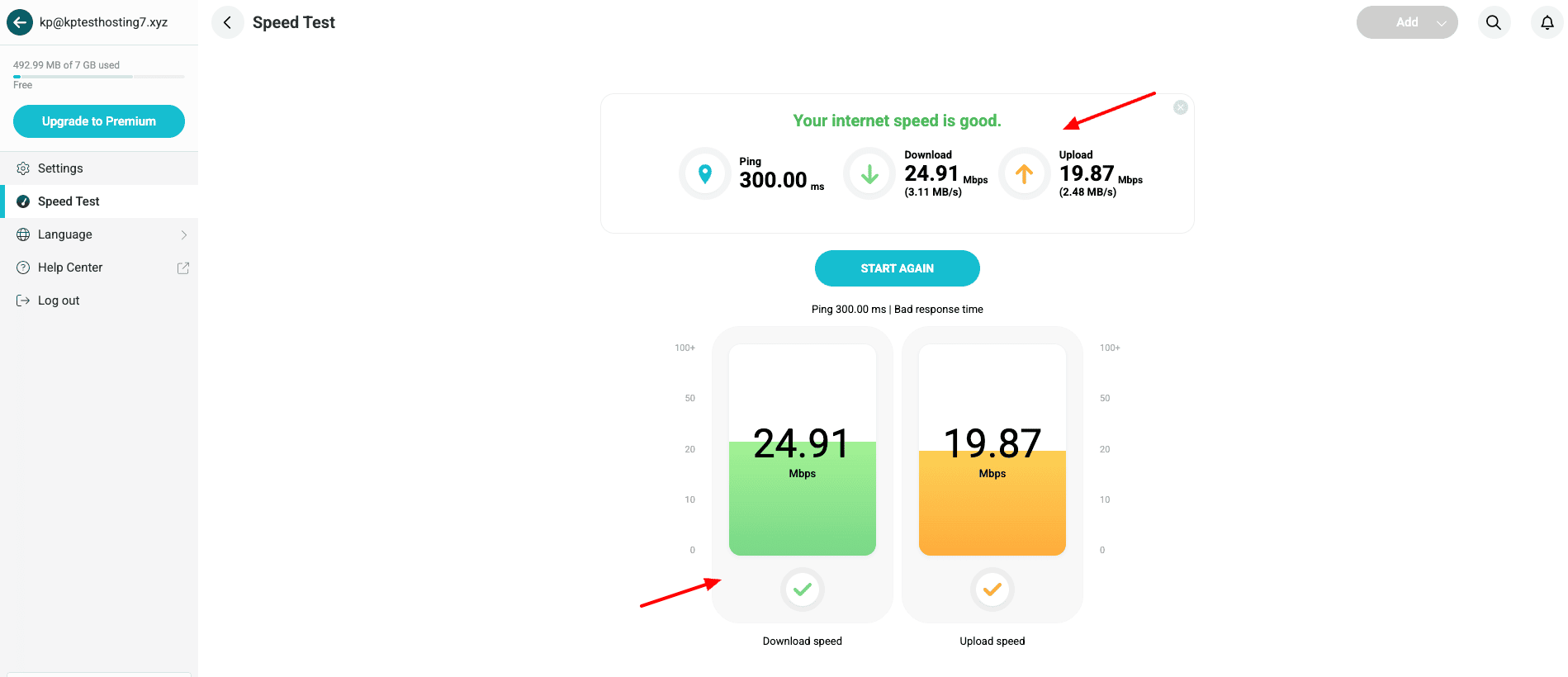
It also has a built-in speed testing tool you can access from under the account settings menu. It’s a handy tool for evaluating the speed and quality of your connection to their servers.
pCloud File History and Recovery
1) Trash Folder
When you delete a file or folder from your cloud vault, it’s not permanently deleted. Rather, it’s sent to the Trash folder, where you can manually delete it at any time.
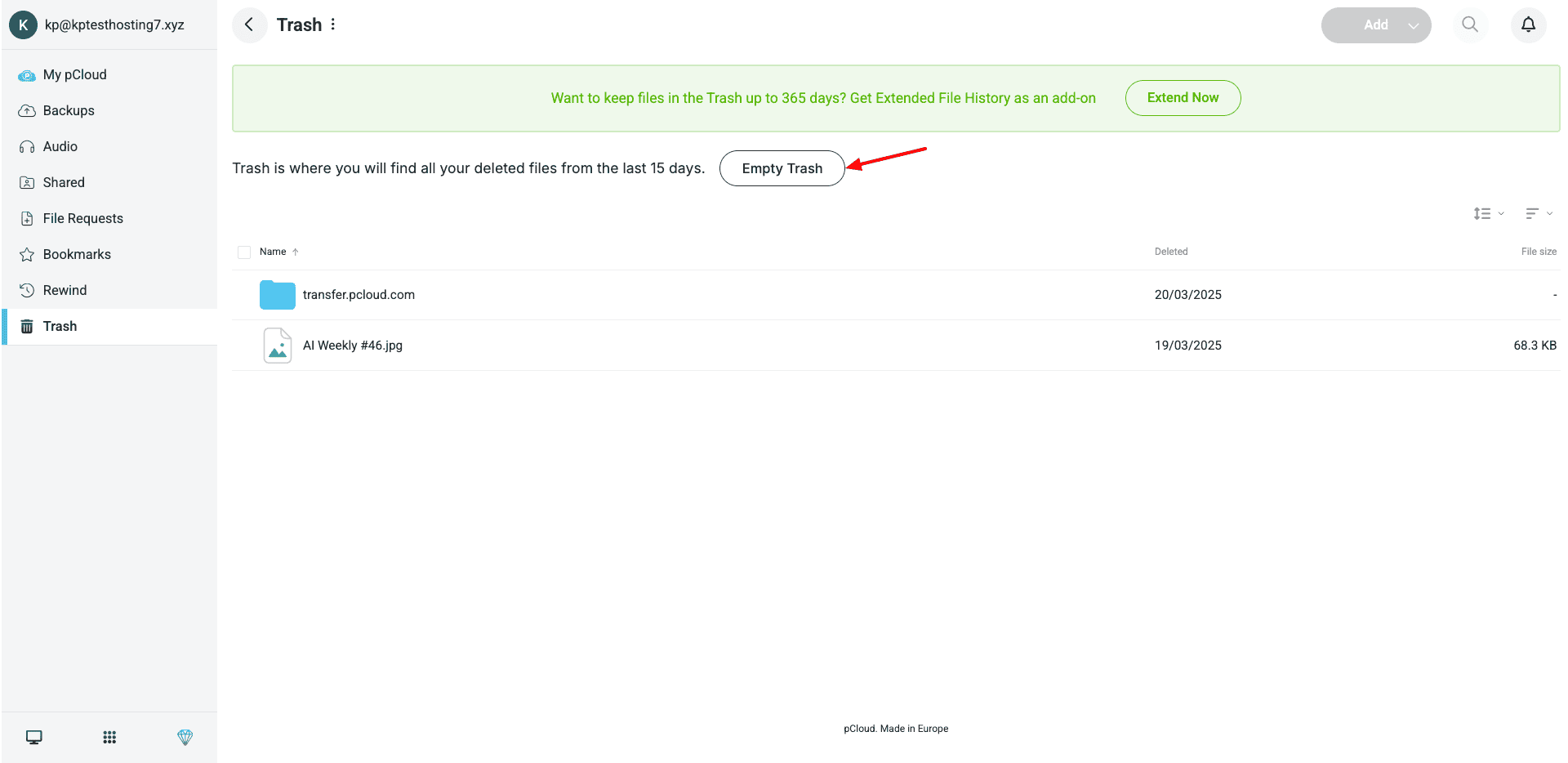
On the free plan, the trash is stored for 15 days. Whereas, on the paid plan, you get a trash limit of 30 days. If you cannot restore your files within this duration, they will be permanently wiped off.
2) File Revisions
If you work on office documents, this feature is for you. It specifically works on the pCloud desktop application. If you make edits to a local file synced with pCloud, the edits will show up as revisions within the file settings.
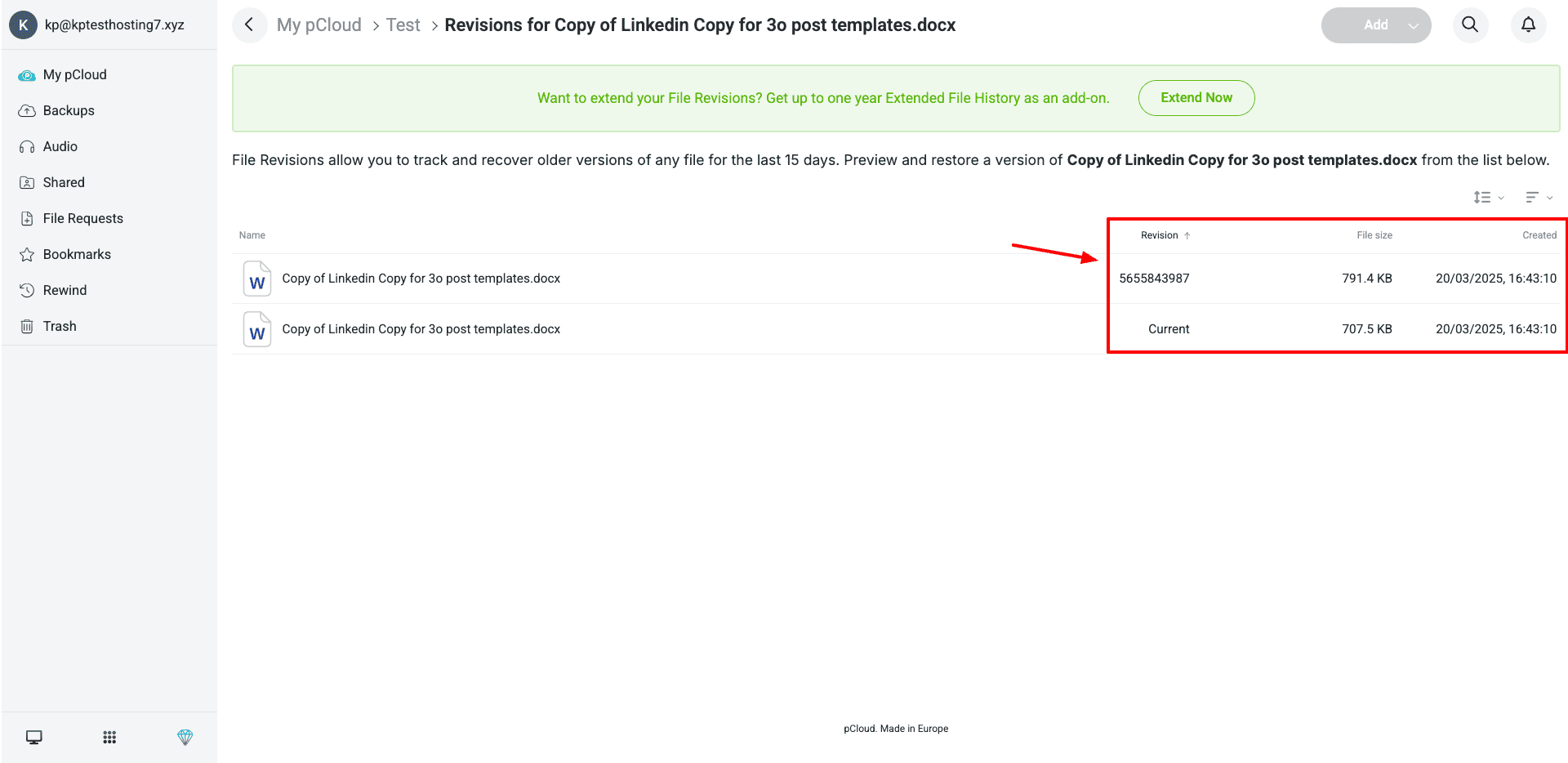
You can download, preview, and restore a previous version of your file with a single click. Free plan users can access up to 15 days of file versions. Meanwhile, for paid plans, the versioning limit is 30 days.
pCloud Security
pCloud ensures the privacy and security of its user data by offering the following features.
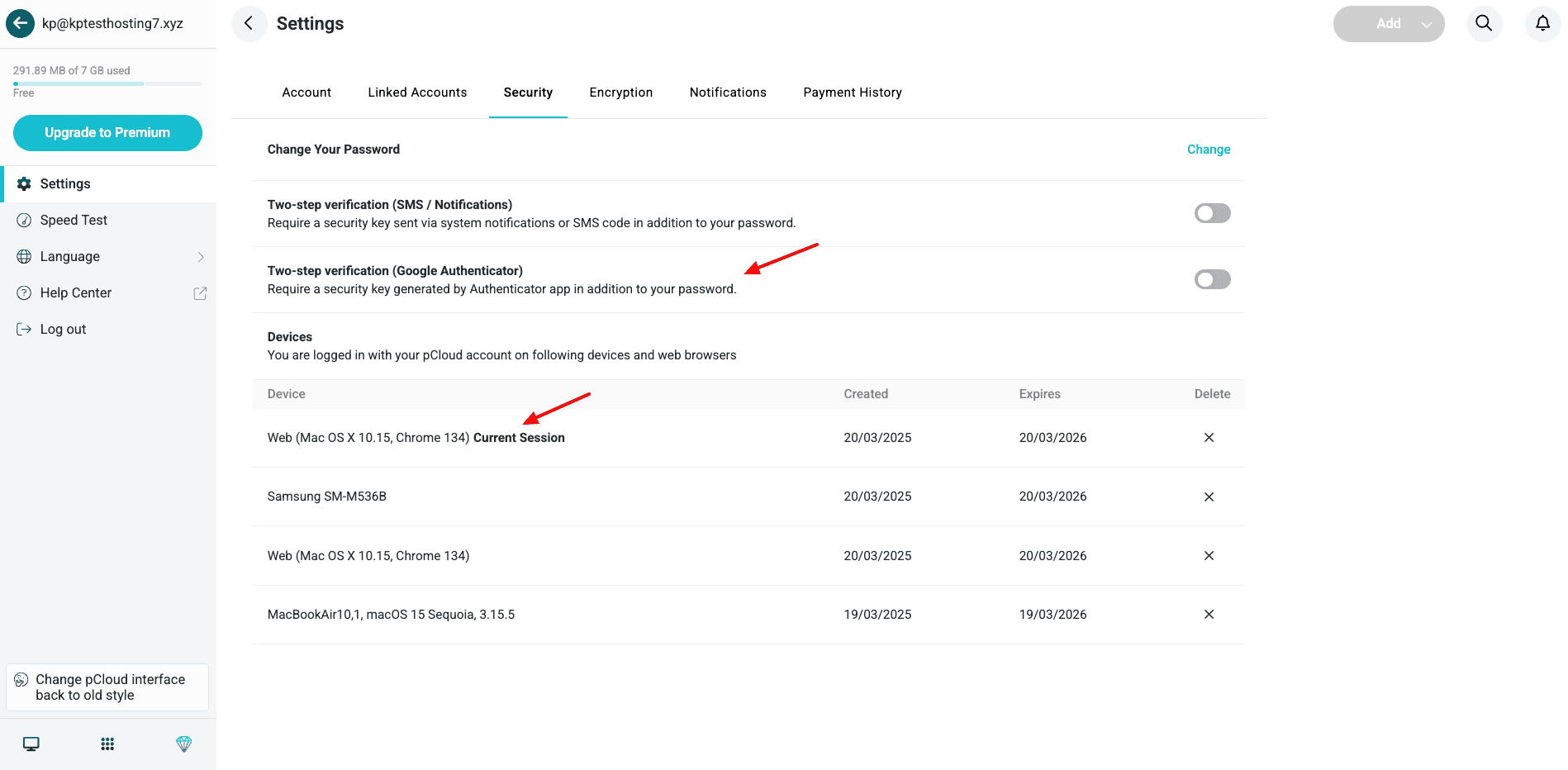
- AES 256-Bit Encryption: This is a military-grade encryption standard. It ensures that nobody can access your data while it’s being uploaded and when it’s stored on pCloud’s servers.
- 2FA: If you enable two-factor authentication on your account, it would require you to enter a security key via SMS or an authenticator app along with your account password while logging in.
- Crypto Pass: This is a secure password you can set in your crypto folder to protect your sensitive files.
- Session History: You can check the number of devices logged in to your pCloud account. If you want to remove a device, hit the delete button to remove it remotely.
- WolfSSL Security Upgrade: In August 2025, pCloud migrated its desktop apps to the WolfSSL library. This significantly improved pCloud’s encryption performance and overall security.
pCloud File Syncing
On pCloud, you’ll find two types of file sync – Selective Sync and Block Level Sync.
When you log in to the pCloud desktop client, you are asked to choose a folder on your local device you wish to sync with the cloud vault. You can create multiple sync pairs. Then, any changes you make on the local folder will be updated in the cloud and vice versa.
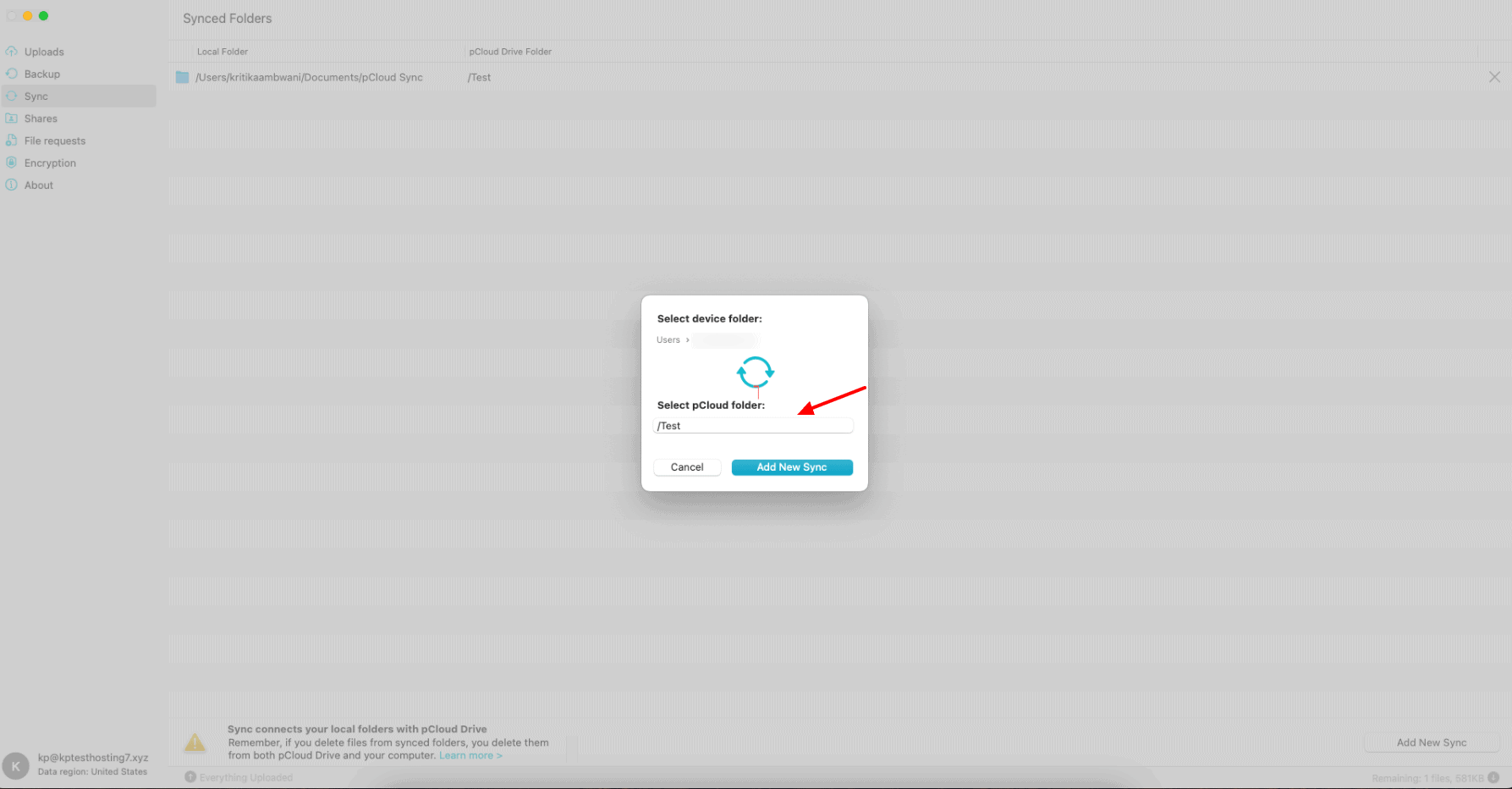
Similarly, Block-level sync ensures that only changes made to any files are synced with the cloud. This helps in reducing the file upload time and the bandwidth used.
pCloud is probably the only reputable cloud storage that offers both selective sync and block-level sync. So, if you tend to work on multiple devices and prioritize file syncing, pCloud is the best option for you.
pCloud File Sharing
Talking about file-sharing features, pCloud doesn’t disappoint. You can share your files via public links or invite other users to your folder via email. You can also provide them with view or edit access as per your preference.
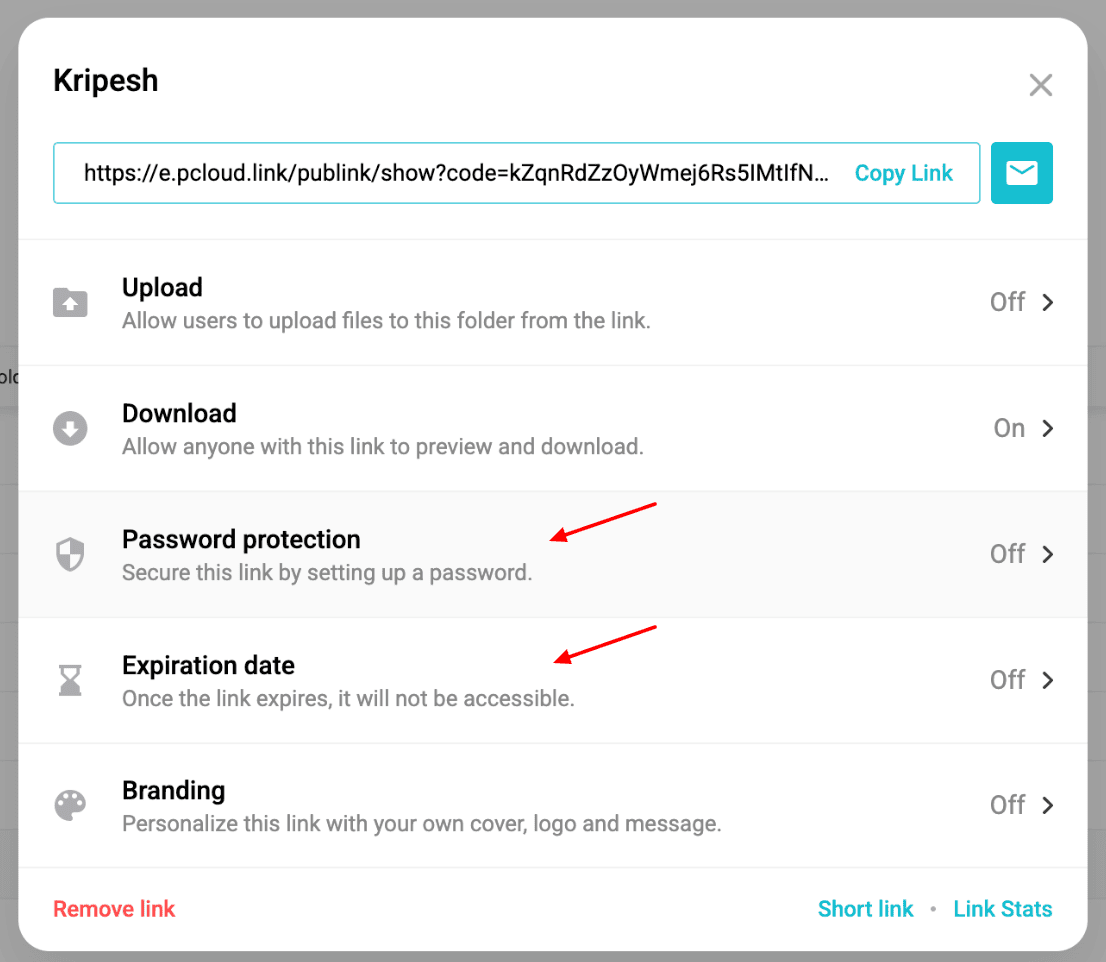
While sharing via public link, you can enable the following features to enhance security and brand awareness.
- Password Protection: You can set a password to protect your link from unauthorized access. Your shared file will only be visible when the recipient enters the password.
- Link Expiry: You can set an expiry date for your links. So, when your task is fulfilled, the shared data will be automatically wiped off and the link will become inaccessible.
- Custom Branding: If you are an established brand or company, you can also add your brand’s headline, description, title image, and cover, along with your shared file. This is great for improving your brand’s visibility and appearing more professional.
An interesting thing about pCloud is that it doesn’t impose any limits on file size. You can upload files of all formats and sizes. You also get unlimited upload and download speeds.
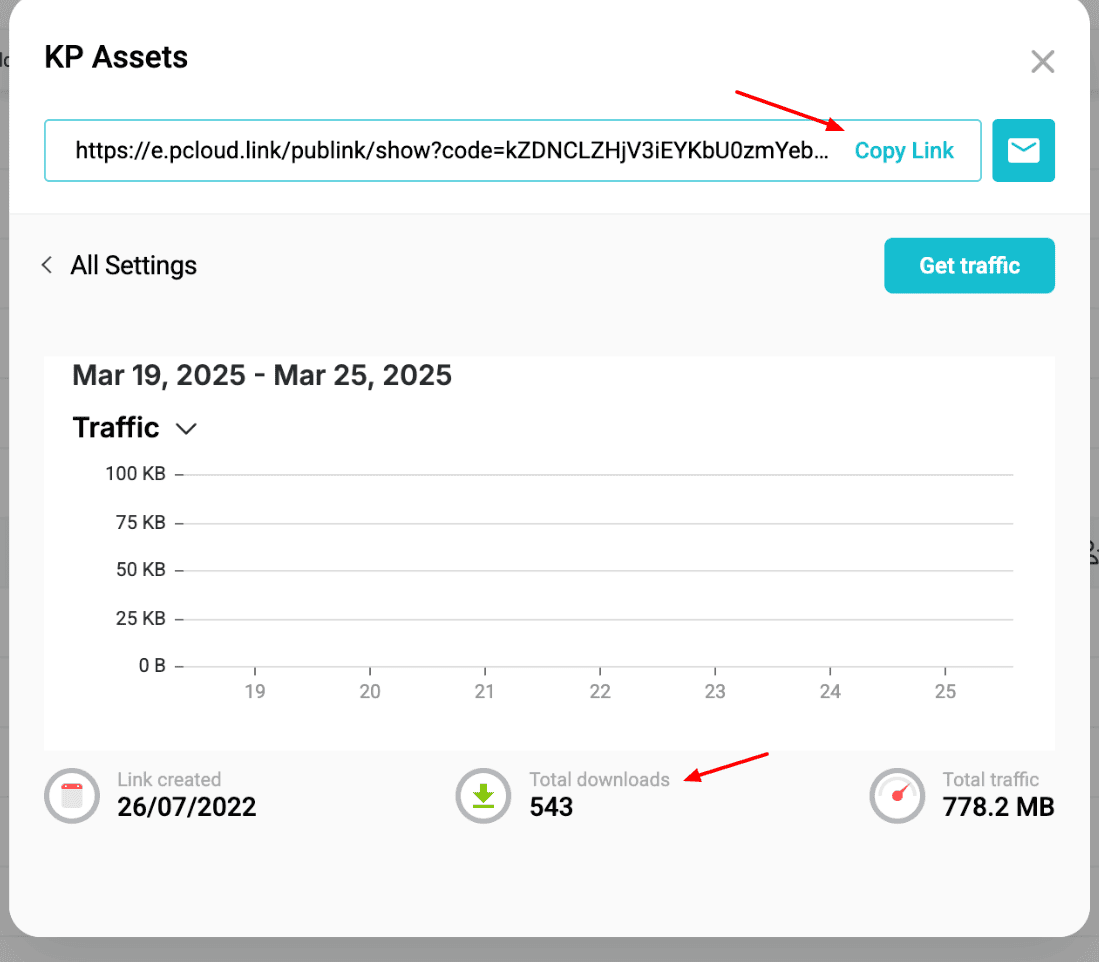
If you want to check stats for your shared files, pCloud also offers Link Stats. You can view the date of link creation, total downloads, and total traffic on it.
In its latest update, pCloud also introduced a ‘Manage Share’ option under the file sharing settings. With this feature, you can revoke access to a shared link at any time and even change access controls.
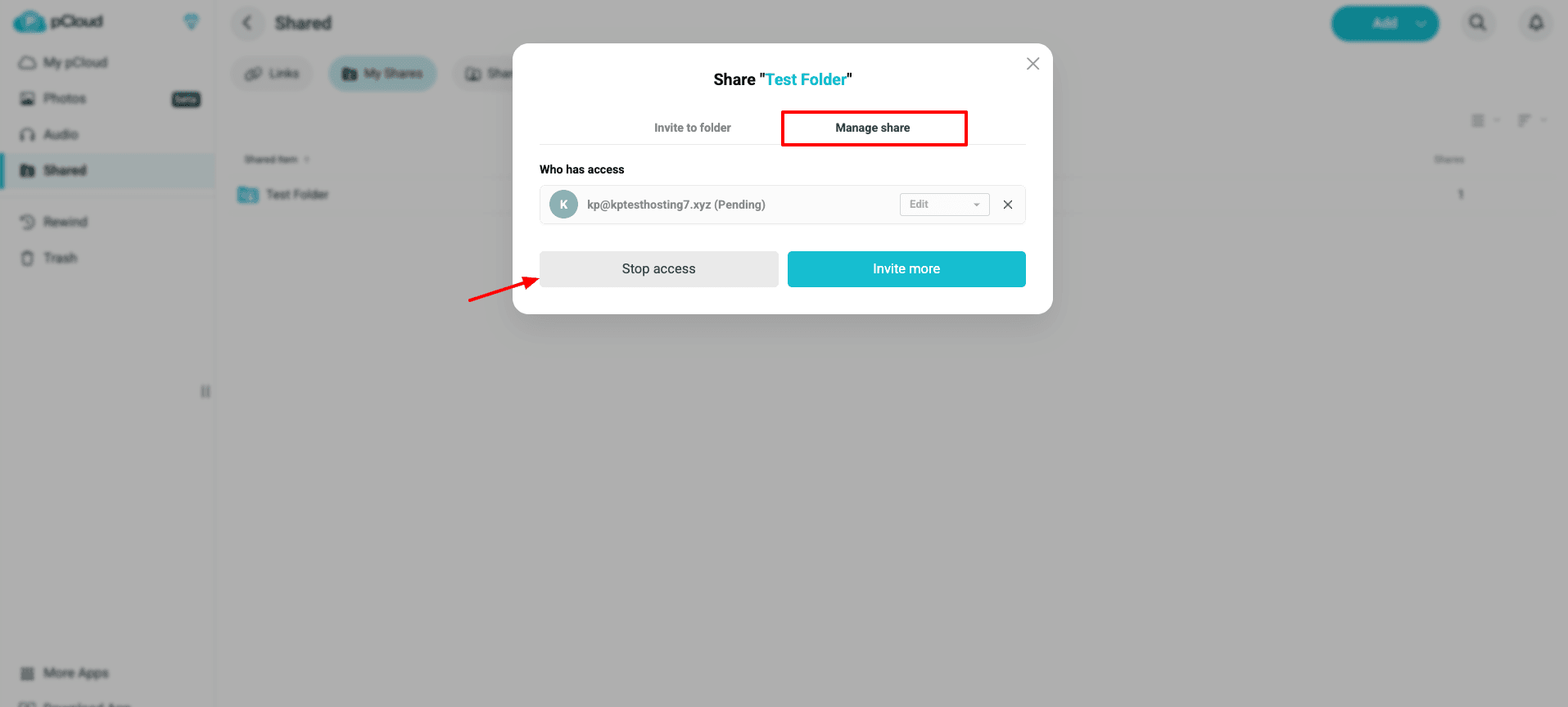
Overall, pCloud offers the strongest and most advanced file-sharing options among cloud storage services.
pCloud Documents Preview and Editing
You can preview all types of documents on pCloud. These include images, Docs, PDFs, Excel files, and more. While previewing your files, you get basic file options, allowing you to delete, move, copy, and rename your files.
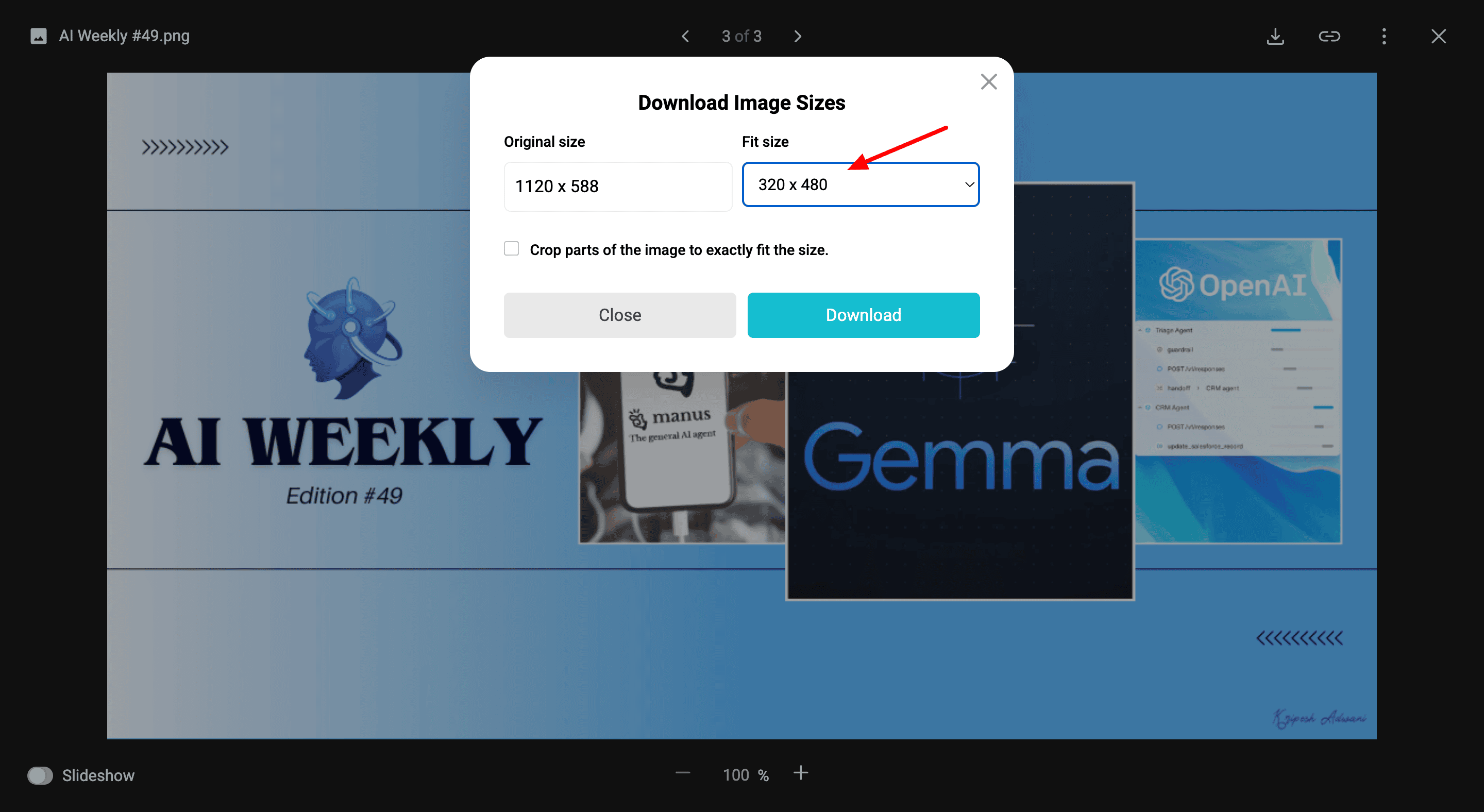
For Doc and PDF files, you get a good viewer with options to view, rotate, zoom in/out, download, and print the file. Under the Image Viewer, there’s a unique feature allowing you to resize an image into a specific format and download its resized version.
Overall, the file previewing options are really good. The only thing I missed was the feature that lets me add comments on any part of my file. This could’ve been great for collaboration and feedback.
Talking about document editing, pCloud doesn’t support it yet. I hope it integrates with Office 365 or a similar service in the future to let you edit your documents on the web app. As of now, you need to use your local apps to edit your cloud files.
pCloud Playback Features
pCloud has a built-in music player with an elegant design. Recently, they have introduced the Dual Listening Mode, where you get a Music Mode and a Podcast Mode.
As you play a music file, the player pops up from the bottom right corner. You can minimize the player, adjust its volume, play audio on loop, add more tracks, create custom playlists, share playlists with friends, etc. Now, you can even play music while your mobile screen is locked!
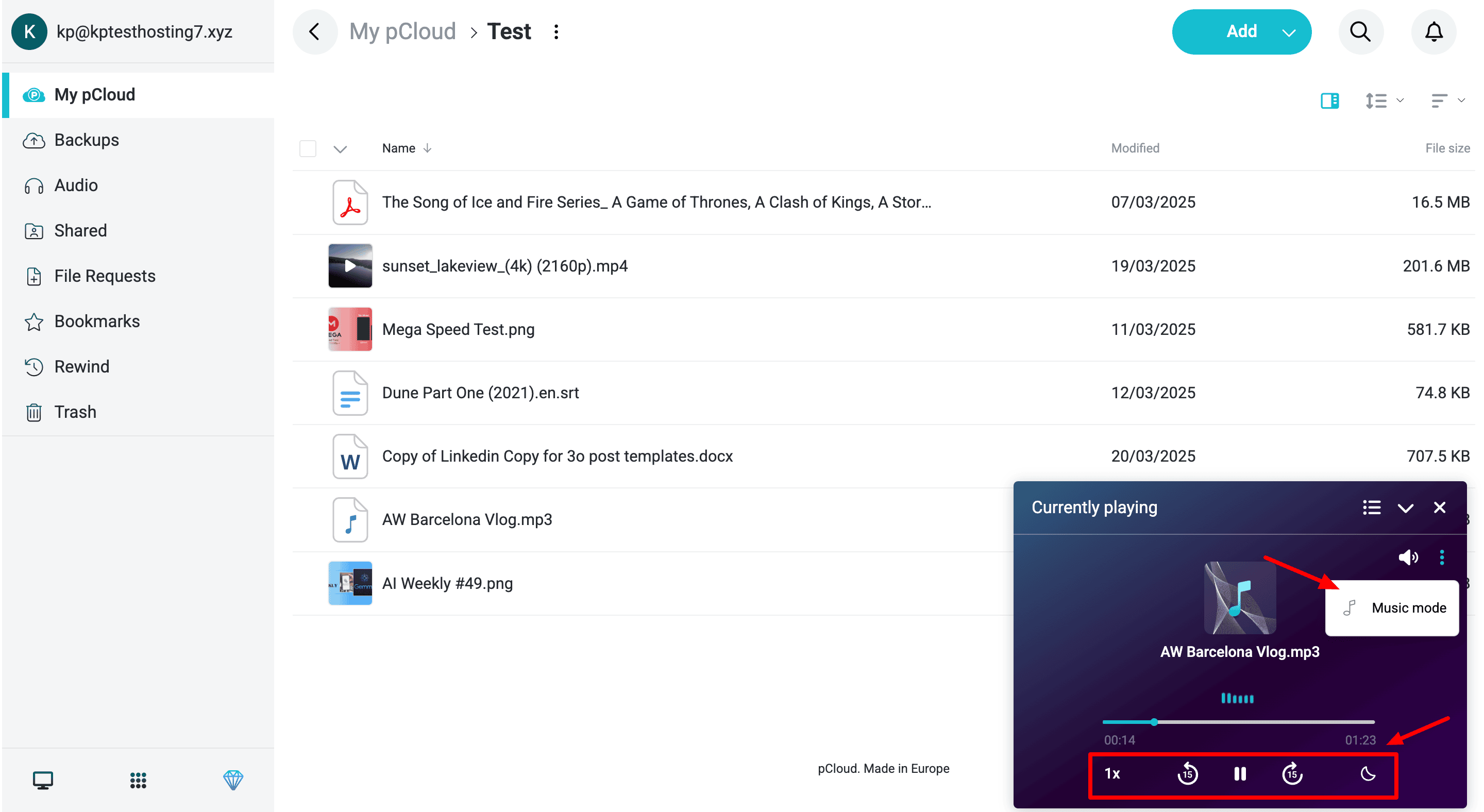
In the Podcast mode, you can vary your audio speed from 0.75x to 2.5x. You can also seek backward or forward by 15 seconds and enable a sleep timer with a range of 5 minutes to 1 hour. You can also save progress to later continue right from where you left off.
As per the latest update, the pCloud audio player has received a massive upgrade on the iOS app. You now get adjustable playback speeds, sleep timer, podcast mode, AirPlay support, playlist creation, and Bluetooth headphone controls.
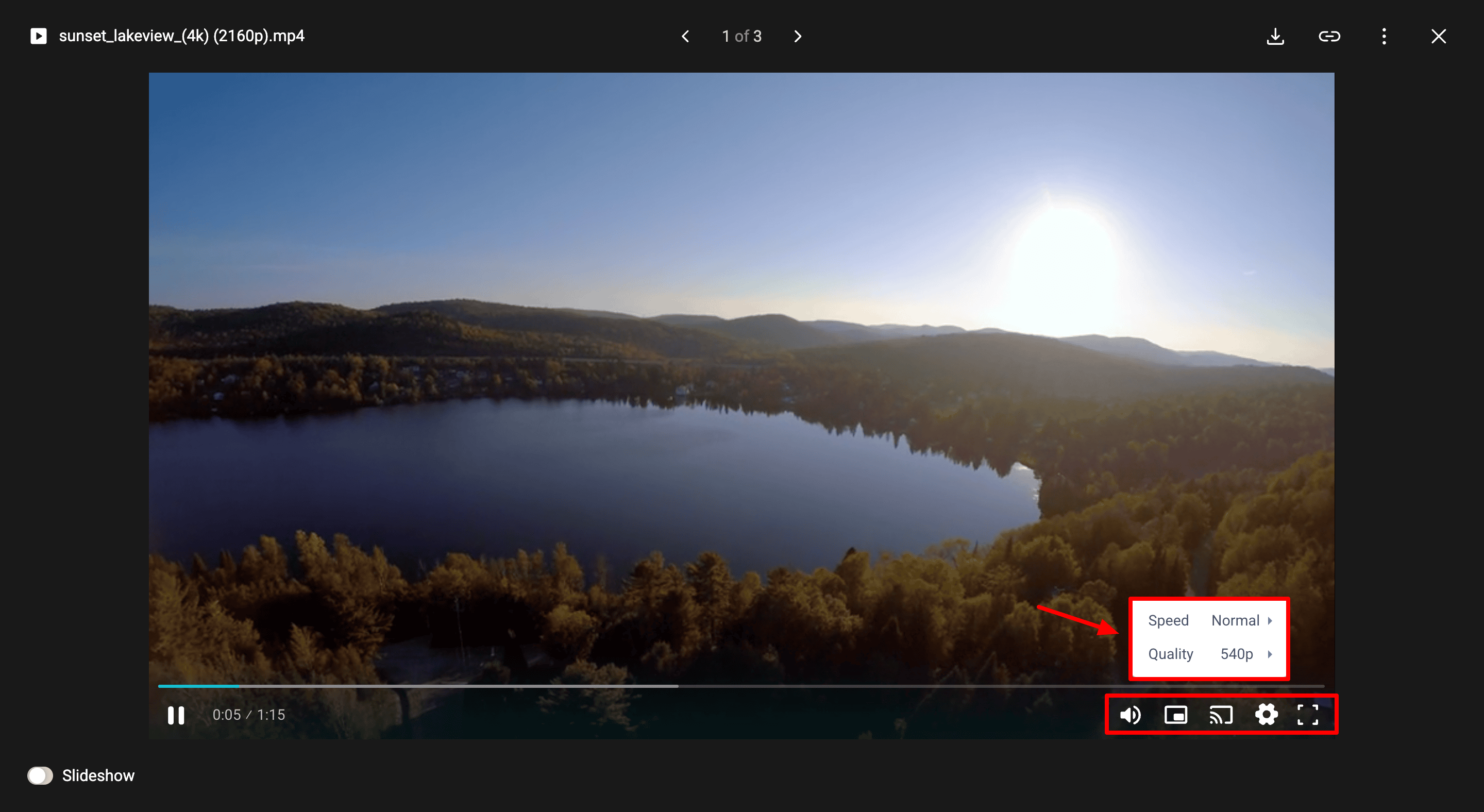
It also features a built-in video player. You can adjust the volume of your videos, enable mini player, enter slideshow mode, enable captions, adjust video quality, and more. Overall, the media playback features of pCloud are excellent.
pCloud Photos Gallery
In its latest update, pCloud has added a new Photos gallery to its Windows and Mac apps and its web interface. It is a dedicated space for viewing all your images and videos stored on the pCloud vault. It automatically sorts all your images by date in a timeline-style view.
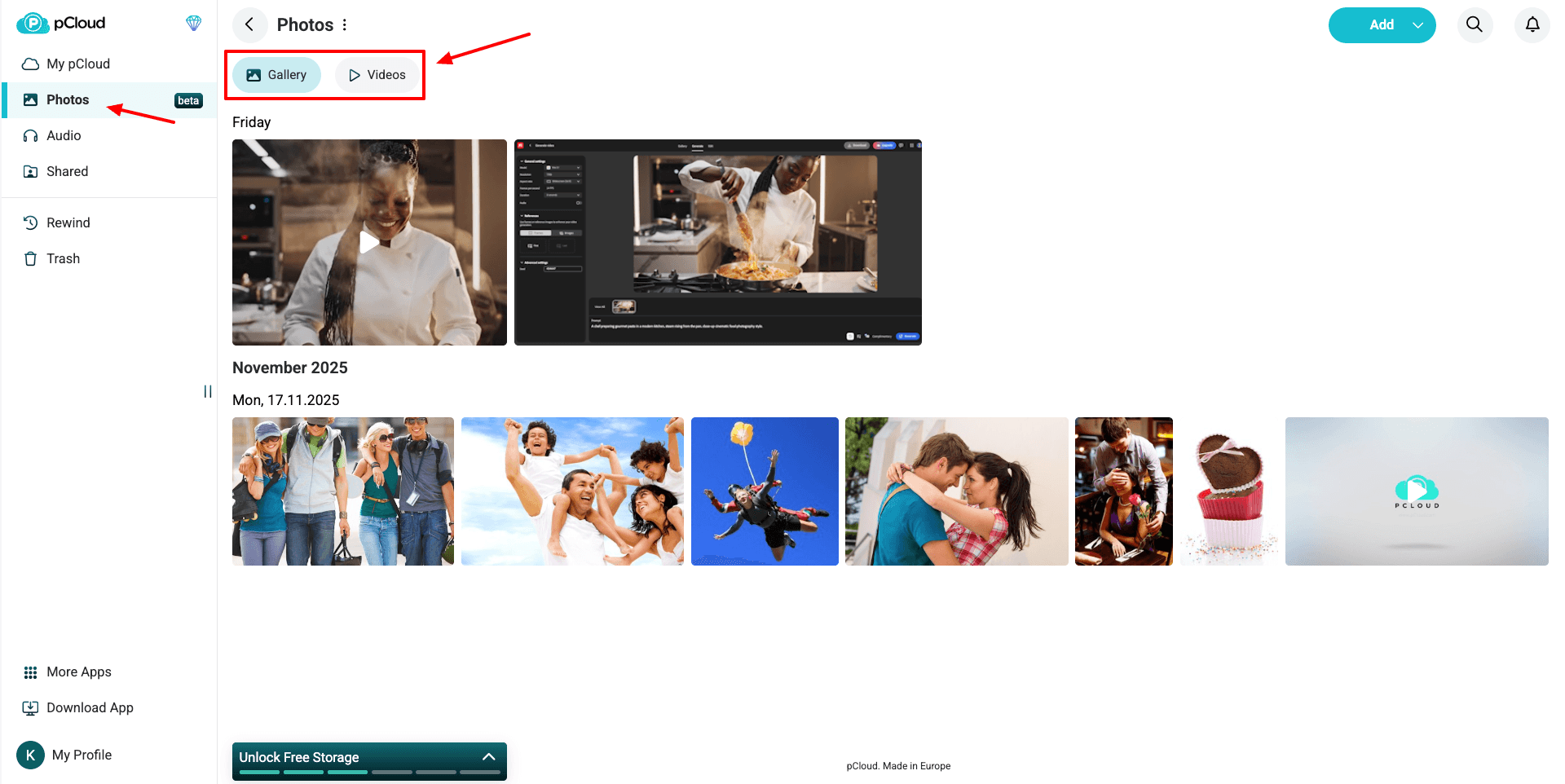
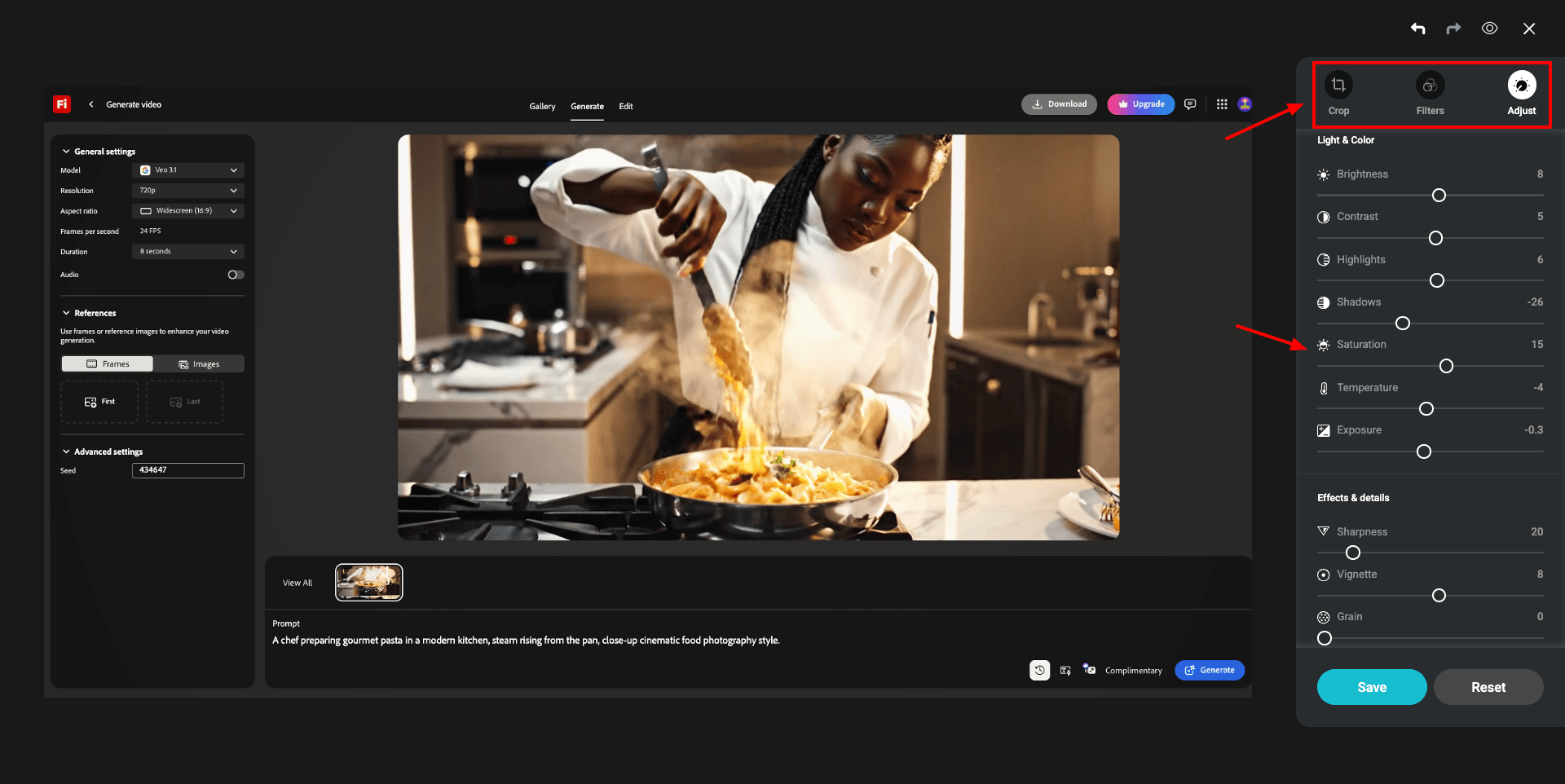
You can click on the Videos option at the top to only view video files as well. Along with this, they have also added a built-in photo editing interface for the web and desktop apps. So, now you can crop, rotate, adjust brightness, contrast, saturation, etc, and add filters to your photos.
This is an excellent addition to pCloud, making photo and video management much easier.
pCloud Additional Features
1) File Requests
Are you, too, tired of chasing people for event photos that never arrive? With File Requests, you don’t have to! It lets you create a folder and share it so others can upload their files to it.
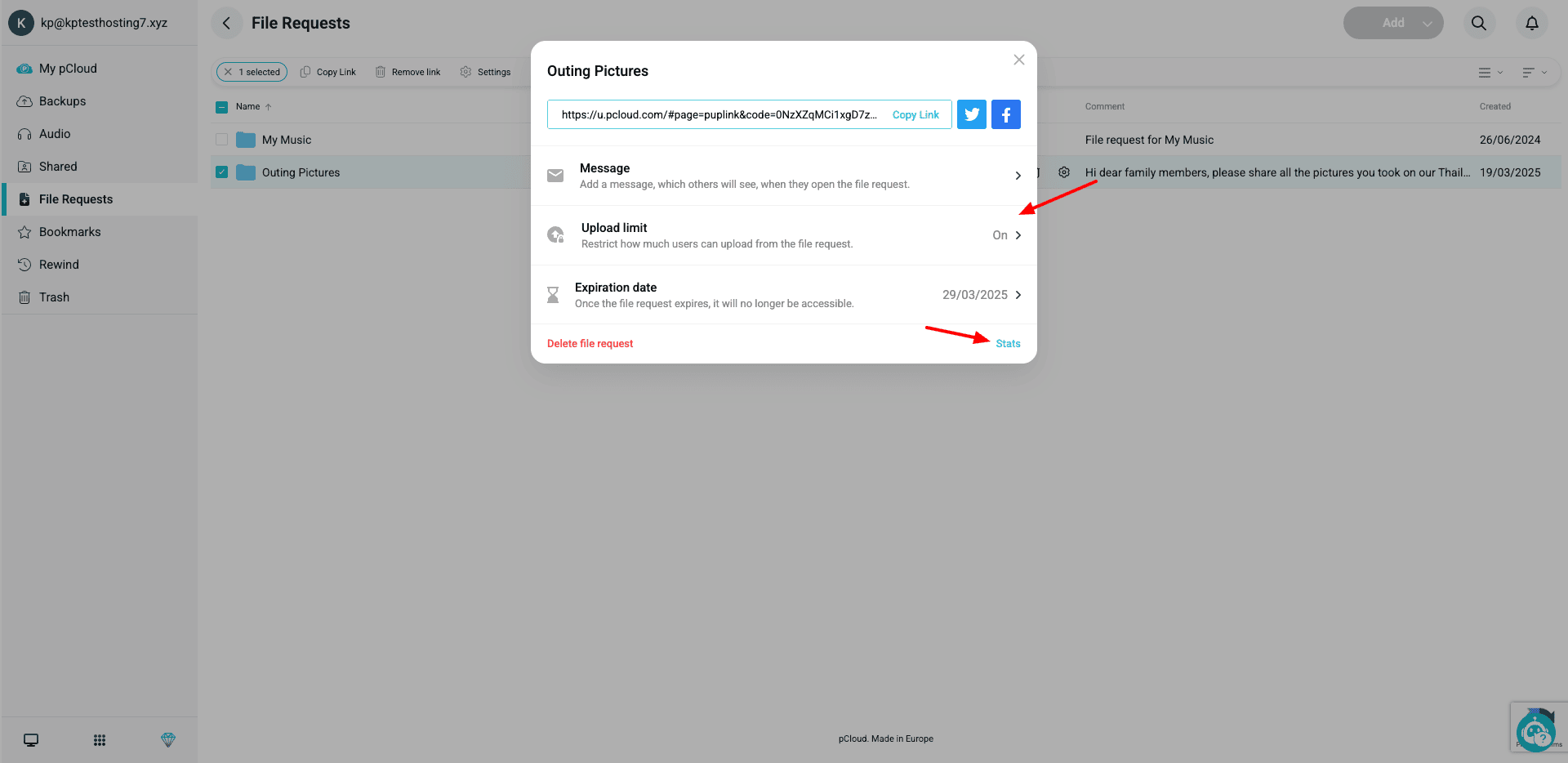
You can set a link expiry date, an upload limit for files, and also add a message for requesting files. Under file stats, you can also check the number of uploaded files and the space they consumed. This feature makes it easy to collect outings or event pictures, assignments, etc.
2) pCloud Rewinds
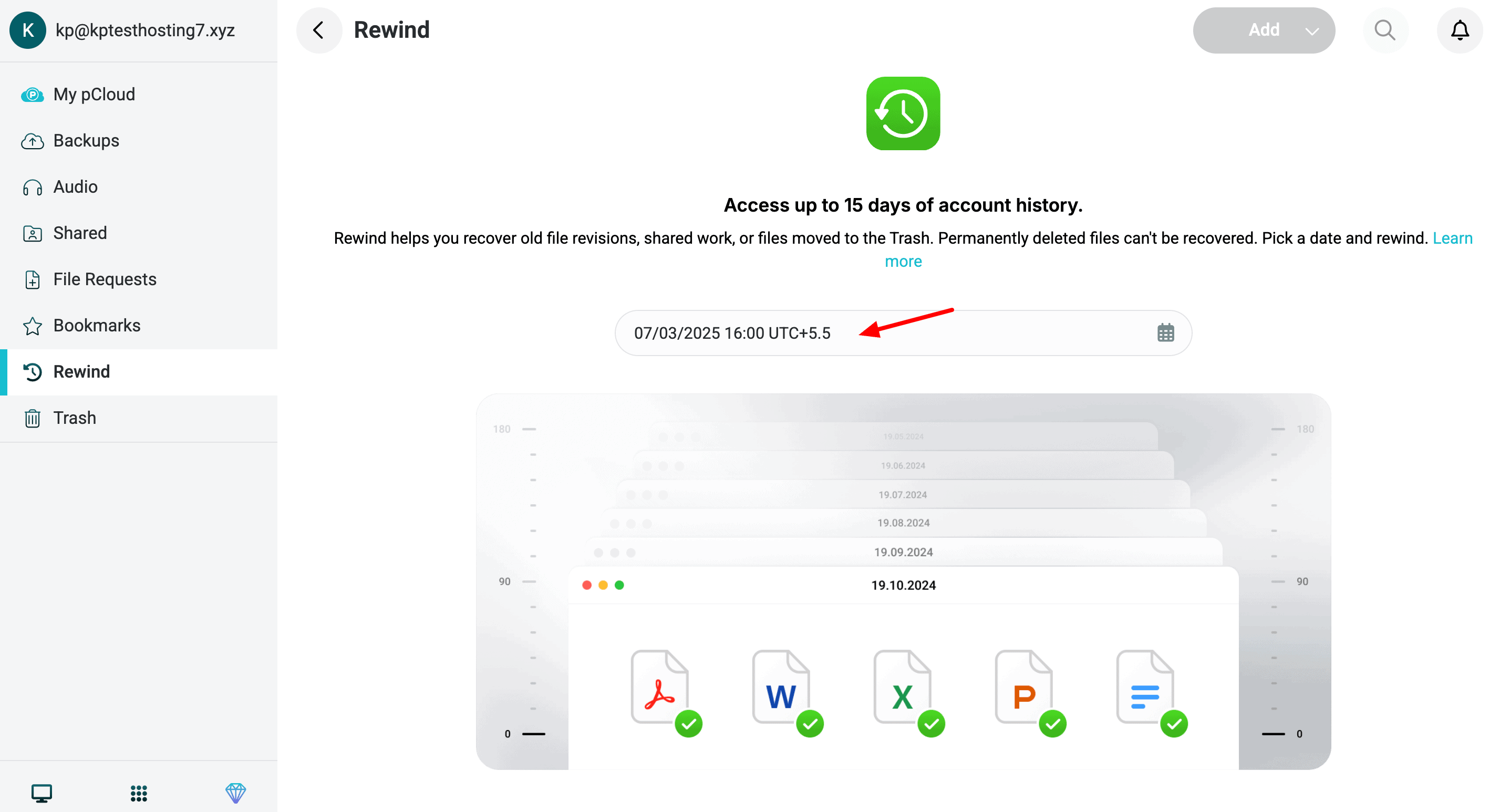
If you accidentally delete or lose any data, you get this convenient option to rewind your entire account. This will restore your account to what it was on the specified data. On the free plan, you get a rewind limit of 15 days. Whereas, on paid plans, this limit is extended to 30 days.
3) pCloud Pass
pCloud Pass is an encrypted password manager offered by pCloud. Besides saving and auto-filling your passwords, it also offers a biometric lock, account recovery, categorization by tags, auto lock, contact list access, and more.
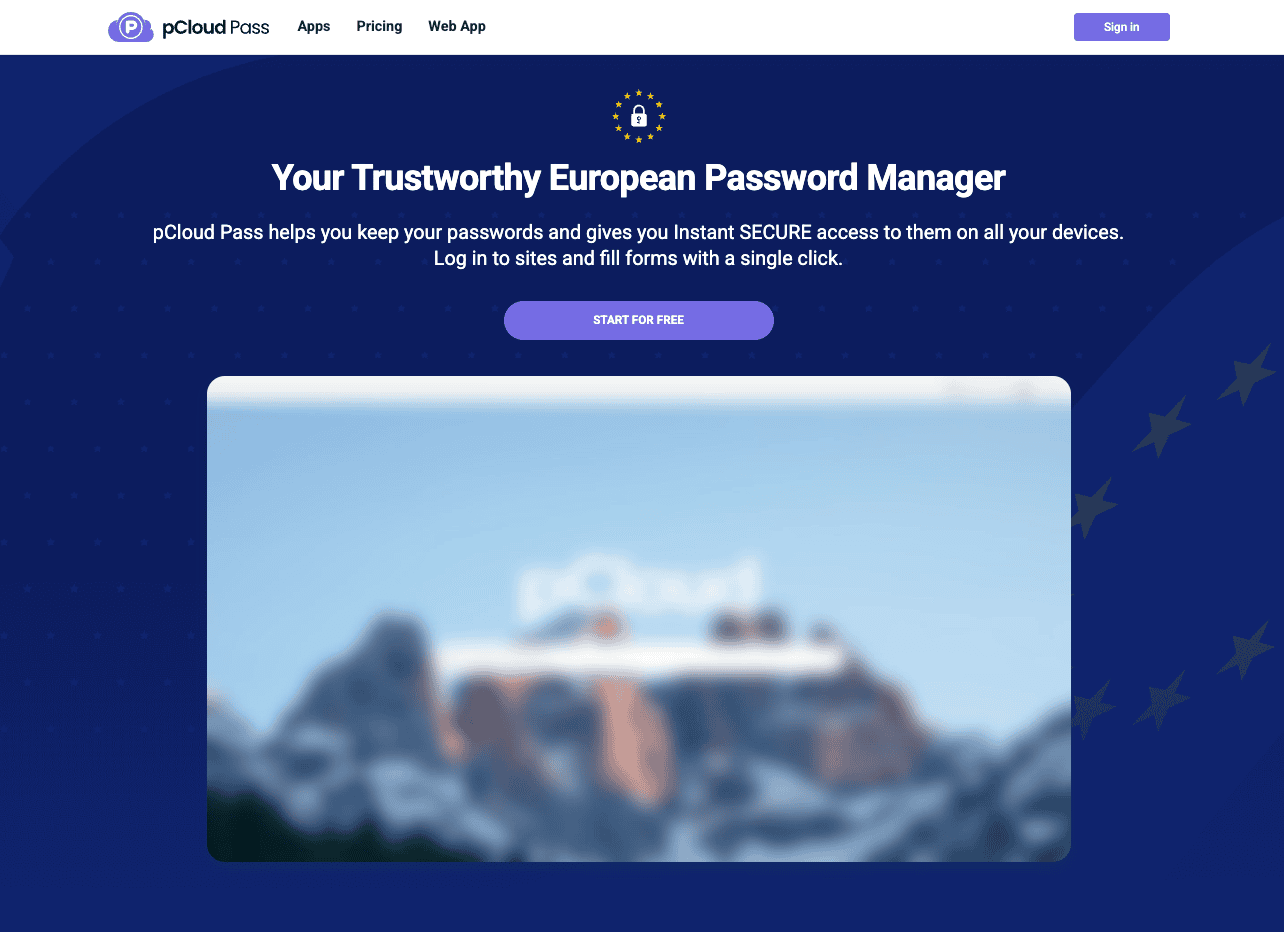
It supports imports from all popular password managers and is available on all devices and operating systems. The free plan of pCloud Pass can be used on 1 active device. For unlimited active devices, you can upgrade to the Premium plan for $2.99/month.
4) pCloud Save
pCloud Save is a browser extension that lets you save your favorite images, videos, content, audiobooks, and files from the web into your pCloud vault. It is available on Chrome, Firefox, and Opera web browsers.
5) pCloud Transfer
pCloud Transfer is a file transfer tool offered by pCloud. It allows you to send large files up to 5 GB to anyone. The best part is that this tool is completely free and doesn’t require registration on pCloud either.
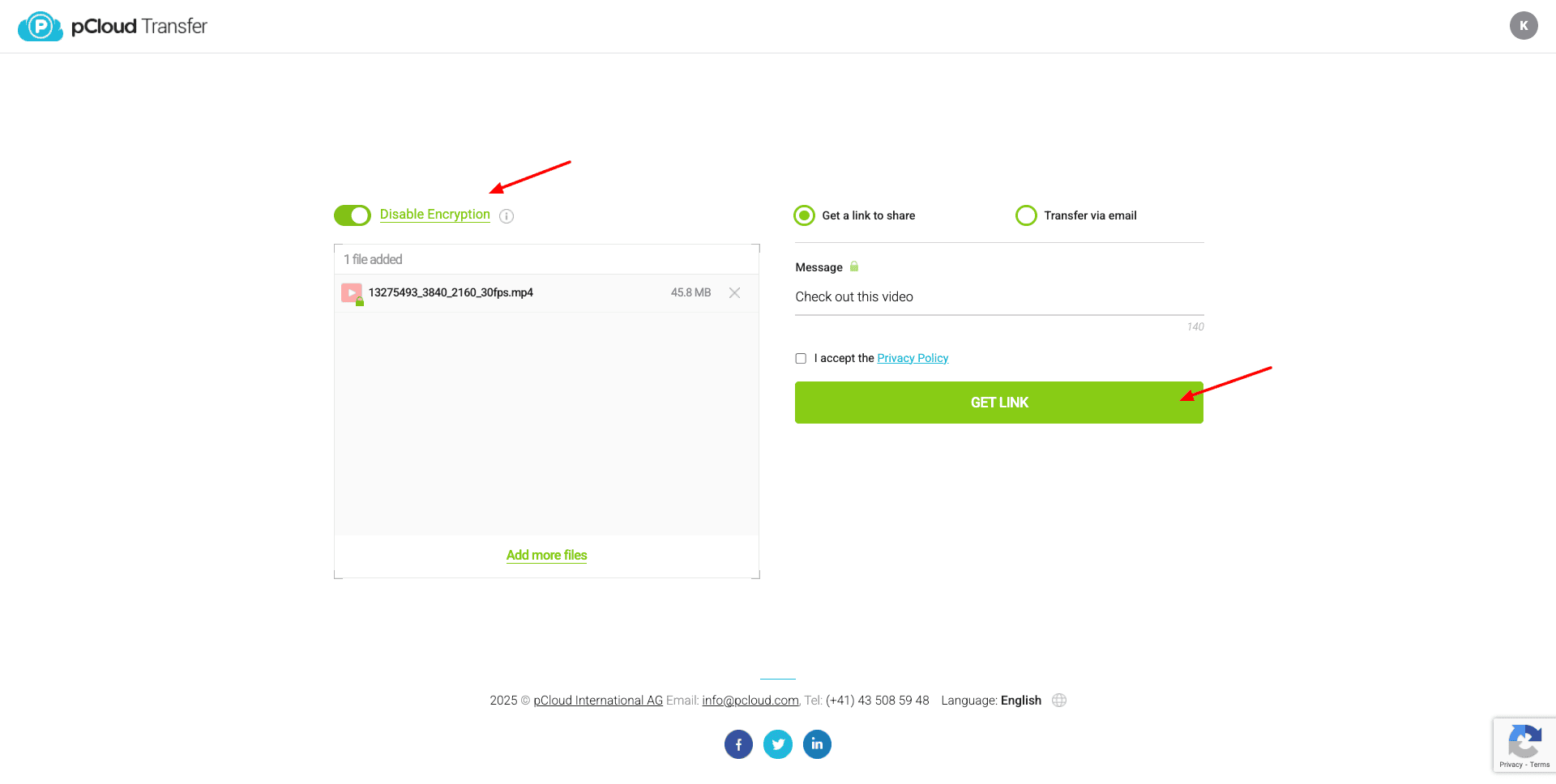
If you want to share sensitive files, you can enable encryption and set a secure password on your files. Check out this article to understand how to use pCloud Transfer.
In its recent update, pCloud has launched the following free security tools for its users. Let’s check them out!
6) Data Breach Checker
This tool uses the Haveibeenpwned website as a source and analyzes if your email has been found in any data breaches. It also lists the platforms from where your data was leaked, along with details about the breach and the list of compromised data.
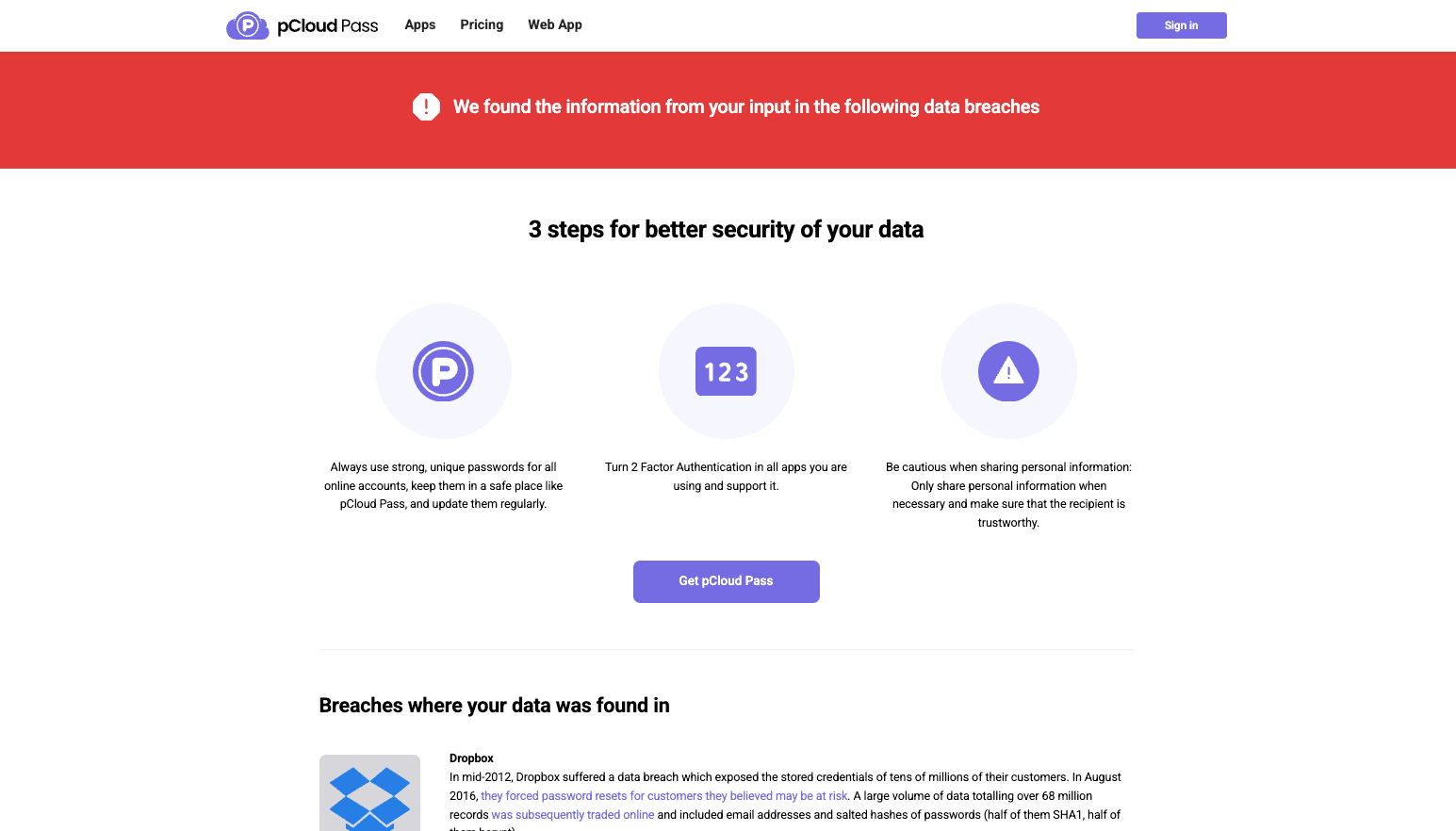
If your email was found in any data breaches, you should change your password to a better one. This brings us to the next tools!
7) Password Strength Checker
All you need to do is enter your password. It scores your password on its difficulty. For instance, “red” stands for a password that’s easy to crack. Whereas “green” stands for a complex password that can’t be cracked easily.
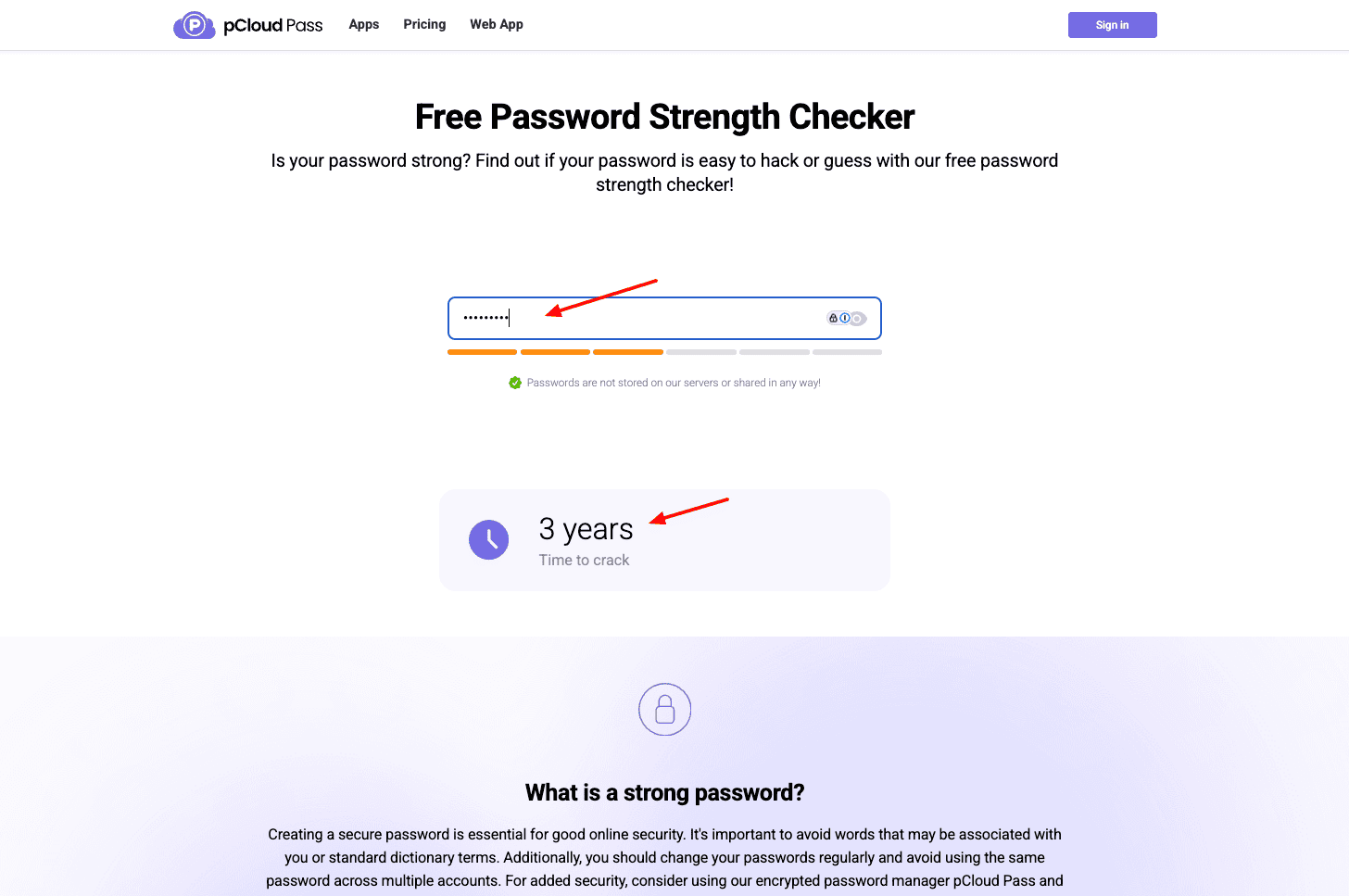
Interestingly, below your password, it also shows the time it would take for a hacker to crack your password. The longer the time, the stronger your password.
8) Random Password Generator
If you quickly want a secure password, this Random Password Generator tool will help. You can select a password length between 4 and 64 characters. You can also enable symbols, digital, upper-case, and lower-case characters to create your passwords.
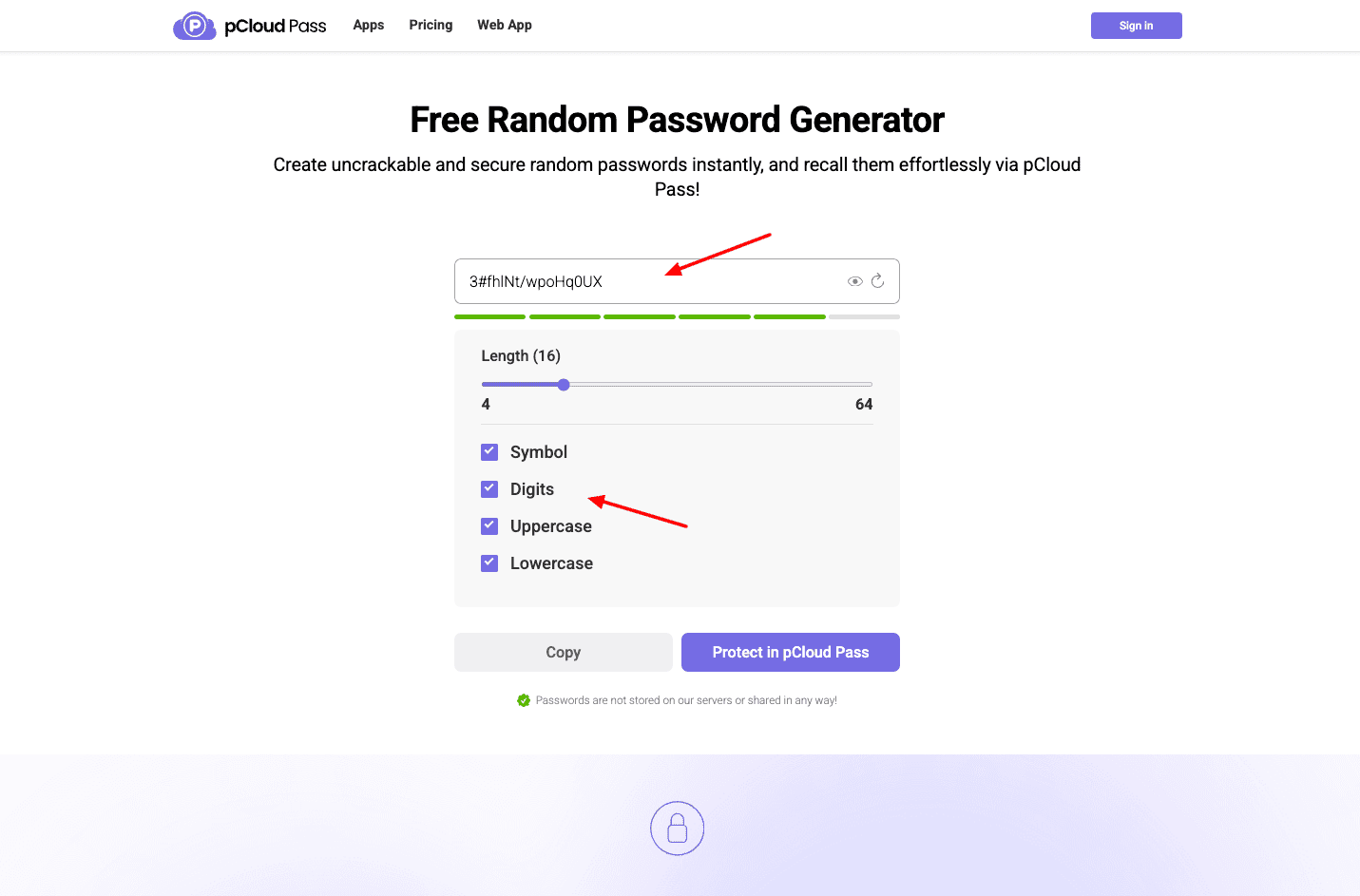
The best part is that you don’t need to sign up to use this tool! For extra features, you can sign up for the pCloud Pass password manager.
pCloud Add-Ons
1) pCloud Encryption
With pCloud Encryption, you can unlock the Crypto folder. This is for storing your sensitive files. It applies client-side encryption, meaning that data is encrypted on the user’s device before it’s sent to the server. So, even if the server is compromised, your data remains secure.
It is also secured with a zero-knowledge policy, meaning nobody except you can ever have access to your data. So, the pCloud Crypto folder is a highly secure way of storing your confidential files. It can be availed for $49.99/year.
2) Extended File History
If you accidentally moved any file to the trash or wish to access file revisions from a few months back, this add-on will be valuable for you. The Extended File History add-on extends your file rewinds to 365 days. It can be availed for $79/year.
pCloud Devices and Apps
pCloud has functional apps for all devices, including Windows, Mac, Linux, Android, and iOS. Its mobile UI is pretty clean and easy to use. You can manage all your files, listen to music and videos, upload new files, etc.
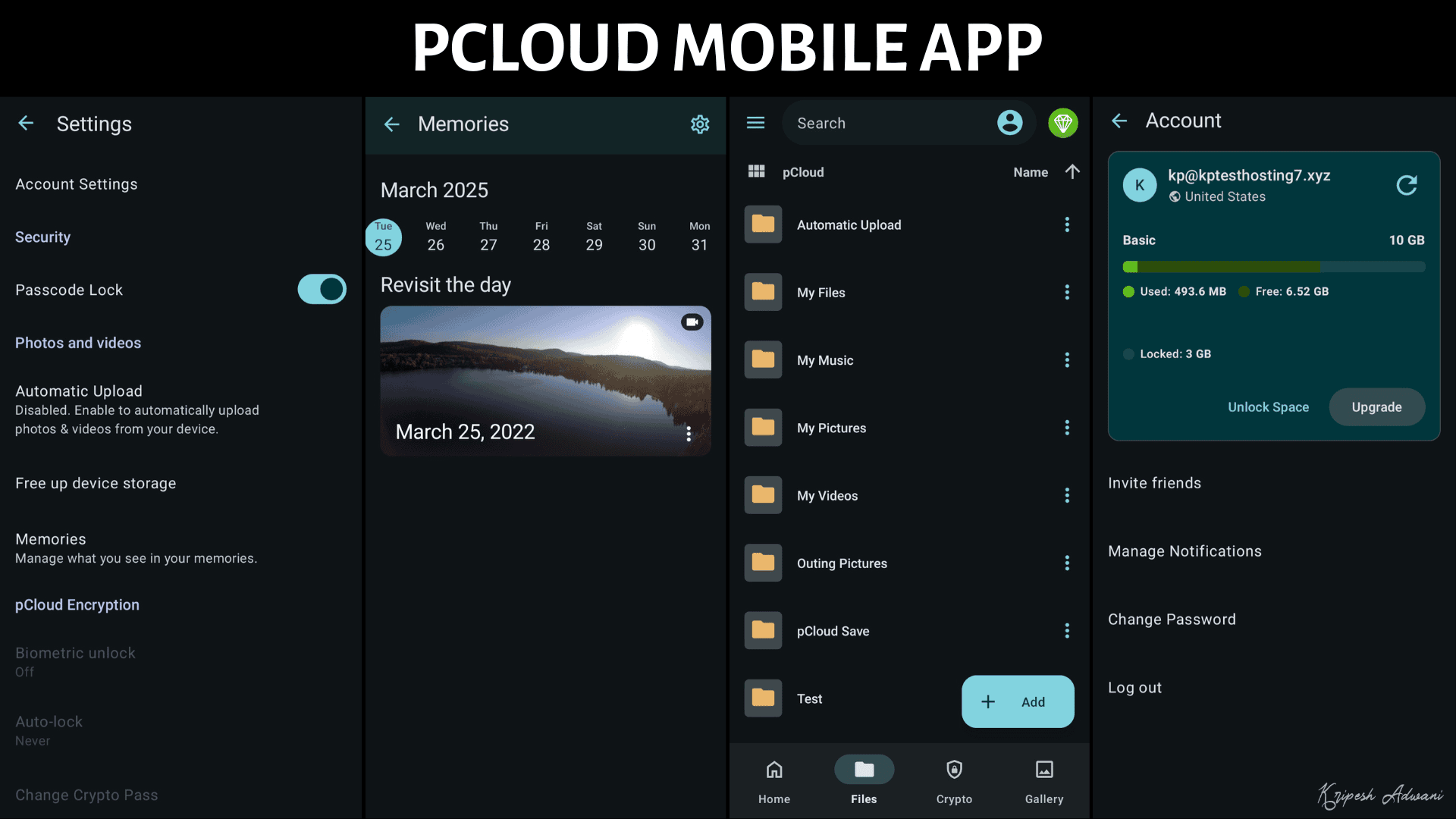
You can even enable automatic uploads, mark files for offline access, enable passcode and biometric lock, clear cache, etc. After the recent update, pCloud’s Android app lets you back up files from other apps or services directly into pCloud.
On the mobile apps, pCloud has also introduced new upload controls. You can now do the following:
- Schedule your file uploads
- Upload files only while charging
- Pause/resume syncing
- Exclude albums, and
- Automatically organize year/month folder
pCloud also features a sleek and handy desktop app. It functions as a virtual drive on your system. Besides file syncing, you can use it to upload new files, backup your device, create new sync pairs, and access your shared files, file requests, and encrypted folders.
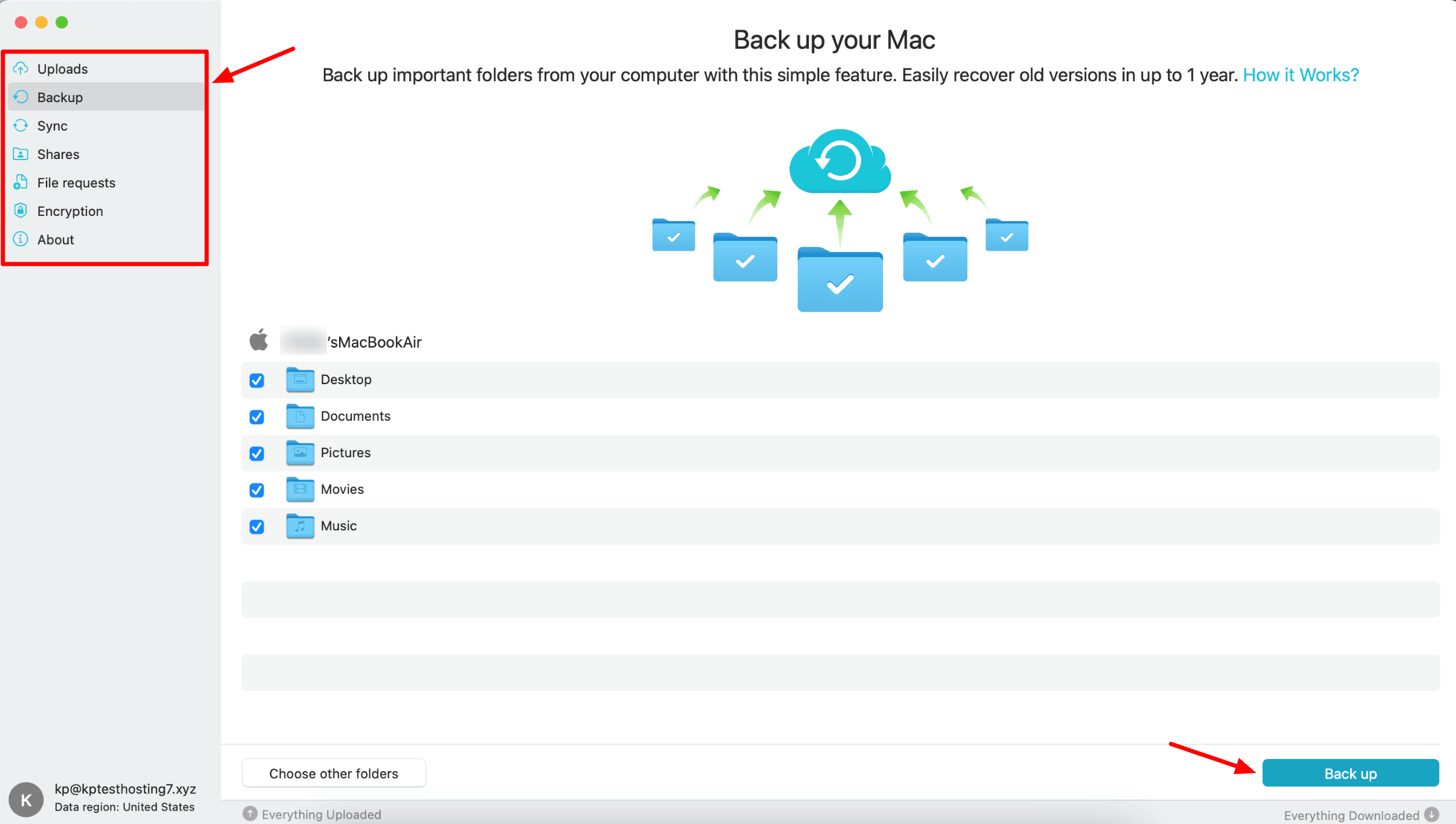
Overall, pCloud is available across multiple platforms. Its apps are functional on all devices and keep your cloud vault accessible no matter where you are.
pCloud Privacy Policy
pCloud collects the following data.
- Usage Data, including IP address, browser type/version, OS, device details, etc.
- Tracking Data, including page views, visit duration, frequency, and pattern of usage.
- Purchase Information, including product type, subscription details, and purchase date.
- Card details of paid services are stored for subscription purposes until canceled explicitly.
- If you link any external services for backups, pCloud may collect data based on the policies of those services.
- If you sign up on pCloud through other platforms, they may collect data like name, language, gender, etc.
- They may collect your IP address, country, email, postal code, name, and last four digits of the payment card from your payment processor.
In addition to this, pCloud follows the European Union’s GDPR Policy, and its data is governed by Switzerland’s FADP (Federal Act on Data Protection). So, users can access their personal data stored with pCloud and also request them to delete it. This strengthens data privacy.
Overall, the privacy policy of pCloud is transparent and clean.
pCloud Pricing
pCloud offers multiple monthly, annual, and lifetime subscriptions for individual users. The following table compares the key features of these plans.
| Monthly Pricing | Annual Pricing | Lifetime Pricing | |
| Premium (500 GB) | $4.99 | $49.99 | $199 |
| Premium Plus (2 TB) | $9.99 | $99.99 | $399 |
| Ultra (10 TB) | $29.99 | $299.99 | $1,190 |
After the latest update, pCloud has removed its Starter Lite plan with 100 GB of cloud storage. Now, their plans start from $4.99/month for their Premium plan, where you get 500 GB of cloud storage space.
They have introduced their new Ultra plans with a massive 10 GB of storage space. Honestly, you’ll find the most value in its lifetime plans. I personally have the 2 TB lifetime plan that I’ve been using for the last few years!
If you are planning to share cloud storage with your family members, you can check out its Family plans.
| Lifetime Pricing | Users | Shared Link Traffic | |
| Family Plan (2 TB) | $595 | Up to 5 | 2 TB |
| Family Plan (10 TB) | $1499 | Up to 5 | 10 TB |
On the Family plans, you only get a lifetime subscription. You can only share your account with up to 5 users, which would be sufficient for most families.
pCloud Support
pCloud offers customer support via a knowledge base, email, and live chat. Its knowledge base features lists of FAQs arranged by categories. You can find answers to all your common queries here.
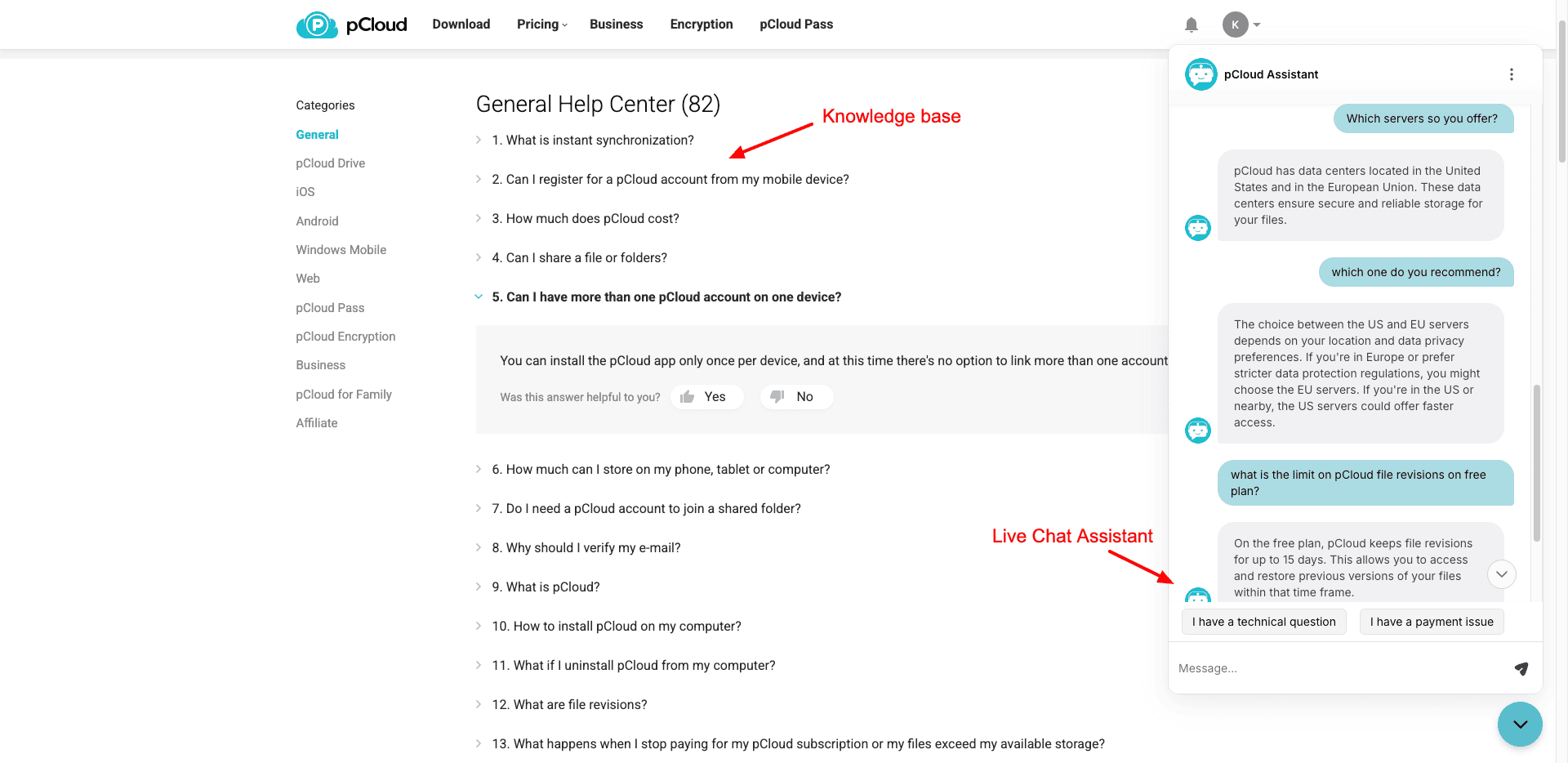
For more personalized support, you get the pCloud Assistant. It’s a chatbot that answers your basic queries for you. If you need human assistance, you can contact the pCloud support team via email.
In my opinion, they should implement improved live chat support with human agents to offer better assistance.
pCloud Pros
1) Swift Speeds
I experienced fast upload and download speeds on pCloud. So, if your primary purpose is uploading lots of data, then this pCloud could be a great option for you.
2) Data Center Choice
While creating an account on pCloud, you can manually opt for a data center in the US or EU. Most cloud storage providers don’t offer you a choice of data center.
3) Modern Interface
pCloud recently introduced a major UI redesign across its web dashboard, desktop apps, and mobile apps. The new interface feels more modern and intuitive, making file navigation and sharing smoother.
4) Affordable Lifetime Plans
pCloud offers lifetime storage plans with one-time payments. You can choose from 500 GB, 2 TB, or even 10 TB lifetime storage, which can be quite affordable in the long run. I personally use the 2 TB lifetime plan as well.
5) Multi-Platform Availability
pCloud offers functional apps for all devices, including Android, iOS, Windows, Mac, and Linux. So, you can access your cloud storage from anywhere and at any time.
6) Strong Syncing Features
Unlike other cloud storage services, pCloud offers both selective syncing and block-level syncing. Thus, it helps in reducing the upload time and the bandwidth consumed.
7) Zero-Knowledge Encryption
The paid plans of pCloud employ zero-knowledge encryption. This means that the data stored in your cloud vault is only accessible to you, and nobody else.
8) Excellent Security Features
You get advanced security features to safeguard your account and data. These include 2FA support, 256-bit AES encryption, session history, and more. pCloud also upgraded to the WolfSSL security library, improving encryption performance and reliability.
9) Improved Backup Options
pCloud provides automatic backups for photos and files on mobile devices. Recent updates also introduced third-party backups on Android and improved automatic upload controls, including scheduled uploads and album exclusions.
10) Built-in Media Players
pCloud features responsive and functional media players. You get lots of convenient options if you’re a music enthusiast! For cloud storage, the media players of pCloud are pretty extraordinary.
It now also offers a dedicated Photos gallery that automatically organizes images in a timeline view, making photo management easier.
pCloud Cons
1) No Built-In Document Editing
The collaboration tools in pCloud are limited to file sharing. It doesn’t have a built-in document editing feature, which makes real-time collaboration impossible.
2) Extra Charges for Add-ons
If you need to enable the pCloud Encryption (Crypto folder) or the Extended File History feature on pCloud, you need to pay an additional charge.
3) Slow Customer Support
pCloud offers customer support via FAQs and email. They also have a support bot to assist via live chat. However, I hope they bring human agents for resolving advanced queries.
pCloud Alternatives
pCloud vs Icedrive
Icedrive is a popular cloud storage provider focused on privacy and security. Like pCloud, it offers secure cloud storage with fast speeds, file-sharing capabilities, privacy-focused encryption, and cost-effective lifetime plans.
Icedrive stands out with its clean UI, privacy-friendly policies, and affordability. It’s a great choice for those who value simplicity and security. However, its lack of advanced syncing, limited support, and absence of features like in-app editing may be drawbacks for some users.
Icedrive offers a free 10 GB plan, with its premium plans starting at $5.99/month, where you get 2 TB of storage.
pCloud vs Sync
Sync is an encrypted cloud storage that keeps your data secure and private. Both pCloud and Sync focus on security, offering zero-knowledge encryption, strong file-sharing tools, multi-platform support, and affordable plans.
Sync is ideal for privacy-conscious users with its end-to-end encryption and seamless Office 365 integration. It also excels in secure file sharing and document collaboration. However, its outdated UI, lack of Linux support, and limited data center options may be limiting.
You get a limited 5 GB on Sync’s free plan. Its paid plans start at $12/month, where you get 1 TB of storage.
Why Should You Trust Me?
I’ve been working full-time in the digital industry since 2015. In these years, I have thoroughly used, tested, and reviewed all popular cloud storage solutions. These include Icedrive, Sync, Zoho WorkDrive, etc. You can find their detailed reviews on my blog and YouTube channel.
For this review, I’ve spent a few weeks testing all the key features of Mega cloud storage on all devices and apps. My experience and expertise in the field of cloud storage have made me capable of recommending the best service for your needs.
Conclusion
Overall, pCloud looks like a solid cloud storage. Its fast speeds, flexible file-sharing, & lifetime plans make it an affordable investment. Features like zero-knowledge encryption, multi-platform support, and built-in media players cater to security-conscious users and media enthusiasts.
The platform has also improved recently with a modern interface, a dedicated Photos gallery, and a stronger security infrastructure. However, pCloud still lacks built-in document editing and advanced collaboration tools.
If you need a reliable cloud service for backups, secure file sharing, and media storage, pCloud is a great choice. But if real-time collaboration and document editing are your top priorities, you may want to explore alternatives like Sync or Google Drive.
I hope this pCloud Review helped you identify if it’s the right cloud storage solution for you. You can check out these Best Cloud Storage to explore other options. Anyway, this is Kripesh signing off. I’ll be back with more such interesting articles soon. Till then, keep learning. Cheers!
FAQs
1) Which is better, pCloud or Google Drive?
It depends on your use case. If your priority is file security, advanced sharing, syncing, and affordable lifetime plans, pCloud is a better choice. But if you need real-time collaboration, in-app editing, and seamless access across all devices, pick Google Drive.
2) Does pCloud offer file-sharing options?
Yes, you can share your files via email or public links. While sharing, you get to create a secure password and set a link expiry date as well.
3) Does pCloud offer encryption for files?
Yes, pCloud encrypts your files with the strongest AES-256 encryption and also offers zero-knowledge encryption on its paid plans. If you need additional security for storing your confidential files, you can purchase its “pCloud Encryption” add-on for $49.99 annually or $150 for a lifetime!
4) Can pCloud be used for collaborative work and file editing?
Unfortunately, pCloud doesn’t offer built-in apps for file editing. This makes collaboration impossible on it.
5) Is pCloud suitable for businesses?
Yes, pCloud uses strong encryption methods to protect your data and offers secure file-sharing options, multiple security features, advanced file syncing, and file versioning. These features make it a good option for businesses.
6) How does pCloud handle file synchronization?
With pCloud, you get 2 types of file sync options. Selective sync allows you to choose the local folders you want to sync with the cloud. Block-level sync only syncs the changes you make to any files, saving bandwidth and reducing upload time significantly.
7) What is the pCloud lifetime plan?
pCloud offers 3 types of lifetime plans depending on your storage requirements:
Premium Plan (500 GB) – $199
Premium Plus Plan (2 TB) – $399
Ultra Plan (10 TB) – $1190
8) What are the customer support options for pCloud?
pCloud offers customer support via a knowledge base, email, and chat support. Their AI assistant handles the live chat and answers basic queries. I hope they introduce live chat with human agents soon.

pCloud Pros (+)
- Swift Speeds
- Data Center Choice
- Affordable Lifetime Plans
- Powerful File Sharing
- Multi-Platform Availability
- Strong Syncing Features
- Zero Knowledge Encryption
- Excellent Security Features
- Effortless Backups
- Built-in Media Players
pCloud Cons (-)
- No Built-In Document Editing
- UI Can be Improved
- Extra Charges for Add-ons
- Slow Customer Support



This is indeed a very good cloud storage, I just bought 2TB lifetime and plan to add more 2TB in the near future.
Thank you so much Maek for sharing your experience.
I purchased 500 gb lifetime subscription and they disabled my account within 48 hours without even a notice of violation of terms. They became too complacent and don’t care about user sensibilities.
“Don’t purchase lifetime plan from pcloud”. Its waste of money.
I purchased 500GB yearly plan and tried to upload files around 260GB data. Uploading successfully completed within 12 Hrs.
I’m using 5G plan and average download speed 800-850mbps /upload speed 135-150mbps. Luxembourg server also almost same speed, even i tested speed with Pcloud site itself, i got 116mbps.
Then i purchased 2TB lifetime plan and tried to upload around 90GB data. its showing the required upload time was more than 20Days.
I tested the same uploading process with my cloud server located in Miami, florida. Both upload & download speed their to Luxembourg 650mbps to 750mbps. Still the uploading speed only 224kbps..
I think, if we purchase lifetime plan they are reducing the upload/download speed.
When I contacted Pcloud support, the issue is not resolved yet. They are still studying same like other users reported.
If anyone plan to buy cloud storage for lifetime, don’t choose pcloud , because you can’t upload your files properly if more than 1GB. From my experience, 1 GB also required more than 1 weeks. 🙂
Ice drive [lifetime] is far better than Pcloud, if required yearly plan Mega [mega.nz] is better choice. We will get 2 months free in yearly plan and good upload/download speed.
Note: Sync cloud also good but upload/download speed is little less if compare with other clouds [Pcloud not in this list].
Thanks for sharing your experience Basil.
I’m getting good speed on Europe servers.
I’m also selected EU servers. Its is not related to location based issue. The slowness issue noticed after purchased lifetime plan. Before 1 week, i purchased 500GB plan with 1Yr subscription for checking uploading/downloading. At that time, i got very good speed. Once changed to lifetime plan suddenly speed was changed to kbps. When we contact their support, they just replied that the ussye is user side only. Then i shared all screenshots like my internet speed (using 5G plan with good), speed test to luxembourg, speed test result from pcloud website. All reports are saying that there is no issues my side. I checked the same upload process in my US based cloud server also. I got the same result (upload speed less than 250kbps).
Please try to upload bulk files (around 100Gb data), and check the uploading speed.
I’m also using EU server. But the slowness not related to location based issue. Because before purchasing lifetime plan, i was used 500GB yearly plan without any issues, that’s why i purchased lifetime subscription. But once i purchased lifetime, speed reduced.When i contacted their supported, they just replied that it is user side issue. Then I sent speed test results as per their request, speed test result (default) – 827mbps Download & 138mbps upload, destination changed to Luxembourg (almost similar like default) and speed test result from pcloud website (187mbps download & 116mbps upload). All results are saying that there is no issues from my side. I checked the same in my US based cloud server also.. There is no different.
Then their support replied that ‘team is working on it’. This uploading speed issue is not new, I saw there are lots of users reported that the same issues 1 yr back. But Pcloud not fixed yet or they just avoiding.
They know very well, they will not get any extra money once user purchased lifetime. Therefore they are reducing the uplad/download speed only for lifetime users.
You can see the slowness issue not reported any free/monthly/Yearly users, if they do like this user will find new cloud service immediately.
For me, I don’t face any slowdown in upload/download speeds when I got my lifetime plan. Yes there could be hiccups specially when dealing with +100GB. This is to be expected. But once the files are synced you get to enjoy all the perks of being a lifetime user.
I have a lifetime 1TB plan, I don’t experience any speed degradation at all.
hi
Hi
I purchased the 500GB Lifetime plan and upload speeds are appalling. Even one JPEG image seems to take over a minute. pCloud is ok, but I’m not replacing Dropbox with it as I had originally planned. Maybe in the future it will get better…who knows?
I have read your excellent post.
Our experience, pCloud without notifying deleted our entire account with many photos and videos. All those were personal files, when we asked to pCloud they their system reported some issues with my account. Till now its not solved. So guys only upload things to this clueless cloud service at your risk as you can loose your precious moment at any time.
I purchased lifetime 2 TB storage with pCloud based on reviews I had read. I had had minor issues with speed, but for the most part speed has not been an issue for me. What I have experienced is file corruption and data loss from pCloud. One of my audio files that I purchased had zero edits to it since storing on my pCloud storage. For reasons unknown, this file is now corrupt. I did write to support asking them to please explain how a file that used to be intact mysteriously become corrupt. They responded to check the revision history claiming that the corruption happened after editing the file. However, the revision history for the file in question shows only that it was created last year with zero changes to it. I know that this file used to be correct, but the file had mysteriously change. It is a 192kHz 24-bit FLAC file that is 285MB in size. I do have a back-up of this file and can restore it; however, I am now having my doubts about pCloud’s reliability. Can I trust my data to this service? I am still waiting for an explanation of how my file mysteriously got corrupted. I have zero responses from support.
From their Terms and Conditions:
We also reserve the right to terminate any user’s right to access the Site or Services at any time, in our discretion.
If pCloud ceases operation, your account will be terminated and pCloud will no longer provide the Site or Services.
That’s the right to terminate clause which most of the cloud storages have. Even Google Drive has that.
It would’ve better if they could have stated the reasons for termination.
I also bought lifetime and think that service is great. One thing I hate it – comparing to Google drive – that it doesn’t really offer offline access when You use mapped drive. To show example if You have folder P:\Test on PCloud virtual/mapped drive and You want to have offline access You need to set sync between P:\Test and for example C:\Test so basically You need to add one more rule for data management and for me it’s little hard to get used to it. In Google Drive You have mapped drive and just set one of the folders as Offline access and that’s it 🙂
I hope they reinvent this offline access in the future and maybe add actual syncing list in the app to see what has been already uploaded/downloaded 🙂
Anyway, lifetime is a good choice.
Best,
nessip
That’s a great suggestion.
Hope they work on it. 🙂
Be very careful of this company. Make sure you read all the fine print because if you are not careful, you will be mislead just as I was. I have gone from thinking highly of this company and its service, to being very disappointed and super cautious. If you can’t trust them with the little things, I can’t see how you can trust them with the big things. And storing your data is a big thing.
Would love to know more about the experience you had.
I was using 2TB lifetime account PCloud to backup photos from my computer, phone and whatsapp. And all my data just whoops gone because my account terminated without any clear explanation or warning after 2-3 months using. The customer center also not really know anything just blame the user and violation of term without clear explanation.. It is disastrous to put a trust in PCloud, thousands of your important files may gone suddenly anytime if you wrongly put 1 files. Even the review of the speed, facilities etc on some website about PCloud looks good, you put an egg on the tip of branch if you put your trust in PCloud with your data. At least that happen in my experience. better choose another cloud service.
That’s weird.
Thanks for sharing your experience. Hope someone from the pCloud team helps you recover the account.
I’m using pCloud for almost 4 years. Working good so far for me. 🙂