Transferring large files online can be frustrating, especially when tools like Gmail limit attachments to just 25 MB. But wait, you can bypass this limit and send files up to 200 GB using smarter methods!
Many modern tools let you share massive files with added security and zero hassle. After testing dozens of services, I’m finally here to show you how to transfer large files for free. These methods are free, secure, and often don’t require signups.
Curious to discover the best ways to transfer your large files for free? Let’s get started!
10 Best Ways To Transfer Large Files for Free (2026)
| Tool Name | Free Limit | Key Features | Sign Up Required |
| Tresorit Send | 5 GB | Zero-knowledge encryption, password protection, link expiry, and revoke access | No ❌ |
| Smash | Unlimited | No file size limit, password protection, file previews, notifications | No ❌ |
| pCloud Transfer | 5 GB | Fast speeds, optional encryption, email notifications, simple UI | No ❌ |
| TransferNow | 5 GB | Password protection, link expiry, download tracking, email/link sharing | No ❌ |
| FileTransfer.io | 6 GB | 21-day expiry, 50 downloads, QR code sharing | No ❌ |
| TransferXL | 5 GB | End-to-end encryption, download notifications | No ❌ |
| WeTransfer | 3 GB | AES-256 encryption, link customization, password protection, file previews | No ❌ |
| Mega | 20 GB | End-to-end encryption, cloud storage, link sharing, QR codes | Yes ✅ |
| Google Drive | 15 GB (storage) | Easy sharing, integrates with Gmail, and has cloud storage | Yes ✅ |
| LimeWire | 4 GB | QR code sharing, access permissions, simple UI | Partial ⚠️ |
1) Tresorit Send – Best for Security
Tresorit Send is a super secure file transfer service offered by Tresorit Cloud Storage. It lets you transfer up to 5 GB of files at a time for free, requiring no registration! To start with, simply upload your files and enable or disable link settings.
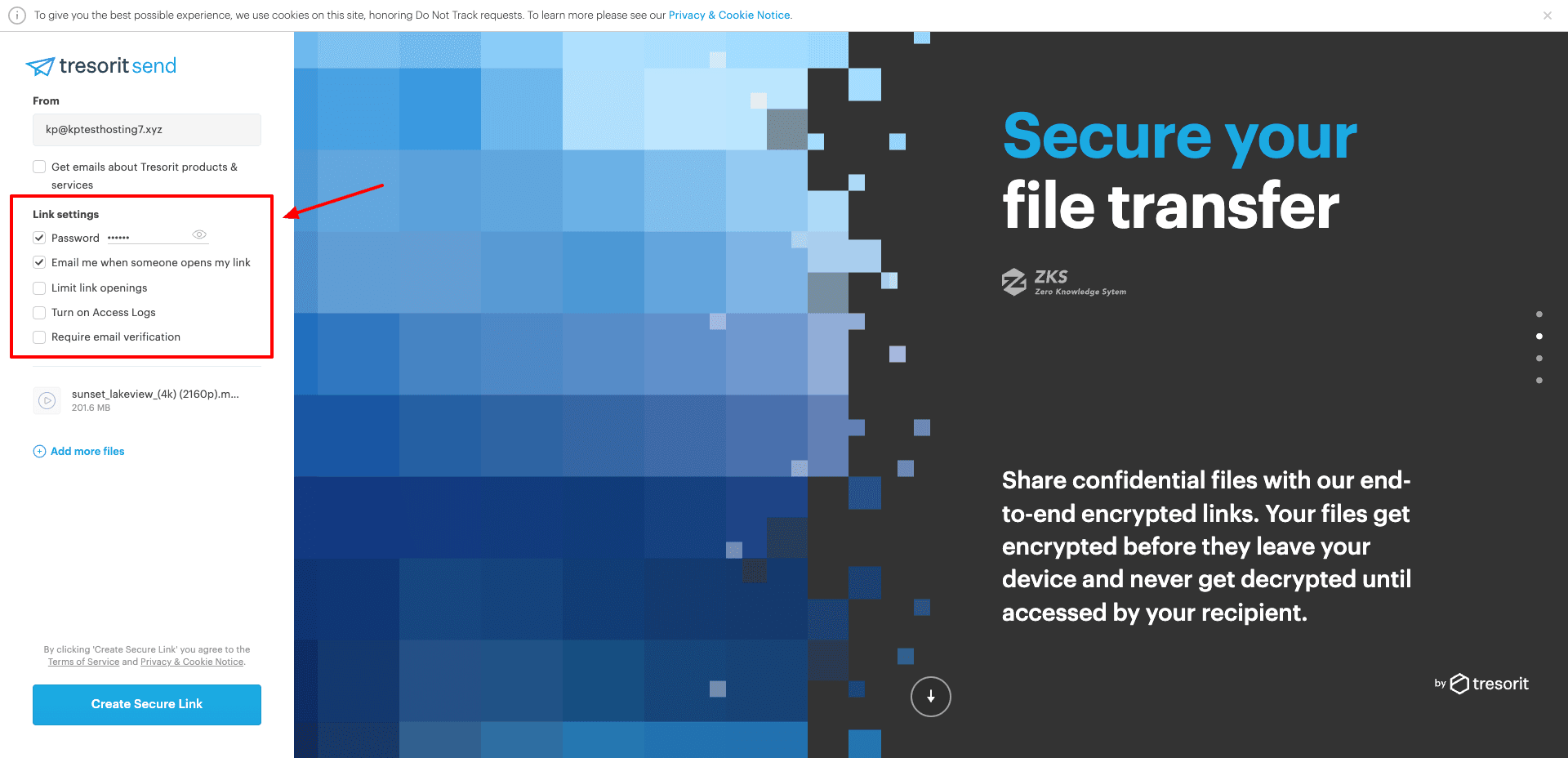
It stands out with its zero-knowledge encryption, meaning only you can decrypt your data, and nobody else. You can set a strong password to protect your transferred files. The recipient needs to enter the password to access the files.
On the same page, it displays the expiry date of your link along with the number of times it has been opened. It allows 7 days of link expiry or 10 link opens for every shared link. For additional security, it provides you with the facility to revoke access to your shared links upon task completion.
To limit link openings, enable access logs, or make recipients’ email verification mandatory, you need to sign up for Tresorit. So, if you need a secure and private platform to share sensitive files with the ability to revoke access anytime, check out Tresorit Send.
Cons
- Slow speeds because of zero-knowledge encryption.
- Can’t download files from a link more than 10 times.
2) Smash – Best for Large Files
Smash is a French file transfer service that’s designed for sharing large files, photos, documents, and videos. It stands out by having no strict file size limits. So you can send large files with ease.
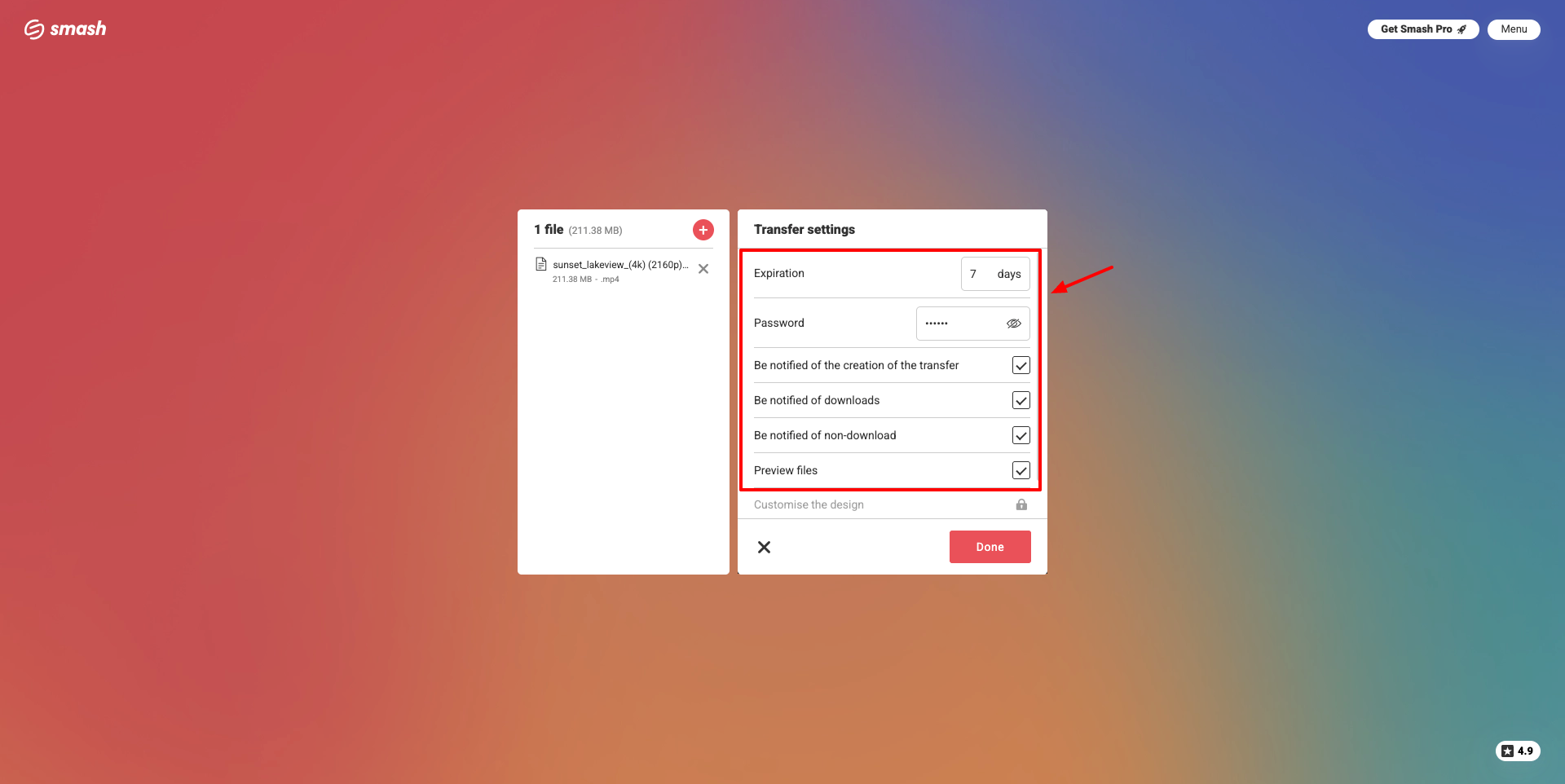
To start with, simply select your file and specify your email, the recipient’s email, a subject, and an optional message. You can also protect your file with a password, enable file previews, and enable notifications for transfer creation, downloads, and non-downloads.
There’s a To start with, simply select your file and specify your email, the recipient’s email, a subject, and an optional message. You can also protect your file with a password, enable file previews, and enable notifications for transfer creation, downloads, and non-downloads.
There’s a 7-day expiry limit on your shared files, after which they are wiped from the servers. The best part about Smash is its unlimited file transfers. Overall, if you need unlimited file transfers, do check out this service!
3) pCloud Transfer – Best All-Rounder
pCloud Transfer is a completely free file transfer service offered by pCloud Cloud Storage. It lets you transfer up to 5 GB of files for free without signing up for an account. Simply upload your file and choose if you wish to transfer via email or get a link.
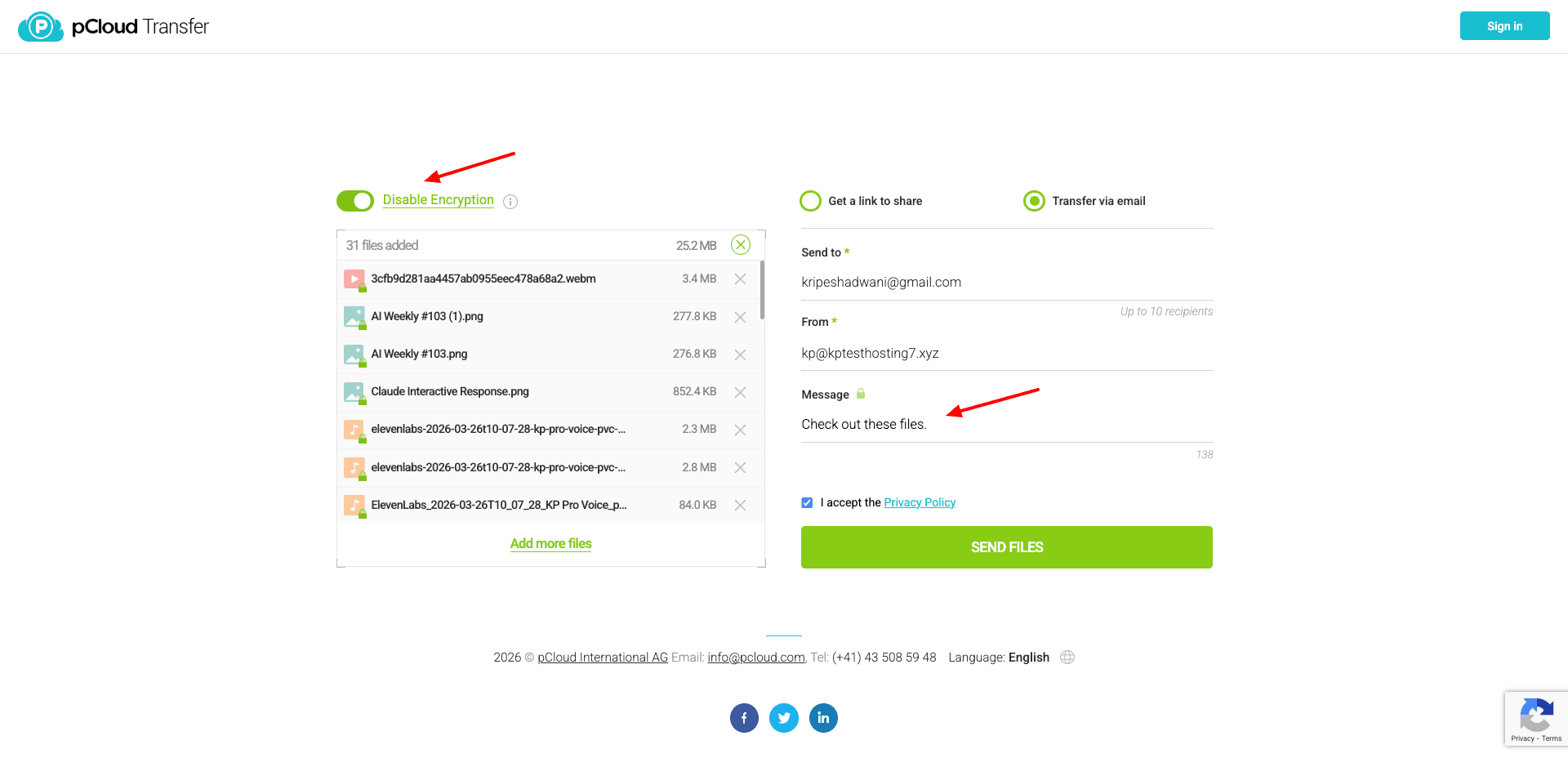
You can also enter your email, the recipient’s email, and an optional message. If you are transferring sensitive data, you can also apply optional encryption and secure your files with a password. There’s also a 7-day link expiry limit, after which shared links will become inactive.
Post sharing, you get email notifications whenever someone opens or downloads your shared files. I personally liked its super-fast upload and download speeds. It was able to upload my video file of over 1 GB in under 3 minutes!
Overall, if you need a reputable and secure file-transfer service, pCloud Transfer won’t disappoint you.
Cons
- Unsure if the optional encryption is zero-knowledge
- On applying encryption, the maximum file size reduces to 200 MB.
4) TransferNow – Best for Simple Sharing
TransferNow is a secure online service that lets you transfer large files up to 5 GB in size. To start with, simply click on the ‘Start’ button and upload your file by selecting or dragging and dropping it on the interface.
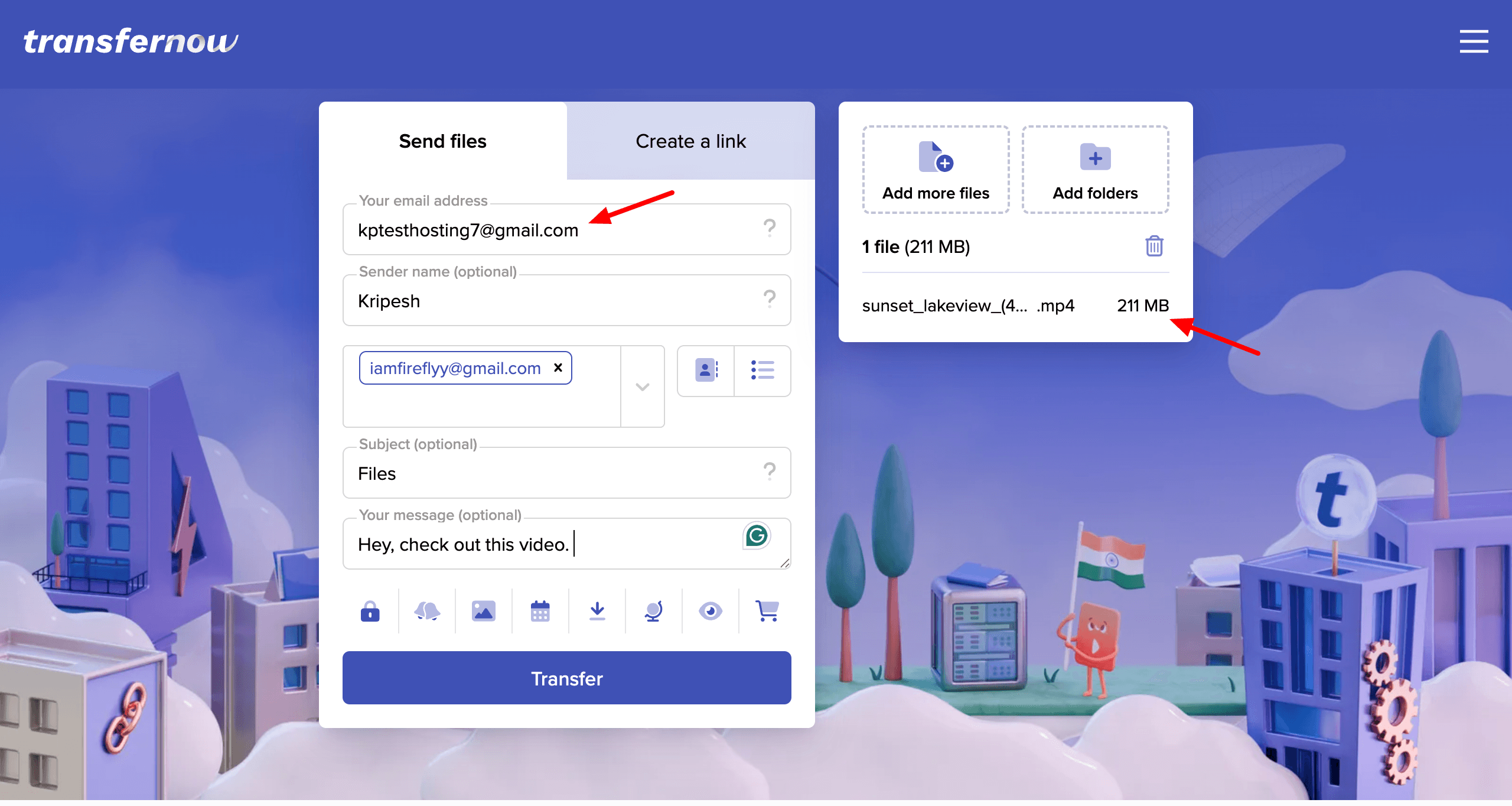
Next, enter your email, the recipient’s email, name, subject line, and a message before sharing your file. You can share up to 5 GB of files in one go. It can include multiple smaller files or 1 large file, as per your preference.
It also lets you secure your shared data with passwords, get notifications for file downloads, and link expiry. Files can be shared directly via email or through a public link. When the recipient receives your file, they can also preview it before downloading.
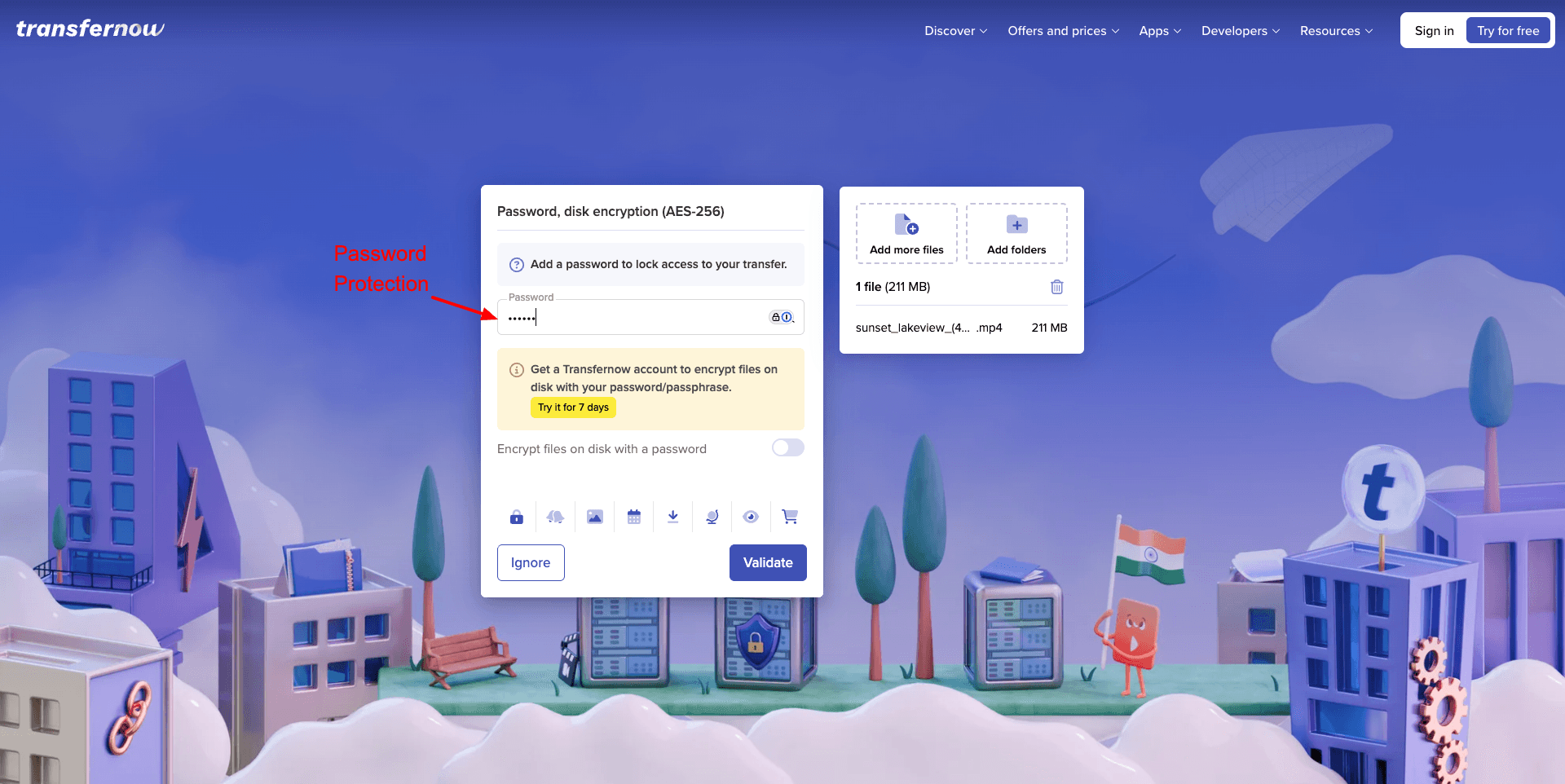
The best part about TransferNow is that you don’t need to register on the platform to share files. Your shared files are available for 7 days, after which they are deleted from their servers.
Users who need secure file sharing with basic analytics should check TransferNow.
5) FileTransfer.io
FileTransfer.io is another secure file transfer service by LimeWire. It has extended limits compared to LimeWire. Here, you can send up to 6 GB of files in one go. All you need to do is upload your files for sharing.
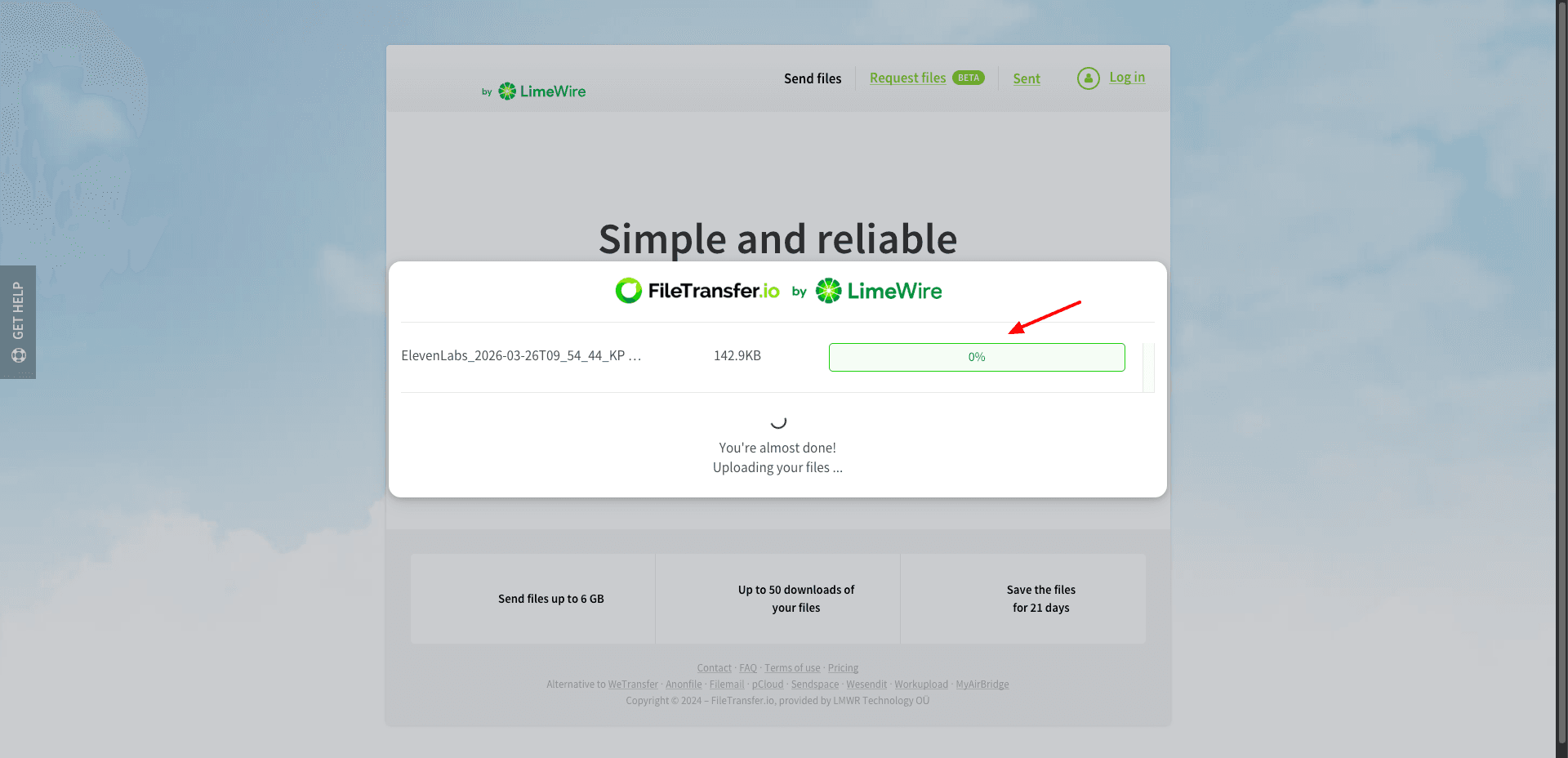
It automatically creates a share link that can be copied and shared with others. It also generates a QR code, and you can even share by manually entering an email address. FileTransfer.io offers an extended limit of 50 downloads. The shared files remain active for up to 21 days!
So, if you need a convenient file transfer tool that even lets you download files through QR codes, you should definitely check out FileTransfer.io.
Cons:
- No secure password option
6) TransferXL
TransferXL is a cloud-based file transfer service. It lets you transfer 5 GB of files for free. To start with, you can simply upload your file by selecting it from your local storage. Then you get two methods of sharing: via individual email IDs or through public links.
If sharing your files with specific emails, you can add up to 5 recipients at a time. The file transfers are limited to 10 transfers a day and a 10 GB file transfer limit per day. Your shared files are end-to-end encrypted for additional security.
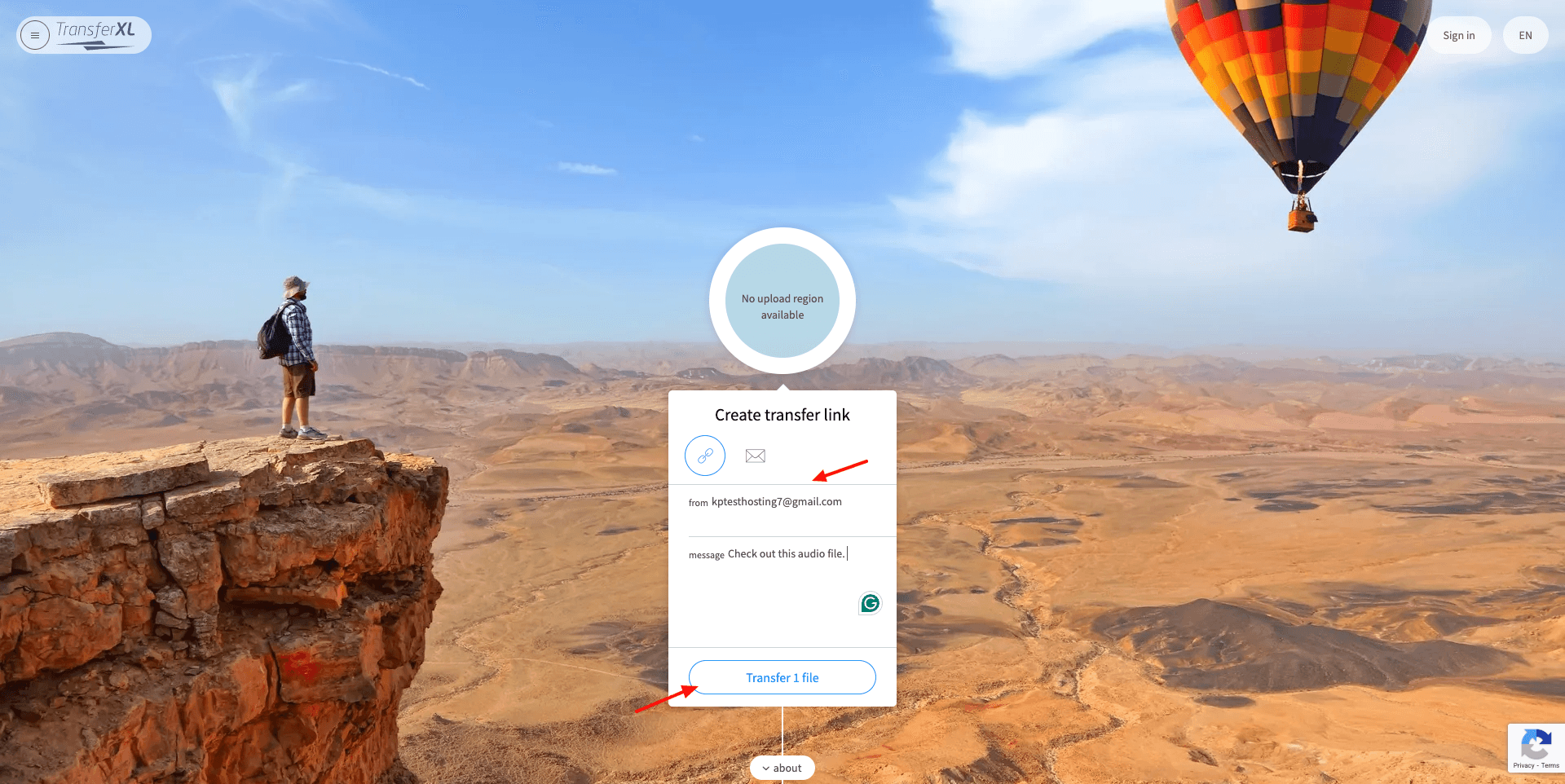
Whenever a recipient downloads your shared file, you get notified of it. The shared files are retained for 1 week, after which they are deleted from TransferXL’s servers. If you are looking for a secure file transfer service, you should check out TransferXL.
Cons:
- No file previews before downloading
- No link password protection
- No expiry date setting
7) WeTransfer
WeTransfer is a very popular free online file-sharing service that lets you transfer up to 3 GB of files. You don’t need to register on WeTransfer to share your data with others. Upload your files, enter the sender and receiver email, title, and an optional message, or create a public link.

Before letting you transfer your files, WeTransfer verifies your email account. This ensures that the email sender is authentic. What’s different about WeTransfer is that it encrypts your shared data with AES-256-bit encryption while being transferred and stored on their servers.
It offers a range of link settings, even on the free version. You can:
- Set a link expiry date (1 day / 3 days)
- Select a view option (Preview and download, Download only, Preview only, or Preview only + watermark)
- Allow or disable comments and favorites
- Set a secure password
- Enable ‘Edit after sending’ to add or remove content after sharing the link.
Overall, if you need a secure file transfer platform with the ability to edit content even after sharing file links, you can use WeTransfer.
Cons
- Only 3 days of link expiry on the free version.
8) Mega
Mega is one of the most popular free cloud storage services. It lets you transfer files up to 20 GB in size. In order to share files, you need to register for a free account, create a folder, and upload the files to the cloud vault.
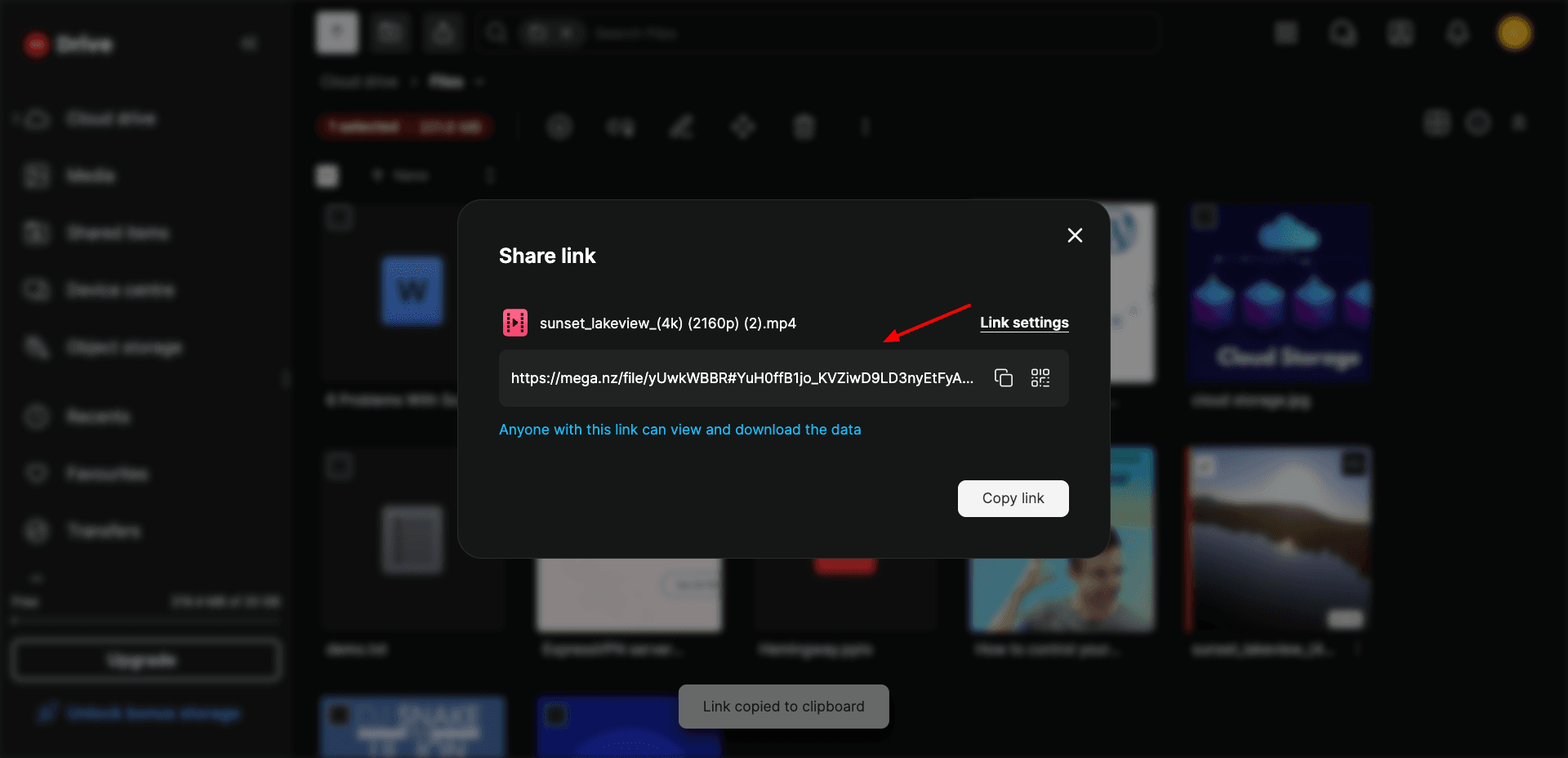
Then, share your file as a public link or a QR code. For added safety, you can export the decryption key for your links separately. It’s a super simple service for transferring large files. Mega stands out by being end-to-end encrypted and a zero-knowledge service.
If your preference is a highly secure transfer service for your sensitive data, you should go with Mega cloud storage.
Cons:
- Account registration is required for file sharing.
- Cannot set the link expiry and password for free.
- Bandwidth is limited on the free plan.
9) Gmail Attachment via Google Drive
Gmail is a free email service provided by Google. It lets you transfer up to 25 MB of files at once. However, you can extend it by using Google Drive. Every Google Drive account comes with 15 GB of free cloud space.
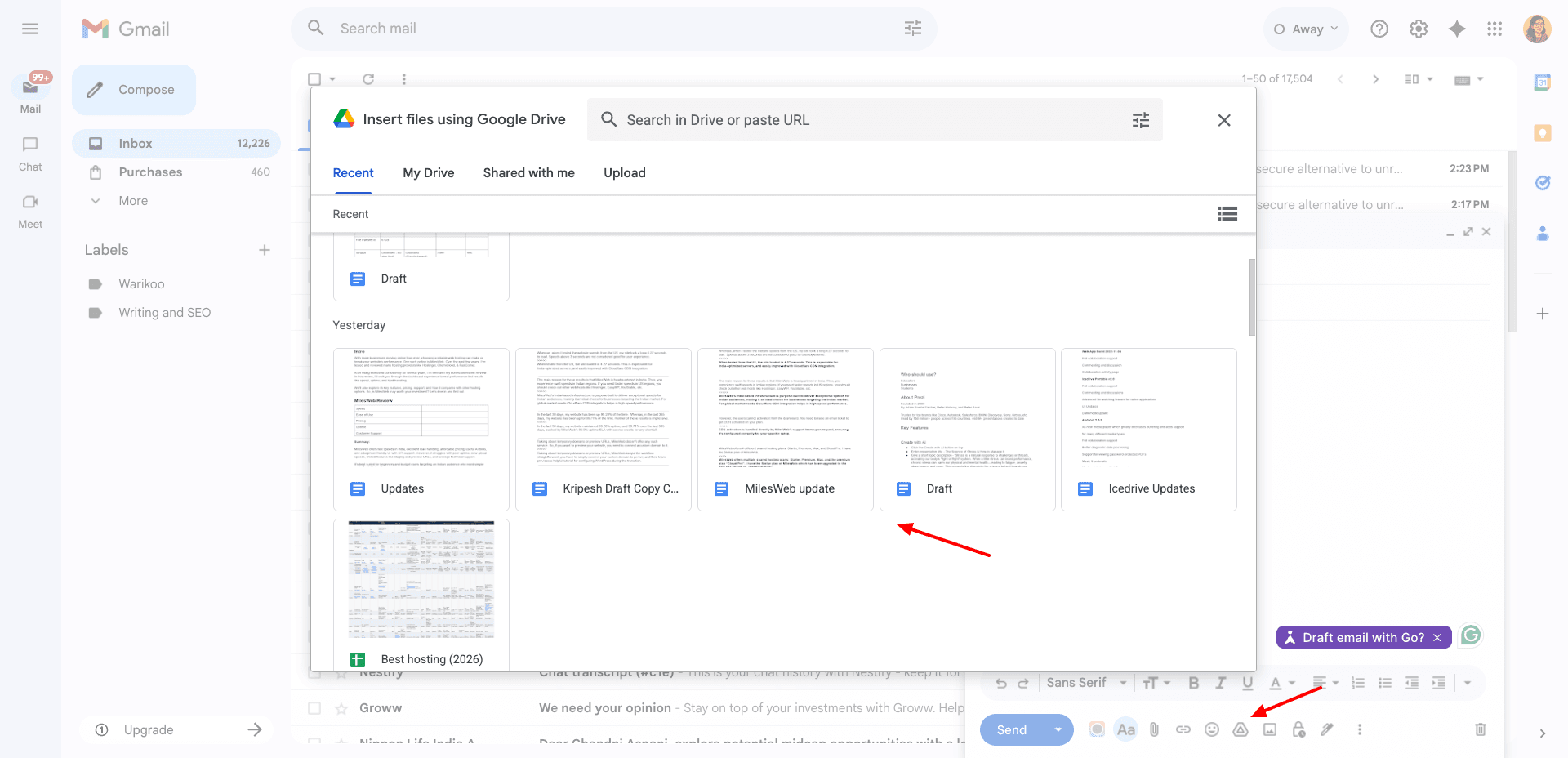
So, you simply need to upload your file to Google Drive. And then, while drafting your email, you can attach the file as an attachment via Google Drive. If you need a super simple method of file sharing while utilizing the cloud storage allotted on your Google account, use Google Drive.
Cons:
- No password protection or link expiry.
- Need a Google account.
10) LimeWire
Limewire is an AI-powered file transfer service. You can transfer up to 4 GB of files through it by dragging and dropping them on the UI. Next, click on the ‘Share’ button and share your files via a public link or email. It also generates a QR code that can be scanned to download your file.
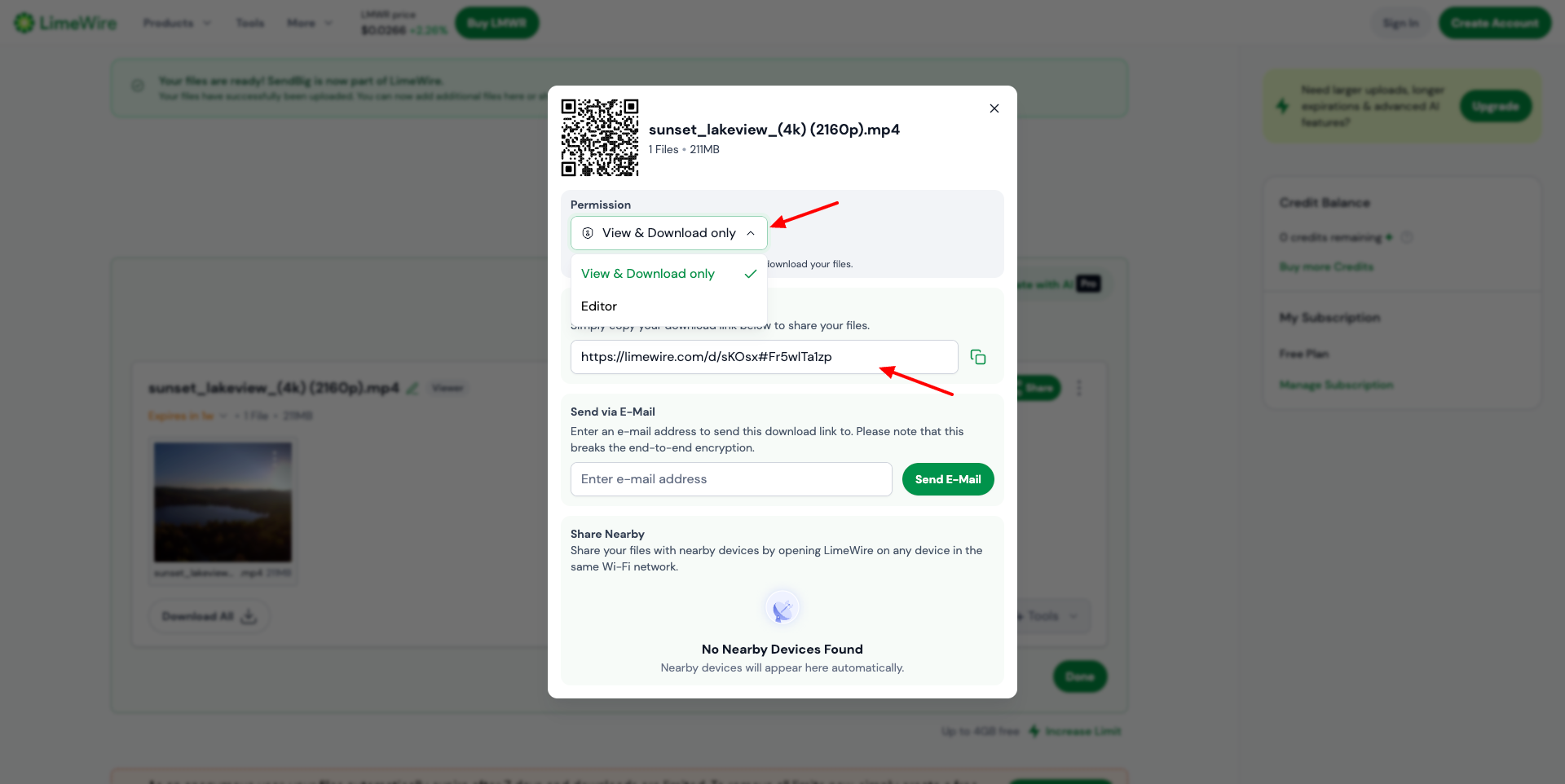
You can also set access permissions from ‘view and download only’ access and ‘editor’ access. The Editor access requires you to register for a Lime Wire account. There is a 7-day file expiry limit, so your shared data is deleted after a week.
Cons:
- No password setting feature
Why Should You Trust Me?
I’ve been working full-time in the digital and tech space since 2015. Sharing large files has been a regular part of my workflow. From sending high-quality videos and design files to transferring client documents, I’ve personally tested a wide range of file transfer tools.
For this article, I didn’t just rely on feature lists. I actively tested these tools based on key factors like file size limits, security features, speed, and overall user experience. This hands-on approach helped me filter out what actually works, so you can confidently choose the best method to transfer your files for free.
Conclusion
These were some quick and effortless ways to transfer large files for free over the internet! I hope you found these methods helpful. Personally, I prefer Tresorit Send for its secure, no-registration file sharing.
Besides that, I often rely on cloud storage services like Icedrive and pCloud for everyday use. Anyway, have you tried any of these services before? Or do you use other tools for large file transfers? I’d love to hear your recommendations. Drop them in the comments below.
This is Kripesh signing off. I’ll be back soon with another article. See you!