Are you also hooked on the ease of use and convenience of AI-powered website builders? Well, then you’ll be thrilled to know that WordPress has launched its in-house AI-powered website builder.
But does it live up to the hype? After testing it for a few days, I’m here to bring you an in-depth WordPress AI Website Builder Review. In this article, we’ll explore its key features, what makes it unique, and who should use it.
We’ll also dive into its pricing plans, carefully weigh its pros and cons, and compare it to other popular alternatives. Curious to know if this tool is a game-changer for building websites? Let’s dive right in!
- About WordPress AI Website Builder
- Key Features of WordPress AI Website Builder
- How To Use WordPress AI Website Builder?
- WordPress AI Website Builder Pricing
- WordPress AI Website Builder Pros
- WordPress AI Website Builder Cons
- Who Should Use WordPress AI Website Builder?
- WordPress AI vs Hostinger AI vs Elementor AI
- Conclusion
About WordPress AI Website Builder
WordPress is one of the most popular CMS platforms, powering 43.5% of websites on the internet. They recently launched their AI website builder in early April 2025 to simplify website creation for its users.
 //WordPress AI website builder
It works through a chatbot interface, where users are required to enter a prompt and then provide their preferences for style, layouts, colors, etc. The AI builder then generates complete websites equipped with layouts, content, and images within seconds!
Key Features of WordPress AI Website Builder
1) Content Editing
To personalize your website, you can edit and update content within any section. WordPress AI Website Builder lets you rewrite a text block, translate it, insert client testimonials, update addresses, create new menu items, update links, etc.
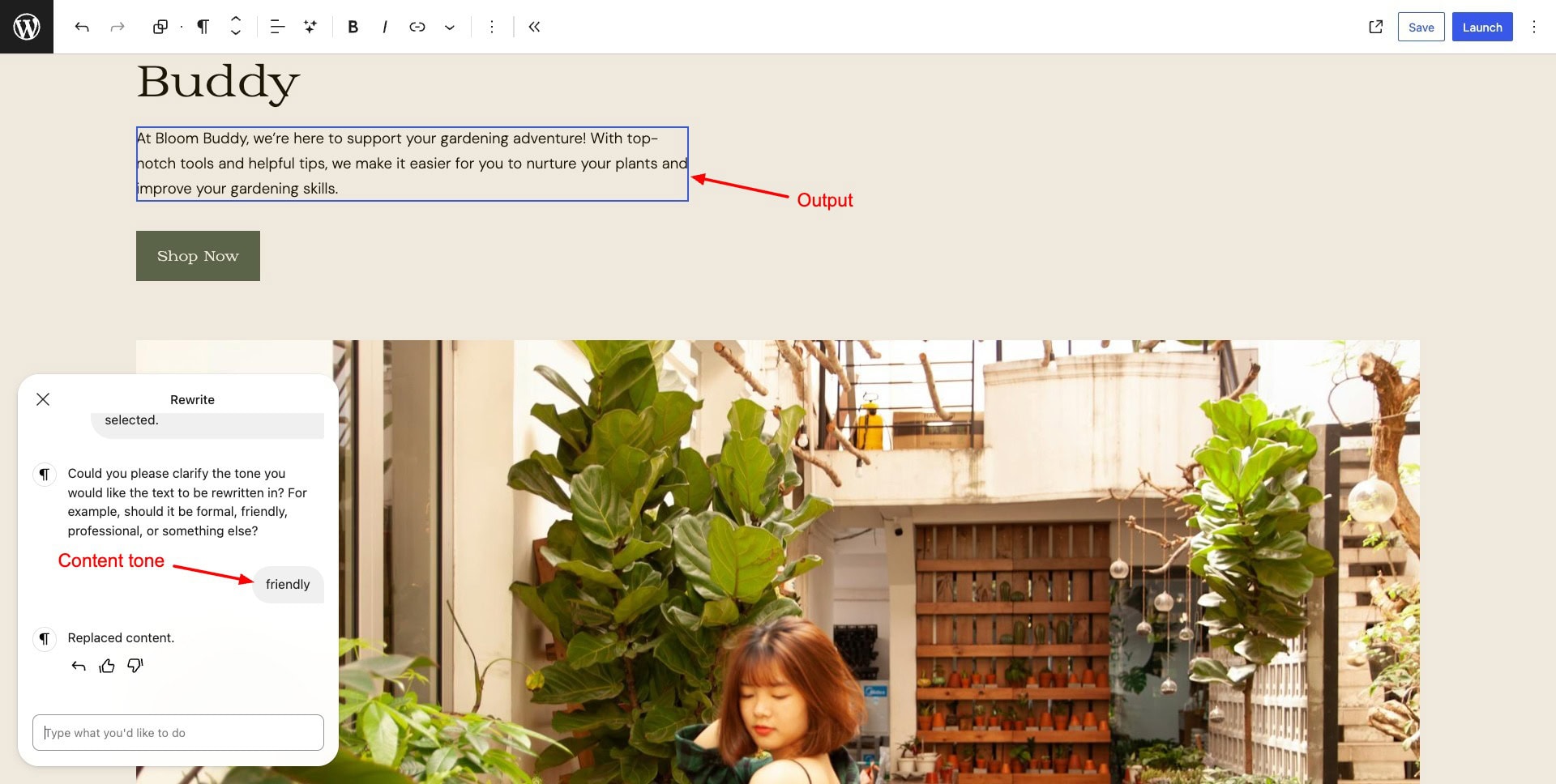
For instance, in the above image, I edited my content tone to a more friendly tone. Overall, it produced pretty good results with relevant content.
2) Design Adjustments
Besides text editing, WordPress AI Website Builder also lets you change the colors of buttons, text, sections, backgrounds, and more.
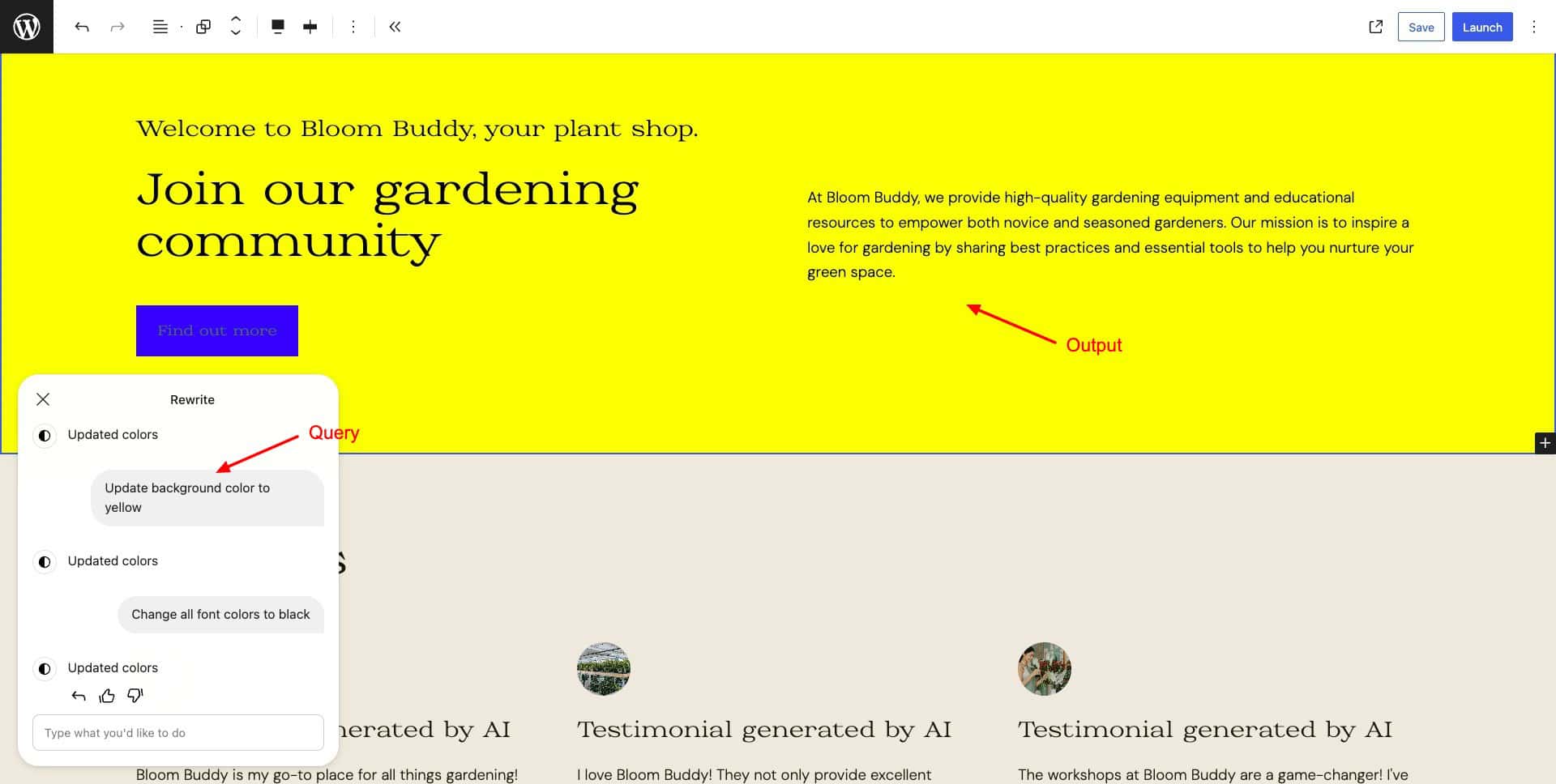
You can also improve the appearance of your website elements, like headers, footers, and sections, by simply requesting through a prompt. However, this feature doesn’t work well. Sometimes it makes the entire section disappear! They need to work on improving it.
3) Image and Logo Generation
If you find irrelevant images in any section or page, you can simply click on them and ask the AI to update them by describing the image.
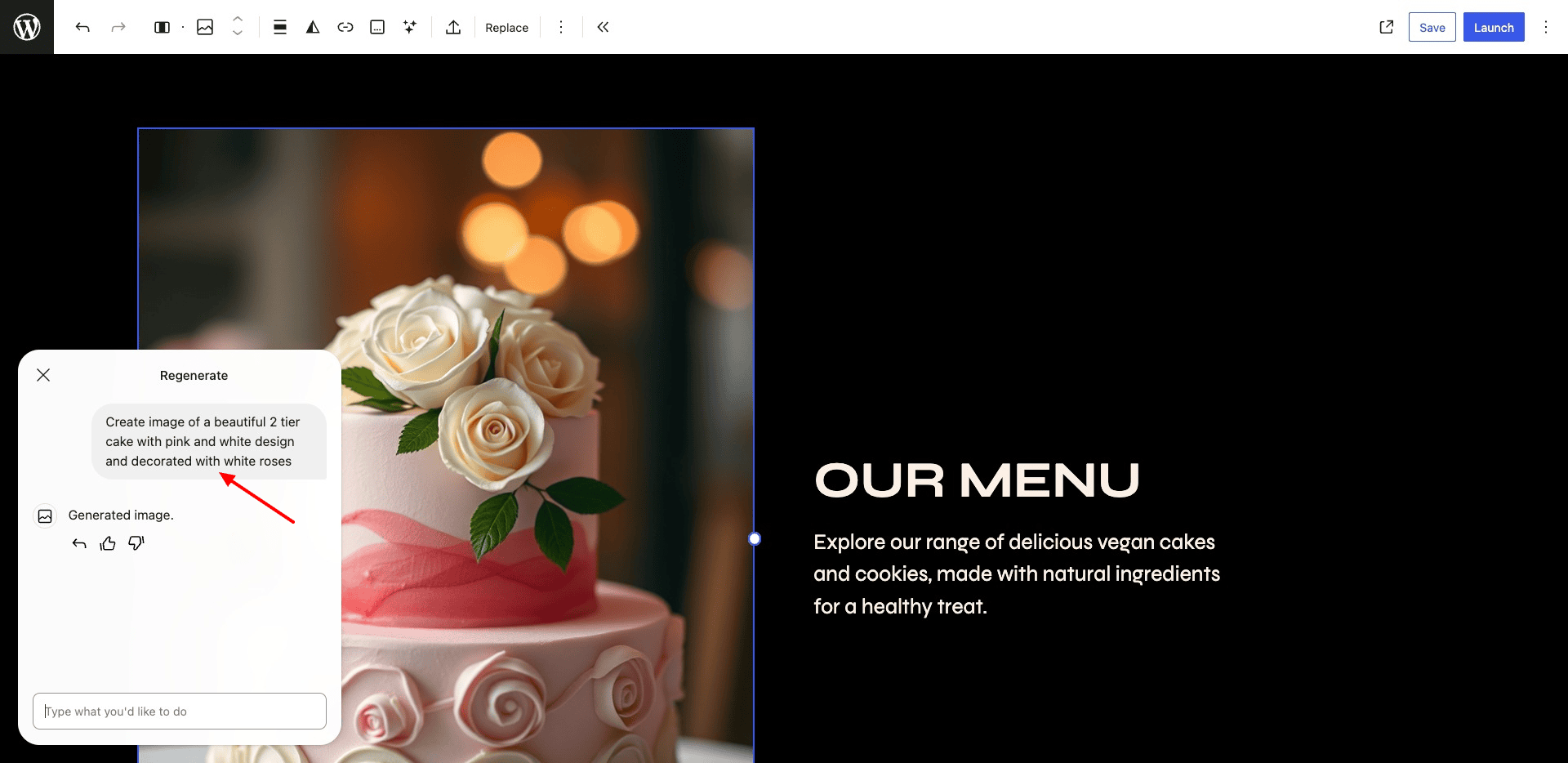
It may provide you with AI images or stock images. Alternatively, you can also update your logos with AI in an instant! I personally liked the image generation capabilities of WordPress AI website builder.
4) Font Enhancements
If you are not happy with the fonts used to build your site, you can ask the AI to suggest new font styles. Clicking on the options will let you preview them across your site.
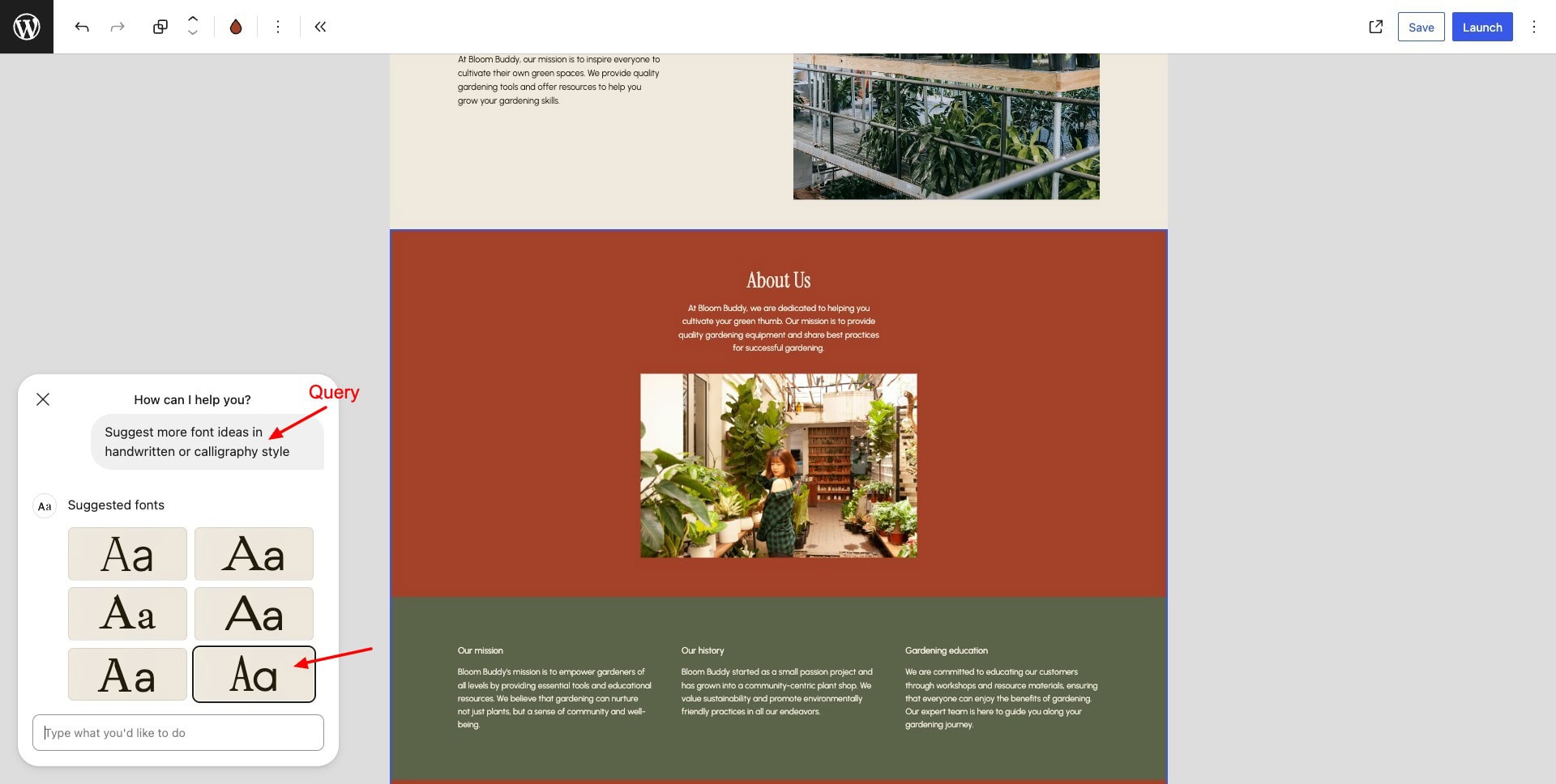
In my experience, there’s a lot of improvement required in font suggestions right now. Despite asking for specific types of fonts, it still suggests the same boring and repetitive fonts.
5) Layout Ideas
In case you are unsure about the layout of a page, you can ask the AI to redesign it. It returns a few layout ideas you can try!
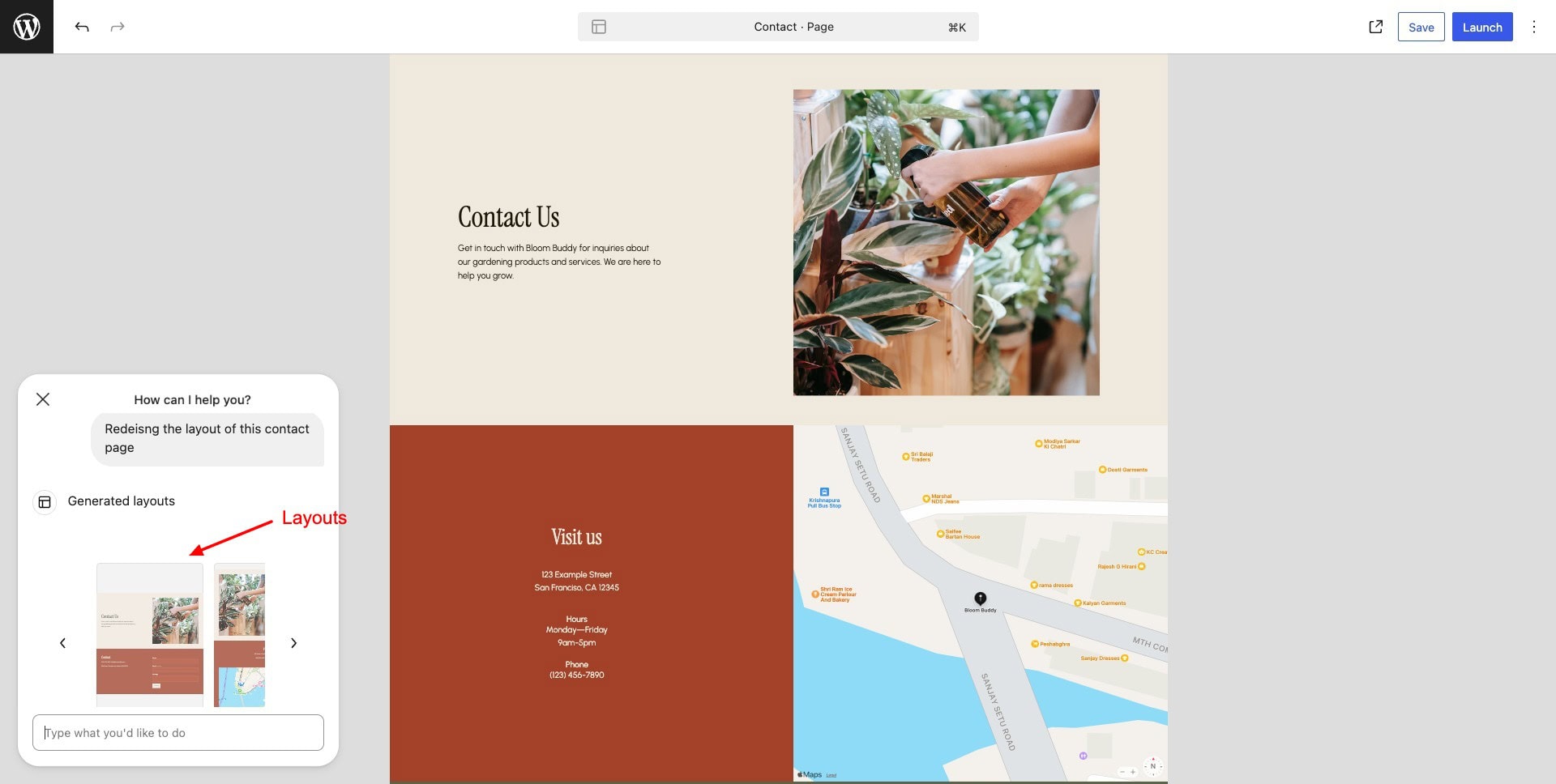
However, I won’t call it a “redesign”. It simply jumbles the position of elements, or edits their size, keeping the colors, fonts, images, etc, constant.
6) Section Replacements
The AI may not always generate website sections to your liking. In that case, you can regenerate sections by asking the AI.
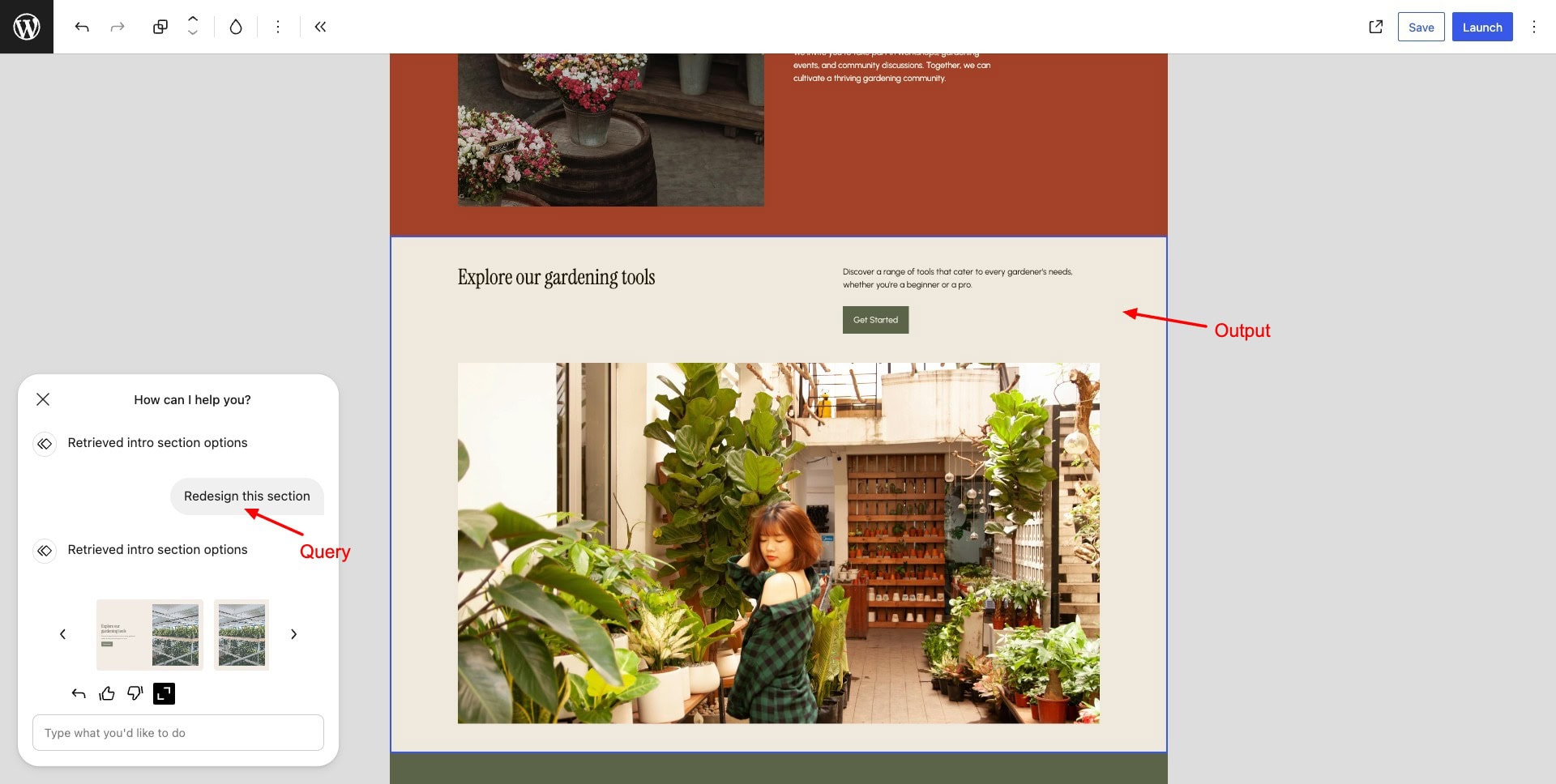
I liked how it generated various creative section ideas with different colors, images, layouts, and content.
How To Use WordPress AI Website Builder?
To get started with the WordPress AI website builder, follow the steps below.
Step 1: Sign Up on WordPress
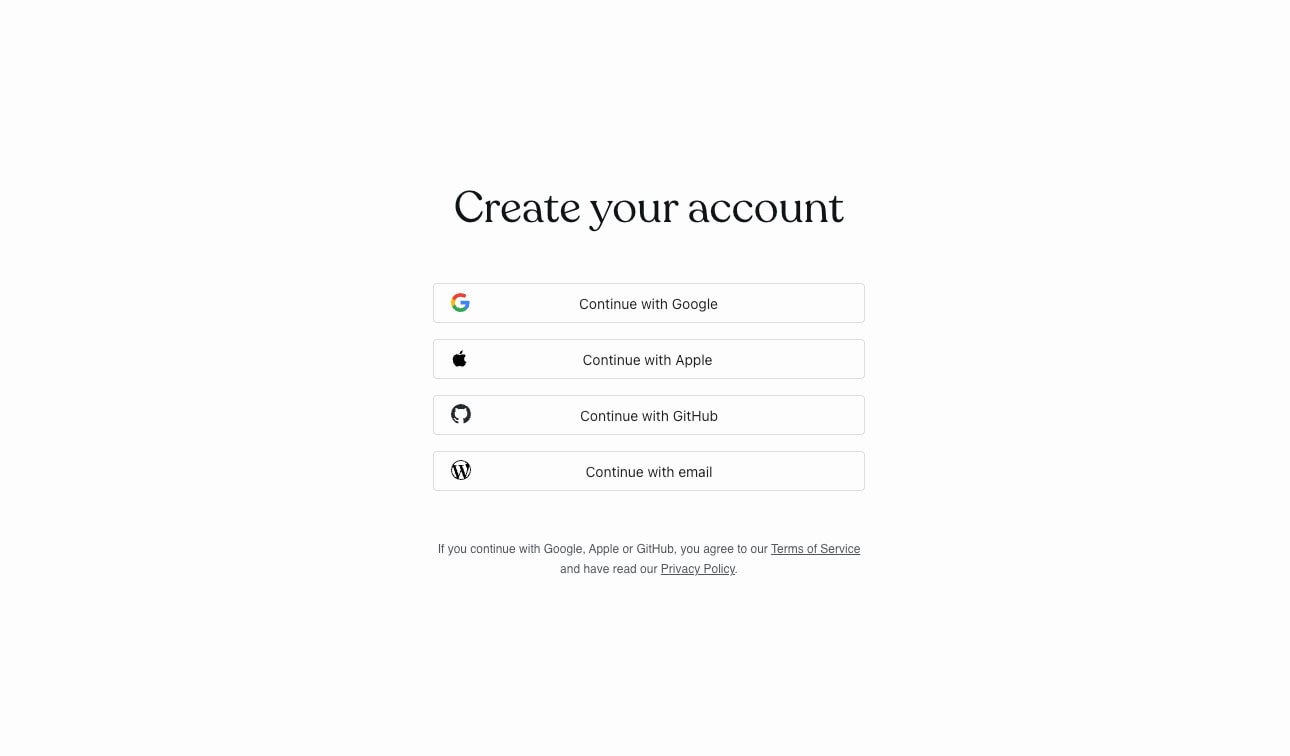
First of all, you need to register for a free account on WordPress. You can sign up using Google, Apple, GitHub, or a professional email.
Step 2: Supply Your Prompt
//WordPress AI Website Builder – Enter prompt
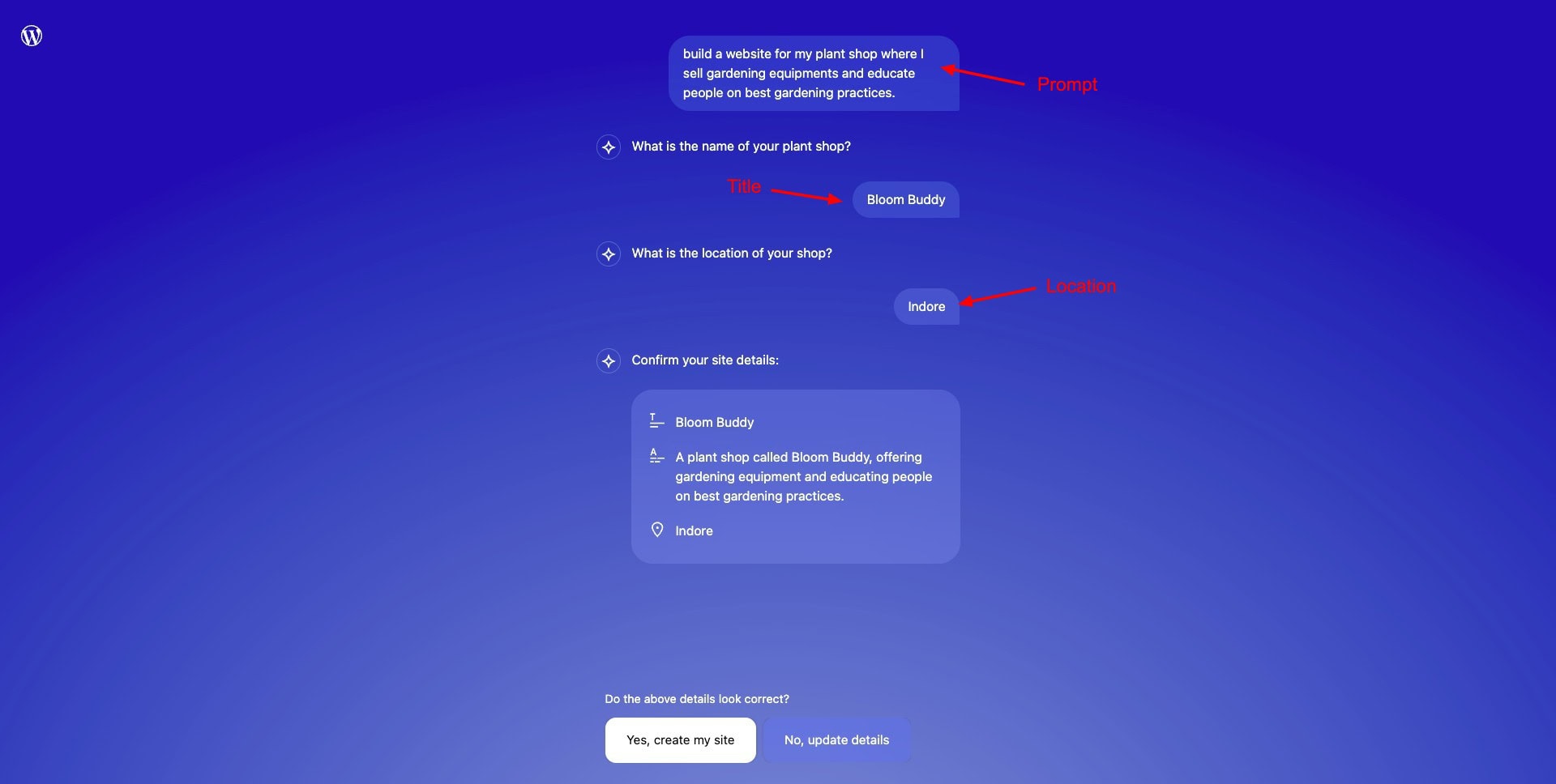
In the next step, you can provide a prompt to build your website. If it’s a business or service, the AI will ask you to enter a location as well. Finally, enter the website title. Your AI website will be ready within 15-20 seconds with multiple pages!
Step 3: Pick Layout, Color Palette, and Fonts
Once your website is generated, you can select one from the multiple layout options generated.
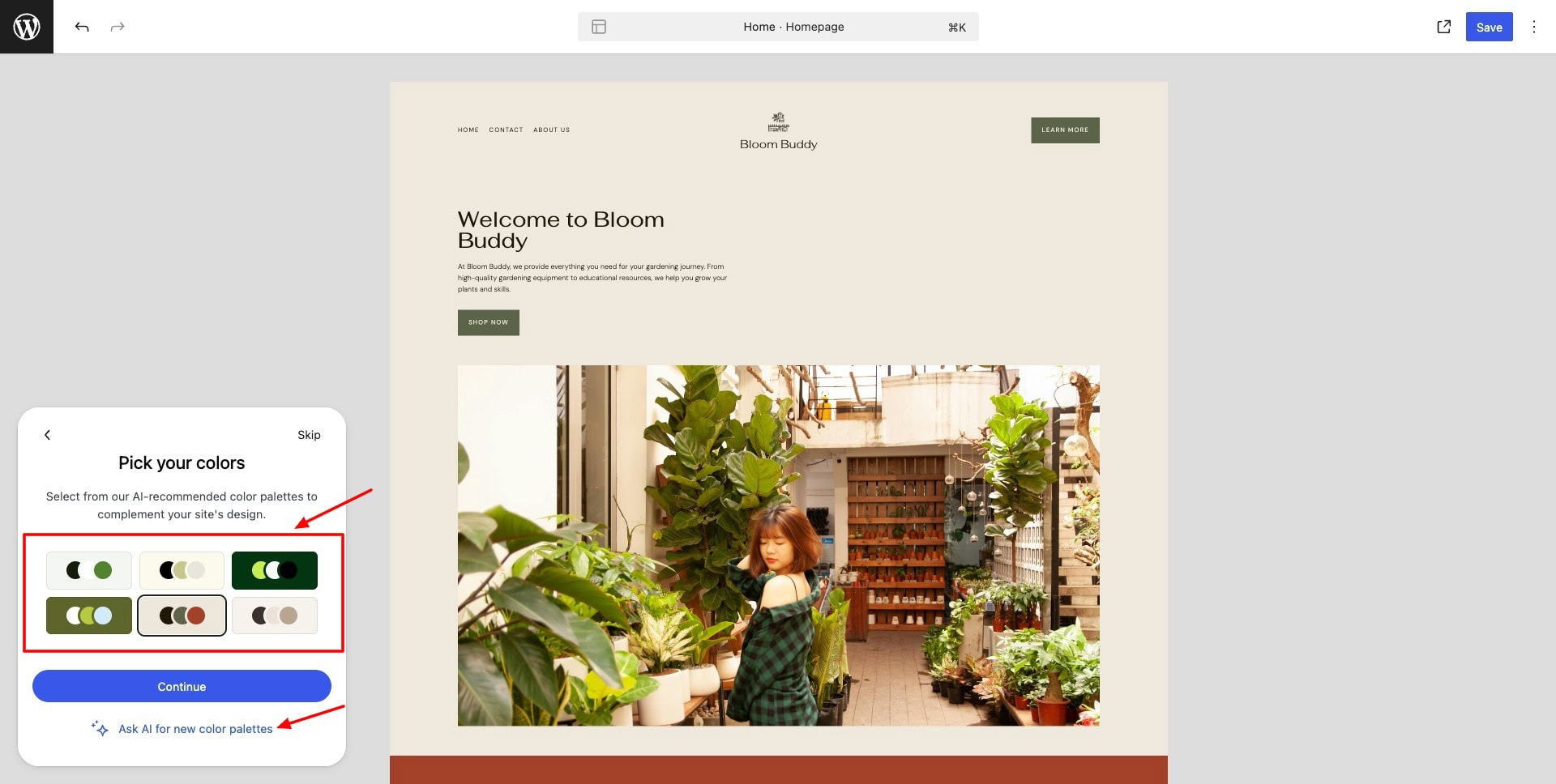
You can also pick a color palette and font pair. If you are not satisfied with the provided options, you can ask AI for more color palettes and font pairs.
Step 4: Edit with Prompts
Finally, scroll through all the sections and pages generated by the AI.
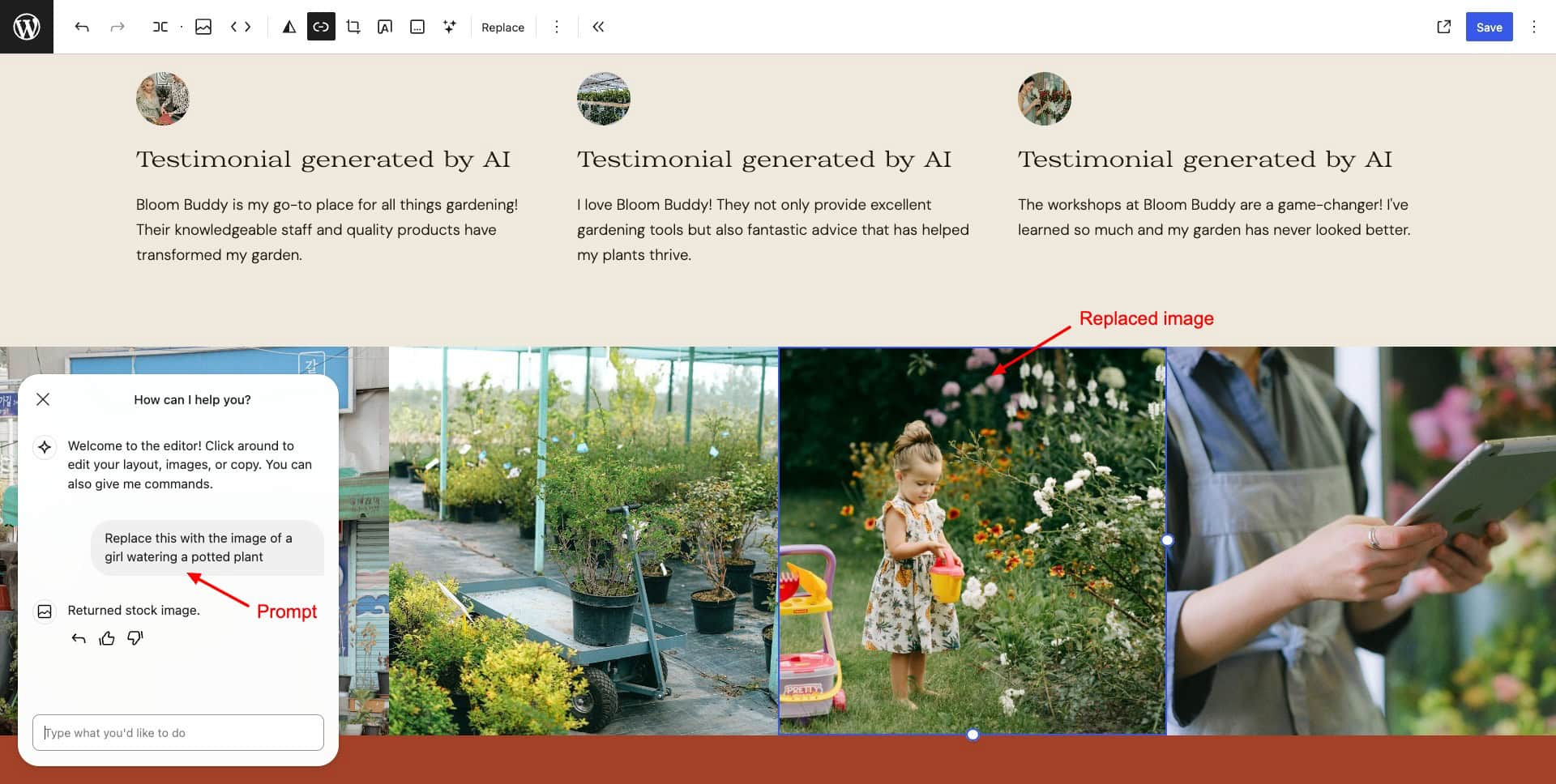
If you are not satisfied with something, select it and enter your edit request as a prompt in the chat box. The AI chatbot is available on the bottom left of the page.
WordPress AI Website Builder Pricing
At the moment, WordPress AI Website Builder is available as a free trial. It offers 30 queries to the AI assistant. For additional queries and features, you need to get a paid hosting plan from WordPress, starting at ₹160/month. Every plan includes a free domain, themes, & support.
WordPress supports the following payment methods: Credit card, debit card, Apple Pay, Google Pay, or PayPal. Talking about refunds, the monthly plans are eligible for a complete refund within 7 days of purchase. Whereas for annual, 2 and 3-year plans, you get a 14-day refund.
WordPress AI Website Builder Pros
1) Quick AI Website Creation
WordPress AI Website Builder is super swift at generating AI websites. All you need to do is enter your prompt and provide the website title and location. It automatically creates an attractive website within minutes.
2) Easy to Use
The user interface of the WordPress AI website builder is modern and intuitive. It is extremely easy to navigate for beginners and professionals alike.
3) Stunning Images and Logos
When the website is generated initially, the images it inserts into different website sections and pages are apt for the context. It even regenerates the logo in a distinct style if you want. Overall, I was impressed with its image generation capabilities.
4) Good Prompt Adherence
Most of the time, the AI follows instructions really well. It generates new pages, redesigns sections, adds images, and more quickly.
WordPress AI Website Builder Cons
1) Poor Font Suggestions
Despite multiple tries, I was unable to generate creative font pairings. I tried asking for calligraphic fonts, handwritten fonts, and Sans Serif fonts. But it returned the same boring font pairs every time. I hope they add more font combinations soon.
2) Restrictions with AI
You can only perform limited functions while customizing your website. It cannot increase or decrease font sizes, can’t add animations, edit the brand name, etc. Right now, there are inconsistencies with design adjustments and layout ideas as well!
3) Limited Free Trial
On the free trial of WordPress AI website builder, you only get 30 queries. As you reach 15 queries, it notifies you within the chat. The AI queries are pretty limited and will be used up sooner than you realize.
4) Wasted Queries
As per my experience, many of the queries are wasted in trying to understand what exactly the AI can do. 30 trial queries aren’t enough to test the capabilities of this tool and build a decent website. I wish they provided more assistance through sample prompts or suggestions.
5) Premium Elements Inserted by Default
Upon saving your website, you get a warning, stating your website uses premium elements that can’t be displayed. It’s quite an annoying trick to push users towards upgrading to the paid plan.
Who Should Use WordPress AI Website Builder?
WordPress AI Website Builder is perfect for freelancers who wish to design a sleek portfolio and customize images, fonts, layouts, and content as per their requirements.
It is ideal for bloggers who lack much technical expertise, but need a blog quickly. They can further add new sections, generate unique content, and add catchy images to their blog posts.
Finally, it’s also perfect for entrepreneurs looking to launch a product or promote an event. You can use it to generate new pages, insert testimonials, create contact forms, and more within minutes.
WordPress AI vs Hostinger AI vs Elementor AI
To give you a better idea of where WordPress AI site builder stands, here’s its tabular comparison with Hostinger AI website builder and Elementor AI.
| WordPress AI | Hostinger AI | Elementor AI | |
| Site Generation Time | 10-20 sec | 20-30 sec | Few seconds |
| Elements Generated | Website layout, sections, content, images, logo, and multiple pages | Content, sections, images, icons | Text, image, sections, custom code |
| Prompt Adherence | Good | Good | Decent |
| Design Customization | Limited | Excellent | Good |
| UI | Easy to Use | Easy to Use | Easy to Use |
| Image Generation | Excellent | Good | Decen |
| Blog Generation | Yes, limited | Excellent | No |
| eCommerce Features | No | Yes | No |
| Free Trial | 30 queries | No | Available (credit limit not known) |
Why Should You Trust Me?
I’ve been working full-time in the digital industry since 2015. In the past years, I have created dozens of WordPress websites for my business, personal use, and clients, using paid and free website builders. Some popular names include Wix, Dukaan, Squarespace, Carrd, Swipe Pages, etc.
I have even tested AI website builders like Hostinger Website Builder and Elementor AI. Using a range of AI website generators over the last few years has given me the knowledge, experience, and expertise to compare and suggest the best one for your requirements.
Conclusion
WordPress AI Website Builder looks like a fantastic platform for quickly launching a clean and professional website with no coding knowledge. It’s fast, easy to use, and produces visually impressive outputs.
However, its AI functionality, font options, and free trial are a little restricted right now. Though it’s not perfect, it’s still a promising start in the AI website builder space, you could try for free!
I hope this article helped you discover the unique features of WordPress AI Website Builder and identify if it’s the right choice for you! If you wish to explore some other options, check out these amazing AI-powered website builders on our list!
Anyway, this is Kripesh signing off. I’ll be back with more such interesting articles soon. Cheers and keep learning!